
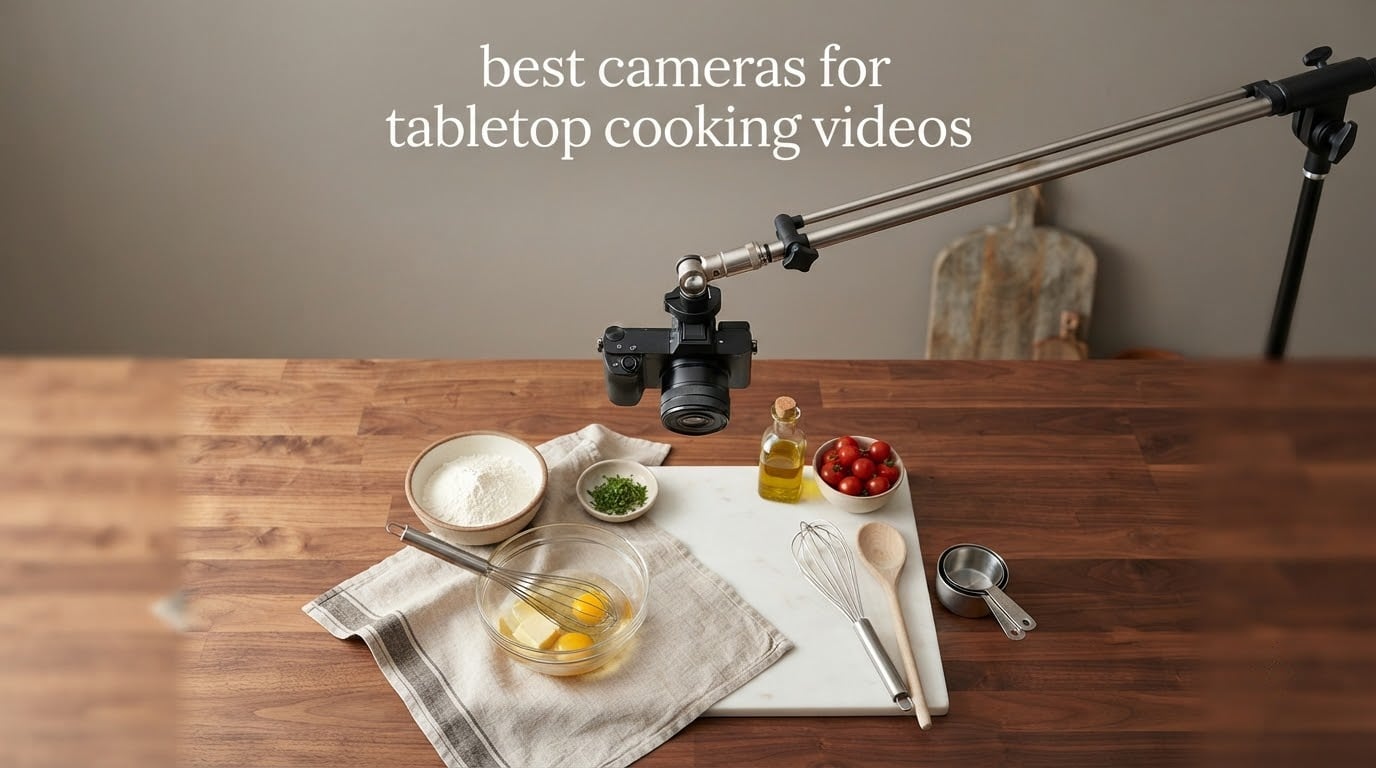
Tabletop cooking video is the one kind of food filming where the camera does almost nothing for you. Once it is locked off above a counter, your hands are the only thing moving, and the shot either works or you spend the evening re-recording a recipe you already cooked once. That makes the best cameras for tabletop cooking videos a shortlist built around field of view, autofocus that survives a hand entering frame, and a body light enough to hang safely above a hob.
Our pick of the lot is the DJI Osmo Pocket 3. A 1-inch sensor, 4K at 120fps, a 3-axis gimbal and a 2-inch rotating screen in a 179 g body, it is the rare camera that a single creator can mount, frame and operate without assistance. The DJI Osmo Action 4 takes the win for genuinely low kitchen light, and the AKASO EK7000 covers the case where a first recipe video matters more than a tenth.
We spent several weeks shooting, remounting and re-framing these ten bodies across the three angles every cooking creator eventually uses: the locked-off overhead, the 45-degree hands-and-ingredients shot, and the face-and-hands presenter angle. The rigs we tested with are covered separately in our overhead camera rigs guide, and the wider creator shortlist lives in our cooking and recipe video camera roundup. Everything below was updated for 2026 and reflects current-generation bodies only.
What Is the Best Video Camera for Cooking Videos?
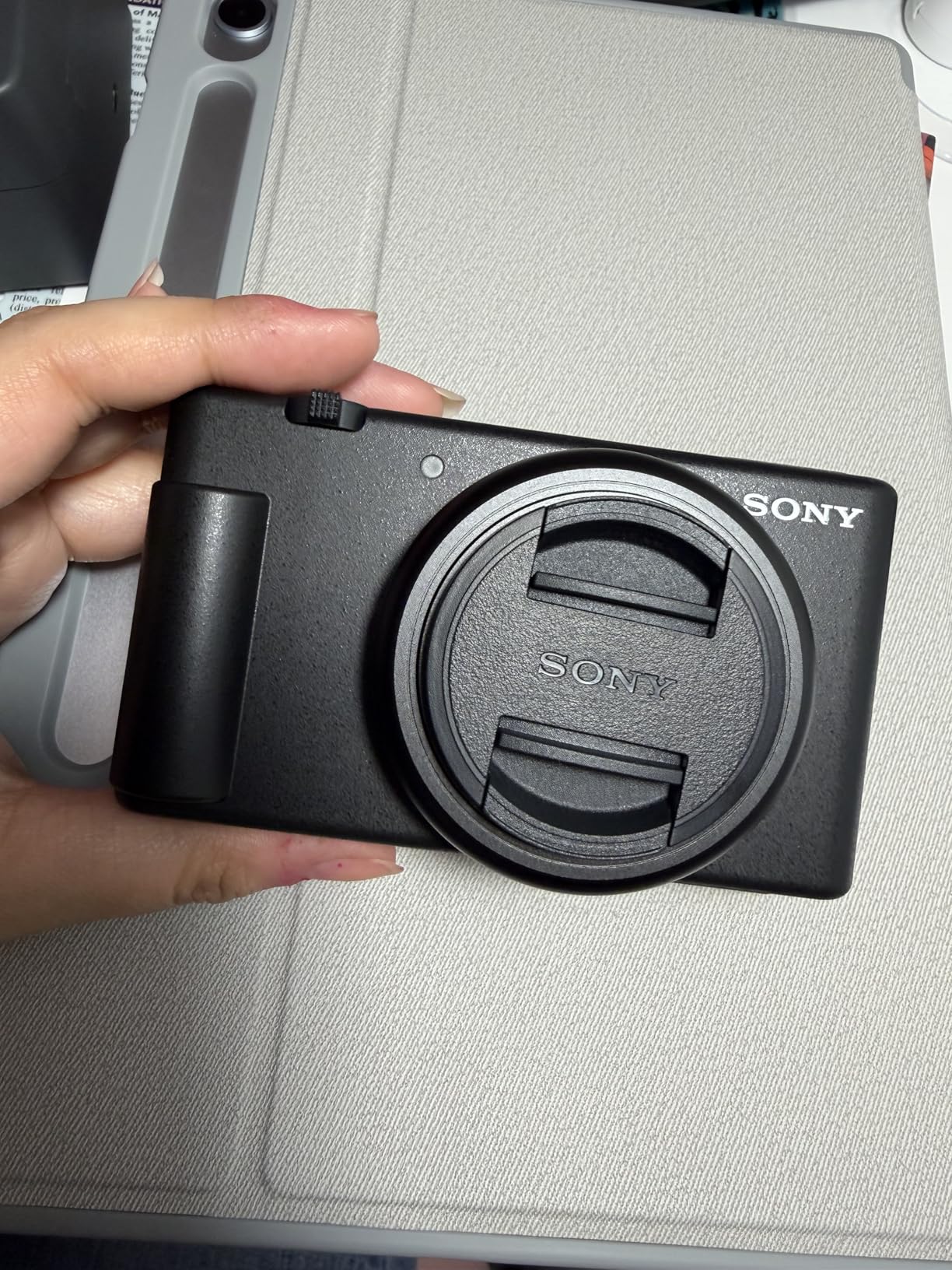
The best video camera for cooking videos is the DJI Osmo Pocket 3, a 1-inch sensor gimbal camera that weighs 179 g, mounts to almost anything, and holds focus while your hands move through frame. For a locked-off overhead shot of a whole work surface, the Sony ZV-1F does the same job with a fixed 20mm ultra-wide lens and a 1-inch sensor behind a side-articulating screen.
Before the roundup, here is what actually matters on a tabletop rig:
Flip-out or vari-angle screen. On a locked-off overhead mount you cannot see a fixed rear screen, so a hinged screen is close to mandatory.
Wide field of view. A tight kitchen leaves no room to back up. A 20mm-class ultra-wide frames a whole counter at arm’s length.
4K recording. Not for delivery, but so you can crop one take into a close-up second angle.
Autofocus with hands in frame. Hands enter and leave constantly, and hunting focus here means re-recording.
Tripod mount plus low weight. Lightweight overhead arms have real load limits.
White balance control. Locking it stops colour shifting under mixed kitchen bulbs and window light.
Top 3 Picks for Best Cameras for Tabletop Cooking Videos in 2026


Best Cameras for Tabletop Cooking Videos in October
| Product | Specifications | Action |
|---|---|---|
| DJI Osmo Pocket 3 |
|
Check Latest Price |
 AKASO EK7000 AKASO EK7000 |
|
Check Latest Price |
| DJI Osmo Action 4 |
|
Check Latest Price |
 Sony ZV-1F Sony ZV-1F |
|
Check Latest Price |
 Sony Alpha a6400 Sony Alpha a6400 |
|
Check Latest Price |
 Insta360 Link 2 Insta360 Link 2 |
|
Check Latest Price |
 EMEET NOVA 4K EMEET NOVA 4K |
|
Check Latest Price |
 OBSBOT Tiny 2 Lite OBSBOT Tiny 2 Lite |
|
Check Latest Price |
 ZYDIIE 4K Camcorder ZYDIIE 4K Camcorder |
|
Check Latest Price |
 Logitech MX Brio Logitech MX Brio |
|
Check Latest Price |
1. DJI Osmo Pocket 3 – Best Overall for Tabletop Cooking Videos
Pros
- 1-inch sensor holds up in dim kitchens
- 3-axis gimbal smooths a locked-off or handheld frame
- Rotating screen makes solo overhead framing simple
- ActiveTrack 6.0 keeps a subject centred without an operator
- Connects directly to DJI Mic 2 transmitters
Cons
- Lens and gimbal mechanism are fragile to knock
- App registration is required before the fifth use
- No internal recording memory so microSD is essential
I keep coming back to this one because the combination is hard to argue with. The 1-inch CMOS sensor records 4K at up to 120fps, and the rotating 2-inch touchscreen is the part that actually earns its money on a tabletop rig, because you can flip it toward yourself or angle it down to compose a shot where the rear screen would be pointing at a wall. Mounted to a C-stand boom arm, it holds a whole work surface without you having to move the camera back.
ActiveTrack 6.0 handles the second problem: hands entering frame. Set the camera on a surface, lock tracking on, and a tracked face or object stays centred while you move around underneath it. The 3-axis gimbal is doing useful work even on a static mount, because it takes the small vibration out of a stand that is not truly rigid.
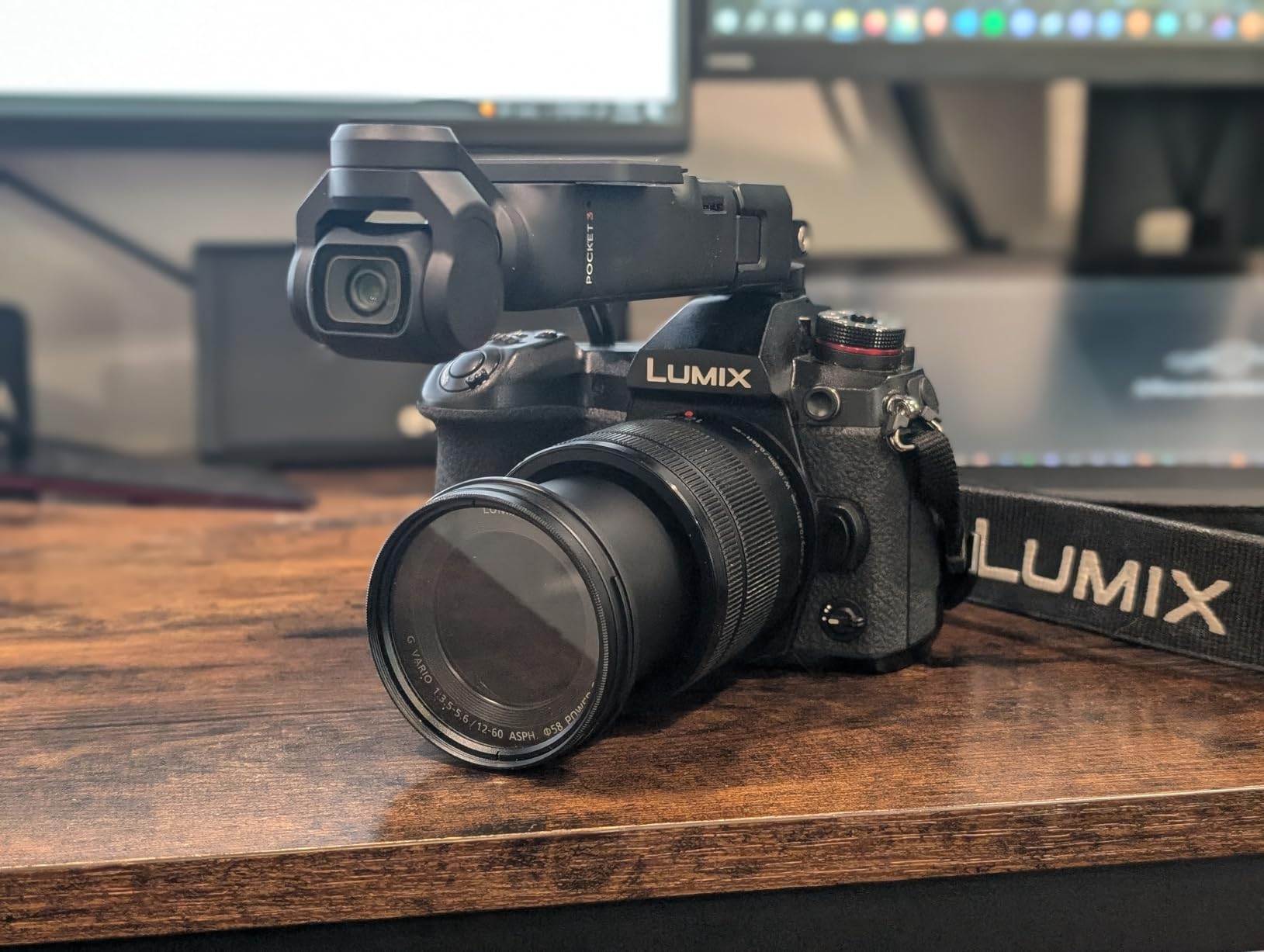
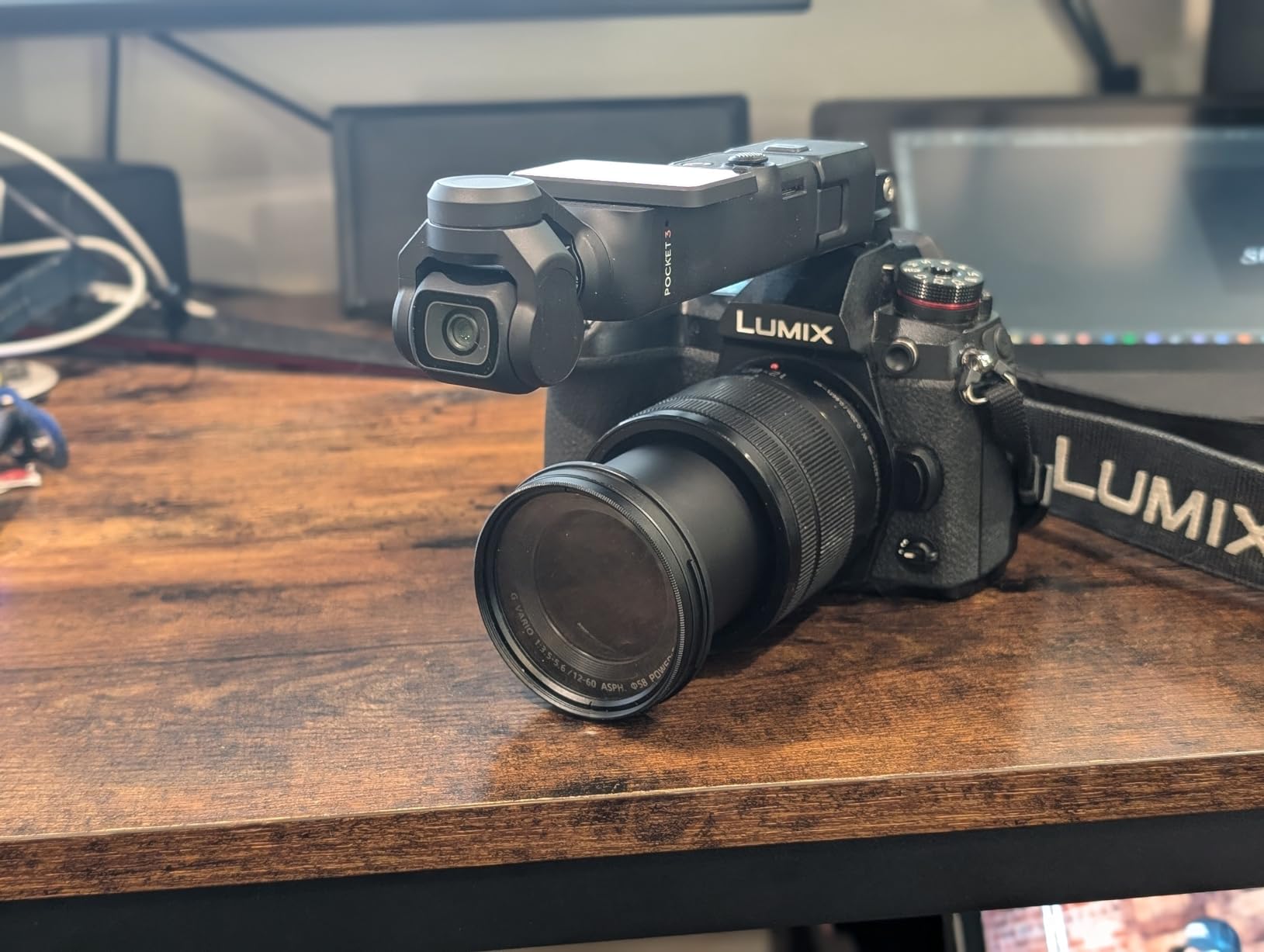
The trade-offs are real and worth stating plainly. The gimbal arm and front lens are the two most fragile parts of the body, and a 179 g camera swinging under a boom arm is not a combination I would leave unattended at full extension. There is no internal recording memory, so recording depends entirely on a microSD card, and the battery drains noticeably faster while you are navigating menus than while you are rolling.
Reviewers also flag that the app has to be installed and registered before the fifth use, which is an annoying afternoon if you bought the camera to shoot this weekend. D-Log M 10-bit colour is available for grading, and direct DJI Mic 2 pairing means narration audio does not have to run through a separate recorder.
Why we made it the editor’s choice
At 179 g it is one of the lightest bodies here, and it is the only one that combines a rotating screen, in-body gimbal stabilisation and subject tracking in a single package. Everything else on this list either needs a second piece of hardware for framing, or gives up tracking to save weight.
Where it frustrates you
Fragility, no internal storage and mandatory app registration are real costs, and the rotating screen is not a substitute for a proper overhead mount. Keep it on a short arm and a damp cloth handy near a hob.
2. AKASO EK7000 – Best Value for a First Cooking Channel
Pros
- True 4K30 recording in the entry price bracket
- Two batteries and a dual charger in the box
- Large mount and accessory bundle included
- Crisp daylight image for the money
- Simple button-driven controls
Cons
- Onboard audio is muffled and weak
- About 90 minutes of stated battery life
- Softness and frame rate drop in dim light
- Wi-Fi app remote can stop recording unexpectedly
This is the camera to buy if recipe video is a hobby you have not yet decided about. It records 4K at 30fps and 2.7K at 30fps, takes 20MP stills, and the box includes two batteries, a dual charger, a wrist remote and a deep pile of mounts. For a first overhead rig, that bundle alone removes most of the accessory shopping.
Electronic image stabilisation smooths the small shakes you get from a light stand, and the 2-inch screen plus wrist remote means you can start a take without walking back to the body. Overhead top-down shots of a chopping board are its natural territory.
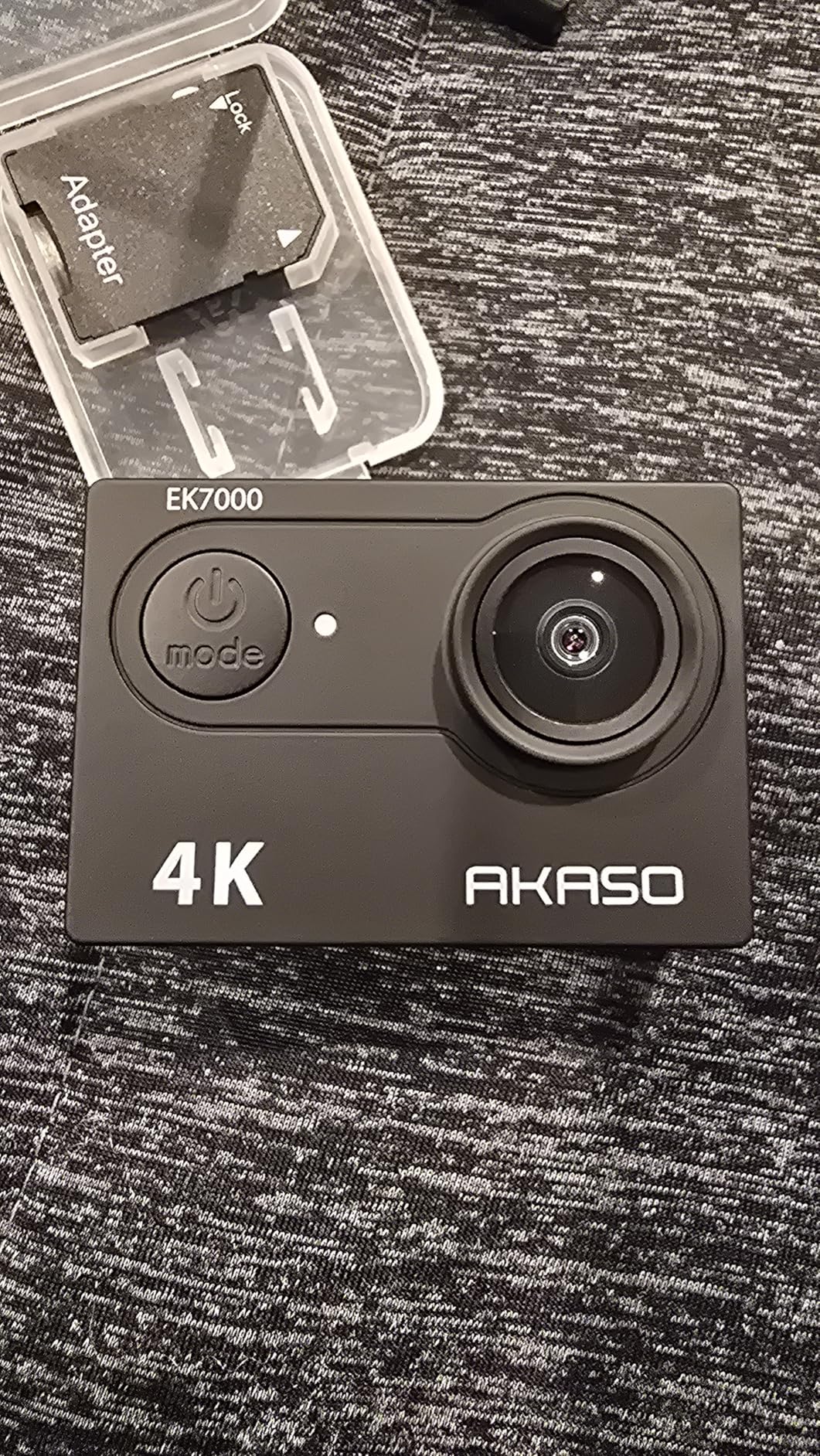
Two things to plan around. The onboard microphone is muffled, which matters more for cooking content than most genres because narration sits right next to sizzling oil, and the audio is the first thing viewers tolerate quietly. Reviewers also consistently report degradation in dim indoor light, and a dim kitchen at 6pm is a normal shooting condition.
The Wi-Fi app remote is the other weak point, with owners describing recordings that stop unexpectedly when triggered from a phone. I would learn the physical record button and treat the remote as a convenience. No microSD card is included, so add that to your first purchase list.
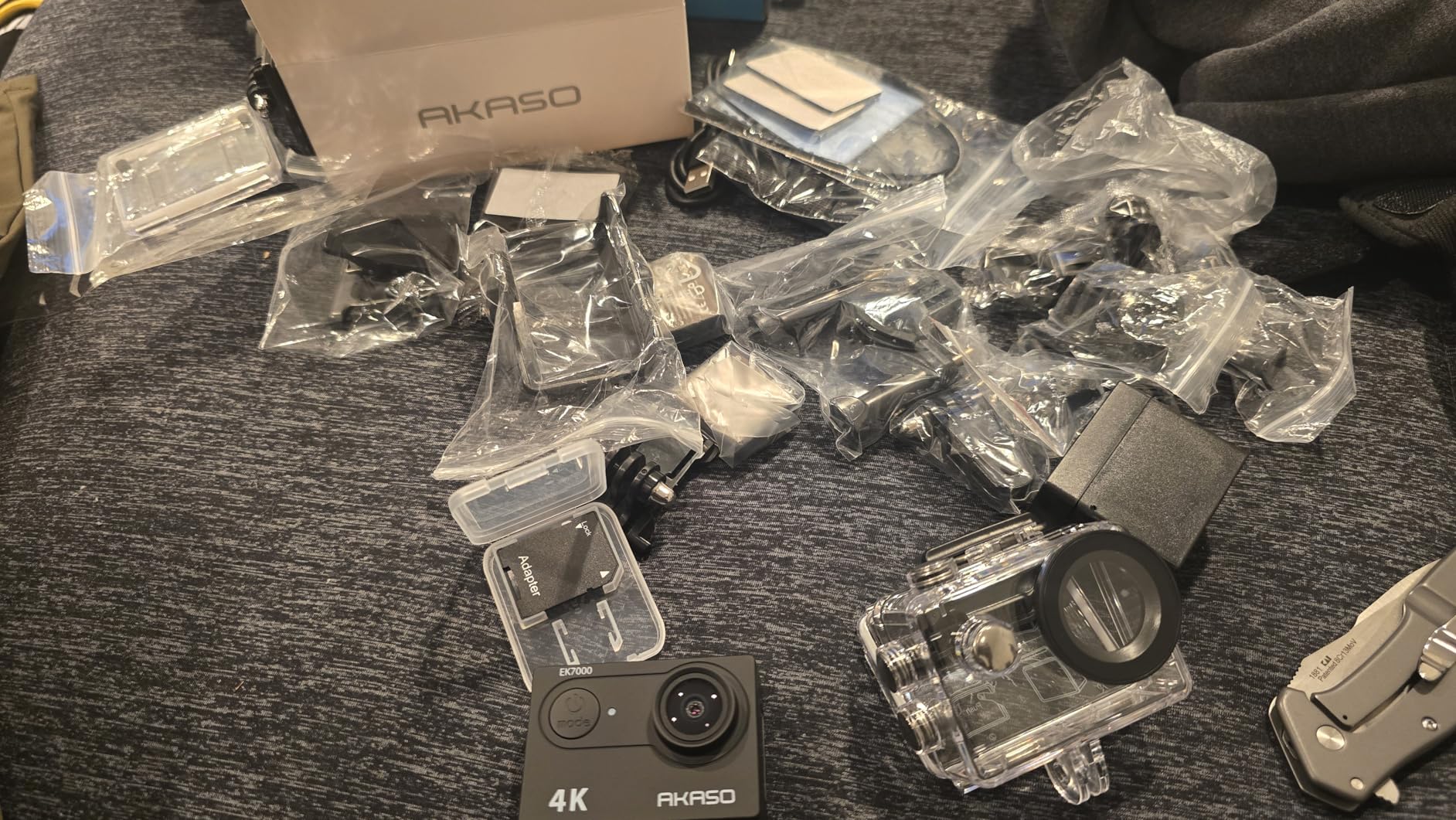
Why it earns the value badge
It is one of very few bodies that gives you 4K30, two batteries and a usable mount kit in the box. If the footage will be viewed on a phone, this is the correct amount of camera.
Where it will frustrate you
Weak built-in audio, short battery life and low-light softness are structural to the price class. If your channel is brand-new, that is fine. If you are already publishing, it will show.
3. DJI Osmo Action 4 – Best for Dim and Overhead Shooting
Pros
- Handles dim kitchen light better than the compact bodies
- 155-degree view covers a whole tabletop
- RockSteady 3.0 and HorizonBalancing keep a locked-off frame level
- Dual full-colour touchscreens aid solo framing
- Magnetic quick-release makes angle changes quick
Cons
- Menu system and app are less intuitive than the hardware
- No internal storage so UHS-II cards are required
- Essential Combo omits the curved base and spare batteries
- Fixed wide lens with little framing flexibility
The 1/1.3-inch sensor with 2.4 micron pixels is the reason this body handles a dim kitchen better than the compact bodies on this list, and that is exactly the condition most home kitchens shoot in during the evening. Colour holds up too, with 10-bit depth and D-Log M available when you want latitude in the grade.
For overhead work, the 155-degree field of view is the headline. You can hang it above a large prep surface and capture the board, the pan and the plating area in a single locked-off frame without stepping back into the walkway. HorizonBalancing keeps that frame level, and the magnetic quick-release means you can drop to vertical for a Reels cut in seconds.
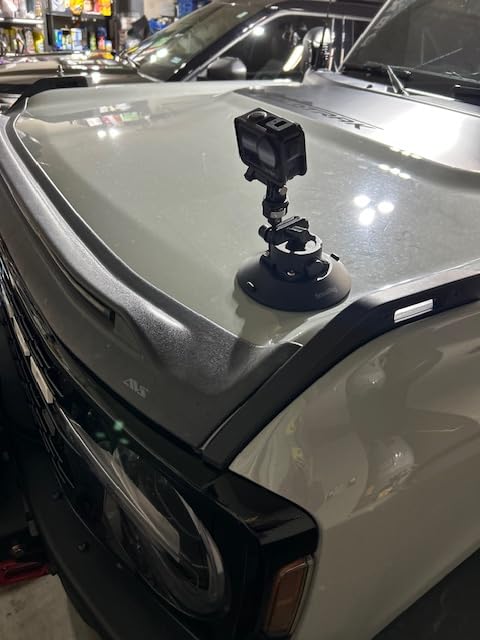
Stated battery life runs up to 150 minutes per 1770mAh battery, which comfortably covers a long recipe in one pass. It is waterproof to 18m without a case, which is irrelevant for cooking and quietly reassuring if you also film outdoors.
The limitations are packaging and ergonomics. There is no internal memory, so a UHS-II V90 card is a genuine requirement for the highest bitrates, and the Essential Combo leaves out the curved adhesive base and the extra batteries that the fuller bundles include. Menus and the companion app are the least polished part of an otherwise excellent camera.
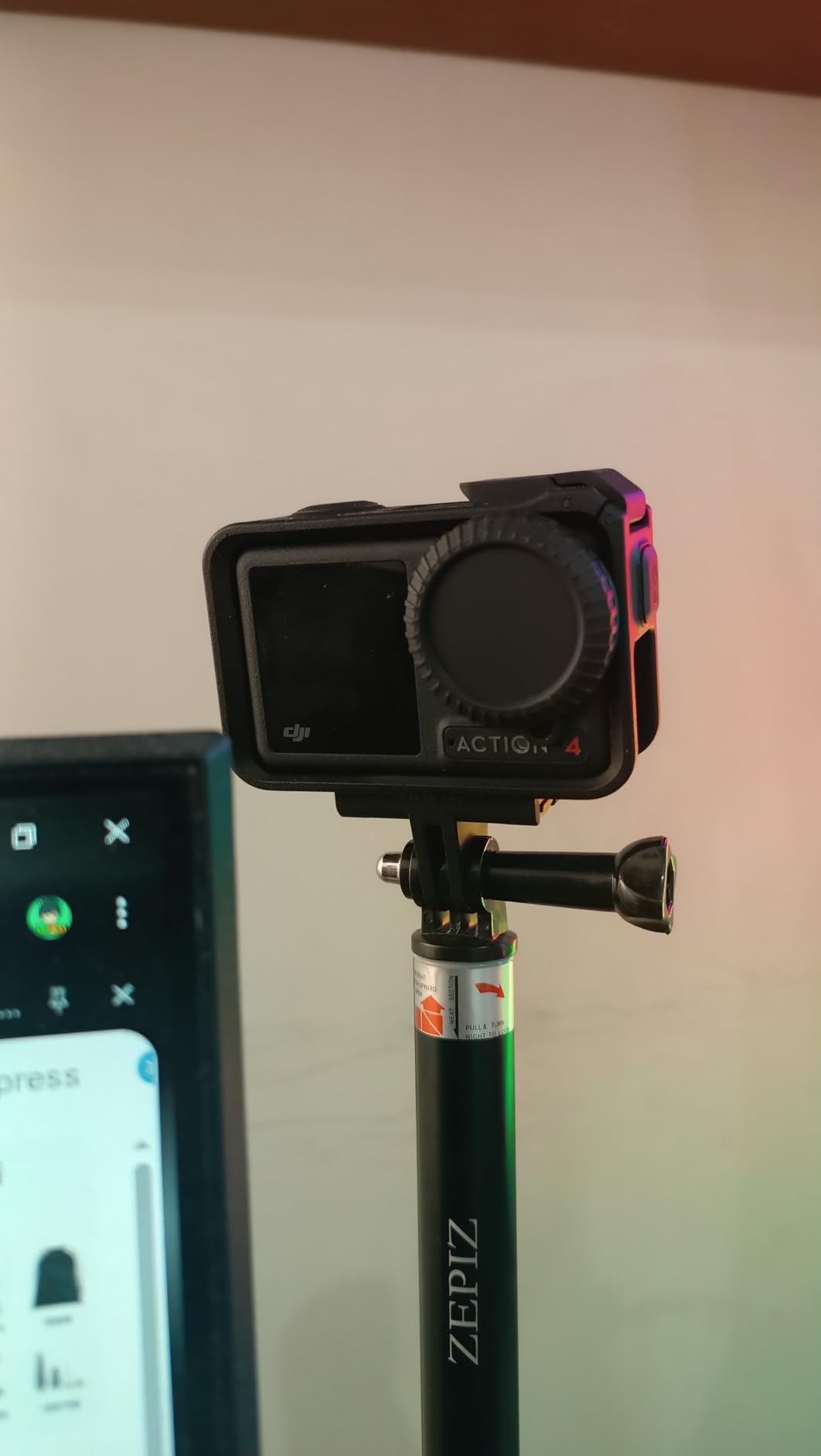
Why it wins on image quality
Owners rate this the highest of the ten, and the reason is consistent: it stays usable when the kitchen light drops. A 1-inch compact in the same room needs more light to match it.
Where it falls short
A fixed wide lens means no optical zoom, so you frame by moving the camera rather than the lens. That is manageable overhead and awkward on a 45-degree hands shot.
4. Sony ZV-1F – Best Fixed-Lens Camera for a Single Overhead Shot
Pros
- 1-inch sensor performs well in low light
- Side-articulating screen simplifies overhead and selfie framing
- Eye-AF and tracking hold a moving subject
- Directional 3-capsule mic with Clear Voice processing
Cons
- Fixed 20mm lens means no optical zoom
- Small grip and lens ring feel cramped
- No physical exposure dials
- Dense menu system with a learning curve
Few bodies on this list answer the overhead question as directly. The fixed 20mm ultra-wide lens was designed to get a whole workspace into frame at arm’s length, which is precisely the geometry of a countertop shot, and the F2 aperture gives you the background separation that makes plated food read as a subject rather than an object on laminate.
The 1-inch sensor is the same class as the Osmo Pocket 3, so low-light performance is comparable, and 4K capture gives you the crop headroom to build a close-up cut from the same locked-off take. Eye-AF and tracking mean a hand reaching for a pan does not trigger a focus hunt.
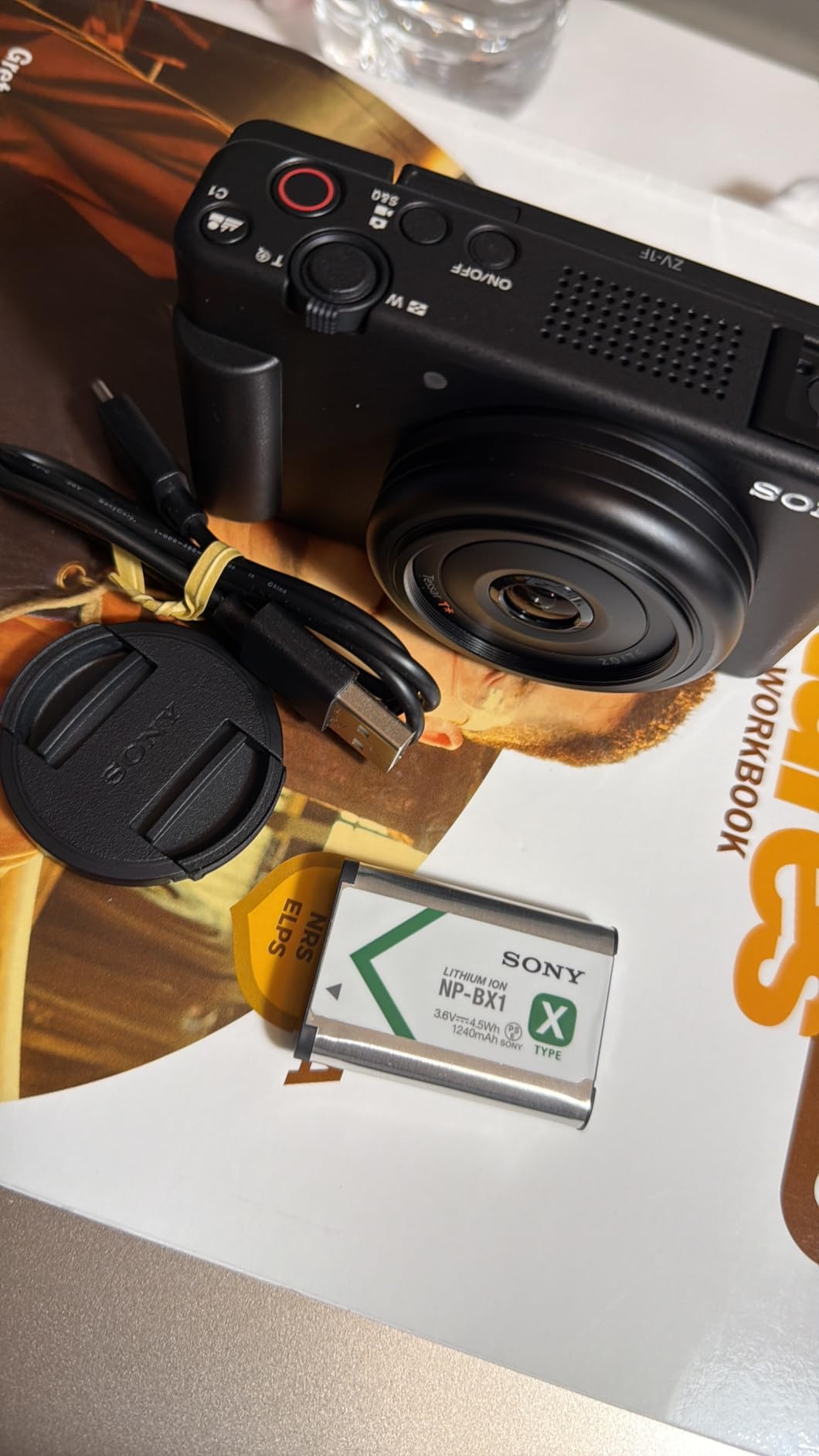
Overhead means the camera is above you, which is where the side-articulating 3-inch touchscreen genuinely earns its keep. You can swing it to face the counter edge and compose without craning. The directional 3-capsule mic with Clear Voice processing is a sensible match for narration-heavy recipe videos.
The fixed lens is the whole bargain. If your format is one locked-off overhead shot per recipe, nothing is missing. If you want a 45-degree detail shot or a presenter angle from the same body, you will be repositioning and hoping, because there is no zoom at all.
Who should buy it
Solo creators filming one overhead angle on a small counter. Fixed-lens simplicity means there is nothing to set up between takes, and nothing to re-frame when the plating moves.
Who should skip it
Anyone running a three-angle format. The absence of a zoom lens removes the flexibility that a multi-angle workflow depends on.
5. Sony Alpha a6400 – Best for Two-Camera Multi-Angle Setups
Sony Alpha a6400 Mirrorless Camera: Compact APS-C Interchangeable Lens Digital Camera with Real-Time Eye Auto Focus, 4K Video, Flip Screen & 16-50mm Lens – E Mount Compatible – ILCE-6400L/B, Black
Pros
- Real-Time Eye AF stays sharp on hands in motion
- Large APS-C sensor gives strong stills alongside video
- 180-degree tilting screen aids overhead and selfie framing
- Compact and light for a mirrorless body
- Weather-sealed magnesium-alloy shell
Cons
- No in-body image stabilization
- 16-50mm kit lens is weak indoors
- Limited first-party APS-C lens lineup
- Menu system and Wi-Fi app are not user-friendly
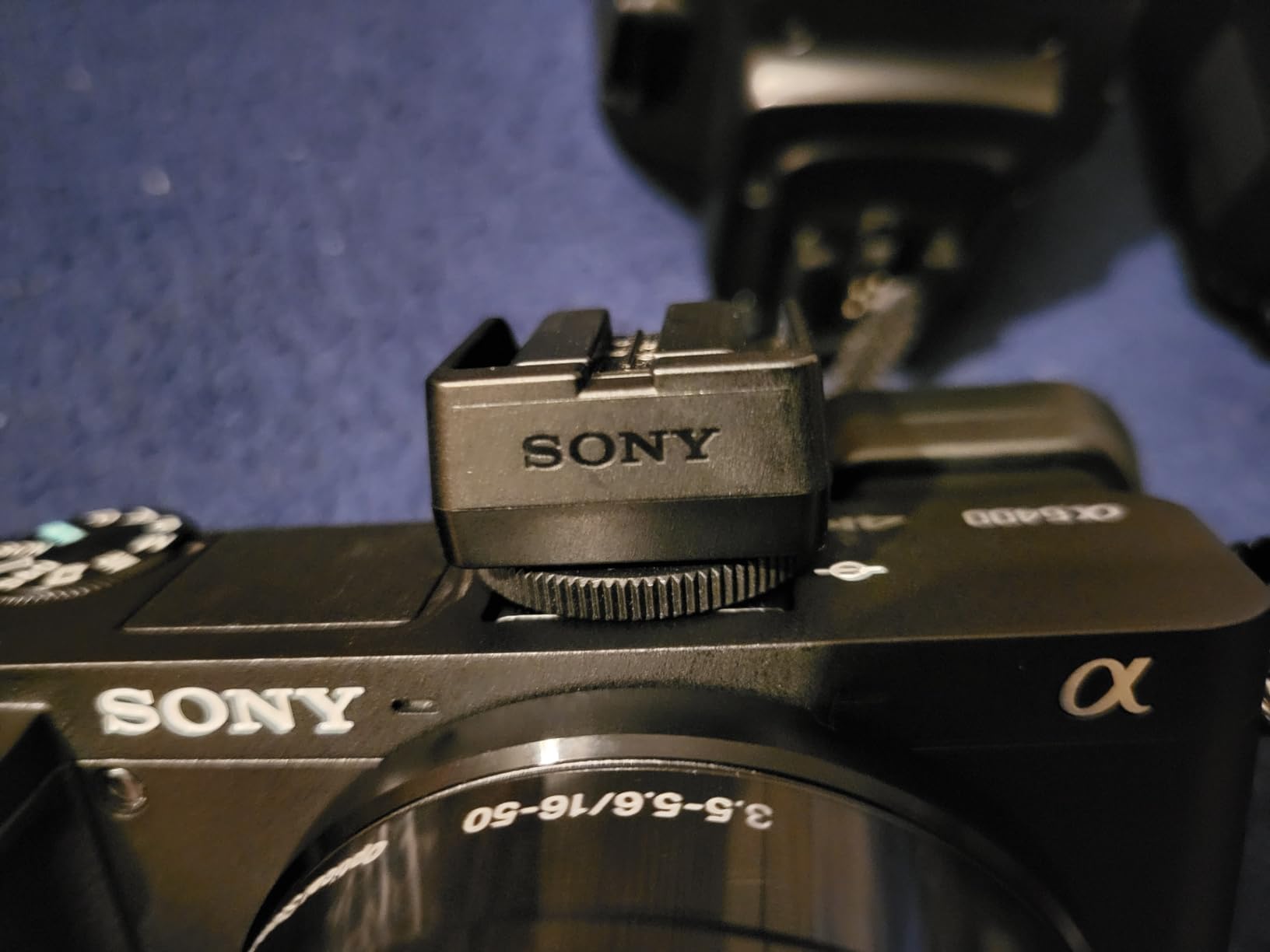
The a6400 is the enthusiast route into tabletop video, and the reason is the sensor. A 20.1MP APS-C back-illuminated CMOS gives you usable stills of the finished dish from the same take as the video, which matters if you also post recipe cards or a food photography feed. 4K video capture and 14-bit RAW come from the same body.
Autofocus is the headline. Real-Time Eye AF with 425 phase-detection points across 84% of the frame holds a moving subject in a way that matters constantly in a kitchen, where hands cross the frame as often as they stay out of it. The 180-degree tilting screen flips fully for overhead composition.
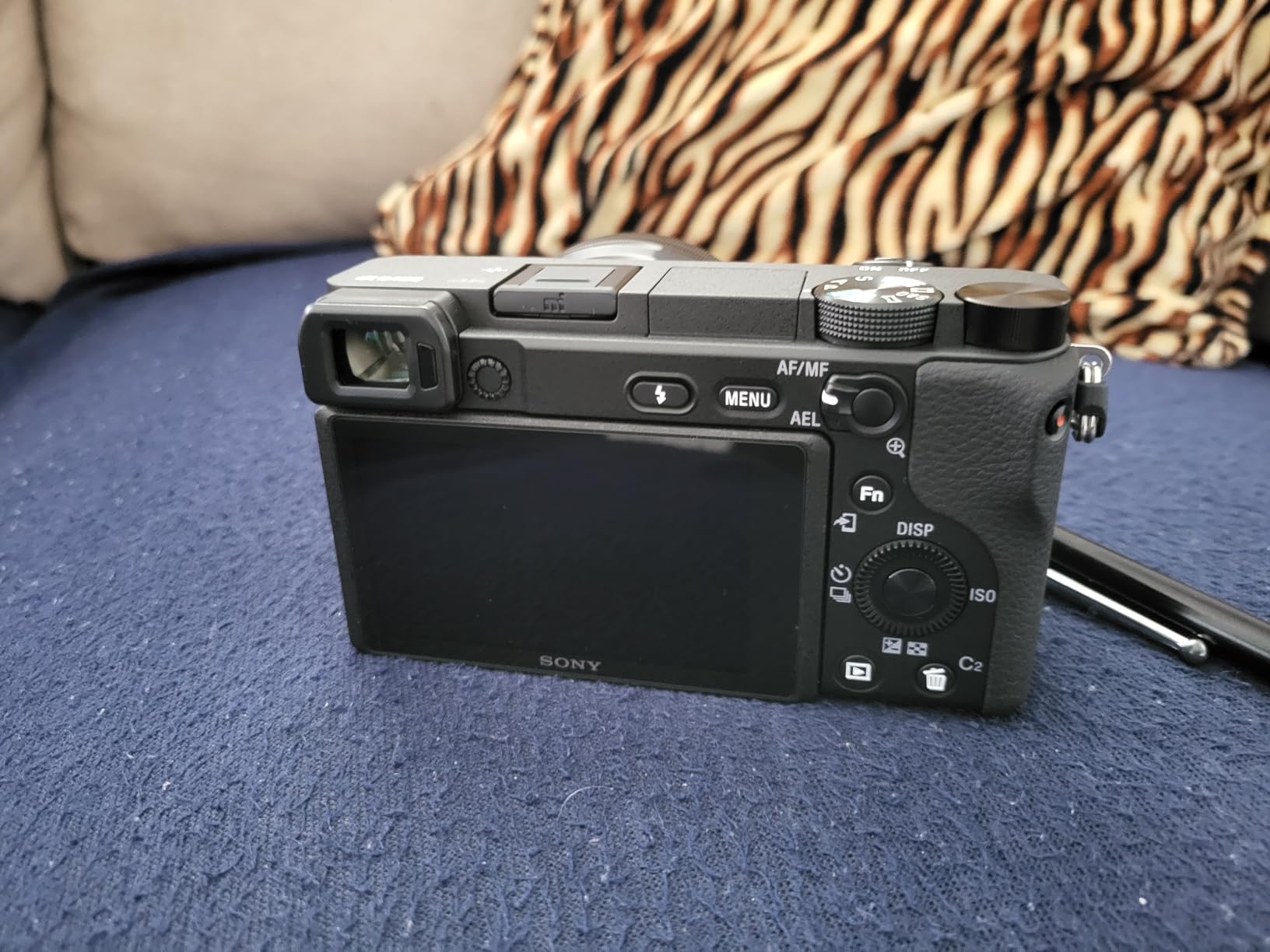
It is also the one body on this list we would consider buying twice. Running two identical bodies is the only reliable fix for the colour mismatch that ruins multi-angle edits, and identical rendering is exactly what a two-angle recipe edit needs. Our overhead production guide goes deeper on that setup.
There are real compromises. There is no in-body image stabilization, so video steadiness depends on the lens or on a gimbal, and the bundled 16-50mm kit lens is a 24-75mm equivalent that is genuinely poor indoors. A brighter prime or a dedicated wide lens is close to mandatory for a cooking workflow.
Why it is here despite the age of the design
Long-term owners still rate it highly for autofocus and image quality, and the third-party e-mount lens ecosystem gives you far more focal length options than any other system in this roundup.
Where it costs you
No stabilization, a weak kit lens and a frustrating menu system add real friction. If you are starting fresh and only need video, a compact creator camera is less work.
6. Insta360 Link 2 – Best for Live Cooking Streams and Demos
Insta360 Link 2 – PTZ 4K Webcam for PC/Mac, 1/2″ Sensor, AI Tracking, HDR, AI Noise-Canceling Mic, Gesture Control for Streaming, Video Calls, Gaming, Works with Zoom, Teams, Twitch & More
Pros
- 1/2-inch sensor beats typical webcams in low light and dynamic range
- PTZ tracking physically follows a moving presenter
- DeskView and Whiteboard modes suit top-down demos
- AI noise cancellation cleans up voice pickup
- Privacy tilt-down after 10 seconds idle
Cons
- Requires a computer and is not a standalone recorder
- Link Controller software needed for advanced settings
- Not compatible with ARM-based Windows or Windows Hello
- PTZ motor movement is visible in a take
Live cooking is a different problem from recorded cooking, because nobody is standing behind the camera to reframe. The Link 2 solves that with a physical pan and tilt motor driven by AI tracking, so a presenter moving between the counter and the hob stays framed without an operator.
DeskView and Whiteboard modes are the features that translate straight to a kitchen. DeskView tilts the view down toward a work surface for demonstrations, and the 1/2-inch sensor with HDR holds more highlight detail than a typical webcam, which matters when a stainless steel pan catches a window.

Phase Detection Auto Focus does not hunt, which is the failure mode that ruins most live streams when a hand comes forward. The AI noise-canceling microphone is genuinely useful in a kitchen with an extractor fan running.
Be clear about the limits. This is a computer-connected webcam rather than a standalone recorder, and the advanced features need the free Link Controller software. ARM-based Windows machines and Windows Hello are unsupported, and the PTZ motor introduces visible movement in a take.

Why it earns a place
Compared with the other webcams in this roundup, it adds motorised head movement and gesture control, and that is the whole case for it. If a presenter cannot touch the camera, the movement is worth more than resolution.
Where it will not work
It needs a computer, a USB connection and its desktop software. If your plan is to record a recipe and walk away, this is the wrong tool.
7. EMEET NOVA 4K – Budget Pick for a Streaming Setup
Pros
- Sharp 4K30 image with natural colour for the money
- PDAF autofocus reacts quickly without hunting
- 73-degree field of view suits desk framing
- Dual omni microphones clear enough for calls
- Physical privacy cover and two-year warranty
Cons
- Defaults to 1080p mode until 4K is enabled in software
- Fixed 73-degree field of view with no manual focus or tracking
- Colour can wash out under strong directional light
- Fixed 1.5m cable limits placement
The NOVA does something the other two webcams in this roundup do not: it has a standard 1/4 inch tripod nut on an adjustable stand, plus 360-degree horizontal rotation and 15 degrees of vertical adjustment. That means it can sit on a small tabletop tripod aimed at a prep area, which no stick-clip webcam can do.
PDAF autofocus covers a 7.9 to 118 inch range, so it will focus on a bowl placed right under the lens and on a person standing back from the counter. Dual omnidirectional microphones pick up voice clearly to about 8 feet, which is roughly the width of a kitchen island.

One setting catches people out. The camera outputs 1080p by default and 4K has to be enabled in the camera software or in your capture application, so check the resolution on the first take rather than after an hour of recording. Some older Windows 10 machines also need the EMEETLINK software or a USB 3.0 hub to negotiate 4K at all.
There is no manual focus, no face tracking and no adjustable field of view, so if your presenter moves out of that fixed 73-degree frame the shot is lost. Colour balance can wash out under strong directional or back lighting, which is common in a kitchen with a window behind the cook.

Why it makes the list
Of the three webcams here, it is the only one with a real tripod thread and real autofocus, and for a fixed, well-lit station pointed at a counter that combination is enough.
Where it falls down
Fixed framing and no tracking make it a single-shot camera. Move the presenter and you are moving the camera.
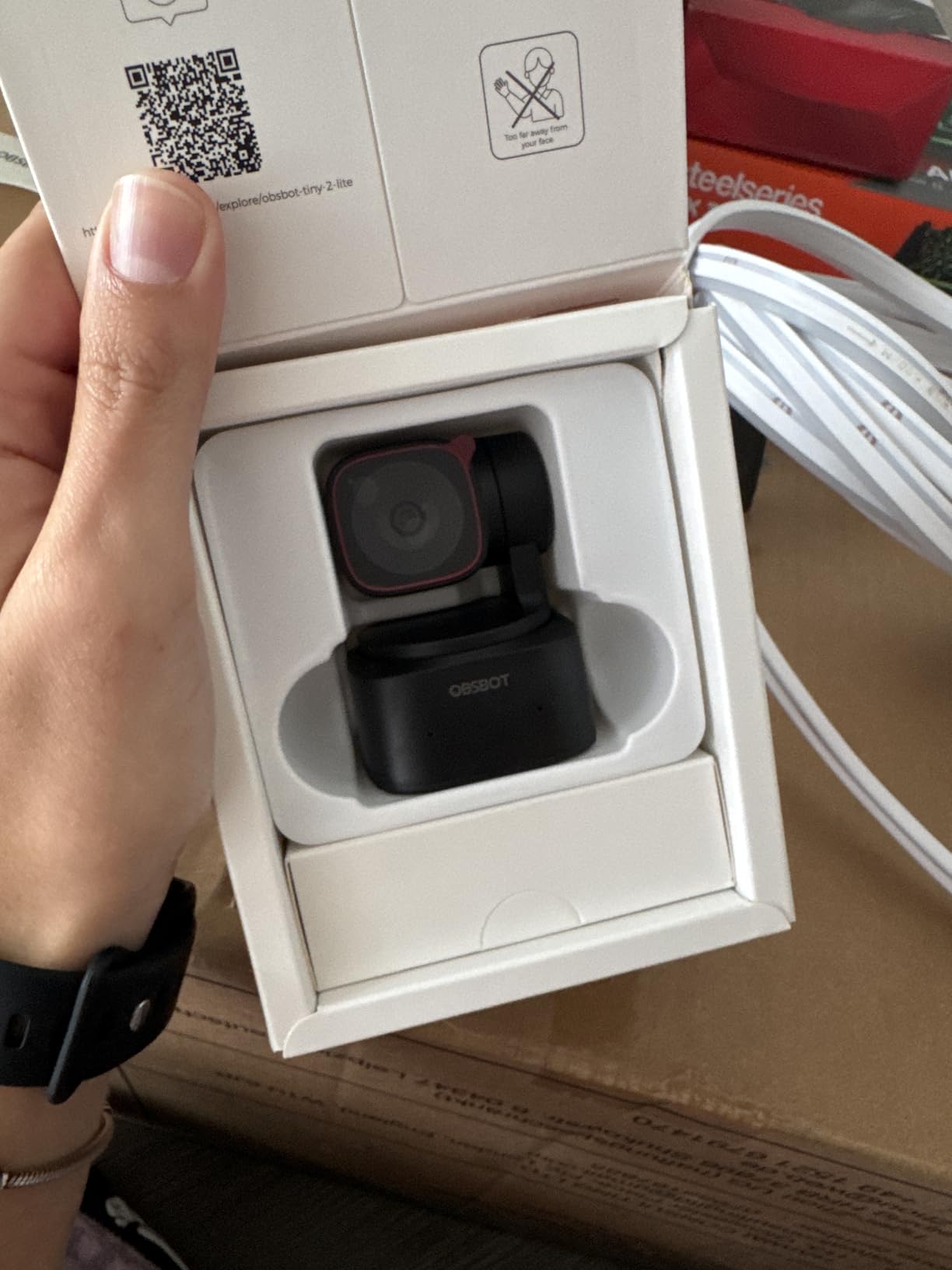
8. OBSBOT Tiny 2 Lite – Best for Hand and Presenter Tracking
Pros
- 4K30 and 1080p60 from a 1/2-inch sensor
- PTZ tracking with dedicated hand tracking mode
- Gesture control locks the subject and adjusts zoom remotely
- Preset positions with per-preset settings save setup time
- Handles upside-down mounting for overhead work
Cons
- Lite version drops whiteboard mode and voice control
- Needs a capable PC rather than being a standalone recorder
- 250 g is heavy for a plastic webcam
- Advanced tracking needs a modern computer
Hand tracking is the feature that makes this interesting for cooking. In a cooking video the most important thing in frame is frequently a pair of hands, and the Tiny 2 Lite can pan and tilt physically to follow a hand as it moves from a bowl to a pan, keeping the action centred without anyone touching the camera.
You can define tracking areas and non-tracking areas, so the motor ignores a window frame or a person walking past behind the counter. Preset positions with their own saved parameters mean you can move between an overhead framing and a presenter framing with a single command, which is close to a multi-camera workflow on a single body.
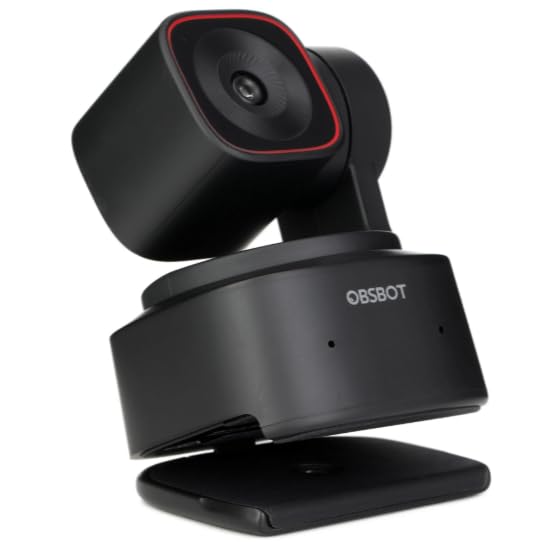
Portrait and upside-down mounting modes with automatic screen adjustment make it usable in an unusual number of positions, including mounted beneath a shelf looking down. Gesture control 2.0 lets you lock a tracking target and control zoom by waving, which means no reaching for a cable mid-shot.
The caveats are real. It is a webcam: everything is recorded through the computer, so there is no standalone capture and no internal storage. The Lite model drops whiteboard mode and voice control relative to the full Tiny 2, and at 250 g it is heavier than most plastic webcams, so a cheap plastic clamp arm is worth avoiding.
Why it earns a spot
Unlike the other two tracking webcams here, it follows hands rather than faces. In a kitchen that is usually the subject you care about.
Where it will frustrate you
Everything depends on a reasonably modern computer, and there is no fallback if the software, the USB bus or the machine cannot keep up.
9. ZYDIIE 4K Camcorder – Best All-in-One Package for Beginners
ZYDIIE 4K Video Camera Camcorder UHD 64MP Vlogging Camera for YouTube 18x Digital Zoom 3″ 270° Rotation IPS Touchscreen Video Camcorder with Night Vision, Remote Control, 32GB Card, 2 Batteries
Pros
- Complete package with card and spare batteries included
- 270-degree rotating screen aids overhead and low angles
- Wireless remote starts recording without touching the unit
- Works as a USB webcam with no extra drivers
- Face detection helps with static tabletop framing
Cons
- Fixed focus lens with no autofocus
- AVI capture format is awkward to edit
- 4K and 64MP are interpolated rather than native
- Digital-only stabilization leaves visible shake
- Basic build and audio
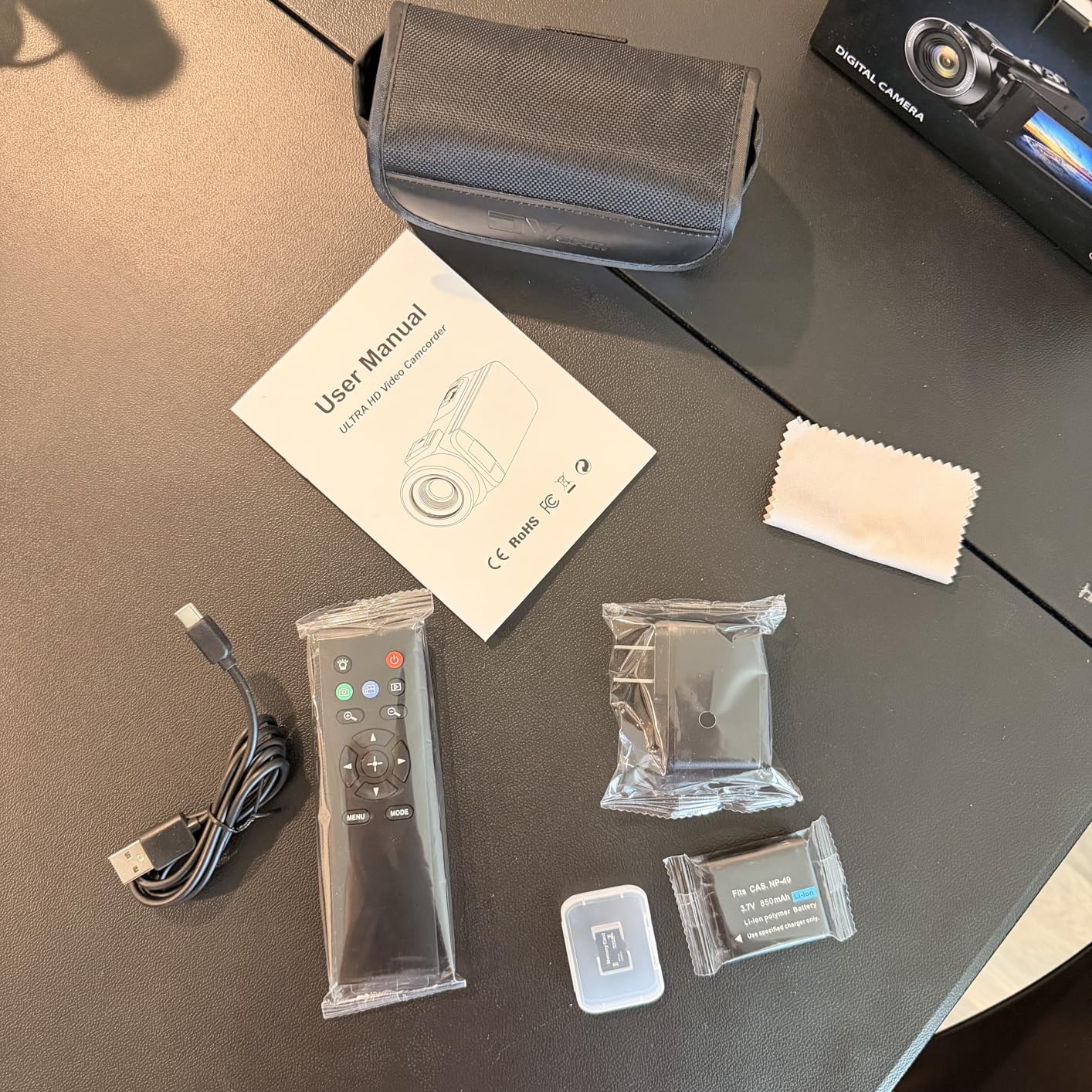
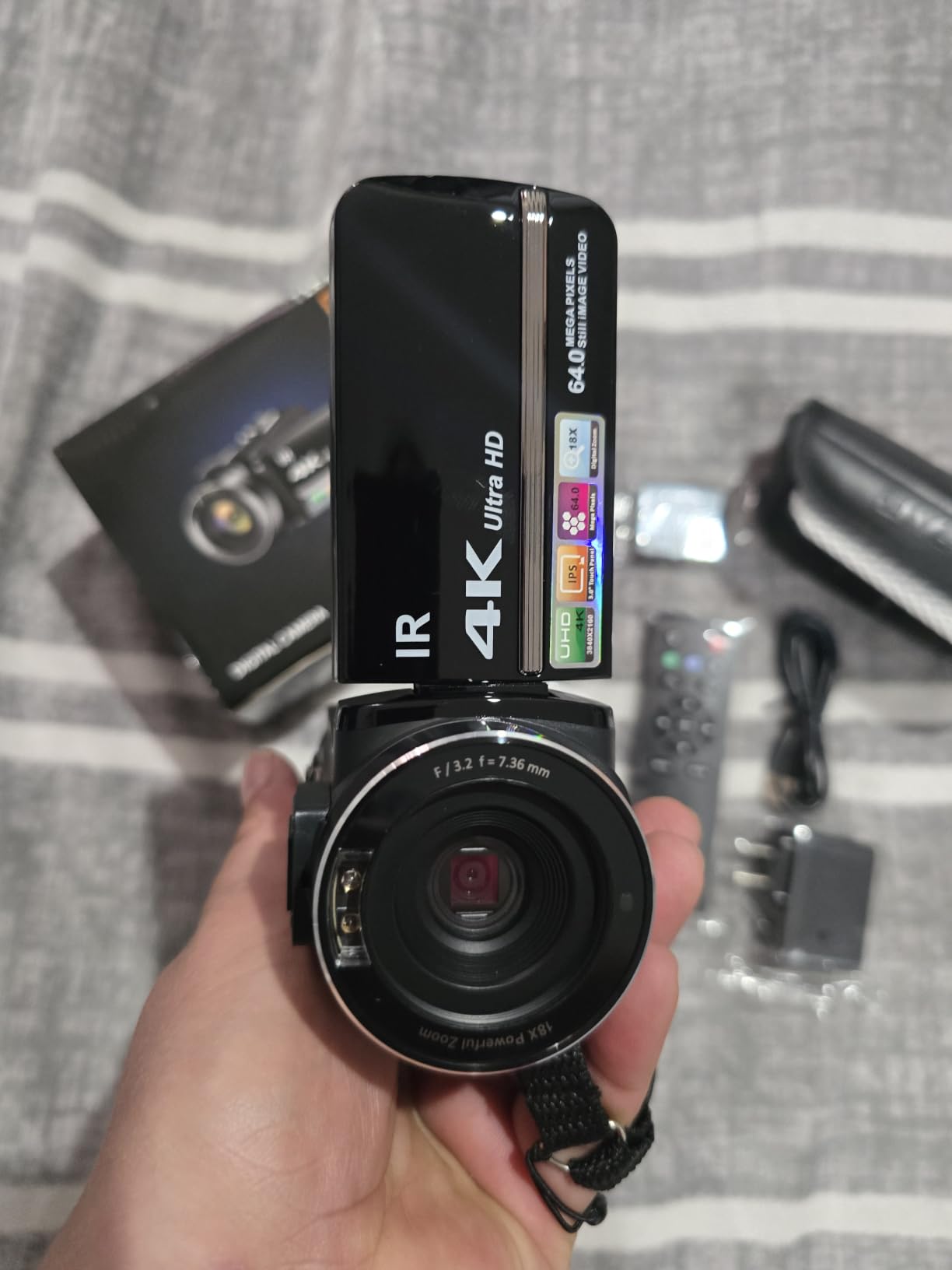
The argument for this camcorder is packaging. A 32GB microSD card and two batteries are in the box, so a complete first rig is the camera plus a mount and nothing else. The 3-inch touchscreen rotates a full 270 degrees, which is the single most useful feature on this list for a locked-off overhead setup because you can angle the screen down toward yourself to compose.
Face detection and digital anti-shake both help with static tabletop framing, and the wireless remote means you can start a take from the other side of the counter without walking back to the body. Recording while charging is supported, which is convenient on a long recipe.
Read the specifications carefully rather than the marketing. The lens is fixed focus, so there is no autofocus when a hand moves closer to or further from the camera, and on a tabletop shot where subject distance constantly changes that is a meaningful limitation. The 4K and 64MP figures are digitally interpolated rather than native high-resolution capture.
The AVI capture format is also less convenient in an editor than MP4, and stabilisation is digital only, so handheld footage still shows shake. For a first video that will live on a phone, none of that matters much.
Why it is on the list
For someone who wants to shoot this weekend, this is the only body here that arrives with a memory card and spare batteries, paired with a screen you can actually see from above.
Where it will disappoint
Fixed focus and interpolated resolution mean the headline numbers overstate what you get. Anyone growing past a first hundred videos will outgrow it quickly.
10. Logitech MX Brio – Best for a Desk-Side Top-Down Station
Logitech MX Brio Ultra HD 4K Webcam Collaboration and Streaming – Graphite
Pros
- Sharp 4K30 with natural colour
- Handles mixed and poor kitchen lighting well
- Manual ISO
- shutter speed
- tint and vibrance controls
- Dual beamforming microphones with AI noise reduction
- Show Mode and a rotating privacy shutter
Cons
- Logitech controls are split across three separate apps
- RightSight features do not work on ARM-based Windows
- Some reports of autofocus hunting on live streams
- Rigid cable makes precise aiming awkward
Where a webcam is genuinely the right answer is a fixed station over a small surface, mounted high on a wall or a shelf looking down at a recipe board. In that position the MX Brio’s 4K30 sensor with pixels 70% larger than the previous generation delivers a clean image in mixed light, which is the normal condition of a kitchen lit by both a window and a ceiling fixture.
The manual controls matter more here than on other bodies. ISO, shutter speed, tint and vibrance are all adjustable, so you can lock white balance and stop the colour of a tomato sauce shifting between shots. That single feature removes one of the most common complaints about shooting food in a mixed-light room.

Show Mode tilts the camera down toward the desk, which in a kitchen context is a quick way to check a written method without leaving your hands in the pan. The dual beamforming microphones handle a fan or extractor running, and the rotating privacy shutter is a reassuring detail in a room where the lens points at your counter all day.
The weaknesses are software and mounting. Logitech splits its controls across Logi Tune, GHub and Options+, the RightSight features do not initialise on ARM-based Windows hardware such as Snapdragon Surface Pro, and the rigid fixed cable makes it hard to aim precisely once it is mounted. There is also no tripod thread, so overhead placement needs an arm or clamp rather than a stand.

Why it is worth considering
It handles the lighting most kitchens actually have, and the manual white balance control solves a problem that frustrates people shooting food in mixed light.
Where it falls down
It is a webcam first. No tripod thread, a rigid cable and a fragmented software suite make it a poor fit for a ceiling or boom-arm rig.
Which Camera for Which Shooting Angle
Most cooking channels settle on three angles: a wide establishing shot, a 45-degree hands shot, and a locked-off overhead. Matching the camera to the angle is more useful than matching it to a brand.
Overhead top-down. You need the widest field of view you can get and a screen you can see from below. The Sony ZV-1F with its fixed 20mm ultra-wide and side-articulating screen is the cleanest single answer, and the DJI Osmo Action 4 with its 155-degree view covers a larger surface with less repositioning.
45-degree hands and ingredients. This is where autofocus earns its keep, because hands cross the frame constantly. The Sony a6400 with Real-Time Eye AF, or the Osmo Pocket 3 with ActiveTrack 6.0, will hold focus where a fixed-focus body will drift.
Face and hands presenter. Any body with a flip-out or tilting screen works, and the Logitech MX Brio or Insta360 Link 2 suit this angle when a fixed station is acceptable.
First-person POV and vertical short-form. The Osmo Pocket 3 and Osmo Action 4 both handle vertical mounting quickly, and the magnetic quick-release on the Action 4 is designed for exactly that switch.
Tabletop Rig Setup: C-Stands, Overhead Arms and Mounting Options
The best camera stand for cooking videos depends almost entirely on how permanent your shooting space is. Three options cover almost every case, and a fourth is worth considering if you film often.
C-stand with a boom arm. The standard choice for a non-permanent rig. It is height-adjustable, the arm positions over a work surface easily, and the base takes sandbags for counterweight. It moves between takes rather than between projects.
Horizontal-column tripod. A tripod with a horizontal crossbar is the simplest way to get a camera over a table. It is stable and limited to a fixed height, which is often exactly what a small kitchen needs.
Overhead arm with a ceiling or clamp base. Frees the counter entirely and gives repeatable framing. Check the stated weight limit before mounting anything, because a heavier mirrorless body on a lightweight arm is the fastest way to damage both.
Permanent mount. Food videographers in the forums we read describe a permanent overhead mount as the single most useful upgrade they made after years of trial and error. If you shoot weekly, the setup time it saves justifies the drilling.
Whichever you choose, weight the base. A camera on an arm with an unweighted stand will move every time someone walks past the counter, and a moving overhead shot is worse than a fixed one because the framing shifts between takes. Our full overhead rig guide covers the hardware side in detail.
Steam, Heat and Overheating: What Actually Goes Wrong Mid-Take
Three failure modes cause most re-shoots on a tabletop rig, and none of them show up in a spec sheet.
Lens fogging from steam. A pot lid lifted under a fixed overhead camera sends condensation straight at the front element. On the pocket-sized bodies with sealed lenses this is worse, because there is no airflow. Wipe the lens with a microfibre cloth between takes and, if you shoot a lot of steaming food, budget for a replacement filter element.
Thermal shutdown on long takes. Recording 4K at 120fps continuously generates more heat than 4K at 30fps. The common practical fix is to swap batteries during a take, which is far easier on a body with a user-replaceable battery than one with an internal cell. Keep two spares within reach of the counter.
Weight and vibration. This is the point people on r/Gripsters and r/AskPhotography raise most often when the subject is overhead rigs: steam fogging, bodies running hot during long takes, and lightweight arms that cannot safely carry a heavier mirrorless. Treat the mount’s weight limit as a hard limit.
Forum discussion on r/Cameras and r/videography makes a further point that is easy to miss: a single camera often forces you to re-record an entire recipe, because most recipes do not leave time to re-mount the camera mid-process. That cost is the strongest argument for a two-camera setup, or for choosing a body that can move quickly between angles.
How to Choose a Camera for Tabletop Cooking Videos
Work through these six criteria in order. They are ordered by how often they cause a re-shoot.
1. Tripod mount and weight. Every camera here mounts, but weights range from 179 g on the Osmo Pocket 3 up to a full mirrorless body. Check the mount’s load limit before you buy, not after.
2. Field of view. In a tight kitchen you cannot back up. A 20mm-class ultra-wide or a 155-degree action camera view solves a problem a kit zoom cannot.
3. Autofocus with hands in the frame. Hands enter, exit and change distance constantly. Phase detection and eye-detection autofocus are worth paying for; fixed focus is a real limitation on any shot with movement.
4. 4K for reframing. Shoot 4K even if you deliver in 1080p, because the extra pixels let you crop a close-up second angle out of a single locked-off take. That saves a whole camera and a whole re-shoot.
5. Screen visibility. On an overhead mount, a rear screen facing the wall is useless. Look for a side-articulating, tilting or rotating screen.
6. White balance control. Mixed kitchen light shifts colour between shots. A manual or locked white balance is the cheapest quality win available.
On the one-camera versus two-camera question: one camera means repositioning between angles, which usually means re-recording. Two identical bodies give you clean cuts with no colour-matching work. Mixing two different models or brands produces visibly different food colour, and that is a problem you cannot grade away cheaply. Our camera setup guide for another close-up video format covers the same multi-angle workflow in more depth.
What You Need Beyond the Camera
What equipment do you need to record cooking videos? A body is roughly half the rig. The rest is mounting, light, audio and power.
A mount. A C-stand with a boom arm and sandbags, or a horizontal-column tripod. This is the item people skip and then struggle with.
A light. Cooks filming in the forums consistently report that lighting choice moves food image quality more than the camera body does. A single bi-colour LED panel on a stand fixes more problems than any camera upgrade on this list.
Audio. Built-in microphones in this class are weak, and a kitchen is loud. A shotgun microphone or a wireless transmitter mounted close to the counter fixes narration, and on the DJI bodies a Mic 2 transmitter connects directly.
A remote shutter. A cheap wireless remote lets you start a take without touching the camera and re-checking the mount.
Spare batteries and a charging hub. Long recipes and high frame rates are exactly when you will need the second battery.
Fast memory cards. UHS-I V30 for the compact bodies, UHS-II V90 for the action camera at its highest bitrates. None of the bodies here has meaningful internal storage.
Frequently Asked Questions
What is the best video camera for cooking videos?
The DJI Osmo Pocket 3 is the best all-round choice. Its 1-inch sensor, 3-axis gimbal and 179 g weight make it easy to mount, frame and run unattended above a counter. For a single fixed overhead shot, the Sony ZV-1F with a 20mm ultra-wide lens frames an entire work surface without moving the camera back.
What is the best camera stand for cooking videos?
A C-stand with a boom arm weighted with sandbags is the most flexible option for a non-permanent rig, because it adjusts in height and can be moved between takes. A horizontal-column tripod is cheaper and more stable but fixed in height. For frequent shooting, a permanent overhead or ceiling arm gives repeatable framing and frees the counter entirely.
How do I set up a camera for cooking videos?
Pick the mount first, then the camera. Weight the base, set the height so the whole work surface fills the frame, level the body, and lock it off. Set a manual shutter speed and ISO, lock white balance to stop colour shifts under mixed kitchen light, and start recording before you begin cooking. Test the framing with a full prep laid out before the real take.
Do I need 4K for cooking videos?
Yes, even if you upload in 1080p. Recording 4K gives you the pixels to crop a close-up second angle out of a single locked-off overhead take, which saves a second camera and avoids re-recording the whole recipe. The extra data also stresses the body thermally, so expect to record 30fps rather than 120fps for long takes.
Do I need one camera or two for recipe videos?
One camera is fine if your format is a single locked-off overhead shot. Once you want an overhead shot plus a 45-degree hands shot, one body means repositioning mid-recipe, which usually means re-recording. If you shoot two angles, use two identical bodies, because mixing camera models produces visible food colour differences in the edit.
Is a mirrorless camera better than a compact for food video?
A compact creator camera is better if you only shoot video from a fixed position, because the wide fixed lens and lighter weight suit an overhead mount. A mirrorless body is better if you shoot several angles or also need food stills, because of the larger sensor, phase-detection autofocus and interchangeable lenses. The extra size and weight mean a stronger mount is required.
Conclusion
Choose the DJI Osmo Pocket 3 if you want one camera that mounts easily, frames itself and keeps a moving subject sharp, because nothing else here handles mounting, framing and tracking in a 179 g package. Choose the DJI Osmo Action 4 if your kitchen is dim, because the 1/1.3-inch sensor holds detail when a compact starts to struggle. Choose the Sony ZV-1F if you shoot one fixed overhead shot and nothing else, since the 20mm ultra-wide removes every framing argument. Choose the AKASO EK7000 or the ZYDIIE camcorder if recipe video is still a hobby, because both arrive with cards, batteries and mounts in the box. Choose the Sony a6400 if you are running two angles and also want stills, and buy two identical bodies so the edit does not fight you.
Whichever body you settle on, spend the remaining budget on the mount and the light. A camera cannot fix a badly lit counter, and a shaky overhead arm ruins a shot that took twenty minutes to cook. That is the practical test for the best cameras for tabletop cooking videos in 2026: buy the body that fits your counter, then build the rig around it.