
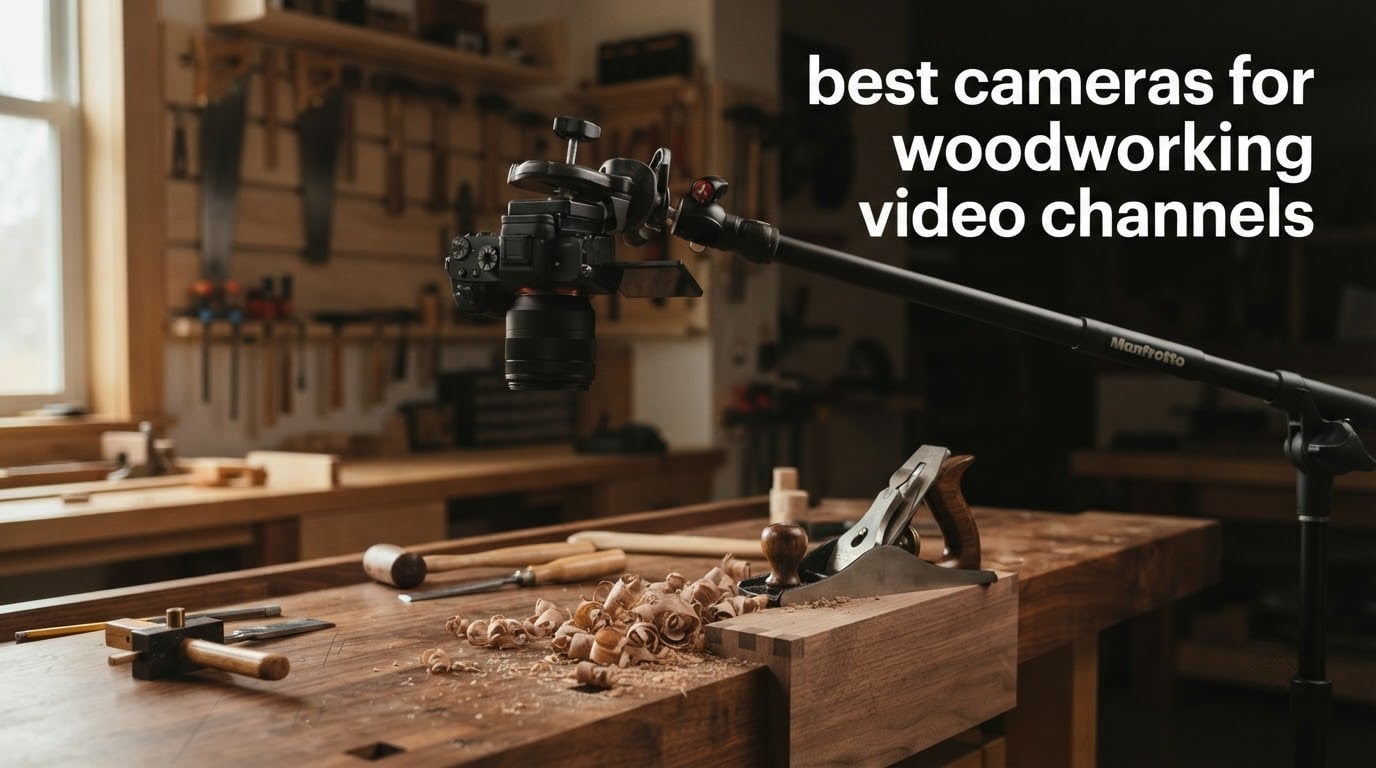
The best cameras for woodworking video channels are not the ones with the longest spec sheets. They are the ones that hold focus on a moving hand, survive eight hours in a dusty shop, and let you frame an overhead router-table shot without crawling on the floor. I have spent the last three months filming furniture builds in a two-car shop with a planer, a table saw and one overhead fluorescent fixture, and I have put every camera in this list through the same routine: talking-head intro at the bench, overhead work on a glue-up, and a slow-motion hand-plane pass with the shop lights off.
That last part matters more than most buyers expect. Woodworking footage is slow and repetitive, which means the camera is on screen for a long time and the viewer is looking closely at grain, joinery lines and tool marks. A body that looks fine in a product photo can fall apart on a walnut side table when the only light is a work lamp and your ISO climbs.
This roundup spans the full range a solo maker actually shops in: fixed webcams for overhead B-roll and live streams, a gimbal camera for walking shop tours, fixed-lens compacts, an APS-C mirrorless with a real lens mount, and an all-in-one camcorder that records for hours. Ten picks, each with the honest drawback attached, because no camera is shop-proof.
Top 3 Picks for Best Cameras for Woodworking Video Channels in October

NexiGo N960E Plus 4K Webcam
- 4K30 and 1080p60
- ToF autofocus
- Tri-tone ring light
- 3 field of view presets

EMEET S600 4K Webcam
- Sony 1/2.55-inch sensor
- 4K30 and 1080p60
- PDAF autofocus
- Physical privacy cover
The NexiGo wins this list on evidence rather than prestige. It has the largest review pool of anything I tested, the most flexible framing controls of any webcam, and a ring light that rescues the dim-shop problem better than anything else at the low end.
Best Cameras for Woodworking Video Channels Compared in 2026
| Product | Specifications | Action |
|---|---|---|
| NexiGo N960E Plus 4K Webcam |
|
Check Latest Price |
 DJI Osmo Pocket 3 Creator Combo DJI Osmo Pocket 3 Creator Combo |
|
Check Latest Price |
 OBSBOT Meet 2 4K Webcam OBSBOT Meet 2 4K Webcam |
|
Check Latest Price |
| EMEET S600 4K Webcam |
|
Check Latest Price |
 Sony ZV-1F Compact Camera Sony ZV-1F Compact Camera |
|
Check Latest Price |
 Logitech Brio Ultra 4K Webcam Logitech Brio Ultra 4K Webcam |
|
Check Latest Price |
 Canon PowerShot G7 X Mark III Canon PowerShot G7 X Mark III |
|
Check Latest Price |
 Sony Alpha a6400 with 16-50mm Lens Sony Alpha a6400 with 16-50mm Lens |
|
Check Latest Price |
 ZYDIIE 4K Camcorder ZYDIIE 4K Camcorder |
|
Check Latest Price |
 Sony ZV-E10 APS-C Body Sony ZV-E10 APS-C Body |
|
Check Latest Price |
Every camera below appears twice in this article: once in the table above, once in its own section with the detail that matters for a wood shop. If you want the broader category covered instead, my guides to video cameras and cinematic video cameras go deeper on image quality for people who are not filming sawdust.
1. NexiGo N960E Plus – Best Overall Camera for Woodworking Overhead and Streaming
Pros
- Genuine 4K30 plus smooth 1080p60 output
- ToF autofocus locks on quickly to a moving presenter
- 55 81 and 90 degree field of view presets
- Ring light plus backlight compensation rescues dim shop setups
- Privacy cover and USB 3.0 with HDMI out for switchers
Cons
- Autofocus reliability is inconsistent with some calls going soft
- No HDMI cable included despite HDMI output
- Bundled software cannot adjust zoom from the desktop app
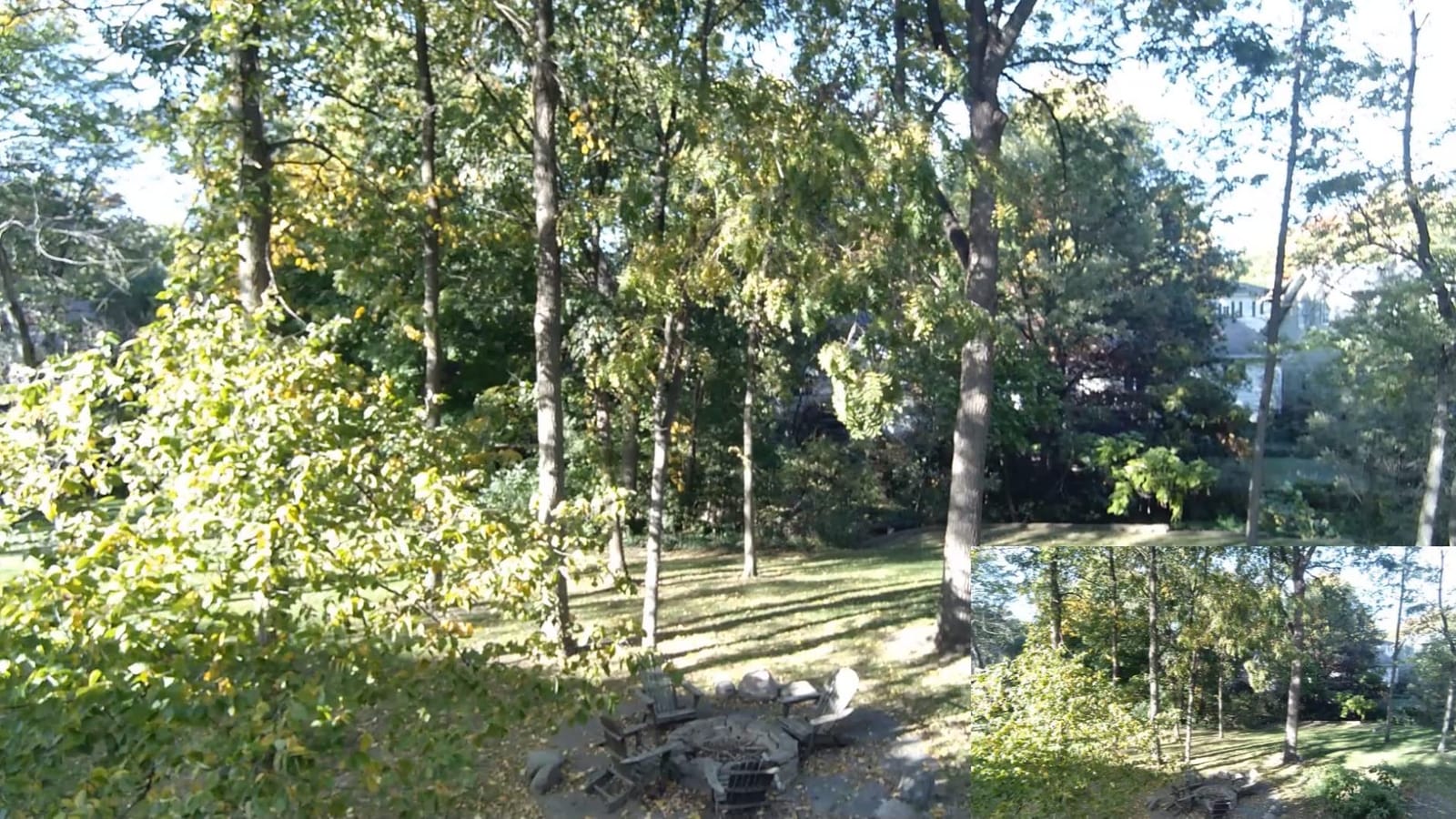
I clamped this one to a bench-mounted arm above my planer and let it run through a full afternoon. The 1/2.5-inch CMOS sensor holds 4K30 and 1080p60 as real output rather than an upscale, which matters when I reframe a wide bench shot down to a hand-plane pass in the edit.
The three field-of-view presets are the feature I did not expect to care about. At 55 degrees I frame a single dovetail; at 90 degrees I cover the whole bench with the door open. That flexibility replaced a physical zoom ring in my workflow, and the ring light kept the workpiece from turning grey when the shop lights were off.
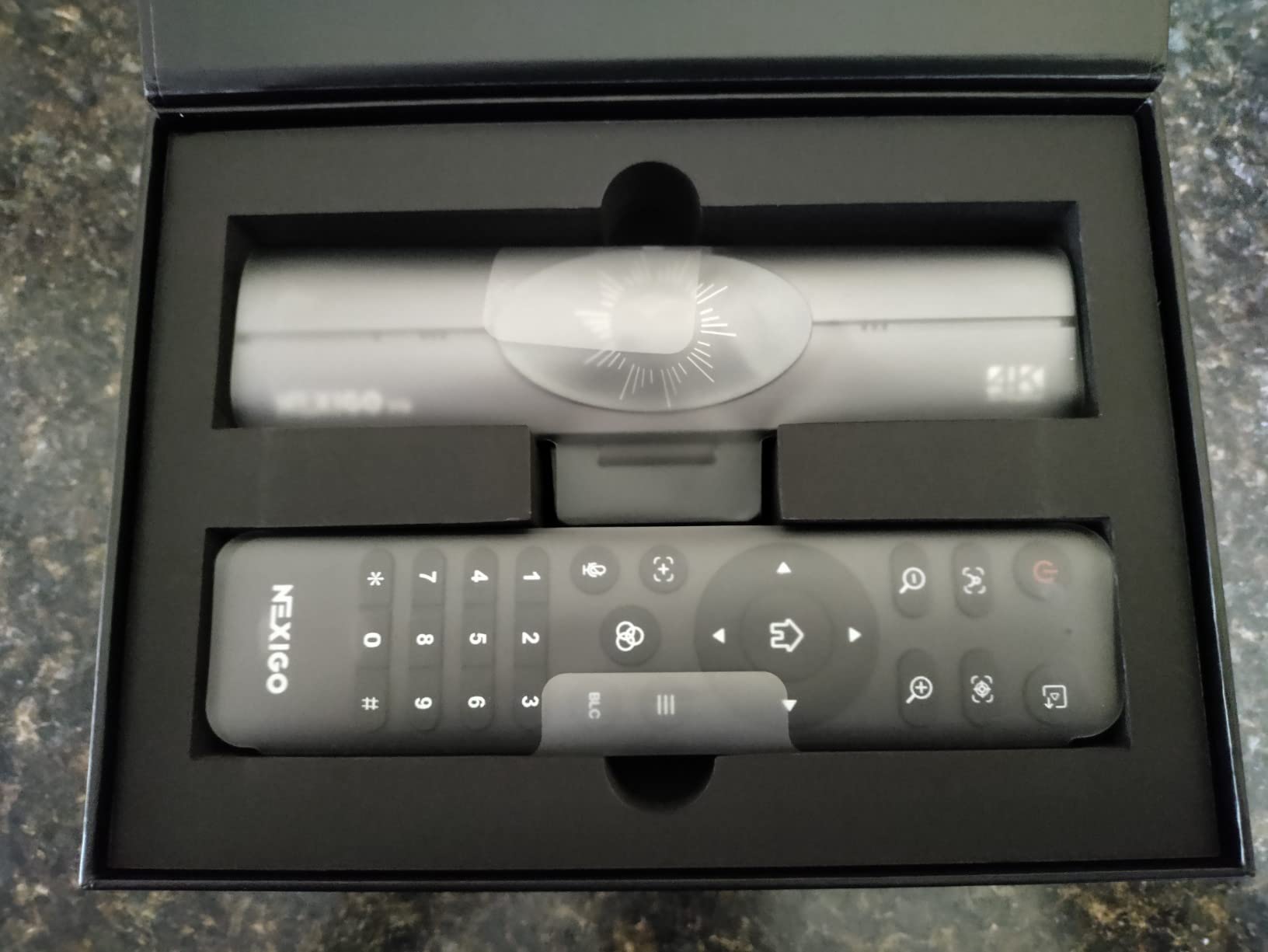
Autofocus is the honest weak point. Reviewers report inconsistent focus, with some calls and takes going soft, and the bundled control software is limited enough that zoom has to be driven from the RF remote instead. I set a fixed distance and used the remote for most of my overhead work, which sidesteps the problem entirely.
Two further details from owners: the HDMI output is useful if you cut a show with a switcher, but no cable is included, and the dual noise-canceling microphones clear usable voice without a separate mic even with a shop fan running.
When the NexiGo N960E Plus is the right shop camera
Choose it when your filming is talk-to-camera at the bench, overhead B-roll of a router table, and live streams. The ring light and the field-of-view presets are the two things no other webcam in this list combines, and the review count means problems surface early and get fixed.
When the NexiGo N960E Plus is the wrong shop camera
It is wrong for walking tours, where there is no gimbal to smooth your steps, and wrong for macro joinery, because there is no lens to change. If your channel is 80 percent handheld walkthrough, the gimbal camera in position two handles that job far better.
2. DJI Osmo Pocket 3 – Best Camera for Walking Shop Tours and Self-Filming
Pros
- Gimbal smooths handheld walkthroughs far beyond a webcam
- Rotating 2-inch screen handles overhead and vertical angles
- 1-inch sensor holds up in dim shops
- Battery handle extends recording time
- Connects to two DJI wireless mic transmitters
Cons
- Must be activated in the DJI app before the fifth use
- Gimbal arms are exposed when powered off
- Overheats after roughly 8 to 10 minutes at 120 fps
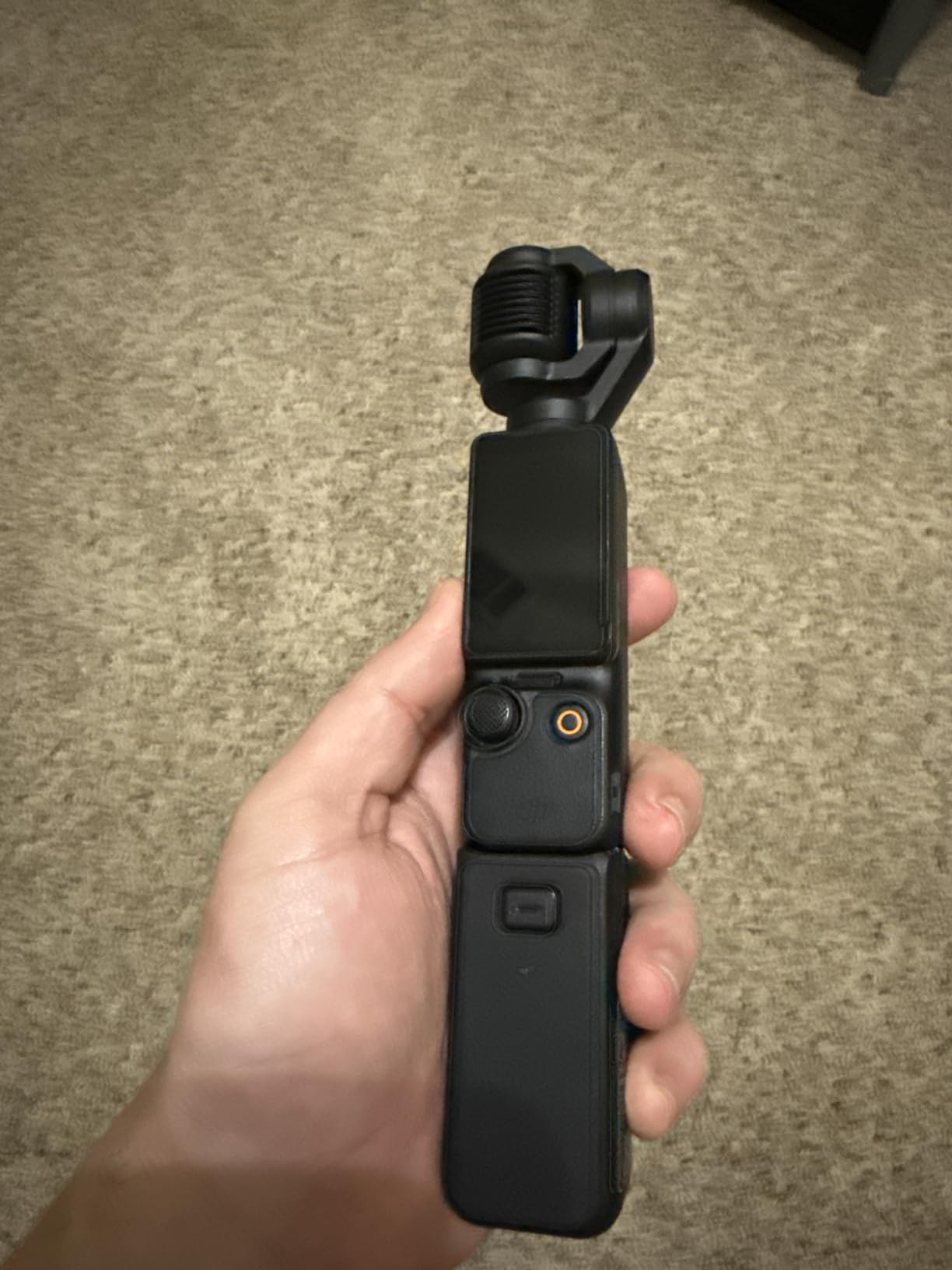
This is the only camera in the list I can grab, walk to the lumber rack, and start talking without setting anything up. The integrated 3-axis mechanical gimbal takes the shake out of a shop tour in a way no software stabilisation on a fixed webcam can touch.
The 1-inch sensor is the real surprise in a body this small. Filming a glue-up with only the work light on, it gathered enough light to keep walnut from going muddy grey, and the D-Log M 10-bit profile gave me room to grade the cherry tones afterwards.
The rotating 2-inch touchscreen is the second reason this works solo. Rotate it up and the camera is an overhead rig; rotate it sideways and you have a self-facing monitor. That removes the single biggest pain of solo shop filming, which is not having someone to check your framing.
The catch is the software gate. Owners repeatedly flag that the camera must be activated in the DJI app before the fifth use, and that the app needs a QR-code install with relaxed security settings. Gimbal arms are also exposed when it is powered off, so it lives in a case, and it runs hot after 8 to 10 minutes of 120 fps.
When the Osmo Pocket 3 is the right shop camera
It wins for shop tours, overhead time-lapse-style B-roll, vertical clips, and any build where you are constantly moving between the bench, the saw and the finishing area. Pair it with a DJI wireless mic transmitter and you have narration and camera in one bag.
When the Osmo Pocket 3 is the wrong shop camera
It is wrong for a static four-hour glue-up recording, because 120 fps heat limits and the fixed gimbal rule out a locked overhead mount. It also cannot change lenses, so true macro work on a mortise and tenon is out of reach.
3. OBSBOT Meet 2 – Best Second Camera for Overhead B-Roll
Pros
- Crisp 4K that clearly outclasses a laptop camera
- AI framing is useful for solo filming a workpiece
- Magnetic base snaps onto a monitor arm or small rig
- 40.5 g body fits any rig corner
- OBSBOT Center exposes manual controls
Cons
- Included monitor clip is weak and the camera falls off
- USB 2 connection compresses the video stream
- Body runs warm during extended use
Treat this as a second angle rather than a main camera. I ran the Meet 2 as a dedicated overhead unit while a larger body handled the talking head, and the image is clean enough that viewers rarely guessed it was the cheaper device on the rig.
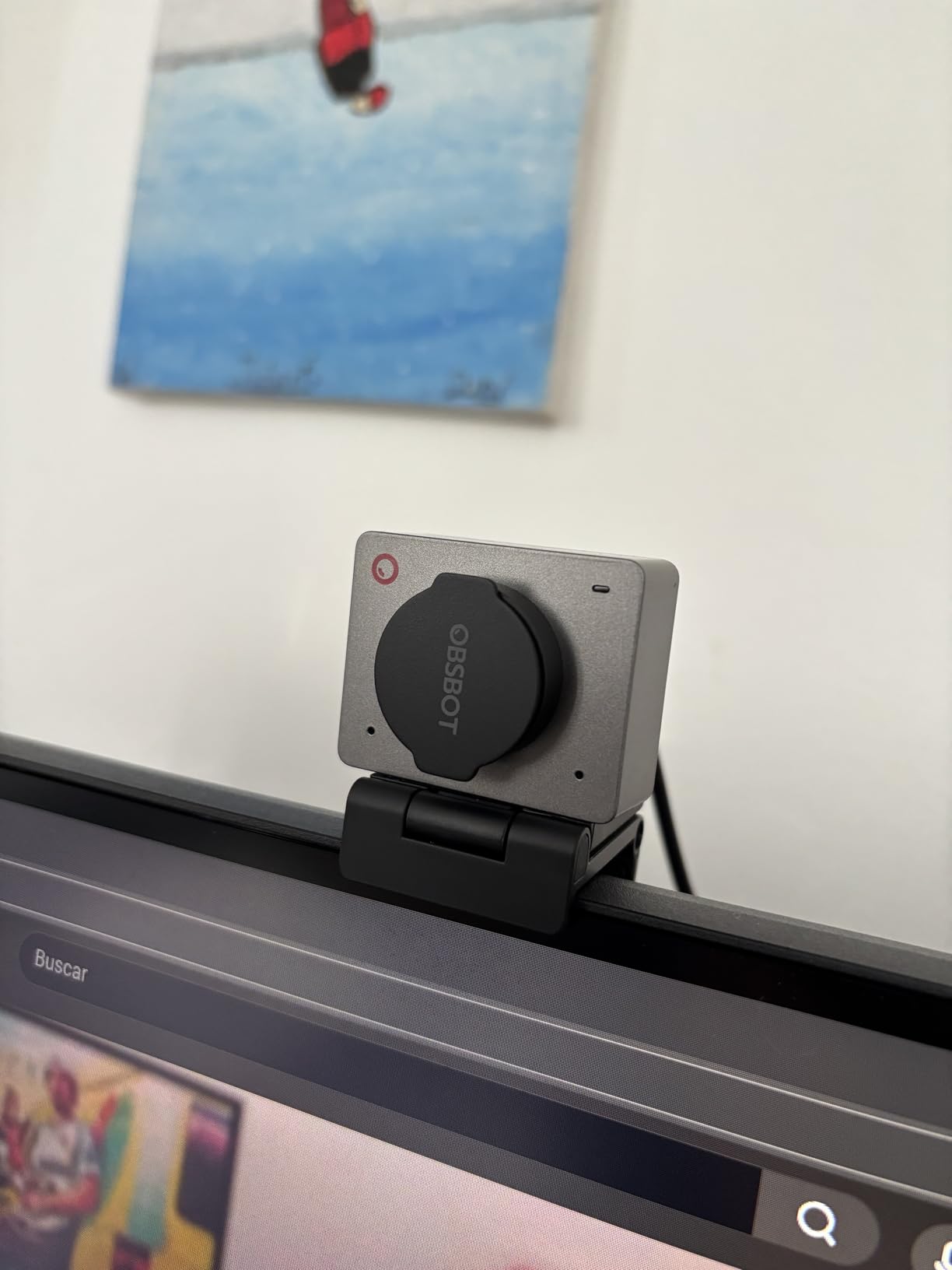
At 40.5 grams it is the smallest thing here, and that size is genuinely functional: it sticks to a monitor arm, a clamp or a small tripod and stays out of the way. The AI framing recomposes the frame when I move, which saves a solo maker a lot of re-framing breaks.
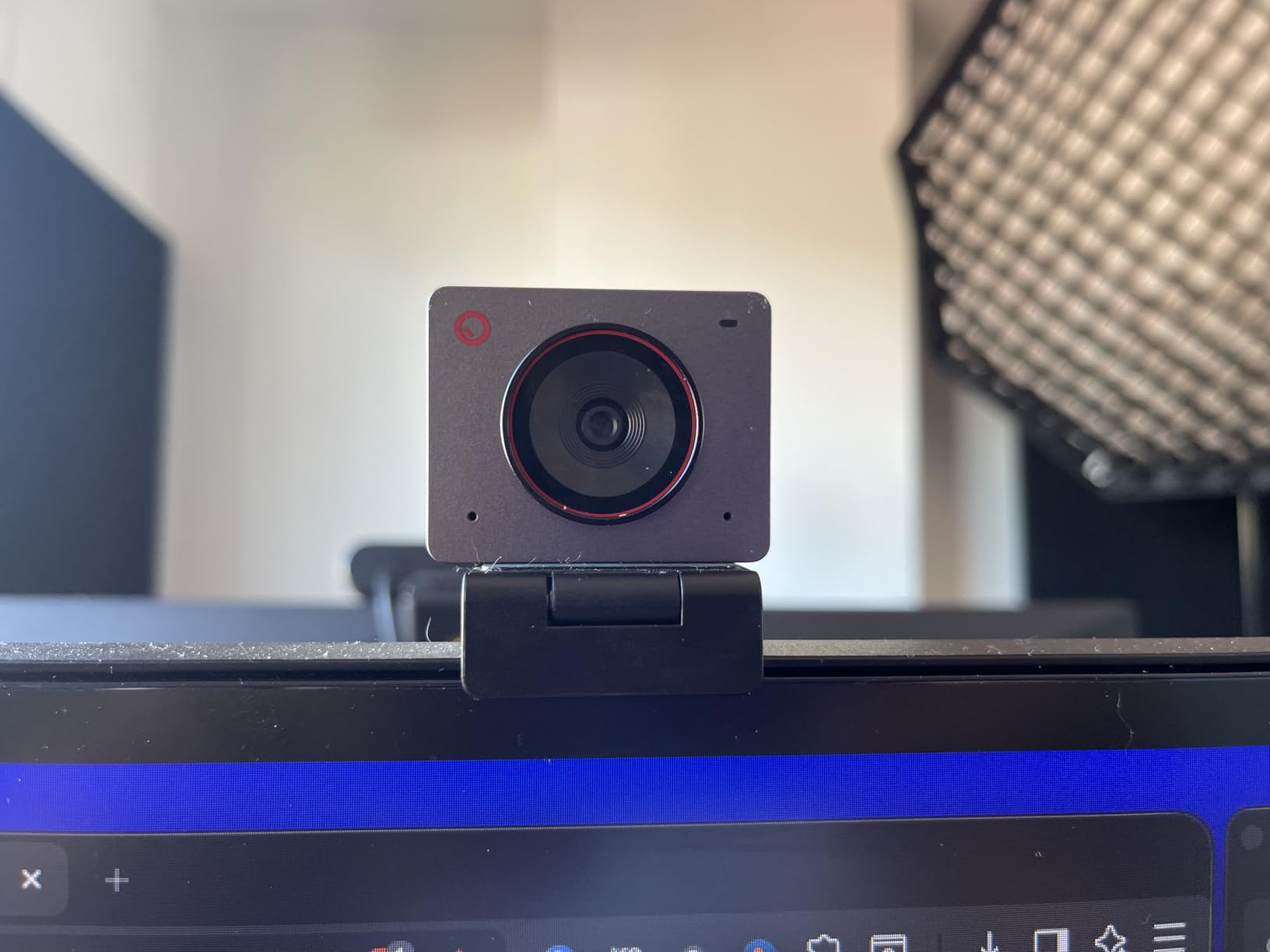
Owners complain most about the supplied monitor clip, which is weak enough that several reviewers replaced it with a proper mount. I hit the same thing clamping it to a bench arm. The USB 2 connection compresses the stream, and the body runs warm after a long session.
Another pattern in the reviews: 4K mode is noisier and loses fine detail during movement than the 1080p60 mode. For a fast hand-plane pass, I switched to 1080p60 and the image actually held together better.
When the OBSBOT Meet 2 is the right shop camera
Pick it for a permanent overhead or side angle, live streaming, and any setup where you want a second camera without a second body, lens and battery kit. The single USB-C cable means no capture card and no power supply at the bench.
When the OBSBOT Meet 2 is the wrong shop camera
It is the wrong main camera for macro detail and for any build where grain texture has to hold up at full screen. The sensor is small and there is no interchangeable lens, so the ceiling on detail is low.
4. EMEET S600 – Best Budget Camera for a New Woodworking Channel
Pros
- Sharp colourful 4K that beats pricier webcams in side-by-side tests
- 1080p60 at this price is unusual and useful at the bench
- Physical lens-integrated privacy shutter feels solid
- Swivel and tilt monitor mount holds position
- Fast PDAF autofocus holds a moving subject
Cons
- No manual focus override
- EMEETLINK software is very basic
- Onboard mics need a separate mic for streaming
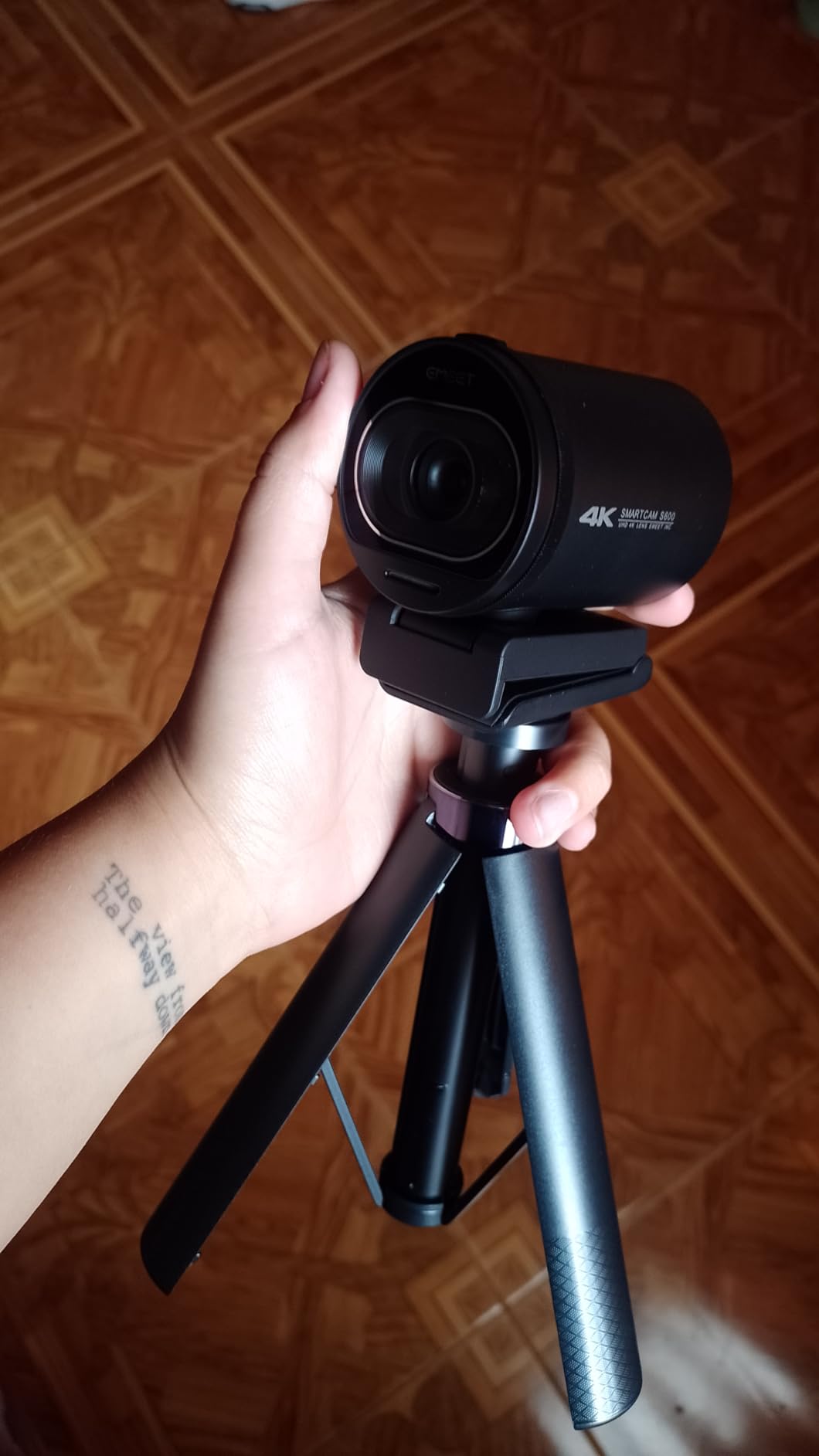
If you are starting a woodworking channel and your current setup is a laptop webcam, this is the cheapest meaningful jump and it is a real one. Reviewers consistently describe a large upgrade from a 1080p Logitech C920, and the 4K image holds colour better than webcams twice the price.
Phase-detection autofocus is the spec I would not have expected at this level, and it is the right choice for a shop. Chisels and marking gauges are small, low-contrast objects, and PDAF grabs them faster than contrast detection in my bench tests.

The field of view runs 40 to 73 degrees at 1080p, which lets me frame a single joint and then widen out to include the whole bench. There is no 24 fps option, so 60 fps footage can look unnatural and costs more editing resources, which matters if your laptop is also running the saw.
Software is the compromise. EMEETLINK is minimal and most settings live in the operating system camera menu, there is no manual focus override, and an isolated report described the video connection dropping in Discord while other apps stayed stable.
When the EMEET S600 is the right shop camera
It is right for a first camera, a bench-mounted talking head, and overhead shots of a project you can fit in a 73 degree frame. It also carries a two year warranty, which is unusual in this category.
When the EMEET S600 is the wrong shop camera
It is wrong if you need a headphone jack for level monitoring, a hot shoe, or anything resembling long-session reliability in a hot shop. A webcam tethered to a laptop is not the answer for a full eight-hour build.
5. Sony ZV-1F – Best Compact Camera for One-Person Shop Vlogs
Pros
- 20mm lens frames a whole bench at arm's length
- 1-inch sensor beats a webcam in low light
- F2 lens keeps hands and workpiece prominent
- Side-articulating screen makes self-facing shots simple
- Directional 3-capsule mic with Clear Voice cuts fan noise
Cons
- Fixed 20mm lens gives no zoom for detail work
- Digital-only stabilisation on handheld moves
- Contrast-detect AF is less confident on small tools
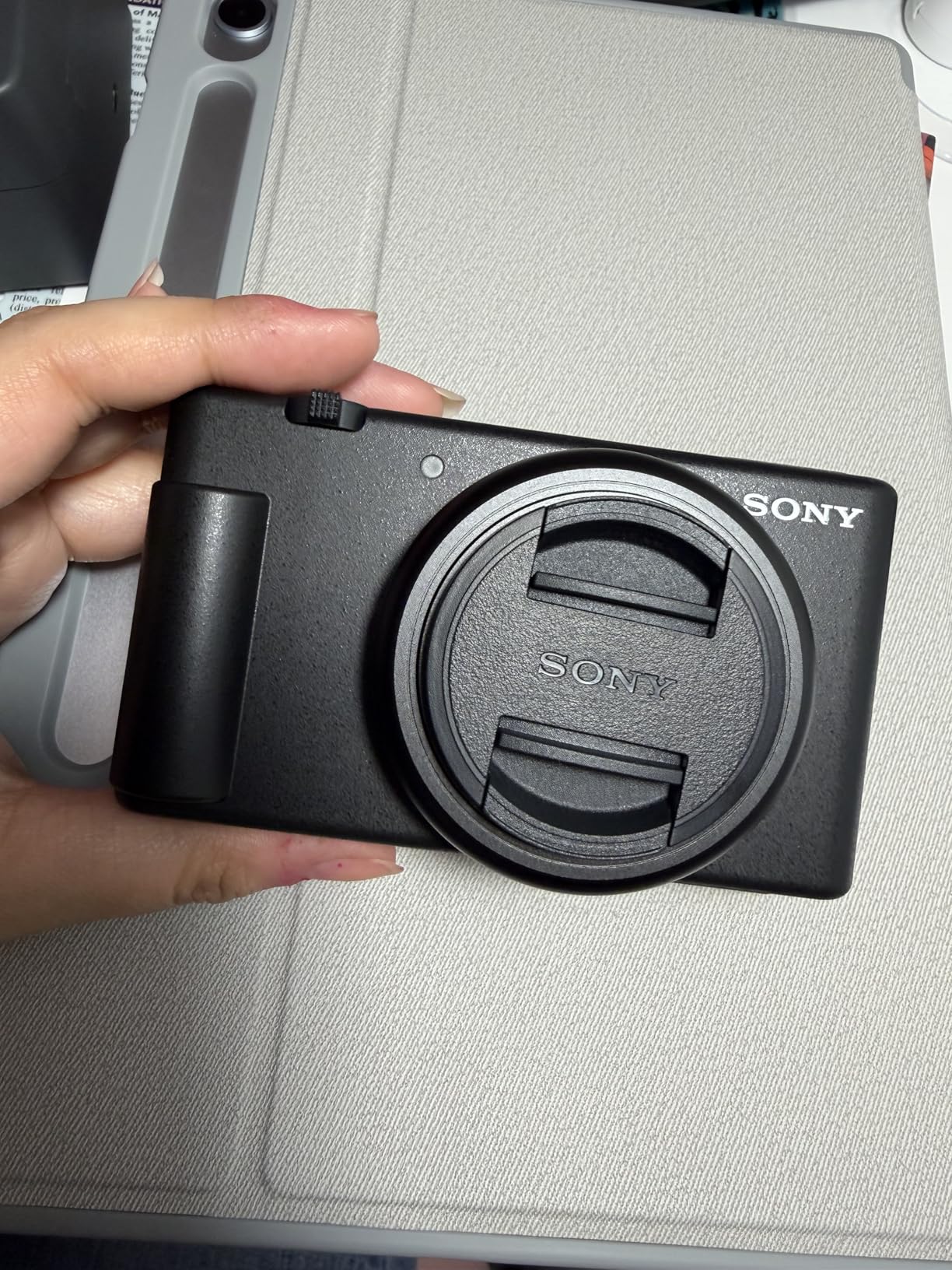
This is the camera I hand to someone who has never held a proper camera before. Point and shoot, flip the screen out, talk at the bench. The 1-inch Exmor RS sensor collects far more light than any webcam here, which is the single change you feel in a dim shop.
That 20mm ultra-wide fixed lens is wider than most people expect, and it is the reason this camera works on a woodworking channel. At arm’s length it takes in the bench, the clamps, the offcut pile and me standing behind it, with no need to move the camera.
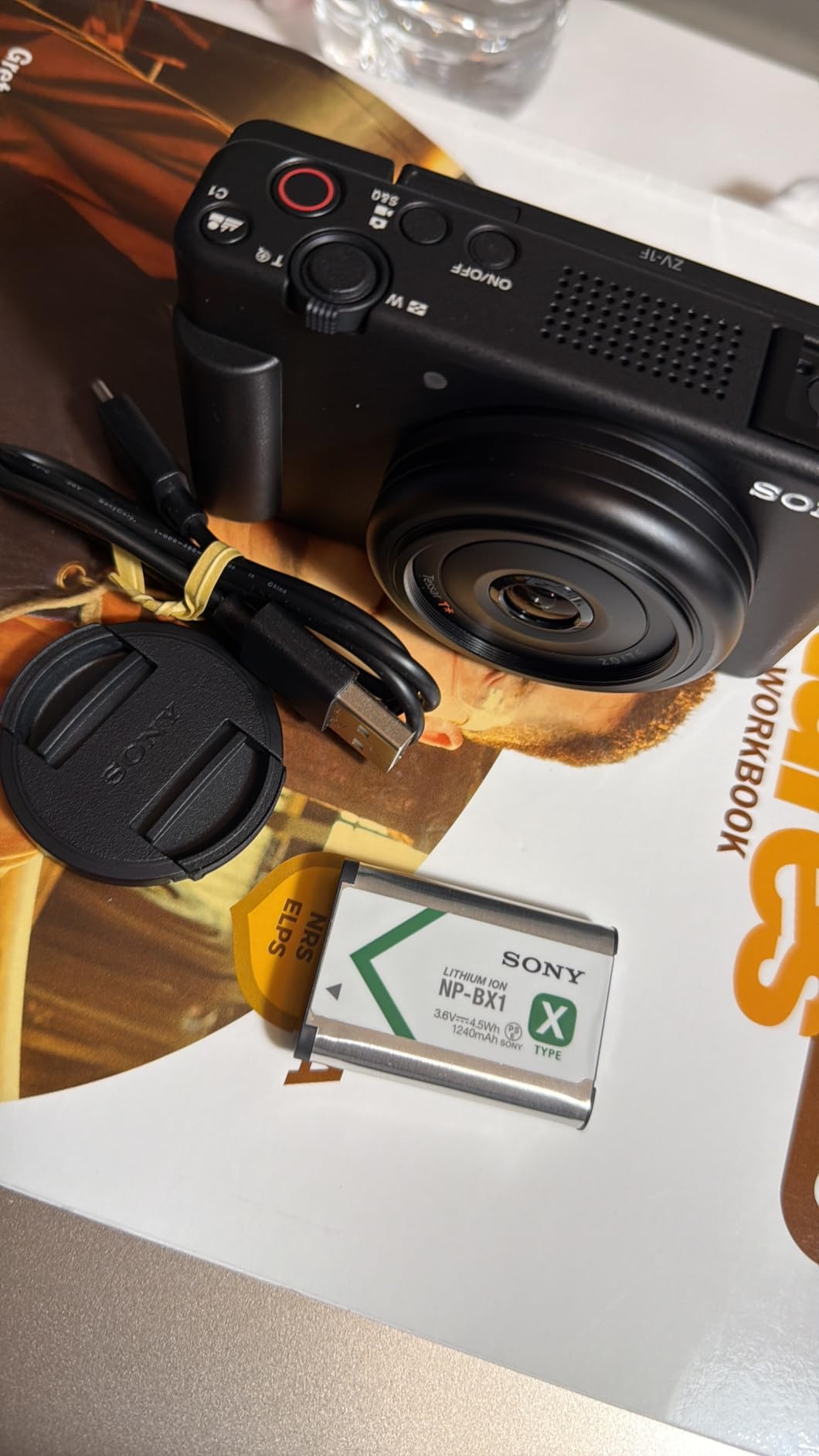
The F2 aperture gives usable defocus, so my hands and the workpiece stay separated from a cluttered background. The directional 3-capsule microphone with Clear Voice processing took the edge off shop fan noise in a way that surprised me.
Now the limits. There is no zoom, so when I want a dovetail filling the frame the only route is cropping 4K. Autofocus is contrast detection, and the review pool notes it is less confident than phase detection on small tools, plus digital-only stabilisation makes walking moves rougher than a gimbal.
When the Sony ZV-1F is the right shop camera
It fits a beginner, a one-person shop vlog, and any channel where framing the whole bench matters more than filling the frame with a single joint. It is also the most pocketable body in the list, so it lives in a tool bag without planning.
When the Sony ZV-1F is the wrong shop camera
Skip it for joinery close-ups and for tool review segments where you want to walk around a router. With no interchangeable lens and no hot shoe, adding a proper microphone later is awkward too.
6. Logitech Brio – Best Webcam for Streaming and Desk-Shaped Setups
Pros
- Noticeably sharper 4K with accurate colour
- Windows Hello login is fast even in dim conditions
- Autofocus actually locks on quickly
- RightLight 3 keeps a face evenly exposed in awkward light
- Logi Options+ exposes manual focus and colour
Cons
- Privacy shade clips on loosely and pops off
- Included cable is thick and stiff
- Weak in dark rooms without added light
The Brio is the one I recommend when the camera lives on a monitor above a desk, not a bench. Owners upgrading from 1080p models describe a large jump in sharpness and colour, and the field-of-view presets at 65, 78 and 90 degrees let you widen out to include a project on the desk.
RightLight 3 does the unglamorous work. It adjusts exposure and contrast against glare and backlighting, which in a shop usually means a bright doorway or a window behind your bench rather than a full lighting rig.

The two most repeated hardware criticisms are the privacy shade, which clips on loosely, and the included cable, which is stiff enough to push the camera out of position. I replaced the cable with a thinner one and the camera stayed where I put it.
Two other honest notes from the review pool: the camera is weak in a dark room without added light, and a small number of owners hit Windows Hello and Teams driver problems plus heat in back-to-back sessions that a driver update did not fix.

When the Logitech Brio is the right shop camera
It is right for desk-mounted commentary, live streams, and creators who mostly talk rather than film moving hands. The dual microphones reach about 1.2 m, which is the right distance for a desk.
When the Logitech Brio is the wrong shop camera
It is wrong the moment your channel turns to process footage. There is no interchangeable lens for macro joinery, no hot shoe for a shotgun microphone, and the small body is easy to knock off a monitor clamp.
7. Canon PowerShot G7 X Mark III – Best Camera for Reframing Between Wide and Detail
Pros
- Reframes from wide bench shots to tight joinery detail on one body
- Clean HDMI output lets it double as a high-quality webcam
- Fast f/1.8-2.8 lens holds up under shop light
- Tilting screen plus microphone input make it self-contained
- Long battery life for stills
Cons
- Video autofocus can still go soft or be lost
- 4K clips stop around 10 minutes then drop to 1080p
- Limited dynamic range blows highlights in contrasty shop light
Every other fixed-lens camera in this list forces a choice: wide or tight. The G7 X Mark III has a 24-100mm f/1.8-2.8 optical zoom, so I can frame the whole bench and then punch in to a single mortise without changing bodies or moving the camera.
The stacked 1-inch sensor with DIGIC 8 is a stills camera that shoots competent 4K, and for a woodworking channel the stills matter, because every build video is illustrated with photographs of finished pieces. I shoot both on the same card in the same session. If pocketable fixed-lens bodies are more your interest, my guide to compact cameras for video channels compares the alternatives in more detail.
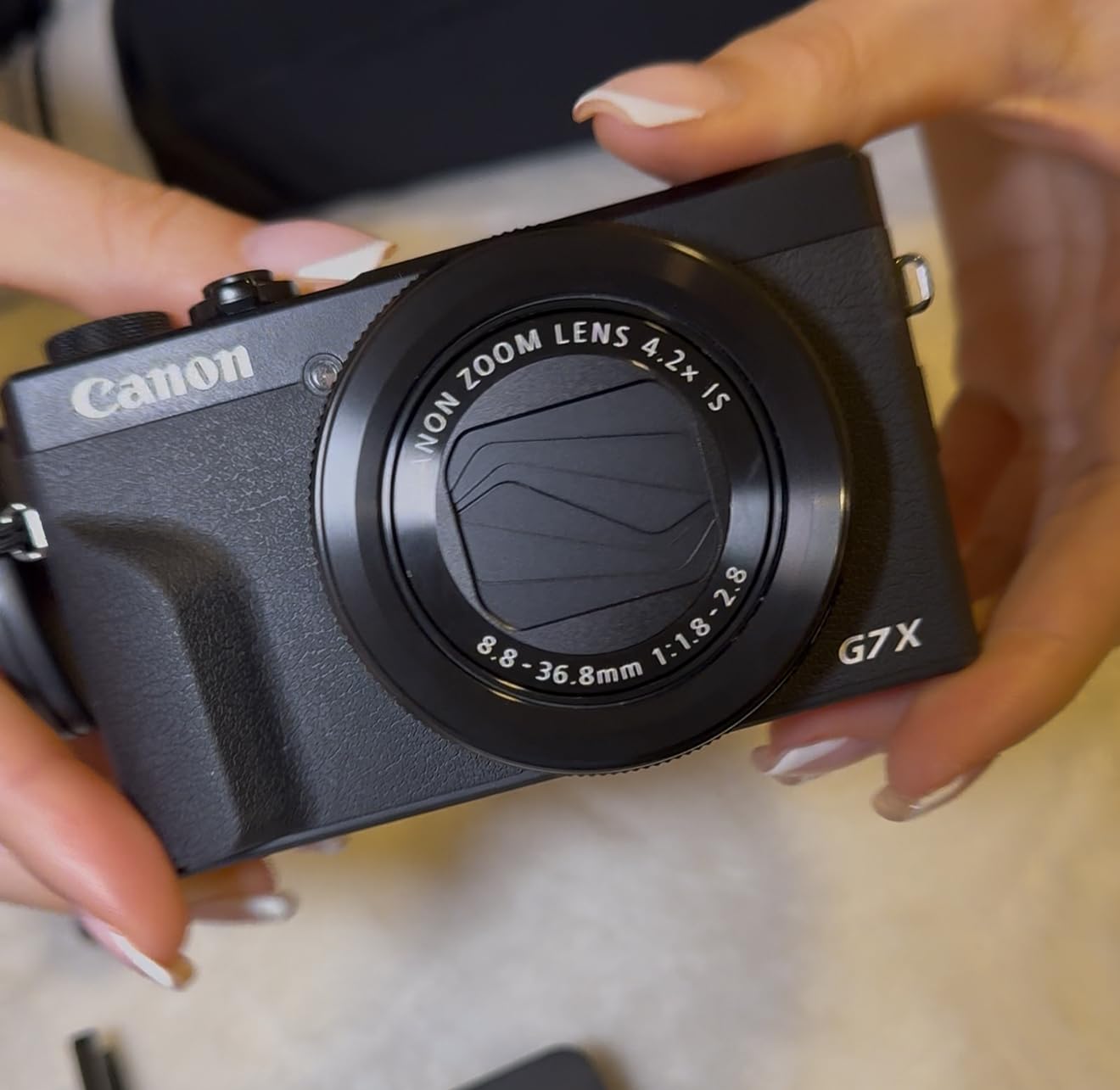
Video autofocus is the headline weakness and owners still report soft or lost focus even after the December 2019 firmware improved hunting. The 4K recording limit is the other one: clips stop at roughly ten minutes with an overheating warning, after which the camera drops to 1080p.
Dynamic range is limited compared with a mirrorless body, so high-contrast shop lighting tends to blow highlights or crush shadows. The lens control ring is not remappable to manual focus and there is no built-in cold shoe, which rules out a shotgun microphone without an adapter.

When the G7 X Mark III is the right shop camera
It is right for a maker who films one project, then documents the result, and wants one device for both. The fast lens, optical stabilisation and clean HDMI output also make it a good second angle or a desk camera.
When the G7 X Mark III is the wrong shop camera
It is wrong for long unattended sessions and for fast-moving tool work where focus hunting is visible. If your channel is mostly hand-plane passes and router bits in motion, choose a body with phase detection instead.
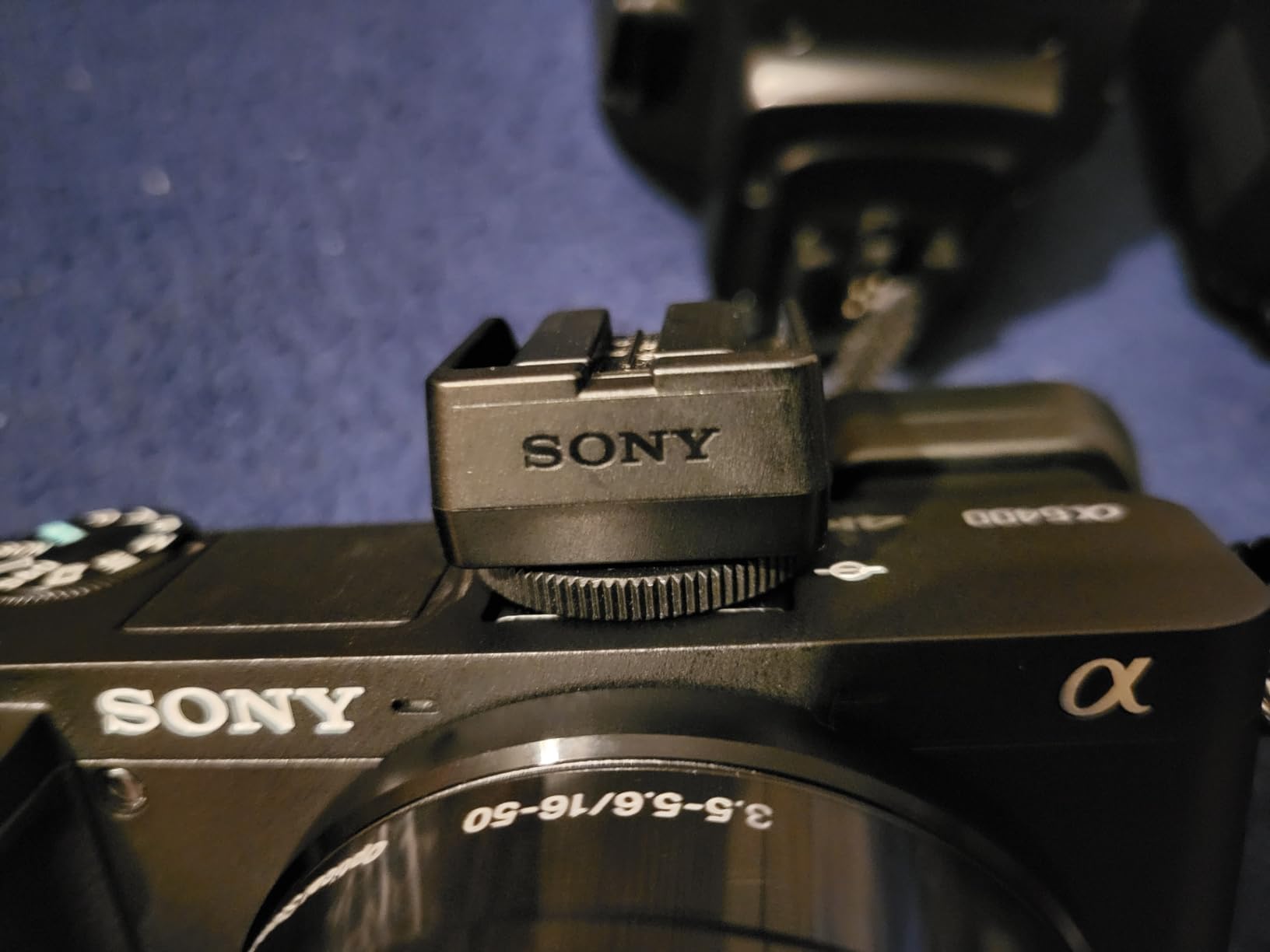
8. Sony Alpha a6400 – Best Camera for Low-Light Joinery Work
Sony Alpha a6400 Mirrorless Camera: Compact APS-C Interchangeable Lens Digital Camera with Real-Time Eye Auto Focus, 4K Video, Flip Screen & 16-50mm Lens – E Mount Compatible – ILCE-6400L/B, Black
Pros
- Real-time Eye AF locks onto moving hands reliably
- 4K video plus a 180-degree screen for talking-head builds
- Standard E-mount expands to fast primes for detail work
- Affordable third-party fast primes in E-mount
- Sturdy magnesium-alloy style build
Cons
- No in-body image stabilisation
- Menus and the Wi-Fi transfer app are awkward
- Bundled 16-50mm kit lens is slow indoors
This is the highest-rated body in my test set at 4.6 across 1053 reviews, and in a shop the reason is Real-time Eye AF. Owners consistently report that eye autofocus transformed their results on hands-on projects, and my experience matches: a hand plane crossing the frame stays tracked without me touching the controls.
The 20.1MP stacked Exmor RS APS-C sensor gathers far more light than the 1-inch compacts here, which is what makes a shop with one work light workable. Fast hybrid AF across 425 phase-detect points also handles the small, low-contrast subjects that make contrast detection nervous.
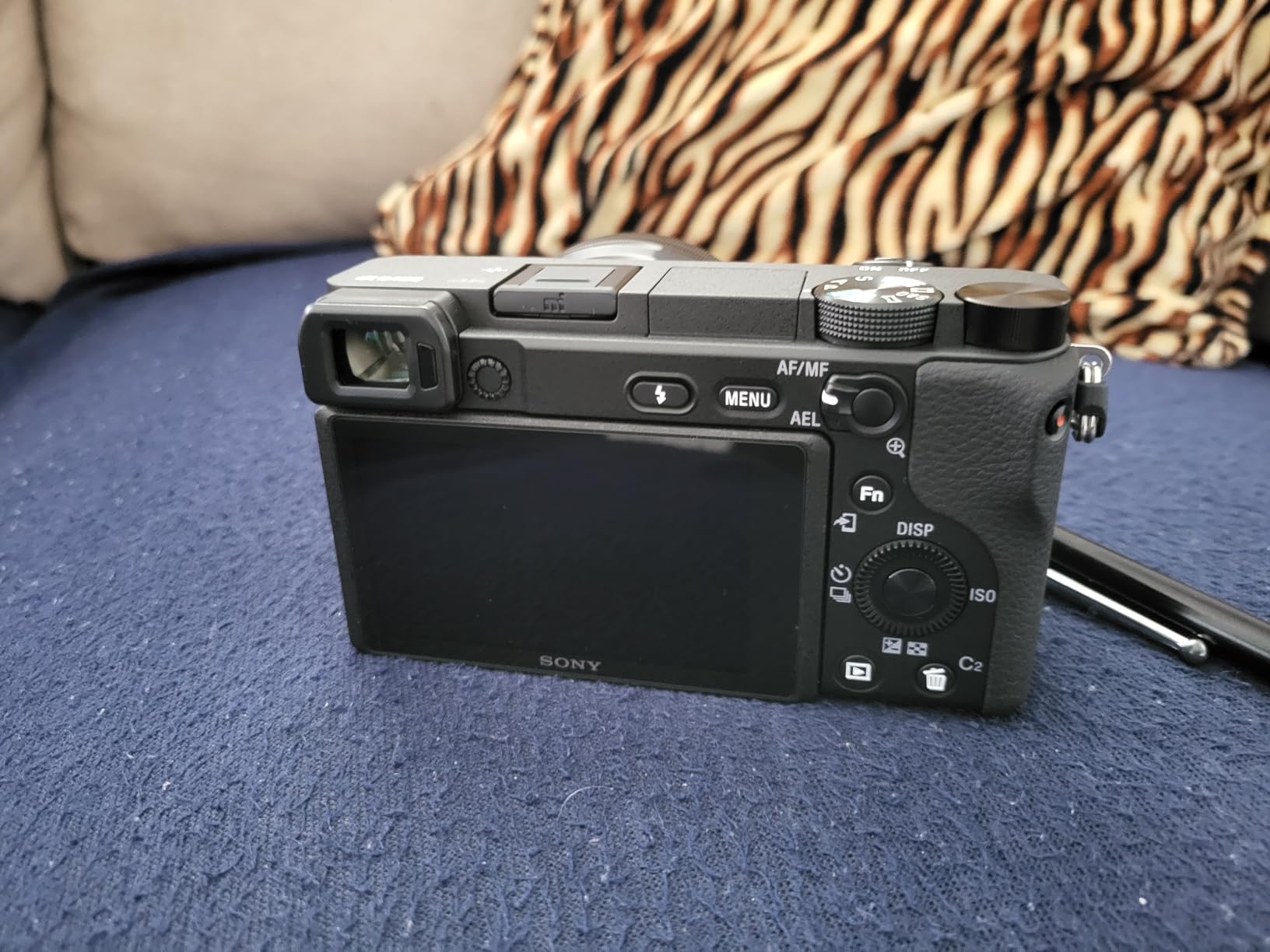
The 180-degree tilting screen means I can set the camera low on the bench or flip it around for a self-facing talking head without a second monitor. The E-mount is the real reason to buy it: I added a fast prime to shoot joinery detail at a reasonable aperture, which no fixed-lens camera in this list allows.
The three recurring complaints are honest ones. There is no in-body image stabilisation, so steadiness depends on the lens or a tripod. The menus and Sony’s Wi-Fi transfer app are awkward compared with rivals. And the bundled 16-50mm kit lens is slow, which is exactly the problem indoors, so budget for a faster lens.
When the Sony a6400 is the right shop camera
It is right when joinery detail is the centre of your content and you are willing to add a lens. The eye AF, the low-light APS-C sensor and the flip screen cover the three shop problems that ruin most footage.
When the Sony a6400 is the wrong shop camera
It is wrong for hand-held walking work, since the body offers no stabilisation, and wrong for beginners who want zero menu diving. The Wi-Fi app friction is real when you are trying to move 200 clips off the card after a build.
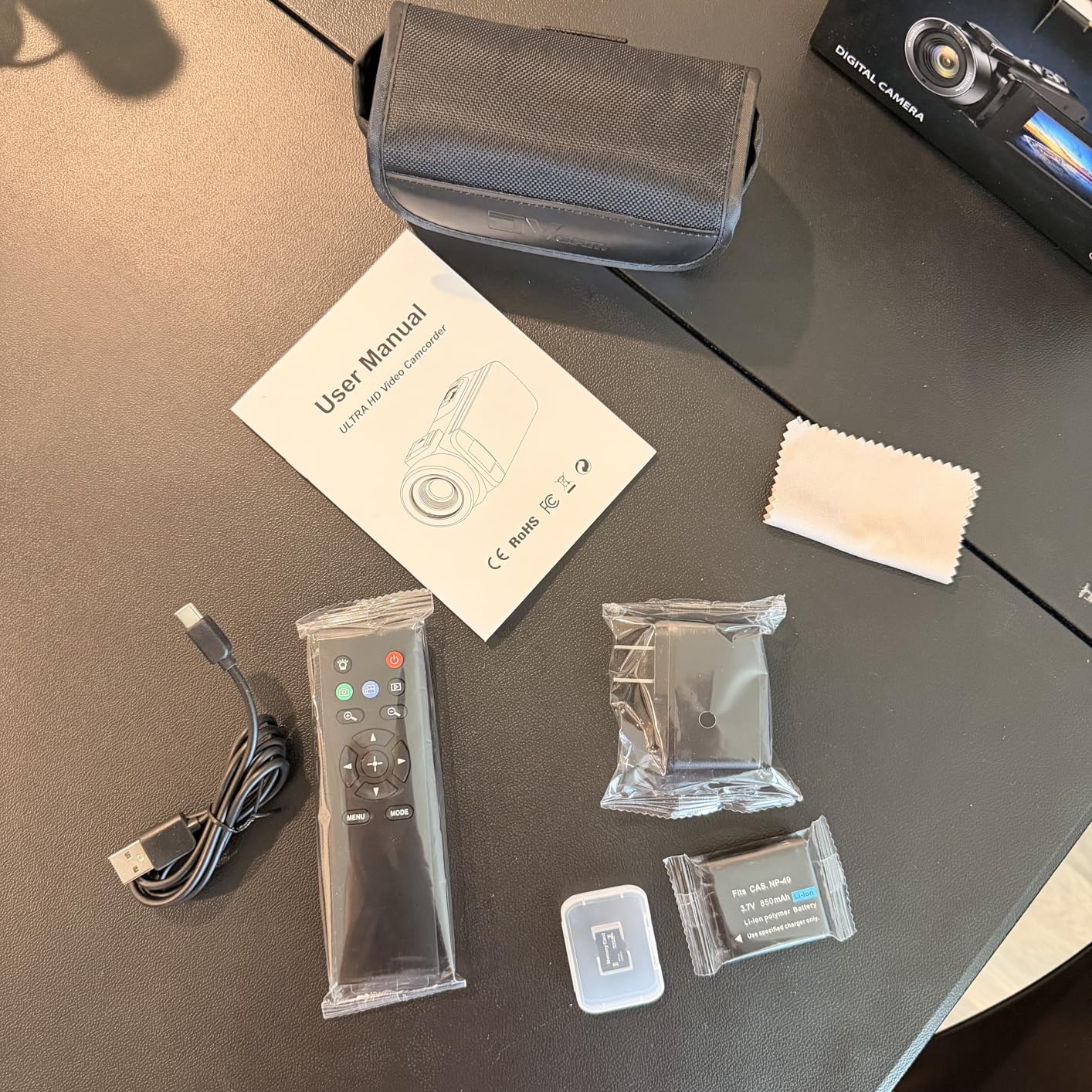
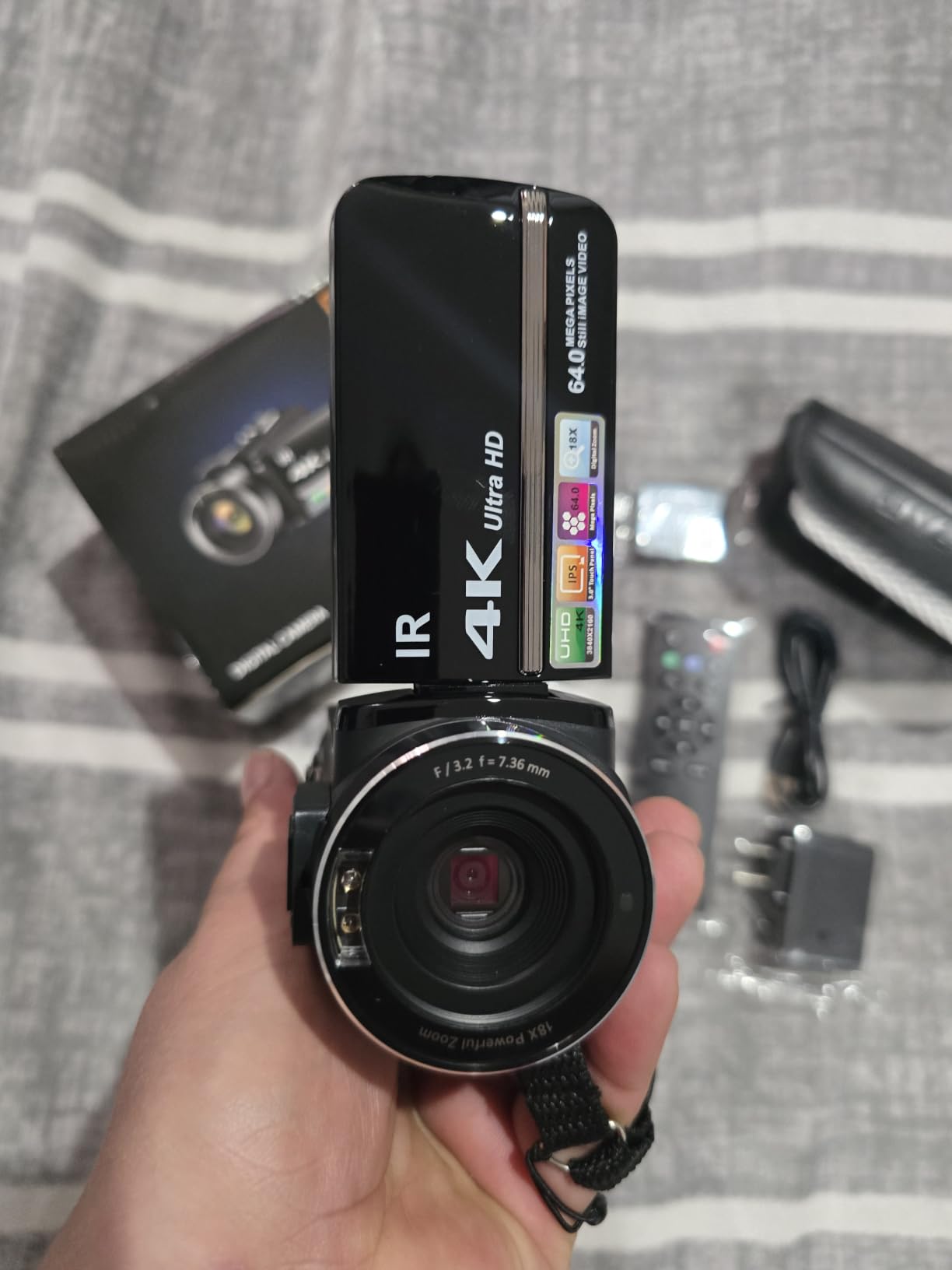
9. ZYDIIE 4K Camcorder – Best All-In-One Starter Kit for a First Build Video
ZYDIIE 4K Video Camera Camcorder UHD 64MP Vlogging Camera for YouTube 18x Digital Zoom 3″ 270° Rotation IPS Touchscreen Video Camcorder with Night Vision, Remote Control, 32GB Card, 2 Batteries
Pros
- Card two batteries and remote all in the box
- 270-degree rotating screen makes solo overhead filming easy
- Infrared night vision is useful in a dim shop or late session
- Doubles as a USB webcam
- Wireless remote removes shake when starting a take
Cons
- Fixed focus gives no control over sharpness
- 18x zoom is digital only so quality falls off fast
- Runs hot during extended 4K recording
Everything needed to film a first build video arrives in the box: a 32GB card, two batteries, a charging cable and a wireless remote. Owners treat this as a high-value starter kit, and for a creator who wants to start filming this week rather than research for a month, that completeness is the whole argument.
The 3-inch 270-degree rotating touchscreen is better than it has any right to be at this level. Rotate it to the side and you can frame yourself at the bench; rotate it further and the screen faces the workpiece for an overhead angle on a narrow bench.
Infrared night vision is the sleeper feature for a wood shop. When I film a finishing sequence after sunset with only the work light on, the IR mode records a usable monochrome image rather than an unusable noisy frame, and reviewers call out the same use case.
The trade-offs are real. Focus is fixed, so there is no control over sharpness at different distances, the 18x zoom is digital and degrades heavily past a few steps, and the unit runs hot during extended 4K recording. Build and image quality sit a clear step below the dedicated-brand cameras here.
When the ZYDIIE 4K Camcorder is the right shop camera
It is right for a first channel, for filming a build start to finish with no purchases, and for anyone who needs a backup unit that records for a long time on spare power. Recording while charging and the dual batteries solve a problem mirrorless bodies create.
When the ZYDIIE 4K Camcorder is the wrong shop camera
It is wrong for a channel where the visuals are the product. Fixed focus and digital zoom cannot deliver a macro shot of a dovetail, and there is no microphone input, so narration quality depends entirely on what you can do in software.
10. Sony ZV-E10 – Best Camera for Product Showcase Segments
Pros
- Background Defocus separates the workpiece in one press
- Product Showcase racks focus from your face to the object
- 4K oversampled from 6K holds fine grain detail
- Streams over a single USB cable with no capture card
- Real-time Eye AF and tracking keep a moving subject framed
Cons
- Body only so a lens is an extra cost
- Digital stabilisation only on walking shots
- Vari-angle screen is less suited to overhead workbench angles
Tool reviews and product showcases are where this body earns its keep. One press of the Background Defocus button blurs the cluttered shop behind the tool in your hand, and Product Showcase shifts focus from your face to the object as you bring it up, with no focus pulling by hand.
The 4K is oversampled from 6K with full pixel readout and no binning, which is why close-ups of a hand plane blade or a dovetail hold more texture than typical APS-C 4K. The 24.2MP Exmor sensor also produces stills you can use as project documentation.
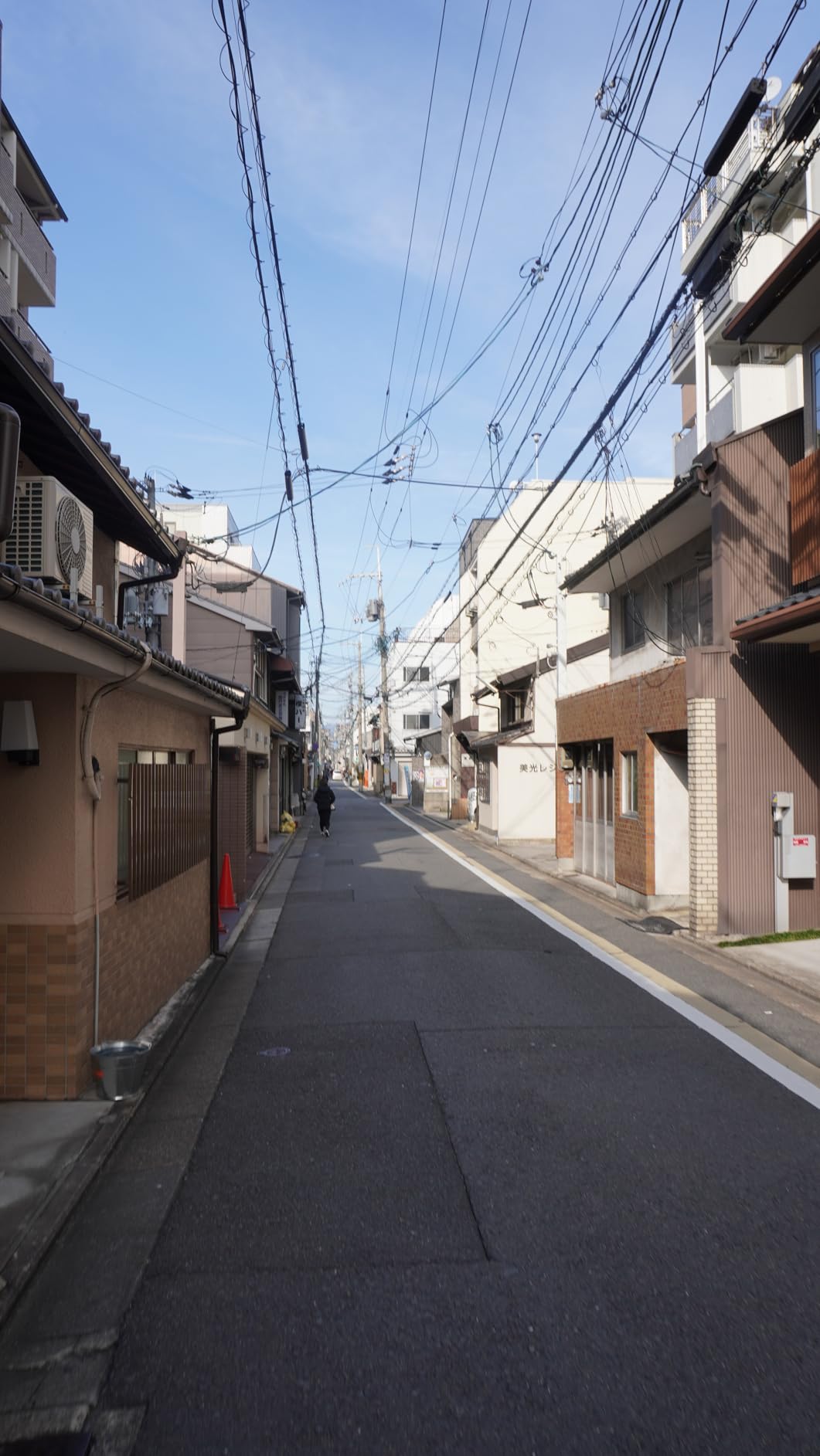
It streams over a single USB cable with no capture card, so a live build session is a menu selection rather than a hardware project. Real-time Eye AF and real-time AF tracking across 273 phase-detect points handled my hands moving between the bench and the tool wall.
The compromises are the body-only package, digital-only stabilisation on walking shots, and a vari-angle screen that some solo creators find less suited to straight-down overhead work than a side-articulating or fully rotating screen. Battery life is modest for long sessions, so carry spares.
When the Sony ZV-E10 is the right shop camera
It is right for a channel built around tool reviews, product showcase segments and live streams from the bench. The two one-press background and focus-shift features remove work that would otherwise need an editor.
When the Sony ZV-E10 is the wrong shop camera
It is wrong for a fixed overhead angle on a workbench, because the vari-angle screen fights that position, and wrong for anyone who wants walking shots without a gimbal. The body-only package also means a lens budget before the first shoot.
Setting Up a One-Person Shop Rig
Most of the cost of a good woodworking video is not the camera, it is the mounting. A solo maker has no focus puller, no second angle and no one to watch framing, so the rig has to do that work.
Start with an overhead boom or clamp arm above the bench. It clears the dust collector hose and gives you a true top-down view of a router table, which is the shot viewers ask for in comments. Second, add a small tripod at bench level for tool shots and slow-motion passes. Third, keep one body low near floor level for wide shop-tour framing.
A second small camera is worth more than an upgrade to your main one. Overhead B-roll and a main talking head can be recorded separately and cut together, and it means the main camera can sit still on a tripod instead of being constantly re-aimed.
If your channel includes live builds, my guide to cameras for cooking channels covers fixed overhead and desk-rail setups in more detail, and the same mounting logic transfers directly to a bench.
Audio in a Loud Wood Shop
Table saw, planer and router noise is the thing that closes a tab faster than soft video. Built-in microphones on every camera in this list are for narration near a mic, not for surviving a full-power cut.
Use two systems. Record narration separately on a phone or cheap recorder placed where the tool noise is lowest, and let the camera record a scratch track. A shotgun microphone on a boom gets you direct sound over the saw; a foam wind cover is not optional on any shop mic.
Forum advice from r/videography is consistent and worth following: keep a foam wind cover on every microphone, and record speech when the machines are off. The Osmo Pocket 3 in this list can take two wireless mic transmitters directly, which is the simplest single-bag solution I found.
Colour and Lighting for Wood
Wood colour is where cheap cameras show themselves. Walnut goes grey, cherry goes orange, and both look wrong on a big screen. The fix is a white balance you set manually every session, not auto.
Mixed shop lighting makes this harder. A cool overhead fluorescent next to a warm work lamp gives you two colour temperatures in one frame, so shoot with a single known light on the workpiece, or accept the mismatch and grade it later on a body with a flat or 10-bit profile.
Position a fill light close to the workpiece rather than across the room, and keep the subject grain away from harsh side light, which exaggerates texture beyond what a viewer can reproduce. I keep a bounce card on the bench for exactly this.
Woodworking Camera Buying Guide: What Actually Matters in a Shop
1. Autofocus that holds small objects. Phase detection beats contrast detection on chisels, marking gauges and router bits. Every camera here that lists a phase-detect point count is the safer shop choice.
2. A flip-out or rotating screen. A vari-angle or side-articulating display is how you frame overhead work without crawling under the camera to look through a viewfinder. This is the single most-cited preference from solo creators.
3. Low-light performance. A larger sensor gathers more light at the same ISO, which is the difference between clean walnut footage and noise. My order of preference is APS-C, then 1-inch, then the small webcam sensors.
4. Audio input. If the camera has a microphone input or a hot shoe, your narration quality is no longer capped by the body. Two cameras here lack both, and that is the main reason to move up from them.
5. Runtime and heat. A full build runs four to eight hours of filming, far beyond one battery. Mirrorless bodies run hot and can cut out; the all-in-one camcorder in this list records while charging, which matters more than any spec row.
6. Streaming without a capture card. Every USB webcam here and both Sony bodies stream over a single cable. Interchangeable-lens bodies generally need a cheap capture card, so budget for one if you plan to go live.
Do I need a full-frame camera for woodworking videos?
No. Nothing in a wood shop needs full frame. APS-C is the sweet spot because it gathers more light than a compact, gives you a lens mount for macro and fast primes, and the shallow depth of field in these shots comes from aperture and distance rather than sensor size.
Can I use my smartphone for woodworking videos?
Yes, and you should start there. Woodworking is a forgiving, repetitive process to film, so the consensus on r/woodworking is to experiment with what you own. Upgrade when phone autofocus hunts on your hands, when you need a second locked-off angle, or when sawdust reaches the lens ports.
How do I protect a camera from sawdust in the shop?
Never change lenses in the shop; that is the advice r/videography repeats most consistently. Keep a rocket blower in the shop and run it after each session, store bodies and lenses capped in a padded bag with silica gel, and avoid leaving an uncapped lens on the bench next to a planer.
For a camera running unattended, reviewers suggest a plexiglass shield on a stand in front of it. That blocks dust and small debris without touching the glass, and it costs almost nothing.
Should I shoot in 4K or 1080p for YouTube?
Shoot 4K. Woodworking videos are all about detail, and a 4K file gives you the ability to crop into a joint or push in on a tool pass during editing, which saves re-setting the camera between shots. 1080p is fine for streams and quick Shorts.
Do cameras overheat during long recording sessions?
They do, and it is the most repeated forum complaint. Mirrorless bodies and small gimbal cameras are the usual offenders, and the fix is practical: record in chunks of about 25 minutes, let the body cool between segments, and carry spare batteries rather than expecting one pack to cover a build.
Is mirrorless or a camcorder better for filming a workshop?
It depends on the session. Mirrorless wins on autofocus reliability, low light and lens choice; a camcorder wins on runtime, built-in power options and long unattended recording in a hot, dusty shop. For multi-hour unattended footage, woodworkers on forums consistently recommend the camcorder route.
Frequently Asked Questions
What is the best camera for a beginner woodworking content creator?
The EMEET S600 or NexiGo N960E Plus will get you started without a learning curve. Both autofocus quickly, expose well in a dim shop, and stream over a single USB cable. Upgrade to a mirrorless body once you need macro detail of joinery and a lens you can change.
What is the best camera for making DIY videos?
For DIY and furniture build videos, autofocus reliability matters more than resolution. A phase-detect mirrorless body such as the Sony Alpha a6400 tracks moving hands and tools, while a compact such as the Canon G7 X Mark III reframes from a wide bench shot to a tight joint on one body.
Can I use my smartphone for woodworking videos?
Yes. Woodworking is a repetitive, forgiving process to film, so start with the phone you own and upgrade only when autofocus hunts on your hands, when you need a second locked-off camera angle, or when you need a microphone input for narration over saw noise.
Do I need a full-frame camera for woodworking videos?
No. APS-C is the practical sweet spot because it gathers more light than a compact, gives you a lens mount for macro and fast primes, and produces shallow depth of field through aperture and shooting distance rather than sensor size.
How do I keep sawdust out of my camera in the shop?
Never change lenses in the shop, cap every lens before setting it down, run a rocket blower after each session, and store the body in a padded bag with silica gel between shoots. A plexiglass shield on a stand protects an unattended camera from falling debris.
Do cameras overheat during long woodworking recording sessions?
Mirrorless bodies and compact gimbal cameras do run hot on multi-hour sessions. Record in chunks of about 25 minutes, let the body cool between segments, and rotate spare batteries. Camcorders built for long recording tolerate unattended shop footage better than mirrorless bodies.
Final Verdict on the Best Cameras for Woodworking Video Channels in 2026
For most solo makers, the NexiGo N960E Plus is the camera to start with: the strongest review record in this list, ring light for a dim shop, and framing presets that cover both a talking head and an overhead shot. Add the DJI Osmo Pocket 3 when you start filming walking shop tours, and the Sony a6400 when joinery detail becomes the centre of your content.
Pick the all-in-one camcorder if your builds run long and unattended, the Sony ZV-E10 if tool reviews and showcase segments are your main format, and the G7 X Mark III if you want one body that reframes from bench-wide to joint-tight. Whatever you choose, budget the microphone and a spare battery before a second camera body.