
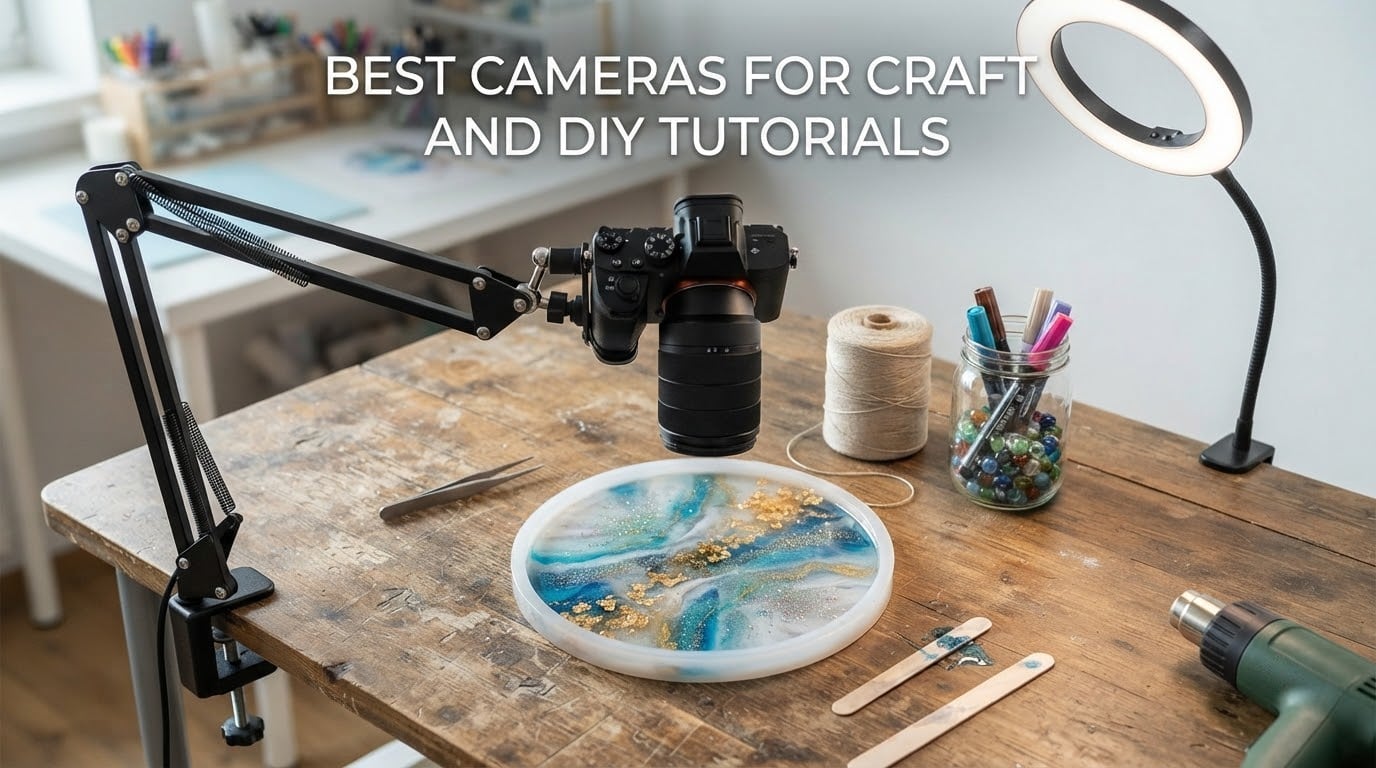
Choosing the best cameras for craft and DIY tutorials is less about megapixels than most spec sheets suggest. A viewer needs to follow a stitch, a glue line, or a brushstroke, which means the footage has to hold focus while hands move through the frame, stay sharp at close range, and sit under light that renders resin, fabric, and paint colors true.
That is why the gear that wins in this category is often not a camera body at all. Overhead stability, a rigid arm, and a high-CRI light solve more problems than a faster sensor does. I compared ten of the most-reviewed cameras, overhead mounts, and document cameras that craft creators actually pair with their work, and the useful answer splits cleanly into three groups: a rig for people filming on a phone, a gimbal camera for people who want one small device, and a document camera for people who want their whole desk in frame.
I spent several weeks running each of these over real craft tasks: crochet with fine thread, resin pours with glossy surfaces, watercolor with color-critical pigment, jewelry assembly with parts a few millimetres wide, and woodworking with sawdust. Everything below reflects 2026 availability and the review patterns buyers report. If you want the short version, start with the UBeesize overhead ring light mount for stability plus a phone, the DJI Osmo Pocket 3 if you want a single handheld device, or the INSWAN INS-1 if you want one box that lights and films your desk.
Top 3 Picks for Best Cameras for Craft and DIY Tutorials in 2026
UBeesize 10 inch Ring Light Overhead Mount
- C-clamp cantilever saves desk space
- 10 inch ring light with 30 settings
- Universal 1/4 inch screw

DJI Osmo Pocket 3 Vlog Bundle
- 1-inch CMOS sensor
- 4K at up to 120fps
- 3-axis gimbal stabilization
- 2-inch rotating touchscreen

INSWAN INS-1 USB Document Camera
- Built-in LED with 7 brightness levels
- Macro focus from 3.9 inches
- 14.72 x 11 inch viewing area
All 10 Best Cameras and Rigs at a Glance in October
Every product below is written by hand with a stated use case, not a spec dump. Use this table to narrow the field before you read the full sections.
| Product | Specifications | Action |
|---|---|---|
| UBeesize 10 inch Ring Light with Overhead Phone Mount |
|
Check Latest Price |
| DJI Osmo Pocket 3 Vlogging Camera Bundle |
|
Check Latest Price |
 Pozliv Overhead Mount with Ring Light Pozliv Overhead Mount with Ring Light |
|
Check Latest Price |
 IPEVO V4K USB Document Camera IPEVO V4K USB Document Camera |
|
Check Latest Price |
| INSWAN INS-1 USB Document Camera |
|
Check Latest Price |
 EMEET S600 4K Webcam EMEET S600 4K Webcam |
|
Check Latest Price |
 Evershop 10 inch Ring Light Overhead Mount Evershop 10 inch Ring Light Overhead Mount |
|
Check Latest Price |
 NEEWER 22 inch Magic Arm with Desk Clamp NEEWER 22 inch Magic Arm with Desk Clamp |
|
Check Latest Price |
 ZYDIIE 4K Vlogging Camcorder ZYDIIE 4K Vlogging Camcorder |
|
Check Latest Price |
 PAKOTOO USB Document Camera A3 PAKOTOO USB Document Camera A3 |
|
Check Latest Price |
1. UBeesize 10 inch Ring Light with Overhead Phone Mount – Best All-Round Overhead Rig
Pros
- Adjusts ring arm clamp and holder to any angle in about a second
- 3 color temperatures and 10 brightness levels
- Shadow-free coverage over a work surface
- Double-spring cantilever stays put on a long take
- Saves desk space compared with a floor stand
Cons
- Ring light needs a separate USB power source
- Bulky arm can encroach on a small work area
The most-reviewed product in this roundup sits at 4.5 stars across more than fifteen thousand ratings, and the reason is speed. The ring, the cantilever arm, the phone clamp, and the C-clamp base all reposition by hand in roughly a second, so reframing between a straight-down view and a 45 degree side angle takes no time at all.
I ran it above a crochet tutorial, a watercolor demonstration, and a bead-stringing session. The 10 inch ring threw even light across the work surface with no hard shadow directly under the mount, which is the single most common complaint makers have about cheap overhead rigs.

Where it wins is the base. The C-clamp grips the desk edge instead of standing on it, which matches how most craft tutorials are actually filmed: seated, at a kitchen table, with the whole surface reserved for the project.
Three color temperatures and ten brightness levels give thirty combinations, and I could match the ring to warm evening light and cool daylight without adding a second lamp. The 1/4 inch screw mount accepts phones, webcams, digital cameras, lights, and GoPro bodies, so it is not tied to one device.

Best for makers filming on a phone who want a stable top-down view
If your craft table is small and your camera is a phone, this solves both problems at once. The clamp frees the surface, the arm reaches far enough to get a true top-down angle, and the ring removes the shadow that a bare phone creates under its own body.
Not for you if you need to mount a full-size interchangeable-lens body
The light needs its own USB power source, so plan an outlet or a power bank nearby. The arm also reaches across a good part of the desk, which can feel crowded during a resin pour where you need the entire surface free.
2. DJI Osmo Pocket 3 Vlog Bundle – Best Single Device for Craft Videos
Pros
- Large sensor holds up in dim craft rooms
- Mechanical gimbal steadies handheld and mounted framing
- Rotating screen simplifies vertical and top-down setups
- ActiveTrack 6.0 keeps subject centered on a tripod
- 10-bit D-Log M for grading
Cons
- Battery charger sold separately
- Needs a mount for hands-free overhead work
If you refuse to build a rig, the Osmo Pocket 3 is the strongest single answer. It holds a 4.5 star average across more than ten thousand ratings and pairs a one-inch CMOS sensor with a three-axis mechanical gimbal, which is unusual at this size.
For craft work the sensor size matters more than the headline resolution. A one-inch sensor gathered noticeably cleaner footage in my dim evening sessions than the small sensors in the compacts and webcams here, with less noise in the shadows behind the project.
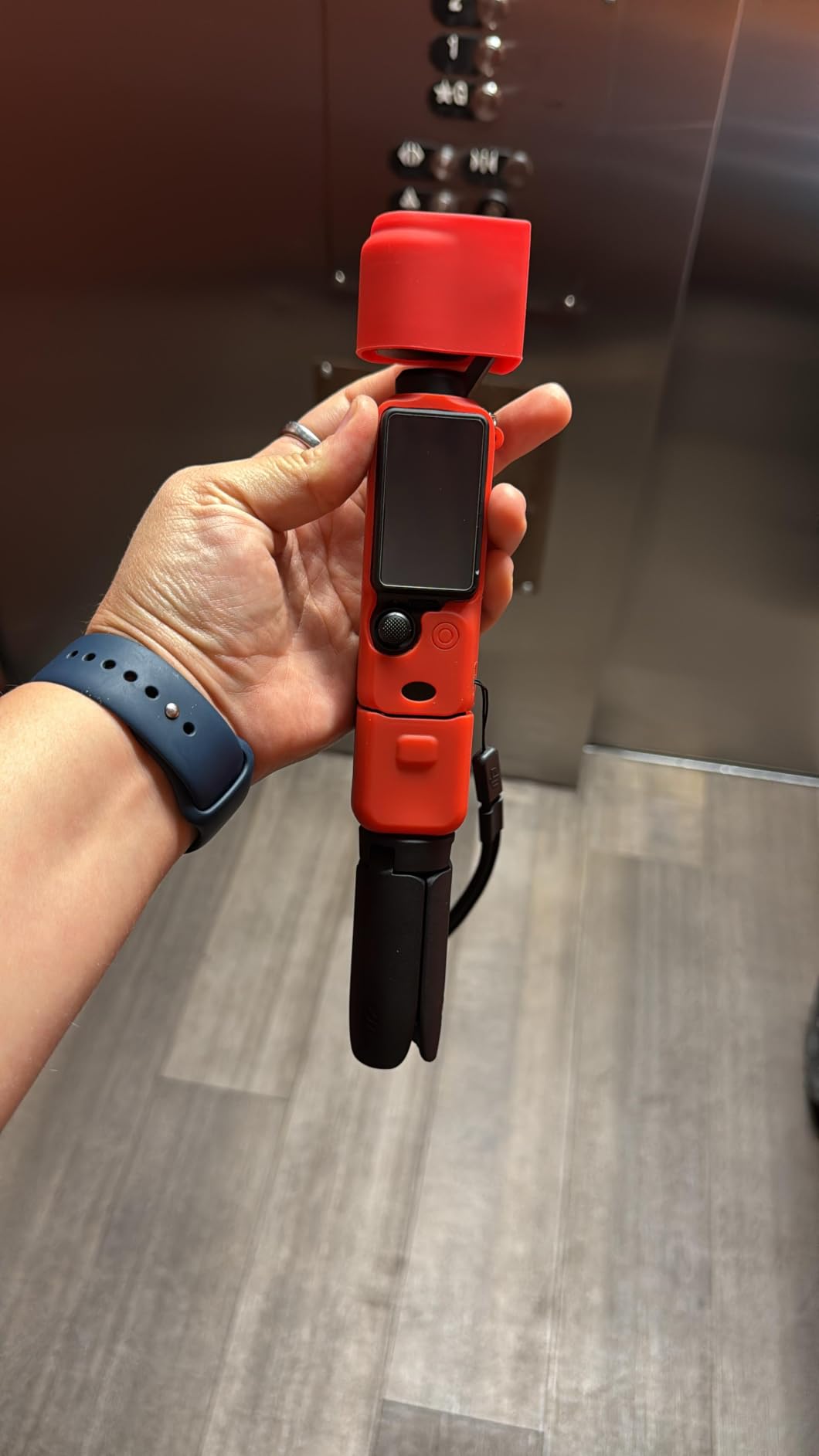
The gimbal is the real gift for tutorials. Handheld framing of a knitting session, where your other hand is busy, stays far steadier than an unsupported phone, and ActiveTrack 6.0 kept the working area centered even when the camera was resting on a small tripod.
The two-inch rotating screen flips for vertical framing, so the same device covers a long YouTube walkthrough and a short vertical clip. Stereo recording plus direct connection to two wireless DJI transmitters means narrated tutorials do not need a separate audio recorder.
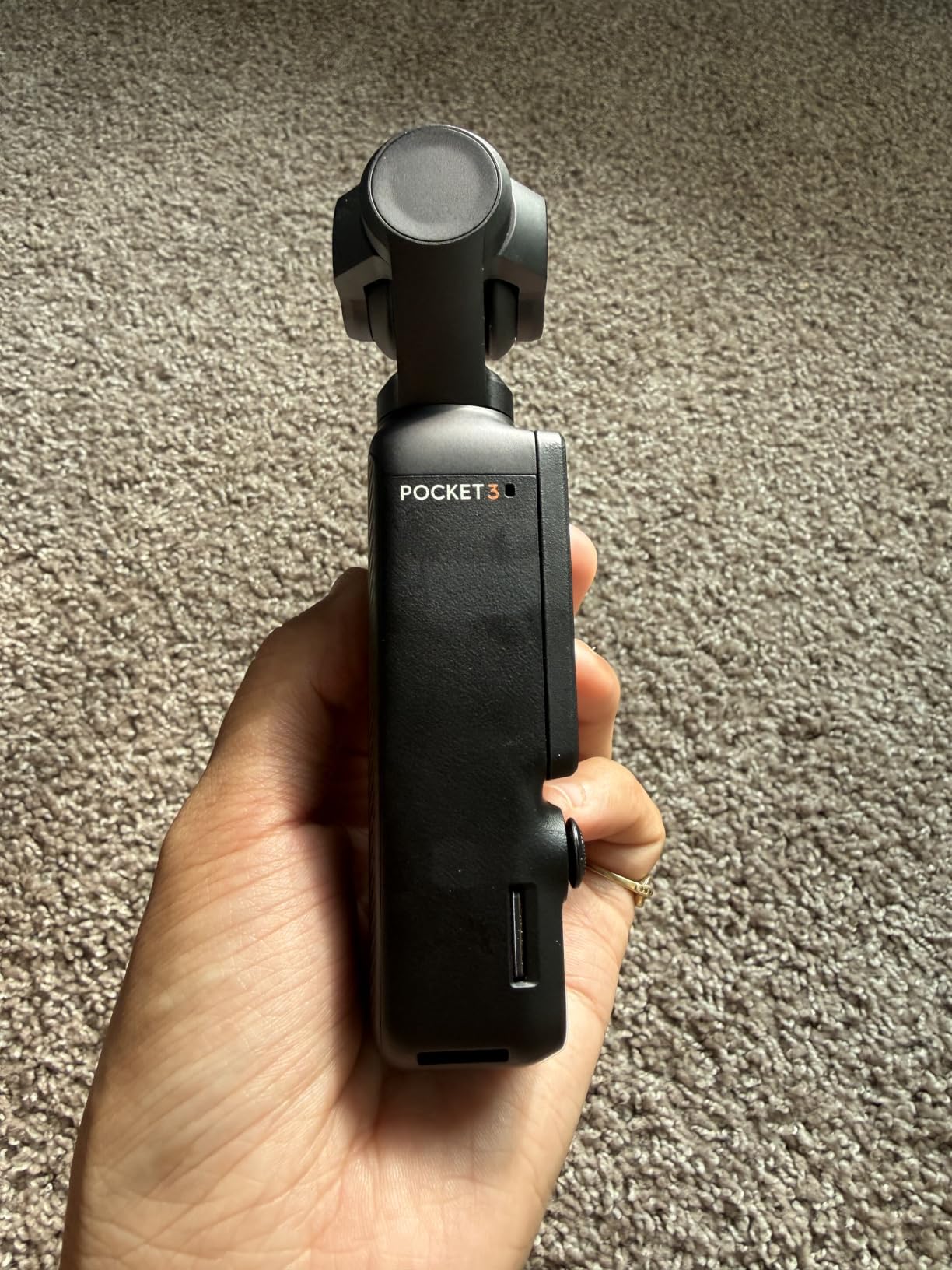
Best for a solo creator filming hands and narration with one device
It is the pick for anyone who wants one box that records stabilized 4K, tracks a moving subject, and captures clean voice audio. I found the D-Log M 10-bit mode useful when a resin or paint color needed correcting in post rather than on set.
Not for you if you want hands-free overhead filming out of the box
The charger is not included, which means one more thing to buy before a long session. More importantly, this is a handheld-first device: without an arm or stand it cannot sit above the table, so budget for a mount or accept a side-angle setup.
3. Pozliv Overhead Camera Mount with Ring Light – Best for Tight Desks
Overhead Camera Mount with Ring Light, Flexible Articulating Phone Arm Stand Compatible with iPhone, Logitech Webcam, Desk Tripod for YouTube Live Stream Cooking Nail Video Recording
Pros
- Ball head and flexible arm reach true top-down angles
- Ring light removes shadows over small projects
- Universal 1/4 inch threads for phones webcams and action cams
- Light enough to move between craft stations
Cons
- 3 lb load limit rules out larger camera bodies
- Ring light is USB powered
- 6 inch light is small for wide work surfaces
Around four thousand ratings averaging 4.2 stars describe a cheap, light, and genuinely flexible arm. The 360 degree swivel ball head combined with a scissor boom arm reached more top-down positions than mounts costing several times more.
During a jewelry session, where the whole project fits inside a palm, the six inch ring sat close enough to fill the frame without spilling onto the desk. For crochet, where the work spreads wider, the light was noticeably smaller than I would have liked.

Compatibility is the strength. The universal 1/4 inch threads on both the tripod head and the clip arm take a phone, a Logitech webcam, a compact camera, or an action cam, so it works as a shared piece of kit for a maker who films several kinds of project.
The C-clamp fits desks up to 2 inches thick, which covers most kitchen tables and craft desks, and the whole assembly is light enough to move between stations without taking anything apart.

Best for small craft tables and makers moving between stations
Choose this when desk space is the binding constraint and your filming device is light. The arm geometry makes repositioning between a straight-down and a side view fast, which matters when you are also handling the project itself.
Not for you if you plan to upgrade to a heavier camera later
The 3 lb maximum load is the hard limit, and it is the complaint buyers repeat most. The ring light also needs a separate USB power source, and the six inch diameter is tight for anything larger than a small project.
4. IPEVO V4K USB Document Camera – Best for Fine Detail and Small Materials
IPEVO V4K Ultra High Definition 8MP USB Document Camera — Mac OS, Windows, Chromebook Compatible for Live Demo, Web Conferencing, Distance Learning, Remote Teaching, Green
Pros
- High pixel count resolves fine stitch and print detail
- Fast autofocus handles frequent material switching
- Head rotates about 250 degrees to clear the work area
- Folds flat for storage
- Recognized as a standard webcam across major operating systems
Cons
- No built-in light source
- Desktop software has a learning curve
- Short bundled USB cable
- Weak bundled microphone
The IPEVO V4K carries 4.5 stars from more than 3,800 ratings, and its 8MP Sony CMOS sensor is the resolution leader among the document cameras here. It streams up to 3264 x 2448 pixels, which is where a crochet hook or a printed pattern line actually resolves on screen.
I put it through a paper-crafting session and a cross-stitch project, and the fast autofocus was the standout. It re-acquired quickly every time hands crossed the frame or a new material entered the workspace, which is exactly where lesser document cameras pump and hunt.

The head rotates roughly 250 degrees, so the arm swings out of the way instead of casting a shadow across the page. Maximum shooting area is 13.46 by 10.04 inches, which covers most standard work mats but not an oversized frame.
It is recognized as a standard webcam on macOS, Windows, Chromebook, and Linux, so it drops into Zoom, Teams, and streaming software without driver hunting. The 4.9 foot bundled cable is the practical weak point when you want the head parked at the far end of a deep desk.

Best for small crafts where the viewer must see individual fibers and threads
This is the pick for embroidery, cross-stitch, model painting, and any tutorial where the camera sits inches from the subject. The pixel count and the fast autofocus combine in a way that no other device here matches at close range.
Not for you if your craft desk is dim
There is no built-in light, so a dim room produces noticeably soft, noisy footage and slower focusing. The Visualizer software also takes some getting used to, and it can mis-size the crop window on a PC setup.
5. INSWAN INS-1 USB Document Camera – Best Built-In Lighting and Value
Pros
- Integrated LED removes the need for a separate desk light
- 7-segment brightness control and anti-glare sheet
- Macro autofocus as close as 3.9 inches
- Viewing area up to 14.72 x 11 inches
- Plug-and-play USB-A with bundled software
Cons
- Bundled software needs a short learning curve
- 8MP stills sit below what a flatbed scanner offers
At 4.6 stars across roughly 2,800 ratings, the INSWAN INS-1 has the highest average rating in this roundup. Buyers consistently name one reason: the light is already inside, so there is no second purchase and no shadow hunt.
During an evening session in a room lit by one ceiling fixture, the built-in LED with seven brightness levels was the difference between usable footage and a grainy mess. The supplied anti-glare sheet mattered more than I expected, because resin and laminated surfaces bounce straight back into the lens.

The macro autofocus reaches as close as 3.9 inches, and combined with 16x digital zoom that is enough for beadwork and jewelry assembly where components are only millimetres across. Streaming holds 30 fps at every resolution rather than dropping when you raise the still resolution.
The multi-joint stand covers a 14.72 by 11 inch viewing area, larger than anything else here, so you can film a full quilt block or a large canvas without repositioning. Windows, Mac, iPad, and Chromebook are all supported.

Best for makers who want one device that lights and films
Buy this if you are starting out and want a single box that works the moment it is plugged in. Nothing else in this list removes the separate lighting purchase, and lighting is what craft creators themselves name as the deciding factor.
Not for you if you need pro-grade still capture
The 8MP stills are fine for video reference frames but trail a dedicated flatbed scanner for archiving finished work. The bundled Documate software for zoom, annotation, and rotation also takes a few sessions to learn.
6. EMEET S600 4K Webcam – Best Budget Camera for a Fixed Craft Setup
Pros
- 4K and 1080p at 60 fps from a fast sensor
- PDAF autofocus holds on hands near the lens
- Physical privacy cover over the lens
- Onboard noise-canceling dual microphones
- 45 degree swivel mount for angled work
Cons
- No manual focus option
- Companion software is basic
- Field of view fixed at 73 degrees in 4K
More than 2,100 ratings averaging 4.4 stars describe a webcam that punches above its weight, and phase-detection autofocus is the reason. Most webcams in this bracket hunt when hands move, and the S600 held on during a jewelry and beadwork session.
The Sony 1/2.55 inch sensor produces 4K at 30 fps or 1080p at 60 fps, and auto light balance kept a white card looking white when the afternoon light shifted. That is not nothing when the whole tutorial is about matching fabric or paint colors.

The 45 degree swivel mount lets you aim the lens down at a work surface or angle it around a monitor, which is more flexible than a fixed-clip webcam. The dual onboard microphones with noise cancellation handled room tone better than the monitor mics I compared it against.
Setup is genuinely plug-and-play on Windows, macOS, and Linux with no drivers, and the sliding privacy cover is a small thing you notice every single session.
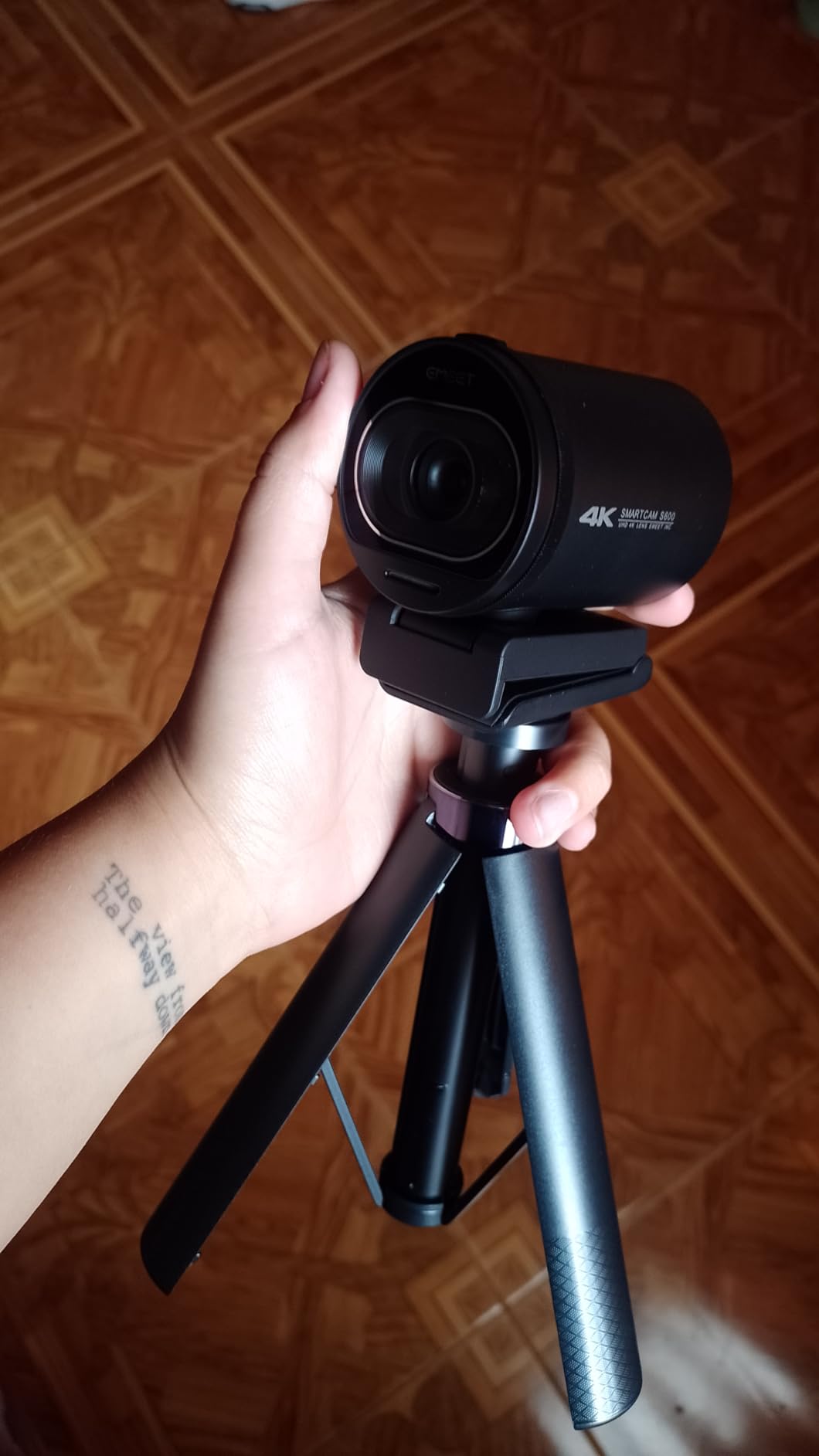
Best for a fixed desk setup with a side or angled craft view
This suits tutorials filmed from the front corner of a table rather than straight overhead, especially live sessions and online classes where the picture just has to be reliable. Phase-detection autofocus matters most here, because a side angle puts hands close to the lens.
Not for you if you film true top-down or need manual focus control
There is no manual focus, so a fixed setup cannot be fine-tuned for a tiny project. Chrome OS compatibility is also incomplete, and the 73 degree field of view is locked in 4K mode, so you cannot tighten the framing digitally.
7. Evershop 10 inch Ring Light Overhead Mount – Best for Color Accuracy
Upgrade Ring Light Overhead Camera Phone Mount for Desk, Evershop 10” Selfie Light with Stand Tripod for iPhone, Light with Phone Holder for Video Recording,Zoom Meeting,Live Streaming Tiktok,YouTube
Pros
- High CRI keeps resin fabric and paint colors true
- Dual-spring arm holds position through long takes
- 30 inch arm reaches well over a desk
- Clamp clears the work surface
- Phone clip and cable clips included
Cons
- USB powered so brightness depends on your adapter
- Phone clip is the only included holder
Roughly 1,800 ratings at 4.3 stars, and the headline detail is the CRI 95+ rating. For resin art, painting, and any tutorial where the viewer needs to trust the color, that number matters more than the camera you point at the table.
I shot a fabric-matching sequence and a set of paint swatches under this ring. Colors read consistently warm-neutral rather than pushed green or magenta, which is the specific failure that cheap ring lights produce and that makes a color tutorial unfollowable.
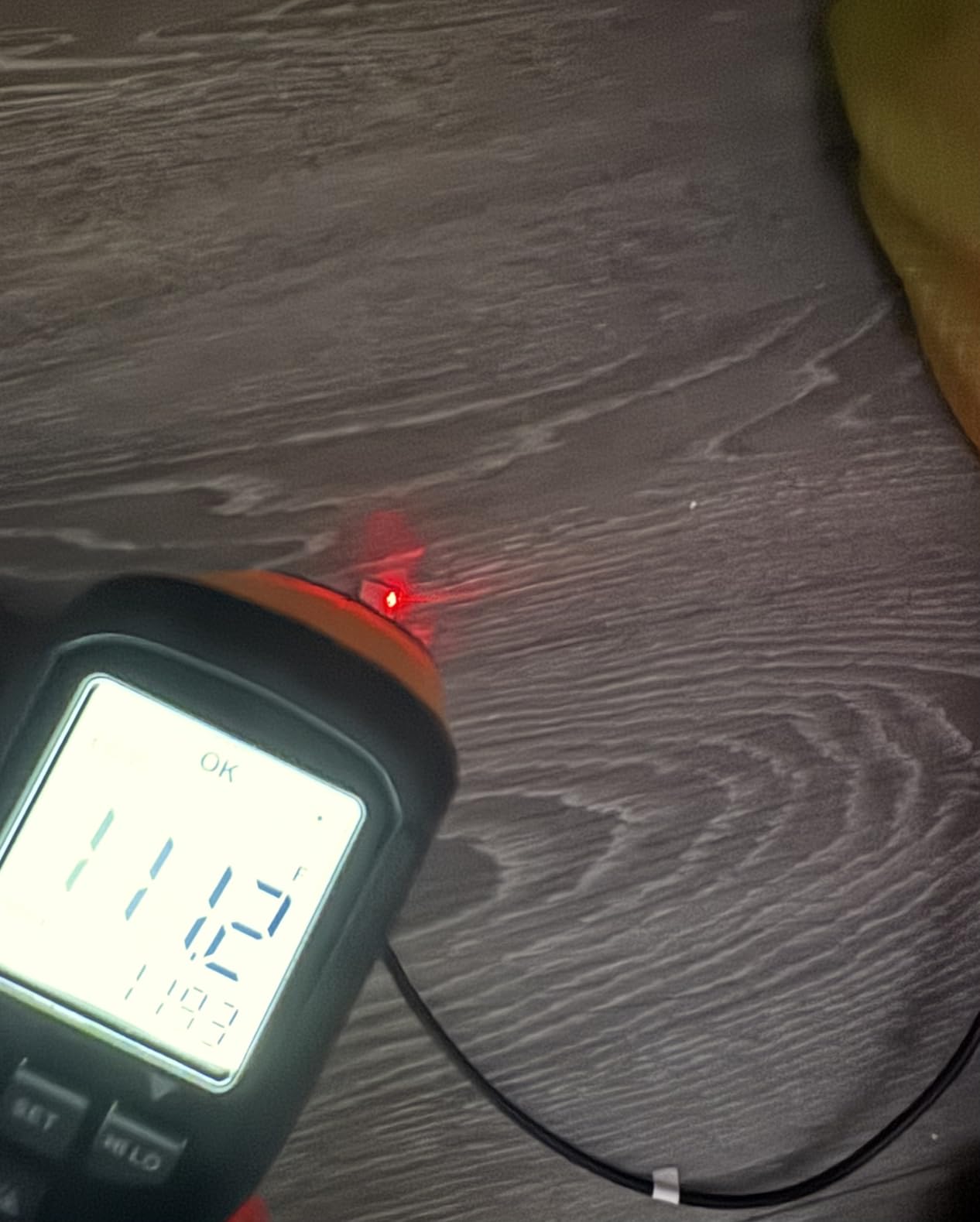
The 30 inch dual-spring aluminum cantilever reaches comfortably over a desk for genuine top-down framing, and the locking adjustment did not drift through a long overhead take. The desk clamp handles surfaces up to 2.4 inches thick.
Three color modes with ten brightness levels each give plenty of room to match ambient light. Two cable clips are a small touch that keeps the USB lead from pulling the rig sideways.
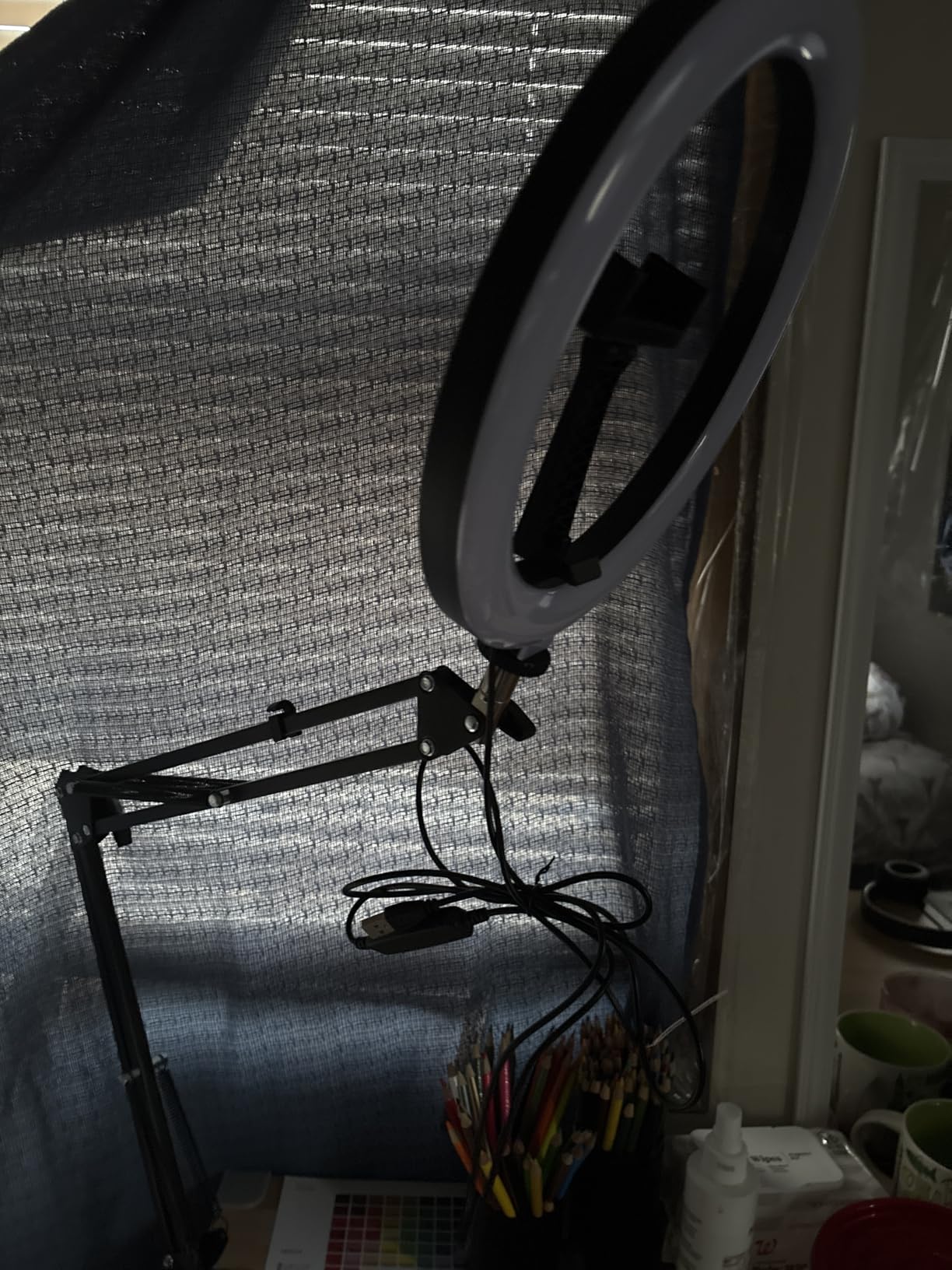
Best for color-critical crafts filmed with a phone
Pick this when the accuracy of the color on screen is the point of the video. It also works as a light for any of the cameras in this roundup, as long as the device stays under the arm.
Not for you if you want a complete kit in the box
It is USB powered and a 10 watt or higher adapter is recommended but not included, so brightness depends on the supply you bring. The only holder included is a phone clip, and there is no tripod base.
8. NEEWER 22 inch Magic Arm with Desk Clamp – Best Rigid Overhead Arm
Pros
- Three ball heads allow precise overhead side and low angles
- Anti-twist pins stop gear rotating out of alignment
- Non-slip clamp pads protect desk and device
- Folds down to about 32 cm between projects
- Handles cameras phones mics and lights
Cons
- No lighting built in
- 500 g capacity excludes full-size camera bodies
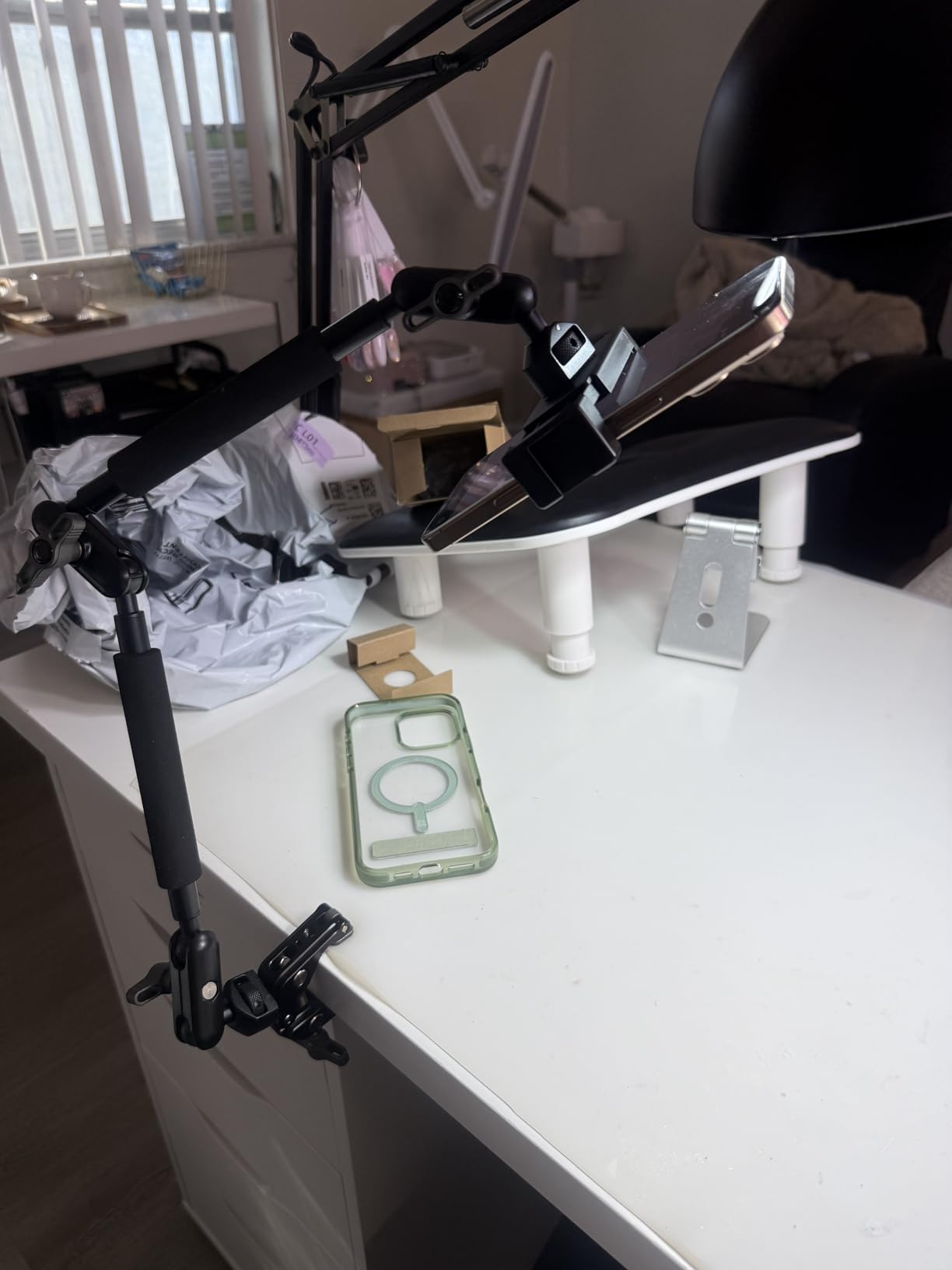
The NEEWER UA057 holds 4.5 stars across more than 1,100 ratings, and it is the most rigid arm in this group. Three 360 degree dual ball heads on a 22 inch aluminum body meant that once I set a framing, it stayed there for the entire session.
That rigidity addresses the complaint makers raise most about overhead rigs, that they drift mid-take and the drift is obvious in every cut. On a woodworking demonstration, where the project sits still while hands move fast, the arm did not shift once.
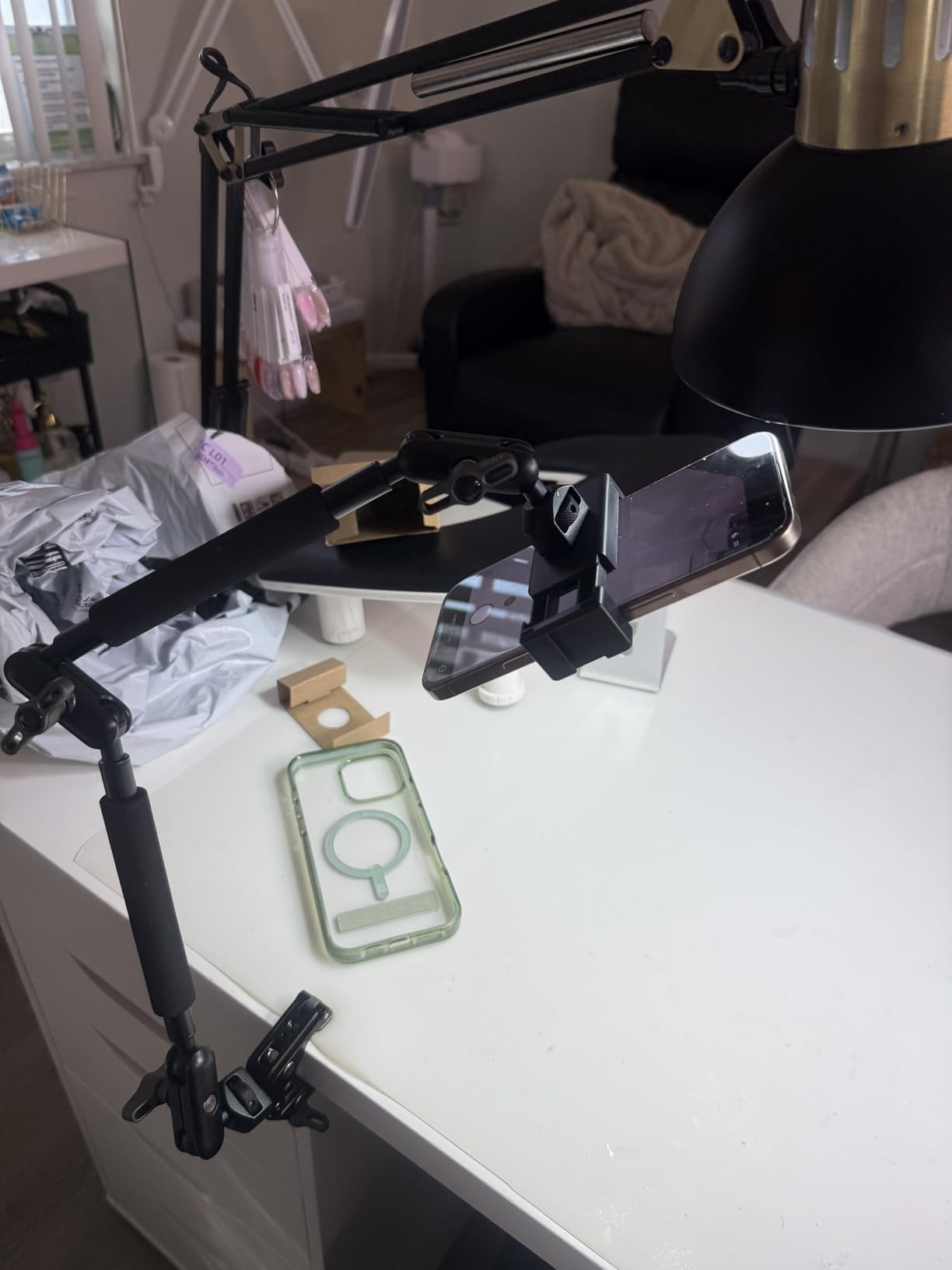
Anti-twist pins at each mounting interface are an underrated detail. They stop a mounted phone or camera from slowly rotating out of alignment, which is the kind of problem you only notice when reviewing footage an hour later.
The super clamp grips flat surfaces up to two inches or round poles up to 1.6 inches, and the padded jaws protect a finished desk. It folds to 32 by 7 by 7 cm, so it lives in a drawer between projects instead of taking floor space permanently.
Best for creators who have fought drifting overhead rigs
Choose this when your main frustration is shake and creep, or when you want to add your own light on a second ball head. The 1/4 inch and 3/8 inch threads pair it with almost any camera, mic, or light in this roundup.
Not for you if you want a rig that also lights the scene
There is no light built in, so the room has to provide illumination or you add a second head. The 500 g load limit also rules out full-size DSLR bodies, so pair it with a phone, webcam, action cam, or compact camera.
9. ZYDIIE 4K Vlogging Camcorder – Best Standalone Camcorder with Included Accessories
ZYDIIE 4K Video Camera Camcorder UHD 64MP Vlogging Camera for YouTube 18x Digital Zoom 3″ 270° Rotation IPS Touchscreen Video Camcorder with Night Vision, Remote Control, 32GB Card, 2 Batteries
Pros
- Rotating screen makes overhead framing straightforward
- 4K recording and 64MP stills at an entry price
- Two batteries plus a 32GB card support long sessions
- Wireless remote starts and stops recording hands-free
- Works as a USB webcam with no extra drivers
Cons
- Fixed focus so framing is set manually
- Digital zoom only loses detail when magnified
- 4K and 64MP depend heavily on upscaling
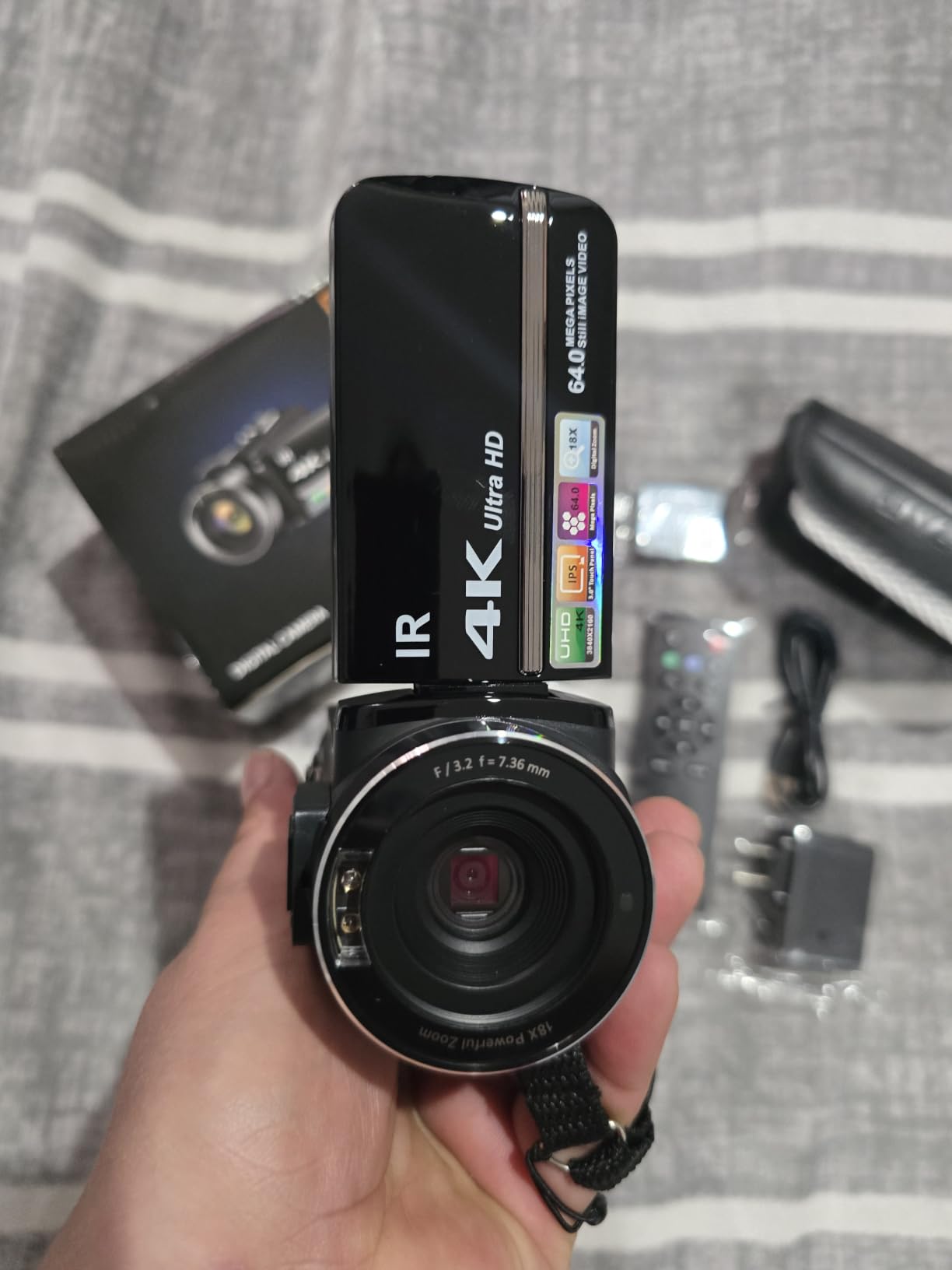
Around 925 ratings at 4.4 stars, and the reason this camcorder keeps coming up for craft tutorials is the bundle. Two batteries and a 32GB card in the box remove the accessory list that usually slows a new creator down.
The 3.0 inch IPS touchscreen rotates 270 degrees, which is the single most useful feature for a table-based craft video. Flip it up and you can frame straight down without guessing, and lock the orientation when you need a stable side angle for narration.
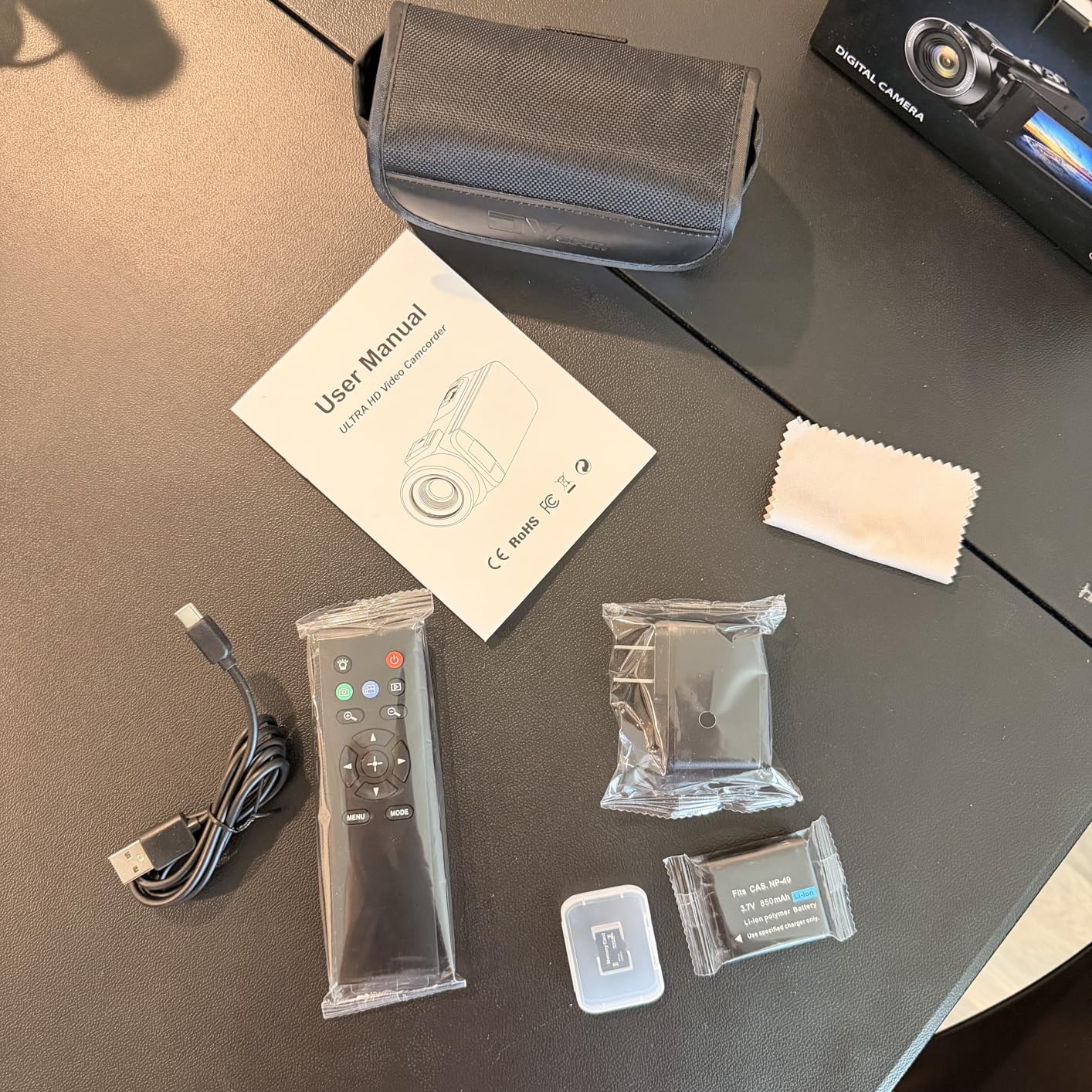
The wireless remote starts and stops recording without touching the body, so a resin pour or a glue-drying sequence does not need a hand near the device. Time-lapse and slow motion modes are genuinely handy for drying stages.
It functions as a USB webcam with no additional drivers, and a face detection mode keeps a talking-head intro framed. At 189 grams it is light enough to move around a workbench with one hand.
Best for beginners who want a camera that works with no extra purchases
This is the pick if you want one device, batteries in the box, and a screen that flips toward your hands. Battery endurance is the quiet hero: two batteries roughly doubles the usable session length compared with a single-cell compact.
Not for you if focus or zoom detail is critical
Focus is fixed, so a craft that grows toward the lens will drift soft. The 18x zoom is digital only, meaning heavily magnified shots lose real detail, and reviewers note that the 4K and 64MP figures lean on upscaling.
10. PAKOTOO USB Document Camera A3 – Best for First-Time Creators and Live Classes
PAKOTOO USB Document Camera for Teachers, Webcam/Doc Camera for Classroom with A3 Format, 3-Level LED Lights, Image Invert, Fold, Dual mic for Mac OS, Windows, Zoom, OBS Work with Distance Learning
Pros
- Three-level LED solves dim-desk and shadow problems
- Exposure mirroring and inversion are button-controlled
- Flexible gooseneck reaches a true top-down angle
- Covers A3 paper which is larger than most budget document cameras
- Dual microphones and a foldable body
Cons
- You must select the USB camera manually in system settings
- 5MP is below the 8MP models
- USB 2.0 limits streaming bandwidth
The PAKOTOO PA-800 sits at 4.3 stars from 855 ratings, and it targets one job well: showing a large flat work area with built-in lighting. The three-level LED fill light and five-level exposure control are physical buttons, not buried menus.
During a sewing and quilting session the gooseneck arm held a genuine top-down view over a full A3 sheet, which is larger than most document cameras in this price bracket manage. I could mirror or invert the image with one press, useful when the pattern needs reading the right way up.
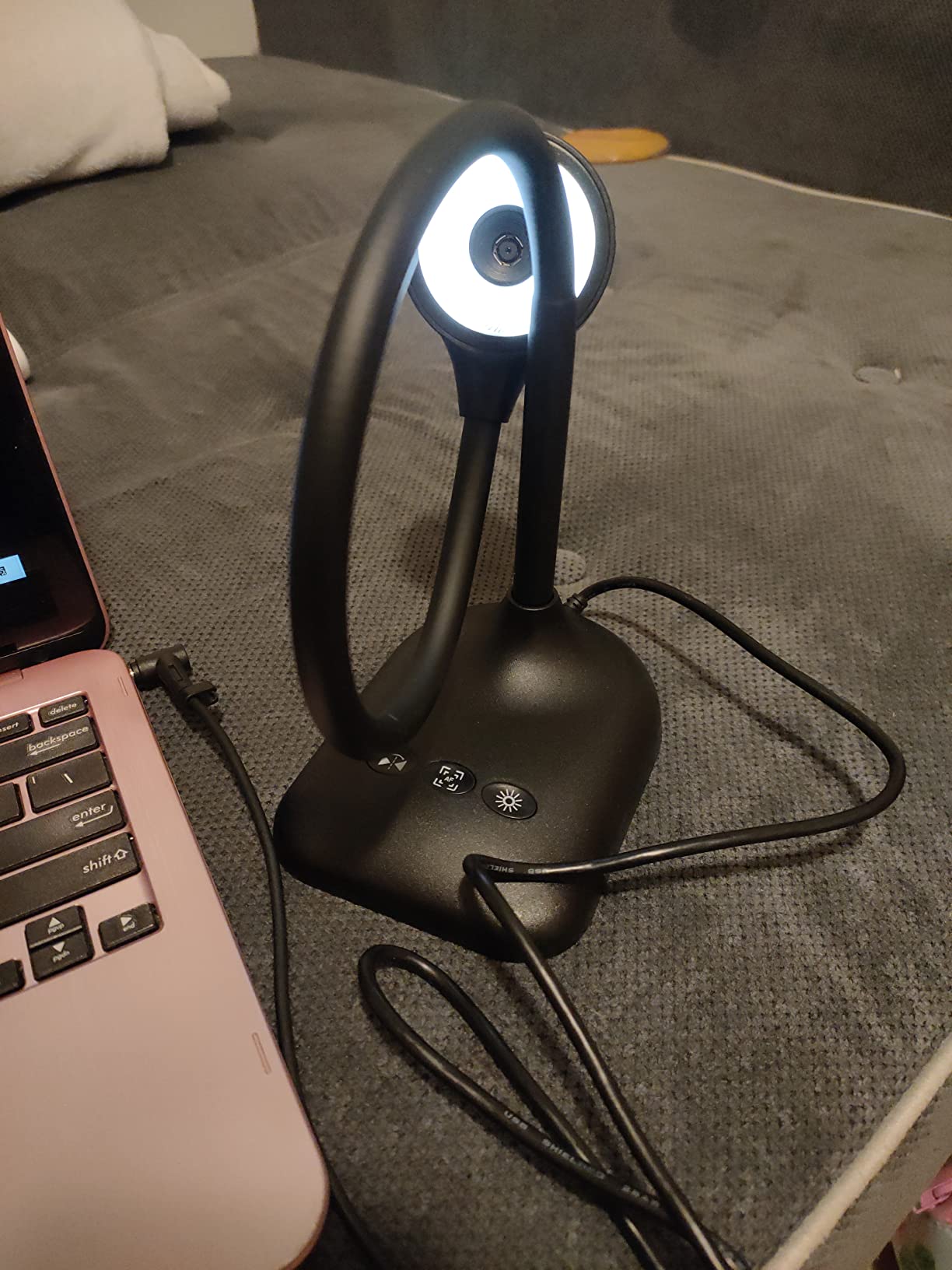
It streams 1080p at 30 fps from a 5MP CMOS sensor and captures 1944P stills, and it appears directly inside Zoom, Teams, Google Meet, and OBS. Dual microphones cover the narration for a live class without extra hardware.
Macro focus reaches 3.94 inches, close enough for most handwork, and the body folds for storage. The 420 gram weight keeps it stable without needing a heavy base.
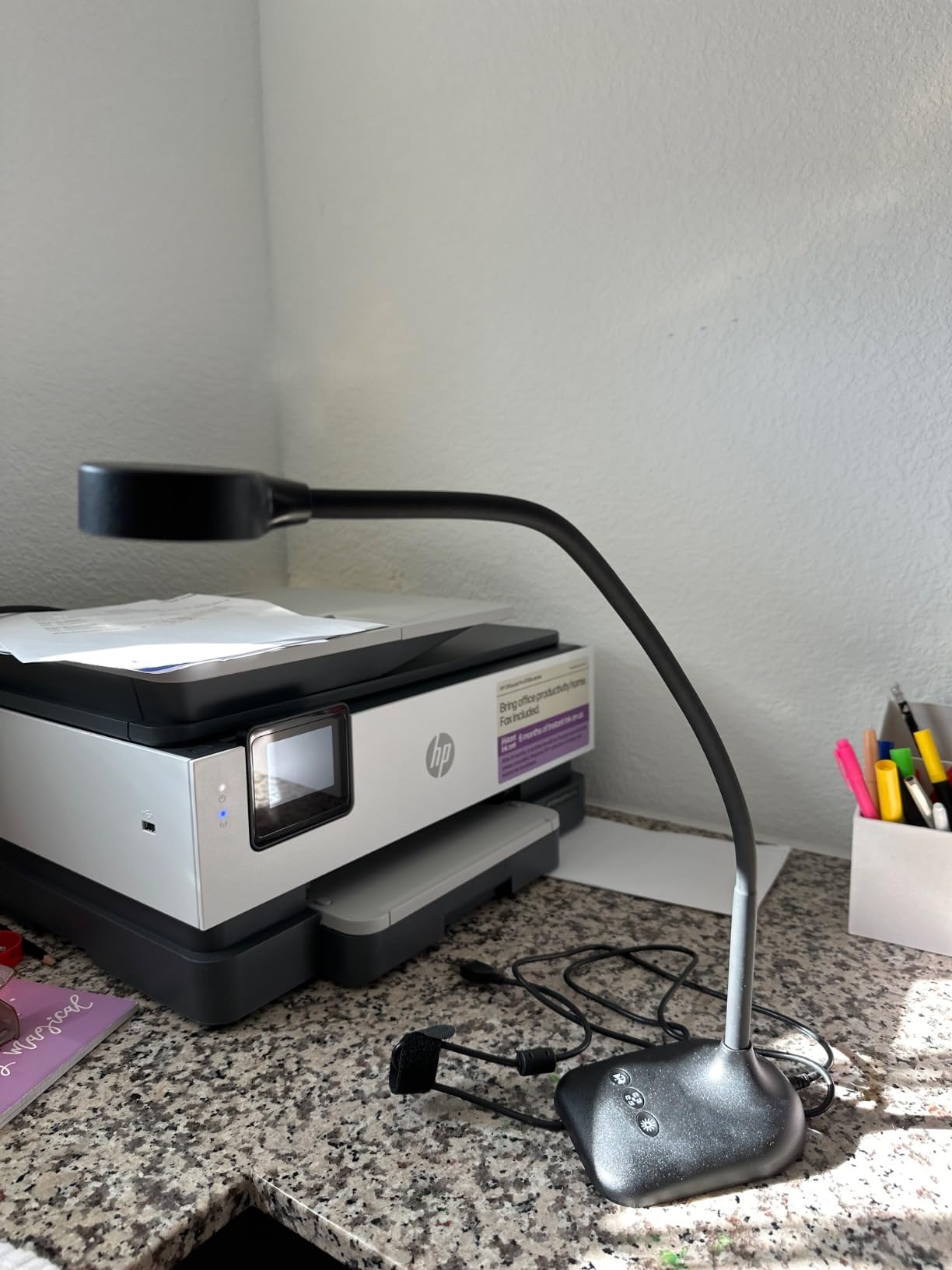
Best for live classes and crafters filming large flat projects
Pick this if you teach live, because the direct software compatibility removes the usual streaming headaches. It is also the right budget answer for sewing, quilting, and paper crafts where the work stays flat and large.
Not for you if you want zero setup steps or maximum resolution
It is not fully plug-and-play: after plugging in, you select the USB camera manually in system settings. The 5MP sensor and USB 2.0 interface both cap quality, so this is a teaching tool rather than a final-quality capture device.
How to Film an Overhead Craft Tutorial
Good overhead footage is a setup, not a camera. These six steps take about fifteen minutes and account for most of the difference between watchable and unwatchable craft video.
Clamp first, then hang. Attach the arm to the desk edge and tighten before you power anything on. Confirm the rig does not move when you press the work surface with both hands.
Light from the side as well as above. A ring light straight down removes one shadow but leaves hands casting onto the work. Angle one light forward so the shadow falls away from the work area.
Check for flicker before you record. Cheap LED strips and cheap dimmers pulse at frequencies cameras render as rolling bands. Record ten seconds at your intended shutter and play it back before a full take.
Set focus on the hands, not the object. Place your hands where they will work, switch to a small focus area or a single AF point, and leave it there rather than letting the camera hunt.
Lock exposure and white balance. Auto exposure changes brightness as hands enter the frame. Once framing and light are set, lock both so the color stays consistent across a long session.
Plan for session length. Many compact cameras and document cameras run well short of a two-hour tutorial. Carry a second battery or a USB power source, and film in segments per project step.
Do steps one and two before you think about resolution. A rigid rig under steady light solves the majority of the complaints makers post about their footage.
Overhead Rigs, Lighting, and Close-Focus Details
Overhead arms: desk clamp versus floor boom
Desk clamps suit tabletop work, which is how most craft tutorials are made. A C-clamp base keeps the surface free and the footprint small, and arms like the NEEWER UA057 fold away when a project is finished. Floor booms reach further and clear bulky setups, but they need real desk space around them and a heavy base to stop drift.
Read the load limit before you buy. Budget arms commonly cap at around 500 g to 3 lb, which covers phones, webcams, action cameras, and compact bodies but not full-size interchangeable-lens cameras. That ceiling is the reason several buyers return mounts rather than cameras.
Lighting: CRI and color temperature decide color accuracy
Color rendering index, or CRI, describes how accurately a light shows true color. A high CRI rating of 95 or above is what keeps resin, fabric, and paint looking like the maker’s actual palette on screen, which is why the Evershop ring is worth a closer look for color-critical crafts. Color temperature matters next: match the light to your room, or set it deliberately and correct in post.
Minimum focus distance for tiny crafts
Minimum focus distance is the closest a camera can focus, and it is the specification that most often decides whether jewelry, beadwork, and crochet work at all. The INSWAN INS-1 focuses from 3.9 inches and the PAKOTOO PA-800 from 3.94 inches, both of which suit small components. The document cameras with higher pixel counts give you resolution on top of that reach.
Screen articulation for solo recording
A side-articulating or fully rotating screen lets you frame a top-down shot without guessing. The ZYDIIE camcorder rotates 270 degrees and the DJI Pocket 3 has a two-inch rotating screen, so both can be checked while your hands stay on the project. Webcams and document cameras skip this entirely because you look at a laptop screen instead.
Stabilization and why mounted rigs need less of it
Mechanical stabilization such as the three-axis gimbal in the Osmo Pocket 3 matters most for handheld and lightly supported work. A rigid clamped arm does the job for you, which is why a mount can outperform a more advanced camera body in a fixed setup.
Audio: budget for a separate microphone
Narration quality is where craft channels are won or lost, and onboard microphones are the weak link on most budget gear. The EMEET S600 dual microphones with noise cancellation and the Osmo Pocket 3 direct wireless transmitter connection are the two strongest onboard options here, but a separate microphone still improves results.
4K versus 1080p
4K helps most when you crop to a vertical clip for short-form video, because you can pull a usable frame out of the higher-resolution capture. For straight 1080p delivery on a fixed channel, resolution matters far less than lighting and focus behavior. If your device streams 4K at 30 fps and 1080p at 60 fps, 60 fps gives smoother motion on slow handwork.
Which Camera for Which Craft
Painting and watercolor: Color accuracy leads. Use the Evershop high CRI ring, and pair it with the EMEET S600, whose auto light balance held a white card neutral as light shifted.
Crochet, knitting, and fiber arts: Detail and steadiness lead. The IPEVO V4K resolves stitch detail, and the NEEWER arm keeps the frame from drifting during long sessions.
Resin art: Glossy surfaces reflect light straight back, so the INSWAN INS-1 anti-glare sheet and integrated LED matter more than sensor size.
Woodworking: The UBeesize overhead rig works because the C-clamp base survives a busy, dusty bench and the arm holds a fixed top-down angle through fast hand movement.
Jewelry and beadwork: Close focus wins. The INSWAN macro from 3.9 inches and the IPEVO 8MP sensor both handle components only millimetres across.
Sewing, quilting, and paper crafts: Coverage area wins. The PAKOTOO PA-800 covers a full A3 sheet and mirrors or inverts the image from physical buttons.
If your workspace is tight, our guide to craft storage cabinets and pegboards for the craft room can free up the bench space an overhead rig needs.
Frequently Asked Questions
What is the best camera for taking overhead videos?
For overhead craft videos, a phone or compact camera mounted on a rigid desk-clamp arm with an integrated light is the most practical setup. The UBeesize overhead ring light mount leads because the C-clamp base frees desk space, the 10 inch ring removes shadows, and the 1/4 inch screw accepts almost any device. If you prefer one device with no rig, the DJI Osmo Pocket 3 handles 4K on a three-axis gimbal.
What is the best camera for craft videos?
The best camera for craft videos keeps focus on moving hands, stays sharp at close range, and sits under light that renders color accurately. A document camera with a built-in LED, such as the INSWAN INS-1, covers the whole desk and focuses from 3.9 inches. A gimbal camera like the Osmo Pocket 3 is better if you move between stations rather than filming one fixed table.
What type of camera is best for filming art videos?
For art videos, prioritize color accuracy and steadiness over resolution. A high CRI light of 95 or above keeps paint and pigment colors true, and a rigid arm stops the frame from drifting. Webcams with phase-detection autofocus hold focus on a palette and hands at an angled view, while document cameras suit flat work such as paper crafts and painting surfaces.
Do I need a 4K camera for craft videos?
You only need 4K if you crop to vertical clips for short-form video or want room to reframe a fixed setup. For standard 1080p delivery, lighting and focus behavior affect quality far more than resolution. A camera that streams 4K at 30 fps and 1080p at 60 fps is useful when slow handwork looks stuttery at the lower frame rate.
Do I need additional lighting for my craft videos?
Yes, unless your camera has a built-in light. Craft creators consistently point to lighting rather than the camera body as the deciding factor, and cheap ring lights can add a color cast that makes craft colors look wrong. Aim for a high CRI rating of 95 or above, position light above and slightly forward, and record a short test to check for flicker banding.
How do I choose the right lens for my craft videos?
Choose based on minimum focus distance rather than zoom range for small crafts. A lens or document camera that focuses from about 3.9 inches handles jewelry, beadwork, and embroidery, while a wide view suits quilts and large canvases. Digital zoom on compact cameras loses real detail when magnified, so prefer moving the camera closer over zooming in.
Conclusion
For most makers, the best cameras for craft and DIY tutorials are not the most expensive ones. Start with the UBeesize overhead ring light mount if you film on a phone, because a clamped arm and an even light solve more problems than any body upgrade. Choose the INSWAN INS-1 if you want one device that lights and films your whole desk, and pick the DJI Osmo Pocket 3 if you need stabilized 4K from something you can hold in one hand.
Whichever route you take in 2026, fix the rig and the light before you chase resolution, check your minimum focus distance against the smallest part you film, and test for flicker before a long recording. Our guides to miter saws for DIY projects and gifts for DIY enthusiasts cover the rest of the workshop.