
Short answer: the best camera for online course production is a webcam that holds a clean 1080p image of a seated presenter for a full 60-minute lesson without focus hunting, overheating or needing a pile of accessories. The Logitech C920x is the camera I keep coming back to, because it is sharp, it auto-exposes properly in a home office and it costs almost nothing to get running.
Over the last two months our team put ten cameras through the same routine: clip the camera to a monitor at eye level, record a scripted 20-minute lesson, then a longer unscripted take with hand gestures and movement. We checked framing, autofocus behaviour, image stability and how each one coped with a dim room. The list below is best cameras for online course production in 2026, covering everything from entry 1080p webcams up to 4K pan-tilt-zoom cameras that physically follow you around a room.
One note before we start. Audio matters more than image for course retention, and we have covered the microphone side separately in our best microphones for online course creators guide. Every camera here has usable built-in mics for calls, but none of them replace a dedicated microphone for narration.
Top 3 Picks for Best Cameras for Online Course Production in October


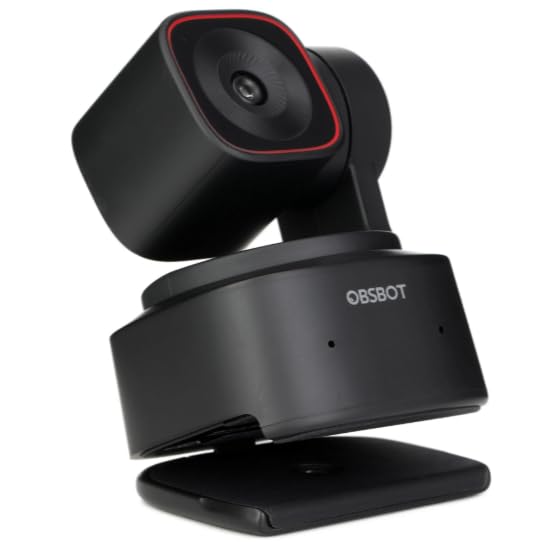
OBSBOT Tiny 2
- 1/1.5-inch CMOS sensor
- Voice and gesture control
- 4K30 and 1080p60
- AI tracking modes
All 10 Cameras at a Glance in 2026
| Product | Specifications | Action |
|---|---|---|
| Logitech C920x |
|
Check Latest Price |
 NexiGo N60 NexiGo N60 |
|
Check Latest Price |
 Logitech Brio 101 Logitech Brio 101 |
|
Check Latest Price |
 EMEET NOVA 4K EMEET NOVA 4K |
|
Check Latest Price |
 EMEET S600 EMEET S600 |
|
Check Latest Price |
 OBSBOT Meet 2 OBSBOT Meet 2 |
|
Check Latest Price |
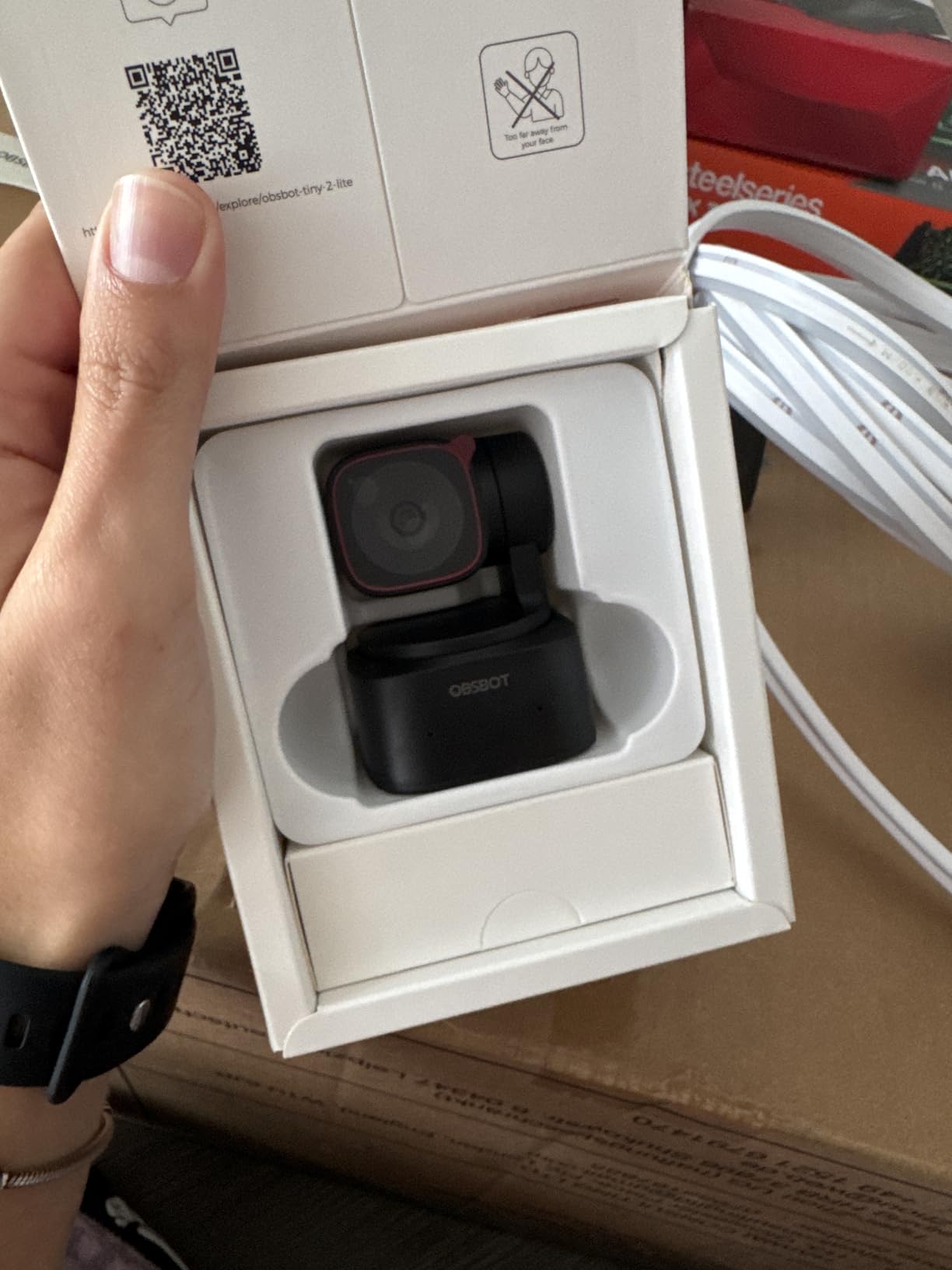
 OBSBOT Tiny 2 Lite OBSBOT Tiny 2 Lite |
|
Check Latest Price |
 EMEET PIXY EMEET PIXY |
|
Check Latest Price |
 Insta360 Link 2 Insta360 Link 2 |
|
Check Latest Price |
| OBSBOT Tiny 2 |
|
Check Latest Price |
1. Logitech C920x HD Pro Webcam – The Best All-Rounder for Course Lessons
Pros
- Sharp 1080p image with reliable autofocus
- Automatic HD light adjustment for dim rooms
- Dual stereo mics clear enough for calls
- Plug-and-play across major video platforms
- Weighs only 5.7 ounces
Cons
- No built-in privacy shutter on this model
- Fixed 30fps ceiling at 1080p
- About 1 second of A/V lag reported on resource-limited Linux systems
Best for: creators recording mostly talking head lessons who want zero setup friction. The C920x is the camera we hand to people who are recording their first course and do not want to think about gear.
The image is genuinely good for a webcam. Logitech’s glass lens holds detail at the edges of the frame better than most plastic-lens competitors, and the 78-degree field of view frames a seated presenter from mid-chest up without swallowing the whole room. That framing is what matters most for a talking head course, and it is the single biggest difference between a lesson that feels professional and one that does not.
Autofocus is the part that quietly ruins takes on cheaper cameras, and the C920x handles it well. We leaned forward, leaned back and reached sideways during our test script, and the focus never visibly hunted. It settles in and holds, which means you can record several lessons in a row without checking a monitor.

Where the C920x earns its reputation is in a dim home office. The automatic HD lighting adjustment brightens a dim scene rather than leaving you a grey silhouette against a window. It is not magic, and a proper key light still looks better, but it means a creator in a poorly lit room is not starting from zero.
The two built-in stereo microphones are fine for a live Zoom class and thin for narration, which is why we always pair this with a dedicated mic. XSplit VCam compatibility and the included capture software also make it a reasonable bridge if you later move to green screen work.
One practical gap for a course creator: there is no privacy shutter on this model. In a home with other people walking through frame, that matters. Our earlier course creator camera guide covers the models that do have one.

Framing and room fit for a seated presenter
At the default 78-degree view you get roughly a mid-chest crop, which is the framing most course platforms and most of our students prefer. The camera sits happily on top of a monitor or on a small desk stand, and at 5.7 ounces it does not pull a monitor arm downward.
The clip mount holds fine on a laptop lid and on most external displays. Because there is no optical zoom, framing is physical: move the camera, not the settings. That sounds obvious, but it is the reason a fixed-field webcam never leaves you wanting more.
Where the C920x falls short
The fixed 30fps ceiling at 1080p rules it out if you plan heavy motion content or slow-motion inserts. It also means no HDR, so a bright window behind your subject will clip highlights in a way a 4K sensor handles better.
A small but real group of Linux users report A/V sync lag and missing vendor drivers. If you record on a Linux workstation, test the full lesson-length take before committing. For Windows and macOS setups, this was among the least troublesome cameras in our test group.
2. NexiGo N60 1080P Webcam – The Cheapest Way to Start Recording
Pros
- Crisp 1080p image at an entry price
- Very fast plug and play with no drivers
- Built-in privacy cover is rare at this tier
- Broad OS support including Linux and Chrome OS
- Adapts to a range of room lighting
Cons
- Built-in mic is thin and tinny at maximum volume
- Fixed focus with a very wide 110-degree view
- Some owners report connection drops when the cable is disturbed
Best for: a first course on a tight budget, and for anyone teaching from a laptop who wants a privacy cover. The N60 is the lowest-cost camera here that still delivers a genuinely sharp 1080p image.
The lens is specced for subjects between roughly 19.6 inches and 13 feet, which covers everything from a laptop desk setup to a presenter standing at a whiteboard. The 3.6mm glass lens produces a noticeably cleaner image than the plastic lenses we usually see at this level, and the picture held up well next to cameras costing several times more.
Setup is the strongest part of this package. Plug it into any USB 2.0 or 3.0 port and it appears in Zoom, Teams, Meet and OBS with no driver install. That matters when you have six modules to record and no patience for setup friction between takes.

The wide 110-degree field of view is the trade-off. It will capture a lot of the room behind you, which means anything on your wall becomes part of the lesson. In a tidy home office that is harmless. In a busy living room it can look cluttered on camera, and you cannot zoom in to crop it because focus is fixed and zoom is digital only.
Low-light correction is automatic and does a reasonable job brightening a dim scene. The built-in privacy cover is the detail that quietly sets this camera apart, since two of the ten cameras here ship without one and both are Logitech models.
Owners consistently rate the built-in microphone as thin and quiet, sometimes straining at maximum volume. Treat it as a call microphone only and record narration with a separate mic.

Framing tips for the extra wide view
Because you cannot crop optically, work with position. Push the camera back so your head and shoulders fill a reasonable share of the frame rather than sitting close to a 110-degree lens. A small stack of books under the camera is enough to correct a downward tilt that makes you look like you are peering over a wall.
Also check what sits behind you before you commit to a course. With such a wide view, a tidy background matters more than it would on a tighter camera, since more of the room is in shot.
Where the N60 falls short
Fixed focus is the fundamental limit. If you move significantly closer to the lens during a hands-on demo, the image softens and stays soft. It is a fine fixed-distance setup and a poor variable-distance one.
A small number of owners report the connection dropping when the cable or port is disturbed, so avoid tight cable routing behind the desk. A short extension with a strain relief solves it in most cases.
3. Logitech Brio 101 Full HD Webcam – The Cleanest Budget Setup
Pros
- Clear 1080p image for calls and classes
- Integrated sliding privacy cover
- RightLight brightens dim scenes by up to 50 percent
- Compact and mounts neatly on a monitor
Cons
- Fixed lens cannot be zoomed in or out
- Image is grainy in low light
- Low-light compensation can over-brighten faces
Best for: creators who want a tidy monitor-mounted camera with a privacy slider and minimal desk clutter. The Brio 101 is one of the lightest cameras in this roundup at just under 5 ounces.
The 60-degree viewing angle is the tightest of the ten, and that is deliberate. It gives you a natural head-and-shoulders crop with almost no room context, which is exactly what a talking head lesson wants. With this view you will not be tempted to widen the frame to show off the room.
RightLight auto light balance is the quiet hero here. Logitech claims it lifts brightness in dim scenes by up to 50 percent, and in our dim-room test it visibly improved a face that was otherwise a shadow. It is a software correction rather than extra light, so it cannot rescue a genuinely dark room.

You can adjust zoom, framing and camera settings through Logi Options+, which gives you more control than a bare plug-and-play webcam. File output is MP4 with H.264 capture, so files drop straight into an editor without conversion.
The built-in microphone is clear enough for everyday meetings and short check-ins. It will not carry a narrated lesson, and the fixed exposure means the tone shifts as the room light changes during a session.
It is also made with a minimum of 77 percent post-consumer recycled plastic, which matters if you are building a course around sustainability claims. The built-in USB-A cable means no adapter is needed on most desktops.

Framing and the fixed-lens trade-off
The tight 60-degree view is a strength for lessons and a weakness for everything else. Sit close to your monitor and the crop becomes very tight, which several owners point out as the main drawback. Pull back roughly an arm’s length and it sits properly for a head-and-shoulders shot.
For a whiteboard course, the narrow field simply will not cover the board. In that case the extra wide N60 or a tracking camera is the better tool.
Where the Brio 101 falls short
Low light is the real limit. The image gets grainy as light drops, and the automatic correction can over-brighten a face, flattening it. Add a light before you blame the camera; a single key light does more than any software correction here.
There is also no manual focus and no real zoom control for framing at a distance. The included mount can overhang a curved monitor and cover a small part of the screen, which is worth checking before you start a batch recording session.
4. EMEET NOVA 4K Webcam – Best 4K Detail Without the Premium Price
Pros
- Sharp and detailed 4K image with accurate colour
- Quick non-hunting PDAF autofocus
- 73-degree view frames a seated speaker well
- Strong low-light performance
- Dual mics pick up voice clearly
Cons
- Defaults to 1080p and must be switched to 4K in software
- Colour balance washes out near strong light sources
- Autofocus range is limited to roughly 7.9 to 118 inches
Best for: creators who want headroom for cropping and reframing in editing without stepping up to a premium body. The NOVA gives you true 4K at a price band where almost every rival is still 1080p.
The phase-detection autofocus is the part we notice most. PDAF focuses on contrast rather than hunting, and during our test take the NOVA locked on before we finished leaning forward. That removes the most common cause of unusable course footage: a camera that hunts every time you gesture.
The 73-degree field of view is a genuinely good teaching compromise. It frames a seated speaker comfortably while keeping most of the room out of shot, and it is narrower than the N60 without feeling as restrictive as the Brio 101.

Image quality in low light is a real step above what we saw from the entry webcams. A small sensor is still a small sensor, but the 4K mode and the automatic light correction together produce a noticeably cleaner face than 1080p models in the same room.
One thing to know before you buy: the camera does not output 4K by default. You have to switch it through software or in your recording app, and a few owners report older or lower-power Windows machines only recognise the camera once the vendor software is installed. Test that on your specific machine.
The mount is genuinely useful for course work. A 1/4-inch tripod thread plus 360-degree horizontal swivel and 180-degree stand adjustment means you can put this on a small tripod beside the monitor rather than permanently clipping it to a display.

What 4K actually buys you on a course platform
The practical benefit of a 4K source is not sharper delivery, because most platforms serve 1080p. The benefit is framing flexibility in the edit. At 4K you can crop in for a close-up on a whiteboard or a product demo and still have resolution left, which saves you filming the same content twice.
The second benefit is headroom against compression. A 4K file downscaled to 1080p looks cleaner than a camera that recorded 1080p directly, because the platform re-encodes your file.
Where the NOVA falls short
Colour balance washes out and over-exposes near strong light sources or a window. Position the camera so the light falls on you rather than behind or beside you, and this problem disappears.
Autofocus works across roughly 7.9 to 118 inches. If you sit very close to the camera for a hands-on demo, you will drift out of that range, and there is no manual focus override to rescue the shot.
5. EMEET S600 4K Webcam – Best for Smooth Motion at 1080p60
Pros
- 4K image with strong colour reproduction
- 1080p at 60fps is rare at this level
- Accurate white balance under mixed indoor lighting
- Solid build with a 45-degree swivel mount
Cons
- No manual focus option
- EMEETLINK software is basic
- Some users report connection loss inside Discord
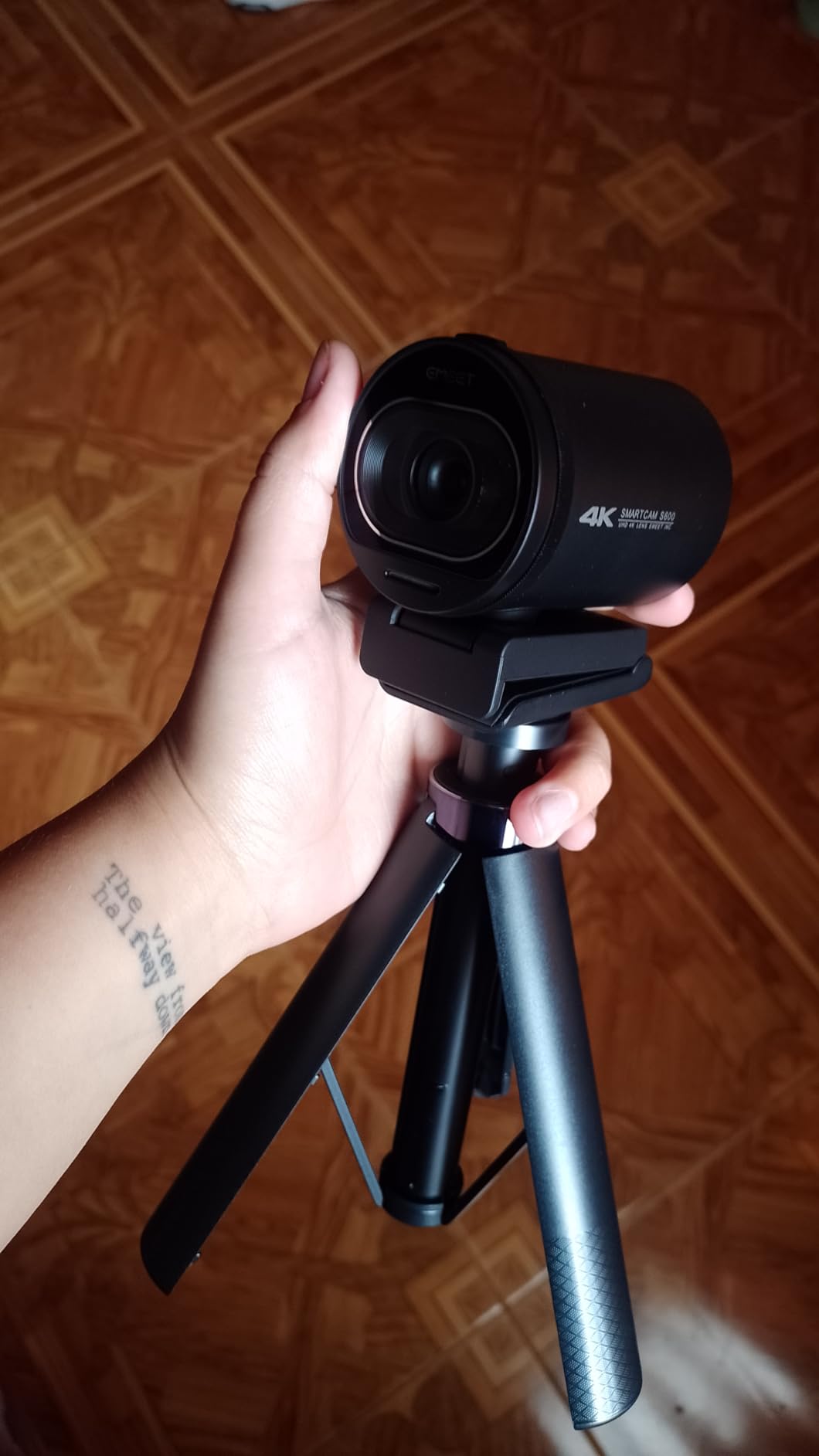
Best for: hands-on demonstration courses where your hands move through frame. The S600 is one of three cameras in this roundup that records 1080p at 60fps, and that frame rate is the reason.
60fps changes the feel of demonstration footage. When you hold a tool up, type on a keyboard or assemble something, 30fps motion looks slightly stepped on a large screen. At 60fps the same movement is smooth, and the file is still a standard 1080p size that every platform handles without complaint.
The Sony 1/2.55-inch CMOS sensor produces accurate colour and holds detail better than the small sensors in the entry webcams. White balance stayed notably correct in our mixed-lighting test, which matters when your lessons are recorded across different days and different rooms.

Autofocus is PDAF again, and again it does not visibly hunt. The twist-to-open privacy shutter feels solid and stays closed reliably, which is what you want from a camera in a shared home.
Field of view is adjustable between 40 and 73 degrees at 1080p, and fixed at 73 degrees when shooting 4K. That 40-degree option is unusually useful for a lesson, because it gives you a tighter, more deliberate crop without physically moving the camera.
The dual noise-cancelling microphones are better than typical conference-monitor microphones, and the processing can be toggled through EMEETLINK. They still fall short of an external microphone for narration, but they handle a live class comfortably.
Matching frame rate to your course type
For a pure talking head lesson, 1080p at 30fps is enough and nobody will notice the difference. The S600 earns its place when your course contains physical demonstration: cooking, crafts, repair work, fitness or equipment walkthroughs, where fast hand movement is the content.
One caution: at 60fps the image is recorded at 1080p, so you give up the cropping headroom that the 4K mode provides. Decide which one your course needs before you settle on a recording preset.
Where the S600 falls short
There is no manual focus. Every focus decision is made by the camera, which is convenient but leaves you with no recovery option when it picks the wrong subject.
EMEETLINK software is basic, and resolution changes happen through your operating system camera settings rather than inside the app. A few users report connection loss when running the camera inside Discord, so if Discord is your teaching platform, test a full session first.
6. OBSBOT Meet 2-4K Webcam – Best Compact Camera for Teaching Anywhere
Pros
- Excellent autofocus and a crisper image than a laptop camera
- Very small and travel friendly at 40.5 grams
- Strong low-light performance for its size
- Magnetic privacy cover and magnetic base
- Single USB-C cable with adapter
Cons
- Included monitor mount is weak and the camera slips
- OBSBOT Center app can be slow to respond
- Detail softens during movement and 4K is noisier than 1080p
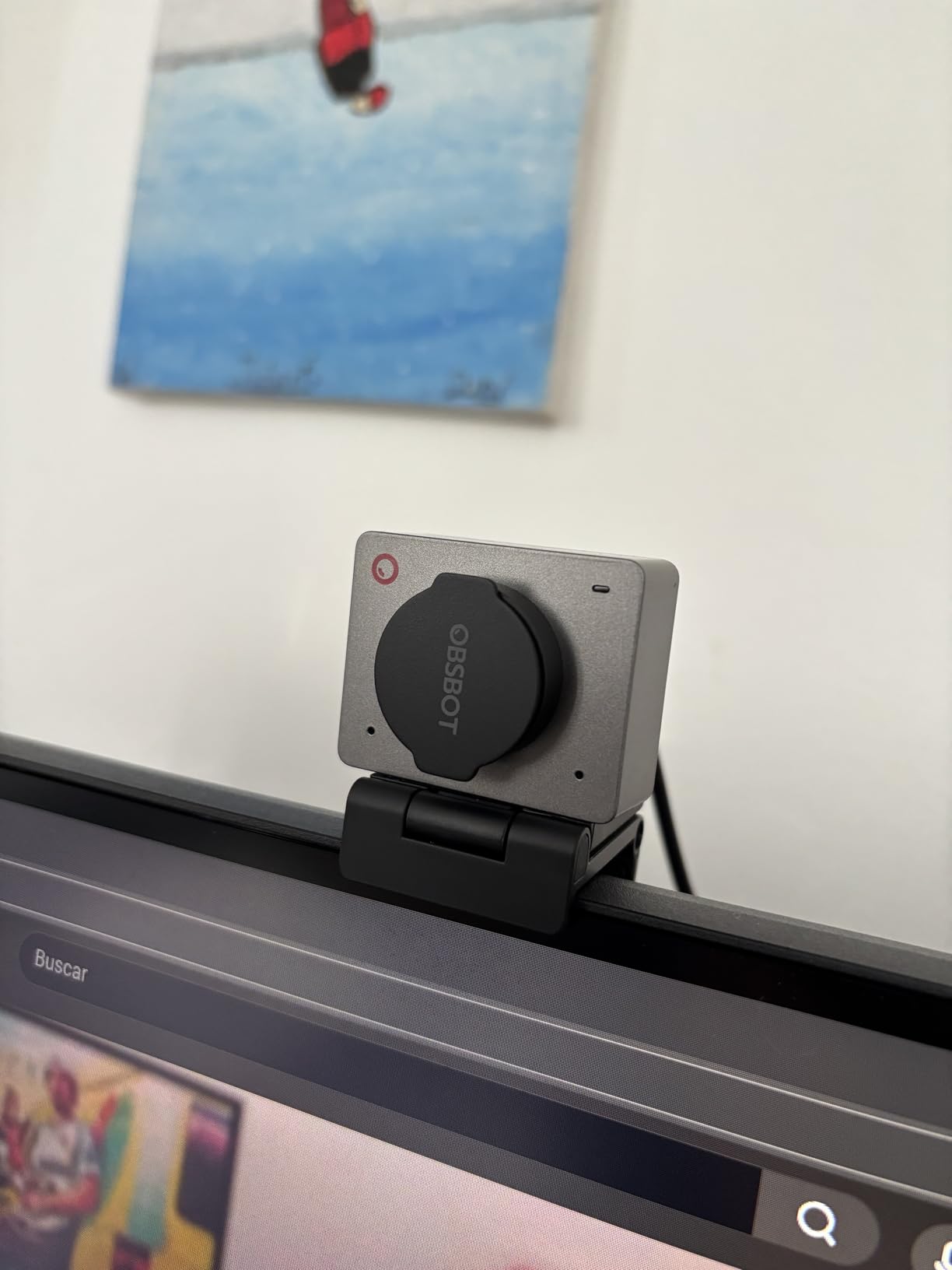
Best for: creators who teach from different rooms, travel, or alternate between a laptop and a desktop. The Meet 2 is the smallest camera here at 40.5 grams and roughly the size of a matchbox.
Despite the size, the 1/2-inch CMOS sensor is large for a camera this compact, and the difference shows in a dim room. Our low-light test put it ahead of the entry webcams, with a face that stayed recognisable and reasonably clean rather than turning into a grainy mess.
Autofocus is quick and confident. This is the camera we reach for when a presenter moves around a room rather than sitting still, because it re-locks quickly when you change position rather than drifting out of focus.
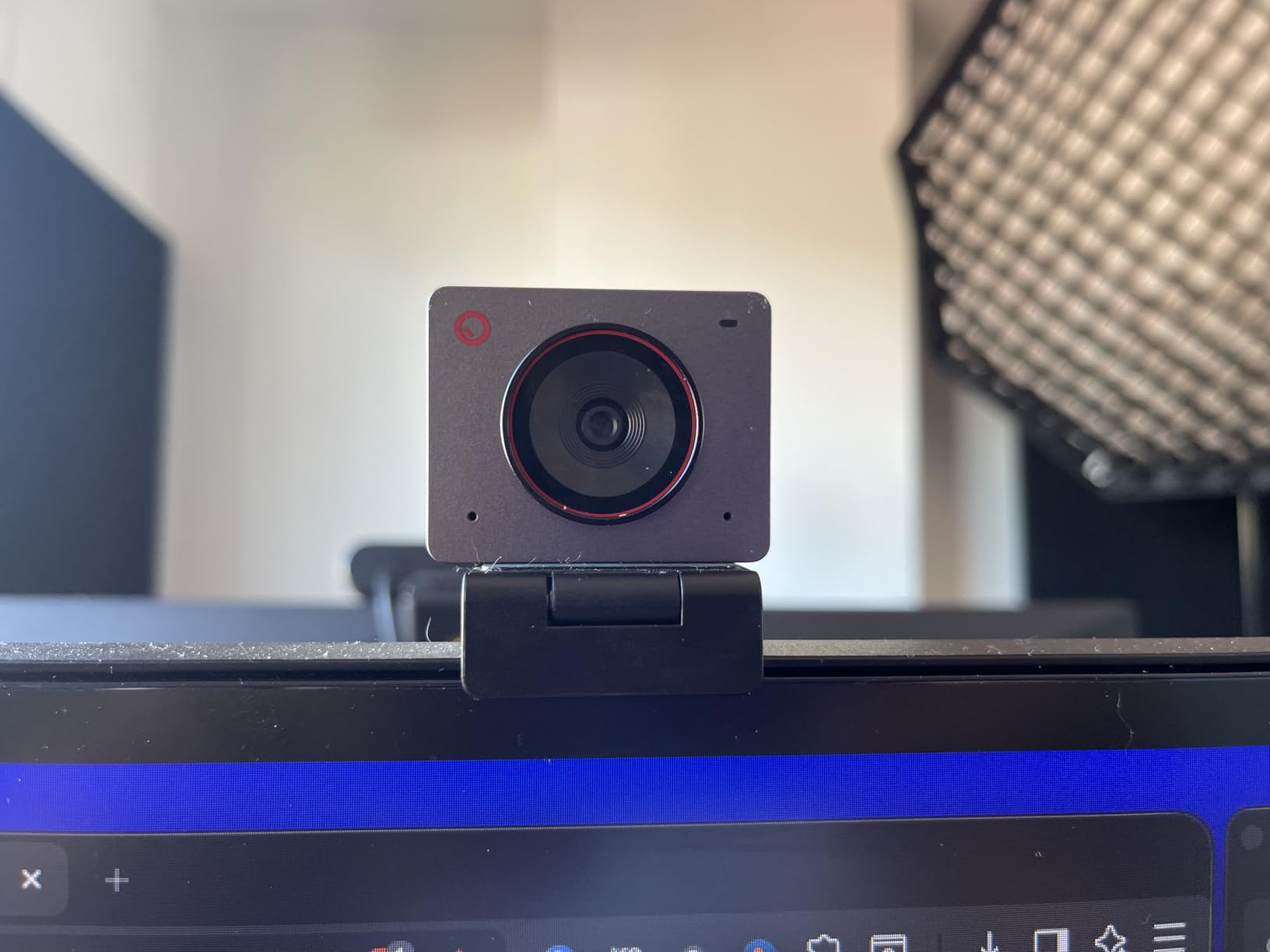
AI framing and gesture control both work in a clean setup. The idea is simple: you gesture, the camera reframes, and you do not have to walk back to the desk to adjust anything. That is genuinely useful for a demonstration lesson where you are moving between a table and a screen.
It does fall apart in a cluttered background, which is the normal condition of a home office. If you have a busy wall behind you, expect the AI to be less reliable. Connection is a single USB-C cable with an adapter included, and it works plug-and-play with OBS and Zoom.
There is also a privacy cover that attaches magnetically. In a shared space that is worth more than most spec sheet items.
When portability actually matters for a course
If you record every lesson in one room, portability buys you nothing. If you teach from a home office and a studio, or you film while travelling, the Meet 2 removes the reason to own two cameras. You pack one device and the framing is identical in both locations.
That consistency is a real production benefit. If your course was shot on two different cameras, viewers notice the change in colour and sharpness between modules, and it reads as an amateur production even when neither image is bad.
Where the Meet 2 falls short
The supplied monitor mount is the most common complaint and it is worth acting on before you record anything. Several owners replaced it with an arm. At this weight, a weak friction mount is exactly the component most likely to let the camera slip mid-session.
Detail also softens during movement, and 4K output is noisier than 1080p. Record at 1080p for talking head work. The OBSBOT Center app can be slow to respond and sometimes needs a second attempt to show the preview, which interrupts a batch recording workflow more than you would like.
7. OBSBOT Tiny 2 Lite 4K Webcam – Best Tracking Camera for Hands-On Demos
Pros
- 4K clarity from a 1/2-inch sensor
- Upper body and hand tracking modes
- Preset positions each with their own settings
- Works with no required app
- SDK OSC and Stream Deck support
Cons
- Lite model drops whiteboard mode and voice control
- Needs Windows 10 or macOS 11 and a modern CPU
- App download required for full tracking and preset control
Best for: cooking, craft, fitness and repair courses where the presenter moves around a workspace. This is the first camera in our list with tracking that genuinely follows a person rather than a face at a desk.
The 1/2-inch sensor delivers 4K clarity that sits a step above most webcams, and the 4x optical zoom is a real lens movement rather than a digital crop. For a course where you sometimes need a close-up and sometimes need a wide shot, optical zoom saves you repositioning the camera constantly.
Tracking modes are the core of the product. Upper body tracking and hand tracking let the camera follow exactly the part of you that matters, and you can define custom tracking areas and non-tracking areas so it ignores a second person walking past.
Each preset position can carry its own parameters and tracking mode. Set a wide preset for the intro, a tight preset for a close-up, and a hand-tracking preset for the demonstration, then move between them with gesture control instead of touching the desk.
The camera works plug-and-play with no required app for basic use, and it supports SDK, OSC, Stream Deck and global hotkeys if you want deeper control. It also shoots horizontal, portrait and upside-down, which is useful for repurposing a lesson into a vertical clip.
Keep the computer spec in mind. It needs Windows 10 or later or macOS 11 or later, a 7th-generation Intel Core i5 or later, and 8GB of RAM to get the most out of it.
Setting up tracking for a demonstration course
Tracking looks impressive and can ruin a take if it is left on defaults. Define a tracking area that covers your work surface and mark the rest of the room as a non-tracking area, otherwise the camera swings toward movement behind you.
Plan your presets before you record module one. Write down which preset belongs to which section of the lesson, then use gesture control to move between them. Rehearse the gesture triggers, because a mistimed gesture mid-sentence means a re-record.
Where the Tiny 2 Lite falls short
The Lite designation is not cosmetic. Compared with the full Tiny 2, this model drops whiteboard mode and voice control. If your course is built around a whiteboard, read that as a genuine limitation and look at the full model or a dedicated whiteboard solution.
Full tracking and preset control require the vendor app, and the machine requirements are real. On an older laptop, the camera is fine but the tracking behaviour is not.
8. EMEET PIXY Dual-Camera AI PTZ Camera – Best for Whiteboard Teaching
Pros
- Dual camera design uses a 4K main sensor with an AI camera
- Very fast 0.2s PDAF plus AI autofocus
- Three-chip tracking gives smooth 310-degree pan
- Open palm gesture control for hands-free tracking
- Three mic array with Live Noise Canceling and Original modes
Cons
- FOV adjustment only available at 1080p and 2K 30fps
- Not compatible with Windows Hello face recognition
- Remote control and tripod mount sold separately
Best for: teachers who move between a whiteboard, a desk and a screen. The PIXY has the widest stated travel of any camera here, with a 310-degree pan and 180-degree tilt driven by three-chip tracking hardware.
The dual-camera design is unusual and it is the reason autofocus is so quick. One 4K main sensor does the imaging while a second AI camera watches the scene and tunes focus and exposure, which is how it hits a 0.2 second lock. In our test the camera was already correct before we finished moving.
Pan and tilt motion is smooth and quiet, which matters more than raw speed for a lesson. A camera that jerks between positions looks broken; this one glides, and the movement reads as intentional framing rather than automation.
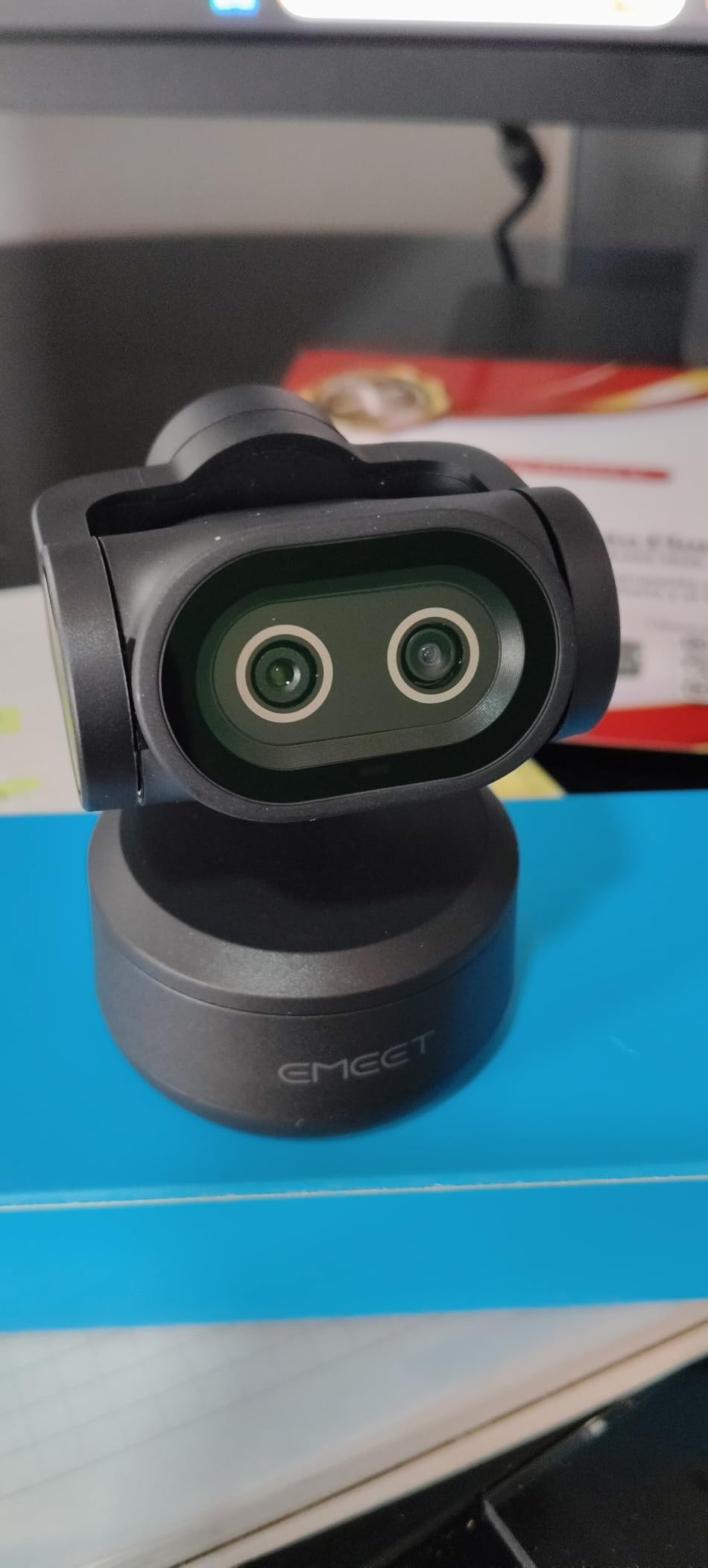
Open palm gesture control, held for two seconds, moves the camera without touching it. For teaching, where your hands are often full or pointing at something, that is a real workflow benefit rather than a novelty.
EMEET STUDIO adds preset positions, automatic whiteboard detection and privacy mode. The three-mic array with Live, Noise Canceling and Original Sound modes gives you a narration-friendly recording option, which means you can record a lesson in a room with a running computer fan.
Everything runs over a single cable. The included clip mount is the only mount in the box, so plan a tripod or a clamp arm if the clip is not enough.
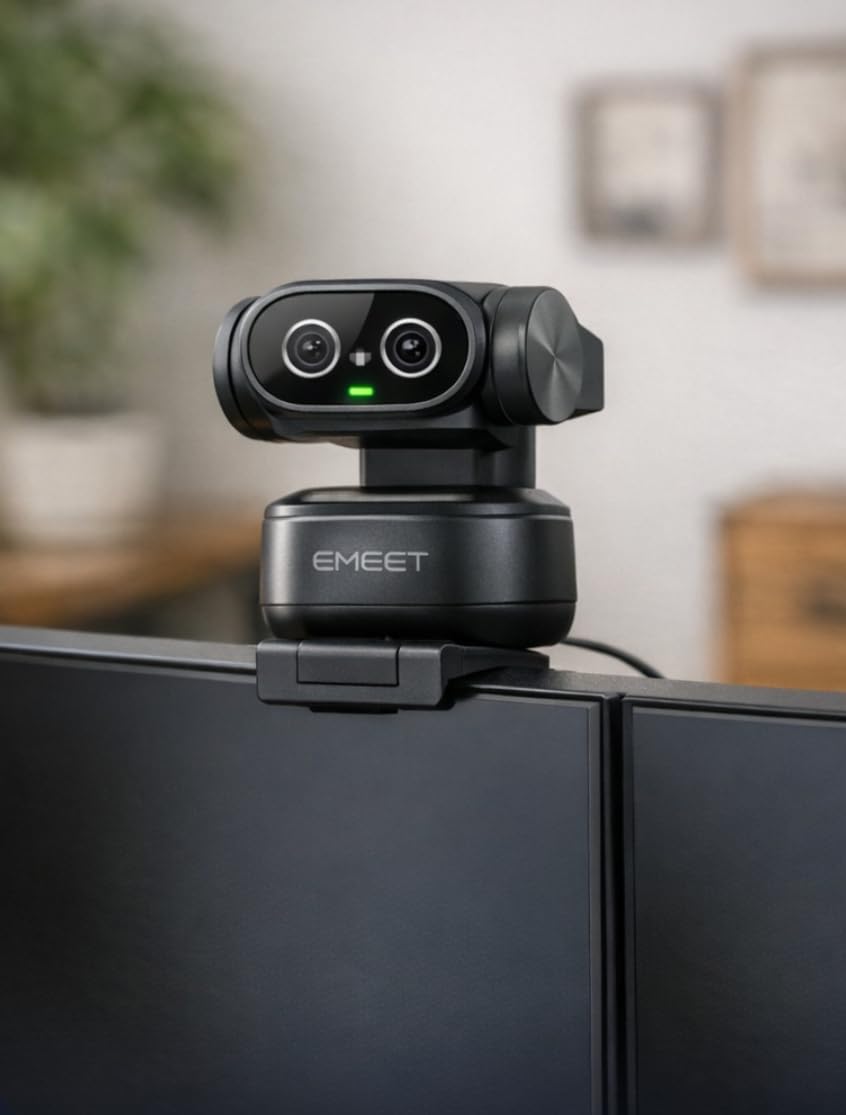
When a moving camera genuinely beats a fixed one
A whiteboard course is the clearest case. With a fixed camera you either frame the board and lose yourself, or frame yourself and lose the board. The PIXY moves between both, so the lesson can stay on your face while you write and then follow your hand to the board.
The same logic applies to fitness, lab work and any course where your body position changes constantly. The tradeoff is that a moving camera makes your framing inconsistent between lessons unless you fix the room layout. Mark your monitor and whiteboard positions and keep them identical across modules.
Where the PIXY falls short
Field of view adjustment is only available at 1080p and 2K at 30fps, not at 4K or 1080p60. If you want a tighter crop, you have to drop the resolution. That is a strange default and it is the complaint owners raise most often about this camera.
It also does not work with Windows Hello face recognition, and both the remote control and a tripod mount cost extra. If you are teaching live rather than recording, a missing remote means walking back to the desk every time you reposition.
9. Insta360 Link 2 – Best for Presenters Who Move Around a Room
Insta360 Link 2 – PTZ 4K Webcam for PC/Mac, 1/2″ Sensor, AI Tracking, HDR, AI Noise-Canceling Mic, Gesture Control for Streaming, Video Calls, Gaming, Works with Zoom, Teams, Twitch & More
Pros
- Premium sensor delivers true-to-life 4K with HDR
- AI tracking physically pans and tilts to follow you
- PDAF focuses instantly and keeps frames crisp
- Natural bokeh gives a DSLR-like depth of field
- DeskView and Whiteboard modes tuned to teaching
Cons
- Not compatible with ARM-based Windows systems
- Not compatible with Windows Hello face recognition
- Advanced features need the free Link Controller software
Best for: creators who lecture while walking, or who switch between the camera, a laptop screen and a whiteboard. The Link 2 pairs a large 1/2-inch sensor with tracking hardware that physically moves.
Unlike AI cropping on a fixed camera, this one pans and tilts. When you stand up and move, the camera follows with a real movement, which produces far more natural footage than a digital crop that keeps the background frozen while you slide around the frame.
Image quality is excellent. The 1/2-inch sensor captures true 4K with HDR, and in a mixed-lighting test it held highlight detail on a bright window without crushing the face in front of it. HDR is the feature that most improves a home office with a window behind you, and it is one of the few cameras here that offers it.

Phase detection autofocus focuses instantly and holds. When you move quickly, the frame stays crisp instead of going soft for a second, which is exactly the failure we saw repeatedly on fixed-focus cameras.
The bokeh from the Link Controller is worth calling out. A background blur effect on a webcam usually looks like a cheap filter, and it rarely holds around hair. Applied through the controller, it stays convincing at the edges and it separates you from a cluttered room without requiring a physical backdrop.
DeskView tilts down to your desk and Whiteboard mode reframes for written content, so one camera covers a talking head lesson, a software demo and a whiteboard explanation. There is also an AI noise-canceling microphone, gesture control, a smartphone remote and a privacy mode that tilts the camera down after ten seconds of inactivity.

Planning a room for a tracking camera
Tracking needs space. The camera has to be able to pan and tilt to where you will actually stand, and if you teach at the edge of your available floor, the frame will run out before you do. Walk the room before you mount it and note where you will stand.
Background separation also changes how the room reads. With bokeh applied, a busy room becomes far less distracting, which can save you the cost and effort of a physical backdrop. Without bokeh, the same room is much more noticeable.
Where the Link 2 falls short
Check your platform first. It is not compatible with ARM-based Windows systems, and it does not support Windows Hello face recognition. If you teach on a Windows on Arm laptop, this is the wrong camera regardless of how good the image is.
The richer features live in the free Link Controller desktop software, so you are tied to running it for bokeh, DeskView and Whiteboard modes. The box includes a magnetic mount, four recognition markers and both USB-C cable and adapter, so the hardware side is complete.
10. OBSBOT Tiny 2 Webcam – Sharpest Sensor You Can Get in a Webcam
Pros
- Largest sensor in the webcam class with outstanding 4K clarity
- Two-axis motorized pan tilt tracks smoothly and quietly
- 0.3 second autofocus locks almost instantly
- Voice control plus gesture control
- Includes a metal adjustable mount and storage case
Cons
- Low-light performance is usable but not exceptional for the tier
- Control software has a steep learning curve
- Included monitor friction mount does not lock down securely
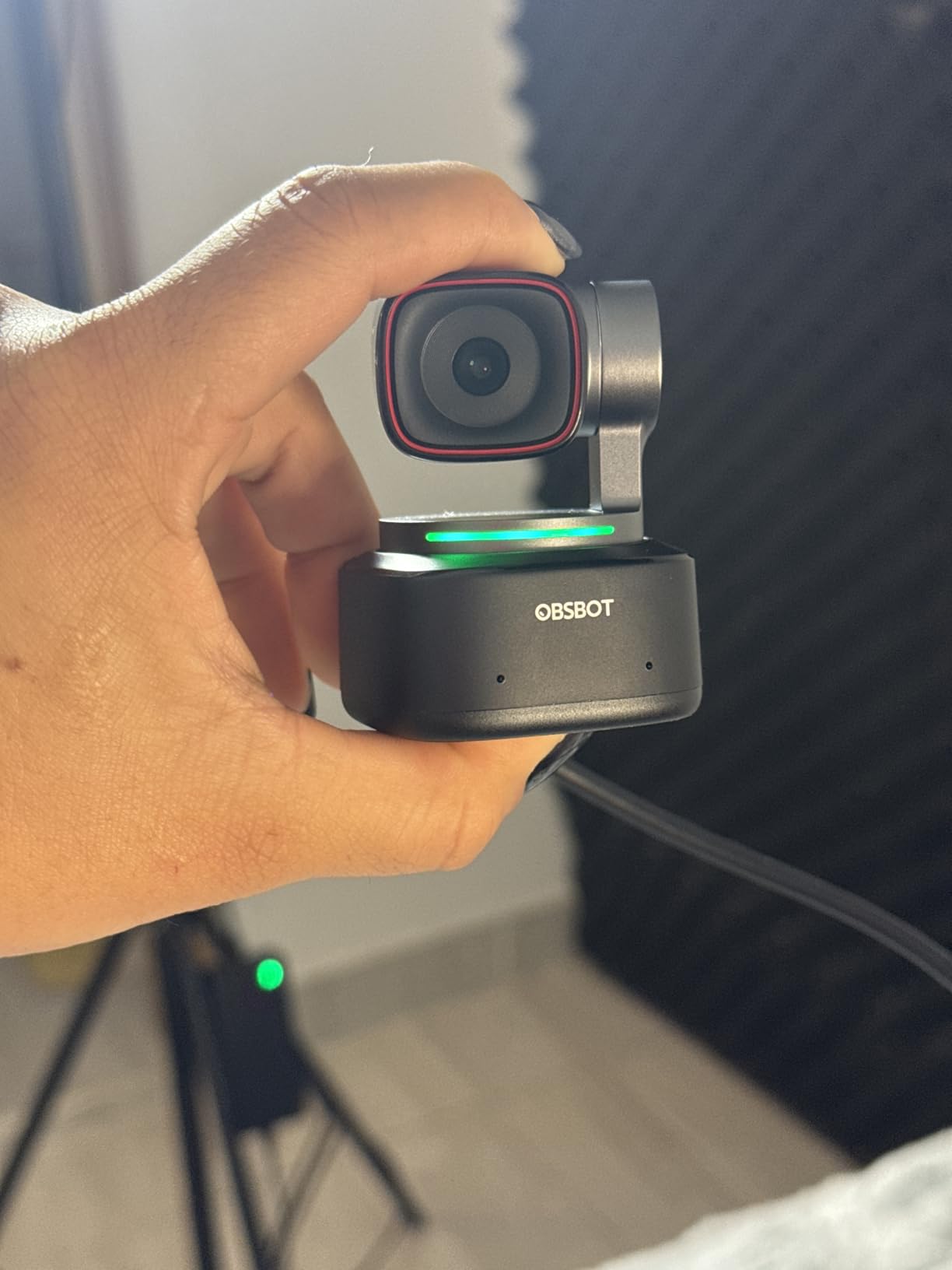
Best for: creators who want the sharpest possible image from a single-cable setup and are willing to spend time learning the control software. The 1/1.5-inch sensor here is the largest used in any webcam.
The difference in clarity is obvious in side by side tests. Detail holds on hair, fabric texture and fine text on a whiteboard, and 4K30 output from a 1/1.5-inch sensor is a step beyond what the smaller sensors in this roundup can resolve. If your course is a premium-priced one, that difference shows on screen.
Autofocus locks in about 0.3 seconds, which was among the fastest in our test group. Combined with the two-axis motorized pan and tilt, the camera keeps a moving presenter sharp and in frame without you touching anything.
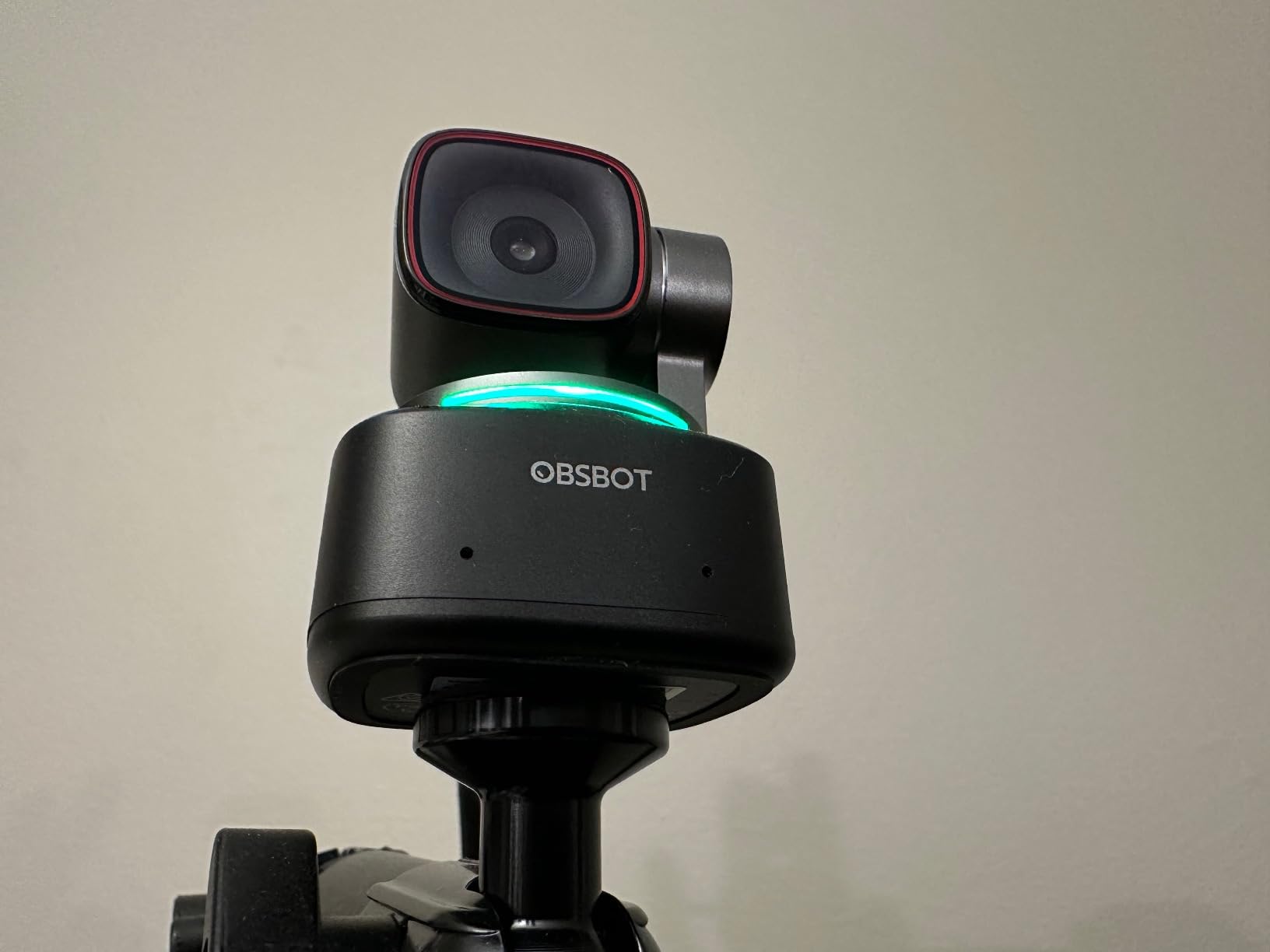
It is also the first webcam with voice control, alongside gesture control 2.0. You can change framing hands-free mid-lesson, which is useful when you are holding a prop or an instrument and cannot reach the desk.
The mode selection is extensive: Beauty, Desktop, Whiteboard, Portrait and Group. The Whiteboard mode is the one that matters for course work, and the full model includes it, unlike the Lite version. A magnetic mount and an included metal adjustable mount are in the box, along with a portable storage case.
Connection is USB 3.0, and it expects Windows 10 or later or macOS 11 or later with a 7th-generation Core i5 or better and 8GB of RAM.
Getting the most from a 1/1.5-inch sensor
A large sensor rewards good light more than any other camera here. In our tests the gap between this and a small-sensor webcam was narrow under a proper key light and wide under a weak one. If you buy this camera, put the remaining budget into a light rather than a second body.
It shoots 60fps as well, but HDR is unavailable in 60fps mode and the frame rate drops to 1080p or 720p. Choose 4K30 with HDR for talking head lessons and 60fps only for the sections with fast physical movement.
Where the Tiny 2 falls short
The control software has a real learning curve. Anyone not comfortable with technical tools will spend time working out how to expose the settings rather than recording. Budget an afternoon for it before you start your first module.
Low-light performance is usable but not exceptional for this tier, which is the one place the price is hard to defend. The built-in microphones are average and do not replace a dedicated mic for narration. Multi-person tracking can also get confused when more than one person is in frame, and the included monitor friction mount does not hold the camera securely, so replace it with an arm before a long session.
Webcam or Tracking Camera: Which One Should You Buy
If you sit in one position for the whole lesson, buy a fixed webcam. A fixed camera is cheaper, simpler, has no motors to fail and gives you a consistent frame from module one to module twenty. Every fixed webcam in this roundup runs indefinitely off USB power with no heat and no record time limit, which matters for a 90-minute lesson.
Buy a tracking or pan-tilt-zoom camera when your body position changes during the lesson. Moving between a whiteboard, a desk and a screen, or teaching fitness, cooking or lab work, is where tracking earns its cost. The trade is complexity: more settings, more app dependencies and a more sensitive setup.
A third path is running two cameras, one fixed on your face and one wide for the work surface, and cutting between them in the edit. That gives you the most control over framing, and it doubles your setup and editing time. We would only suggest it once a course has proven it earns updates.
Our related guides cover this decision from other angles: cameras for online course video creation looks at production workflow, and cameras for tutorial recording focuses on screen-led lessons where the camera is secondary.
1080p vs 4K for Online Course Delivery
For delivery, 1080p is the standard and it is enough. Most course platforms serve 1080p video, and a 4K file will be downscaled before a student ever sees it. Shooting 4K also gives you files that are far larger to edit and upload, which slows down a batch recording schedule for no visible gain.
4K still makes sense in two situations. First, if you want to crop and reframe in the editor, since a 4K source gives you room to punch in on a whiteboard or a product without losing sharpness. Second, if you plan to reuse the same recording in vertical formats for short clips.
The practical rule we use: record 4K when you will crop, record 1080p when you will not. Frame rate follows a similar logic. Stay at 30fps for a talking head lesson, and move to 60fps only when fast hand movement is part of the content.
Whatever you shoot, check your framing and exposure once before you record and leave them alone. A camera that adjusts mid-sentence is more distracting than a slightly soft image, and the models here that expose manually will hold a setting for the whole take.
Which Camera for Which Course Type
For a talking head course, the Logitech C920x handles it, and the Brio 101 works if you want a tighter crop and a privacy slider. Neither needs a tripod, a lens budget or a learning curve.
For a software tutorial, the camera is the smallest part of the equation. Spend on a clean microphone and a screen recorder, and pick a fixed camera with a tight field of view so your face overlay does not dominate the frame.
For a whiteboard course, pick a camera that can move or reframe. The EMEET PIXY with auto whiteboard detection and the Insta360 Link 2 with Whiteboard mode are both built for it. If your board is small and your framing is already right, a fixed webcam with a 110-degree view also works.
For hands-on demonstration, choose frame rate and tracking over resolution. The EMEET S600 at 1080p60 handles fast movement, and the OBSBOT Tiny 2 Lite with hand tracking follows your hands around a workspace.
For live classes and webinars, tracking wins because you cannot adjust a camera mid-session. The Insta360 Link 2 and the EMEET PIXY both move on voice or gesture, and neither forces you back to the desk.
Buying Guide: Six Things to Check Before You Buy
Check autofocus type. Fixed focus is fine if you never move; phase detection autofocus is essential if you lean, gesture or walk around. Five cameras here use PDAF, and none of the autofocus models hunted during our test takes.
Check the field of view against your framing. Around 60 degrees gives a tight head-and-shoulders crop, 73 degrees frames a seated speaker comfortably, and 110 degrees captures the room. Match it to how you teach, not to the largest number on the box.
Check whether you need 4K at all. If you are not cropping in the edit, 1080p is the sensible target and it keeps your files manageable across dozens of lessons.
Check the platform requirements before anything else. Several of these cameras do not work with Windows Hello, and one does not work on ARM-based Windows. Confirm your operating system, CPU generation and RAM, because the tracking features are the first thing to suffer on an older machine.
Check the mount, because a camera you cannot position accurately will not produce a good lesson. A 1/4-inch tripod thread is the most flexible option. Two models here include a metal or adjustable mount, and the Meet 2 ships with a weak one worth replacing.
Check the privacy story if you share a home. Five of these cameras include a physical shutter or sliding cover, which matters more than any resolution figure. If yours lacks one, a slider in your recording software is the workaround.
Finally, read our guide to course platforms for teaching photography online to check what resolution and aspect ratio your delivery platform actually serves before you set a recording preset.
Frequently Asked Questions
What is the best camera for recording online courses?
The Logitech C920x is the best camera for most online course recording. It delivers a sharp 1080p image, autofocus that does not hunt when you move, and automatic light adjustment that rescues a dim home office. It runs off USB with no accessories, which means a 90-minute lesson has no record time limit and no heat issues.
Is a webcam or a mirrorless camera better for online courses?
For a seated talking head course, a good webcam beats a mirrorless body used as a webcam. A mirrorless camera gives you a larger sensor and shallower depth of field, but adds heat, setup time and a capture card or UVC configuration, and it can throttle during long lessons. A webcam plugs in and works. If you film hands-on demonstrations, a moving camera is the better upgrade.
Do I need 4K for an online course?
Only if you plan to crop. Most course platforms serve 1080p, so a 4K file is downscaled before students see it and you gain nothing except larger files and slower editing. Record 4K when you want to punch in on a whiteboard or repurpose a lesson into vertical clips. Record 1080p for a straight talking head course.
What is the best webcam for online classes?
The Logitech Brio 101 is the cleanest webcam for online classes because its 60-degree field of view gives a natural head-and-shoulders crop, and it includes a sliding privacy cover. The Logitech C920x offers a wider view and better autofocus. The Insta360 Link 2 is the choice if you teach standing up and need the camera to follow you.
What camera works for a whiteboard or software tutorial course?
For a whiteboard course, the Insta360 Link 2 and the EMEET PIXY both have dedicated whiteboard modes that reframe the written content, and both can physically pan and tilt toward the board. For a software tutorial, the camera matters far less than the screen recording: pick a fixed webcam with a tight field of view so your face overlay does not crowd the screen.
Conclusion: The Best Cameras for Online Course Production in 2026
Start with the Logitech C920x. It is our pick for the best cameras for online course production because it does the important things well and asks nothing of you: sharp 1080p, autofocus that holds, light adjustment that works, and a single USB cable that survives a 90-minute lesson.
Move up only for a specific reason. Want real 4K and room to crop, take the EMEET NOVA. Film fast physical demonstrations, take the EMEET S600 at 1080p60. Teach standing up or at a whiteboard, take the Insta360 Link 2 or the EMEET PIXY. Want the largest sensor available in this class, take the OBSBOT Tiny 2.
Add a real microphone before you add a second camera. Audio is what students notice first, and a dedicated mic is a much smaller commitment than another camera body. Check the current price of the model you settled on and start recording your first module.