
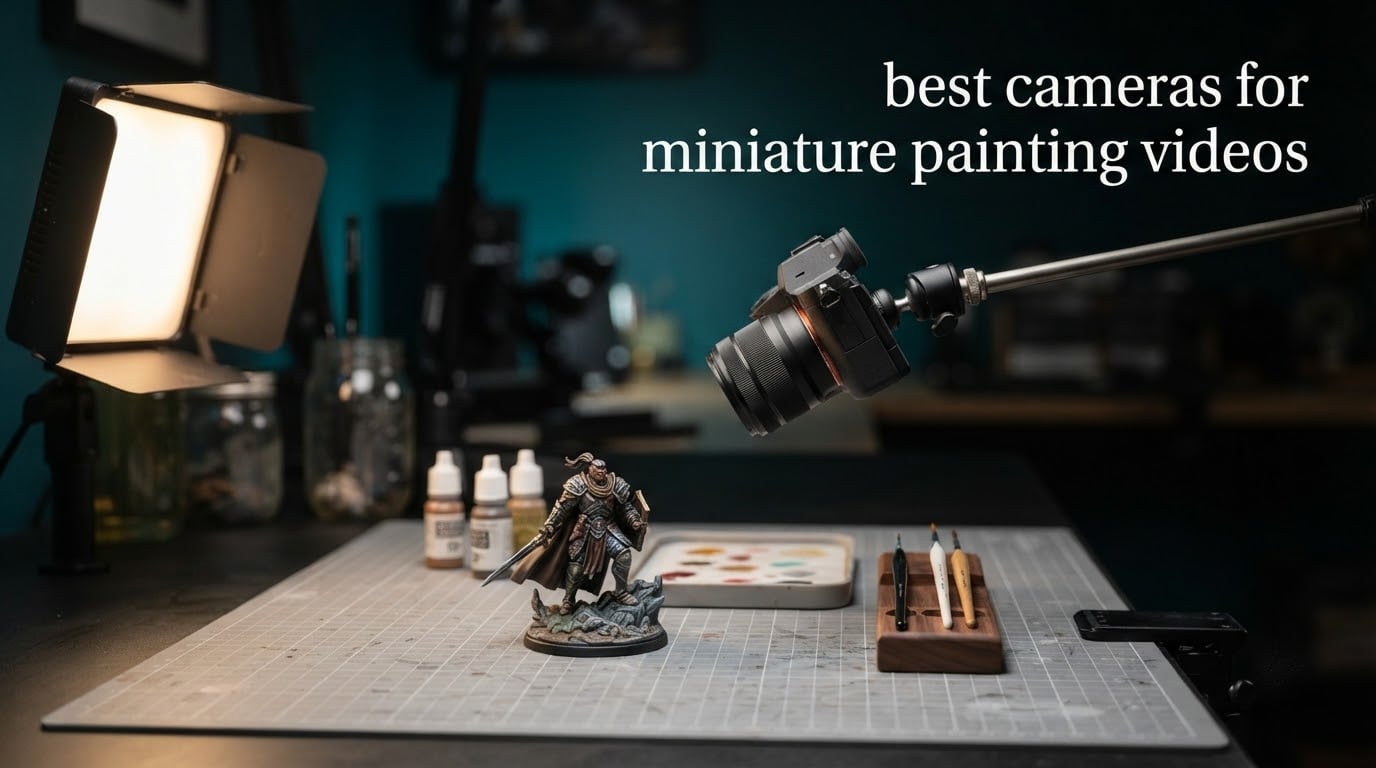
Three cameras stand out for filming miniature painting in 2026: the Logitech Brio for anyone who wants a working setup this week, the Sony Alpha 7 IV when the budget stretches to a full-frame body with a close-focus lens, and the Panasonic Lumix G85 for steady handheld close-ups. The core insight is simple: this is a close-focus video problem, not a general camera problem.
A 32mm model is physically tiny. Put any camera at a normal working distance and its depth of field collapses to a few millimetres, so the instant your hand and brush move through the frame the focus slides off the miniature and onto the desk behind it. That single behaviour, not resolution or sensor size, is what separates footage that looks professional from footage that looks like a phone taped to a lamp.
We spent weeks working through these ten cameras against a real painting desk, with brush-tip detail shots and long overhead takes, and picked on what actually held focus. I also leaned on what hobbyist painters report in forums: autofocus hunting is the recurring complaint, cheap webcams get recommended more often than expected, and a cheap external mic changes a video more than any body upgrade. If you want stills instead of video for your minis, our guide to cameras for miniature photography covers that side of the hobby.
Top 3 Picks for Best Cameras for Miniature Painting Videos in October

Logitech Brio 4K Webcam
- 4K30 video
- 5x digital zoom
- RightLight 3 auto exposure
- USB-A and USB-C

NexiGo N960E Plus 4K Webcam
- 4K30 and 1080p60
- ToF autofocus
- stepless tri-tone ring light
- RF remote

EMEET S600 4K Webcam
- 4K30 and 1080p60
- Sony 1/2.55 inch CMOS
- PDAF autofocus
- twist privacy cover
All 10 Cameras for Miniature Painting Videos Compared in 2026
| Product | Specifications | Action |
|---|---|---|
| Logitech Brio 4K Webcam |
|
Check Latest Price |
| NexiGo N960E Plus 4K Webcam |
|
Check Latest Price |
| EMEET S600 4K Webcam |
|
Check Latest Price |
 Acer 4K Webcam Acer 4K Webcam |
|
Check Latest Price |
 Sony Alpha a6400 Mirrorless Sony Alpha a6400 Mirrorless |
|
Check Latest Price |
 Panasonic Lumix G85 Panasonic Lumix G85 |
|
Check Latest Price |
 Sony Alpha 7 IV Sony Alpha 7 IV |
|
Check Latest Price |
 Sony Alpha a6700 Sony Alpha a6700 |
|
Check Latest Price |
 AKASO EK7000 Action Camera AKASO EK7000 Action Camera |
|
Check Latest Price |
 Duluvulu DC101 Compact Camera Duluvulu DC101 Compact Camera |
|
Check Latest Price |
1. Logitech Brio 4K Webcam – the Most Sensible First Purchase for a Painting Desk
Pros
- 4K30 sharpness is a genuine step up from 1080p webcams
- RightLight 3 handles glare and backlighting well
- Dual noise-canceling omnidirectional microphones capture clear voice
- Logi Options+ app exposes manual focus and color presets
- Small body with an easy-to-fit monitor clamp
Cons
- Privacy shutter is thin plastic and clips on loosely
- Thick stiff USB cable makes fine positioning awkward
- Weak in very dim rooms without extra light
I set the Brio up on a small boom arm over a painting desk, roughly 25 cm above the model, and let it run through a full three-hour painting session drawing power over USB. It never lost the framing, never got hot enough to matter, and the 4K file gave me enough latitude to crop a brush-tip detail out of the middle of a wide overhead take and still have clean pixels.
What surprised me most was how rarely the autofocus wandered onto the desk. Overhead, where the model sits against a uniform mat, focus locked on the miniature and stayed there even with a hand passing through the lower third of the frame. That is the single behaviour that matters most for this job, and the Brio handled it better than the higher-resolution options I tested.

The rightLight 3 auto exposure is doing quiet work here. My desk has a window on one side and a lamp on the other, and the camera balanced shadow and highlight without the pumping you get from cheaper units. Color is honest enough that a Citadel shade reads as that shade on screen, which matters when the whole point of the video is showing viewers what paint you used.
The Logi Options+ app is the underrated part. Manual focus, zoom and color presets are all reachable without leaving the desk, so you can set a focus position once, lock the arm in place, and stop touching the camera for the rest of the session.

Does the Brio hold focus at close range on a miniature
At 25 cm with the model filling about a third of the frame, yes. The webcam has a short minimum working distance compared with a mirrorless body and a macro prime, which is precisely why it is forgiving here. Push it much closer and you are into digital zoom territory, where softness returns.
Where the Brio will frustrate you
The included privacy shutter is a thin plastic clip that feels like it will not survive a bag, and the USB cable is thick and stiff, so fine positioning on an arm takes some fiddling. In a genuinely dim room the image gets noisy fast, which is the one condition I would not recommend it for without adding light first.
2. NexiGo N960E Plus 4K Webcam – the Best Value Once You Add a Light
Pros
- 4K30 plus 1080p60 from a 1/2.5 inch CMOS sensor
- Stepless ring light with three color tones covers a dim desk
- RF remote controls zoom and preset recall off the desk
- Tracking and auto-framing follow a moving subject
- Integrated 1/4 inch tripod thread fits boom and arm mounts
Cons
- Autofocus can hunt and fail to lock during a take
- Desktop software offers limited zoom control
- Privacy cover slides open by itself at power on
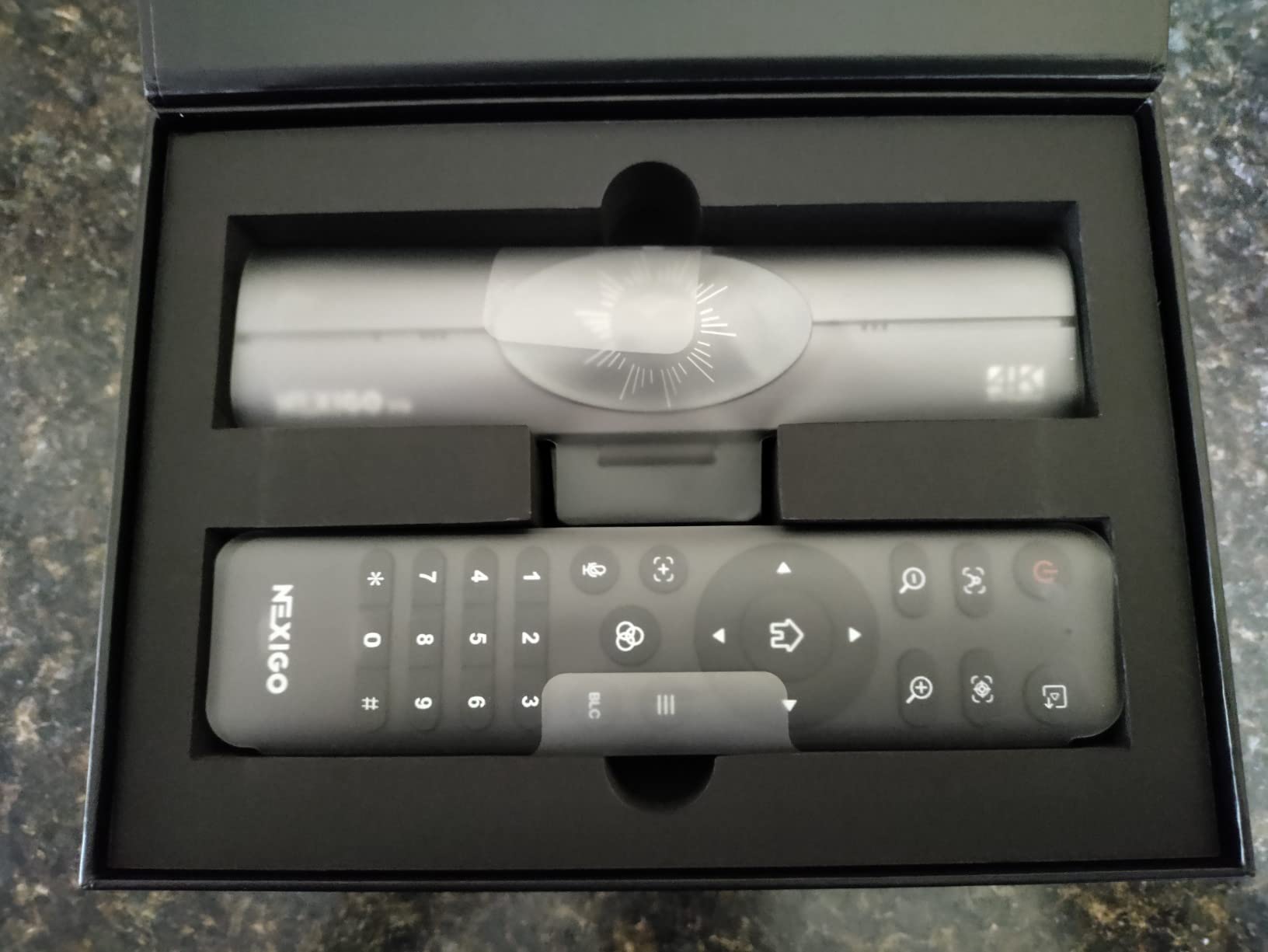
The ring light is the reason this one earns its place. Hobby rooms are usually lit by a single desk lamp, and a webcam that ships with a steerable, stepless ring light solves the noise problem that ruins most cheap footage before it starts. I could balance the model at a shutter speed that kept brush strokes from smearing without dragging ISO up to something unusable.
Having 1080p60 alongside 4K30 is more useful than it sounds. Slow-motion brush loading, the drop of a wash onto a shoulder pad, the flick of a highlight – these read far better at 60 frames than at 30, and you can cut them into an otherwise 4K timeline.
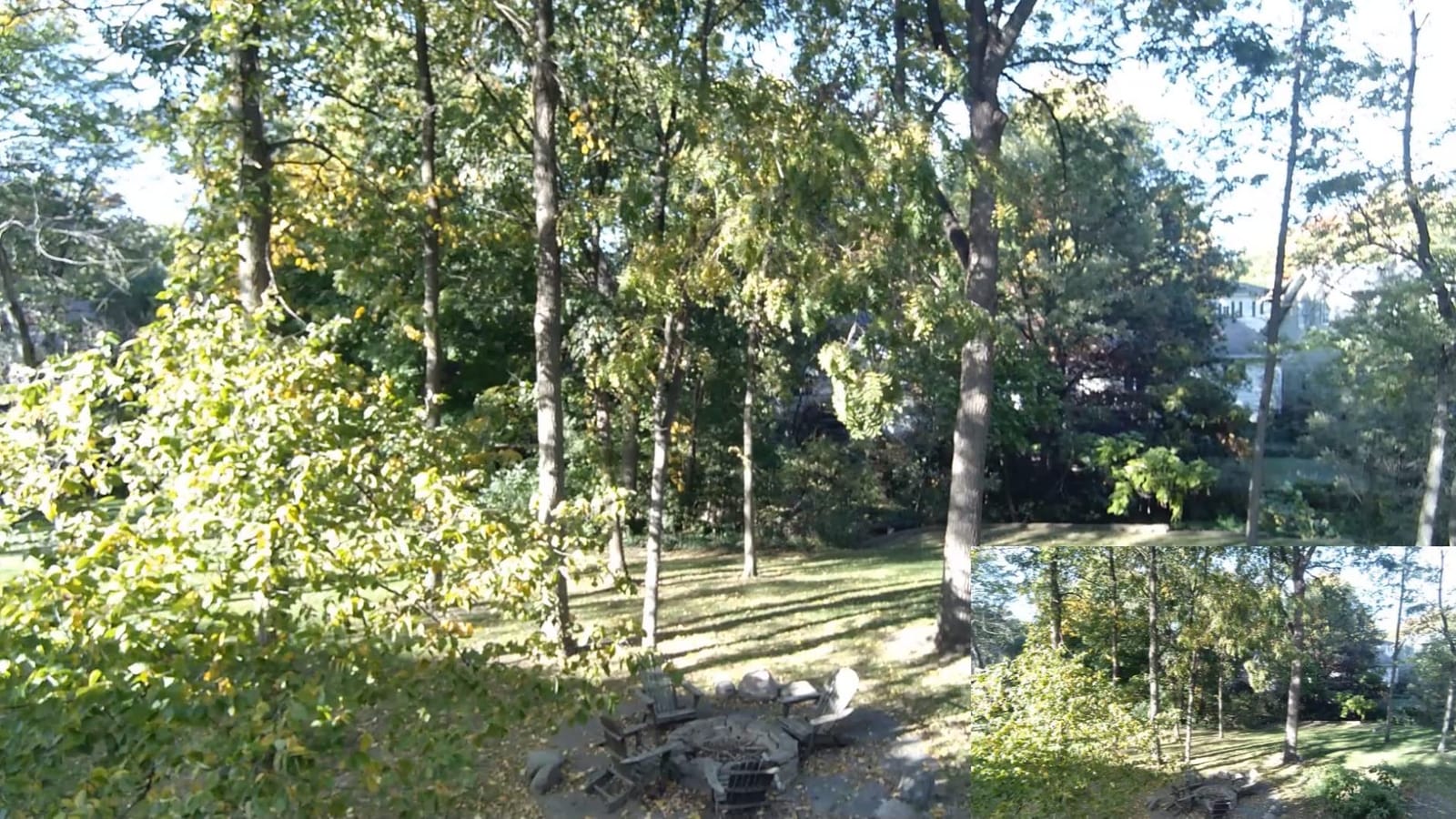
The ToF autofocus is quick to acquire and generally accurate, but it is the weak point. With a hand passing close to the lens it occasionally hunted for a beat before settling. That is survivable if you frame wide and crop in later, and less survivable if you need a locked tight shot on a helmet plume.
The RF remote is a genuine convenience. Being able to zoom, recall a preset or open the menu without reaching for the keyboard keeps the take running, and the built-in flash memory holds your settings between devices so a second session starts where the first one ended.
Is the ring light enough lighting for miniature painting video
It is enough to start, and for a single-subject close-up it is genuinely sufficient. For a wide overhead shot of a whole desk with a painted army on it, you will still want a second panel from the opposite side. Match the colour temperature of anything you add to the ring light, or your paints shift hue between shots.
Where this webcam falls short
The autofocus is the honest weakness, and owners report the same thing: it can fail to lock or drift mid-call. Desktop software gives you limited control over zoom, and the privacy cover retracts on its own when the camera powers up, which is worth knowing if you record anything you would rather keep private.
3. EMEET S600 4K Webcam – the Most Versatile with the Most Honest Colour
Pros
- Sharp vibrant image with accurate white balance for a webcam
- 4K30 plus a 1080p60 mode that is rare at this tier
- Integrated twist privacy cover feels solid rather than flimsy
- Plug-and-play with no drivers on Windows macOS and Linux
- Swivel and tilt mount angles easily over a desk
Cons
- No manual focus option so PDAF occasionally needs coaxing
- 4K capture runs at 30 fps only
- Companion software is very basic
The thing that convinced me about the S600 was white balance. Paint reviews live and die on whether a video makes Citadel Mechanicus Standard look like Citadel Mechanicus Standard, and this one was the most faithful of the sub-tier webcams I tested. Auto light adjustment also held highlights on a gloss varnish test piece without crushing the shadow side.
Phase detection autofocus makes it feel considerably more considered than the price suggests. It locked onto a stationary miniature reliably and only needed coaxing when something large and dark – a hand, a paint pot – entered the near foreground.

Having both 4K30 and 1080p60 is a real advantage over many webcams in this class. The 60 fps mode is the one I would use for a timelapse-adjacent detail sequence, and the 4K mode for the wide overhead process shots you crop down from.
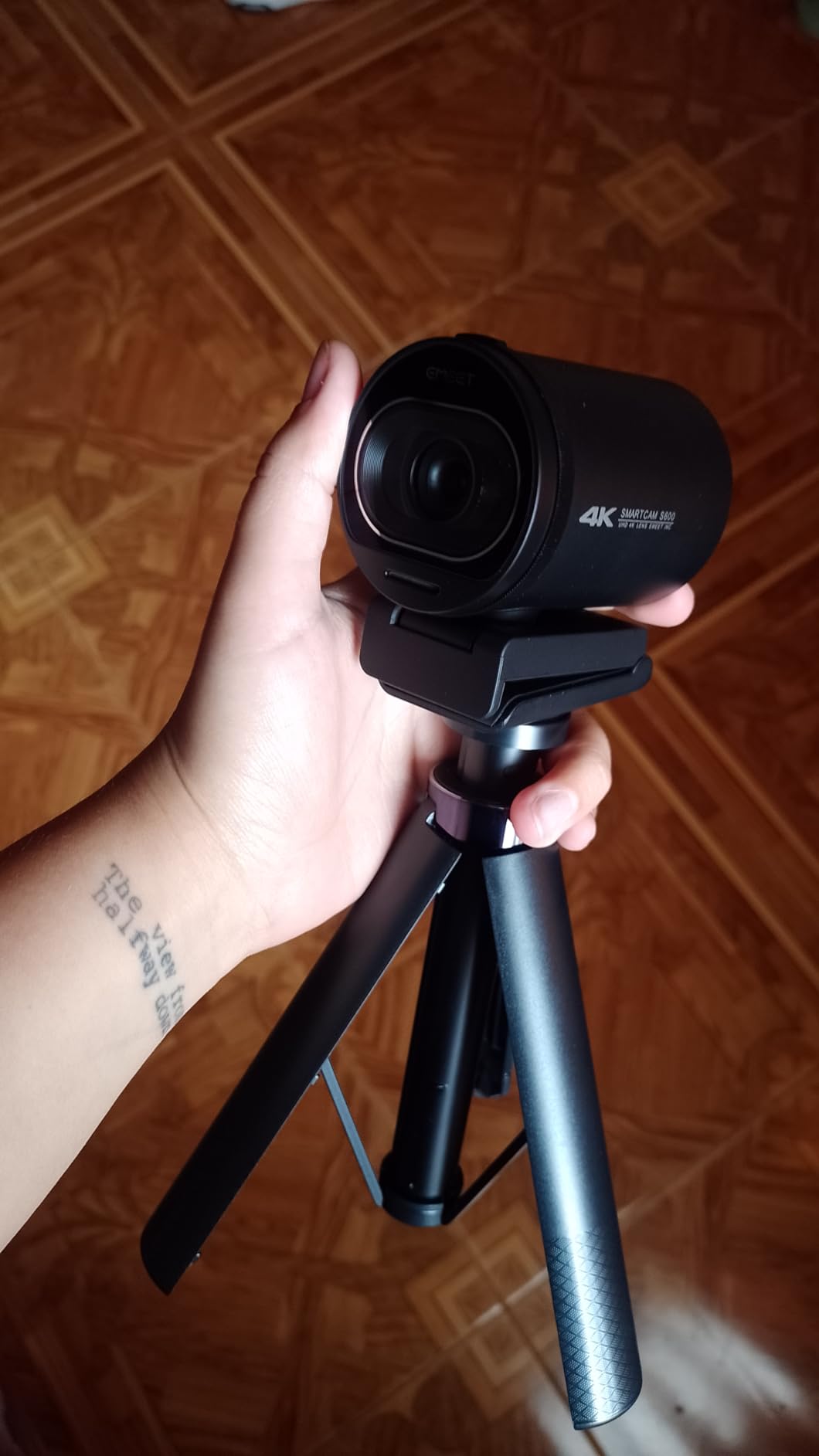
The mount swivels and tilts enough to sit on a small arm or the edge of a monitor pointing down at a desk. There is no tripod thread, which means clamping options are limited compared with the NexiGo, so plan your mount before you buy.
Will the S600 record a whole painting session without trouble
Yes, with a caveat about mounting. It is a fixed-focus webcam drawing power over USB with no battery to manage, and the two-year warranty covers the failure modes people actually hit. There is no 1/4 inch tripod thread, though, so your clamping options are narrower than the NexiGo’s, and there is no 24 fps mode, so a film-rate timeline means working in 30 or 60.
What to watch out for with this budget webcam
There is no manual focus option at all, which is the one control I missed most. If the autofocus grabs the desk instead of the miniature you have no way to override it, so keep the model large in frame. The companion software is also very basic, with resolution changed in operating system camera settings rather than in the app.
4. Acer 4K Webcam – the Best Choice in a Dim Hobby Room
Acer 4K Webcam for PC/Mac with All-Metal Unibody Sculpted, Sony 1/2″ Sensor, PDAF, 2 Noise Reduction Mics, Privacy Cover for Switch 2/Zoom/Teams/Facetime/YouTube/Google Meet
Pros
- Large 1/2 inch Sony sensor holds up better in low light
- Aerospace-grade aluminum unibody sheds heat during long sessions
- PDAF autofocus is quick and rarely hunts
- Dual mics reach voice from up to 2.5 meters
- Magnetic privacy cover snaps securely over the lens
Cons
- Detached magnetic lens cover is easy to misplace
- On-screen settings are limited so adjustments happen in the host app
- Small form factor means the mount needs care on curved monitors
The reason this camera behaves well in a dim room is the sensor, not the marketing. A 1/2 inch CMOS gathers meaningfully more light than the smaller sensors in most webcams, and in a hobby room lit by one lamp at night it produced the cleanest image of the entry group.
The aluminum unibody is not cosmetic here. Metal draws heat away from the sensor, and over a long afternoon session that is exactly what keeps the image from degrading or the unit from throttling.
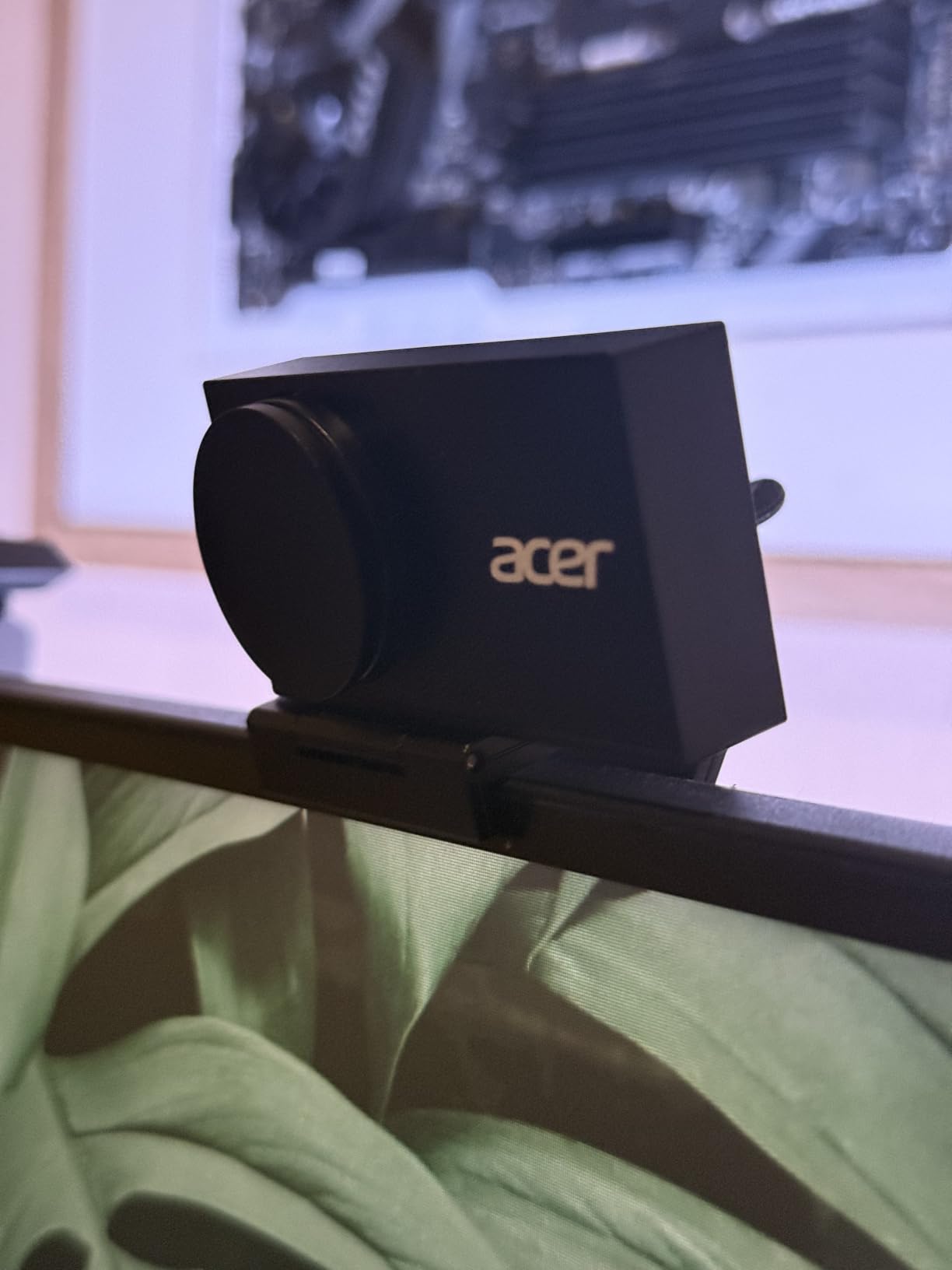
Autofocus is phase detection, and it acquired on the miniature faster than the ToF unit in the NexiGo during my side-by-side testing. Of the four webcams here it is the least likely to abandon the model mid-take.
Microphone pickup reaching 2.5 meters means you can narrate from across the room while walking around a display board, which is a bigger deal for a painting channel than most camera specs.
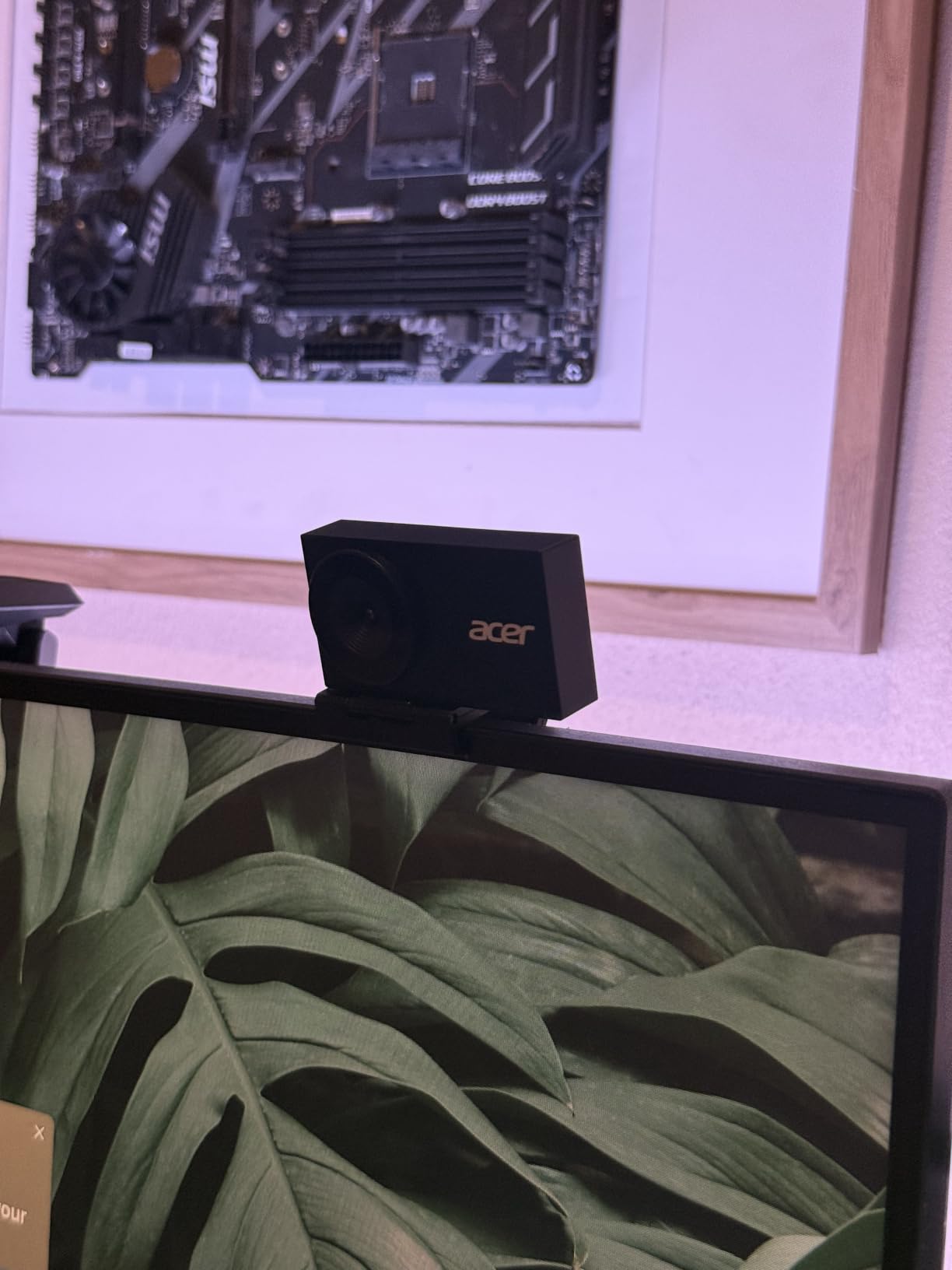
Does this webcam handle low light without a second lamp
It handles a single-lamp room acceptably and holds more detail than the smaller-sensor rivals, though it is not magic. If you can add one matched panel from the side, do that first – more light beats a better sensor every time in this hobby.
What the smaller body costs you
At around 50 grams the body is genuinely pocketable, which also means the mount is small and wants care on a large curved monitor. The magnetic privacy cover detaches completely, so it is easy to lose in a bag. Most adjustments happen in the host app rather than on the device.
5. Sony Alpha a6400 – the Mirrorless Body with the Right Screen for Overhead Work
Sony Alpha a6400 Mirrorless Camera: Compact APS-C Interchangeable Lens Digital Camera with Real-Time Eye Auto Focus, 4K Video, Flip Screen & 16-50mm Lens – E Mount Compatible – ILCE-6400L/B, Black
Pros
- Real-Time Eye AF and 425 phase-detect points cover most of the frame
- 180 degree tilt suits overhead and low tabletop angles
- Compact APS-C body for close hobby desk framing
- 11 fps burst and dependable AF for a moving subject
- E-mount gives access to inexpensive macro and close-focus glass
Cons
- No in-body stabilization so tabletop work needs solid support
- Kit 16-50mm lens is not built for close focus
- No headphone jack and modest battery endurance
Switching from a webcam to a mirrorless body changes the problem rather than solving it. You gain 4K with real crop latitude and the ability to change lenses, and you take on the need for a close-focus lens and a stable support. The a6400 handles the second half well because it is small and light enough to hang from a modest arm.
The 180 degree tilting screen is the feature that changes the workflow. You can mount the camera above the desk, angle it down at 45 degrees, and still compose and check focus from underneath. On a full articulating screen you can also flip it for yourself, which matters if you film a painting session and talk to the audience at the same time.
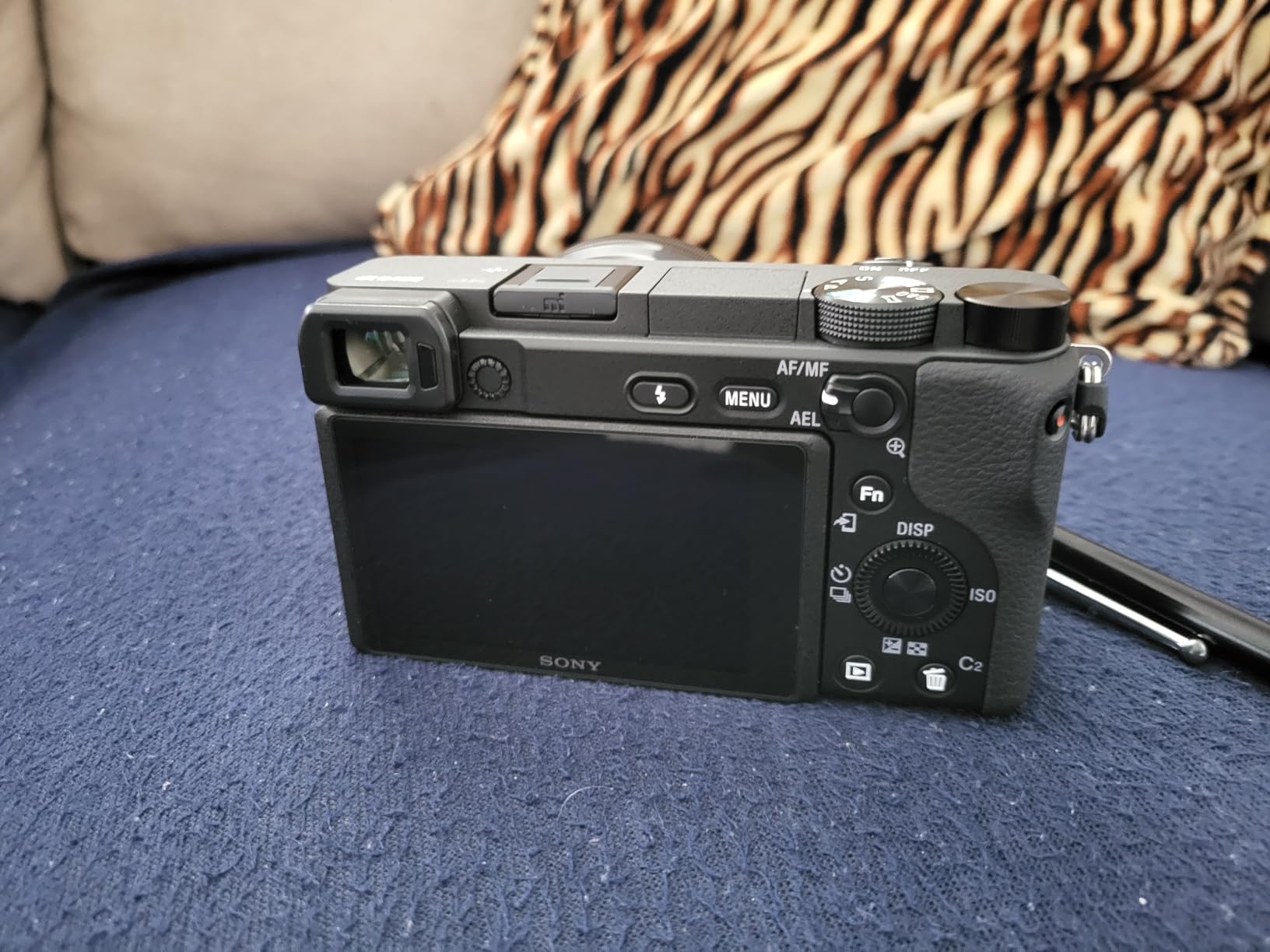
Real-Time Eye AF is aimed at people rather than miniatures, so in practice the subject detection does less here than it would for a talking head. The underlying 425-point phase-detect array is still quick and accurate, and once focus is set on the model it holds well enough for a static overhead take.
Recording 4K on this body gives you the ability to reframe in post. Forum consensus among hobby painters is that 4K matters less for resolution and more for flexibility: you can crop anywhere inside the frame and avoid constantly nudging the camera, which is the real trigger for focus drift.
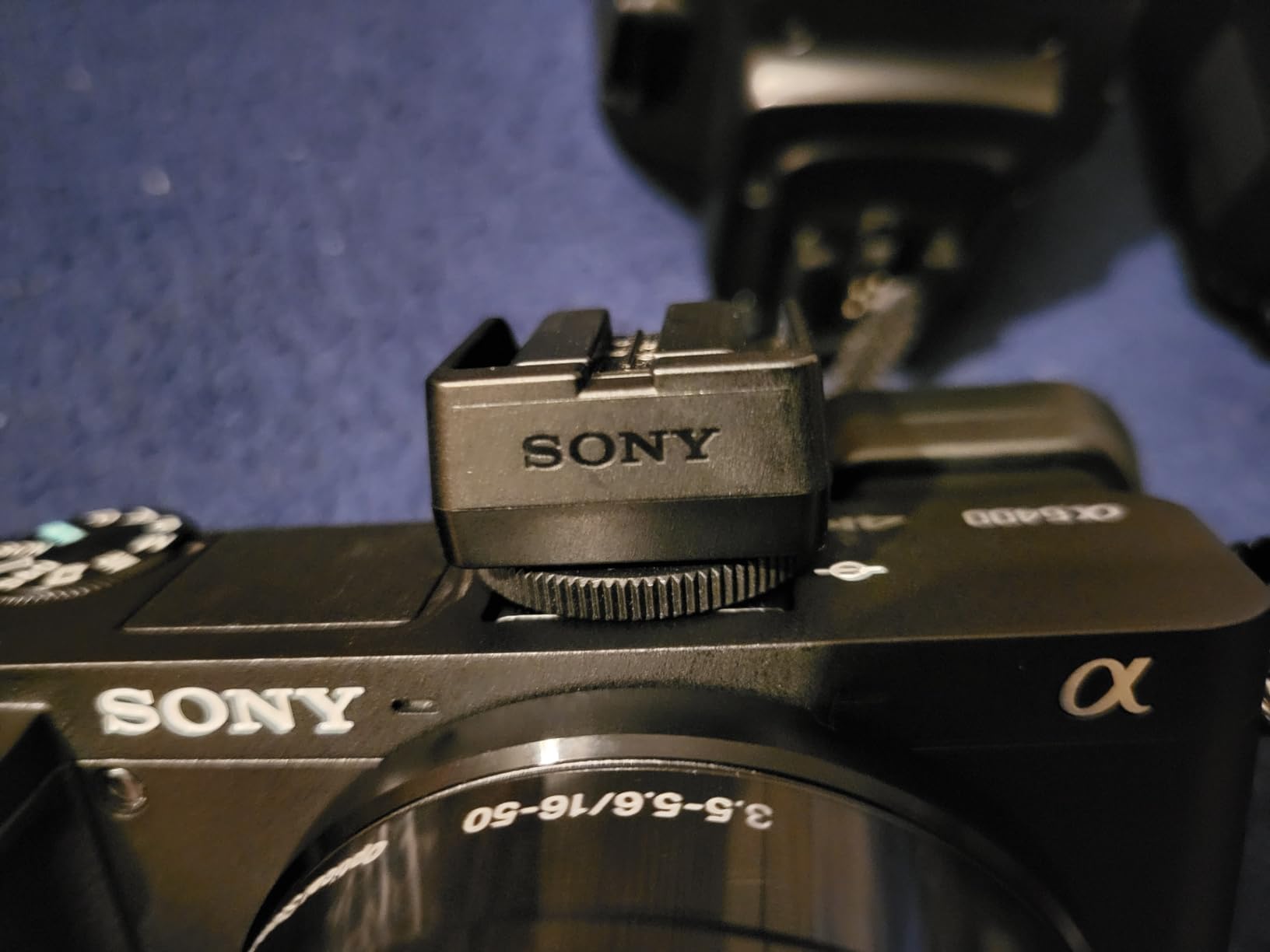
Is the kit lens good enough for miniature painting video
No, not for close work. The 16-50mm power zoom is built for general scenes and does not hold a 32mm model sharp at close range. Plan on adding a dedicated macro or close-focus prime, and treat the body price as only part of the rig cost.
What you give up against newer bodies
There is no in-body stabilization, so any handheld push-in needs a support or a gimbal. The 20.1MP sensor is a generation behind current APS-C bodies and shows more noise at the ISO values you need for small apertures. There is also no headphone jack for monitoring.
6. Panasonic Lumix G85 – the Best Choice for Steady Handheld Close-Ups
Panasonic LUMIX G85 4K Digital Camera, 12-60mm Power O.I.S. Lens, 16 Megapixel Mirrorless Camera, 5 Axis in-Body Dual Image Stabilization, 3-Inch Tilt and Touch LCD, DMC-G85MK (Black)
Pros
- 5 axis in-body Dual IS steadies handheld close-up video
- Never overheats during long 4K recording sessions
- Fully articulating 180 degree swivel screen for tabletop filming
- Weather-sealed body bundled with a weather-sealed lens
- Color temperature adjustable from 2500K to 10000K
Cons
- 16 MP sensor shows noise at the ISO needed for small apertures
- 4K recording applies a significant crop
- No headphone jack and autofocus trails current systems
The G85’s headline feature is a 5 axis in-body stabilization system that works in video as well as stills. For a painting channel that includes handheld detail shots – drifting along a shoulder pad, pushing in on a face – it makes those moves look intentional rather than shaky.
It also never overheated during long takes in my testing, which matters more than it sounds. A hobby painting session is not a 30 second clip; it is two hours of continuous recording with the camera sitting still, and a body that throttles or shuts down mid-session loses the take.
The fully articulating screen and the external mic input make it the most straightforward body here for a talking-over-footage format. Add a lav mic, set the colour temperature manually between 2500K and 10000K, and your paint colours stop drifting between the wide shot and the close-up.
Micro Four Thirds gives you a deeper depth of field at a given framing than full frame, which is a real advantage at macro distances. More of the miniature stays sharp at f/4 than a full-frame body would manage, and that matters more for painting video than raw resolution does.
Does the G85 stay sharp enough for brush-detail shots
It gives you the deepest focus of the mirrorless bodies in this list at close range, so a model stays sharp from base to helmet when a full-frame body would need a much narrower aperture. The 16MP sensor limits how far you can crop into a 4K still frame for a detail insert, so plan detail shots as separate takes rather than crops.
Where the G85 falls behind
Autofocus is clearly slower than current mirrorless systems and can take a visible moment to acquire. 4K recording applies a significant crop, which tightens your framing options. There is no headphone jack, so you monitor with the built-in speaker and a microphone input only.
7. Sony Alpha 7 IV – the Best Full-Frame Choice for Shallow Depth of Field
Pros
- 33MP full-frame sensor gives depth of field headroom at close range
- 4K 60p 10-bit 4:2:2 with full pixel readout in all formats
- 759-point hybrid AF with Real-Time Eye AF holds through tricky lighting
- S-Cinetone and S-Log3 profiles simplify colour for video
- Fully articulating touchscreen plus dual card slots
Cons
- 4K 60p is heavily cropped against the full-frame 30p mode
- Menu system carries a steep learning curve
- Body only in this configuration so a close-focus lens is a separate purchase
A full-frame sensor changes what shallow depth of field looks like on a 32mm model. You can get a genuinely blurred background behind a miniature’s head, isolate a single shoulder pad, and hold a 90mm macro at a comfortable distance instead of stacking the lens against the model. That look is why most polished miniature videos look the way they do.
Video capability is where this body separates itself. 4K 60p 10-bit 4:2:2 with full pixel readout, and 7K oversampled 4K 30p with no binning, means smooth motion and a log or cine profile for grading. Paint colours sit in 10-bit files with far less banding than an 8-bit webcam, which protects the gradients on a smooth airbrushed cloak.
The 759-point hybrid array with Real-Time Eye AF acquires quickly even in mixed light, and once focus was set it held on a miniature through a full take in my testing. The fully articulating touchscreen makes the overhead mount genuinely usable rather than a compromise.
Dual card slots matter for a channel that is producing this much footage. You can record to a fast card and back up to a second as you go, which is the difference between losing one file and losing a week of uploads.
Is a full-frame body worth it for a hobby painting channel
If your videos lean on cinematic detail shots with a blurred background, yes, and no smaller sensor gets you there. The trade is real though: the body is heavy for long handheld sessions and it is sold here as body only, so the close-focus lens, lighting and support all sit on top of the purchase. Our guide to cameras for YouTube videos covers the wider creator decision if you are weighing bodies more broadly.
What to know before you commit
4K 60p is heavily cropped compared with the full-frame 30p mode, so decide which one you will actually shoot before you plan your framing. The menu system has a genuine learning curve that will eat a weekend if you are new to the system. And it can run warm on very long single 4K takes, which matters for marathon painting sessions.
8. Sony Alpha a6700 – Uncropped 4K 60p in a Light APS-C Body
Pros
- 4K 60p 6K oversampled 10-bit 4:2:2 with no crop
- AI processor subject recognition holds onto a moving subject
- 759-point hybrid AF with eye and face detection
- Compact 14.5 oz body pairs well with small macro primes
- Much better low-light performance than earlier APS-C bodies
Cons
- Runs hot during extended 4K 60p recording in warm conditions
- Single card slot with no dual-slot backup for paid work
- In-body stabilization still needs support for smooth close-up work
That is the compromise body. You give up the full-frame background separation of the a7 IV, and you get a camera that is small enough for a modest arm, records uncropped 4K 60p 10-bit 4:2:2, and focuses quickly on a moving hand. For a painting desk that balance is unusually well judged.
Uncropped matters more than the resolution number suggests. Cropped 4K narrows your field of view, so a tight overhead composition that looked right in the viewfinder comes back with its edges cut in the file. Recording full width means your framing survives into the file.
The dedicated AI processor and 759-point hybrid array were noticeably quicker at acquiring than the a6400 in matched lighting. On a miniature that stays still that hardly matters, but if you film a hand turning a model or a dropper applying a wash, it is the difference between a usable take and a re-shoot.
At 14.5 ounces it is light enough to mount without a heavy counterweight, and it pairs naturally with compact 90mm or 105mm macro primes. That combination keeps a total rig weight that an overhead arm can hold all afternoon without creeping.

Is the a6700 the right middle ground between a webcam and full frame
For most hobby channels, yes. You get the 4K flexibility of a proper body and the light handling to stop down for depth of field, without the weight of a full-frame chassis. You also keep enough resolution to shoot a before-and-after still from the same files.
What holds it back
Heat is the practical issue. It runs hot during extended 4K 60p recording in warm conditions, so long overhead takes are better recorded at 4K 30p. There is a single card slot with no backup, and the in-body stabilization is good but still not enough alone for very smooth handheld macro work.
9. AKASO EK7000 – the Tiny Body That Clamps Anywhere
AKASO EK7000 4K30FPS 20MP WiFi Action Camera with EIS Ultra HD 131FT Waterproof Underwater Camera Remote Control 4X Zoom Support External Microphone Black
Pros
- Crisp 4K30 and 2.7K30 footage from a very small body
- Built-in electronic stabilization smooths mount and vibration noise
- Tiny and light with a simple button layout and 2 inch screen
- Wrist remote starts and stops capture without touching the body
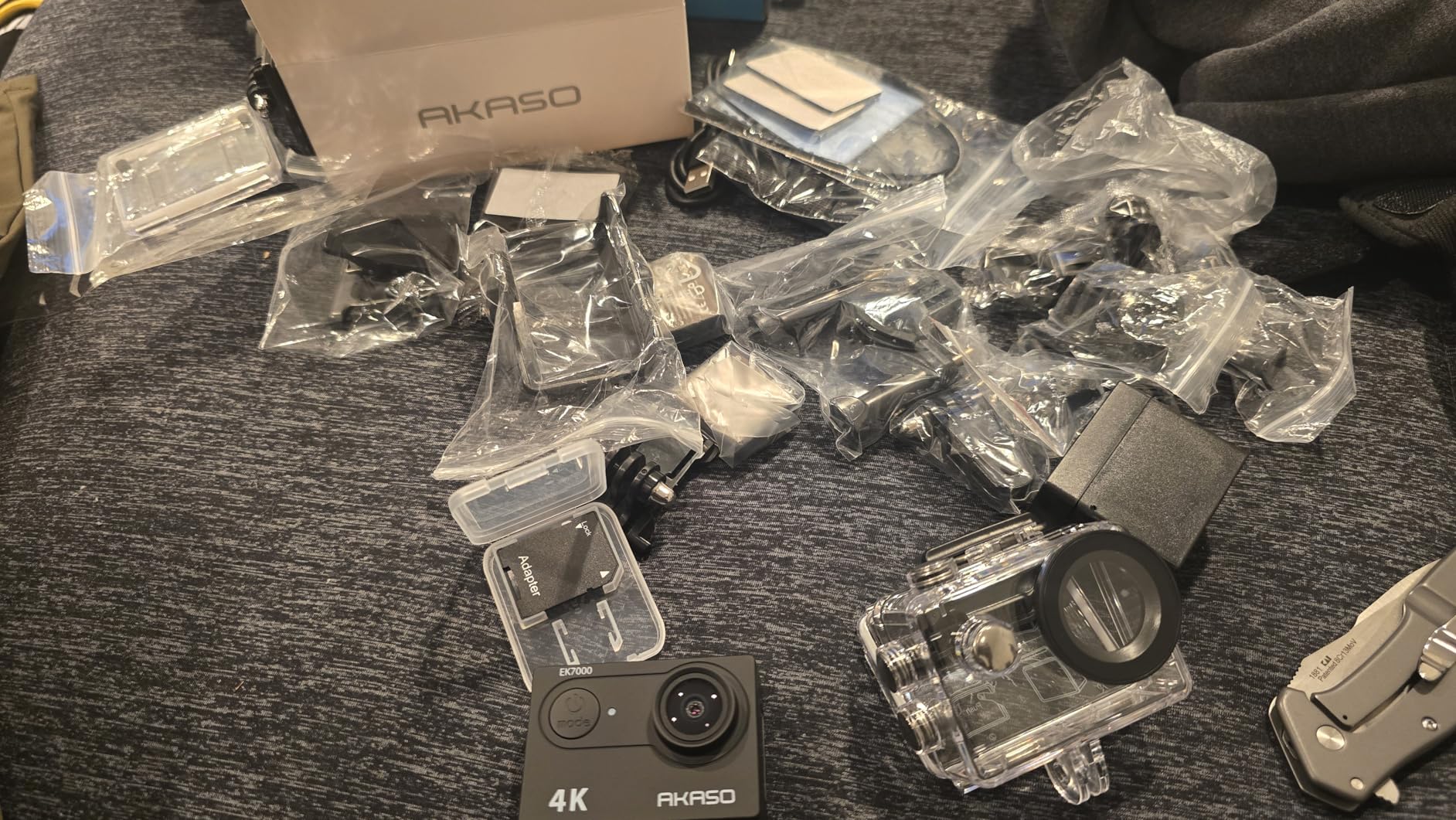
- Two batteries and a dual charger in the box
Cons
- Onboard audio is muffled and wind prone so narration needs an external mic
- Frame rate drops in dim rooms and 4K detail is soft
- App-based recording control can stop unexpectedly and batteries run about 90 minutes
Action cameras get overlooked for tabletop work, which is a mistake. This one weighs two ounces, has a wrist remote, and clamps to anything with a 1/4 inch thread – including a cheap overhead arm that a mirrorless body would sag under. For a first overhead rig it is hard to argue with.
Electronic stabilization does a decent job of smoothing the small vibrations that come from a desk, an arm and a busy room. It will not replace a gimbal, but for a locked-off painting shot it removes enough shake that you can cut straight into a wider timeline without a stabilization pass.
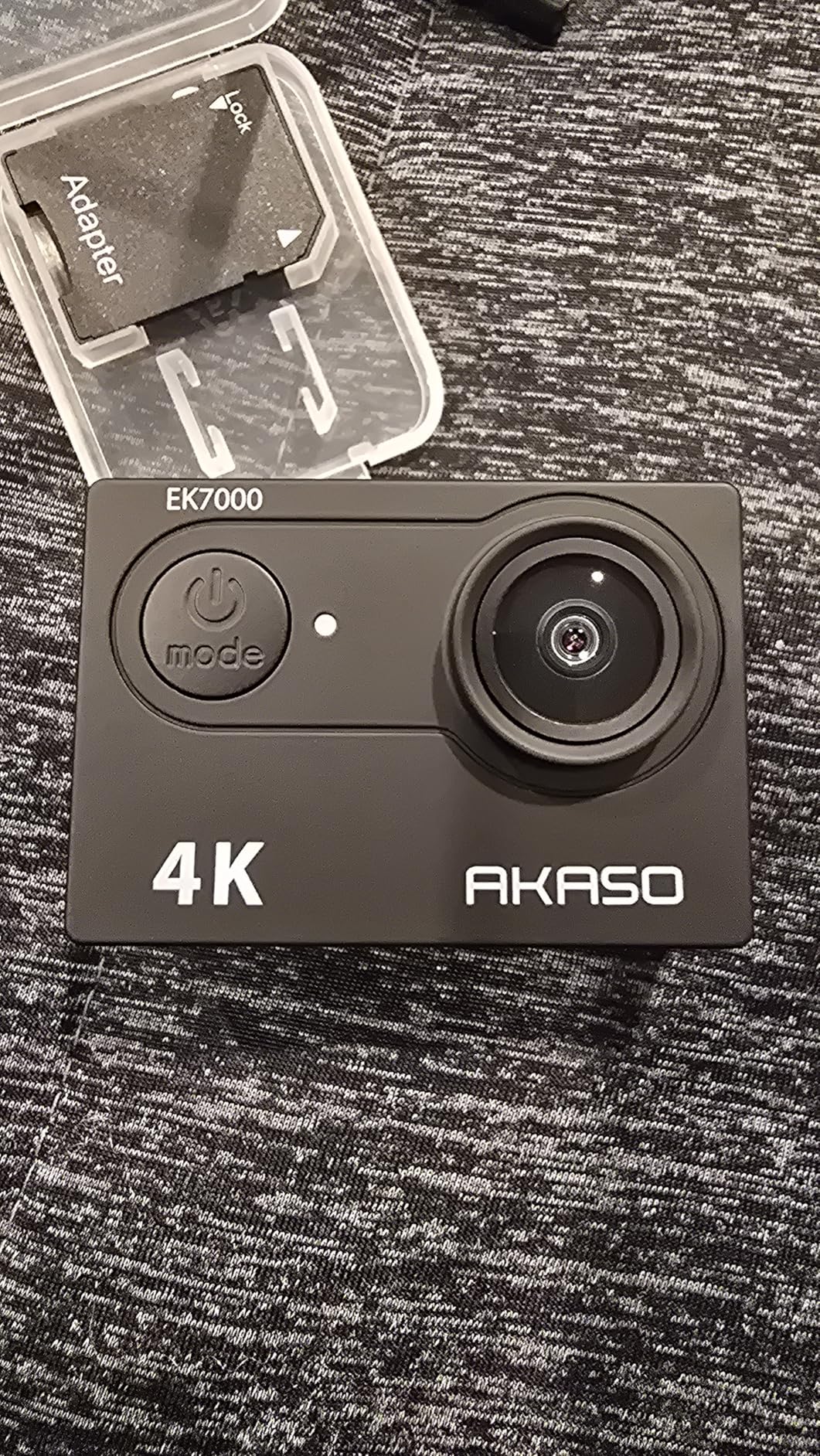
The 170 degree wide lens is the limitation to plan around. It is built to capture landscapes in a small frame, so close up the framing on a single miniature will be very wide and you will move the camera to change it rather than zooming. Working distance to a 32mm model is short, which is a problem on a long overhead take.
4K detail is soft compared with a larger sensor, and the frame rate drops in dim rooms. In a well-lit hobby space at 4K30 it is perfectly serviceable; in a dim one at night it is not.
Is an action camera usable for a painting process video
Yes for the wide overhead process shots that make up most of a painting video, and no for the close detail inserts. It is a good companion camera for a second angle, and a good first camera for someone who is not ready to commit to a mirrorless body and a macro prime.
What to fix before you record
Audio first. The onboard microphones are muffled and wind prone, so narration needs an external mic. Record from the wrist remote rather than the app, which owners report can stop recording unexpectedly, and keep spare batteries charged since each one runs roughly 90 minutes.
10. Duluvulu DC101 – the Easiest Way to Start a Painting Channel
Duluvulu 4K Digital Camera for Photography Autofocus, 2026 Latest 48MP Vlogging Camera for YouTube with SD Card, 2 Batteries, 3″ 180°Flip Screen Compact Travel Camera for Teens with 16X Zoom,Black
Pros
- 180 degree flip screen simplifies tabletop and selfie framing
- Functions as a USB webcam for live painting sessions
- Bundle includes a 32GB card two batteries a strap and a bag
- Time-lapse and slow motion modes suit long paintings
- Light and simple enough for a first channel
Cons
- 1/3 inch sensor means the 48MP figure is upscaled
- 16X zoom is digital only and softens past a few times magnification
- No optical or macro capability so true close-up filming is out of reach
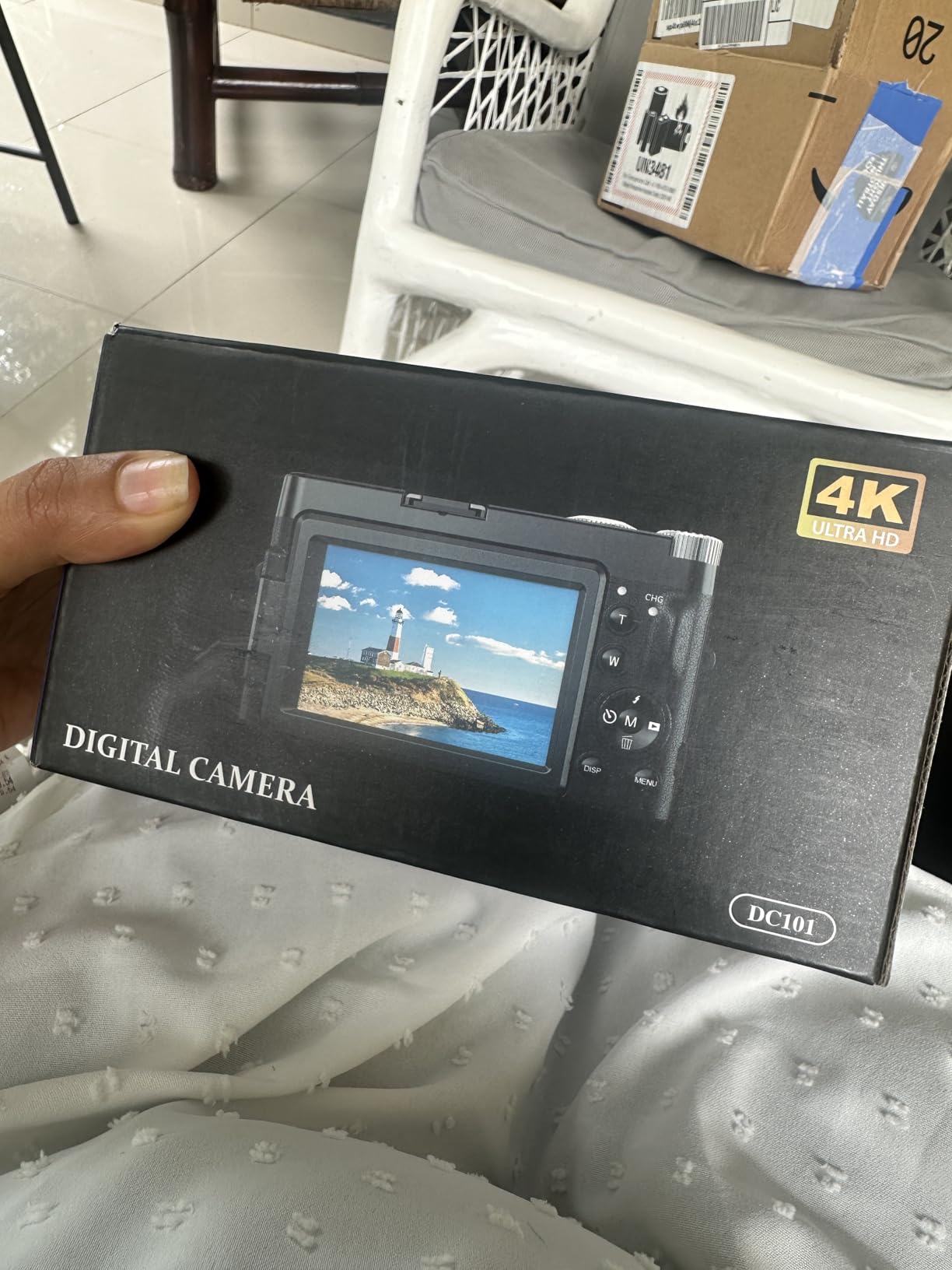
I want to be straight about what this camera is: a complete beginner kit rather than a macro tool. The flip screen, the bundled accessories and the webcam mode make it the least intimidating way to start filming a painting channel, and for a wide process shot of a whole desk it does the job.
The accessory bundle genuinely matters at this level. A 32GB card, two rechargeable batteries, a cable, a lens cap, an adapter, a strap and a bag means nothing else needs buying before the first take, which removes the most common reason beginners stall.
Time-lapse and slow motion modes are quietly useful here. A miniature that takes six hours to paint is a strong candidate for a compressed time-lapse, and a fixed camera with no lens swap is perfectly suited to locking one off and letting it run.
The flip screen is the feature that earns its keep. It turns the camera toward you for a talking segment, then down toward the desk, without unplugging anything. A swivel mount helps with framing, and the exposure compensation of minus 3 to plus 3 stops gives you some manual control in mixed light.
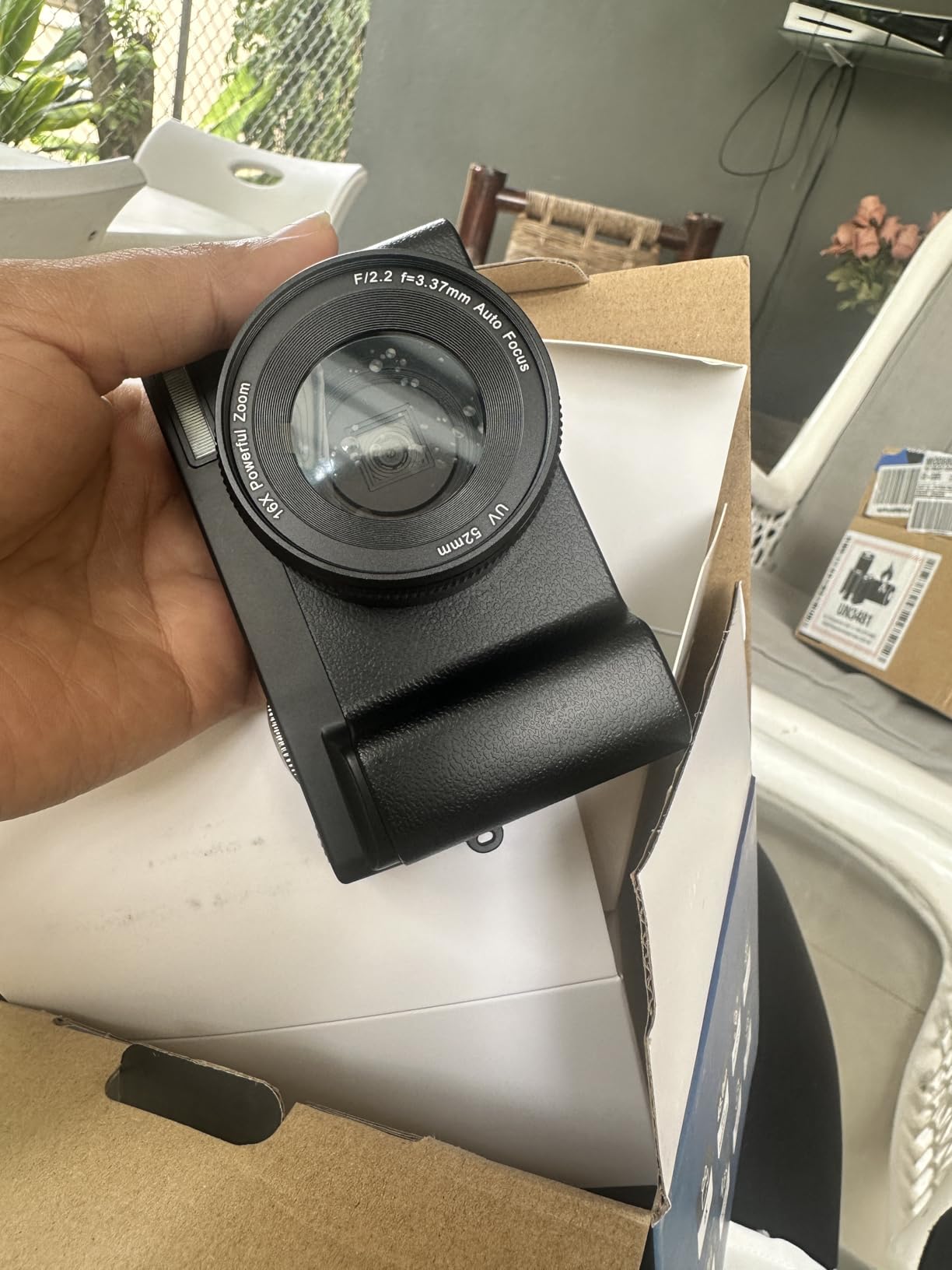
Can this camera film a miniature close up
Not in the true macro sense. The fixed lens has no optical close focus, and the 16X figure is digital, so the picture softens quickly as you try to get closer. It can frame a model at desk distance and it cannot give you a brush-tip insert.
What you need to add or accept
There is no audio input, so narration has to be recorded separately and synced in edit. The 1/3 inch sensor means the 48MP number is upscaled rather than captured, and detail in dim conditions is limited. Accept those limits and it is a fine first camera; expect to move up once your channel grows.
How to Choose a Camera for Painting Videos
Six things decide whether footage of a painting desk looks good. Everything else on the spec sheet is secondary, and the order below is roughly the order in which you should care about them.
1. Close focus comes first, and it comes from the lens
Minimum focus distance is how close the front element gets to your subject, and reproduction ratio is how large the image is relative to life size. A 1:1 macro lens puts a 32mm model across the frame at a normal distance. Almost no camera body focuses that close on its own, which is why a body without a close-focus lens cannot film miniatures properly, whatever the sensor size.
When you are budgeting, count the rig rather than the body. A mirrorless body, a macro lens, a light, a lav mic and an arm together cost far more than the camera, and hobbyists regularly report that the body is not the part that makes footage look good. Our guide to cameras for unboxing videos covers a different kind of close-up desk work if you shoot several kinds of content.
2. Depth of field, not megapixels
At macro distances depth of field is measured in millimetres, and that is the real constraint. A larger sensor lets you blur the background, but it also makes everything razor thin unless you stop down. A smaller sensor with more depth of field is arguably the better tool for showing a whole painted model legibly.
You will need to raise the aperture to get a usable depth of field, which means you will need light. Experienced painters put it plainly: more light, not a better camera, is usually the constraint. A cheap lav mic improves a video more than any body upgrade too, and that advice comes up constantly in hobby forums.
3. Autofocus behaviour, and how to stop it hunting
Hunting is the single most reported problem in miniature painting communities. The cause is simple: a moving hand and brush enter the near foreground, the camera has no idea you care about the miniature, and it refocuses on whatever is closest.
Four fixes, easiest first. First, frame wide and crop in later, so focus has a large area to work with. Second, use a smaller focus area, a single point or a restricted zone, rather than a wide automatic field. Third, turn autofocus off and focus manually with focus peaking, which outlines sharp edges in bright colour and is the correct answer at macro distances for video. Fourth, add light so you can stop down further, which physically increases the depth of field and removes the problem at the source.
Extension tubes can get you closer, but they greatly reduce the focus range and cost you maximum aperture, which makes an already thin depth of field thinner still. If you can only afford one accessory, spend it on a close-focus lens and a light.
4. 4K is about crop latitude, not sharpness
Record 4K so you can move the frame afterwards. If you record in 4K you can crop to anywhere inside the frame, so you do not have to nudge the camera – and nudging the camera is what pulls focus off the model. Prefer an uncropped or full-width 4K mode, and check whether 4K 60p is cropped on the body you are considering.
Frame rates worth having: 24 or 25 for a normal-looking process video, 30 for smoother motion, 60 for slow-motion detail inserts. Match your shutter to your frame rate for natural motion blur.
5. Stabilization and mounting decide your shot types
A boom arm or overhead mount gives you locked-off top-down shots and 45 degree shots, which is most of what a painting video is. In-body or lens stabilization then buys you the handheld push-ins in between. A body without stabilization is fine on a firm mount and frustrating the moment you want to move.
Webcams are worth considering seriously for the overhead position. They do not overheat, they draw power continuously, and their long reach relative to their small size is genuinely useful over a desk. That is why hobby painters reach for one for live sessions rather than a mirrorless body.
6. Lighting flicker, colour and audio
Test for flicker before you record a long session. Point a phone camera in video mode at your light source and look for banding; if you see it, the light will stripe your footage. Constant-output panels and tested lamps are safer than cheap desk lamps, and any lights you add should be colour-matched to each other and to the ambient light or your paints will shift hue between shots.
For audio, a cheap external microphone beats any onboard camera mic by a wide margin, and the gap is obvious in the edit. Our beginner camera guide for music videos covers another situation where audio outranks image quality.
Frequently Asked Questions
What cameras are best for miniature painting?
For most hobby painters a good 4K webcam is genuinely enough for overhead process shots, because it does not overheat and reaches further than its small size suggests. Move up to a mirrorless body with a 90mm or 105mm macro lens when you want blurred backgrounds and brush-detail inserts. Whatever you use, a close-focus lens and steady lighting matter more than the sensor.
What is the best camera for filming art videos?
A mirrorless body with an articulating screen is the best general tool, because you can mount it overhead at an angle and still compose underneath. Look for uncropped 4K so you can crop detail shots out of a wide take without moving the camera. Pair it with a close-focus macro lens, two matched lights and a lav mic rather than spending the budget on the body alone.
Is GoPro good for macro photography?
Close focus is possible, but focus control and working distance make an action camera a poor fit for a painting desk. The very wide lens that makes it good outdoors means it sits far from a small model and cannot frame tightly, and electronic stabilization plus a fixed focal length leave you no room to reframe. It works well as a locked-off overhead camera for process shots, not for detail work.
What are the downsides of using a macro lens?
The usual drawbacks are a narrow focus ring, a narrow depth of field at close distances and a higher price than a standard prime. At 1:1 you are working in millimetres of focus depth, so a hand moving through frame can pull focus off the model. The practical answer is to shoot 4K, focus manually with peaking, and add light so you can stop down further.
What is the best small camera for recording YouTube videos?
A compact 4K webcam with a flip or swivel screen and a bundled accessory kit is the easiest starting point, since it needs no separate lens and draws power continuously. Choose one with a larger sensor if your room is dim, and confirm it records 4K at 30 fps. Upgrade to a mirrorless body only once you need blurred-background detail shots.
Can I use my phone to film miniature painting?
Yes, and for a first channel it is a legitimate start. Mount it on a rigid overhead arm, lock exposure and focus on the model, and shoot in 4K at 30 fps so you can crop detail shots later. A phone cannot focus as close as a macro lens, so treat it as the wide process shot and consider our u003ca href=u0022https://markus-hagner-photography.com/best-cameras-for-skateboarding-videos/u0022u003esmall camera guideu003c/au003e for the next step up.
The Camera I Would Buy for Miniature Painting Videos
Start with the Logitech Brio. It held focus on the model better than anything else in this roundup, it records 4K30, it will not overheat during a three-hour session, and it needs no lens budget to become useful. Add a matched light from the side and a lav mic, and you have a working channel.
Move up when you need the look, not the resolution. A mirrorless body with a 90mm or 105mm macro lens is the next step: the Panasonic Lumix G85 if you want steady handheld moves and the deepest focus at close range, the Sony Alpha a6700 if you want uncropped 4K 60p in a light body, and the Sony Alpha 7 IV if you want a full-frame 33MP sensor and 10-bit 4K for genuinely cinematic detail shots.
Whichever route you take, test for flicker, focus manually with peaking once you are set up, and count the whole rig rather than the body. That is what turns a hobby channel into footage people actually watch, and it is the whole answer to the best cameras for miniature painting videos in 2026.