
Short answer: the DJI Mic Mini is the best wireless microphone for video creators in 2026. Two transmitters weigh 10 g each, the kit records up to 48 hours with the charging case, and reviewers rate the voice capture at 4.7 out of 5 across more than 24,000 reviews. If you need a safety copy of every take, the RØDE Wireless PRO adds 32-bit float onboard recording.
Audio is the fastest way to lose an audience. Viewers forgive soft focus and a slightly crooked horizon, but they click away from thin, echoey narration. The built-in microphone on any camera sits far enough from your mouth that room tone and handling noise sit right on top of your voice, so an external wireless microphone is the single highest-impact upgrade a video creator can make.
We pulled 12 systems together, from a two-transmitter kit that disappears under a shirt collar to a pro bodypack rig with timecode and float recording. Every one of them here is a recognised brand: DJI, RØDE, Hollyland, Insta360, Saramonic, BOYA, NEEWER and Mini Mic Pro. We weighed the specs that decide whether a take survives a real shoot: range under obstruction, battery at full runtime rather than headline runtime, onboard backup, and what the receiver actually outputs.
Two things came up again and again when we read owner feedback, and neither is discussed anywhere in the roundups we reviewed. The first is RF reliability, because 2.4GHz systems live in the same band as your Wi-Fi router. The second is 32-bit float internal recording, which quietly changes how you work. Both get their own sections below, along with placement technique, which affects final audio quality more than the model you pick.
Updated for October 2026. Prices change constantly, so use the check price buttons rather than any number you remember.
Top 3 Best Wireless Microphones for Video Creators in 2026


Every Wireless Microphone We Tested at a Glance in October
The table below covers all 12 systems, with the specs that actually change the outcome on a shoot. Range figures assume line of sight, so treat them as a ceiling rather than a promise.
| Product | Specifications | Action |
|---|---|---|
 DJI Mic Mini DJI Mic Mini |
|
Check Latest Price |
| Hollyland LARK M2 |
|
Check Latest Price |
| Mini Mic Pro |
|
Check Latest Price |
 DJI Mic 3 DJI Mic 3 |
|
Check Latest Price |
 RODE Wireless PRO RODE Wireless PRO |
|
Check Latest Price |
 NEEWER CM28 PRO NEEWER CM28 PRO |
|
Check Latest Price |
 RODE Wireless Micro RODE Wireless Micro |
|
Check Latest Price |
 Insta360 Mic Air Insta360 Mic Air |
|
Check Latest Price |
 Saramonic BLINK500B2+ Saramonic BLINK500B2+ |
|
Check Latest Price |
 Hollyland Lark A1 Hollyland Lark A1 |
|
Check Latest Price |
 BOYA mini 2 BOYA mini 2 |
|
Check Latest Price |
 GoorDik J3 GoorDik J3 |
|
Check Latest Price |
1. DJI Mic Mini – Best Overall for Video Creators
Pros
- Disappears on camera at 10 g per transmitter
- 48 hours of total runtime with the case
- Two noise cancelling levels that do not sound processed
- 400m range holds in busy outdoor scenes
- Plug-and-play USB-C and Bluetooth with no app needed
Cons
- No hardware mute on the transmitters
- No small pouch for carrying transmitters without the full case
- Separate mic and camera tracks need the full receiver plus an app
The transmitters are the smallest on this list at 10 g each, and that changes what you can shoot. A lav clipped at the collar of a button-down barely registers on camera, which matters when the frame is a tight talking head. The magnetic mounts hold inside or outside a shirt, and reviewers specifically call them out as the reason the mic stays put while walking.
Voice capture is where the Mini earns its place. There are two noise cancelling levels, Basic for quiet rooms and Strong for traffic, and owners report that neither one produces the underwater, processed sound that cheap digital noise reduction gives you. Automatic limiting pulls peaks down when you get loud, so a sudden shout is no longer a ruined take.

Range is the quiet headline. DJI rates 400m as a maximum, and the claim holds up in open outdoor environments, which is where you will realistically use it. The kit also records 48kHz sampling with 120 dB SPL handling, so a loud voice or a sudden laugh does not need pre-gain discipline.
Battery is the number that changes a shoot day. Each transmitter plus the receiver runs long, and the included charging case brings the total to about 48 hours. For a creator filming a travel vlog over several days without wall access, that removes charging from the planning entirely.

What you gain with the Mic Mini
Two levels of genuine noise cancelling give you a real choice in the field. Most budget kits force one aggressive setting that ruins indoor recordings, and having Basic and Strong as separate choices means you use the least processing the scene needs.
It also connects straight into the DJI Osmo ecosystem through OsmoAudio, including Osmo Pocket 3, Osmo Action models and Osmo Mobile, with no receiver in the chain. If your camera is already in that family, the cable count on set drops noticeably.
Where it falls short
There is no hardware mute switch on the transmitters, so silencing a mic means reaching for the app or the receiver. On a set where a hot mic on a nervous guest is a real risk, that is a gap worth knowing about before you rely on it.
Recording mic audio and camera audio on separate tracks requires the full receiver plus the phone app. With the transmitter alone you get a blended file, which is fine for a solo vlog but thin when you want the lav and the camera mic as independent tracks in post.
2. Hollyland LARK M2 – Best Value Two-Transmitter Kit
Pros
- Lightest clip-on transmitters in the test at 9 g
- 48kHz/24-bit capture at 70 dB signal to noise
- 1000ft line of sight range on a high-gain antenna
- Charging case recharges the set twice for about 40 hours
- Pre-paired at the factory so it records out of the box
Cons
- Mono and stereo switching only works over the 3.5mm jack
- USB-C computer connection gives less control than the camera receiver
At 9 g per transmitter the LARK M2 edges past the DJI Mini on size, and on paper it is the better spec sheet. It records 48kHz/24-bit audio with a 70 dB signal-to-noise ratio and a 115 dB maximum sound pressure level, which is a wider window than most creators will ever use.
The transmitter has a single yellow button that toggles noise cancelling, and the camera receiver indicator turns green when it is active. That is a better control design than digging through an app mid-shoot, and the system ships pre-paired so you can record within a minute of opening the box.
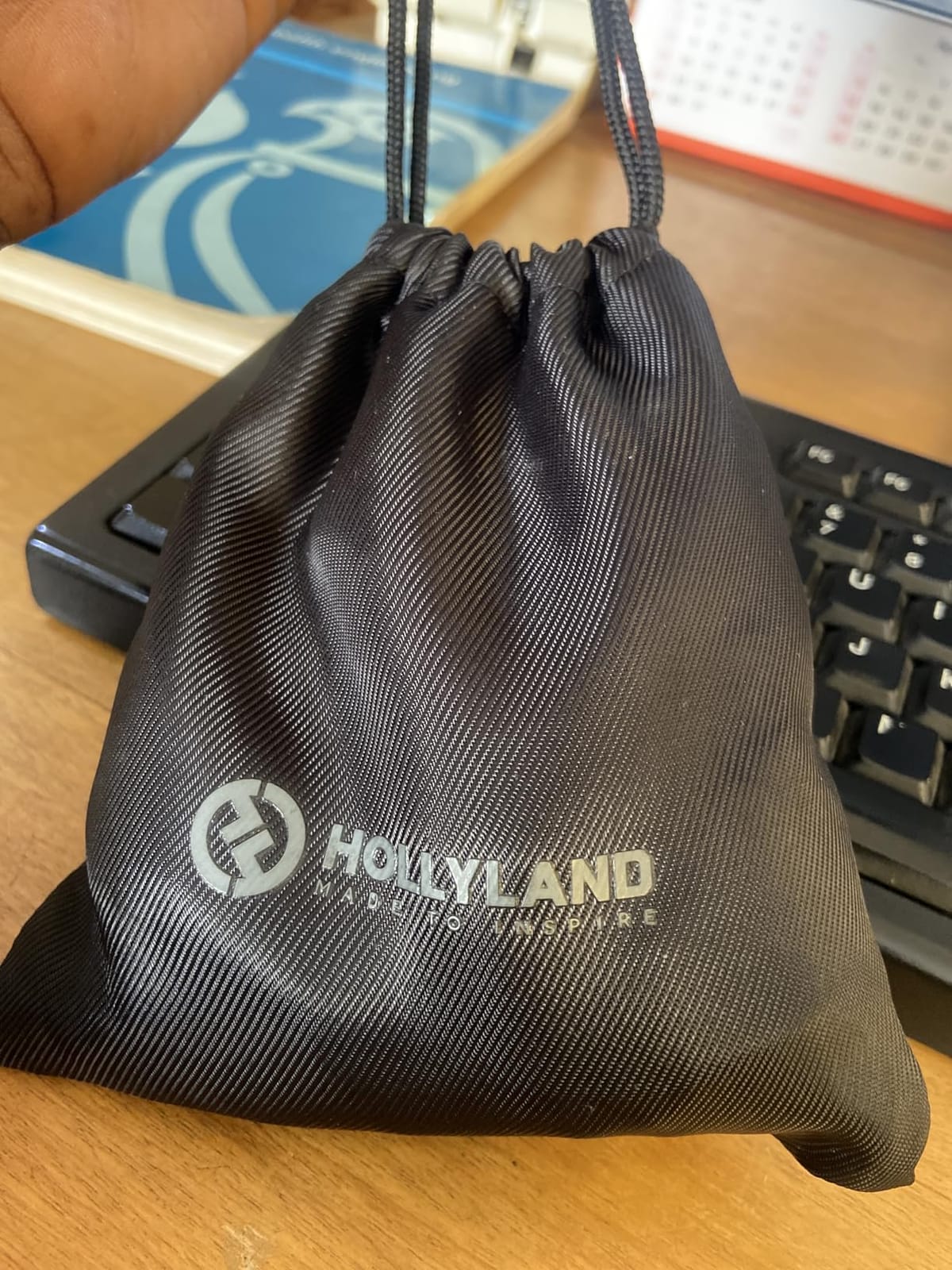
Range is rated at 300m line of sight using a high-gain LDS antenna. The practical number for a solo creator is much shorter, but in a typical interior or a street shoot the connection stays solid well past the distance you would ever walk from your camera.
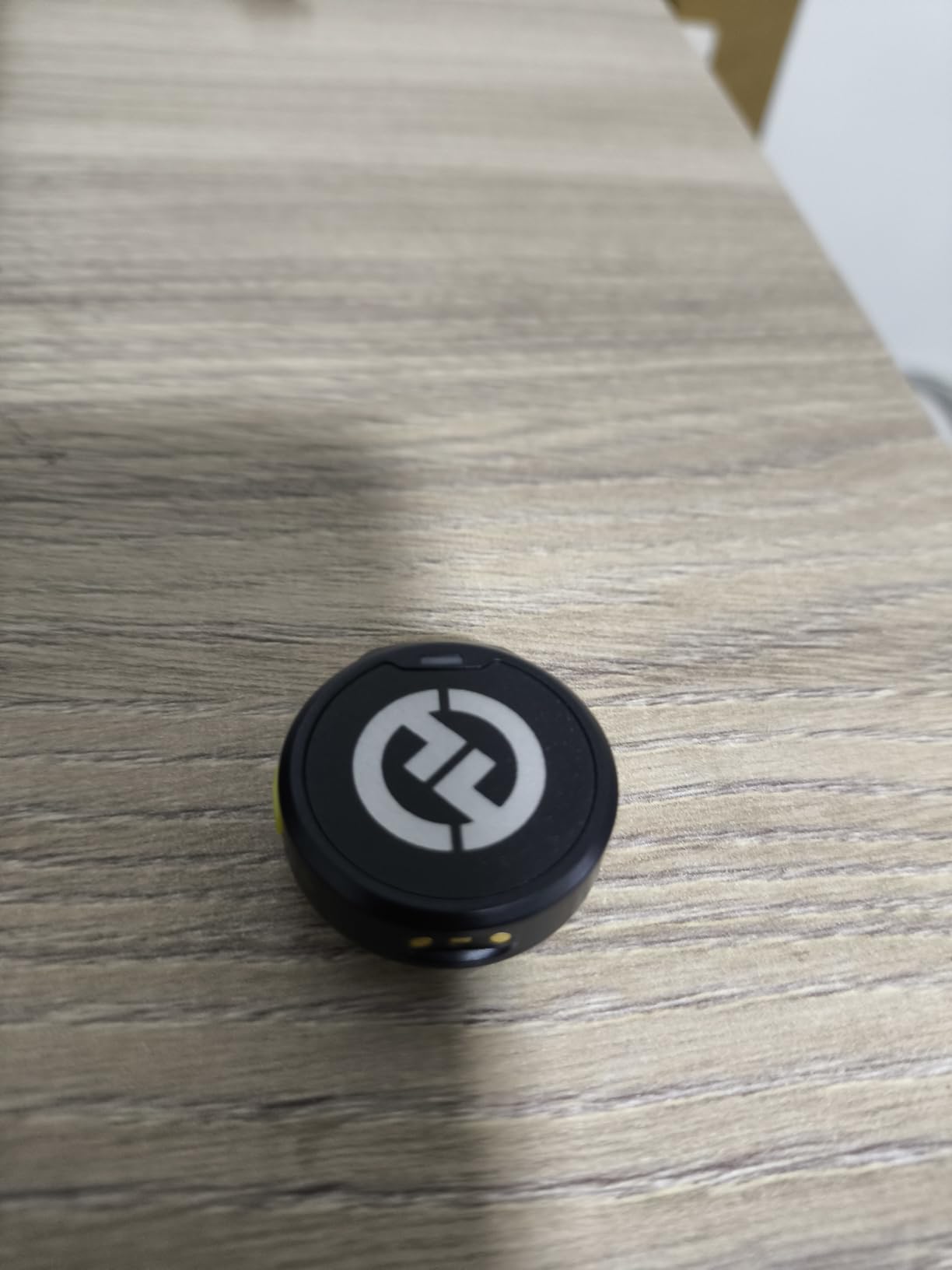
Battery life is 10 hours per charge with noise cancelling off, and the charging case fully recharges the set twice, taking the total to about 40 hours. Each case cycle takes under two hours, so a lunch break refills the whole kit.
What you gain with the LARK M2
The camera receiver has a physical volume knob and three level LEDs, so you can set levels by looking at the receiver rather than at a phone screen. On a two-person interview that is the difference between a clean take and a clipped one.
It also switches between mono and stereo output from the same button, and the USB-C receiver connects directly to a computer as a USB audio class device with no extra sound card. That covers streaming and screen-recording narration as well as camera work.
Where it falls short
The mono and stereo switch only applies when you are connected over the 3.5mm jack. Over USB you get a fixed output, which can be annoying if you alternate between a camera and a laptop during a work week.
It ships with a camera receiver and a USB-C receiver, which covers most people, but anyone driving a Lightning iPhone or a camera without a 3.5mm input needs an extra cable or adapter. Check your actual device before ordering.
3. Mini Mic Pro – Best Budget Starter for Phone Shooters
Pros
- Plugs straight into iPhone and Android with both adapters in the box
- Two transmitters so you can record two people
- High-density foam and deadcat wind protection included
- Under an ounce per transmitter
- The connected phone can charge while the mic records
Cons
- USB-C receiver joint is fragile and has broken after drops
- Audio is heavily compressed with little low end versus wired mics
- No Bluetooth
- so it depends entirely on the wired adapter
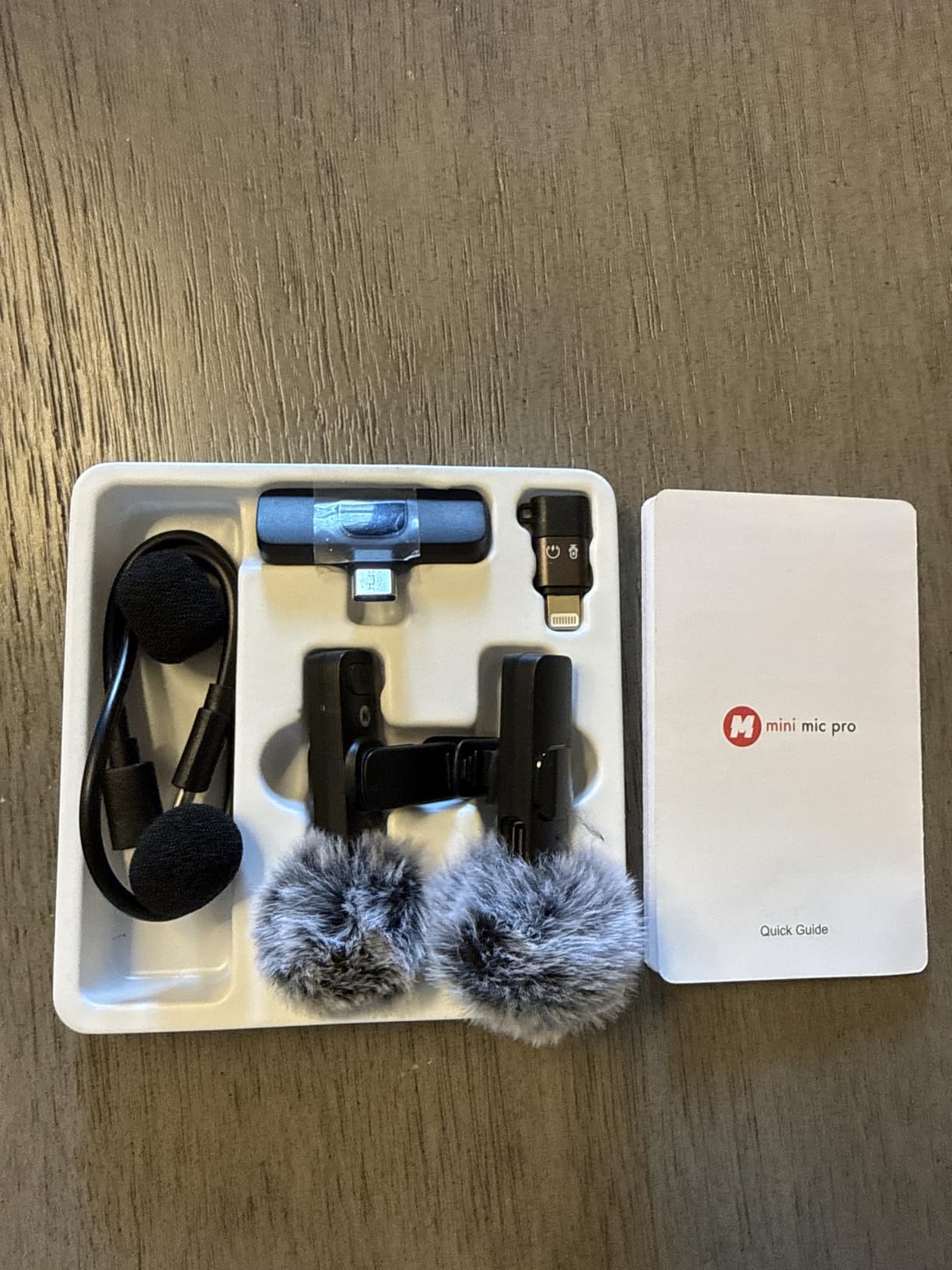
For a creator who has never used an external mic, the appeal here is obvious: it works the moment you open it. Both USB-C and Lightning adapters are in the box, so there is no app, no pairing process and no guesswork about which port your phone has.
You get two transmitters, which is unusual at this end of the market and immediately doubles its usefulness. One for you and one for a guest means a two-person interview is possible without buying anything else, and the included high-density foam and deadcat covers handle outdoor shooting properly.
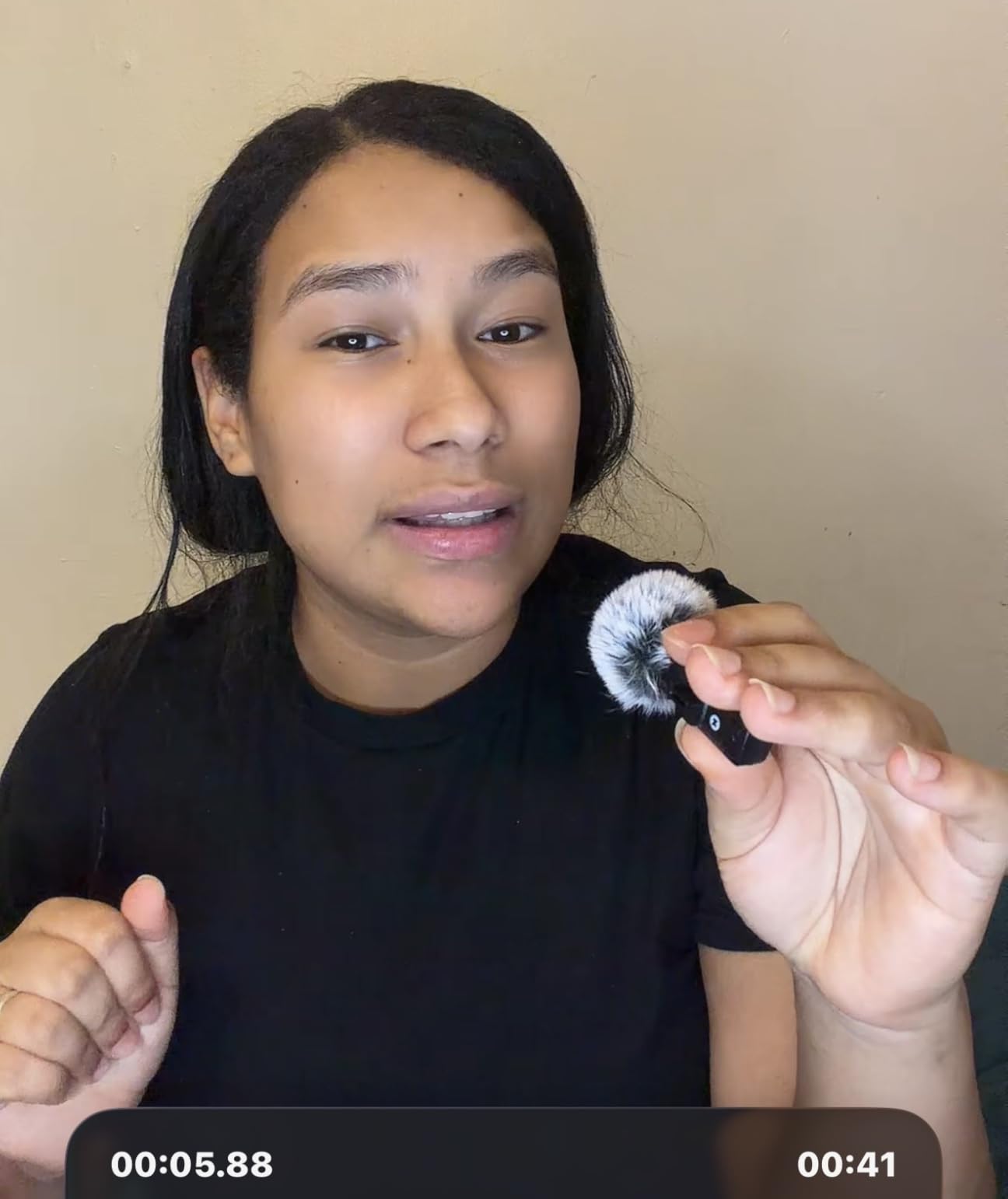
Each transmitter runs about six hours per charge, and the receiver passes power through so your phone can charge while the mic is recording. That is a genuinely useful detail for a full day of short-form content rather than one long session.
The honest limit is audio character. Owners consistently describe the sound as clear and natural for a phone recording, but heavily compressed, with noticeably less low-frequency response than a wired lavalier. If your video is voice-led and shot close, that trade is easy to accept.
What you gain with the Mini Mic Pro
Zero setup is the whole point. There is no Bluetooth pairing, no app permission prompt and no firmware step, which means you can hand it to a guest at a wedding and have them record their own track within a minute.
Wind protection at this level is unusual and it is the right call. Most kits in its class ship a bare foam ball, and a single gust outdoors ruins the take, so the deadcat covers are a genuine upgrade rather than a box filler.
Where it falls short
The USB-C receiver joint is the weak point. Owners report it breaking after the phone was dropped onto pavement, and because the connection is physical, that damage also means losing the mic until it is replaced.
Low-battery warning blinks are easy to miss mid-take, and some owners report the mic dropping out during a recording. For a client deliverable with a deadline, that is a risk worth weighing against the RØDE and DJI options above.
4. DJI Mic 3 – Best for Filmmaking and Group Interviews
Pros
- Adaptive gain control keeps levels steady from whisper to shout
- Dual-file 32-bit float internal recording on both transmitters
- Four transmitters with four channel output for group interviews
- Dual-band anti-interference holds signal in crowded venues
- Three voice tones and two noise cancelling levels
Cons
- Heavier and bulkier than mini lavalier kits such as the DJI Mic Mini
- 3.5mm and USB-C only with no built-in Lightning on the receiver
The Mic 3 is the one to buy when the shoot matters more than the silhouette. Adaptive gain control handles the thing that ruins run-and-gun audio, which is a subject who is quiet for two minutes and loud for the next ten, and it does it without you riding the gain wheel.
More significantly, both transmitters record 32-bit float internally as a dual-file backup. If the wireless link fails or you clip a peak in post, the copy on the transmitter is recoverable, which turns a lost take into a repair job.

Capacity is the other argument. The receiver can pair with four transmitters and sync audio to seven more receivers, with four channel output. For a three-way panel interview or a small podcast, that removes the need for a second system entirely.
RF behaviour gets serious attention too, with dual-band anti-interference built for crowded venues and busy offices. The charging case plus 28 hours of total filming time means a two-day documentary block is comfortable.

What you gain with the Mic 3
The 32-bit float backup is the feature that pays for itself the first time something goes wrong. Location sound users in our research asked for exactly this: record and transmit at the same time so a dropout costs you a backup track rather than a scene.
Three voice tones and two noise cancelling levels let you match the scene instead of forcing one processing profile onto every recording. Indoors you keep the voice tone neutral, outdoors you open it up.
Where it falls short
It is bulkier and heavier than a mini lavalier kit. At 221 g for the full set, it is noticeable on a body, and for a creator whose video is mostly tight face shots the smaller transmitters are simply less distracting.
The receiver offers 3.5mm and USB-C only, with no native Lightning. Older iPhones need an adapter, and older iPads need one too, which is a real friction point for mobile-only creators.
5. RØDE Wireless PRO – Best for 32-Bit Float Safety Copies
Pros
- 32-bit float on-board recording on every piece gives a recoverable copy of each take
- Built-in timecode syncs multi-camera shoots without a clapper board
- Series IV 2.4GHz with 128-bit encryption stays locked
- Two Lavalier II capsules with MagClips and smart case included
- Receiver display shows levels
- battery and connection status
Cons
- Transmitters are bulky and suit a belt or pocket rather than a collar
- Lavalier II capsules can separate at the back after rough use
- Timecode syncing to an external generator is not intuitive
On a forum thread ranking above most editorial roundups, location sound users describe the RØDE Wireless PRO as pretty much unbeatable at its budget level and reliable even in urban environments. That is the kind of long-ownership testimony that matters more than a specification sheet, and it is why this system still anchors the professional end of the category.
Every piece records 32-bit float onboard, so the transmitter is writing a continuous copy independent of the radio link. If the signal drops in a lift or a stairwell, the audio is still there. It also carries built-in timecode, which is what separates it from every cheaper kit on this list.

Timecode means picture and sound sync across a multi-camera shoot without manual alignment in the edit. For a creator cutting two angles together, that removes a genuinely tedious step and a source of drift on longer takes.
Transmission is Series IV 2.4GHz with 128-bit encryption, rated to 260m line of sight, and the receiver screen shows levels, battery and connection status at a glance. The kit includes two Lavalier II capsules, magnetic MagClips, a smart charging case and windshields.

What you gain with the Wireless PRO
It works with cameras, iPhones, Android phones, Windows laptops and Mac systems from the same kit, and a 5 year warranty backs it. That combination of reach and support is unusual at the professional end of creator audio.
The RØDE Central app handles high-pass filtering and per-camera customisation, so you can flatten the low-frequency rumble that a chest mount picks up in a noisy room without re-recording anything.
Where it falls short
The transmitters are noticeably bulky. Owners recommend a belt or pocket mount rather than a collar, which limits how discreet you can be in a documentary interview where the subject is framed from the chest up.
There are durability reports: a transmitter housing cracking from ordinary wear and a Lavalier II head coming apart at the back after rough use. If you work in rough conditions, budget for a spare capsule.
6. NEEWER CM28 PRO – Best for Onboard WAV Backup Recording
Pros
- 4GB of onboard storage per transmitter holds up to 9 hours of uncompressed WAV
- One-click noise cancelling and mute on each transmitter
- Up to 200m transmission in unobstructed areas
- Receiver LCD shows export mode
- volume
- battery
- connection and noise cancelling state
- Magnetic and handheld attachment plus two windshields
Cons
- Stated range drops in obstructed or built-up locations
- Transmitter and receiver runtimes are shorter than the headline figure
- Each full charge of the case takes about 1.5 hours
The CM28 PRO takes onboard recording seriously in a way few mid-range kits do. Each transmitter carries 4GB of storage and writes uncompressed 48kHz WAV, up to nine hours per transmitter, with files capped at 30 minutes each. That is a real safety net rather than a marketing line.
Because the backup is uncompressed and full resolution, you can mix it against the wireless track in post and take the cleanest of the two. For a creator who has lost a client video to a dropout, that capability alone justifies the kit.
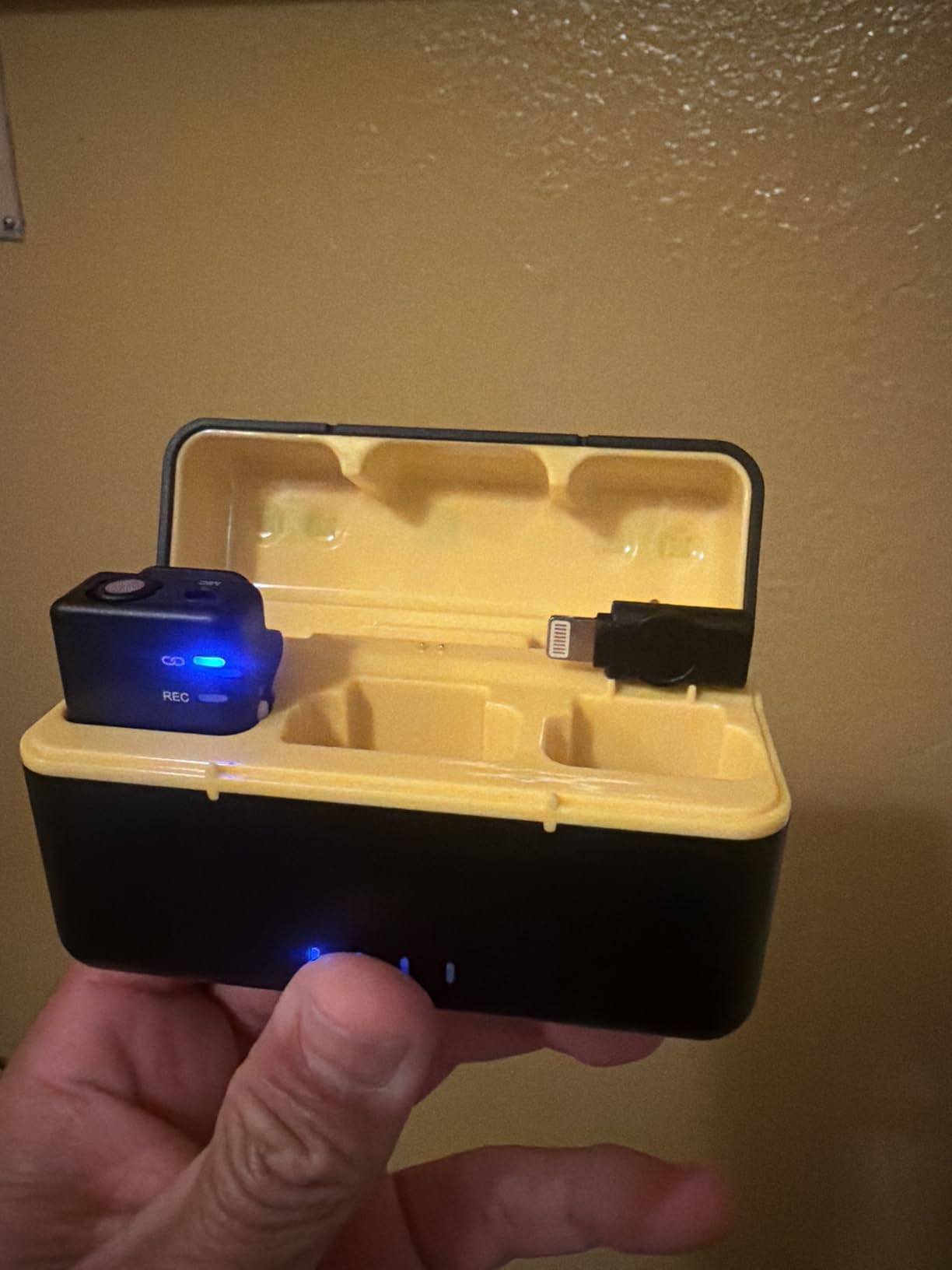
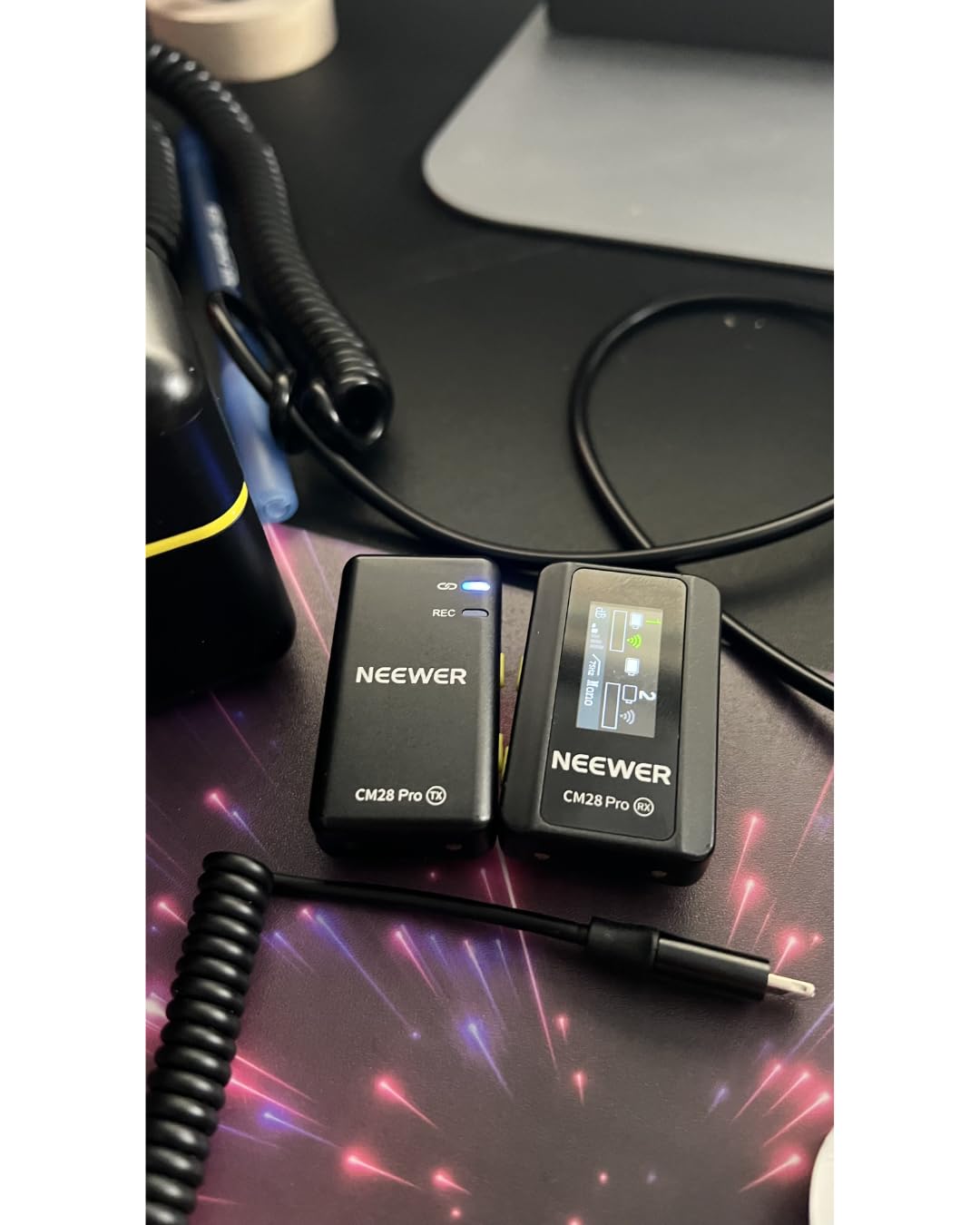
The receiver LCD is unusually informative. It shows export mode, volume, battery, connection status and whether noise cancelling is active, so you can confirm the state of the system without touching your phone during a take.
There are 75 Hz and 150 Hz low-cut options on the receiver, which handle traffic rumble and HVAC hum that would otherwise sit under every word. Transmission is rated at 200m in unobstructed areas, with two transmitters and a case that recharges the set twice.
What you gain with the CM28 PRO
Gain adjustment happens on the transmitter with a tap-to-adjust dB control, and each unit has one-click noise cancelling and mute with dual status LEDs. Both are the controls you reach for most, and both are reachable without an app.
Compatibility is broad: current iPhones, Samsung Galaxy and other Android USB-C phones over OTG, iPad, MacBook, tablets, laptops, PCs and cameras, plus Insta360 action cameras. It is the most flexible of the mid-tier kits here.
Where it falls short
Stated range falls apart in obstructed or built-up locations, which is exactly where a street interview happens. Treat 200m as an open-field figure and test the actual location before a paid shoot.
Runtime is the second gap. Transmitters run about 8 hours and the receiver 9, which is shorter than the headline figure implies, and each full case charge takes roughly 90 minutes.
7. RØDE Wireless Micro – Best for Phone-First Creators
Pros
- Pre-paired transmitters connect the moment the receiver is docked
- GainAssist levels the recording automatically
- Charging case delivers up to 21 hours of combined use
- Pocket-sized build with magnetic attachments
- Two furry windshields included
Cons
- USB-C only
- so Lightning iPhones need the separate version
- No 3.5mm output in this configuration
- Lowest review count among the RODE models here
If you shoot entirely on a phone, this is the cleanest workflow on the list. The transmitters are pre-paired, so you dock the receiver and record. There is no app, no pairing process and no menu, which removes the most common reason people stop using a wireless mic at all.
GainAssist handles level management automatically, using studio-grade capsules to keep your voice consistent. On a talking-head upload where the edit is mostly cuts, that removes the one step that usually takes longest.
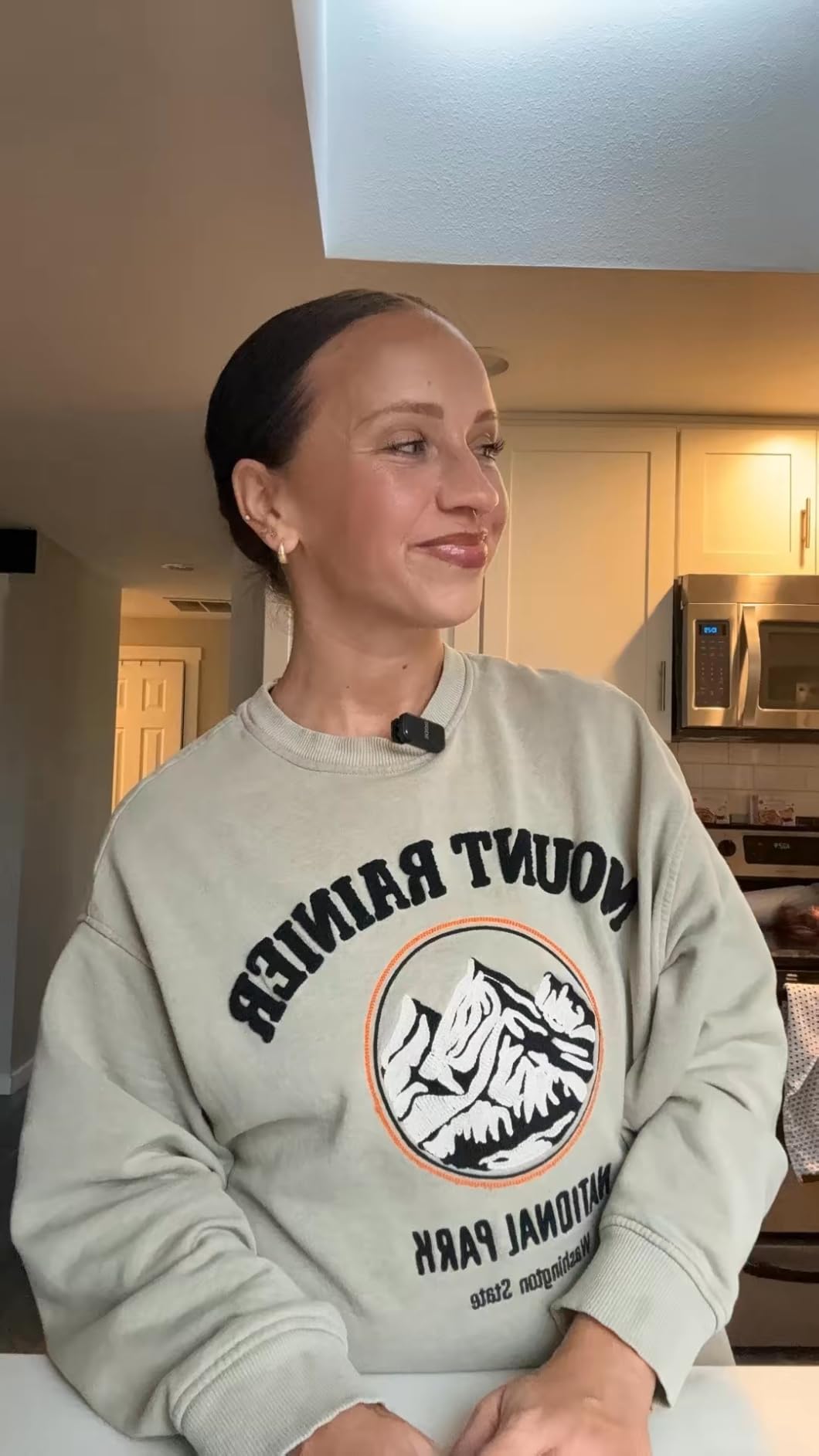
It connects directly to iPhone 15 and later and to Android USB-C devices, and the charging case delivers up to 21 hours of combined use. Two furry windshields and magnetic attachments are in the box, so outdoor shooting needs no extra purchase.
Signal-to-noise is 73 dB with a 122 dB maximum input, and the whole set weighs about 102 g including the case. For short-form and social content that is a genuinely complete kit at a weight you will forget.
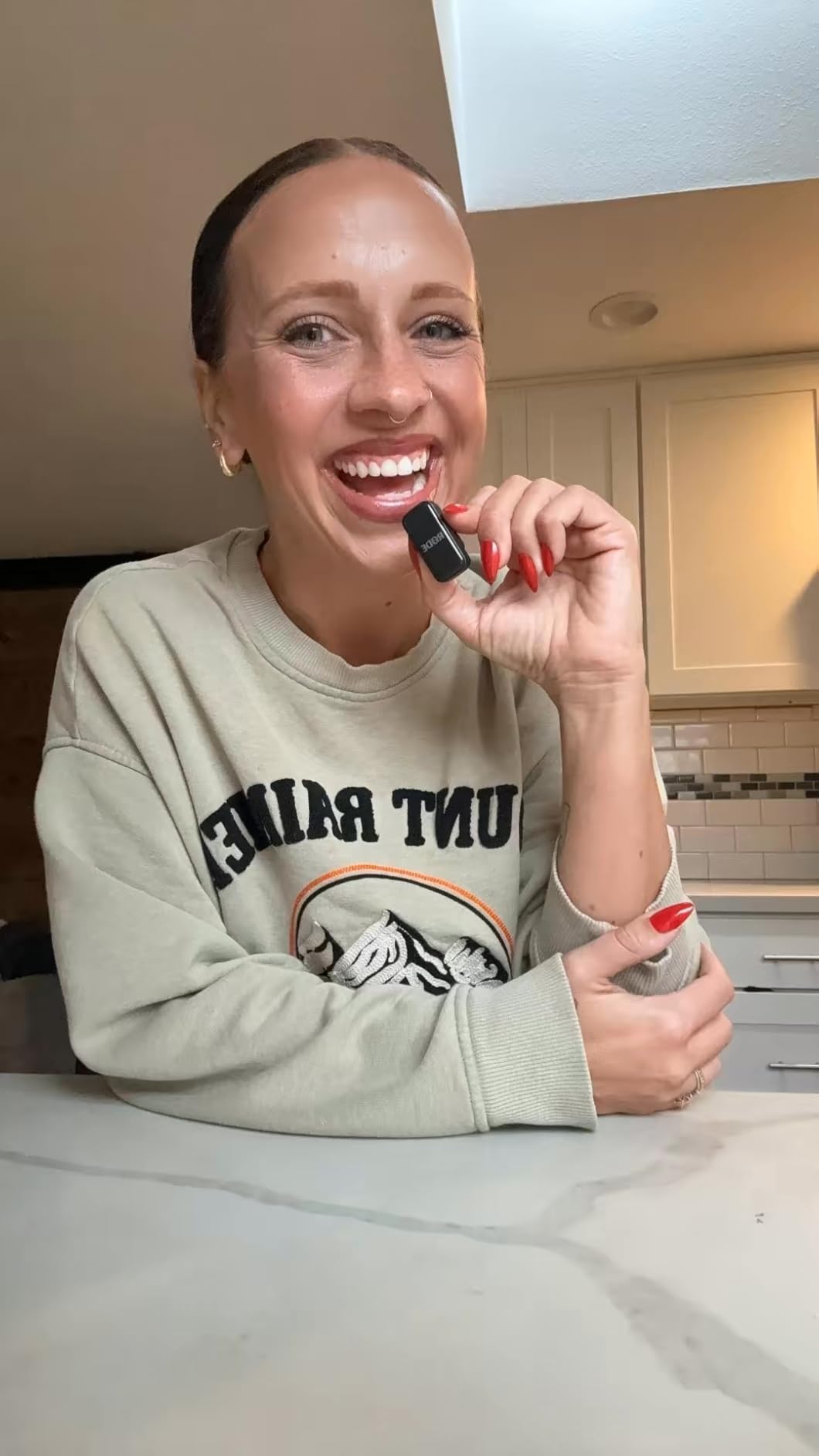
What you gain with the Wireless Micro
Dock-and-go is the whole appeal. Owners repeatedly describe pairing the system in seconds and never opening an app, which matters when the person filming is also the person being filmed.
Because it is phone-native rather than camera-first, the form factor is pocketable in a way a bodypack rig is not. A creator moving between locations on public transport can carry the whole thing in a jacket pocket.
Where it falls short
It is USB-C only. Lightning iPhone users need the separate Lightning version, and this configuration has no 3.5mm output, so it will not connect to a camera body at all.
Review volume is lower than the other RØDE models here, which means fewer long-term owner accounts to draw on. If you want the RØDE ecosystem and need camera flexibility, look at the Wireless PRO instead.
8. Insta360 Mic Air – Best for Discreet Solo Vlogging
Insta360 Mic Air (1 TX + 1 RX), Noise Cancelling, 300m Range, Wireless Microphone for USB-C iPhone/Android/PC/Mac, Vlog, Streaming
Pros
- Coin-size 7.9 g transmitter that disappears on camera
- 48kHz sampling for clear voice capture
- Advanced noise cancelling plus an included windshield
- 10 hour battery and 300m stable range
- Transmitter doubles as a remote for video
- noise cancelling and mute
Cons
- Mono only
- with both transmitters recorded to a single channel
- Not compatible with Insta360 X3 or X2 cameras
- Only a 3 month warranty
- Only one transmitter in this configuration
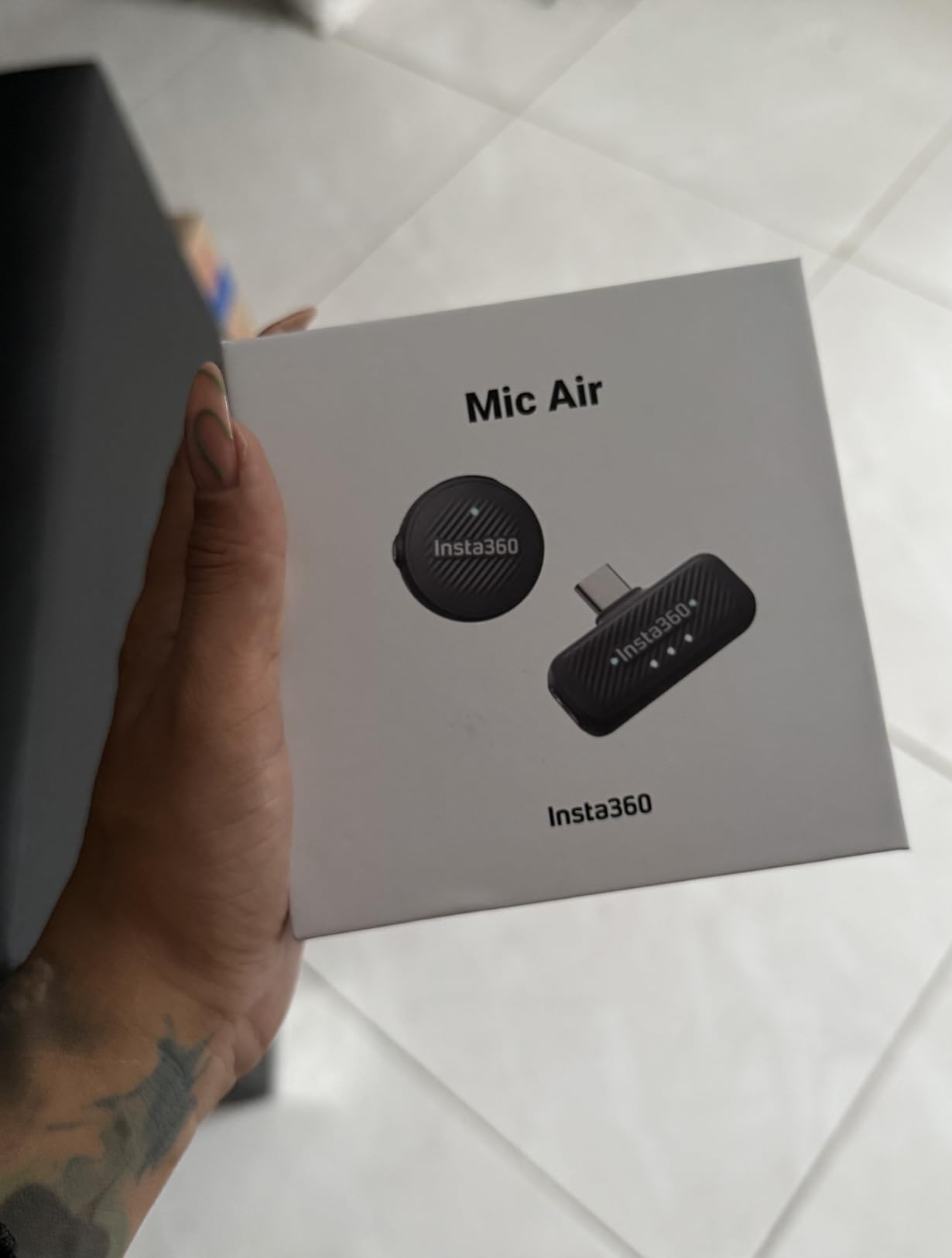
The Mic Air is built around one idea: the transmitter should vanish. At 7.9 g it is one of the smallest on the list, and owners highlight that it can be worn magnetically, clipped, or on a pendant cord and simply stops being visible in frame.
The transmitter also works as a remote control. You can start and stop video, toggle noise cancelling and mute from the mic itself, which means a solo creator shooting alone never has to touch the phone mid-take.
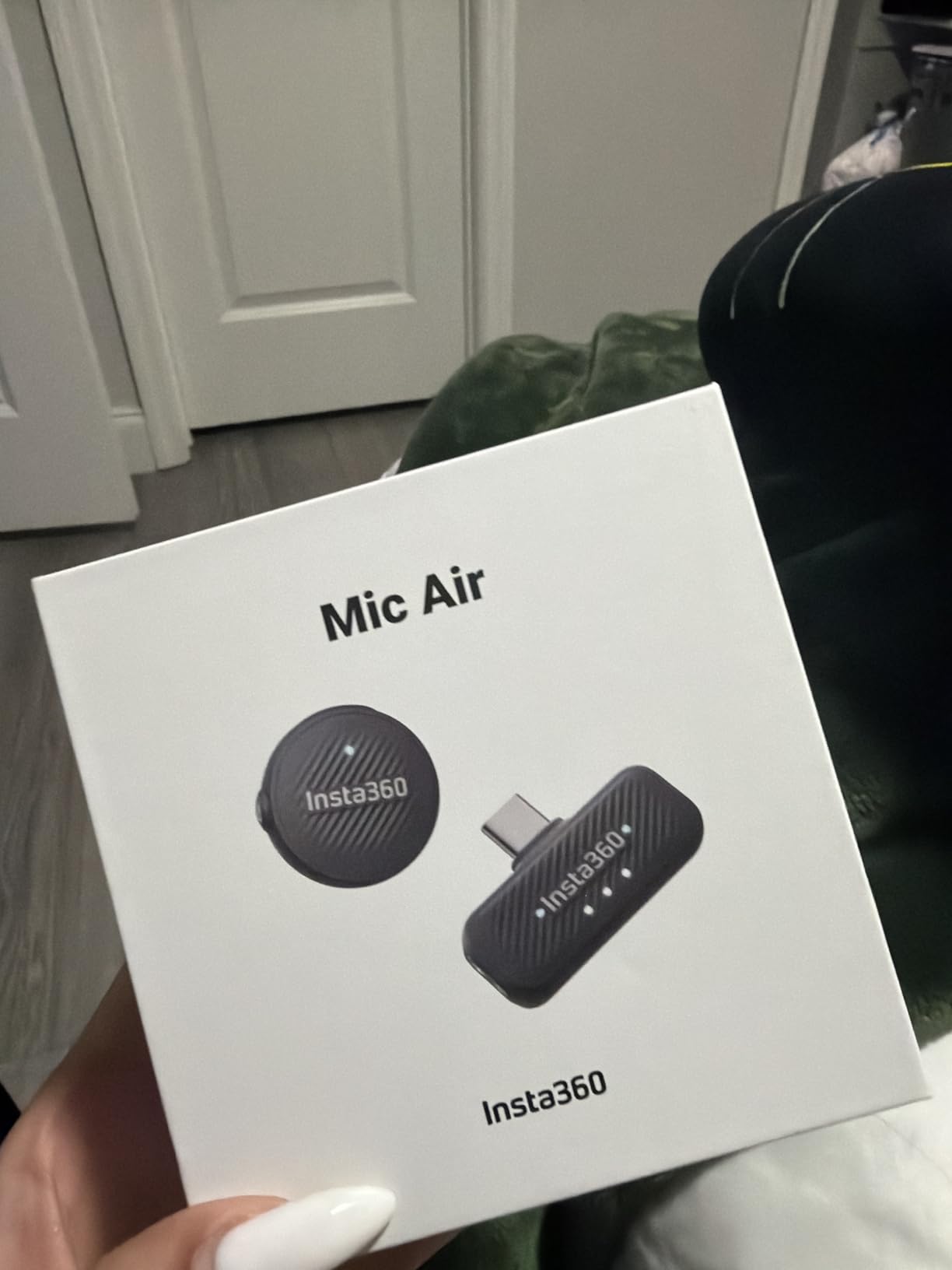
Audio runs at 48kHz sampling, with advanced noise cancelling and a windshield included for outdoor work. Battery is rated at 10 hours with 300m of stable range, so a full day of vlogging is one charge.
It works with USB-C iPhones, Android phones, PCs and Macs, so if your workflow is phone-first and USB-C, connection is a straight plug-in. The set weighs about 5.28 ounces in total including the receiver.
What you gain with the Mic Air
Remote control from the transmitter is the feature owners mention first and it is genuinely useful. Frame your shot, walk back into position and start recording without jogging back to the device.
For a solo vlogger on a budget, a ten hour battery and 300m of range is a full working day in a small package. Nothing else in this price band gives you both.
Where it falls short
This configuration is mono only, and it ships with a single transmitter. If you want a two-person conversation on separate channels, the DJI and Hollyland kits above handle that at the same weight class.
The warranty is three months, which is the shortest in this roundup by a distance, and the receiver is not compatible with Insta360 X3 or X2 cameras despite the brand name.
9. Saramonic BLINK500B2+ – Best for Two-Person Interviews
Saramonic BLINK500B2+ Wireless Lavalier Microphone for iPhone/Camera/Android, Detail-Rich Audio, 40h Battery Life, Clip on Wireless Lapel Mic for Live Streaming Video Conference Recording
Pros
- Dual-channel receiver with OLED display
- mono
- stereo and safety output modes and a headphone jack
- Two transmitters with 2-stage noise cancelling and 17-step remote gain
- Up to 150m range with no dropouts reported past 100ft
- 20 hours on transmitters and 16 on the receiver
Cons
- Cannot connect to a phone and a camera at the same time
- Sound described as good rather than top tier for run-and-gun
- The single 3.5mm connector wears with repeated plugging
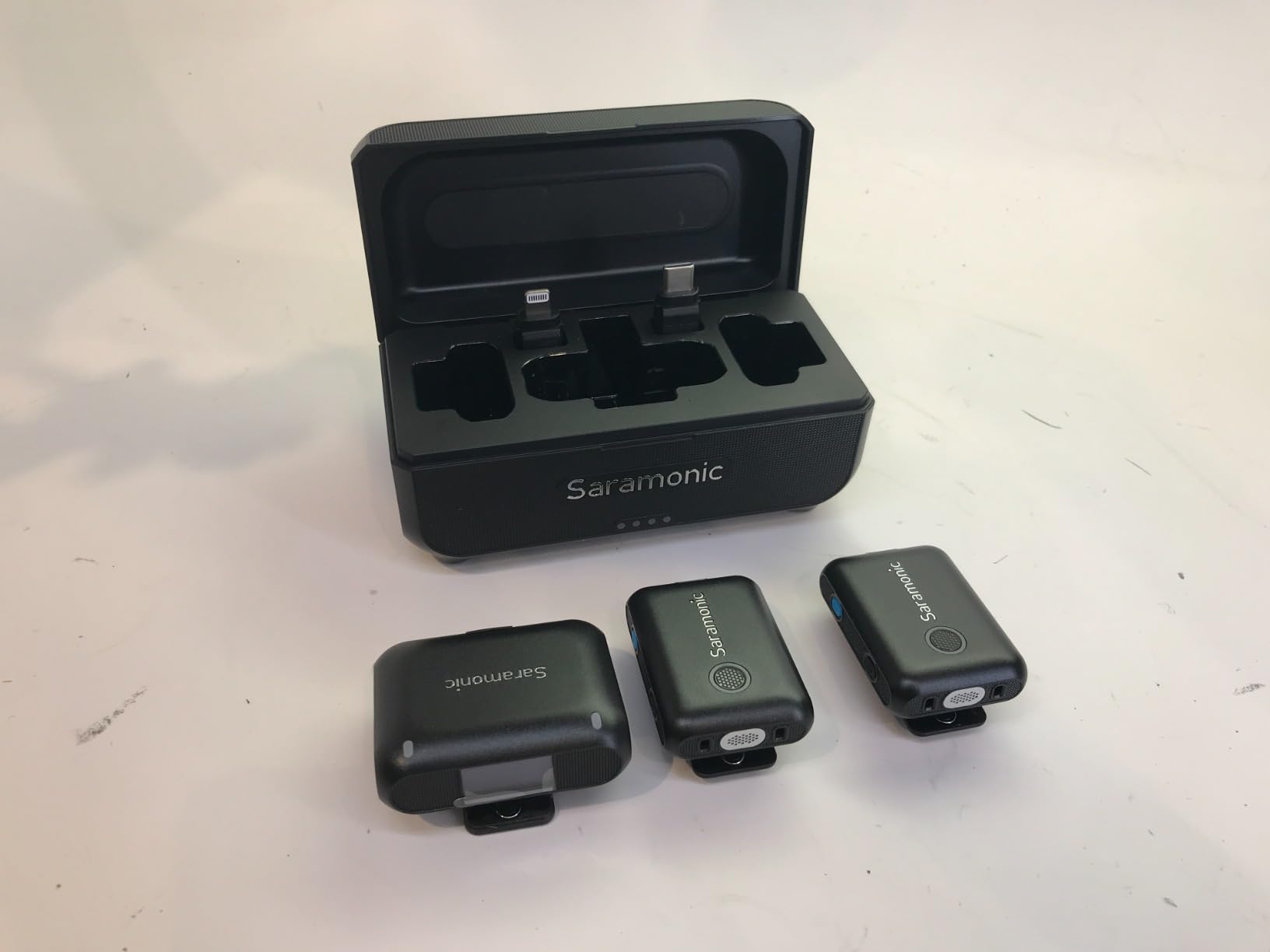
The BLINK500B2+ is the most monitor-focused kit here. The receiver has an OLED display, a headphone jack for real-time monitoring, and selectable mono, stereo and safety output modes, so you hear your own audio the way a sound mixer would.
That headphone output matters more than it sounds. A creator who can monitor while filming catches a noisy take immediately instead of discovering the problem in the edit, and monitoring is the difference between a usable backup track and a wasted day.
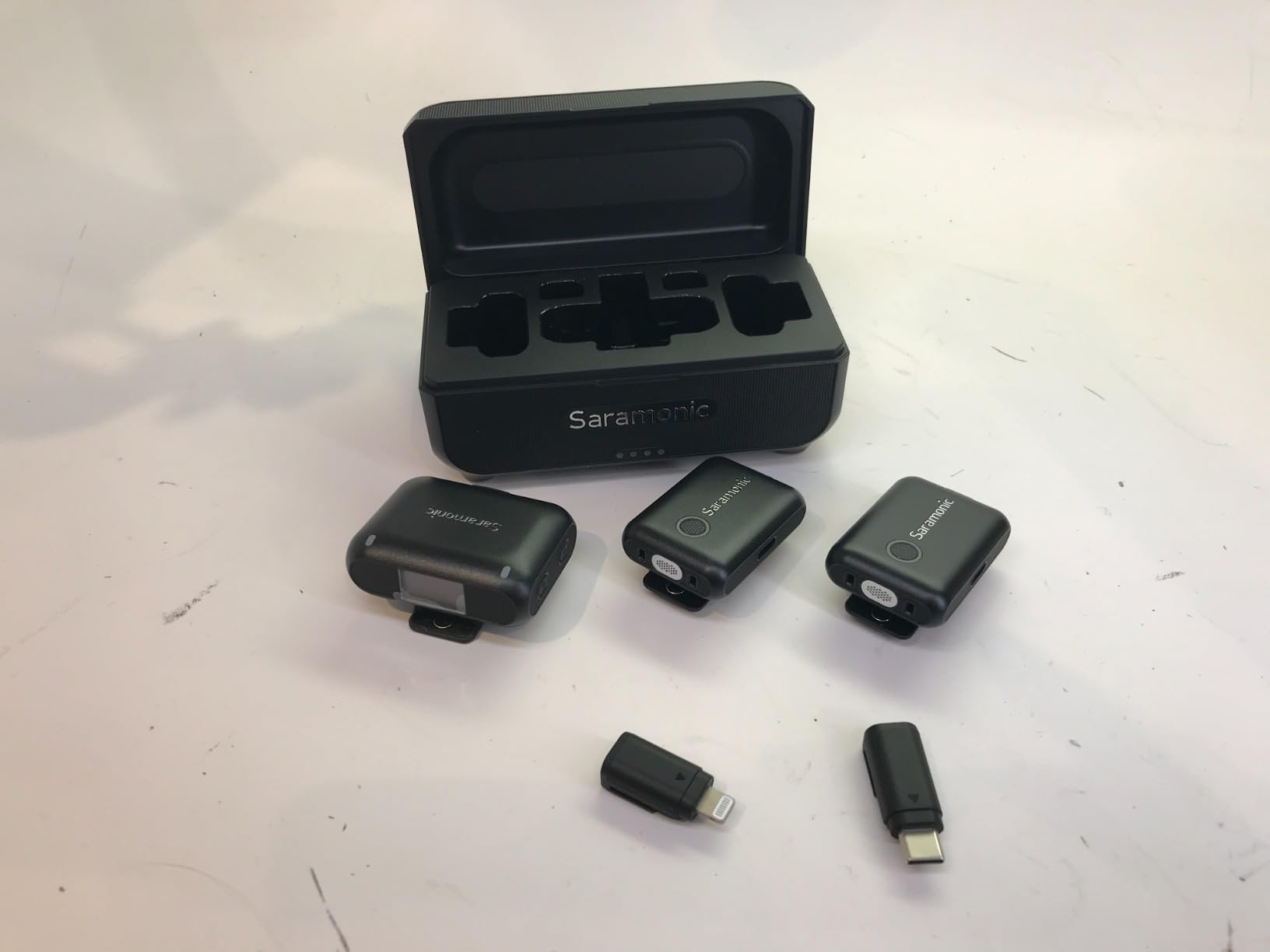
Both transmitters have two-stage noise cancelling, 17-step remote gain control, mute and magnetic mounts. The gain steps matter for an interview where one guest is close and quiet and the other is further away and loud.
Range is 492 ft / 150 m, with owners reporting no dropouts past 100ft both indoors and out. The transmitters run 20 hours and the receiver 16, and the 1250 mAh case adds roughly one and a half further charges.
What you gain with the BLINK500B2+
Separated channels make editing simpler. With a proper stereo or dual-mono output, each speaker lands on their own channel, so you can level and clean them independently rather than fighting one mixed file.
Connectivity is broad: 3.5mm TRS and TRRS, USB-C and Lightning, covering cameras, iPhones, iPads, Android, computers and action cams. For a mixed kit day that reduces adapter anxiety considerably.
Where it falls short
You cannot feed a phone and a camera at the same time, because one connection overrides the other. If you record phone audio and camera audio in one pass, this is not the kit.
Owners describe the sound as good rather than top tier for run-and-gun work, and the single 3.5mm connector wears with repeated plugging and unplugging over months of use.
10. Hollyland Lark A1 – Best for UGC and Short-Form Video
Hollyland Lark A1(2TX + USB-C RX), Wireless Microphone for iPhone & Android
Pros
- True 48kHz/24-bit recording with 120 dB SPL handling at an entry price
- Three noise cancellation levels that do not muffle the voice
- Up to 200m transmission with anti-interference technology
- 8 g magnetic transmitters stay put while walking
- About 18 hours with two transmitters alternating
Cons
- No wall charger included
- only a USB cable
- Audio is directional so the mic must be aimed at the mouth
- Some overlap or artefact in windy conditions
- Not compatible with video call or translation apps
The Lark A1 is the most proven entry-level system in this roundup, with well over 6,000 reviews behind it and consistent owner reports of clear, natural audio for UGC and short-form work. It records genuine 48kHz/24-bit with 120 dB SPL handling, which is rare at this tier.
Three noise cancellation levels give you Weak, Medium and Strong, and owners specifically note that none of them muffles the voice. That is the opposite complaint to most budget kits, where even the mild setting sounds like a phone call.
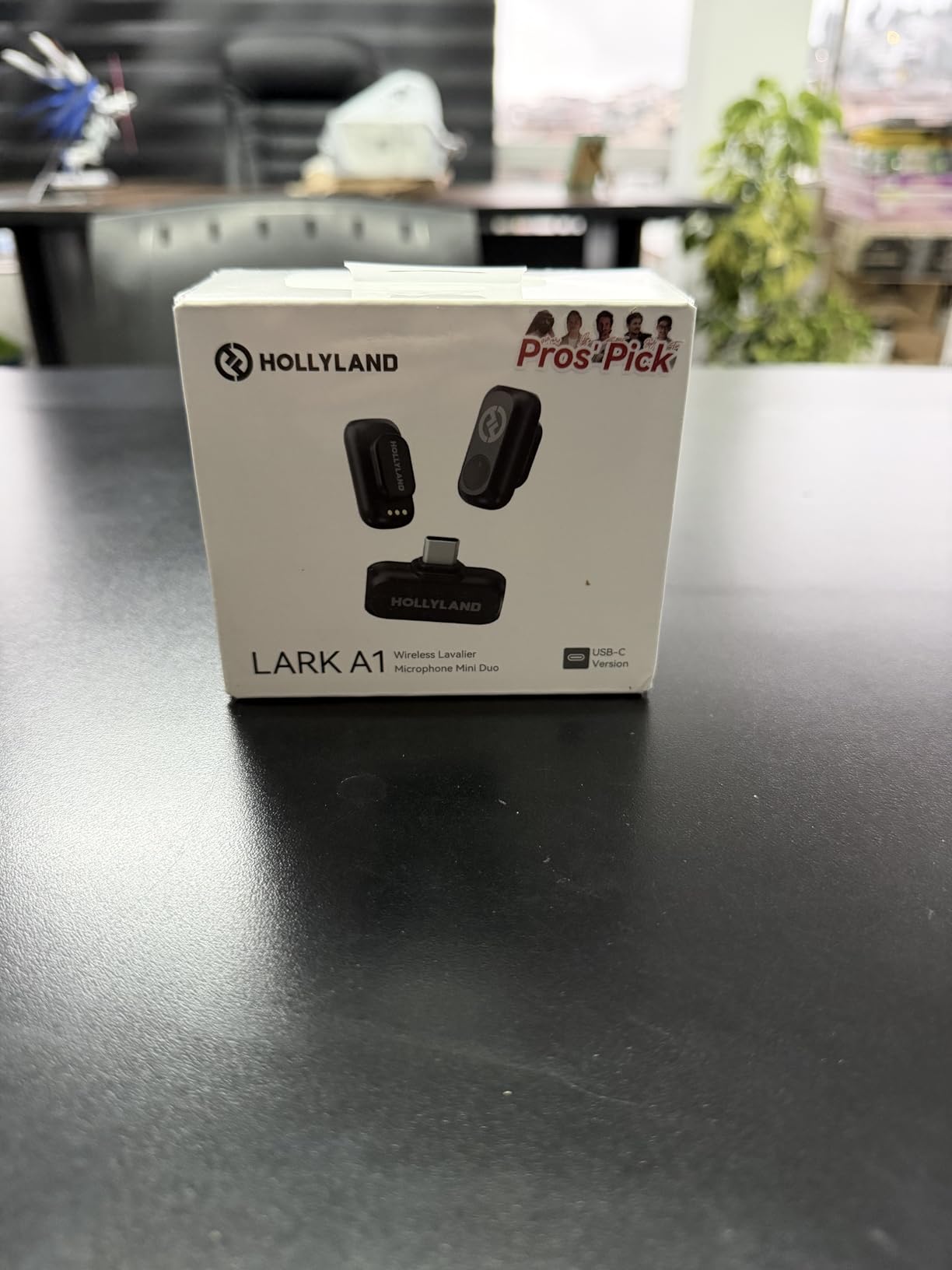
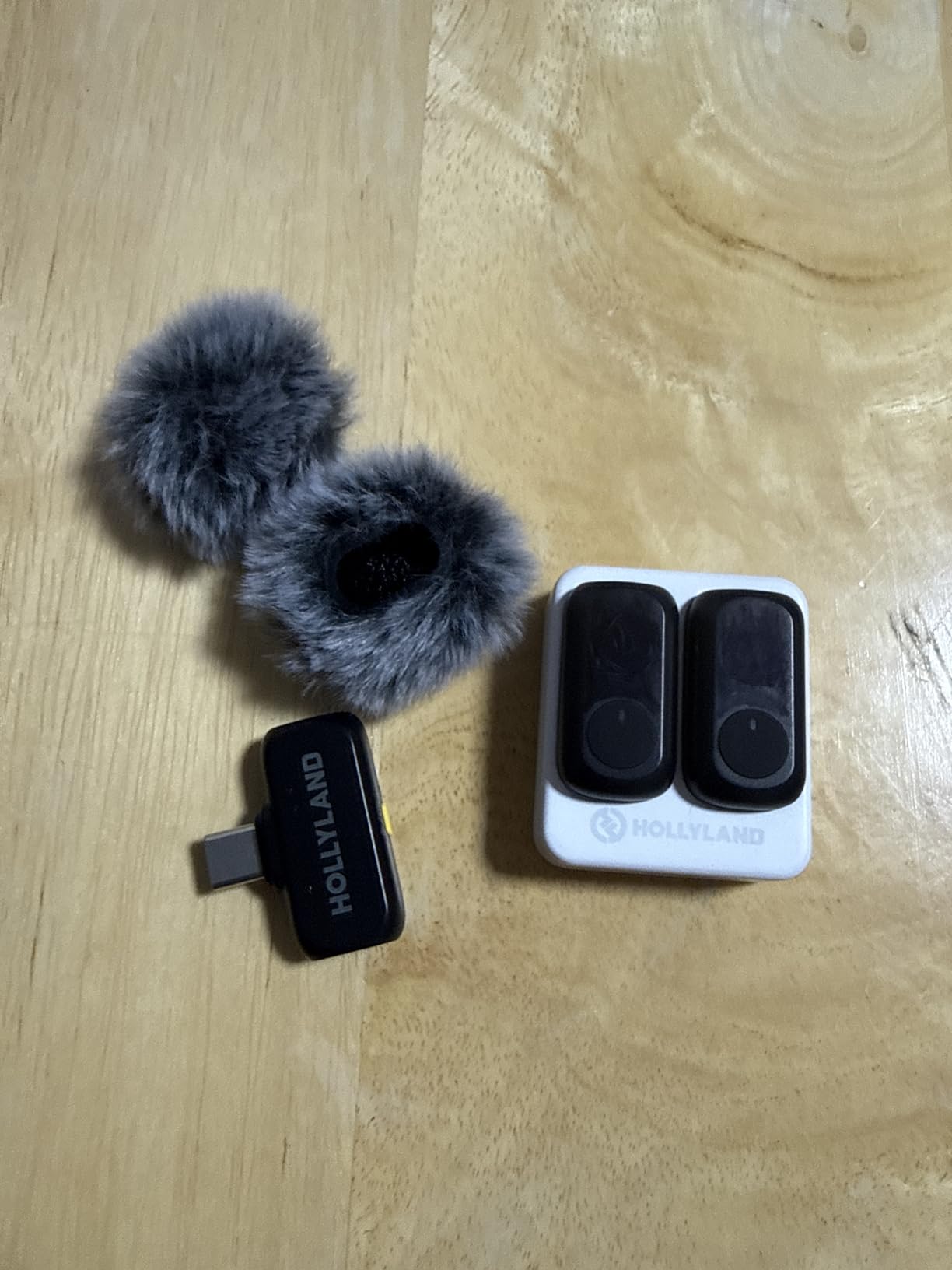
Transmission reaches 200m or 650ft with anti-interference technology, and the 8 g magnetic transmitters stay put while walking, presenting or filming. Each transmitter runs nine hours, giving about 18 hours with two transmitters alternating.
It plugs into a phone over USB-C or Lightning with no Bluetooth pairing, so recording apps work immediately. An app handles battery level, volume and EQ or reverb adjustment when you want more control.
What you gain with the Lark A1
The directional pickup is a genuine advantage once you understand it. Because it rejects sound arriving off-axis, a noisy street or café produces less background bleed than an omnidirectional capsule at the same price.
Six-level gain adjustment and auto clip protection sit alongside the noise cancelling, so you have a real control surface rather than a single on-off switch. Furry windshields are included.
Where it falls short
Directionality cuts both ways. The mic must be pointed at the speaker, and if a guest turns their head the level drops, which is the single most common setup error with this system.
There is no wall charger in the box, only a USB cable. It also does not work with video call or translation apps such as WhatsApp calls, and wind can introduce overlap artefacts.
11. BOYA mini 2 – Lightest Transmitter for Concealed Set Work
Pros
- Smallest transmitter here at 5 g with a fully concealable body
- Adaptive AI noise cancelling in Strong and Light modes
- 48kHz/24-bit at 80 dB signal to noise and 120 dB SPL
- Limiter plus a minus 12 dB safety track against clipping
- Up to 30 hours with the case and 328ft of range
Cons
- No Bluetooth
- so the receiver must be plugged in
- Camera compatibility limited to select DJI Action and Pocket 3 models
- Audio can drop out near walls and buildings
- Lowest average rating in this roundup
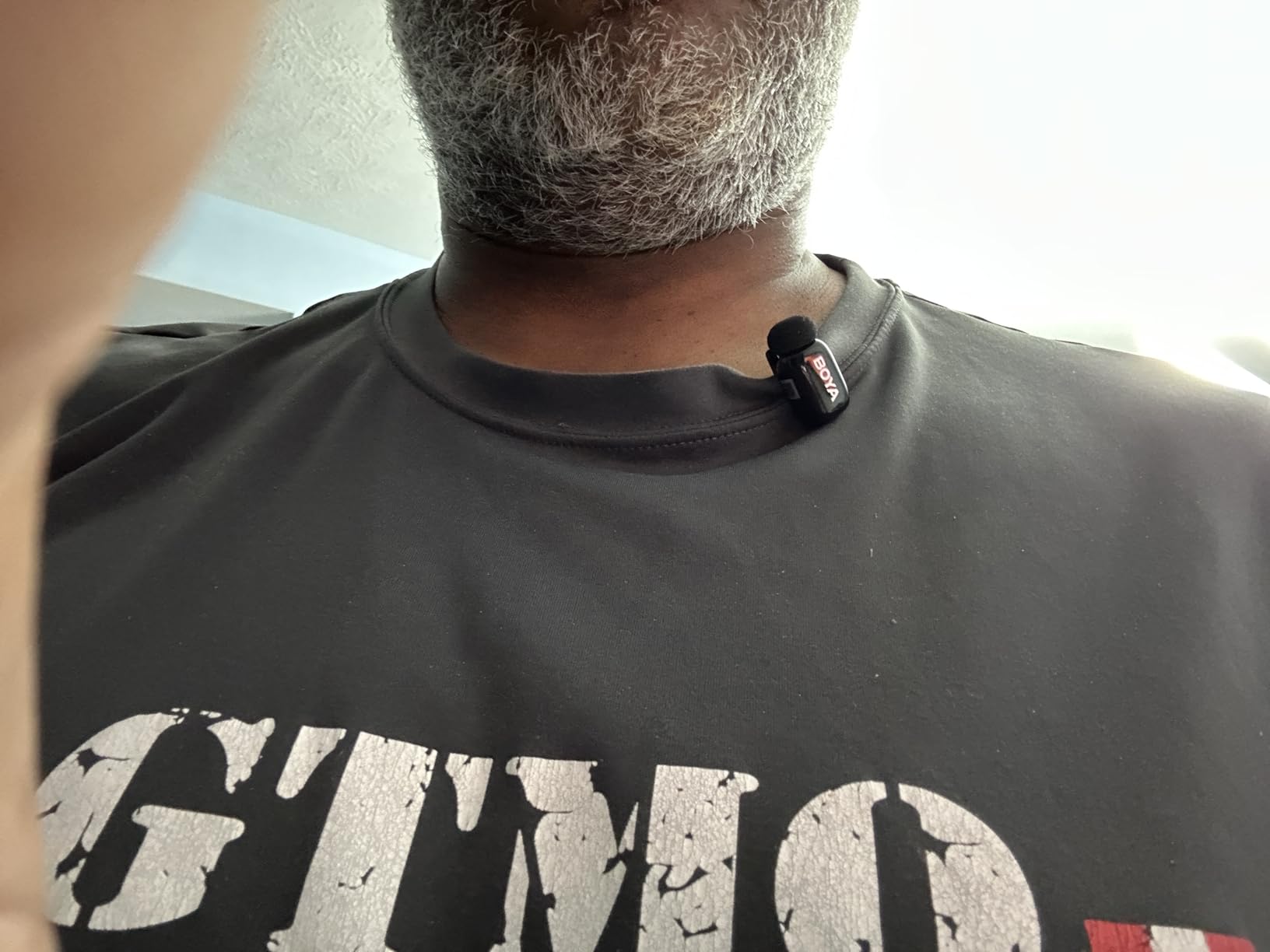
At 5 g the BOYA mini 2 is the smallest transmitter in this roundup, and the streamlined body is designed to disappear completely under a shirt collar. If concealment is the priority, nothing else here is in the same class.
Signal quality is better than the rating suggests. It records 48kHz/24-bit at 80 dB signal-to-noise with 120 dB SPL handling, and the AI noise cancelling offers Strong at minus 40 dB or Light at minus 15 dB depending on how loud the environment is.
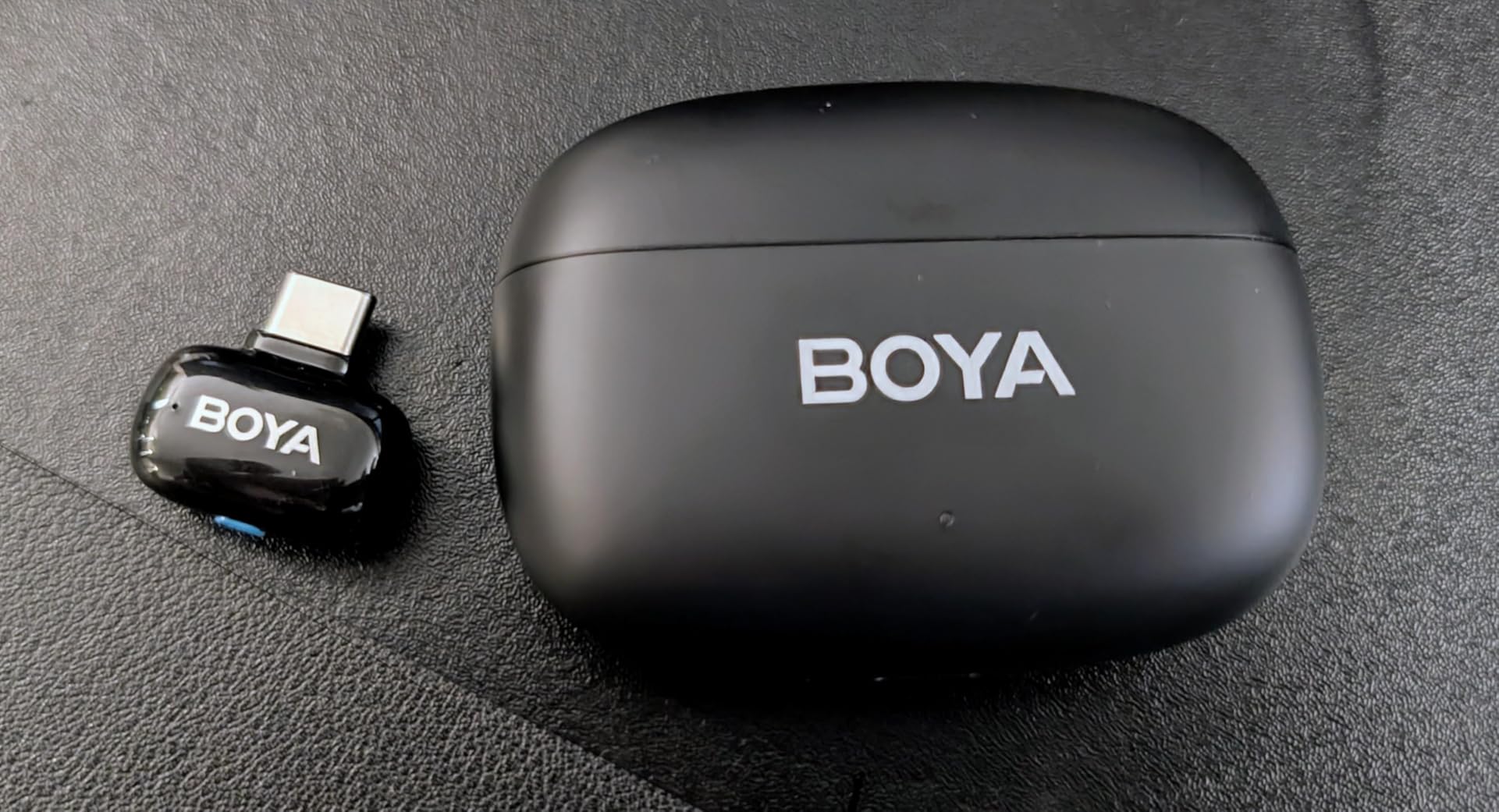
A limiter and a minus 12 dB safety track guard against clipping in post, which is a feature usually reserved for more expensive kits. The free BOYA Central app gives access to volume, noise cancelling, EQ presets, gain and mute.
Battery is up to 30 hours with the charging case and transmission reaches 328ft, so a full day of short shoots is a single charge. The case is the reason this kit works as a working tool rather than a single-session purchase.
What you gain with the BOYA mini 2
Concealment is the real feature. At 5 g with a body designed to sit flat against fabric, it is the option to pick for narrative work, a hidden-camera setup or any shot where a visible transmitter would break the frame.
EQ presets in the app let you shape the voice for a specific voice type or a specific room, which is a shortcut most creators only learn about on higher-end kits.
Where it falls short
Audio can drop out near walls, buildings and other obstacles, and the brand advises recording away from interference sources. That makes it a weaker choice for interior location work in dense buildings.
Camera support is narrow: select DJI Action 2, 3 and 4 and Pocket 3 models, with no support for Insta360, GoPro, Akaso or OnePlus cameras. There is also no Bluetooth, so the receiver must stay plugged in.
12. GoorDik J3 – Best Connector Bundle for Mixed Devices
GoorDik Wireless Lavalier Microphone for iPhone, Android, USB C, PC, Camera Video Recording 4 in 1 Clip-on Mics with Rotatable Clip&Denoise Recording, for Vlog Tiktok YouTube Podcast Content Creator
Pros
- Clear
- crisp voice audio well above a phone built-in microphone
- Active denoise with both noise reduction and original sound modes
- Four connector types cover phones
- tablets
- PCs and cameras
- Rotatable clip aims the omnidirectional pickup at the mouth
- USB-C on the receiver charges the phone mid-recording
Cons
- Picks up background noise in busy environments
- Furry windscreen muffs are very difficult to fit
- Cable and connector durability is a concern long term
The GoorDik J3 solves one specific problem better than anything else here: connecting. Four connector types ship in the box, covering USB-C, Lightning, 3.5mm TRRS and a USB adapter, so phones, tablets, laptops and cameras all work without a separate purchase.
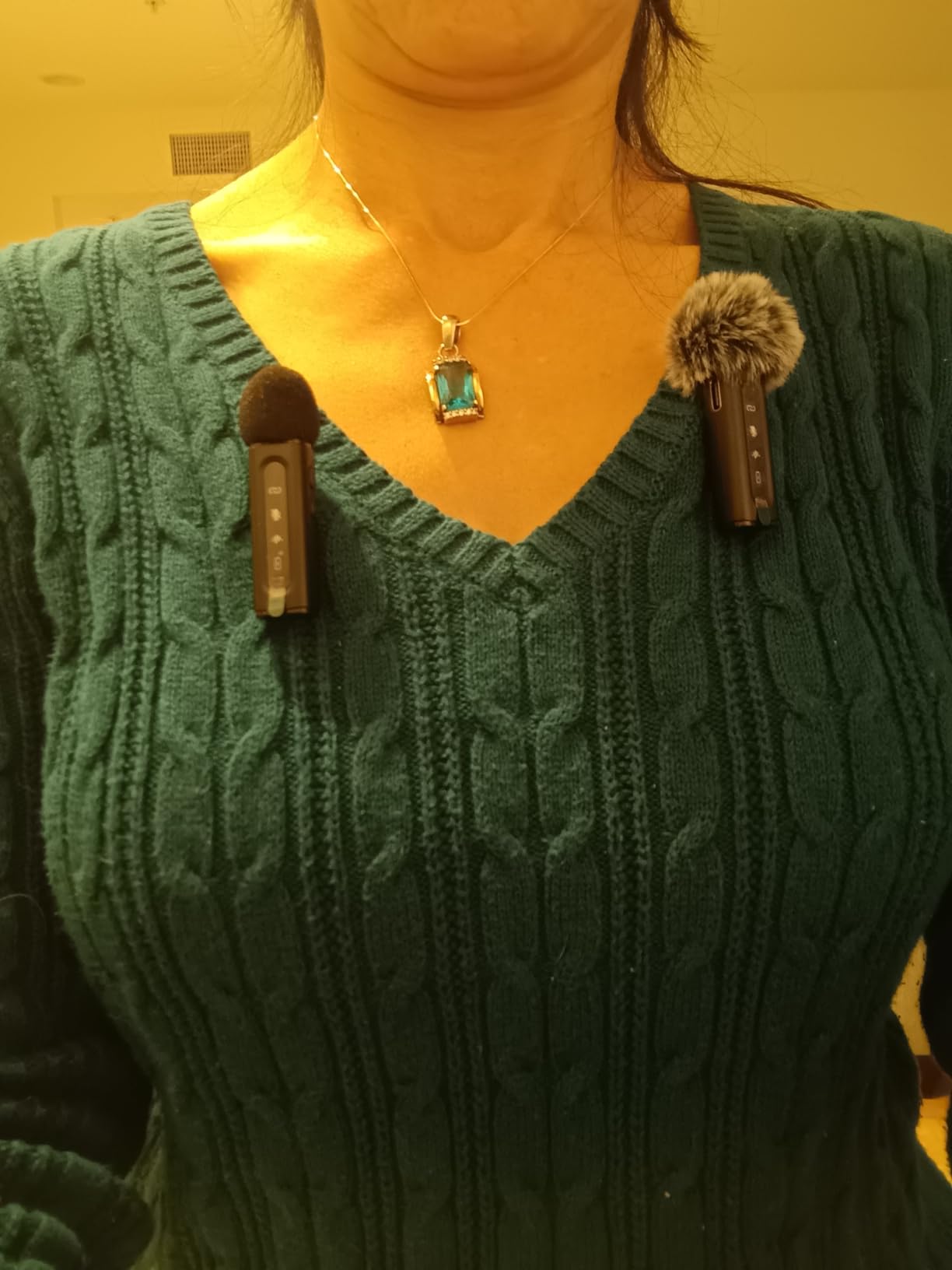
Each transmitter has a rotatable clip, which sounds minor until you realise it lets you aim the omnidirectional capsule at the mouth. On a cheap kit, a few degrees of angle is the difference between clean voice and room tone.
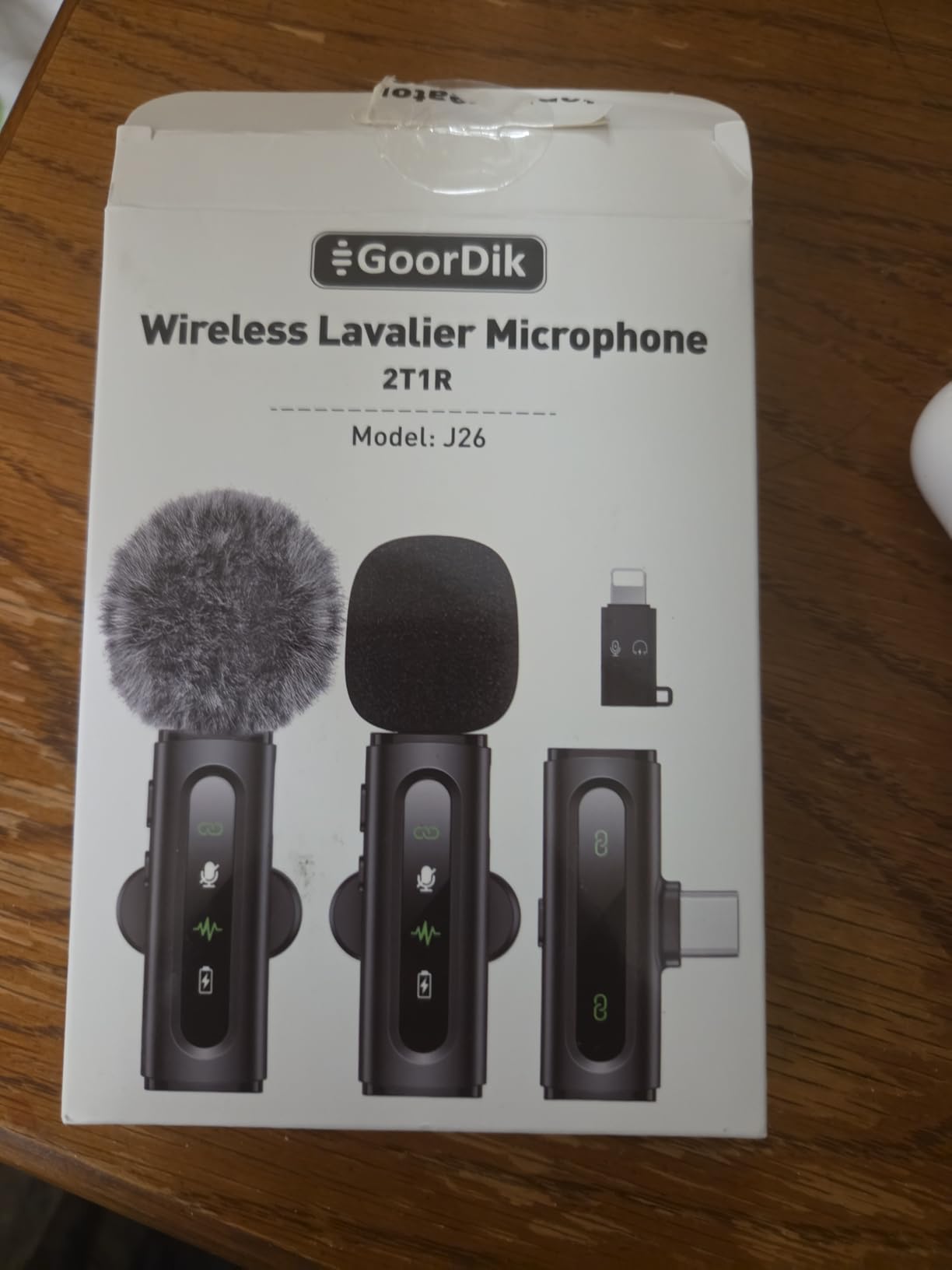
Every function has a matching indicator light, so the active mode is obvious without checking the phone screen during a take. Active denoise offers a noise reduction mode and an original sound mode, and two furry outdoor muffs plus four extra foam covers are included.
Each transmitter carries a 60 mAh battery for 6 to 12 hours, a one-to-two cable charges both at once, and the receiver has a USB-C port that charges your phone while recording. The warranty is two years.
What you gain with the GoorDik J3
Durability has surprised owners. One user reported running the transmitters through a washing machine and dryer and they still worked, which is not a claim most budget wireless mics inspire.
For a creator who alternates between phone, laptop and camera across a working week, the connector bundle removes the single most common reason a cheap mic ends up unused in a drawer.
Where it falls short
It picks up background noise in busy environments and works best in quieter settings, and the sound is only at its best when the mic is very close to the mouth. That is a limit of the price bracket, not a defect.
Some Android phones need OTG activation and computers need the default input selected manually, which is a small friction point on first setup. Cable durability is the other recurring concern.
How to Choose a Wireless Microphone for Video
Start with the recording device, not the microphone. A system that cannot plug into what you actually shoot with is useless regardless of how it sounds, so check three things: the port on your camera or phone, whether it is USB-C or Lightning, and whether you need a 3.5mm jack.
Second, decide how many people you need to record at once. A two-transmitter kit covers an interview or a host and guest. If you regularly film three-way panels or small podcasts, look at receivers that support four channels, such as the DJI Mic 3.
Third, think about where you shoot. Range figures are line-of-sight maximums measured in open ground. Interiors with concrete walls, dense city streets and multi-storey buildings reduce real-world range sharply, and that is exactly where budget 2.4GHz kits fail first.
What onboard backup recording actually does
A transmitter that records internally writes a continuous copy on its own storage regardless of the radio link. Three products here do this: the RØDE Wireless PRO and DJI Mic 3 record 32-bit float, and the NEEWER CM28 PRO records uncompressed 48kHz WAV to 4GB of onboard storage.
This turns a dropout from a ruined take into a repair. The cost is usually bulk, since all three need more internal space than a bare transmitter. My rule is that any client or paid work should be shot on a system with onboard recording, and personal uploads can go without it.
Why 32-bit float matters
Standard digital recording clips anything above 0 dBFS, and once a waveform clips, the information is destroyed. 32-bit float recording uses enormous headroom and stores levels that a conventional file simply cannot hold.
In practice, it means the transmitter captures a recoverable copy of audio that would have clipped. If you shout, cough, or have a guest who suddenly gets loud, the float file can usually be repaired in post. It does not improve the sound, it just gives you a second chance.
Omnidirectional or cardioid, and why it changes placement
Most wireless lavaliers are omnidirectional, picking up equally from all directions. That is forgiving because you do not have to aim the mic, but it also captures room noise and whatever happens to be loudest. A cardioid or unidirectional capsule, as on the NEEWER and the Hollyland Lark A1, rejects off-axis sound, which helps in noisy places and requires careful aiming.
Whichever pattern you buy, get the capsule within about 20 cm of your mouth. Distance affects level and signal-to-noise far more than any specification on the box, and no amount of processing recovers a badly placed mic.
Matching the kit to your creator profile
A solo YouTuber filming a talking head needs one transmitter, long battery and discreet mounting, which points at the DJI Mic Mini, the Insta360 Mic Air or the RØDE Wireless Micro. If your video is entirely phone-based and USB-C, the phone-native kits remove an entire category of setup friction.
A two-person interview or podcast needs two transmitters and separate channels, plus ideally a headphone output so you can monitor. The Saramonic BLINK500B2+ and the DJI Mic Mini cover this well. For a wider panel, move to a four-channel receiver.
Documentary and filmmaking work rewards reliability above everything else. Onboard recording, timecode and dual-band RF are the deciding features, which is why the RØDE Wireless PRO and the DJI Mic 3 sit at the top of that list. Our wider brand coverage is in the RØDE wireless microphone guide, and the Deity roundup for video content creators covers another pro option.
If your video is a spoken presentation, the microphone matters less than delivery, and reading from a script badly ruins an otherwise good take. Our teleprompter roundup is worth a look alongside any of these kits.
Online course and screen-recording narration has a different constraint: the microphone usually sits several metres from your mouth, so a directional mic or a boom beats a lavalier. We cover that setup in our microphones for online course creators guide.
Panel and conference audio, where speakers move around a room rather than wear a transmitter, needs a different category entirely. Our wireless conference microphone roundup handles that use case.
2.4GHz Interference and Dropouts: How to Avoid Them
Nearly every wireless lavalier on this list transmits on 2.4GHz, which is the same band your Wi-Fi router, your phone hotspot and countless other devices use. That is the root of nearly every dropout complaint we found in forum threads, and it is also the thing competitors rarely explain.
The radio link is fragile for one structural reason: both ends need line of sight. Put a person, a wall or a pillar between the transmitter and the receiver and the effective range collapses, which is why a system quoted at 300m fails in a corridor at 20m.
Practical steps that reduce dropouts
First, keep the receiver and transmitter in sight of each other. A transmitter tucked under a coat on the opposite side of a chest is the single most common cause of a lost take.
Second, stay off congested channels. If your phone is streaming or your camera is uploading, pause it. Wi-Fi on a busy venue network is the most common source of interference in an interview setting.
Third, turn off unused wireless devices. Every active 2.4GHz radio in the room adds noise, and a venue PA system or another crew member’s wireless mic can interfere with yours.
Fourth, check battery before you record, not after. Low transmitter power is a leading cause of intermittent cut-outs, and a spare charged battery is cheaper than a retake.
Fifth, if you already own other wireless gear, understand the trade. Users on location sound forums consistently point out that 2.4GHz systems do not only suffer interference from Wi-Fi, they cause plenty to it. If you bring a budget 2.4GHz kit onto a set where a sound mixer is running their own system, you can be the problem.
Sixth, use the recording features designed for this. Systems with onboard backup, dual-band transmission or frequency hopping are not marketing extras, they are the answer to an environment you cannot control.
32-Bit Float Recording and Why It Changes the Workflow
When a forum user asks whether they need 32-bit float, the short answer is: if you shoot anything you get paid for, yes. It is the cheapest insurance in creator audio.
Conventional digital recording has a hard ceiling. Anything above 0 dBFS clips, and a clipped waveform loses data permanently, which is why a shouting guest on a normal system means a ruined take. Float recording stores values with enough headroom that a level which would have clipped is captured intact.
The DJI Mic 3 records a dual-file 32-bit float backup on both transmitters, and the RØDE Wireless PRO records 32-bit float on every piece. In the edit, a clipped wireless track is replaced with the float copy and rescued.
It also changes how you record. Without float, you set gain conservatively and accept a quiet recording you can raise. With float, you set gain generously for a healthy level and stop worrying about the peaks. For a creator who shoots a lot of unscripted conversation, that removes a real source of anxiety.
Mic Placement and Wind Management
One recurring complaint in creator forums is that a lavalier sounds muffled, or that the creator’s own breathing ruins the audio. Both are placement problems, not product problems, and both are fixed in about ten seconds.
A lav mounted at the sternum sits too far from the mouth and under clothing that rubs. Move it up to the collar or lapel area, on the side of the mouth rather than centred, and angle it back toward your voice.
Breathing noise happens because a lav is a few centimetres from the mouth and picks up air moving past it. Turning the capsule slightly outward, away from the direction of breath, reduces it more than any filter setting.
Wind is the other side of the same problem. Foam helps slightly. A furry windscreen or deadcat handles real wind, and it is the difference between usable and unusable on an outdoor shoot. Most kits here include at least one, and the Mini Mic Pro and GoorDik J3 both bundle a full set.
Finally, keep a gain headroom habit. Turn your gain up so peaks sit near the top of the meter, not past it, and use a low-cut filter in post or on the receiver to remove traffic rumble and HVAC noise rather than letting it occupy your level budget.
When a Wired Lavalier Is Still the Better Call
A wireless mic is the right tool almost all of the time, but there are shoots where a wired lavalier is genuinely better and cheaper. Being honest about this is more useful than pretending every creator needs a radio.
Fixed-camera interviews are the clearest case. If the camera and the subject do not move, a wired lav removes the radio link entirely, eliminates interference as a variable, and costs a fraction of any kit on this list.
Same for studio narration, screen recording and any shot where the subject stays at a marked spot. For courses and screencasts, the distance problem matters more, so a dedicated mic is a better use of money than a wireless lavalier.
The wired route also wins for high-stakes audio on a budget. A wired lavalier into a camera or recorder has no compression, no encoding and no battery anxiety, and a failure is visible immediately rather than discovered in the edit.
Frequently Asked Questions
Which wireless microphone is best for video recording?
The DJI Mic Mini is the best overall wireless microphone for video recording, with 10 g transmitters, up to 48 hours of runtime with the charging case and 400m of rated range. For paid work, the RODE Wireless PRO is the stronger choice because every piece records 32-bit float onboard.
What is the best wireless mic for content creators?
It depends on what you shoot. The DJI Mic Mini suits solo creators shooting on camera or USB-C phone, the Hollyland LARK M2 gives you two transmitters with 48kHz/24-bit capture and one-touch noise cancelling, and the RODE Wireless Micro is the fastest option if you film entirely on a phone.
What is the best wireless microphone for filmmaking?
The RODE Wireless PRO leads for filmmaking because it records 32-bit float onboard and carries built-in timecode for syncing multiple cameras, with 260m of range. The DJI Mic 3 is the alternative, adding four transmitter capability and dual-band anti-interference for crowded locations.
What is the best microphone for video making?
For most video making, a wireless lavalier such as the DJI Mic Mini or Hollyland LARK M2 is the right starting point. For fixed-camera interviews, studio narration and screen recording, a wired lavalier is quieter, more reliable and less expensive.
What are some common problems with wireless microphones?
The most common problems are RF interference and dropouts on the crowded 2.4GHz band, breathing noise from a badly placed lavalier, muffled low end when the mic sits too far from the mouth, running out of battery mid-session, and receiver compatibility problems with iPhone and Android ports.
Why isn’t my wireless lavalier microphone working with my iPhone?
Most often it is a port mismatch. Check whether your iPhone uses USB-C or Lightning, then confirm the receiver supports it. Plug the receiver in before opening your recording app, unlock the phone if prompted, select the external input in the app, and check that the transmitter is charged and paired.
How do I get my wireless lavalier microphone to work?
Charge both transmitters fully, power on the receiver first and wait for it to find the transmitters, then connect the receiver to your recording device before opening the app. Select the external microphone input in your camera or app, set your gain so peaks sit near the top of the meter, and record ten seconds of test audio to confirm levels before you start.
Do wireless microphones lose quality compared with wired ones?
The radio link itself is not the weak point, but budget systems add heavy compression that removes low-frequency response. Premium systems with 48kHz/24-bit capture and low self-noise get close to a wired lavalier, and onboard float recording means you always have a clean internal copy to fall back on.
Final Verdict
The best wireless microphones for video creators in 2026 come down to one question: is a dropout acceptable? If it is not, start with the RØDE Wireless PRO or the DJI Mic 3, because both record 32-bit float onboard and turn a lost link into a repairable take. The RØDE adds timecode for multi-camera work.
If a dropout is manageable and you want the best balance of size, battery and price, the DJI Mic Mini is the pick. Its 10 g transmitters, 48 hours with the case and 400m of range cover more real situations than anything else here.
For two-person interviews, take the Hollyland LARK M2 for value or the Saramonic BLINK500B2+ if you want headphone monitoring. For phone-only shooting, the RØDE Wireless Micro and the Hollyland Lark A1 are the fastest path from unboxing to a recorded take. Whatever you choose, get the capsule close to your mouth and check your levels before you roll.