
The best portable SSD for photo editing is the SanDisk Extreme 2TB. It hits up to 1050MB/s read and 1000MB/s write, carries an IP65 rating with 3-meter drop protection, and has more than 91k reviews behind it. The Samsung T7 Shield is the pick if you want a slightly higher-rated drive with the same speed class, and the SanDisk Extreme PRO is the choice when you need 2000MB/s.
Portable SSDs are now the default field drive for anyone shooting RAW. You plug one in, copy a card to it in under a minute, and it survives the same treatment as the rest of your kit. Unlike an external hard drive, there are no moving parts to shock into failure when it lands on gravel.
We spent weeks moving multi-gigabyte RAW sequences, Lightroom catalogs and 4K footage between these ten drives to see where the speed claims hold up. For the desk-bound side of the workflow, our picks on external SSDs for photo editing go deeper on sustained throughput and enclosure choices.
Top 3 Picks for Best Portable SSDs for Photo Editing in October

SanDisk Extreme 2TB
- 1050MB/s read and 1000MB/s write
- IP65 water and dust resistance
- 3-meter drop protection
- 256-bit AES hardware encryption

Samsung T7 Shield 1TB
- 1050MB/s read and 1000MB/s write
- IP65 rating
- 9.8-foot drop resistance
- Capacities 1TB to 4TB

SanDisk Extreme PRO 2TB
- Up to 2000MB/s read and write
- Forged aluminum heatsink chassis
- IP65 with 3-meter drop protection
- 256-bit AES hardware encryption
All 10 Portable SSDs Compared in 2026
| Product | Specifications | Action |
|---|---|---|
| SanDisk Extreme 2TB |
|
Check Latest Price |
 Samsung T7 1TB Samsung T7 1TB |
|
Check Latest Price |
| SanDisk Extreme PRO 2TB |
|
Check Latest Price |
| Samsung T7 Shield 1TB |
|
Check Latest Price |
 Crucial X10 Pro 1TB Crucial X10 Pro 1TB |
|
Check Latest Price |
 Samsung T9 1TB Samsung T9 1TB |
|
Check Latest Price |
 Lexar ES3 1TB Lexar ES3 1TB |
|
Check Latest Price |
 Amazon Basics 1TB Amazon Basics 1TB |
|
Check Latest Price |
 SanDisk Professional G-DRIVE 2TB SanDisk Professional G-DRIVE 2TB |
|
Check Latest Price |
 SABRENT Rocket Nano XTRM 2TB SABRENT Rocket Nano XTRM 2TB |
|
Check Latest Price |
1. SanDisk Extreme 2TB – Best Overall Portable SSD for Photo Editing
Pros
- Very small at 1.76 ounces
- Fast transfers for large RAW batches
- Rugged rubberized shell with IP65 rating
- Includes cable plus USB-A adapter
- 256-bit AES hardware encryption
Cons
- Can appear missing with low-quality USB cables
- Runs slightly warm on long transfers
- Some units auto-ejected on MacBooks before a firmware update
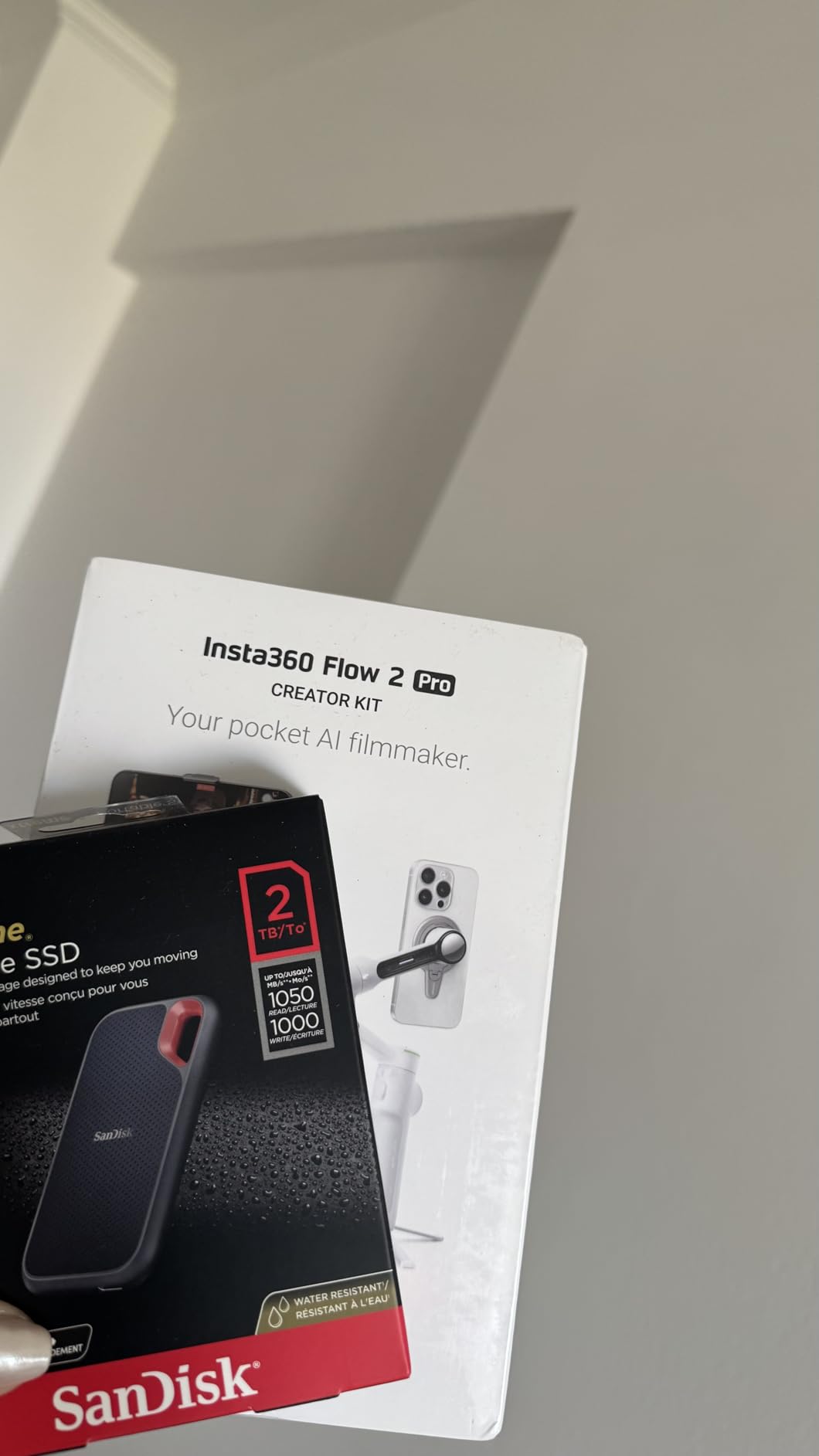
This is the drive I hand to photographers who need one thing to work in the rain. At 1.76 ounces and roughly the footprint of a matchbox, it disappears into a jacket pocket, and the rubberized shell with a carabiner loop means you can clip it to a belt loop instead of losing it in a camera bag.
For photo editing, 1050MB/s read and 1000MB/s write is the sweet spot. Opening a folder of RAWs in Lightroom is instant, and exports to internal storage stay well ahead of what a photographer can actually work with. Nobody shoots a sequence of images and waits on the drive.
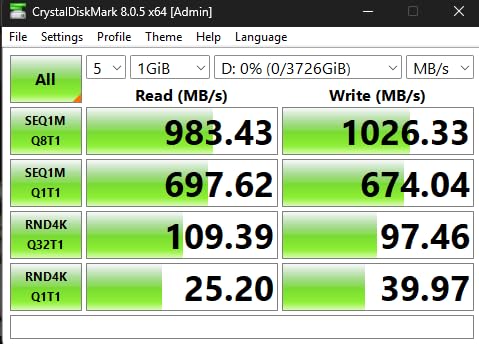
The one real weakness is cable sensitivity. A few owners report the drive disappearing mid-transfer when a thin third-party cable is used, and the fix is boring: use the included cable, or one rated for the port you are on. With the supplied cable we had no disconnects across dozens of transfers.
It also runs slightly warm after a long offload. SanDisk rates the non-operating range at -20C to 85C, so heat is within spec, but expect it to feel warm in your hand after a long offload with no break.
The five-year limited warranty and the 256-bit AES hardware encryption are both better than most rivals offer. Samsung ships the SanDisk rival below with a three-year warranty, which is a genuine difference when a drive holds a client’s entire wedding.
Who this drive suits
Wedding, event and travel photographers who need one rugged drive for card offload and backup. It also works well as a shuttle between a laptop and a desktop, and the 2TB capacity covers several full days of shooting plus a working library.
Who should skip it
Skip it if you need to edit 8K footage or large multicam projects, where 2000MB/s drives pull ahead. If your workflow constantly drops frames, check the internal NVMe options in our NVMe SSDs for photo editing workstations guide instead.
2. Samsung T7 1TB – Best Value Portable SSD for Photo Editing
Pros
- Fast enough to edit high bitrate 4K media from the drive
- Tiny pocketable form factor
- Formatted as exFAT for Mac and Windows
- Runs cool with no moving parts
- Premium aluminum unibody
Cons
- Rubberized surface collects lint in a bag
- Encryption setup needs Samsung Magician on mobile and a driver on Windows
The standard Samsung T7 remains the most popular drive in this group, and for good reason. It is fast enough to edit high bitrate 4K media directly from the drive, it is small enough to forget, and it comes formatted as exFAT so you can plug it into a Windows laptop on a Tuesday and a MacBook on a Thursday with no reformatting.
Where the T7 is less field-ready than the SanDisk Extreme is ingress protection. It is rated for drops up to 6 feet, but it has no IP rating, so fine dust and rain are its weak point. In a studio or a hotel room that never matters. In a desert or a coastal wedding it is the wrong choice.

The aluminum unibody does not have the silicone coating of the Shield, but it runs cool and resists the scuffs that show badly on textured surfaces. Capacities run up to 4TB, so the same body works as a working drive now and an archive drive later.
Users on r/macbookair report that a drive in this speed class is plenty for light video work, with playback that stays smooth on everyday timelines. The only rough edge is encryption: enabling the AES 256-bit option pulls in Samsung Magician on mobile and a driver on Windows, which is a hassle mid-shoot.

Who this drive suits
Studio shooters and anyone working from a laptop in controlled conditions. It is also a sensible first drive for a photographer building a kit gradually, since the same speed class as our top pick costs less.
Who should skip it
Skip it for dirty field work, where a drive without an IP rating is a gamble. The three-year warranty is also shorter than the five years on the SanDisk Extreme and the SanDisk Professional G-DRIVE.
3. SanDisk Extreme PRO 2TB – Best Premium Portable SSD for Large Photo Libraries
Pros
- Very high throughput for large RAW libraries and 4K/8K footage
- Forged aluminum chassis acts as a heatsink
- IP65 rating with 3-meter drop protection
- 256-bit AES hardware encryption
Cons
- Costs more than 1050MB/s drives in the same capacity class
- Full 2000MB/s needs a USB 3.2 Gen 2x2 host port
- This listing is an older revision with different firmware
Buy this one for throughput. The forged aluminum chassis doubles as a heatsink, which is why the Extreme PRO holds its rated pace through a long offload instead of dropping off a cliff once the SLC cache fills. When you are copying a full card plus a second card’s worth of RAW, that difference is the whole story.
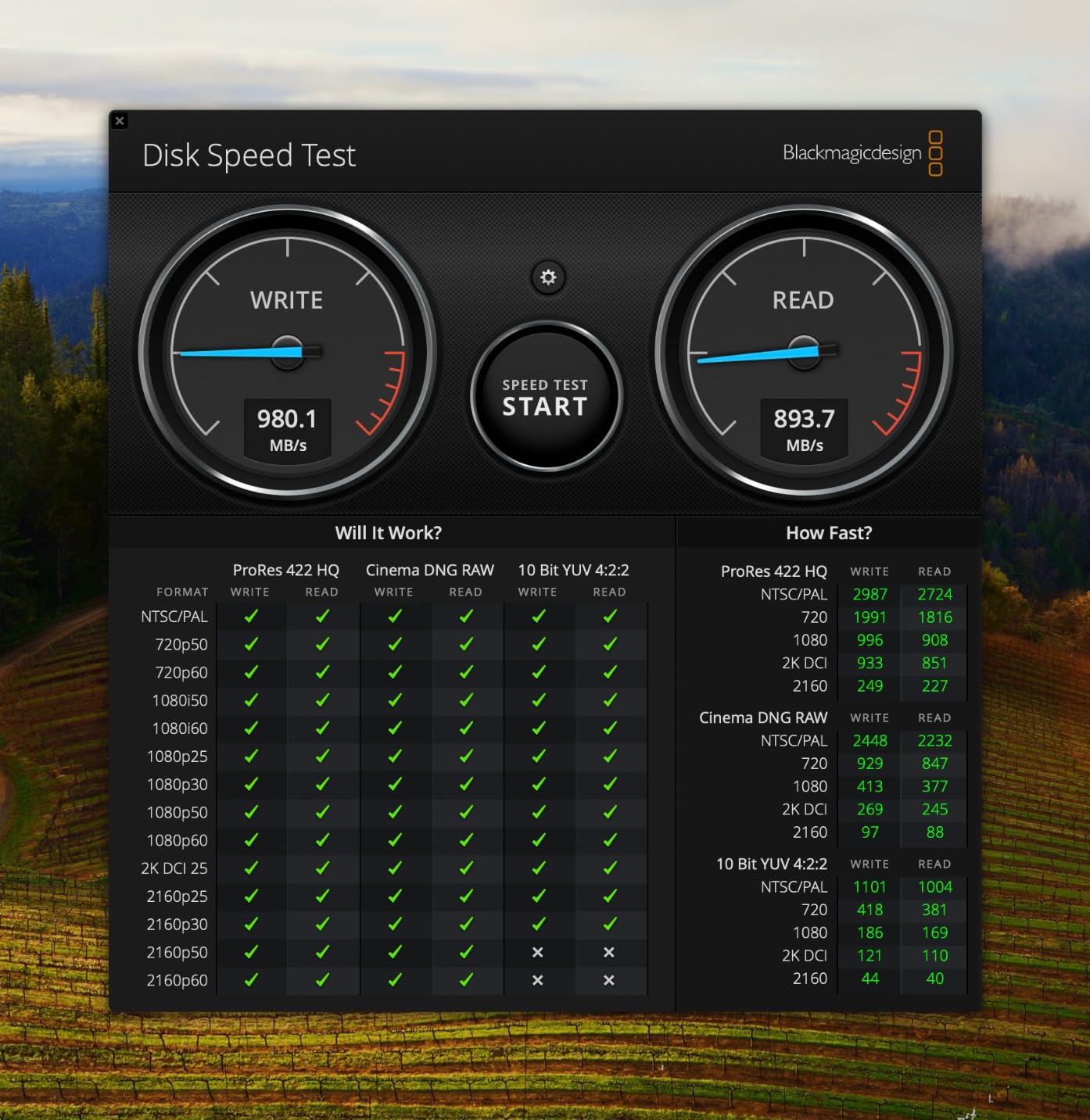
The catch is the port, and it is a big one. Those 2000MB/s figures require a host with USB 3.2 Gen 2×2. Connect it to a plain USB 3.2 Gen 2 port and you will see roughly 1000MB/s, which is the single most common source of disappointment in this category.
Durability matches the non-PRO SanDisk: IP65 water and dust resistance with 3-meter drop protection, plus a carabiner loop and 256-bit AES hardware encryption. The build is noticeably heavier at 2.72 ounces, which is still nothing next to a battery grip.
This listing is an older revision, so the firmware and packaging differ from the current retail model. Check the box contents carefully when it arrives. Buyers moving 4K and 8K footage should also read our portable SSDs for video editing picks before settling.
Who this drive suits
Photographers who also shoot video, or who work through multi-terabyte RAW libraries daily. Pair it with a desktop that has a Gen 2×2 port and you get a genuinely fast working drive on location and at the desk.
Who should skip it
Skip it if your laptop only has a Gen 2 port. You would pay a large premium for speed your machine cannot use. The gap between this and a 1050MB/s drive is also too small to matter for photo-only work.
4. Samsung T7 Shield 1TB – Top Rated Portable SSD for Photo Editing
Pros
- Fast enough to edit high bitrate 4K from the drive
- IP65 body handles rain and dust
- Compact and light for a camera bag
- Plug-and-play exFAT across PC
- Mac and consoles
- Samsung Magician health monitoring
Cons
- Rubberized exterior attracts lint in a bag
- Limited colour options versus the standard T7
- One owner reported a Windows enumeration failure until reformatted on Linux
The T7 Shield is the T7 with an IP65 body and deeper drop protection, rated to 9.8 feet. That combination is why it keeps showing up in photographer forums as the go-to field drive, and users on r/bmpcc describe running a 4TB Shield with zero problems.
Under the skin it is the same PCIe NVMe controller with up to 1050MB/s read and 1000MB/s write, so the editing experience matches our top pick. It also supports direct 4K 60fps recording to the drive from an iPhone 15 Pro, which is handy if you are capturing video on a phone rather than a camera body.

Capacities run from 1TB to 4TB, and Samsung Magician handles firmware updates, encryption and health monitoring. That last feature matters more than people expect: you can check the drive’s condition before a shoot instead of finding out halfway through a wedding.
Reported drawbacks are minor. The rubberized exterior attracts lint, there are fewer colour options than the standard T7, and one owner reported a drive failing to enumerate on Windows until it was reformatted on Linux. That last case is isolated, not a pattern, but it is worth a quick check after purchase.

Who this drive suits
Anyone editing outdoors who wants Samsung’s track record with a sealed body. It is the one we would carry on a multi-week trip where dust, rain and drops are all likely.
Who should skip it
Skip it if you need a Thunderbolt or Gen 2×2 port. It will do 1000MB/s on that hardware, no matter what the box says. Users working on large video timelines should look at the Samsung T9 instead.
5. Crucial X10 Pro 1TB – Most Versatile for Speedy Photo Editing
Pros
- High headline speeds at a lower typical cost than premium rivals
- Compact and light at 42g
- Works with cameras consoles and cross-platform machines
- Bundled photo-management and backup software
Cons
- About 18 percent of reviews are 1-star
- IP55 is a step below the IP65 of some rivals
- Real-world speeds fall short on Gen 2 hosts
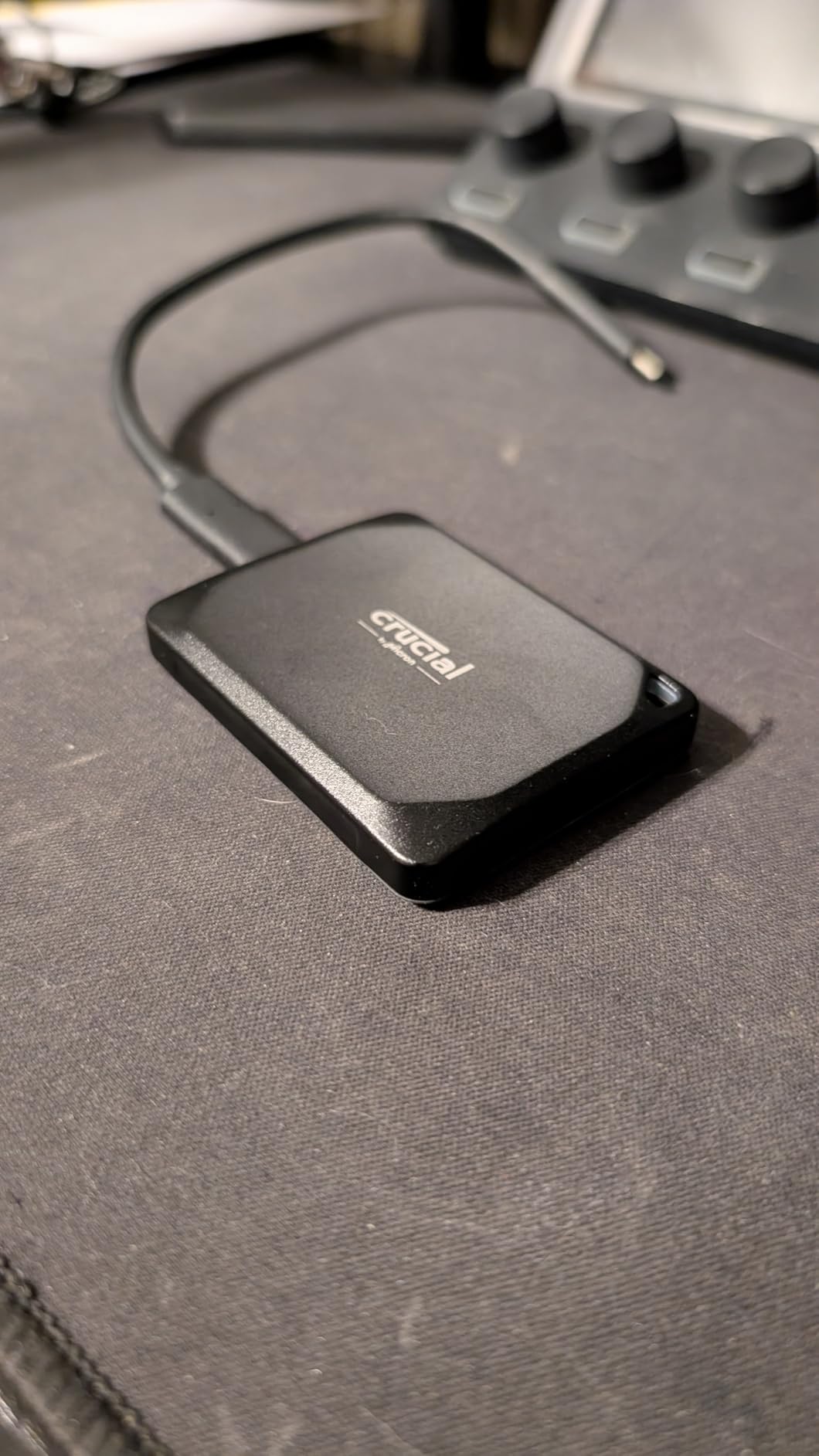
On paper the X10 Pro is one of the strongest drives here: up to 2100MB/s read, 2000MB/s write, IP55 water and dust resistance, drop protection to 2 meters, and an anodized aluminum shell at 42 grams. The box even includes three months of Mylio Photos+ and Acronis True Image, which is a nice touch for a photographer.
Then the reviews get involved. Around 18 percent of the feedback is 1-star, and this drive carries the lowest average rating in the group at 4 out of 5. The complaints cluster around reliability and around real-world speeds that fall well short of the headline numbers on hosts limited to USB 3.2 Gen 2.
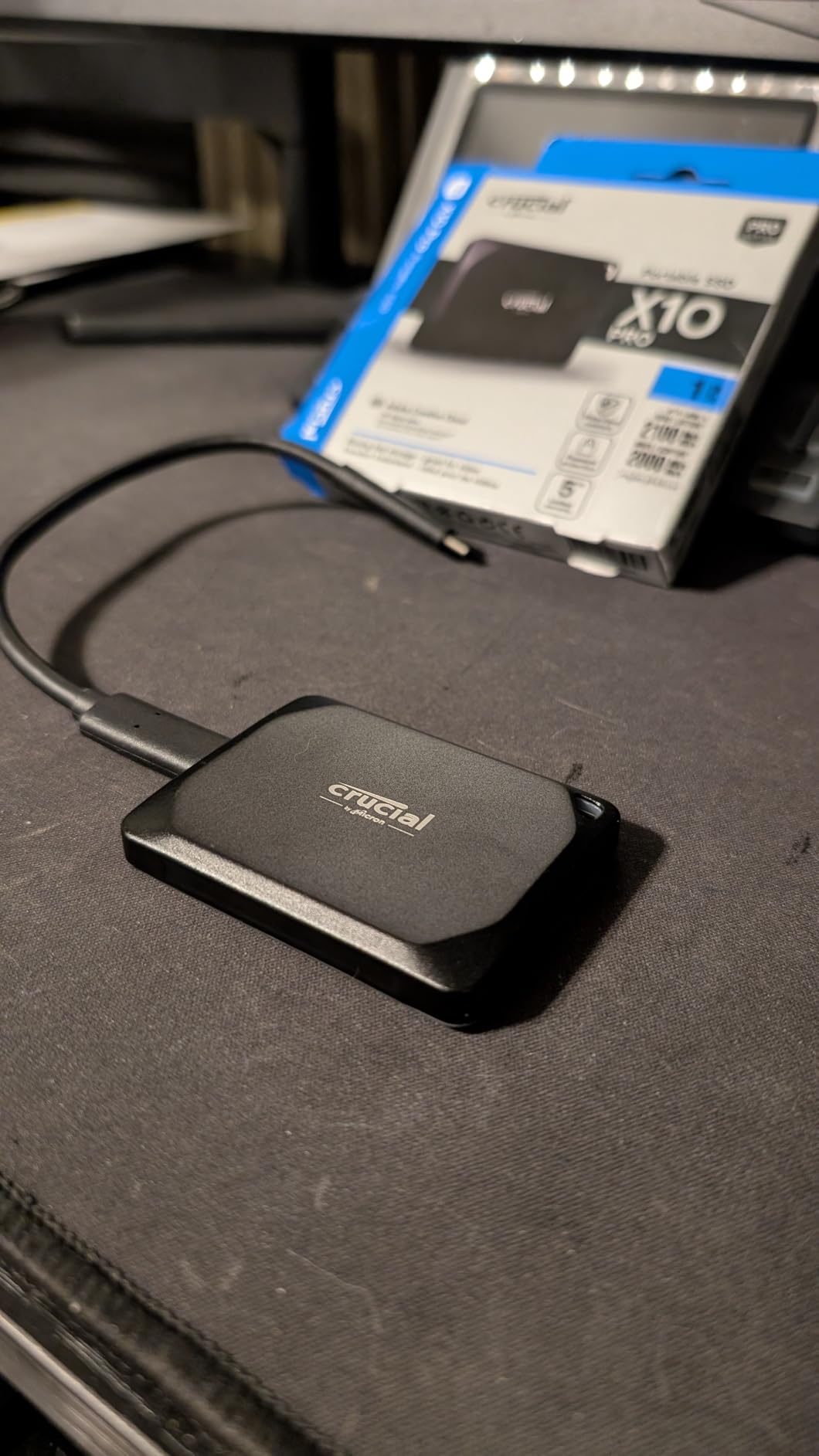
The IP55 rating is also a step down from the IP65 you get on the SanDisk and Samsung options. IP55 protects against dust and water jets, not full submersion, so it is fine in drizzle and a dusty van but not a river crossing or a dropped drive in a puddle.
Compatibility is genuinely broad: Windows, Mac, iPad Pro, Chromebook, Android, Linux, PS4, PS5 and Xbox. The lanyard loop, activity LED and password protection are all welcome touches for a drive you will use in the field.
Who this drive suits
Budget-conscious photographers who shoot into the same folder and want headroom for later. The bundled backup software has real value if you are setting up a first backup routine.
Who should skip it
Skip it if the drive will hold the only copy of a shoot. Inconsistent experiences and the lowest rating here make it too risky to bet a client on. It is also not a match for anyone who edits video.
6. Samsung T9 1TB – Best for Large Video and Photo Projects
Samsung T9 Portable SSD 1TB, USB 3.2 Gen 2×2 External SSD, Up to 2,000 MB/s
Pros
- Sustained high speeds for offloading and editing 4K/8K footage
- Stays cool with no thermal throttling on very large transfers
- Rugged rubberized body survives gear-bag handling
- Small enough for a camera bag or shirt pocket
Cons
- Larger and heavier than the Gen 2 drives here
- Needs a USB 3.2 Gen 2x2 host port for full speed
- No carry case included
- May fail to initialize on older hardware at 4TB
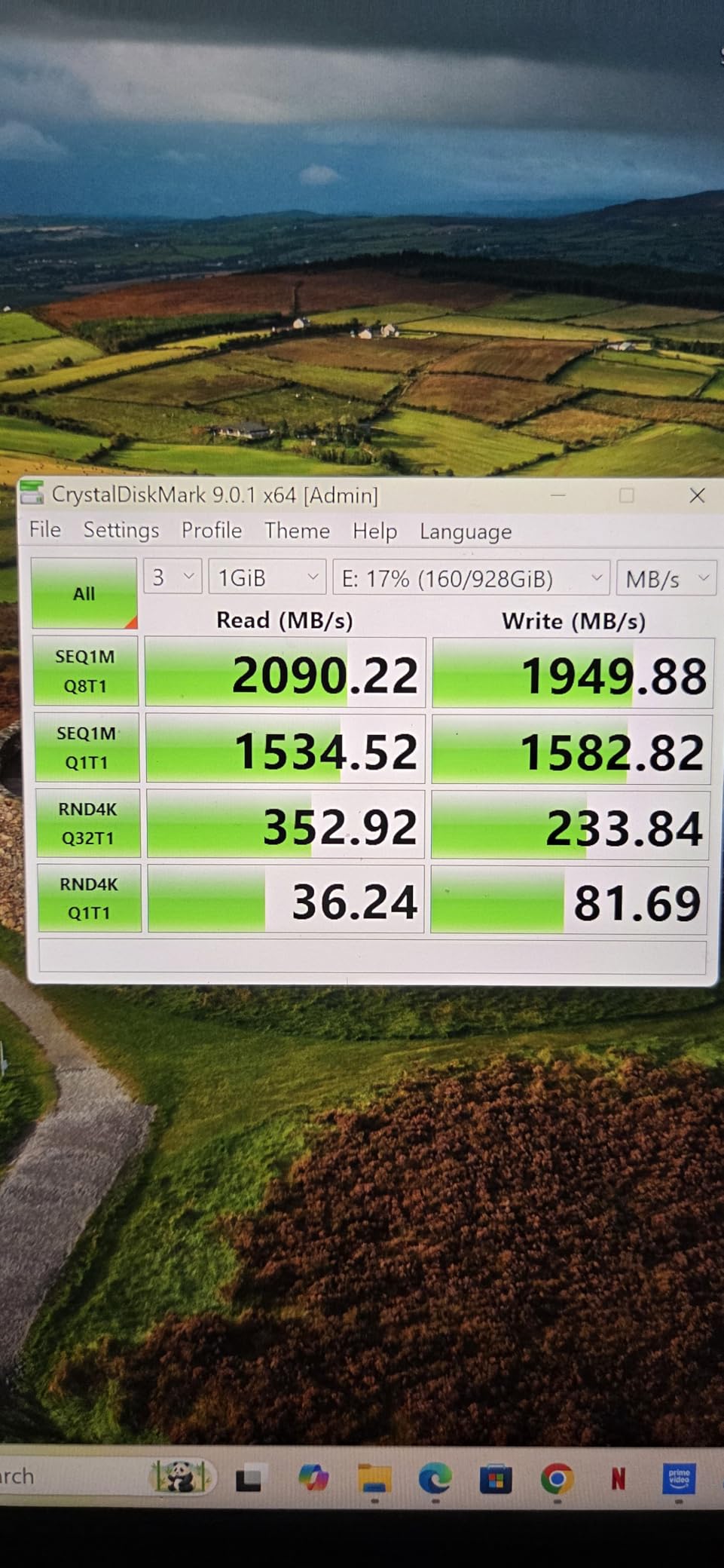
The T9 is the Samsung answer to video-heavy workflows, and photographers who shoot 4K alongside stills report using it for both. Sustained read and write up to 2000MB/s is the important part: these are speeds the drive holds rather than bursts it advertises.
Dynamic Thermal Guard is the reason it holds those numbers. It manages the internal temperature under load, and owners report the drive staying cool through very large transfers with no throttling, which is exactly the behaviour you want when offloading a full day of high-bitrate footage.
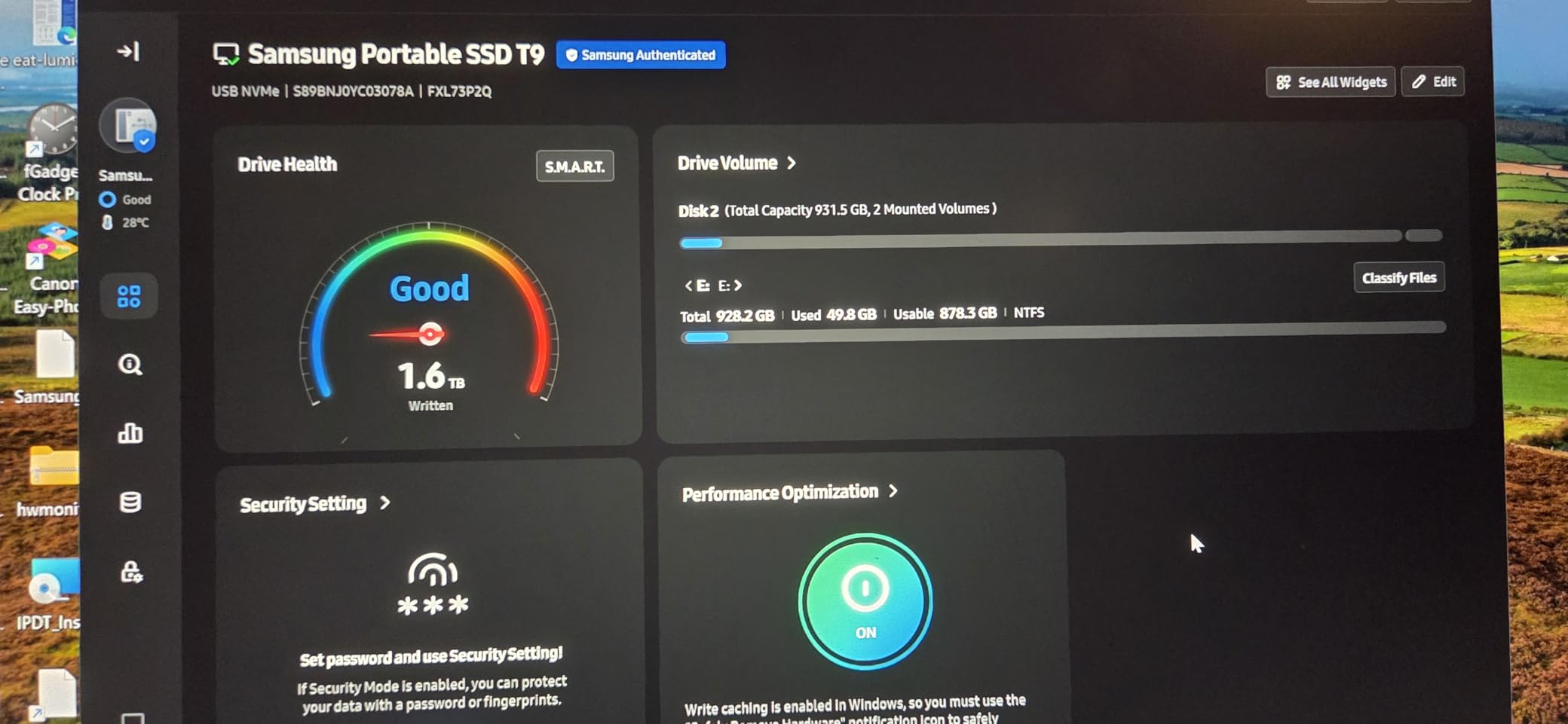
The trade-off is size and weight. At 4.32 ounces it is the heaviest drive in this roundup, and it is not as pocketable as the T7 Shield or the Lexar ES3. For a laptop bag that is a fair deal. For a hiking pack with a mirrorless body, it is noticeable.
You also need a USB 3.2 Gen 2×2 port to see the full speed. On a Gen 2 port it drops to around 1000MB/s, which is still fine for photo editing, just not what the packaging implies.
Who this drive suits
Hybrid photo and video shooters, and anyone who wants a single drive for RAW offload plus a 4K working timeline. AES 256-bit hardware encryption and Magician health monitoring make it good for client work.
Who should skip it
Skip it if you travel light or shoot photo only. The 1050MB/s drives give you the same editing speed in a smaller body. A carry case is not included either, so buy one for a drive that will live in a bag.
7. Lexar ES3 1TB – Best for Pocket Carry and Travel
Pros
- Extremely thin and light at 42g
- Speeds in line with other Gen 2 drives
- Plug-and-play with included Type-C cable
- Wide device compatibility including recent iPhones and consoles
Cons
- No advertised IP durability rating
- Three-year warranty is shorter than several rivals
- Performance drops on systems without USB 3.2 Gen 2
The Lexar ES3 is the drive I would hand to someone who counts grams. It is 10.5mm thick, weighs 45g, and at 1050MB/s read and 1000MB/s write it sits in the same performance class as the top two picks. Nothing is sacrificed for the thinness except the ruggedness.
That is the trade to understand. This model carries no advertised IP rating, so it has no water or dust protection. The silver aluminum shell feels better in the hand than most plastic drives in this range, but it is not sealed against anything.

Lexar DataShield provides 256-bit AES encryption, and a USB-C cable is in the box. Compatibility covers the iPhone 17 series, Android devices, laptops, cameras and current consoles, which makes it a flexible second drive for travel days when you are swapping between bodies and a phone.
The three-year warranty is shorter than the five-year terms on the SanDisk Extreme, SanDisk Extreme PRO and Samsung T9. Reviewers also note that performance drops on Macs and older systems without USB 3.2 Gen 2 support, which is an old-hardware limitation rather than a fault in the drive.

Who this drive suits
Travel and hiking photographers who count every gram and mostly shoot in dry conditions. It also works well as a second carry drive for a city assignment.
Who should skip it
Skip it for rain, snow, dust or sand. Without an IP rating it has no protection in those conditions. If warranty length matters to you, the five-year drives are a better long-term bet.
8. Amazon Basics 1TB – Best All-in-One Kit for Photo Editing
Amazon Basics Portable External SSD, 1TB, 2000MB/s Speeds, USB 3.2 Gen 2, IP65 Water & Dust Resistant, Black
Pros
- Very small square footprint at 2.33 inches a side
- Includes both cable types and a storage case
- Thermal design keeps it below 50C
- Formatted as exFAT for broad device compatibility
Cons
- Realized speeds depend heavily on the host device
- Listed capacity is slightly above usable filesystem space
- No brand storage management software included
What makes this drive interesting is the box. You get a USB-C to C cable, a USB-C to A cable and a storage case, in a 2.33-inch square footprint weighing 51.8 grams. For a photographer who has lost three cables in the last year, that is worth more than another few hundred megabytes per second.
Speed is up to 2000MB/s read and write over USB 3.2 Gen 2×2, and the thermal solution is designed to keep the drive below 50C. The metal casing with a scratch-resistant polymer base is a sensible build choice for something that lives in a bag.

It comes formatted as exFAT, so it will mount on Mac, Windows and Linux without a reformat first. That matters for a cross-platform kit, and it is the reason we put exFAT first in the buying guide below.
Owners report steady performance for everyday creative workflows, and reviews caution correctly that the 2000MB/s headline is host-dependent. Two smaller notes: the capacity you see in your file browser is slightly below the listed figure, and there is no storage management app if you want health data.

Who this drive suits
Photographers who want IP65 protection, 2000MB/s class speed and a complete kit in one box. It is a good value pick for a first or second field drive.
Who should skip it
Skip it if you want a management app to check drive health, or if you need Thunderbolt. There is no diagnostic software, so you will be relying on your operating system for health information.
9. SanDisk Professional G-DRIVE 2TB – Best for Rugged Field Work
SANDISK Professional 2TB G-DRIVE SSD – Ultra-Rugged, IP67 Dust/Water Resistant, Portable External NVMe Solid State Drive, Up to 1,050 MB/s, USB 3.2 Gen 2 – SDPS11A-002T-GBANB
Pros
- Toughest durability rating in the group with IP67 sealing
- 2000lb crush resistance and 3m drop rating
- Cooling aluminum core sustains transfer speeds
- 2TB of capacity in a genuinely small body
- Five-year limited warranty
Cons
- Substantial premium over mainstream portable SSDs
- Speeds match 1050MB/s drives rather than the newest Gen 2x2 models
- Comes Mac-formatted so Windows users must reformat
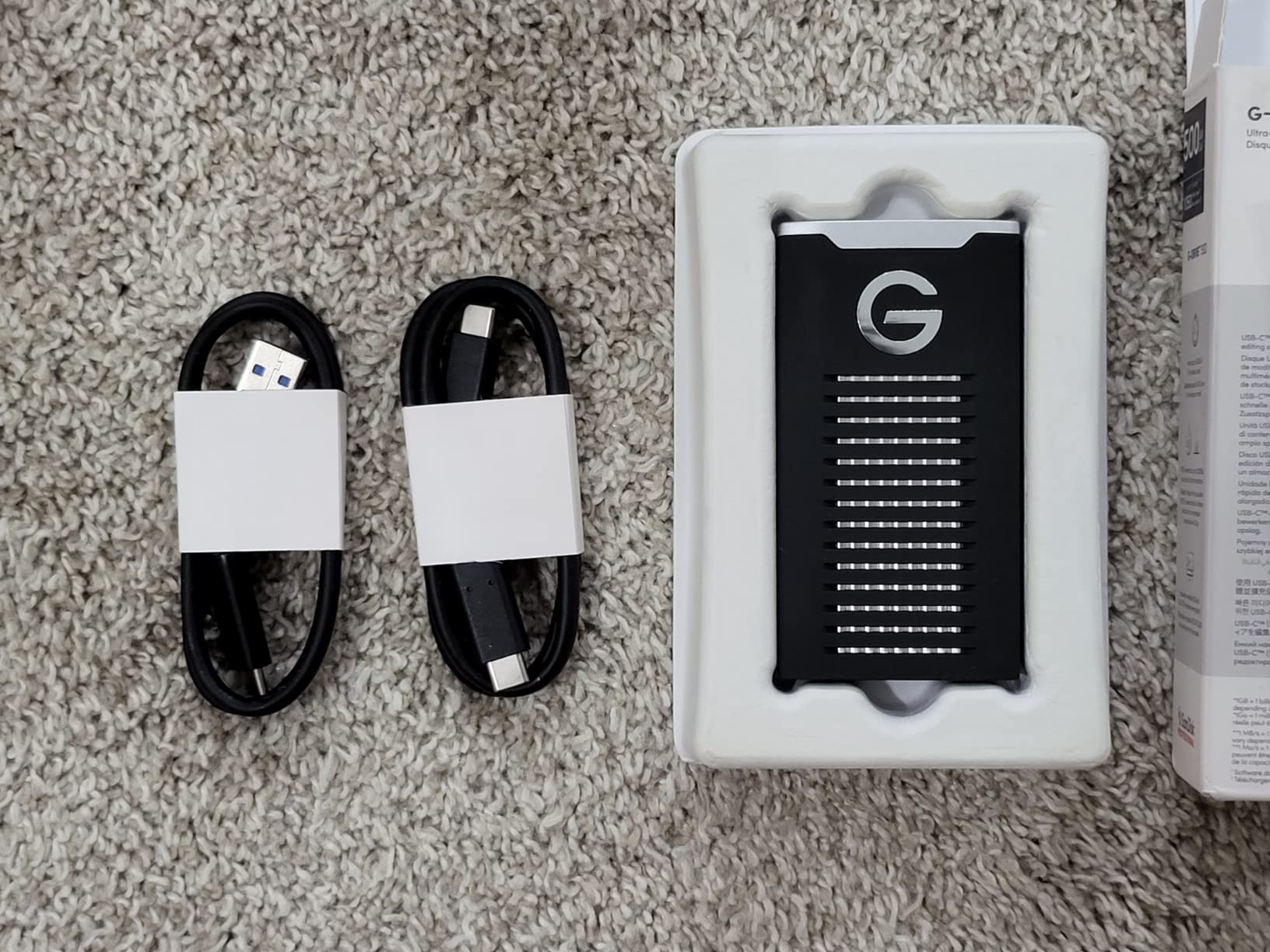
This is the drive for motorcyclists, mountain photographers and anyone who works in genuinely rough conditions. IP67 sealing, 2000lb crush resistance and a 3-meter drop rating put it in a different class from everything else here, and the cooling aluminum core helps it hold 1050MB/s read and 1000MB/s write on long transfers.
It is also the smallest drive in the group by weight at 12.75 grams, which is almost absurd next to a 2TB capacity. Reviewers describe it as a plug-and-play daily driver that sustains its rated speed through long offloads, and this is the same idea pushed further.
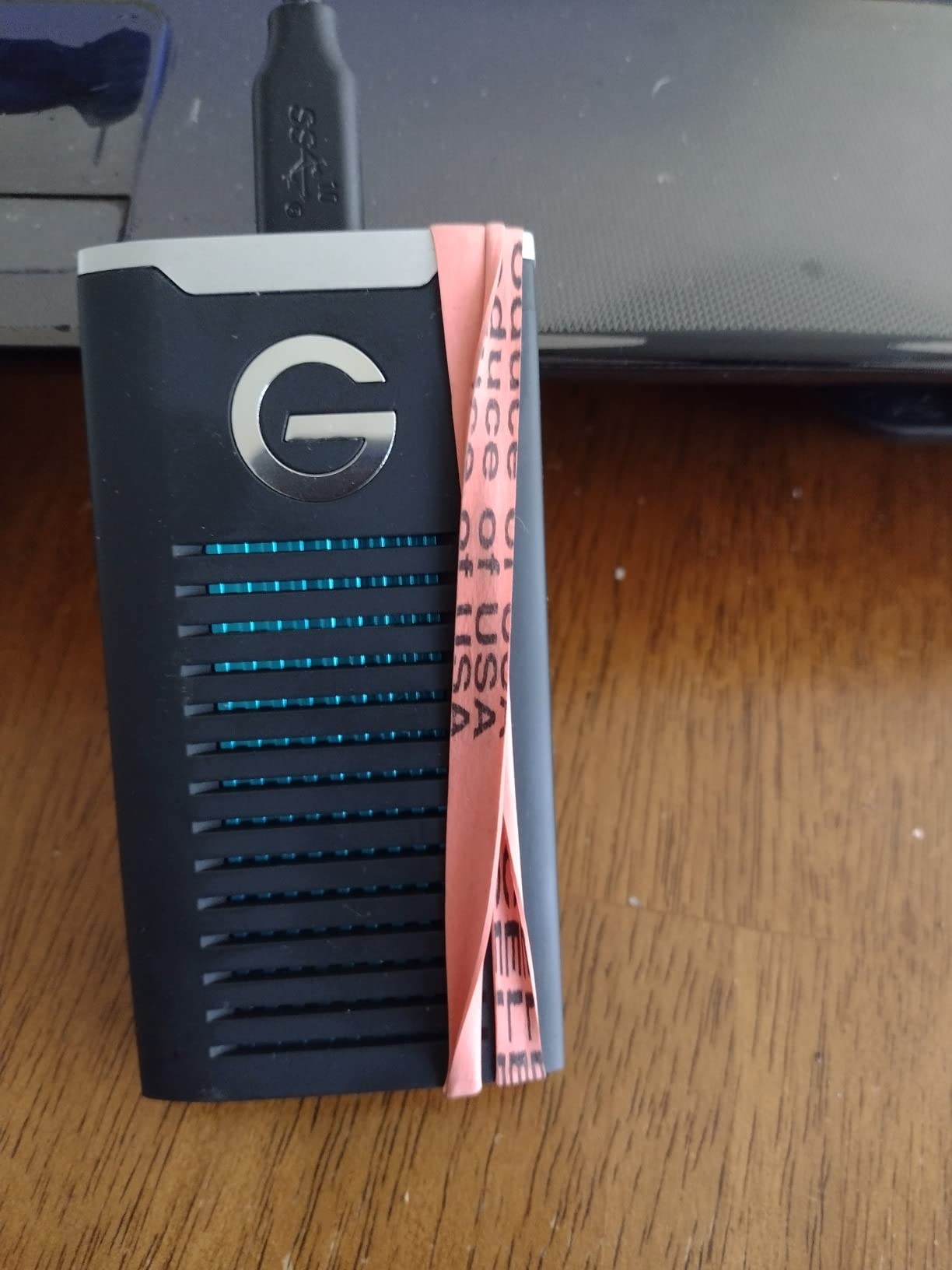
The reservation is the cost. This is a substantial premium over mainstream portable SSDs, and the speed is not the newest class, so you are paying almost entirely for the enclosure. For a photographer whose drives live in a padded case, that is money you may never recover.
It also comes Mac-ready in HFS+, so Windows users need to reformat before first use. Budget twenty minutes for that the first time. It is a five-year limited warranty, which is one of the better terms available.
Who this drive suits
Expedition, adventure and motorsport photographers, plus anyone who has already lost a drive to a drop. The IP67 and crush ratings are the reason this exists.
Who should skip it
Skip it if your drives stay in a padded bag indoors. You will pay a large premium for protection you never use. Photo-only editors should also note the 1050MB/s ceiling.
10. SABRENT Rocket Nano XTRM 2TB – Best Thunderbolt Portable SSD
SABRENT Rocket Nano XTRM 2TB External SSD – Thunderbolt 3 | 2700 MB/s | 900 MB/s USB 3.2 Gen 2 | Compact Aluminum | Both Cables Included | Mac, PC, Linux (SB-XTMN-2TB)
Pros
- Thunderbolt 3 speeds among the fastest here for 4K/6K editing and RAW backups
- Extremely compact at 2.95 inches and 1.69 oz
- Aluminum body aids heat dissipation
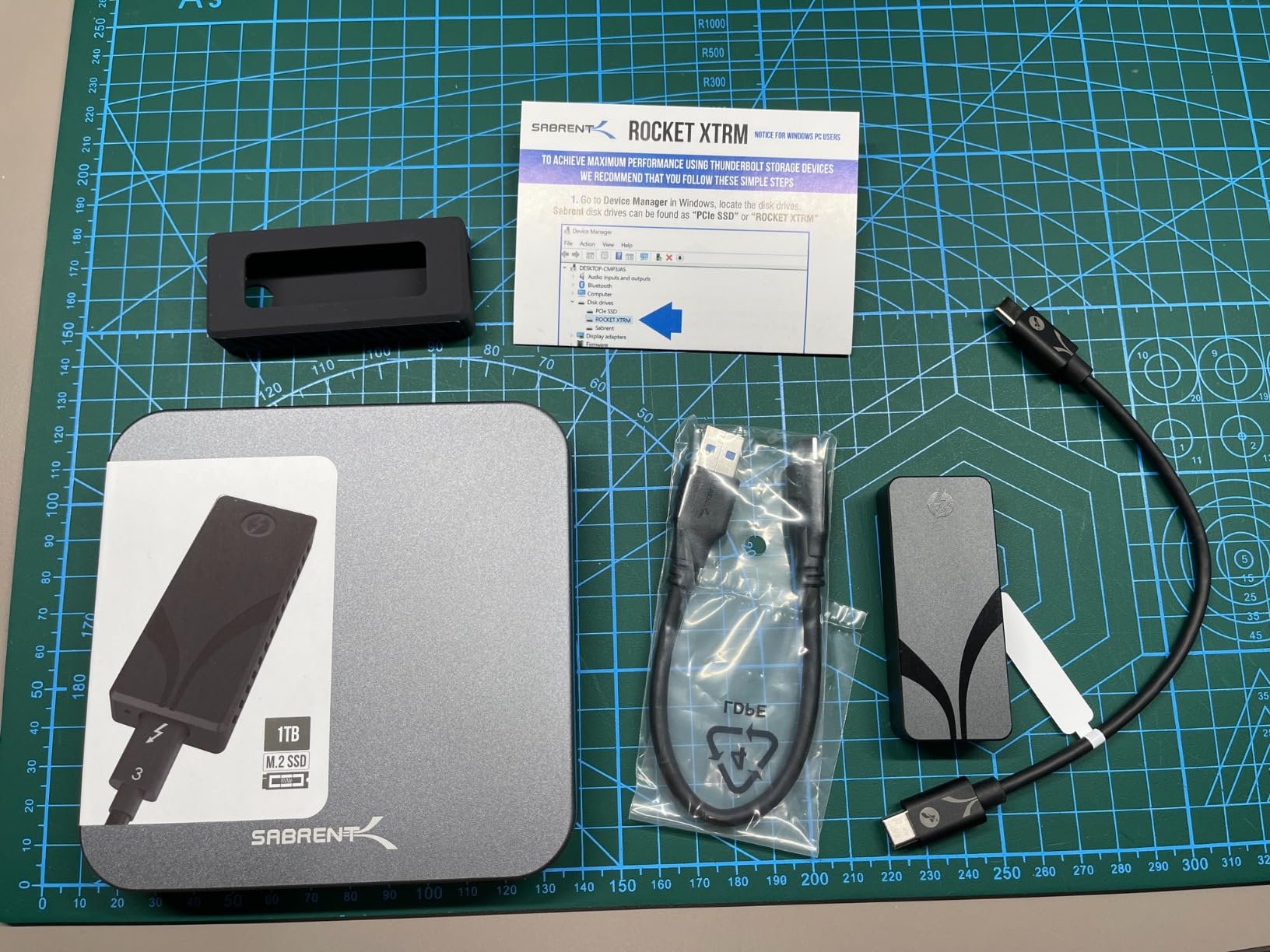
- Silicone sleeve plus both cable types included
Cons
- Thunderbolt speeds need a Thunderbolt host port
- Some setups report speeds below the 2700MB/s headline
- Only 127 reviews so long-term data is thin
Every other drive in this roundup tops out at 2000MB/s. The Rocket Nano XTRM goes to 2700MB/s over a 40Gbps Thunderbolt 3 interface, and for anyone moving large RAW sequences to a Thunderbolt-equipped Mac, that gap is measurable. It is bus-powered, needs no drivers, and works with Mac, PC and Linux.
It is also tiny. At 2.95 inches long and 1.69 ounces with an aluminum body, it is the smallest drive here by volume, and the included silicone sleeve adds drop and scratch protection that the raw aluminum would not have.
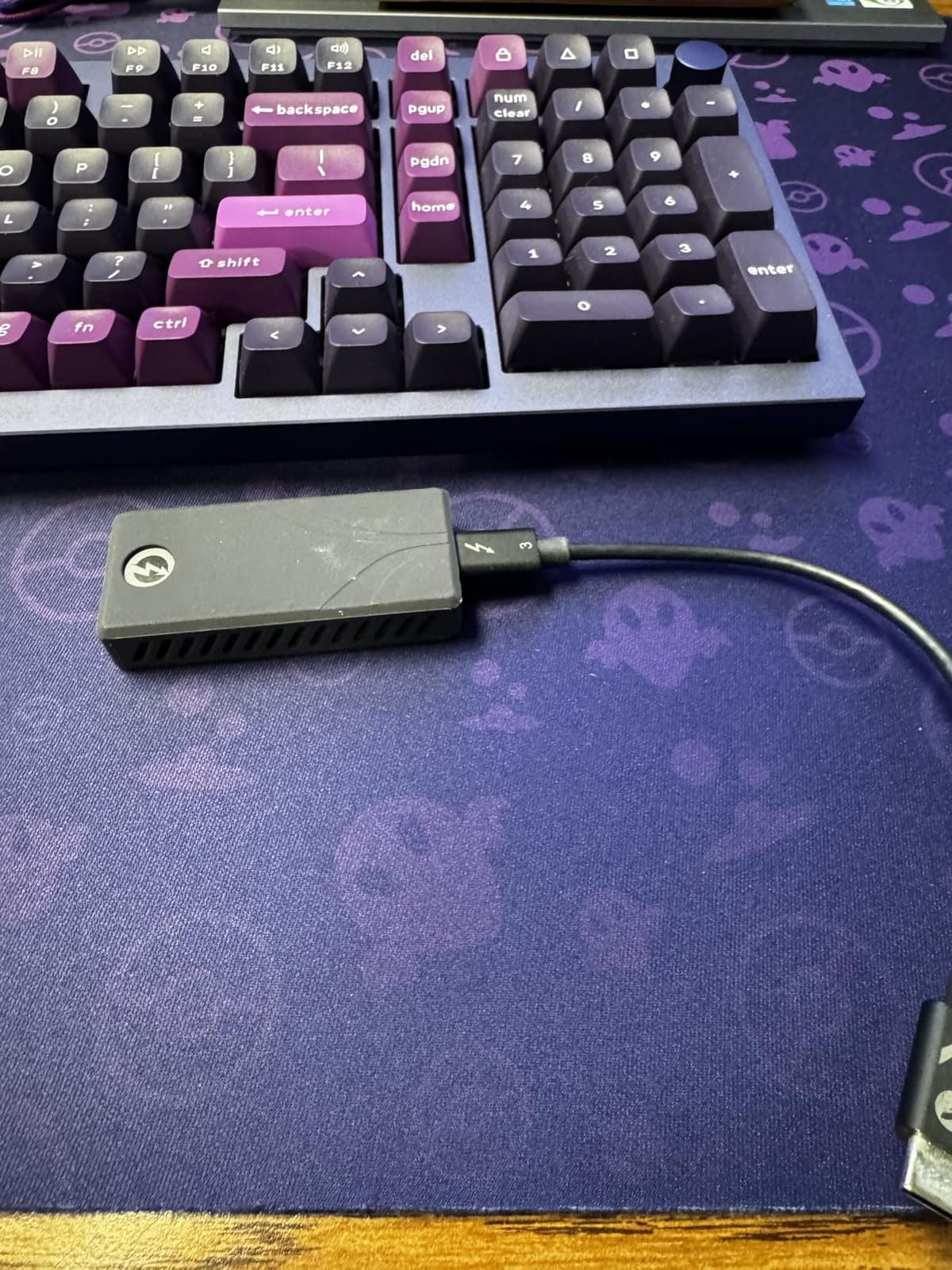
The catch is what happens without Thunderbolt. Fall back to USB 3.2 Gen 2 and you get up to 900MB/s, which is slower than every other 1050MB/s drive in this list. Several reviews mention realized speeds landing well below the 2700MB/s figure on their setups, so check your port before buying.
Warranty is three years, extendable to five with registration, and the review count of 127 is far thinner than the established drives here. That means less long-term reliability data. For Mac-specific speed comparisons, our Thunderbolt SSDs for Mac photo editing guide goes further.
Who this drive suits
Mac users with Thunderbolt ports who work with huge catalogs and 6K video. It is also a strong choice as a travel drive for anyone whose laptop has a Thunderbolt port they will actually use.
Who should skip it
Skip it on any machine limited to USB-C at Gen 2 speeds, since the fallback is 900MB/s. With only 127 reviews, it is not the drive to trust as your single copy of a shoot.
Samsung T7 Shield vs SanDisk Extreme: Which One Wins?
The Samsung T7 Shield and the SanDisk Extreme are the two drives most photographers land on, and the honest answer is that both are good. They sit in the same 1050MB/s read and 1000MB/s write class, both carry an IP65 rating, and both ship with 256-bit AES hardware encryption.
The differences are narrower than the marketing suggests. The T7 Shield is rated to survive 9.8-foot drops and comes in 1TB to 4TB, plus Samsung Magician for health monitoring. The SanDisk Extreme is rated to 3 meters with a carabiner loop, and carries a five-year warranty against Samsung’s three years on both the T7 and the Shield.
Where they truly diverge is weight and history. The SanDisk Extreme is 1.76 ounces against 97g for the Shield, and it has more than 91k reviews behind it compared to 16k. If you shoot video, the Samsung T9 is the better third option for sustained 2000MB/s throughput.
How to Choose a Portable SSD for Photo Editing in 2026
How Fast Do You Actually Need to Be?
For photo editing, 1050MB/s is enough. That is the speed class of the majority of drives on this list, and it means folders of RAW files open instantly, exports race ahead of your workflow, and a Lightroom catalog never stutters. The consensus on photographer forums is that speed is not what should drive this decision.
Speed matters when you cross into video. Large 4K and 6K timelines, panoramic stitching and heavy grading pushes want 2000MB/s or more. If your day job is still photos, the faster drives are money spent on headroom you will not touch.
How Much Storage Do Photographers Need?
Do the arithmetic on your own RAW files rather than trusting a round number. A 45-megapixel RAW file typically runs 45 to 55MB. A 1,000-frame wedding day at 50MB per frame is roughly 50GB before you add a single video file.
Travel and landscape, 2 to 3 day trip: 1TB is comfortable.
Wedding season, multiple events: 2TB to 4TB.
Studio with a multi-year RAW library: 4TB or a two-drive rotation.
Buy one size larger than your last season’s output. Storage gets cheaper every year, and running a drive at 90 percent full is where thermal and cache problems show up first.
Why Your 2000MB/s Drive Only Hits 1000MB/s
Because the drive is rarely the bottleneck. The port is. A USB 3.2 Gen 2 port delivers 10Gbps, which is about 1000MB/s in practice no matter what the drive inside can do. Only a USB 3.2 Gen 2×2 or USB4 or Thunderbolt port can feed a 2000MB/s drive.
So check your machine first. Many recent laptops have USB-C ports that are USB 3.2 Gen 2 at best, and some only manage 5Gbps. Photographers report dropped frames and slow imports from a cable or a hub limitation far more often than from the drive itself, so buy a certified cable and avoid unpowered hubs.
What the IP Ratings Actually Protect
IP55 means dust protected with water jets from any direction. IP65 adds full dust tightness and protection against water jets. IP67 adds temporary immersion, up to one meter for 30 minutes. None of them protect against drops, which is a separate number entirely.
So match the rating to the work. Rain and a dusty van need IP65. Riverside shoots, boat work and anything that might get dropped in water need IP67. Studio work needs no rating at all, and there a five-year warranty matters more.
SSD vs HDD for Photo Editing
Use an SSD for editing, always. A spinning external drive reads at a few hundred MB/s at best and its platters are destroyed by a single good drop, which is the drop that happens in a car park after a twelve-hour wedding. The entire reason these portable SSDs exist is that they survive that.
For archival copies of finished work, a cheap hard drive in a safe is reasonable. It just should never be the drive you edit from or the only copy you have.
exFAT, APFS or NTFS for Cross-Platform Shoots
Format portable drives as exFAT when Mac and Windows both need to use them. exFAT reads and writes on both, with no file-size limit, which is why the Samsung T7 and the Amazon Basics drive both use exFAT by default. APFS is Mac-only and NTFS is read-only on a Mac without extra software.
The one exception is a drive that is purely a shuttle between two Macs. In that case APFS gives you snapshots and a sturdier file system. Anything leaving your hands on a mixed kit should be exFAT.
How Long Portable SSDs Last and What TBW Means
TBW, or terabytes written, is the total data a drive can write over its rated life. A photographer writing 150GB per shoot, twice a week, writes around 15TB a year. On a 1TB drive rated in the low hundreds of terabytes, that is a decade or more of service.
The more common failure cause is not wear. It is heat, power loss and physical damage. Check drive health before every major trip, keep two copies on two drives, and follow the 3-2-1 rule: three copies, on two media types, with one offsite.
Frequently Asked Questions
Is a portable SSD good for storing photos?
Yes. A portable SSD is an excellent storage target for photos because it has no moving parts, so it survives the drops and vibration that destroy external hard drives. It is also fast enough that you can edit RAW files and a Lightroom catalog directly from it. The only rule is that it must never be the only copy of a shoot.
Which SSD is best for photos?
The SanDisk Extreme 2TB is the best SSD for photos. It delivers up to 1050MB/s read and 1000MB/s write, carries an IP65 water and dust rating with 3-meter drop protection, and includes 256-bit AES hardware encryption. The Samsung T7 Shield is the closest alternative if you prefer Samsung Magician health monitoring.
Which SSD is best for editing?
For photo editing, a 1050MB/s drive such as the SanDisk Extreme or Samsung T7 Shield is more than enough. For video editing, move up to a 2000MB/s USB 3.2 Gen 2×2 or Thunderbolt drive such as the Samsung T9 or SABRENT Rocket Nano XTRM. Editing speed depends more on the host port than the drive.
Is 2TB enough for storing photos?
For most working photographers, yes. A 45-megapixel RAW file runs roughly 45 to 55MB, so a 1,000-frame wedding day is about 50GB. A 2TB drive holds several such events plus a working library. Buy 4TB if you archive multi-season libraries or shoot large video files alongside stills.
What is the best external SSD for photography?
The SanDisk Extreme is the best external SSD for photography because it combines 1050MB/s speeds with an IP65 rating, 3-meter drop protection and a five-year warranty at 1.76 ounces. Photographers working in extreme conditions should consider the SanDisk Professional G-DRIVE, which adds IP67 sealing and 2000lb crush resistance.
What is the lifespan of a Samsung T7 SSD?
A Samsung T7 typically lasts well over a decade for photographic use. At 150GB written per shoot twice a week, a photographer writes about 15TB annually, so endurance in the low hundreds of terabytes gives many years of headroom. Most early failures come from heat, impact or power loss rather than normal wear, so check health before big trips.
How much SSD do I need for photo editing?
Budget 1TB for travel work and a two-week trip, 2TB for an active wedding or event season, and 4TB for a multi-year studio archive. Size it for the largest shoot plus a full season of work, and keep a second drive for backups rather than one larger drive. A Lightroom catalog on an SSD is essential; an HDD will slow every scroll.
Do photographers need Thunderbolt or is USB-C enough?
USB-C is enough for photo editing. A 1050MB/s Gen 2 drive opens RAW folders and Lightroom catalogs instantly, and most laptop USB-C ports only deliver 10Gbps anyway. Thunderbolt or USB 3.2 Gen 2×2 becomes worthwhile for 4K, 6K and 8K video timelines, where sustained 2000MB/s and above reduces dropped frames.
Should I put Lightroom photos on SSD or HDD?
Put Lightroom photos on an SSD. The catalog file, previews and scratch files are small but constantly read, and a spinning drive makes every scroll and every develop action wait on platter seeks. Keep only the RAW files on the cheaper drive and let the SSD hold the catalog, previews and exports.
Final Verdict on the Best Portable SSDs for Photo Editing in 2026
The SanDisk Extreme 2TB is the best portable SSD for photo editing, and it is the drive we would put in a camera bag tomorrow. Up to 1050MB/s read and 1000MB/s write, IP65 sealing, 3-meter drop protection and a five-year warranty cover everything a photographer needs, and more than 91k reviews back it up.
Take the Samsung T7 Shield if you want 9.8-foot drop resistance and Samsung Magician health monitoring, the Lexar ES3 if every gram counts, or the SanDisk Professional G-DRIVE if your work is genuinely outdoors. Move up to the Samsung T9 or SABRENT Rocket Nano XTRM only when video enters the picture.
Whichever you choose, never let it be the only copy. Use two drives, rotate them, and keep one copy away from the shoot. For desk-bound editing speeds, our NVMe SSDs for photo editing guide covers the internal side of the same workflow.