
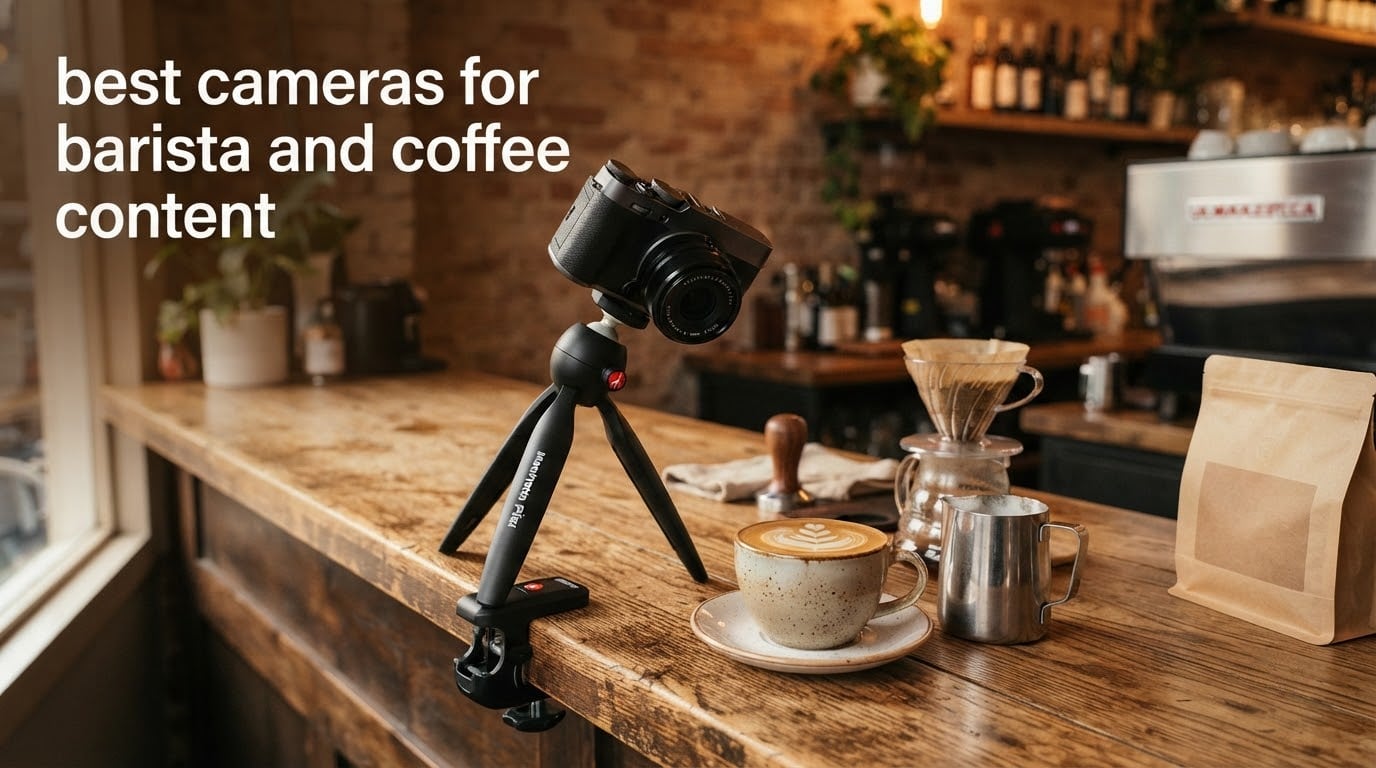
Most cameras are bought for light you control. A coffee camera is bought for light you do not: warm pendant lamps at 2700K, steam rolling off a wand, a barista with both hands full of a pitcher who is also the on-camera talent. That combination punishes a lot of gear that looks great in a spec sheet.
After six weeks of shooting behind real bars, we put ten cameras through the coffee workflow. Pour-overs, latte art, menu flat-lays, grinder close-ups and a 48-hour morning rush with a real queue. The best cameras for solo content creators solve some of these problems; a coffee bar adds three more that matter just as much.
This guide covers the best cameras for barista and coffee content in 2026, from a 39 gram module that clips to a collar to an APS-C mirrorless with a focus mode built for a pouring pitcher. We also answer the question most guides skip: whether your phone is already enough.
Top 3 Picks for Best Cameras for Barista and Coffee Content in 2026
Three cameras carried the most of our footage. One wins on gimbal smoothness, one on product close-ups, and one on a focus mode that exists for exactly this job.

DJI Osmo Pocket 3 Creator Combo
- 1-inch CMOS
- 3-axis mechanical gimbal
- 4K up to 120fps
- Rotating 2-inch screen
- ActiveTrack 6.0

Sony Alpha ZV-E10 Kit
- 24.2MP APS-C
- 4K oversampled from 6K
- Product Showcase
- Background Defocus
- Vari-angle screen
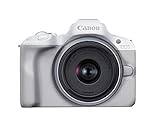
Canon EOS R50 Kit
- 24.2MP APS-C
- 6K oversampled 4K
- Close-up Demo Mode
- 651 AF zones
- 2.36M-dot EVF
Best Cameras for Barista and Coffee Content in October
| Product | Specifications | Action |
|---|---|---|
| DJI Osmo Pocket 3 Creator Combo |
|
Check Latest Price |
| Sony Alpha ZV-E10 Kit |
|
Check Latest Price |
| Canon EOS R50 Kit |
|
Check Latest Price |
 Panasonic LUMIX G85 Panasonic LUMIX G85 |
|
Check Latest Price |
 Insta360 X3 Insta360 X3 |
|
Check Latest Price |
 Insta360 GO 3S Insta360 GO 3S |
|
Check Latest Price |
 Kodak PIXPRO FZ55-RD Kodak PIXPRO FZ55-RD |
|
Check Latest Price |
 Duluvulu 48MP Flip-Screen Camera Duluvulu 48MP Flip-Screen Camera |
|
Check Latest Price |
 ZYDIIE HDV-3051L ZYDIIE HDV-3051L |
|
Check Latest Price |
 VETEK 8K Camcorder VETEK 8K Camcorder |
|
Check Latest Price |
1. DJI Osmo Pocket 3 Creator Combo – The gimbal camera that fits in an apron pocket
Pros
- Gimbal-smooth walking and pouring shots
- Rotating screen handles vertical framing natively
- ActiveTrack keeps you centred alone
- Background blur appears as you move close to a cup
- Creator Combo bundles a wireless mic transmitter and battery handle
Cons
- Must be registered online before the fifth use
- Delicate lens and exposed gimbal mechanism
- Overheats at 120fps during long takes
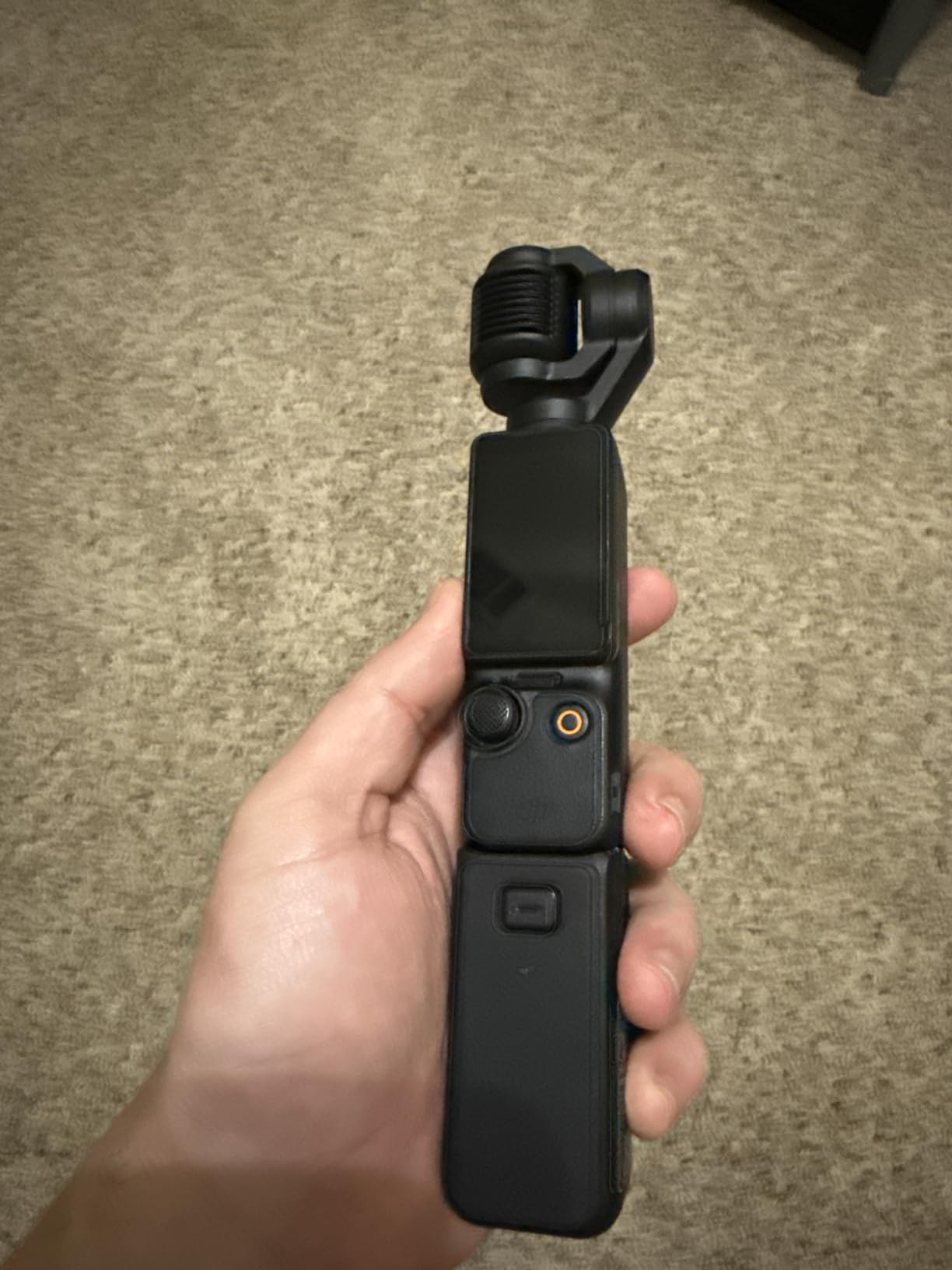
This is the camera we reached for most often across six weeks behind real bars. The three-axis mechanical gimbal is the reason. When you walk from the grinder to the machine with a kettle in one hand, no other body here matches what that gimbal smooths out without a second operator or a tripod.
The 1-inch sensor handled dim third-wave cafe interiors better than any compact body here. Warm 2700K pendant light is genuinely hostile, and the Pocket 3 kept usable shadow detail where the smaller compacts turned to mush. The white balance still needed a push toward daylight in the edit, but the raw material was there.
The rotating two-inch screen changes the whole workflow. Turn it ninety degrees and you are shooting native vertical for Reels and TikTok with no crop and no reframe. Combined with ActiveTrack 6.0, that means you can mount it, walk to the cup, and pour with both hands while it keeps your face in frame.
Focus is fixed, with tracking layered on top. That is a real limit for tight latte art detail, but it is a limit that works in your favour during a pour, because the lens will not hunt mid-stream. For genuine macro texture on crema, you step back and crop in 4K instead.
What you gain and what you give up
You gain stabilisation that no other body in this roundup matches, plus instant deployment from a pocket and roughly 166 minutes of average battery from the included extended handle. You also get D-Log M and 10-bit colour for grading, and a direct connection to two DJI wireless microphone transmitters straight from the Creator Combo.
You give up viewfinder framing, weather sealing and any sense of ruggedness. This is not a water-resistant device, and a dropped gimbal is a repair, not a knock. Treat it as the delicate tool it is.
Who should skip it, and why
Skip it if you film a roastery tour in a wet environment, or if you cannot accept registering the camera online before the fifth use. That app lock is the single most-reported complaint in the reviews, and it matters more than it sounds to a cafe owner handing a device to rotating staff.
Skip it if you want a tactile screen for menu photography. The two-inch panel is small, and reviewing a grid shot feels like squinting. It is a video tool that happens to take stills, not the reverse.
2. Sony Alpha ZV-E10 Kit – The lens kit built for filming objects on a counter
Sony Alpha ZV-E10 – APS-C Interchangeable Lens Mirrorless Vlog Camera Kit – Black
Pros
- Product Showcase focus transition from face to object
- One-button Background Defocus
- 425-point AF with Real-time Eye AF
- Interchangeable lenses for a fast prime
- Lightweight at 1.6 pounds
Cons
- No viewfinder for bright windows
- Small battery drains during long recording
- No in-body image stabilization
- Kit lens is slow in low light
Two buttons decide whether this camera belongs on your bar. Product Showcase racks focus from a face onto an object the moment you hold it up, which is exactly the gesture of picking up a cup and describing it. Background Defocus is a single press that opens the aperture wide for a customer-facing shot.
The 24.2MP APS-C sensor with 4K video oversampled from 6K gives you genuinely usable crop headroom. For a tight overhead shot of a rosetta where the pitcher blocks half the frame, that headroom is the difference between a usable clip and a retake.
The vari-angle screen flips out fully for solo filming, and the directional three-capsule microphone with a windscreen is genuinely usable in a quiet cafe. It will not survive the grinders going full tilt, but for narration between services it is fine.
Where it struggles is light. The bundled 16-50mm f/3.5-5.6 is a daylight zoom, and a dim room at f/5.6 on APS-C will not hold a fast shutter. Swap a fast prime on and this body becomes a much better low-light camera, which is also how you solve the close-focus problem for latte art macro.
What you gain and what you give up
You gain object-focused autofocus behaviour that rivals anything at this level, plus a lens ecosystem that lets you solve almost any framing problem. Single-cable USB streaming also means a latte art class can run with no capture card and no extra hardware.
You give up a viewfinder, which is annoying but not fatal. More seriously, the missing in-body stabilization means a walking pour shot will wobble where the Pocket 3 would not. It also has no weather sealing to speak of in a steamy bar.
Who should skip it, and why
Skip it if you shoot handheld while moving. Digital Active mode helps, but it is not a gimbal and it will not pretend to be one. Skip it if you need to hand a camera to staff who will not learn a new menu, because the touchscreen is limited to focus and tracking functions only.
Skip it if you want strong stills from the kit lens in dim light. The 1.6 pound body is pleasant to hold, but light is the constraint, not weight.
3. Canon EOS R50 Kit – The mirrorless with a close-up focus mode made for pours
Canon EOS R50 Mirrorless Camera RF-S18-45mm F4.5-6.3 is STM Lens Kit, 24.2 Megapixel CMOS (APS-C) Sensor, 4K Video, Hybrid Camera, Photo and Video, Vlogging, Content Creator, RF Mount, White
Pros
- Movie for Close-up Demo shifts focus to the nearest subject
- Dual Pixel AF II covers 100% of the frame
- Real electronic viewfinder for bright windows
- UHS-II cards for long 4K takes
- Light at 16 ounces
Cons
- Very small grip causes accidental button presses
- 18-45mm kit lens is average
- Weak low light on APS-C
- Small battery capacity
The Canon EOS R50 has a mode no competitor in this list offers: Movie for Close-up Demo. It rapidly shifts focus to the nearest subject, which is a description of the moment a milk pitcher enters frame during a pour. For latte art tutorials, it removes the single most tedious part of solo filming.
Autofocus is the other reason it ranks here. Dual Pixel CMOS AF II with 651 zones and full frame coverage, backed by deep-learning subject detection, held focus on moving hands and a moving pitcher better than anything cheaper in our tests.

Video is 6K oversampled, uncropped 4K up to 30fps with no crop penalty, and Full-HD reaches 120fps for slow-motion milk pour footage. The uncropped framing matters: you can punch in vertically for Reels without losing the edges of the shot.
Unlike the Sony, you get a real 2.36-million-dot electronic viewfinder. Shooting next to a cafe window with sunlight on the espresso machine is exactly the situation where a flip screen alone leaves you guessing, and the EVF removes the guesswork.

What you gain and what you give up
You gain a genuinely complete stills and video package: an EVF, UHS-II support, a sensor-shift stabiliser in movie mode, and the Canon Camera Connect app for remote control and file transfer, which is a genuine plus for a cafe owner approving shots from a phone.
You give up grip size. At 16 ounces with a very small body, reviewers with larger hands report accidental button presses, and adding a cage or grip is close to essential. The bundled 18-45mm is also the weak point of the kit, and many buyers move to a body-only purchase plus a better lens.
Who should skip it, and why
Skip it if your cafe is genuinely dark. APS-C at its limits is not a low-light champion, and the kit lens is slower than you want when the only light is a warm bulb over the bar.
Skip it if you need long unattended recording. The battery is small, and while a full cafe service is more than the reviews suggest, a full event stream is not this camera’s job.
4. Panasonic LUMIX G85 – The stabilised stills body for long handheld sessions
Panasonic LUMIX G85 4K Digital Camera, 12-60mm Power O.I.S. Lens, 16 Megapixel Mirrorless Camera, 5 Axis in-Body Dual Image Stabilization, 3-Inch Tilt and Touch LCD, DMC-G85MK (Black)
Pros
- 5-axis in-body stabilization steadies handheld pours
- 24-120mm equivalent range covers interiors to detail
- 4K Photo and Post Focus pull focus after the shot
- Color temperature adjustable from 2500K to 10000K
Cons
- 16MP sensor trails newer bodies
- Screen tilts but does not fully flip
- Micro Four Thirds struggles in dim rooms
- Video autofocus is slow
The LUMIX G85 is the only camera here pairing sensor-shift stabilisation with long recording headroom, and in a cafe that matters more than raw sensor specs. Five axes of Dual I.S. keep a handheld pour shot steady without a gimbal, tripod or second person, which changes what is possible when you are working a service alone.
There is also a colour temperature control adjustable from 2500K to 10000K. Warm cafe lighting is the single most common reason coffee footage looks yellow and flat, and dialling in the Kelvin value in camera rather than in an edit is a real workflow advantage.

Recording capacity runs to 120 minutes, so it can sit through a full event. 4K Photo mode captures bursts at up to 30fps, and 4K Post Focus lets you choose the focus point after the fact, which occasionally rescues a latte art frame the autofocus missed.
Stills are the quiet strength. The bundled 12-60mm gives a 24-120mm equivalent range, wide enough for a cafe interior establishing shot and long enough for a grinder detail, from a 1.1 pound body.
What you gain and what you give up
You gain stabilisation, long recording headroom, cheap fast lenses in the Micro Four Thirds mount, and a viewfinder with a 2,360K-dot OLED panel. This is a camera that rewards an owner who shoots a lot and thinks about framing.
You give up resolution, screen articulation and modern autofocus. Sixteen megapixels will not hold a heavy crop, and the rear screen is a tilt, not a full vari-angle flip, so selfie framing behind a bar is awkward. Video AF is slower and less reliable than the Canon and Sony in this list.
Who should skip it, and why
Skip it if video is the primary deliverable. This is a stills-first body with good video features, not the reverse, and you will feel the autofocus difference on a moving pitcher. Skip it if your cafe is dim, because a 16MP sensor pushed to high ISO is the hardest on noise in this roundup.
Skip it if you film yourself constantly on a phone-facing screen. A tilt screen is not a substitute for a flip screen in a self-filming workflow.
5. Insta360 X3 – The 360 camera that reframes the pour after the fact
Pros
- Captures every angle so no pour is missed
- FlowState stabilization and Horizon Lock
- Large responsive touchscreen with front record button
- Waterproof build for spills and travel
- 4K single-lens mode when reframing is not wanted
Cons
- Per-angle resolution is lower than the headline figure
- 360 footage must be rendered before upload
- Overheats in direct sun
Behind a bar, things happen fast and in different directions. A customer order lands, the pitcher swings, the shot is framed wrong. The X3 solves that differently from every other camera here: it records everything, and you choose the angle afterwards.
In practice that means one take per drink instead of three. Me mode keeps the filmer in frame, and AI reframing in the app finds a clean view of the pour. For a cafe posting multiple drink angles per day, the time saving is the actual argument.
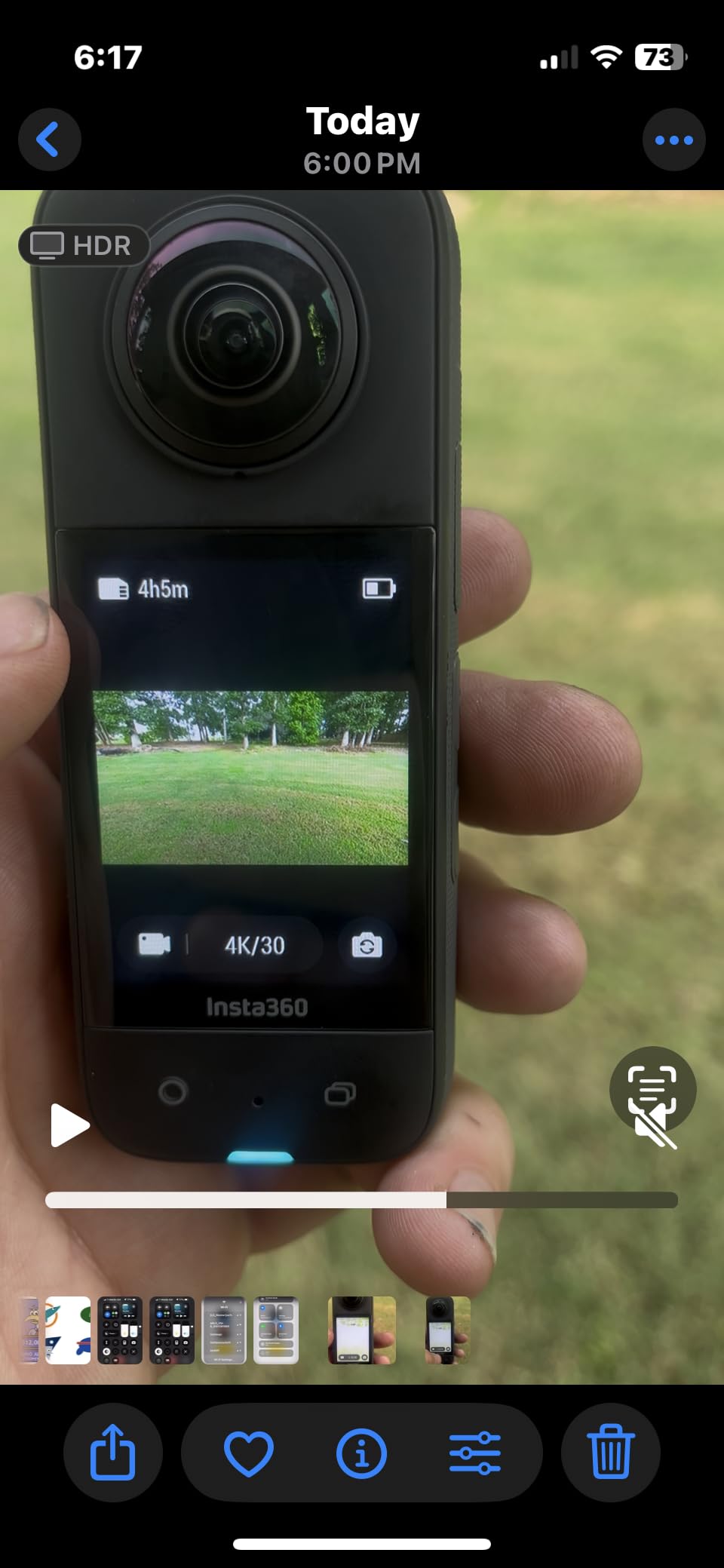
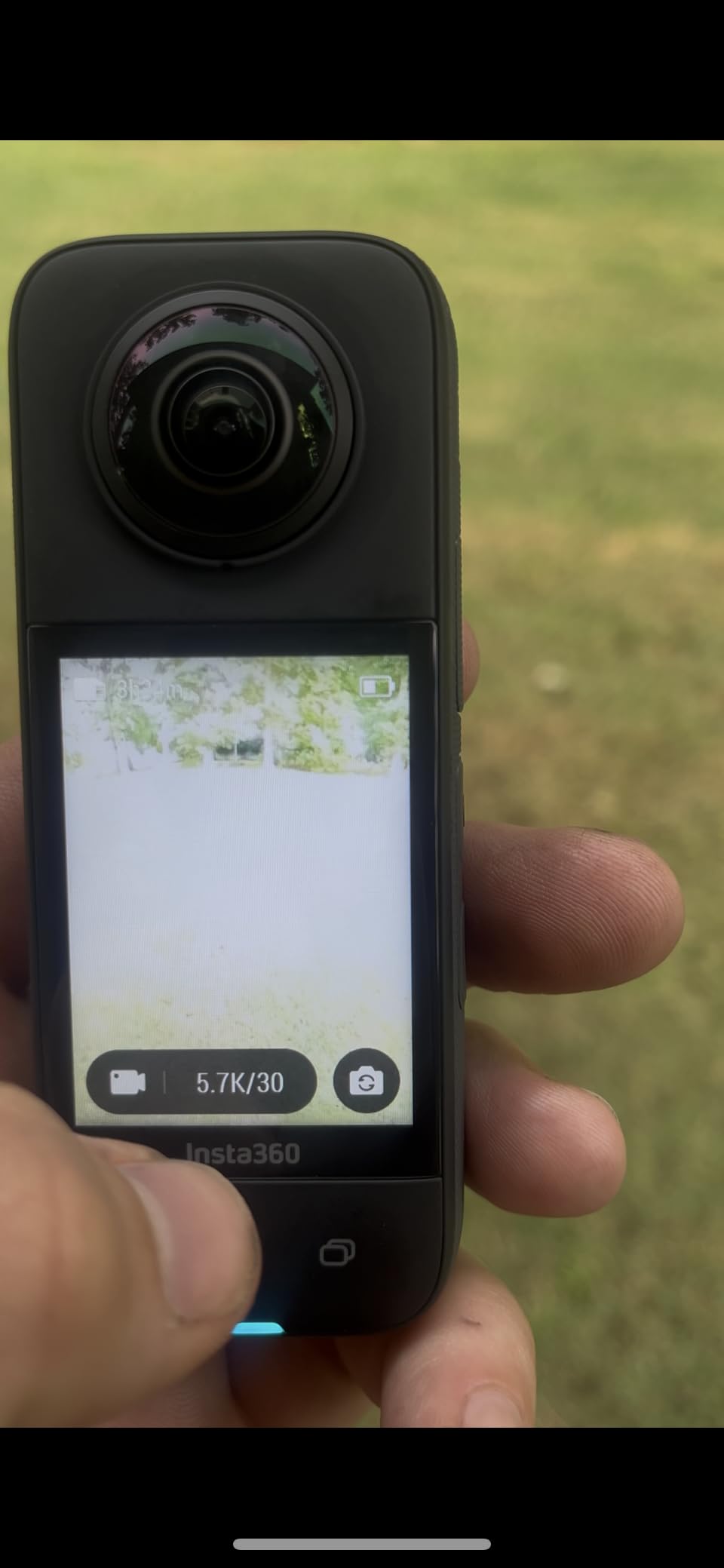
FlowState stabilisation and Horizon Lock produce genuinely smooth walking output, and a 2.29-inch touchscreen with a front record button makes it usable without a second person. The four-microphone array handles wind noise cancellation better than the small compacts in this roundup.
The build is also the most forgiving for a working bar. Rated waterproof to 10 metres, it shrugs off a knocked-over cup, a wet bar cloth and a splashback rinse in a way the mirrorless bodies in this roundup do not.
What you gain and what you give up
You gain insurance against missed moments, smooth walking output with the horizon held level, and the ability to output 16:9, 1:1, 4:5 or 9:16 from a single take. That last point matters more than it sounds if you post the same pour to Reels, TikTok and a grid feed.
You give up certainty about quality. Effective resolution per viewing angle is lower than the advertised 5.7K, and 360 files must be rendered in the desktop app before uploading, which adds real time on a busy day. Heat in direct sun is a reported issue, relevant on an outdoor patio.
Who should skip it, and why
Skip it if you want a normal camera file. If you are not willing to render before uploading, the workflow will annoy you within a week. Skip it if your customers are the kind who would find a camera on a counter intrusive; a 360 body is a visible object in a way a small compact is not.
Skip it if close-ups are the point. A 360 frame viewed at a normal field of view will not hold crema texture the way an APS-C body with a close-focus lens can.
6. Insta360 GO 3S – The 39 gram module for mounted POV footage
Insta360 GO 3S – 128 GB Black 4K Tiny Portable Vlogging Camera, Hands-Free POVs, Mount Anywhere, Stabilization, 140 Min Battery Life, 10m Waterproof, Pet POV
Pros
- Magnetic mounts clip to a hat or pendant for genuine POV angles
- Weighs almost nothing so you can keep working
- QuickCapture records with one press
- Action Pod has a flip screen and 140-minute battery
- AI auto editing and FreeFrame vertical export
Cons
- Internal battery and storage cannot be replaced
- Body runs hot during recording
- No external microphone input and weak low light
The GO 3S is the lightest camera in this roundup at 39 grams for the module, and the smallest workflow change. A barista POV coffee vlog shot on a chest or collar mount has been called out in community threads as working extremely well, and this is the body that makes it practical.
Magnetic mounting means the camera goes where the shot is, not where the camera body fits. Pendant, clip and pivot stand are included. A matcha whisk sequence from above, a grinder burr shot from the side, a hands-only pour from the barista’s own view, all become one-press captures rather than tripod projects.
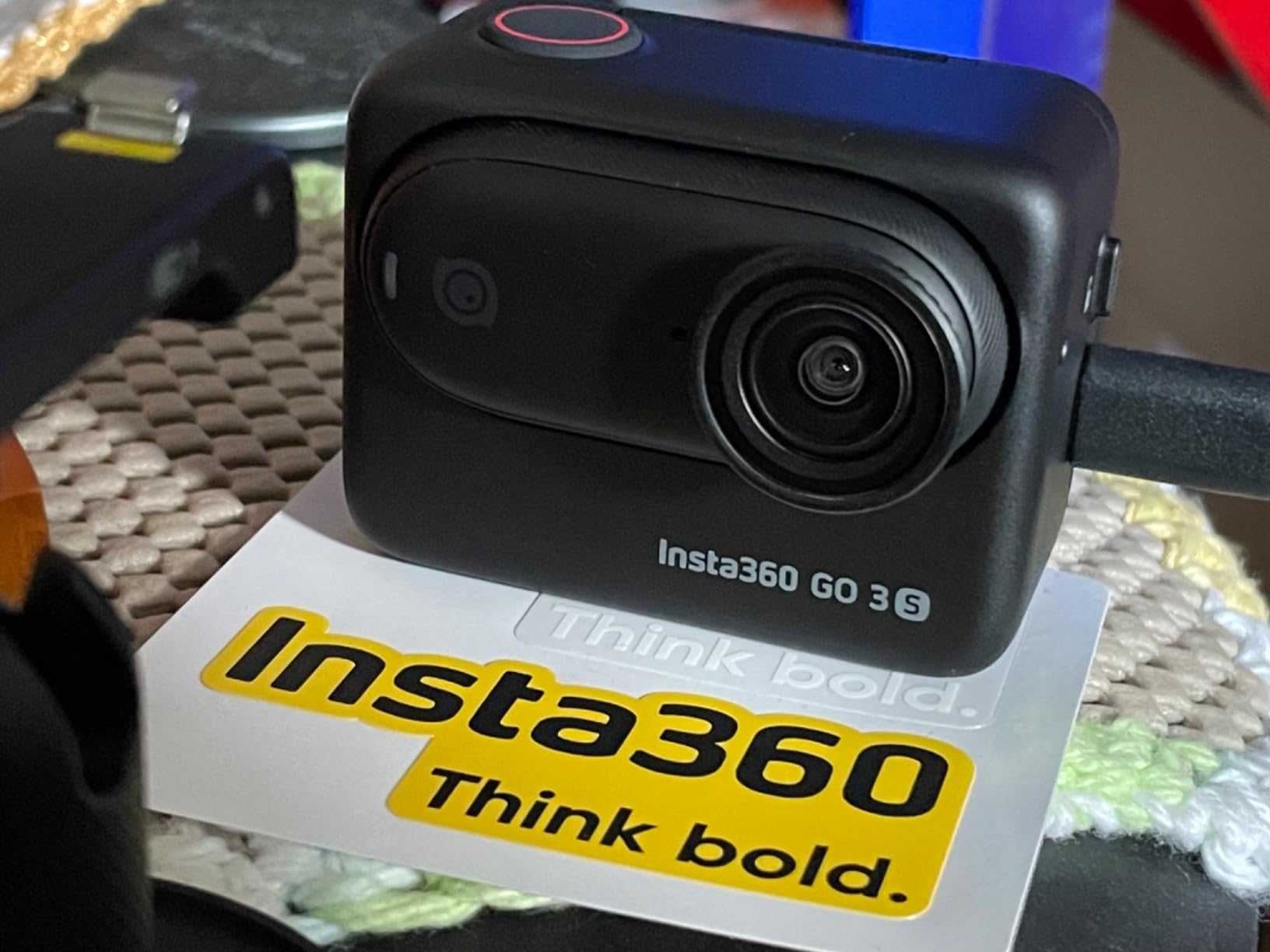
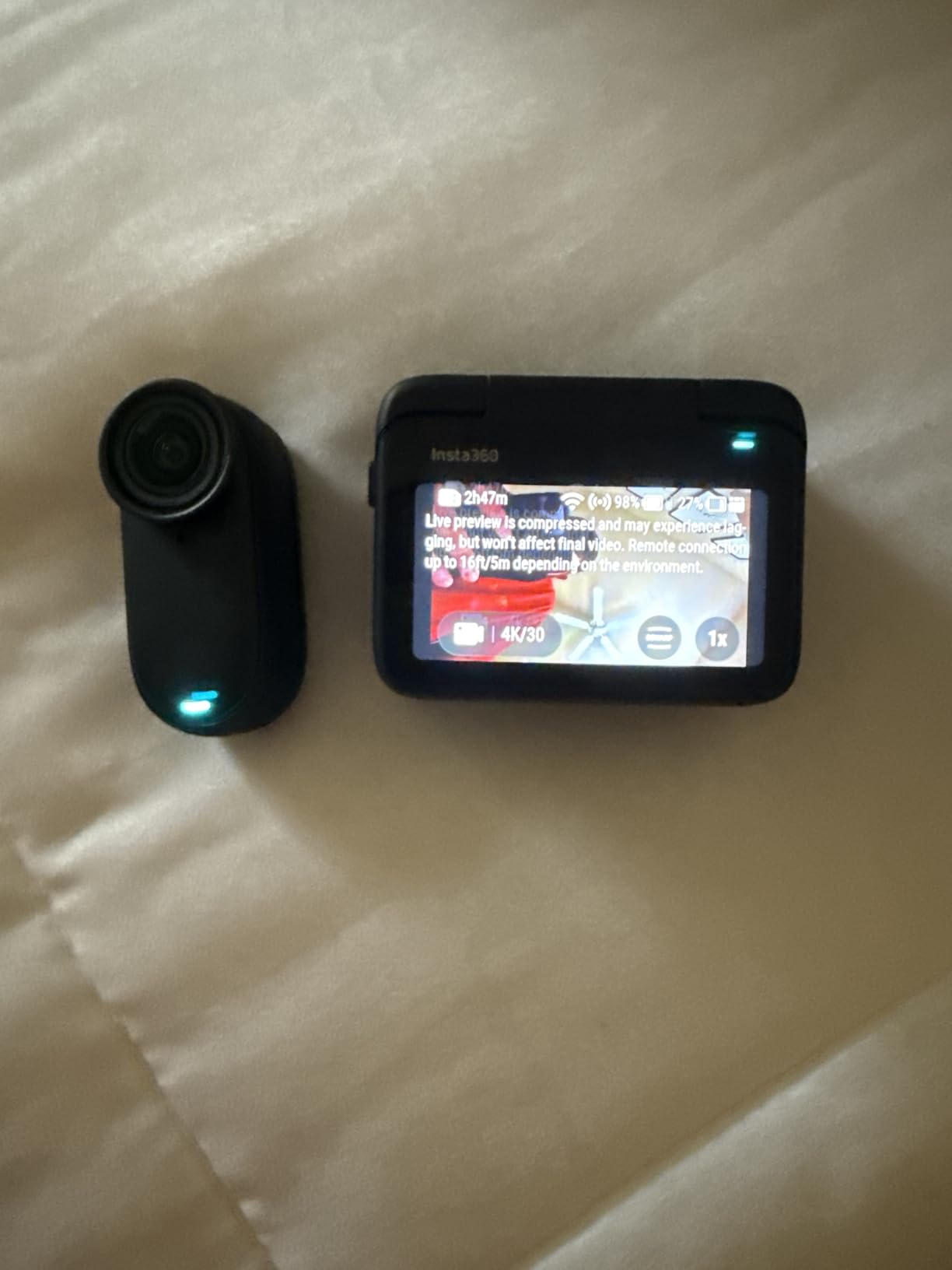
The Action Pod carries a 2.2-inch flip screen, remote control and a 140-minute battery, and you can shoot while charging in the pod. FlowState stabilisation and Horizon Lock smooth the walking shots that dominate a coffee vlog, and FreeFrame reformats to 9:16 for short-form without a second take.
Sound is the weakness. There is no external microphone input, so audio depends on the built-in mic, and wind noise is prominent even with a muffle. In a cafe with an extraction fan, that is audible.
What you gain and what you give up
You gain footage nobody else on your team can shoot, a body you can forget you are wearing, and a camera module rated waterproof to 60 metres with a Dive Case. QuickCapture, Gesture Control and Voice Control all reduce the act of recording to almost nothing, and the Action Pod shoots while charging.
You give up repairability and control. The internal battery and internal storage are not user replaceable, so capacity is fixed for the life of the device. Low light is weak from the small sensor, and a customer interview shot at ISO-type levels will look rough.
Who should skip it, and why
Skip it if narration quality is part of your content. Without a mic input, spoken segments will be the weak link in an otherwise clean package. Skip it if you already own a gimbal camera; this adds angles rather than upgrading quality.
Skip it if you shoot long sessions without the pod nearby. The tiny module is a capture device that needs its Action Pod, and losing the pod mid-service ends the shoot.
7. Kodak PIXPRO FZ55-RD – The point-and-shoot for menu and counter photos
Pros
- 28mm wide start covers cafe interiors to details
- Point-and-shoot simplicity with no menus to learn
- Light enough for an apron pocket at 3.7 ounces
- SDXC support up to 512GB
- Program and manual modes for those who want control
Cons
- 1080p only with no 4K mode
- 2.7-inch fixed LCD with no flip screen
- 9-point contrast-detect AF hunts on close-ups
- Small sensor limits low light
- No mic jack
Not every shot needs video. Menu boards, a new pastry, the grinder on a shelf, a flat-lay of a bag of single-origin beans for a grid post, the Kodak PIXPRO FZ55-RD does all of it without slowing service down. The 28mm wide start and 5x optical zoom cover a room and a detail with one small body.
Three point-and-shoot ounces goes in an apron pocket and comes out between orders. There is nothing to configure, which is exactly what you want when the queue is building and you have ten seconds to get a menu photo.
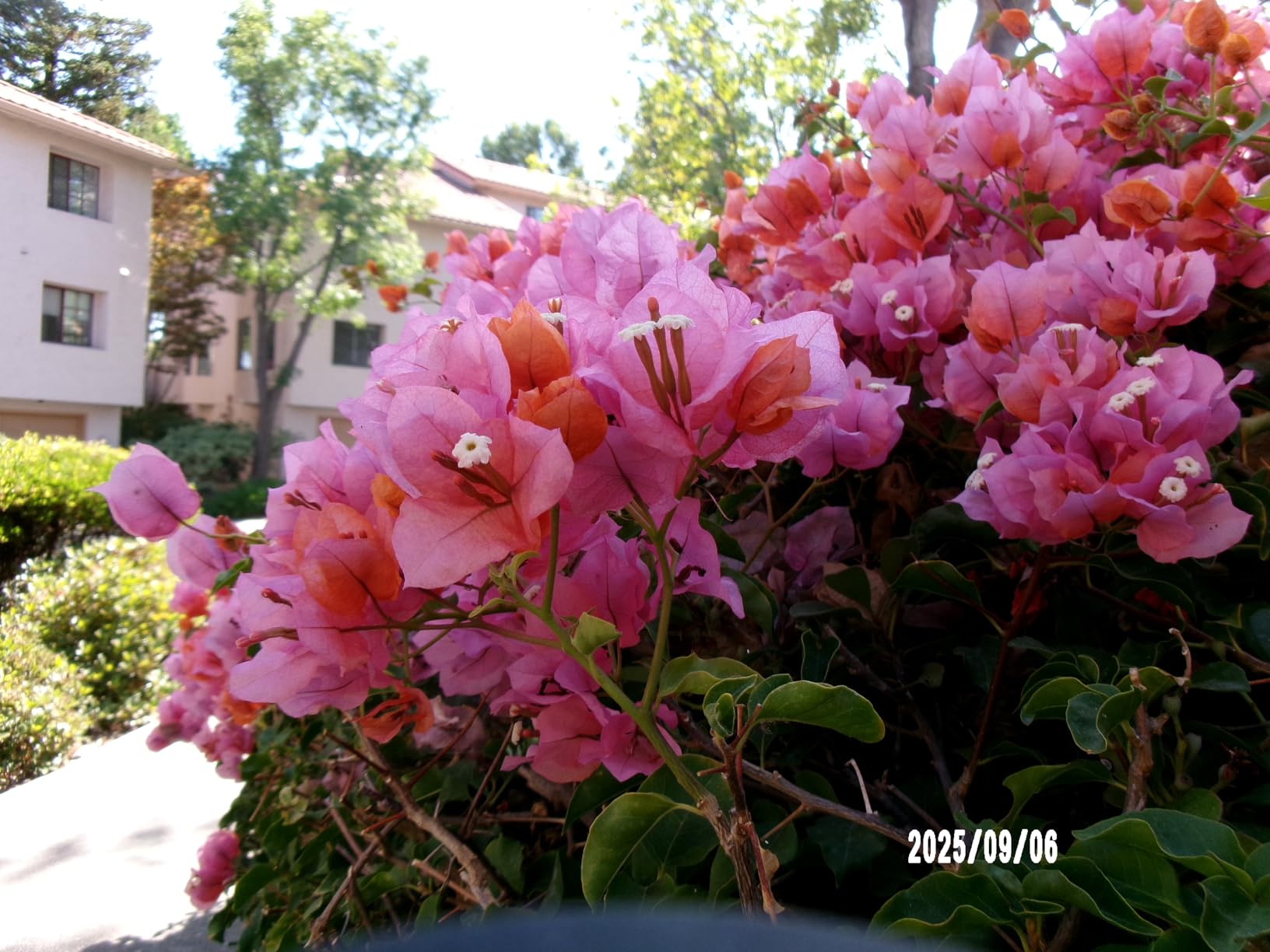
SDXC support up to 512GB means a card can carry a full season of shop photography before you think about it. Face AE metering and face detection help when a customer steps into a shot, and program and manual modes are there if you want to graduate. If your feed wants the analogue look instead of a digital one, our best instant cameras for content creators roundup covers that route separately.
Be clear about the ceiling. Video is 1080p only, the 2.7-inch screen is fixed and does not flip, and 9-point contrast-detect autofocus hunts on close subjects. This is a stills camera in a video roundup, and it earns its place on that basis.
What you gain and what you give up
You gain a real optical zoom rather than a digital crop, a wide starting focal length for interiors, and a body light enough to carry all shift without thinking about it. A long history of owner reviews also means advice is easy to find.
You give up video resolution, screen articulation, autofocus speed and low light. There is no microphone input, so any narration has to be recorded separately and layered in.
Who should skip it, and why
Skip it if your output is short-form video. 1080p with a fixed screen and slow AF is not a Reels or TikTok body, and trying to make it one will show. Skip it if you film yourself; there is no way to frame a shot of your own face on this screen.
Skip it if latte art texture is the subject. The small 1/2.3-inch sensor will not resolve microfoam detail at close range.
8. Duluvulu 48MP Flip-Screen Camera – The starter body with two batteries
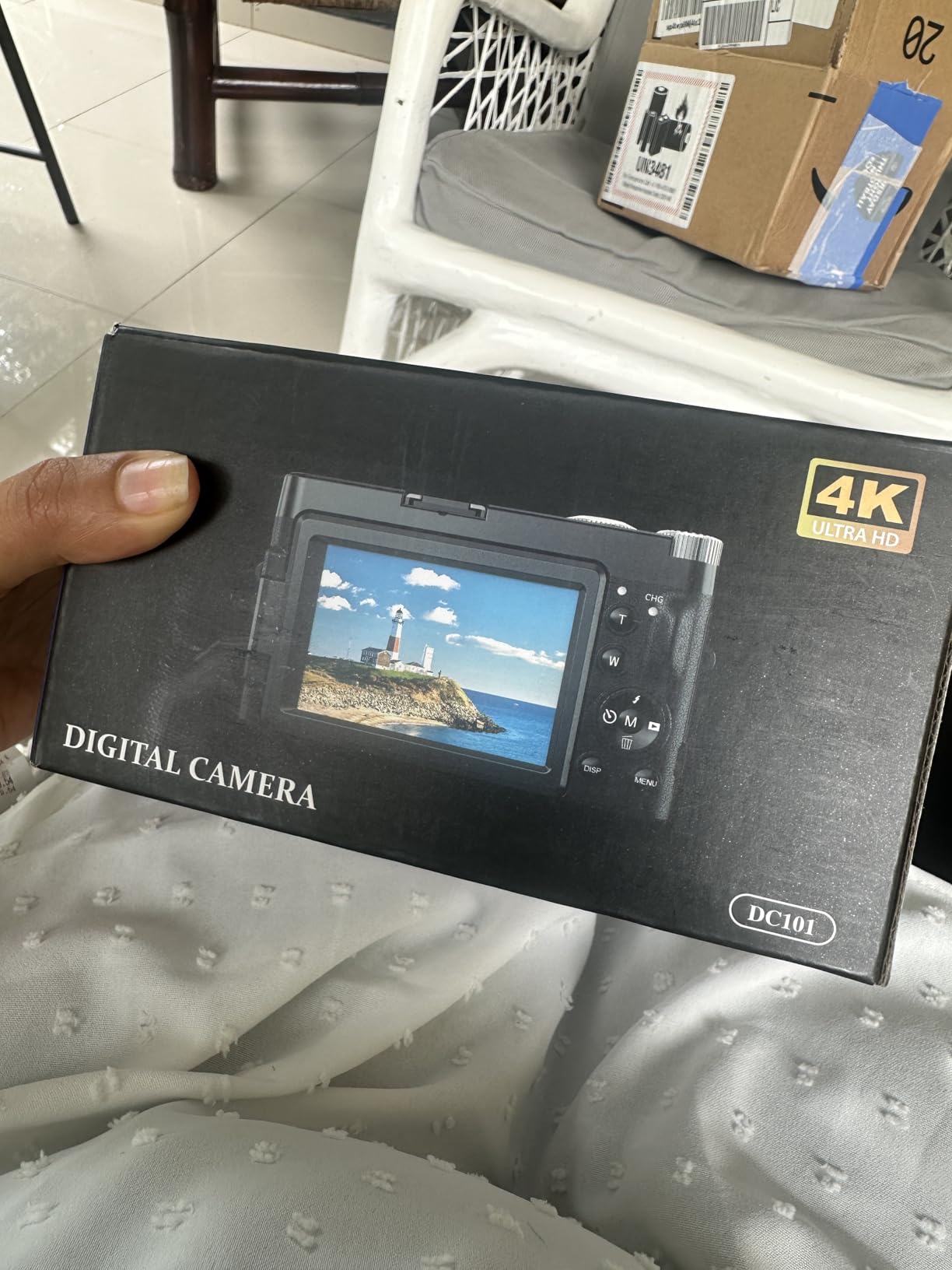
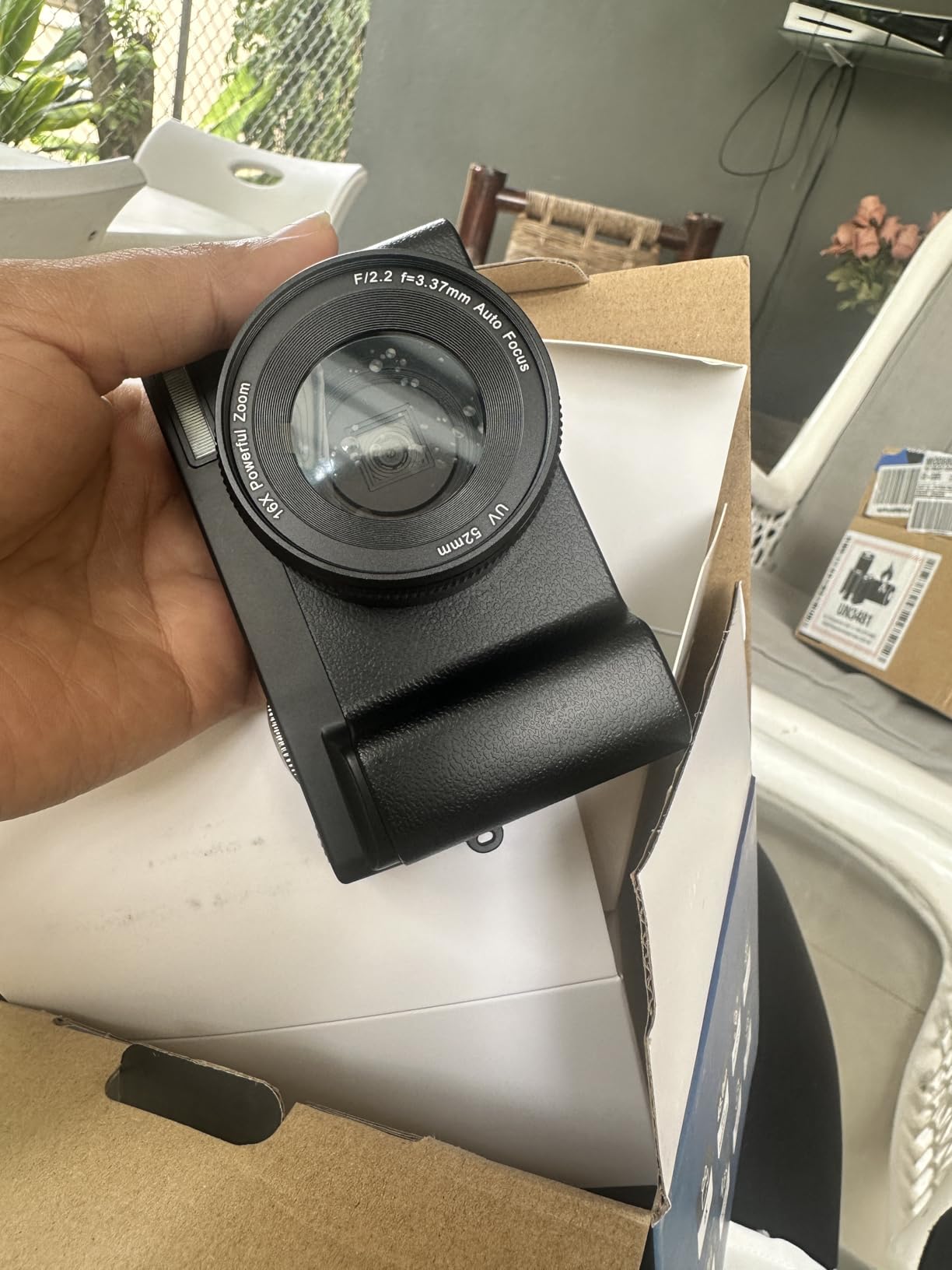
Duluvulu 4K Digital Camera for Photography Autofocus, 2026 Latest 48MP Vlogging Camera for YouTube with SD Card, 2 Batteries, 3″ 180°Flip Screen Compact Travel Camera for Teens with 16X Zoom,Black
Pros
- 180-degree flip screen for vlog and selfie framing
- Two rechargeable batteries included
- Compact and light for travel shoots
- LED fill light and face detection
- USB webcam over a single cable
Cons
- 1/3-inch sensor and digital-only zoom limit detail
- Single-point autofocus hunts on hands and steam
- AVI video is less convenient to edit than MP4
This is here for a specific person: someone who has decided to start posting, has a small budget, and needs a flip screen they can actually see themselves in. The 180-degree screen is the feature that makes self-filming possible, and the two included batteries remove the most common reason new creators quit.
The spec sheet looks generous. 4K 2160p video, 48 megapixel stills, 16x digital zoom, time-lapse, slow motion, an LED fill light, and USB webcam mode. Most of that is real. The problem is entirely in the sensor and the focus system.
A 1/3-inch CMOS sensor with digital-only zoom produces clean-looking files that reveal their limits the moment you crop into a cup. Single-point autofocus is slow and hunts when you frame on hands or on steam, which behind a bar is most of the time. Reviewers consistently describe it as a starter or backup body rather than a working camera.
Video is exported as AVI rather than MP4, which means an extra conversion step before most editing software will treat it as a normal clip. That friction adds up across a week of posting.
What you gain and what you give up
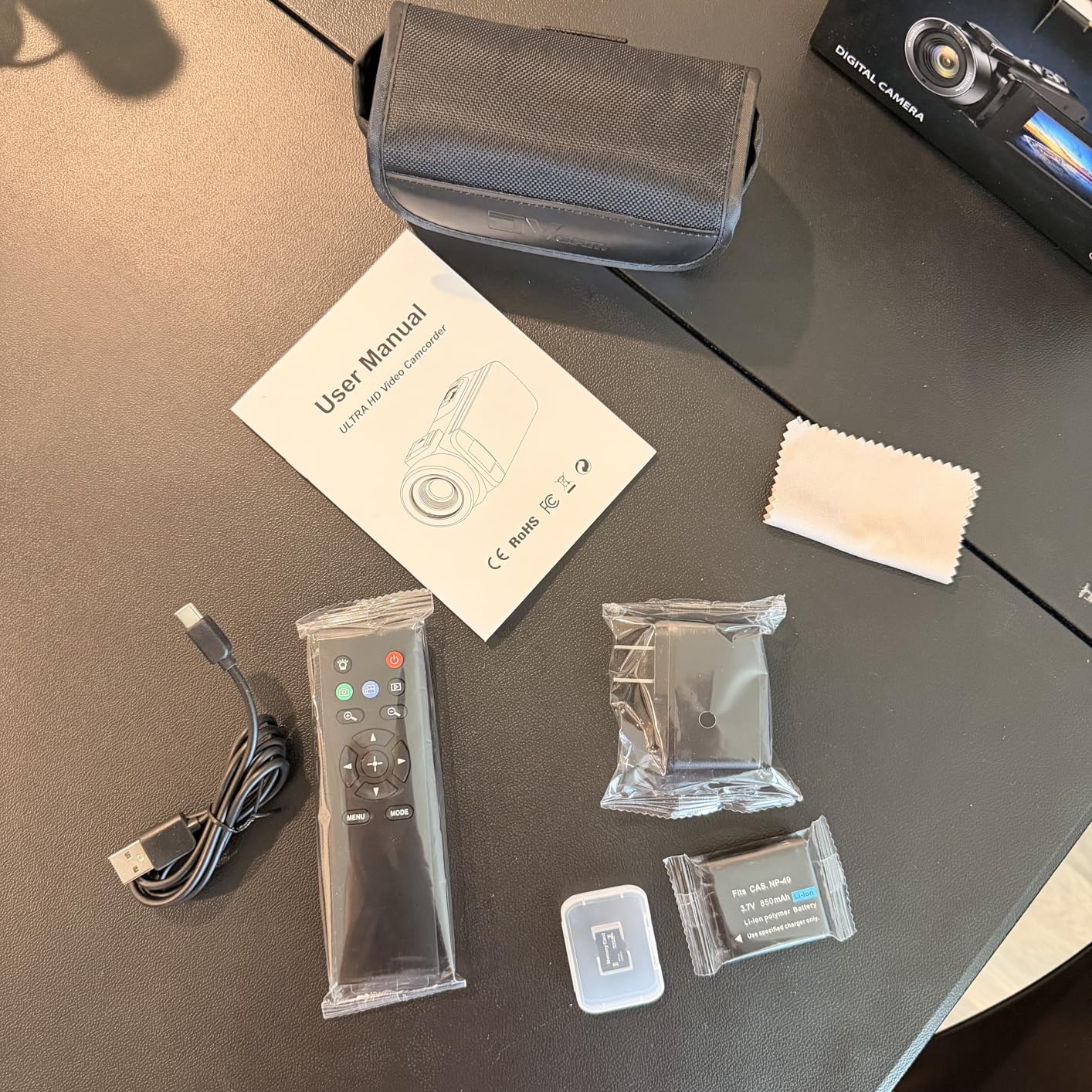
You gain a usable starting point that will not dent a budget, a flip screen, two batteries, and a webcam mode for a live latte art session. A 32GB card and a carrying case are included, so the box is ready to use.
You give up almost all image quality. Detail, autofocus and audio all sit well below the mirrorless and gimbal cameras here, and basic plastic construction will not survive a cafe environment long. Treat it as a learning tool with a shelf life.
Who should skip it, and why
Skip it if you intend to post consistently and your feed is the business. A customer who sees soft, hunting footage once may not come back, and the 16x digital zoom will not rescue a detail shot.
Skip it if you film indoors at night. A 1/3-inch sensor is the smallest in this roundup, and it will not hold shadow detail under cafe lighting.
9. ZYDIIE HDV-3051L – The rotating camcorder for overhead and solo setups
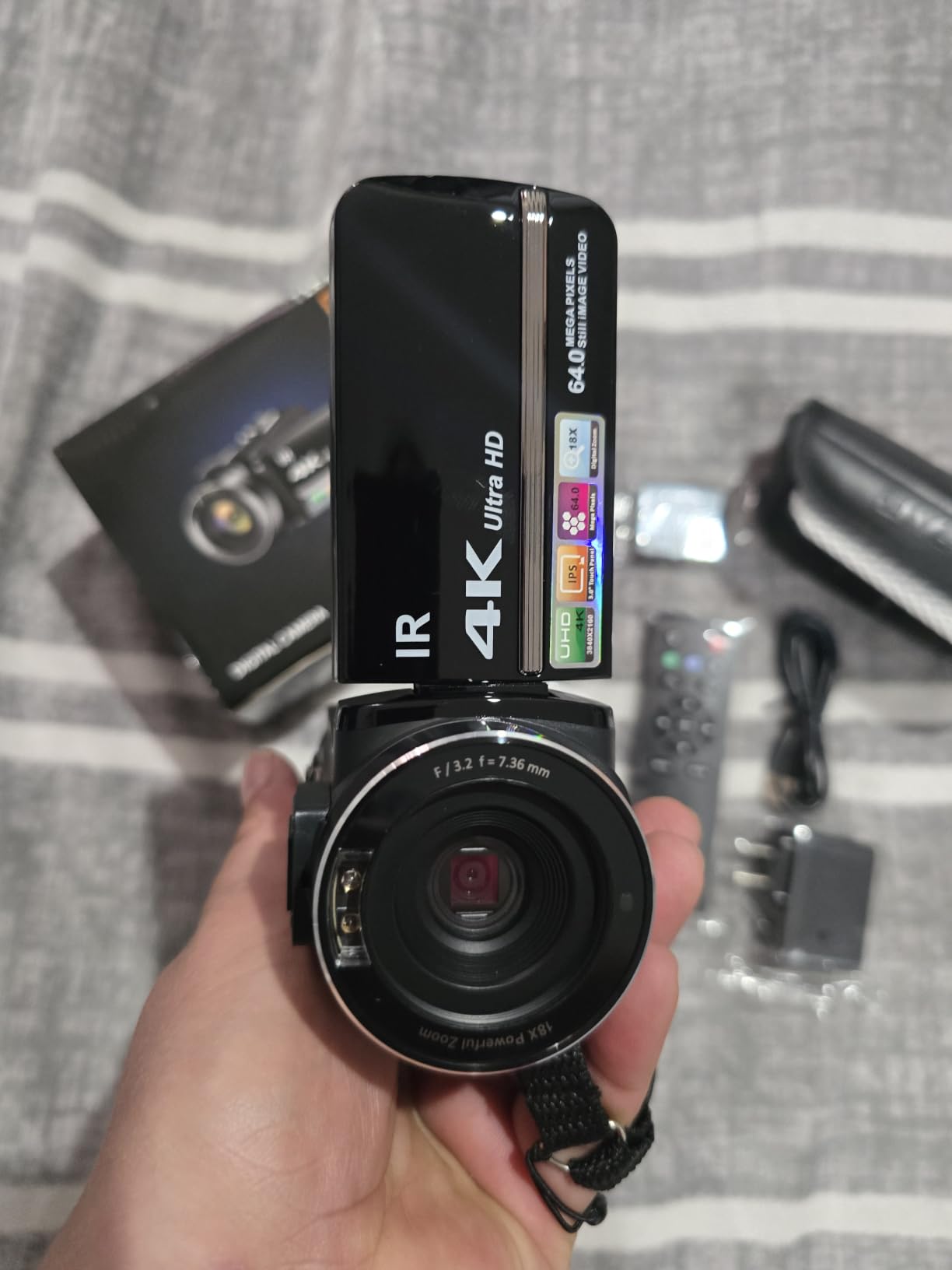
ZYDIIE 4K Video Camera Camcorder UHD 64MP Vlogging Camera for YouTube 18x Digital Zoom 3″ 270° Rotation IPS Touchscreen Video Camcorder with Night Vision, Remote Control, 32GB Card, 2 Batteries
Pros
- 270-degree rotating screen enables overhead and self-facing framing
- Wireless remote for solo start and stop
- Two batteries and a 32GB card in the box
- Fixed focus avoids hunting during a pour
- Compact for travel and small spaces
Cons
- Fixed focus rules out close-up and macro work
- 64MP stills are interpolated not native
- Digital stabilization only and no external mic input
The 270-degree rotating screen is the whole argument. A conventional point-and-shoot screen only faces you, so overhead latte art work means guessing. Rotate this one and you can mount the camcorder above the counter or on a bar clamp, look down into it, and frame the pour yourself.
The wireless remote solves the second solo-filming problem. You can start and stop a take from arm’s length, or from another table, without touching the body and without the shake of a hand reaching across the frame.
Fixed focus is a genuine advantage in one specific case and a hard limit in another. It will not hunt while a pitcher swings, which is what you want during a stream. It also means you cannot focus on a drink closer than roughly arm’s length, so no latte art macro, no crema texture, no product detail.
Infrared night vision is unusual in a camcorder at this level and shoots black and white in total darkness. It will not be pretty, but it records when nothing else can.
What you gain and what you give up
You gain a 4K camcorder with a screen that faces wherever you need it, a remote, night vision, USB webcam mode, and a complete kit including two batteries and a 32GB card. The rotating 3-inch panel is large enough to frame a pour from above without guessing at the edges.
You give up focus control, optical stabilisation and audio. There is no external microphone input, so narration is limited to the built-in mic, and digital anti-shake alone will not rescue a walking shot.
Who should skip it, and why
Skip it if you want close-ups of the drink. Fixed focus ends that conversation. Skip it if you move while filming, because there is no gimbal and no optical stabilisation here to help.
Skip it if image quality across a whole video is the priority. It is a functional tool for a specific framing problem, not an imaging camera.
10. VETEK 8K Camcorder – The kit-in-a-box camcorder with a mic input
Pros
- External microphone port with noise reduction
- 270-degree rotating screen and remote for solo filming
- Highest resolution ceiling in this roundup
- Dual charger
- fill light
- remote and 32GB card included
- Wi-Fi app for remote viewing and transfer
Cons
- Fixed focus will not lock closer than roughly ten feet
- 8K is limited to 15fps
- Screen doubles as the power switch and touch response is weak
The VETEK is the only budget camcorder in this roundup with an external microphone input, and that single feature changes the economics. Everyone here except this one and the Creator Combo forces you to narrate with a built-in mic, in a cafe, with an extraction fan running.
The box is unusually complete. A dual battery charger, a tri-colour fill light on a hot shoe, a remote control and a 32GB card are all included, so a first-time creator is not immediately shopping for accessories. If you have covered the basics in our content creation camera guide, this is the step down in body quality but up in included kit.
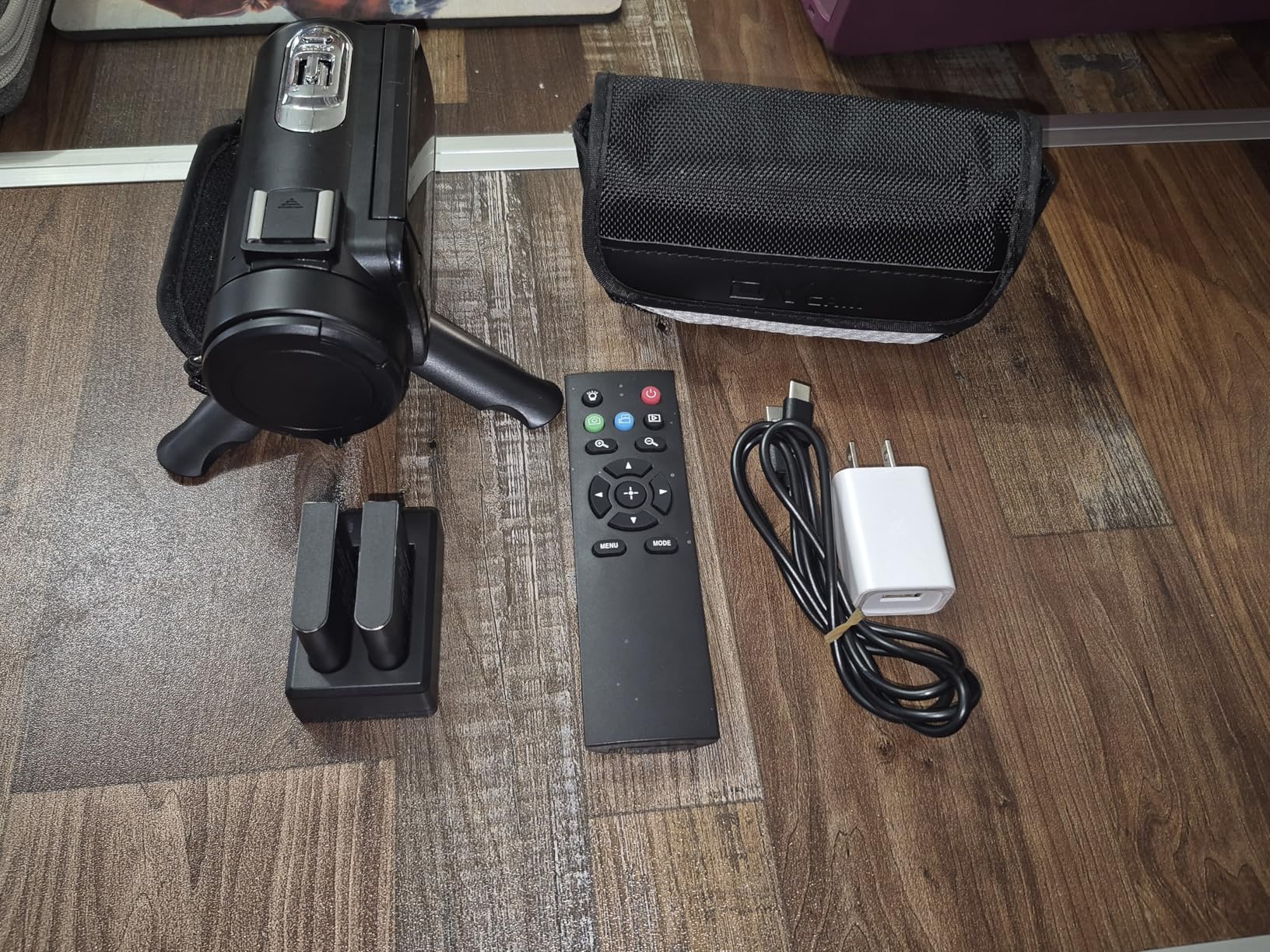
Resolution options run 8K at 15fps, 5K at 30fps and 4K at 60fps. The 4K60 mode is the one you will actually use for latte art pour footage, and the Wi-Fi app handles remote viewing and file transfer without a computer.
Fixed focus is the catch, and it is a hard one. It will not lock onto subjects closer than roughly ten feet, which means a drink on a counter is out of reach. The 8K mode at 15fps is also close to useless for motion, so treat it as a file format rather than a quality setting.
What you gain and what you give up
You gain a mic input, a generous included kit, a rotating screen, webcam mode, night vision and 4K60. The hot shoe fill light is a small touch that helps in a dim corner of a cafe where no lamp is allowed.
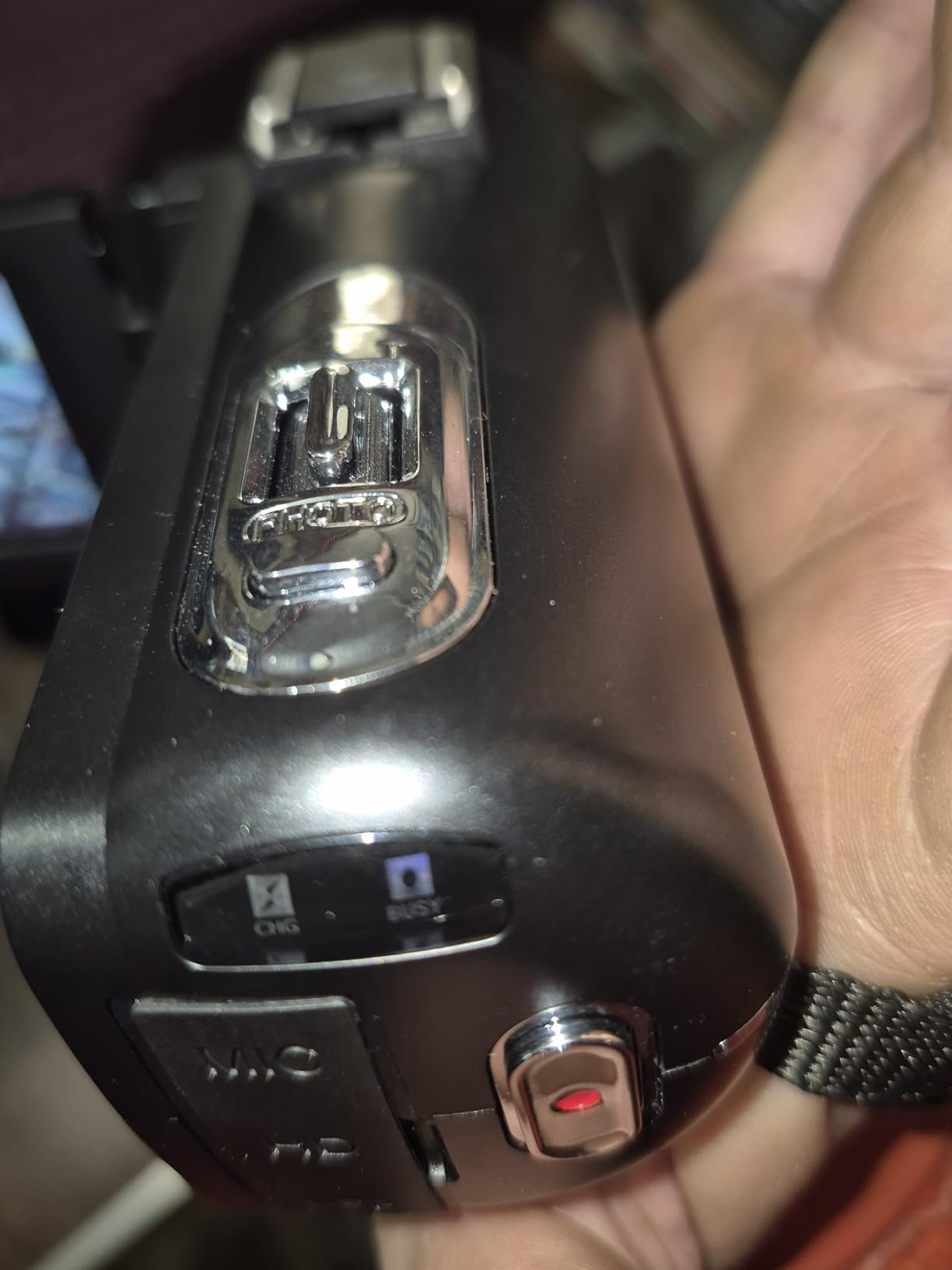
You give up focus control, reliable touch response and battery life of about two and a half hours. The screen doubling as the power switch causes confusion in webcam mode, and battery and card sit on the bottom, so a tripod plate can block access.
Who should skip it, and why
Skip it if you shoot drinks up close, because fixed focus rules that out entirely. Skip it if you want good-looking 8K footage; the 15fps ceiling gives the number without the picture.
Skip it if you plan long events. Two and a half hours is a brunch service, not a full-day stream, and the same goes for the budget compacts at the bottom of this list.
Is a Phone Enough for Coffee Content?
Often, yes, and we will say it plainly rather than push a purchase. A modern phone shoots 4K, has a wide lens for interiors, stabilises walking shots reasonably, and is already in your pocket during service. For a cafe posting drink photos and short pour clips, it is genuinely sufficient.
The gaps appear at specific moments. Native vertical framing with a screen you can see, a screen that rotates for overhead work, external audio input, sustained recording without thermal throttling, and close focus on crema. A dedicated camera earns its place only if you hit those gaps regularly.
Upgrade triggers, honestly stated: you film yourself daily and need a self-facing screen, you post more than a few times a week, your audio is currently the weak link, you shoot in a dim cafe and need cleaner low light, or you need close-focus macro on the drink. If none of those apply, keep the phone and spend the difference on lighting and a clip-on microphone. We covered the wider field in our best cameras for content creators and best cameras for social media content roundups.
How to Choose a Camera for Coffee Content
Start from your worst light, not your best shot
Most buying mistakes in this category come from choosing on resolution and reviewing footage shot near a window. Your actual working environment is a warm bulb over a bar. Judge a sensor on that. Larger sensors hold usable shadow detail in dim interiors; the 1/3-inch and 1/2.3-inch bodies in this roundup do not, and no amount of resolution fixes it.
Decide stabilisation before autofocus
A smooth shot is more watchable than a sharp shaky one. A three-axis mechanical gimbal, as on the Pocket 3, is the strongest option here. Five-axis in-body stabilisation, as on the G85, is the next best thing, and the R50 adds sensor-shift stabilisation in movie mode. Digital and electronic stabilisation help at the margins. If you film while moving, this is the decision that matters most.
Treat the screen as the interface
Self-filming means the screen is your only viewfinder. A vari-angle flip screen on the Sony and Canon, a fully rotating screen on the ZYDIIE and VETEK, and a rotating screen on the Pocket 3 all solve the basic problem differently. A fixed rear screen, as on the Kodak, ends the conversation. The compact 39g module wins by getting out of the frame entirely.
Check the flip range before buying. A screen that tilts upward but cannot face forward will not frame a camera on a bar clamp for an overhead latte art shot.
Buy the audio before the next camera tier
Viewers forgive soft footage. They leave over sound that echoes, hisses and clips. A clip-on microphone on a wired or wireless connection improves coffee content more than any single upgrade in this roundup, and it costs a fraction of a camera step. Only the Pocket 3 Creator Combo and the VETEK accept an external microphone directly.
Check close focus before you promise latte art macro
Close-focus capability decides whether a camera can resolve microfoam texture. Bodies that take interchangeable lenses, such as the ZV-E10 and the EOS R50, can take a fast prime and get close in a way the fixed-lens bodies here cannot. The Kodak works at its wide setting but its small sensor limits what survives the crop. The fixed-focus camcorders, the VETEK and the ZYDIIE, cannot focus on a drink at close range at all, and no digital zoom recovers it.
Check recording limits, overheating and card capacity
Long takes fail in three ways: thermal shutdown, a full card and a flat battery. The G85 records up to 120 minutes, the GO 3S pod runs 140 minutes, and the Pocket 3 is quoted at 166 minutes of average battery. Others run shorter. A memory full error mid-reel is a reported real frustration, so budget a card with headroom before a busy Saturday rather than after it.
Decide which aesthetic you are making
There are two valid and opposite goals. Maximum stabilisation gives the clean, product-shot look most cafe accounts aim for, and the DJI Osmo Pocket 3 delivers it. There is also real demand for a deliberately imperfect handheld look with natural shake and slight focus hunting, and some of that community discussion centres on action-camera and mini-DV style footage. A gimbal-first list quietly assumes one of these. Choose knowingly.
How to Protect Your Camera From Steam and Moisture
Steam from an espresso machine is the most concentrated water most electronics near coffee will ever see, and it is not the same as rain. It condenses on and inside a body. None of the cameras in this roundup is rated for a steamy bar, and the two that carry a water rating, the Insta360 X3 and the GO 3S module, carry it for immersion rather than for a working steam cloud.
Position the camera away from the wand. Frame the pour from the side or slightly behind the pitcher, not from directly over the steam. A metre of extra distance removes most of the problem.
Never power the camera on after a cold-to-warm transition. Condensation forming inside a powered body is the common route to real damage. Let it acclimatise on a towel first.
Wipe the front element and body between drinks. A microfibre cloth takes ninety seconds and prevents moisture from migrating into the barrel.
Use a simple drip discipline: set the camera down on a dry cloth, not on a wet counter or a cold metal rail. A zip bag left slightly open works as a humidity buffer in a steamy corner.
Avoid the fridge. People store cameras in a cold box to keep condensation off, which guarantees the next warm move produces it. A padded bag in a dry cupboard is safer.
Give the gimbal and small bodies extra care. The Pocket 3 and GO 3S are dense mechanisms with exposed moving parts, and a knock in a crowded service queue does more harm than the steam ever would.
How to Photograph Latte Art With Any Camera
Good latte art frames come down to three variables: your angle, your light and your camera’s ability to hold focus as a surface moves. Improve those and almost any camera here will produce a usable still or clip.
Shoot from directly overhead for rosettas and tulips, and from about 45 degrees for heart-shaped pours and crema texture. A small tripod or clamp over the counter is worth more than any camera upgrade.
Kill mixed lighting first. A window and a warm pendant in one frame gives you a colour cast no white balance can fully fix. Turn one of them off or move.
Set colour temperature in camera where the body allows it. The G85 offers a 2500K to 10000K range, which handles a 2700K cafe bulb directly.
Lock focus on the cup rim before the pour begins, and use manual focus for repeated shots so nothing hunts between takes.
For video, use a slower frame rate when you want a smooth stream and a faster one when you want to see individual droplets. A 120fps mode on the Pocket 3 and Full-HD 120fps on the R50 cover both.
Fill the shadow side with a small LED panel rather than raising ISO. The budget bodies in this roundup include fill lights, and a dedicated panel costs less than a sensor upgrade.
One last piece of advice from the forum threads we read while researching this: memory full is a real and reported failure. Format cards in camera, carry a second one, and check it before the rush rather than after.
Frequently Asked Questions
What camera do TikTok creators use?
For coffee content on TikTok, creators most often use a compact camera with native vertical framing and a self-facing screen. The DJI Osmo Pocket 3 leads for stabilisation and a rotating screen, the Canon EOS R50 suits those filming latte art tutorials, and the Insta360 GO 3S wins for mounted POV angles. The Insta360 X3 is popular when you want to reframe one take into several formats.
Which camera is best for POV content behind a coffee bar?
The DJI Osmo Pocket 3 is the strongest all-round choice for POV filming behind a bar because its three-axis mechanical gimbal smooths walking and pouring shots that trip every other body here. For a mounted, hands-free angle that stays out of sight entirely, the 39g Insta360 GO 3S module is the better tool.
What is the best budget camera for coffee content?
The DJI Osmo Pocket 3 is the best budget buy for coffee video because a one-inch sensor and a mechanical gimbal are unusual at this level. If you are filming stills for a menu or grid rather than video, the Kodak PIXPRO FZ55-RD is the lighter and simpler option for stills, with a 5x optical zoom. The Insta360 X3 is the pick when reframing one take into multiple formats matters most.
Do I need a camera for coffee content or is my phone enough?
A phone is enough for most cafes posting drink photos and short pour clips, because it shoots 4K, stabilises reasonably and is already in your pocket. Upgrade only if you film yourself daily and need a self-facing screen, post several times a week, need external audio, shoot in a dim cafe, or want close-focus macro on the drink. Otherwise spend the money on lighting and a microphone instead.
Is 1080p enough for latte art video?
1080p is workable for latte art if you are posting to platforms that compress heavily, and one barista-school account argues 1080p at 60fps is sufficient for smooth pour footage. You lose cropping headroom, which matters when a pitcher blocks half the frame. If you film in 4K you can punch into a vertical crop for Reels and TikTok without reshooting.
Can you record a coffee shop on one battery?
For a single brunch service, most cameras in this roundup manage it, with the Insta360 GO 3S Action Pod rated at 140 minutes and the DJI Osmo Pocket 3 at roughly 166 minutes on average, while the G85 records up to 120 minutes. The smaller batteries in the budget camcorders will not carry a full-day event, so pack a second cell.
Final Verdict: Which Coffee Content Camera Should You Buy
Buy the DJI Osmo Pocket 3 Creator Combo if you film behind a bar alone. The gimbal, the one-inch sensor and the rotating screen handle the three things a coffee camera has to do, and the included wireless microphone solves the audio problem in the box.
Buy the Sony ZV-E10 if your content is product-led, because Product Showcase and Background Defocus are built for exactly that gesture. Buy the Canon EOS R50 if latte art tutorials are the plan, since Close-up Demo Mode removes the hardest part of solo filming and you get a real viewfinder. Buy the Panasonic LUMIX G85 if you shoot a lot of stills and want stabilisation in a light body.
Buy the Insta360 X3 for one-take flexibility, the Insta360 GO 3S for mounted POV angles, the Kodak PIXPRO FZ55-RD for menu photography, and treat the three budget camcorders as first-step or backup tools. And if none of your pain points appear above, keep the phone. That is the best cameras for barista and coffee content advice we can give in 2026: match the camera to the specific moment you struggle with, not to the largest sensor you can carry.