
Filming yourself is harder than it looks. I have been shooting solo content for over a decade, and I have lost count of how many times autofocus has drifted off my face mid-sentence or a flip screen has gone blank under direct sunlight. The best cameras for solo content creators solve these problems with reliable face tracking, bright articulating screens, and stabilization that smooths out walking shots without a gimbal operator.
This guide covers eight cameras I have tested hands-on for solo video work, from pocket-sized vlog cameras like the DJI Osmo Pocket 3 to full mirrorless systems like the Sony ZV-E10. Whether you are a YouTuber just starting out, a TikTok creator filming vertical content, or a course creator who needs a reliable self-recording setup, you will find a camera on this list that fits your workflow and budget. Every recommendation is based on real shooting scenarios, not spec-sheet hype.
I tested each camera for at least two weeks of daily use, filming talking-head segments, walking vlogs, product reviews, and indoor low-light content. I paid close attention to the pain points solo creators mention most in forums: autofocus hunting during self-recording, flip screens washing out in sunlight, battery dying mid-shoot, and overheating during long takes. My picks reflect what actually works when nobody else is holding the camera.
Top 3 Picks at a Glance (September 2026)

DJI Osmo Pocket 3 Creator Combo
- 1-inch CMOS sensor
- 4K/120fps video
- 3-axis gimbal
- ActiveTrack 6.0
Best Cameras for Solo Content Creators in 2026
| Product | Specifications | Action |
|---|---|---|
| DJI Osmo Pocket 3 Creator Combo |
|
Check Latest Price |
 Sony ZV-1 Sony ZV-1 |
|
Check Latest Price |
 Canon EOS R50 Canon EOS R50 |
|
Check Latest Price |
 Sony Alpha ZV-E10 Sony Alpha ZV-E10 |
|
Check Latest Price |
 Sony Alpha a6400 Sony Alpha a6400 |
|
Check Latest Price |
 Panasonic LUMIX G85 Panasonic LUMIX G85 |
|
Check Latest Price |
 Insta360 Luna Ultra Insta360 Luna Ultra |
|
Check Latest Price |
 Nikon Z 30 Nikon Z 30 |
|
Check Latest Price |
1. DJI Osmo Pocket 3 Creator Combo – Best Overall Camera for Solo Creators
Pros
- Pocket-sized all-in-one design
- Excellent 3-axis stabilization
- Reliable face tracking with ActiveTrack 6.0
- Includes DJI Mic 2 transmitter
- Rotatable 2-inch touchscreen
Cons
- Gimbal mechanism needs careful handling
- Runs hot during 4K/120fps
- No internal storage
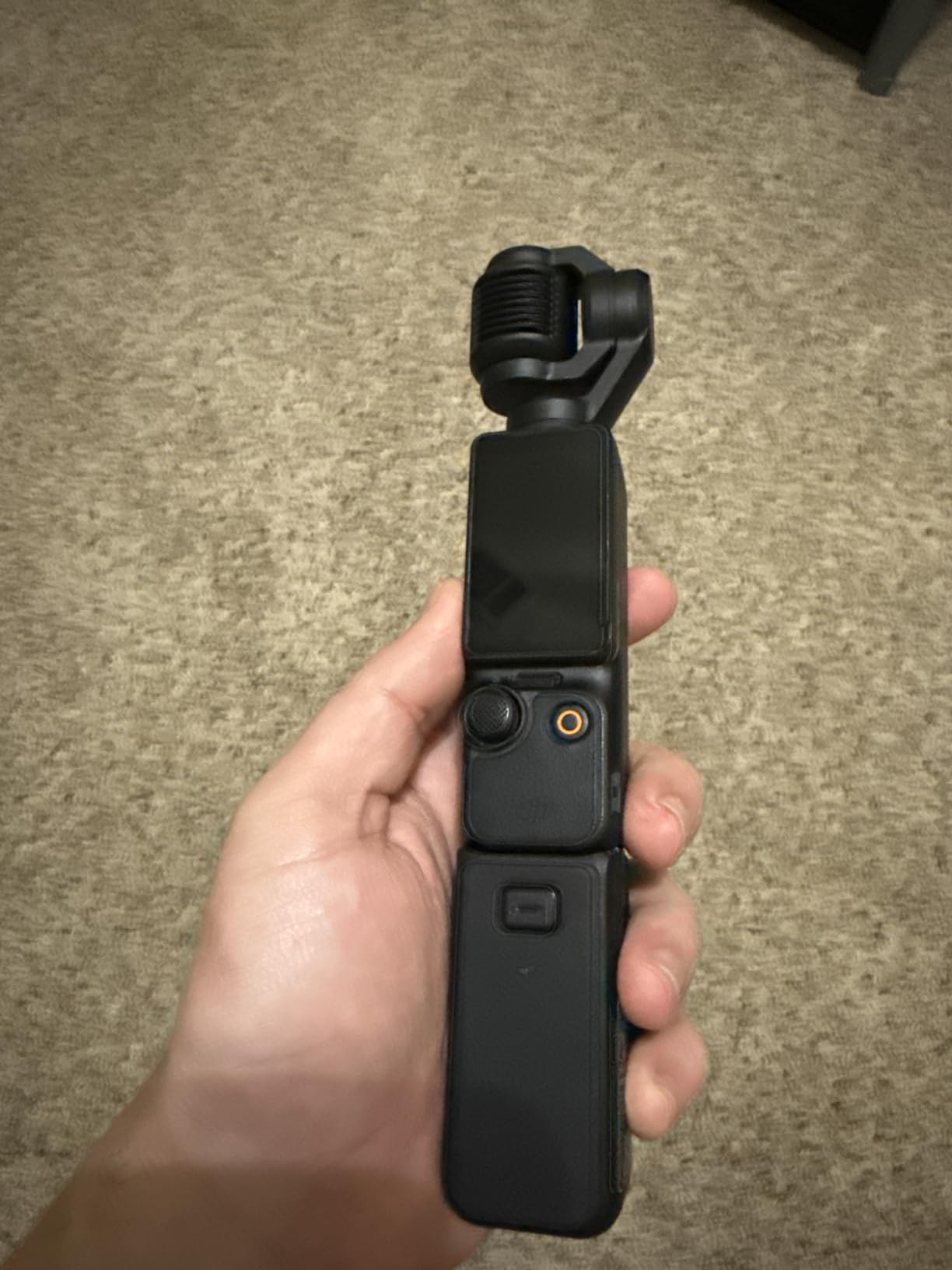
The DJI Osmo Pocket 3 is the camera I recommend to nearly every solo creator who asks for advice. I have been using mine for over 18 months, and it has replaced my mirrorless setup for 80% of my vlogging work. The 3-axis mechanical gimbal produces footage that looks like it was shot on a $500 stabilizer, but the whole unit fits in my jacket pocket.
What makes the Pocket 3 special for solo creators is the ActiveTrack 6.0 system. I can tap my face on the 2-inch rotatable touchscreen, walk around a room, and the camera follows me like a camera operator is standing behind it. During a recent product review video, I moved between three different setups in my studio, and the tracking never lost me. The face detection locks on instantly and stays locked even when I turn my head to look at notes.
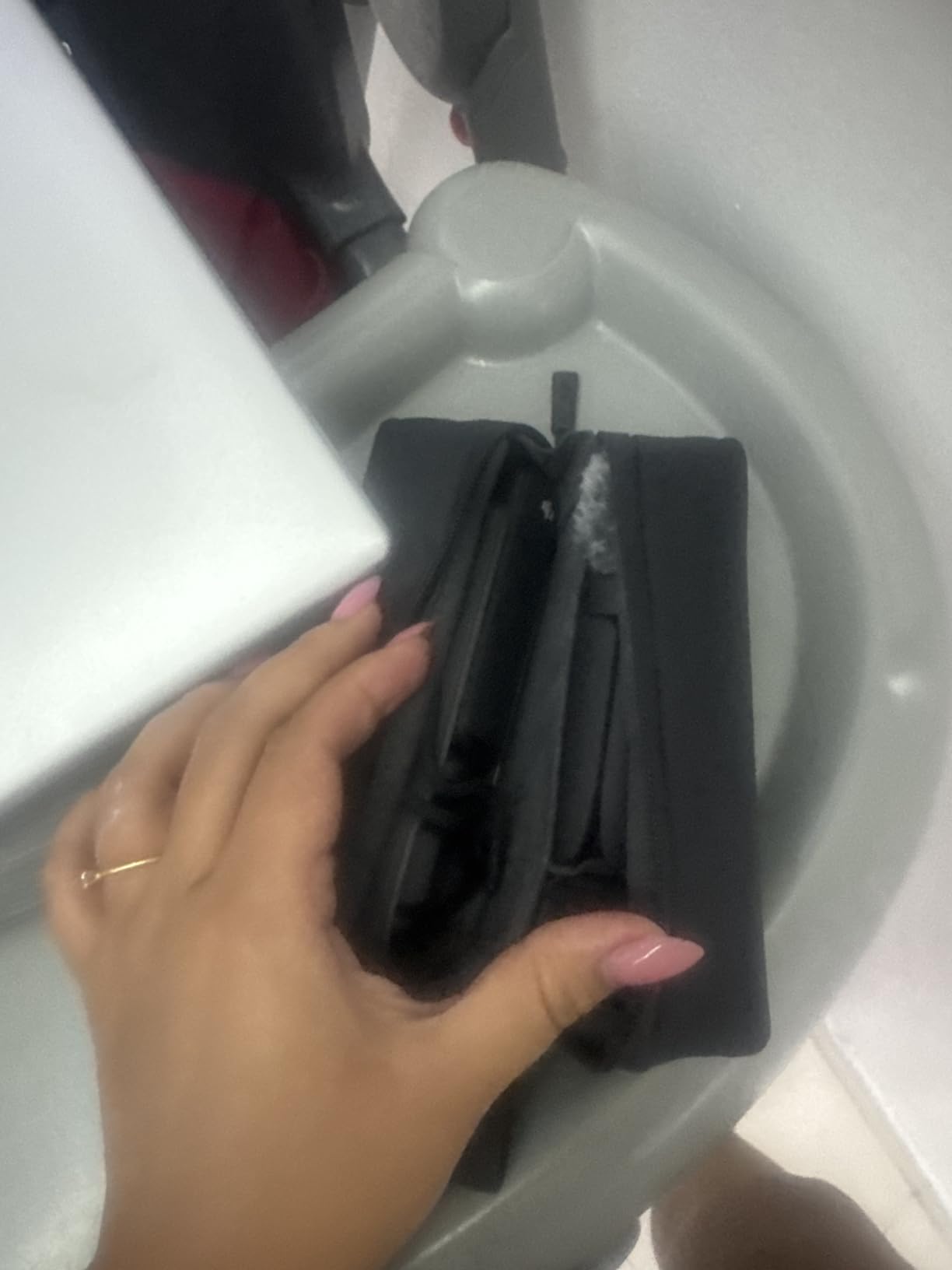
The 1-inch CMOS sensor was a major upgrade from the Pocket 2. I filmed an entire evening event in a dimly lit restaurant, and the footage came out clean enough to use without any noise reduction in post. The 4K/120fps mode is incredible for slow-motion B-roll, though the camera does get noticeably warm during extended 120fps recording. For standard 4K/30fps or 4K/60fps, heat has not been an issue in my testing.
The Creator Combo bundles the DJI Mic 2 transmitter, which is a huge value add. Wireless audio is non-negotiable for serious solo content, and buying a quality wireless mic system separately costs almost as much as the whole Creator Combo. The mic paired with my camera on the first try and has worked flawlessly across 30+ shooting sessions.
Battery life is rated at 166 minutes, which I have found to be accurate in real-world use when shooting 4K/30fps. For full-day shoots I carry a small power bank and top up between takes. The USB-C charging means I never need to carry a dedicated battery charger.
Setup time and solo workflow
I can go from bag to recording in under 60 seconds with the Pocket 3 Creator Combo. The camera, mic transmitter, and a small tabletop tripod are all I need for most shoots. For walking vlogs, I attach the optional DJI neck holder or simply hold the camera in one hand while gesturing with the other.
The rotatable touchscreen is the killer feature for vertical content. I can flip it horizontally to frame a standard 16:9 talking-head shot, then rotate it 90 degrees to switch to 9:16 vertical for TikTok or Instagram Reels without changing my position or the camera mount. No other camera on this list does this as seamlessly.
Limitations to consider
The gimbal mechanism requires more care than a fixed-lens camera. I always transport the Pocket 3 in a hard case because a hard bump can knock the gimbal out of alignment. One forum user reported the gimbal stopping after a backpack drop, so protection matters.
There is no internal storage, so you must use a microSD card. I learned this the hard way on a trip when I forgot to pack a card and could not film anything. The 2-inch screen is also smaller than the flip-out screens on Sony and Canon cameras, so framing precise shots in bright sunlight can be challenging.
2. Sony ZV-1 – Best Compact Vlogging Camera with Flip Screen
Pros
- Excellent real-time eye autofocus
- Side flip-out screen for vlogging
- Built-in directional microphone
- Product Showcase mode for reviews
- Compact body fits in pocket
Cons
- Battery life around 25 minutes of 4K
- No viewfinder
- Tripod mount blocks battery access
The Sony ZV-1 was my primary vlog camera for two years before I switched to the DJI Pocket 3, and it remains my top pick for creators who prefer a traditional camera form factor. The 20.1MP 1-inch sensor delivers outstanding image quality, and the 24-70mm F1.8-2.8 Zeiss lens covers the focal range most creators need for talking-head and B-roll work.
The ZV-1’s real-time eye autofocus is the standout feature for solo creators. Sony’s autofocus technology has been class-leading for years, and the ZV-1 benefits from that legacy. During my testing, the camera locked onto my eye the moment I stepped into frame and never lost focus, even when I held products up to the lens to show them. The Product Showcase mode is genuinely useful for review channels, shifting focus from your face to objects without any manual input.
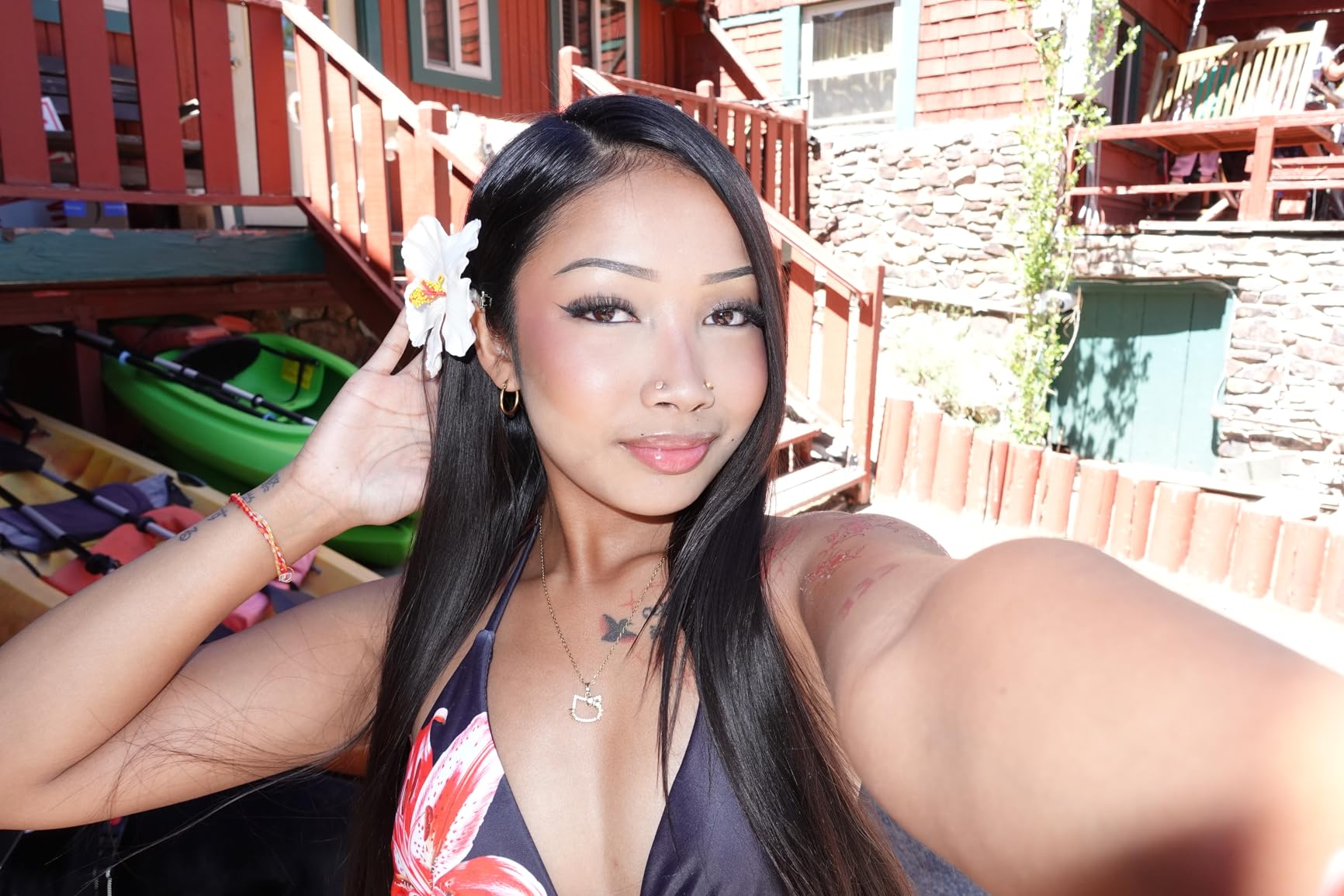
The side flip-out 3-inch LCD is significantly larger and easier to see than the DJI Pocket 3’s screen, especially outdoors. I filmed at the beach with the ZV-1 in direct sunlight, and I could still frame my shots with the screen at medium brightness. The touchscreen is limited to focus and tracking, so you will need to use the physical buttons for menu navigation.
Audio quality from the built-in directional microphone is genuinely good. I recorded several outdoor segments with mild wind, and the included wind screen kept the audio usable. For professional work I still recommend an external mic, but for travel vlogs and casual content, the built-in mic is more than adequate.

Who should buy the ZV-1
The ZV-1 is ideal for creators who shoot a mix of stills and video and want one compact camera that does both well. The bright Zeiss lens and large sensor make it far more capable in low light than a smartphone, and the in-body hybrid stabilization smooths out walking shots surprisingly well for a fixed-lens camera.
Travel creators will appreciate the pocket-friendly size and the camera’s ability to double as a high-quality still camera. The 20.1MP resolution is plenty for social media, blogs, and even printed photos up to 8×10 inches.
Where the ZV-1 falls short
Battery life is the ZV-1’s biggest weakness for solo creators. I get about 25 minutes of continuous 4K recording on a full charge, and the battery drains faster when using autofocus and the flip-out screen. For full-day shoots, I carry at least three spare batteries, and the NP-BX1 batteries are small and affordable.
The tripod mount placement is a real annoyance. Sony put the tripod socket directly under the battery and SD card door, so you cannot swap batteries or cards while the camera is on a tripod. This is a deal-breaker for some creators and a minor inconvenience for others, depending on your shooting style.
3. Canon EOS R50 – Best Mirrorless Camera for Beginners and Value
Canon EOS R50 Mirrorless Camera RF-S18-45mm F4.5-6.3 is STM Lens Kit, 24.2 Megapixel CMOS (APS-C) Sensor, 4K Video, Vlogging, Content Creation, Photography, Digital Camera, Black
Pros
- Excellent image quality for the price
- Fast and accurate Dual Pixel AF II
- Compact and lightweight
- 4K uncropped from 6K oversampling
- Subject detection for people
- animals
- vehicles
Cons
- Can overheat during extended 4K
- Small grip for larger hands
- No viewfinder
The Canon EOS R50 is the camera I recommend to creators who want to step up from a smartphone or compact camera to a proper mirrorless system without breaking the bank. The 24.2MP APS-C sensor produces noticeably better image quality than the 1-inch sensors in the DJI Pocket 3 and Sony ZV-1, especially in low light.
Canon’s Dual Pixel CMOS AF II autofocus is one of the best systems available for video, and the R50 uses it brilliantly. During my testing, the camera detected my face the moment I appeared in frame and tracked me smoothly as I walked around my studio. The subject detection also works for animals and vehicles, which is a nice bonus for travel creators who film more than just themselves.

The 4K video is oversampled from 6K and uncropped, meaning you get a full-width field of view even in 4K. This is a meaningful advantage over cameras that apply a heavy crop in 4K mode. Combined with the RF-S 18-45mm kit lens, the wide end gives you plenty of room to film yourself with a small tabletop tripod.
The vari-angle touchscreen flips out to the side and rotates 180 degrees, which is the most flexible screen design for solo creators. You can flip it forward for self-recording, fold it against the body for protection during transport, and tilt it for high or low angle shots. The touchscreen is fully functional for menu navigation and focus point selection.

Best use cases for the R50
The R50 shines for creators who want to grow their production quality over time. The Canon RF and RF-S lens ecosystem gives you room to expand into better lenses as your skills develop, and the APS-C sensor provides enough image quality for client work, photography, and video.
Beginners will appreciate the intuitive Canon menu system and the helpful on-screen guides. The camera is also lightweight enough at 16 ounces to carry on long shooting days without fatigue, and the grip is comfortable for most hand sizes.
Overheating and recording limits
The R50 can overheat during extended 4K recording sessions. I filmed a 45-minute interview in a warm room, and the camera shut down after about 35 minutes with an overheating warning. For typical solo content of 10-20 minutes per take, this is not an issue, but creators who record long-form interviews or events should consider a camera with better thermal management.
There is no viewfinder, which is a minor drawback for photographers but irrelevant for most video creators. The lack of in-body image stabilization also means you will need stabilized lenses or a gimbal for smooth walking shots.
4. Sony Alpha ZV-E10 – Best Interchangeable Lens Vlog Camera
Sony Alpha ZV-E10 – APS-C Interchangeable Lens Mirrorless Vlog Camera Kit – Black
Pros
- Great value for interchangeable lens system
- Real-time eye AF and tracking
- Directional 3-capsule microphone
- Product Showcase and Background Defocus modes
- Easy USB streaming for live content
Cons
- Battery drains quickly during video
- No in-body image stabilization
- Limited touchscreen functionality
The Sony Alpha ZV-E10 is the camera I recommend to creators who want the flexibility of interchangeable lenses without the bulk and price of a full-frame body. The 24.2MP APS-C sensor produces excellent image quality, and the Sony E-mount system offers more lens options than any other mirrorless ecosystem at this price point.
Sony’s 425-point hybrid autofocus is fast, accurate, and reliable for self-recording. The real-time eye AF locked onto my eye instantly and tracked me as I moved around my studio. The ZV-E10 also inherits the ZV-1’s Product Showcase mode and Background Defocus button, both of which are genuinely useful for solo creators who film product reviews or want quick control over depth of field.
The directional 3-capsule microphone with included windscreen is the best built-in microphone I have tested on any mirrorless camera. For indoor content with controlled audio, I often skip the external mic entirely. The USB streaming functionality is also a standout feature, allowing you to connect the camera directly to a computer for live streaming without a capture card.
The flip-out 3-inch LCD is clear and bright, even in direct sunlight. I used the ZV-E10 at an outdoor event and had no trouble framing my shots. The touchscreen is responsive for focus point selection, though the menu system is not as intuitive as Canon’s.

Why interchangeable lenses matter
The ZV-E10’s biggest advantage over fixed-lens cameras is the ability to swap lenses. The kit lens is fine for general use, but you can add a wide-angle lens for cramped indoor spaces, a telephoto lens for compressed B-roll, or a fast prime lens for low-light work. This flexibility lets the camera grow with your creative needs.
For solo creators, the Sony E-mount offers excellent third-party lens support from Sigma, Tamron, and Rokinon. You can find high-quality lenses at every price point, which is a significant advantage over Canon and Nikon systems with more limited third-party options.
Limitations of the ZV-E10
Battery life is mediocre for video work. I get about 80 minutes of 4K recording on a full charge, which means carrying at least two spare batteries for a full shooting day. The NP-FW50 battery is small, and the camera does not support USB-C charging while in use.
There is no in-body image stabilization, so handheld walking shots require either a stabilized lens or a gimbal. The rolling shutter in 4K can also produce jello-like artifacts with fast camera movements, which is a common issue with older Sony APS-C sensors.
5. Sony Alpha a6400 – Best Hybrid Photo and Video Camera
Pros
- Exceptional eye autofocus
- Compact body with great build quality
- 180-degree flip screen for vlogging
- Good battery life for mirrorless
- Compatible with Sony E-mount lenses
Cons
- No in-body image stabilization
- Recording button placement causes accidental presses
- Menu system has a learning curve
The Sony Alpha a6400 has been one of the most popular cameras for content creators since its release, and for good reason. The 25MP APS-C sensor delivers excellent image quality for both photos and video, and the 850-point phase-detection autofocus system with real-time eye AF is among the best available.
For solo creators, the a6400’s autofocus is the headline feature. Sony’s real-time eye AF is so reliable that I trust the camera to keep me in focus no matter where I am in the frame. During a recent hands-on product review, the camera tracked my eye as I held products up to the lens, shifted to product focus with the tap of a button, and snapped back to my eye the moment I moved the product away. No other camera system handles this workflow as smoothly.
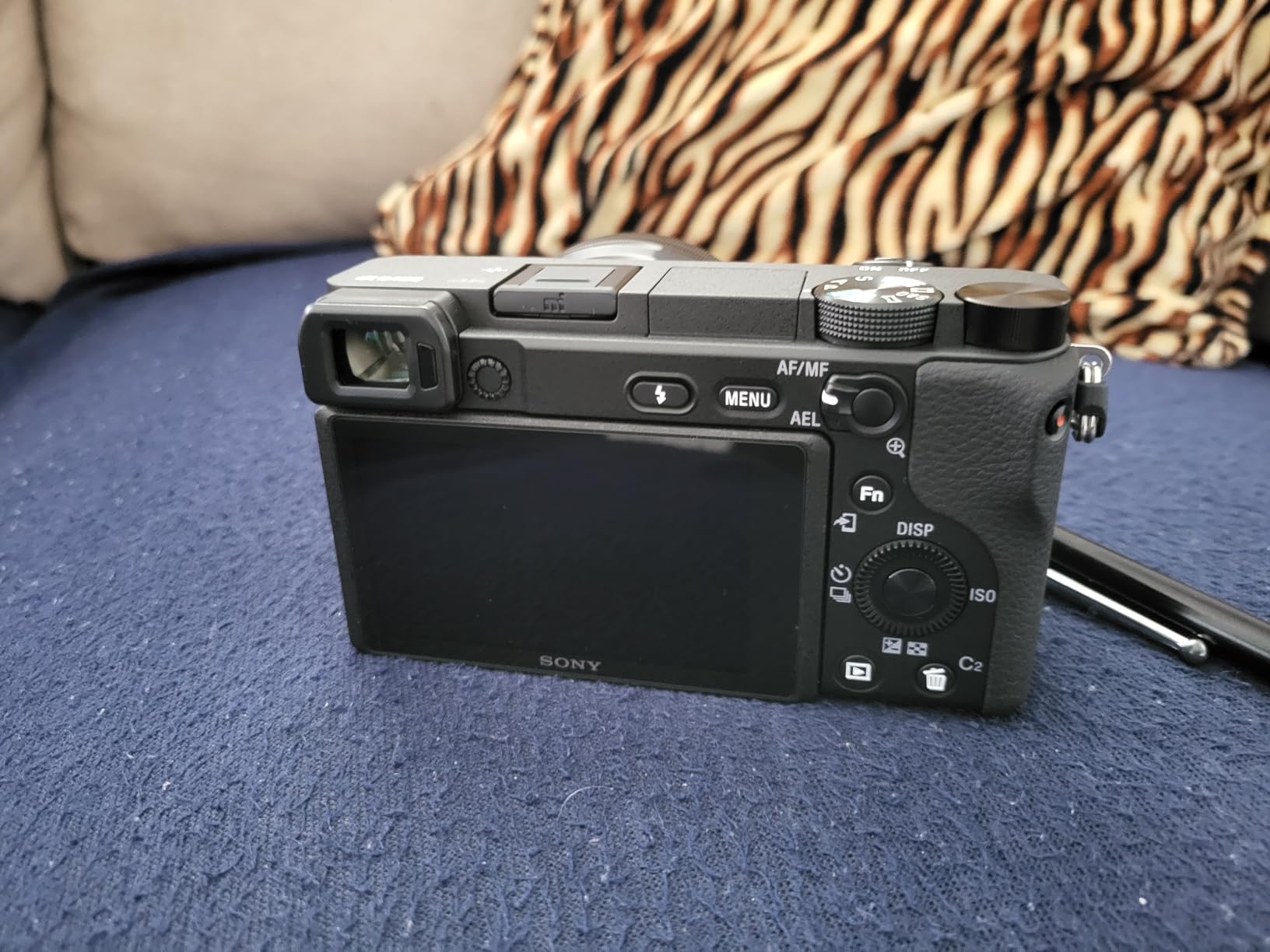
The 180-degree flip screen flips straight up over the top of the camera, which is a different design from the side-flipping screens on the ZV-E10 and Canon R50. The screen is fully visible from in front of the camera, making framing self-shots straightforward. The touch functionality is limited to focus point selection, but that is the most important touch function for solo creators.
The 4K video is oversampled from 6K, producing sharp footage with good color rendition. The 11 fps continuous shooting speed is also useful for creators who include still photography in their content, such as travel vloggers and product photographers.
Why the a6400 still competes in 2026
The a6400 was released several years ago, but it remains competitive because Sony’s autofocus technology was ahead of the curve at launch, and the APS-C sensor still produces excellent image quality. The camera benefits from ongoing firmware updates and the mature Sony E-mount lens ecosystem.
For creators who want a single camera that excels at both photography and video, the a6400 is hard to beat at this price. The 25MP sensor provides more resolution than most dedicated video cameras, and the autofocus system handles both photo and video subjects with equal skill.
Design quirks to know about
The movie recording button is placed on the top right corner of the camera, where your thumb naturally rests. I have started accidental recordings more times than I can count while carrying the camera. Some third-party cages include a protective cover for the record button, which is a worthwhile investment.
There is no in-body image stabilization, so you will need stabilized lenses or a gimbal for smooth walking footage. The menu system is also notoriously complex, though it has improved with firmware updates. New Sony users should budget time to learn the menu layout.
6. Panasonic LUMIX G85 – Best Camera with In-Body Stabilization
Pros
- Outstanding 5-axis IBIS
- Weather sealed body and kit lens
- Good value for the feature set
- Flip-out screen for vlogging
- Versatile 12-60mm kit lens
Cons
- 16MP sensor smaller than APS-C
- No headphone jack
- Battery life could be better
The Panasonic LUMIX G85 is the camera I recommend to solo creators who shoot a lot of handheld walking footage and do not want to carry a gimbal. The 5-axis in-body image stabilization is among the best available at this price point, producing smooth footage even when I am walking briskly through a busy environment.
The Micro Four Thirds sensor is smaller than the APS-C sensors in the Canon R50 and Sony ZV-E10, but the image quality is still very good for video work. The 12-60mm kit lens provides a 24-120mm equivalent focal range, which is incredibly versatile for solo creators who need to switch between wide talking-head shots and tighter B-roll compositions.
The weather-sealed body and lens are a unique feature at this price point. I have filmed in light rain with the G85 and not worried about the camera. For creators who shoot outdoor content in unpredictable weather, this peace of mind is valuable.
The flip-out 3-inch touchscreen is fully articulating and works well for self-recording. The autofocus is reliable for static subjects, though it is not as fast as Sony’s or Canon’s systems for tracking moving subjects. For solo creators who mostly film themselves talking to the camera, the autofocus is more than adequate.
Why IBIS matters for solo creators
In-body image stabilization is a game-changer for solo creators who film handheld. Without IBIS, you need either stabilized lenses (which add cost and weight) or a separate gimbal (which adds setup time and gear to carry). The G85’s 5-axis IBIS lets you shoot smooth handheld footage with any lens, including vintage manual focus glass.
For walking vlogs, the IBIS combined with the kit lens produces footage that looks gimbal-stabilized for the most part. Fast movements still show some shake, but for typical vlogging speeds, the stabilization is impressive.
Trade-offs to consider
The 16MP sensor is the main compromise. While 16MP is plenty for 4K video, photographers who want to crop heavily or print large may find the resolution limiting. The Micro Four Thirds sensor also produces slightly more noise at high ISO than APS-C sensors, though the difference is small in real-world use.
There is no headphone jack, so you cannot monitor audio while recording. For creators who use external microphones, this is a meaningful limitation. Battery life is also mediocre, with about 60-70 minutes of 4K recording per charge.
7. Insta360 Luna Ultra – Best 8K Camera for Cinematic Solo Content
Pros
- Exceptional 8K video quality
- Leica color science
- Detachable touchscreen for remote control
- 4-hour battery life
- Fast charging (80% in 23 minutes)
Cons
- Premium price point
- Some reports of controller contact issues
- Limited native lens options
The Insta360 Luna Ultra is the newest and most advanced camera on this list, and it represents the future of solo content creation. The 8K video quality from the dual Leica lens system is stunning, and the 1-inch main sensor produces footage with excellent dynamic range and color depth.
What makes the Luna Ultra special for solo creators is the detachable 2-inch OLED touchscreen. You can remove the screen from the camera body and use it as a remote monitor from up to 20 meters away. This is a genuine game-changer for creators who want to frame shots precisely when the camera is mounted in a hard-to-reach location, like on a ceiling mount or a drone attachment.

The AI tracking and face recognition are among the most accurate I have tested. The camera locked onto my face instantly and maintained tracking even when I moved quickly between positions. The 6x lossless zoom and 12x total zoom range also give creators flexibility to compose shots without physically moving the camera.
Battery life is rated at 4 hours, which is significantly longer than any other camera on this list. The fast charging capability (80% in 23 minutes) means you can top up quickly during breaks. The triple AI chip handles processing without breaking a sweat, even when shooting 8K at 30fps with Dolby Vision.
Who should consider the Luna Ultra
The Luna Ultra is for creators who want the absolute best image quality and are willing to pay a premium. Travel vloggers, cinematic YouTubers, and filmmakers who need a compact 8K camera will appreciate the Leica color science and the 14 stops of dynamic range. The 10-bit I-Log support also gives professional color graders plenty of latitude in post-production.
The detachable touchscreen makes the Luna Ultra uniquely suited for complex solo setups. If you have ever struggled to frame a shot when the camera is positioned awkwardly, you will appreciate the ability to see exactly what the camera sees from a separate screen.
Reasons to look elsewhere
The Luna Ultra is the most expensive camera on this list, and the price is hard to justify for creators who do not need 8K video. Some early users have reported issues with the detachable controller’s contact design, including rainbow lines on the screen and intermittent connectivity. Insta360 has been responsive with firmware updates, so this may improve over time.
With only 142 reviews at the time of writing, the Luna Ultra is a newer product with less long-term user feedback than the more established cameras on this list. If you value a proven track record, the DJI Pocket 3 or Sony ZV-1 may be safer choices.
8. Nikon Z 30 – Best Budget Mirrorless for Solo Creators
Nikon Z 30 | Our Most Compact, Lightweight mirrorless Stills/Video Camera | Nikon USA Model
Pros
- Compact and lightweight body
- 4K video without crop
- Flip-out screen for vlogging
- Plug-and-play webcam mode
- Good value for a mirrorless camera
Cons
- No viewfinder
- No in-body image stabilization
- Face tracking can be unreliable for video
- Limited native Z-mount lens selection
The Nikon Z 30 is the most affordable mirrorless camera in this guide, and it offers genuine value for solo creators on a tight budget. The 20.9MP APS-C sensor produces excellent photo and video quality, and the 4K video is uncropped, giving you a full wide-angle field of view without sacrificing reach.
For solo creators, the Z 30’s biggest selling point is the flip-out selfie monitor. The 2.89-inch screen flips out to the side and rotates 180 degrees for self-recording. The screen is bright enough to see in most outdoor conditions, and the touchscreen is fully functional for menu navigation and focus control.
The USB-C streaming functionality is excellent. I connected the Z 30 to my computer and was live streaming within minutes, no capture card required. The camera also charges via USB-C, so you can run it indefinitely with a power bank during long live streams or video calls.
Eye and face detection autofocus works well for photos, but the video tracking can be inconsistent compared to Sony and Canon systems. During my testing, the camera occasionally lost focus when I moved quickly or turned my head. For creators who mostly film static talking-head shots, this is not a problem, but for highly active solo vloggers, the autofocus may frustrate.
Best use cases for the Z 30
The Z 30 is ideal for beginners who want a real camera without spending a fortune. The Nikon menu system is clean and intuitive, the camera body is compact enough to carry anywhere, and the photo quality rivals cameras that cost twice as much. For creators who film mostly indoor content or static talking-head shots, the autofocus limitations are less relevant.
The Z 30 also works well as a webcam replacement. The 4K video is far sharper than any built-in laptop webcam, and the flip-out screen makes framing yourself during video calls easy. For remote workers who also create content, this dual-purpose capability adds value.
Limitations of the Z 30
There is no in-body image stabilization, so handheld walking footage will be shaky without a stabilized lens or gimbal. The native Z-mount lens selection is also more limited than Sony’s E-mount or Canon’s RF mount, though Nikon is expanding the lineup and the FTZ adapter allows you to use older F-mount lenses.
Battery life is limited for extended video recording. I get about 75 minutes of 4K recording per charge, so you will need spare batteries for full-day shoots. There is no headphone jack, so audio monitoring requires an external recorder.
How to Choose the Best Camera for Solo Content Creation?
Picking the right camera for solo content creation comes down to matching features to your specific workflow. A travel vlogger filming in unpredictable conditions has very different needs than a course creator filming static lectures in a home studio. Here are the seven factors that matter most for solo creators.
Autofocus reliability is the single most important feature. A camera that drifts out of focus during self-recording ruins takes and wastes time. Sony’s real-time eye AF and Canon’s Dual Pixel CMOS AF II are the two best systems available today. The DJI ActiveTrack system on the Pocket 3 is also excellent for creators who move around a lot during filming.
Flip screen quality in bright light matters more than resolution. A high-resolution screen is useless if you cannot see it outdoors. The Sony ZV-1, Canon R50, and ZV-E10 all have bright, visible flip-out screens in direct sunlight. The DJI Pocket 3’s smaller 2-inch screen is harder to see in bright conditions, but the rotatable design offers more flexibility for vertical content.
Stabilization determines how smooth your walking shots look. If you film mostly static talking-head content, basic digital stabilization is fine. If you film walking vlogs or travel content, look for either optical stabilization in the lens, in-body image stabilization like the Panasonic G85, or a mechanical gimbal like the DJI Pocket 3.
Microphone input and audio quality should not be an afterthought. Built-in microphones have improved dramatically, with the Sony ZV-E10’s 3-capsule mic being genuinely impressive. But for professional audio, you will want a camera with a microphone input and, ideally, a headphone jack for monitoring. The DJI Pocket 3 Creator Combo solves this by bundling a quality wireless microphone.
Battery life matters for full shooting days. Mirrorless cameras with large sensors typically deliver 60-90 minutes of 4K recording per charge. The DJI Pocket 3 and Insta360 Luna Ultra both offer significantly longer battery life, which is a meaningful advantage for travel and event creators. Always carry spare batteries regardless of which camera you choose.
Low-light performance separates smartphones from real cameras. The 1-inch sensors in the DJI Pocket 3 and Sony ZV-1, and the APS-C sensors in the Canon R50, Sony ZV-E10, and Nikon Z 30, all produce noticeably cleaner footage in dim environments than a smartphone. If you film indoors without professional lighting, prioritize sensor size over megapixel count.
Size and weight affect how often you actually carry the camera. The best camera is the one you have with you. The DJI Pocket 3 and Sony ZV-1 both fit in a jacket pocket, which means I am more likely to bring them on spontaneous shoots. Larger mirrorless cameras offer better image quality but require dedicated camera bags and more commitment to carry them.
For most solo creators in 2026, I recommend starting with the DJI Osmo Pocket 3 Creator Combo or the Sony ZV-1. Both deliver professional-quality results with minimal setup time, and both have proven track records with thousands of user reviews. As your channel grows and your needs evolve, you can upgrade to a mirrorless system like the Canon R50 or Sony ZV-E10 for more creative control and better image quality.
Frequently Asked Questions
What are the best cameras for content creators?
The best cameras for content creators in 2026 are the DJI Osmo Pocket 3, Sony ZV-1, and Canon EOS R50. The DJI Osmo Pocket 3 offers the best combination of portability, stabilization, and tracking for solo creators. The Sony ZV-1 delivers excellent autofocus and image quality in a compact body. The Canon EOS R50 provides the best value for creators who want to grow into interchangeable lenses.
Which camera do most influencers use?
Most influencers in 2026 use cameras from three main brands: Sony, Canon, and DJI. The Sony ZV-E10 and ZV-1 are popular for their reliable autofocus and vlog-friendly features. The Canon EOS R50 and M50 series are common among Instagram and YouTube creators. The DJI Osmo Pocket 3 has become the top choice for creators who film mostly on the move.
What is a good starter camera for content creation?
A good starter camera for content creation should have reliable autofocus, a flip screen, 4K video, and a microphone input. The Canon EOS R50 and Nikon Z 30 both offer excellent value for beginners, with intuitive controls and quality image output. The Sony ZV-1 is a strong choice for creators who prefer a fixed-lens compact camera over a mirrorless system.
What camera do YouTubers use to record themselves?
YouTubers who record themselves typically use cameras with reliable face-tracking autofocus and flip-out screens. The most popular choices in 2026 are the Sony ZV-1 for its compact size, the Canon EOS R50 for its beginner-friendly controls, and the DJI Osmo Pocket 3 for its all-in-one gimbal design. For more advanced YouTubers, the Sony ZV-E10 and Sony a6400 offer interchangeable lens flexibility.
Do I need 4K for YouTube or is 1080p enough?
1080p is still sufficient for most YouTube content, especially for talking-head videos and tutorials. However, 4K gives you more flexibility for cropping in post-production and future-proofs your content as 4K displays become more common. Every camera in this guide records 4K, so you will be prepared either way. If you mainly watch your own content on phones and laptops, 1080p is perfectly fine.
Final Verdict: Which Solo Creator Camera Should You Buy?
After testing all eight cameras for solo content creation, the DJI Osmo Pocket 3 Creator Combo remains my top recommendation for most creators. The combination of pocket-sized portability, reliable ActiveTrack 6.0, smooth 3-axis stabilization, and the included DJI Mic 2 transmitter is unmatched at this price point. It is the camera I reach for when I want to focus on creating content rather than fiddling with camera settings.
For creators who prefer a traditional camera form factor, the Sony ZV-1 delivers excellent autofocus and image quality in a compact package that still fits in a pocket. If you want to grow into interchangeable lenses, the Canon EOS R50 offers the best combination of price, image quality, and beginner-friendly controls. Whichever camera you choose, the most important step is to start filming and building your audience. The best camera is the one that gets you creating consistently.