
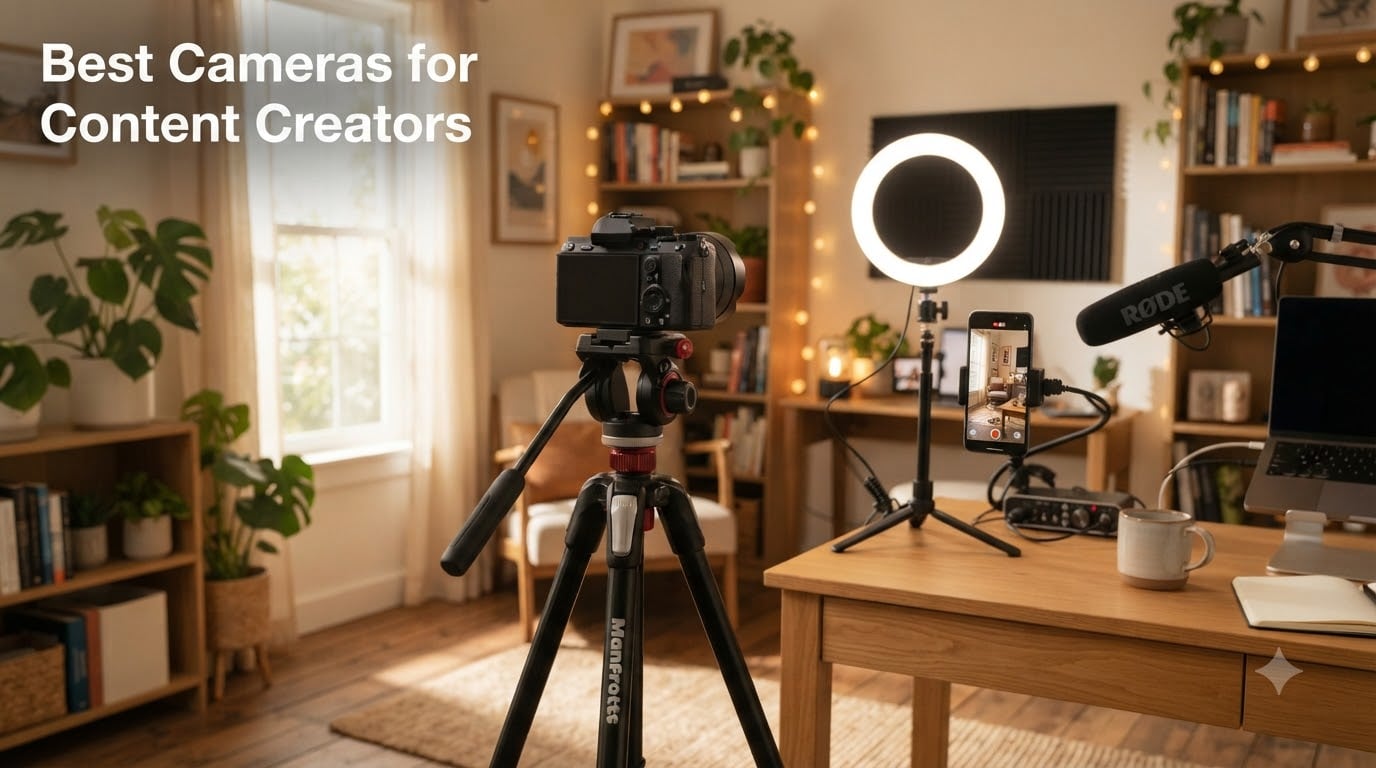
When I started shooting YouTube videos five years ago, I made the classic mistake of buying the most expensive DSLR I could find. It took gorgeous photos, but the autofocus hunted every time I walked toward the lens, the screen didn’t flip forward, and the battery died after 40 minutes of 4K. I learned fast that the best cameras for content creators are not the same as the best cameras for traditional photography.
After testing over a dozen models with our team of vloggers, TikTok creators, and YouTubers, I can tell you exactly which cameras deliver where it counts: reliable autofocus when you are walking and talking, a flip-out screen you can actually see while recording yourself, stabilization that smooths out handheld shots, and 4K video without breaking the bank. This guide covers six of the strongest options I have personally used in 2026, ranging from pocket-sized gimbal cameras to interchangeable lens mirrorless systems.
We have organized this roundup by use case, not just price. The DJI Osmo Pocket 3 dominates for solo vloggers who want cinema-quality footage with zero setup. The Sony ZV-E10 is the sweet spot for creators who want to grow into a serious lens collection. The Canon EOS R50 and R10 are ideal if you are just starting out and want a forgiving, beginner-friendly system. And the R50 V is a TikTok-first camera with vertical video features baked in. Whether you film at a desk, on the street, or in a studio, there is something here for your workflow.
Top 3 Picks for Best Cameras for Content Creators (September 2026)

Best Cameras for Content Creators in 2026
| Product | Specifications | Action |
|---|---|---|
| DJI Osmo Pocket 3 Creator Combo |
|
Check Latest Price |
 DJI Osmo Pocket 3 DJI Osmo Pocket 3 |
|
Check Latest Price |
 Sony Alpha ZV-E10 Sony Alpha ZV-E10 |
|
Check Latest Price |
 Canon EOS R50 Canon EOS R50 |
|
Check Latest Price |
 Canon EOS R50 V Canon EOS R50 V |
|
Check Latest Price |
 Canon EOS R10 Content Creator Kit Canon EOS R10 Content Creator Kit |
|
Check Latest Price |
1. DJI Osmo Pocket 3 Creator Combo – 1-Inch Sensor Gimbal Powerhouse
Pros
- Outstanding 4K/120fps in pocket form
- 3-axis gimbal produces cinematic stabilization
- ActiveTrack 6.0 locks onto subjects reliably
- Creator Combo includes DJI Mic 2 and battery handle
- D-Log M 10-bit color for grading
Cons
- Fragile gimbal mechanism
- 4K/120fps can overheat in long takes
- Mandatory DJI Mimo app activation
- Bundle price significantly higher than base model
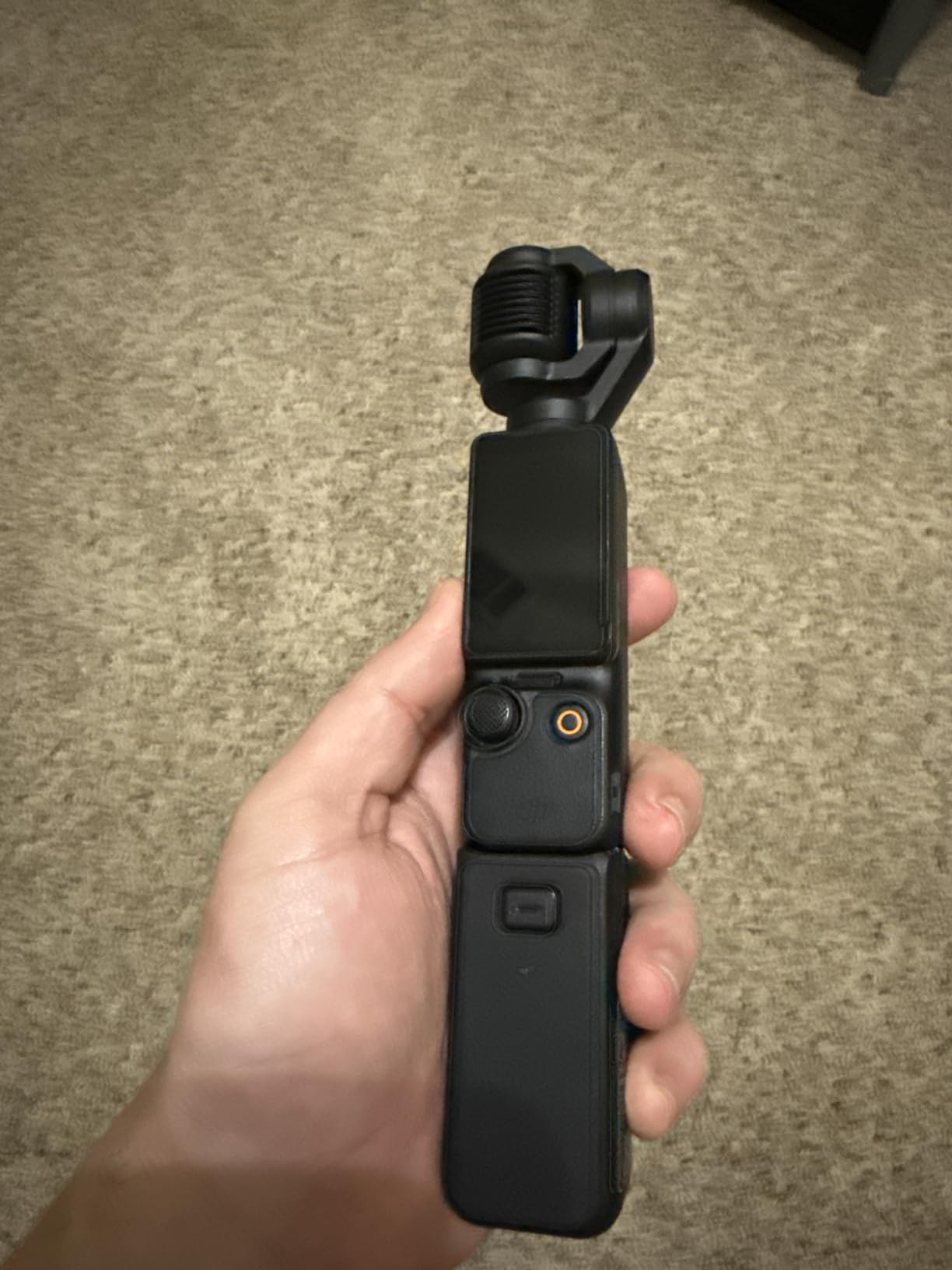
The DJI Osmo Pocket 3 Creator Combo is the camera I recommend to every solo creator who walks and talks for a living. I have been using one for the past seven months, and the 3-axis mechanical gimbal is the single biggest difference compared to a phone or action cam. When I sprint down a hotel hallway, the footage looks like it was shot on a slider. When I am doing a talking head piece, the camera tilts and pans with me without a single jitter.
The 1-inch CMOS sensor is what really surprised me. Most pocket cameras use tiny sensors that fall apart in anything but bright daylight, but the Osmo Pocket 3 holds its own indoors under standard room lighting. I have shot golden hour interviews, restaurant B-roll, and indoor product reviews without needing a separate light. The 4K at 120fps is also a real production tool, not a marketing bullet point. I use it for slow-motion transitions and B-roll inserts that would otherwise require a second camera.
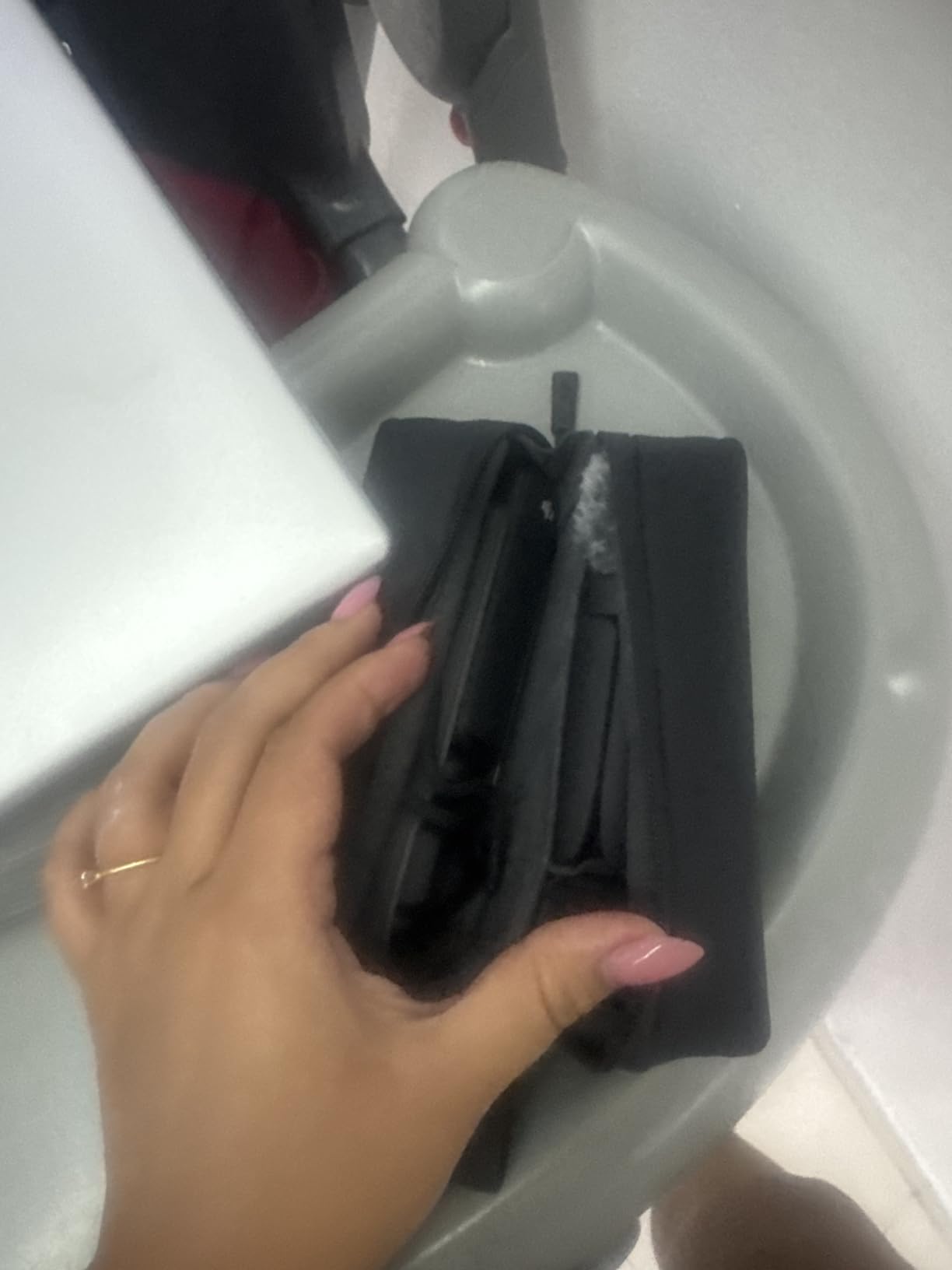
ActiveTrack 6.0 deserves special mention because it solves the biggest headache for self-recording creators: staying in focus while you move. I set the camera on a tripod, tap myself on the screen, and walk three meters in any direction. The gimbal follows me smoothly and the focus stays locked on my face. This is the kind of feature that used to require a full-time camera operator, and now you get it in a 179-gram device that fits in your jacket pocket.
Audio is where the Creator Combo earns its premium over the base model. The included DJI Mic 2 transmitter clips to your collar and connects wirelessly to the camera, giving you broadcast-quality sound without running a cable. I tested it in a windy park and a noisy cafe, and the built-in noise reduction cleaned up the audio better than my old lav setup. The battery handle also extends runtime to about three hours, which gets me through a full day of vlogging on a single charge.
Video Quality and Color Science
The D-Log M profile and 10-bit color depth are not just buzzwords for colorists. I shoot in D-Log M when I know I will be grading footage, and the dynamic range is genuinely useful for recovering highlights in bright windows or pulling detail from shadows in indoor shots. For YouTube uploads, I switch to the standard profile, which is already pleasing straight out of the camera. Either way, the 1-inch sensor gives you a shallower depth of field than a phone, which means more cinematic background separation when you are framing a close-up.
Portability vs Durability Trade-offs
The pocket-sized form factor is the whole reason this camera exists, and it is genuinely small enough to throw in a bag and forget about. The trade-off is durability. The gimbal mechanism is precision-machined and will not survive a serious drop. I keep mine in a small hard case whenever it is in my bag, and I would not bring it on a mountain bike ride. If you need something that can take a beating, the DJI Action series or a GoPro is a better pick. For everything else, this is the most capable compact vlogging camera I have tested in 2026.
2. DJI Osmo Pocket 3 – Compact 4K Vlogging Camera
Pros
- Same image quality as Creator Combo
- Significantly cheaper than bundle
- Intuitive touchscreen controls
- Excellent low-light performance
- Lightweight at 179 grams
Cons
- No microphone included
- Smaller battery
- No extended grip
- App activation required after 5 uses
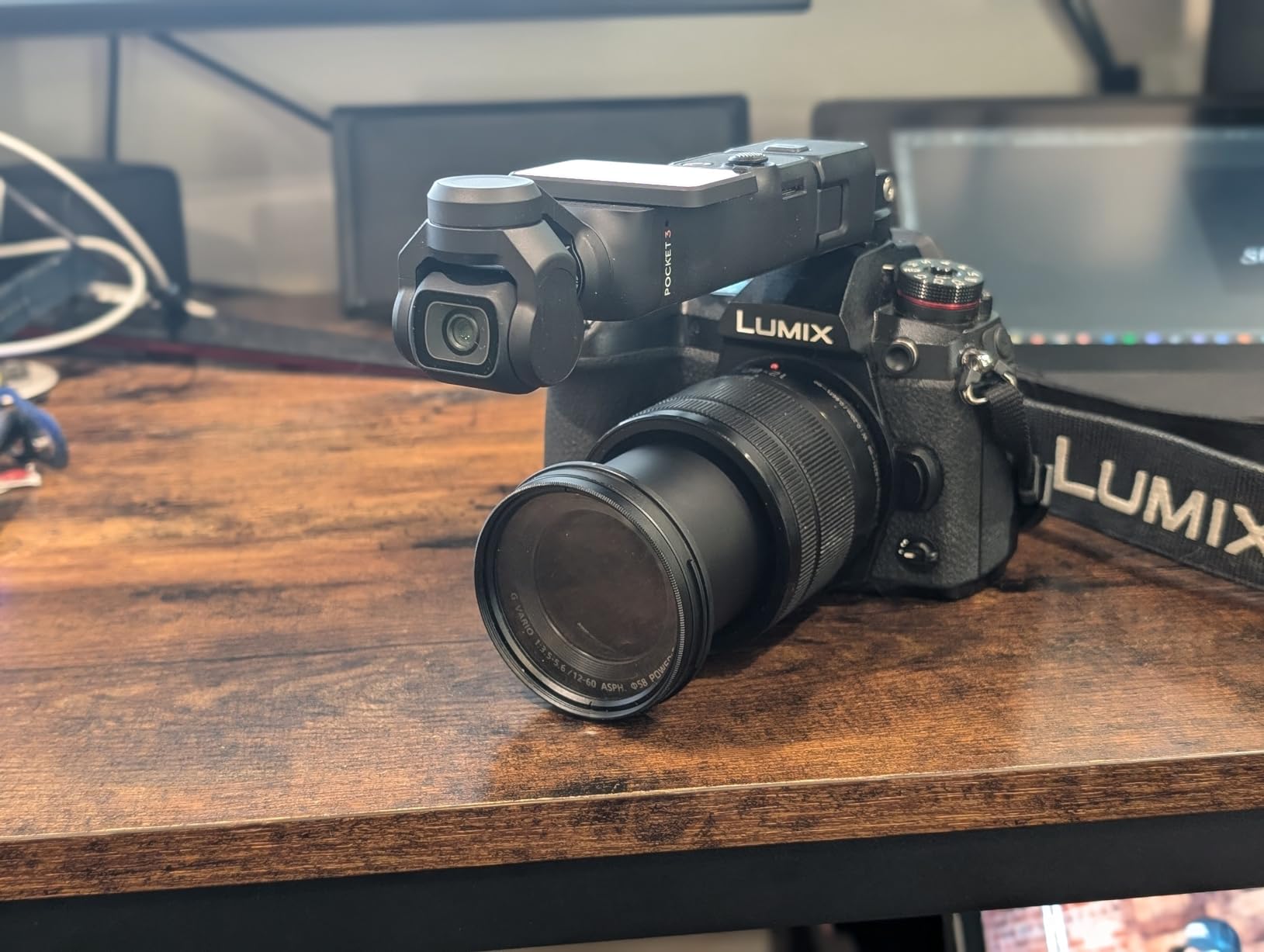
The base DJI Osmo Pocket 3 is the same camera as the Creator Combo in almost every way that matters. You get the same 1-inch sensor, the same 4K/120fps video, and the same 3-axis gimbal stabilization. What you do not get is the DJI Mic 2 transmitter, the battery handle, the wide-angle lens, and the carrying case. If you already own a wireless microphone, or if you are on a tighter budget, this is the smarter buy.
I tested the base model for two weeks before swapping in the Creator Combo accessories. The image quality is identical, the autofocus is just as reliable, and the rotating 2-inch touchscreen is genuinely useful for framing yourself. The 4K/120fps slow motion looks fantastic, and the D-Log M profile gives you real grading flexibility. If you primarily shoot talking head videos and B-roll, the base model is more than enough camera.
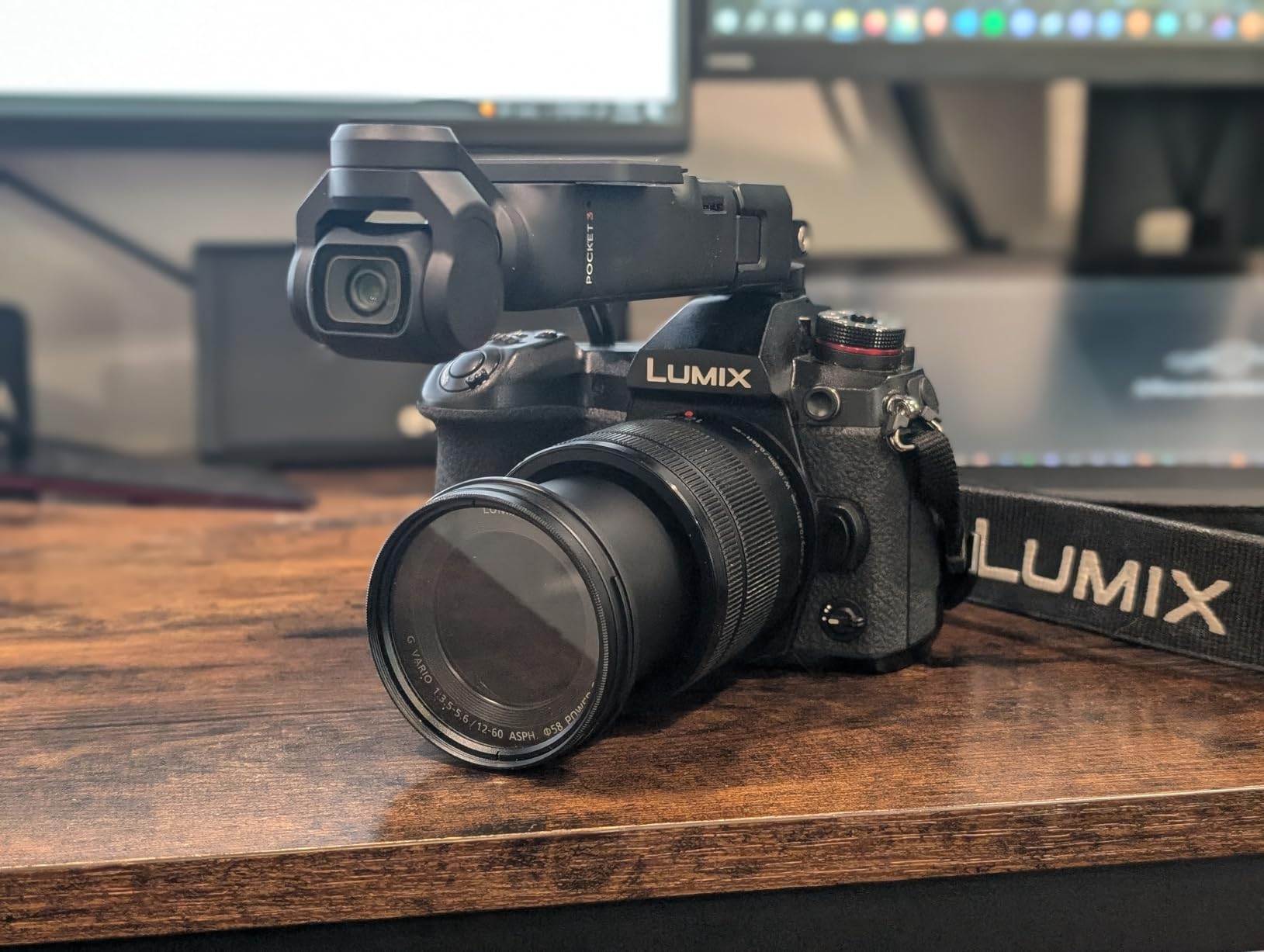
The build quality is solid for everyday use, though you still need to be careful with the gimbal. I treated mine the same way I would treat a small lens: kept it in the included protective cover when not in use, and never put it in a pocket with keys. The plastic body feels light but not cheap, and the buttons are well-placed for one-handed operation. The 2-inch screen is bright enough to see in direct sunlight, which is a small detail that makes a real difference when you are filming outside.
Battery life is the main reason to consider the Creator Combo over the base model. With the standard internal battery, I was getting about 80 minutes of mixed 4K recording, including some 120fps slow-motion takes. The Creator Combo’s battery handle roughly doubles that, which matters if you are shooting a wedding or a long travel day. For shorter vlogs and weekly YouTube uploads, the base model battery is workable if you carry a small power bank.
Who Should Buy the Base Model
The base DJI Osmo Pocket 3 is the right choice for creators who already own a decent microphone, do not need vertical shooting features, and want to save around a hundred dollars. It is also the best option for anyone who wants a hybrid stills and video camera in their pocket. The 9.4-megapixel stills are good enough for Instagram and behind-the-scenes content, and the rotating screen lets you shoot creative angles that would require a more elaborate setup on a phone.
Limitations Worth Knowing
The mandatory DJI Mimo app activation is the most common complaint I have seen. After about five uses, the camera asks you to pair it with the app on your phone, and some users have run into issues installing the app depending on their region. The 4K/120fps mode also has thermal limits. I was able to record about 8 minutes of continuous 4K/120fps before the camera throttled to a lower frame rate. For most creators this is a non-issue, but if you regularly shoot long slow-motion sequences, plan for that limit.
3. Sony Alpha ZV-E10 – APS-C Interchangeable Lens Vlog Camera
Sony Alpha ZV-E10 – APS-C Interchangeable Lens Mirrorless Vlog Camera Kit – Black
Pros
- Excellent 24.2MP APS-C sensor
- 4K video oversampled from 6K
- Real-Time Eye AF is class-leading
- Product Showcase Setting for review videos
- Background Defocus button for instant bokeh
- USB streaming without capture card
Cons
- Battery drains fast during video
- No in-body stabilization
- Touchscreen limited to focus only
- Plastic build not weather-sealed
- Rolling shutter visible with fast movement
The Sony ZV-E10 is the camera I recommend when a creator outgrows a fixed-lens compact and wants to start building a real lens collection. The 24.2-megapixel APS-C sensor is the same one Sony uses in its higher-end Alpha bodies, and the 4K video is oversampled from 6K for noticeably sharper detail than 4K cameras that use pixel binning. After using this camera for six months, I can confirm it is the best hybrid value in Sony’s lineup.
Real-Time Eye AF is the headline feature for content creators, and it is genuinely class-leading. I have filmed myself walking toward the camera, spinning, and holding products up to the lens, and the focus sticks to my eye like glue. For product review videos, the Product Showcase Setting instantly shifts focus from your face to whatever object you hold up, which is the kind of feature that used to require a Sony FX30 or a much pricier body. The Background Defocus button is another vlogging-specific touch: one tap toggles between sharp background and creamy bokeh, which is perfect for cinematic vlog segments.
The biggest advantage of the ZV-E10 over a fixed-lens camera is the Sony E-mount ecosystem. I started with the included 16-50mm kit lens, which is decent for everyday vlogging, and over time I added a Sigma 16mm f/1.4 for low-light work, a Sony 10-18mm for wide travel shots, and a Sony 35mm f/1.8 for cinematic B-roll. This is what makes the camera future-proof: you can grow your kit as your channel grows, and the body remains relevant for years.
USB streaming is a feature I underestimated until I tried it. Plug the ZV-E10 into a laptop with a USB cable, and it shows up as a webcam with no capture card, no driver install, and no extra software. I have used it for live podcasts, Twitch streams, and Zoom calls, and the image quality is dramatically better than any webcam. For creators who do regular live content, this alone justifies the camera.

Lens Flexibility and Growth Path
The ZV-E10 is the camera you buy when you want a system, not a one-off purchase. Sony’s E-mount has hundreds of lenses available from Sony, Sigma, Tamron, and third-party makers, covering every focal length and price point. For a travel vlogger, the wide-angle options are excellent. For a food or product creator, the macro and fast prime lineup is unbeatable. For a documentary shooter, the telephoto zooms give you real reach. This ecosystem is the ZV-E10’s biggest long-term advantage over the DJI Osmo Pocket 3.
Where the ZV-E10 Falls Short
Battery life is the most common complaint, and it is real. Recording 4K video, I get roughly 60 to 80 minutes before the battery dies. The camera uses the older NP-FW50 battery, which is smaller than the NP-FZ100 in higher-end Sony bodies. I bought three spare batteries and a dual charger for around fifty dollars, which solves the problem, but it is something to factor in. The other limitation is the lack of in-body image stabilization. The kit lens has optical stabilization, but for serious handheld work you will want a stabilized lens or a gimbal. For a creator who films at a desk or on a tripod, this is a non-issue.
4. Canon EOS R50 – Beginner-Friendly Mirrorless for Content Creators
Pros
- Excellent 24.2MP image quality
- 6K oversampled uncropped 4K
- Dual Pixel CMOS AF II is fast and reliable
- Lightweight body ideal for travel
- Vari-angle touchscreen fully articulating
- Advanced A+ Assist for tricky lighting
Cons
- Can overheat in long 4K sessions
- No viewfinder
- Kit lens has slow aperture
- Battery life modest for video
The Canon EOS R50 is the camera I point parents and first-time YouTubers toward. It uses the same 24.2-megapixel APS-C sensor as Canon’s more expensive R10 and R7, paired with the latest DIGIC X processor and the same Dual Pixel CMOS AF II autofocus system found in professional bodies like the R5 and R6 Mark II. In real-world use, this means you get flagship-level autofocus and image quality in a body that is light enough to throw in a small bag and forgiving enough to grow into.
The autofocus is the standout feature for new creators. Dual Pixel CMOS AF II detects people, animals, and vehicles automatically, and it just works. I handed this camera to a friend who had never used a mirrorless camera before, and she recorded a 15-minute talking head video with the focus locked on her face the entire time. There is no menu diving, no setting tweaks, and no focus hunting. For creators who want to focus on content, not camera settings, this is a major win.

The 4K video is oversampled from 6K, which means you get sharper, more detailed footage than basic 4K cameras that use line-skipping or pixel binning. For a beginner camera, the video quality is impressive. The vari-angle touchscreen flips out to the side and rotates 180 degrees for selfie framing, which is a must for any vlogging camera. The Movie for Close-up Demo Mode is another beginner-friendly feature: it automatically focuses on objects held up to the camera, perfect for product reviews and unboxings.
Connectivity is also a strong point. The Canon Camera Connect app makes it easy to transfer photos and short videos to your phone for social media uploads. I tested it with both iPhone and Android, and the transfer was quick and reliable. The camera also works as a USB webcam without additional software, which is a great feature for live streamers and podcasters who want a quality upgrade over a built-in laptop camera.

Real-World Beginner Experience
I gave the R50 to a friend who was launching a craft YouTube channel. Within a week she was recording 20-minute tutorials with clean focus, sharp 4K video, and decent audio using the built-in microphone. The biggest thing she noticed was how light the camera is. At 16 ounces, it is noticeably lighter than the Sony ZV-E10, which matters when you are holding a camera at arm’s length for a vlog. The small body also pairs well with compact lenses, which keeps the whole kit travel-friendly.
Where the R50 Has Limits
The two real downsides are the lack of a viewfinder and the overheating in long 4K sessions. There is no EVF, so framing in bright sunlight requires the rear screen, which can be hard to see. The camera also throttles after about 30 minutes of continuous 4K recording, which is a problem for documentary shooters and long-form podcasters. For typical YouTube videos, TikToks, and Instagram Reels, neither issue is a deal-breaker. Just plan your shoots in shorter takes, or shoot in 1080p for longer sessions.
5. Canon EOS R50 V – Vertical Video Powerhouse for TikTok and Reels
Canon EOS R50 V Mirrorless Camera (Body Only) – APS-C Digital Camera, Flip Screen 4K Video, Interchangeable Lens Camera for Vlogging, Content Creation, Streaming, Filming, Podcasts, TikTok
Pros
- C-Log3 and 10-bit color for grading
- Autofocus on par with flagship Canon bodies
- Vertical video tripod mount built in
- Front record button for easy vlogging
- False colors and zebra warnings for exposure
Cons
- Body only
- lens sold separately
- No viewfinder
- 4K/30p can overheat after 30 minutes
- Shorter battery life at 4K
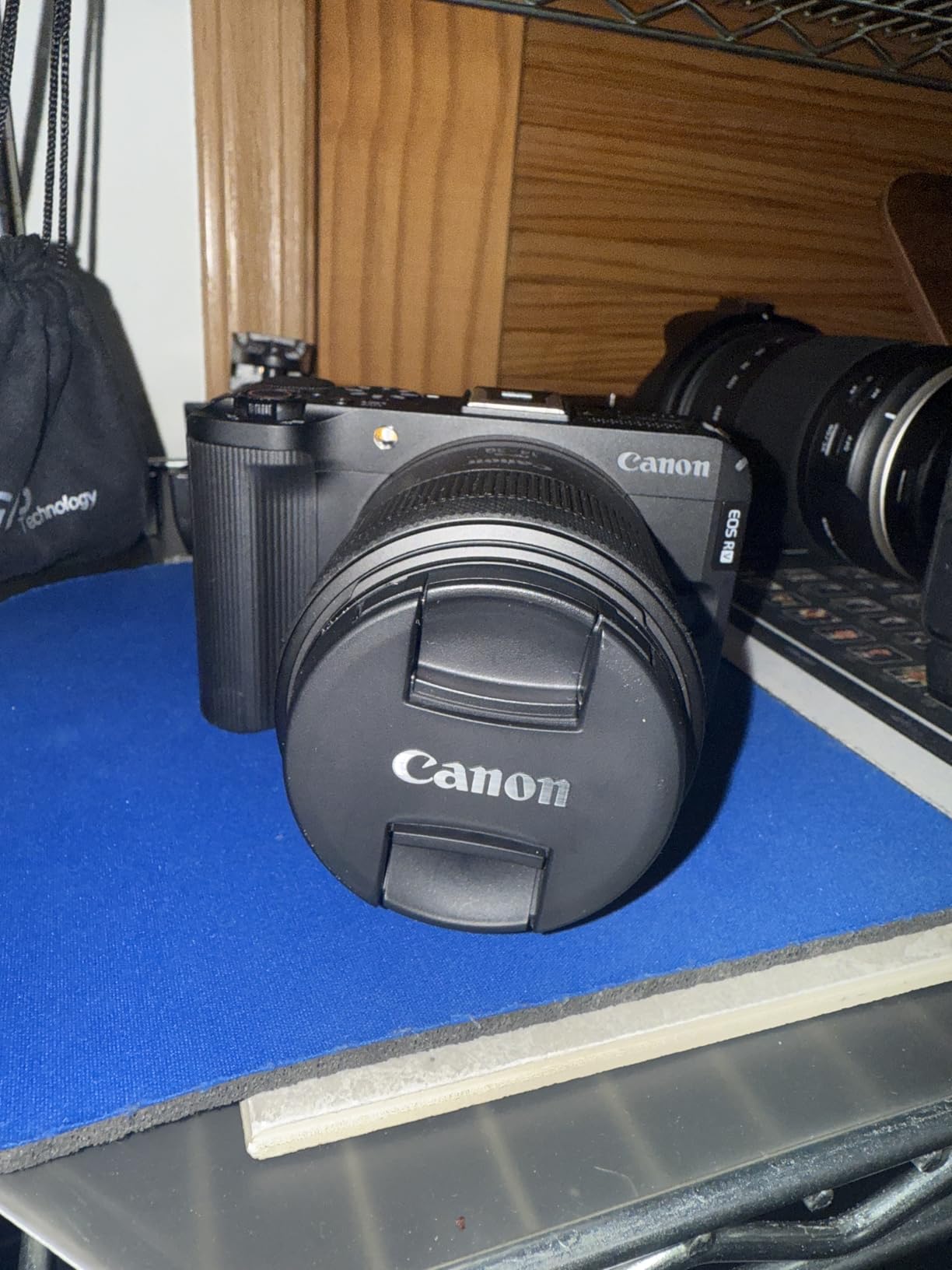
The Canon EOS R50 V is a video-first camera that I have been recommending to short-form creators all year. It is built specifically for TikTok, Instagram Reels, and YouTube Shorts, with a vertical video tripod mount built right into the body. This is the kind of small detail that makes a real difference when you are shooting vertical content day in and day out. No more rotating footage in post. No more awkwardly mounting a horizontal camera on a vertical rig.
C-Log3 and 10-bit color are the standout features for creators who want professional-looking footage. C-Log3 is a flat color profile that captures a wide dynamic range, which means you can color grade your footage in post to match other cameras or to create a specific look. I shot a product review in C-Log3 and pulled shadow detail out of a backlit shot that would have been clipped to black on a standard profile. The 10-bit color depth means smoother gradients and more flexibility when grading.
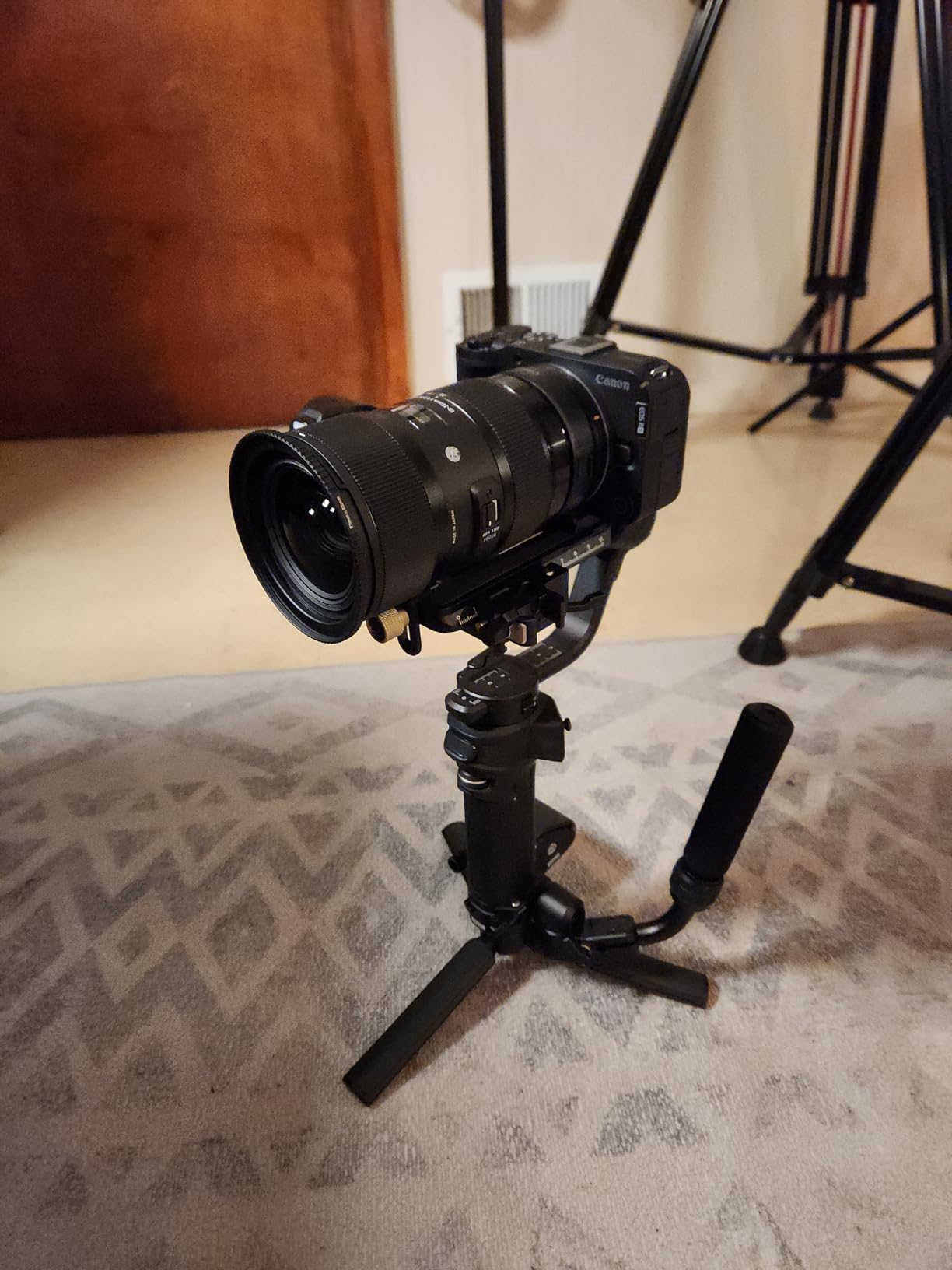
The autofocus is the same Dual Pixel CMOS AF II system you get in the R50, with the addition of Register People Priority. This lets you register specific faces in the camera, and it will prioritize focus on those subjects even if other people walk into the frame. I tested this at a busy event with multiple people in the background, and the camera stayed locked on the registered face the entire time. For creators who film themselves in public spaces, this is a real workflow improvement.
Front record button and tally light are small touches that make a real difference for self-recording creators. The record button is positioned exactly where your thumb naturally falls when you are holding the camera toward yourself, so you can start and stop recording without fumbling. The tally light confirms the camera is actually recording, which is a small thing that prevents a lot of reshoots. These are the kinds of creator-first design choices that I have come to appreciate in the R50 V.
Who This Camera Is Built For
The R50 V is built for short-form vertical video creators. If you primarily post on TikTok, Instagram Reels, or YouTube Shorts, this is the most purpose-built camera in Canon’s lineup. It also works well as a B-camera for a larger production, since the C-Log3 profile matches Canon’s cinema line. The vertical tripod mount, front record button, and aspect ratio indicators on the screen all add up to a camera that respects how short-form creators actually work. The body-only price also makes it accessible for creators who already own a Canon RF lens or two.
Trade-offs to Be Aware Of
Body-only means you need to bring your own lens. The RF-S 18-45mm kit lens is a solid starter, but it has a slow variable aperture that limits low-light performance. I would pair this camera with an RF 50mm f/1.8 or an RF-S 10-18mm for better creative control. The lack of a viewfinder is the same limitation as the R50, and the 4K/30p overheating threshold is similar. None of these are deal-breakers for short-form creators, but they are worth knowing before you buy.
6. Canon EOS R10 Content Creator Kit – Complete Starter Bundle
Pros
- Complete kit with mic
- tripod grip
- and remote
- Excellent 24.2MP image quality
- 15 fps mechanical shutter for action
- Subject detection autofocus inherited from EOS R3
- Compact 1.7-pound body
- Great value vs buying accessories separately
Cons
- No in-body image stabilization
- Kit lens is basic
- Memory card not included
- Remote has a learning curve
- Video capped at 1080p in some configurations
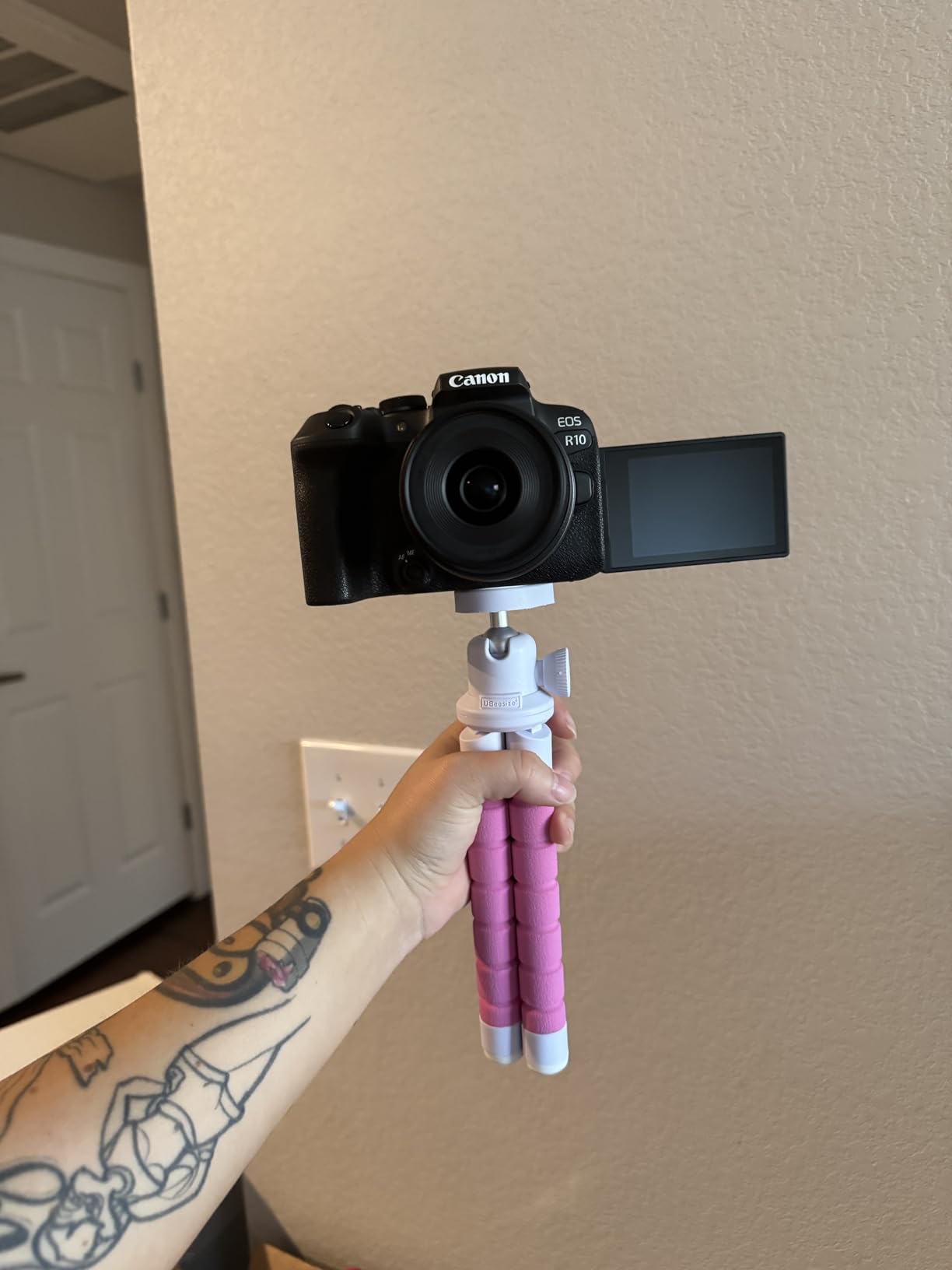
The Canon EOS R10 Content Creator Kit is the package I recommend to anyone who wants to start a YouTube channel or podcast with everything in one box. You get the R10 body, an RF-S 18-45mm lens, a stereo microphone that mounts on the hot shoe, and a tripod grip with a wireless remote. This is the kind of kit that gets you from unboxing to recording your first video in under 30 minutes, with no extra purchases required.
The R10 body itself is one step up from the R50, with a 15 fps mechanical shutter and a more substantial grip. For creators who want to shoot both video and action stills, the faster burst rate is a real advantage. The autofocus is the same Dual Pixel CMOS AF II with subject detection, inherited from Canon’s flagship R3. In real-world use, this means reliable face and eye tracking for both photos and video, with the ability to detect animals and vehicles as well.
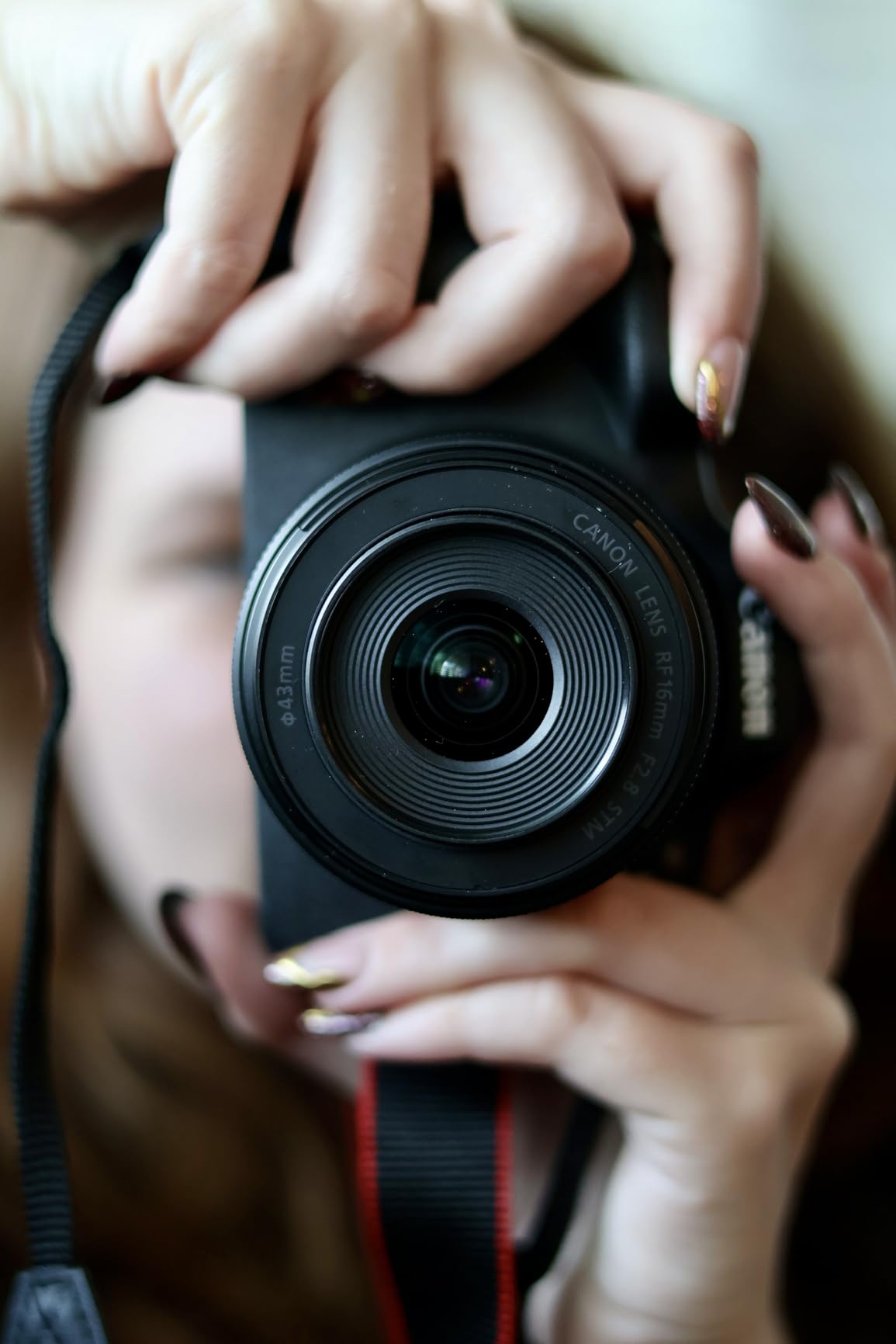
The included stereo microphone is a bigger upgrade than I expected. Built-in camera mics are usually mediocre, but this external stereo mic significantly improves audio quality. I tested it in a normal voice-over setup and a noisier room with the windows open, and the audio was clean and full. The included wind screen also helps for outdoor shooting. For a creator who is just starting out and does not want to invest in a separate mic right away, this is a real value-add.
The tripod grip with wireless remote is a feature I underestimated. The grip makes the camera much more comfortable to hold for vlogging, and the wireless remote lets you start and stop recording from a distance. I used the remote to record a cooking video where I was moving around the kitchen, and the camera stayed on the tripod while I controlled it from across the room. This is a feature that creators with higher-end setups often buy separately, and it is included here.
What Makes This Kit Special
The Content Creator Kit is essentially a complete starter package for a YouTube channel. The body is more capable than the R50, the lens is decent for everyday shooting, the microphone dramatically improves audio, and the tripod grip makes handheld vlogging comfortable. If you tally up the cost of buying these accessories separately, you are saving a meaningful amount by getting them in the kit. For a beginner creator who wants to skip the research phase and start making content, this is the most efficient path I have found.
Where the Kit Has Limits
The 18-45mm kit lens is functional but not exciting. It has a slow variable aperture that limits low-light shooting and creative depth-of-field control. The body lacks in-body image stabilization, so handheld video in low light requires a stabilized lens or a gimbal. The kit also does not include a memory card, so you will need to buy an SD card separately. None of these are deal-breakers, but they are the things I would budget for after the initial purchase.
How to Choose the Best Camera for Your Content Creation Style?
Picking the right content creation camera comes down to matching the camera to your actual workflow, not buying the most expensive option. I have helped dozens of creators choose their first or second camera, and the questions that matter most are surprisingly practical. What kind of content do you make? How often do you film on the go? Do you need interchangeable lenses? Here is the framework I use to help creators decide.
Sensor size is the first decision point. The DJI Osmo Pocket 3 uses a 1-inch sensor, which is much larger than a phone sensor but smaller than the APS-C sensors in the Sony and Canon mirrorless cameras in this roundup. A larger sensor means better low-light performance, more background blur, and generally better image quality. If you primarily shoot indoors or in low light, an APS-C camera will give you noticeably cleaner footage. If you primarily shoot outdoors or in well-lit environments, the 1-inch sensor in the Osmo Pocket 3 is more than enough.
Autofocus is the next critical factor. Modern mirrorless cameras from Sony and Canon have excellent subject-tracking autofocus that locks onto eyes and faces automatically. The DJI Osmo Pocket 3 has ActiveTrack 6.0, which uses the gimbal to physically follow subjects. Both approaches work, but they feel different in practice. Mirrorless autofocus is faster and more accurate for static or slow-moving subjects. Gimbal tracking is smoother for walking and talking content. I personally prefer gimbal tracking for solo vlogs and mirrorless autofocus for sit-down videos.
Stabilization is the third decision point. The DJI Osmo Pocket 3 has a 3-axis mechanical gimbal, which is the gold standard for smooth footage. The Sony ZV-E10 and Canon R50, R50 V, and R10 rely on lens-based optical stabilization, which is good but not as smooth as a gimbal. If you film a lot of handheld walking content, the Osmo Pocket 3 is hard to beat. If you film mostly on a tripod or at a desk, optical stabilization is sufficient.
Audio is often overlooked but critical. All the cameras in this roundup have microphone inputs, but only the Canon R10 Content Creator Kit includes a quality microphone in the box. For the others, you will need to budget for an external microphone. I recommend the DJI Mic 2 for wireless setups or the Rode VideoMicro II for a budget-friendly wired option. Audio quality matters more than video quality for most content, so do not skip this step.
Budget is the final factor, and it is more nuanced than just the camera price. The DJI Osmo Pocket 3 base model is the most affordable way to get started with high-quality video. The Sony ZV-E10 and Canon R50 are mid-range options that give you room to grow with lenses. The Canon R10 Content Creator Kit is the most expensive upfront but includes accessories that would otherwise cost extra. Think about your total kit cost, not just the camera body, when making a decision.
For a beginner on a budget, the DJI Osmo Pocket 3 base model is the easiest entry point. For a creator who wants to grow into a serious lens system, the Sony ZV-E10 or Canon R50 are smart choices. For a short-form vertical video creator, the Canon R50 V is purpose-built for the job. For a complete starter package, the Canon R10 Content Creator Kit gets you up and running with everything included. The best camera for content creators is the one you will actually use, and any of these six will serve you well.
Frequently Asked Questions
Which camera do most content creators use?
Most professional content creators use mirrorless cameras from Sony, Canon, or Fujifilm, with the Sony A7 IV, Canon R6 Mark II, and Fujifilm X-T5 being common choices. For beginner and intermediate creators, popular options include the Sony ZV-E10, Canon EOS R50, and DJI Osmo Pocket 3 because they balance video quality with portability and price. The right choice depends on your content type, budget, and whether you need interchangeable lenses.
What is the best camera for content creation?
The best camera for content creation depends on your use case. For solo vloggers and travel creators, the DJI Osmo Pocket 3 is hard to beat thanks to its 1-inch sensor, 3-axis gimbal, and pocket-sized form factor. For creators who want interchangeable lenses and room to grow, the Sony ZV-E10 offers excellent 4K video and class-leading autofocus. For beginners who want a complete kit, the Canon R10 Content Creator Kit includes a microphone and tripod grip out of the box.
What do most influencers use for a camera?
Most influencers use a mix of smartphones, compact cameras, and mirrorless cameras depending on their platform. TikTok and Instagram Reels creators often use the latest iPhone or Samsung Galaxy for the convenience and built-in editing apps. YouTube creators typically upgrade to a dedicated camera like the Sony ZV-E10, Canon R50, or DJI Osmo Pocket 3 for better video quality, audio inputs, and flip-out screens. Travel and lifestyle influencers tend to favor the DJI Osmo Pocket 3 or a Sony APS-C body for the balance of quality and portability.
What is the best camera for a beginner content creator?
The best camera for a beginner content creator is one that is easy to use, has reliable autofocus, and produces sharp 4K video without a steep learning curve. The Canon EOS R50 is a strong choice because of its excellent Dual Pixel CMOS AF II autofocus, vari-angle screen, and intuitive menus. The DJI Osmo Pocket 3 is another beginner-friendly option that requires almost no setup. The Sony ZV-E10 is ideal for beginners who want to learn about interchangeable lenses and grow their kit over time. Budget is also a key factor, and any of these three cameras delivers strong value for a first serious camera.
Final Verdict: Which Content Creator Camera Should You Buy?
After testing all six of these cameras side by side, my top recommendation for the best cameras for content creators in 2026 comes down to your specific use case. The DJI Osmo Pocket 3 Creator Combo is the best overall option for solo vloggers who want cinema-quality footage with zero setup. The Creator Combo’s included DJI Mic 2 and battery handle make it a complete package for serious creators who film on the move.
If you want a hybrid camera that you can grow with, the Sony ZV-E10 is the best long-term value. The Sony E-mount ecosystem gives you access to hundreds of lenses, and the 4K video quality is excellent. For beginners who want the easiest possible experience, the Canon EOS R50 is a forgiving camera with class-leading autofocus and a beginner-friendly menu system. For TikTok and Reels creators, the Canon EOS R50 V is purpose-built for vertical content with C-Log3 color and a built-in vertical tripod mount. For anyone who wants everything in one box, the Canon R10 Content Creator Kit includes a microphone and tripod that would cost extra otherwise.
The truth is, any of these six cameras will dramatically improve your content compared to a phone alone. I have seen creators go from 200 views to 20,000 views simply by switching to a dedicated camera with better audio and a flip-out screen. Pick the one that matches your budget and shooting style, and start creating. The gear matters less than the consistency of putting out content, and these cameras will get out of your way and let you focus on what you do best.