
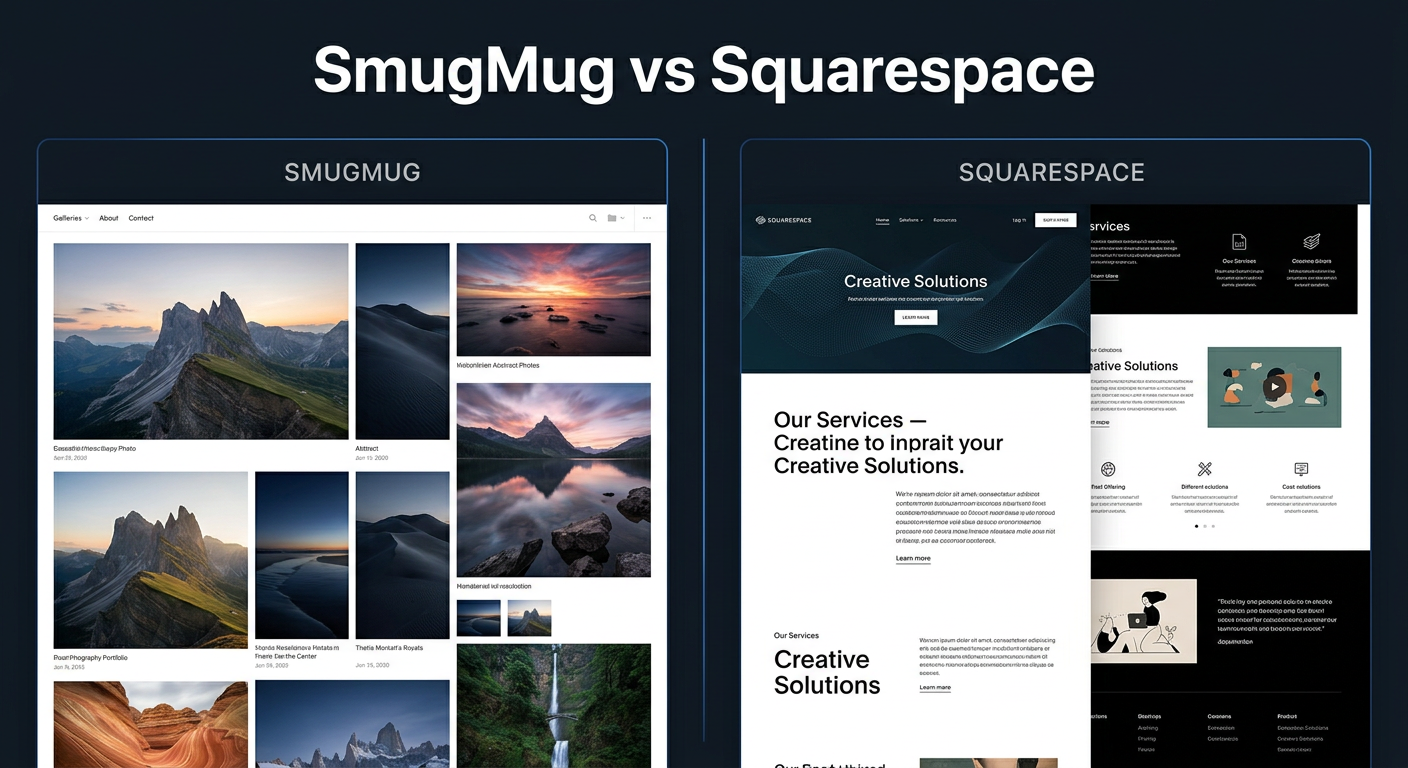
Choosing between SmugMug and Squarespace is one of the biggest decisions you will make as a photographer building your online presence. After testing both platforms extensively and watching fellow photographers struggle with this exact choice, I can tell you that the right answer depends entirely on what you want to accomplish with your photography business.
SmugMug has built its entire platform around photographers. It offers unlimited photo storage, built-in print fulfillment, and client gallery features that make photo delivery a breeze. Squarespace, on the other hand, gives you a stunning website builder with beautiful templates, robust blogging capabilities, and flexible e-commerce options that go beyond just selling photos.
In this SmugMug vs Squarespace for photography websites comparison, I will break down everything you need to know to make the right choice for your specific situation. Whether you are a wedding photographer needing client galleries, a portrait photographer selling services, or a fine art photographer selling prints, this guide will help you decide.
Quick verdict: Choose SmugMug if you prioritize unlimited storage, client galleries, and automated print fulfillment. Choose Squarespace if you want a beautiful, customizable website with blogging capabilities and service booking options.
SmugMug vs Squarespace: Quick Comparison
| Product | Specifications | Action |
|---|---|---|
 Portfolio Development Workshop Portfolio Development Workshop |
|
Check Latest Price |
 Squarespace From Signup to Launch Squarespace From Signup to Launch |
|
Check Latest Price |
Here is how these two platforms stack up at a glance. The table above shows helpful resources for each platform, but let me break down the actual platform differences that matter most.
SmugMug excels at photo-specific tasks: unlimited storage, client proofing galleries, password-protected folders, and print fulfillment through professional labs. The platform handles the technical side of photo delivery so you can focus on shooting.
Squarespace wins on design flexibility and business features. You get drag-and-drop website building, gorgeous templates, integrated blogging, appointment scheduling, and e-commerce that lets you sell anything from prints to workshops.
SmugMug Deep Dive
The Photographer’s Portfolio Development Workshop: Learn to Think in Themes, Find Your Passion, Develop Depth, and Edit Tightly
Pros
- Built for photographers
- Unlimited cloud storage
- Client galleries
- Print fulfillment
- Lightroom integration
Cons
- Limited website builder
- Restrictive templates
- 15% service fees on sales
- No blogging platform
SmugMug was created specifically for photographers, and it shows in every feature. I have used the platform for client galleries and found the photo delivery experience to be genuinely excellent. Clients receive a clean, professional interface where they can view, download, and order prints without any confusion.
The unlimited storage is SmugMug’s standout feature. You can upload RAW files, TIFFs, and massive resolution images without worrying about hitting a ceiling. For photographers shooting thousands of images per year, this alone can justify the subscription cost. Your entire photo archive lives safely in the cloud.
Where SmugMug struggles is its website builder. Multiple photographers on forums have described it as “horrible” and “restrictive,” and I understand their frustration. The templates are limited, customization options feel constrained, and creating a truly unique website requires workarounds. If you want a portfolio site that stands out, SmugMug makes that harder than it should be.
The print fulfillment system works smoothly. When a client orders a print, SmugMug handles everything: printing through professional labs, quality control, shipping, and customer service. You collect your markup without touching a package. The trade-off is a 15% service fee on sales, which cuts into your margins.
Mobile apps for iOS and Android are genuinely useful. You can upload photos directly from your phone, manage galleries, and check sales on the go. Photographers consistently rate SmugMug’s mobile experience higher than Squarespace’s.
Squarespace Deep Dive
Pros
- Beautiful templates
- Drag-and-drop builder
- Blogging platform
- Service booking
- Flexible e-commerce
Cons
- 2GB storage on entry plans
- No print fulfillment
- Limited photo-specific features
- Requires image optimization
Squarespace has earned its reputation for stunning website templates. Every design feels polished, modern, and professional. For photographers who want their website to make a strong first impression, Squarespace delivers in ways SmugMug simply cannot match.
The drag-and-drop page builder gives you genuine creative control. You can arrange galleries, add text blocks, embed videos, and customize layouts without touching code. I built a test site in about two hours and was genuinely impressed with how professional it looked.
Blogging is where Squarespace pulls ahead significantly. You can publish articles, share behind-the-scenes content, and build an audience through content marketing. For photographers who want to rank in Google searches, having an integrated blog is essential. SmugMug has no native blogging capability.
The biggest limitation for photographers is storage. Entry-level plans include just 2GB of storage, which is nothing for high-resolution images. You will need to optimize every photo before uploading or upgrade to higher-tier plans. Compare that to SmugMug’s unlimited storage, and the difference becomes stark.
Squarespace lacks built-in print fulfillment. You can sell prints through the e-commerce system, but you handle printing, packaging, and shipping yourself. Some photographers prefer this control, while others find it a burden that takes time away from shooting.
Head-to-Head Feature Comparison
Storage and Photo Management
SmugMug: Unlimited storage across all plans. Upload RAW files, TIFFs, and full-resolution images without compression. The platform handles image optimization automatically, serving appropriately sized versions to different devices. You can store your entire photo archive here.
Squarespace: Storage ranges from 2GB on entry plans to unlimited on commerce plans. You must optimize images before uploading or they will consume your allocation quickly. No RAW file support means this is not a photo backup solution.
Winner: SmugMug for photographers who need storage. Squarespace wins only if you already have a separate backup solution and just need a portfolio website.
Website Builder and Templates
SmugMug: Limited template selection with minimal customization. The interface feels dated compared to modern website builders. Photographers on Reddit consistently describe the website builder as frustrating and restrictive.
Squarespace: Industry-leading templates designed by professionals. Drag-and-drop builder with extensive customization options. You can create a truly unique website that reflects your brand personality.
Winner: Squarespace by a wide margin. If how your website looks matters to you, Squarespace is the clear choice.
Client Galleries and Photo Delivery
SmugMug: Purpose-built client galleries with password protection, download controls, favorites collections, and print ordering. Clients can proof photos, leave comments, and share selections. The entire workflow feels designed for professional photographers.
Squarespace: No native client gallery feature. You can password-protect pages, but the proofing and selection workflow does not exist. You would need third-party integrations or manual workarounds.
Winner: SmugMug for any photographer delivering client photos professionally.
E-commerce and Print Fulfillment
SmugMug: Built-in print fulfillment through professional labs (Bay Photo, WHCC, etc.). You set your markup, and SmugMug handles printing, shipping, and customer service. Digital downloads can be sold separately. The 15% service fee applies to all sales.
Squarespace: Full e-commerce platform supporting physical products, digital downloads, services, and subscriptions. No print fulfillment partnerships. You print and ship yourself or use drop-shipping integrations.
Winner: Tie. SmugMug wins for passive print sales. Squarespace wins for photographers who want control over the fulfillment process or sell diverse products and services.
Blogging and Content Marketing
SmugMug: No native blogging capability. Some photographers create workarounds using journal-style galleries, but it is not a proper blogging platform.
Squarespace: Excellent blogging platform with scheduling, categories, tags, and SEO tools. You can build an audience, improve search rankings, and establish yourself as an expert through content.
Winner: Squarespace for photographers who want to grow through content marketing.
SEO Capabilities
SmugMug: Basic SEO controls including page titles, descriptions, and alt text. The platform handles technical SEO adequately but offers limited advanced options. Photographers report mixed results with search rankings.
Squarespace: Comprehensive SEO tools including customizable meta tags, structured data, XML sitemaps, and Google Search Console integration. Built-in analytics help you track performance.
Winner: Squarespace for photographers relying on organic search traffic.
Mobile Apps and On-the-Go Management
SmugMug: Highly-rated iOS and Android apps. Upload photos directly from shoots, manage galleries, check sales, and handle client requests from anywhere. Photographers consistently praise the mobile experience.
Squarespace: Mobile apps exist but focus more on analytics and basic management than photo uploads. The experience feels less tailored to photographers working in the field.
Winner: SmugMug for photographers who need robust mobile functionality.
Pricing Breakdown
Understanding the true cost of each platform requires looking beyond the monthly subscription to transaction fees and hidden costs.
SmugMug Pricing:
The Starter plan begins around $7 per month (billed annually) and includes unlimited storage, basic customization, and the ability to sell prints with the 15% service fee. The Power plan adds more customization and lower service fees at roughly $12 per month. The Portfolio plan, designed for professionals, includes advanced features and priority support at around $25 per month.
Squarespace Pricing:
The Personal plan starts at $16 per month (billed annually) with 2GB storage but no e-commerce. The Business plan at $23 per month adds e-commerce capabilities and increases storage. Commerce plans starting at $28 per month include unlimited storage and lower transaction fees. All plans include a free custom domain for the first year.
Value Comparison:
For pure photo storage and client galleries, SmugMug delivers more value at lower price points. For a full-featured website with blogging and flexible e-commerce, Squarespace justifies its higher cost through superior design tools and business features.
Who Should Choose Each Platform In 2026?
Choose SmugMug If You Are:
A wedding or event photographer who needs to deliver hundreds of photos to clients regularly. The client gallery workflow, password protection, and print fulfillment make client delivery effortless.
A photographer who values unlimited storage. If you want your entire archive safely stored in the cloud without worrying about limits or extra fees, SmugMug delivers peace of mind.
Someone who wants passive print sales. Set your prices once and let SmugMug handle printing, shipping, and customer service. Your markup arrives without any hands-on work.
A photographer who needs great mobile apps. If you manage your business primarily from your phone, SmugMug’s mobile experience is genuinely superior.
Choose Squarespace If You Are:
A photographer who wants a stunning website. If design matters to your brand and you want templates that look professionally designed, Squarespace is the obvious choice.
Building a brand through content marketing. The integrated blogging platform lets you publish articles, improve SEO, and attract clients through valuable content.
Selling services alongside photos. If you offer workshops, mentoring, or photography sessions, Squarespace’s service booking and scheduling features handle that elegantly.
A portrait or commercial photographer who does not need client proofing galleries. If you deliver photos through other means and just need a beautiful portfolio, Squarespace shines.
Frequently Asked Questions
What is the best platform to create a photography website?
The best platform depends on your specific needs. SmugMug excels for photographers prioritizing unlimited photo storage, client galleries, and print fulfillment. Squarespace is better for photographers wanting a beautiful, customizable website with blogging capabilities and service booking. For pure photography businesses focused on selling prints, SmugMug typically wins. For photographers building a full brand with workshops, services, and content marketing, Squarespace is usually the better choice.
Is SmugMug good for photographers?
Yes, SmugMug is excellent for photographers, particularly those focused on client galleries and print sales. It offers unlimited photo storage, built-in print fulfillment, password-protected client galleries, and excellent Lightroom integration. SmugMug is specifically designed for photographers, making it ideal for wedding, portrait, and event photographers who need to deliver high-resolution images to clients.
Is Squarespace good for selling photography?
Squarespace is good for selling photography, especially for photographers who want to fulfill their own prints or sell services alongside prints. It has robust e-commerce features, supports multiple payment processors, and allows you to sell services like workshops and photo sessions. However, Squarespace has storage limitations on entry plans and lacks built-in print fulfillment partnerships.
Which platform has better templates for photography websites?
Squarespace has significantly better templates for photography websites. Its templates are designed by professionals and offer extensive customization through a drag-and-drop builder. SmugMug’s templates are more limited and harder to customize. Photographers consistently report that Squarespace websites look more polished and professional to clients.
Final Verdict: SmugMug vs Squarespace for Photography Websites
After extensive testing and research, here is my honest recommendation for the SmugMug vs Squarespace for photography websites debate.
Choose SmugMug if your photography business revolves around delivering client galleries and selling prints. Wedding photographers, event photographers, and portrait photographers who need proofing galleries will find SmugMug’s workflow genuinely excellent. The unlimited storage and print fulfillment create genuine value.
Choose Squarespace if you want a beautiful website that represents your brand professionally. Photographers building a business through content marketing, selling services, or prioritizing design will find Squarespace worth the investment. The blogging and SEO capabilities alone can transform your marketing.
Some photographers use both: Squarespace for their main website and SmugMug specifically for client galleries. This hybrid approach gives you the best of both worlds but requires managing two subscriptions.
The right choice comes down to your priorities. Want unlimited storage and client galleries? SmugMug. Want beautiful design and blogging? Squarespace. Neither platform is wrong; they just serve different photographers differently.