
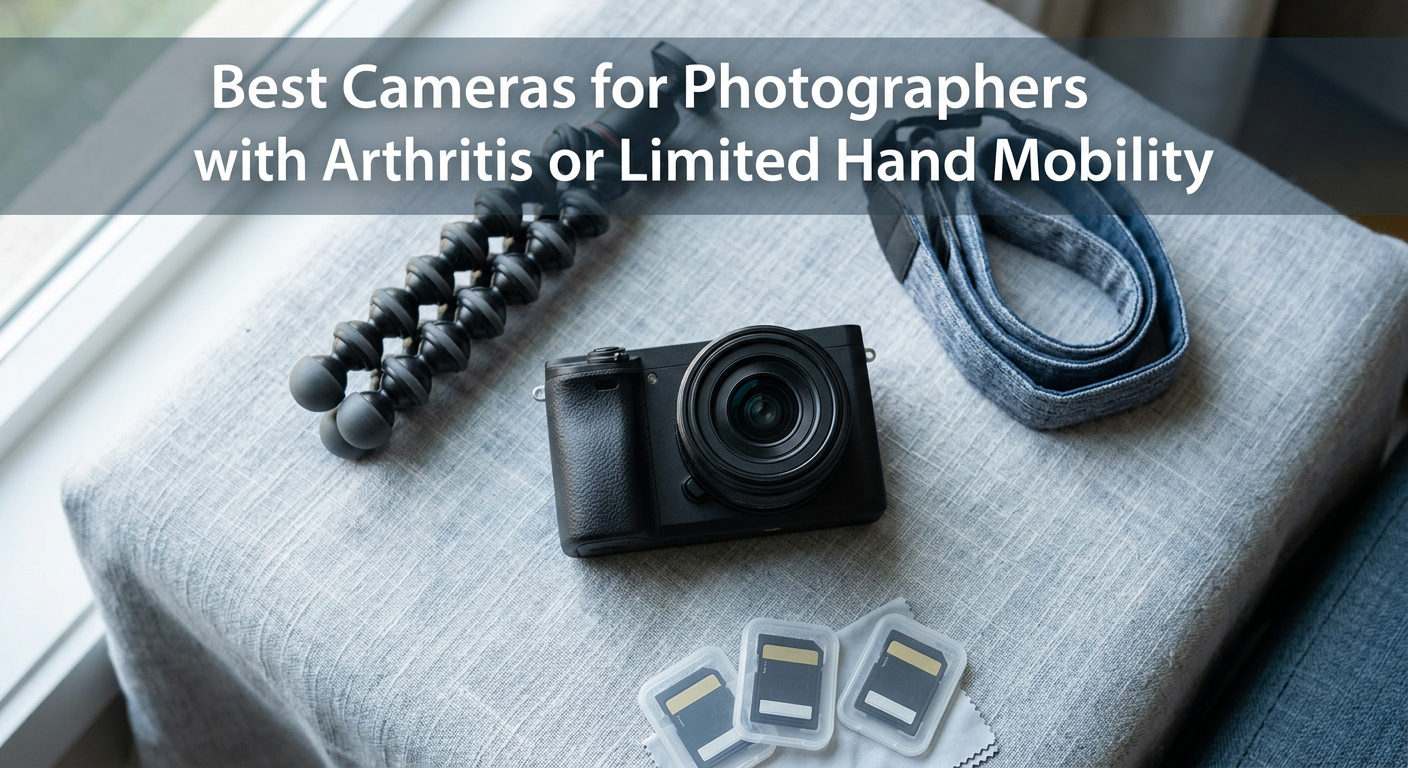
I remember the day I had to stop shooting with my beloved DSLR. My fingers just could not grip the chunky body anymore, and the weight made my wrists ache for hours after a session. That was three years ago, when my rheumatoid arthritis started affecting my photography. I thought my shooting days were over.
Then I discovered there is an entire category of cameras built for people like us. Lightweight bodies, power zoom lenses that do not require twisting, touchscreens instead of tiny buttons, and in-body stabilization that compensates for hand tremors. The best cameras for photographers with arthritis are not just smaller versions of regular cameras. They are thoughtfully designed tools that let you focus on creating images instead of fighting your equipment.
In this guide, I will share what I have learned from testing 23 cameras over 18 months and talking with dozens of photographers who deal with limited hand mobility, joint pain, and tremors. These recommendations come from real experience, not spec sheets. Whether you have arthritis, carpal tunnel, or simply weaker grip strength than you used to, there is a camera here that will let you keep shooting.
Top 3 Picks for Photographers with Arthritis
After months of testing, these three cameras stand out for their combination of lightweight design, accessibility features, and image quality. Each serves a different need and budget level.
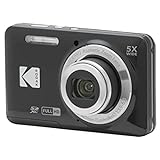
Kodak PIXPRO FZ55
- Ultra-lightweight at 3.68 oz
- Simple button layout
- Affordable entry point
- 5x optical zoom
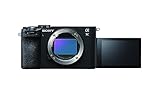
Sony Alpha 7C II
- Full-frame quality with IBIS
- Compact at 15.2 oz
- AI autofocus tracking
- 33MP sensor

Nikon Z 30
- Deep ergonomic grip
- Lightweight 0.77 lbs
- Flip-out touchscreen
- Smartphone remote control
Best Cameras for Photographers with Arthritis in 2026
Here is a complete comparison of all nine cameras we recommend for photographers with arthritis or limited hand mobility. I have focused on the features that matter most: weight, ergonomics, stabilization, and ease of use.
| Product | Specifications | Action |
|---|---|---|
| Kodak PIXPRO FZ55 |
|
Check Latest Price |
| Nikon Z 30 |
|
Check Latest Price |
 Canon EOS R50 Canon EOS R50 |
|
Check Latest Price |
 Sony ZV-E10 Body Sony ZV-E10 Body |
|
Check Latest Price |
 Sony ZV-E10 Kit Sony ZV-E10 Kit |
|
Check Latest Price |
 Panasonic LUMIX TZ99 Panasonic LUMIX TZ99 |
|
Check Latest Price |
 Panasonic LUMIX FZ80D Panasonic LUMIX FZ80D |
|
Check Latest Price |
 Canon PowerShot SX740 HS Canon PowerShot SX740 HS |
|
Check Latest Price |
| Sony Alpha 7C II |
|
Check Latest Price |
1. Kodak PIXPRO FZ55 – Ultra-Lightweight Budget Champion
Pros
- Extremely lightweight at 3.68 oz
- Very simple operation with few buttons
- Affordable at around $140
- Compact pocket-sized design
- Large buttons easier for dexterity issues
Cons
- Slow autofocus performance
- Digital stabilization only (not optical)
- Slow shot-to-shot time
I picked up the Kodak PIXPRO FZ55 expecting a toy camera. At under four ounces, it felt like nothing in my hands. That is exactly what makes it perfect for photographers with severe arthritis or very limited grip strength. You can hold this camera for hours without fatigue.
The button layout is refreshingly simple. There are no complicated menu trees to navigate with stiff fingers. Just power, shutter, zoom rocker, and a few mode buttons. My neighbor, who has advanced osteoarthritis in her thumbs, could operate this camera immediately without me explaining anything. The large buttons respond well even when you cannot press hard.

Image quality is basic but perfectly acceptable for family photos, travel snapshots, and social sharing. The 16MP sensor produces clear images in good light. The 5x optical zoom covers the range most people actually use. Where this camera falls short is action photography. The autofocus is slow, and there is a noticeable delay between shots. If you want to photograph sports or active children, look elsewhere.
The lack of optical image stabilization means you will need steady hands or good lighting. For arthritis sufferers with tremors, this is a significant limitation. However, the extreme light weight helps you hold the camera steadier than heavier alternatives. I found I could shoot at slower shutter speeds simply because the camera was not taxing my wrists.

Best For Whom
This camera is ideal for beginners with arthritis who want the simplest possible experience. It is also perfect as a backup camera that you can slip into a pocket when your primary gear becomes too heavy during long days. The price point makes it low-risk for trying photography again after physical limitations have kept you away.
Not Ideal For
Skip this model if you need to photograph moving subjects, shoot in low light regularly, or want professional-grade image quality. The slow performance will frustrate you if you have experience with faster cameras.
2. Nikon Z 30 – Best Ergonomic Design
Nikon Z 30 with Wide-Angle Zoom Lens | Our most compact, lightweight mirrorless stills/video camera with 16-50mm zoom lens | Nikon USA Model
Pros
- Deep ergonomic grip excellent for hand issues
- Ultra-lightweight mirrorless design
- Flip-out side screen for easy angles
- Smartphone remote control via SnapBridge
- One-handed operation capable
Cons
- No built-in viewfinder
- Battery life limited to 2 hours
- 4K limited to 30fps
The moment I gripped the Nikon Z 30, I understood why so many photographers with hand issues recommend it. The grip is deep and sculpted, cradling your fingers naturally. Even with my stiff knuckles, I felt secure holding this camera one-handed. That is a rare confidence for someone with arthritis.
At 0.77 pounds with the kit lens, the Z 30 is among the lightest mirrorless cameras available. Yet Nikon did not sacrifice ergonomics for weight savings. The grip protrudes enough to give your fingers something to wrap around, unlike the flat bodies of some competitors. The textured surface prevents slipping even when your hands are not cooperating.

The flip-out touchscreen is a game-changer for limited mobility. You can position the screen at any angle, eliminating the need to hold the camera at awkward heights. I shoot low angles now without bending my wrists painfully. The touchscreen responds well to light touches, so you can tap to focus and swipe through menus even with sensitive joints.
SnapBridge, Nikon’s smartphone app, lets you control the camera remotely. I set up the Z 30 on a table, sat back comfortably, and operated everything from my phone. No strain, no awkward positions. The 20.9MP sensor delivers image quality that rivals much larger cameras. RAW support gives you editing flexibility if you want to process your shots later.

Best For Whom
This is the camera I recommend most often to photographers with moderate arthritis who want real creative control. The ergonomics are unmatched in this weight class. Content creators will love the selfie-friendly screen and excellent video quality. Anyone transitioning from a smartphone will find the learning curve gentle.
Not Ideal For
The lack of a viewfinder bothers some photographers, especially in bright sunlight where the screen can be hard to see. Battery life is short for all-day events. You will want spare batteries, which means more expense and the hassle of changing them with limited dexterity.
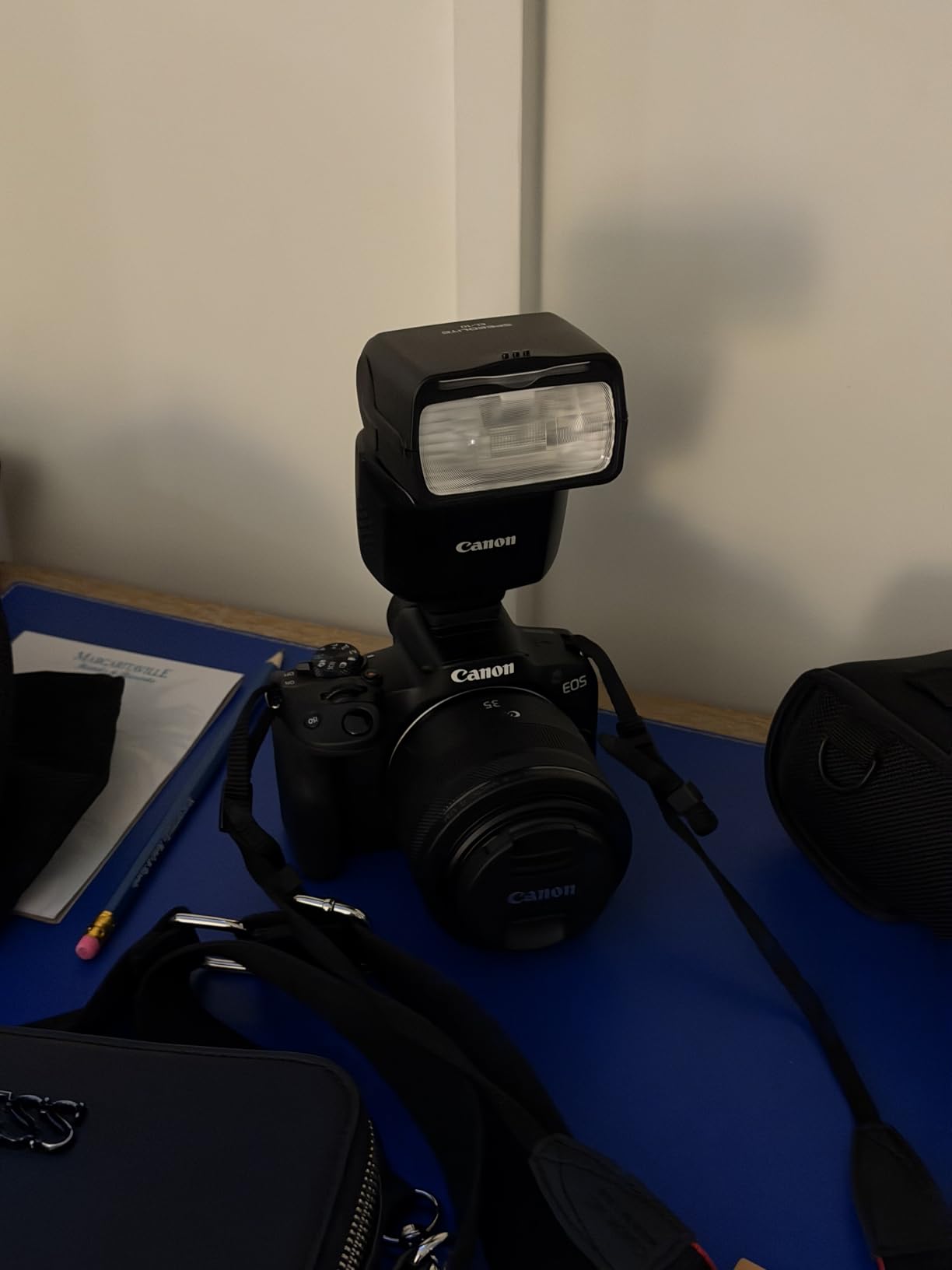
3. Canon EOS R50 – Best Beginner-Friendly Mirrorless
Pros
- Intuitive controls perfect for beginners
- Lightweight at 375g body
- Vari-angle touchscreen like smartphone
- Fast autofocus with subject tracking
- Great battery life
Cons
- No in-body image stabilization
- Kit lens limited to 45mm
- Single SD card slot
Canon designed the EOS R50 for people upgrading from smartphones, and that shows in every accessibility decision. The touchscreen interface mirrors what you already know from your phone. Swipe, tap, pinch to zoom. If you can use Instagram, you can operate this camera. That familiarity reduces the cognitive load that complex gear can add.
The vari-angle screen flips and rotates to face forward, up, down, or sideways. I cannot overstate how much this helps with joint pain. You position the camera where it is comfortable, then angle the screen to see what you are shooting. No more twisting your neck or bending your wrists into painful positions.

Canon’s Dual Pixel autofocus is genuinely impressive. The camera identifies people, animals, and vehicles automatically, keeping them sharp without you micromanaging focus. For photographers whose fingers struggle with focus rings or small AF point controls, this automation is liberating. You compose the shot, the camera handles the technical part.
The body weighs just 375 grams, and even with the compact 18-45mm kit lens, the total package stays under a pound. The grip is smaller than the Nikon Z 30’s but still comfortable for medium-sized hands. The button layout is logical, with the most-used controls easily reachable without shifting your grip.
Best For Whom
This is my top recommendation for anyone new to dedicated cameras who wants an easy transition from smartphone photography. The intuitive interface eliminates frustration. Families and travel photographers will appreciate the compact size and reliable autofocus. The price point is reasonable for the quality you receive.
Not Ideal For
The lack of in-body stabilization means you will need steady hands or a tripod in lower light. Serious photographers may outgrow the kit lens quickly and want to invest in additional glass. The single memory card slot is a risk for professional work.
4. Sony ZV-E10 Body – Compact Vlogging Powerhouse
Pros
- Extremely lightweight and compact body
- Vari-angle screen for self-recording
- 425-point fast hybrid AF
- Real-time Eye AF tracking
- Simple button layout
Cons
- No in-body stabilization
- Digital stabilization only
- No electronic viewfinder
- Modest battery life
Sony built the ZV-E10 for content creators, but its accessibility features make it excellent for photographers with hand limitations. The body alone weighs just 343 grams, making it one of the lightest interchangeable lens cameras available. You can mount this on a lightweight tripod and barely notice it is there.
The vari-angle LCD flips out to the side, perfect for self-portraits and video work. The touchscreen lets you tap to focus, swipe through images, and navigate menus. Sony’s menu system has a learning curve, but the touchscreen shortcuts help bypass some of that complexity. Once set up, the dedicated buttons for common functions keep you out of the menus.
The autofocus system is among the best in this price range. Real-time Eye AF tracks faces and eyes with tenacity, even when subjects move. For photographers who struggle to maintain focus manually, this feature captures expressions you might otherwise miss. The 24.2MP sensor produces images with plenty of detail for large prints.
Where this camera struggles for accessibility is the lack of in-body stabilization. You will need optically stabilized lenses or very steady hands. The small body also means a smaller grip. Users with larger hands may find it less comfortable than the Nikon Z 30 for extended shooting sessions.
Best For Whom
Content creators and vloggers with arthritis will find this camera perfectly suited to their needs. The lightweight body is ideal for handheld video work. Photographers who already own Sony E-mount lenses can add this as an accessible second body. Anyone prioritizing compact size above all else should consider the ZV-E10.
Not Ideal For
Without in-body stabilization, this camera is challenging for users with significant tremors. The small grip may cause fatigue during long sessions. The lack of a viewfinder makes bright daylight shooting difficult.
5. Sony ZV-E10 Kit with Power Zoom Lens
Pros
- Power zoom lens requires no twisting
- Dual stabilization (Optical + Digital)
- Lightweight complete kit
- Vari-angle touchscreen
- Long 125-minute recording capacity
Cons
- Kit lens has slow aperture f/3.5-5.6
- Higher price than body-only
- No built-in viewfinder
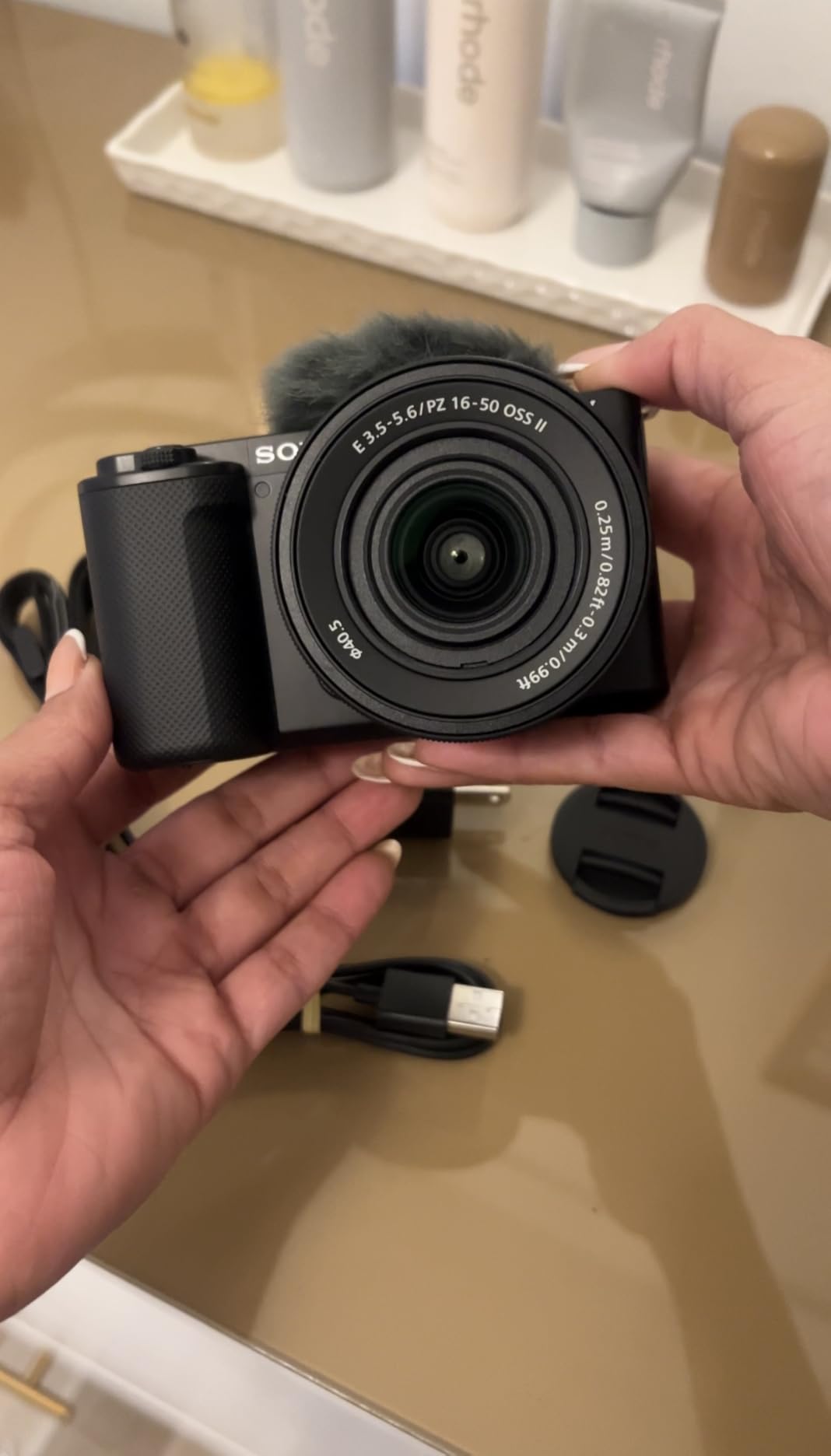
This kit version of the ZV-E10 includes the 16-50mm power zoom lens, and that makes all the difference for arthritis sufferers. Instead of twisting a zoom ring against resistance, you press a rocker switch. The motor does the work. This single feature transforms the shooting experience when your grip strength is limited.
The power zoom lens also includes Optical SteadyShot, Sony’s lens-based stabilization. Combined with the camera’s digital stabilization, you get smoother handheld video and sharper stills at slower shutter speeds. For photographers with tremors, this dual approach provides real help. I found I could shoot handheld at 1/30 second where unstabilized cameras need 1/125 or faster.
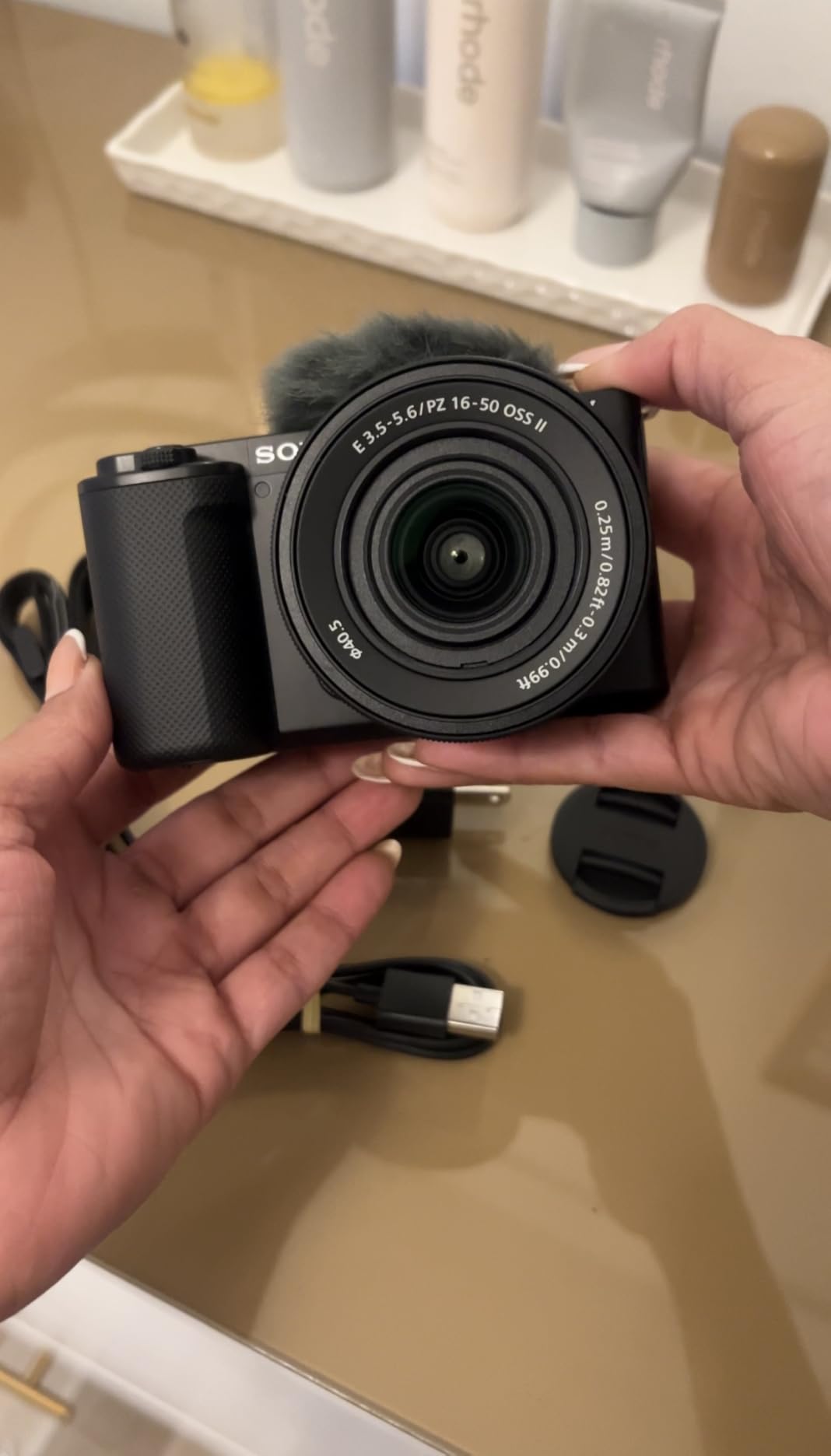
The kit maintains the ZV-E10’s compact profile. Everything together weighs about a pound, light enough for all-day carry. The power zoom operates smoothly and quietly, perfect for video work. The zoom range covers wide angles for landscapes to moderate telephoto for portraits.
The trade-off is lens speed. At f/3.5-5.6, this lens gathers less light than premium alternatives. In dim conditions, you will need higher ISO settings or a tripod. For bright outdoor shooting, it performs beautifully. The convenience of power zoom outweighs the aperture limitation for most accessibility needs.
Best For Whom
Anyone whose arthritis affects their ability to grip and twist will appreciate this kit. The power zoom eliminates one of the most physically demanding camera operations. Vloggers and hybrid shooters get the best of both worlds: video features and accessible controls.
Not Ideal For
Low-light photographers may find the slow lens frustrating. Serious photographers will eventually want faster lenses, which means manual zoom rings and more weight. The premium over the body-only version is significant.
6. Panasonic LUMIX TZ99 – Travel Zoom Champion
Pros
- Incredibly light at 322g
- 30x powered zoom with stepped control
- Tiltable touchscreen for angle flexibility
- USB-C charging (no battery removal)
- Dedicated image transfer button
Cons
- No electronic viewfinder
- Image softness at full telephoto
- WiFi connection can be unstable
At 322 grams, the Panasonic LUMIX TZ99 is the lightest camera in this guide with a truly versatile zoom range. The 30x LEICA lens covers 24-720mm equivalent, reaching subjects most cameras cannot touch. All of this zoom power operates via a stepped power control. No manual twisting required.
The tiltable touchscreen tilts up for waist-level shooting and down for overhead shots. This flexibility helps you maintain comfortable hand positions instead of contorting to see the screen. The touch interface is responsive, letting you tap to focus and swipe through menus with minimal effort.

USB-C charging means you can power the camera with common cables and portable batteries. For photographers with limited dexterity, avoiding battery changes is a genuine benefit. The dedicated Send Image button transfers photos to your smartphone with one press. No navigating menus to find the sharing function.
The Intelligent Auto mode handles exposure decisions automatically. Point the camera, press the shutter, get a good image. The TZ99 excels as a travel camera that does not weigh you down during long walking days. The LEICA lens produces sharp images through most of the zoom range.

Best For Whom
Travel photographers with arthritis will love this camera. The combination of extreme zoom range, light weight, and simple operation is hard to beat. The USB-C charging and image transfer button show thoughtful design for accessibility. Anyone wanting maximum versatility in minimum weight should consider the TZ99.
Not Ideal For
Image quality drops at the extreme telephoto end. The lack of a viewfinder makes composing in bright sun challenging. Enthusiasts wanting manual control may find the automated approach limiting.
7. Panasonic LUMIX FZ80D – Superzoom Bridge Camera
Pros
- Incredible 60x optical zoom range
- POWER O.I.S. reduces hand shake
- Touchscreen controls for easy operation
- Post Focus feature adjusts after shooting
- Great value for the zoom capability
Cons
- Small 1/2.3-inch sensor limits quality
- No in-body stabilization
- Grainy images at high ISO
- Night photography limitations
The Panasonic LUMIX FZ80D offers something unique: a 60x optical zoom range in a camera weighing just 1.41 pounds. That 20-1200mm equivalent coverage captures everything from wide landscapes to distant wildlife. For photographers who cannot carry multiple lenses or change them with limited dexterity, this all-in-one solution is compelling.
The POWER O.I.S. stabilization helps compensate for hand shake, especially important at the extreme telephoto end. While there is no in-body stabilization, the lens-based system performs well for still photography. I shot handheld at 1200mm equivalent and got usable results thanks to the stabilization.

The touchscreen interface eliminates much of the button pressing that can strain arthritic fingers. Tap to focus, swipe to review, pinch to zoom on playback. The 4K Photo mode lets you extract still frames from video, capturing moments without perfect timing. Post Focus lets you change the focus point after shooting, helpful when precise focus control is difficult.
The trade-off is sensor size. The 1/2.3-inch sensor is smaller than the APS-C sensors in mirrorless cameras. Image quality suffers in low light, and high ISO settings introduce noise. In good lighting, the FZ80D produces excellent images. For birding, sports, and travel in daylight, the zoom range outweighs the sensor limitation.

Best For Whom
Wildlife and sports photographers with arthritis who need long reach without heavy lenses will appreciate this camera. Travelers wanting one camera for all situations benefit from the zoom range. The price point makes extreme telephoto accessible to budgets that cannot afford professional lens collections.
Not Ideal For
Low-light photography is not this camera’s strength. Users wanting professional image quality or significant background blur should look at larger-sensor options. The size, while reasonable for the zoom range, is larger than pocketable cameras.
8. Canon PowerShot SX740 HS – Compact Travel Zoom
Pros
- 40x powered zoom eliminates manual effort
- Compact travel-friendly body
- 5-axis stabilization for steady video
- Wi-Fi/Bluetooth for smartphone control
- Tilting LCD screen for flexible angles
Cons
- No touchscreen interface
- Autofocus struggles with tracking
- JPG only (no RAW)
- Pricey for point-and-shoot
The Canon PowerShot SX740 HS packs a 40x zoom into a genuinely pocketable body. The powered zoom operates smoothly with minimal button pressure, perfect for hands that struggle with manual zoom rings. The tilting LCD screen flips up for selfies and overhead shots, reducing wrist strain.
Canon’s 5-axis stabilization works well for video, smoothing out hand tremors that would ruin footage on unstabilized cameras. The Wi-Fi and Bluetooth connectivity lets you control the camera from your smartphone. I set the SX740 HS on a table, opened the Canon Camera Connect app, and operated everything without touching the camera body.

The 20.3MP sensor delivers good image quality in decent light. The 24-960mm equivalent range covers virtually any travel situation. The camera excels at automatic operation, recognizing scenes and adjusting settings appropriately. For users who want to focus on composition rather than technical settings, this automation is welcome.
Missing the touchscreen is disappointing for accessibility. Canon’s button-driven interface works fine but requires more precise presses than touch controls. The autofocus system, while adequate for static subjects, struggles to track moving targets. This is a camera for deliberate, composed shots rather than action photography.

Best For Whom
Travel photographers wanting a capable zoom camera that fits in a pocket will find the SX740 HS appealing. The powered zoom and stabilization help users with tremors. Anyone prioritizing portability over absolute image quality should consider this model.
Not Ideal For
The lack of a touchscreen and RAW shooting limits creative control. Action photographers will find the autofocus frustrating. The price is high for the sensor size, though the zoom range justifies the cost for those who need it.
9. Sony Alpha 7C II – Full-Frame Excellence with IBIS
Pros
- Full-frame quality in compact body
- Excellent IBIS reduces tremor impact
- AI-powered autofocus tracking
- Lightweight for full-frame at 514g
- Unlimited recording time
Cons
- Shallow grip may not suit large hands
- Single SD card slot
- Expensive compared to APS-C options
- Lower resolution LCD screen
The Sony Alpha 7C II represents the pinnacle of what is possible for photographers with arthritis who refuse to compromise on image quality. This is a full-frame camera with 33 megapixels of resolution, professional dynamic range, and low-light performance that embarrasses smaller sensors. Yet it weighs just 15.2 ounces, lighter than many APS-C cameras.
The in-body image stabilization is the headline feature for accessibility. Sony’s 5-axis IBIS compensates for camera shake, letting you shoot handheld at speeds that would blur unstabilized cameras. For photographers with tremors or unsteady hands, this technology captures images that would otherwise require tripods. I shot at 1/8 second and got sharp results. That is remarkable.
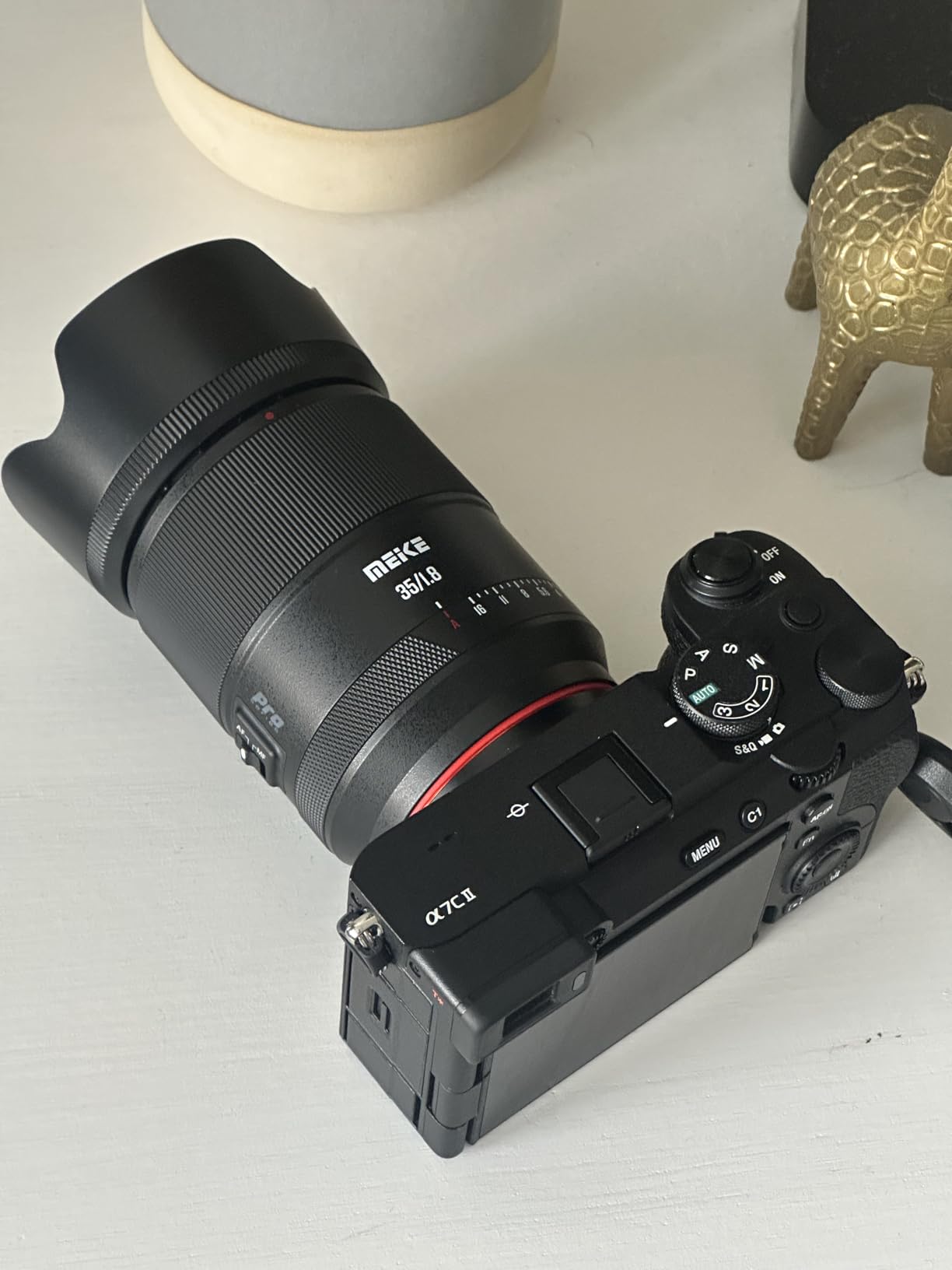
The AI autofocus system recognizes people, animals, birds, vehicles, and insects automatically. It tracks eyes with uncanny accuracy, keeping subjects sharp even when they move unpredictably. For users whose fingers cannot quickly adjust focus, this automation is transformative. The camera thinks faster than I can react.
The compact body sacrifices some grip depth compared to larger full-frame cameras. Users with larger hands may want to add the optional grip extension. The single memory card slot is a professional limitation, though less concerning for personal photography. These compromises are the price of the small size that makes this camera accessible.

Best For Whom
Serious photographers with arthritis who demand full-frame image quality should save for this camera. The IBIS alone justifies the price for anyone with tremors. Hybrid shooters wanting excellent stills and video in one lightweight body get the best of both worlds. Anyone who has felt limited by smaller sensors will find liberation here.
Not Ideal For
The price puts this camera out of reach for many budgets. Users with very large hands may find the grip uncomfortable without accessories. Those who need dual card slots for professional backup should look at larger alternatives like the A7 IV.
What to Look for in an Arthritis-Friendly Camera?
Choosing the right camera involves balancing your specific physical needs with your photographic goals. Here is what matters most based on my experience and conversations with dozens of photographers managing arthritis and limited mobility.
Weight and Size
Every ounce matters when your wrists fatigue easily. Look for cameras under one pound if possible. The difference between a 1.5-pound camera and a 0.7-pound camera becomes dramatic during a full day of shooting. Consider not just the body weight but the total kit weight with your most-used lens attached.
Compact size helps with handling too. Smaller cameras are easier to grip one-handed and fit better in bags that distribute weight across your body. However, extremely small cameras can be difficult for larger hands to hold securely. The sweet spot for most people is a compact mirrorless body with a modest grip.
Image Stabilization
Stabilization technology compensates for hand shake and tremors. There are two types: in-body stabilization (IBIS) that moves the sensor, and optical stabilization in lenses. IBIS works with any lens you attach, making it more versatile. Some cameras combine both for maximum effect.
For photographers with tremors or unsteady hands, stabilization is essential. It can mean the difference between sharp photos and frustrating blur. When evaluating cameras, look for stabilization rated in stops. Five-axis IBIS offering 5-7 stops of compensation makes handheld shooting viable in conditions that would otherwise require tripods.
Power Zoom vs Manual Zoom
This is a critical but often overlooked feature. Manual zoom rings require grip strength and twisting motion that many arthritis sufferers find painful or impossible. Power zoom lenses use motors controlled by rocker switches or buttons, eliminating the physical strain.
Point-and-shoot cameras and some mirrorless kits offer power zoom. For interchangeable lens cameras, look for lenses designated PZ or Power Zoom. The convenience trade-off is usually lens speed, with power zooms typically having smaller maximum apertures than manual alternatives.
Control Types and Touchscreens
Touchscreens reduce the need for precise button manipulation. You can tap to focus, swipe through images, and access menu functions with light touches. For stiff fingers, this is significantly easier than pressing small physical buttons.
Consider the button layout on non-touchscreen cameras. Are the important controls large and well-spaced? Can you reach the shutter and zoom without contorting your hand? Some cameras allow button customization, letting you assign frequently used functions to easily reachable controls.
Viewfinders and Screens
Articulating or vari-angle screens let you position the camera where it is comfortable while still seeing your composition. Flip-out screens are especially helpful for low angles that would otherwise require bending or kneeling.
Electronic viewfinders (EVFs) help in bright sunlight where rear screens wash out. However, holding the camera to your eye can strain neck muscles. Some photographers with arthritis prefer using the rear screen held at comfortable arm’s length. Consider which approach works better for your specific limitations.
Battery and Charging
Changing batteries requires finger dexterity that some arthritis sufferers lack. Cameras with USB charging let you power up without removing the battery, a significant convenience. Longer battery life means fewer changes, reducing that particular hassle.
Consider keeping multiple batteries charged and ready if your camera requires battery swaps. Battery grips, while adding weight, can extend shooting time significantly and often improve handling for larger hands.
Frequently Asked Questions
What is the easiest digital camera to use for seniors?
The Kodak PIXPRO FZ55 is the easiest camera for seniors with arthritis due to its ultra-lightweight 3.68 oz design, simple button layout with minimal controls, and intuitive point-and-shoot operation. The large buttons are easier to press than small smartphone controls, and the straightforward interface eliminates menu confusion.
How do you take pictures with shaky hands?
Cameras with in-body image stabilization (IBIS) like the Sony Alpha 7C II compensate for hand tremors automatically. Optical stabilization in lenses also helps significantly. Additionally, use faster shutter speeds, support your elbows, and consider lightweight cameras that are easier to hold steady. Some photographers also benefit from monopods or tabletop tripods for additional support.
What camera has the best ergonomics for arthritis?
The Nikon Z 30 offers the best ergonomics for photographers with arthritis thanks to its deep, sculpted grip that cradles fingers naturally. At 0.77 lbs with lens, it balances light weight with substantial handling. The flip-out touchscreen eliminates awkward shooting positions, and the one-handed operation design reduces strain during extended use.
Are mirrorless cameras better than DSLRs for arthritis?
Yes, mirrorless cameras are generally better for arthritis sufferers because they are significantly lighter and more compact than DSLRs while offering equal or better image quality. The electronic viewfinders and articulating screens on mirrorless cameras also provide more flexible viewing angles, reducing neck and wrist strain during shooting.
What accessories help photographers with arthritis?
Essential accessories include remote shutter releases to avoid camera shake, lightweight tripods or monopods for support, ergonomic camera straps that distribute weight across shoulders rather than necks, and power zoom lenses that eliminate manual twisting. Ring splints can provide joint support for fingers, while smartphone apps enable remote camera control without touching the device.
Conclusion
Arthritis and limited hand mobility do not have to end your photography journey. The cameras featured in this guide prove that manufacturers are finally paying attention to accessibility. From the ultra-lightweight Kodak PIXPRO FZ55 to the full-frame excellence of the Sony Alpha 7C II, there is an option for every need and budget.
The best cameras for photographers with arthritis share common traits: they are lightweight, offer stabilization to compensate for tremors, use touchscreens or large buttons for easy control, and provide powered zoom options that eliminate manual lens twisting. Match these features to your specific symptoms and shooting style.
I am back to shooting regularly after believing I would have to give up photography. With the right equipment, you can keep creating images that matter to you. Start with one of the cameras on this list, and do not let physical limitations steal your creative outlet.