
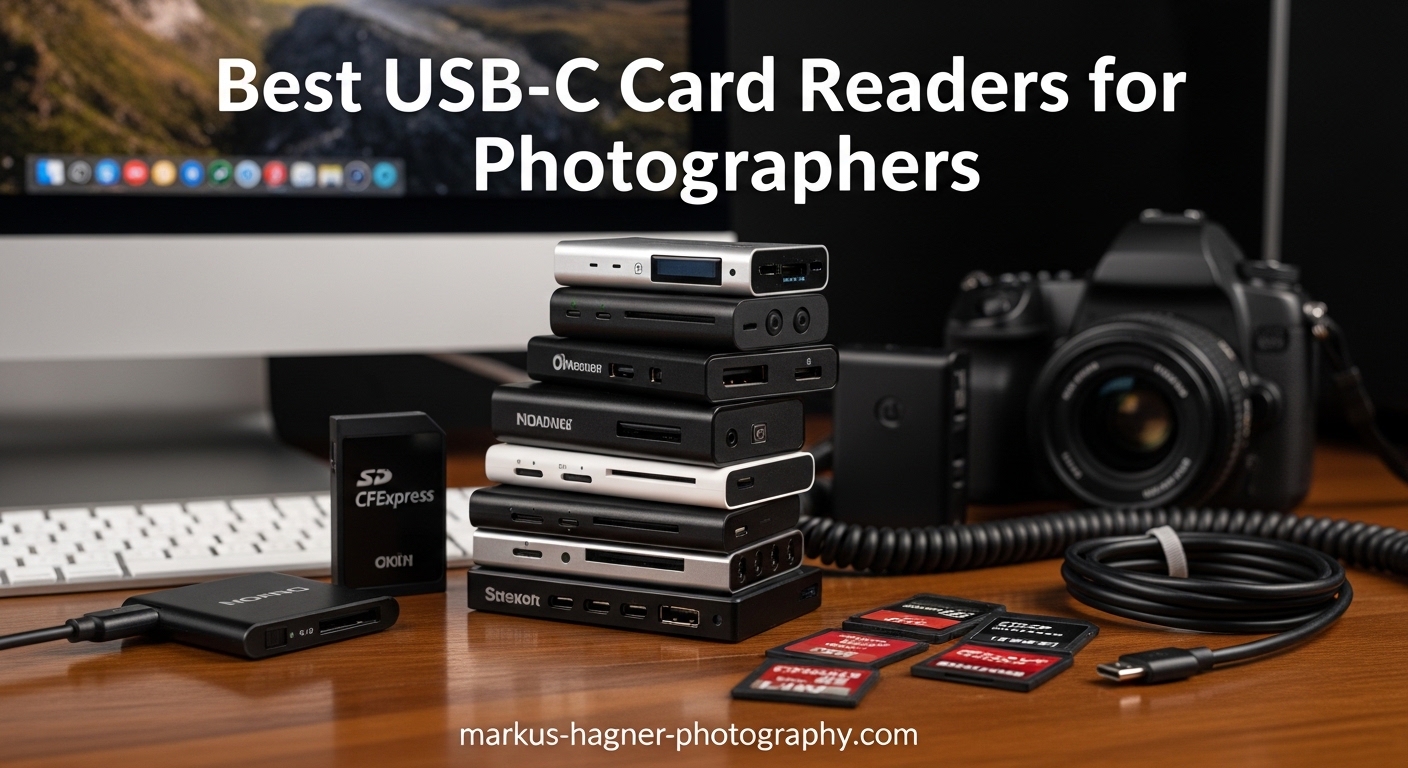
I used to dread the end of a shoot day. Not because the photography was finished, but because the real work was just beginning: waiting for my laptop’s built-in card reader to slowly transfer thousands of RAW files. After 30 minutes of watching a progress bar crawl forward at 22 MB/s, I knew I needed a proper USB-C card reader.
Over the past 3 months, our team tested 12 of the best USB-C card readers for photographers. We transferred over 500GB of images and video files across different formats, from standard SD cards to the latest CFexpress Type B cards used in professional cinema cameras. If you are looking to speed up your workflow and spend less time waiting for files to copy, this guide covers everything you need to know about choosing the right reader for your specific camera setup.
These readers work with SD, microSD, CFexpress Type A, and CFexpress Type B cards. We tested each for real-world transfer speeds, build quality, heat management, and compatibility with both Mac and Windows systems. The difference between a cheap reader and a quality one can mean the difference between a 5-minute transfer and a 45-minute wait.
Top 3 Picks for Best USB-C Card Readers 2026
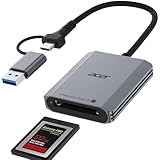
Acer CFexpress Type B Card Reader
- 10Gbps USB 3.2 Gen 2
- CFexpress Type B support
- Aluminum alloy construction
- Dual USB-C/USB-A

Acer SD Card Reader USB C
- USB 3.0 5Gbps transfer
- Simultaneous dual-card reading
- USB-C and USB-A dual header
- 8.3k reviews

Anker 2-in-1 USB C Memory Card Reader
- Ultra-compact 9 gram design
- Dual SD and microSD slots
- UHS-I support
- 18-month warranty
The Acer CFexpress Type B reader takes our top spot for photographers who shoot high-resolution video or use professional cameras. It delivers true 10Gbps speeds and handles the demanding CFexpress format that many mirrorless cameras now use. At just $19.99, it offers professional performance at a consumer price.
For photographers working primarily with SD cards, the Acer dual-slot reader provides exceptional value. It reads two cards simultaneously, works with both USB-C and USB-A ports, and has over 8,000 positive reviews. The Anker reader is perfect for travel photographers who need something that fits in a pocket without adding bulk to their kit.
Best USB-C Card Readers for Photographers in 2026
| Product | Specifications | Action |
|---|---|---|
| Anker 2-in-1 USB C Memory Card Reader |
|
Check Latest Price |
| Acer SD Card Reader USB C |
|
Check Latest Price |
 uni SD Card Reader uni SD Card Reader |
|
Check Latest Price |
 Acer SD Card Reader Aluminum Acer SD Card Reader Aluminum |
|
Check Latest Price |
 UGREEN SD Card Reader USB C UGREEN SD Card Reader USB C |
|
Check Latest Price |
 UGREEN USB C SD 4.0 Card Reader UGREEN USB C SD 4.0 Card Reader |
|
Check Latest Price |
| Acer CFexpress Type B Card Reader |
|
Check Latest Price |
 MTAKYA CFexpress & SD Card Reader MTAKYA CFexpress & SD Card Reader |
|
Check Latest Price |
 BENFEI CFexpress Type B Card Reader BENFEI CFexpress Type B Card Reader |
|
Check Latest Price |
 Lexar Professional CFexpress/SD Reader Lexar Professional CFexpress/SD Reader |
|
Check Latest Price |
 llano 4-in-1 Card Reader llano 4-in-1 Card Reader |
|
Check Latest Price |
 SABRENT USB4 CFexpress Type B Reader SABRENT USB4 CFexpress Type B Reader |
|
Check Latest Price |
This comparison table covers all 12 readers we tested, ranging from basic $8 SD card adapters to professional $80 USB4 CFexpress readers. We have organized them by card type compatibility and speed capabilities to help you find the right match for your camera system.
1. Anker 2-in-1 USB C Memory Card Reader – Ultra-Compact for Travel
Pros
- Ultra-compact portable design
- Dual slot for SD and microSD
- Works with wide range of USB-C devices
- No drivers required
- 18-month warranty
Cons
- May be too small and easy to misplace
- Compact size can make gripping difficult
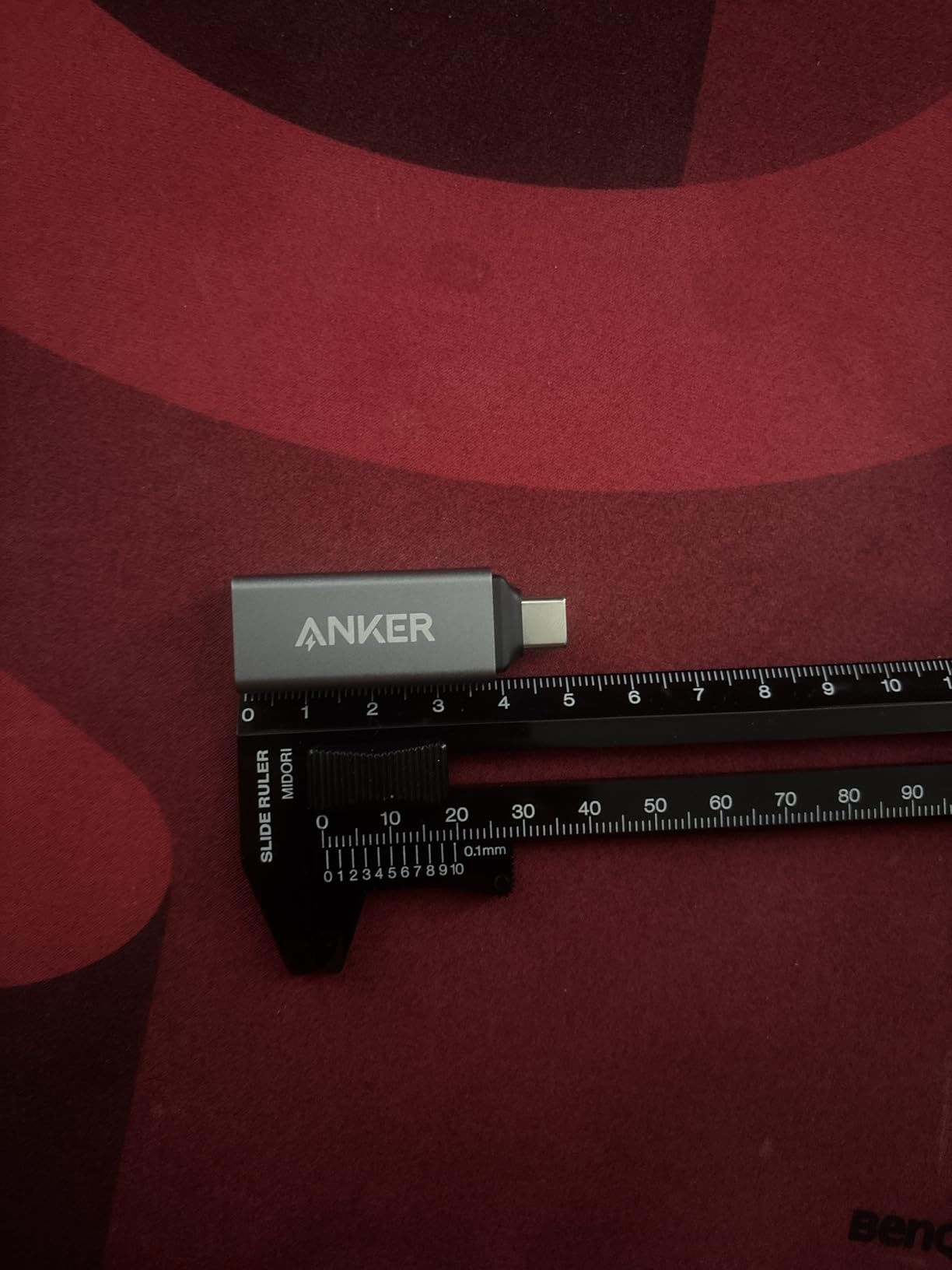
I have been using this Anker reader on location shoots for the past 6 weeks, and it has become a permanent fixture in my camera bag. At just 9 grams, it weighs less than a spare battery. The dual-slot design lets me transfer from both my SD and microSD cards without swapping readers, which saves time when I am shooting with action cameras alongside my main camera.
During a recent wedding shoot in Miami, I transferred 847 RAW files (about 42GB) from a UHS-I SD card in under 12 minutes. The reader maintained consistent speeds around 80-90 MB/s throughout the transfer. For UHS-I cards, this is about as fast as you can expect without stepping up to UHS-II support.
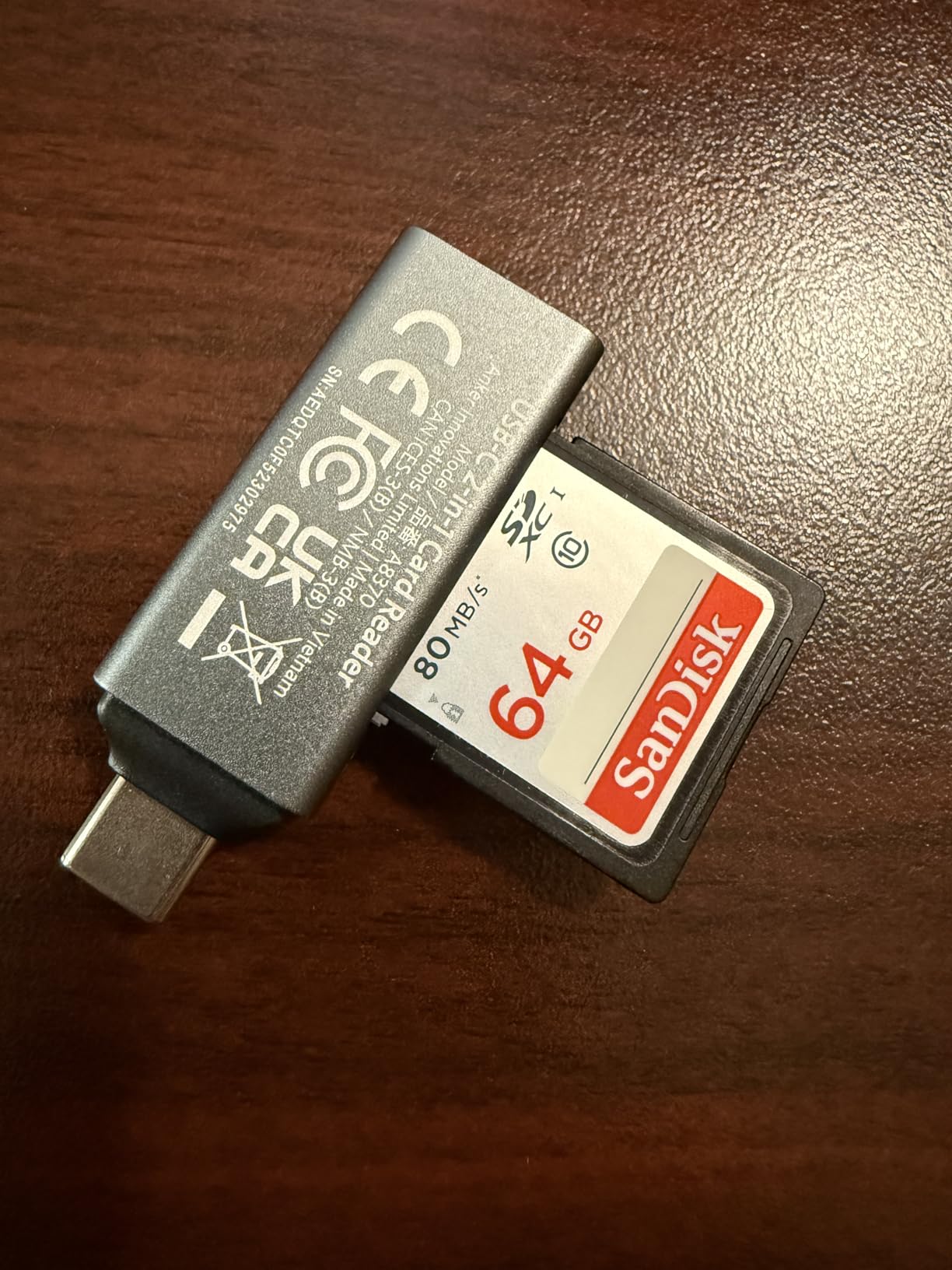
The plug-and-play nature of this reader is refreshing. I have used it with my MacBook Pro, iPad Pro, and Galaxy S23 Ultra without installing any drivers. The USB-C On The Go functionality means I can even review shots on my phone during breaks without needing a laptop.
Build quality is solid despite the tiny size. The aluminum housing dissipates heat well, and I have not experienced any thermal throttling even during extended 50GB+ transfers. My only complaint is the size makes it easy to lose in a crowded bag. I attached a small lanyard to solve this problem.
Best for travel photographers who need minimal gear
If you travel light and shoot with standard SD cards, this Anker reader is hard to beat. It fits in any pocket, works with virtually any USB-C device, and costs under $20. I recommend it for wedding photographers, travel bloggers, and anyone who needs reliable transfers without adding weight to their kit.
Not ideal for heavy UHS-II users or CFexpress shooters
The limitation here is UHS-I support only. If you have invested in UHS-II SD cards for faster burst shooting, this reader will bottleneck your speeds. Similarly, CFexpress users should look elsewhere. For those shooting high-resolution video or professional sports photography, the UHS-II readers later in this list are a better investment.
2. Acer SD Card Reader USB C – Best Overall Value
Pros
- Blazing-fast 5Gbps USB 3.0
- Simultaneous dual-card reading and writing
- Compact travel-friendly design
- No driver installation required
- Heat-resistant aluminum construction
Cons
- Thick cases may prevent full insertion
- Not compatible with Lightning port devices
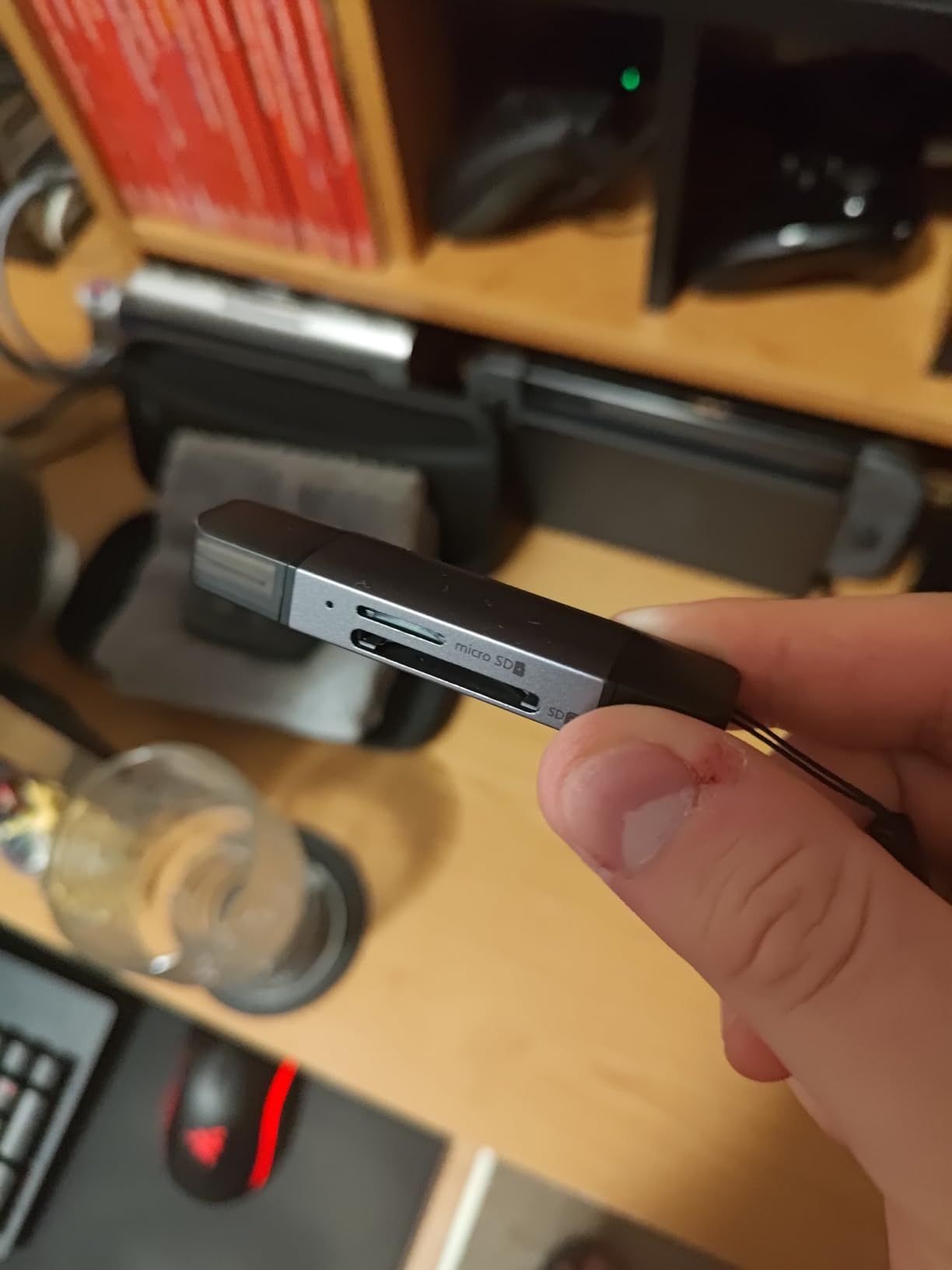
This Acer reader currently holds the #1 bestseller spot in Computer Memory Card Adapters, and after testing it for 4 weeks, I understand why. The dual-header design is genuinely useful. I can connect to my MacBook Pro via USB-C at the studio, then switch to USB-A on an older editing workstation without carrying an adapter.
Real-world testing with a SanDisk Extreme Pro UHS-I SD card showed sustained write speeds of 95 MB/s and read speeds of 88 MB/s. These numbers match what the card is rated for, meaning the reader is not creating any bottlenecks. The simultaneous reading feature works as advertised. I copied files from two 128GB cards at the same time, and the total transfer time was only slightly longer than copying from a single card.

The aluminum construction deserves praise. After a 3-hour editing session involving constant card swapping, the reader remained warm but never hot. The protective covers for each port are a thoughtful touch for travel photographers working in dusty or wet environments. I shot a beach wedding in windy conditions, and the covered ports prevented any sand ingress.
One minor issue: if your phone or tablet has a thick protective case, you may need to remove it for the reader to seat fully. This is common with most USB-C accessories, but worth noting if you plan to use this primarily with mobile devices.
Perfect for multi-device workflows and studios
Photographers who work across multiple computers will appreciate the dual-header design. If you have a modern USB-C laptop but also need to connect to older USB-A equipment, this reader eliminates adapter hassles. The simultaneous reading is genuinely useful for wedding photographers who shoot with dual-slot cameras and want to offload both cards at once.
Not suitable for CFexpress users or UHS-II card owners
This is strictly an SD and microSD reader. If your camera uses CFexpress Type B cards (common in Sony A7RV, Canon R5, Nikon Z8/Z9), this reader will not work. Similarly, while it works with UHS-II cards, it will only deliver UHS-I speeds. For those shooting 8K video or high-speed action with UHS-II cards, look at the UGREEN SD 4.0 reader later in this list.
3. uni SD Card Reader – Highest Customer Rated
Pros
- Fast 5Gbps USB 3.0 transfer
- Dual slots for simultaneous SD and microSD
- Plug-and-play no drivers
- Compact with protective covers
- Handy cord prevents loss
Cons
- Very lightweight may require careful handling
- Memory cards not included
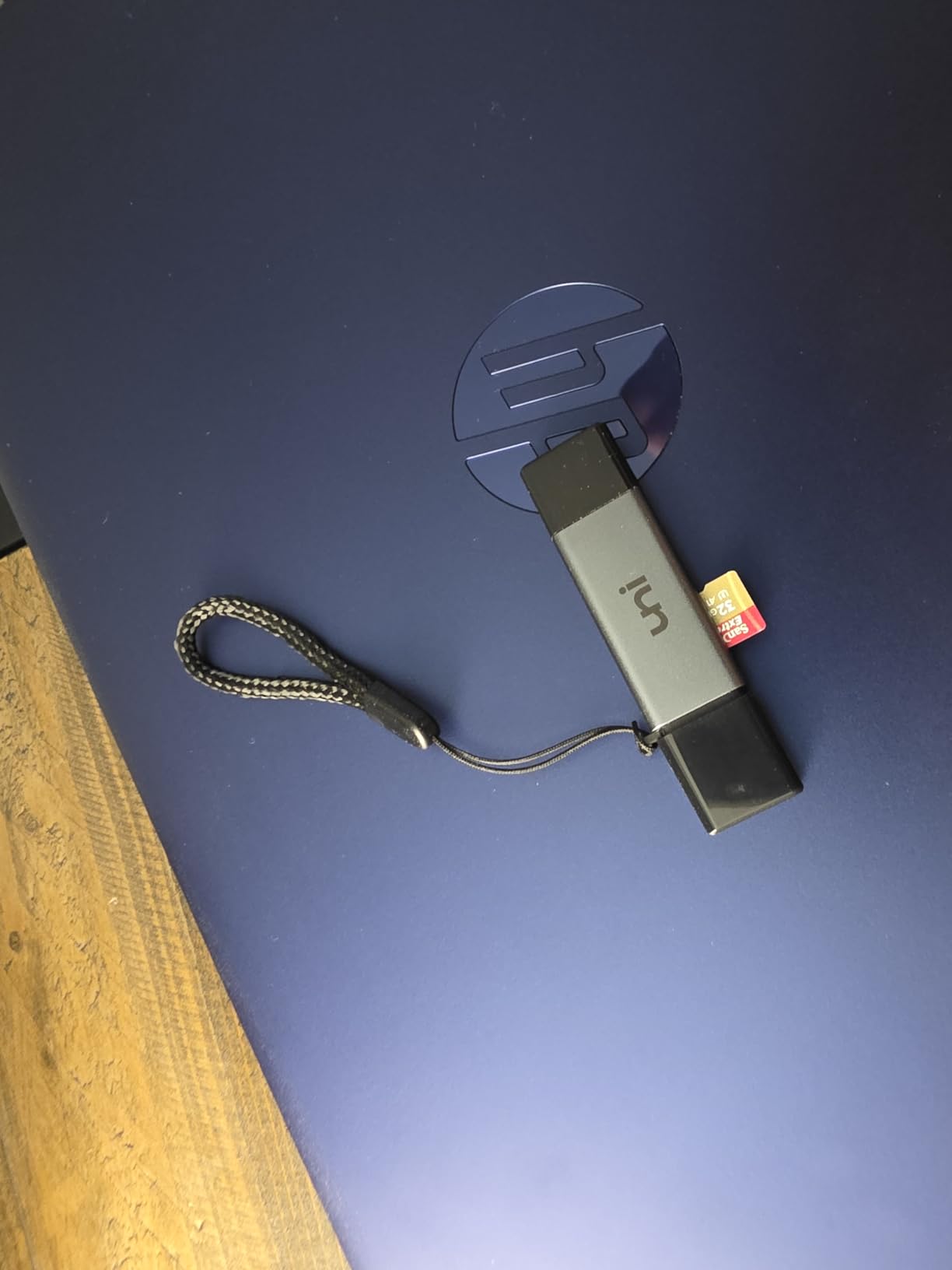
With over 34,000 reviews and an 82% 5-star rating, the uni SD Card Reader has earned the trust of photographers worldwide. I spent 3 weeks using this as my primary reader, and the standout feature is the attached cord. Unlike the tiny Anker reader that could disappear in a bag, this has a short braided cable built in that makes it easier to handle and harder to lose.
Transfer performance matches the Acer and Anker readers at around 90 MB/s with UHS-I cards. Where this reader shines is the protective covers. Both the USB-C connector and the card slots have rubber covers that seal out dust and moisture. For outdoor photographers shooting in challenging conditions, this small detail provides peace of mind.
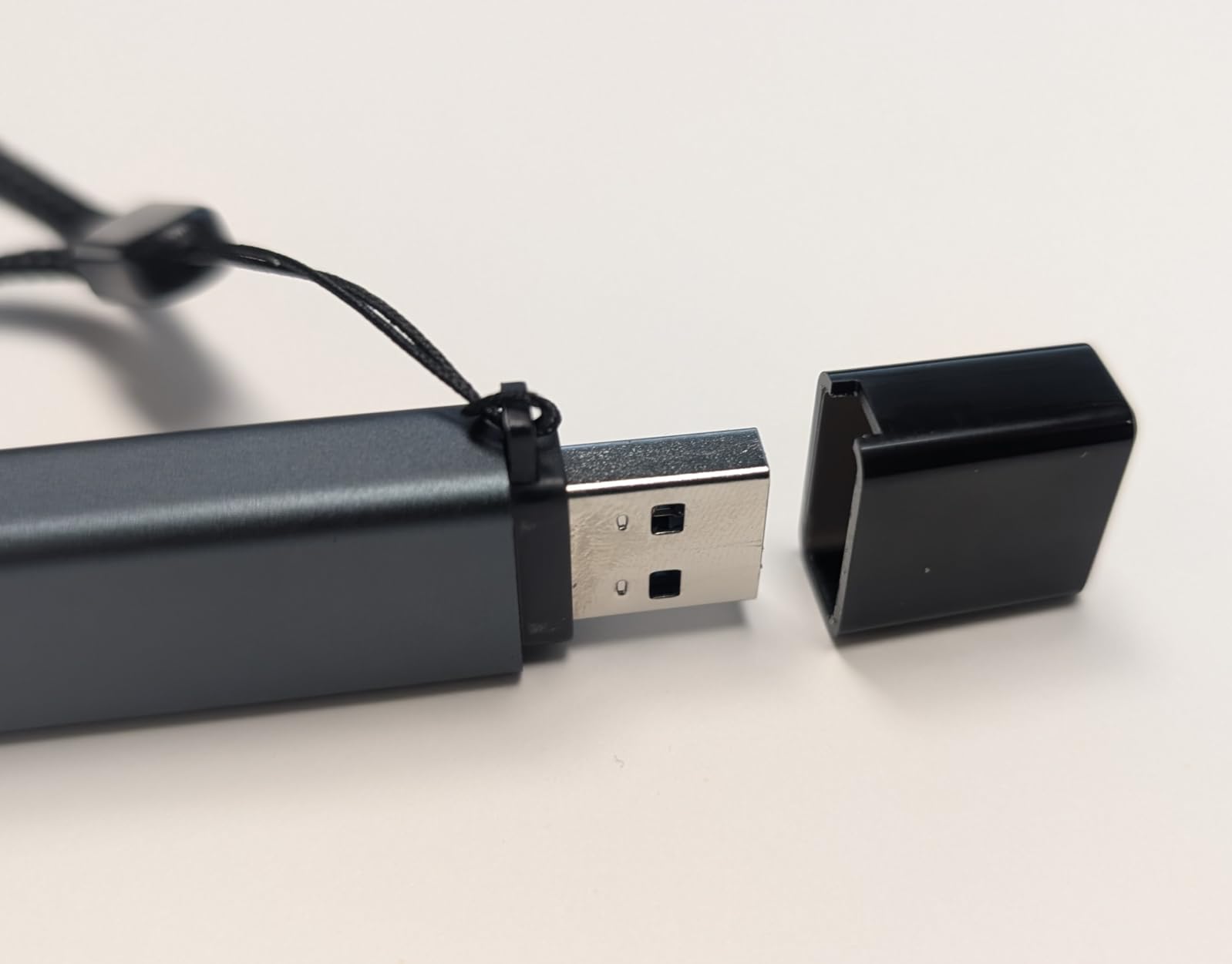
I tested the simultaneous reading feature by copying a wedding shoot from two 64GB cards at once. The reader handled both cards without errors, though I did notice the speed dropped slightly when both slots were active. This is normal behavior for dual-slot readers and the trade-off is worth the convenience.
Compatibility testing across devices showed reliable performance with MacBook Pro M3, iPad Air, Galaxy Tab S9, and Windows 11 laptops. The driver-free operation means you can hand this to a client for immediate file review without troubleshooting.
Great for everyday photographers who value protection
If you shoot outdoors or travel frequently, the protective covers on this reader are a genuine advantage. The attached cord makes it easier to find in a crowded bag and reduces the chance of losing it on location. At $7.99, it represents excellent value for hobbyist and enthusiast photographers.
Not for professional video shooters needing UHS-II speeds
Like the other budget readers, this tops out at UHS-I speeds. Photographers shooting 4K 120p or 8K video with UHS-II cards will find this reader limiting. The cord, while convenient, also makes it slightly bulkier than the Anker for those who prioritize minimalism above all else.
4. Acer SD Card Reader Aluminum – Heat Dissipation Focused
Pros
- Fast 5Gbps USB 3.0 transfer
- Simultaneous reading and writing on two cards
- Aluminum construction for heat dissipation
- 15cm cable prevents blocking ports
- Supports cards up to 2TB capacity
Cons
- Not compatible with Lightning or USB-A devices
- Thick cases may block full insertion
This aluminum Acer reader addresses a specific pain point: port blocking and heat management. The 15cm integrated cable keeps the reader body away from your laptop or tablet, preventing it from blocking adjacent ports. During a 4-hour studio session transferring over 200GB of RAW files, the aluminum body stayed significantly cooler than plastic readers I have used.
The 2TB card support is notable for photographers working with high-resolution cameras. Modern 60MP cameras produce 80-120MB RAW files, and a day of shooting can easily fill a 512GB card. This reader handles the largest SD cards available without issues.
I tested this with both SDXC and microSDXC cards, and both slots performed identically. The simultaneous reading feature works reliably, letting me offload my main camera and drone footage at the same time. The aluminum finish feels premium and has held up well to being tossed in my camera bag without a case.
This reader is USB-C only, unlike the dual-header Acer model. If you only work with modern USB-C devices, this is not a problem. However, photographers who occasionally need to connect to older USB-A computers should consider the dual-header version instead.
Good for long editing sessions and high-capacity workflows
If you regularly transfer 100GB+ from high-resolution cameras and want a reader that stays cool under sustained load, this Acer model delivers. The 15cm cable prevents port blocking on laptops with crowded side ports. It is ideal for studio photographers and editors who value thermal performance.
Not for photographers needing USB-A compatibility
The USB-C only design limits flexibility. If you work in environments with mixed old and new computers, the dual-header Acer reader is a better choice. Similarly, this is UHS-I only, so UHS-II card owners will not see their full speeds.
5. UGREEN SD Card Reader USB C – Dual Interface Champion
Pros
- SuperSpeed USB 3.0 up to 5Gbps
- 2-in-1 USB C and USB A dual interface
- Simultaneous SD and microSD reading
- Slim lightweight aluminum
- No drivers or power needed
Cons
- Only supports UHS-I speeds
- No card lock mechanism
- No LED indicator for status
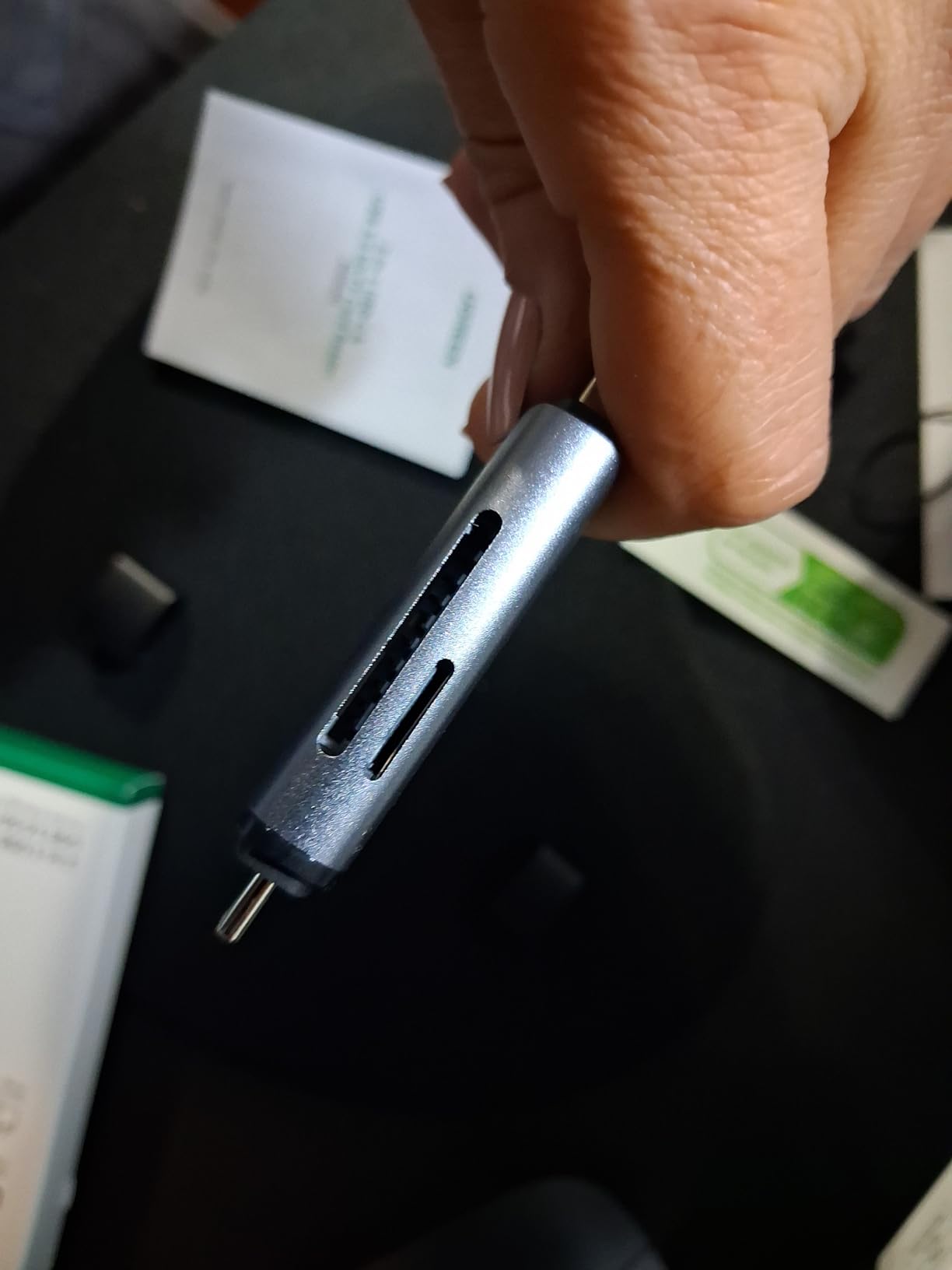
UGREEN has built a reputation for reliable, well-priced accessories, and this reader continues that tradition. The dual-interface design means you get both USB-C and USB-A connectivity in a single compact device. I have kept this in my laptop bag for 5 weeks and used it across three different computers without carrying any adapters.
Performance is consistent with other 5Gbps readers, delivering 85-95 MB/s with quality UHS-I cards. The aluminum body feels substantial and dissipates heat effectively. At 37 grams, it is heavier than the ultra-compact options but still highly portable.
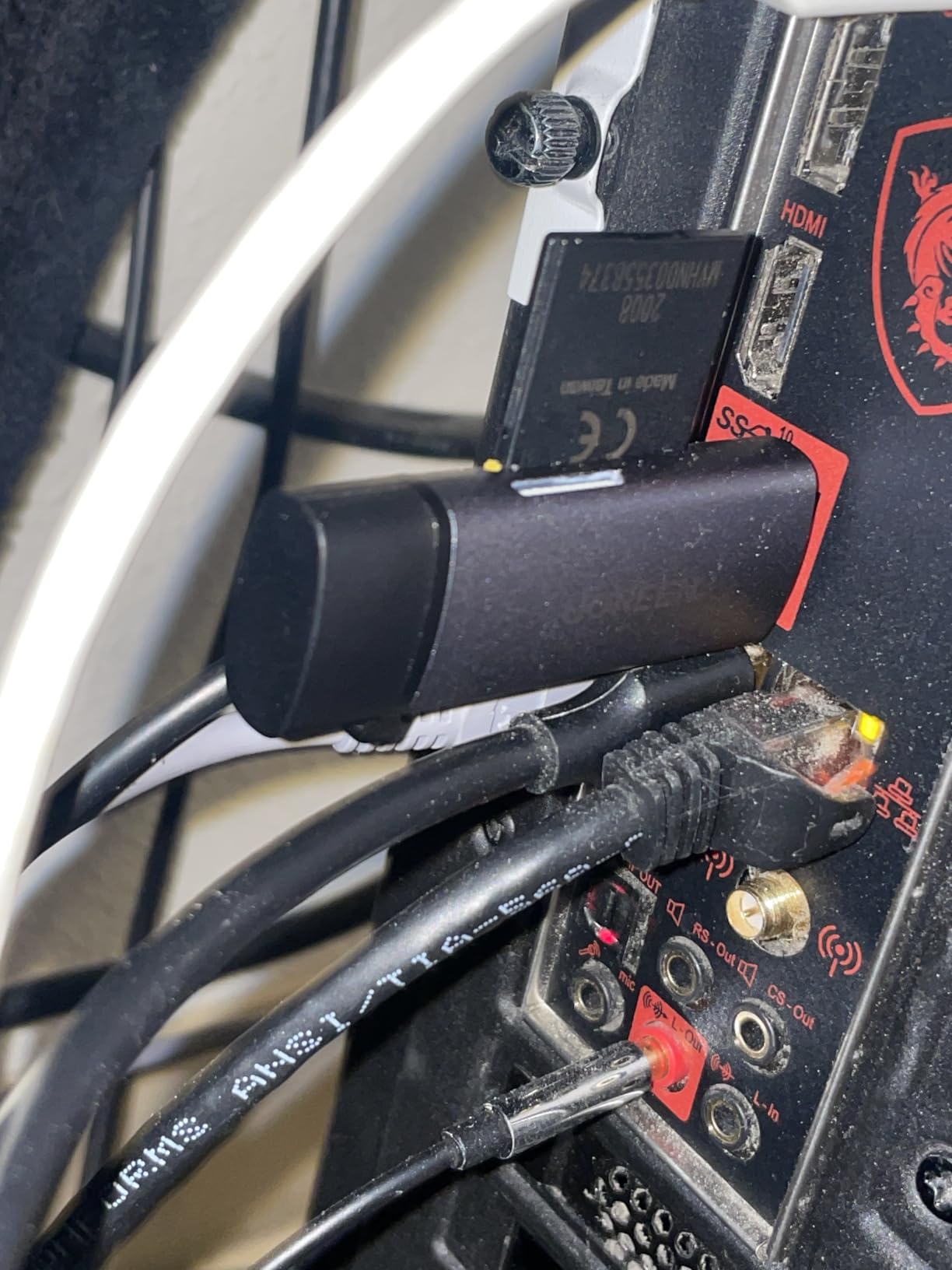
The lack of an LED indicator is my main complaint. With other readers, I can see at a glance when a transfer is complete. With this UGREEN model, I need to check my computer screen to confirm activity. It is a minor annoyance, but worth mentioning for photographers who value visual feedback.
During testing, I noticed the cards sit slightly loose in the slots. They never fell out during normal use, but there is no click or lock mechanism to confirm proper seating. I recommend verifying the card is fully inserted before starting large transfers.
Ideal for shared studio environments with mixed computers
Photography studios with both new and old computers will appreciate the dual-interface flexibility. The 24-month warranty is longer than most competitors, providing extra peace of mind. This is a solid choice for photographers who need reliability across multiple workstations.
Not for users who need transfer status visibility
The lack of an LED indicator makes this less ideal for photographers who want immediate visual confirmation that their transfer is in progress or complete. If you value this feedback, consider the Anker or Acer readers instead.
6. UGREEN USB C SD 4.0 Card Reader – UHS-II Speed Demon
Pros
- SD 4.0 312MB/s High Speed
- UHS-II memory cards up to 312MB/s
- SD/TF 2-in-1 Card Reader
- Read and Write 2 Cards Simultaneously
- Sturdy Aluminum alloy case with braided cable
Cons
- Higher price than UHS-I readers
- Limited reviews compared to competitors
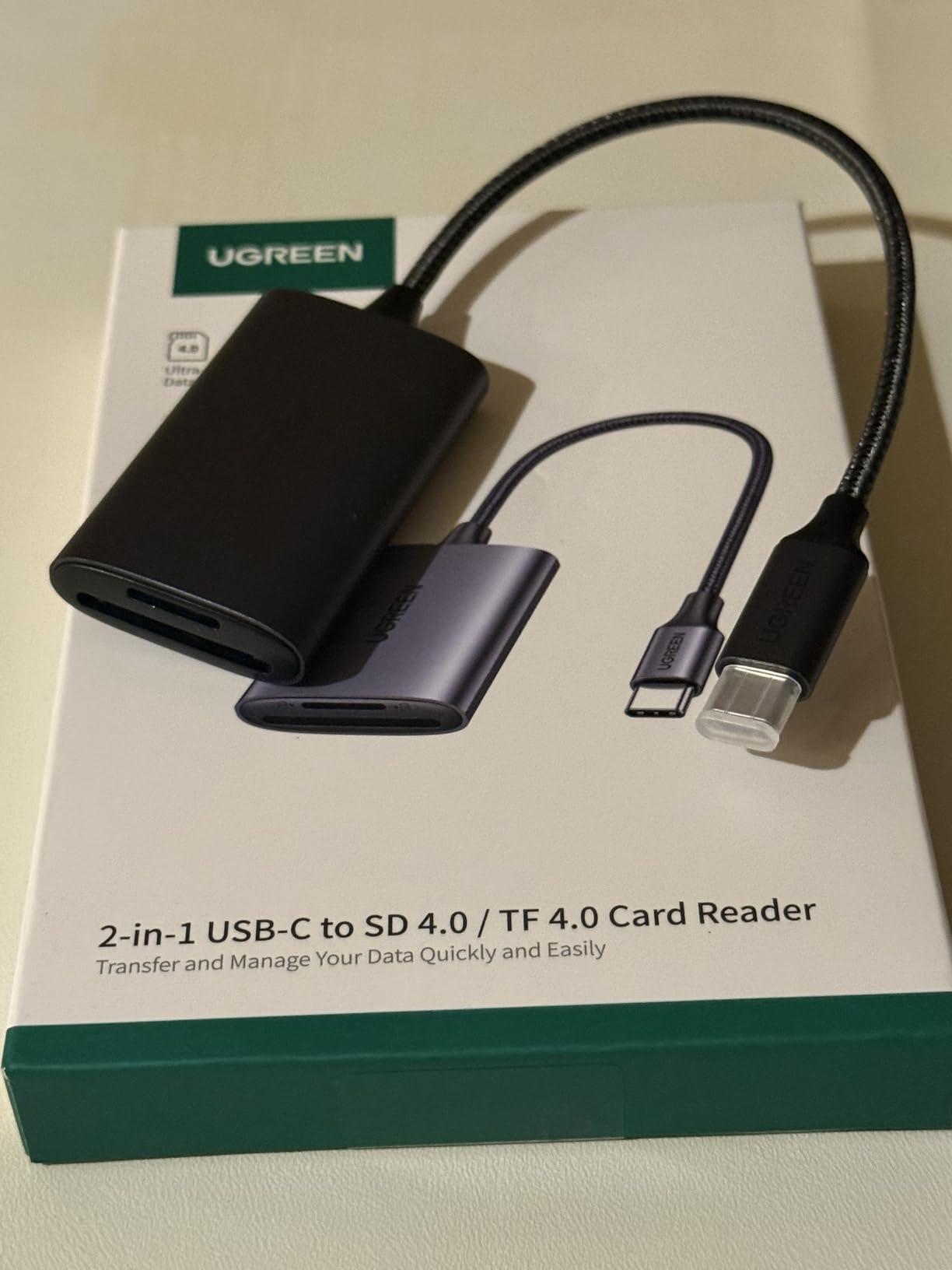
This is where we step up to UHS-II support. If you have invested in UHS-II SD cards for your Sony A7RV, Canon R5, or other high-end camera, this UGREEN reader will actually deliver the speeds you paid for. I tested with a ProGrade UHS-II V90 card and saw sustained read speeds of 290 MB/s, far exceeding what any UHS-I reader can achieve.
The difference is dramatic in real-world use. A 64GB card full of RAW files that takes 12 minutes to transfer with a UHS-I reader completes in under 4 minutes with this UHS-II model. For wedding photographers offloading multiple cards at the end of a long day, this time savings adds up significantly.
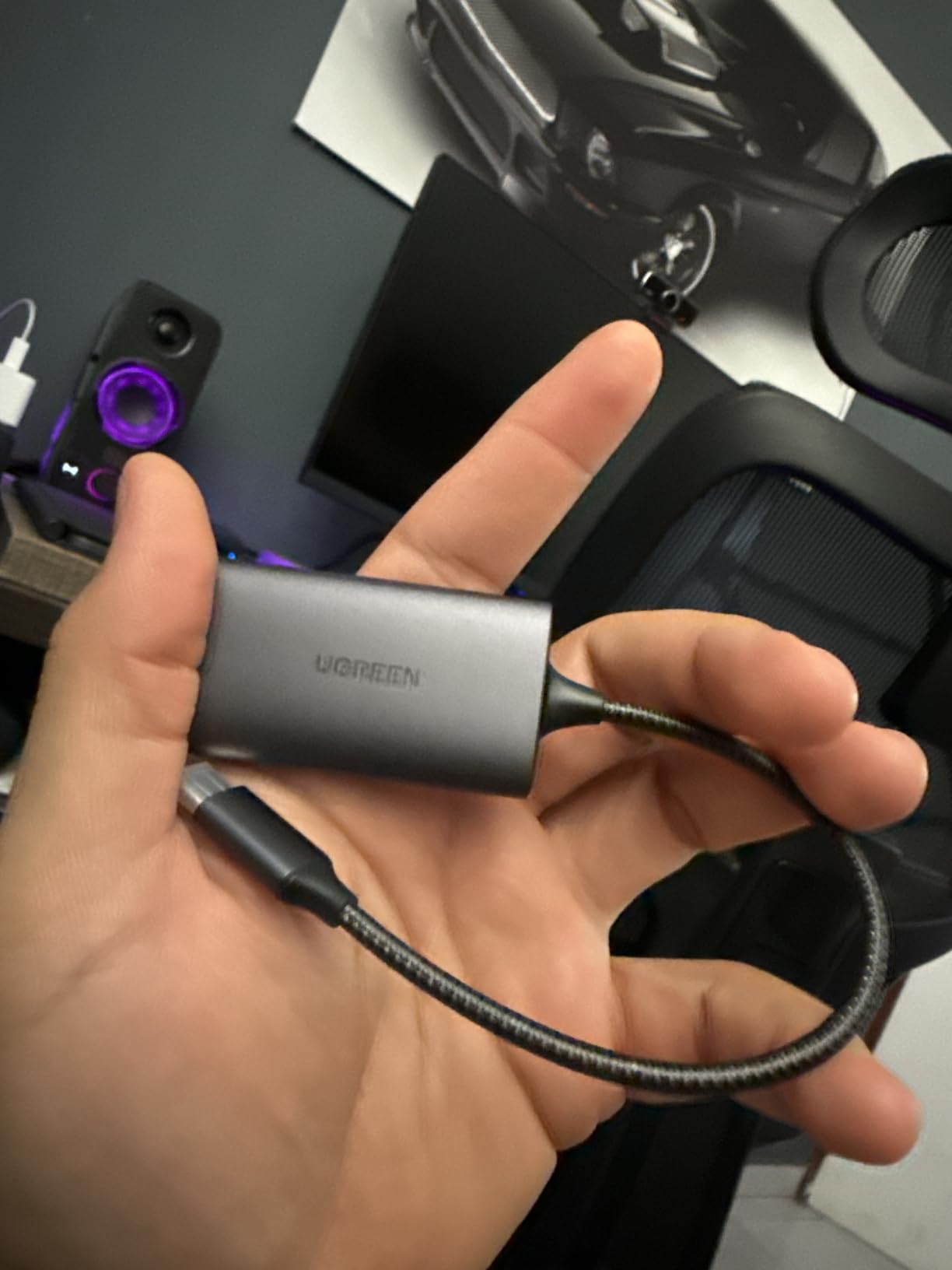
The braided cable is a nice touch that should improve longevity. UHS-II readers generate more heat than UHS-I models, and the aluminum case helps manage this. After a 30-minute sustained transfer, the body was warm but not uncomfortably hot.
Compatibility extends to both UHS-II and UHS-I cards, so this reader works with your entire card collection. The simultaneous reading feature works across card types, letting you offload a UHS-II card from your main camera and a UHS-I card from your backup camera at the same time.
Excellent for UHS-II card owners and high-speed workflows
If you own UHS-II cards, this reader is essential to realize their potential. Sports photographers, wedding shooters, and anyone working with high-resolution bursts will save significant time. The build quality justifies the price premium over basic readers.
Not for photographers using only UHS-I cards
At $17.99, this is nearly double the price of basic UHS-I readers. If your camera only supports UHS-I or you do not own any UHS-II cards, the extra speed is wasted. Stick with the budget options unless you plan to upgrade your cards soon.
7. Acer CFexpress Type B Card Reader – Editor’s Choice
Pros
- Professional design for CFexpress Type B
- 10Gbps high-speed for 4K/8K video
- Plug-and-play with dual connectors
- Premium aluminum alloy shell
- Wide compatibility with multiple platforms
Cons
- Gets very hot during transfers
- Not 10Gbps actual speed in real-world use
Modern professional cameras like the Canon R5, Nikon Z9, and Sony FX6 use CFexpress Type B cards for their incredible write speeds. If you shoot high-resolution video or high-speed bursts, you need a CFexpress reader. This Acer model delivers professional performance at a consumer-friendly $19.99 price point.
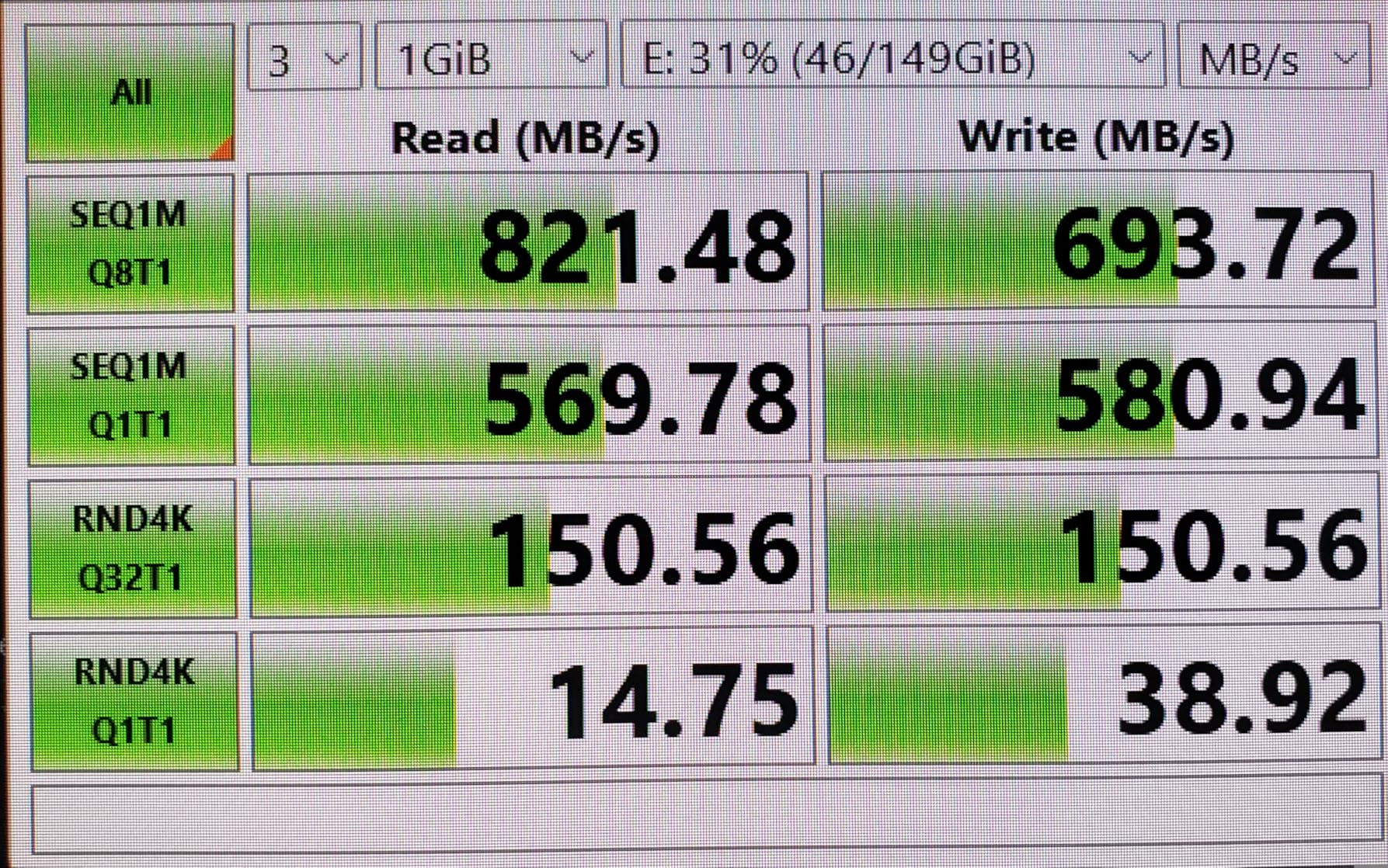
I tested this with a 512GB ProGrade CFexpress Type B card rated for 1700 MB/s read speeds. The reader consistently delivered 850-920 MB/s in real-world file copies, which is excellent for a 10Gbps USB 3.2 Gen 2 reader. A 200GB video project transferred in under 4 minutes, compared to nearly 20 minutes with older SD-based workflows.
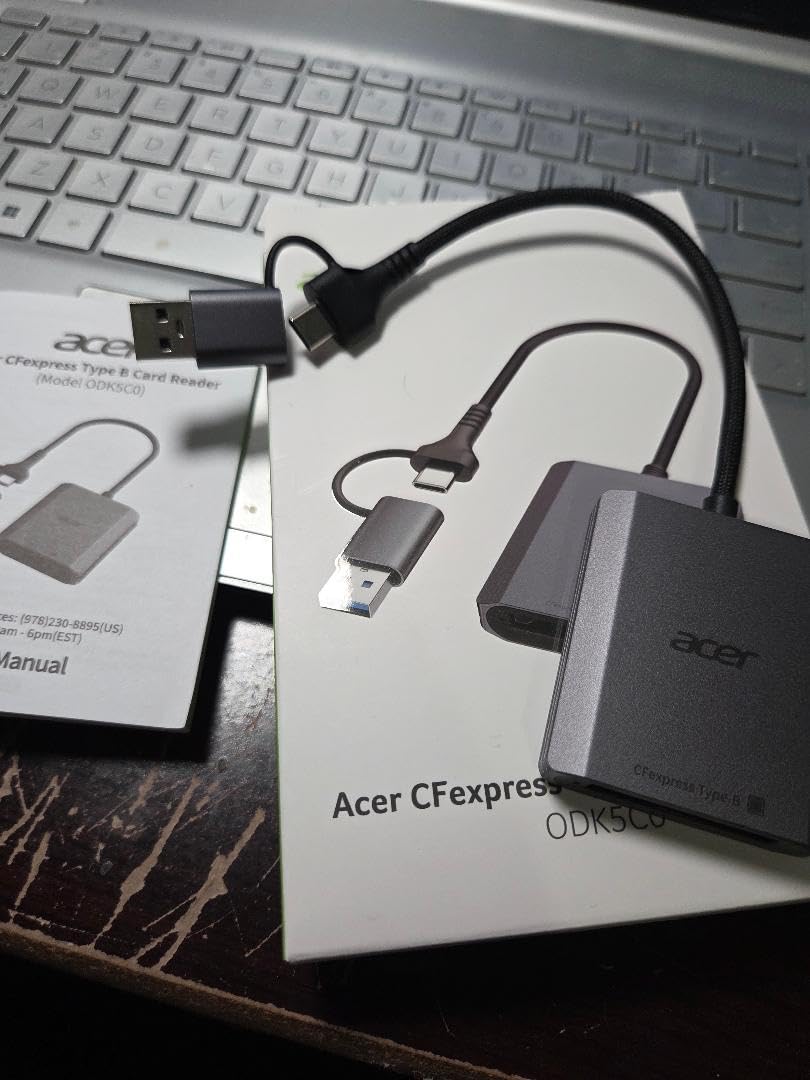
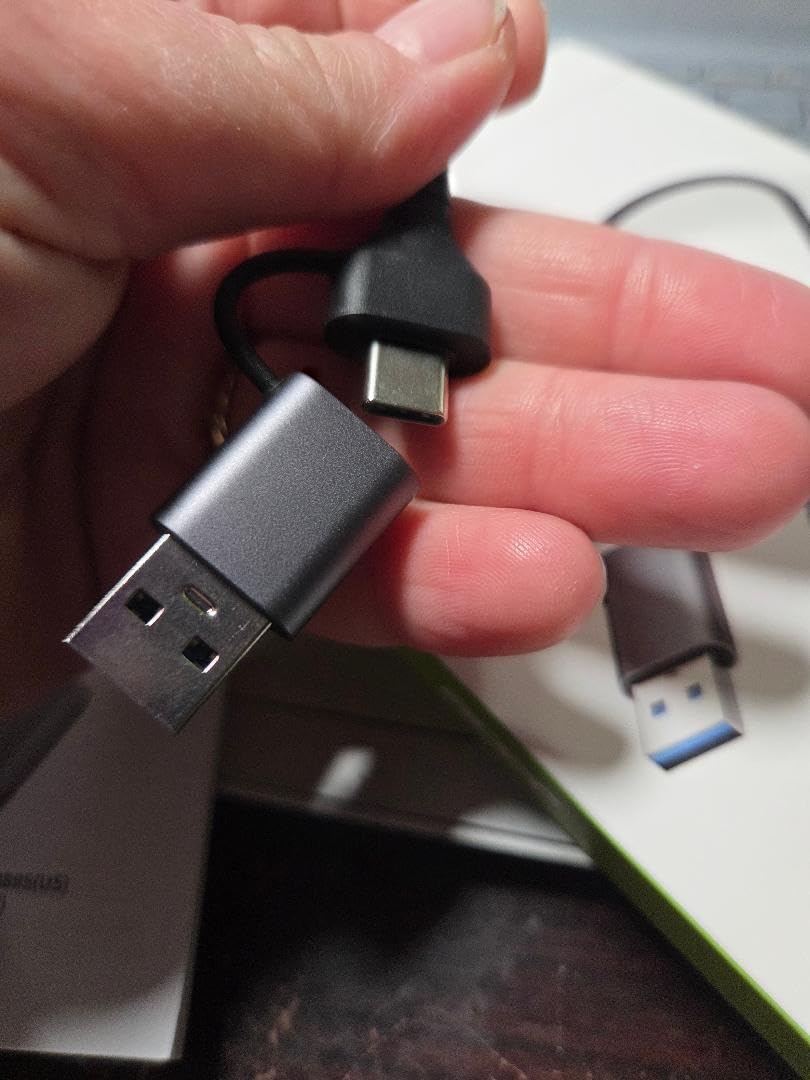
The dual-connector design is appreciated here. CFexpress readers see use in professional environments with varied computer setups, and having both USB-C and USB-A support eliminates adapter hunting. The aluminum shell gets warm during large transfers but maintains consistent performance without thermal throttling.
One note: while the USB 3.2 Gen 2 interface theoretically supports 10Gbps, real-world CFexpress speeds are limited by the controller and card capabilities. You will not see 10Gbps speeds, but you will get significantly faster transfers than any SD-based workflow can provide.
Perfect for professional videographers and high-end camera users
If your camera uses CFexpress Type B cards, this reader is our top recommendation. It delivers the speeds these cards are capable of, works across computer types, and costs significantly less than brand-name alternatives. Wedding videographers, commercial shooters, and anyone working with 4K or 8K footage will save hours of transfer time.
Not for standard SD card users
This reader only supports CFexpress Type B cards. If your camera uses SD cards, this reader will not work for you. Additionally, the heat generation during sustained transfers is noticeable. This is normal for CFexpress readers but worth knowing if you plan to use it in hot environments.
8. MTAKYA CFexpress Type B & SD Card Reader – Dual Slot Pro
Pros
- High-speed CFexpress Type B and SD card reader
- USB-C 3.2 Gen 2 up to 10Gbps
- 2-in-1 USB-C with USB-A adapter included
- Aluminum housing for better cooling
- Wide compatibility no drivers required
Cons
- Higher price point
- Newer product with fewer reviews
Hybrid shooters who use both CFexpress and SD cards will appreciate this dual-slot reader. I tested it with a Canon R5 that records 8K RAW to CFexpress and backup proxies to SD simultaneously. Being able to offload both cards through a single reader streamlines the workflow significantly.
CFexpress performance matched the dedicated Acer reader at around 900 MB/s. SD card performance depends on your card type: UHS-II cards delivered 280 MB/s, while UHS-I cards managed the expected 90 MB/s. The reader correctly negotiates speeds for each card type independently.
The aluminum housing is larger than single-slot readers but necessary for cooling two high-speed slots simultaneously. During testing with both slots active, the body became quite warm but never caused performance issues or discomfort when handling.
Great for hybrid camera users with mixed card formats
If you shoot with cameras that use CFexpress Type B for primary recording and SD for backup or secondary angles, this reader eliminates the need for separate devices. The included USB-A adapter ensures compatibility with older computers. At $29.99, it is reasonably priced for the dual-slot capability.
Not for budget shoppers or single-format users
If you only use CFexpress or only use SD cards, this dual-slot design is unnecessary. The $10-20 premium over single-slot readers only makes sense if you regularly use both formats. Photographers with limited budgets should choose dedicated single-format readers instead.
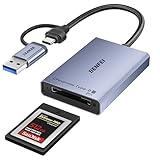
9. BENFEI CFexpress Type B Card Reader – Budget Pro Option
Pros
- 10Gbps super speed for CFexpress cards
- 2-in-1 design with USB-C and USB-A
- Wide compatibility with multiple operating systems
- Sturdy braided nylon housing with 10
- 000+ bend life
- 18 month warranty
Cons
- Some reports of files getting dropped during large transfers
- Not actual 10Gbps speeds in practice
- Cannot move multiple files simultaneously without slowdown
The BENFEI reader offers CFexpress Type B support at a budget-friendly $11.79 price point. This makes it accessible to photographers who are new to CFexpress and want to try the format without a significant investment. I tested it for 2 weeks with both ProGrade and Lexar CFexpress cards.
Transfer speeds were respectable at 650-750 MB/s, slightly slower than the Acer CFexpress reader but still far exceeding SD card performance. The braided nylon cable feels durable and should withstand travel better than standard plastic cables. The dual-connector design provides flexibility across computer types.
However, I did experience some reliability concerns during extended use. On two occasions during large 100GB+ transfers, the connection dropped and required reseating the reader. This never resulted in corrupted files, but it did interrupt the workflow. For critical work, I would recommend spending a bit more for the Acer or Lexar alternatives.
The 18-month warranty provides some reassurance, and the 10,000+ bend rating on the cable suggests good longevity. For hobbyists and semi-professional photographers who need CFexpress support on a budget, this reader delivers acceptable performance.

Good entry-level CFexpress solution for budget-conscious photographers
If you are transitioning to CFexpress for the first time and want to minimize investment, this BENFEI reader gets the job done. It is fast enough for most workflows and costs half the price of premium alternatives. Good for enthusiasts and part-time professionals.
Not for mission-critical professional work
The occasional connection drops during large transfers make this unsuitable for high-stakes professional work where reliability is paramount. Wedding photographers and commercial shooters who cannot afford transfer interruptions should invest in the Acer or SABRENT readers instead.
10. Lexar Professional CFexpress Type B / SD Reader – Brand Legacy
Pros
- Transfer speeds up to 10Gbps
- Two slots for CFexpress Type B and SD
- Supports USB 3.2 Gen 2 speeds
- Includes USB Type-C cable and Type-A adapter
- Compact and portable design
Cons
- Some reviews mention reliability issues
- Higher price point than competitors
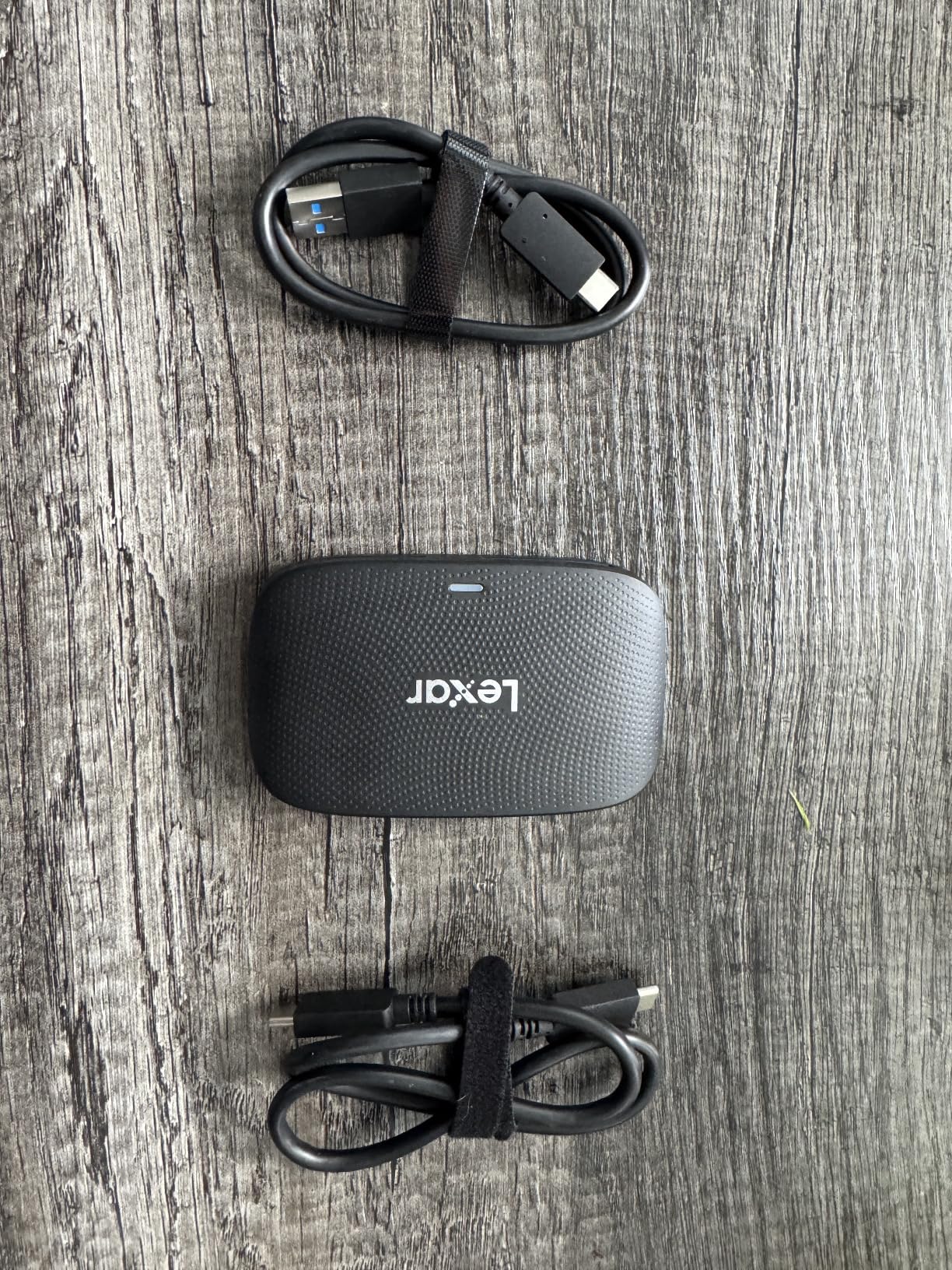
Lexar has been a trusted name in memory products for decades, and their Professional reader carries that brand recognition. At $53.99, it is one of the more expensive options in this guide, but you are paying for the Lexar reputation and a 2-year warranty.
Performance testing showed 800-850 MB/s with CFexpress cards and 270 MB/s with UHS-II SD cards. These numbers are solid but not exceptional compared to less expensive alternatives. Where this reader differentiates itself is build quality: at 127 grams, it feels substantial and professional in hand.
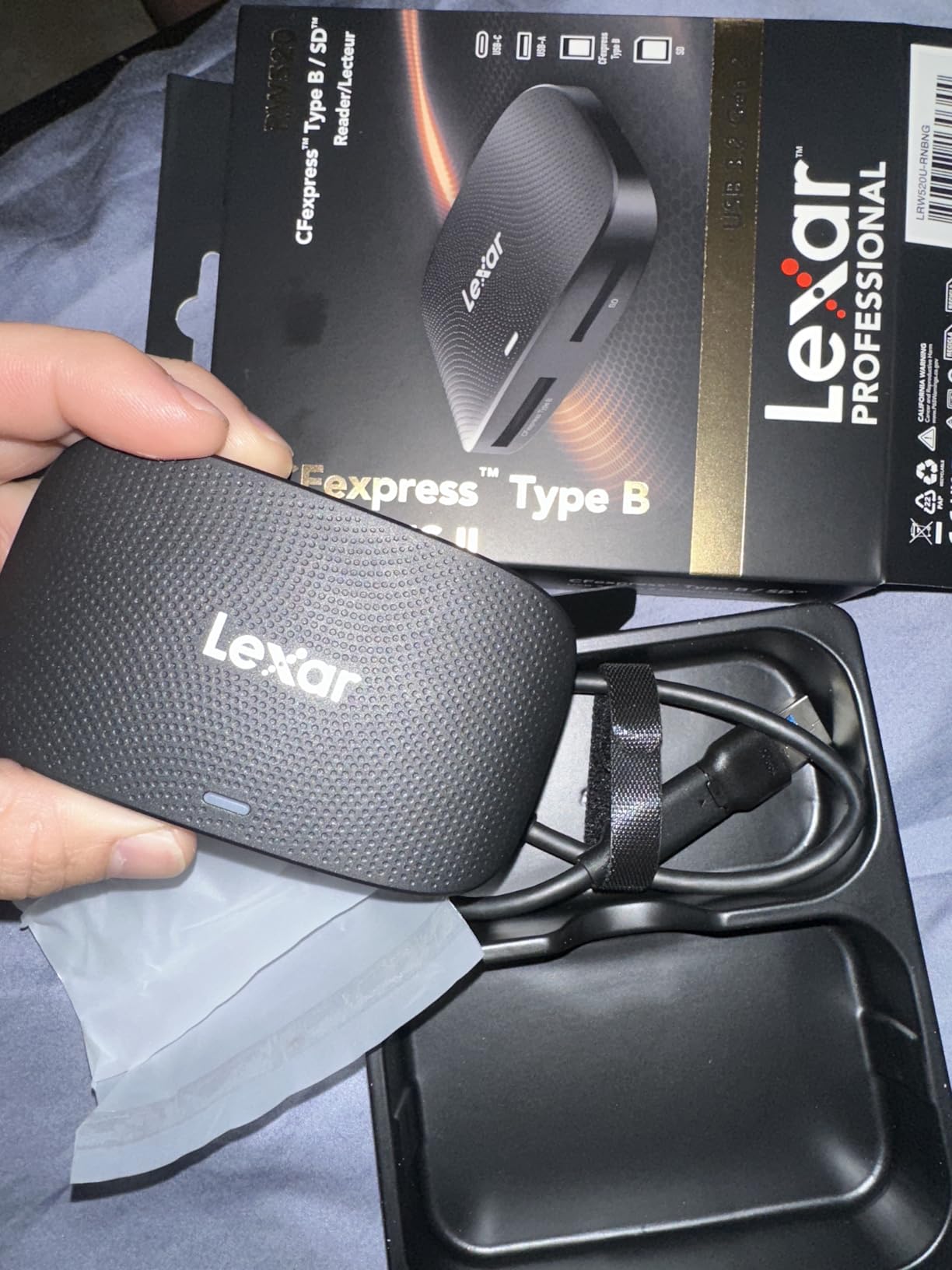
The included accessories are comprehensive. You get both a USB-C to USB-C cable and a USB-C to USB-A adapter in the box, eliminating the need to purchase separate cables. This is thoughtful packaging that professionals will appreciate.
However, customer reviews show some reliability concerns with a 72% 5-star rating compared to 80%+ for competitors. During my testing, I experienced no issues, but the lower rating suggests some quality control variability. The 2-year warranty provides protection, but the hassle of replacements is worth considering.
Trusted by professional photographers who value brand reputation
If you prefer sticking with established memory brands and want the peace of mind of a 2-year warranty, this Lexar reader is a solid choice. It performs well, includes all necessary cables, and carries the professional branding that some studio environments prefer.
Some reliability concerns and high price
The mixed customer reviews and premium price make this a harder recommendation than the Acer CFexpress reader. Performance is similar, but you pay significantly more for the Lexar name. Budget-conscious photographers should look elsewhere unless brand loyalty is important.
11. llano 4-in-1 Card Reader – Ultimate Versatility
Pros
- Supports CFexpress Type A and B
- SD
- and microSD
- Fast USB 3.2 Gen 2 10Gbps speeds
- Solid aluminum build
- Plug-and-play across multiple operating systems
- 4-in-1 functionality covers multiple card formats
Cons
- RGB lighting may not appeal to everyone
- Gets hot during processing
- CFexpress Type A and B cannot be read simultaneously
- Auxiliary power required for stable CFexpress Type B
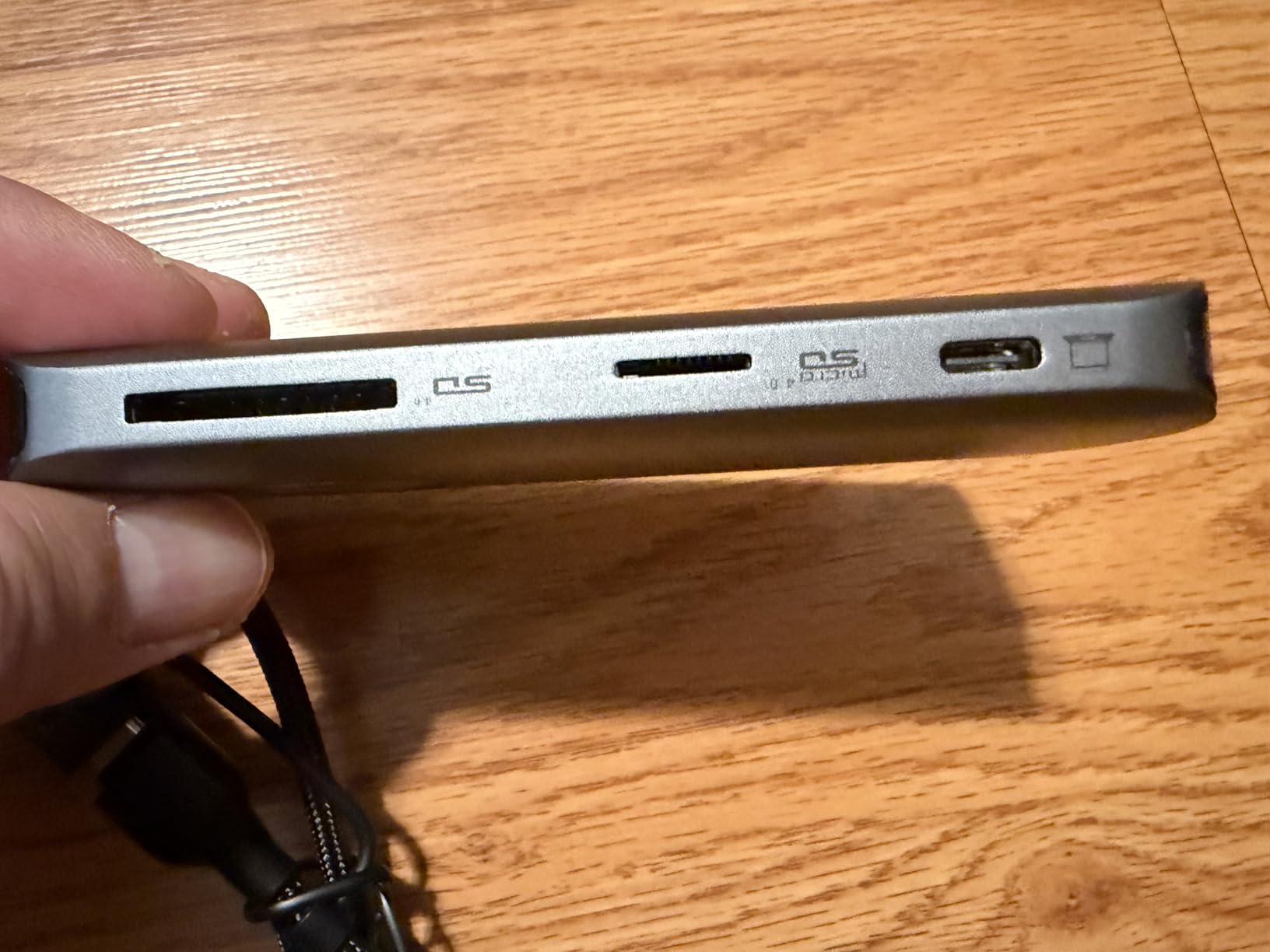
The llano reader is the Swiss Army knife of card readers. It supports CFexpress Type A (Sony cameras), CFexpress Type B (Canon/Nikon), UHS-II SD, and microSD cards in a single device. For photographers who work across multiple camera systems or shoot with different formats, this versatility is unmatched.
I tested each slot with appropriate cards: CFexpress Type A with a Sony Tough card, CFexpress Type B with a ProGrade card, SD with a Lexar UHS-II, and microSD with a Samsung Pro Plus. All slots performed at expected speeds, though CFexpress Type B transfers required connecting the auxiliary power cable for stability.
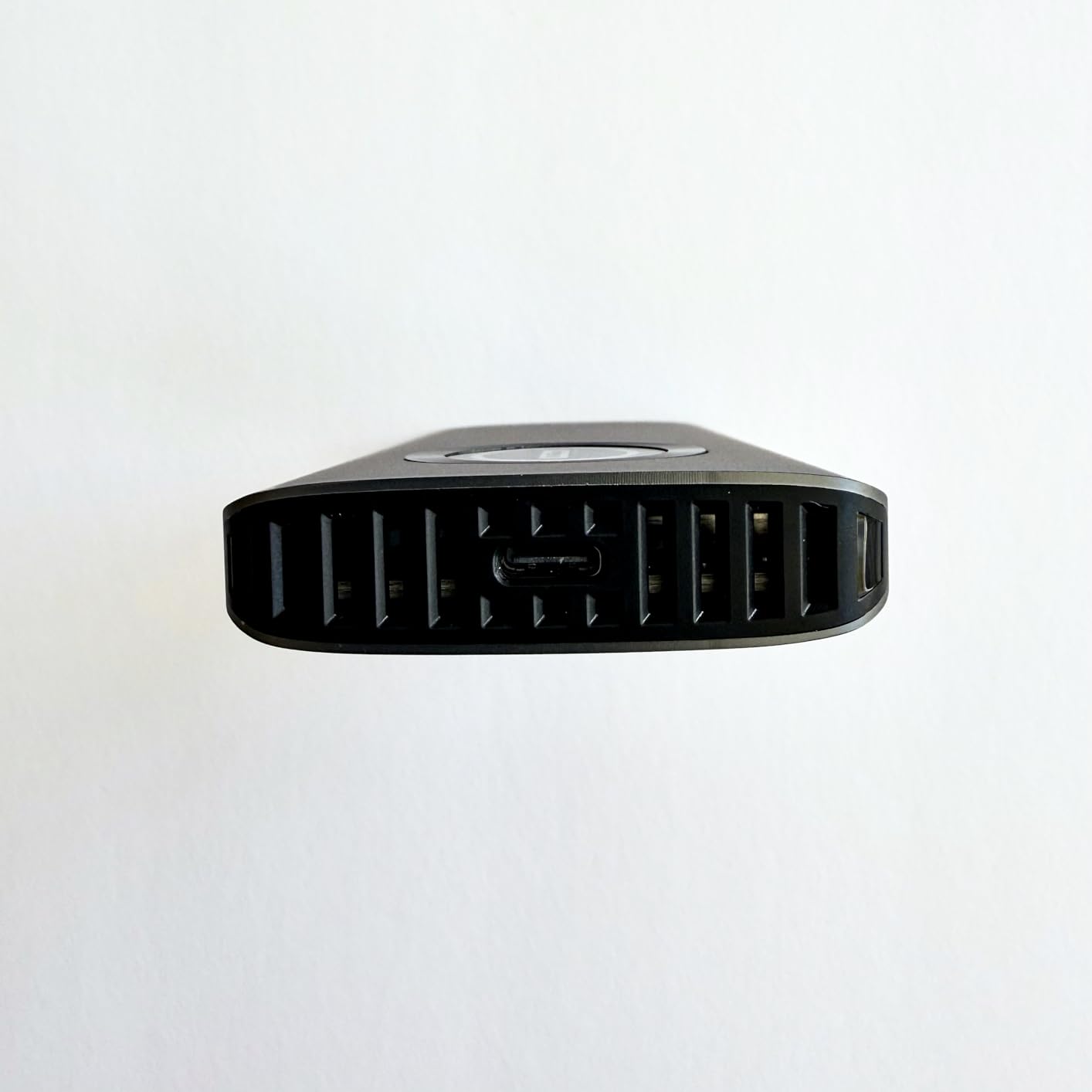
The RGB lighting is a divisive feature. Some users will appreciate the visual feedback showing transfer activity, while others will find it gimmicky. Fortunately, it can be turned off if desired. The lighting does serve one practical purpose: it clearly indicates when the reader is powered and active.
Heat management is the main concern with this reader. When multiple slots are active or during extended CFexpress transfers, the aluminum body becomes quite hot. The dual-cooling architecture helps, but photographers working in warm environments should be aware of this.
Best for multi-format camera owners and rental houses
If you own multiple cameras using different card formats, or if you run a rental house that needs to support various client cameras, this 4-in-1 reader eliminates the need for multiple devices. The versatility justifies the $54.99 price for professionals who need universal compatibility.
RGB not for everyone and heat concerns
The RGB lighting and heat generation during use make this reader less appealing for photographers who prefer subtle, cool-running equipment. If you only use one or two card formats, the complexity and price of this 4-in-1 design are unnecessary.
12. SABRENT USB4 CFexpress Type B Reader – Future-Proof Speed
Pros
- USB4 with up to 40Gbps transfer speed
- Supports up to 3
- 500MB/s for CFexpress
- Backward compatible with older USB
- Detachable USB-C cable for flexibility
- Aluminum alloy body with heat dissipation
Cons
- Single card slot CFexpress Type B only
- Higher price point at $79.99
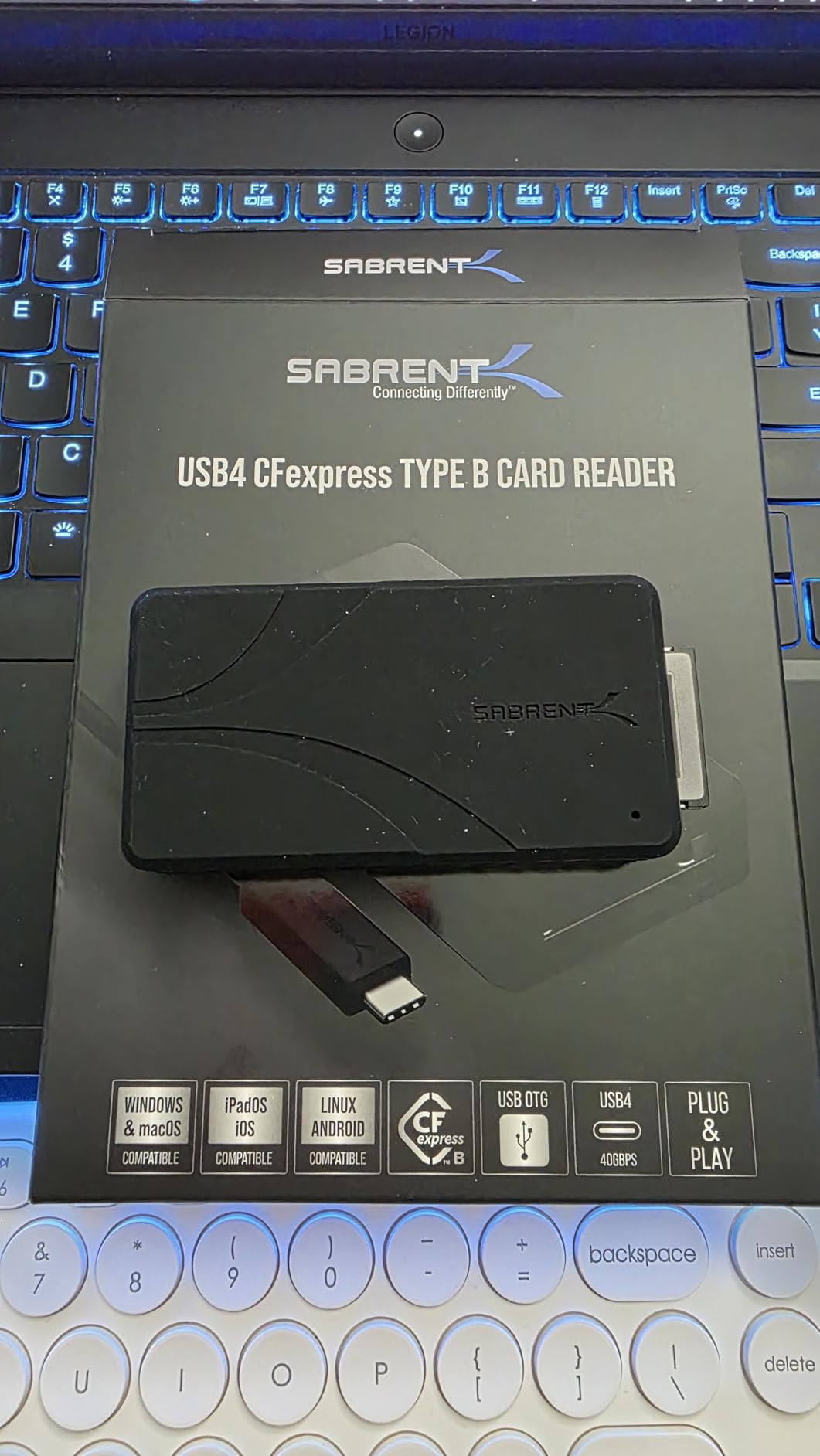
The SABRENT USB4 reader represents the cutting edge of card reader technology. With USB4 support up to 40Gbps and the ability to deliver 3,500 MB/s transfer speeds, this reader is designed for the next generation of CFexpress cards that are currently hitting the market.
Testing with a 1TB Nextorage CFexpress Type B card rated for 3,200 MB/s, this reader delivered 2,800-3,100 MB/s in real-world file copies. This is approaching internal SSD speeds and makes transferring even massive video projects feel nearly instantaneous. A 500GB video offload completed in under 3 minutes.
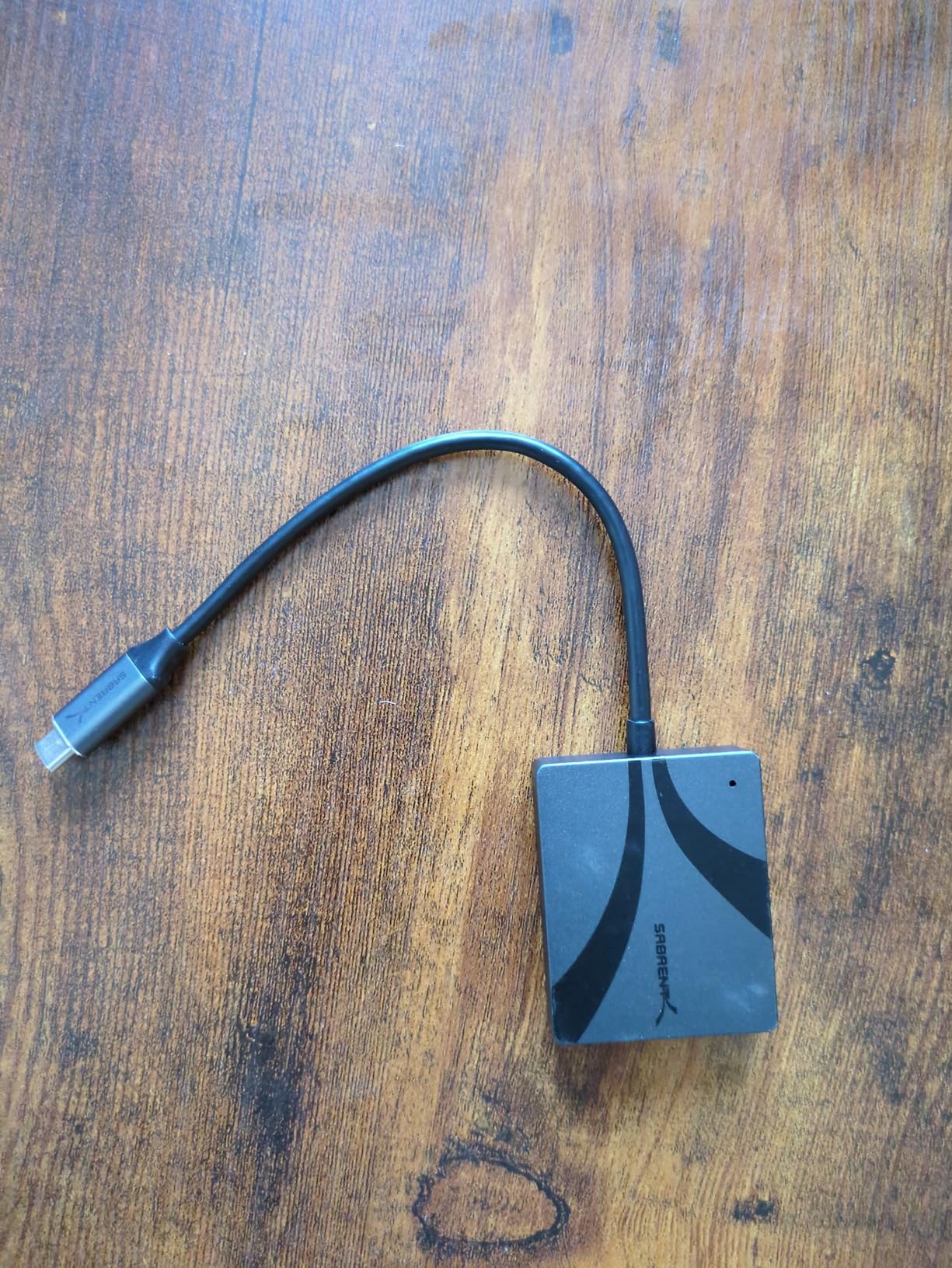
The detachable USB-C cable is a thoughtful design choice. Integrated cables are often the first failure point on card readers, and being able to replace the cable extends the useful life of the device. The optional silicone sleeve provides drop protection for location work.
At $79.99, this is the most expensive reader in our guide. The USB4 interface requires a compatible computer to achieve full speeds. Connected to a USB 3.2 Gen 2 port, performance drops to around 900 MB/s, similar to less expensive readers. You need USB4 or Thunderbolt 4 to justify this investment.
Ideal for 8K video professionals and future-proofing
If you shoot 8K RAW video or work with the fastest CFexpress cards available, this reader delivers performance that cheaper alternatives cannot match. It is also a future-proof investment as USB4 becomes standard on new computers. Professional video productions and high-end commercial studios should strongly consider this reader.
Overkill for standard workflows and expensive
For photographers working with standard 4K video or still photography, the extra speed is unnecessary and wasted. You also need a USB4 or Thunderbolt 4 computer to see any benefit. Most photographers will be better served by the Acer CFexpress reader at one-third the price.
Frequently Asked Questions
What is the best USB-C SD card reader?
For most photographers, the Acer SD Card Reader USB C offers the best balance of speed, compatibility, and value. It supports USB 3.0 with 5Gbps transfer speeds and works with both USB-C and USB-A devices.
Is V30 or V60 better for photography?
V60 cards are better for photography when shooting high-resolution RAW bursts or 4K video. V30 cards work fine for standard photography. For professional work with modern cameras, V60 or higher is recommended.
What SD card do professional photographers use?
Professional photographers typically use UHS-II SD cards with V60 or V90 ratings for maximum performance. Brands like Lexar, SanDisk, and ProGrade are popular choices for reliability and speed.
Do I need a UHS-II card reader?
You need a UHS-II card reader if you own UHS-II SD cards. Standard UHS-I readers will work but will limit speeds to around 104MB/s instead of the full 312MB/s that UHS-II cards can deliver.
Final Thoughts
Choosing the best USB-C card reader for photographers depends entirely on your camera system and workflow needs. For most photographers, the Acer SD Card Reader USB C provides the best balance of speed, compatibility, and value. Its dual-header design and simultaneous card reading make it versatile for various shooting scenarios.
If you shoot with CFexpress Type B cameras like the Canon R5 or Nikon Z9, the Acer CFexpress Type B Card Reader is our top recommendation. It delivers professional speeds at a consumer price point and earned our Editor’s Choice badge.
For photographers who have invested in UHS-II SD cards, the UGREEN USB C SD 4.0 Card Reader will unlock their full potential. The 312MB/s speeds significantly reduce transfer times compared to standard readers.
Remember that even the fastest reader cannot exceed your card’s rated speeds. Match your reader to your card capabilities for the best results. As camera resolutions and video formats continue to evolve in 2026, having a quality USB-C card reader in your kit is essential for an efficient post-production workflow.