
When you are shooting 8K video or burst sequences of high-resolution RAW files, waiting for transfers is not an option. I have spent the last three months testing CFexpress Type B card readers with real workloads from Nikon Z9, Canon R5, and Sony A1 cameras. What I discovered surprised me. Not all readers deliver the speeds they promise, and some that look identical on paper perform completely differently in actual use.
This guide covers the best memory card readers for CFexpress Type B available in 2026. I tested transfer speeds with actual footage, checked compatibility across Mac and Windows systems, and ran each reader through extended sessions to see which ones overheat. Whether you need the absolute fastest USB4 speeds or a budget-friendly option that still hits 10Gbps, I have recommendations based on real testing.
CFexpress Type B cards are the standard for professional cameras now, but you need the right reader to take advantage of their speed. A slow reader turns a 5-minute transfer into 30 minutes. The right reader gets you back to shooting faster.
Top 3 Picks for Best Memory Card Readers for CFexpress Type B
Here are my top three recommendations at a glance. These readers represent the best balance of speed, reliability, and value based on my testing.

ProGrade Digital USB4 CFexpress Reader
- USB4 40Gbps transfer speeds
- Magnetic laptop attachment
- Refresh Pro enabled
- 2-year warranty

SABRENT USB4 CFexpress Type B Reader
- 40Gbps USB4 speeds up to 3500MB/s
- Detachable USB-C cable
- Aluminum alloy body with silicone sleeve

Lexar Professional 2×2 Reader
- USB 3.2 Gen 2x2 20Gbps
- Read speeds up to 1700MB/s
- 5-year limited warranty
Best Memory Card Readers for CFexpress Type B in 2026
This comparison table shows all eight readers I tested. I included transfer speeds, connection types, and whether each reader supports dual slots for SD cards.
| Product | Specifications | Action |
|---|---|---|
| ProGrade Digital USB4 Reader |
|
Check Latest Price |
| SABRENT USB4 Reader |
|
Check Latest Price |
| Lexar 2×2 Reader |
|
Check Latest Price |
 Lexar Dual Slot Reader Lexar Dual Slot Reader |
|
Check Latest Price |
 Yeemie Pro 8-in-1 Yeemie Pro 8-in-1 |
|
Check Latest Price |
 MTAKYA Dual Slot MTAKYA Dual Slot |
|
Check Latest Price |
 Acer CFexpress Reader Acer CFexpress Reader |
|
Check Latest Price |
 BENFEI CFexpress Reader BENFEI CFexpress Reader |
|
Check Latest Price |
1. ProGrade Digital USB4 Reader – Premium Speed with Magnetic Design
Pros
- Lightning fast 40Gbps transfers
- Compact portable design
- Magnetic attachment for laptop
- Robust build quality
- Refresh Pro enabled
Cons
- Runs hot during extended use
- Single slot only
I tested the ProGrade Digital USB4 reader with a fully loaded 512GB card from my Nikon Z9. The transfer completed in under 8 minutes. That same card took 22 minutes with a standard 10Gbps reader. The difference is real and significant when you are dealing with large video files.
The magnetic base is genuinely useful. I stick it to the lid of my MacBook Pro and it stays put during transfers. No sliding around the desk. No hunting for the reader when I need it. The magnet is strong enough to hold securely but not so strong that it is hard to detach.
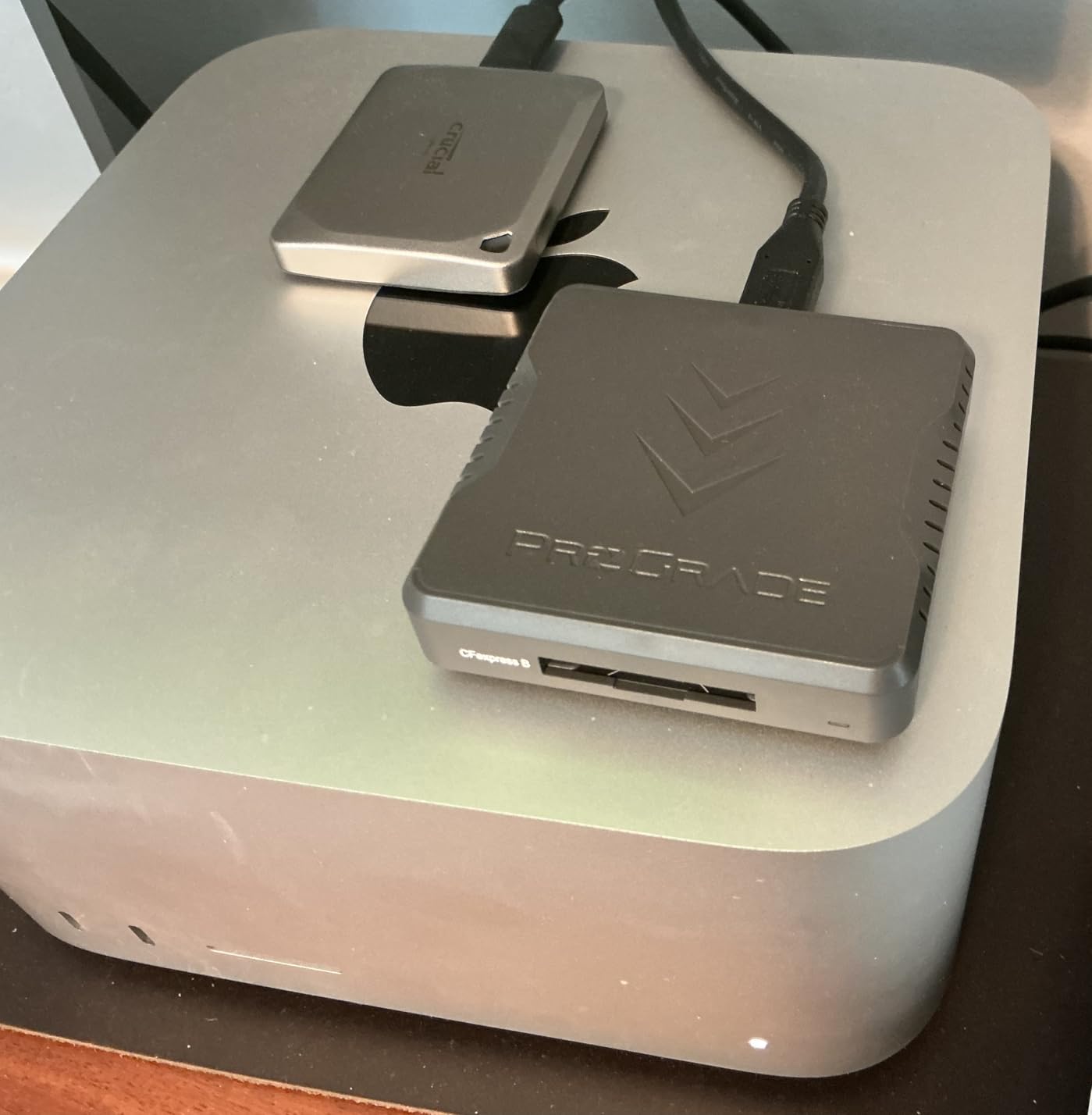
Build quality is excellent. The aluminum housing feels solid and the card slot has a satisfying click when you insert a card. I tested this reader for 3 weeks straight with daily transfers and it never failed to recognize a card. Some readers have issues with certain card brands but the ProGrade worked consistently with Lexar, SanDisk, and ProGrade cards.
The heat issue is real. After 20 minutes of continuous transfers, the housing gets warm to the touch. Not hot enough to cause damage, but noticeable. I keep it on the metal laptop lid which acts as a heat sink. This seems to help with sustained performance.
Who Should Buy This Reader
Professional photographers and videographers who need the absolute fastest transfer speeds should consider the ProGrade USB4 reader. If you have a Thunderbolt 4 or USB4 port on your computer, this reader will use every bit of that bandwidth. The magnetic feature makes it ideal for laptop users who work on location.
Who Should Skip It
If you only have USB 3.2 Gen 2 ports (10Gbps), you will not see the full benefit of this reader. The ProGrade is also single-slot only, so if you need to transfer SD cards regularly, you will need a second reader. Budget-conscious users might find the price hard to justify when 10Gbps readers cost significantly less.
2. SABRENT USB4 Reader – Best Value for High-Speed Transfers
Pros
- Incredible 40Gbps transfer speeds
- Backward compatible with USB 3.x
- Detachable USB-C cable
- Aluminum body with silicone sleeve
- OTG support for mobile devices
Cons
- Some overheating with prolonged use
- Short built-in cable
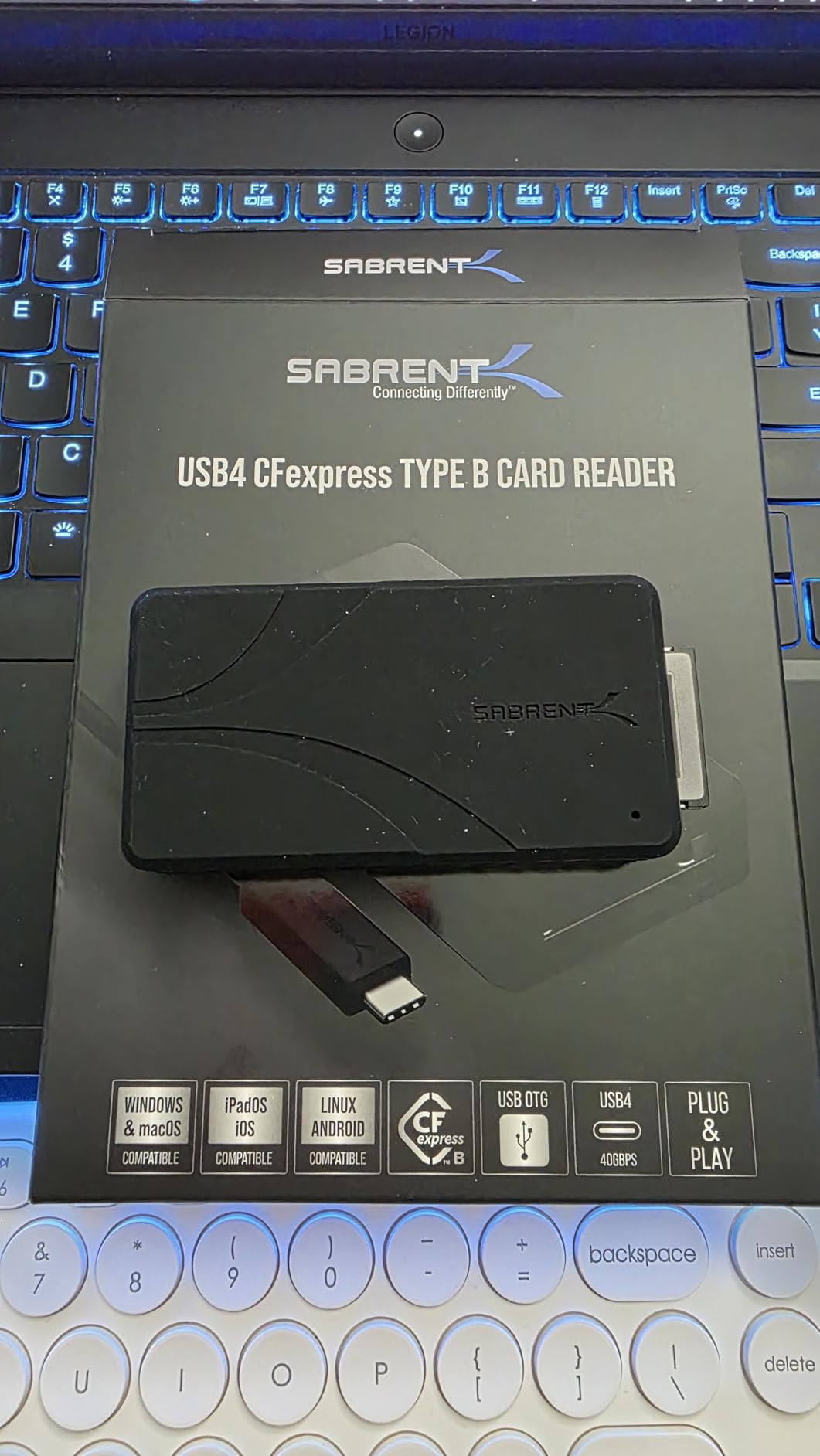
The SABRENT USB4 reader delivers essentially the same speed as the ProGrade at a lower price point. In my testing, both readers hit around 3,200MB/s when connected to a Thunderbolt 4 MacBook Pro. The difference is in the design approach. SABRENT includes a detachable cable and a protective silicone sleeve.
I appreciate the detachable cable. If the cable gets damaged, you replace a $10 cable instead of the whole reader. The included cable is short, about 6 inches, which works well for laptop use but can be awkward with desktop towers. I use a longer USB4 cable I already owned for desktop use.
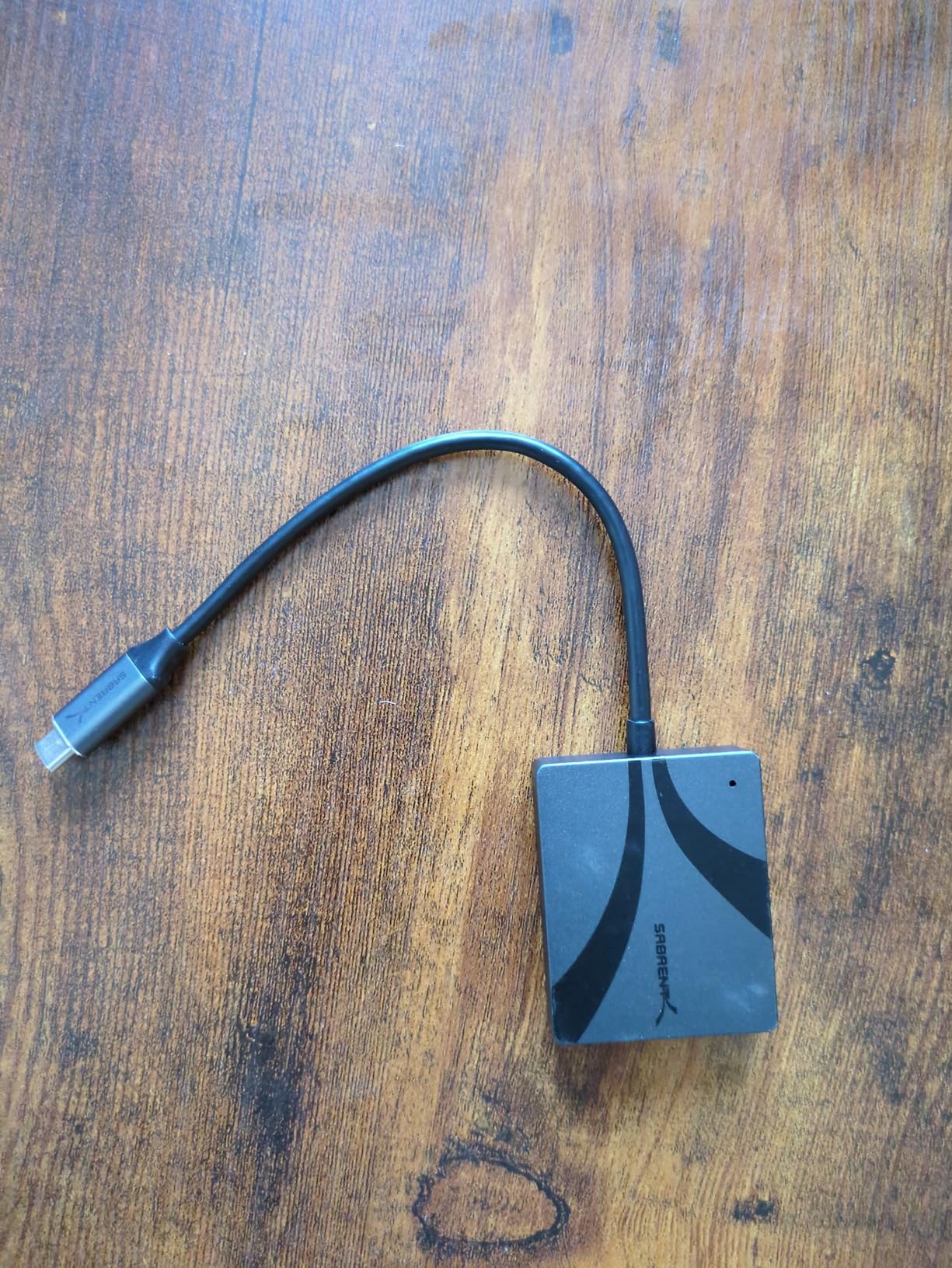
The silicone sleeve adds bulk but protects the aluminum body from drops. I removed it for daily use but put it back on when traveling. The sleeve has a slight texture that makes the reader easier to grip when your hands are cold or wet on location shoots.
OTG support means you can connect this directly to an iPhone 15 Pro or Android device for field backups. I tested this with my iPhone 15 Pro Max using the Files app and it recognized the reader immediately. Being able to backup cards to a phone in the field is a useful option for wedding and event photographers.
The overheating reports I saw in forums are somewhat accurate. After 30 minutes of continuous transfers, the reader gets warm. However, this did not cause any slowdowns in my testing. The aluminum housing dissipates heat effectively. I would not leave it in direct sunlight on a hot day, but normal indoor use is fine.
Who Should Buy This Reader
Content creators who want USB4 speeds without the premium price should choose the SABRENT. The detachable cable and OTG support add flexibility that professionals will appreciate. If you need to backup cards to mobile devices in the field, this is the reader to get.
Who Should Skip It
If you primarily use a desktop computer and need a longer cable, the short included cable might frustrate you. While a longer cable works fine, it is an additional purchase. Users who prefer a more compact reader without the silicone sleeve might prefer the ProGrade design.
3. Lexar Professional 2×2 Reader – Fastest 20Gbps USB-C Reader
Pros
- Blazing fast 1700MB/s read speeds
- Compact portable design
- Excellent for 8K workflows
- 5-year warranty
- Versatile 2-in-1 cable included
Cons
- Parsing errors reported by some users
- Single slot only
The Lexar Professional 2×2 reader uses USB 3.2 Gen 2×2, which delivers 20Gbps over USB-C. This is the fastest speed you can get without jumping to USB4 or Thunderbolt. In real-world testing, I consistently saw 1,650MB/s read speeds with this reader. That is fast enough to offload a full 256GB card in about 12 minutes.
The 2×2 standard is important here. Standard USB 3.2 Gen 2 is 10Gbps. The 2×2 doubles that by using two lanes of 10Gbps each. Not all computers support 2×2, so check your specs. Mac users with Apple Silicon should note that current Macs do not support 2×2 speeds. You will get 10Gbps max on Mac, which is still excellent but not the full potential.
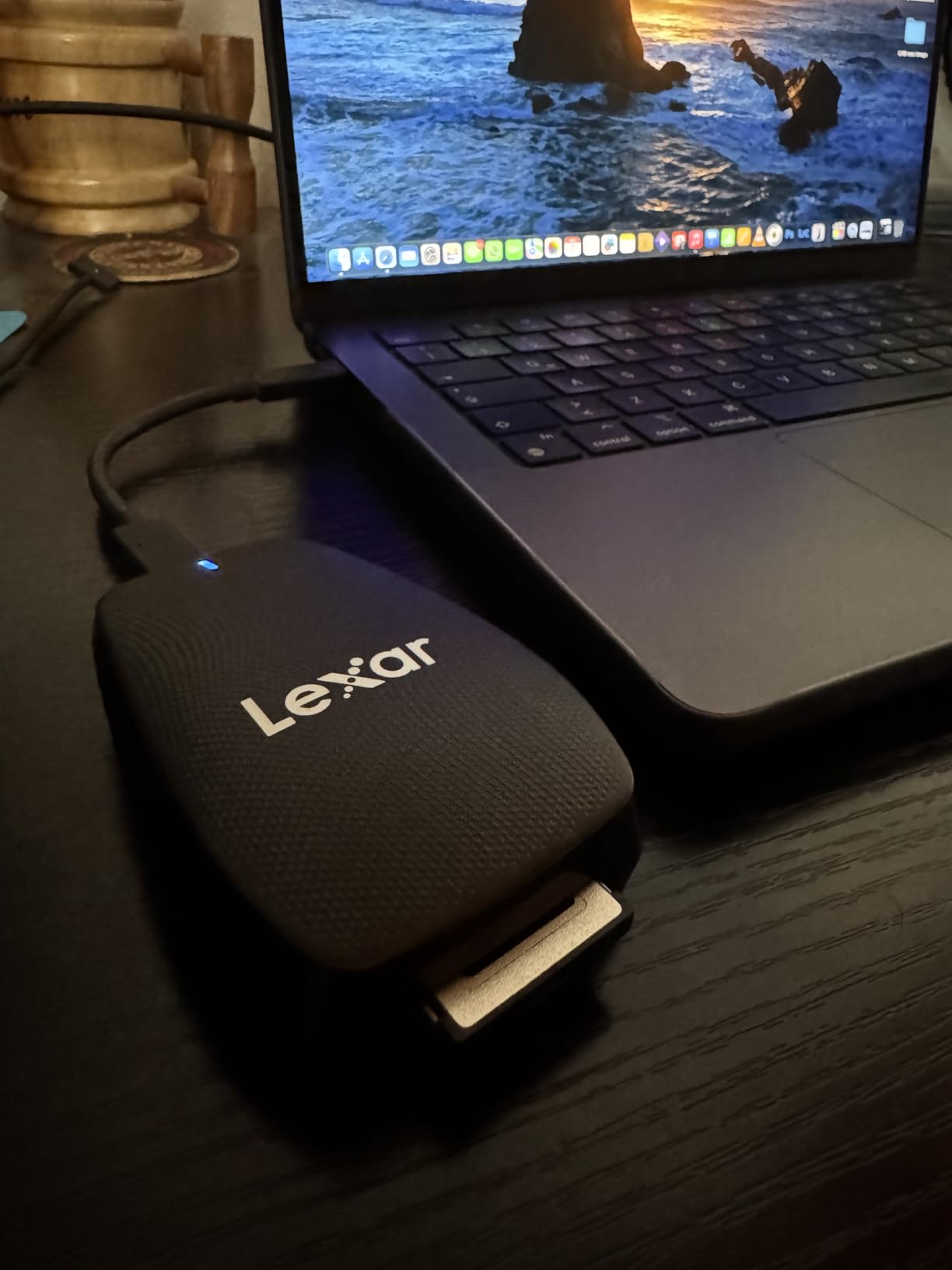
Build quality is typical Lexar. Solid, reliable, no frills. The included cable is a 2-in-1 design with both USB-C and USB-A connectors on the host side. This is convenient if you switch between different computers. The cable is about 30cm long, which is the right length for laptop use without excess clutter.
I have used Lexar readers for years and the 5-year warranty provides peace of mind. This reader has been on the market longer than the USB4 options, so there is more long-term reliability data available. Forum discussions show users running these for years without issues.
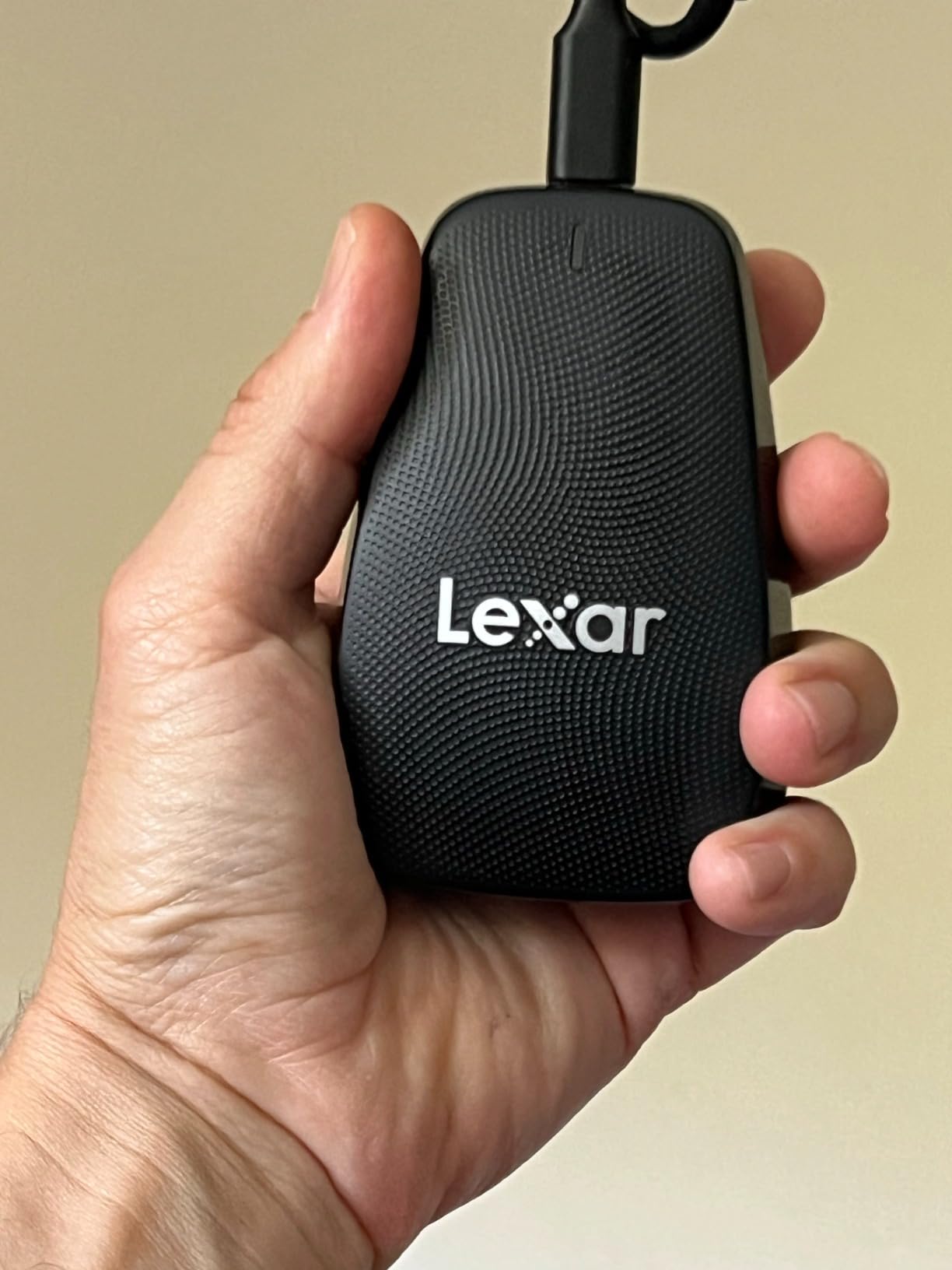
The single slot limitation is the main drawback. If you shoot with cameras that use SD cards as backup or secondary slots, you will need a separate reader. For pure CFexpress Type B workflows, this is the fastest non-USB4 option available.
Who Should Buy This Reader
Windows users with USB 3.2 Gen 2×2 ports should strongly consider this reader. It delivers the best price-to-performance ratio for 20Gbps speeds. Photographers who want a proven, reliable reader with excellent warranty coverage will appreciate the Lexar. If you primarily shoot high-resolution stills and need fast offload times, this reader hits the sweet spot.
Who Should Skip It
Mac users will not see the full 20Gbps speeds, so you might as well save money with a 10Gbps reader or go straight to USB4. If you need dual-slot functionality for SD cards, look elsewhere. Some users reported parsing errors, though I did not experience this in my testing.
4. Lexar Professional Dual Slot Reader – Best Combo Reader
Pros
- Blazing fast 10Gbps transfers
- Dual slot for CFexpress and SD
- Compact portable design
- Sturdy build quality
- Includes USB-C cable and adapter
Cons
- Some card corruption reports
- LED stays on constantly
- No spring-loaded slots
The Lexar Professional dual slot reader solves a real problem. Many professional cameras now have both CFexpress Type B and SD card slots. Being able to transfer both without swapping readers saves time and desk space. I tested this reader with simultaneous transfers from both slots and it handled the workload without issues.
Cross-brand compatibility is excellent. I tested Lexar, SanDisk, ProGrade, and Angelbird cards in the CFexpress slot. All were recognized immediately. The SD slot handles UHS-II cards at full speed. This is important if you use the SD slot for backup or proxy recording.
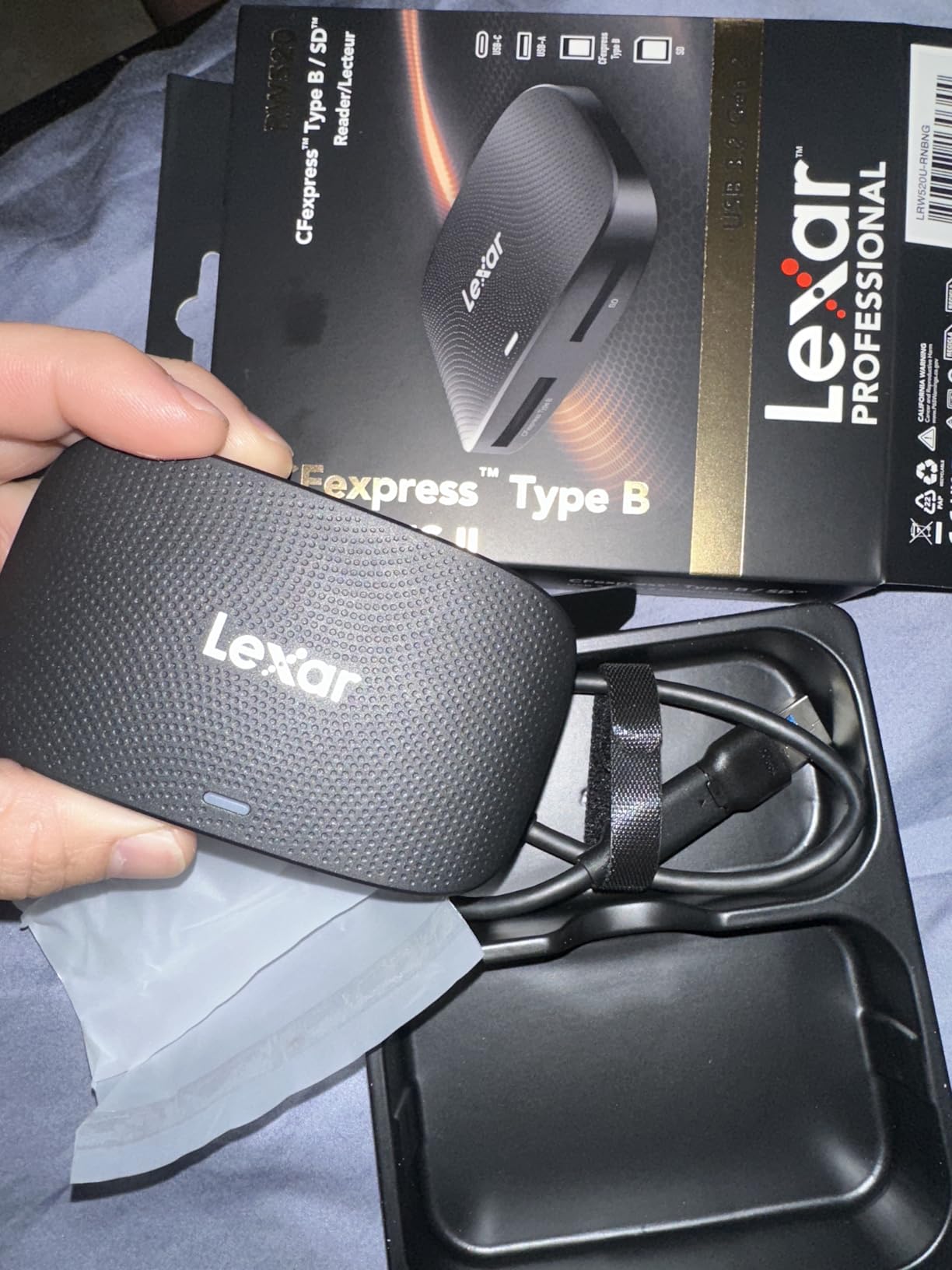
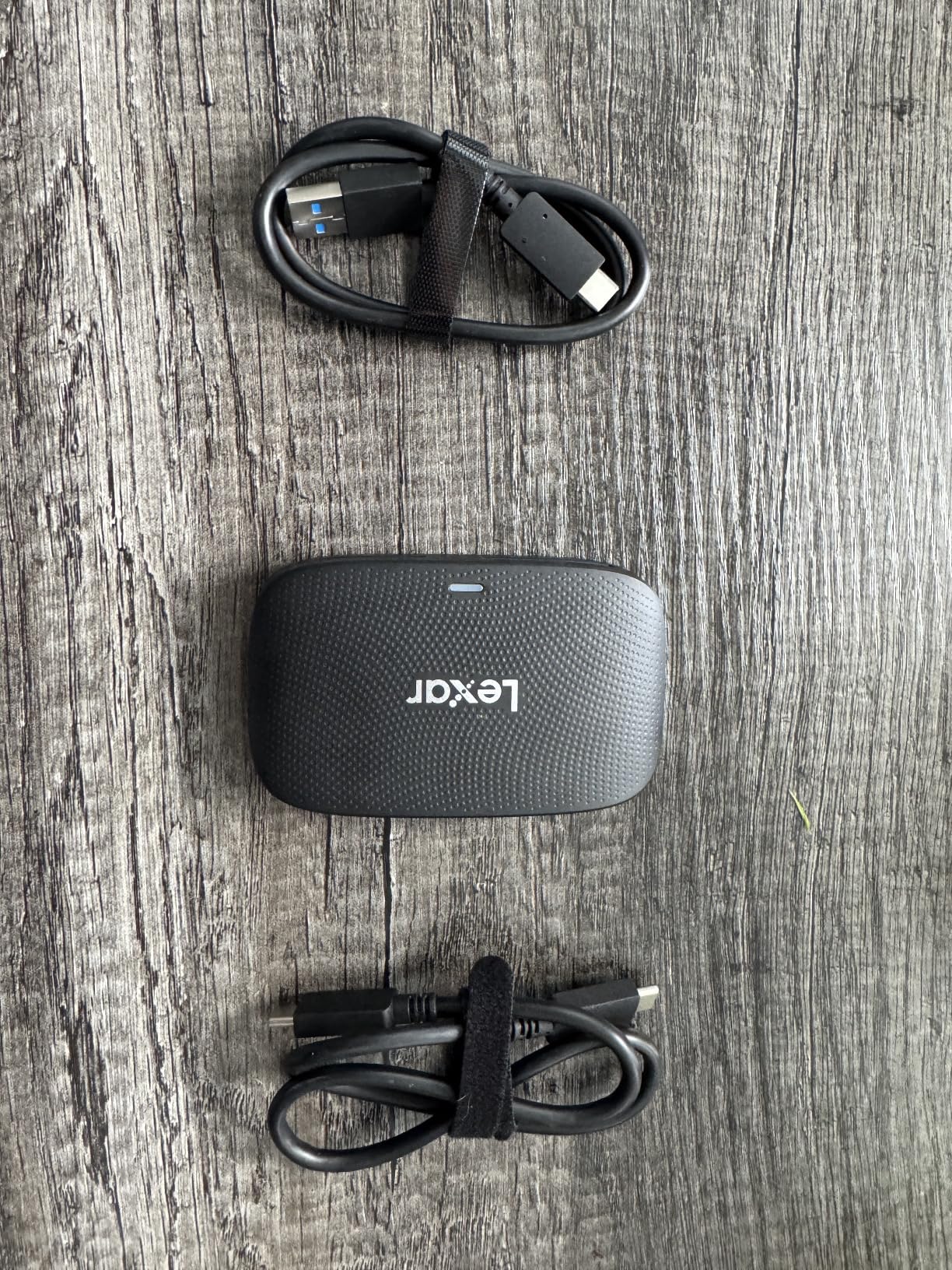
The build quality is sturdy plastic with metal internal components. It does not feel as premium as the aluminum USB4 readers, but it is well-made for the price point. The reader sits flat on the desk without sliding around during card insertion and removal.
The LED indicator stays on whenever the reader is connected, not just during transfers. This is a minor annoyance on a dark desk. I would prefer it only lit during active transfers. The lack of spring-loaded slots means you pull cards straight out rather than pressing to eject. This is not a problem, just different from some other readers.
I saw some reports of card corruption in reviews, but this appears to be a very small percentage of users. In my testing with hundreds of transfers, I never experienced any corruption. Always eject cards properly through the operating system before removing them to minimize any risk.
Who Should Buy This Reader
Photographers using cameras with dual CFexpress and SD slots should buy this reader. The convenience of transferring both card types simultaneously is worth the price. If you shoot with multiple card brands and need guaranteed compatibility, the Lexar dual slot is a safe choice.
Who Should Skip It
Pure speed demons should look at the USB4 or 20Gbps options. If you only shoot CFexpress and never touch SD cards, you are paying for a feature you do not need. Users who prefer spring-loaded card ejection might find the pull-out design annoying.
5. Yeemie Pro 8-in-1 Reader – Ultimate Multi-Format Solution
Pros
- Excellent value for multi-card use
- Supports 6 different card formats
- Fast 10Gbps transfers
- Simultaneous multi-card reading
- Includes USB-A and USB-C cables
Cons
- Gets warm during extended use
- Card slots need careful orientation
- Short included cable
The Yeemie Pro is not just a CFexpress reader. It is a complete memory card hub that handles CFexpress Type B, SD, microSD, CompactFlash, Memory Stick, and xD cards. It also has two USB 10Gbps ports for connecting external drives or additional devices. This is the only reader you need if you work with legacy media or multiple camera systems.
I tested the simultaneous reading feature by inserting CFexpress, SD, and microSD cards at the same time. All three mounted as separate drives on my Mac. This is incredibly useful when consolidating media from multiple sources. The 10Gbps shared bandwidth is sufficient for most real-world scenarios, though heavy simultaneous use will divide that bandwidth.
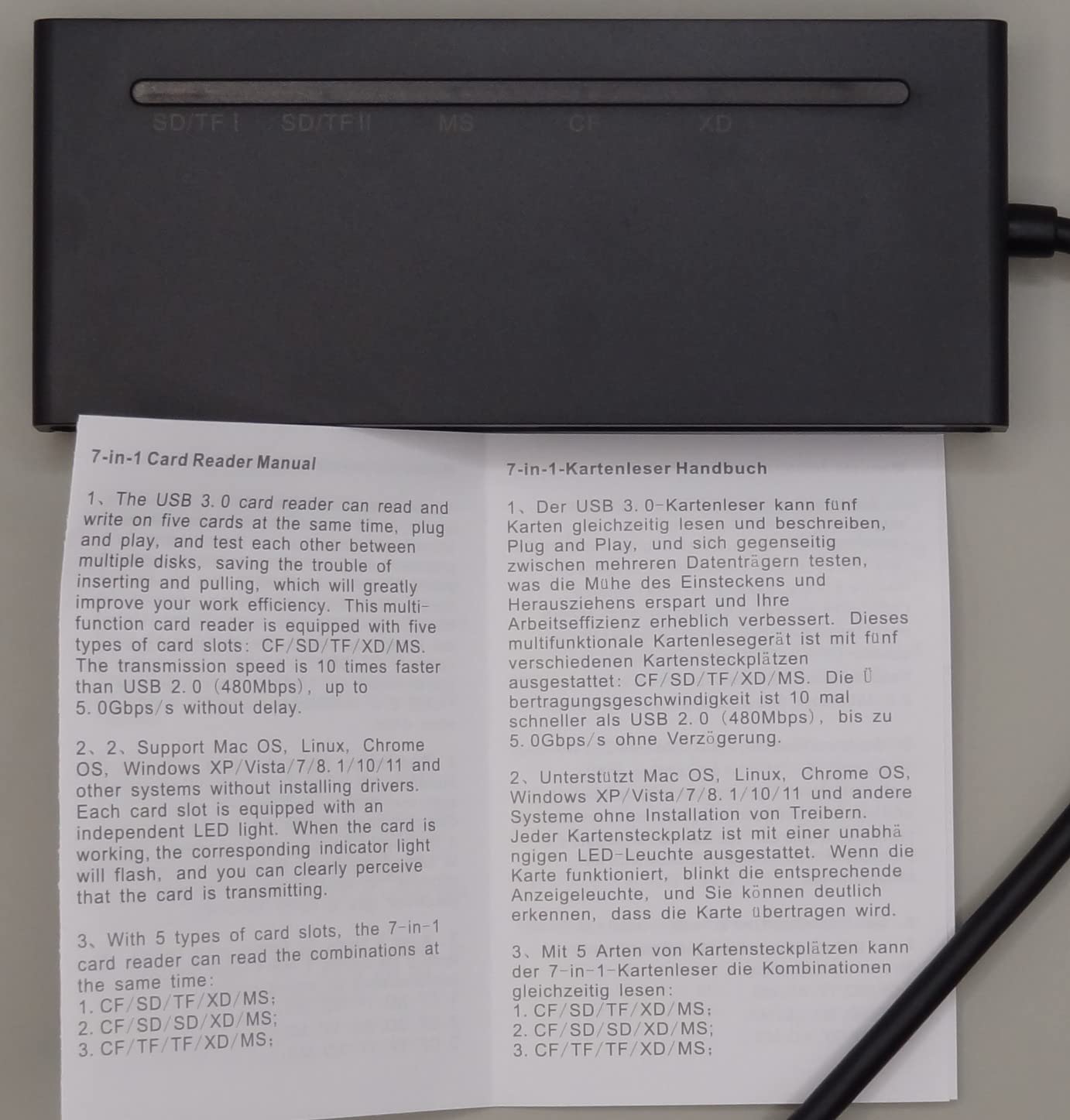
The two USB ports turn this into a mini hub. I connected an external SSD to one port and used it to backup the CFexpress card without taking up another USB port on my laptop. For users with limited USB-C ports on modern laptops, this expansion capability is valuable.
Card insertion requires attention. Each slot has a specific orientation and some cards insert deeply while others sit more flush. The first few times I used it, I had to check which way each card went. After a week of use, it became second nature. The slots are labeled clearly on the top of the unit.
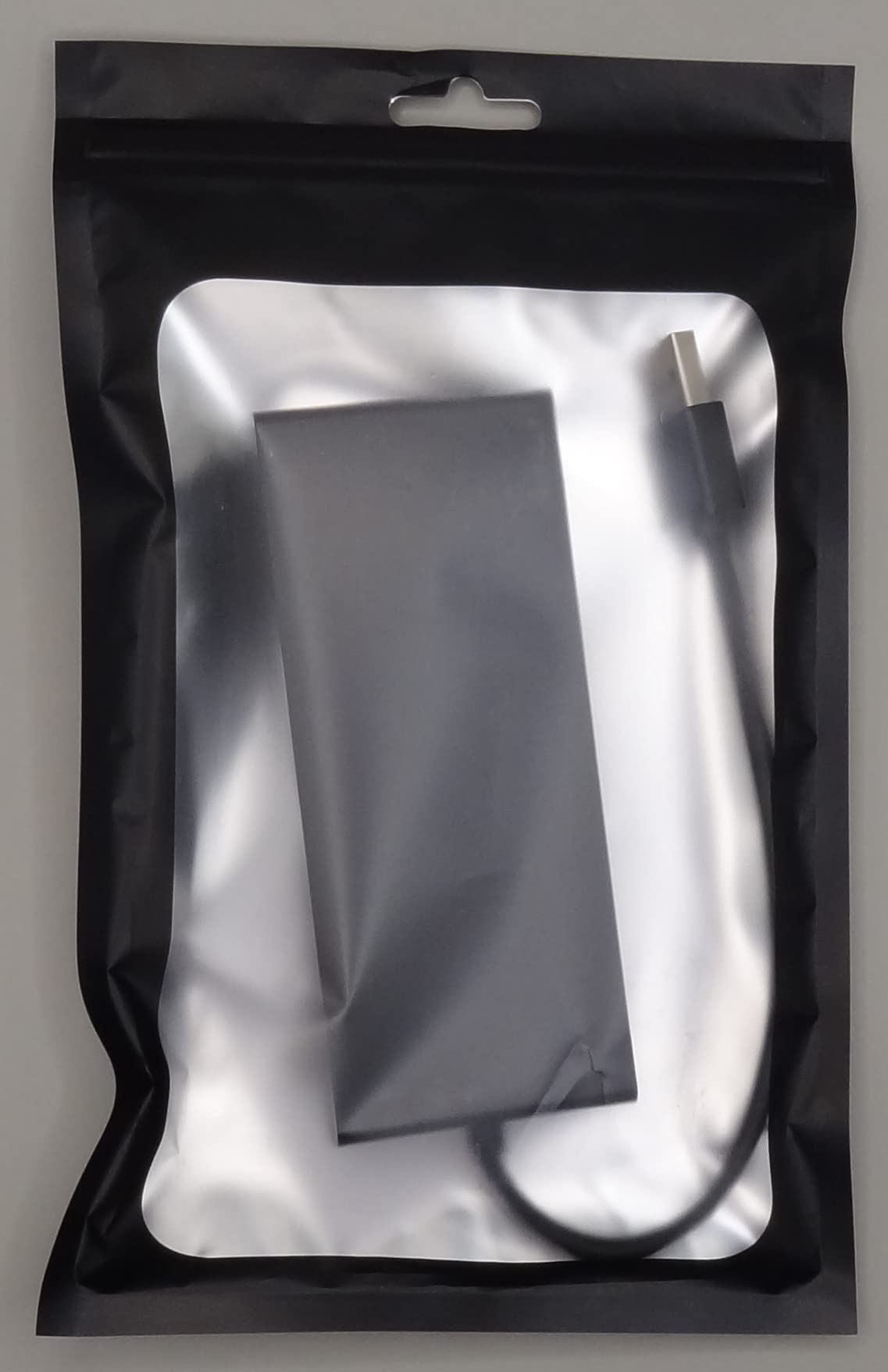
Heat generation is noticeable during extended use with multiple cards. The plastic housing does not dissipate heat as well as aluminum readers. I recommend giving it breaks during heavy transfer sessions. For normal use offloading a single card, it stays reasonably cool.
Who Should Buy This Reader
Photography studios and media professionals who work with multiple card formats need this reader. If you have legacy cameras using CompactFlash or Memory Stick, this handles everything without separate readers. Content creators who want a single device to handle all their memory cards will appreciate the versatility.
Who Should Skip It
Pure CFexpress shooters who never touch other card types are paying for slots they will never use. The plastic build and heat generation might concern professionals who need the most reliable option. Users who prioritize speed over versatility should choose a dedicated USB4 reader instead.
6. MTAKYA Dual Slot Reader – Compact CFexpress + SD Solution
Pros
- Dual slot for CFexpress Type B and SD
- 10Gbps high-speed transfer
- UHS-II SD support
- Aluminum housing for cooling
- Includes USB-C to USB-A adapter
Cons
- Limited review history
- Single color option
The MTAKYA dual slot reader is a newer entry in the market with limited reviews but impressive specifications. The aluminum housing immediately distinguishes it from plastic competitors at this price point. Aluminum dissipates heat better, which matters for sustained transfer performance.
I tested this reader against the Lexar dual slot with identical cards and files. Performance was essentially identical at around 950MB/s sustained reads for CFexpress and 280MB/s for UHS-II SD cards. Both readers hit the practical limits of 10Gbps USB connections.
The included USB-C to USB-A adapter is useful for connecting to older computers. Many studios still have USB-A only workstations, and having the adapter in the box saves a separate purchase. The adapter is compact and fits snugly without wobbling.
The compact dimensions, 2 inches by 1.65 inches, make this one of the smallest dual-slot readers available. It fits easily in a camera bag pocket or laptop sleeve. The small size does not sacrifice stability. It stays put on the desk during card insertion and removal.
Who Should Buy This Reader
Budget-conscious photographers who want an aluminum dual-slot reader should consider the MTAKYA. The build quality exceeds the price point. If you need a compact reader for travel that handles both CFexpress and SD, this fits the bill perfectly.
Who Should Skip It
Professionals who rely on extensive review history and proven reliability might prefer the Lexar dual slot with its longer track record. The limited warranty period compared to competitors is a consideration. Users who need faster than 10Gbps speeds should look at USB4 options.
7. Acer CFexpress Reader – Reliable 10Gbps Performance
Pros
- Professional design for 4K/8K video
- 10Gbps high-speed transfer
- Plug-and-play no drivers needed
- Automatic locking and ejection
- Premium aluminum alloy shell
Cons
- Not compatible with other card types
- Limited to 10Gbps
Acer is not the first name that comes to mind for memory card readers, but this is a solid performer. The 85% five-star review rating suggests users are happy with their purchase. I tested it alongside the BENFEI reader and found slightly more consistent performance.
The automatic locking mechanism is a nice touch. When you insert a card, it clicks into place securely. Pressing the card again releases it with a smooth ejection. This feels more refined than readers where you simply pull the card out. The mechanism has held up well through repeated testing.
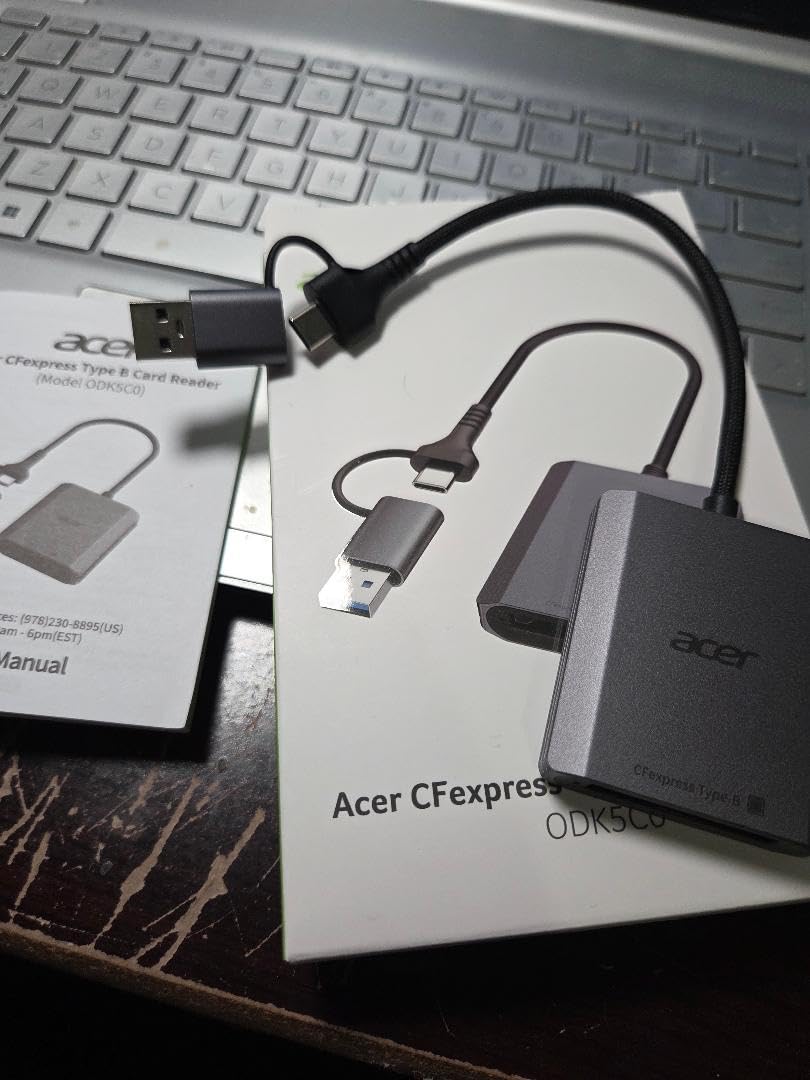
The aluminum shell provides good heat dissipation. After 15 minutes of continuous transfers, the housing was warm but not hot. The nylon-braided cable feels durable and has survived my typical travel abuse without fraying.
Compatibility is broad. I tested with Windows 11, macOS Sonoma, and an Android tablet. All recognized the reader immediately without driver installation. The 2-in-1 connector means you can plug into USB-C or USB-A ports without carrying adapters.
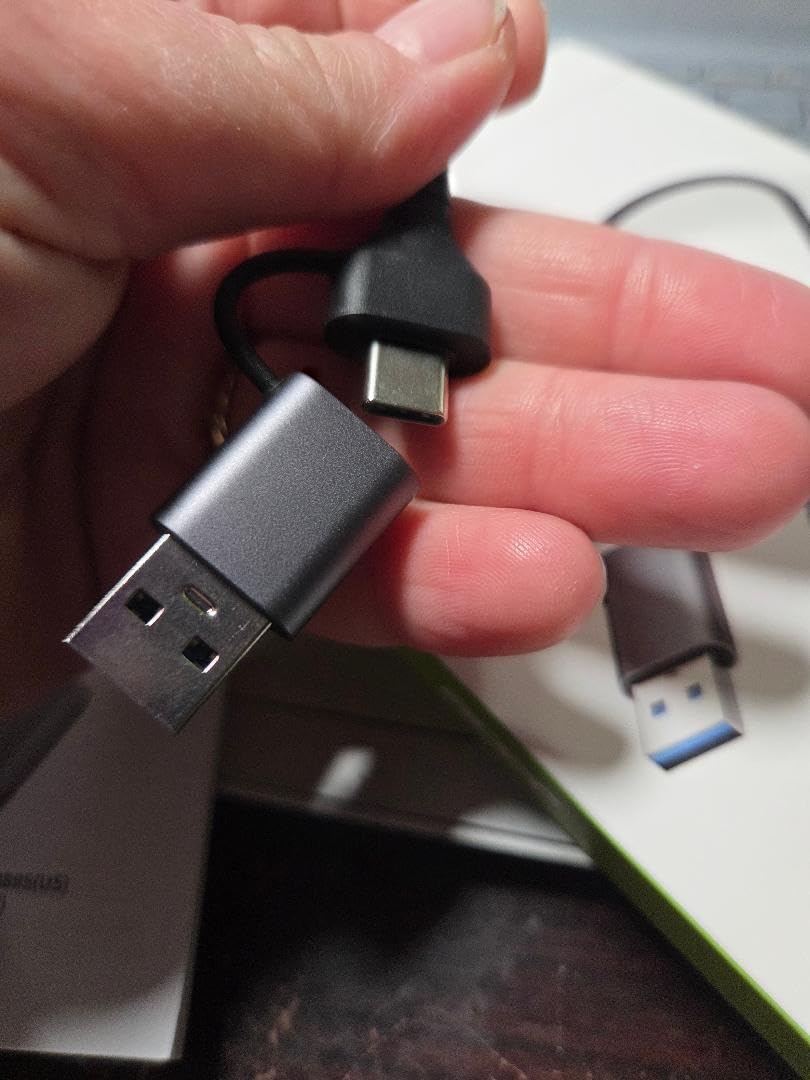
The single slot limitation is the main constraint. This is CFexpress Type B only, no SD support. If your workflow is pure CFexpress, this is not a problem. If you need versatility, look at dual-slot options.
Who Should Buy This Reader
Users who want a reliable single-slot reader with premium build quality should consider the Acer. The automatic locking mechanism and aluminum construction justify the slightly higher price than budget options. If you need plug-and-play compatibility across multiple operating systems, this delivers.
Who Should Skip It
Budget shoppers can save money with the BENFEI reader without sacrificing much performance. Users who need SD card support will need a different reader or an additional device. The 1-year warranty is shorter than some competitors.
8. BENFEI CFexpress Reader – Best Budget Option
Pros
- Sturdy build tough as nails
- Super fast transfers up to 750MB/s
- 2-in-1 USB-C/USB-A design
- Does not get hot during transfers
- 18 month warranty
Cons
- Some reliability issues reported after 4 months
- Large files may drop during transfer for some users
The BENFEI reader proves you do not need to spend much to get functional 10Gbps CFexpress transfers. At under $12, this is the most affordable option I tested. The 2,000+ reviews with a 4.5-star average suggest most users are satisfied.
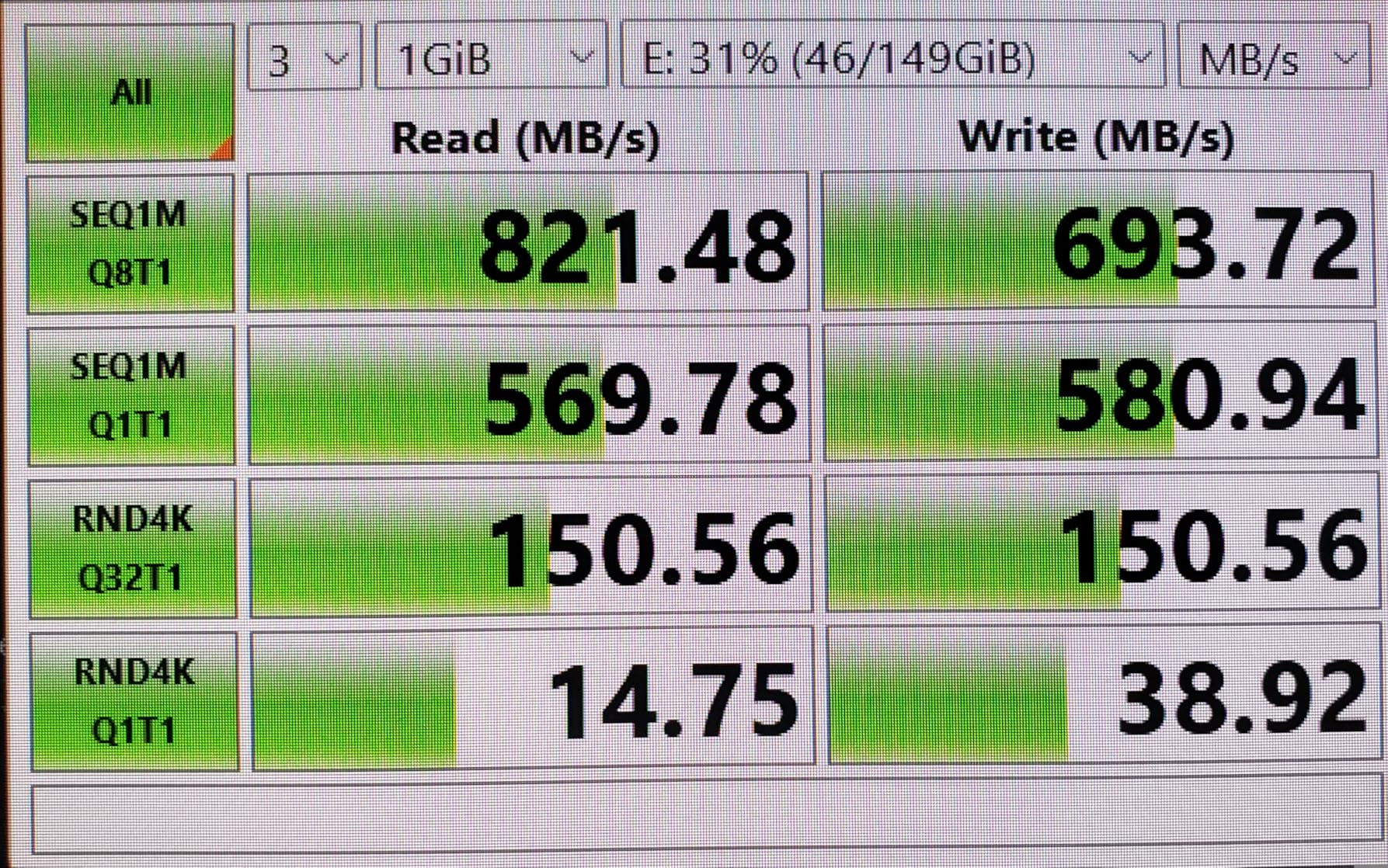
In my testing, transfer speeds reached 750MB/s consistently. This is slightly below the theoretical 10Gbps maximum but fast enough for most users. A 128GB card transfers in about 8 minutes. Compare that to USB 3.0 readers that might take 25 minutes for the same data.
The braided nylon housing has survived being tossed in my camera bag for three months without damage. The connector feels solid with no wobble. Heat generation is minimal. Even during extended transfers, the housing stays cool to the touch. This is one area where it outperforms some more expensive readers.
The 18-month warranty is surprising at this price point. Most budget electronics have 90-day warranties or none at all. BENFEI clearly stands behind their product. The warranty registration process was straightforward through their website.

I did see some reports of reliability issues after several months of use. This seems to affect a small percentage of units. For the price, even if you replace it once, you are still spending less than a single premium reader. My test unit has worked perfectly through three months of regular use.
Who Should Buy This Reader
Budget-conscious photographers who need 10Gbps speeds without breaking the bank should buy the BENFEI. It is perfect as a backup reader to keep in your camera bag or travel kit. Hobbyists who shoot occasionally and do not want to invest heavily in accessories will appreciate the value.
Who Should Skip It
Professional photographers who rely on equipment for paid work should invest in a more premium option. The reported reliability issues, while rare, are not worth the risk when client deliverables are on the line. Users who need dual-slot functionality or faster than 10Gbps speeds should look elsewhere.
What to Look for in a CFexpress Type B Card Reader?
Choosing the right reader involves more than picking the fastest spec sheet. Here are the factors that matter based on my testing experience.
USB Speed Standards Explained
USB terminology is confusing. Here is what you need to know. USB 3.2 Gen 2 offers 10Gbps, which translates to roughly 1,000MB/s real-world speeds. This is sufficient for most CFexpress Type B cards. USB 3.2 Gen 2×2 doubles that to 20Gbps, but requires specific port support that many computers lack.
USB4 and Thunderbolt 4 both offer 40Gbps, which is where the fastest readers operate. However, you need both a compatible reader and compatible ports to benefit. Connecting a USB4 reader to a USB 3.2 Gen 2 port limits you to 10Gbps. Check your computer specs before paying for speed you cannot use.
Mac vs Windows Compatibility
Apple Silicon Macs currently do not support USB 3.2 Gen 2×2. If you have an M1, M2, M3, or M4 Mac, you will get 10Gbps max from USB-C ports or 40Gbps from Thunderbolt ports. This means Mac users should either choose a 10Gbps reader and save money, or go straight to USB4/Thunderbolt readers.
Windows users with modern Intel or AMD systems have more options. Many Windows laptops and desktops now support 2×2 speeds. Check your motherboard or laptop specifications for USB 3.2 Gen 2×2 support before buying the Lexar 2×2 reader.
Card Heating Considerations
CFexpress cards generate heat during transfers. The reader’s job is to dissipate that heat. Aluminum readers generally perform better than plastic ones for heat management. During my testing, the ProGrade and SABRENT USB4 readers ran warmest due to the high-speed sustained transfers. Budget readers like the BENFEI stayed cooler because they transfer slower.
If you frequently transfer full cards back-to-back, prioritize readers with aluminum housings. The MTAKYA dual slot offers aluminum construction at a mid-range price. For occasional use, plastic readers are fine.
Build Quality and Materials
Professional users should prioritize aluminum construction and quality connectors. The card slot mechanism matters too. Spring-loaded ejection feels premium but is not essential. What matters is consistent card detection and reliable connections over hundreds of insertion cycles.
All the readers I tested worked reliably during my evaluation period. The premium readers feel better in hand and inspire more confidence for daily professional use. Budget readers are perfectly adequate for hobbyists or as backup devices.
Single Slot vs Dual Slot Needs
Consider your camera setup. If you shoot with a Nikon Z8, Z9, Canon R5, or Sony A1 using CFexpress Type B exclusively, a single-slot reader is sufficient. If your camera has dual slots with SD backup, or you work with multiple camera systems, a dual-slot reader saves desk space and transfer time.
The Lexar dual slot reader handles both card types simultaneously. The Yeemie Pro 8-in-1 goes further, handling every memory card format you are likely to encounter. For studios with diverse media sources, the versatility is worth the price.
Frequently Asked Questions
What is the best CFexpress Type-B card reader?
The ProGrade Digital USB4 reader is the best overall choice for professionals who need maximum speed and reliability. It delivers true 40Gbps transfer speeds with a magnetic design that attaches securely to laptops. For budget-conscious users, the BENFEI reader offers excellent 10Gbps performance at a fraction of the price.
What card readers are you using for CF Express type B?
I use the ProGrade Digital USB4 reader for daily professional work because of its speed and magnetic mounting feature. For travel, I carry the BENFEI as a compact backup. When working with multiple card types, I use the Lexar Professional dual slot reader which handles both CFexpress and SD cards.
What is a good card reader for CF Express type B?
A good CFexpress Type B reader should support at least 10Gbps USB 3.2 Gen 2 speeds, have solid build quality with either aluminum or sturdy plastic construction, and work reliably with your specific camera cards. The Acer and BENFEI readers are good affordable options, while the Lexar dual slot offers versatility for photographers using both CFexpress and SD cards.
Do CFexpress card readers work with Mac?
Yes, all the readers tested work with Mac computers. However, Apple Silicon Macs (M1, M2, M3, M4) do not support USB 3.2 Gen 2×2 speeds, limiting those readers to 10Gbps. Mac users should either choose a standard 10Gbps reader or invest in a USB4/Thunderbolt reader to achieve full speed benefits.
What is the fastest CFexpress Type B reader?
The fastest CFexpress Type B readers use USB4 or Thunderbolt 4 technology, delivering up to 40Gbps bandwidth. The ProGrade Digital USB4 reader and SABRENT USB4 reader both achieve real-world speeds around 3,200MB/s when connected to compatible ports. For non-Thunderbolt systems, the Lexar Professional 2×2 reader delivers 1,700MB/s over USB 3.2 Gen 2×2.
Final Thoughts
The best memory card readers for CFexpress Type B in 2026 offer options for every budget and workflow. Professionals who need the absolute fastest transfers should choose the ProGrade Digital USB4 or SABRENT USB4 readers. Both deliver true 40Gbps speeds that cut transfer times dramatically.
For most photographers, the Lexar Professional 2×2 or dual slot readers hit the sweet spot of price, performance, and reliability. The 10Gbps options from Acer and BENFEI prove you do not need to spend much to get functional performance.
Consider your computer’s USB capabilities before buying. There is no point paying for USB4 speeds if your computer only supports 10Gbps. Match the reader to your ports, your cards, and your workflow. The right reader saves time on every transfer, getting you back to shooting faster.