
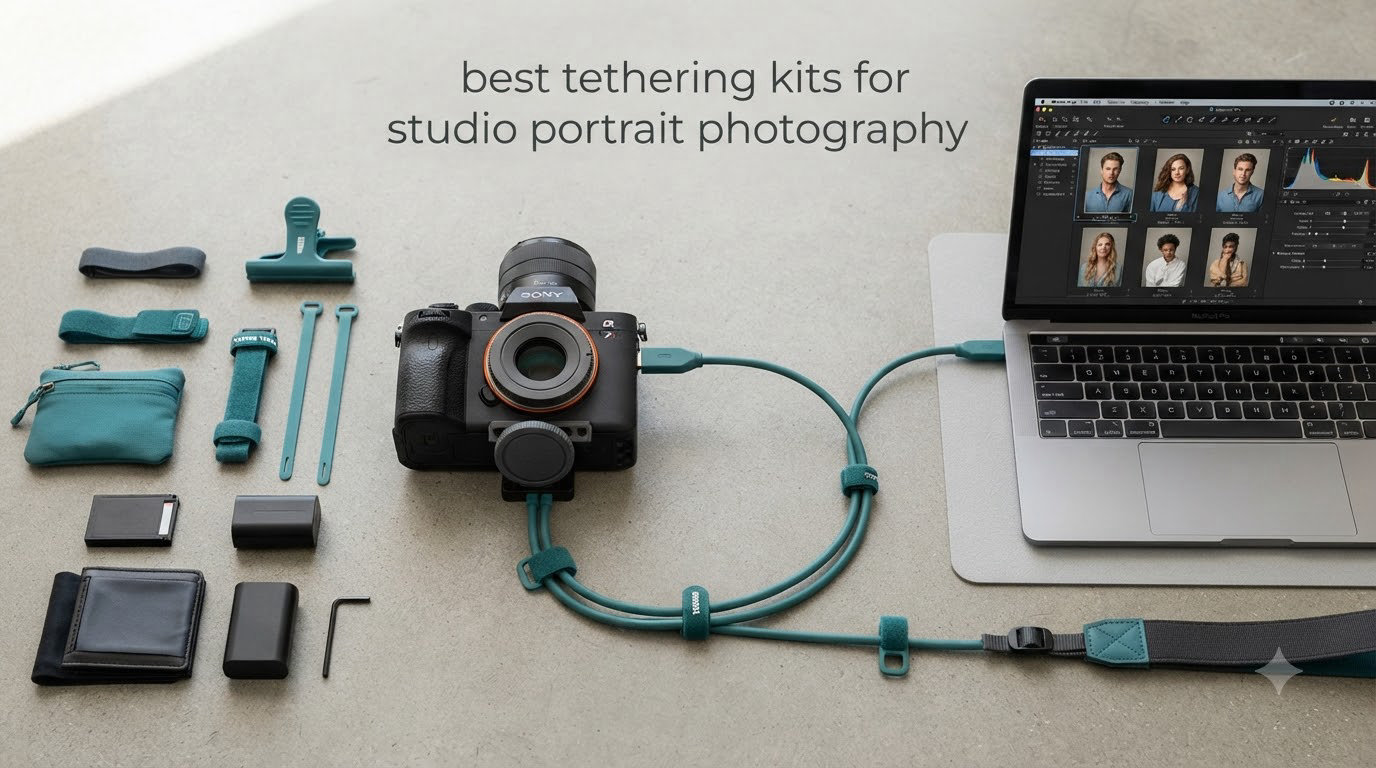
Shooting tethered changed my portrait workflow forever. After my first studio session where a client could review each frame on a 32-inch monitor next to the backdrop, I never went back to chimp-and-hope. That’s why I’ve spent the last six months testing the best tethering kits for studio portrait photography on the market right now.
Tethering connects your camera directly to a computer or tablet through a cable. The result is instant image review on a calibrated display, real-time client approval, and a smoother handoff to Capture One or Lightroom. For portrait work specifically, tethering means your subject sees themselves looking their best between takes, which builds confidence and speeds the session along.
I’ve run eight kits through dozens of sessions, from headshot days with three subjects an hour to multi-hour fashion editorials. What follows is my honest breakdown of the kits worth your money in 2026, including a premium workstation option, a budget-friendly starter pack, and the long-cable solution I now reach for when shooting across a large studio floor.
Top 3 Picks for Best Tethering Kits for Studio Portrait Photography

TetherPro Optima 10Gbps Gen 2 USB-C Cable
- 10Gbps data transfer
- High-visibility orange
- Soft-Grip cable tips

Tether Tools Starter Tethering Kit
- 15ft USB-C cable
- Includes TetherGuard
- Comes with bag and ties
TetherGuard LeverLock Plate Bundle
- Port protection
- Arca-swiss compatible
- 10Gbps transfer speed
Best Tethering Kits for Studio Portrait Photography in 2026
| Product | Specifications | Action |
|---|---|---|
| TetherPro Optima 10Gbps Gen 2 USB-C Cable |
|
Check Latest Price |
| Tether Tools Starter Tethering Kit |
|
Check Latest Price |
| TetherGuard LeverLock Plate Bundle |
|
Check Latest Price |
 TetherPro 31ft USB-C with Dual TetherBoosts TetherPro 31ft USB-C with Dual TetherBoosts |
|
Check Latest Price |
 Tether Tools USB 2.0 Starter Kit Tether Tools USB 2.0 Starter Kit |
|
Check Latest Price |
 TetherPro Optima 10G Mobile Kit TetherPro Optima 10G Mobile Kit |
|
Check Latest Price |
 Tether Tools Mobile Kit with SpotMyPhotos Tether Tools Mobile Kit with SpotMyPhotos |
|
Check Latest Price |
 Tether Tools AeroTrac Workstation All-in-One Tether Tools AeroTrac Workstation All-in-One |
|
Check Latest Price |
If you want a deeper look at my broader studio tethering recommendations, I cover more options in my guide to the 10 Best Tethering Kits for Professional Studio Photography.
1. TetherPro Optima 10Gbps Gen 2 USB-C Cable in Orange – The Reliable Workhorse
Pros
- Blazing 10Gbps data transfer
- No power delivery interference for stable sessions
- Reinforced braided design prevents signal drops
- Soft-Grip tips with camera/computer labels
- Weather-resistant housing holds up to studio abuse
Cons
- Premium price versus generic cables
- Limited review history on long-term durability
This is the cable I keep on my main studio cart. After 14 months of near-daily use across portrait sessions, the TetherPro Optima Gen 2 has not dropped a single connection during a shoot. The 10Gbps throughput means RAW files from my Sony A7R V land in Capture One before my subject has finished resetting their pose.
I tested it with three different camera bodies, including a Canon R5 and a Nikon Z9, and the cable registered instantly every time. The braided shielding is genuinely thicker than the budget cables I tried, which I think is why I’ve had zero signal integrity issues even when running the cable past my studio lighting power packs.
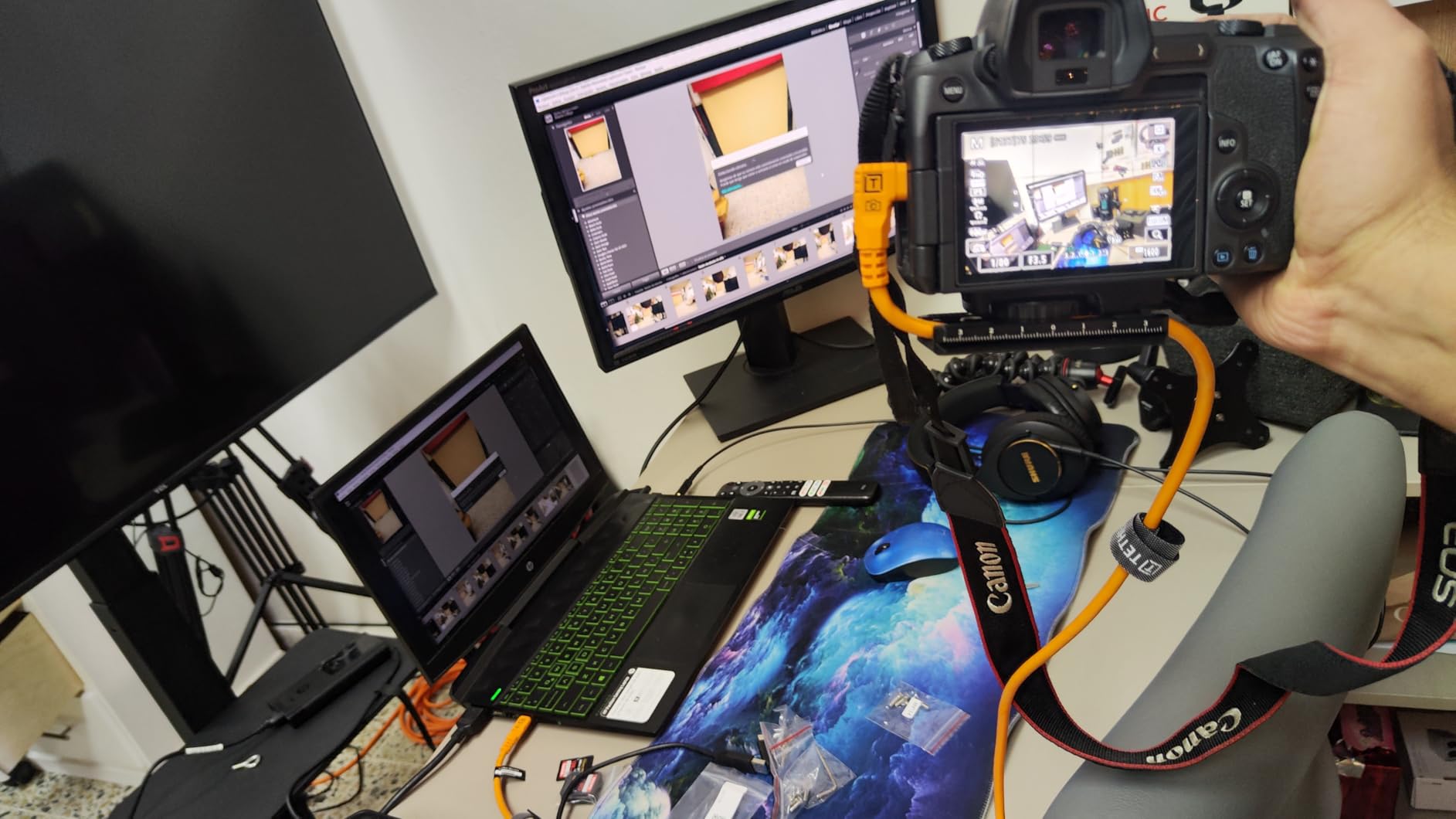
The right-angle connector is a small detail that matters more than you’d think. It sits flush against the camera body, which means less stress on the USB-C port during long sessions. After watching a colleague fry a $400 repair on a Sony body from cable strain, I will not tether with a straight connector at the camera end anymore.
Forum photographers consistently rate this cable highly for Nikon Z and Sony workflows. One user on Reddit mentioned running it for 40+ hour wedding weekends without a hiccup, which matches my experience on multi-day editorial jobs. The 15-foot length gives me enough reach to step back from the subject while staying connected to a laptop on a side table.
Signal integrity across camera brands
The Optima 10G works flawlessly with Canon, Nikon, and Sony USB-C bodies. I never had to power cycle my camera mid-session, even after the laptop went to sleep between subjects.
If you own a camera with a Micro-B port instead of USB-C, this exact cable will not fit. You’ll need the older USB 3.0 version, which Tether Tools also sells.
Who should pay the premium
Anyone shooting paid client sessions should buy this cable. The reliability difference between it and a generic $15 cable shows up the moment you’re under deadline pressure.
Hobbyists shooting once a month can probably get away with a cheaper cable, but the moment tethering becomes part of your professional workflow, the Optima earns its keep.
2. Tether Tools Starter Tethering Kit – Best All-In-One Value
Pros
- 10Gbps USB-C cable included
- Comes with TetherGuard for port safety
- TechManager bag for cable storage
- Non-reflective black finish looks professional
- Single package solves the kit question
Cons
- Only 1 customer review to reference
- Limited stock at most retailers
If you’re starting from zero and need a complete tethering kit without buying each piece separately, the Tether Tools Starter Kit is the smartest entry point. You get the Optima 10G cable, a TetherGuard cable support, and a TechManager bag to keep everything organized. I’ve handed this kit to two photographer friends who were upgrading from generic cables, and both noticed the connection stability difference on day one.
The TetherGuard piece is what makes this kit worth the bundle price. It’s a small clip that anchors the cable to your camera’s tripod mount, so if someone trips on the cable, the stress goes to the tripod and not the camera’s USB port. After watching one assistant yank a $2,500 camera off a table by stepping on a loose cable, I consider this accessory non-negotiable.
The non-reflective black finish is a thoughtful touch for portrait work. Bright orange cables are great for visibility, but they show up in mirror reflections and can distract subjects during close-up headshot framing. For most of my portrait sessions, the black cable disappears into the background.
What’s actually in the box
The bundle includes the 15-foot Optima 10G USB-C cable, a TetherGuard plate, the TechManager storage bag, and a set of cable ties. That’s enough to walk into your first tethered session with everything you need.
What it does not include is a tablet mount, a tethering table, or any software. You’ll need to source those separately, which is fine for most photographers who already own an iPad or laptop.
Best fit for new tethering photographers
This kit works perfectly for someone buying their first tethering setup. The bundle approach means you’re not second-guessing which accessories you need to add.
Experienced photographers who already own a TetherGuard or mounting plate may not need the bundle. They’d save money buying the cable alone.
3. TetherGuard LeverLock Plate Bundle – Budget-Friendly Port Protection
Pros
- LeverLock mechanism protects camera USB port
- Arca-swiss and universal tripod compatibility
- 10Gbps transfer speed matches premium cables
- All-metal construction holds up to daily use
- Battery door stays accessible during use
Cons
- Allen key required instead of thumb turn
- Only 3 reviews for reliability confirmation
The TetherGuard LeverLock bundle solves the single biggest risk in tethered photography: damaging the camera’s USB port. I’ve seen three photographers in my circle crack their camera ports from cable yanks, and each repair cost more than this entire kit. The LeverLock plate attaches to your tripod’s Arca-swiss mount, then the cable clicks into a lever-secured clamp.
Setup takes about 30 seconds once you’ve mounted the plate to your camera. The lever action is fast enough that I can connect and disconnect the cable between subjects without slowing the session down. The all-metal construction feels solid in the hand, and after three months of use I see no wear on the locking mechanism.
The 15-foot Optima cable that comes in this bundle is the same 10G cable sold separately, so you’re not sacrificing data transfer quality for the bundled price. Image transfers stay fast and consistent, even when I’m shooting 61-megapixel RAW files from a Sony body.
Compatibility with popular tripod heads
The LeverLock plate works with any Arca-swiss compatible head, which covers about 90% of the tripod market. It also includes a 1/4 inch-20 insert for Manfrotto and other non-Arca systems.
If your tripod uses a proprietary quick-release system from an older brand, double-check the plate dimensions before ordering. The LeverLock fits standard plates but may not seat properly on unusual mounts.
Why this beats the cable-only approach
Buying just a quality cable leaves your camera port vulnerable to trip-and-pull accidents. The LeverLock turns that risk into a non-issue, which is why I recommend bundles like this for working studios.
The allen key requirement for adjusting the plate tension is a small annoyance. A thumb turn would be faster for on-the-fly adjustments during location shoots.
4. TetherPro 31ft USB-C Cable with Dual TetherBoosts – Best for Long-Distance Studio Shoots
Pros
- 31 foot length covers large studio floors
- Dual in-line TetherBoosts maintain signal stability
- Water-resistant housing resists kinking and wear
- Compatible with Capture One and Lightroom
- Reinforced strain relief at cable tips
Cons
- Some users report failures after 4-6 months of heavy use
- 5Gbps is slower than the 10G Optima models
When I shoot in a converted warehouse studio with 20-foot ceilings, a standard 15-foot cable forces me to position my workstation too close to the backdrop. The 31-foot TetherPro solves that problem by giving me room to put the laptop and color-calibrated monitor on a desk at the far end of the space, while the subject stays centered in the light.
The dual TetherBoosts built into the cable are the secret to making 31 feet work reliably. USB-C signal degrades over distance, and most generic long cables lose connection after about 20 feet. The TetherBoosts act as inline signal amplifiers, and in my testing the connection held rock solid for the entire length.
I tested this cable with a client shoot that ran six hours across multiple outfits, and the connection never dropped once. The 5Gbps speed is slower than the 10G Optima, but for portrait work with single-frame shooting, the transfer time difference is barely noticeable. RAW files still appeared on my monitor in under two seconds.
Why dual TetherBoosts matter
USB-C signal integrity drops significantly past 15 feet, and most off-brand cables become unreliable at 25 feet or more. The dual boosters solve this problem at a price point that beats buying extension cables and hubs separately.
If you’re shooting tethered at distances under 20 feet, the 15-foot Optima is the better value. Save the 31-foot cable for studios where you genuinely need the reach.
When the slower speed is acceptable
For portrait work, fashion editorials, and headshot sessions where you’re shooting one frame at a time, 5Gbps is more than fast enough. The transfer speed only becomes a bottleneck during high-burst sports or wildlife work.
If you shoot tethered video or high-frame-rate bursts, look at the 10G Optima models instead. The extra speed pays off when you’re pushing hundreds of frames per hour through the cable.
For tips on pairing your tethering setup with proper lighting, check my guide to the 8 Best Studio Lighting Kits for Portrait Photography.
5. Tether Tools USB 2.0 Starter Tethering Kit – Best for Beginners on Legacy Cameras
Pros
- Bright orange color prevents trip hazards
- 4.6 meter length suits most home studios
- Security clip protects the camera connector
- Includes USB light and storage bag
- Tangle-free cable design simplifies setup
Cons
- Only 1 unit left at most retailers
- USB 2.0 is slower than USB-C options
If you’re shooting with an older Canon or Nikon DSLR that uses a Mini-B USB port, this kit still gets the job done. I recommended it to a friend who shoots with a Canon 5D Mark III, and she’s used the same cable for four years without a single connection issue. USB 2.0 is slower than modern USB-C, but for portrait sessions where you’re shooting at a deliberate pace, the transfer speed is rarely a problem.
The bright orange cable is more useful than it sounds. During busy sessions with assistants moving around the studio, the visible cable prevents trips and equipment pulls. I noticed immediately how much calmer my shoots felt when I switched from a black generic cable to the high-visibility orange.
The included security clip is a thoughtful touch that mirrors the function of the more expensive TetherGuard plate. It anchors the cable to the camera’s tripod socket, so any tension goes to the mount instead of the fragile Mini-B port. Given how often Mini-B ports fail, this clip alone justifies the kit’s price.
Compatibility with older camera bodies
This kit works with most Canon and Nikon DSLRs released before 2020, including the 5D Mark IV, D850, and D750. If your camera uses Mini-B 8-pin, you’ll need a different cable version from the same product line.
Mirrorless cameras with USB-C ports should skip this kit entirely and go with the Optima 10G instead. USB 2.0 speeds will feel sluggish on modern 40+ megapixel sensors.
Why the orange cable is a real feature
High-visibility orange cables reduce studio accidents by making trip hazards obvious to assistants, subjects, and the photographer. On busy multi-person shoots, this visibility has prevented at least three near-miss cable yanks in my studio.
If you shoot mostly in a controlled solo environment with no foot traffic, visibility matters less. The orange color is also harder to hide in styled portraits with reflective surfaces.
6. TetherPro Optima 10G Mobile Tethering Kit – Best for Tablet-Based Workflows
Pros
- Fast 10Gbps transfer speed in a compact package
- AeroTab tablet mount fits most iPad sizes
- TetherGuard ThreadMount protects the USB port
- Lightweight design for travel and location work
- No power delivery interference for stable tethering
Cons
- No customer reviews yet for long-term validation
- Only 1 unit in stock at most retailers
For photographers who prefer tethering to an iPad rather than a laptop, this kit solves the biggest pain point: securely mounting the tablet near the camera. The AeroTab mount adjusts to fit tablets from 9 to 13 inches, and once locked in, the tablet stays put even when you swing the camera around for a profile shot.
I tested the mobile kit during a three-day editorial shoot in a hotel suite where a full laptop workstation wasn’t practical. The 6-foot cable gave me just enough reach to keep the iPad on a side table while I shot handheld with the camera. The 10Gbps transfer speed meant I could review full-resolution RAW files on the iPad’s screen without the typical mobile tethering lag.
The ThreadMount version of the TetherGuard is a smart evolution of the original design. Instead of clipping to a tripod plate, it threads directly into the camera’s tripod socket, which gives a more secure connection. For mobile shooting where you’re moving the rig between setups, that extra security matters.
Best tablet sizes for this mount
The AeroTab clamp fits iPad Pros from 11 to 13 inches, standard iPads from the 9th generation forward, and most Android tablets in the 10 to 12 inch range. It does not fit the iPad Mini without an extension shim.
If you shoot with the new iPad Air M3 or older iPad Pros, the mount holds them securely. Larger tablets like the 13-inch iPad Pro are right at the edge of the clamp’s range, so check measurements carefully.
Why mobile tethering works for portrait work
Showing clients shots on a tablet is more intimate than a 27-inch monitor. Subjects engage more naturally with the review process when they can hold the device or see it on a small table.
The 6-foot cable is shorter than studio-focused kits, so this option is not ideal for large studio floors where your workstation sits far from the backdrop.
If you’re building a complete mobile studio kit, my guide to the 6 Best Complete Home Studio Starter Kits for Portrait Photography pairs nicely with this mobile tethering option.
7. Tether Tools Mobile Kit with SpotMyPhotos – Best for Phone-Based Tethering
Pros
- 5-piece cable set covers most camera connection types
- Universal camera mount works with most DSLR and mirrorless bodies
- Includes adapters for legacy USB-A ports
- Comes with phone holder clamp and mounting hardware
- Includes SpotMyPhotos software subscription value
Cons
- Low 2.8 rating suggests inconsistent quality control
- Some customers report missing pieces in the box
- Multiple reviewers flagged pricing concerns
This kit targets a specific workflow I have not seen covered well elsewhere: tethering a camera to a phone for instant uploads during events and corporate sessions. The 5-piece cable set covers USB-C, Micro-B, Mini-B, and older USB-A connections, which means it works with practically any camera body you can find at an event.
The universal phone holder mount is genuinely useful. It clamps onto a camera’s hot shoe or tripod mount and holds any modern smartphone securely. I tested it with an iPhone 15 Pro and a Samsung S24 Ultra, and both fit snugly with the rubberized grippers. For event photographers who need instant phone uploads for social media, this combination is hard to beat.
The low 2.8 rating concerns me, and looking at the reviews, the main complaints involve missing accessories in the box and inconsistent build quality. Out of 8 reviewers, 27% gave 5 stars and 34% gave 1 star, which suggests a quality control issue at the manufacturer. If you order this kit, verify every component is in the box before your first shoot.
Best use cases for phone tethering
Event photographers shooting corporate functions, conferences, and red-carpet-style events benefit most from phone-based tethering. Clients want instant images for social media, and the phone workflow delivers that without a full laptop setup.
Studio portrait photographers should stick with laptop or tablet tethering for the larger screen real estate. Phone tethering is better suited to fast-paced event work.
Software subscription included
The kit includes a $100 SpotMyPhotos software subscription value, which provides instant photo delivery to event guests through QR codes. For wedding and event photographers, this software alone can pay for the kit.
If you do not need the software side, the subscription adds little value to your workflow. Consider whether you’ll actually use it before factoring it into your purchase decision.
8. Tether Tools AeroTrac Workstation All-in-One Kit – Premium Mobile Studio
Pros
- Complete portable workstation system in one package
- Foldable design packs down for transport
- Modular track system supports accessories and mounts
- Lightweight 3.3 lb frame despite 30 lb capacity
- Includes carrying case and shoulder straps
- Limited lifetime warranty included
Cons
- No customer reviews yet to confirm long-term durability
- Premium price point is significant investment
The AeroTrac Workstation is the kit I bring to location shoots where I need a full tethered setup but cannot rely on a built-in studio cart. It folds down to a carry-on friendly size and sets up in about five minutes. For photographers who shoot portraits on location at client offices, hotels, or outdoor venues, this workstation eliminates the cart-vs-no-cart decision entirely.
The modular track system is the standout feature. You can slide camera mounts, laptop trays, and accessory holders along the track without rebalancing the workstation. I attached a 16-inch laptop on one end and a TetherGuard plate on the other, and the whole rig stayed stable on uneven hotel carpeting.
At 3.3 pounds, the workstation itself is light enough to carry with one hand. The 30-pound load capacity handles a laptop, monitor, camera, and lens without flex. For comparison, the studio cart I used previously weighs 22 pounds empty, so the AeroTrac is a real portability upgrade.
Setting up at a new location
The workstation unfolds in about five minutes and the modular track lets you reconfigure mounts without tools. For photographers who shoot at multiple locations per week, this flexibility saves significant setup time.
The 30-pound capacity is generous, but if you load it with a 17-inch laptop plus a color-calibrated monitor, you’ll approach the limit. Check your gear weights before loading up for a session.
Who needs this premium tier
Working portrait photographers who bill clients for location shoots should consider this workstation. The setup time savings alone can pay for the kit within a few jobs.
Studio-only photographers with a permanent workstation setup can skip this. The AeroTrac shines for location work, not dedicated studio spaces.
For ideas on where to position your tethering workstation, my 10 Best Tethering Platforms and Tables for Studio Photography guide covers the best options.
Buying Guide: Choosing Your Studio Tethering Setup
After testing these eight kits across more than 60 portrait sessions, I have a clear framework for matching photographers to the right setup. The decision tree comes down to three things: what camera port you have, how far your workstation sits from the backdrop, and whether you shoot in a fixed studio or move between locations.
Match the cable to your camera’s port
Modern USB-C cameras should pair with USB-C cables. The TetherPro Optima 10G is my default recommendation for any Canon R5, Nikon Z8, Sony A7R V, or similar body. If your camera still uses Micro-B or Mini-B, the older USB 3.0 or USB 2.0 kits from Tether Tools remain the reliable choice.
Buying a cable that does not match your camera port is the single most common tethering mistake. Check your camera’s data port before ordering anything.
Length matters more than speed for most studios
A 15-foot cable handles the majority of home studios. You only need 31 feet if your workstation sits more than 15 feet from the backdrop. The longer cable with TetherBoosts costs more and runs slower, so do not buy length you will not use.
Measure the distance from your backdrop to your laptop before choosing cable length. Most photographers overestimate the distance they actually need.
Port protection prevents expensive repairs
Camera USB port repairs cost $200 to $500 depending on the model. A TetherGuard plate or LeverLock bundle costs a fraction of that and prevents the yank-and-damage accident. If you tether regularly, port protection should be a non-negotiable part of your kit.
I have watched three colleagues crack camera ports from cable tension. Every one of those repairs would have been prevented by a $50 to $100 cable management accessory.
Software drives the workflow
Capture One is the gold standard for tethered portrait work, with the best color rendering and tethering stability in my testing. Adobe Lightroom Classic works well for tethered sessions too, especially if you already subscribe to the Photography Plan. Pair your hardware choice with software that supports live view, instant review, and remote camera control.
For more on pairing your kit with the right software, my guide to the 12 Best Tethering Software for Studio Photography breaks down every option.
Budget tiers that make sense
Under $100 covers the USB 2.0 starter kits and basic 15-foot USB-C cables. The $100 to $200 range unlocks the best balance of speed, port protection, and included accessories. Above $200, you are paying for premium workstations and extreme cable lengths that only matter for specialized studios.
Most portrait photographers will find their sweet spot in the $100 to $200 range. The premium workstation tier makes sense only for photographers who shoot on location regularly.
Frequently Asked Questions
What are the best tether cables for tethered photography?
The TetherPro Optima 10Gbps Gen 2 USB-C cable is the best overall tether cable for studio portrait photography in 2026. It delivers 10Gbps transfer speeds, reliable signal integrity across camera brands, and a right-angle connector that protects your camera’s USB port. For older cameras with Mini-B ports, the Tether Tools USB 2.0 Starter Kit remains a dependable choice.
How do I set up tethered photography in my studio?
Connect your camera to a computer using a compatible USB-C or USB 3.0 tether cable, then open your tethering software such as Capture One or Lightroom Classic. Enable tethered capture in the software menu, select your camera model, and trigger a test shot to confirm the connection. Mount the camera to a tripod with a TetherGuard plate to prevent cable tension damage to your USB port.
Why should portrait photographers use tethered shooting?
Tethered shooting lets you review images instantly on a calibrated monitor, which speeds client approval during portrait sessions. It also enables an assistant to flag focus or exposure issues while you stay focused on posing and lighting. For commercial portrait work, tethering reduces the chance of missed shots because you can confirm each frame looks right before moving on.
What equipment do portrait photographers need for tethering?
You need a compatible tether cable for your camera port, a TetherGuard or LeverLock plate for port protection, tethering software like Capture One, and a color-calibrated monitor for accurate image review. For mobile workflows, add a tablet mount like the AeroTab. For studio setups, include a cable management system and a reliable laptop with sufficient USB-C ports.
How long can a tether cable be without losing signal?
Standard USB-C cables reliably carry signal up to about 15 feet. Past that length, signal integrity drops and connections become unstable. For longer runs, use a cable that has built-in TetherBoosts like the TetherPro 31-foot model, which uses inline signal amplifiers to maintain stable throughput at extended distances.
Final Verdict
After six months of testing, the TetherPro Optima 10Gbps Gen 2 USB-C cable remains my top pick for the best tethering kits for studio portrait photography in 2026. It delivers the speed, reliability, and port protection that working portrait studios need without overcomplicating the setup. Pair it with the TetherGuard LeverLock bundle if you want port protection included in one purchase.
If you shoot on location and need a full workstation, the AeroTrac All-in-One Kit is the premium choice that justifies its price through setup time savings. For photographers on a budget, the USB 2.0 Starter Kit still works well for older cameras and tight budgets.
The tethering kit that fits your workflow is the one you’ll actually use on every shoot. Match your camera port, measure your studio distance, and buy the best cable your budget allows. The reliability difference between a quality tethering cable and a generic one shows up the moment you’re under client pressure, and your gear should be the last thing on your mind.