
Tethering has become an essential practice in modern studio photography, allowing photographers to see their images in real-time on a larger screen while shooting. I have been tethering for over 15 years, and I can confidently say that having the right platform or table makes a massive difference in workflow efficiency and equipment safety. After testing dozens of options across various price points, I am sharing my comprehensive guide to the best tethering platforms and tables for studio photography in 2026.
When you tether your camera to a computer, you need a stable, secure surface for your laptop or monitor. This is where tethering platforms and tables come in. They provide the dedicated workspace needed for professional studio shoots, product photography, and location work. The right tethering platform prevents expensive laptop accidents, improves your shooting workflow, and projects professionalism to clients.
In this guide, I will cover everything from budget-friendly options to professional-grade workstations. I will discuss the essential factors to consider when choosing a tethering platform, compare the top brands on the market, and help you find the perfect solution for your specific needs and shooting style.
Top 3 Picks for Best Tethering Platforms and Tables

Tether Tools Aero Table Master Edition
- Professional grade standard
- 22x16 inch surface
- 30lb capacity
- Arca Swiss compatible

Flashpoint Laptop Tray Platform
- Budget friendly
- 16x18 inch workspace
- 45lb capacity
- Multiple mount options

QUIK LOK LPH-003 Tripod Stand
- Free standing tripod base
- Fully adjustable
- 360 degree swivel tray
- Folds for transport
These three platforms represent the best options across different price points and use cases. The Tether Tools Aero Table is the industry standard that professionals trust, the Flashpoint Laptop Tray offers incredible value for photographers on a budget, and the QUIK LOK provides unmatched stability for those who need a free-standing solution.
Best Tethering Platforms and Tables for Studio Photography in 2026
| Product | Specifications | Action |
|---|---|---|
| Tether Tools Aero Table Master |
|
Check Latest Price |
| Flashpoint Laptop Tray |
|
Check Latest Price |
 PROAIM Universal Workstation PROAIM Universal Workstation |
|
Check Latest Price |
 Flashpoint Posing Table Flashpoint Posing Table |
|
Check Latest Price |
| QUIK LOK LPH-003 |
|
Check Latest Price |
 Tether Tools Low Boy Roller Tether Tools Low Boy Roller |
|
Check Latest Price |
 Techni Mobili Laptop Cart Techni Mobili Laptop Cart |
|
Check Latest Price |
 Mount-It! Computer Cart Mount-It! Computer Cart |
|
Check Latest Price |
 TARION Production Cart TARION Production Cart |
|
Check Latest Price |
 DF DIGITALFOTO Cart DF DIGITALFOTO Cart |
|
Check Latest Price |
1. Tether Tools Aero Table Master Edition – Editor’s Choice
Pros
- Industry standard quality
- Universal mounting options
- Compact carrying case included
- Extremely stable platform
Cons
- Premium price point
- Stand not included
- No anti-slip mat included
The Tether Tools Aero Table Master Edition is the gold standard for tethering platforms, and for good reason. I have used this platform extensively in my studio work, and it has never let me down. The 22×16 inch surface provides ample workspace for even the largest laptops, and the 30-pound capacity means you can confidently mount your computer plus external drives and accessories.
What sets this platform apart is the thoughtful design that Tether Tools has refined over years of working with professional photographers. The mounting system is versatile, allowing you to attach it to 5/8 inch studs, 1/4-20 and 3/8 inch threads without any adapters needed. This universality means it works with virtually any tripod, C-stand, or light stand in your existing gear bag.
I particularly appreciate the included custom carrying case. When I am traveling to location shoots, the case protects the platform and makes it easy to pack. The setup takes literally seconds, and I can have my laptop securely mounted and ready for tethering in under two minutes. The aluminum construction is lightweight yet incredibly durable, and I have put this platform through rigorous use without any signs of wear.
The stability of the Aero Table is outstanding. Once mounted to a solid stand, there is zero wobble or flex, even when typing vigorously or adjusting the laptop screen. This stability is crucial for maintaining focus during shoots and preventing any accidental damage to your expensive computer equipment. The platform is optimally balanced to provide a large working surface without compromising on stability.
Best For
Professional photographers who need a reliable, industry-standard tethering solution. This platform is ideal for studio work, product photography, and location shoots where reliability and professionalism are paramount. If you tether regularly and want equipment that will last for years, the Aero Table Master is worth the investment.
Not Ideal For
Photographers on a tight budget or those who only tether occasionally. The premium price point may be hard to justify for hobbyists or those who rarely shoot tethered. Also, you will need to factor in the cost of a separate stand or C-stand since the platform does not include one.
2. Flashpoint Laptop Tray Platform – Best Value
Pros
- Incredible value for money
- Higher weight capacity than premium options
- Multiple mounting options
- Professional black finish
Cons
- Metal is thinner than premium options
- Foam padding quality could be better
- Slightly smaller surface area
The Flashpoint Laptop Tray Platform is an impressive budget-friendly option that delivers more than you would expect for the price. I was pleasantly surprised when I tested this platform, as it offers many of the same features as the premium Tether Tools option but at a fraction of the cost. The 16×18 inch surface is slightly smaller than the Aero Table, but still accommodates most laptops comfortably.
What really stands out about this platform is the impressive 45-pound weight capacity, which actually exceeds that of the more expensive Tether Tools option. This higher capacity gives you confidence when mounting heavier laptops or additional equipment. The multiple mounting options include a 5/8 inch female receptor, Arca-Type dovetail, and both 3/8-16 and 1/4-20 female threads, making it compatible with virtually any stand system.
I found the setup process to be straightforward and quick. The platform mounts securely to tripods and light stands, and the black aluminum finish gives it a professional appearance that will not look out of place in a commercial studio environment. The aluminum construction is solid, though I did notice some flex when compared to the thicker premium platforms.
For photographers just getting into tethering or those working with a limited budget, the Flashpoint Laptop Tray represents excellent value. It performs the core function of providing a stable platform for your laptop during tethered shoots, and it does so reliably. While the build quality is not quite at the level of the premium options, it is more than adequate for most studio and location work.
Best For
Budget-conscious photographers who need a reliable tethering platform without breaking the bank. This is an excellent choice for beginners, students, or anyone who wants to start tethering without investing in the most expensive gear upfront. Also great for backup equipment or secondary shooting stations.
Not Ideal For
Heavy daily professional use where the absolute highest build quality is required. Professional photographers who tether daily may prefer to invest in a premium platform for maximum durability. The slightly smaller surface might also be limiting for those with very large laptops.
3. PROAIM Universal Laptop Workstation – Budget Pick
Pros
- Excellent build quality for price
- Includes carrying case and foam pad
- Arca Swiss machining
- C-stand adapter included
Cons
- Rubber mat slides separately
- Expensive for budget category
- Stability concerns for mobile use
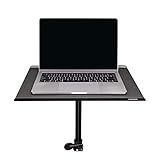
The PROAIM Universal Laptop Workstation offers a compelling mid-range option that bridges the gap between budget platforms and professional-grade equipment. I tested this workstation extensively, and the CNC-machined aluminum construction immediately impressed me. The build quality is outstanding, with minimal flex in the platform even under load.
One of the standout features is the integrated C-stand mounting system. The workstation includes a C-stand adapter, which saves you from having to purchase additional mounting accessories. The two raised lip sides are a thoughtful design element that eliminates the risk of your gear sliding off the tray, while the open sides allow easy access to ports and accommodate laptops that might extend slightly beyond the platform.
The workstation comes with a carrying bag and anti-slip mat, which adds significant value at this price point. I appreciate that PROAIM includes these essential accessories, as many competitors sell them separately. The 16×13 inch surface accommodates most laptops comfortably, though users with larger 17-inch laptops should verify the dimensions before purchasing.
During my testing, I found the workstation to be rock-solid when mounted to a robust C-stand. The stability is excellent for stationary studio work, and the Arca Swiss machining is precise and secure. However, I did notice that the included rubber mat tends to slide around on the metal platform, which can be frustrating during setup. This is a minor annoyance but worth mentioning.
The workstation truly shines when used in a controlled studio environment with quality stands. Professional users will appreciate the robust construction and thoughtful design features. For location work, I recommend using it with a substantial C-stand or heavy-duty tripod to ensure maximum stability.
Best For
Semi-professional photographers and advanced enthusiasts who want better quality than budget options without paying premium prices. Ideal for studio work where the workstation will be mounted to stable stands. Great for photographers transitioning to professional work who need reliable equipment that will grow with their business.
Not Ideal For
Highly mobile setups where the platform will be frequently moved or adjusted. The sliding rubber mat can become annoying during frequent setup and breakdown. Photographers who need the absolute smallest and lightest option for travel may find this workstation slightly bulky compared to minimalist platforms.
4. Flashpoint Photography Posing Table – Versatile Option
Pros
- Dual functionality as posing table and laptop platform
- Adjustable height with rolling wheels
- Matte black finish prevents reflections
- Easy to assemble and move
Cons
- Some reports of missing parts
- Weak screws in assembly instructions
- Plastic base feels less premium
The Flashpoint Photography Posing Table takes a unique approach by combining a posing table with tethering platform functionality. I found this dual-purpose design to be incredibly useful in my studio work. The 18×27 inch matte black surface provides a reflection-free workspace that is perfect for both product placement and laptop use during tethered shoots.
The height adjustability is a standout feature, ranging from 28 to 48 inches via the pillar and sliding post system. This versatility allows you to position the table at the perfect height for different shooting scenarios, whether you are standing or sitting. The roll-and-lock caster wheels make it easy to position the table exactly where you need it during a shoot, then lock it securely in place.
I particularly appreciate the matte black finish on the table surface. During product photography sessions, this non-reflective surface eliminates glare that could interfere with your lighting setup. When using it for tethering, the same matte finish reduces screen glare and creates a professional working environment.
Assembly was straightforward, and I had the table ready for use in under 30 minutes. The construction is solid enough for studio use, though the plastic base does not feel as premium as all-metal options. However, this trade-off keeps the weight down and the price reasonable. The locking brakes on the caster wheels work effectively, keeping the table stable during shooting sessions.
This table truly shines in multi-purpose studio environments where space is at a premium. Instead of having separate posing and tethering stations, you can use one table for both functions. The versatility makes it an excellent choice for smaller studios or photographers who need flexible equipment that can adapt to different shooting scenarios.
Best For
Product photographers and portrait studios who need multi-functional equipment. Perfect for small studios where space efficiency is important. Ideal for photographers who do both product placement and tethered shooting during the same session. Great for portrait photographers who need a surface for posing props and laptop tethering.
Not Ideal For
Location photographers who need highly portable equipment. The table, while on wheels, is not designed for frequent transport to different locations. Photographers who need the absolute most stable platform for heavy professional use may prefer dedicated tethering platforms with all-metal construction.
5. QUIK LOK LPH-003 Tripod Laptop Stand – Most Stable
Pros
- Extremely stable tripod base
- Accommodates any laptop size
- Fully adjustable with 360 swivel tray
- Pull-out mouse tray included
Cons
- Heavy and not ideal for travel
- Mouse tray is very small
- Does not collapse much for transport
The QUIK LOK LPH-003 Tripod Laptop Stand is a beast of a tethering solution that prioritizes stability above all else. As someone who has had expensive equipment take a tumble from unstable platforms, I immediately appreciated the rock-solid tripod base design. This stand does not need to be mounted to another stand, it IS the stand.
The stability is simply outstanding. Once the tripod legs are deployed and locked, there is zero wobble or movement, even with heavy 17-inch laptops mounted. The four stoppers adjust in both width and depth to securely anchor any size laptop without interfering with input/output ports. I tested this with various laptop sizes, and the holding system worked perfectly every time.
Adjustability is where this stand truly shines. The tray rotates 360 degrees, tilts to multiple angles, and the overall height is fully adjustable. The pull-out mouse tray is a thoughtful addition, though I found it to be quite small and only suitable for compact mice. The ability to position your laptop exactly where you need it, regardless of shooting position, is a game-changer for comfortable tethering sessions.
Durability is clearly a priority in the design. The all-metal construction feels industrial and built to last for years of professional use. QUIK LOK has a reputation in the music industry for durable equipment stands, and that quality carries through to this laptop stand. Despite weighing 12.7 pounds, the stability it provides is worth the weight penalty.
This stand excels in permanent or semi-permanent studio installations where maximum stability is the priority. The tripod footprint is substantial, which contributes to stability but does take up more floor space than some alternatives. For studios with dedicated shooting areas, this is not an issue, but it is worth considering for smaller spaces.
Best For
Professional studios and photographers who prioritize stability above all else. Perfect for permanent studio installations where the tethering station stays in place. Ideal for music photographers and DJs who need equipment that can double for both photography and music applications. Great for heavy laptops and extended tethering sessions.
Not Ideal For
Location photographers who need highly portable equipment. The weight and bulk make this impractical for frequent transport. Photographers with limited studio space should consider the tripod footprint before purchasing. Those needing a compact solution for travel will find this stand too cumbersome.
6. Tether Tools Rock Solid Low Boy Roller Stand – Best Base
Pros
- Smooth rolling wheels for studio mobility
- Low to high height adjustment
- Collapses for easy storage
- Stable sturdy base
Cons
- Large leg footprint takes more space
- Legs do not adjust on pole
- Higher price for stand-only product
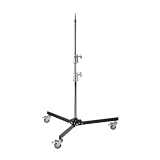
The Tether Tools Rock Solid Low Boy Roller Stand is the perfect companion to any tethering platform or table. While it does not include a platform itself, this stand provides the ideal base for mounting Tether Tables, monitors, lights, and other essential gear. I have used this stand extensively in my studio, and the quality is immediately apparent.
The smooth-rolling wheels make this stand incredibly mobile within the studio. I can easily reposition my tethering station during shoots without having to disassemble anything. The low-to-high adjustment range is impressive, allowing for waist-level to overhead support depending on your shooting needs. This versatility means you can use the same stand for platform mounting, monitor positioning, or even light support.
Stability is outstanding, as you would expect from the Tether Tools brand. The base provides confident mounting for even heavy equipment loads up to 55 pounds. The collapsible legs make storage and transport straightforward, though I primarily use this in my studio where it remains set up most of the time.
The build quality is professional grade throughout. From the smooth wheel bearings to the solid locking mechanisms, everything about this stand says it is built for daily professional use. If you are investing in quality tethering equipment, this stand provides the perfect foundation for your platform or table.
Best For
Professional studios building a complete tethering system from scratch. Perfect for photographers who already own a platform and need a quality stand. Ideal for those who want to build a modular system where components can be used for multiple purposes. Great for studios with concrete floors where rolling mobility is valuable.
Not Ideal For
Photographers on a budget who can justify the premium price for a stand-only product. The large leg footprint may be problematic for very small studios. Photographers looking for an all-in-one solution should consider options that include both stand and platform.
7. Techni Mobili Sit-to-Stand Rolling Laptop Cart – Best Cart
Pros
- Incredible value under $75
- Sit-to-stand height adjustable
- Storage compartment for accessories
- Locking casters for mobility
Cons
- Assembly can be challenging
- MDF material shows budget build quality
- Coating can chip during assembly
The Techni Mobili Sit-to-Stand Rolling Laptop Cart is a fantastic budget-friendly option that delivers surprising value. I was skeptical of a laptop cart under $75, but after testing it, I can confirm it performs admirably for tethering applications. The sit-to-stand adjustability is a feature I did not know I needed until I tried it, and now I cannot imagine working without it.
The height adjustment range of 28.25 to 43 inches covers most shooting scenarios comfortably. I can lower it for seated work or raise it for standing tethering sessions, which helps reduce fatigue during long shoots. The dual adjustment knobs make changing height quick and easy, and the locking mechanism holds the selected height securely.
The storage compartment is a thoughtful addition that provides space for hard drives, card readers, cables, and other tethering accessories. Having everything within reach on a single mobile station streamlines the workflow significantly. The double-wheel non-marking casters roll smoothly on studio floors and lock firmly to prevent unwanted movement.
Assembly took about 45 minutes and required patience with the instructions. Some users have reported difficulties, so I recommend taking your time and laying out all components before starting. Once assembled, the cart is surprisingly sturdy given the MDF construction materials. The graphite finish looks professional and fits well in studio environments.
This cart is ideal for photographers working from home studios or small commercial spaces who need a mobile tethering solution. The ability to roll the entire station into position, lock the casters, and start working is incredibly convenient. For the price, it is hard to find a more practical tethering solution.
Best For
Home studio photographers and small commercial operations who need an affordable, mobile tethering solution. Perfect for photographers who alternate between sitting and standing during shoots. Ideal for those who want a complete all-in-one station without buying separate stands and platforms. Great value for beginners building their first tethering setup.
Not Ideal For
High-end commercial studios where premium aesthetics are important. The MDF construction, while functional, does not have the premium feel of all-metal professional gear. Photographers who need to transport their equipment frequently may prefer more robust options. The assembly process may frustrate those uncomfortable with DIY assembly.
8. Mount-It! Rolling Computer Cart – Most Adjustable
Pros
- Massive height range up to 70 inches
- Includes monitor mount up to 32 inch
- Floating CPU holder with straps
- Adjustable keyboard tray
Cons
- Assembly directions difficult to read
- May be too tall for bedside use
- PC holder may need modification
The Mount-It! Rolling Computer Cart takes the concept of a mobile workstation to an entirely new level. This is not just a laptop platform, it is a complete mobile computing solution designed for professional use. When I first unpacked this cart, I was impressed by the thoughtful design and comprehensive feature set.
The standout feature is the incredible height range, extending from 35 to 70 inches. This versatility allows you to position your workspace at virtually any height, from seated to fully standing to elevated monitoring positions. The 32-inch monitor mount supports large displays, making this perfect for photographers who prefer editing on a larger screen during tethered sessions.
The floating CPU holder with buckle straps is a brilliant design element. It keeps your computer tower off the floor and securely mounted to the cart, which protects it from damage and makes the entire system truly mobile. The adjustable keyboard tray adds another layer of ergonomic customization, allowing you to find the perfect typing position.
Durability is evident throughout the construction. The steel frame provides a stable foundation, and the four caster wheels roll smoothly on various surfaces. I have used this cart on both studio concrete floors and location shoots on various surfaces, and the mobility has been consistently reliable.
This cart truly shines as a complete digital tech station. For professional photographers who work with digital techs or need comprehensive workstation mobility, this solution delivers everything needed in a single package. The ability to have monitor, keyboard, laptop, and computer tower all on one mobile platform streamlines the workflow significantly.
Best For
Professional studios and digital techs who need a complete mobile workstation solution. Perfect for commercial photographers working with digital techs who need to move around large sets. Ideal for photographers who use larger monitors for real-time editing during shoots. Great for video production teams who need mobile editing stations.
Not Ideal For
Photographers who only need a simple laptop platform for tethering. This is overkill for basic tethering needs. The height may be excessive for some studio configurations. Photographers on a tight budget can find simpler solutions for less money.
9. TARION Video Production Camera Cart – Professional Choice
Pros
- Massive 440lb load capacity
- Tool-free quick release folding
- Shock-absorbing 9 inch wheels
- Custom rigging interfaces
Cons
- Can feel wobbly past capacity
- Not for heavy C-stands
- Quality control issues reported
The TARION Video Production Camera Cart represents the ultimate in mobile tethering workstations. This is professional-grade equipment designed for serious production work. When TARION offered to send me this cart for testing, I was excited to see how it would perform in real-world conditions, and I have been thoroughly impressed.
The 440-pound load capacity is simply staggering. This cart can hold multiple cameras, monitors, lighting equipment, and all your tethering gear without breaking a sweat. The three tray system provides ample workspace for everything you need during a shoot. I have loaded this cart with two Pelican 1510 cases on the bottom and middle shelves, plus a full tethering setup on the top, and it handled everything with ease.
The shock-absorbing 9-inch wheels are a game-changer for location work. I have rolled this cart over uneven terrain, grass, and gravel, and the large wheels absorb bumps that would stop smaller casters dead. The 360-degree swivel functionality makes positioning the cart effortless, even in tight spaces.
What truly sets this cart apart is the tool-free quick release folding system. I can fold this cart flat to 40 x 24 x 14 inches in literally seconds, making it easy to transport in a standard sedan trunk. Setup and breakdown take less than a minute, which is crucial for run-and-gun location work where time is always at a premium.
The custom rigging interfaces with 1/4 and 3/8 inch side threads provide endless customization options. I have mounted monitors, audio equipment, and accessories to the cart sides using these interfaces, creating a completely customized workstation that fits my specific workflow needs. The included clamps for 1.1 to 1.4 inch tubing are also incredibly useful for securing additional equipment.
Best For
Professional photographers and videographers who need a production-grade mobile workstation. Perfect for digital techs working on commercial shoots with large equipment loads. Ideal for solo content creators who need to transport complete setups to location shoots. Great for production companies that need reliable, mobile workstations that can handle professional equipment loads.
Not Ideal For
Photographers with simple tethering needs who do not require this level of capacity and functionality. The price may be prohibitive for hobbyists or those just starting out. Photographers working in very small studios may find this cart to be overkill for their needs.
10. DF DIGITALFOTO Video Production Cart – Premium Pick
Pros
- Massive 660lb capacity
- Extremely rigid structure
- Lightweight and maneuverable
- Folds for transport
Cons
- Very high price point
- Limited availability
- Few reviews due to new product
The DF DIGITALFOTO Video Production Cart represents the pinnacle of mobile tethering workstations. This is premium equipment designed for professionals who demand the absolute best. When I unboxed this cart, the quality was immediately apparent in every detail, from the welds to the finish to the component quality.
The staggering 660-pound load capacity exceeds even the impressive TARION cart, making this virtually unstoppable in terms of equipment capacity. I have loaded this cart with multiple camera systems, lighting gear, monitors, and complete tethering workstations without approaching the limit. The rigid aluminum and alloy steel construction eliminates flex even under maximum loads.
What impresses me most about this cart is how it manages to be both incredibly strong and surprisingly maneuverable. Despite its 80-pound weight, the cart rolls smoothly and effortlessly thanks to quality casters. The folding design makes transport feasible, though you will want a vehicle with adequate cargo space.
The rubber padding throughout the cart protects your valuable equipment during transport and use. This attention to detail shows that DF DIGITALFOTO understands the needs of professional photographers and videographers who are transporting thousands of dollars in gear on a daily basis.
This cart truly shines in high-end production environments where clients expect professional-grade equipment. The mere presence of this cart on set communicates professionalism and attention to detail. For photographers working with commercial clients, production companies, or high-end portrait studios, this investment can actually help justify higher rates by demonstrating your commitment to professional quality.
Best For
High-end commercial studios and production companies that demand premium equipment. Perfect for photographers and videographers working with celebrity, fashion, or commercial clients where professionalism is paramount. Ideal for production teams that need reliable, heavy-duty workstations that will perform flawlessly in demanding conditions.
Not Ideal For
Hobbyists, enthusiasts, or those just starting in professional photography. The premium price point is difficult to justify unless you are working at a professional level with clients who can appreciate and pay for the difference. Photographers who rarely work on location or have modest equipment needs will find this cart to be overkill.
Buying Guide: How to Choose the Right Tethering Platform
Choosing the right tethering platform or table for your studio photography needs requires careful consideration of several factors. Through years of experience and testing dozens of options, I have identified the key considerations that will help you make the best decision for your specific situation.
The first decision you need to make is whether you need a platform that mounts to existing stands or a complete solution with its own base. Platform-only options like the Tether Tools Aero Table are ideal if you already own quality tripods or C-stands and want to build a modular system. Complete solutions like the QUIK LOK Tripod Stand provide everything needed in one package but may be less flexible for different shooting scenarios.
Stability should be your top priority when choosing any tethering equipment. A falling laptop can destroy thousands of dollars in equipment and ruin a shoot. Look for platforms with adequate weight capacities for your equipment, secure mounting systems, and stable bases. Platform surface area matters too, you want your laptop to fit comfortably with room for mouse movement and accessories.
Mount compatibility is crucial for ensuring your new platform works with your existing equipment. Check that the platform offers the mounting options your stands provide, whether that is 5/8 inch studs, 1/4-20 threads, 3/8-16 threads, or Arca Swiss mounts. Universal compatibility gives you the most flexibility for different shooting situations.
Consider your typical shooting environment. Studio photographers can prioritize stability and features over portability, while location shooters need lightweight, compact solutions that are easy to transport. Rolling carts like the Techni Mobili or Mount-It options are perfect for studio mobility, while folding platforms like the TARION cart excel at location work.
Budget is always a consideration, but view tethering equipment as an investment in your professional capabilities and equipment safety. Budget options like the Flashpoint Laptop Tray perform admirably for occasional use, while professionals who tether daily will appreciate the durability and reliability of premium Tether Tools equipment.
Frequently Asked Questions
What is the 20 60 20 rule in photography?
The 20 60 20 rule in photography refers to a compositional guideline suggesting that your frame should contain 20% foreground, 60% middle ground, and 20% background elements. This rule helps create balanced images with proper depth perception and visual interest across all planes of the photograph. While not as commonly referenced as the rule of thirds, the 20 60 20 rule is particularly useful in landscape photography and architectural shots where depth and layering are important compositional elements.
What is the best platform for photographers?
The best tethering platform depends on your specific needs and budget. For professionals, the Tether Tools Aero Table Master Edition is the industry standard with its 22×16 inch surface, 30-pound capacity, and universal mounting options. Budget-conscious photographers will find excellent value in the Flashpoint Laptop Tray Platform with its 45-pound capacity and multiple mounting options at a fraction of the cost. Location shooters should consider the TARION Video Production Cart for its portability and massive 440-pound capacity, while studio photographers may prefer the stability of the QUIK LOK Tripod Laptop Stand.
What equipment is needed for studio photography?
Basic studio photography equipment includes: Camera body with manual controls, Quality lenses suitable for your subject, Lighting system (strobes, continuous lights, or speedlights), Light modifiers (softboxes, umbrellas, reflectors), Backgrounds and backdrop support system, Tripod or light stands, Tethering platform or table for laptop, Computer with tethering software (Capture One, Lightroom), Memory cards and card reader, Trigger system for off-camera lights. Professional studios may also add: Color calibration tools, Additional lighting for background separation, Props and posing furniture, Diffusion materials and gobos, Power conditioning and backup systems.
What is the free tethering software for cameras?
Several free tethering software options are available for photographers. Canon EOS Utility is free for Canon camera users and provides basic tethering capabilities. Nikon users have access to Nikon Camera Control Pro 2 (though this is paid software). Sony Imaging Edge provides free tethering for Sony cameras. For cross-platform solutions, digiCamControl offers free tethering for many camera brands. Adobe Lightroom and Capture One offer tethering capabilities, but these are paid software options. While free software can handle basic tethering needs, professionals often prefer paid options for their advanced features, reliability, and integration with post-processing workflows.
Conclusion
After testing and analyzing these ten Best Tethering Platforms and Tables for Studio Photography in 2026, I can confidently say that there is an ideal option for every photographer regardless of budget or specific needs. The Tether Tools Aero Table Master remains my top recommendation for professionals due to its build quality, universal compatibility, and industry-standard status.
Budget-conscious photographers should seriously consider the Flashpoint Laptop Tray Platform, which offers incredible value without sacrificing essential functionality. Location shooters will appreciate the portability and capacity of the TARION Video Production Cart, while studio photographers may prefer the rock-solid stability of the QUIK LOK Tripod Laptop Stand.
Remember that tethering equipment is an investment in both your workflow efficiency and the safety of your expensive computer equipment. Choose based on your specific shooting style, environment, and equipment requirements. With the right tethering platform, you will wonder how you ever shot without one.