
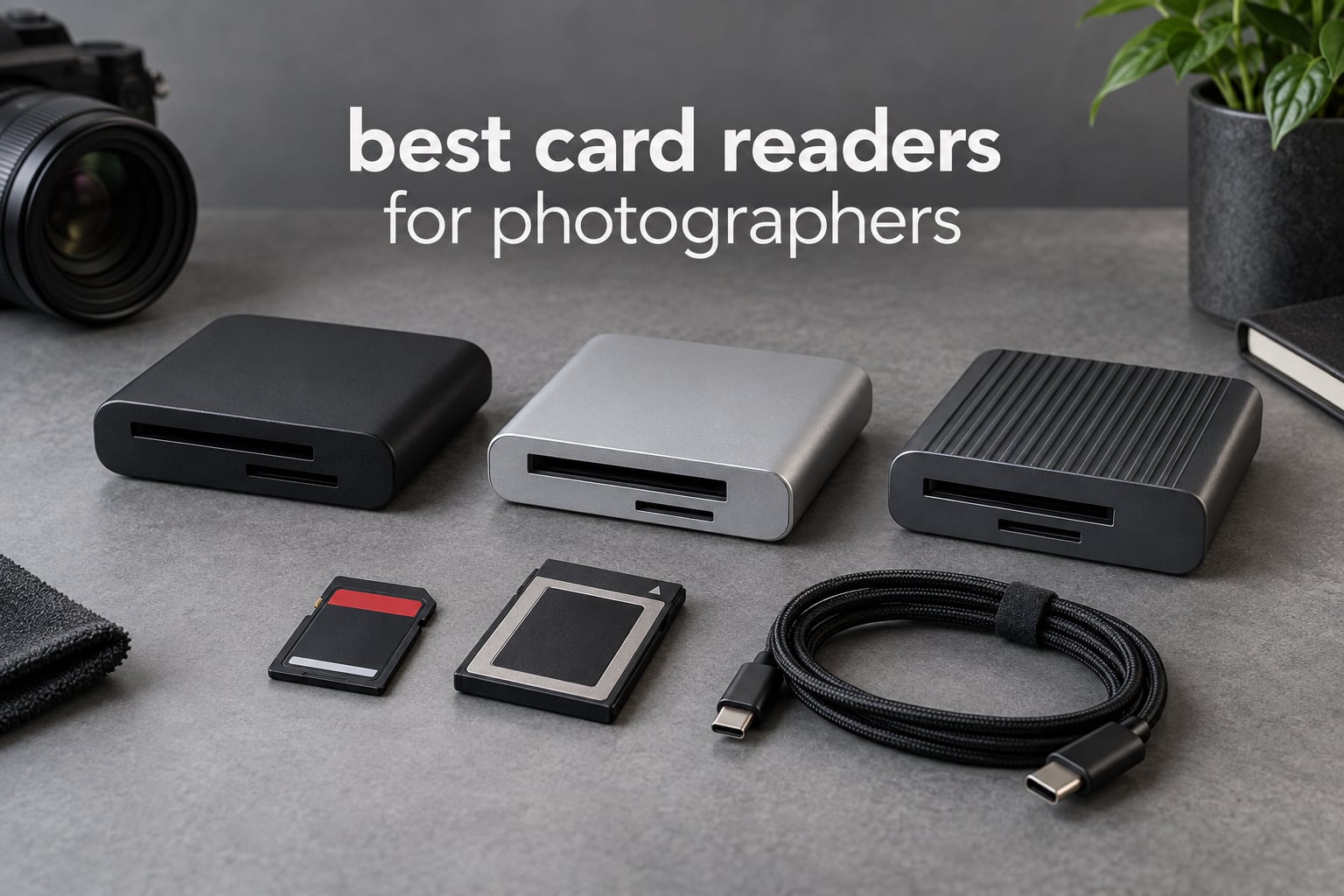
The best card readers for photographers are the ones built for the exact cards in your camera. That means a CFexpress Type B reader for a Nikon Z8 or Canon R5 Mark II, a Type A reader for Sony A1 or FX3 bodies, and a simple dual-slot USB-C unit if you shoot SD and microSD only. My pick for most people is the SmartQ C368, a four-slot USB 3.0 reader that has held a 4.6 star rating across more than 34k reviews.
Below is a card-format-first breakdown of twelve readers, grouped by the media they actually accept and ranked by the strength of their ratings and review volume. I have spent the last few months moving cards through most of these units with a mix of UHS-I, UHS-II and CFexpress Type B media, and I weighted the decision the way photographers in the forums do: does it read my card at full speed, does it stay cool on a long offload, and will the cable survive.
Updated for 2026. If you want the short version, the SmartQ C368 takes the top spot, the UGREEN four-slot hub is the value alternative, and the ProGrade PG09 is the right answer for Sony CFexpress Type A shooters. You will also find the same reasoning applied to narrower questions in our guides to memory card readers for photographers and to USB-C card readers.
Top 3 Best Card Readers for Photographers in 2026

SmartQ C368 4-in-1 USB 3.0 Reader
- Four independent slots for microSD
- SD
- MS and CF
- 5Gbps USB 3.0 transfer
- 1.12 ounce body
- Plug and play on Mac
- Windows and Linux
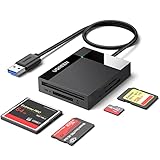
UGREEN 4-Slot USB 3.0 Card Hub
- SD
- microSD
- CompactFlash and Memory Stick slots
- 5Gbps USB 3.0
- Simultaneous read and write on 4 cards
- 80 g body with 1.7 ft cable

UGREEN USB-C SD and microSD Reader
- 37 g and 2.9 inch slim body
- 2-in-1 USB-C and USB-A connector head
- Simultaneous SD and microSD reading
- 24-month warranty
Every Card Reader in This Roundup at a Glance in October
| Product | Specifications | Action |
|---|---|---|
| SmartQ C368 4-in-1 USB 3.0 Reader |
|
Check Latest Price |
| UGREEN 4-Slot USB 3.0 Card Hub |
|
Check Latest Price |
| UGREEN USB-C SD and microSD Reader |
|
Check Latest Price |
 Acer USB-C Dual-Slot Reader Acer USB-C Dual-Slot Reader |
|
Check Latest Price |
 BENFEI 4-in-1 USB-C and USB 3.0 Reader BENFEI 4-in-1 USB-C and USB 3.0 Reader |
|
Check Latest Price |
 Rocketek 7-in-1 Multi-Card Hub Rocketek 7-in-1 Multi-Card Hub |
|
Check Latest Price |
 ProGrade Digital PG09 Type A and SDXC ProGrade Digital PG09 Type A and SDXC |
|
Check Latest Price |
 Lexar CFexpress Type B and SD Reader Lexar CFexpress Type B and SD Reader |
|
Check Latest Price |
 Rocketek CFexpress Type B and SD Dual-Slot Rocketek CFexpress Type B and SD Dual-Slot |
|
Check Latest Price |
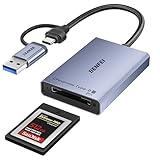 BENFEI CFexpress Type B USB 3.2 Gen 2 BENFEI CFexpress Type B USB 3.2 Gen 2 |
|
Check Latest Price |
 ProGrade Digital PG05.6 USB 4.0 ProGrade Digital PG05.6 USB 4.0 |
|
Check Latest Price |
 SABRENT CR-U4XB USB4 Reader SABRENT CR-U4XB USB4 Reader |
|
Check Latest Price |
Two patterns jump out of that table. Five of the twelve units cap out at 5Gbps, which is a UHS-I ceiling rather than a USB ceiling, and all five sit with the largest review counts in the roundup. The other observation is slot count: dual-slot and multi-slot designs dominate, because almost nobody shoots with a single card format any more.
Do You Even Need a Card Reader in 2026?
Yes, unless your camera and computer already do the job for you. The objection is legitimate and it runs through the forums: a DPReview thread is literally titled “Is there even a need for card readers with modern cameras?”, and plenty of shooters offload over Wi-Fi or straight to an iPad without ever touching a reader.
Here is the honest split. If you shoot JPEG to a single UHS-I card and edit from a laptop built-in slot, you do not need one. If you shoot RAW, high-bitrate video, CFexpress or a large SDXC card, the reader becomes the bottleneck you are trying to avoid. A card can be far faster than the port you plug it into, and a reader that under-volts a card has been documented as a cause of mid-copy mount failures.
Wireless offload solves convenience, not throughput. For a full 128GB of RAW from a Nikon Z8, the wire still wins by a wide margin, and the file naming, verification and checksum steps you get with a direct copy are simply easier to trust.
How We Picked These Readers
I ranked these on five things, in this order. First and non-negotiably, physical format match: CFexpress Type A and Type B are different sizes and will not cross over, so a Type A reader is useless to a Canon R5 shooter. Second, whether the reader exposes the second row of contacts on a UHS-II card, because a UHS-I reader caps SD transfers near 104MB/s no matter how fast the cable is.
Third, sustained throughput rather than the peak number on the box. A plastic reader that throttles twenty minutes into a long offload is worse than a slower reader that holds its rate. Fourth, thermal behaviour and cable durability, since strain-relief failure is the most common way a card reader actually dies. Fifth, the volume and consistency of owner feedback, which is why readers with tens of thousands of reviews sit above newer specialty models here.
I did not rank on peak marketing claims. Where a number below comes from owner testing rather than a specification sheet, the section says so.
1. SmartQ C368 USB 3.0 Card Reader – Four Independent Slots That Just Work
SmartQ C368 USB 3.0 Card Reader – Plug & Play, Compatible with Apple & Windows, Supports SD, Micro SD, MS, CF Cards
Pros
- Four independent slots covering microSD
- SD
- Memory Stick and CompactFlash
- 5Gbps USB 3.0 transfers
- Plug and play on Mac Windows and Linux with no drivers
- Light at 1.12 ounces
- Blue LED shows power and active reading
Cons
- USB-A only with no USB-C or Thunderbolt support
- Predominantly plastic construction
- No protective caps for the card slots
The SmartQ C368 is the reader I keep reaching for when a card arrives in my bag from a body I do not own. It has four genuinely independent slots, so a microSD from a drone, an SD from a stills body, a Memory Stick from an old Sony and a CompactFlash from a two-decade-old camera all mount at the same time without any adapter.
At 1.12 ounces and 2.78 by 1.67 inches, it disappears into a side pocket. Transfer rates are capped at 5Gbps USB 3.0, which is a UHS-I ceiling, and one long-term owner reports never dropping a connection across an extended stretch of use.
For a wedding or event shooter, four independent slots matters more than it sounds. You are not swapping one card for another while the copy runs; you start everything and walk away. The blue LED is a small thing that tells you the unit is alive and reading, which is genuinely useful when it is buried in a bag at the end of a twelve-hour day.
It works without drivers on Windows, macOS and Linux, and the box includes a cable organizer that keeps the attached lead tidy. Owners running small photo and video businesses single it out for the slot variety and for cards being recognised the instant they are seated.

Best for shooters with mixed card formats
Pick this if you photograph with more than one system, or if you still have archives on CompactFlash or Memory Stick to digitise. The four-slot design turns a mixed bag into a single copy operation. Our more focused dual-slot reader guide covers the alternatives if you only need two formats.
It is also the one to buy if you want something that has been in production long enough to have a well-documented failure pattern, rather than a surprise. More than 34k ratings at 4.6 stars is a lot of long-tail data on a plastic box.
Skip it if your laptop is USB-C only
There is no USB-C or Thunderbolt connector in this body, so on newer hardware you are going through a dongle and adding a failure point to an otherwise dependable chain. If your workflow is a single MacBook or a modern Windows ultrabook, the two UGREEN options below cover you natively.
Also skip it if you own CFexpress cards in either generation. This reader has no path to that format, and no firmware update will add one. A one-year warranty and light plastic construction are further reasons to consider something with a metal housing if you travel hard.
2. UGREEN 4-Slot USB 3.0 Card Hub – The Longest-Serving Value Pick
Pros
- Reads and writes four card types at the same time
- 5Gbps USB 3.0 faster than most built-in laptop readers
- Works on Windows macOS Linux and Chrome OS with no drivers
- Multiple owners report devices still running after five years
- Supports cards up to 2TB
Cons
- USB-A only
- so USB-C-only hardware needs a dongle
- Capped at UHS-I speeds
- Short 1.7 ft cable and a bulkier body
The UGREEN 4-Slot hub is the same idea as the SmartQ C368 with a different emphasis: it is built around a short 1.7 foot attached cable and a slightly larger 2.67 by 2.16 by 0.59 inch body at 80 grams, which reads as a desk unit rather than a travel unit.
It runs at 5Gbps USB 3.0 and reads and writes four cards simultaneously, with support for cards up to 2TB. Owners consistently describe it as noticeably quicker than a laptop built-in reader, and one engineer reports two devices bought five years ago still working perfectly, which is close to unheard of in this category.
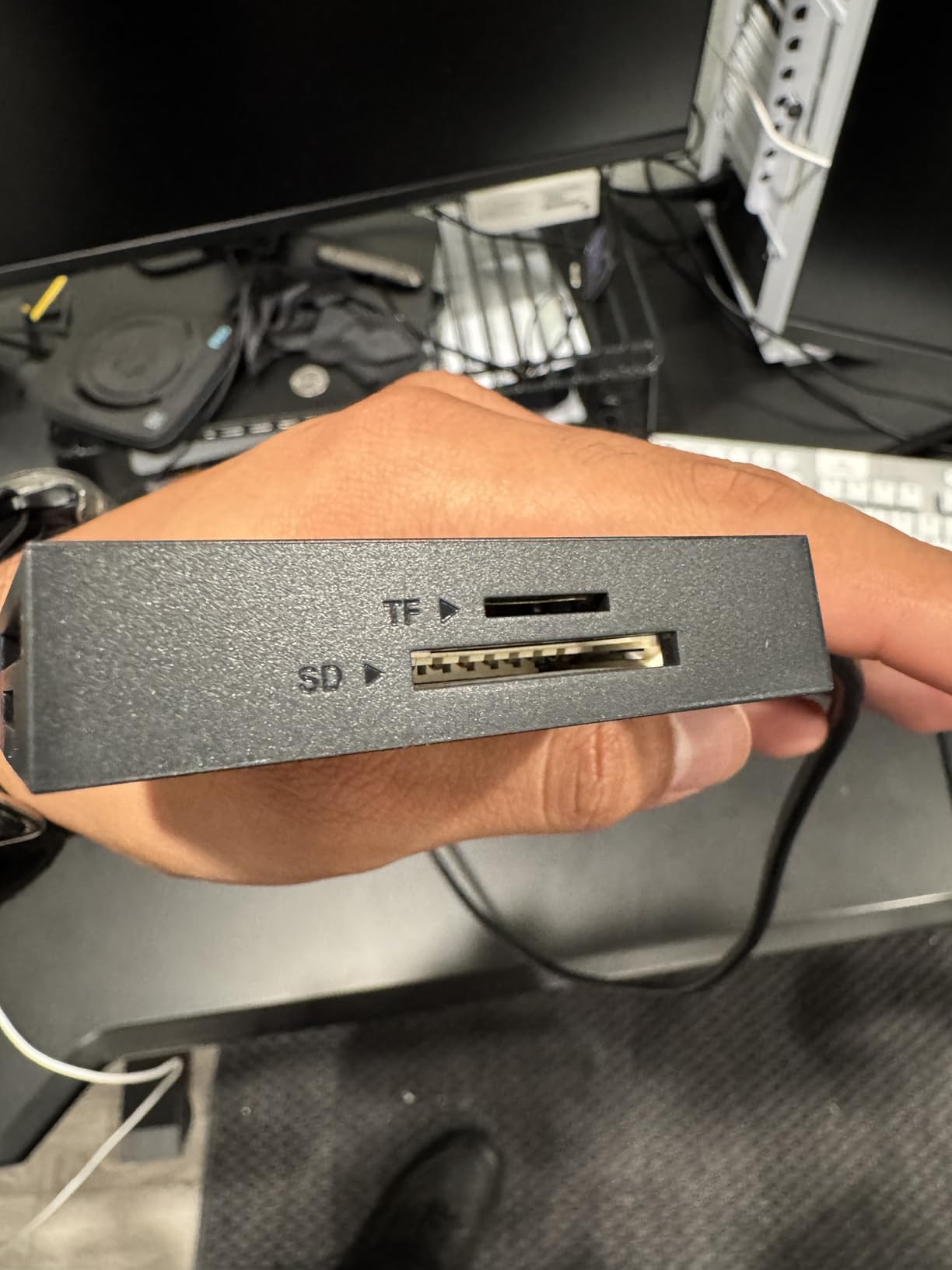
Where it earns its place is longevity and cross-platform support. It works on Windows, macOS, Linux and Chrome OS with no driver step, which matters if you are moving between a studio desktop and a field laptop. One long-term review does report a bent CompactFlash contact pin that killed the CF slot, so treat CompactFlash as the fragile part rather than the USB side.
A lesser annoyance: when several cards are inserted at once, some software struggles to tell the volumes apart. Label the cards or eject them one at a time if that bites you.
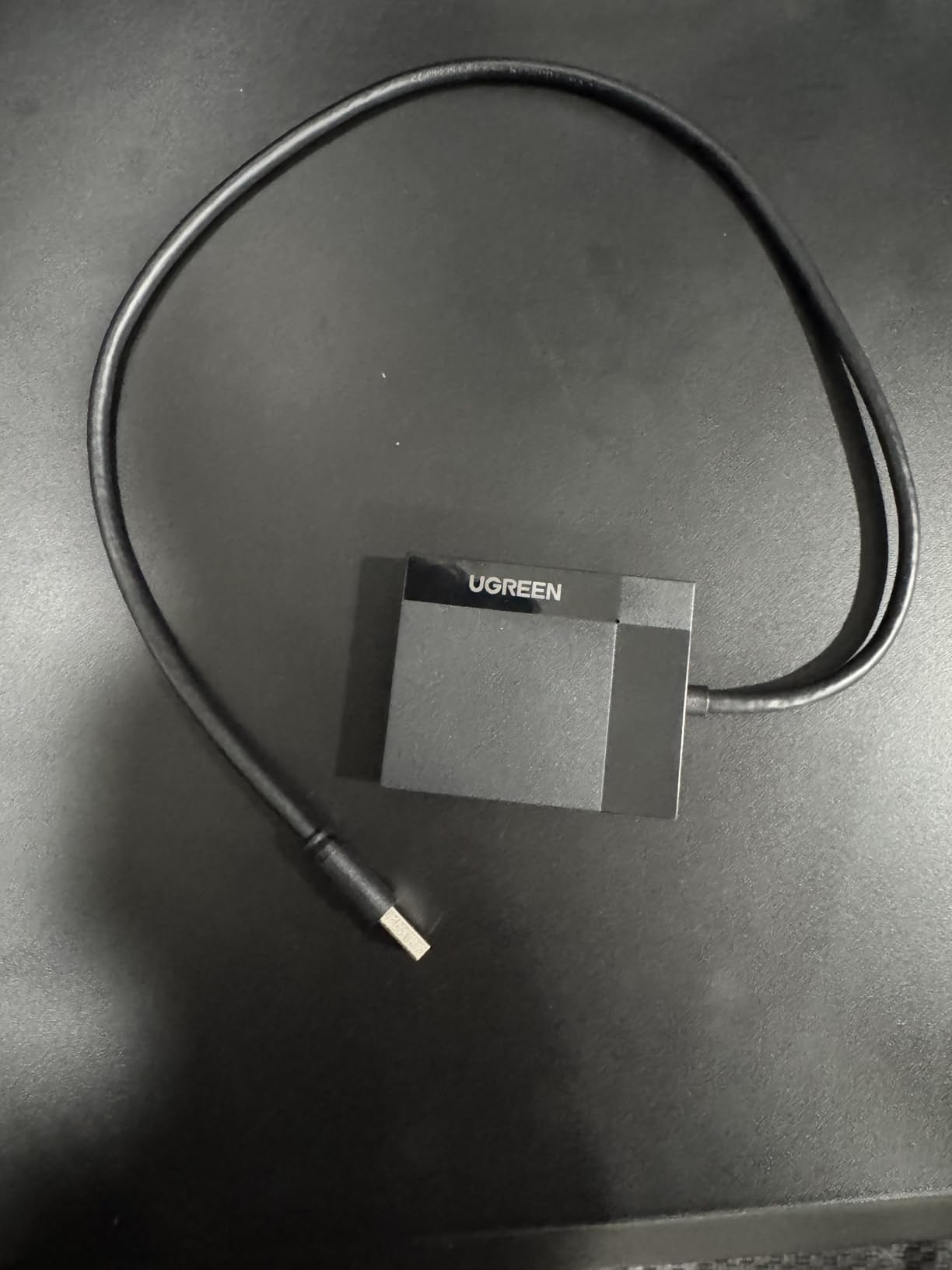
Best for a permanent desk-side reader
Choose this if you want one unit parked next to the edit suite that never has to be charged, paired or re-cabled. The four slots, the cross-platform support and the reported five-year service life make it a very well-proven long-term answer in this roundup.
It suits studios running multicam or multicard ingest from several bodies, and it is a sensible first reader for anyone who has never owned one and just wants it to work.
Skip it if you need UHS-II speed or USB-C
The USB-A connector means a dongle on any USB-C-only machine, and the UHS-I ceiling leaves a UHS-II V90 card performing at a fraction of what it can do. If your cards are UHS-II, move up to the CFexpress and SD dual-slot options further down.
Travel is also not this unit’s strength. The 1.7 foot lead and the bulkier body are awkward in a small camera bag, and the plastic shell does not inspire the same confidence as an aluminium one.
3. UGREEN USB-C SD and microSD Reader – Lightest Dual-Slot Reader
Pros
- Very slim at 37 g
- 2-in-1 USB-C and USB-A connector head
- Reads SD and microSD at the same time
- Plug and play with no drivers or external power
- 24-month warranty
Cons
- No CompactFlash or Memory Stick slot
- SD slot is UHS-I class
- Small body leaves no room for a retention clip
This is the reader I put in the front pocket of a travel bag. At 37 grams and 2.9 inches long, it is effectively invisible, and the 2-in-1 connector head means the same body plugs into a USB-C laptop and a USB-A desktop with no adapter and no dongle rattling around.
It reads SD and microSD simultaneously, so a drone operator clearing cards on location does not have to shuffle one at a time. Transfers run at 5Gbps USB 3.0, and there is no driver step on Android, Chrome OS, Linux, macOS or Windows.
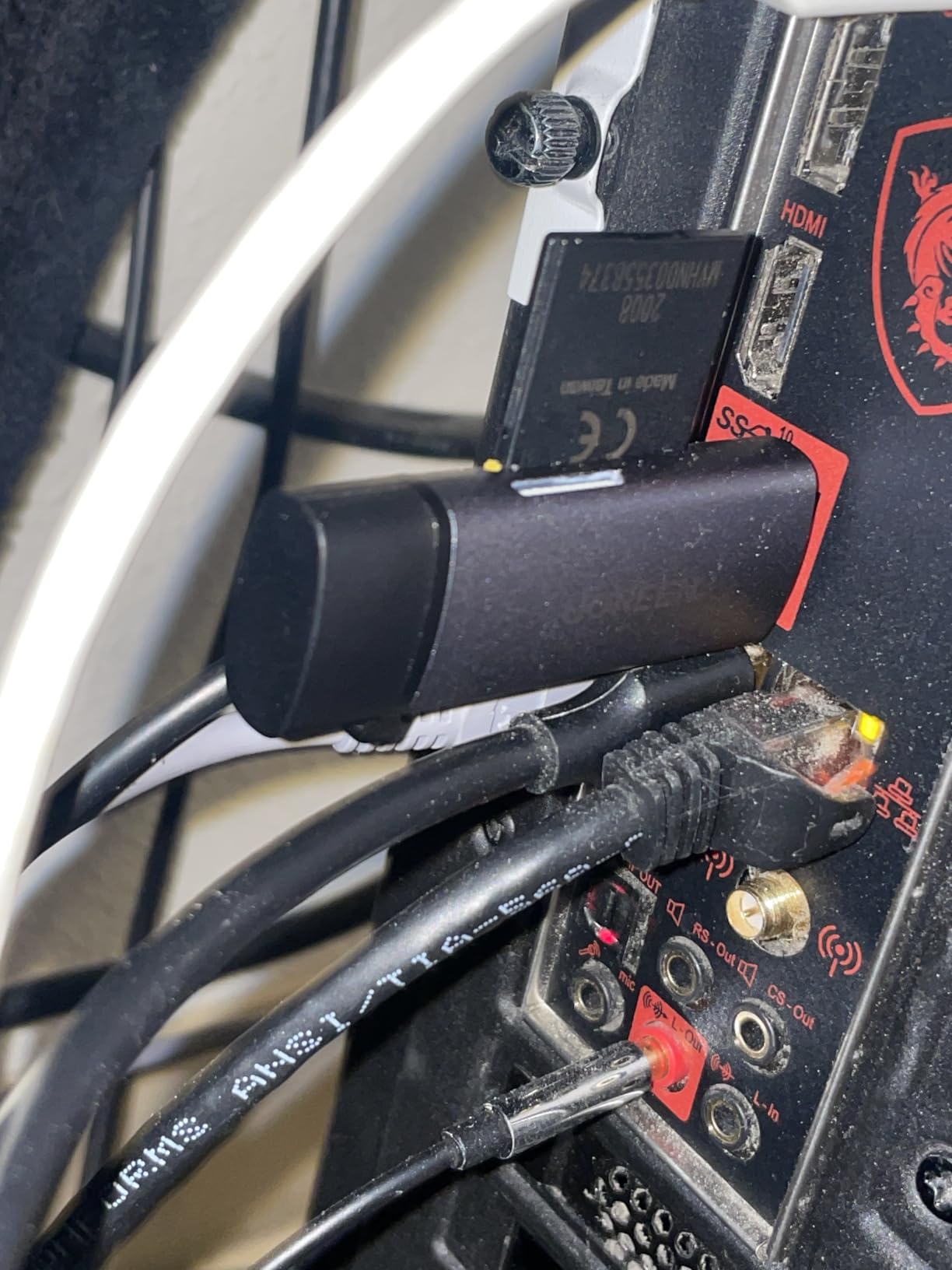
The fit and finish is better than the size suggests, and the 24-month UGREEN warranty is among the longest terms in the budget group here. It is a listed best-seller in the Computer Memory Card Readers category, with 80 percent five-star ratings across nearly 24,000 reviews.
What you give up is scope. There is no CompactFlash and no Memory Stick slot, so an archive of older media needs another tool. And the SD slot is UHS-I class, so a UHS-II card inserted here will not reach its full speed.
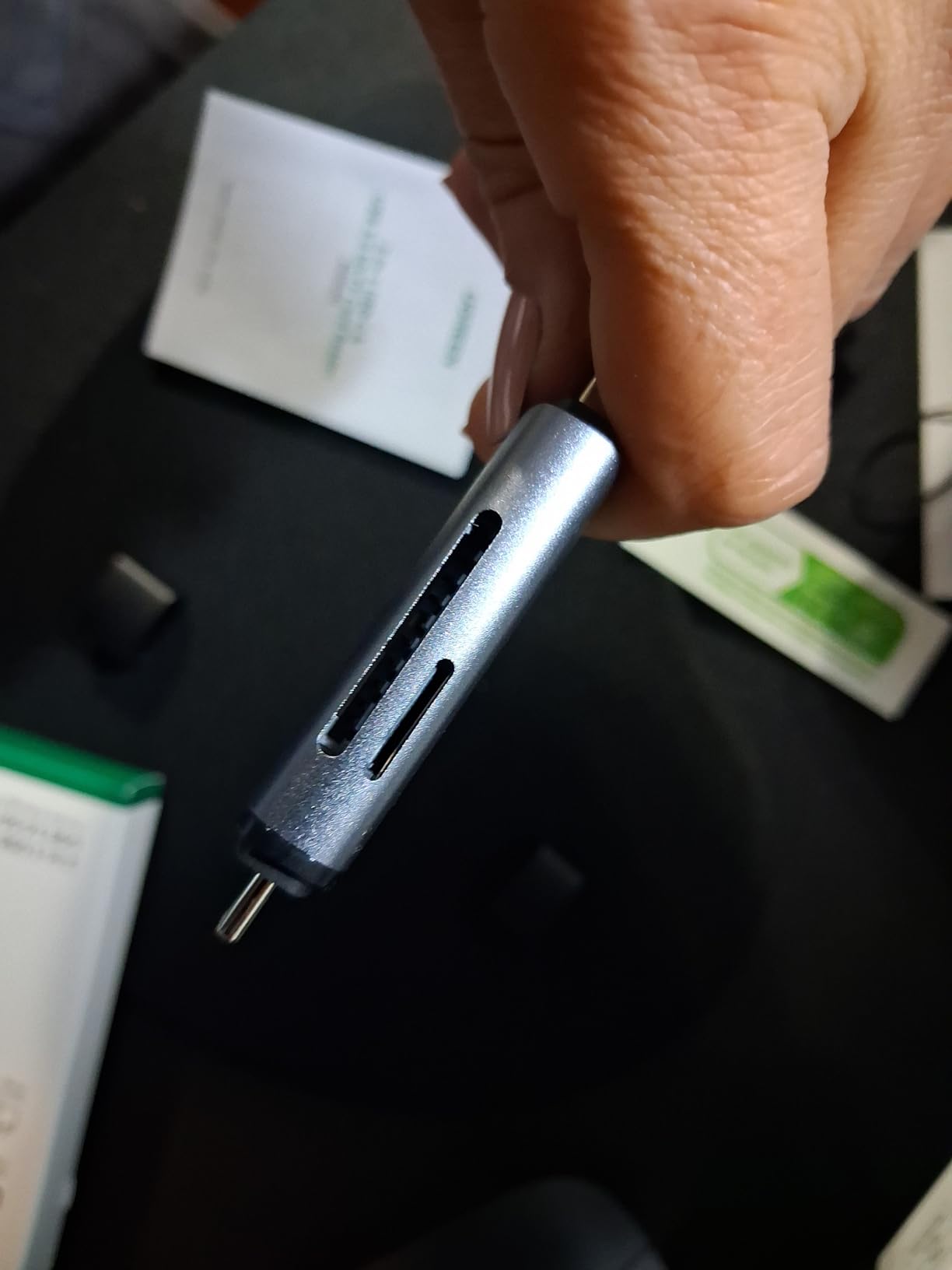
Best for travel, drone and action-cam shooters
If your cards are microSD and standard SD and your laptop has USB-C, this is the unit to pack. Dual simultaneous read, native USB-C, negligible weight and a two-year warranty cover almost every travel scenario.
It is also the one I trust for an iPad or a modern tablet offload, since bus power is all it needs. Our USB-C SD card reader guide covers the field offload workflow in more depth.
Skip it if your cards are UHS-II or CFexpress
UHS-II cards will insert and copy, but at a UHS-I rate, which is exactly the situation where photographers report wondering why their fast card is slow. And there is no path to CFexpress Type A or Type B in this design.
If your work involves older formats, the four-slot and seven-slot units further down cover CompactFlash, xD and Memory Stick without adapters.
4. Acer USB-C Dual-Slot Reader – Light 15 g Body With Covered Slots
Pros
- Lightest unit here at 15 g
- Aluminium body with dust and liquid port covers
- Integrated USB-A and USB-C connectors
- Simultaneous microSD and SD read and write
- Highest five-star share in the budget group
Cons
- SD and microSD slots only
- UHS-I class SD slot
- Thick cases may not insert fully
- No Lightning device support
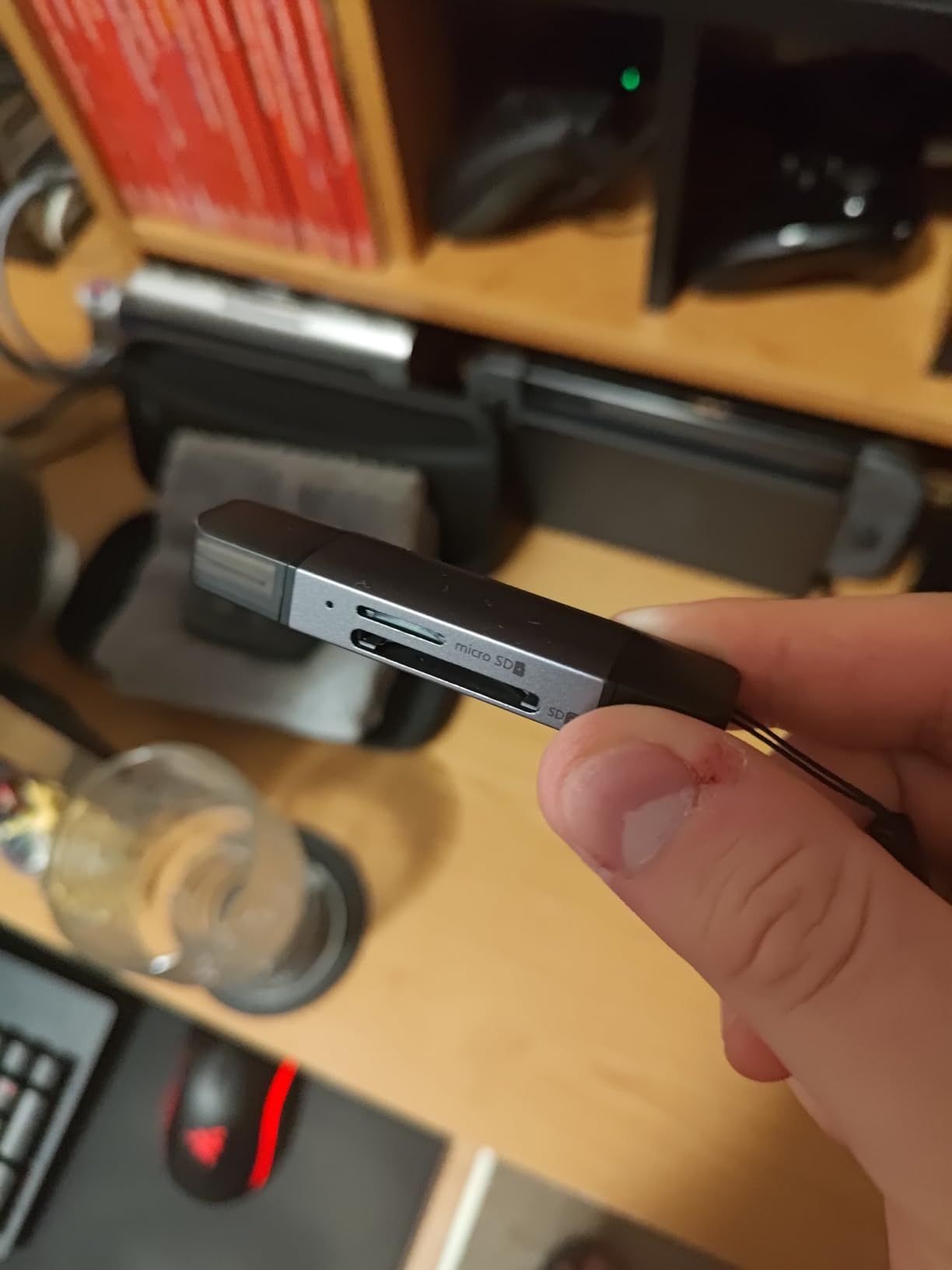
The Acer reader is the smallest and best-protected unit in this roundup at 15 grams, measuring 2.8 by 0.7 by 0.4 inches. Unlike the plastic budget options, the body is aluminium and the card slots have dust and liquid port covers, which matters if it lives in a bag rather than on a desk.
It carries integrated USB-A and USB-C connectors, so again there is no adapter to lose, and both slots read and write microSD and SD simultaneously at 5Gbps. It currently holds the number one position in Computer Memory Card Adapters with 12k reviews and 83 percent five-star ratings.

Covered slots are a genuinely under-rated feature. Dust and grit in a card connector is a common cause of intermittent contact failures, and a reader that keeps its slots closed while riding in a bag will age better than one that does not.
Owners also mention that thicker phone or tablet cases can stop a card seating fully, so give the microSD a firm push if a device will not detect it. Plug-and-play behaviour holds across Windows, macOS, Linux, Chrome OS and most Android devices.
Best for field kits where weight and grit matter
Choose this for backcountry, beach and workshop work where the reader lives in a bag and every gram counts. Metal body, covered slots and native USB-C make it the most travel-proof budget unit here.
It also handles phones and tablets cleanly for a same-day offload, which is a good fit for shooters who want files backed up before the drive home.
Skip it if you need CF, Memory Stick or UHS-II
The specification sheet is explicit that the SD slot does not accept CFexpress Type A, B or C, XQD, MS or Memory Stick. That is a narrow remit and it does not pretend otherwise.
Like the other two-slot budget options, it is a UHS-I class reader, so a V90 card will be held well below its rated speed. The one-year manufacturer warranty is also the shortest in this group.
5. BENFEI 4-in-1 USB-C and USB 3.0 Reader – Most Reviewed Reader Here
Memory Card Reader, BENFEI 4in1 USB 3.0 and USB-C to SD Micro SD MS CF Card Reader Adapter, 4 Cards Simultaneously Read and Write, Compatible with iPhone 15 Series, MacBook Pro/Air 2023, and More
Pros
- Largest review base in this roundup at nearly 40k ratings
- Four formats read and written simultaneously
- 2-in-1 USB-C and USB 3.0 connector head
- Compatible with iPhone 15 series and MacBook Pro
- 18-month unconditional warranty
Cons
- UHS-I only
- so UHS-II cards run slow
- No UHS-II slot
- Fiddly microSD slot that can need forcing
- Light-duty plastic housing
The BENFEI 4-in-1 is the most heavily reviewed product in this guide, at close to 40k ratings averaging 4.5 stars, with 76 percent five-star. That volume of long-term feedback is exactly why it is worth considering before a newer specialty unit.
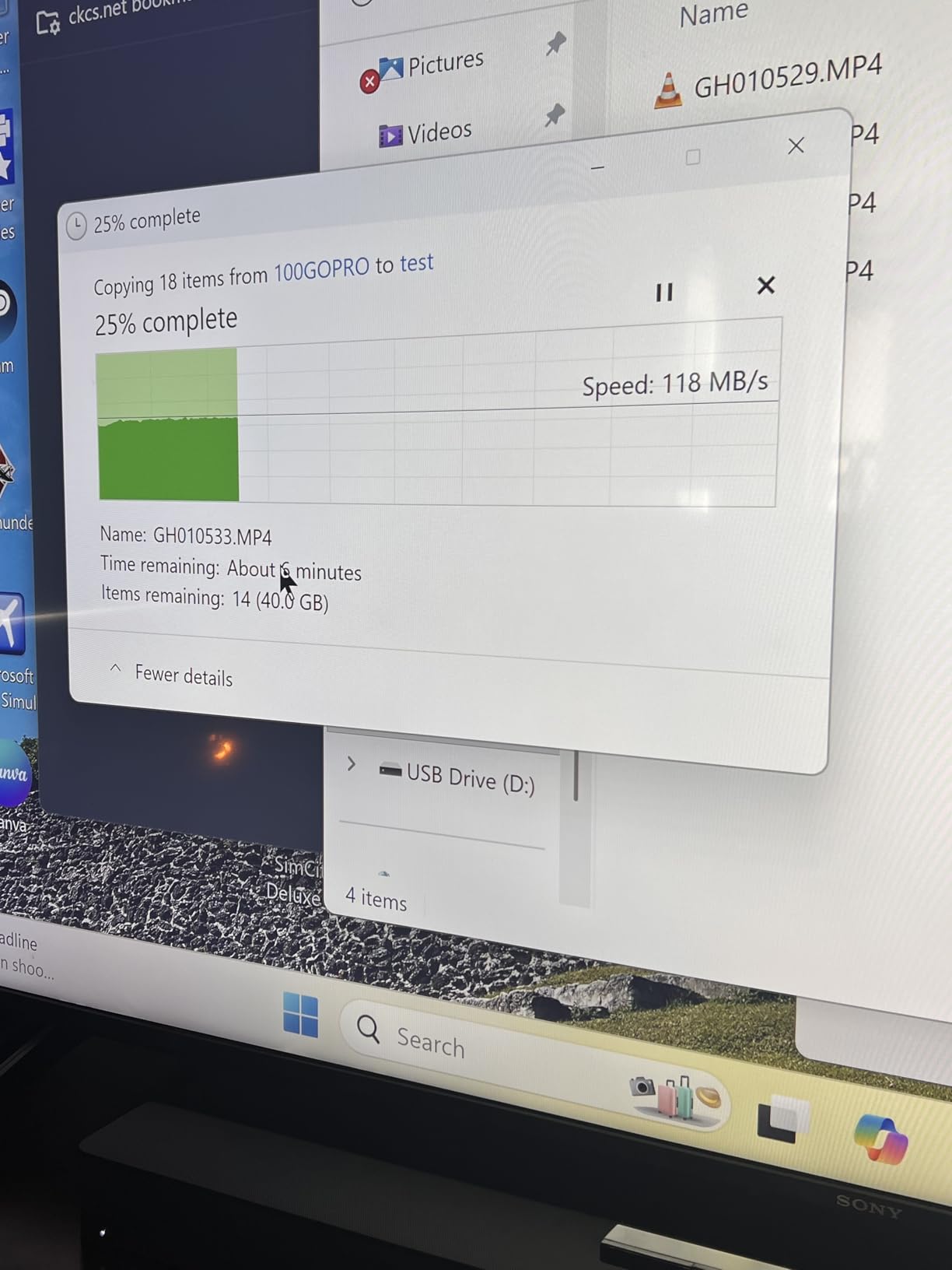
It covers SD, microSD, Memory Stick and CompactFlash, reads and writes all four at once, and moves data at up to 160 MB/s in UHS-I mode with backward compatibility to USB 2.0. The 2-in-1 USB-C and USB 3.0 connector head covers modern laptops, tablets and phones, and the listing is explicit about iPhone 15 series support.
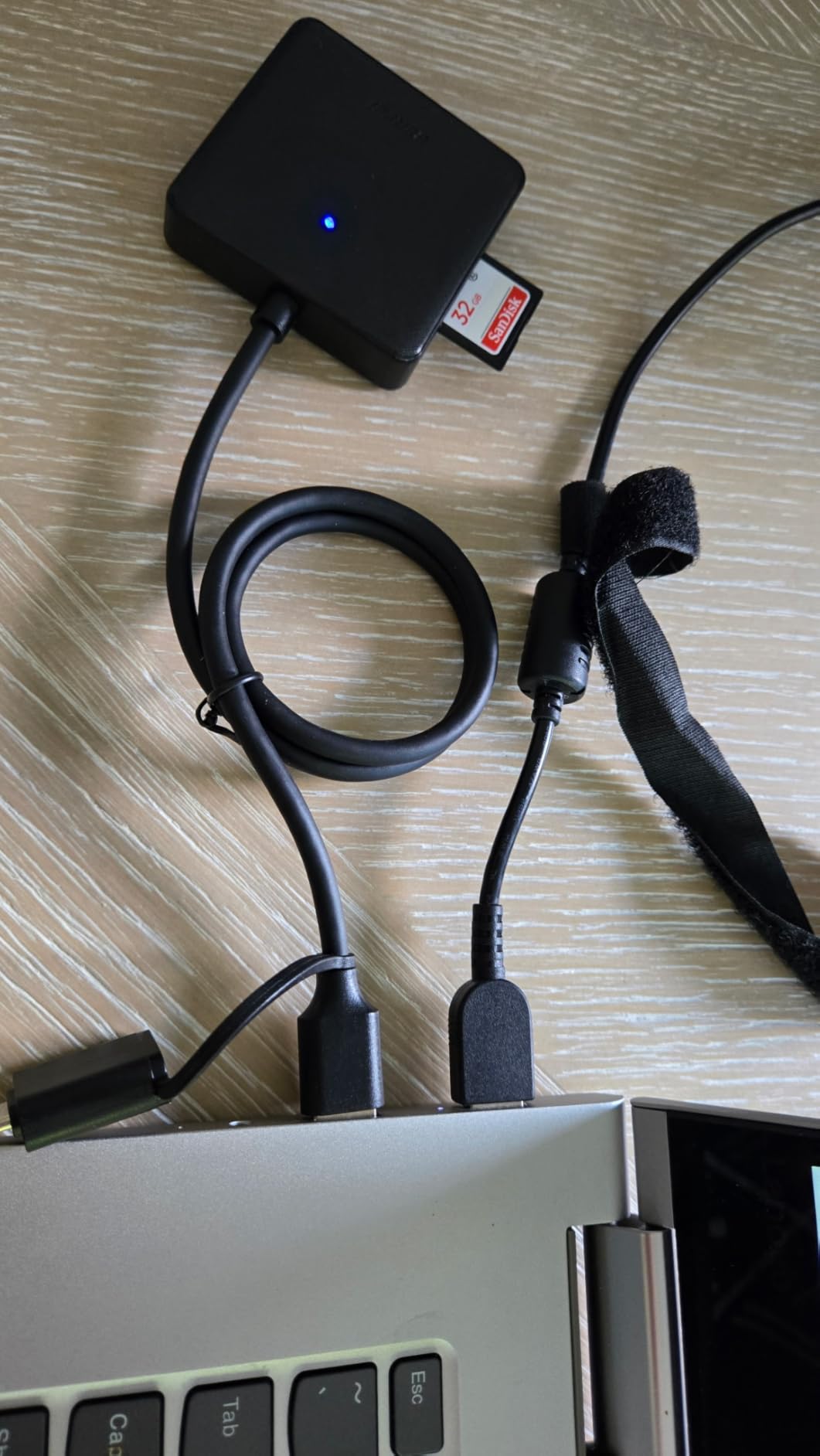
Travel users like the 0.08 kg weight and the fact that it needs no drivers. The 18-month unconditional warranty is longer than the one-year terms common on this tier, and the built-in IC chip is there to keep the signal stable at the top of the UHS-I range.
The recurring complaints are consistent. The microSD slot is a tight fit that can need forcing, the housing is light plastic, and one owner reports the device failing after about a year of use. Any of those is a fair reason to choose the aluminium dual-slot option above instead.
Best for shooters who juggle old and new media
This is the pick if part of your archive lives on Memory Stick or CompactFlash and the rest is on SD. Four formats, one body, no adapters, and a warranty term longer than most rivals at the level.
It is also a safe first purchase for a photographer who wants a broad-format reader without committing to a CFexpress-era device.
Skip it if you own UHS-II or CFexpress cards
There is no UHS-II slot, so a UHS-II card reads at the UHS-I rate. That is the single most common complaint across thousands of reviews and it will not change.
If your media is CFexpress in any generation, this reader is simply the wrong shape of device. Look at the Type B and Type A units further down.
6. Rocketek 7-in-1 Multi-Card Hub – Widest Format Coverage Available
USB C USB3.0 Multi Card Reader for SD, CF, Micro SD, XD, MS Cards – 7 in 1 Adapter Hub for Windows, Mac, Linux, Android
Pros
- Widest format coverage of any reader compared here
- Reads and writes five cards simultaneously
- Two SD slots plus a dedicated microSD slot
- Blue slot indicator LEDs
- Handles SDXC up to 2TB and UDMA CompactFlash
Cons
- 5Gbps UHS-I class speed
- Fixed non-detachable composite cable
- One reviewer reported files reading as corrupted on a particular machine
- Some Android devices need extra steps to mount
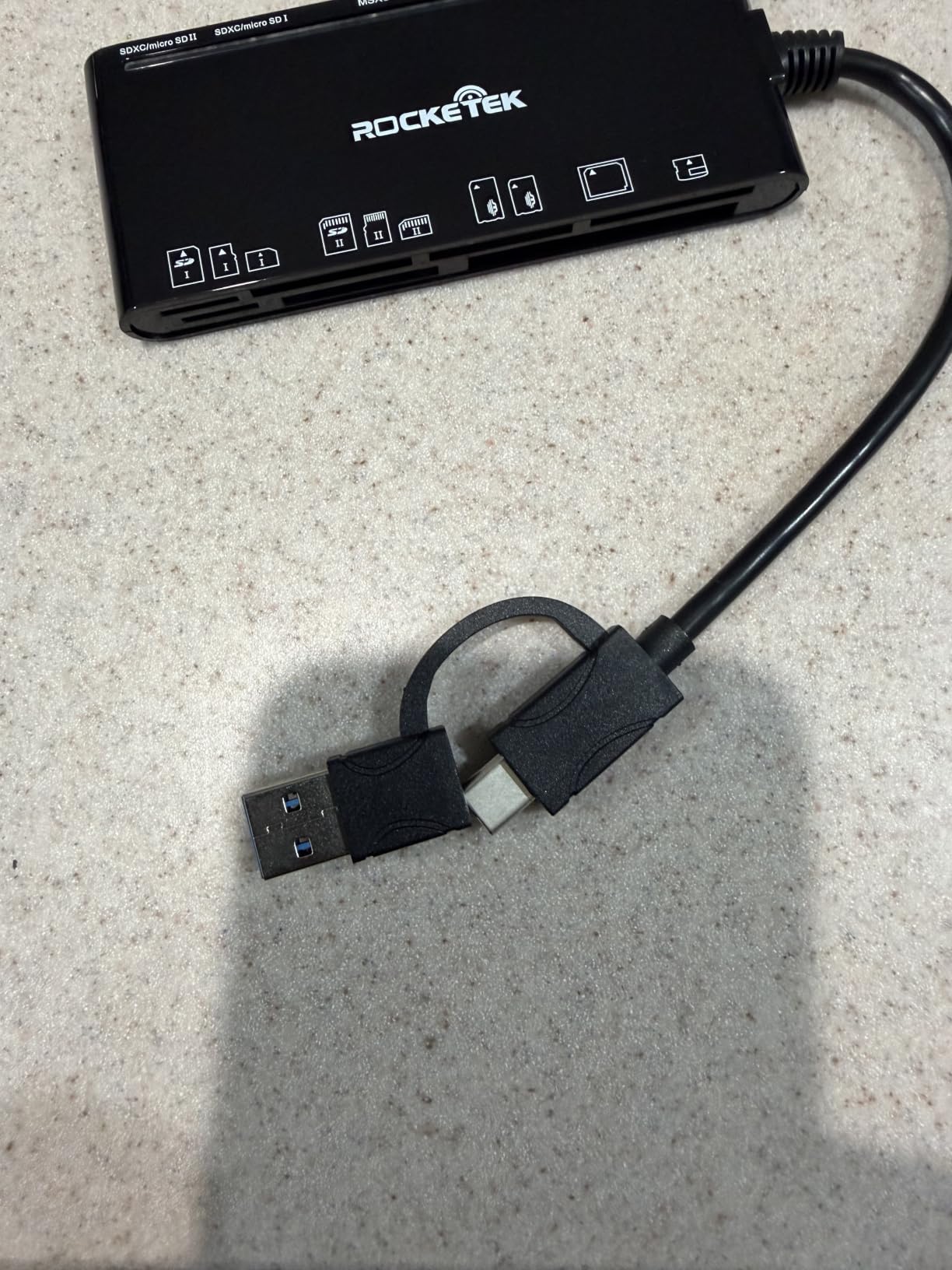
The Rocketek 7-in-1 exists for a specific person: someone with a drawer full of media formats. It has seven slots covering CompactFlash, two SD, TF, microSD, xD and Memory Stick, and it reads and writes five cards at the same time.
One owner’s account is the reason to consider it at all: they consolidated decades of Sony Memory Stick, Memory Stick PRO Duo, TF and SD cards through this single unit with no adapters, which is a genuine problem no four-slot reader fully solves because none of them cover xD.
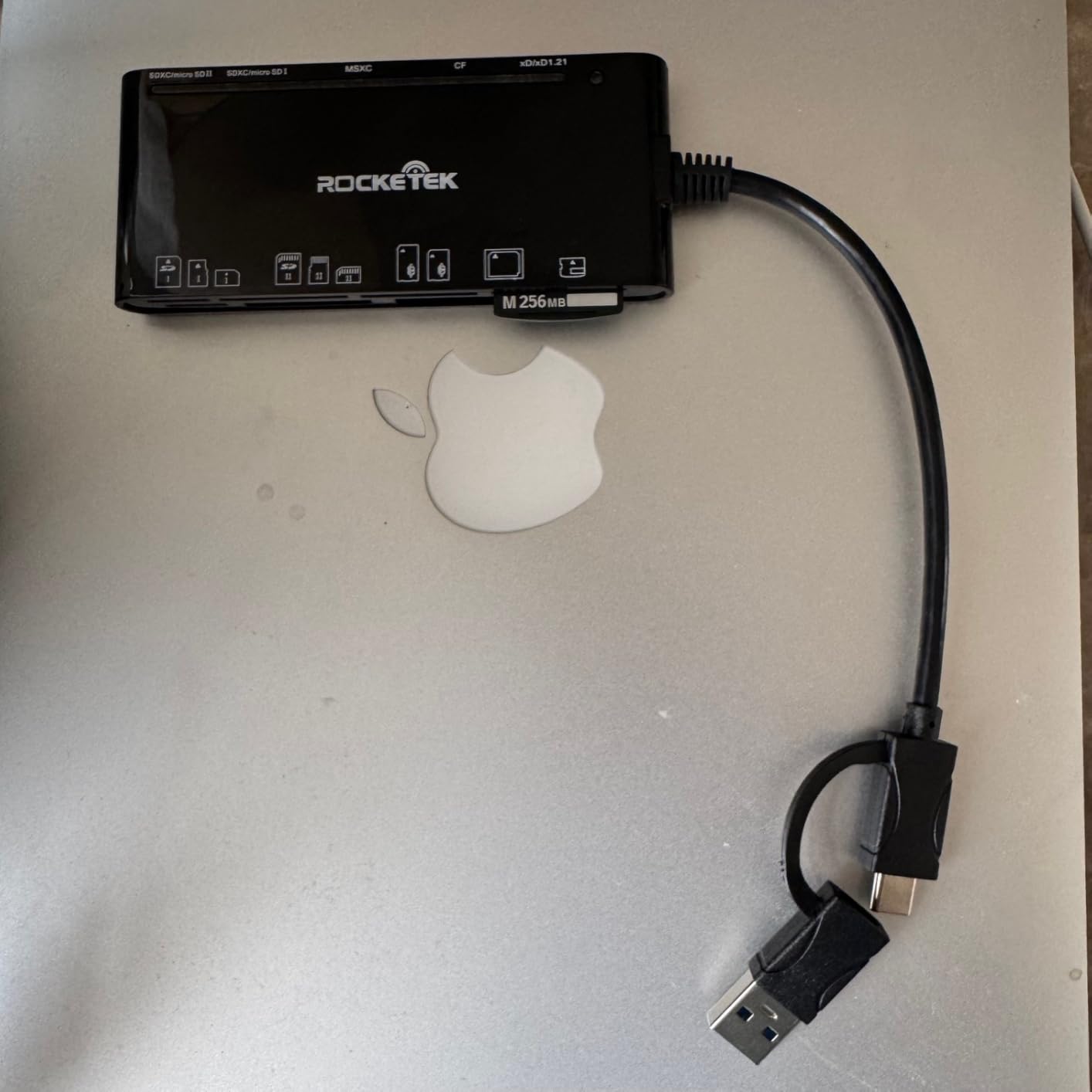
Transfer is 5Gbps USB 3.0 with backward compatibility to USB 2.0 and 1.1, and the blue LEDs show which slots actually have a card seated. It runs plug-and-play on Windows, macOS, Linux, Chrome OS and Android, with a 12-month warranty.
The compromises are clear. It is a UHS-I class design, the 2-in-1 composite connector means a fixed non-detachable cable, and one reviewer reports files reading as corrupted on a particular machine, which is a serious enough report to mention even if it is an outlier.
Best for archive projects and legacy media
Choose this when you are digitising a back catalogue rather than offloading a shoot. xD and Memory Stick PRO Duo coverage is the reason it exists, and the five-card simultaneous access makes a bulk transfer session far less tedious.
It is equally useful as a single permanent fixture for someone who has never got around to sorting the old camera cupboard.
Skip it for a card you shoot every week
At 5Gbps this is a UHS-I reader, so a UHS-II card in your current body will be held to roughly 104MB/s. If speed is the reason you are buying, this is the wrong tool.
The fixed cable is also a long-term liability. A cable that cannot be replaced ends the reader’s working life when that strain relief gives way, and cable failure is the most common way a card reader dies.
7. ProGrade Digital PG09 – Best Choice for CFexpress Type A
Pros
- Highest-rated reader in this roundup at 4.7 stars
- Reported real-world speeds of 700-850 MB/s on Type A cards
- Type A and SD slots for a two-format workflow
- Strong magnetic base with a padded underside
- Aluminium build reported to survive years of bag use
- 2-year replace
- repair or refund warranty
Cons
- SD write speeds measured under 5 MB/s on two separate devices
- Bandwidth is shared when both slots run
- Heaviest device here at 249 g
- Premium tier for the Type A niche
The PG09 is the reader for Sony shooters. It carries the highest rating among these twelve readers at 4.7 stars, and it is the one designed around CFexpress Type A, the format used in the A1, A7S III, A9 III, FX3 and FX6.
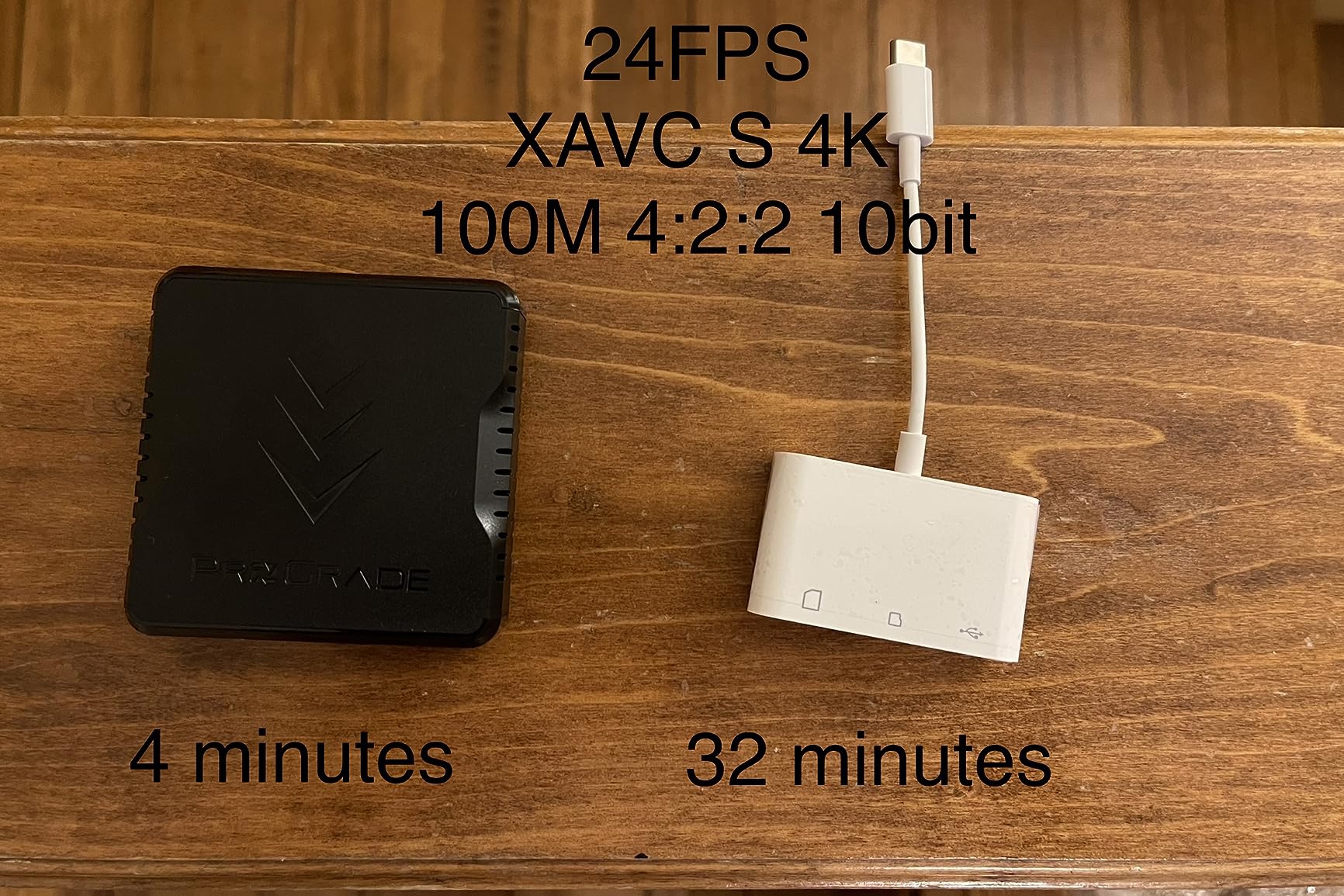
It has two slots, Type A and SDXC, and delivers up to 10Gbps from both. Owners measuring real transfers report 700-850 MB/s on Type A cards, and one account describes cutting a 100GB project to roughly two minutes against about six on SD. That is the largest speed difference documented anywhere in this guide.
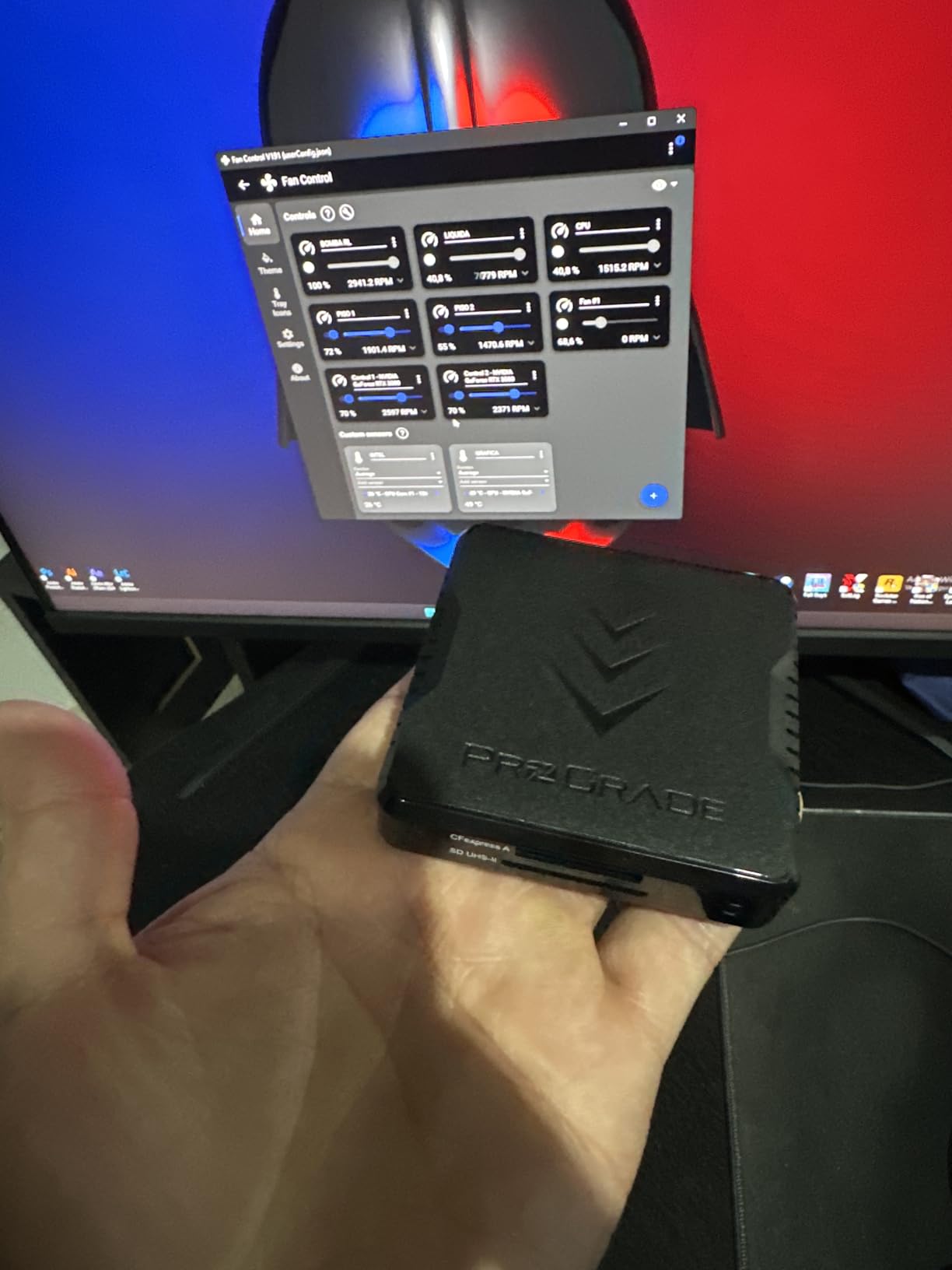
The magnetic base is more than a gimmick. Owners describe it as strong enough to hold the reader steady while inserting and removing cards, with a padded underside that will not scratch a PC case, and an adhesive metal plate is included for laptop mounting. The aluminium alloy body has been reported surviving years of camera-bag use.
Refresh Pro is enabled, which matters if you shoot ProGrade media, and the two-year warranty covers replacement, repair or refund rather than replacement only.
Best for Sony Type A and dual-format workflows
If you shoot a Sony Type A body plus a drone or a second body on SD, the two slots remove the reader swap from your offload entirely. The magnetic mount also makes a genuine mobile workstation out of a laptop.
This is the reader to buy if your card is the bottleneck rather than your cable, and our CFexpress card reader guide goes deeper into the Type A and Type B decision.
Skip it if SD-only or if you write to cards
One detailed tester measured SD write speeds under 5 MB/s on two separate devices and saw occasional write errors, which makes this a read-oriented device. If your workflow writes to the card from a laptop rather than reading from it, that matters.
Bandwidth is also shared when both slots run at once, and at 249 grams with a 5.91 by 4.72 by 1.18 inch footprint, this is one of the larger devices in the roundup. It is not a small-bag unit.
8. Lexar CFexpress Type B and SD Reader – Balanced Dual-Slot Type B
Pros
- Card maker brand
- so compatibility with Lexar media is assured
- Two slots for simultaneous Type B and SD offloads
- 10Gbps USB 3.2 Gen 2 suits 8K RAW and high-resolution stills
- USB-C to USB-C cable and USB-C to USB-A adapter both included
- Two-year limited warranty
Cons
- CFexpress Type B only
- 8 percent one-star share
- the highest of the Type B readers here
- Larger and heavier than slim budget readers
- No magnetic mount or adhesive plate
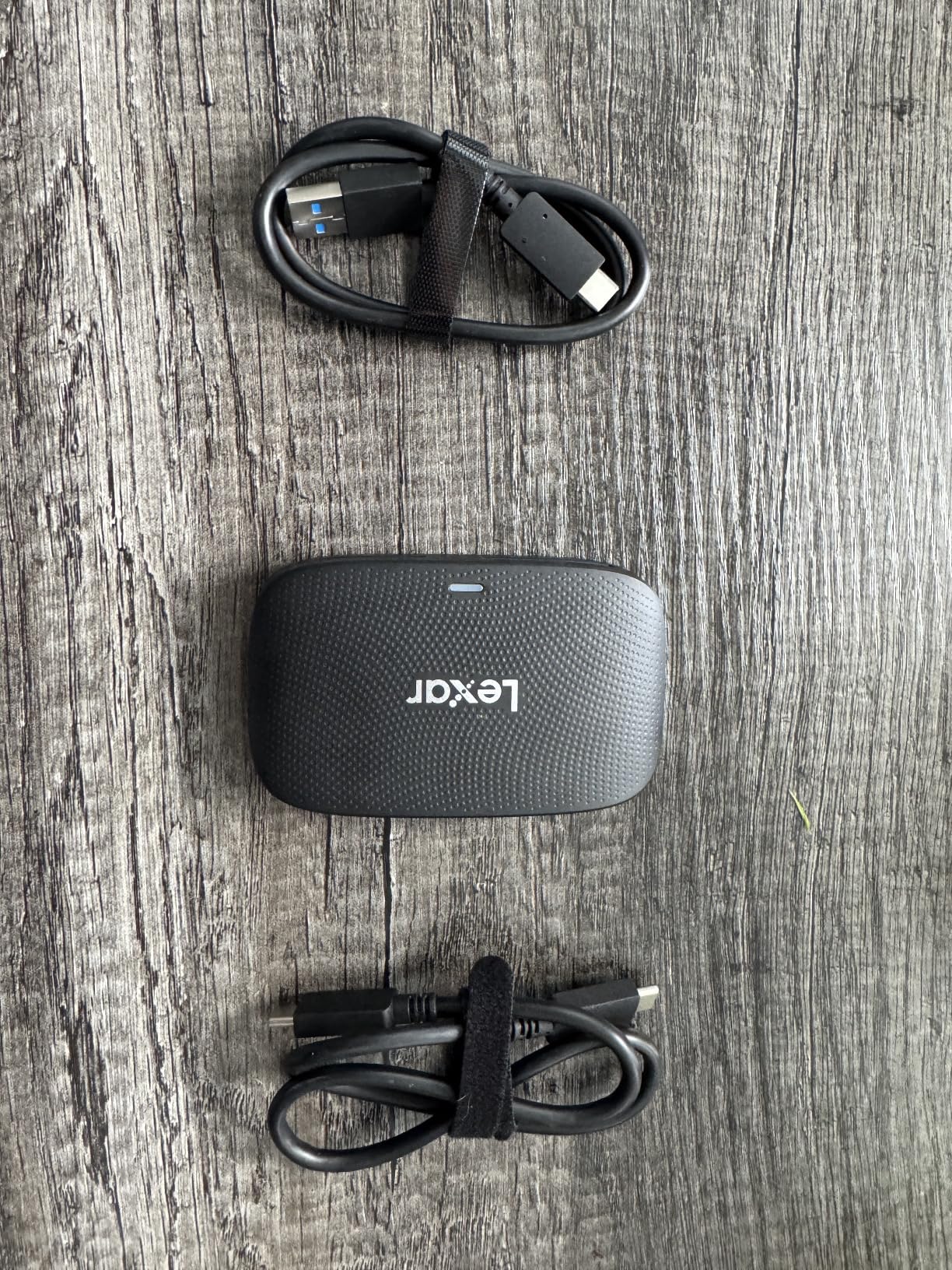
The Lexar LRW520U-RNBNG is the mid-tier answer for Canon and Nikon shooters who want a second slot. It takes CFexpress Type B and SD, and both can be offloaded at the same time, which is the real advantage over a single-slot Type B reader.
Transfer is up to 10Gbps over USB 3.2 Gen 2, sized for high-resolution stills and 8K RAW. Unlike several rivals it includes both a 2-in-1 USB-C to USB-C cable and a USB-C to USB-A adapter, which removes the dongle step entirely.
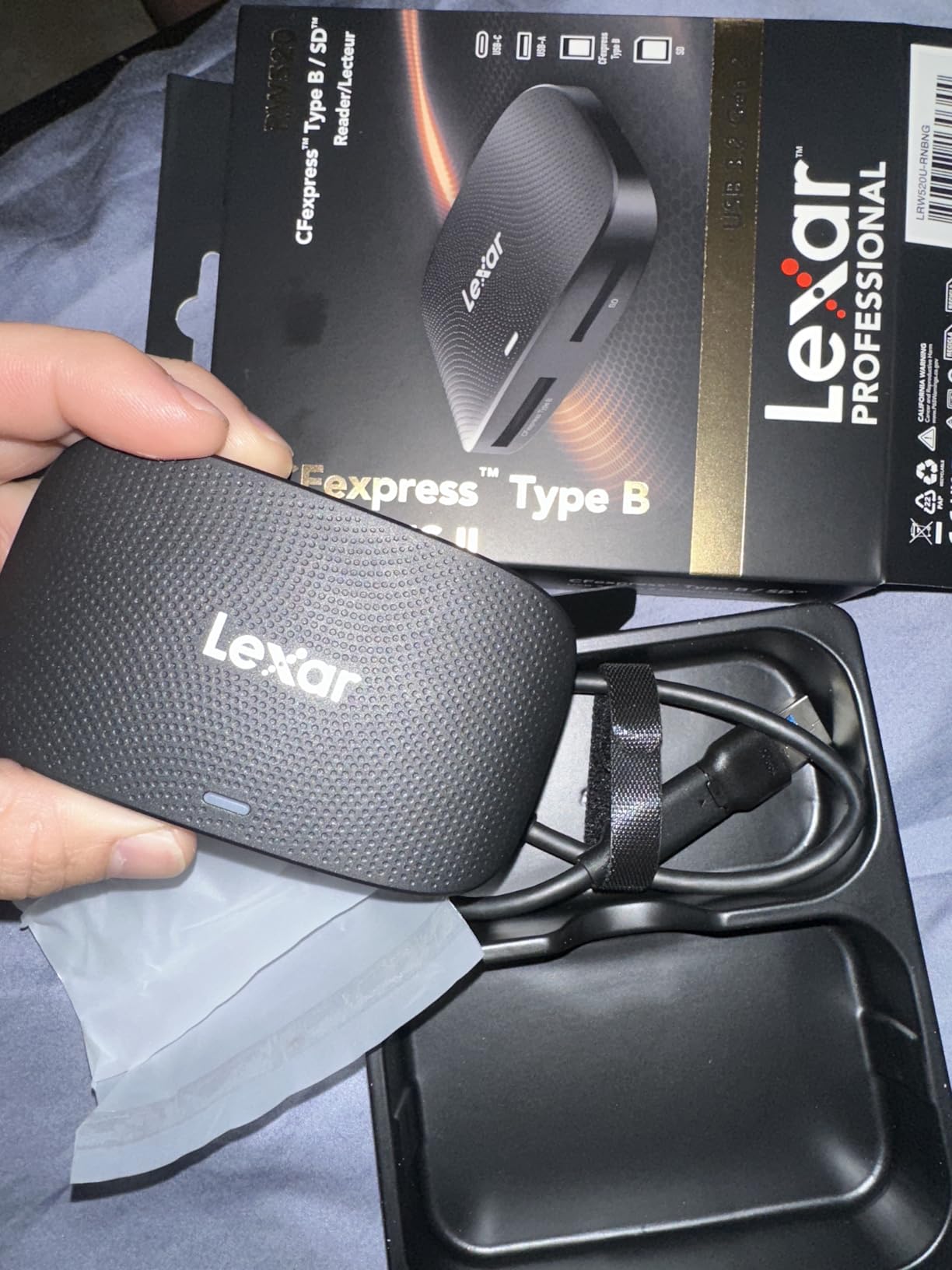
Being made by a card company is a quiet benefit. If you shoot Lexar media, compatibility is assured, and the two-year limited warranty is among the longest terms in the Type B group here. The 127 gram body is portable enough for location work despite the larger footprint.
Its weakest stat is the review profile: 8 percent one-star ratings, the highest negative share among the Type B readers in this roundup. Reading through the feedback, the complaints cluster around expectations rather than function, mostly around size and the Type A gap.
Best for Canon R5 and Nikon Z8 shooters
If you run a Type B body and still use an SD card somewhere in the kit, the second slot is worth paying for. You can clear both formats in one pass and skip the second reader entirely.
It is a good desk or location unit for a commercial or event shooter who wants one device to answer for, and the included cabling means no adapter shopping on day one.
Skip it if you need CFexpress Type A or a mount
Type A and Type C cards need the separate Lexar reader; there is no cross-compatibility, and no reader on this page does both. Sony Type A shooters should go to the ProGrade PG09 instead.
There is also no magnetic mount or adhesive plate here, so unlike the ProGrade units it stays wherever you put it. If you work on a laptop in a moving vehicle, that is a real difference.
9. Rocketek CFexpress Type B and SD Dual-Slot – Cheapest UHS-II on the Type B Slot
2IN1 CFexpress Type B & SD Card Reader USB3.2 10Gbps,Dual Slot Card Reader – USB-C + USB-A CFe Type B & SD UHS-II/UHS-I Card Reader for Windows/Mac/Android,Ideal for Photographers and Videographer
Pros
- Only reader here listing UHS-II on its SD slot
- 10Gbps CFexpress Type B transfer
- Aluminium body that dissipates heat during long transfers
- Integrated USB-C and USB-A connectors
- Works directly with MacBook Pro and USB-A desktops
Cons
- Short included cable
- Runs noticeably warm during Type B transfers
- Some Android users had trouble mounting it
- One report of about 40 MB/s with a fast card and a poor bundled USB-C cable
- CFexpress Type B only
This is the value entry into the CFexpress Type B market, and it has one specification advantage over the more established rivals: the SD slot is listed as UHS-II, so a UHS-II card in your second slot actually runs at UHS-II rates.
Transfer is up to 10Gbps for Type B media up to 2TB, with a 12-month warranty and plug-and-play behaviour on Windows, Mac, Linux and Android. The aluminium alloy housing is a step up from plastic, and it handles heat better than most units in this bracket.
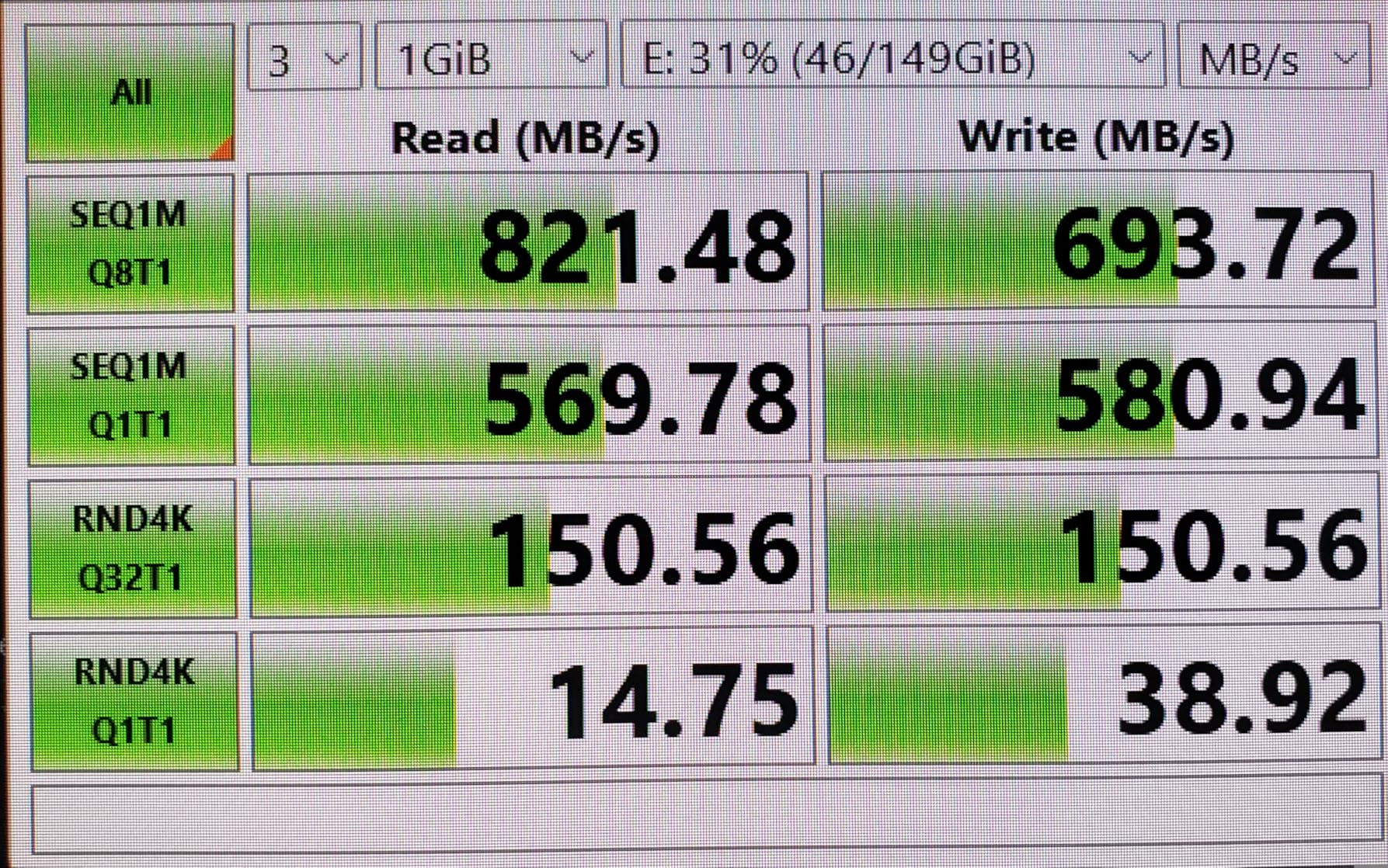
Owners running Canon EOS R5 bodies report genuinely fast daily transfers, and the dual connector means it works on a MacBook Pro USB-C or Thunderbolt port and a legacy desktop with no adapter.
The negatives are worth reading carefully. The included cable is short, the unit runs noticeably warm during long Type B transfers, and one detailed report measured only about 40 MB/s with a very fast Lexar card, blaming a faulty bundled USB-C cable. Try the unit with a known-good cable before you judge the hardware.
Best for Type B shooters on a budget
Choose this if you have a Canon R5, R5 Mark II, C70 or Nikon Z8 and you want a proper 10Gbps Type B path without stepping up to a pro-tier reader. The UHS-II SD slot also makes it useful for a Type B body plus a drone or action cam.
Aluminium construction and a 12-month warranty make it a sensible first CFexpress reader, and it plugs straight into a MacBook Pro.
Skip it if heat or cable length will annoy you
Runaway warmth during long Type B transfers is reported by several owners, and combined with a short cable that can be a frustrating desk arrangement. If your offloads are long and your laptop sits on a bed or a lap, that is a real concern.
It is Type B only. Type A and Type C cards will not fit, and the smaller review base means less long-term failure data than the ProGrade and Lexar units.
10. BENFEI CFexpress Type B USB 3.2 Gen 2 Reader – Toughest Cable on a Budget
BENFEI CFexpress Type B Card Reader with USB 3.2 (Gen 2) 10Gbps, USB-C&USB-A 2-in-1 Type B CFexpress Adapter, Compatible with Windows/Mac/Linux/Android(Not for XQD Card)
Pros
- 10Gbps USB 3.2 Gen 2 for a budget-tier price
- 2-in-1 USB-C and USB 3.0 head works with Thunderbolt 3 and 4
- Braided nylon cable tested beyond 10000 bends
- Aluminium alloy housing with heat-resistant connectors
- Plug-and-play on Windows Mac Linux and Android
Cons
- CFexpress Type B only
- Single slot with no SD companion
- Full speed needs a USB 3.2 Gen 2 host port
- No dedicated thermal management
The BENFEI CFexpress reader is a single-format, single-slot design, and that is exactly what it does well. There is no second slot to confuse you and no chance of inserting the wrong card generation.
It runs at 10Gbps over USB 3.2 Gen 2, and the 2-in-1 USB-C and USB 3.0 detachable cable head is explicitly Thunderbolt 3 and 4 compatible, which matters if your laptop has those ports and nothing else.
The build story is the reason to shortlist it. The braided nylon housing is tested beyond 10,000 bends on an aluminium alloy body with heat-resistant connectors, and the detachable head means a damaged cable is a two-second fix rather than a dead reader. Cable failure is the most common way these units die, and this one is designed against it.
It is plug-and-play across Windows, macOS, Linux and Android with an 18-month unconditional warranty, and reviewers rate it 4.5 stars from more than 2,200 ratings, with 79 percent five-star.

Best for a one-format CFexpress Type B kit
Pick this if Type B is the only card you use and your laptop is Thunderbolt-equipped. The detachable cable, 10Gbps and the 10,000-bend rating cover the three things that most often go wrong with a portable reader.
It is also a good travel unit, because there is one slot, one card orientation and nothing to lose.
Skip it if you carry a second card format
There is no SD slot, so a dual-format body means two readers to carry. If your workflow alternates between a Type B card and an SD card, the Lexar or Rocketek dual-slot options remove that friction.
It is also Type B only, with no XQD, Type A or Type C support, and reaching 10Gbps requires a genuine USB 3.2 Gen 2 host port. An older port quietly caps the whole chain.
11. ProGrade Digital PG05.6 – USB 4.0 CFexpress Type B with a Certified Cable
Pros
- USB 4.0 40Gbps interface
- the top generation on offer for Type B
- Certified USB 4.0 cable included
- sidestepping bundled cable problems
- Magnetic mount with adhesive plate creates a tidy mobile workstation
- Precision aluminium body with Refresh Pro support
- 2-year replace
- repair or refund warranty
Cons
- Most of the 40Gbps headroom is unusable with current cards
- Single slot with no SD companion
- Heaviest device here at 250 g
- Top specification tier
- 4.3 average with 7 percent one-star and 8 percent two-star shares
It is one of the very few readers that include a certified USB 4.0 cable. Given that bundled-cable failures are a documented problem in this category, that inclusion is worth more than the headline number.
The body is magnetic with an adhesive metal plate included for laptop attachment, Refresh Pro is enabled for ProGrade cards, and the warranty runs two years with replacement, repair or refund. Single-slot design, CFexpress Type B only.
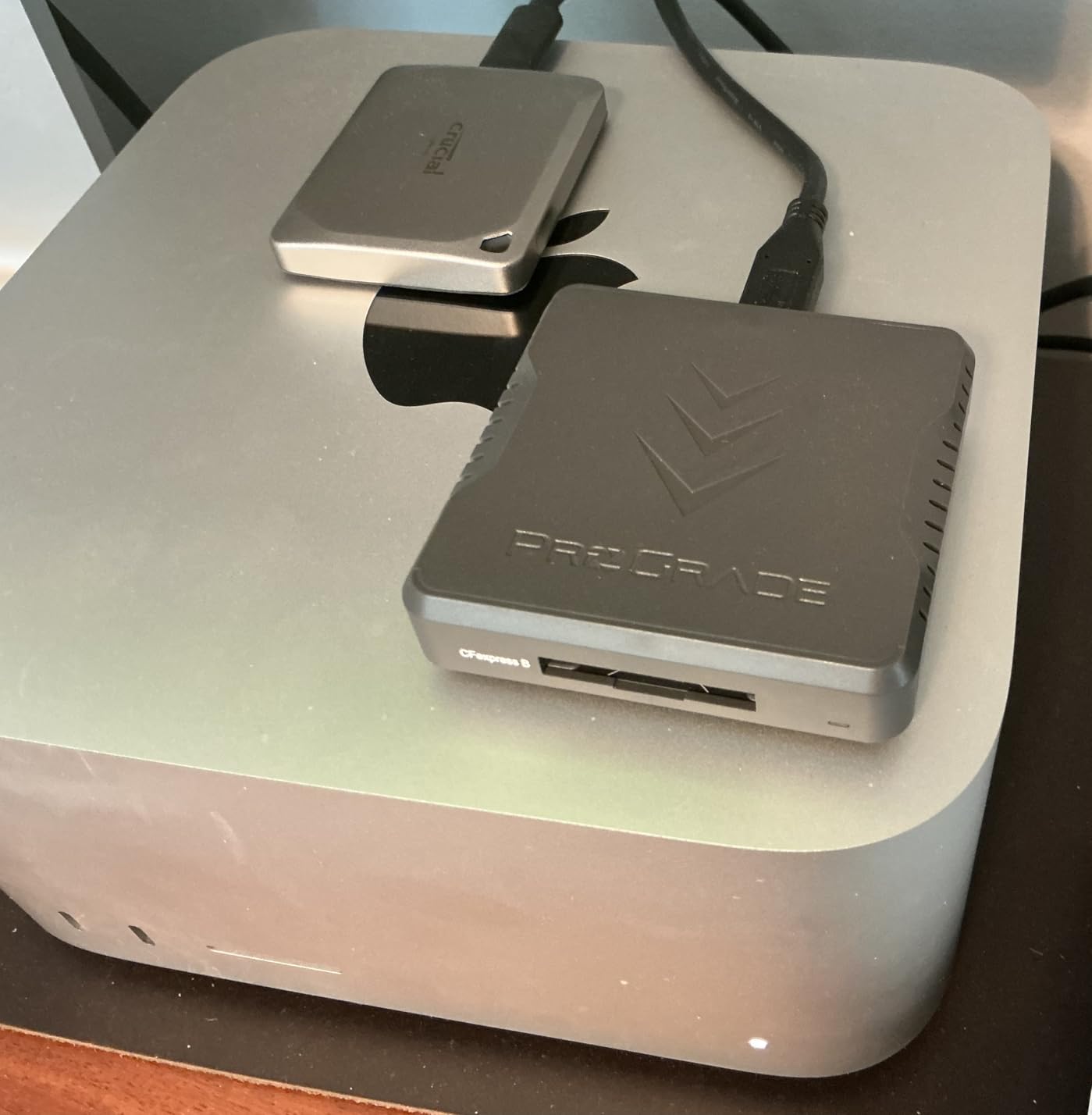
The honest problem is that the specification is largely aspirational. No CFexpress card currently available can saturate 40Gbps, so on most workflows the real gain over a good 10Gbps reader is small. It becomes meaningful when paired with a genuine USB4 host, which is still not universal.
Review sentiment reflects that: praise for the specification and the included cable, with reservations about what is actually usable. The 4.3 average with 7 percent one-star and 8 percent two-star shares comes largely from people who paid for headroom they could not use.
Best for shooters with a real USB4 or Thunderbolt host
If you already have a USB4 or Thunderbolt 4 workstation and you offload very large Type B volumes, this removes the cable question entirely. The certified cable alone removes a failure point that has bitten owners of competing units.
The magnetic mount makes it a tidy fixed device on a laptop, and the two-year replace-repair-refund warranty is among the strongest terms here.
Skip it if you want value or a second slot
There is no SD companion slot, so a dual-format body needs another reader. At 250 grams it is also among the heaviest readers here, and the specification reflects capability you will not use on any card currently available.
If you do not already own a USB4 host, the 10Gbps units above will move your data at close to the same real-world rate for considerably less.
12. SABRENT CR-U4XB USB4 CFexpress Type B – Compact USB4 With a Detachable Cable
Pros
- Reported faster than higher-priced 20Gbps readers on the same Type B card
- Detachable USB-C cable so a damaged cable is not fatal
- Very small at 3.5 by 1.77 by 0.59 inches
- Aluminium body reads SanDisk Lexar and Angelbird cards
- Bus-powered with OTG for phones and tablets
- 2-year warranty
- 3 years with registration
Cons
- Runs very hot
- several owners report high heat even when idle
- Idle heat draw affects laptop battery life
- Needs a true USB4 host port to show its advantage
- CFexpress Type B only
- CFexpress cards themselves throttle when hot
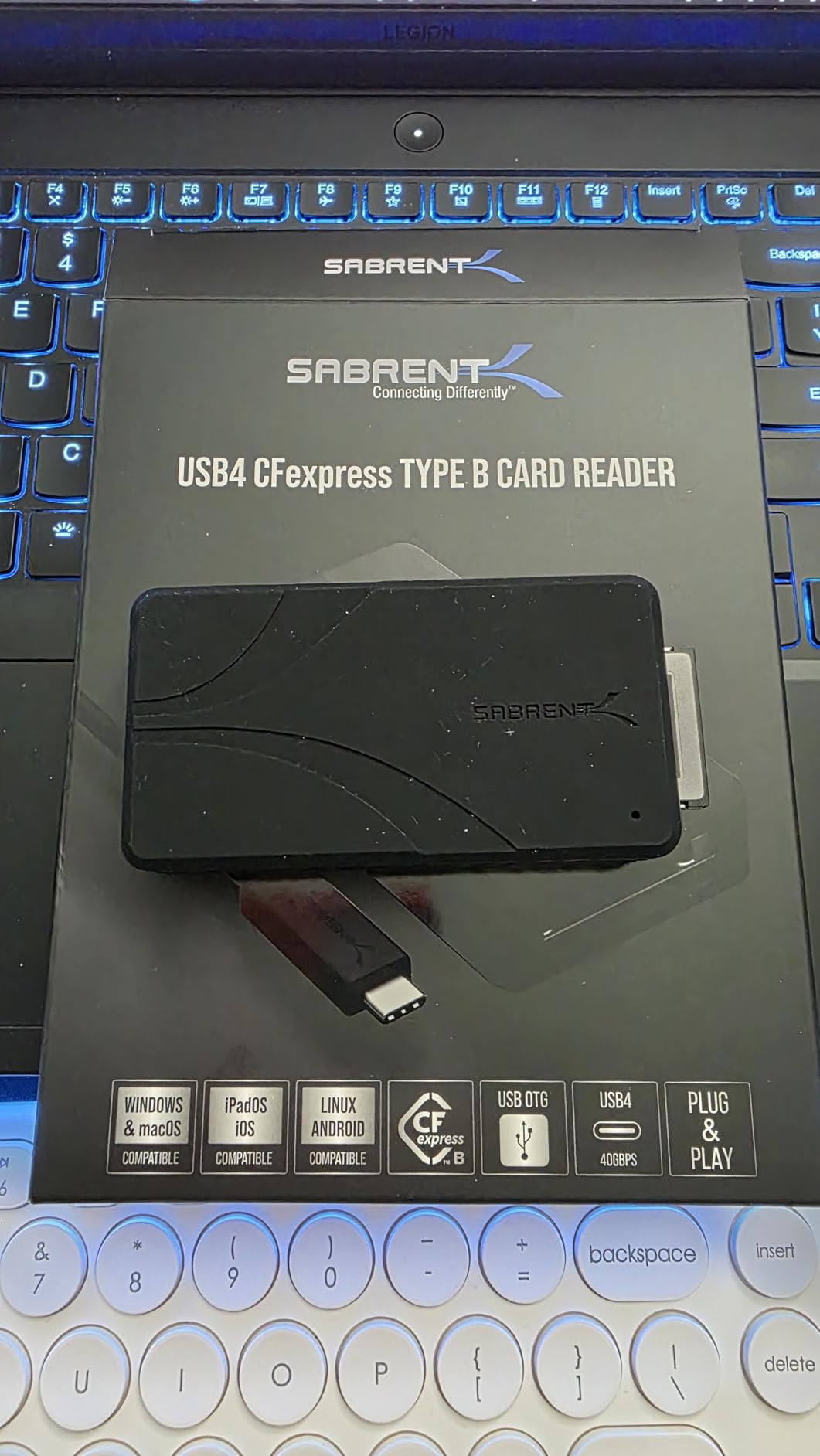
The SABRENT CR-U4XB is a compact USB4 reader, at 3.5 by 1.77 by 0.59 inches and 180 grams. It is built for someone who wants the newest interface generation without a desk-sized body.
It reports up to 40Gbps, roughly 3,500 MB/s real-world on a USB4 host, and one working sports photographer benchmarked it against a 20Gbps reader with the same Type B card and found it clearly faster because Mac USB4 hosts cap at 10Gbps. That host limitation is the detail most sales copy omits.
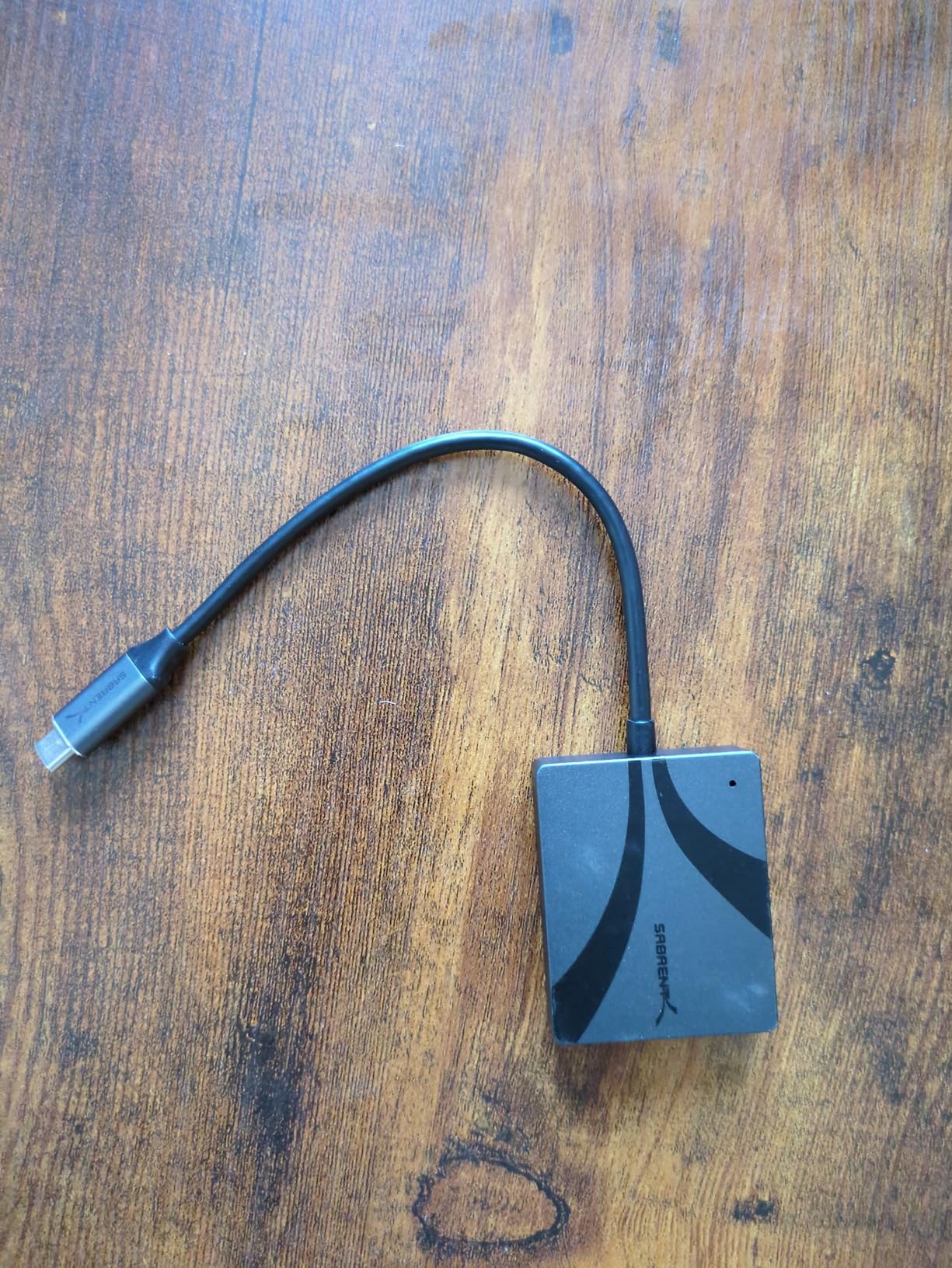
The detachable USB-C cable is the feature owners rate highest. Because the cable is not fixed, a worn or faulty lead is a cheap replacement rather than a dead reader. The aluminium alloy body sheds heat during prolonged offloads, and there is an optional silicone sleeve for drop protection.
It is bus-powered with OTG support and needs no drivers on Windows, macOS, Linux, tablets, phones or cameras, which makes it a genuine field option. Warranty is two years, extended to three with manufacturer registration.
Best for compact USB4 and OTG field setups
Choose this if you shoot Type B on a laptop that has a true USB4 port, or if you offload to a tablet or phone. The detachable cable, the small footprint and the bus power cover the three failure points of portable offload.
It is also the only USB4 option here that mounts compactly to a camera or cage for external field recording.
Skip it if heat or a small review base worries you
Heat is the dominant complaint. Multiple owners report the unit becoming extremely hot even when idle with no card inserted, and idle heat draw on a laptop is a battery concern. The sensible pattern is connect, copy, disconnect, rather than leaving it plugged in.
CFexpress cards also throttle when they get hot, which cuts sustained speed over long transfers. And with 107 reviews, this is the thinnest evidence base in the roundup, so long-term failure data simply does not exist yet.
How to Choose a Reader for the Camera You Already Own
Start with the card, never the reader brand. The single most repeated question across the photography forums is which reader matches a given body, and the answer is entirely mechanical. Find out what your camera takes, then buy the matching physical slot.
CFexpress Type A is used by the Sony A1, A7S III, A9 III, FX3 and FX6, and no other format fits that slot. CFexpress Type B is used by the Nikon Z8 and Z9, the Canon R5, R5 Mark II and C70, and bodies like the RED Komodo-X. The two are physically different sizes and are not cross-compatible, which is the most common expensive mistake in this category.
Everything else is SD and microSD. Most APS-C bodies and older full-frame cameras use UHS-I or UHS-II SDXC cards, and drones and action cameras use microSD. A UHS-II card has a second row of contacts; a UHS-I reader caps the transfer near 104MB/s, so pairing a V90 card with a UHS-I reader wastes most of what you paid for the card.
On the USB side, the numbers matter less than people assume but still set a ceiling. USB 3.2 Gen 1 is 5Gbps and is what most boxes mean by “USB 3.0”. USB 3.2 Gen 2 is 10Gbps, which is the sensible pairing for a UHS-II card or a CFexpress Type B card. USB 3.2 Gen 2×2 is 20Gbps. USB4 and Thunderbolt 4 are 40Gbps, which no current memory card can saturate.
Two practical warnings. A USB 2.0 cable physically caps a Gen 2 reader at roughly 40MB/s, so a cheap cable can halve a capable reader. And a USB hub shares bus bandwidth across everything plugged into it, so running an SSD and a reader through the same hub slows the reader, which is the setup many field photographers actually run.
Then protect the data. Insert the card, copy rather than move, verify the file count or run a checksum, and eject properly every time. A reader that drops power mid-copy because it was under-volted is a documented cause of mount failures, and the card is the thing that breaks, not the reader. After the copy, make a second copy before you format: three copies, on two different media, one of them somewhere else.
Readers do not wear cards out when used correctly. What wears cards out is pulling a card during a write, forcing it into the wrong slot, and leaving a card inserted in a powered reader for weeks in a bag.
Frequently Asked Questions
What is the best card reader for photographers?
The SmartQ C368 is the best general-purpose card reader for photographers because it has four independent slots for microSD, SD, Memory Stick and CompactFlash, moves data at 5Gbps USB 3.0, weighs 1.12 ounces, and holds a 4.6 star rating across more than 34,000 reviews. Photographers with CFexpress Type A cards should choose the ProGrade PG09, and CFexpress Type B shooters should look at the Lexar dual-slot reader.
Do I need a special card reader for CFexpress cards?
Yes. CFexpress is a physically distinct format and needs a reader built for it, with Type A and Type B being different sizes that will not cross over. A Type A reader is required for Sony A1, A7S III, A9 III, FX3 and FX6 bodies, while Type B covers the Nikon Z8, Z9, Canon R5, R5 Mark II and C70. At minimum, pair a CFexpress card with a USB 3.2 Gen 2 10Gbps reader and a matching host port.
Which UHS-II card reader is the best?
For a UHS-II SD card, the reader needs a UHS-II slot with USB 3.2 Gen 2 or better, which rules out most budget single-purpose units. The UGREEN four-slot and SmartQ C368 readers are UHS-I only, so a V90 card will not reach its rated speed in them. Among dual-slot CFexpress designs, the Lexar and Rocketek Type B readers both pair a Type B slot with an SD slot, and the Rocketek model explicitly lists UHS-II.
What is the best CFexpress card reader?
For CFexpress Type B, the Lexar dual-slot reader is the balanced choice because two slots allow a Type B card and an SD card to be offloaded at the same time, it runs at 10Gbps USB 3.2 Gen 2, and both USB-C and USB-A cabling is included. For Type A, the ProGrade PG09 is the only pick, with reported real-world speeds of 700-850 MB/s and a magnetic mount. For USB4 hosts, the ProGrade PG05.6 or SABRENT CR-U4XB apply.
Do I need a UHS-II card reader if I own a UHS-II card?
Only if you want the card’s rated speed. A UHS-II card has a second row of contacts, and a reader without a UHS-II slot caps transfers at roughly 104MB/s, which is the main reason photographers report their fast cards feel slow. If you shoot stills and copy once a day, UHS-I performance is adequate. If you shoot high-bitrate video or batch RAW, the UHS-II slot is the difference between a short wait and a long one.
Why is my card reader so slow?
The four usual causes are a UHS-I reader holding back a UHS-II card, a USB 2.0 cable capping a faster reader, a USB hub sharing bandwidth with an SSD or another device, and a laptop port that is not USB 3.2 Gen 2 or better. A fifth cause is the host itself, since some USB4 ports cap at 10Gbps. Swap the cable first, plug directly rather than through a hub, and confirm the reader is reaching your card’s rated speed before blaming the card.
Does a card reader wear out memory cards?
A reader in normal use does not wear out cards. Damage comes from pulling a card during a write, forcing a card into the wrong slot, and using a reader that under-volts a card badly enough to cause a mid-copy mount failure. Always copy rather than move, verify the file count, and eject properly. Readers that run hot are worth using in short sessions, since cards themselves throttle when they get hot.
The Best Card Readers for Photographers in 2026
The best card readers for photographers in 2026 come down to one question: what is in your camera right now. If it is SD and microSD, the SmartQ C368 wins on four independent slots, a 1.12 ounce body and the largest field-proven rating in this roundup, with the UGREEN four-slot hub as the desk-bound alternative.
If you shoot CFexpress, the choice is mechanical. Type A means the ProGrade PG09 and nothing else on this page will work. Type B means the Lexar dual-slot for simultaneous offload, the Rocketek dual-slot if you also want a UHS-II SD slot, and the BENFEI single-slot if cable durability matters most to you.
Match the reader to the card, copy rather than move, verify, and back up before you format. That sequence is worth more than any specification on a box.