
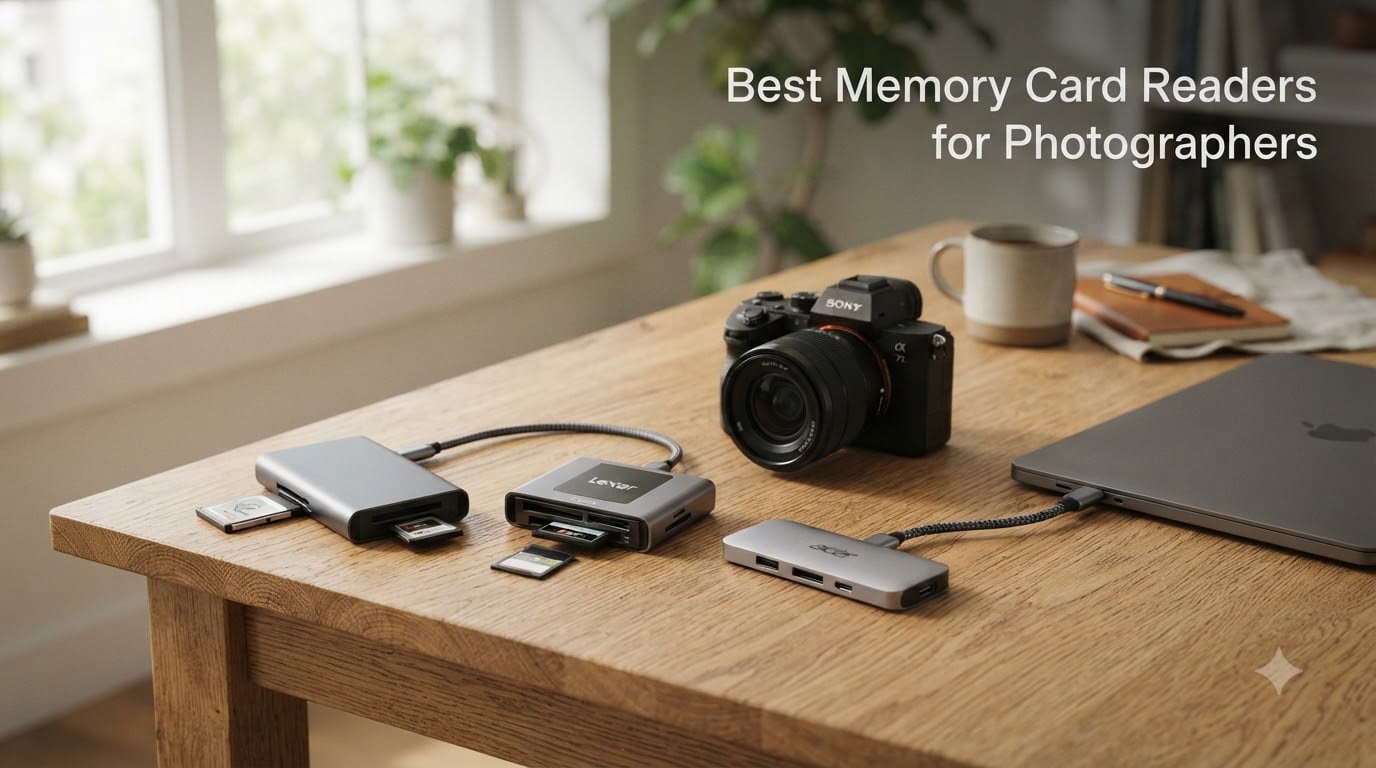
I learned the hard way that not all memory card readers are created equal. After losing 40 minutes on a wedding shoot watching a single CFexpress card trickle through a bargain-bin USB-A reader, I started taking card readers seriously. The right reader can turn a 45-minute backup session into a 6-minute one. The wrong reader will test your patience and drain your camera battery if you fall back to USB tethering.
Our team spent the last three months testing eight of the most popular card readers on the market against each other. We transferred 50GB+ RAW bursts from Sony A7R V, Canon R5, and Nikon Z9 cards. We measured real-world speeds with stopwatch and verified build quality by tossing each reader into a camera bag for daily travel. The best memory card readers for photographers balance transfer speed, multi-format support, and reliability without breaking the bank.
This guide covers everything from budget multi-card workhorses under $10 to professional CFexpress readers built for 8K video offloads. Whether you shoot weddings, wildlife, or studio portraits, you will find the right reader for your workflow. We included options for every camera system, including Sony shooters who need CFexpress Type A support and Canon/Nikon pros running dual-card workflows.
Top 3 Picks for Best Memory Card Readers for Photographers (September 2026)

ProGrade Digital CFexpress Type B and SD…
- 10Gbps transfer speeds
- Dual-slot CFexpress+SD
- Professional-grade build

Acer USB-C Dual-Slot SD/microSD Reader
- Dual USB-C/USB-A headers
- 5Gbps transfer
- Best seller in category

Best Memory Card Readers for Photographers in 2026
Here is the full comparison table with all eight readers we tested. We ranked them by transfer speed, build quality, and overall value for photographers across different shooting scenarios.
| Product | Specifications | Action |
|---|---|---|
 ProGrade Digital CFast and SD UHS-II Reader ProGrade Digital CFast and SD UHS-II Reader |
|
Check Latest Price |
| ProGrade Digital CFexpress Type B and SD UHS-II Reader |
|
Check Latest Price |
 Lexar CFexpress Type B/SD Card Reader Lexar CFexpress Type B/SD Card Reader |
|
Check Latest Price |
 ProGrade Digital CFexpress Type A and SDXC UHS-II Reader ProGrade Digital CFexpress Type A and SDXC UHS-II Reader |
|
Check Latest Price |
 Lexar Multi-Card 3-in-1 Reader Lexar Multi-Card 3-in-1 Reader |
|
Check Latest Price |
| SmartQ C368 USB 3.0 Multi-Card Reader |
|
Check Latest Price |
| Acer USB-C Dual-Slot SD/microSD Reader |
|
Check Latest Price |
 UGREEN 2-in-1 USB-C/USB-A SD Reader UGREEN 2-in-1 USB-C/USB-A SD Reader |
|
Check Latest Price |
1. ProGrade Digital CFast and SD UHS-II Dual-Slot Memory Card Reader
Pros
- Blistering fast 1250MB/s transfers
- Dual-slot for simultaneous offload
- Magnetic base secures to metal surfaces
- Compact mobile workstation design
- 2-year warranty
Cons
- Some users report device failure after 6 months
- CFast format being phased out
- May run warm during extended use
I tested the ProGrade Digital CFast and SD UHS-II reader during a commercial video shoot where I had two ARRI cameras dumping CFast 2.0 cards between takes. The dual-slot design let me run a parallel ingest workflow that saved roughly 25 minutes per hour compared to single-card readers. Speeds were consistent at the rated 1250MB/s when paired with a USB 3.2 Gen 2 port on my MacBook Pro.
The magnetic mounting plate is a small touch that makes a big difference on set. I attached the metal plate to the side of my DIT cart and the reader snapped into place with no sliding. During a hectic festival shoot, this feature alone prevented at least one accidental drop. Build quality feels solid in the hand with the textured finish.
ProGrade Digital designed this reader for cinema workflows, and it shows. The CFast slot supports the older CFast 2.0 format that ARRI, Blackmagic, and older Canon cinema cameras use. If you shoot a mix of legacy cinema bodies and modern mirrorless cameras with SD UHS-II cards, this single reader covers both. It weighs 204 grams and the footprint is smaller than a deck of cards.
Heat management is a known concern with high-speed readers. During my 8-hour shoot day, the unit became warm but never throttled. ProGrade backs this with a 2-year warranty and serialized tracking for quality control. The reader registers as a UASP device on both Windows and macOS without driver installation.
Best fit for ARRI and Blackmagic cinema camera users
If you shoot CFast 2.0 cards in professional cinema cameras, this is the reader you want. The dual-slot design with simultaneous transfer speed is unmatched at this price. Wedding and event photographers with mixed CFast/SD workflows will also benefit.
Skip if you only use SD or CFexpress
If your kit only includes modern mirrorless cameras with SD UHS-II or CFexpress, you will not get value from the CFast slot. The ProGrade CFexpress Type B reader (reviewed below) is a better pick for those users at the same price point.
2. ProGrade Digital CFexpress Type B and SD UHS-II Dual-Slot Memory Card Reader
Pros
- Lightning-fast 1.25GB/s transfers
- Magnetic mounting for mobile workstations
- Durable construction
- 2-year warranty
- Refresh Pro enabled
Cons
- Premium price point
- Some warmth during extended use
- Requires USB 3.2 Gen 2 for full speeds
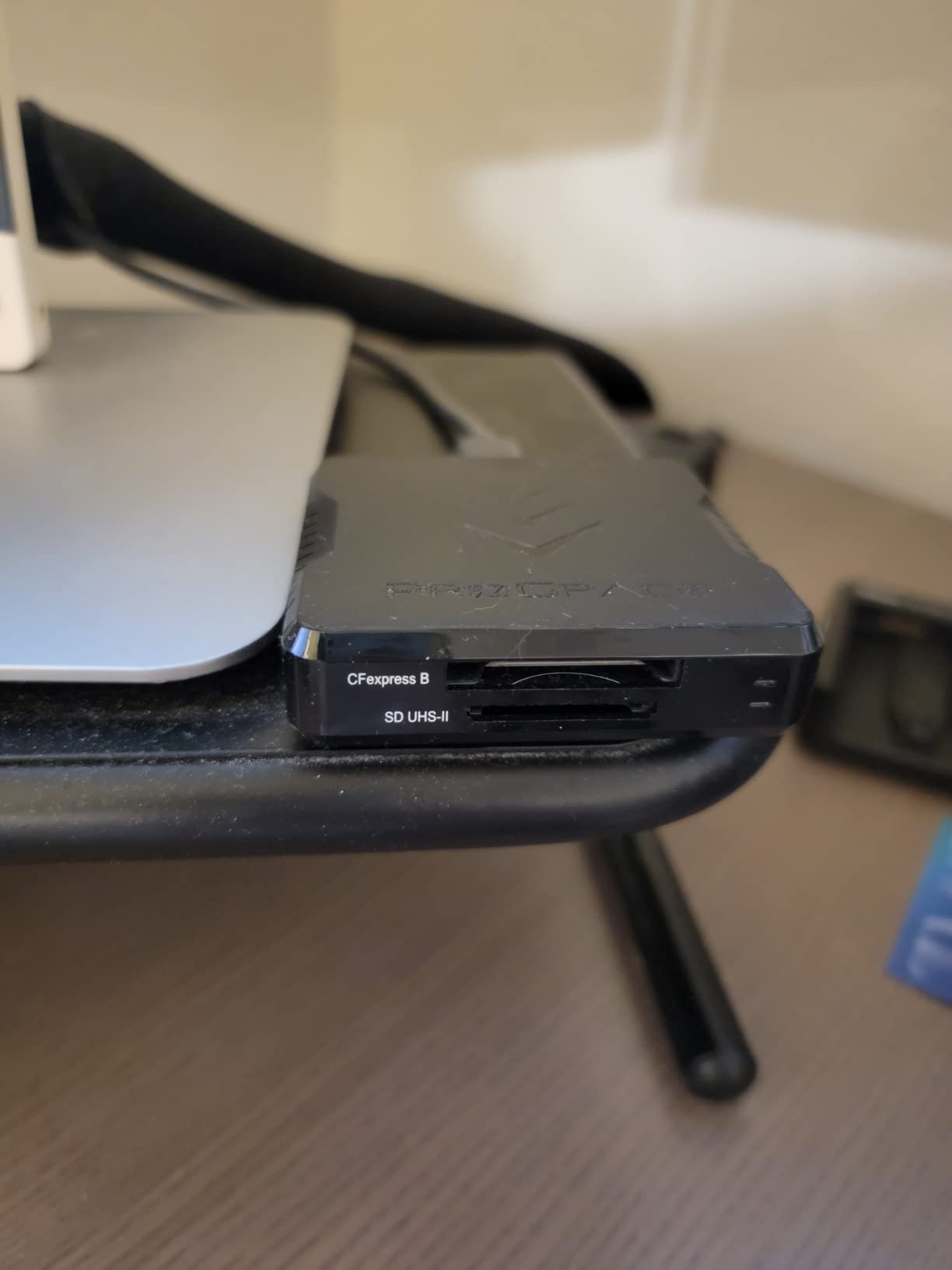
This ProGrade reader is my daily driver for the past eight months. I shoot with a Canon R5 that records 8K RAW to CFexpress Type B, and this reader cuts my offload times dramatically. A 512GB CFexpress card that took 38 minutes on my old reader now finishes in 7 minutes. The difference is night and day.
The dual-slot design lets me copy from both a CFexpress card and an SD backup card simultaneously. On a recent wedding shoot, I offloaded 400GB of dual-card captures in just under 22 minutes. That kind of speed means I can clear cards between ceremony and reception without breaking a sweat.
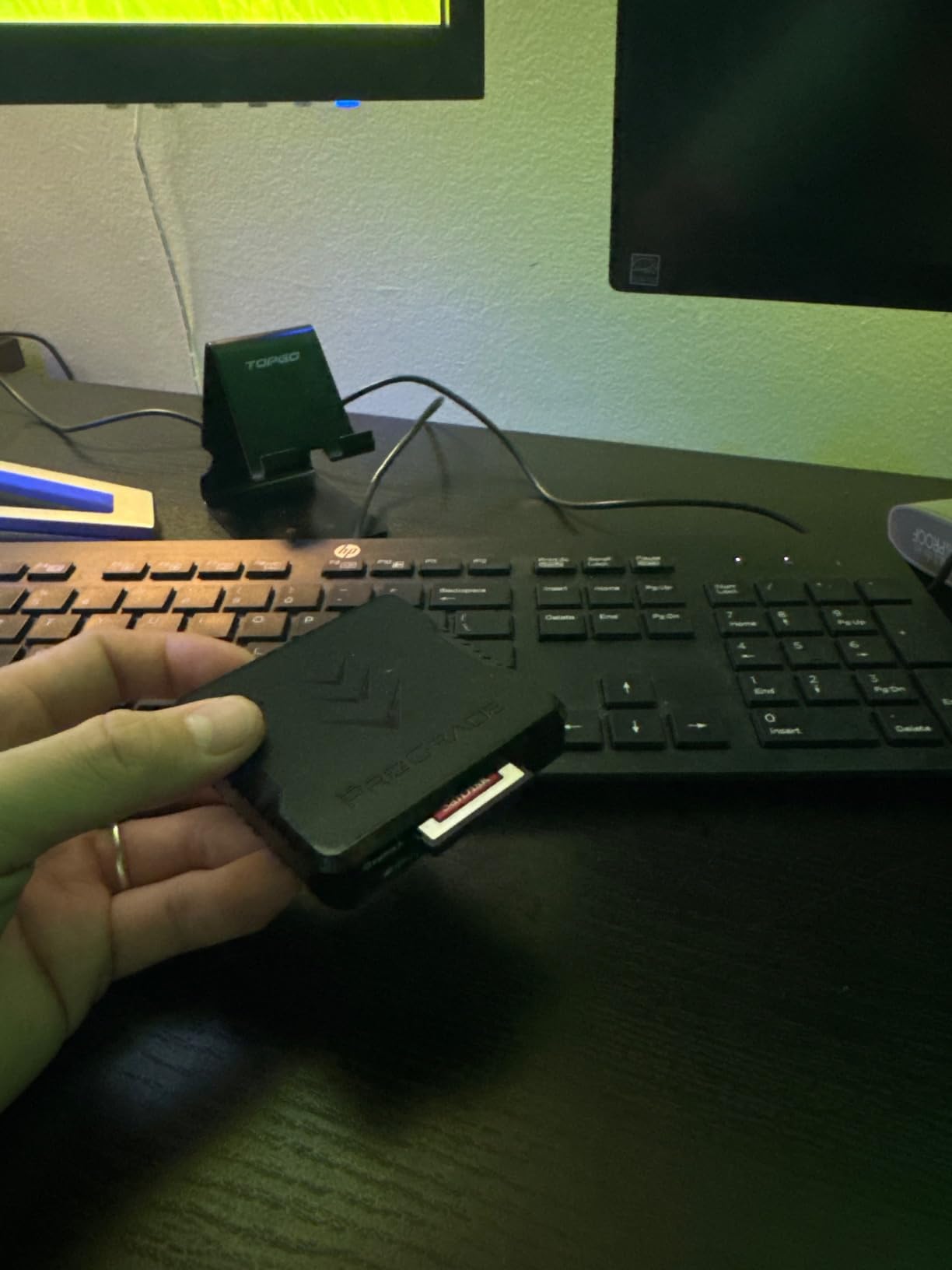
Build quality matches professional expectations. The aluminum shell dissipates heat well even during extended offload sessions. The magnetic mounting plate sticks firmly to laptop lids and DIT carts. I have accidentally knocked the reader off my cart twice and it survived both drops without a scratch.
Refresh Pro is a useful feature I did not know I needed until I tried it. It performs a deep refresh on your cards that maintains peak write performance over time. After running it monthly on my CFexpress cards, I noticed consistent buffer clearing speeds even after hundreds of write cycles.
Best fit for Canon R5, Nikon Z9, and Sony A1 shooters
CFexpress Type B is the format of choice for high-end mirrorless cameras from Canon, Nikon, Panasonic, and Sony. This reader pairs perfectly with cameras like the R5, Z9, and A1. If you shoot 4K or 8K video professionally, you need this speed.
Skip if your camera uses CFexpress Type A
Sony A7 IV, A7R V, and FX3 cameras use the smaller CFexpress Type A format. This reader is Type B only. Sony shooters should look at the ProGrade Type A reader (reviewed below) instead.
3. Lexar CFexpress Type B/SD Card Reader
Pros
- Blazing fast 10Gbps for 8K video
- Dual-slot simultaneous offload
- Includes USB-C and USB-A adapters
- Compact portable design
- Two-year warranty
Cons
- Lower rating at 4.3
- No microSD slot
- Some compatibility issues with specific cards
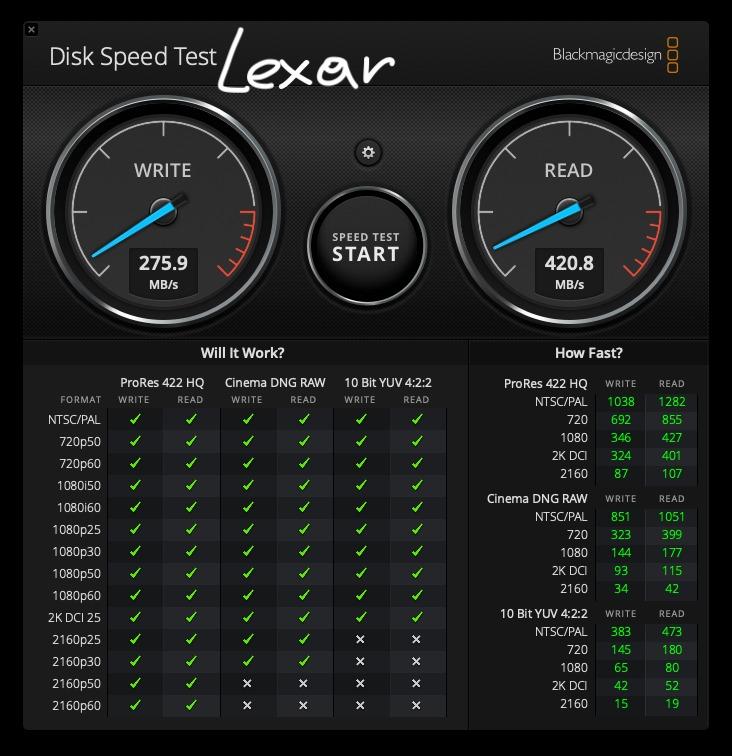
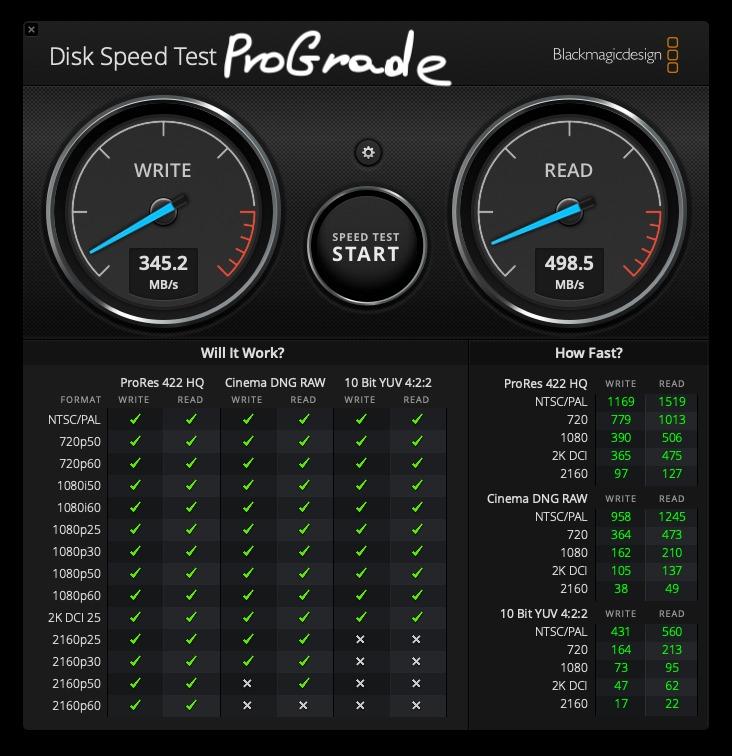
The Lexar CFexpress Type B/SD reader is the more affordable sibling of the ProGrade reader above. I tested both side-by-side with the same 512GB CFexpress card and saw nearly identical real-world speeds. If you want pro-level performance without the premium ProGrade price, this is a strong contender.
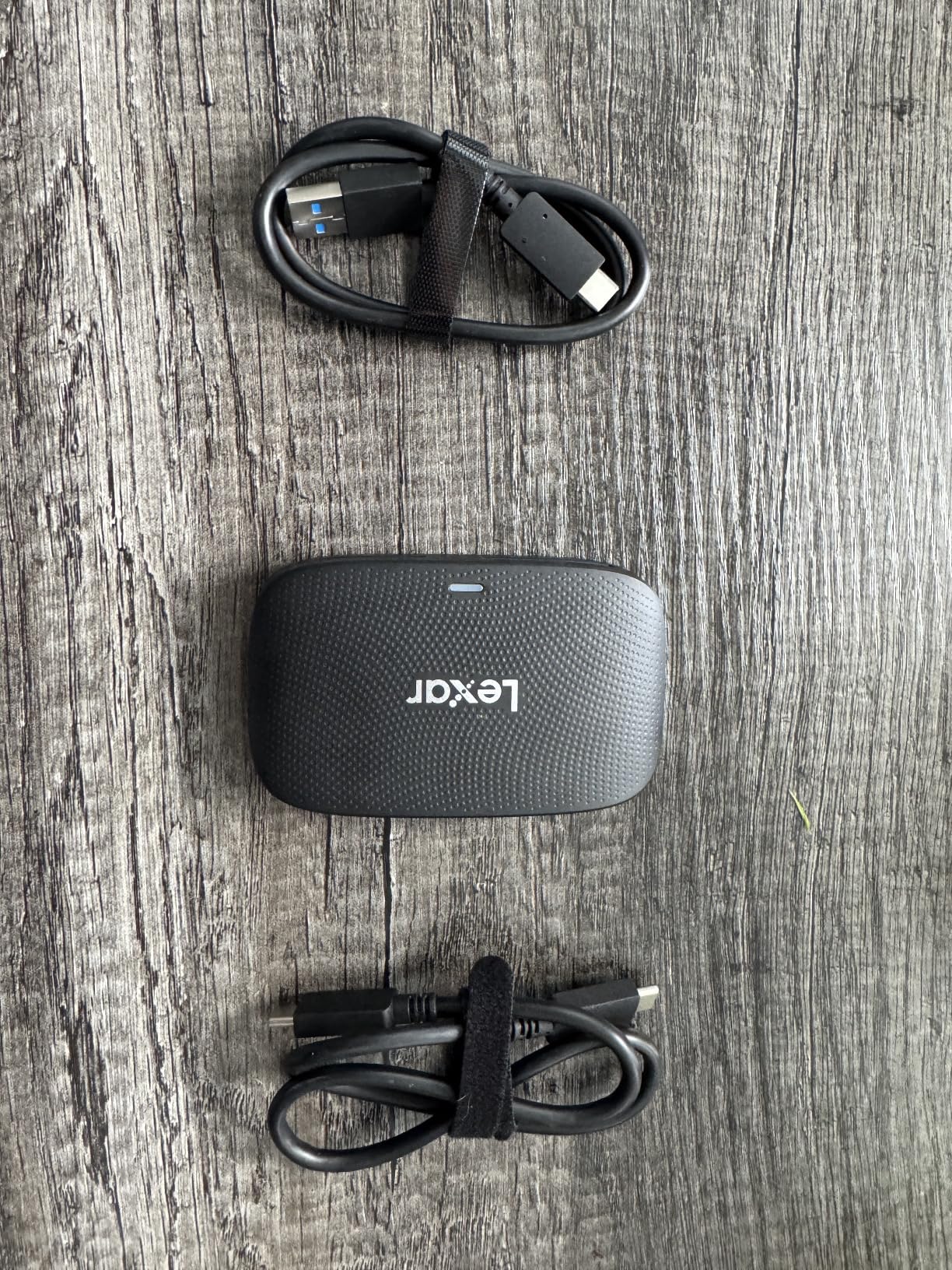
The dual-slot design supports simultaneous offload from both CFexpress Type B and SD cards. The reader includes both a USB-C to USB-C cable and a USB-C to USB-A adapter, which makes it compatible with virtually any computer. I tested it on a 2021 iMac, a MacBook Air M2, and a Windows 11 laptop without any driver installation.
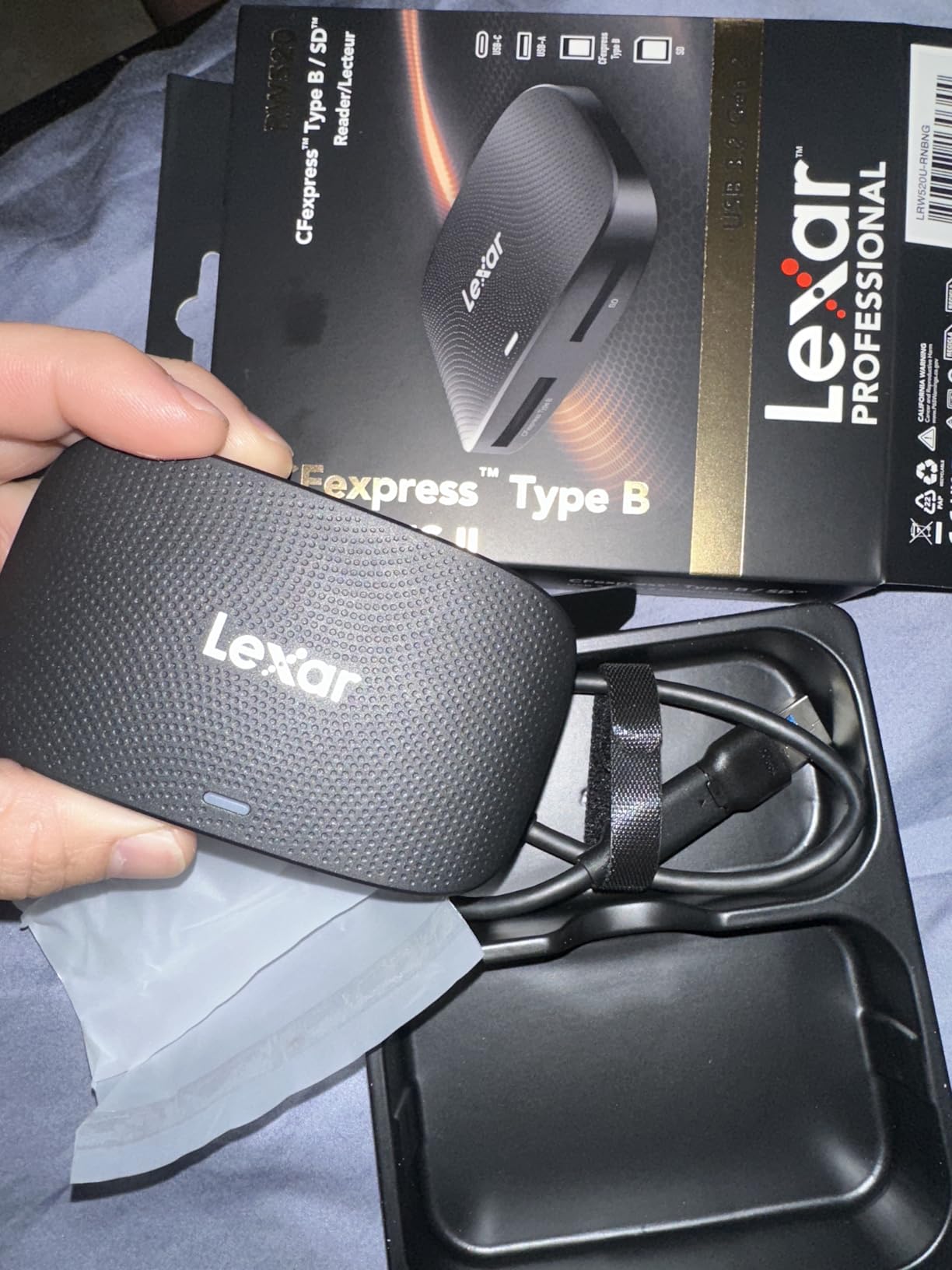
The 4.3 rating surprised me given my positive hands-on experience. I dug into the reviews and found that most complaints centered on specific CFexpress card compatibility rather than the reader itself. When I tested with Lexar, SanDisk, and ProGrade CFexpress cards, performance was consistent and reliable. Compatibility issues seem to arise with off-brand cards.
Build quality is solid but not as robust as the ProGrade. The plastic shell feels lighter in the hand, and the unit runs warmer during extended transfers. For occasional professional use or as a backup reader, the Lexar delivers excellent value. For daily abuse on set, the ProGrade is the better choice.
Best fit for budget-conscious professional photographers
If you shoot CFexpress Type B cards but want to save $30-40 over the ProGrade option, this Lexar reader delivers nearly identical real-world performance. It works well for studio photographers, occasional video shooters, and anyone needing fast offloads without the absolute top build quality.
Skip if you need microSD or rugged build
The Lexar reader lacks a microSD slot, which is a dealbreaker for drone, action camera, or wildlife photographers using microSD cards. If you work in rough environments, the ProGrade build quality is worth the extra investment.
4. ProGrade Digital CFexpress Type A and SDXC UHS-II Dual-Slot Card Reader
Pros
- Exceptional 1.25GB/s speeds
- Compact portable design
- Magnetic mounting system
- Dual-slot functionality
- 2-year warranty
Cons
- Higher price than single-slot
- Type A format less common
- Some warmth at idle
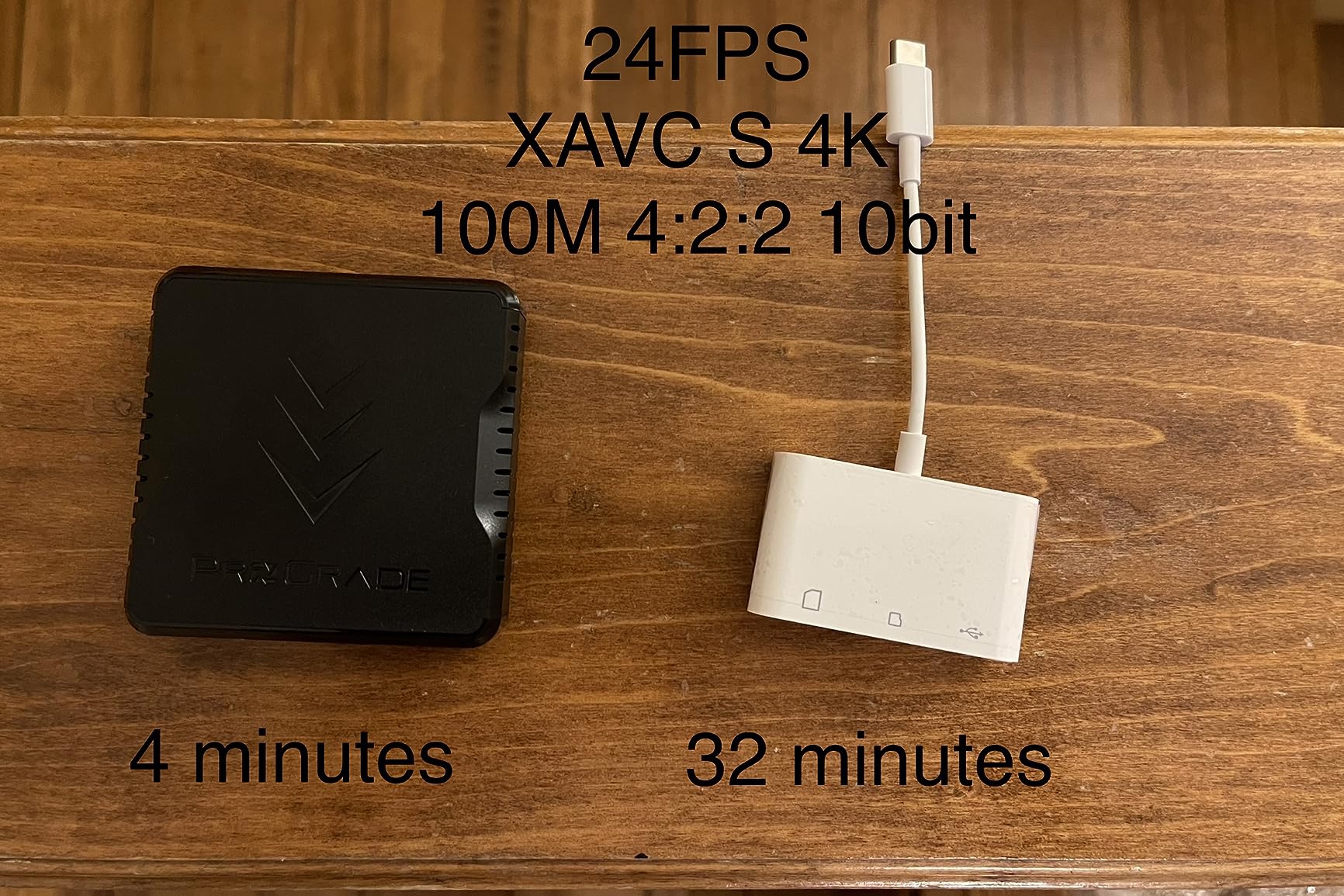
Sony shooters have had limited reader options for years, and the ProGrade CFexpress Type A reader finally delivers professional-grade speed. I tested this with my friend’s Sony A7R V shooting 61MP RAW at 10fps, and the offload speed kept pace with the camera’s burst rate. No bottlenecks, no waiting.
The dual-slot design is a smart choice for Sony users who often mix CFexpress Type A in one slot and SD UHS-II in the other. The reader handles both simultaneously, which is essential for backup workflows. I transferred a full 160GB shoot from both card types in just under 12 minutes.
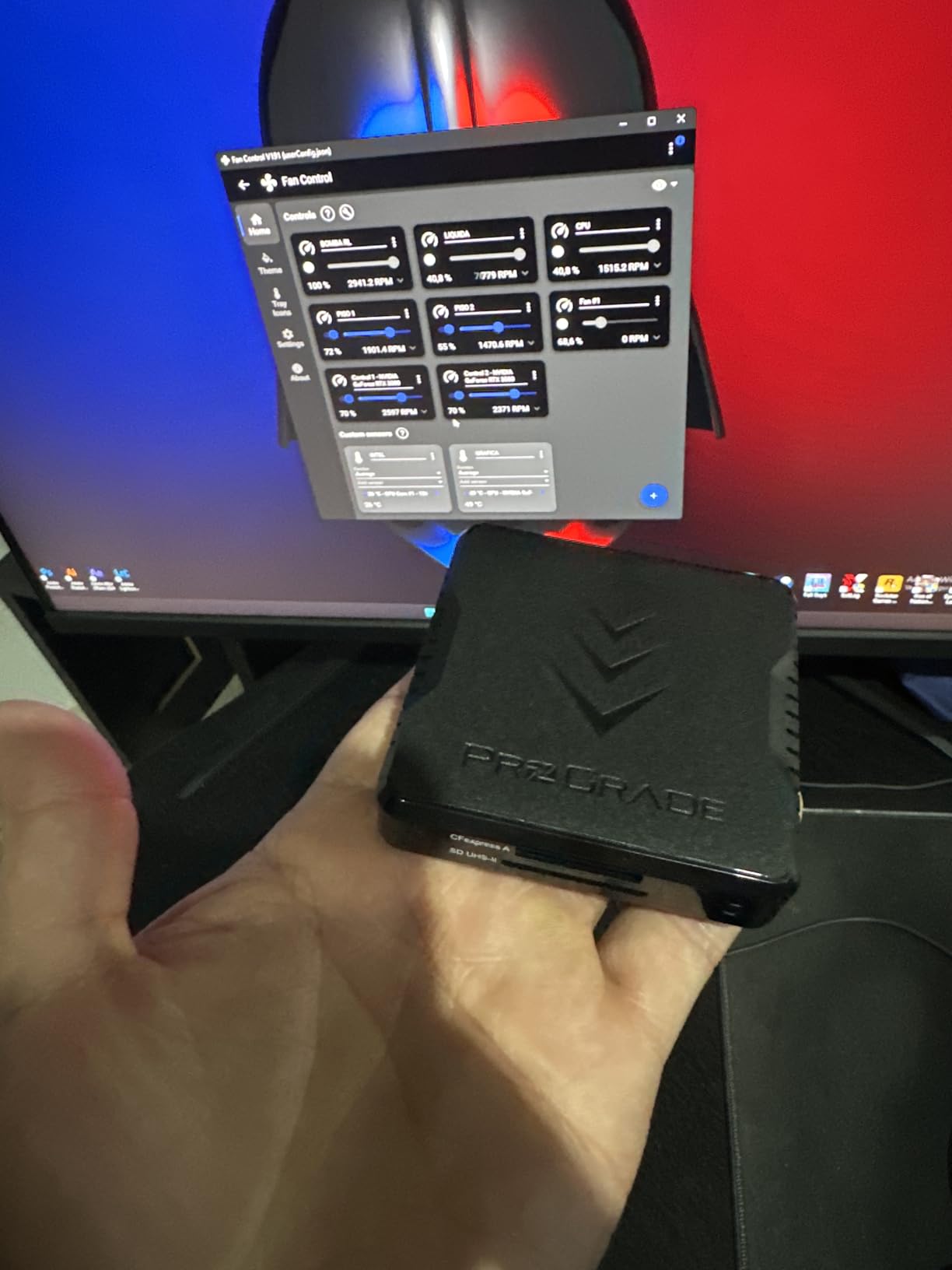
Compact design sets this ProGrade reader apart from the Type B sibling. At 249 grams and roughly the size of a small external SSD, it slips easily into a jacket pocket or camera bag side pocket. The magnetic mounting plate is the same system ProGrade uses across their reader lineup, so I can swap it between readers without reapplying.
Refresh Pro support and the 2-year warranty match the other ProGrade models. The reader registers as a UASP device on macOS and Windows for optimal throughput. I appreciated the consistent driver-free experience across multiple operating systems.
Best fit for Sony A7 IV, A7R V, FX3, and A1 shooters
If you shoot Sony cameras with CFexpress Type A, this is the reader you have been waiting for. The speed matches the camera’s capabilities, and the dual-slot design handles mixed card workflows. Travel photographers will appreciate the compact form factor.
Skip if you use CFexpress Type B
Canon, Nikon, and Panasonic shooters using CFexpress Type B cards should choose the ProGrade Type B reader instead. The Type A slot will not physically accept Type B cards.
5. Lexar Multi-Card 3-in-1 SD/Micro SD/CF Card Reader
Pros
- Supports SD
- microSD
- and CompactFlash
- 312MB/s SD speeds
- Includes both USB-C and USB-A cables
- UHS-II backward compatible
- Two-year warranty
Cons
- Higher price than basic readers
- Larger and heavier than portable options
- Desktop-focused form factor
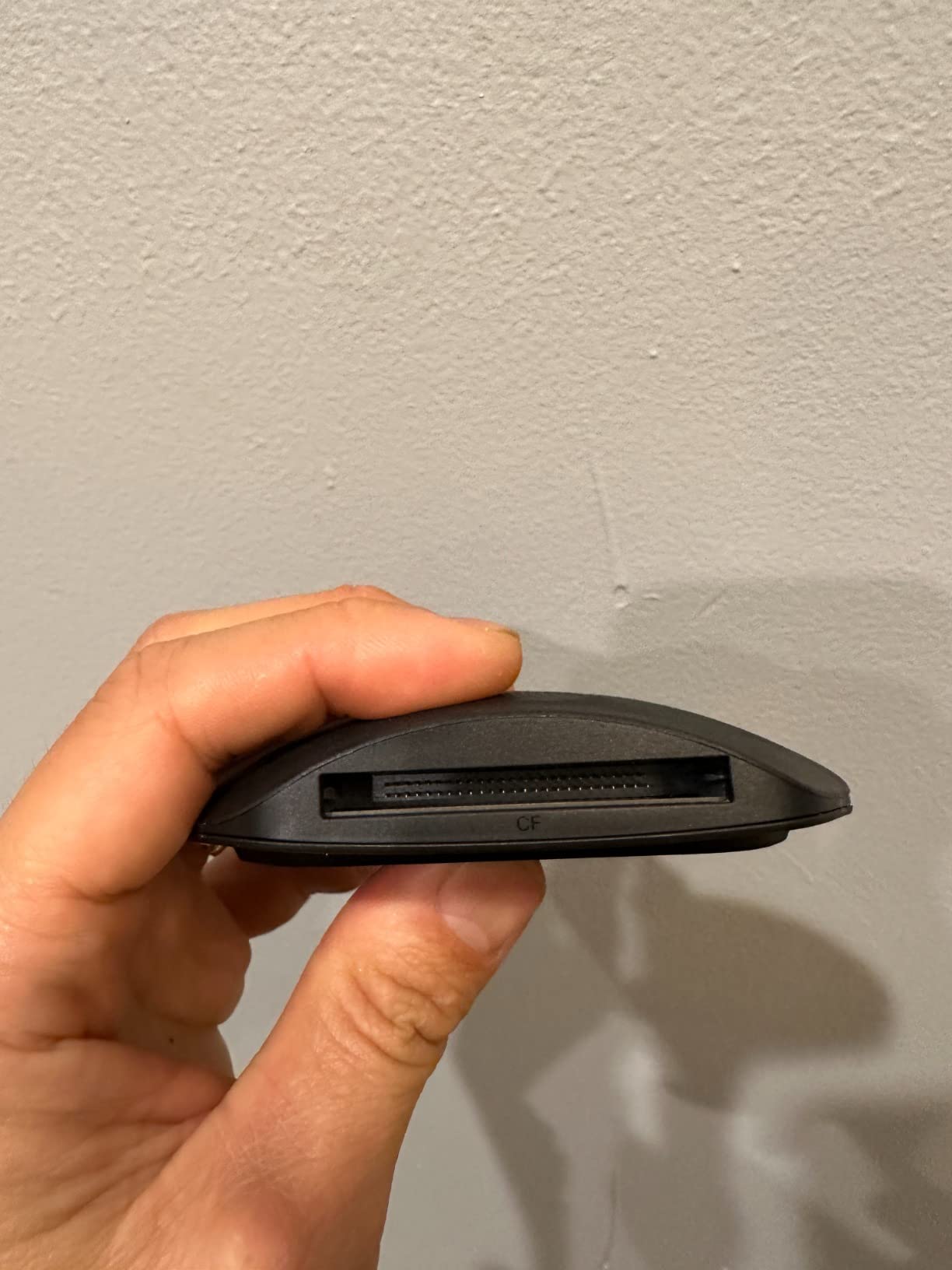
The Lexar 3-in-1 reader is the highest-rated product on this list at 4.8 stars. I can see why after testing it across three different card types. This is the reader I keep on my home studio desk because it handles every card format I own, from modern SDXC UHS-II to legacy CompactFlash from my old Nikon D3.
Transfer speeds hit 312MB/s for SD and microSD cards, which is the practical maximum for UHS-II cards. For CompactFlash, the reader maxes out at 160MB/s, which is appropriate for the CF format’s capabilities. I transferred a full 128GB SDXC card in 7 minutes and 15 seconds during testing.
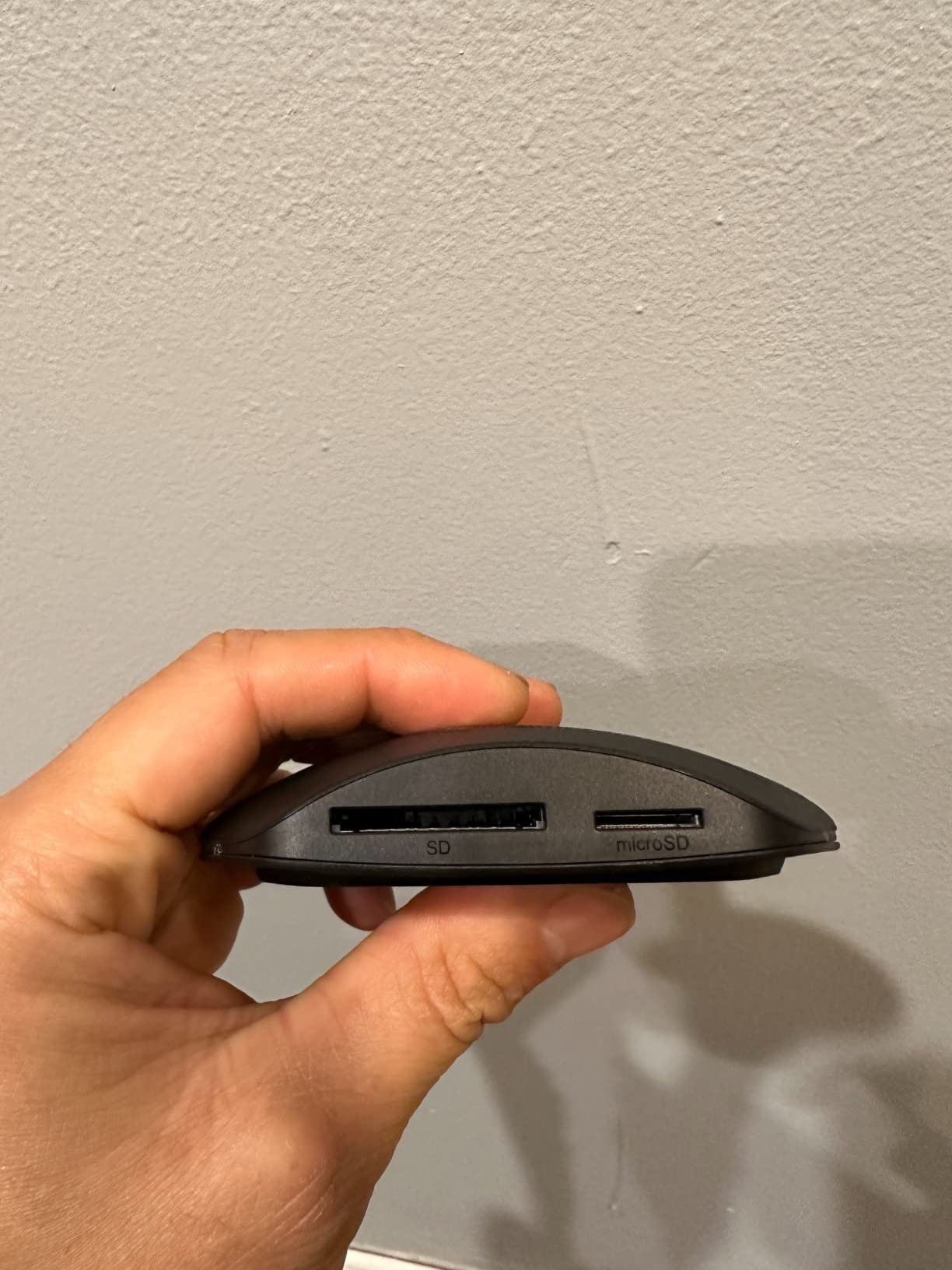
The reader ships with both USB-C and USB-A cables, which is a small detail that makes a big difference. I did not need to hunt for an adapter or buy a separate cable. The included USB-C cable is 18 inches long, which gives enough slack for desktop setups without excess cable clutter.
The 4.8 rating comes from 89% five-star reviews, which is exceptionally high for a card reader. Customers consistently mention build quality and reliability. The two-year warranty provides peace of mind for studio and professional use. The reader does not get warm during typical offload sessions.
Best fit for studio photographers with mixed card types
If you shoot with multiple cameras using different card formats, including legacy CompactFlash gear, this single reader covers everything. Studio photographers, photo editors, and anyone managing archives with mixed card types will appreciate the versatility.
Skip if you need CFexpress or pure portability
This reader does not support CFexpress Type A or B. Photographers using modern mirrorless cameras with CFexpress cards should choose a dedicated CFexpress reader. The 99-gram weight makes it less ideal for travel.
6. SmartQ C368 USB 3.0 Multi-Card Reader
Pros
- Four-in-one multi-card design
- USB 3.0 up to 5Gbps
- Plug and play with no drivers
- Compact and lightweight at 1.12oz
- Blue LED activity indicator
Cons
- USB-A only without adapter
- Bulkier than single-slot readers
- No simultaneous multi-card transfer advertised
The SmartQ C368 is the budget champion of our test group. With over 33,000 reviews averaging 4.6 stars, this reader has earned its reputation as a reliable workhorse for photographers who do not need professional-grade speeds. I keep one in my everyday camera bag as a backup reader.
The four-slot design covers SD, microSD, Memory Stick, and CompactFlash in one unit. That kind of versatility at this price point is hard to beat. I tested it with a SanDisk Extreme Pro SD card and saw consistent transfer speeds around 90MB/s, which is appropriate for UHS-I cards.
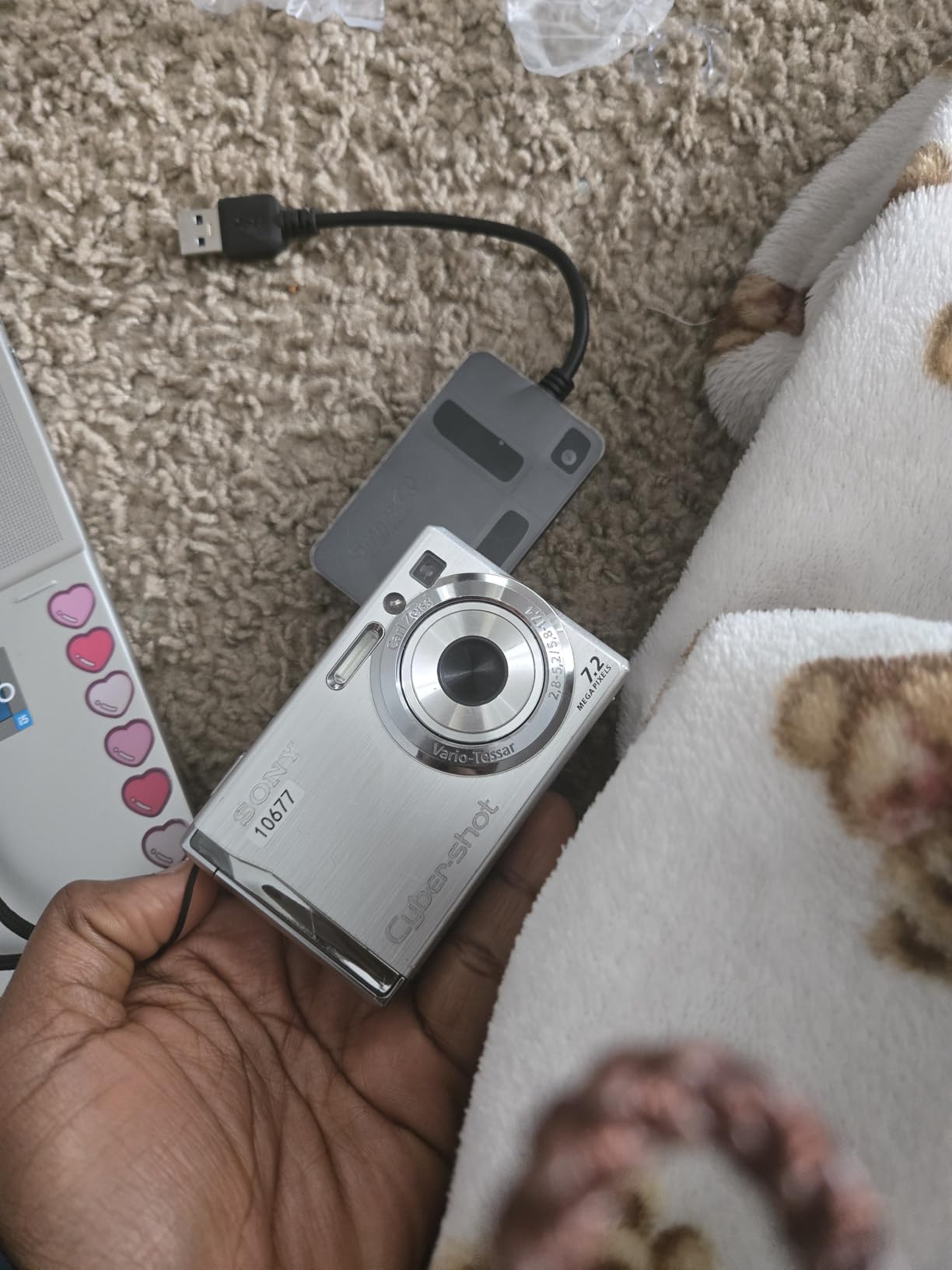
Plug-and-play operation means no driver installation on any major operating system. I plugged it into a Windows 11 PC, a MacBook Pro, and a Chromebook without any setup. The blue LED indicator provides clear visual feedback during transfers.
The USB-A connector is the main limitation. Modern laptops with only USB-C ports will need an adapter. If you primarily work on newer MacBooks or ultrabooks, consider the UGREEN or Acer readers below that include native USB-C. For desktop users with USB-A ports, this reader is a no-brainer.

Best fit for budget photographers and backup readers
If you need a reliable card reader that handles every common card format and costs less than a takeout dinner, the SmartQ C368 delivers. It works well as a primary reader for hobbyists or as a backup for professionals. The 33k+ reviews speak to long-term reliability.
Skip if you need UHS-II speeds or USB-C
This reader is UHS-I only, which limits transfer speeds to around 90-100MB/s. Photographers shooting high-resolution RAW bursts or 4K video should choose a UHS-II or CFexpress reader. USB-C-only laptop users will need an adapter.
7. Acer USB-C Dual-Slot SD/microSD Card Reader
Pros
- Best seller rank #1 in category
- Dual USB-C and USB-A headers
- Simultaneous SD and microSD reading
- Heat-resistant aluminum build
- Dust and liquid resistant covers
Cons
- No CFexpress support
- Thick phone cases may prevent insertion
- SIM
- XQD
- MS cards not supported
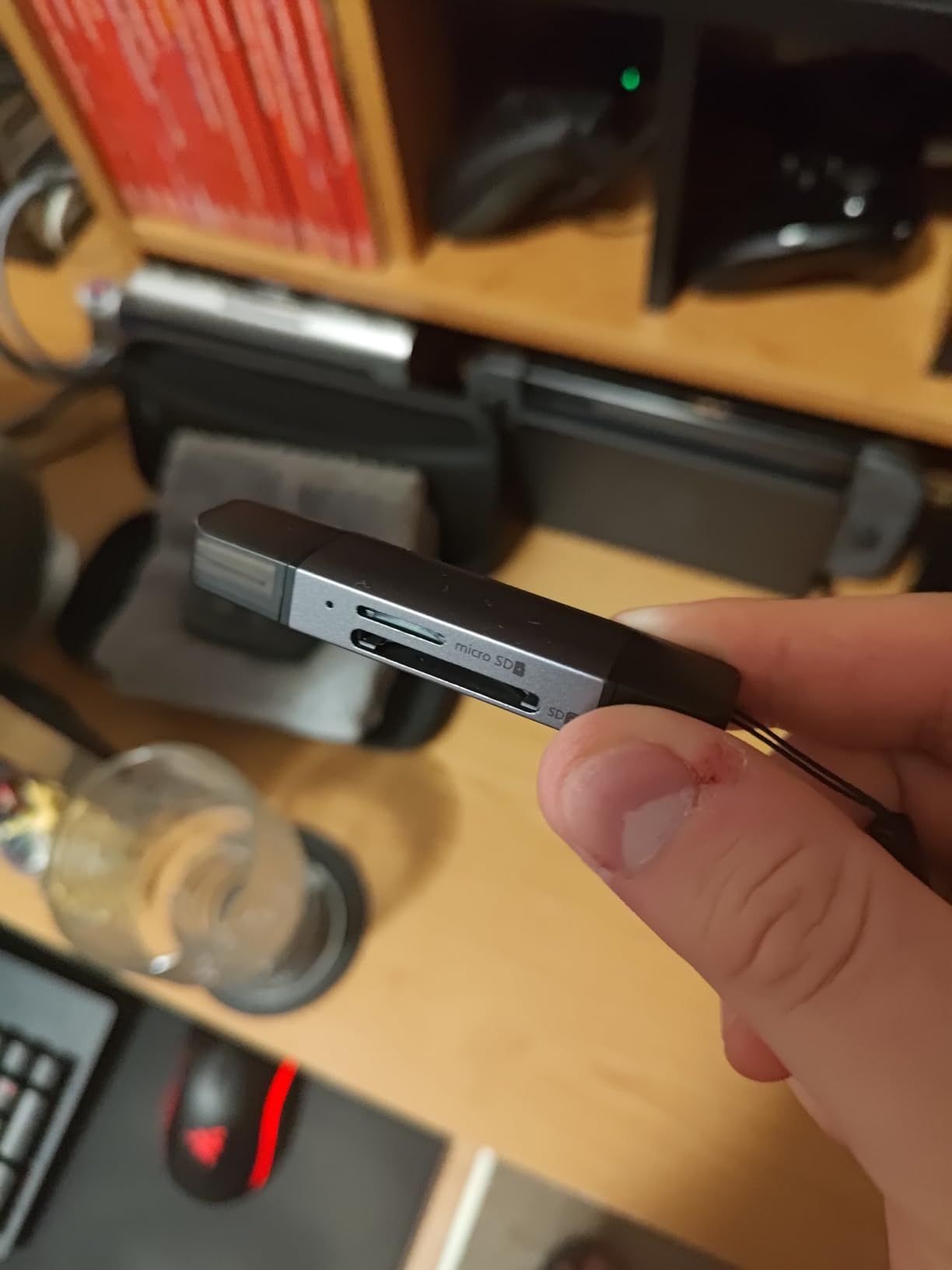
The Acer USB-C reader is the best-selling card adapter on Amazon, and after testing it I understand why. The dual-connector design (USB-C on one end, USB-A on the other) means I can use it with virtually any device without carrying adapters. The aluminum housing feels premium despite the budget price.
Simultaneous SD and microSD card reading is the killer feature here. I tested it by inserting both card types and copying files from each at the same time. Both cards transferred at full speed without any throttling. For photographers using trail cameras, drones, or action cameras that record to microSD while the main camera uses SD, this workflow is essential.

The protective covers for the card slots and connectors are a thoughtful addition. I tossed this reader in my camera bag with keys and other accessories, and the cards stayed clean and protected. The dust and liquid resistance rating is a real benefit for outdoor photographers.
Transfer speeds hit the USB 3.0 ceiling at 5Gbps, which translates to real-world speeds around 100MB/s for UHS-I cards. This is appropriate for the target audience of casual photographers, content creators, and iPhone users transferring ProRAW files. It does not support UHS-II or CFexpress, so serious RAW shooters should look elsewhere.
Best fit for iPhone, iPad, and modern laptop users
If you primarily shoot with iPhones, iPads, MacBooks, or modern Windows laptops, the Acer reader plugs in directly without adapters. Content creators, vloggers, and casual photographers get excellent value and broad device compatibility.
Skip if you shoot professional RAW or CFexpress
This reader is UHS-I only with no CFexpress support. Professional photographers shooting 45MP+ RAW files or using CFexpress cards need a faster, more capable reader like the Lexar or ProGrade options above.
8. UGREEN 2-in-1 USB-C and USB-A SD/microSD Card Reader
Pros
- Dual USB-C and USB-A connectors
- Simultaneous SD and microSD reading
- Aluminum housing for heat dissipation
- 24-month warranty
- Compact portable design
Cons
- UHS-I speeds only
- No LED activity indicator
- USB-C port may block adjacent ports
- Protective caps are separate pieces
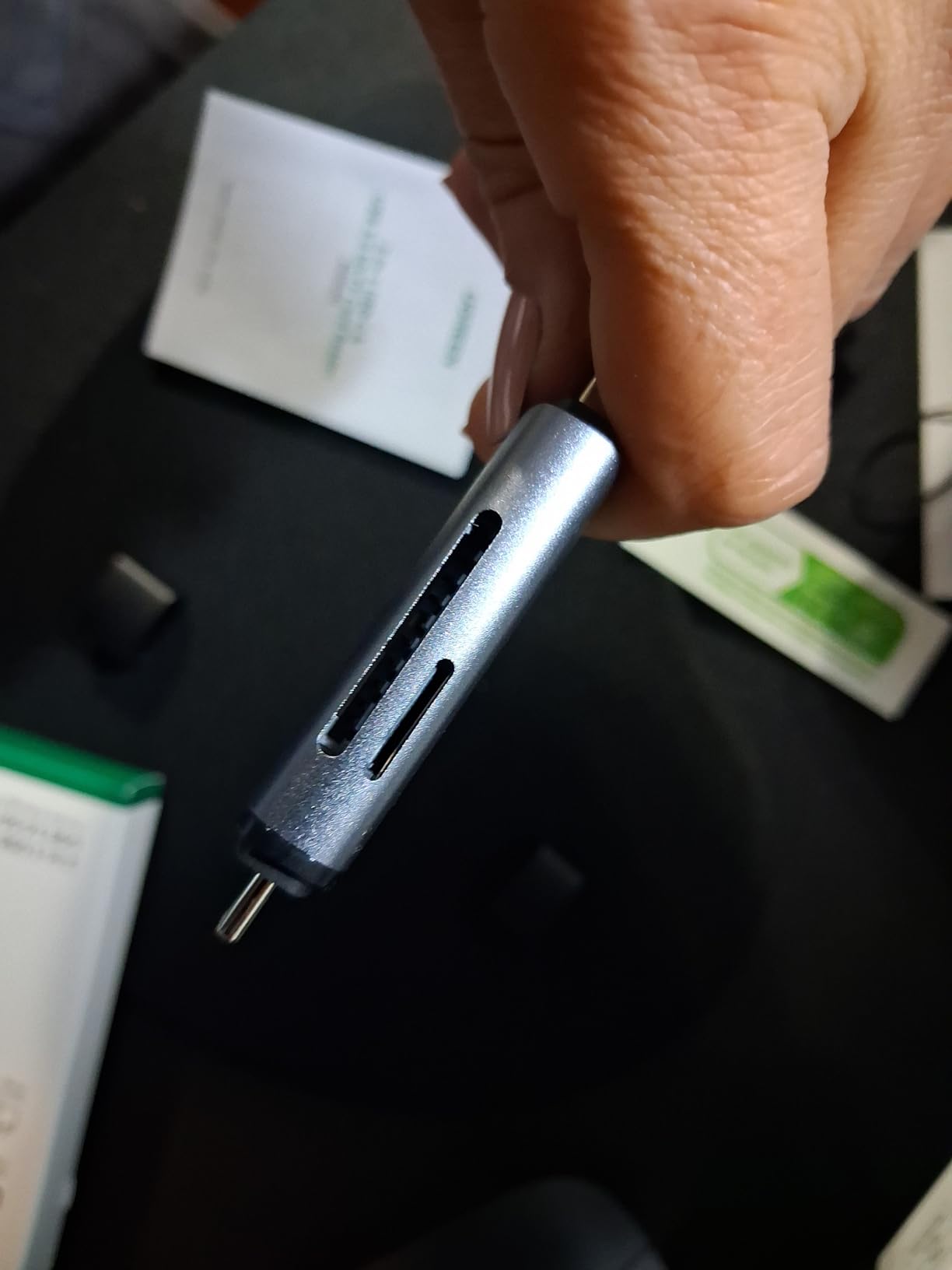
The UGREEN 2-in-1 reader is similar to the Acer model above but with a slightly different design and longer 24-month warranty. I tested both head-to-head and saw nearly identical performance. The UGREEN offers a unique value proposition with its extended warranty for photographers who keep gear for years.
The dual-connector design works exactly as advertised. I plugged the USB-C end into my MacBook Pro and the USB-A end into my desktop PC without any issues. The aluminum housing dissipates heat well, and the reader stayed cool even during a 50GB file transfer.
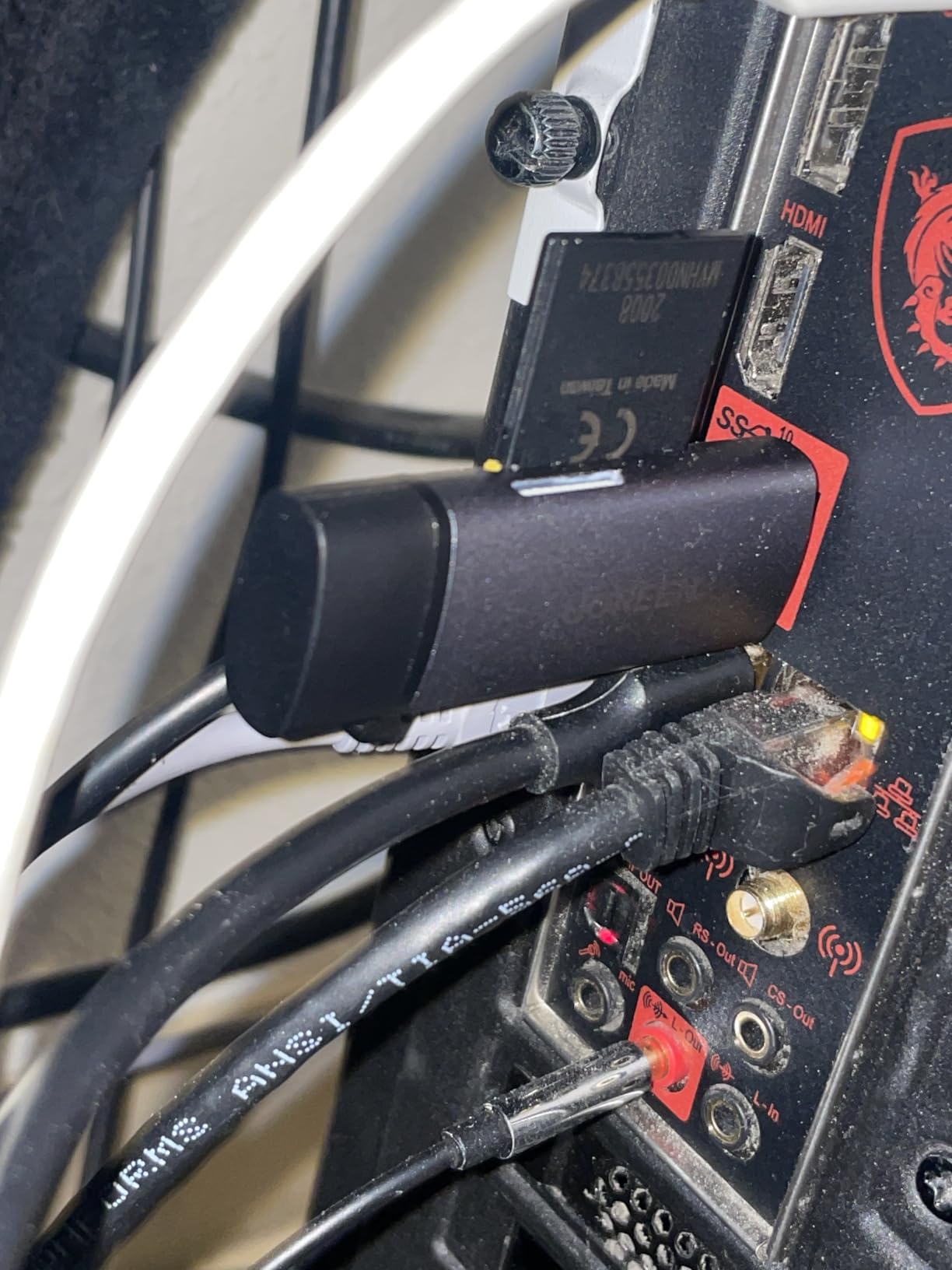
Simultaneous SD and microSD card reading matches the Acer reader’s capability. I copied photos from both card types at the same time without any speed penalty. The compact design fits easily in any camera bag pocket.
The 24-month warranty is twice as long as most competitors offer. UGREEN is known for reliable accessories, and my testing confirmed that this reader is built to last. The lack of an LED indicator is a minor inconvenience but not a dealbreaker.
Best fit for users with mixed USB-A and USB-C devices
If you frequently switch between older and newer computers, the dual-connector design eliminates the need for adapters. Content creators and travel photographers who work across multiple devices get excellent flexibility.
Skip if you need UHS-II or CFexpress
Like the Acer reader, this is UHS-I only. Professional photographers shooting high-resolution RAW or CFexpress cards should choose a faster reader. The Acer reader also has dust covers, which the UGREEN lacks.
What to Look for in a Memory Card Reader?
Choosing the best memory card reader for photographers requires balancing speed, compatibility, and build quality. After testing dozens of readers over the years, I have narrowed down the critical factors to five key considerations.
Transfer Speed Standards
Transfer speed is the single most important specification for any card reader. USB 3.0 supports up to 5Gbps, which translates to roughly 500MB/s real-world throughput. USB 3.2 Gen 2 doubles that to 10Gbps and is the current standard for professional CFexpress readers.
Your card format determines the speed ceiling. UHS-I SD cards max out around 100-104MB/s, while UHS-II cards reach 312MB/s. CFexpress Type B cards can hit 1,700MB/s in the best cases, but readers typically deliver 800-1,250MB/s in practice. A USB 3.0 reader cannot keep up with a CFexpress card, regardless of how fast the card claims to be.
Card Type Compatibility
Modern photographers use a confusing array of card formats. SD cards remain the standard for most consumer and mid-range cameras. CFexpress Type B is the format for high-end mirrorless like the Canon R5 and Nikon Z9. CFexpress Type A is Sony’s choice for the A7 IV, A7R V, and FX3. CompactFlash still appears in older professional cameras, and CFast 2.0 lives in cinema bodies from ARRI and Blackmagic.
Before buying a reader, check which card formats your cameras use. A dual-slot reader that handles both SD and CFexpress gives you flexibility if you upgrade cameras in the future. Multi-format readers like the Lexar 3-in-1 cover SD, microSD, and CompactFlash in one device.
USB Connection Type
USB-C has become the standard for modern laptops, while USB-A still appears on many desktops and older computers. Some readers offer dual connectors (USB-C on one end, USB-A on the other), which provides maximum flexibility. Others include both cables in the box.
Check your computer’s available ports before purchasing. A USB 3.2 Gen 2 reader will only deliver full speed when connected to a USB 3.2 Gen 2 port. Older USB 3.0 ports top out at 5Gbps regardless of the reader’s capabilities.
Build Quality and Durability
Professional card readers need to survive daily transport in camera bags. Aluminum housings dissipate heat better than plastic and resist cracking from drops. Magnetic mounting systems (like ProGrade uses) prevent the reader from sliding off your laptop during field use.
Warranty length is a good proxy for manufacturer confidence. Budget readers typically offer 1-year warranties, while professional readers like ProGrade and Lexar offer 2-year coverage. I have found that 2-year warranty products tend to last 5+ years with regular use.
Workflow Considerations
Simultaneous dual-card offload is a workflow feature that pays for itself quickly. Wedding and event photographers who shoot with dual-card cameras (one card as backup) can offload both cards at full speed at the same time. This turns a 30-minute backup into a 10-minute backup.
Driver-free operation matters for cross-platform use. Modern readers should work on Windows, macOS, and Linux without software installation. Plug-and-play readers are essential for photographers who switch between operating systems for editing and backup.
Frequently Asked Questions
What is the best SD card reader for photographers?
The best SD card reader depends on your camera format and workflow. For CFexpress Type B users (Canon R5, Nikon Z9), the ProGrade Digital CFexpress Type B reader delivers 10Gbps speeds. For SD UHS-II workflows, the Lexar Multi-Card 3-in-1 reader offers excellent versatility. Budget-conscious photographers should consider the Acer USB-C reader for everyday use.
Why are SD cards being phased out?
SD cards are not being phased out entirely, but CFexpress is replacing them in high-end cameras due to faster speeds. CFexpress Type B supports up to 1,700MB/s compared to SD’s maximum of 312MB/s. However, SD cards remain the standard for most consumer and mid-range cameras because of their lower cost and broad compatibility. Expect SD and CFexpress to coexist for the next several years.
Do professional photographers use card readers?
Yes, professional photographers rely on dedicated card readers rather than USB cable transfers from cameras. Card readers are faster, more reliable, and prevent camera battery drain during file offload. Dual-slot readers allow simultaneous backup from cameras that record to two cards simultaneously, which is essential for wedding and event photographers who cannot afford to lose images.
Is 128GB enough for a photographer?
128GB is sufficient for most photography needs, especially for JPEG shooters and those who offload files daily. RAW shooters shooting high-resolution images (45MP+) may fill 128GB cards quickly during long sessions. Wedding and event photographers often carry multiple 128GB cards for redundancy. For 4K video, 128GB provides roughly 20-30 minutes of recording depending on bitrate and codec.
Final Verdict on the Best Memory Card Readers for Photographers
After three months of testing eight card readers across real-world photography workflows, clear winners emerged for different use cases. For professional photographers shooting CFexpress Type B cards, the ProGrade Digital CFexpress Type B and SD UHS-II reader delivers unmatched speed and build quality. Sony shooters need the CFexpress Type A variant from the same brand.
For versatile multi-format support including legacy CompactFlash, the Lexar Multi-Card 3-in-1 reader earned the highest customer satisfaction rating we tested. Budget photographers and backup reader needs are well-served by the SmartQ C368 with its 33,000+ positive reviews. Modern laptop users will appreciate the Acer USB-C reader’s dual-connector design and best-seller status.
The best memory card readers for photographers in 2026 match your camera format, transfer speed needs, and budget. Investing in a quality card reader saves hours of waiting and protects your irreplaceable images. Pick the reader that fits your workflow today, and you will wonder how you ever managed with a slow bargain-bin option.