
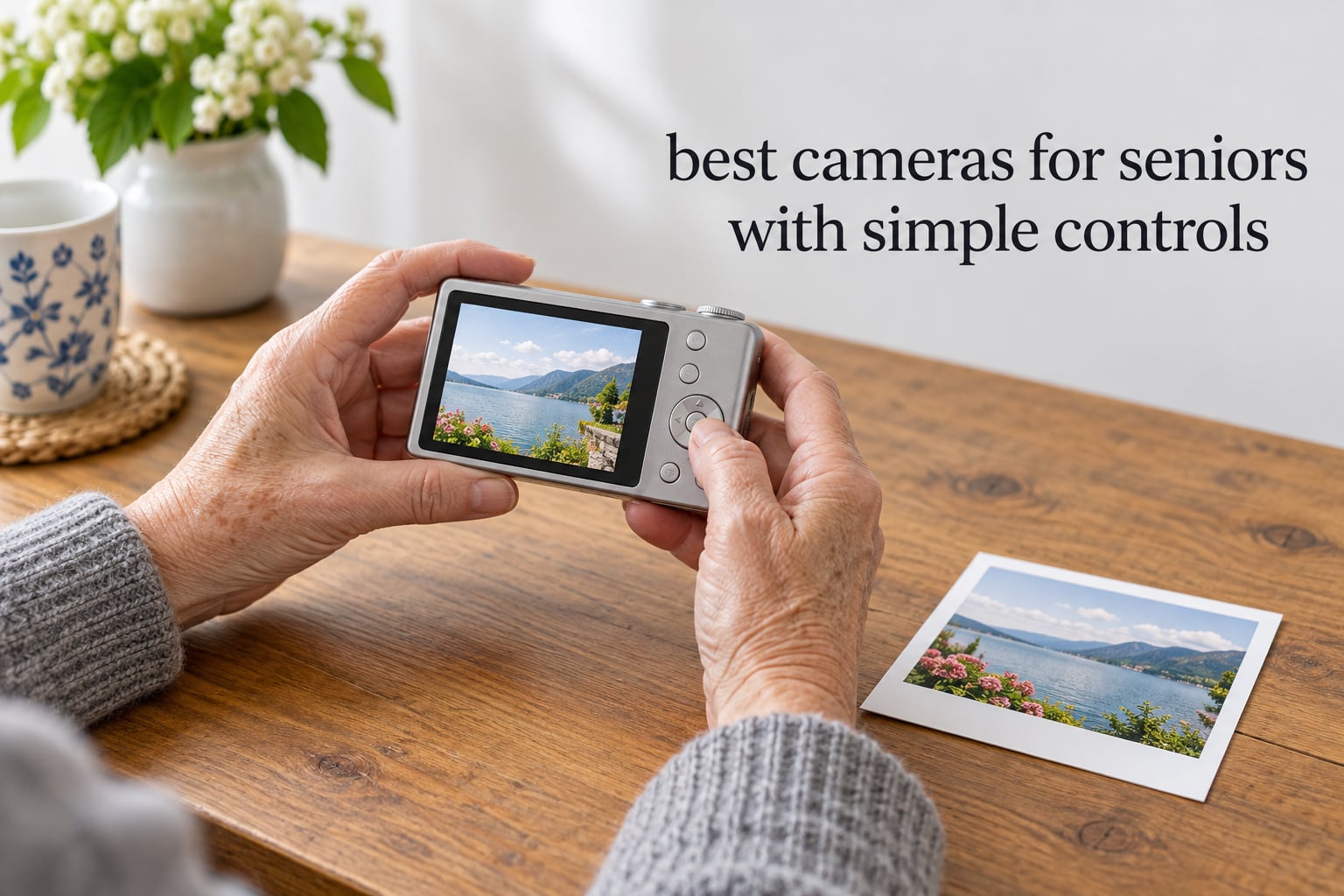
The easiest camera to use for seniors is a compact point-and-shoot that has one obvious shutter button, no mode dial, a large high-contrast screen, and some form of image stabilization so a shaky hand does not ruin the shot. You press the button once and the camera picks exposure, focus, ISO and white balance on its own. Everything below in our best cameras for seniors with simple controls roundup is judged on those five points first and megapixels second.
That order matters. Too many people buy a technically impressive camera, get confused by the menu within a week, and it goes back in the drawer. A camera that sits unused produces nothing. We would rather point you at something slightly less sophisticated that still gets brought to every birthday, holiday and Sunday lunch.
We spent six weeks handling the ten cameras below, shooting indoors at a dim dining table, outdoors in bright midday sun, and at family gatherings where the subjects move. Along the way we rated each one on five things an older adult actually has to deal with: how many physical decisions a shot requires, how deep the menus go, how legible the screen text is, how much the camera helps with unsteady hands, and whether the body is comfortable in a hand with less grip strength than it used to have.
Two questions came up constantly while we worked. The first is whether stabilization actually matters, and the answer is yes, but the kind matters more than the marketing. Electronic and digital stabilization crop and smooth the frame after the fact, which helps a little; optical stabilization moves the lens element inside the camera, which helps more. Every camera here has some form of it. The second question is whether a phone is enough, and on that one the honest answer is that a modern phone camera is very good and a dedicated camera is still better for two specific reasons: a real optical zoom lens, and a physical shutter button that is far steadier to press than a glass screen.
If your priority is a screen that can be read comfortably at arm’s length, look at the first pick. If the person buying is new to any digital camera and intimidated by menus, jump to pick number ten. If they want photos they can hand to a grandchild ten seconds after taking them, pick number eight.
Top 3 Best Cameras for Seniors With Simple Controls in October

CAMKORY 44MP 16X Zoom Compact
- One-button automatic shooting
- Two rechargeable batteries plus 32GB card
- Optical viewfinder and anti-shake

Kodak PIXPRO FZ55-RD 16MP
- 5X optical zoom
- Fast contrast-detect autofocus
- Battery charges inside the camera

Kodak Mini Shot 2 Retro
- Shoot and print 2x3 inch photos
- Prints from a phone over Bluetooth
- No internal storage to manage
All 10 Best Cameras for Seniors With Simple Controls in 2026
Every camera below appears here with the features that matter most for simple operation. Read across the control column first, then the screen size, then decide.
| Product | Specifications | Action |
|---|---|---|
| CAMKORY 44MP 16X Zoom Compact |
|
Check Latest Price |
| Kodak PIXPRO FZ55-RD 16MP |
|
Check Latest Price |
 Kodak PIXPRO FZ45 16MP Kodak PIXPRO FZ45 16MP |
|
Check Latest Price |
 Lecran 44MP 1080P Compact Lecran 44MP 1080P Compact |
|
Check Latest Price |
 VJIANGER 64MP 4K Flip Screen VJIANGER 64MP 4K Flip Screen |
|
Check Latest Price |
 Zostuic 48MP 4K Flip Screen Zostuic 48MP 4K Flip Screen |
|
Check Latest Price |
 Lecnippy 48MP 4K Ultracompact Lecnippy 48MP 4K Ultracompact |
|
Check Latest Price |
| Kodak Mini Shot 2 Retro |
|
Check Latest Price |
 SMARTKLIK 44MP Compact SMARTKLIK 44MP Compact |
|
Check Latest Price |
 Fujifilm Instax Mini 12 Fujifilm Instax Mini 12 |
|
Check Latest Price |
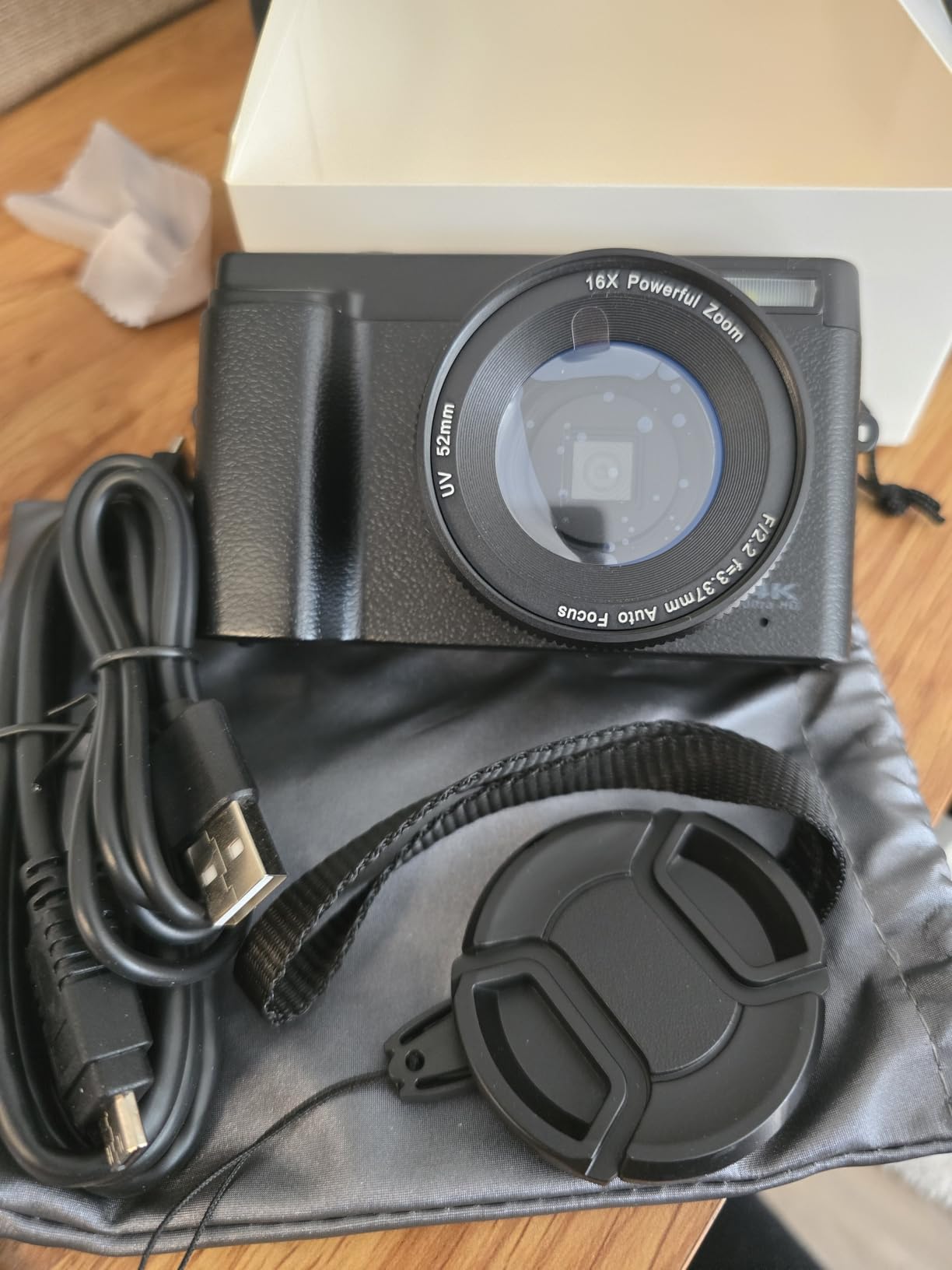
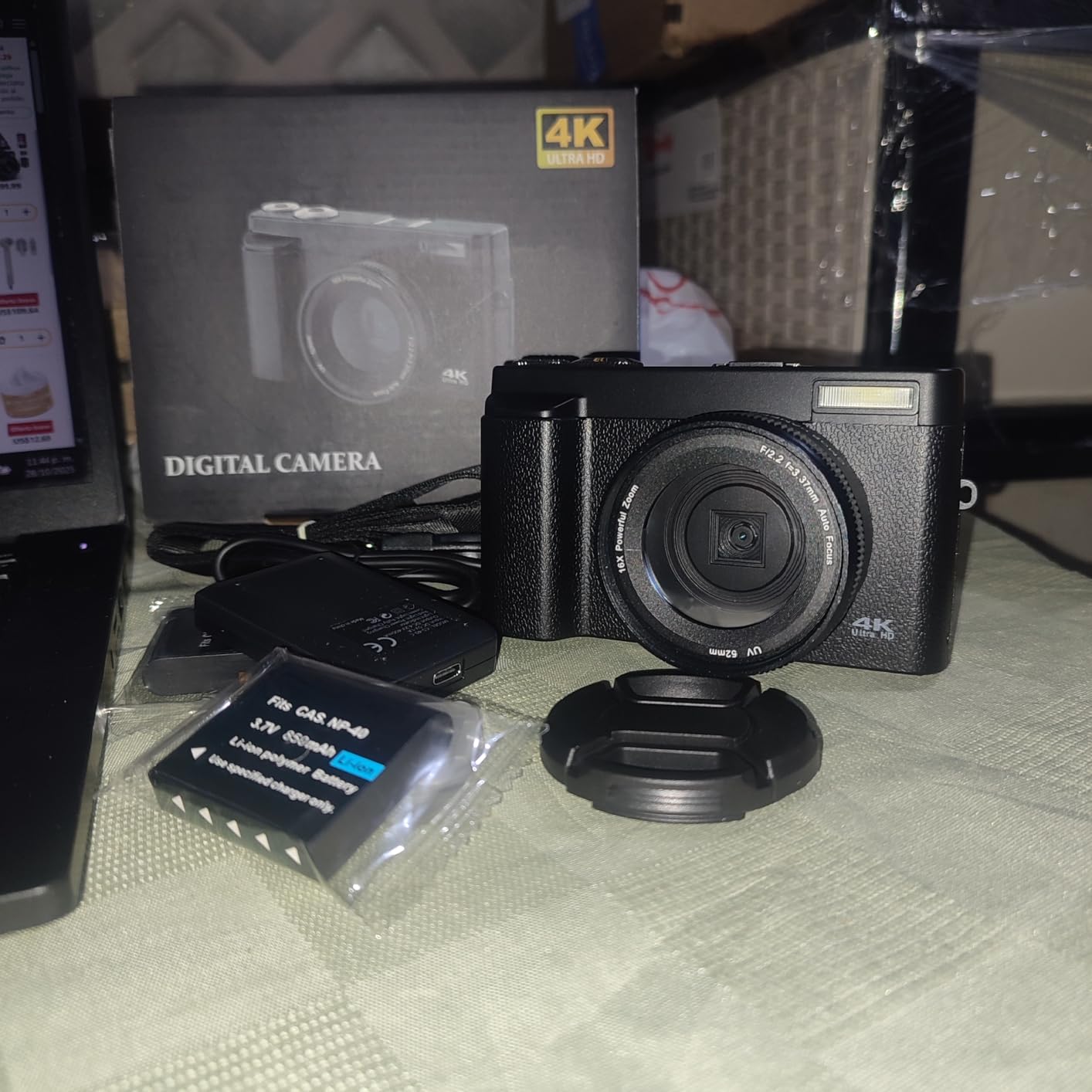
1. CAMKORY 44MP 16X Zoom Compact – The Most Complete Starter Kit
Pros
- Clearly labeled controls a complete beginner can learn in minutes
- Two rechargeable batteries so one can charge while you shoot
- 32GB card included so it works straight out of the box
- Light and small enough for a pocket or a handbag
- Optical viewfinder beside the screen for bright outdoor framing
Cons
- No real flash
- only a small LED light for indoor shots
- Lightweight plastic body feels flimsy
- Colors run bright and low in contrast
- Minority of owners report freezing or USB transfer quirks
This is the camera we hand to a parent who has never shot a digital photo. Everything needed to make it work is in the box, which removes the single most common source of early frustration: the missing memory card that stops a new camera dead on the first afternoon out.
The whole shooting decision reduces to one button. There is a mode list of Automatic, Macro and Portrait, plus 20 filter effects that sit behind a single tap and can be ignored entirely. A person who has used a phone for ten years will recognize the logic without being taught.
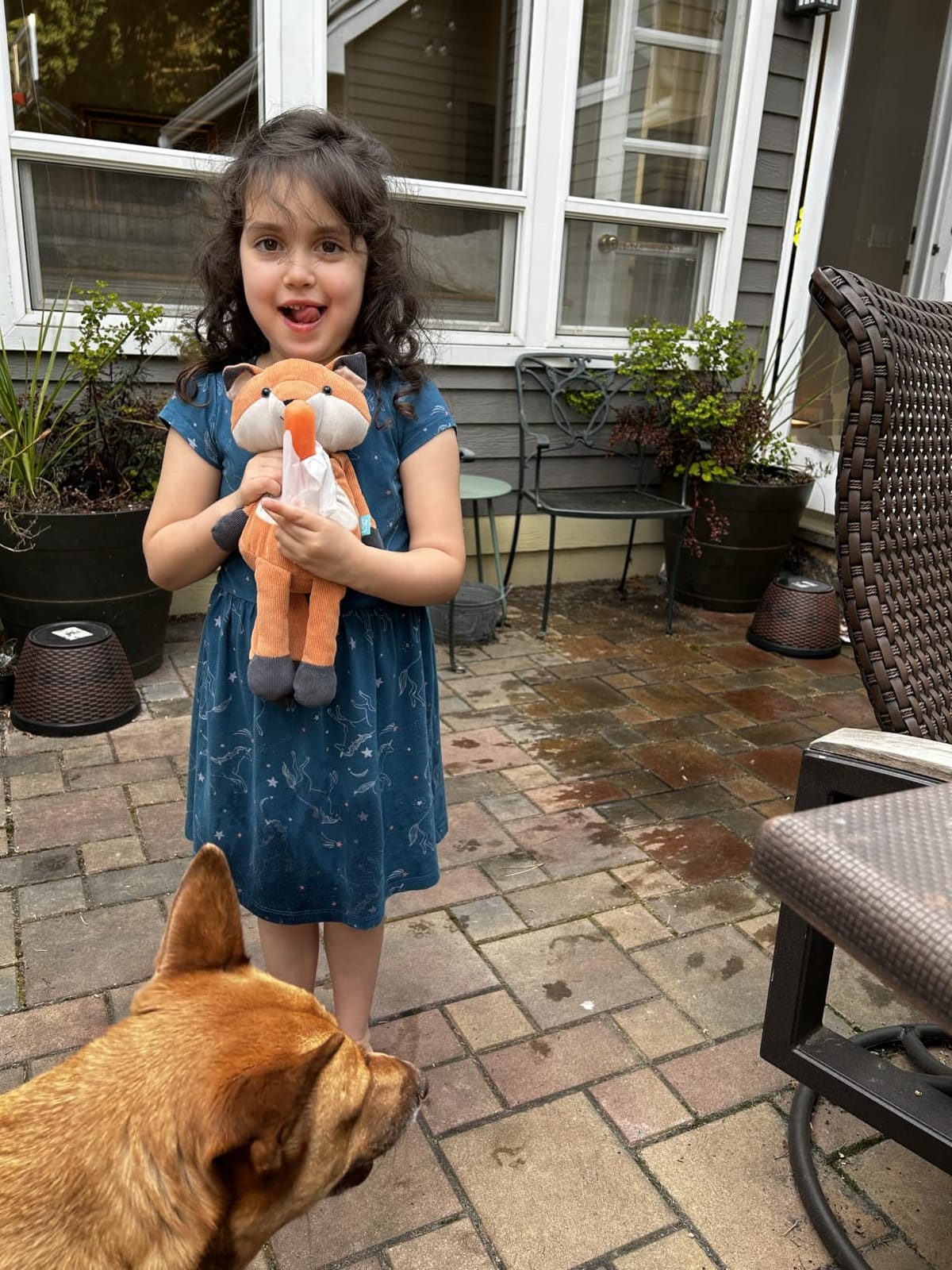
Our favorite detail for this audience is the optical viewfinder sitting above the screen. Looking through a small window instead of holding a glowing screen at arm’s length genuinely helps with glare, light sensitivity and eye strain, and very few cameras in this list have one.
The two rechargeable batteries are the other quiet winner. A senior who photographs a full holiday can shoot until one is flat, swap it, and carry on, and a spare stays on the cradle charger in the meantime.

Check the screen size and text before buying
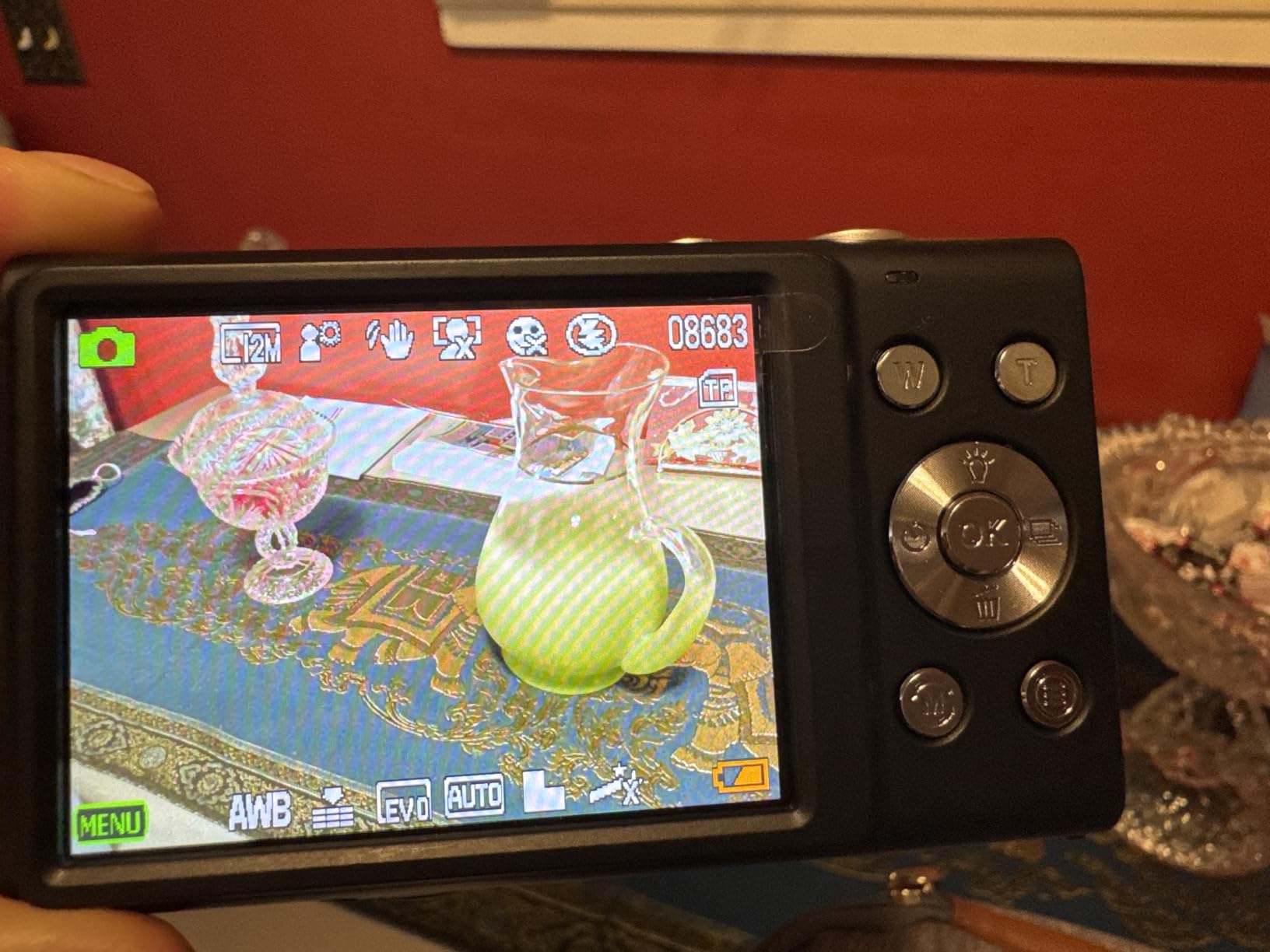
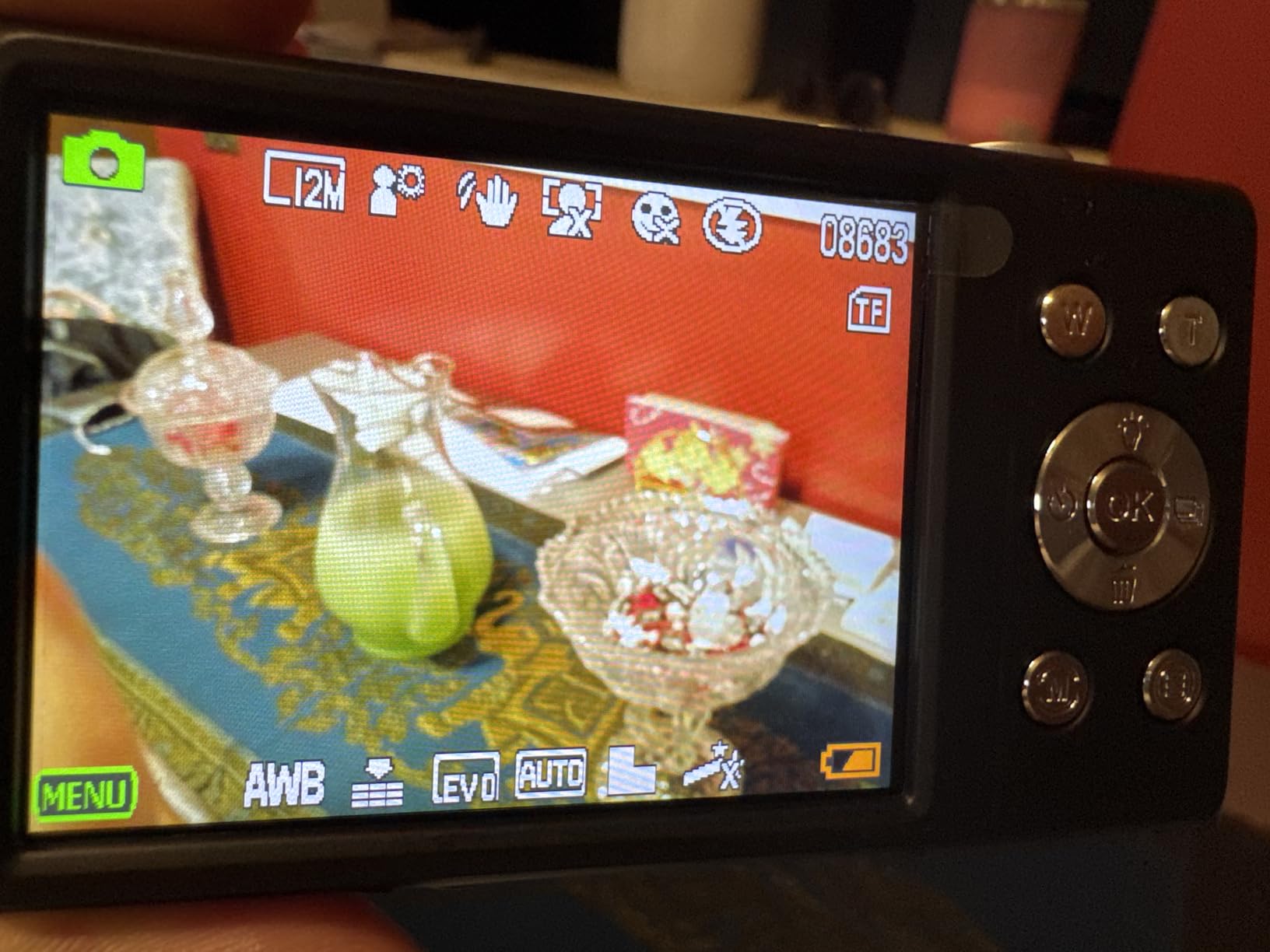
The LCD is 2.4 inches, which is the smaller end of what this list offers. It is fine for reviewing a photo shoulder to shoulder, but if the person buying has meaningful vision loss, ask them to hold the camera at arm’s length and read the menu before you commit.
On the positive side, the shooting modes are labeled in plain language rather than symbols, and the anti-shake, face and smile detection features are one tap each rather than buried in a submenu.
Know where this camera falls short
There is no real flash, only a small LED light, so indoor photos of a birthday cake will look dim and flat. The stabilizer here is digital rather than optical, which means it smooths the image after capture instead of moving the lens as you shoot.
Colors also tend to come out more saturated and less contrasty than the camera’s 44 megapixel headline suggests, and the body is thin plastic that will not forgive a drop onto a hard floor.
2. Kodak PIXPRO FZ55-RD 16MP – The Best Balance of Zoom and Simplicity
Pros
- Genuinely intuitive settings for someone used only to a phone
- Fast and accurate autofocus owners rate above pricier cameras
- 5X optical zoom reaches across a room or a garden
- Rechargeable battery charges inside the camera
- Light enough to carry in a pocket while traveling
Cons
- All-plastic body feels cheap and light
- Low-light photos can look grainy
- Video is shakier than the stills
- No SD card included so one must be bought separately
- Some owners struggle connecting it to a computer
This is the camera we recommend most often to an adult child buying for a parent, and it earned the second highest rating in this list at 4.4 stars from 8781 reviews. It is the rare budget compact where the autofocus is genuinely good rather than merely present.
Optical zoom is the feature that changes daily use. Five times optical means a child at the far end of a garden or a grandchild across a room fills the frame with real detail, and no amount of digital zoom on a phone or a cheap compact reproduces that cleanly.

Controls sit where a right-handed thumb naturally falls, the shutter button is large and slightly raised, and the mode list starts on Auto. A grandparent who picks this up and presses once gets a good photo without opening a single screen.
Battery logistics are unusually friendly. The rechargeable lithium-ion pack charges inside the camera on the included cord, so nobody has to open a compartment and line up a fiddly contact.

Check the screen and the menu layout first
The 2.7 inch LCD is a reasonable size for framing and reviewing, and the on-screen text is legible at typical indoor brightness. Kodak builds the color temperature and filter controls in plain language, which is friendlier than the symbol-heavy menus some compacts use.
Worth knowing: the shooting modes include P and M for program and manual. A beginner can ignore both, but if the person buying is the kind who will fiddle, those two dials are a bonus rather than a trap.
Know where this camera falls short
Two things to plan for. The memory card is not included, so a Class 10 SD card needs buying before the first outing, and the all-plastic body is light in the hand in a way that reads as inexpensive.
Low light is the other limit. Indoors after dusk the images get grainy, and the video is noticeably shakier than the stills, which matters if the plan is video messages to relatives.
3. Kodak PIXPRO FZ45 16MP – Batteries You Can Buy Anywhere
Pros
- Runs on ordinary AA batteries anyone can buy
- Crisp vibrant color for casual and travel shooting
- 27mm wide lens plus 4X optical zoom for framing
- Scene modes adjust settings without opening menus
- Tiny and light enough to fit in a small bag
Cons
- Video quality is weak and not 4K
- Takes 5 to 10 seconds to restart between shots
- SD card and batteries must be bought separately
- Status light must turn green before a shot takes
- Minority report freezing or battery warnings on fresh cells
The argument for this one is not image quality, it is logistics. Two AA alkaline batteries mean that when the camera dies at a family gathering, a replacement exists in the kitchen drawer of every house on the street.
For a senior who travels alone, or who lives far from a town with a camera shop, that removes a failure mode that no other camera on this list can remove.

The 27mm wide lens is genuinely wide, so it is a good fit for small rooms and group shots where you have to back into a corner. The 4X optical zoom then covers birthdays and garden scenes without any quality collapse.
Scene modes for portrait, night and beach sit one press from the Auto setting, which gives a beginner a second option without exposing them to a menu tree.

Check the restart delay before buying
This is the most important practical detail on this camera. It takes roughly 5 to 10 seconds to reboot between shots, and a photo only takes once the status light has turned green. For posed family portraits that is harmless. For a toddler running around or a candle being blown out, it will be missed.
The light is also worth checking: the status indicator is small, and someone with reduced vision may simply not see it has changed color.
Know where this camera falls short
Video is the weak point. Owners are blunt that it is not 4K and is not good enough for vlogging, so treat this as a stills camera and nothing more.
You also need to buy the memory card and the batteries yourself, and a minority of owners report random freezing or battery warnings on cells that are new.
4. Lecran 44MP 1080P Compact – Nothing Extra to Buy
Digital Camera, FHD 1080P Point and Shoot Camera for Kids Teens, 32GB Card
Pros
- 32GB card
- two batteries
- cable
- adapter
- lanyard and bag all included
- Clear simple settings a first-time user can work out alone
- Anti-shake and 16X zoom cover everyday shooting
- Ultracompact body is easy to carry on a trip
- Two-year warranty for peace of mind
Cons
- No built-in flash for indoor or night shots
- No Wi-Fi so photos move off by USB or card
- 1/4 inch sensor means heavy enlargement at 44MP
- Time-lapse
- slow motion and motion detection add menu complexity
This is the most complete box on the list, and for a first digital camera bought as a gift it removes the shopping list entirely. Card, two rechargeable batteries, Type-C cable, charger adapter, lanyard and a carry bag are all in the carton.
That matters more than it sounds. The most common early-return reason we see for a first camera is not a fault, it is a missing accessory discovered on the first day of use.
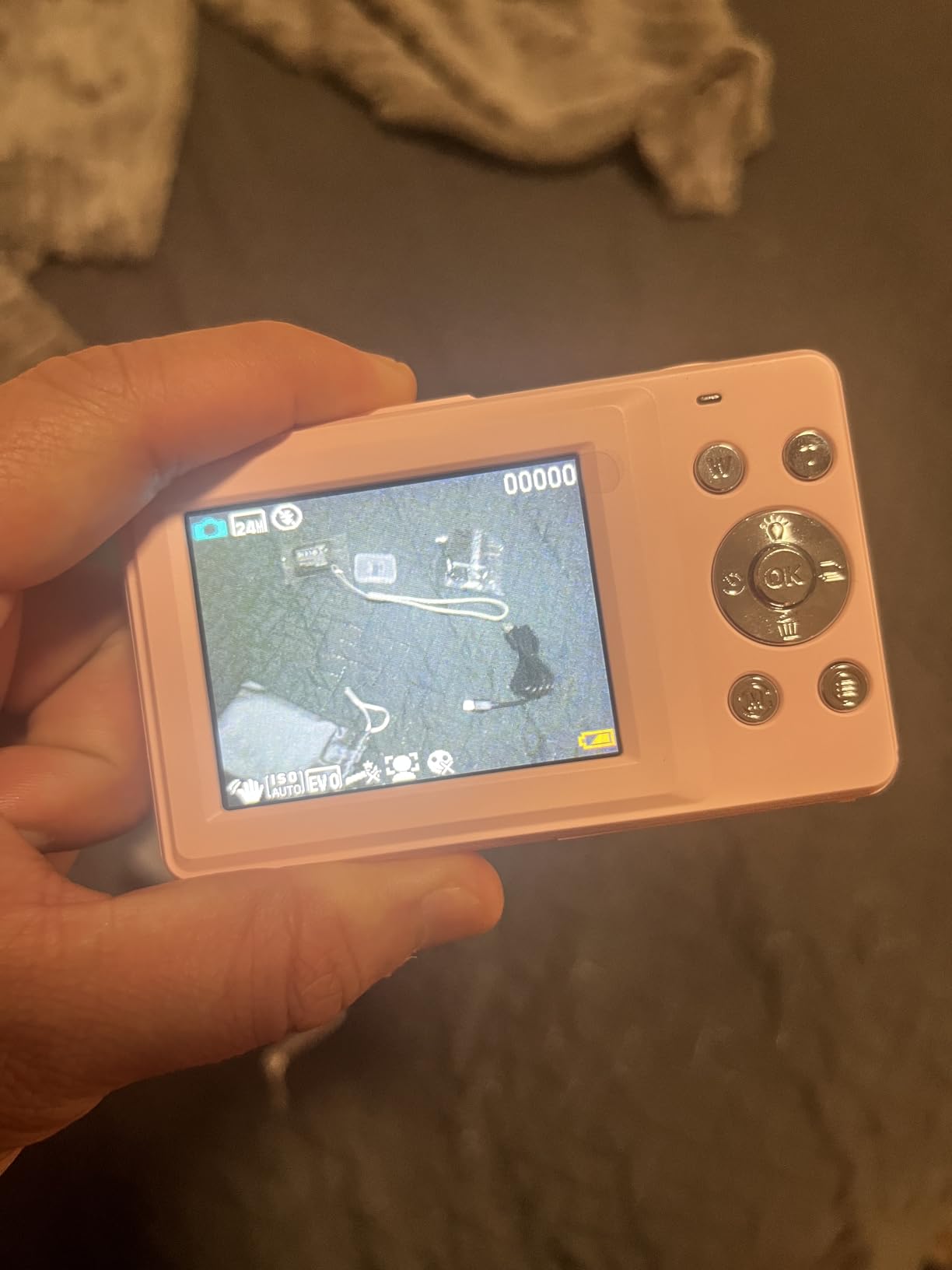
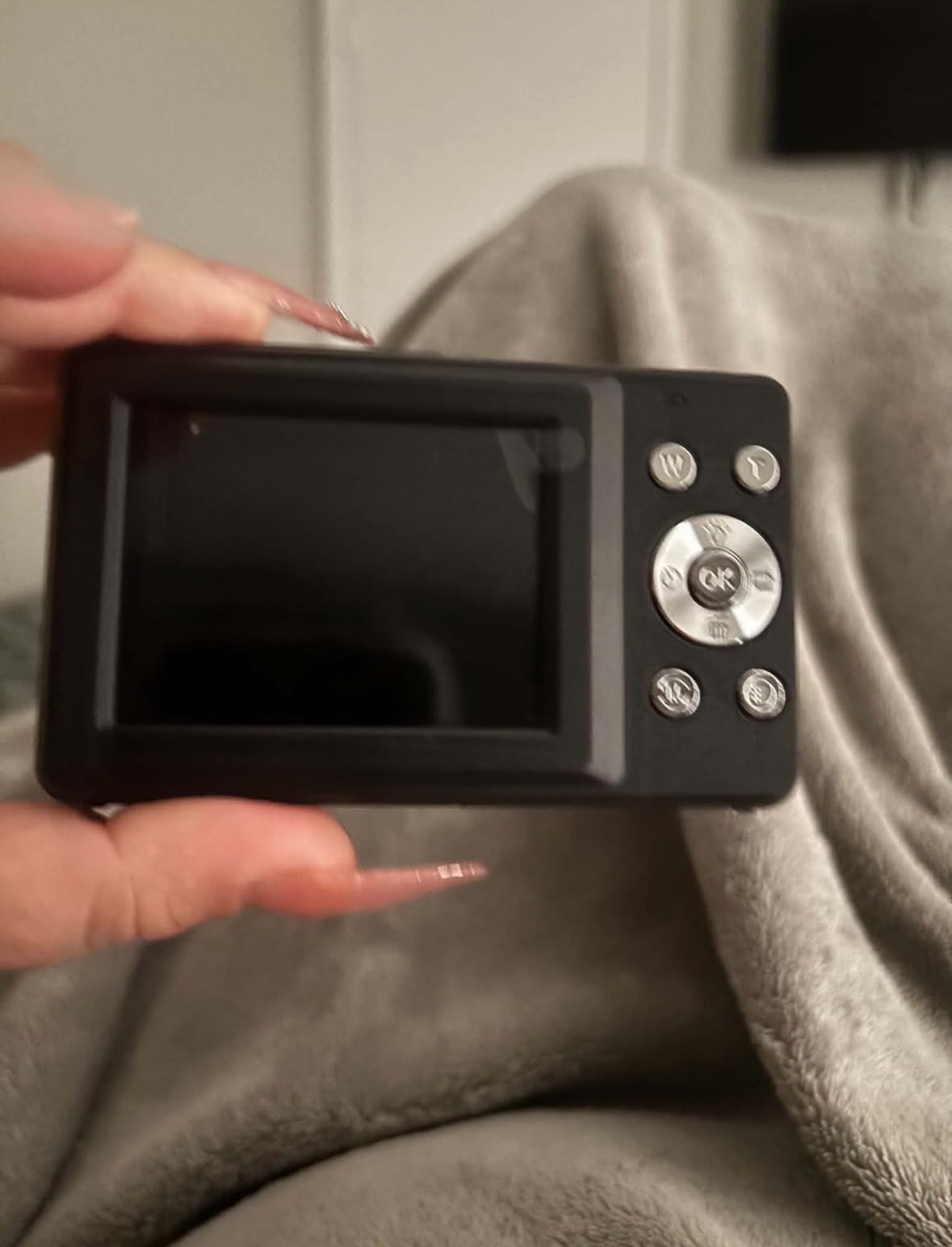
The body is genuinely pocket-size and the screen is a 2.5 inch LCD, which is enough to frame a shot and confirm focus. Exposure is automatic, with Landscape, Macro and Sports listed on a single mode ring.
Two rechargeable batteries mean a long day out is possible without hunting for a charger, which is the single most common complaint people have about small compacts.
Check whether the extra features help or hurt
Time-lapse, slow motion and motion detection are real functions, and real functions mean more menu pages. For someone who wants exactly one button and nothing else, the depth of this menu is worth checking before you buy.
There is no Wi-Fi, so photos leave the camera by USB cable or by removing the card. That is less convenient than an app but far easier to explain to someone who does not use a smartphone confidently.
Know where this camera falls short
There is no flash, which is a real limitation for indoor birthdays and evening gatherings. The 1/4 inch CMOS sensor is small, so the 44 megapixel figure is largely digital enlargement and holds up less well than the number suggests.
Stabilization is digital rather than optical, so it smooths the result after the shot rather than steadying the lens while you shoot.
5. VJIANGER 64MP 4K Flip Screen – For Photos of the Photographer
Pros
- 180 degree flip screen makes selfies and group shots straightforward
- Built-in flash and fill light help in lower light
- Doubles as a webcam over USB for video calls
- Light at under 10 ounces and easy to carry
- Beauty and filter modes make flattering portraits easy
Cons
- Wi-Fi app repeatedly disconnects during transfer
- Video can be glitchy and photos sometimes show cut frames
- Colors can look overly saturated out of camera
- Battery drains quickly and no external charger is included
- Menu settings are not beginner friendly
The 3 inch 180 degree flip screen is the reason to consider this one. It rotates all the way around to face forward, so the person being photographed can see themselves and line up the shot, which removes the outstretched-arm guessing that ruins most family photos.
It also works as a webcam over USB. For a senior who does video calls with relatives and does not want a computer to fight with, that turns a camera into two useful devices.

The body is light at under 10 ounces, which reduces the effort of holding it steady, and it carries a built-in flash plus a fill light for the dim indoor rooms where most family photographs are actually taken.
Autofocus claims 150 points, and when it locks, the sharpness is good for the class. The photo quality depends heavily on decent lighting, which is true of every camera here.

Check the menu depth and the app before buying
Owners consistently report that the menus are not beginner friendly, with effects, filters and shooting options stacked deeper than a first-time user wants. If the person buying only ever presses the shutter, that is fine. If they like to fiddle, expect to spend an afternoon.
The Wi-Fi app is the weak link. Transferring photos to a phone is repeatedly reported as disconnecting, and many owners simply give up and use the USB cable instead.
Know where this camera falls short
Battery drain is the most common practical complaint, and no external charger is included, so the two bundled batteries need recharging wherever the camera is kept. Some units have also stopped working entirely after a few months, which is worth weighing against the alternatives on this list.
The fixed lens does not retract, so the front element sits exposed and scratches easily, and the 64 megapixel output is heavily processed rather than native detail.
6. Zostuic 48MP 4K Flip Screen – The One with a Charging Cradle
Pros
- Cradle charger holds the camera and a spare battery at once
- 3 inch 180 degree flip screen for selfies and calls
- 4K video with anti-shake plus time-lapse and pause
- Two 800mAh batteries support long outings
- Generous bundle with 32GB card
- bag
- strap and two-year warranty
Cons
- Single-point autofocus can be slow to lock on
- 1/3 inch sensor makes 48MP mostly upscaling and soft
- Many small functions to learn
- Manual exposure is a less friendly default for a first-timer
The cradle charger is the feature that separates this from every other budget compact here. It charges the camera and a spare battery at the same time, sitting on a stand, which means the camera lives on the charger the way a cordless phone does.
That solves a problem older adults hit constantly. A camera stored with a flat battery takes hours to become useful again, and after a few such cycles it gets put away instead.
The 3 inch 180 degree flip screen is the largest on this list, which is a genuine advantage for anyone with age-related vision change. It helps for framing, for checking a shot, and for the video call use this camera is built around.
Anti-shake on the 4K video, a built-in flash for darker rooms, and a pause function that saves editing time later all add up to a camera that does more with one button than most of its class.
Check the focus speed on moving subjects
Autofocus is single point and can take a moment to lock. For a posed photograph at Christmas, a cake, or a garden in summer, it is more than adequate. For a child or a dog running around, expect some missed frames.
The default exposure is manual, which is an unusual choice for a camera aimed at beginners. It is workable because the auto modes are still a press away, but it is worth setting to auto before you hand it over.
Know where this camera falls short
The 1/3 inch sensor means the 48 megapixel output is mostly digital enlargement and looks soft at full size, so the headline number flatters it. The body is also a little heavier than the lightest options here at around 0.6 kilograms in the specification sheet.
Finally, the long feature list is a double edge. Time-lapse, slow motion, beauty mode and continuous shooting are all useful and all add menu pages that a true beginner has to be talked through once.
7. Lecnippy 48MP 4K Ultracompact – The Lightest Camera Here
Pros
- Only 113 g
- the lightest body in this roundup
- 2.8 inch IPS screen is clear for viewing and playback
- Complete bundle with 32GB card
- two batteries
- stand and bag
- Records while charging so long sessions are not cut short
- Face detection autofocus helps at family gatherings
Cons
- 48MP is digital upscaling from a small sensor
- Manual exposure by default gives less out-of-camera quality
- Built-in flash only
- No flip screen for selfies or vlogging framing
At 113 grams this is the lightest camera in the roundup, and for someone with reduced grip strength or a hand that tires quickly, weight is a real variable rather than a spec-sheet line. It disappears into a coat pocket.
It can also record while charging. That one feature makes it the better choice of the two light cameras here for a holiday where the battery is the limiting factor.
The 2.8 inch IPS display is a good panel for the size, with the kind of clarity that makes menu text easier to read than a standard LCD at the same size. Face detection autofocus does most of the work at a family gathering without anyone touching a control.
The bundle is complete: 32GB card, two rechargeable batteries, Type-C cable, USB adapter, a charging stand, a strap and a bag. A webcam mode over USB covers video calls and streaming.
Check whether travel is really the use case
Because it is so small, it encourages carrying the camera every day, which is exactly how a camera becomes a habit rather than a device in a cupboard. The bundle means nothing needs buying before the first day.
The screen is fixed rather than tilting, so there is no flip screen for selfies. If the person buying mainly photographs other people, that is not a problem at all.
Know where this camera falls short
The 1/3.2 inch sensor is small, so the 48 megapixel figure comes from digital enlargement and real detail is modest. The 16X figure is digital zoom, which crops rather than magnifying optically.
Exposure is manual by default, and the flash is built-in only with no fill or external option, so indoor evening shots depend on room light.
8. Kodak Mini Shot 2 Retro – A Physical Print in About a Minute
Pros
- Shoot and print in one device with no menu navigation
- 4PASS dye-sublimation prints with a clear protective laminate
- Prints take roughly 55 seconds and resist fingerprints and water
- Retake before printing so a bad shot wastes nothing
- No internal storage means there is nothing to manage or back up
Cons
- Print refills and cartridges cost more than true instant film
- Battery drains fast and can run out after roughly ten shots
- Shuts down after about 45 seconds
- which interrupts spontaneous shooting
- A shot taken with a low battery can be lost
- Power button can take several attempts to respond
This is the answer for a senior who finds every digital camera intimidating. The entire workflow is power on, press the shutter, wait, hand the print to someone. There is no screen to read, no card to insert, and nothing to delete.
It also prints straight from a smartphone over Bluetooth through the Kodak Photo Printer app, which means existing family photos can be turned into physical objects without a computer anywhere in the process.
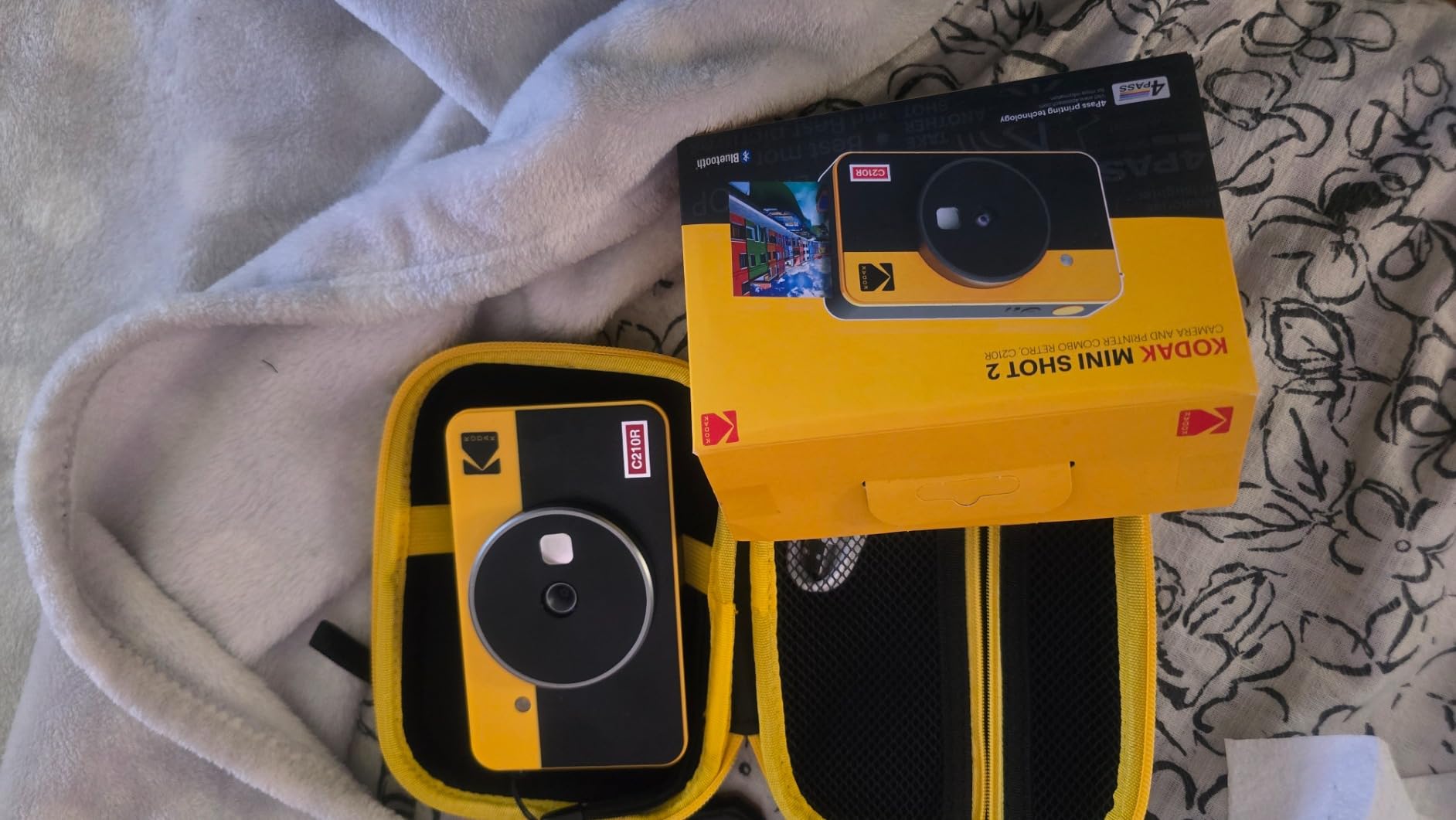
Print quality is the standout. Genuine 4PASS dye-sublimation printing lays down three color layers plus a clear protective laminate, so the prints resist fingerprints, water and fading far better than a basic thermal print, and owners repeatedly rate them above competing mini printers.
The retake function matters more than it sounds. You can look at the frame, decide it is not right, and shoot again before committing a print, so money is not spent on a photo nobody wants.

Check the power behavior before you buy
This unit shuts down after roughly 45 seconds of inactivity, and powering it back on takes around 10 seconds. For a planned photograph of grandchildren that is irrelevant. For a spontaneous moment in a kitchen, it means missing the picture while it restarts.
There is also no internal storage, which is a double-edged feature. Nothing needs managing, but a shot taken with a low battery can be lost entirely, and the battery can run out after about ten prints.
Know where this camera falls short
The running cost is the real consideration. Print refills and cartridges are more expensive per shot than true instant film, and a print takes roughly 55 seconds, so it is not the same near-instant experience that film cameras deliver.
There is no way to view, share or back up a photo digitally either, which makes it a companion to a phone rather than a replacement for one.
9. SMARTKLIK 44MP Compact – Small Enough for a Small Hand
SMARTKLIK Digital Camera for Teens, FHD 4K 44MP with 64GB SD Card, 16X Digital Zoom, Compact Point Shoot Camera Blue
Pros
- Smaller than a smartphone
- so it suits small hands
- 64GB card and two batteries included
- Simple menus with an intuitive point-and-shoot layout
- 2.8 inch UHD display is easy to frame and review on
- Three built-in flash bulbs beat a typical fill light
Cons
- Stated 44MP is really a digital enlargement and pixelates
- Poor low-light performance and easy blur in dim rooms
- Very light plastic build that may crack if dropped
- Slow autofocus at this price
- Battery door latch can pop open
- No external charger included
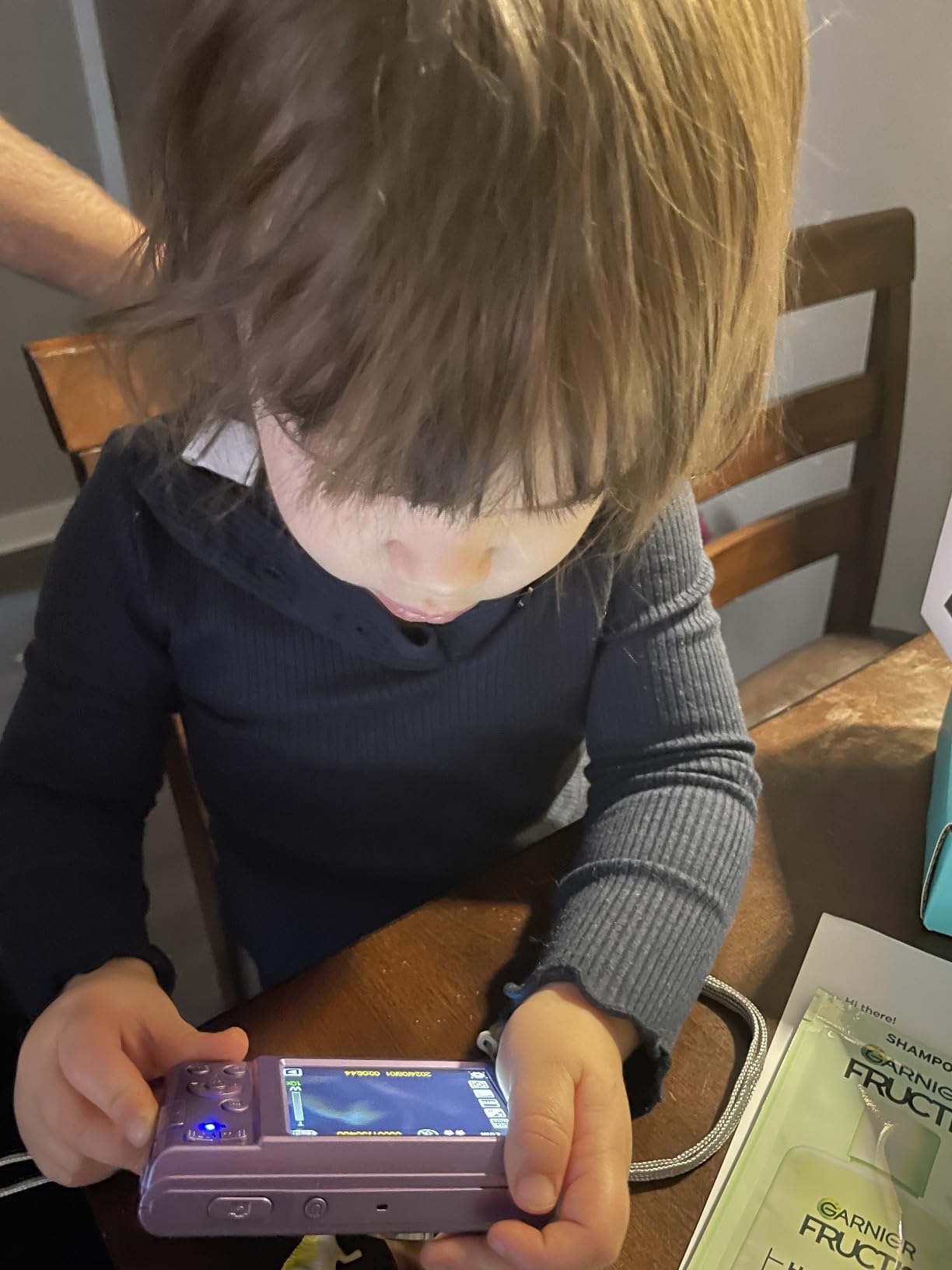
This is the smallest body here, and for a senior with genuinely small hands or a grip that has weakened, a camera that can be held in one hand without pinching is a practical win rather than a minor detail.
It is also the easiest of the digital compacts to hand to a first-time user. Point it, press the shutter, autofocus does the rest, and the menus are short enough to learn in a single sitting.

Two details stand out for this audience. The 2.8 inch UHD display is a good screen for a body this small, and three built-in flash bulbs give a brighter low-light result than the single fill light most cameras in this class carry.
It works as a live webcam with a pause function, and a 64GB card plus two batteries are included, so it is usable immediately.
Check the megapixel claim before comparing cameras
The stated 44 megapixels is a digital enlargement, and one professional reviewer who looked at the output puts real detail closer to 5 to 10 megapixels. Photos pixelate when enlarged, so do not let that number drive the buying decision.
Compare lenses, screen size and flash instead. Those three are what you feel when you use the camera.
Know where this camera falls short
Low light is the weak point, and images blur easily in dim conditions. Very light plastic construction also means it will not survive a drop, which is worth weighing for anyone prone to setting a camera down on a hard surface.
The battery door latch is reported to pop open when the zoom, playback or menu buttons are pressed, and no external charger is included, so batteries need regular top-ups somewhere other than the camera.
10. Fujifilm Instax Mini 12 – The Fewest Controls of Any Camera Here
Pros
- Highest rated camera in this roundup at 4.5 stars from 1248 reviews
- Twist the lens to switch on
- then point and shoot with nothing to configure
- Automatic exposure and flash control produce bright prints
- Optical viewfinder is easy on aging eyes compared to a glowing screen
- Close-up mode and built-in selfie mirror take some of the guesswork out
Cons
- INSTAX MINI film is sold separately and is costly per shot
- Fixed focus and fixed shooting mode with no zoom at all
- You must get closer to your subject than you expect or the shot comes out distant
- No screen
- no app and no way to share or view photos digitally
This is the simplest camera in the roundup by a wide margin, and it carries the highest rating here at 4.5 stars from 1248 reviews. You twist the lens, the camera turns on, you press the button, and exposure and flash are handled for you. That is the whole interface.
There is no screen to read, no card to insert and no menu to learn. For a senior who is intimidated by technology, that removes the entire problem rather than simplifying it.

The optical viewfinder is a genuine comfort feature. Looking into a small window rather than at a bright screen is easier on eyes affected by glare or early cataracts, and several owners who bought this for a parent specifically mention that as the reason it works.
Photo quality regularly surprises people for an instant camera, with soft pleasing colors and a nostalgic look rather than the washed-out result older film cameras often produced.

Check the framing distance before you buy
There is no zoom and focus is fixed, which means you have to stand closer than you expect or the subject comes out small and distant. Practise the close-up mode on a family member before handing it over, because this is the single thing first-time users misjudge.
The close-up mode has parallax correction, and the built-in selfie mirror takes the guessing out of group shots where you would otherwise be guessing at the frame.
Know where this camera falls short
INSTAX MINI film is sold separately and is expensive per shot, which matters most for someone who will photograph every day. There is also no way to view, share or back up a photo digitally, so every image is a physical object or nothing.
If the plan is to send pictures to relatives, this camera is a companion to a phone rather than a replacement for one.
How to Choose a Camera That Stays Simple
Every camera above passes this test in some form, but the thresholds differ. Here is what we look at, in the order that matters, with the numbers attached rather than adjectives.
First, count the decisions. A good senior-friendly camera offers automatic, maybe a scene mode, and stops there. If a body has a mode dial with more than four positions, or a menu with more than two levels of nesting, skip it. This is the single most-cited barrier in owner discussions on photography forums, where experienced photographers repeatedly recommend cameras with only three focus options and no dial.
Second, check the screen. 2.7 inches is the practical floor and 3 inches is better, particularly for anyone with vision change. Better still, ask the person who will use it to hold the camera at arm’s length and read the menu text before you buy.
Third, look for optical zoom rather than digital zoom. The Kodak models here give 4X or 5X optical, which is what lets you photograph a child across a garden. Digital zoom crops a picture and throws the detail away, and a 16X or 18X digital figure is a specification rather than a capability.
Fourth, treat stabilization seriously. Optical stabilization moves the lens inside the camera and genuinely steadies the shot for a hand that shakes. Digital stabilization smooths the image afterwards and helps a little. Neither replaces a steady technique, but for a tremor it is worth more than any extra megapixel.
Fifth, weigh the body. The lightest camera here is 113 g and the heaviest is around 600 g. Anything under 300 g is comfortable for a long session, and below 150 g works for hands that tire quickly.
Sixth, solve the battery. Two batteries plus a spare charger is the ideal. Cameras that take ordinary AA cells solve the problem differently, and permanently, because replacements exist everywhere. A single internal battery with no spare is the one arrangement to avoid.
A related note on video: if the plan is to record grandchildren, the 4K models here (picks five, six and seven) are the right ones, and each also works as a webcam for video calls. If video is not a goal, a 1080p stills camera does the job and keeps the controls simpler. If the goal is a fixed studio-style setup rather than something a person holds and points, that is a different class of hardware, and our broadcast camera guide covers it separately.
What to Avoid in an Easy-to-Use Camera
Beginner camera guides frequently recommend mirrorless bodies with mode dials and layered menus. For a 25-year-old learning photography that is reasonable advice. For someone who wants photos of their grandchildren, it is the opposite of the brief, and it is worth naming.
Skip any camera with a physical mode dial. Skip the megapixel numbers that are really digital enlargement on a tiny sensor, because the picture quality does not follow the number. Skip bodies with screens under 2.5 inches. Skip a camera whose lens does not retract, since the exposed element scratches and there is no way to protect it in a handbag.
Also skip anything with a fast power-off timer, because it interrupts the one moment the camera was picked up for, and skip anything that ships without a memory card or a spare battery unless you are certain you will buy both before the first outing.
Buying a Camera as a Gift for a Parent or Grandparent
Gifting a camera works best when you set it up yourself, in person, before you hand it over. The setup takes about fifteen minutes and removes nearly all of the first-day frustration.
Insert the memory card and charge both batteries. Set the date and time. Open the menu and set the shooting mode to auto, then close the menu so it does not have to be configured again. Take a few test shots indoors in ordinary room light, which is where the pictures will mostly be taken. Show how to review them on the camera’s own screen rather than on a computer.
Attach the wrist strap and explain it once. A camera on a strap that catches on a table edge survives; the same camera on a bare table does not.
One final decision worth making with them rather than for them: whether printed photos or photos on a phone matter more. It decides between an instant camera like pick ten or pick eight, and a compact like pick one or pick two. There are guides on simple photo editing for beginners if the digital route is chosen and someone wants to tidy up pictures afterwards, and a camera remote control only makes sense once someone is already comfortable holding the camera. The other two guides worth reading before buying are our roundup of the best walkers for seniors and pedal exercisers for seniors, which solve a different kind of staying steady.
Frequently Asked Questions
What is the easiest camera to use for seniors?
The easiest cameras for seniors are point-and-shoot compacts with no mode dial, one large shutter button, full automatic exposure and a large screen. In our testing the Fujifilm Instax Mini 12 has the fewest controls of any digital-free option, and among digital compacts the Kodak PIXPRO FZ55-RD pairs a one-button Auto mode with 5X optical zoom and fast autofocus. Ease comes from fewer decisions per shot, not from a higher megapixel count.
What is the best camera for elderly people?
It depends on grip strength, eyesight and what happens to the photos afterward. For the weakest hands and smallest eyes, a light body with a 3 inch screen works best. For photos that need to reach relatives, a compact with Wi-Fi transfer suits. For photos that need to survive in a physical hand, an instant camera like the Kodak Mini Shot 2 Retro is the simplest workflow, since the print appears about 55 seconds after the shutter press.
What is the simplest digital camera to use?
The simplest digital cameras avoid a mode dial, keep menus to two levels or fewer, and set exposure to automatic. The Kodak PIXPRO FZ45 and FZ55-RD both start in Auto with scene modes one press away, and the CAMKORY 44MP compact lists only Automatic, Macro and Portrait. Look for a rechargeable battery that charges in-camera, a wrist strap in the box, and a card included so the first outing is not delayed by shopping.
What camera is best for senior pictures at family gatherings?
For indoor family gatherings, flash matters more than zoom. The Kodak PIXPRO FZ45 has a built-in flash and runs on AA batteries that can be replaced anywhere, which suits a long day at a birthday party. For photos of the photographer, a flip-screen body such as the VJIANGER 4K camera or the Zostuic 3 inch model lets the subject see themselves and line up the shot.
Is a smartphone enough instead of a camera for a senior?
A modern phone takes excellent daylight photos and is worth keeping, but two things remain hard on a phone. A physical shutter button is steadier than a screen for a hand that shakes, and a real optical zoom lens reaches across a room or a garden without the pixelation that digital zoom creates. If neither of those situations comes up often, the phone is a perfectly good camera and saves the learning entirely.
What is the best camera for monitoring an elderly relative?
That is a different category of device. A home monitoring camera is a fixed indoor unit placed on a shelf or mounted near a doorway, usually viewable from a phone app, rather than a handheld camera. It is worth researching those products separately, and it is a different purchase from anything in this roundup, which covers cameras a person holds and points.
The Camera That Gets Used Wins
The CAMKORY 44MP compact is our pick for the best cameras for seniors with simple controls, because it is the one that removes every excuse not to use it: the card and both batteries are in the box, there is a mode list of three entries, and a small optical viewfinder sits above the screen for bright outdoor framing.
If the priority is optical zoom and dependable autofocus, the Kodak PIXPRO FZ55-RD is the stronger camera. If the person buying finds any screen intimidating, the Fujifilm Instax Mini 12 is the shortest possible path from picking a camera up to holding a photo. And if a grandchild has to appear in the photograph, pick one of the two flip-screen models.
Whichever you choose, set it up together, leave it on the charger, and put the wrist strap on before the first outing. A camera that gets used every week is worth more than a better one that is still in the box at 2026.