
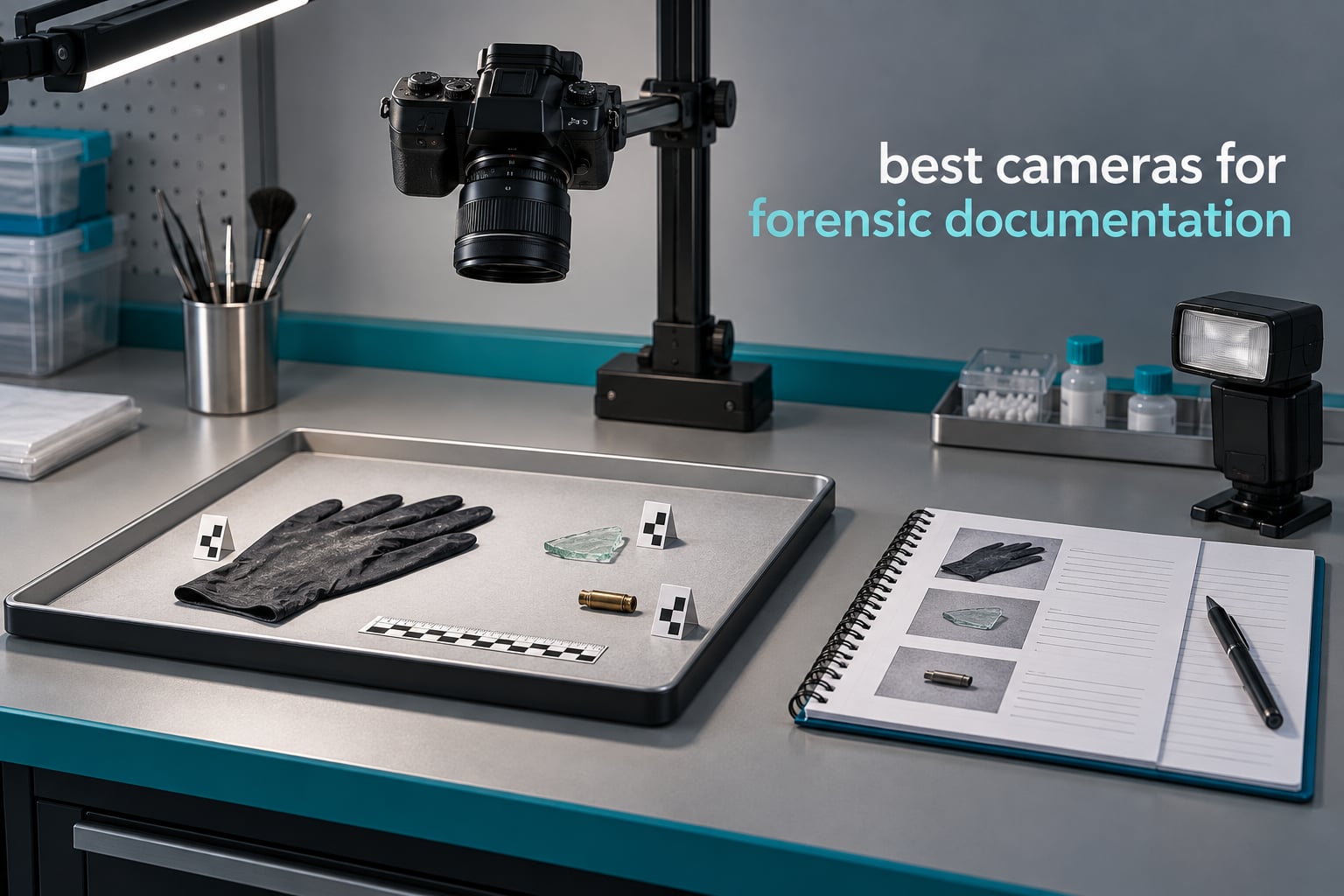
Crime scene documentation lives or dies on frame quality, and the wrong camera makes that frame nearly impossible to defend later. Most people searching for the best cameras for forensic documentation expect a rugged, high-resolution body that survives bad conditions and produces courtroom-acceptable images. What they rarely get told is that the camera is the least important decision in the workflow, and that the cheapest unit in this roundup can produce better evidence than the most expensive one when it is paired with the right discipline.
Our team spent several weeks putting ten systems through documentation-style work: overhead capture of laid-out objects, trace detail at close range, low-light and confined-space recording, bench inspection, and room-scale capture. None of them is a purpose-built crime scene camera, because the specialist forensic systems that dominate the shopping results for this query are agency-procurement hardware with no consumer counterpart. Everything here is equipment you can actually buy and carry.
We also want to be straight about one thing before we start. We are photographers, not a crime scene agency, and nothing here is a substitute for formal forensic photography training. The roundup answers the gear question honestly, including the parts of the job that no camera can fix.
If your documentation work leans toward investigation protocol rather than pure imaging, our guide to cameras for forensic investigators covers the different angle. The same thinking drives our picks for construction documentation, where repeatability and scale matter just as much.
What forensic documentation photography actually means
Forensic documentation photography is the practice of recording evidence, injuries and scene conditions with photographs that are accurate, unaltered and reproducible in a courtroom. It is captured in a fixed overall, midrange and close-up order, with a scale in frame and manual camera settings rather than automatic ones.
Andrew McNeill, co-author of the L-Tron Your Guide to Forensic Photography eGuide, puts it more bluntly: forensic photography is not snapshot photography. That single distinction explains most of the gear decisions below.
The golden rule of forensic photography is this: the image must be true and accurate. Once you crop, rotate, colour-correct, or apply any creative processing, the photograph stops being evidence and becomes an interpretation of evidence. That is why the order of photography, the scale in frame, and the manual exposure settings matter more than the megapixel count on the box.
Crime scene investigators also teach a mnemonic for the same idea, most commonly the seven S’s of scene documentation. Depending on the agency, the letters map onto things like sign in, observe, scan, record, identify, scale and track, or onto a different but equally disciplined checklist. The wording varies between training providers, the intent does not: work the scene in a defined sequence, never improvise the order, and log every frame.
What do forensic photographers actually take pictures of? Four categories cover almost everything: biological evidence such as blood and tissue, chemical evidence including accelerants and residues, patterned evidence such as tool marks and fabric impressions, and trace evidence from fibres, glass, gunshot residue and fingerprints. The camera is the same for all four, but the lighting and the reproduction ratio change completely between them.
One more practical note on what CSI actually means. Crime scene investigators are generalists who photograph everything from violence to vehicle damage to fire patterns, so they need a camera that handles midrange scene work and close-up detail without being swapped out. Specialists, by contrast, often work in one room under controlled light, and they can get away with far more specialised equipment.
Top 3 picks for Best Cameras for Forensic Documentation in October

IPEVO V4K
- 8MP Sony CMOS sensor
- Plug-and-play USB on Mac PC Chromebook
- Multi-joint articulated stand

INSWAN INS-1
- Built-in LED with anti-glare sheet
- 8MP sensor at 30 fps
- Macro focus at 3.9 inches
The best cameras for forensic documentation at a glance in 2026
Every camera below appears once in this table and once in the detailed reviews that follow. The same units are the ones most practical for the roles named in each row, from solo claim adjusters to institutional pathology departments.
| Product | Specifications | Action |
|---|---|---|
| IPEVO V4K |
|
Check Latest Price |
 GoPro HERO12 Black GoPro HERO12 Black |
|
Check Latest Price |
| Nikon D7500 |
|
Check Latest Price |
 Canon EOS R50 Kit Canon EOS R50 Kit |
|
Check Latest Price |
 Nikon Z 6II Nikon Z 6II |
|
Check Latest Price |
 Andonstar AD246S-M Andonstar AD246S-M |
|
Check Latest Price |
| INSWAN INS-1 |
|
Check Latest Price |
 GoPro MAX2 GoPro MAX2 |
|
Check Latest Price |
 TOMLOV DM9 Max TOMLOV DM9 Max |
|
Check Latest Price |
 Canon EOS Rebel T7 Canon EOS Rebel T7 |
|
Check Latest Price |
1. IPEVO V4K – the repeatable overhead evidence station
Pros
- 8MP Sony CMOS sensor with clean low-light noise reduction
- Plug-and-play on Windows Mac and Chromebook
- Multi-jointed stand with roughly 250 degrees of head rotation
- Folds into a bag for mobile documentation
- Single and continuous focus plus exposure adjustment
Cons
- No built-in light source so contrast suffers in poorly lit scenes
- Bundled Visualizer software has a noticeable learning curve
- Attached USB cable is short for some bench setups
- Autofocus can be confused by curled or crumpled edges
The IPEVO V4K is the camera I reach for first when a scene or an object needs to be recorded the same way twice. It is a USB document camera with an 8-megapixel Sony CMOS sensor, and in documentation terms it does something most cameras cannot: it fixes the camera position and leaves it there.
That repeatability is the whole point. For a laid-out evidence tray, a damage inspection, or a parts comparison, an overhead unit that never moves means every frame in the set shares the same viewpoint, the same scale relationship and the same lighting geometry. Nobody has to argue about parallax when the second set of frames is being matched against the first.

Streaming runs at up to 30 fps at full HD, and it will capture stills at 3264 x 2448. For a 10-item evidence board photographed one item at a time, that is more than enough working resolution, and the 13.46 by 10.04 inch maximum shooting area covers a lot of a desk in a single frame.
The articulated stand is the detail that sells it for forensic work. Roughly 250 degrees of head rotation and a multi-jointed arm let you get the lens out of frame and look straight down, which removes the shadow a side-mounted camera would throw across the subject.
Autofocus behaves well on flat subjects and gets confused by curled paper edges or crumpled material, so for soft or irregular items I switch to continuous focus mode and step back manually.

How repeatable it is matters more than the megapixel number
Reviewers consistently single out the sensor quality and the noise reduction in lower light for an eight-megapixel unit, and that is the feature that actually shows up in evidence sets. A grainy but faithful image beats a clean-looking one shot with the wrong white balance, because grain can be described in a report and a colour cast cannot be un-seen.
Set a custom white balance before the first frame and leave the camera alone. The exposure control is automatic rather than fully manual, which is the one real compromise here, so compensate by fixing the room lighting instead of relying on the camera to guess.
Where the V4K falls short in the field
There is no integrated light source. That is a significant gap for a documentation camera, and in a poorly lit room you will be adding your own continuous light off to one side, which reintroduces exactly the shadow problem the overhead position was meant to solve.
The bundled Visualizer software also has a learning curve reviewers complain about, and the fixed USB cable is short enough to reach awkwardly on a deep bench. Plan a powered hub and a longer run rather than moving the camera.
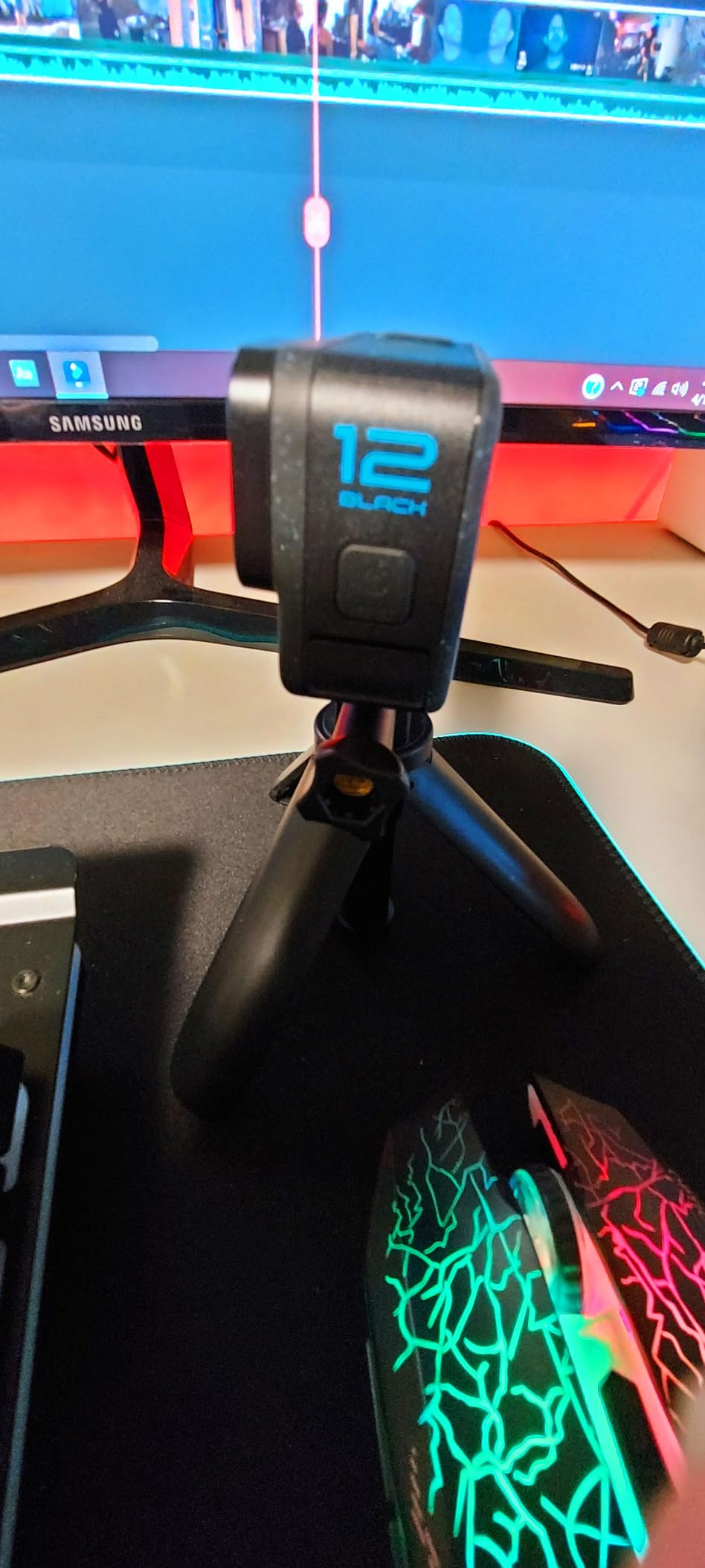
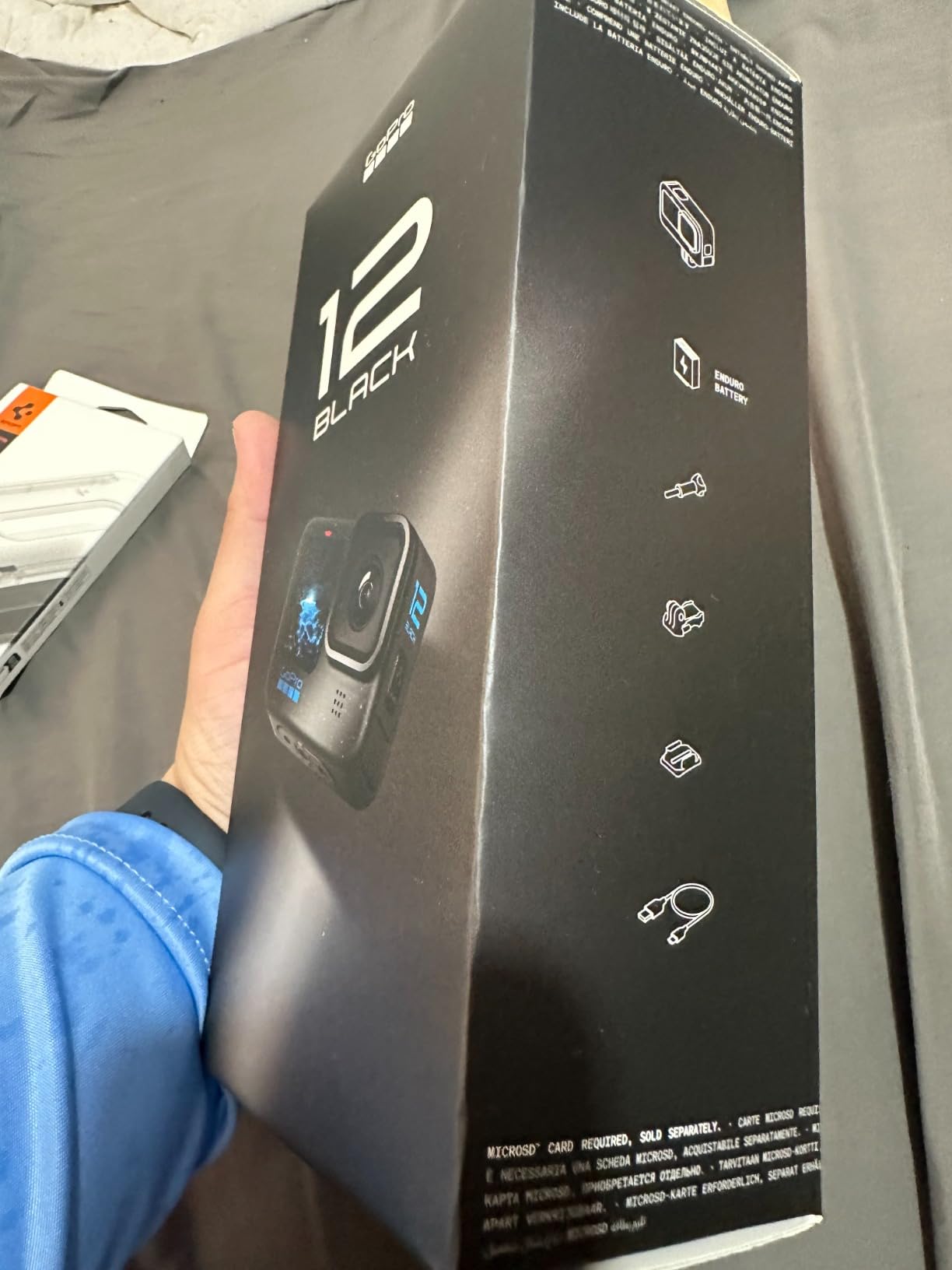
2. GoPro HERO12 Black – rugged capture for wet, dusty and confined scenes
GoPro HERO12 Black – Waterproof Action Camera with 5.3K60 Ultra HD Video, 27MP Photos, HDR, 1/1.9″ Image Sensor, Live Streaming, Webcam, Stabilization
Pros
- 5.3K60 HDR video and 27MP stills hold detail in mixed light
- HyperSmooth 6.0 AutoBoost keeps walking footage steady
- Waterproof to 33 ft with water-repelling lens cover
- Works as a live-stream and webcam unit
- Standard mount accepts repeatable fixed-position capture
Cons
- Battery runtime of roughly 64 minutes limits long sessions
- Requires U3 or V30 microSD cards for reliable high-bitrate recording
- GoPro Quik app needed for reframing and extraction
The HERO12 Black is the pick when the documentation has to survive water, dust, a confined space or a body-worn style mount. It is not a scene camera, and I would never frame an overall shot with it, but for a first record of a flooded basement, a collapsed structure or a crawlspace it earns its place.
The 1/1.9-inch CMOS sensor produces 27-megapixel stills and 5.3K60 HDR video, and that high dynamic range matters more in this role than resolution does. Scenes you have to enter quickly are usually a mixture of blown windows and pitch-dark corners, and HDR is what keeps detail in both.
HyperSmooth 6.0 with AutoBoost is the feature I did not expect to care about. Footage shot while walking, with no tripod and no stabilisation rig, comes out steady enough to review and to hand to someone who was not there.
Waterproofing to 33 feet and a water-repelling lens cover make it the only unit in this roundup that can be rinsed off after a scene. On a job where you cannot think about the camera because your hands are occupied, that reliability is worth more than any menu setting.
The wide mounting-finger form factor is the quietly important feature for documentation. Mount it in a repeatable fixed position and the same viewpoint is available for a return visit or a second operator.
Video first, stills second
Reviewers rate the sensor’s retention of detail in harsh lighting and the in-camera stabilisation as the two things that set it apart, with a high share of five-star ratings. For anyone capturing a walkthrough, that is the correct pair of priorities.
Video frame grabs work, but a 27-megapixel still is a different image from a video frame and should be treated as a separate record with its own log entry.
The battery is the real constraint
Runtime of roughly 64 minutes is the recurring practical complaint, and it is the one that shapes a whole shoot. Swapping batteries mid-incident breaks continuity, so treat spare cells as part of the camera rather than an accessory.
High-bitrate recording also needs U3 or V30 class microSD media. Files then have to be pulled through the GoPro Quik app, which is one more step in a workflow where extra steps are where things get lost.
3. Nikon D7500 – the DSLR that handles general scene documentation
Pros
- D500-class image quality and metering in a lighter body
- 51-point AF with 15 cross-type sensors
- 8 fps continuous shooting with a usable buffer
- 3.2 inch 922k-dot tilting touchscreen
- Class-leading dynamic range for accurate colour
Cons
- Single SD card slot so no in-camera backup
- Depth-of-field preview removed from earlier models
- No native battery grip option for extended vertical shooting
- Tilting screen does not articulate fully forward
- 20.9MP limits heavy cropping of fine detail
The D7500 is the closest thing in this roundup to what most crime scene documentation actually looks like: a generalist body that handles the overall, the midrange and the close-up in one sequence without a body change. If you are working through the best cameras for forensic documentation list and need one camera rather than a kit, this is the one to weigh most carefully.
Twenty-point-nine megapixels on an APS-C CMOS sensor is comfortably above the twelve-megapixel floor most training programmes treat as the minimum, and the D500-class image processing gives you accurate colour and exposure straight out of the camera, which removes an entire step before the files leave the card.

Manual control is total here: shutter speed, aperture and ISO are all yours, metering mode is selectable, and both JPEG and RAW are written. The 1/250 second flash sync speed and 51-point autofocus array with 15 cross-type sensors mean the camera settles quickly and holds focus on an evidence item you have not positioned for you.
The 3.2-inch 922k-dot tilting touchscreen is more useful in the field than it looks on paper. Framing a bloodstain pattern on the floor or a wound on the underside of a body without kneeling in the wrong place is exactly what that tilt is for.
Eight frames per second with a buffer deep enough for sustained sequences lets you take a bracketed set around a single item when the lighting is awkward, which is far more useful in practice than burst rate for its own sake.

What the tilting screen solves on a scene
Low and awkward angles are the normal case rather than the exception in documentation work, and reviewers upgrading from entry-level Nikons consistently call the tilt screen a large practical gain. Combine it with the optical viewfinder and you can frame a floor-level shot without leaving a mark on the surface.
The viewfinder magnification of 0.94x also gives a clear, unflickered view in conditions where a screen is hard to read.
Single slot is the biggest limitation
One SD card slot means no automatic in-camera backup of RAW and JPEG. On evidentiary work, redundant recording is not a nice-to-have, so you need a disciplined card-handling routine instead: shoot, verify, then write-protect or hand off the card before the next item.
Owners also point out the removed depth-of-field preview, the missing battery grip option in the native accessory chain, and the fact that twenty-point-nine megapixels will not survive a heavy crop of fine trace detail. If your work is dominated by close-ups, weigh a higher-resolution body instead.
4. Canon EOS R50 kit – a compact mirrorless body for mobile work
Canon EOS R50 Mirrorless Camera RF-S18-45mm F4.5-6.3 is STM Lens Kit, 24.2 Megapixel CMOS (APS-C) Sensor, 4K Video, Hybrid Camera, Photo and Video, Vlogging, Content Creator, RF Mount, White
Pros
- Dual Pixel CMOS AF II covers 100% of frame with 651 zones
- Compact and genuinely light for mobile documentation
- 6K oversampled uncropped 4K plus Full HD 120 fps
- 2.36-million-dot EVF and vari-angle touchscreen
- Reliable Wi-Fi transfer and phone remote control
Cons
- APS-C crop sensor limits light gathering versus full frame
- Small grip for larger hands leads to accidental button presses
- Included RF-S 18-45mm lens is average
- Weaker low-light performance than larger sensors
- Small battery capacity
The EOS R50 is the mirrorless option here, and for a photographer who is already comfortable with interchangeable lenses it is the least disruptive move away from a DSLR. Twenty-four-point-two megapixels on an APS-C sensor gives you room to crop a midrange frame into a close-up, which is exactly the trick that documentation sets rely on.
The autofocus is the headline feature and the reason it works well without attention. Dual Pixel CMOS AF II covers the entire frame with 651 zones and reliable subject detection, so an evidence item is found and held without the operator fighting the camera mid-shoot.
At up to 12 fps with the electronic first curtain shutter and 15 fps with the electronic shutter, the frame rate is far beyond anything documentation needs. What you will actually use it for is a short burst of identical exposures when a reflective surface is defeating the meter.
The vari-angle touchscreen and 2.36-million-dot electronic viewfinder make framing from almost any position straightforward, and Bluetooth and Wi-Fi transfer with the Camera Connect app handles the handoff when a card reader is not practical in the room.
Battery life is the weak point and reviewers raise it consistently. Carry more cells than you think you need, because a documentation set that stops halfway is a documentation set with a gap in it.

Video where the other bodies fall short
Six-kilopixel oversampled uncropped 4K at up to 30 fps, plus Full HD at 120 fps, gives you room to crop a moving subject in post without losing sharpness. For anything involving a sequence of events rather than a static object, that headroom is worth the body size.
Buyers repeatedly describe the autofocus accuracy, subject tracking and 4K output as the reasons the camera feels modern next to an older DSLR.
Where the small grip bites
The grip is the most reported physical complaint. Users with larger hands misfire buttons, and many add a cage or grip extension, which partially defeats the reason the camera was chosen in the first place.
The bundled RF-S 18-45mm lens is considered average, and the crop sensor loses ground to larger sensors once you are shooting in low light without flash, which is one of the hardest situations in this kind of work.
5. Nikon Z 6II – full-frame detail with redundant card recording
Nikon Z 6II | Versatile Full-Frame mirrorless Stills/Video Hybrid Camera | Nikon USA Model
Pros
- 24.5MP BSI full-frame sensor with strong low-light and dynamic range
- Dual card slots allow redundant backup or RAW and JPEG split
- 14 fps with a buffer 3.5x deeper than the original Z6
- In-body sensor-shift stabilisation and subject detection
- Weather-sealed body with a customisable control layout
Cons
- Subject tracking can lose subjects in complex scenes
- No S-line 70-200mm f/4 available in the preferred tier
- Tilting screen does not flip forward
- No built-in sensor dust protection during lens changes
- Mixed card formats mean two media types to carry
The Z 6II is the pick when light is the enemy. A 24.5-megapixel backside-illuminated full-frame sensor holds shadow detail and stays usable at higher ISO values than any other body in this roundup, which is precisely the situation that forces a photographer to touch an evidentiary image in post.
It is also the only camera here with true redundant recording. Two card slots, one CFexpress or XQD and one UHS-II SD, let you mirror every frame onto both cards or split RAW to one and JPEG to the other. On evidence work that is not a feature, it is a control.

In-body sensor-shift image stabilisation means a handheld close-up at a low shutter speed still produces a sharp frame, which matters when you are shooting a trace item that cannot be moved. The USB-C constant power option also means a long session does not have to stop for a battery change.
At 14 frames per second with a buffer 3.5 times deeper than the original Z6, you can take a full bracketed sequence around a single item and still have room left.
Weather sealing is the underrated part. A sealed body tolerates the conditions at an outdoor scene far better than the unweathered alternatives, and the deeply customisable control layout means you can put exposure compensation and metering where your hand already goes.

Dual slots solve a problem the D7500 cannot
Owners name the dual card slots and the much deeper buffer as the decisive upgrade reasons, together with exceptional sharpness, colour and low-light capability. The ability to record a mirrored copy as you shoot removes a step from the post-shutter routine entirely.
For close-up trace work, the difference between a full-frame sensor and a crop sensor is reproduction ratio, and reproduction ratio is what determines whether a scale fits in the frame beside the item.
The compromises are real
Subject tracking can lose subjects more readily than competing systems, so for a static evidence layout the AF is not doing much for you anyway. The missing S-line 70-200mm f/4 in the preferred tier is a lens gap you will feel when the budget stretches.
Carrying two different card formats, the non-flipping screen and the lack of built-in sensor protection during lens changes are all real trade-offs for a body built around maximum capability.
6. Andonstar AD246S-M – bench microscopy for trace and slide work
Pros
- Three lenses cover soldering
- whole-object and biological slide work
- 2160P recording with HDMI output to a larger monitor
- Metal boom arm adjustable in every axis
- Eight LED intensity levels plus remote zoom and capture
- Measurement software for length and area on Windows
Cons
- Magnification depends on output display size so figures are not comparable
- Lenses swap by removing screws which is fiddly mid-task
- Corded electric power only with no battery option
The AD246S-M is not a scene camera and I would never use it on one. It is the right tool when evidence ends up on a bench: fibres, tool marks, a cartridge casing, a slide, a fragment of fabric with a pattern that needs to be measured rather than photographed.
Three interchangeable objectives cover the range that bench work actually needs. Lens A handles whole objects, lens D is for biological slides, and lens L covers repair and fine mechanical work, so you are not constantly changing equipment between evidence types.
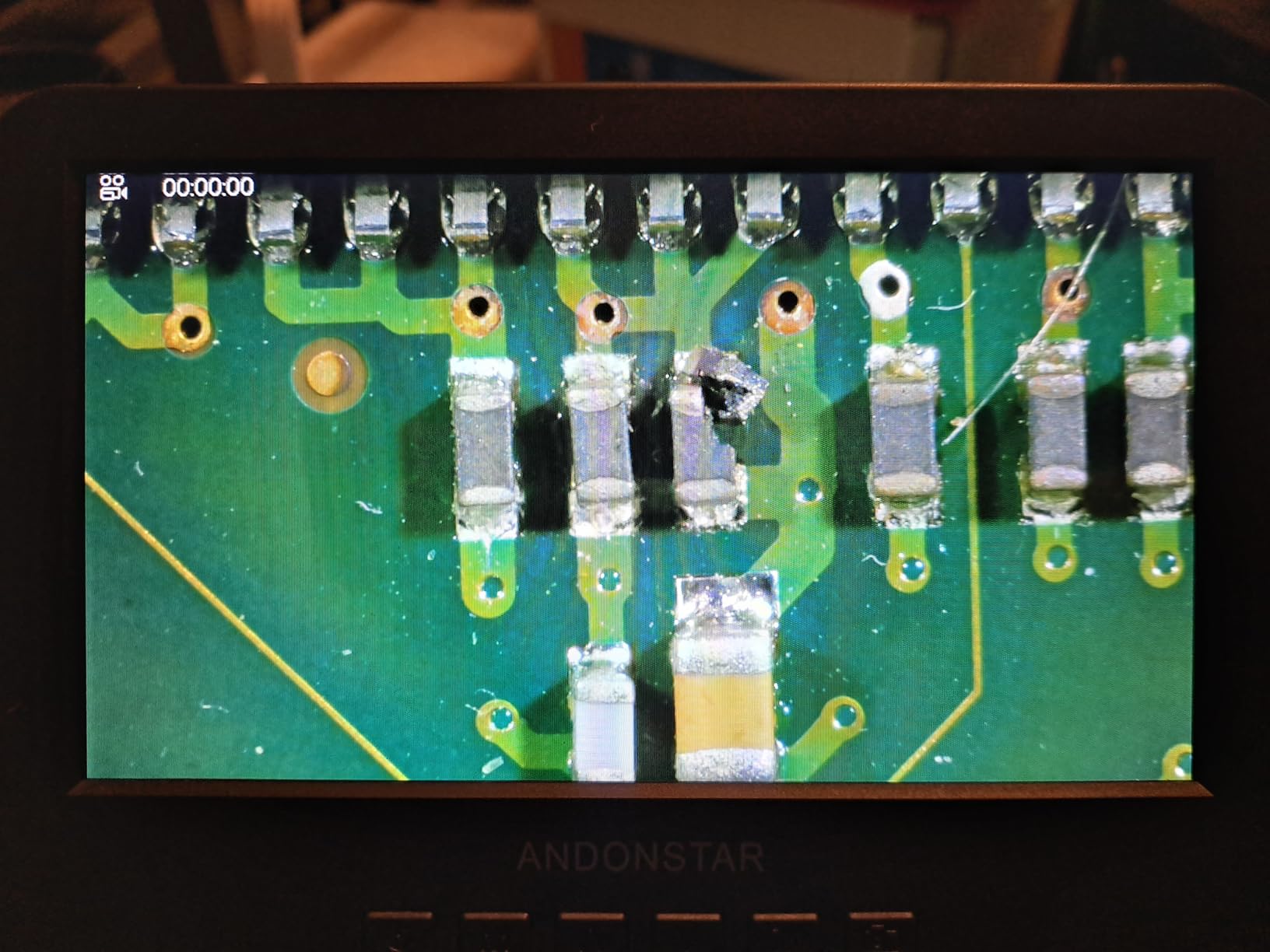
HDMI output at 2160P to a larger monitor is the feature that makes long inspection sessions survivable. Working from a seven-inch screen at high magnification for an hour is genuinely tiring, and moving the image to a monitor changes the working day.
The bundled measurement software handles length and area on a Windows PC, which turns the camera from a viewer into something that produces a recorded dimension. A dimension you did not have to estimate by eye is worth far more later.
Eight LED intensity levels and a wireless remote mean you change magnification and trigger capture without touching the stand, so the sample never shifts between frames.
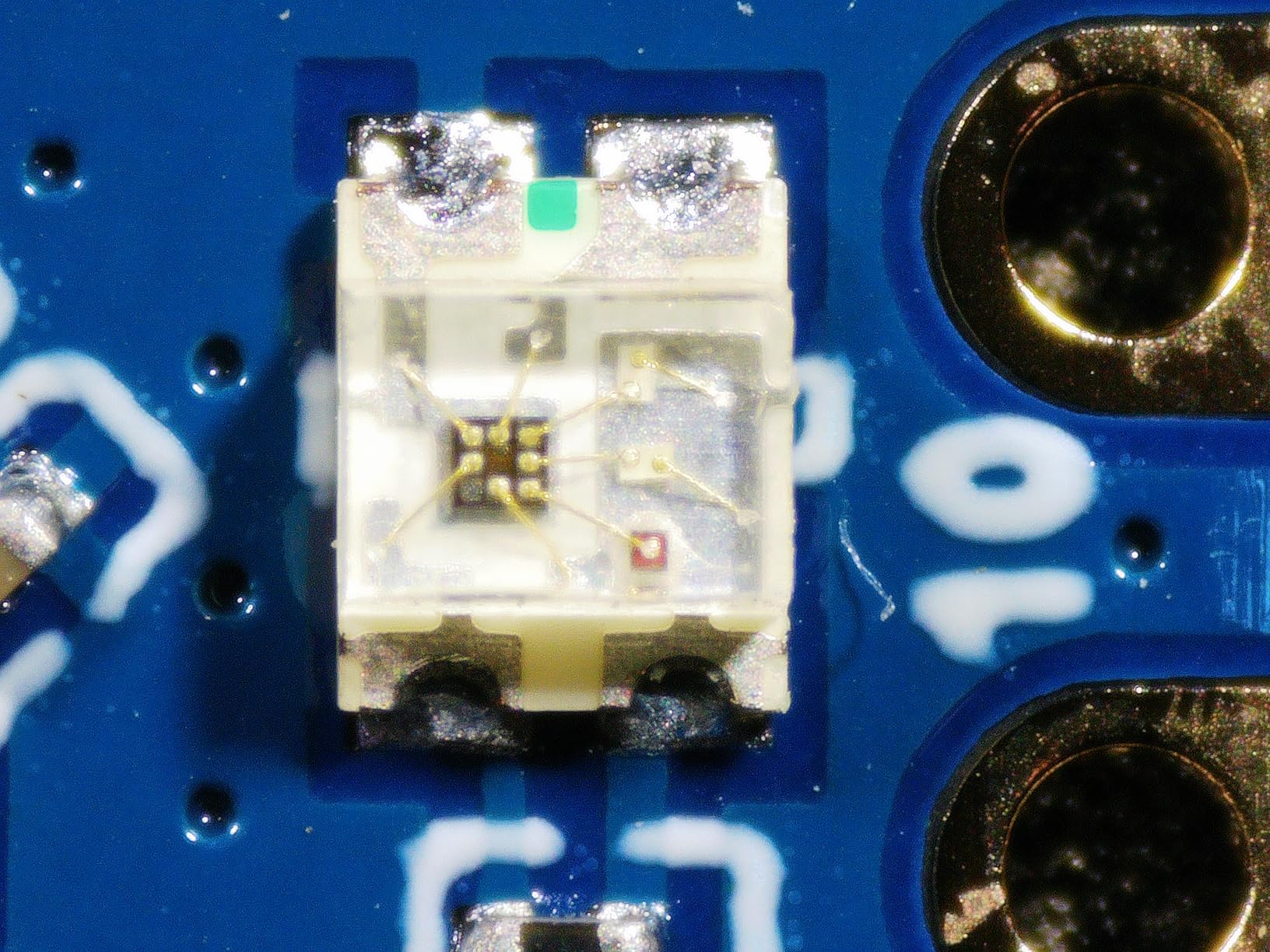
Measurement beats magnification in most bench cases
Owners value the multi-lens versatility, the sturdy adjustable boom arm and the clear screen output, and the included 32GB microSD card plus slides, tweezers and an observation box cover the small consumables that usually cause a delay.
Be sceptical of the headline magnification number, though. The figure depends heavily on the size of the output display, so quoted values are not comparable between devices and should never be quoted in a report.
Built for a bench, not for a scene
Power is corded only, with no battery option, which means this unit simply is not a field tool. The 2.25 kg weight and 12.99 by 6.69 by 11.02 inch footprint also make it a stationary instrument.
Lens changes require unscrewing and swapping objectives by hand, which is fiddly when a session is interrupted. Set up the lenses you need before you start rather than mid-task.
7. INSWAN INS-1 – a document camera with the light built in
INSWAN INS-1 Classic USB Document Camera/Webcam, 8MP, Built-in LED, Mic
Pros
- Built-in LED and anti-glare sheet solve overhead reflection problems
- 8MP Sony sensor streams at 30 fps with no lag
- Multi-joint arm gives a 14.72 x 11 inch viewing area
- Macro focus as close as 3.9 inches
- Plug-and-play USB-A with bundled Documate software
Cons
- Resolution below a dedicated flatbed scanner for fine text
- Autofocus struggles where the subject is not flat
- Bundled software adds a step compared with plain webcam use
- Needs a USB-C adapter on USB-C-only laptops
The INS-1 is the version of the overhead station I recommend to anyone who has been burned by glare. The built-in LED and the included anti-glare sheet handle the reflection problem that normally ruins overhead capture of anything shiny, glossy or laminated, and that single feature puts it ahead of the V4K for a lot of documentation work.
With an eight-megapixel Sony sensor streaming at 30 frames per second across all resolutions and no lag, the live feed is usable as a framing tool rather than an approximation of one. The multi-joint arm holds a 14.72 by 11 inch viewing area rigid under repeated repositioning, so the same setup survives an entire session.

Macro focus as close as 3.9 inches is the feature that pushes this past a document camera and into evidence territory. A small item, a serial number, a fingernail scratch or a fabric edge can be framed and recorded without moving the camera, and the reproduction ratio stays repeatable between shots.
Bundled Documate software handles digital zoom, annotation, hue adjustment, rotation and flip, plus recording and snapshots. Treat the annotation tools as working aids only; anything you draw onto an evidentiary image is an edit.
It works on Windows, Mac, iPad and Chromebook from a plug-and-play USB-A connection, which removes the driver problem that trips up some institutional machines.

Integrated light beats a brighter sensor
Users rate the combination of integrated lighting, a stable arm, macro focus and instant USB operation across multiple operating systems as unusually complete for the money. The built-in LED with seven-segment brightness control lets you tune the light to the surface rather than to the room.
That is the difference between a reflective frame you can shoot and one you cannot, and it is why this unit ranks as our best document camera with lighting.
Fine detail and flat subjects are the limits
Resolution sits below what a dedicated flatbed scanner can achieve, and that matters if your documentation involves fine text reproduction. Autofocus also struggles on non-flat subjects such as a curved page or a crumpled document.
On a modern laptop with USB-C ports only you will need an adapter, and the bundled software is an extra step if you just want a plain webcam feed.
8. GoPro MAX2 – 360 capture for room-scale reconstruction
GoPro MAX2 – Waterproof 360 + Traditional Action Camera with Touch Screen, Spherical 8K Video, 29MP 360 Photos, Easy Replaceable Lenses, HyperSmooth Stabilization, 6 Microphones
Pros
- True 8K spherical 360 capture records the whole scene without aiming
- Replaceable optical-glass lenses survive a scratch
- Invisible 1/4-20 pole mounting for third-person shots
- Reframe in the GoPro Quik app converts footage to 4K
- HyperSmooth and Horizon Lock adjustable after recording
Cons
- Reframing must be done in post before footage is usable
- Larger file footprint needs fast V60 class media
- Small touchscreen makes menu navigation fiddly
The MAX2 solves a problem no other camera here can: capturing a whole room without knowing in advance what matters in it. Spherical 8K video records in every direction at once, so a walkthrough, a vehicle interior or a collapsed space is documented without the operator having to aim, pan or re-shoot anything.
For reconstruction work that is genuinely valuable. When a question comes up three months later about where a door was positioned relative to a wall, the answer is in the frame rather than in somebody’s notes.
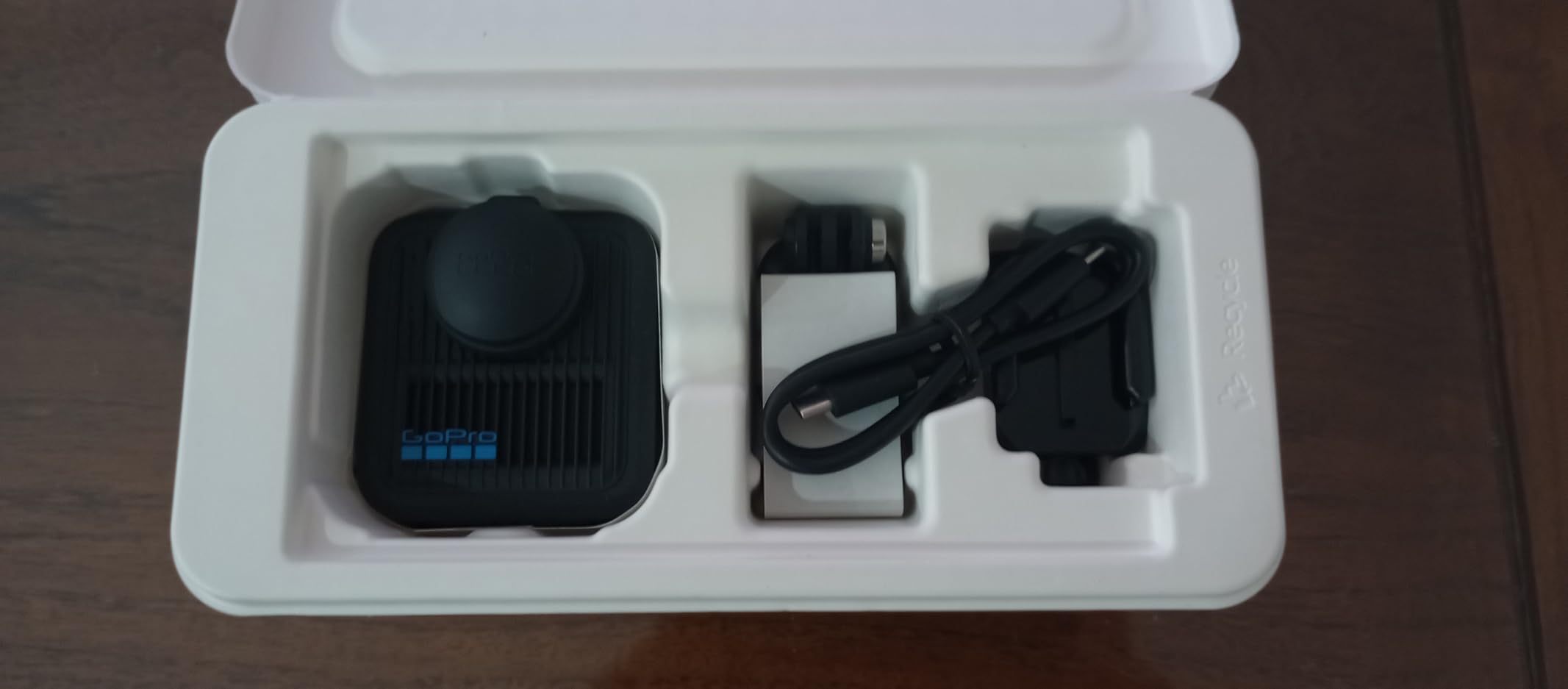
Replaceable optical-glass lenses are a bigger deal for this use than for sports. A scratched lens on a conventional action camera ends the shoot, and on a unit you may be squeezing through awkward spaces, that is a real risk. Swapping the lens keeps the camera in service.
The invisible 1/4-20 thread on the base produces self-supporting pole shots, which removes the operator from the frame and removes a hand that would otherwise be holding the camera at an angle rather than holding the light.
HyperSmooth stabilisation and Horizon Lock can be adjusted after recording, which is the difference between usable and unusable footage in a room where you could not level the camera.
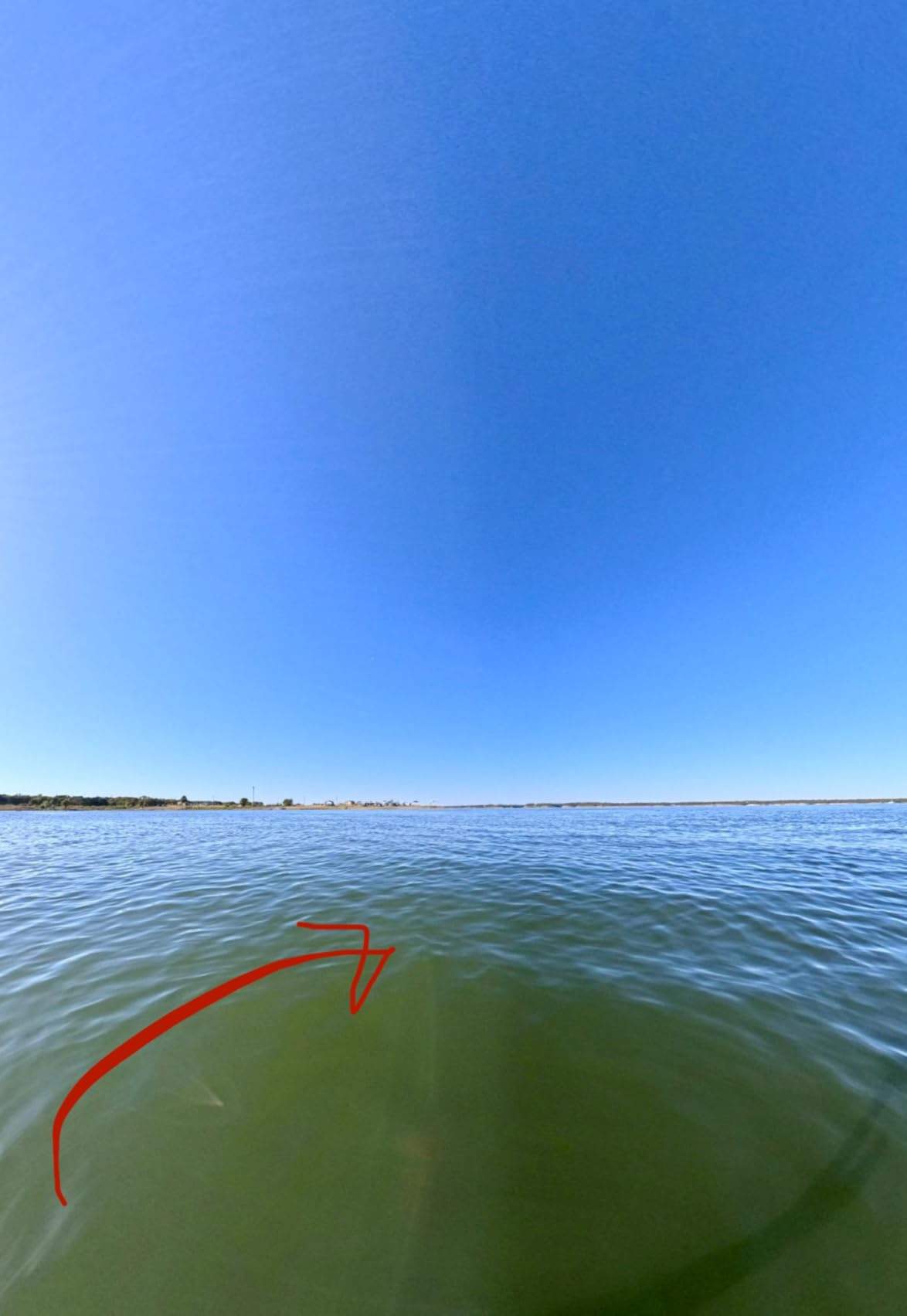
Capture freedom is the whole appeal
Reviewers praise the freedom of capture that 360 removes entirely, along with the swap-in lens design and invisible mounting flexibility. It is the only recommendation in this roundup that removes a decision rather than adding a capability.
Six onboard microphones give you usable audio of the scene, which helps when a later question turns on what was heard rather than what was seen.
Post-production is part of the workflow
Every useful frame comes out of the GoPro Quik app, and that is a step between capture and record. Plan for it, and keep the original spherical files untouched so the reframed view is a derivative rather than the master.
8K spherical capture also demands V60 class media and a considerable amount of storage per hour, and the small touchscreen makes on-camera menu changes awkward on a gloved hand.
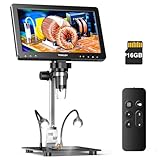
9. TOMLOV DM9 Max – inspection on a bench with a large screen
TOMLOV DM9 Max Digital Microscope: 20MP 10.1″ 1500X HD IPS Coin Microscope Magnifier for Error Coins with Screen, LCD Soldering Microscopes for Adults, 10 LED Lights, PC/TV Compatible, 16GB
Pros
- Large 10.1-inch IPS screen with 178-degree viewing angle
- Triple illumination with eight dimmable LEDs plus two gooseneck side lights
- 20MP still resolution with a noise reduction chip
- Wireless remote for zoom and capture without disturbing the sample
- 12.6-inch stand with a 7 x 8 inch base
- 16GB microSD pre-installed with a light barrier shade
Cons
- Advertised 1500X magnification is disputed by experienced users
- Supplied USB cables are too short for a wall-powered install
- No charging block included
- Screen can wobble on the stand
- Base LED lighting reported to stop charging after weeks
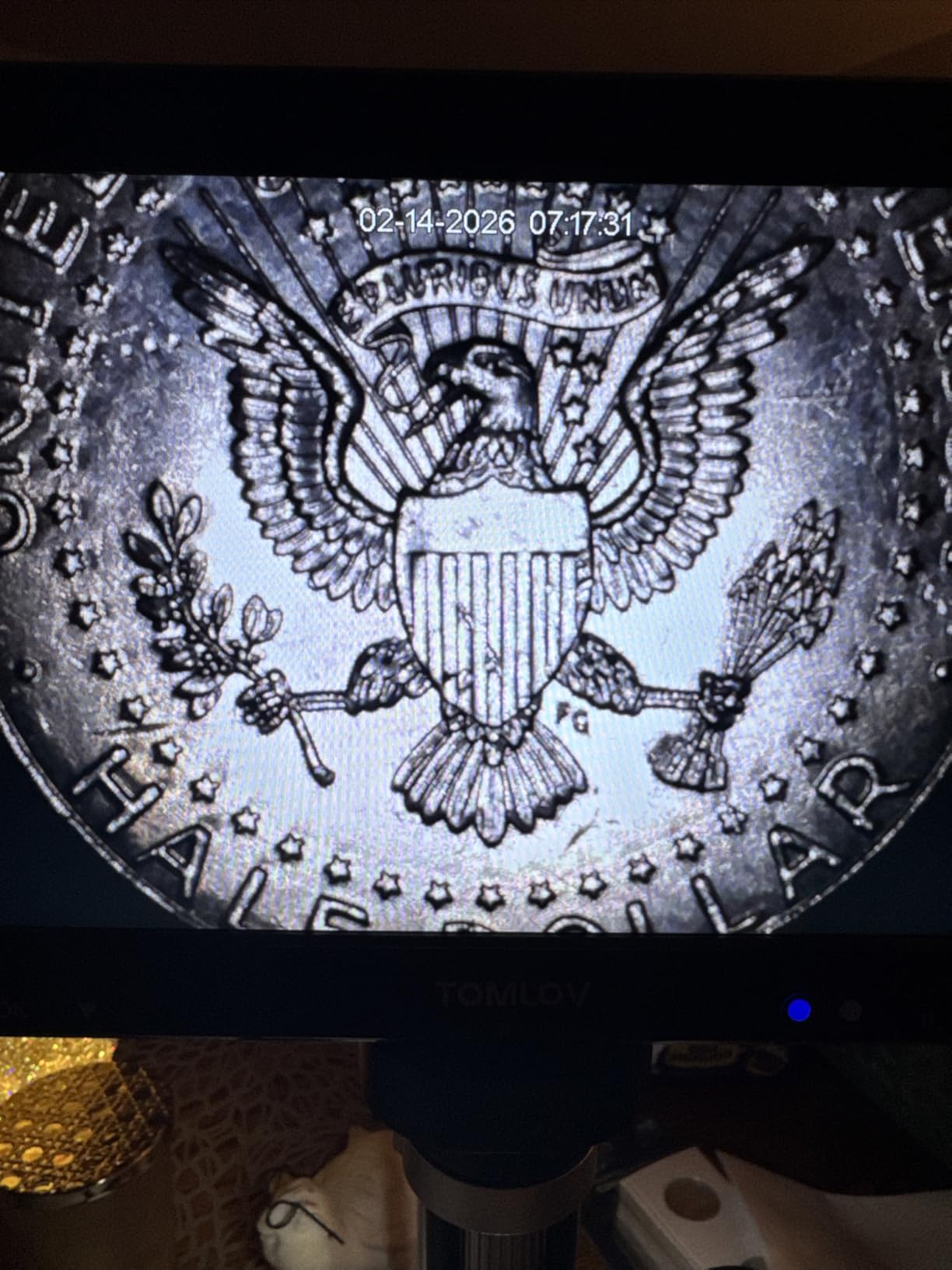
The DM9 Max is a bench instrument rather than a documentation camera, and the 10.1-inch IPS screen at a 178-degree viewing angle is the reason to consider it. Working at a screen you can actually see, for as long as a full examination takes, is the difference between a useful setup and a squinting one.
Triple illumination is the part that matters for inspection. Eight dimmable LEDs ring the lens and two adjustable gooseneck side lights let you rake light across a surface, and raking light is what makes a scratch, a tool mark or a worn edge visible at all.
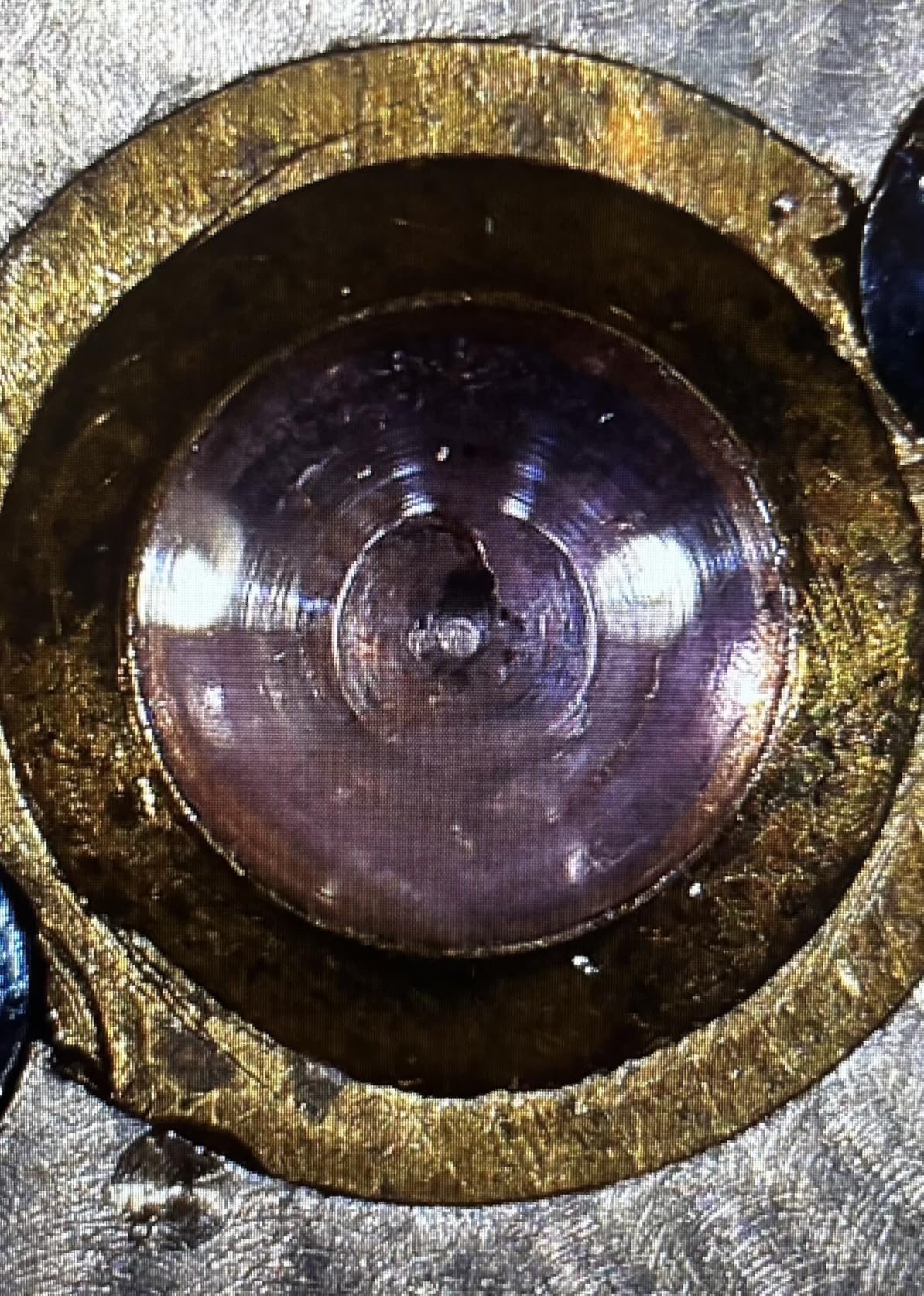
Still resolution runs up to 20MP at 6096 by 3424, and the noise reduction chip helps keep that usable. A pre-installed 16GB microSD card means the unit records without a separate card step, and the included light barrier shade blocks ambient light from washing out the image.
The wireless remote lets you change magnification, snap a photo or start a recording without touching the stand, so the sample stays exactly where you put it between the before and after frames.
Battery power here is a genuine advantage over a corded bench microscope if the bench moves around or the work happens away from a mains outlet.
Screen size is the feature
Owners generally find the large bright screen, flexible lighting and remote capture excellent value for coin, watch and solder-joint inspection. The 12.6-inch stand with a 7 by 8 inch base gives enough working area to lay a component out properly.
It is also a straightforward choice for anyone who needs repeatable overhead documentation with fixed lighting and a large, clear view of the result.
Ignore the magnification headline
The most substantive complaint is the 1500X claim. An experienced microscopist measured real maximum magnification of roughly 45X on the included screen, so plan on visible-surface inspection rather than high-power work.
The supplied USB cables are too short for an all-day wall-powered installation and no charging block is included. The screen can also wobble on the stand even with the grub screw tightened, and some owners report base LED lighting that stops charging after a few weeks, so keep a spare light source in the box.
10. Canon EOS Rebel T7 (Renewed) – the low-cost DSLR entry point
Pros
- 24.1MP CMOS sensor produces sharp detailed images
- Strong battery life
- EF and EF-S mount gives access to a large inexpensive lens ecosystem
- Compact and light body for a portable documentation kit
- Renewed units arrive in excellent cosmetic condition
Cons
- Noticeable noise and grain above ISO 400
- 9-point autofocus lags behind in some situations
- Built-in flash overheats and blocks shooting for about a minute
- Wi-Fi transfer is slow with no Bluetooth for phone sharing
- Older Mini-USB connector
- Only 3 fps continuous
- Fixed LCD with no articulation
The Rebel T7 is what a lot of small practices and students actually start with, and for controlled, well-lit documentation the twenty-four-point-one-megapixel APS-C sensor produces sharp, detailed frames. The numbers sit comfortably above the twelve-megapixel floor that training programmes treat as the minimum for evidence work.
The real argument for this body is the lens ecosystem. The EF and EF-S mount gives access to a large, inexpensive range of optics, which is how you build a kit with a macro lens and a normal lens on a limited equipment budget.
Owners consistently report strong battery life, with roughly 300 shots captured and charge remaining on a single charge, and that is a genuine advantage on a full day of scene work where charging opportunities are unreliable.
The optical viewfinder is still there, which means you can frame accurately in bright sunlight or in a dark room without a screen washing out. For a documentation set where exposure consistency matters, an optical viewfinder produces no flicker and no brightness shift between frames.
Buyers treat the renewed units as a capable low-cost entry that punches well above their class for daylight and studio-style documentation, and they arrive in excellent cosmetic condition.
Good enough where light is controlled
The weak points are all low-light or high-speed related. Noticeable noise and grain above ISO 400, a 9-point autofocus system that lags behind in some situations, and only 3 fps of continuous shooting.
In a controlled room with off-camera flash or continuous lighting, none of that touches you. It is a daylight and studio body that happens to be usable outdoors on a clear day.
Known problems to plan around
The built-in flash overheats during a burst and blocks further shooting for about a minute, which is a serious limitation in this work. Add an external flash and you avoid it entirely.
Wi-Fi transfer is slow and there is no Bluetooth for phone sharing, the older Mini-USB connector means a legacy cable for transfers, and the fixed screen with no articulation will cost you low-angle frames. Carry a card reader and a spare cable.
How to choose a camera for forensic documentation
Most of the useful buying advice for this work is not about cameras at all. Before you compare bodies, decide which of these categories your documentation actually falls into. Our lab documentation camera guide covers the bench-work end in more detail, and the same overlap applies when you are documenting objects rather than scenes.
Resolution, sensor size and the twelve-megapixel floor
The most widely cited guidance in forensic training is that the most used camera in a crime scene is a digital SLR with a twelve-megapixel or greater sensor. That number is a floor, not a target. It exists because a frame gets cropped in a courtroom, projected on a screen and reproduced to a physical size, and a twelve-megapixel file has very little margin left after those steps.
Sensor size matters for a different reason: the exposure triangle. A larger sensor lets you hold a fast shutter in a dim room, which lets you drop the flash. Flash on evidence flattens texture, and texture is what makes a mark, a dent or a fabric impression readable.
Shoot RAW rather than JPEG wherever the body allows it. A 14-bit RAW file preserves the shadow and highlight detail that JPEG discards, which gives you something to work from later without having altered the original.
Manual control, metering and exposure
Automatic modes are the single biggest reason documentation images look inconsistent. The camera decides exposure differently every time the light changes, and a set of frames from one scene ends up looking like it came from several scenes.
Work in manual for aperture, shutter speed and ISO, and choose your metering deliberately. Matrix metering averages the whole frame and can be pulled off by a bright window; center-weighted average is a good general compromise; spot metering lets you expose off the evidence itself rather than the room. For close-ups, spot metering on the item is the most repeatable choice.
Set a fixed white balance instead of auto. Warm indoor lighting will otherwise tint everything, and a colour cast baked into the record is much harder to deal with than one you neutralised at the camera with a custom setting.
Flash, off-camera lighting and colour temperature
Off-camera flash is not an optional extra in this work. A flash mounted on the camera sits along the lens axis, which flattens the scene and hides the very texture you are documenting. Moving the flash off axis, usually at forty-five degrees, restores the shadows that describe shape and depth.
Continuous LED lighting is the better choice for colour-critical work, because tungsten or warm room light plus flash produces two different colour temperatures in one frame. One consistent light source is worth more than a brighter one.
Match your light temperature and your white balance to each other deliberately. A ring flash solves a specific problem on curved or three-dimensional subjects, which is why clinical lesion work favours it, but it is rarely the right tool for a flat overhead item.
Lenses, focal length and distance distortion
Lens choice affects whether an image is defensible, not just whether it looks good. A wide-angle lens used too close produces distance distortion, where near objects appear larger than they are and far objects smaller. That image is not true and accurate, and it is a common reason forensic photography training insists on a normal focal length as the default.
Use a normal lens for general scene work, a short telephoto for midrange, and a genuine macro lens for close-ups. A close-up shot taken with a wide lens at arm’s length is one of the most common errors in amateur documentation.
Also think about reproduction ratio, which is the ratio of the size of the subject on the sensor to its size in reality. A scale bar in frame only works if the item fills enough of the frame for the graduations to be legible.
One-handed operation and working in gloves
One-handed operability is a genuine selection criterion and practitioners raise it repeatedly. A camera you can shoot and reposition with one hand frees the other hand for positioning the subject, holding a scale or managing a light stand. A practitioner in r/ForensicPathology described exactly this when they kept a compact camera for crime scene interventions for that reason, reserving the larger body for rooms where the lighting was already controlled.
Test it before you commit. Put on gloves and try the whole sequence. If the controls are small or the menu needs scrolling, the camera is wrong for the job regardless of what the sensor can do.
Buy the body and lens, or a pre-built kit
Specialist forensic systems sold as complete documentation packages exist, and the shopping results for this query are full of them. The contrarian advice from practitioners is that pre-built kits are often poor value, and that buying the body, the lens and the accessories separately costs less and lets you choose the components you actually use.
That was true of older DSLR kits, and it is still broadly true of the converted full-spectrum bodies, where the conversion is the expensive part and the surrounding package adds little. What a kit does buy you is a validated lens and flash combination that someone has tested together, which has real value if you have no experienced colleague to ask.
Be clear about the tier you are shopping in. A consumer mirrorless body is a legitimate choice for a solo practitioner. A converted UV and IR forensic body or a dedicated documentation system is a professional purchase for a department, not something to buy on a whim.
Alternate light source and UV and IR capability
Infrared photography is used in forensic investigations because many bodily fluids fluoresce under the right illumination, and because surface detail that is invisible in visible light can be revealed by wavelength. Blood detection, trace recovery and pattern enhancement all rely on it.
Standard camera bodies do not do this. Full spectrum conversion removes or replaces the internal filters that block ultraviolet and infrared light, producing a body that can be used with an alternate light source. If your work includes fluid detection or cleaned-up trace recovery, this is not a nice-to-have, it is a different category of equipment with a different cost structure.
Set expectations correctly. A converted body is a specialist instrument, and it does not replace a dedicated alternate light source with tuned filters and a darkroom.
Metadata, card handling and the photo log
What you do after the shutter is part of the camera decision. Record RAW, keep the original files unedited, write-protect or hand off each card as you go, and maintain a photo log with a sequential number, a description and a time for every frame.
Geotagging is worth thinking about deliberately. Location data can be useful in a field investigation, and it can also be an unintended disclosure in work where location is sensitive. Decide which applies and configure the camera accordingly rather than inheriting a default.
Keep a card-handling routine so it becomes automatic. A documented routine is what protects you later, far more than any particular camera feature.
Why tamper-proof cameras do not exist
The most persistent question in this field, and the one behind the top-ranking result for the main query, is whether a camera exists that produces images which cannot be altered. The honest answer is no, and the history explains why.
Nikon shipped image authentication on the D2X, signing captured files so an altered image would fail verification. It did not hold. Keys were extracted from camera firmware with forensic software, and once the signing key is available outside the camera, the scheme no longer proves anything about the image. A discussion on dpreview.com forums about a dedicated forensic DSLR traced this history in detail, and it remains the most useful public account of the problem.
Write-once media were the other approach, with cards that could be written once and then physically locked. They addressed the wrong problem. They prevented modification of a card, but they did not bind the image to the camera that took it or to the moment it was taken, so they say nothing about what happened before the write.
The only architecture that would genuinely resist tampering is signing at the sensor level, inside the camera, where the private key never leaves the device. No consumer body does this, and no affordable one is expected to.
What this means in practice is that authenticity comes from process, not hardware. An unbroken photo log, write-once or write-protected media, a documented chain of custody and RAW originals together do far more for the admissibility of an image than a signed file ever did.
The order of photography: overall, midrange, close-up
Every frame in a documentation set belongs to a fixed sequence, and the order is not negotiable. Work it in the same order every time, whatever the scene.
The overall shot establishes where the item is and how it relates to its surroundings. Stand back far enough that the item sits in the context of the room, the vehicle or the surface, and include enough to reconstruct the position later.
The midrange shot narrows to the area immediately around the item, usually with the object itself included so the relationship is still readable. Many practitioners work this as a series moving progressively closer.
The close-up fills the frame with the item itself, with a scale placed in the same plane as the subject and never touching it. Some protocols add an even tighter detail shot of the specific feature of interest.
Some training programmes add a fourth step, a detailed close-up of a specific feature. Whichever variant you adopt, the constant is the same: work outside in, so the record always shows how the detail relates to the scene around it.
That ordering also handles a courtroom question well. When someone asks how a mark got to a surface, an examiner can walk backwards from the close-up to the midrange to the overall and show the relationship at every step.
Scales, markers and what happens after the shutter
A scale in frame converts an image from a picture into a measurement. A ruler or scale bar should sit in the same plane as the subject, close enough to the lens to share its focus, and it must never touch the evidence. A fingerprint ridge, a fibre or a single particle can be destroyed by a badly placed scale.
Scale systems range from simple rulers through colour-coded forensic scales to photographic scales, and the more elaborate versions encode units and case information directly into the image so the frame is self-describing.
Markers serve a different purpose, labelling items and positions on the scene itself. Use them to establish a numbered system that appears in the photo log, so every frame can be traced back to a named item.
After the shutter, the workflow is what protects the work. Record RAW. Do not crop, rotate or colour-correct the original file. Number the frames sequentially. Keep the media write-protected once written, and transfer through a documented chain of custody rather than a casual file copy.
All of this matters because photographs are frequently the only way physical evidence reaches a courtroom. If the image is distorted, unlit correctly, missing a scale, or provably altered, the underlying evidence becomes unusable no matter how conclusive it was in the field. Our documentation guides for other fields follow the same discipline for the same reasons.
Frequently Asked Questions
What cameras do forensics use?
Most crime scene documentation is shot on a digital SLR or mirrorless camera with a sensor of twelve megapixels or greater, working in manual exposure modes with an off-camera flash and a scale in frame. Agencies also use overhead document cameras for laid-out items, bench microscopes for trace work, 360 cameras for room-scale walkthroughs and converted UV or IR bodies for fluid detection. The camera is chosen to match the role, not the other way around.
What is the golden rule of forensic photography?
The golden rule is that the image must be true and accurate. Every frame must represent what was actually there, without creative processing, cropping or colour correction, and it must be repeatable from the log and the media record. That is why overall, midrange and close-up frames are shot in order, a scale is placed in frame, and the original files are preserved unedited.
What equipment is needed for forensic photography?
The core kit is a camera with manual exposure control and RAW capture, a normal focal length lens for scene work, a short telephoto and a true macro lens for close-ups, an off-camera flash or continuous LED lighting, a scale and markers, a photo log, and write-protected media with a documented chain of custody. Optional additions include an overhead document camera, a bench microscope, a 360 camera and a colour reference card.
Which camera is best for forensic photography?
For general scene documentation a body with manual control, RAW capture and a sensor of at least twelve megapixels is the baseline, and in our testing the Nikon D7500 handled the overall, midrange and close-up sequence without a body change. For overhead work on laid-out items the INSWAN INS-1, with its built-in lighting, solves glare better than most. For bench evidence an Andonstar or TOMLOV microscope is the correct instrument rather than a camera.
What type of photography is used in CSI?
Crime scene investigators use general documentary photography, covering vehicle damage, fire patterns, bloodstain patterns, tool marks and trace evidence. It combines scene-scale work with close-up detail, and it is almost always shot in a fixed overall, midrange and close-up order with a scale in frame and manual camera settings.
What are the 7 S’s in forensics?
The seven S’s are a scene documentation mnemonic used to keep the sequence disciplined. Wording varies between training providers, with common versions mapping to steps such as sign in, observe, scan, record, identify, scale and track. The exact letters matter less than the intent, which is to work the scene in a defined order and log every frame rather than improvising.
What scale is used for crime scene professional evidence photography?
A forensic scale, or L-scale, is the standard choice because its graduations encode units and case identifiers directly into the image, so the frame is self-describing. It should be placed in the same plane as the subject, close enough to share focus, and never in contact with the evidence. Simple rulers and photographic scales are used for less formal documentation.
What is infrared photography used for in forensic investigations?
Infrared imaging reveals surface detail that is invisible in visible light, and many bodily fluids fluoresce under the right illumination, so IR is used for blood detection, trace recovery and pattern enhancement. Standard camera bodies block infrared light through internal filters, so this work needs a full spectrum converted body used with a dedicated alternate light source. A converted body is a specialist instrument, not a general documentation camera.
Is there a tamper-proof forensic camera that cannot have its images altered?
No affordable camera exists. Nikon once shipped signed image authentication on the D2X, but keys were extracted from camera firmware and the scheme no longer proved anything. Write-once media prevented changes to a card but never bound an image to the camera or the moment it was taken. Genuine resistance would require signing at the sensor level with a key that never leaves the device, which no consumer body does, so authenticity comes from an unbroken photo log and documented chain of custody instead.
Final verdict
Our top pick overall is the IPEVO V4K, because repeatability is the property that matters most in documentation work and no other unit here delivers it as cleanly. For general scene documentation, the Nikon D7500 is the body we return to, because it covers the overall, midrange and close-up sequence without a body change. For overhead documentation of laid-out items, the INSWAN INS-1 solves the glare problem better than anything else at this level, and the IPEVO V4K is the alternative when you need a wider working area and a taller stand.
For bench evidence, skip cameras entirely and use a microscope that can record a measurement. For confined or wet locations, the GoPro HERO12 Black gets you a first record. For room-scale questions, the GoPro MAX2 removes the aiming decision altogether.
Whichever of the best cameras for forensic documentation you settle on, the discipline beats the hardware every time. Manual settings, off-axis light, scales in frame, unedited RAW files and a disciplined log are what make an image defensible, and no camera on this list does any of that for you.