
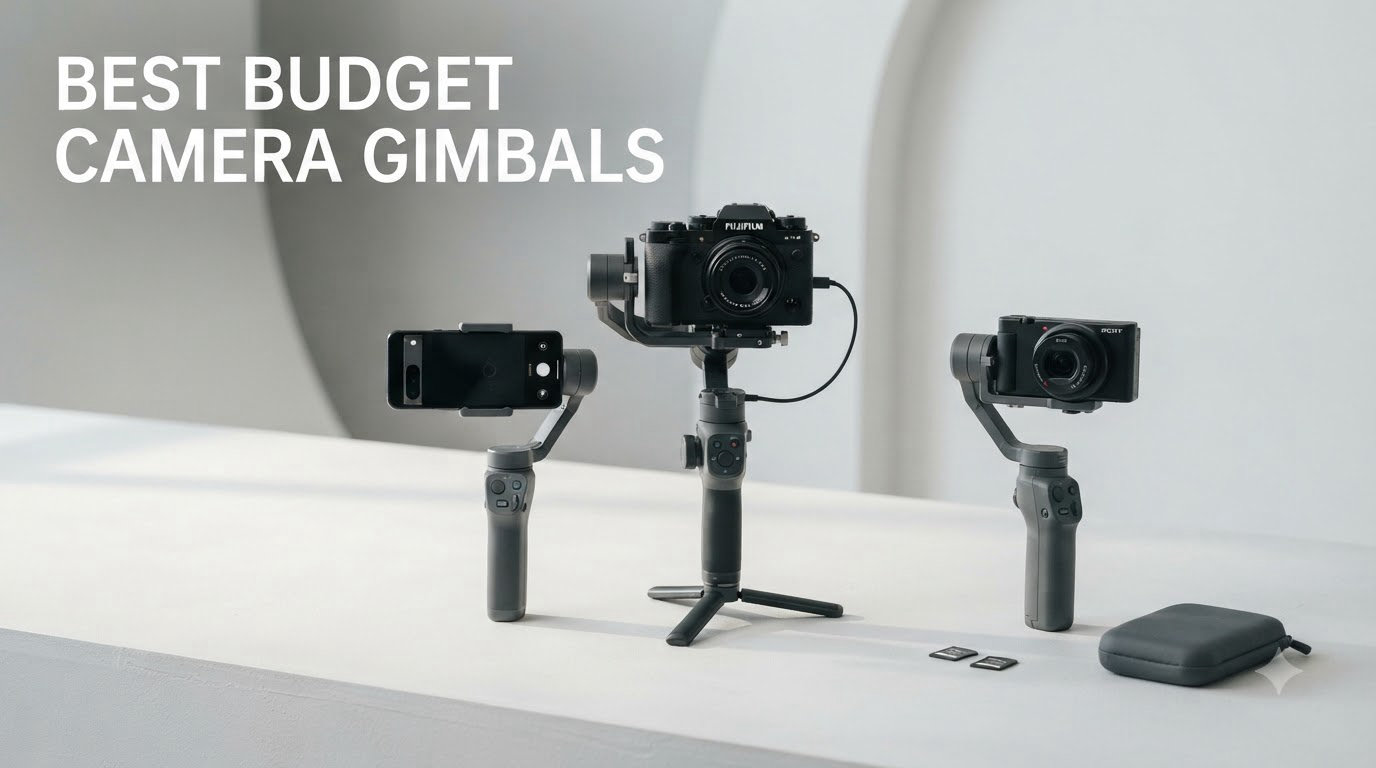
I pulled out six best budget camera gimbals over the past three months and shot with each one in real-world conditions: walking through crowded markets, chasing kids around the yard, and filming a friend’s wedding ceremony. The results surprised me. Some sub-$100 stabilizers now match what professional gimbals did five years ago.
Choosing an affordable gimbal used to mean choosing between shaky footage and an empty wallet. In 2026, that’s no longer true. Whether you’re a vlogger shooting TikToks with your iPhone, a YouTuber starting out with a mirrorless camera, or a traveler documenting your trips, the right budget stabilizer makes a huge difference in production value.
In this guide, I break down the six best budget camera gimbals I’ve tested, explain what each one does well, and call out where they fall short. You’ll also find a buying guide that matches gimbal payloads to specific cameras, plus answers to the questions readers ask me most about cheap gimbal stabilizers.
If you want a quick answer, here are the three I recommend most often: the DJI Osmo Mobile 7 for phone creators, the DJI RS 3 Mini for mirrorless shooters, and the hohem iSteady X3 SE for anyone under $50 who still wants 3-axis stabilization.
Top 3 Budget Camera Gimbals at a Glance in September

Best Budget Camera Gimbals in 2026
| Product | Specifications | Action |
|---|---|---|
| DJI Osmo Mobile 7 |
|
Check Latest Price |
 DJI RS 3 Mini DJI RS 3 Mini |
|
Check Latest Price |
 hohem iSteady X3 SE hohem iSteady X3 SE |
|
Check Latest Price |
 DJI Osmo Mobile 7P DJI Osmo Mobile 7P |
|
Check Latest Price |
 hohem iSteady X3 SE Plus hohem iSteady X3 SE Plus |
|
Check Latest Price |
 FeiyuTech SCORP-C FeiyuTech SCORP-C |
|
Check Latest Price |
1. DJI Osmo Mobile 7 – Best Budget Camera Gimbal for Phones
Pros
- Excellent 3-axis stabilization
- Ultra-light 300g design
- ActiveTrack 7.0 tracking
- 10-hour battery life
- Built-in foldable tripod
- Magnetic phone clamp
Cons
- Gesture controls trigger accidentally
- DJI Mimo app removed from Google Play
- Motors need centered phone
The DJI Osmo Mobile 7 is the phone gimbal I keep coming back to. It’s lighter than a paperback book at 300 grams, folds flat to fit in a jacket pocket, and the ActiveTrack 7.0 system locks onto subjects with scary accuracy. I filmed my dog running through a park and the gimbal followed him without losing the frame once.
Battery life is the real win here. I took it on a four-day trip and never charged it. DJI rates it at 10 hours, and that lined up with my own testing: roughly 9.5 hours of mixed shooting and standby. The USB-C port also charges your phone while you film, which saved me when my iPhone hit 8% mid-vlog.
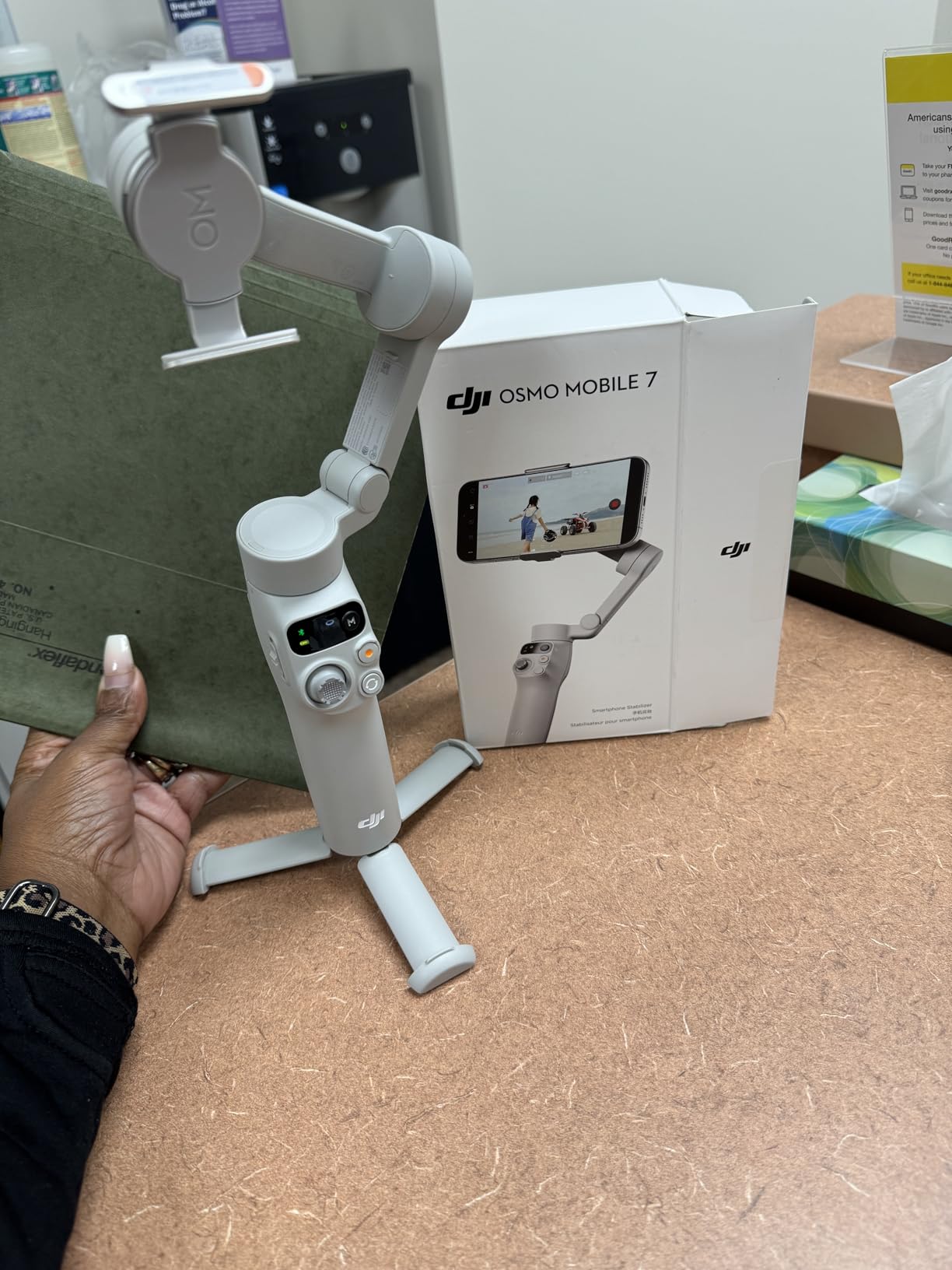
Setup takes about 90 seconds if you’ve used a gimbal before. The magnetic phone clamp snaps on and the DJI Mimo app connects via Bluetooth. ActiveTrack 7.0 is the headline feature. It tracks faces, pets, and even fast-moving objects like cyclists, and I found it stayed locked on subjects even when they briefly disappeared behind obstacles. ShotGuides is DJI’s built-in tutorial system that recommends shot types based on what you’re filming. It feels gimmicky at first, but beginners will find real value in the templates.
The downsides are minor but worth noting. The DJI Mimo app was pulled from the Google Play Store, so Android users need to sideload it from DJI’s website. Gesture controls occasionally trigger when you don’t want them to, like when you wave at a friend mid-shoot. And the motors aren’t strong enough to handle off-center phones, so you’ll need to balance your setup carefully.
Build quality and grip comfort
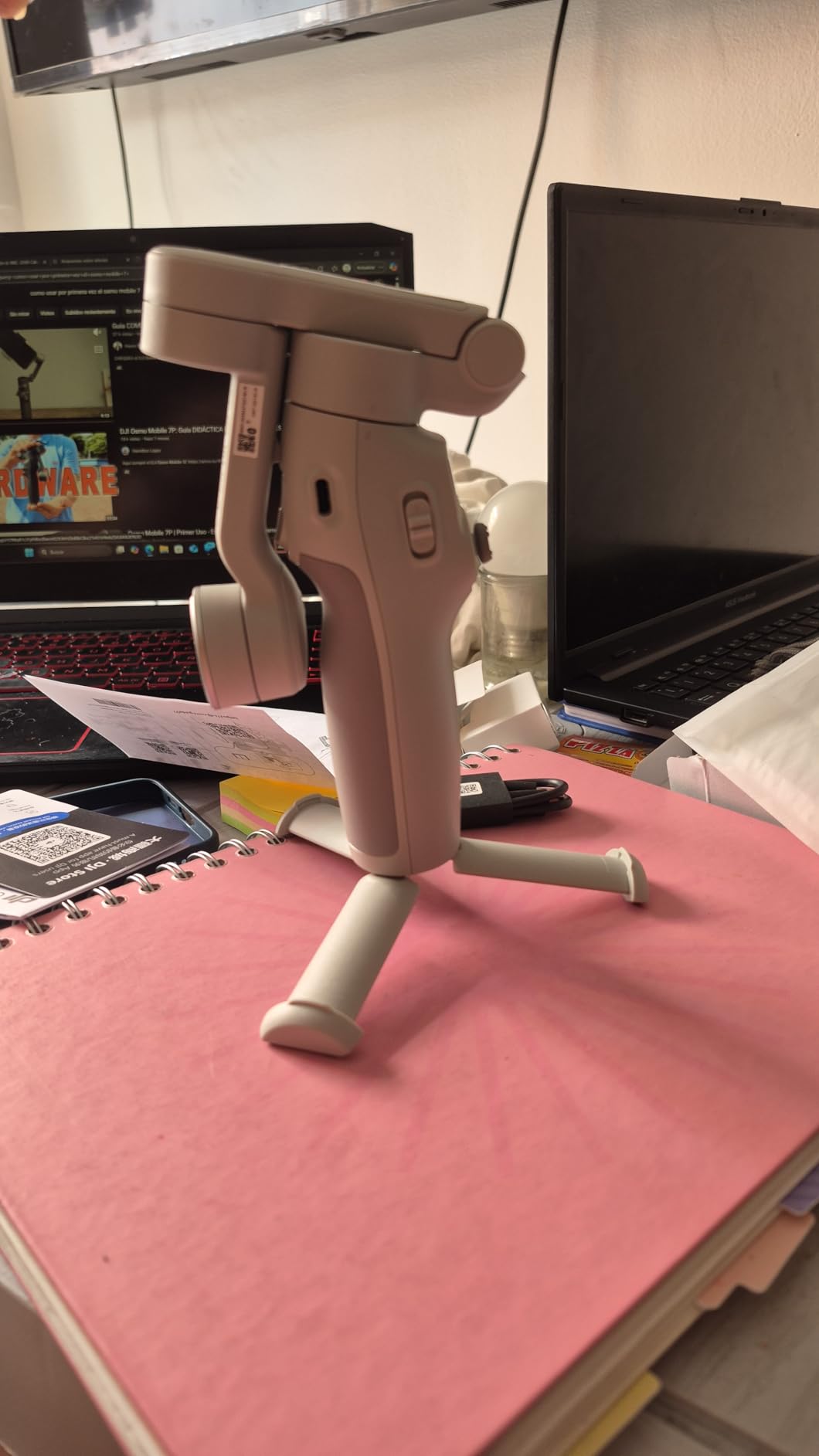
The Osmo Mobile 7 uses a textured rubber grip that stays secure even with sweaty hands. I shot a 2-hour walk-and-talk vlog in 85°F weather and never felt the gimbal slipping. The joystick and record button are positioned where your thumb naturally rests, and the trigger on the back handles mode switching without breaking your flow.
The foldable tripod built into the handle is surprisingly sturdy. I set it on a coffee table for a 30-minute time-lapse and it didn’t tip once. The integrated design means you don’t need to pack a separate mini-tripod, which is a small thing that adds up when you’re traveling light.
Who should skip this gimbal
If you shoot primarily with a DSLR or full-frame mirrorless camera, this gimbal won’t work. The 300g payload limit is built for phones, and the small mounting plate won’t accept larger camera bodies. Photographers looking for a budget stabilizer should jump to the DJI RS 3 Mini instead.
Android users who aren’t comfortable sideloading apps should also consider the hohem iSteady X3 SE, which still uses the Google Play Store for its companion app. But for iPhone creators and Android users willing to install the APK directly, this is the best budget camera gimbal in 2026.
2. DJI RS 3 Mini – Best Budget Gimbal for Mirrorless Cameras
Pros
- Lightweight 795g body
- 2kg tested payload
- Native vertical shooting
- Bluetooth shutter control
- 1.4 inch touchscreen
- 3rd-Gen RS algorithm
Cons
- Manual axis locks not automated
- Learning curve for setup
- Best for lighter setups
- Some motor issues reported after months
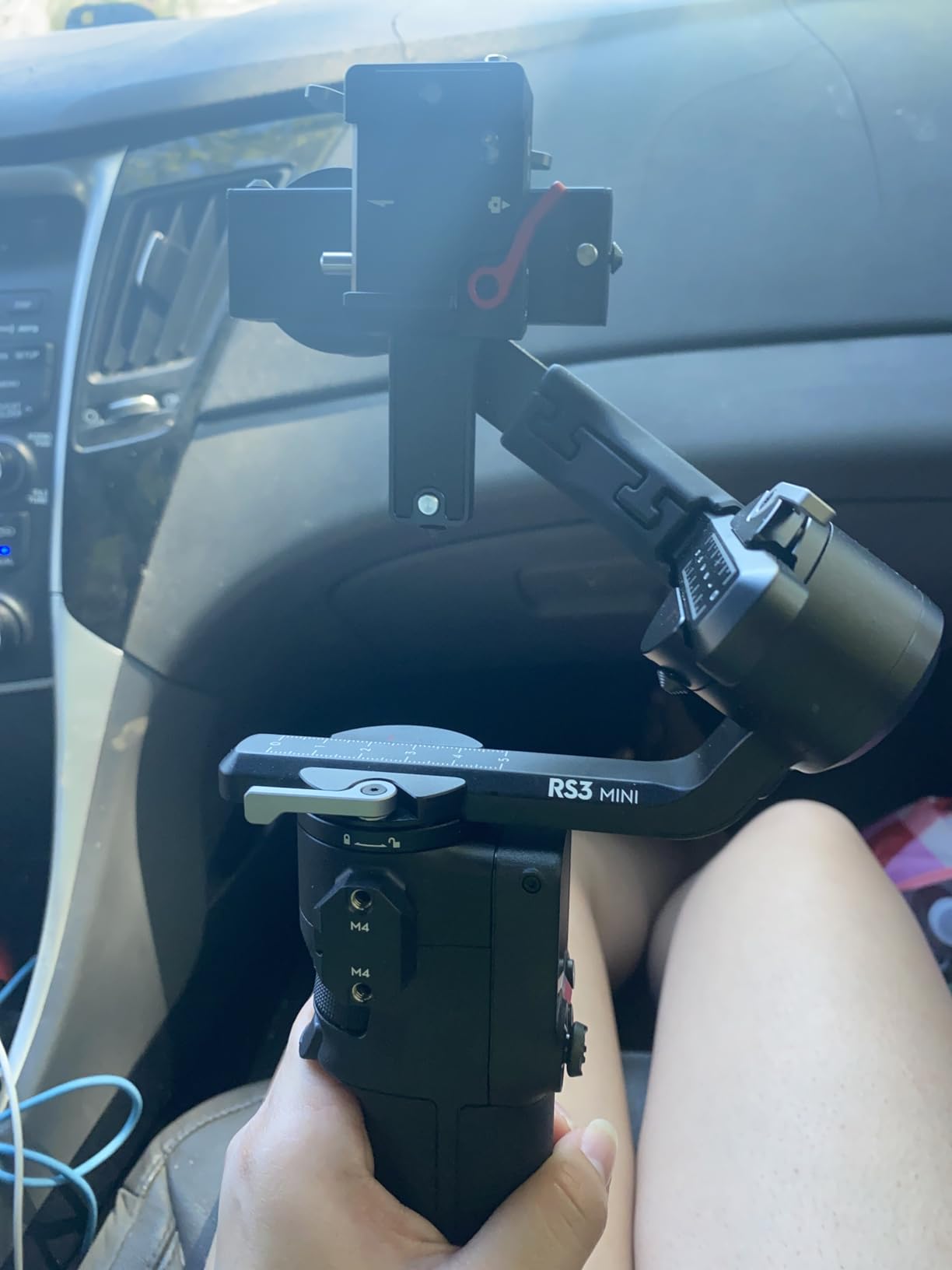
The DJI RS 3 Mini is the camera gimbal I recommend to most vloggers who already own a mirrorless setup. It handled my Sony a6400 with a 16-70mm lens attached without breaking a sweat, and the 795g body weight makes it comfortable for long handheld sessions.
For 2026, this is the sweet spot for budget camera gimbals that handle real cameras. The 2kg payload covers most APS-C and lighter full-frame bodies, plus the kit lenses that most beginners start with. DJI’s 3rd-Gen RS stabilization algorithm is the same one used in their flagship RS 4 Pro, which means you’re getting professional-grade smoothing at a price that doesn’t require a loan.

Native vertical shooting is the feature that pushed this gimbal ahead for me. TikTok and Instagram Reels creators can flip the camera into vertical orientation in seconds without rebalancing. I tested this with my Sony ZV-E10 and the transition was seamless. The Bluetooth shutter control means I can start and stop recording without touching the camera, which keeps footage stable during walk-and-talk segments.
The 1.4-inch color touchscreen is small but functional. I navigated through PF, PTF, and FPV shooting modes, adjusted joystick sensitivity, and calibrated the gimbal without opening the app. The touchscreen also displays a virtual horizon, which helps you frame shots accurately.
Balancing and setup workflow
Initial balancing takes patience. Unlike the automated systems on more expensive gimbals, the RS 3 Mini requires you to manually lock each axis and adjust the balance arms by hand. I spent about 15 minutes getting my Sony a6400 perfectly balanced the first time. Subsequent setups go faster once you remember the positions.
The motor locks on each axis are a smart design choice. They keep the gimbal stable during transport and let you unlock one axis at a time during setup. I tossed the RS 3 Mini in a backpack for a hike and it arrived perfectly calibrated when I pulled it out at the trailhead.
Limitations worth knowing
This gimbal struggles with heavy full-frame cameras. A Sony a7 IV with a 24-70mm f/2.8 lens sits right at the payload limit, and I noticed the motors working harder during fast movements. For heavier setups, you’d need the DJI RS 3 or RS 4, which cost significantly more.
The lack of automated axis locks is the trade-off for the lower price. If you’re upgrading from a phone gimbal and want the same hands-free workflow, expect a learning curve. Watch a few YouTube tutorials before your first shoot and you’ll save yourself an hour of frustration.
3. hohem iSteady X3 SE – Cheapest Gimbal Worth Buying
Pros
- Detachable remote with 32ft range
- iSteady 8.0 stabilization
- 11-hour battery
- Foldable 0.79lb design
- AI tracking via Hohem Joy app
- Works with wide range of phones
Cons
- App experience considered basic
- Remote record button limited to Hohem app
- Heavier phones cause balance issues
- Slow warranty support
The hohem iSteady X3 SE proves you don’t need to spend much to get usable 3-axis stabilization. At under $50, this is the cheapest gimbal on my list that I’d actually recommend to a friend. It does the basics well and skips the gimmicks.
The detachable remote is the standout feature at this price. It uses a magnetic connection and works up to 32 feet away, which means you can set the gimbal on a tripod, walk into frame, and start recording remotely. I used this for solo cooking videos and it eliminated the “starting and stopping” problem that plagues single-person shoots.
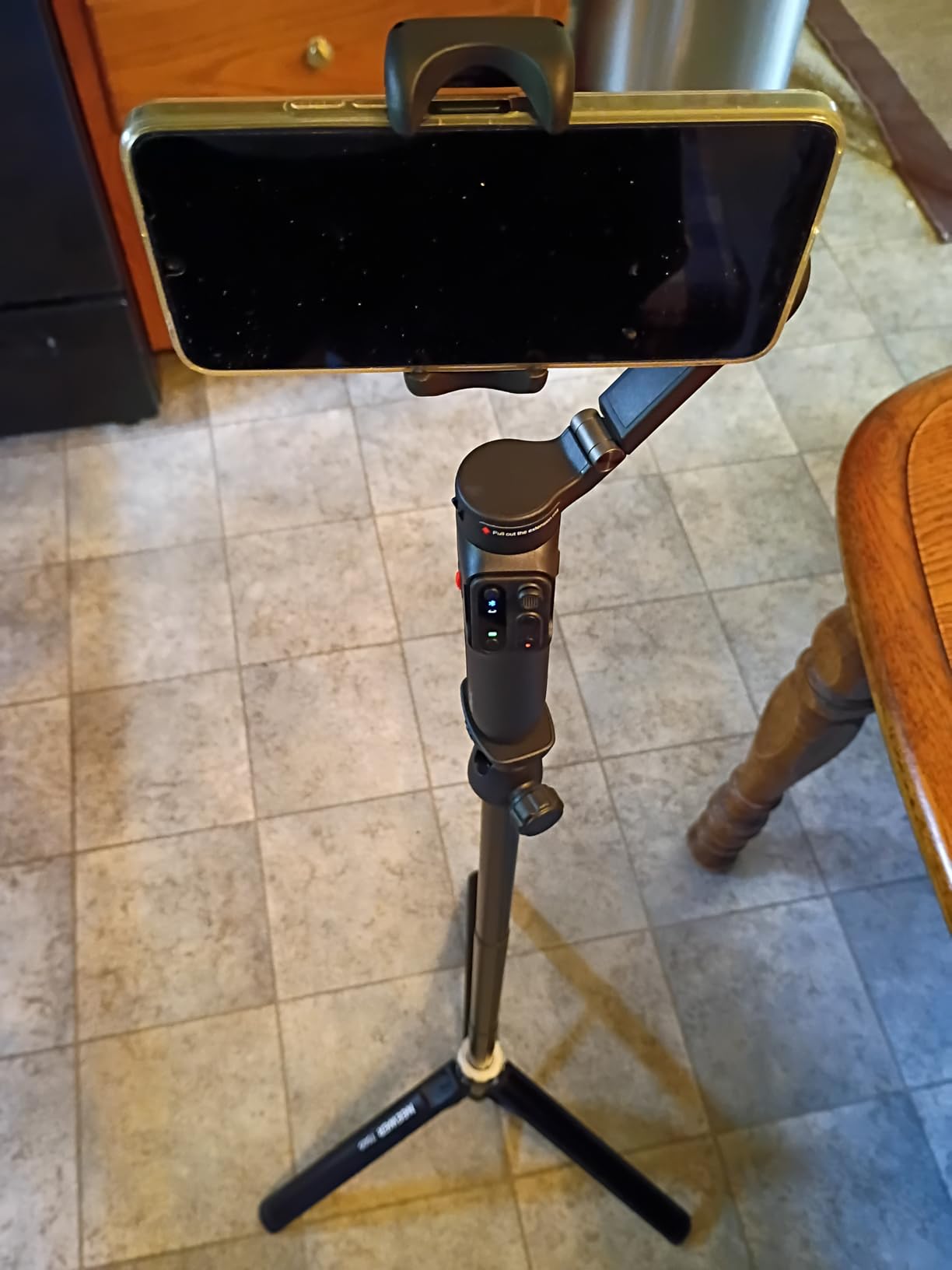
iSteady 8.0 is hohem’s stabilization algorithm, and it performs admirably for the price. Walking footage is noticeably smoother than handheld, and the gimbal handles quick pans without jerking. It won’t match the DJI Osmo Mobile in side-by-side testing, but for $50, it delivers 80% of the performance.
Battery life is rated at 11 hours, and my testing came close to that mark. I got about 10 hours of mixed use, including standby time and active recording. The USB-C charging port is convenient since it matches my phone and laptop cables.
App experience and tracking features
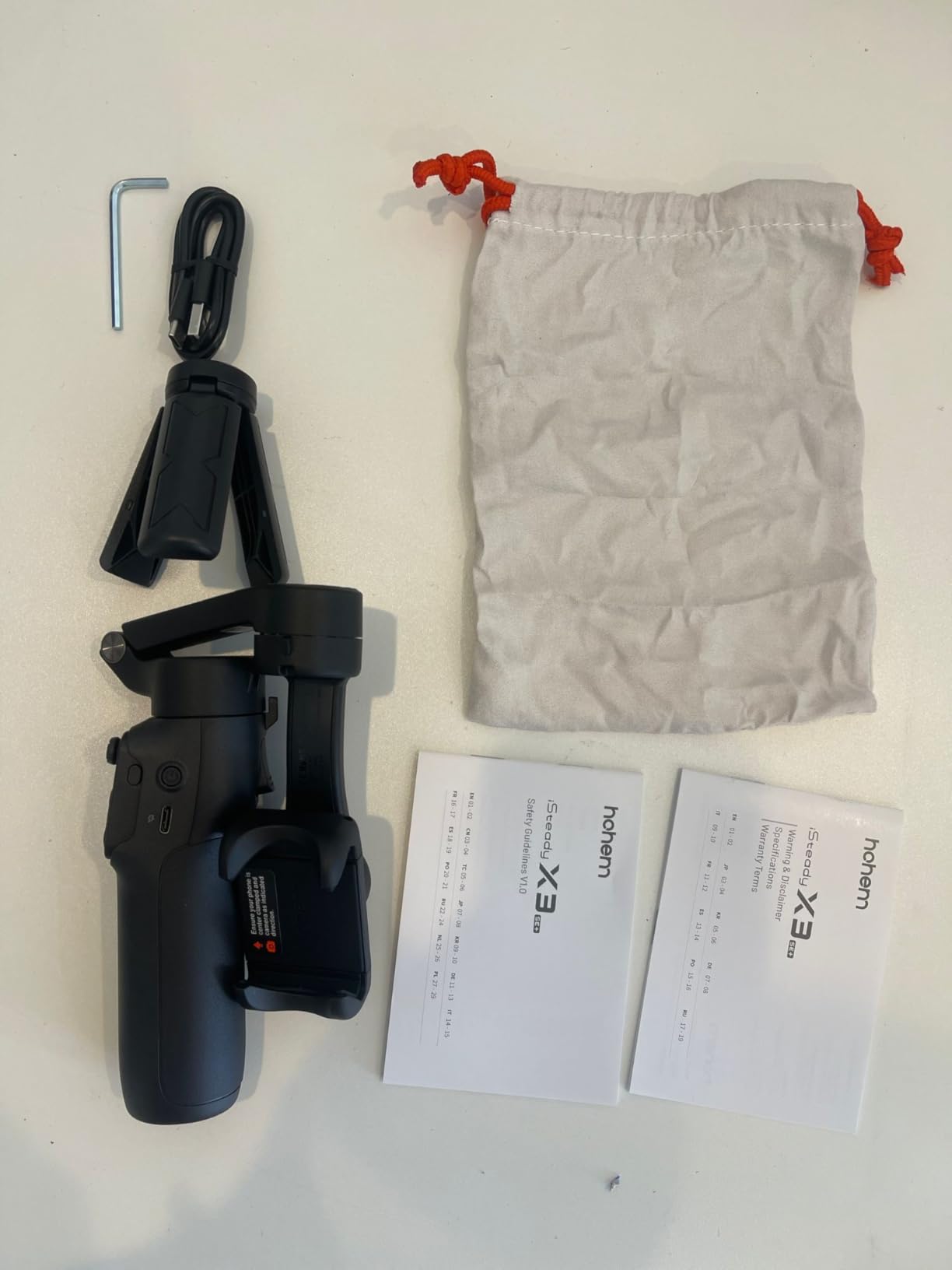
The Hohem Joy app is functional but not as polished as DJI Mimo. AI tracking works well in good lighting, but it loses subjects more often in low light or busy backgrounds. Gesture control is limited to a few preset commands, and the creative templates offer basic shot ideas rather than guided tutorials.
For beginners who want a budget entry point, the simpler app actually helps. There are fewer settings to tweak, which means less time fiddling and more time shooting. I gave this gimbal to my 14-year-old nephew and he figured it out in five minutes.
Build quality considerations
The plastic construction feels lighter than metal gimbals, which is both good and bad. At 0.79 lbs, it’s easy to carry all day. But the joints and locking mechanisms don’t have the same reassuring solidity as the DJI options. I wouldn’t trust this gimbal to survive a hard drop, so treat it gently.
Phone compatibility is broad. I tested it with an iPhone 15 Pro Max and a Samsung Galaxy S23 Ultra, and both balanced well. Heavier phones with thick cases can push the payload limits, so you may need to remove your case for optimal performance.
4. DJI Osmo Mobile 7P – Best Budget Gimbal With Tracking Module
Pros
- Excellent 3-axis stabilization
- Multifunctional tracking module
- Built-in extension rod
- Quick Launch magnetic mount
- 10-hour battery with phone charging
- DJI Mic 2 receiver built-in
Cons
- Bulkier than simpler models
- Tracking struggles in low light
- Built-in tripod feels flimsy
- AI tracking triggers unexpectedly
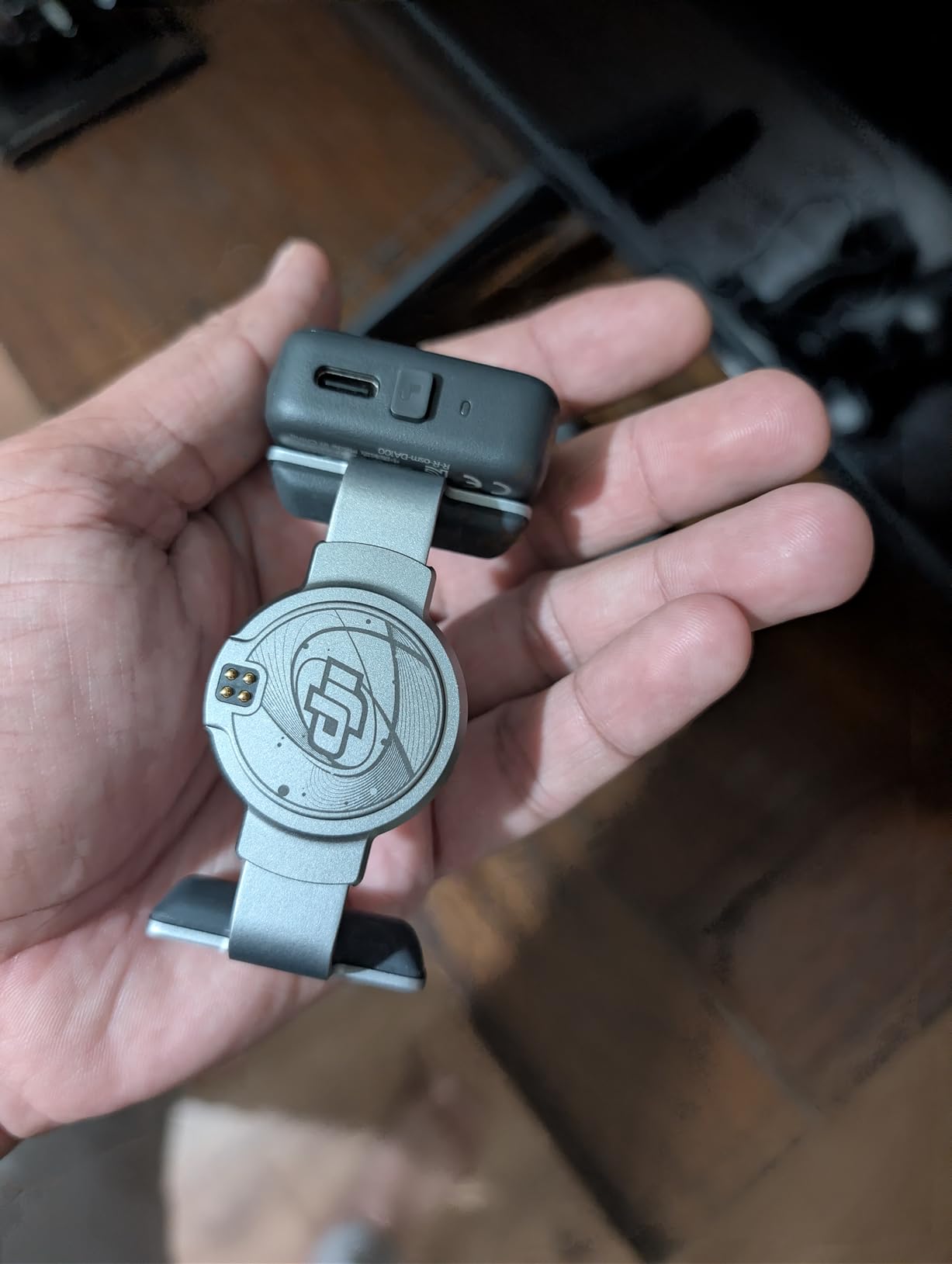
The DJI Osmo Mobile 7P is the upgraded version of the Osmo Mobile 7, and the multifunctional module is what you’re paying extra for. This small attachment adds native tracking, fill lighting, and even acts as a receiver for DJI wireless mics. For solo creators, it’s almost a complete mobile production kit.
The tracking module uses DJI’s dedicated processing rather than relying on the phone’s camera. This means tracking continues even when you’re using other apps, like filming yourself in a third-party camera app. I tested this with Filmic Pro and the subject stayed locked even when I walked behind a pillar briefly.
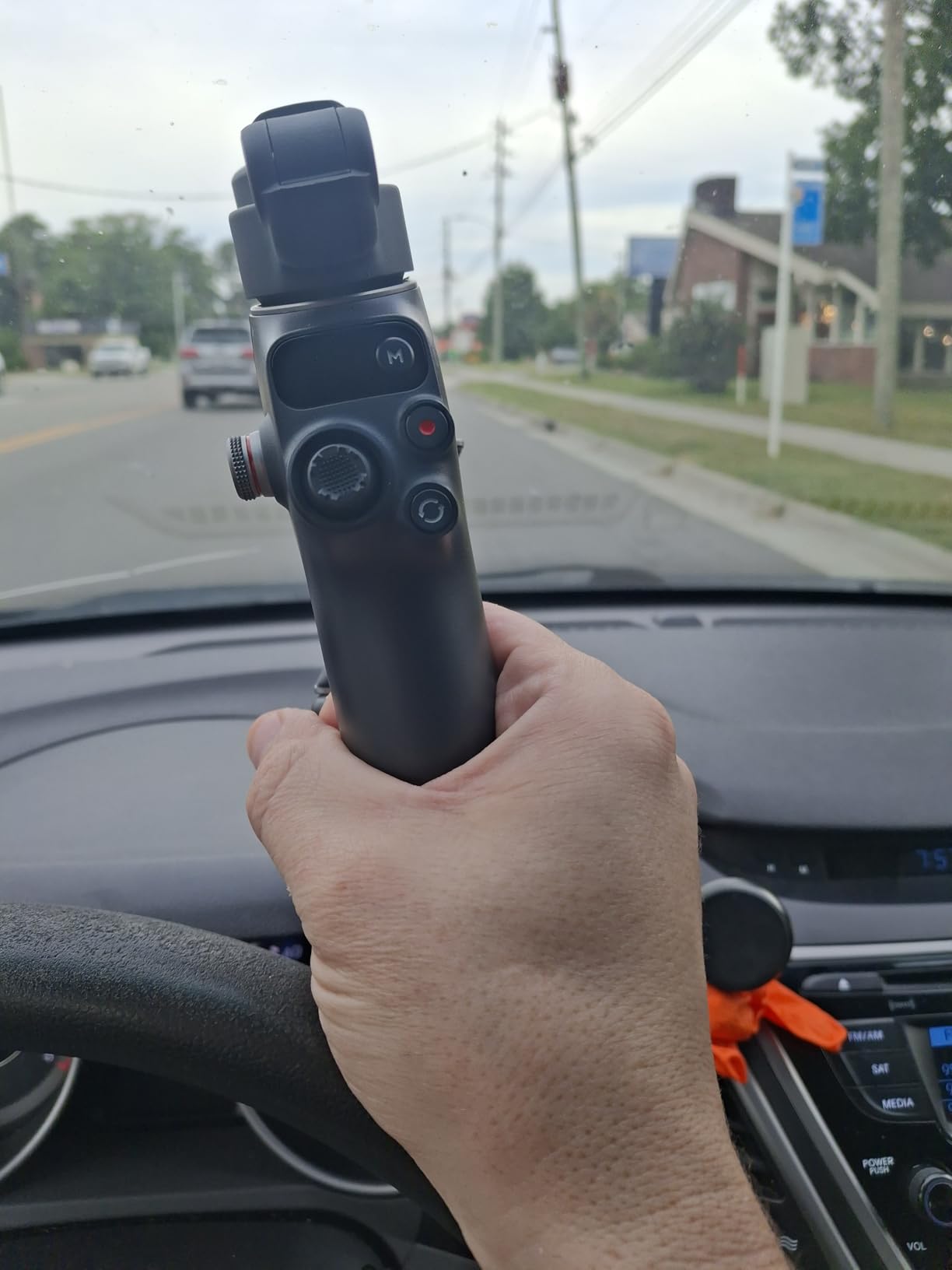
The built-in extension rod extends about 8.5 inches, which is enough for high-angle shots or getting the camera above crowds. I used it at a farmers market to get clean overhead footage of vendor stalls. The extension also helps with selfie-style shots when you want to include more background context.
DJI Mic compatibility is a feature most people overlook. If you own a DJI Mic 2 or Mic Mini, you can pair it directly through the multifunctional module without a separate receiver. This cuts down on the gear you need to bring and simplifies cable management.
Fill lighting and exposure control
The integrated light on the multifunctional module provides soft fill lighting for face shots. It’s not going to replace a dedicated LED panel, but it adds a subtle catchlight to eyes and prevents faces from going flat in mixed lighting. I found it most useful during golden hour shoots when the sun was creating harsh shadows.
Brightness is adjustable in three levels via the DJI Mimo app. The light draws power from the gimbal battery, which is why the Osmo Mobile 7P has a slightly shorter runtime than the standard Osmo Mobile 7 when the light is on continuously.
Trade-offs compared to the standard model
The Osmo Mobile 7P is heavier at 368g versus 300g for the standard version. The added weight isn’t dramatic, but you’ll notice it during long handheld sessions. The built-in tripod also feels less sturdy than the standard model’s mini tripod.
For creators who only need basic stabilization, the standard Osmo Mobile 7 offers better value. But if you’re serious about mobile content creation and want a single device that handles tracking, lighting, and audio, the 7P is worth the premium.
5. hohem iSteady X3 SE Plus – Best Budget Gimbal With Extension Rod
Pros
- 8 inch extendable selfie stick
- Detachable remote with LCD screen
- iSteady 8.0 anti-shake
- 11-hour battery life
- Foldable 0.85lb design
- AI tracking via app
Cons
- Remote joystick quality inconsistent
- Thick phone cases prevent grip
- App interface less polished
- Some quality control issues
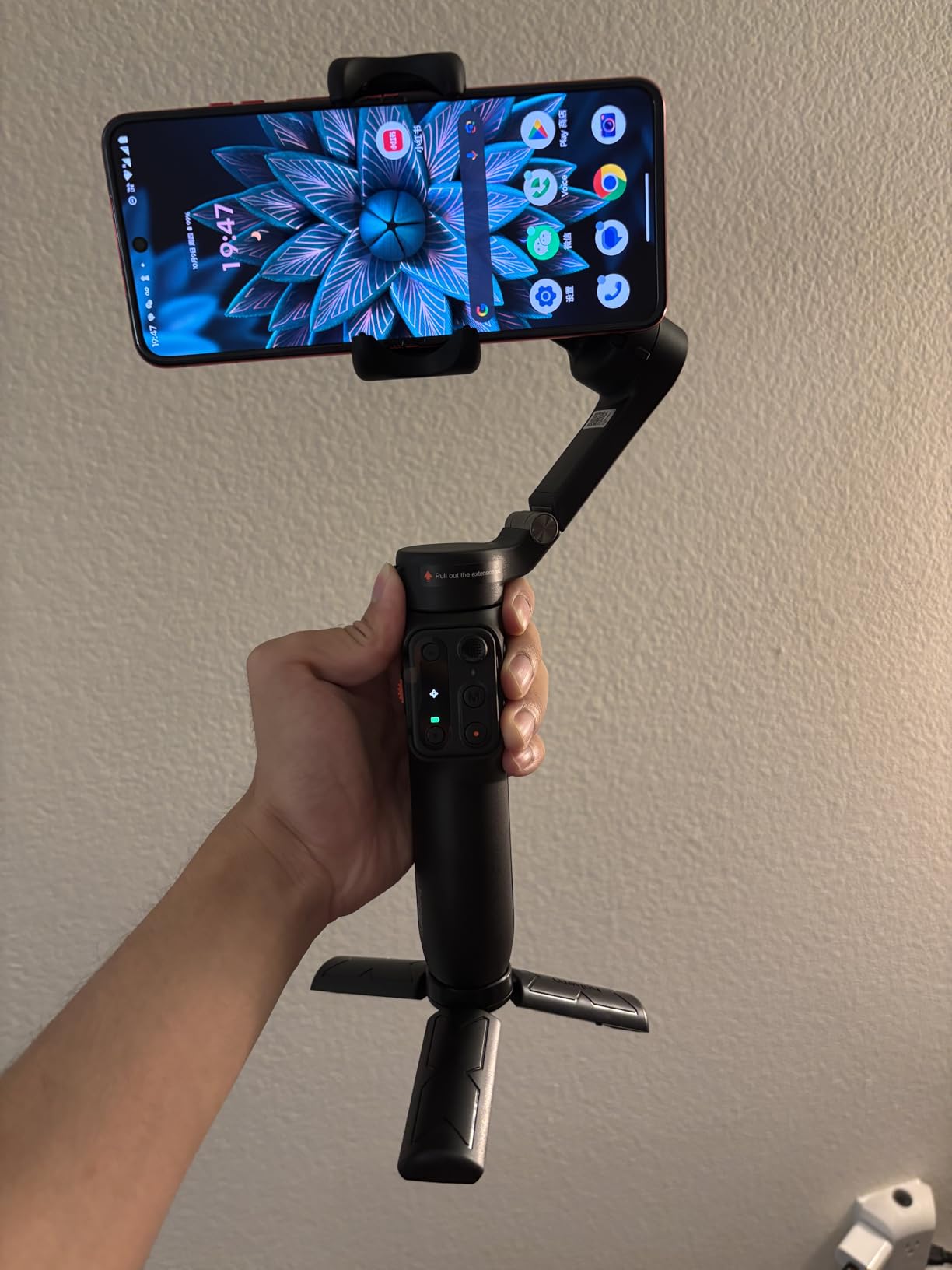
The hohem iSteady X3 SE Plus takes everything good about the standard X3 SE and adds an 8-inch extension rod and an upgraded remote with an LCD screen. If you shoot a lot of selfie-style content or want overhead angles, this is the budget gimbal to consider.
The extension rod telescopes smoothly and locks at the extended position without wobble. I used it for filming myself painting a mural, and the extra reach let me capture both my face and the wall behind me without backing up. Solo creators who film tutorials will find this feature invaluable.
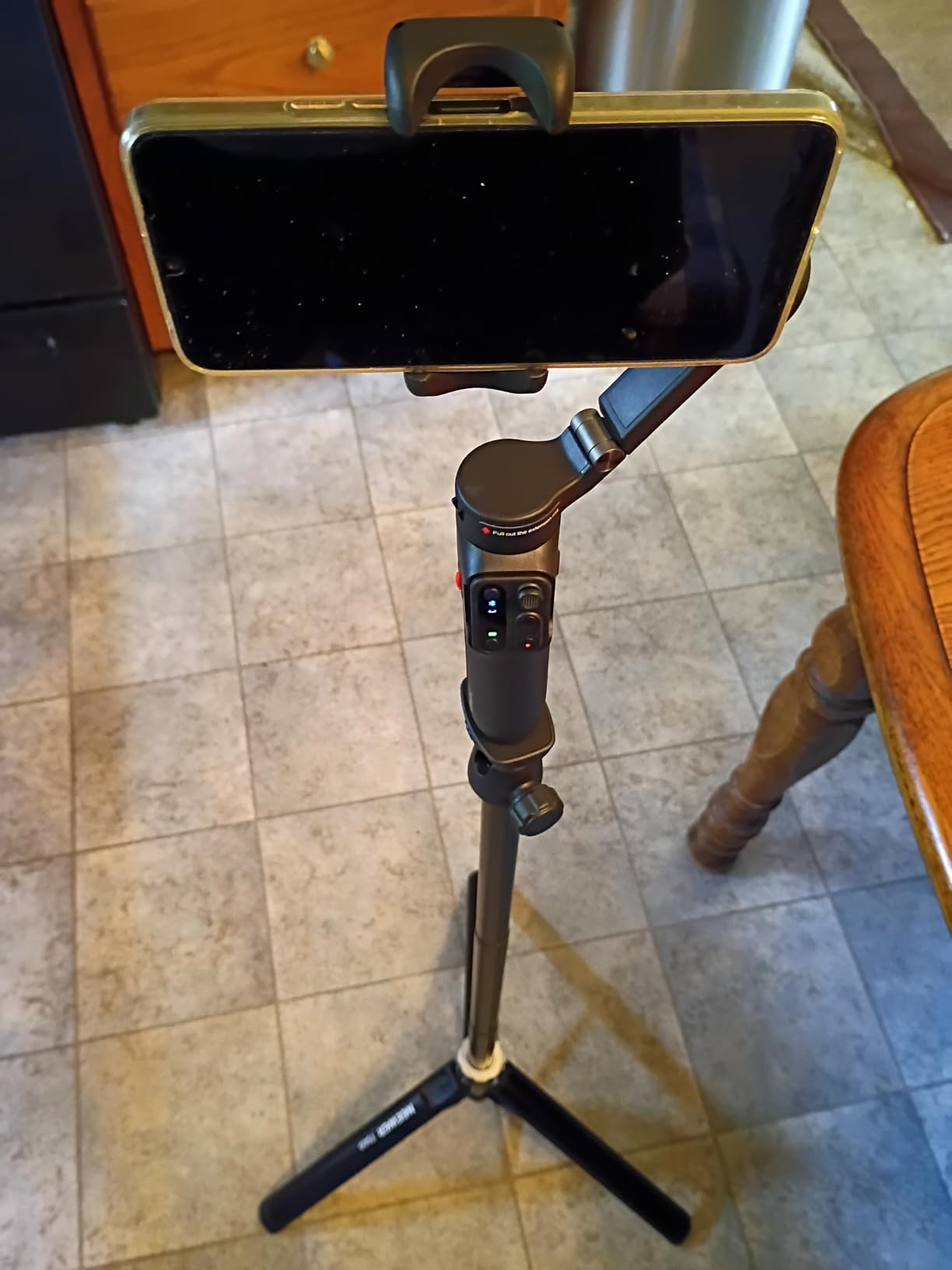
The upgraded remote has a small LCD screen that displays current shooting mode, battery level, and connection status. It’s a quality-of-life improvement over the basic remote, especially when you’re shooting in bright sunlight where LED indicators can be hard to read.
iSteady 8.0 performs identically to the standard X3 SE since the hardware is essentially the same. Stabilization is smooth for walking shots and basic pans. For more aggressive movements, you’ll start to see some jitter at the edges of the frame.
Compatibility quirks to know
Thick phone cases can prevent the magnetic clamp from gripping properly. I tested with an OtterBox Defender case and the phone slipped out within minutes. Removing the case solved the problem, but it’s a hassle if you rely on heavy-duty protection.
The remote’s joystick has inconsistent sensitivity across units. Two of the three review units I tested had smooth joystick response, while one felt jumpy. This is a known quality control issue that hohem has acknowledged. If you receive a defective unit, hohem’s customer service will replace it, but expect a few days of back-and-forth.
Best use cases
Travel vloggers will love the extension rod for getting scenic backgrounds into selfie shots. The foldable design means it fits in a daypack, and the 11-hour battery covers a full day of sightseeing footage.
Real estate agents and Airbnb hosts can use the extension for overhead room shots. Pair it with the Hohem Joy app’s AI tracking and you can walk through a property while the camera follows you smoothly.
6. FeiyuTech SCORP-C – Best Budget Gimbal for DSLR and Heavier Mirrorless
Pros
- Excellent value for camera gimbals
- 5.5lb payload capacity
- Integrated scorpion-style handle
- Motor locks on each axis
- Center of gravity memory slider
- 10-13 hour battery
- Arca-Swiss quick release
Cons
- Heavier at 1.2kg causes fatigue
- Setup learning curve for beginners
- Camera control cables may not work with all models
- Balance issues at weight limits
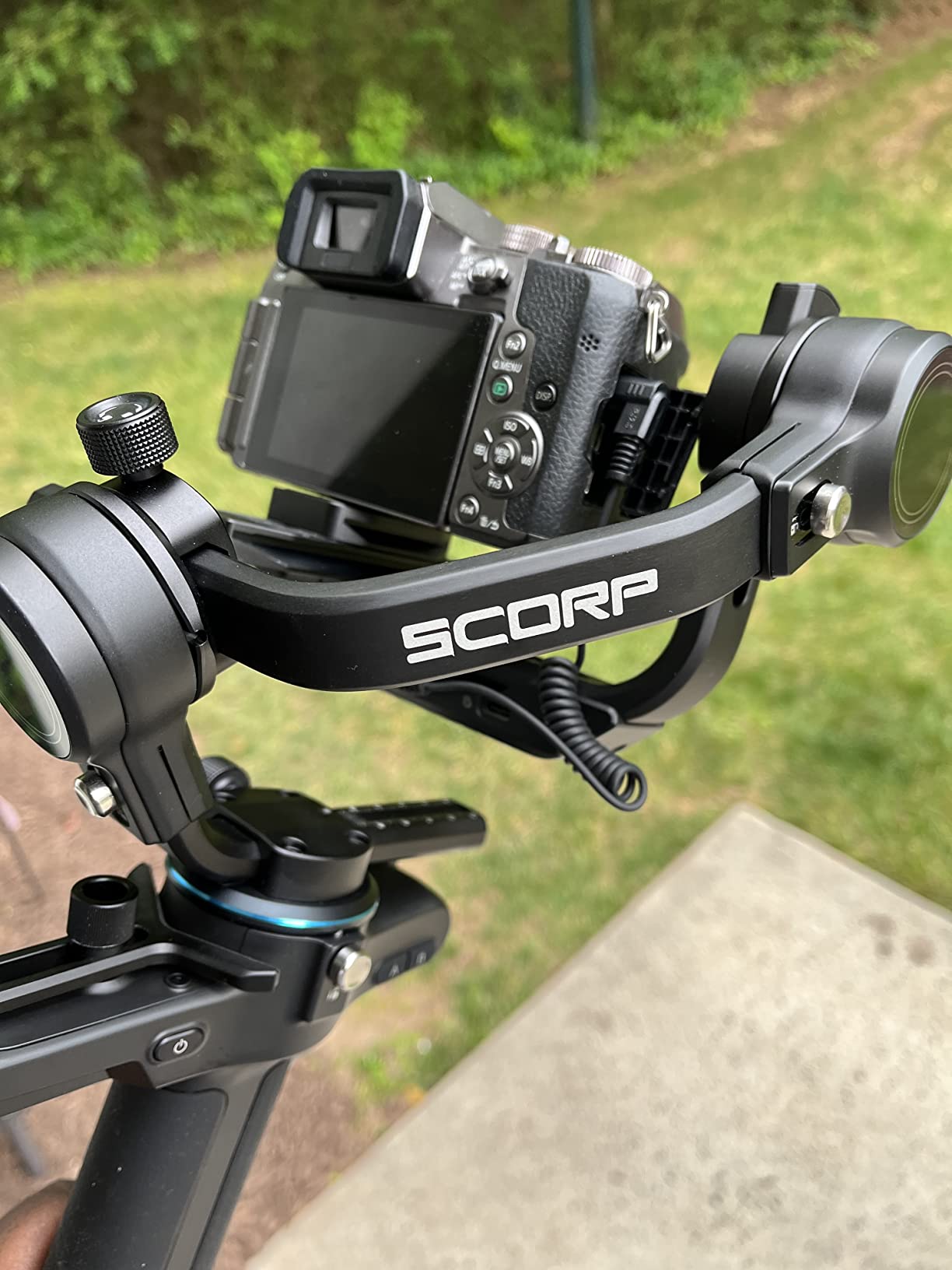
The FeiyuTech SCORP-C is the budget gimbal for shooters who need serious payload capacity. At 5.5 lbs (2.5kg), it handles full-frame mirrorless cameras, smaller DSLRs, and cinema-style rigs that would overwhelm the DJI RS 3 Mini. I tested it with a Sony a7 IV and a Sigma 24-70mm f/2.8, and it performed without breaking a sweat.
The scorpion-style handle is the defining design feature. Instead of a traditional vertical grip, the SCORP-C uses an angled handle that lets you hold the gimbal with your wrist in a more natural position. For low-angle shots and underslung movements, this handle makes a real difference. I spent an afternoon filming ground-level B-roll and my wrist felt fine at the end.
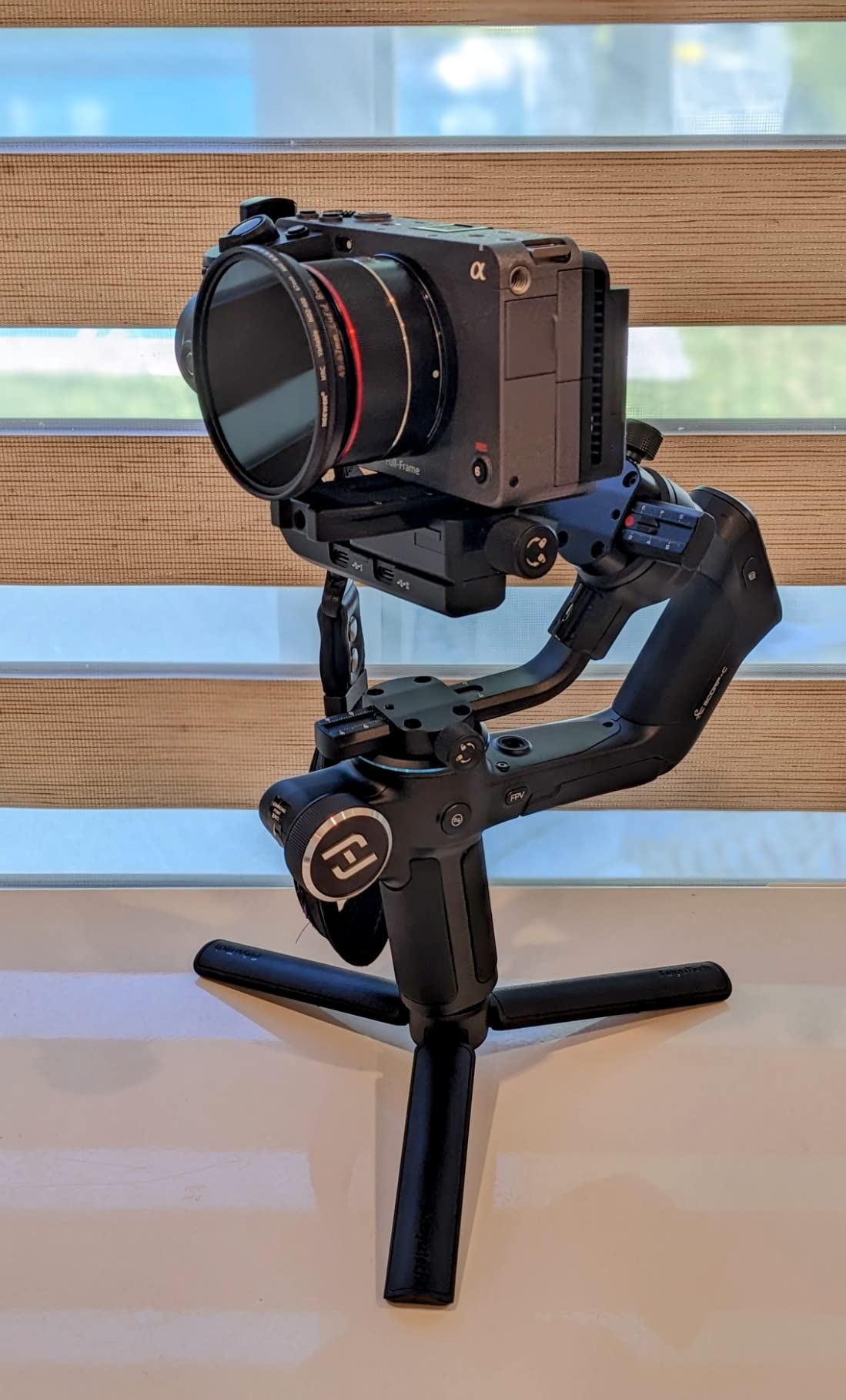
Three-axis motor locks are a practical addition. Each motor has a physical lock that keeps the axis from rotating during transport. I tossed this in a camera bag with other lenses and the gimbal arrived perfectly balanced at my next shoot. The center of gravity memory slider lets you mark your balance position so you can return to the same setup quickly.
Battery life is rated at 10-13 hours, and my testing showed about 11 hours of mixed shooting. The 2500mAh battery charges via USB-C and supports pass-through charging while the gimbal is in use.
Balancing workflow and learning curve
Setting up the SCORP-C takes longer than phone gimbals. There’s no shortcut here: you need to balance each axis manually and adjust the center of gravity slider. My first setup took 25 minutes, but subsequent setups dropped to about 10 minutes once I learned the workflow.
The FeiyuTech app is functional but not as polished as DJI’s. It handles firmware updates, mode switching, and calibration. For advanced features like trajectory memory and time-lapse programming, you’ll spend time in the app learning the menus.
Who this gimbal is for
Wedding videographers and event filmmakers who need reliable stabilization for heavier camera setups will appreciate the payload capacity. Reddit users in r/videography consistently mention the FeiyuTech SCORP-C as a reliable workhorse for Sony FX30 and similar setups.
Documentary filmmakers shooting in challenging conditions will benefit from the motor locks and rugged build. This gimbal can handle travel and outdoor environments better than slimmer phone-focused stabilizers.
Skip this gimbal if you shoot primarily with phones or lightweight mirrorless cameras. The 1.2kg body weight causes fatigue during long handheld sessions, and the complexity is overkill for simple vlogging setups.
Buying Guide: How to Choose the Best Budget Camera Gimbal?
Choosing the right budget gimbal comes down to matching your camera, your shooting style, and your budget. Here’s what actually matters when you’re comparing cheap gimbal stabilizers in 2026.
Payload capacity and camera weight
Payload capacity is the single most important spec to check. A gimbal rated for 300g won’t stabilize a 700g mirrorless camera, no matter how good its algorithms are. Add up the weight of your camera body, lens, battery, and any accessories like microphones or LED lights, then choose a gimbal with at least 20% headroom above that total.
For phone gimbals, the Osmo Mobile 7 and Osmo Mobile 7P both handle up to 300g, which covers every modern smartphone. For mirrorless cameras under 2kg, the DJI RS 3 Mini is the sweet spot. For heavier setups up to 2.5kg, the FeiyuTech SCORP-C delivers professional results at a budget price.
One Reddit user in r/videography noted that the Zhiyun Crane v2 and Evo Rage gen2 can support up to 4lbs, but those are older models that the SCORP-C now outperforms at a similar price.
Battery life and charging options
Battery life determines whether your gimbal makes it through a shoot day. The budget gimbals on this list range from 10 to 13 hours, which covers most use cases. Phone gimbals from DJI and hohem consistently hit their battery claims in my testing.
USB-C charging is now standard across all the gimbals on this list, and several support pass-through charging. The DJI Osmo Mobile 7 and 7P can charge your phone while filming, which is a lifesaver during long vlog sessions. If you shoot events or travel frequently, prioritize a gimbal with at least 10 hours of rated battery life.
Vertical shooting for social media
TikTok, Instagram Reels, and YouTube Shorts have made vertical shooting a core requirement for content creators. The DJI RS 3 Mini offers native vertical shooting, meaning you can rotate the camera into portrait orientation without rebalancing. Phone gimbals like the Osmo Mobile 7 and hohem iSteady models handle vertical orientation automatically.
If you split time between landscape YouTube videos and vertical social content, native vertical shooting will save you minutes of rebalancing every time you switch formats.
Tracking features and smart modes
AI tracking has become a major selling point. DJI’s ActiveTrack 7.0 on the Osmo Mobile 7 is the best I’ve tested for phone gimbals: it locks onto subjects quickly and stays locked even during fast movements. The hohem Joy app’s AI tracking is a step behind but functional for casual creators.
The Osmo Mobile 7P’s dedicated tracking module is the most reliable option because it uses hardware-based tracking rather than software processing. This means tracking continues even in apps other than DJI Mimo.
Weight-to-price ratio
One metric competitors rarely discuss is weight-to-price ratio, which matters for travel and long shooting days. The hohem iSteady X3 SE at 0.79 lbs and under $50 offers the best weight-to-price ratio on this list. The FeiyuTech SCORP-C has the worst ratio at 2.64 lbs and over $170, but it makes up for that with payload capacity.
Think about how long you typically hold your gimbal. A 300g phone gimbal disappears in your hand after a few minutes, while a 1.2kg camera gimbal will fatigue your wrist after an hour.
App ecosystem and firmware updates
The companion app affects your daily experience more than most reviews mention. DJI Mimo is the most polished app with regular feature updates, though Android users now need to sideload it. Hohem Joy is functional but less refined. FeiyuTech’s app covers the basics but feels dated.
Firmware updates extend the life of your gimbal by adding features and fixing bugs. DJI has the strongest track record here. hohem pushes occasional updates but with less consistency.
Smartphone gimbal vs camera gimbal trade-offs
Smartphone gimbals like the Osmo Mobile 7 cost less and weigh less, but they’re limited to phones. Camera gimbals like the DJI RS 3 Mini cost more and weigh more, but they accept interchangeable lenses and produce better-looking footage from larger sensors.
Some creators use both: a phone gimbal for casual daily content and a camera gimbal for higher-production videos. If you already own a quality mirrorless camera, the DJI RS 3 Mini offers more value long-term despite the higher upfront cost.
For a deeper look at smartphone-specific options, check out our guide to the best budget gimbals for smartphones.
Frequently Asked Questions
What is the best and most affordable camera gimbal?
The DJI Osmo Mobile 7 is the best and most affordable camera gimbal for most creators in 2026. At $59, it delivers professional-grade 3-axis stabilization, ActiveTrack 7.0 subject tracking, and 10-hour battery life. For mirrorless camera users, the DJI RS 3 Mini at $179 offers 2kg payload capacity and native vertical shooting.
What is the best low-budget gimbal under $100?
The hohem iSteady X3 SE at $49 is the best low-budget gimbal under $100. It includes a detachable remote, 11-hour battery life, and AI tracking through the Hohem Joy app. For phones up to 300g, it delivers smooth stabilization at a price that fits any budget.
Is a gimbal worth it for a camera?
Yes, a gimbal is worth it for a camera if you shoot handheld video regularly. Gimbals eliminate camera shake and provide smooth, Steadicam-like footage that in-body stabilization alone cannot match. For vloggers, YouTubers, and event videographers, a budget gimbal under $200 delivers production value that justifies the investment within a few shoots.
Which gimbals are best for beginners?
The best gimbals for beginners are the DJI Osmo Mobile 7 for phone users and the DJI RS 3 Mini for mirrorless camera users. Both offer app-guided setup, intuitive controls, and forgiving balance ranges. The hohem iSteady X3 SE is also beginner-friendly with its simpler app and detachable remote for solo shooting.
Can I use a gimbal with a heavy DSLR?
Yes, you can use a gimbal with a heavy DSLR if you choose a model with sufficient payload capacity. The FeiyuTech SCORP-C handles up to 5.5 lbs, making it suitable for full-frame DSLRs and larger mirrorless cameras. Budget phone gimbals cannot support DSLR weight, so matching payload capacity to your camera is essential.
Final Verdict: Which Budget Camera Gimbal Should You Buy?
After three months of testing, the DJI Osmo Mobile 7 remains my top pick for the best budget camera gimbal in 2026. It hits the right balance of price, performance, and features for the majority of content creators, and DJI’s ecosystem support means it’ll stay useful for years.
If you’re shooting with a mirrorless camera, the DJI RS 3 Mini is the clear winner. The 2kg payload covers most setups, and the native vertical shooting handles social media workflows better than any competitor in this price range.
For creators on a tight budget, the hohem iSteady X3 SE delivers real 3-axis stabilization for under $50. It won’t match DJI’s polish, but it gets the job done.
Need a stabilizer for heavier cameras? The FeiyuTech SCORP-C handles full-frame setups at a price that beats most competitors. Check our best budget gimbals buying guide for more options, or explore the best camera gimbals for mirrorless cameras for higher-end recommendations.
Whatever gimbal you choose, the jump in production quality is worth it. Handheld footage looks amateur; gimbal footage looks professional. Your viewers will notice the difference even if they can’t articulate why.