
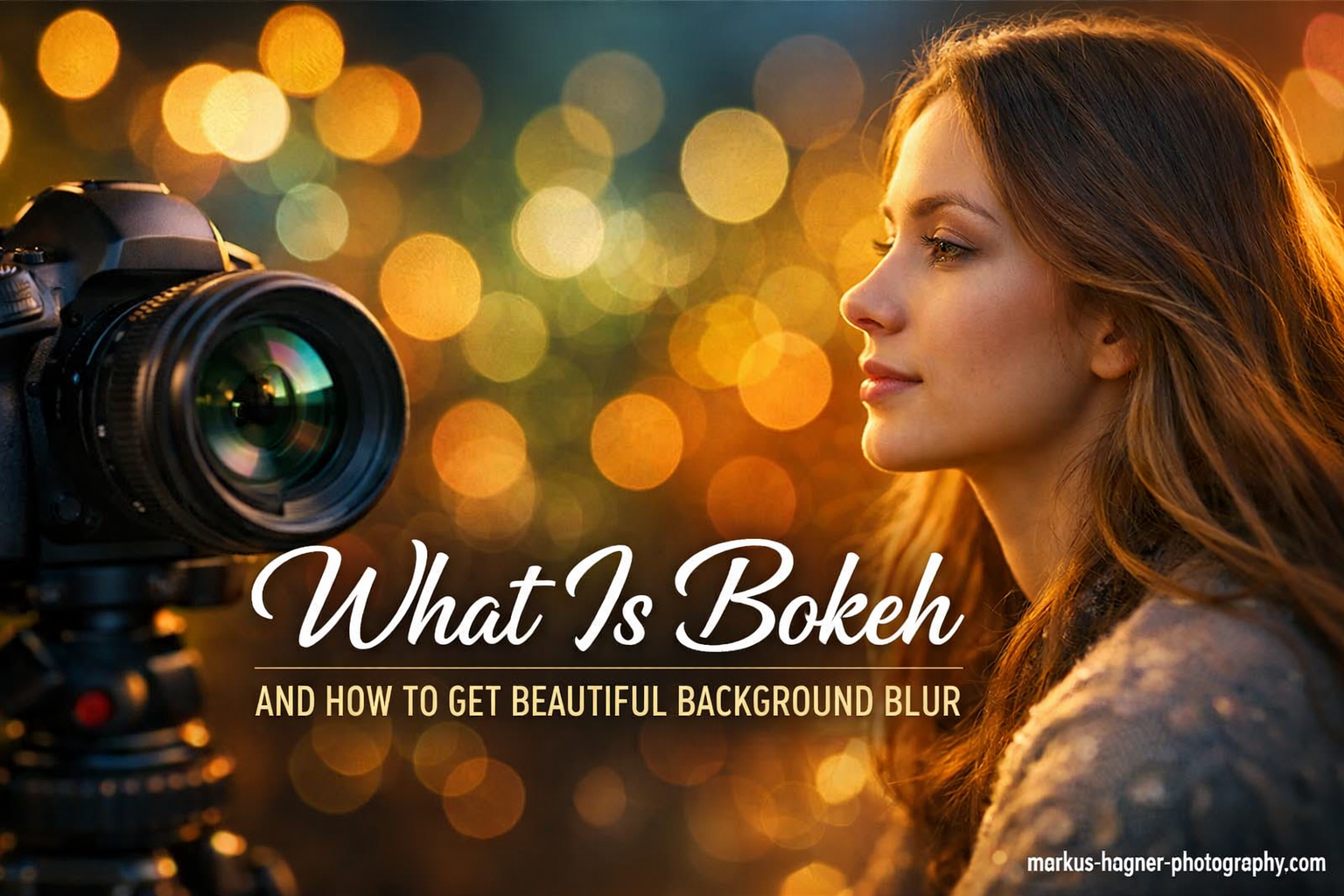
You’ve seen those stunning photos where the subject pops out against a dreamy, blurred background. That beautiful background blur has a name—bokeh—and it’s one of the most powerful tools in photography for creating professional, eye-catching images.
In this complete guide 2026, I’ll walk you through everything you need to know about bokeh. You’ll learn what it is, why it matters, and exactly how to create it with any camera—including your smartphone. No confusing jargon, just practical techniques that work.
What Is Bokeh and How Does It Work in Your Photos?
Bokeh (pronounced “boh-kay” or “boh-kuh”) is a Japanese word that describes the aesthetic quality of out-of-focus areas in a photograph. It’s not just any blur—it’s specifically how light renders in the blurred portions of an image, particularly in the background.
When you create bokeh, you’re manipulating depth of field to keep your subject sharp while rendering the background as soft, creamy circles of light and color. This technique draws the viewer’s eye exactly where you want it—on your main subject.
The magic happens through a combination of aperture settings, focal length, and distance relationships between your camera, subject, and background. When these elements work together, they create that signature soft background that makes portraits, macro shots, and nature photography look so professional.
The Difference Between Bokeh and Regular Background Blur
Here’s where beginners often get confused—not all blur qualifies as bokeh. Regular background blur simply means something is out of focus. Bokeh specifically refers to the quality and character of that blur, particularly how light points appear as soft, often circular orbs in the background.
Good bokeh looks creamy, smooth, and pleasing to the eye with round, soft highlights. Bad bokeh appears harsh, busy, or distracting with sharp edges, polygonal shapes, or uneven rendering. The difference comes from your lens quality, aperture blade design, and how you position your subject relative to light sources.
Think of it this way: all bokeh involves blur, but not all blur qualifies as bokeh. Bokeh is the artistic, intentional creation of beautiful out-of-focus areas that enhance your composition rather than just being a byproduct of focusing.
Why Bokeh Matters in Your Photography
Bokeh serves several important purposes in photography. First, it creates subject separation, making your main subject stand out clearly from the background. This is especially valuable in portrait photography where you want the person to be the undeniable focal point.
Second, bokeh adds an artistic, cinematic quality to your images. Those soft, blurred backgrounds evoke emotion and mood in ways that sharp, detailed backgrounds often can’t. The creamy backdrop creates what photographers call “subject pop”—that 3D-like quality where your subject seems to leap off the background.
Finally, bokeh can help eliminate distracting elements in your frame. When the background dissolves into soft colors and light, you don’t have to worry about cluttered environments, ugly buildings, or unwanted objects ruining your shot. The blur transforms chaos into beauty.
Equipment You Need for Beautiful Bokeh (From Free to Premium)
Let’s bust a common myth right away—you don’t need the most expensive gear to create stunning bokeh. While professional equipment certainly helps, you can achieve beautiful results with budget-friendly options and even some free techniques.
Start With What You Have: Kit Lenses and Budget Options
If you own a DSLR or mirrorless camera with a kit lens (typically 18-55mm f/3.5-5.6), you can absolutely create bokeh. The trick is understanding your lens’s limitations and working within them. Most kit lenses have a maximum aperture of f/3.5 at their widest angle, which can produce decent background blur when used correctly.
The real game-changer is a fast prime lens. The classic recommendation is a 50mm f/1.8 lens, often called the “nifty fifty.” These lenses typically cost between $100-$200 and give you access to much wider apertures than kit lenses. That f/1.8 aperture is over two stops wider than f/3.5, meaning dramatically more background blur.
I started with a basic 50mm f/1.8 lens, and the difference was night and day. Suddenly I could create that creamy background look I’d seen in professional portraits. The lens paid for itself in the first month through the quality improvement in my photos.
Understanding Aperture: The Key to Controlling Blur
Aperture is the opening in your lens that lets light through to the sensor. It’s measured in f-stops, and here’s the important part—lower f-numbers mean wider apertures. So f/1.8 is much wider (and creates more bokeh) than f/5.6.
When you shoot at wide apertures like f/1.8, f/2.0, or f/2.8, you’re creating what’s called a “shallow depth of field.” Only a thin slice of your image is in sharp focus, while everything in front of and behind that plane becomes progressively more blurred.
Here’s a practical guide to aperture settings for bokeh: f/1.2-f/2.0 creates extremely creamy backgrounds with very thin depth of field (great for portraits). f/2.0-f/2.8 produces excellent bokeh with more working room for keeping subjects sharp (my sweet spot for most situations). f/2.8-f/4.0 gives moderate bokeh while keeping more context (good for environmental portraits).
Telephoto vs Wide-Angle: How Focal Length Affects Bokeh
Longer focal lengths naturally create more background compression and blur. A 200mm telephoto lens at f/5.6 can produce more bokeh than a 24mm wide-angle lens at f/2.8. This is due to something called “lens compression”—the way telephoto lenses visually compress distance.
When you’re shooting portraits with a 70-200mm lens, you might notice the background seems much closer to your subject than it appears in real life. This compression also enhances background blur, making telephoto lenses excellent for bokeh creation even at smaller apertures.
Wide-angle lenses, on the other hand, make it more difficult to achieve strong background blur. The wide field of view and inherent depth of field characteristics means even at f/1.8, you’ll have more background detail than with a telephoto lens. That’s why portrait photographers typically reach for 85mm, 105mm, or 135mm lenses for that classic bokeh look.
Budget-Friendly Alternatives: Extension Tubes and Close-Up Filters
If you can’t afford a new lens yet, extension tubes offer an economical path to bokeh. These hollow rings mount between your camera body and lens, allowing you to focus much closer than normal—like a macro lens but at a fraction of the cost.
By focusing extremely close to your subject, you naturally create shallow depth of field and beautiful bokeh. A $50 set of extension tubes with your existing kit lens can produce stunning macro-style bokeh effects that rival lenses costing hundreds more.
Close-up filters screw onto the front of your lens like a UV filter and also enable closer focusing. While not quite as effective as extension tubes, they’re even more affordable and portable. I’ve used both successfully when traveling light or teaching workshops with budget constraints.
Camera Settings for Perfect Bokeh (Step-by-Step Guide)
Now let’s get practical with camera settings. I’ll walk you through the exact settings I use to create consistent, beautiful bokeh in various shooting situations. These work whether you’re using a DSLR, mirrorless camera, or even many advanced compact cameras.
Shoot in Aperture Priority Mode for Easy Control
Aperture Priority mode (usually marked as “A” or “Av” on your camera dial) is the perfect starting point for bokeh photography. You control the aperture setting, and the camera automatically adjusts shutter speed to maintain proper exposure.
This mode gives you direct control over depth of field without worrying about the other exposure variables. Set your aperture to f/2.8 or wider, and the camera handles the rest. It’s ideal for learning because you can see in real-time how different apertures affect your background blur.
I’ve taught hundreds of photographers using Aperture Priority, and most can create great bokeh within their first session. The mode essentially says, “I want this amount of background blur—make it happen while keeping my exposure correct.”
Manual Mode: Taking Full Control of Your Exposure
Once you’re comfortable with Aperture Priority, Manual mode unlocks complete creative control. You set aperture, shutter speed, and ISO independently. This is valuable when lighting conditions change or you want consistent exposures across multiple shots.
For bokeh photography in Manual mode, start by setting your desired aperture (f/2.8 or wider). Then adjust ISO to maintain a fast enough shutter speed to avoid camera shake. A good rule of thumb: your shutter speed should be at least 1/focal length. So with a 50mm lens, aim for 1/50th second or faster.
Manual mode becomes essential when shooting in tricky lighting, like backlighting or mixed indoor/outdoor scenes. You can purposely underexpose or overexpose while maintaining your chosen aperture for consistent bokeh quality.
ISO Settings for Handheld Bokeh Photography
Since wide apertures let in lots of light, you’ll rarely need high ISO values for bokeh photography in daylight. Start with ISO 100-400 for outdoor shooting. If you’re indoors or in low light, you might push to ISO 800-1600 on modern cameras without significant noise.
The key is balancing ISO with your desired shutter speed. If you’re shooting handheld portraits at f/1.8, you need a fast shutter speed to prevent motion blur from subject movement. Don’t be afraid to raise ISO to maintain that speed—the clean bokeh will often mask any minor noise.
In my experience, a sharp but slightly noisy image beats a clean but blurry image every time. Modern noise reduction software can handle ISO 3200-6400 beautifully, so prioritize getting the shot with proper exposure and focus.
Focus Mode: Getting Critical Sharpness on Your Subject
With such shallow depth of field, precise focus becomes critical. One technique is Single Point Autofocus, where you manually select which focus point the camera uses. Place that point directly over your subject’s nearest eye in portraits, or on the key detail in other subjects.
Alternatively, use Focus and Recompose: focus on your subject using the center focus point (typically the most accurate), then while holding the focus button half-pressed, recompose your shot before taking the picture. This gives you composition flexibility while maintaining focus accuracy.
Back-button focus is another game-changer. By separating focus from the shutter button, you gain more control and can focus once then shoot multiple frames without refocusing. It takes practice but dramatically improves consistency once mastered.
Proven Techniques to Create Beautiful Background Blur in Any Situation
The secret to great bokeh isn’t just about expensive gear or wide apertures—it’s about understanding distance relationships. These practical techniques work with virtually any camera and lens combination when applied correctly.
Master Subject-to-Background Distance
This is perhaps the most important factor in creating strong bokeh. The farther your subject is from the background, the more blurred that background will appear. Even at f/1.8, if your subject stands right against a wall, you’ll see texture and detail in the background that detracts from the bokeh effect.
Position your subject at least 6-10 feet away from the background for noticeable blur. For really creamy bokeh, increase that distance to 15-20 feet or more. This separation is what allows the background to dissolve into soft colors and light rather than remaining recognizable.
I once shot portraits in a cluttered garage by having my subject stand 20 feet from the back wall. Despite the busy background of tools and equipment, the final images showed only beautiful golden bokeh from the window light hitting the wall.
Camera-to-Subject Positioning for Maximum Impact
The distance between your camera and subject also affects bokeh strength. Generally, the closer you are to your subject, the stronger the background blur becomes. This is why macro photography shows such extreme bokeh—even at smaller apertures, the close focusing distance creates shallow depth of field.
Try this technique: instead of using your zoom to get closer, physically move closer to your subject with a prime lens. The perspective change combined with closer focusing distance dramatically increases background blur. This is why 85mm lenses are so popular for portraits—they allow comfortable working distance while still creating compression.
Be careful not to get so close that you create unflattering distortion, especially with wide-angle lenses. For portraits, 3-8 feet from your subject typically yields the best balance of perspective and bokeh.
Using Telephoto Compression to Enhance Bokeh
Telephoto lenses (anything 85mm and longer) create what’s called compression—making background elements appear closer to your subject than they actually are. This compression also enhances background blur, making telephoto lenses bokeh powerhouses.
A 200mm lens at f/5.6 can create more background blur than a 35mm lens at f/2.8. The longer focal length magnifies both the subject and the background blur, creating that compressed, creamy look that’s characteristic of professional portraits.
When shooting wildlife or sports, even at apertures like f/5.6 or f/6.3, you’ll notice beautiful bokeh because of the extreme focal lengths involved. The distance to subject combined with telephoto compression creates natural subject separation.
The Thumb Visualization Technique for Quick Assessment
Here’s a practical trick I use when scouting locations: extend your thumb at arm’s length and close one eye. Look at your potential subject and background through this thumb-sized “frame.” If the background looks busy and detailed through your thumb, it will likely be too busy in your photo even with bokeh.
This technique helps you visualize how much background separation and blur you’ll achieve. If the background looks simple and uncluttered through your thumb view, you’re on the right track. If it still looks busy, increase the distance between subject and background.
The thumb method also helps you find interesting background elements that will create attractive bokeh—like distant trees, water sparkles, or holiday lights. These become beautiful orbs of color and light when properly blurred.
Smartphone Bokeh: Getting Professional Results on Mobile
Modern smartphones have revolutionized bokeh accessibility. You don’t need expensive camera equipment to create beautiful background blur anymore—your phone likely has powerful tools built right in.
Understanding Portrait Mode Capabilities
Most smartphones released in the past few years include some form of portrait mode. This feature uses computational photography—either dual cameras or AI algorithms—to detect your subject and artificially blur the background. The results can be surprisingly good when used correctly.
Portrait mode works best with human subjects at moderate distances (3-8 feet). The AI is trained to recognize people, so it struggles with objects, pets, or complex edges like hair blowing in wind. Keep this in mind when choosing your subjects.
I shot an entire family portrait session with just an iPhone in portrait mode, and the clients loved the results. The key was shooting in good lighting, keeping subjects away from busy backgrounds, and reviewing images carefully for edge detection errors around hair and clothing.
Lighting Considerations for Mobile Bokeh
Smartphone sensors are much smaller than DSLR sensors, making them more sensitive to lighting conditions. For the best mobile bokeh, shoot in good natural light. Overcast days provide soft, even lighting that helps portrait mode work more accurately.
Backlighting can create beautiful bokeh effects with smartphones. Position your subject with light sources behind them—like windows, holiday lights, or sun filtering through trees. The portrait mode will keep your subject sharp while turning those lights into soft, dreamy orbs.
Avoid harsh midday sun that creates strong shadows on faces. The high contrast makes it harder for the phone’s algorithms to separate subject from background accurately, often resulting in halos or incomplete blur.
Manual Focus Apps for Precise Control
For more control than portrait mode offers, download a manual camera app like ProCam, Moment, or Halide. These apps let you adjust focus manually, giving you true depth of field control rather than computational blur.
With manual focus, you can create bokeh with any subject—not just people. Get close to small objects like flowers or food, focus precisely on your main subject, and let the background fall into soft blur naturally. This creates more authentic bokeh than computational methods.
The learning curve is steeper than portrait mode, but the results are worth it. You’ll understand focus and depth of field principles that transfer to traditional cameras if you upgrade later. Think of it as photography education disguised as an app.
Post-Processing Apps for Bokeh Enhancement
Several excellent apps can add or enhance bokeh in existing photos. Snapseed (free) includes a Lens Blur tool that lets you selectively blur backgrounds after shooting. You can adjust blur strength, shape, and even add bokeh highlights to light areas.
Focos (iOS) is specifically designed for portrait mode editing, allowing you to adjust blur intensity and focus point after capture. You can even change the virtual aperture shape—from circles to hearts or stars—for creative effects.
Adobe Lightroom Mobile offers professional-level selective editing tools. Use the masking brush to paint blur onto background areas while keeping your subject sharp. This gives you the most control but requires more time and skill to master.
Subject Distance Tips for Mobile Photography
Distance relationships apply to smartphones just like traditional cameras. Keep your subject 3-8 feet away for best portrait mode results. Too close (under 2 feet) and the phone can’t focus properly. Too far (over 12 feet) and the depth effect becomes less noticeable.
Distance from subject to background matters even more with phones since the lenses have smaller apertures. Try to keep your subject at least 10 feet from the background for noticeable blur. More distance equals more blur.
I often have portrait subjects stand much farther from walls or backgrounds than they expect—sometimes 15-20 feet. The resulting images show beautiful background separation that looks like they were shot with an expensive camera.
Common Bokeh Mistakes to Avoid in Your Photography
Even experienced photographers make these bokeh mistakes. Learning to recognize and avoid them will immediately improve your background blur results.
Mistake 1: Assuming Wide Aperture Alone Guarantees Bokeh
You set your lens to f/1.8, but your background still looks busy and detailed. What went wrong? Aperture is only one factor in creating bokeh. Without proper distance between subject and background, even the widest aperture won’t create that creamy look you’re after.
Many beginners shoot portraits with subjects standing right against walls or trees. At f/1.8, the wall might blur slightly, but you’ll still see texture and detail that competes with your subject. The solution is always increasing subject-to-background distance.
I learned this lesson photographing a wedding in a crowded venue. Despite using f/1.4, early shots showed messy backgrounds. Moving subjects just 6-8 feet from walls transformed the same scenes into beautiful, creamy portraits.
Mistake 2: Too Much Distance Between Camera and Subject
While getting closer to your subject enhances bokeh, there’s a practical limit. If you back up too far—even with a telephoto lens—you lose the shallow depth of field effect. The sweet spot for most portraits is 6-12 feet from your subject.
This mistake commonly happens when photographers are nervous about invading personal space or don’t have long enough lenses for their preferred working distance. The result is images with too much depth of field, even at wide apertures.
Practice getting comfortable closer to your subjects. Use a slightly longer focal length lens (85mm instead of 50mm) to allow more comfortable working distances while maintaining beautiful bokeh.
Mistake 3: Background Too Close Behind Subject
This is the most common bokeh killer. Photographers position subjects against interesting backgrounds—brick walls, bookshelf, garden beds—without realizing these elements will remain partially visible even with heavy blur.
Distance is your friend for bokeh. A plain, boring background 20 feet behind your subject will look better than an interesting background 3 feet behind them. The boring background dissolves into smooth colors and light; the interesting one remains distracting even when blurred.
When scouting locations, always look for depth. Position subjects with plenty of space behind them, ideally with some light sources in the distance that will become beautiful bokeh orbs.
Mistake 4: Ignoring Foreground Bokeh Opportunities
Many photographers focus exclusively on background blur, missing opportunities for foreground bokeh that adds depth and dimension. Shooting through flowers, leaves, or other objects near your lens can create beautiful foreground blur that frames your subject.
This technique adds layers to your composition. The foreground blurs into soft shapes, your subject remains sharp, and the background blurs into creamy bokeh. This triple-layer effect creates incredible depth that looks cinematic and professional.
Try shooting through tree branches, flower stems, or architectural elements close to your lens. Use a wide aperture and focus on your subject—the near objects will dissolve into beautiful soft shapes that add artistic framing.
Mistake 5: Over-Processing Blur in Post-Production
With powerful editing software, it’s tempting to add heavy blur effects to achieve bokeh after shooting. While subtle enhancement works, overdoing it creates obvious, fake-looking results. The blur often doesn’t match the lens characteristics, creating an uncanny valley effect.
Computational blur also struggles with complex edges—hair, fur, intricate details—often creating halos or incomplete masking. The results look artificial compared to natural lens bokeh.
Use post-processing blur sparingly for enhancement, not creation. Get your bokeh as close to final in-camera as possible, then use software for subtle refinement rather than wholesale creation of blur effects.
Creative Applications and Advanced Bokeh Techniques
Once you’ve mastered basic bokeh creation, these advanced techniques expand your creative possibilities and help you develop a signature style.
Holiday Lights: Creating Decorative Bokeh Orbs
Holiday lights are bokeh gold. Those small, bright light sources transform into beautiful circular orbs when thrown out of focus. Position your subject (or even shoot abstract compositions) with holiday lights 20+ feet in the background.
The lights render as soft circles whose size depends on aperture and distance. Wider apertures create larger, softer orbs. The color and brightness of the lights add festive atmosphere to any portrait or still life.
Try this for creative holiday cards or seasonal portraits. I’ve shot dozens of family portraits with Christmas trees or string lights in the background, and clients consistently choose these images as favorites.
Nature Photography: Enhancing Wildlife and Macro Subjects
Bokeh elevates nature photography by isolating subjects from busy natural environments. Whether photographing birds, insects, or flowers, background blur helps your subject stand out from foliage and natural clutter.
For macro photography, bokeh is almost automatic due to extremely close focusing distances. A small flower photographed from inches away will show dramatic background blur even at moderate apertures like f/5.6 or f/8.
Wildlife photographers use long telephoto lenses (300mm, 400mm, 600mm) not just for magnification but for the beautiful background compression and bokeh these focal lengths provide. Even at f/8, a 600mm lens creates gorgeous subject separation.
Storytelling with Selective Focus
Bokeh isn’t just technical—it’s storytelling. By controlling what remains sharp and what dissolves into blur, you guide the viewer’s emotional and narrative experience. Sharpness becomes part of your visual language.
Consider what you reveal versus what you hide. A portrait with creamy bokeh might hide environmental context but reveal personality. A wider shot with moderate bokeh might show some context while keeping subject prominence.
Your bokeh choices communicate intention. Heavy blur suggests intimacy, focus, and emotional connection. Moderate blur balances subject with environment. Minimal blur emphasizes place and context.
Assessing Bokeh Quality: Good vs Bad Characteristics
Good bokeh looks smooth, creamy, and pleasing with soft edges on out-of-focus highlights. Light points render as soft orbs without harsh edges. The background dissolves into gentle gradations of color and tone.
Bad bokeh appears harsh, busy, or distracting with sharp edges on out-of-focus elements. Light sources might show polygonal shapes from aperture blades rather than soft circles. The background remains recognizable in ways that compete with your subject.
Look for “nervous” or “busy” bokeh—terms photographers use for backgrounds that seem to jitter or create distracting patterns. Smooth, creamy bokeh should feel calm and support your composition rather than competing with it.
Pronunciation Guide: Settling the Bokeh Debate
The correct pronunciation of bokeh is “boh-kay” (rhymes with “okay”), though some photographers also accept “boh-kuh.” The word comes from Japanese “boke” (暈け or ボケ), meaning “blur” or “haze.”
While purists prefer “boh-kay,” the photography community widely understands both pronunciations. Don’t let pronunciation debates prevent you from learning and using this valuable technique. The images you create matter more than how you say the word.
In photography communities, you’ll hear both versions used interchangeably. Most importantly, everyone understands what you mean regardless of which pronunciation you choose.
Frequently Asked Questions About Bokeh
What is the difference between bokeh and background blur?
Bokeh specifically refers to the aesthetic quality and character of out-of-focus areas, especially how light renders as soft orbs. Background blur simply means something is out of focus without the artistic quality. Bokeh is intentional and pleasing, while blur can be accidental or unattractive. Bokeh describes the smooth, creamy quality of blur, not just that blur exists. All bokeh involves blur, but not all blur qualifies as bokeh. The term evaluates the visual appeal of the out-of-focus rendering.
How to get bokeh in pictures?
Create bokeh by using a wide aperture (f/2.8 or lower), moving close to your subject, ensuring distance between subject and background, and using longer focal lengths when possible. Set your camera to Aperture Priority mode, select the widest aperture your lens allows, position your subject 6-12 feet away from you, and make sure the background is at least 10-15 feet behind your subject. Good bokeh results from combining these distance relationships with wide aperture settings.
How to make any photo background blur?
For smartphone users, enable portrait mode and position subjects 3-8 feet away with backgrounds 10+ feet behind them. For traditional cameras, use Aperture Priority mode with f/2.8 or wider aperture. Get physically close to your subject rather than zooming digitally. Increase distance between subject and background. In post-processing, use apps like Snapseed Lens Blur or Lightroom’s masking tools to selectively blur backgrounds. Natural lens blur looks better than software blur, so get settings right in-camera first.
What are common bokeh mistakes to avoid?
Avoid five key mistakes: 1) Assuming wide aperture alone creates bokeh without proper distance relationships. 2) Positioning subjects too close to backgrounds (stay 10-20 feet away). 3) Standing too far from subjects (6-12 feet ideal for portraits). 4) Ignoring foreground bokeh opportunities for added depth. 5) Over-processing blur in post-production creating artificial-looking results. Fix these by managing camera-to-subject and subject-to-background distances while using appropriate apertures.
What is the best aperture for bokeh?
The best aperture depends on your goal. For extreme creamy backgrounds use f/1.2-f/1.8 (very thin depth of field). For excellent bokeh with more working room use f/2.0-f/2.8 (versatile for most situations). For moderate bokeh while keeping environmental context use f/2.8-f/4.0. Wider apertures than f/1.8 can make focus challenging for beginners. Start with f/2.8-f/3.5 for easier focusing while still achieving beautiful background blur. Adjust based on your subject distance and creative goals.
Can you get bokeh with a kit lens?
Yes, you can create bokeh with kit lenses (typically 18-55mm f/3.5-5.6). Use the widest aperture available (usually f/3.5 at 18mm, f/5.6 at 55mm), get close to your subject, maximize subject-to-background distance, and shoot at longer focal lengths when possible. Extension tubes ($50-100) can help by allowing closer focusing. While kit lenses have limitations compared to fast primes, proper technique with distance relationships can still produce pleasing background blur. The key is understanding what your lens can and cannot do.
Conclusion: Master Bokeh to Elevate Your Photography
Bokeh is more than just background blur—it’s a powerful storytelling tool that separates amateur snapshots from professional photographs. By understanding how aperture, focal length, and distance relationships work together, you can create beautiful background blur with virtually any camera.
Start with Aperture Priority mode on your current camera. Experiment with positioning subjects farther from backgrounds. Practice getting closer to your subjects. Try a budget-friendly 50mm f/1.8 lens if you shoot DSLR or mirrorless. For smartphone users, master portrait mode and manual camera apps.
The key to beautiful bokeh isn’t expensive equipment—it’s understanding the principles and applying them consistently. Distance relationships matter more than aperture alone. Practice seeing the background through your viewfinder and imagining how it will render when out of focus.
What bokeh technique will you try first? Whether it’s experimenting with aperture settings, moving subjects away from backgrounds, or trying a new lens, take action today. Your photography will thank you.
Remember, every professional photographer started exactly where you are now. The only difference is they practiced these techniques until they became second nature. With the knowledge from this guide and consistent practice, you’ll be creating beautiful bokeh in your photos by next week.