
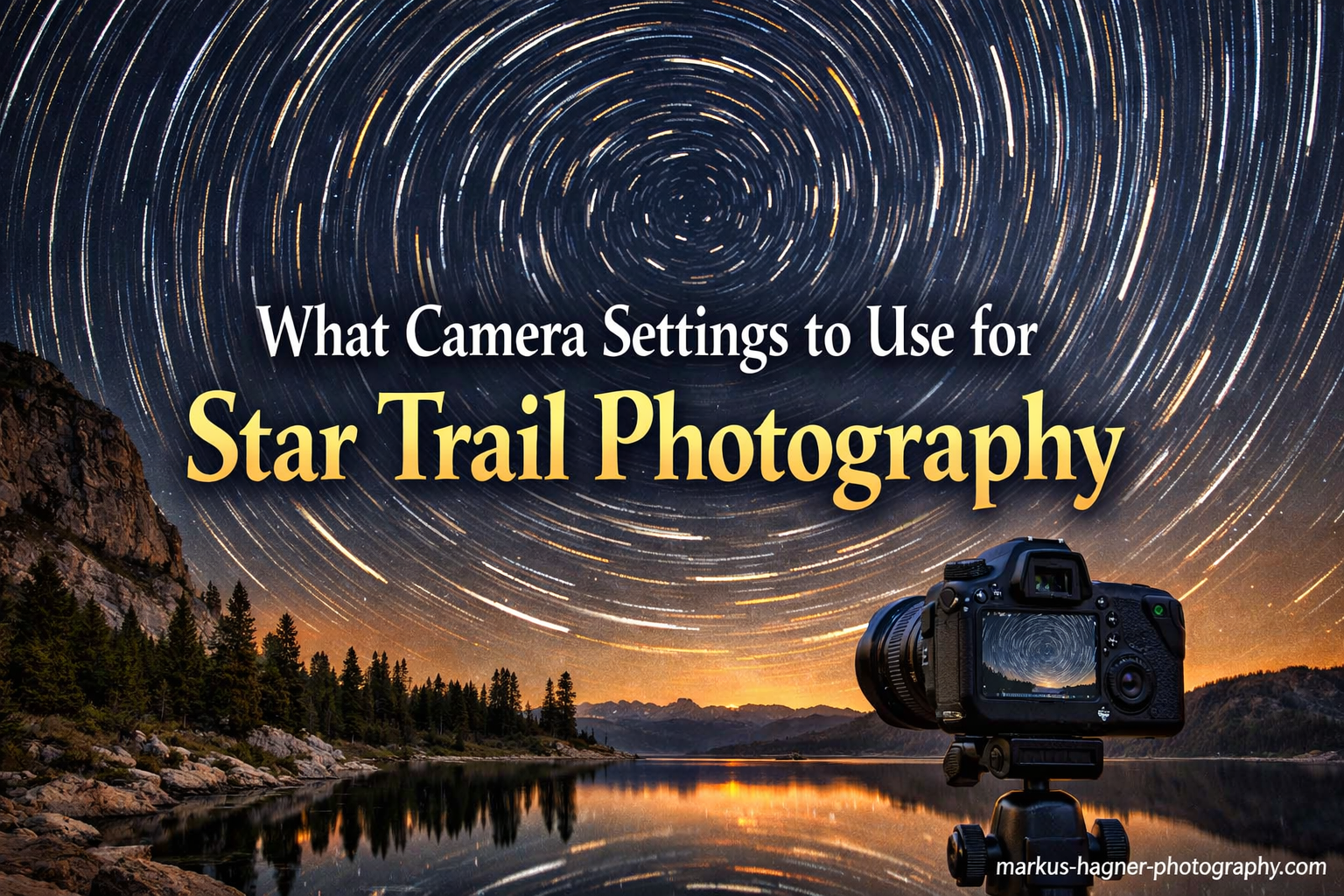
Capturing star trails has been one of the most rewarding photography techniques I have learned over the years. There is something magical about revealing the movement of the night sky that our eyes cannot see in real time. Star trail photography works by keeping your camera shutter open long enough to record the Earth’s rotation, turning points of starlight into beautiful streaks across your image.
The challenge for most photographers is figuring out exactly what camera settings to use for star trail photography. Unlike daytime shooting, night photography requires a completely different approach to ISO, aperture, shutter speed, and focus. Get any of these wrong, and you will end up with noisy images, out-of-focus stars, or trails that do not look the way you expected.
In this guide, I will walk you through the exact camera settings I use for star trail photography, along with the equipment you need and the techniques that will help you capture stunning images of the night sky. Whether you are shooting your first star trails or looking to refine your technique, these settings will give you reliable results.
Quick-Start Camera Settings for Star Trail Photography
If you are heading out tonight and need to know what camera settings to use for star trail photography right now, here are the settings I recommend starting with. These work for most situations and will get you capturing trails immediately.
Here are the essential camera settings for star trail photography:
1. ISO: Set to 800-1600 for stacking multiple exposures, or 100-400 for single long exposures
2. Aperture: Use f/2.8 to f/4 (the widest your lens allows while maintaining sharpness)
3. Shutter Speed: 20-30 seconds per frame when stacking, or use Bulb mode for single long exposures
4. White Balance: Set to 3200K-4000K (tungsten preset works well), or shoot RAW for flexibility
5. Focus: Manual focus set to infinity, fine-tuned using live view on a bright star
These settings give you a solid foundation. Read on to understand why each setting matters and how to adjust them for different shooting conditions and creative effects.
Essential Camera Settings for Star Trail Photography Explained
Understanding why each camera setting matters will help you troubleshoot problems and adapt to different shooting conditions. Star trail photography pushes your equipment to its limits, so knowing the reasoning behind each setting gives you more control over your final results.
ISO Settings for Star Trails
ISO controls how sensitive your camera sensor is to light. In star trail photography, your ISO choice depends heavily on which shooting method you plan to use.
For the stacking method where you take multiple shorter exposures, ISO 800 to 1600 works well. This range captures enough starlight in each 20-30 second frame without introducing excessive noise. I typically start at ISO 1000 and adjust based on the darkness of my location. Darker skies allow lower ISO, while areas with some light pollution may require pushing ISO higher to record stars above the ambient light.
For single long exposures lasting several minutes or hours, use ISO 100 to 400. The extended exposure time gathers plenty of light, so you do not need high ISO sensitivity. Lower ISO produces cleaner files with less noise and fewer hot pixels that can plague very long exposures.
The trade-off is straightforward: higher ISO captures more stars but adds noise, while lower ISO gives cleaner images but may miss fainter stars. Your camera’s low-light performance also matters. Full-frame cameras generally handle high ISO better than crop sensors, allowing you to push to ISO 3200 with acceptable results.
Aperture Settings for Star Trails
Aperture determines how much light enters your lens and affects depth of field. For star trails, you want to gather as much light as possible, which means using a wide aperture.
f/2.8 is the ideal starting point for star trail photography. This wide opening lets in maximum light, allowing you to use lower ISO settings for cleaner images. Many wide-angle lenses designed for astrophotography have f/2.8 or even f/1.4 maximum apertures specifically for this purpose.
Not all lenses perform their best wide open. Some lenses show softness in the corners or coma aberration (stars appearing as streaks or blobs) at maximum aperture. If your lens has these issues, stop down to f/4 for improved sharpness across the frame. The slightly smaller aperture means you will need to compensate with slightly higher ISO or longer exposures.
I recommend testing your lens at different apertures during the day first. Look for the sweet spot where stars remain sharp points across the entire frame. For my 14mm f/2.8 lens, f/3.2 gives the best balance of light gathering and corner sharpness.
Shutter Speed Settings for Star Trails
Shutter speed is where star trail photography differs most dramatically from other types of photography. You have two main approaches: taking multiple shorter exposures and stacking them in post-processing, or capturing one continuous long exposure.
For the stacking method, set your shutter speed to 20-30 seconds per frame. This duration captures plenty of stars without the Earth’s rotation causing noticeable trailing in individual frames. The goal is to keep stars as points in each frame, then combine hundreds of frames to create the trail effect.
The exact shutter speed depends on your focal length. Longer lenses show star movement faster than wide-angle lenses. A 500-rule calculation helps: divide 500 by your focal length (or 300 for crop sensors) to get the maximum shutter speed before stars trail. For a 14mm lens on full-frame, 500/14 = about 35 seconds. I use 25 seconds as my standard to stay well within this limit.
For single long exposures, switch to Bulb mode. This allows the shutter to stay open indefinitely while you hold the shutter button or use a locking remote. Exposure times can range from 15 minutes to several hours depending on the effect you want. Remember that extremely long single exposures generate sensor heat, increase noise, and risk hot pixel damage on some cameras.
White Balance for Night Sky Photography
White balance affects the color temperature of your star trail images. The night sky naturally has a range of colors: stars appear white, blue, yellow, or even red depending on their temperature, while light pollution often adds orange or green color casts.
For natural-looking star trails, set your white balance between 3200K and 4000K. This cool temperature renders the night sky with a pleasing blue tone while keeping stars their natural colors. Many photographers use 3500K as a standard starting point.
The tungsten preset (typically around 3200K) works well if you prefer a cooler, more dramatic sky. Daylight white balance (5500K) will make the sky appear too warm and orange, especially if there is any light pollution present.
I strongly recommend shooting in RAW format regardless of your white balance setting. RAW files give you complete flexibility to adjust white balance in post-processing without any quality loss. You can experiment with different color temperatures after your shoot to find the look you prefer.
Focusing on Stars at Night
Getting sharp focus on stars is one of the biggest challenges in night photography. Autofocus systems struggle in darkness, so manual focus is essential for star trail photography.
The basic approach is to set your lens to manual focus and rotate the focus ring to the infinity mark. However, the infinity mark on most lenses is not perfectly accurate for night photography. Temperature changes and manufacturing variations mean you need to fine-tune focus for your specific lens.
Here is the method I use to achieve perfect focus on stars: First, switch your lens to manual focus. Point your camera at the brightest star or planet you can see. Enable live view and zoom in as far as possible on the LCD screen. Slowly adjust the focus ring until the star appears as the smallest, sharpest point possible. When the star is a tiny pinprick rather than a blob, you have achieved focus.
Once focused, place a small piece of gaffer tape on the focus ring to prevent accidental movement. Some photographers mark the infinity position with a permanent marker after testing. Whatever method you choose, never touch the focus ring during your shoot.
Equipment Requirements for Star Trail Photography
Beyond camera settings, the right equipment makes a significant difference in your star trail photography results. You do not need expensive gear to get started, but certain items are essential for success.
Sturdy Tripod
A stable tripod is non-negotiable for star trail photography. Any movement during long exposures will blur your stars and ruin your trails. Look for a tripod that can support your camera securely even in windy conditions.
Carbon fiber tripods offer excellent stability while being lightweight for hiking to dark sky locations. If you use an aluminum tripod, consider hanging your camera bag from the center hook to add weight and dampen vibrations. I also avoid extending the center column, as this creates a less stable configuration than keeping the camera low on the tripod legs.
Wide-Angle Lens
Wide-angle lenses between 14mm and 24mm are ideal for star trail photography. These focal lengths capture a broad swath of the sky while keeping individual stars small enough that trailing is not obvious in each frame of a stacked sequence.
Fast aperture lenses (f/2.8 or wider) let in more light, giving you flexibility with ISO and shutter speed. The wider field of view also makes composition easier, allowing you to include interesting foreground elements alongside the sky.
Remote Shutter or Intervalometer
Touching your camera to trigger the shutter introduces vibration. A remote shutter release or intervalometer allows you to start exposures without touching the camera body.
Intervalometers are particularly useful for star trail photography because they can automate the process of taking multiple consecutive exposures. You set the exposure length, interval between shots, and total number of frames, then let the device handle everything while you stay warm in your car or tent.
Many modern cameras have built-in intervalometer features. Check your camera menu for “interval timer shooting” or “time-lapse” modes. If your camera lacks this feature, external intervalometers are inexpensive and connect to your camera’s remote port.
Memory Card Considerations
Star trail photography generates large numbers of files. A typical stacked sequence might include 200-400 individual frames, each 30-50 megabytes in RAW format. Plan for at least 64GB of storage, and bring backup cards.
Card speed matters less for star trails than for other photography types since you are shooting at relatively long intervals. A standard Class 10 or UHS-I card handles 30-second exposures easily. Faster UHS-II cards are overkill unless you plan to shoot shorter exposures at higher frame rates.
Battery Management
Long shoots drain batteries quickly, especially in cold weather. Each 30-second exposure followed by processing and preview time consumes power continuously over several hours. Cold temperatures further reduce battery capacity.
I recommend starting with a fully charged battery and carrying at least one spare. In freezing conditions, keep your spare battery in an inside pocket where body heat keeps it warm. Some photographers use external battery grips or USB power banks for extended shoots.
Also disable any unnecessary power-draining features. Turn off image review, reduce LCD brightness, and disable WiFi and GPS if your camera has these features.
Planning and Preparation for Star Trail Photography
Successful star trail photography happens before you even set up your camera. Planning your shoot around location, weather, and celestial events dramatically improves your results.
Location and Light Pollution
Light pollution from cities and towns washes out faint stars and creates ugly color casts in your images. For the best star trail photography, find the darkest location reasonably accessible to you.
Light pollution maps like Dark Site Finder or Light Pollution Map show the brightness levels across your region. Blue and gray zones offer excellent dark skies, while yellow and orange zones still allow star trail photography with some compromise. Red and white zones near major cities make star trails nearly impossible.
If you cannot escape light pollution entirely, try to position yourself with the light source behind you. Shooting away from city glow preserves more star detail than shooting toward it.
Weather and Moon Phase
Clear skies are essential for star trail photography. Even thin clouds obscure stars and create unwanted texture in your final image. Check weather forecasts specifically for cloud cover, not just general conditions.
Moon phase matters enormously. A full moon washes out the night sky almost as badly as city lights. The best star trail photography happens during new moon phases when the moon is not visible. If you must shoot during a partial moon, wait until after moonset when the sky darkens again.
Humidity and temperature affect image quality too. High humidity can cause lens fogging during long shoots, while temperature differences between your equipment and the air create condensation. Hand warmers rubber-banded to your lens barrel help prevent fogging in humid conditions.
Mobile Apps for Planning
Several mobile apps help plan star trail photography shoots. PhotoPills is the most comprehensive, showing sun/moon positions, Milky Way timing, light pollution overlays, and augmented reality views of the night sky. Stellarium provides detailed star maps to help you identify constellations and plan compositions.
Clear Dark Sky charts offer astronomy-specific weather forecasts showing cloud cover, transparency, and seeing conditions for locations across North America. Weather apps with hour-by-hour cloud predictions help you choose the best nights for shooting.
Safety Considerations
Night photography often takes you to remote locations away from help. Basic safety precautions protect you during solo shoots. Tell someone your location and expected return time. Carry a fully charged phone, headlamp with extra batteries, and warm clothing even in summer. Nights get cold quickly when you are standing still for hours.
A headlamp with a red mode preserves your night vision while providing enough light to see your equipment. Red light does not affect your eyes’ dark adaptation the way white light does, making it essential for night photography.
Shooting Techniques for Star Trail Photography
With your settings dialed in and location scouted, the actual shooting technique determines your final results. Understanding the two main approaches and how to execute them properly makes the difference between mediocre and stunning star trail images.
Stacking Multiple Exposures vs Single Long Exposure
The stacking method involves taking hundreds of consecutive short exposures (typically 20-30 seconds each) and combining them in post-processing software. This approach offers several advantages: individual frames have less noise, you can remove frames with airplane trails or other artifacts, and sensor heat does not build up over time.
For stacking, set your intervalometer to take continuous 25-30 second exposures with minimal gap between frames. Many cameras need 1-2 seconds between shots to write files, so set your interval to 31-32 seconds to account for this processing time. Shoot for 1-3 hours to create substantial trail lengths.
Single long exposure keeps the shutter open continuously for the entire shoot. This traditional method creates smoother trails without gaps but has significant drawbacks. Long exposures generate sensor heat, increasing noise and hot pixels. Any interruption (passing car, airplane, person with flashlight) ruins the entire shot rather than just one frame.
I strongly recommend the stacking method for most photographers. It provides more flexibility and insurance against problems. Reserve single long exposures for situations where stacking is impractical or when you specifically want the authentic look of a continuous exposure.
Intervalometer Setup and Timing
Proper intervalometer settings prevent gaps in your star trails. The key is minimizing dead time between exposures so stars do not jump between frames.
Set your intervalometer with these parameters: exposure time of 25-30 seconds, interval of 1-2 seconds longer than exposure (31-32 seconds total), and number of shots set to 200-400 for a 2-3 hour shoot. The small gap between exposures allows your camera to write each file without creating visible breaks in the trails.
Some cameras with built-in interval modes require longer gaps. If you notice gaps in your final stacked image, increase the interval between shots. Test your specific camera to find the minimum reliable interval.
Direction and Composition
The direction you face dramatically affects the appearance of your star trails. Understanding how camera direction changes trail patterns helps you create the image you envision.
Pointing your camera north (toward Polaris in the Northern Hemisphere) creates circular star trails as stars appear to rotate around the celestial pole. These images have a hypnotic, spiral effect with Polaris as the center point. This is the classic star trail composition most photographers seek.
Facing south produces straight, horizontal star trails arcing across the frame. Facing east shows stars rising at an angle, while facing west shows stars setting. Each direction creates a distinct pattern that affects the mood and visual impact of your image.
Include interesting foreground elements to give your star trails context and scale. Trees, rock formations, abandoned buildings, or mountain silhouettes anchor the composition and create visual interest. Scout your foreground during daylight and plan your framing before darkness makes composition difficult.
Troubleshooting Common Star Trail Photography Problems
Even with perfect planning, star trail photography presents challenges. Here are the most common problems I encounter and how to solve them.
Gaps in Star Trails
Gaps appear when there is too much dead time between consecutive exposures. The stars move during this gap, creating visible breaks in your trails after stacking. Reduce your intervalometer gap to 1-2 seconds maximum, or use a continuous shooting mode that minimizes delay between frames. Some stacking software includes gap-filling modes that interpolate between frames, but preventing gaps during capture is more effective.
Hot Pixels and Noise
Hot pixels appear as bright colored dots in long exposure images, caused by sensor heat during extended use. Most cameras have long exposure noise reduction that takes a dark frame after each exposure to map and remove hot pixels. This doubles your total shoot time but produces cleaner results.
For stacking, you can disable in-camera noise reduction and remove hot pixels during post-processing instead. Take a few dark frames (lens cap on, same exposure settings) at the end of your shoot, then use software to subtract these from your light frames.
Focus Drift
If stars appear soft or streaky in unexpected ways, your focus may have shifted during the shoot. Temperature changes can cause lens elements to move slightly, pulling focus away from infinity. Taping your focus ring in position helps, but in extreme cold, you may need to refocus periodically throughout the night.
Battery Drain Mid-Shoot
Batteries dying during a long shoot wastes hours of exposure time. Start with fully charged batteries, disable unnecessary power drains like image review and WiFi, and keep spare batteries warm in cold weather. Monitor your battery level during the shoot and swap batteries before they completely die to avoid losing frames.
Light Pollution Overwhelming Stars
If light pollution is stronger than expected, reduce your exposure time and increase ISO to capture stars before the sky washes out. A shorter exposure captures less cumulative light pollution per frame. You can also try shooting earlier in the night when light pollution may be lower, or move to a darker location for future shoots.
Frequently Asked Questions
What settings should I use for star trail photography?
For star trail photography, use these settings: ISO 800-1600 for stacking or ISO 100-400 for single long exposures, aperture f/2.8 to f/4, shutter speed 20-30 seconds per frame for stacking or Bulb mode for continuous exposure, white balance 3200K-4000K, and manual focus set to infinity.
What camera settings are needed for star photography?
Star photography requires manual mode with a wide aperture (f/2.8-f/4), higher ISO (800-3200 depending on conditions), and shutter speed based on the 500-rule to prevent trailing. Manual focus set to infinity, RAW format, and a sturdy tripod are also essential for capturing sharp star images.
What is the best ISO for star trails?
The best ISO for star trails depends on your method. For stacking multiple exposures, ISO 800-1600 works well. For single long exposures, use ISO 100-400. Full-frame cameras can push higher (ISO 1600-3200) while crop sensors should stay lower (ISO 800-1600) to minimize noise.
What is the best aperture for star trails?
The best aperture for star trails is f/2.8 if your lens is sharp wide open. This maximum aperture gathers the most light, allowing lower ISO and cleaner images. If your lens shows softness or coma at f/2.8, stop down to f/3.2 or f/4 for better corner sharpness while still gathering adequate light.
Conclusion
Star trail photography rewards patience and preparation with images that reveal the hidden motion of our night sky. The key camera settings to remember are ISO 800-1600 for stacking, aperture f/2.8 to f/4, 20-30 second exposures with an intervalometer, and careful manual focus on infinity. Add a sturdy tripod, dark sky location, and clear weather, and you have everything needed to create stunning star trail images.
Like any photography skill, star trail photography improves with practice. Your first attempts may have gaps, noise, or focus issues, but each shoot teaches you something new about your equipment and technique. Start with the quick-start settings from this guide, then experiment with adjustments based on your specific conditions and creative vision.
Get out there, point your camera at the stars, and start capturing the rotation of the Earth. The trails are waiting.