
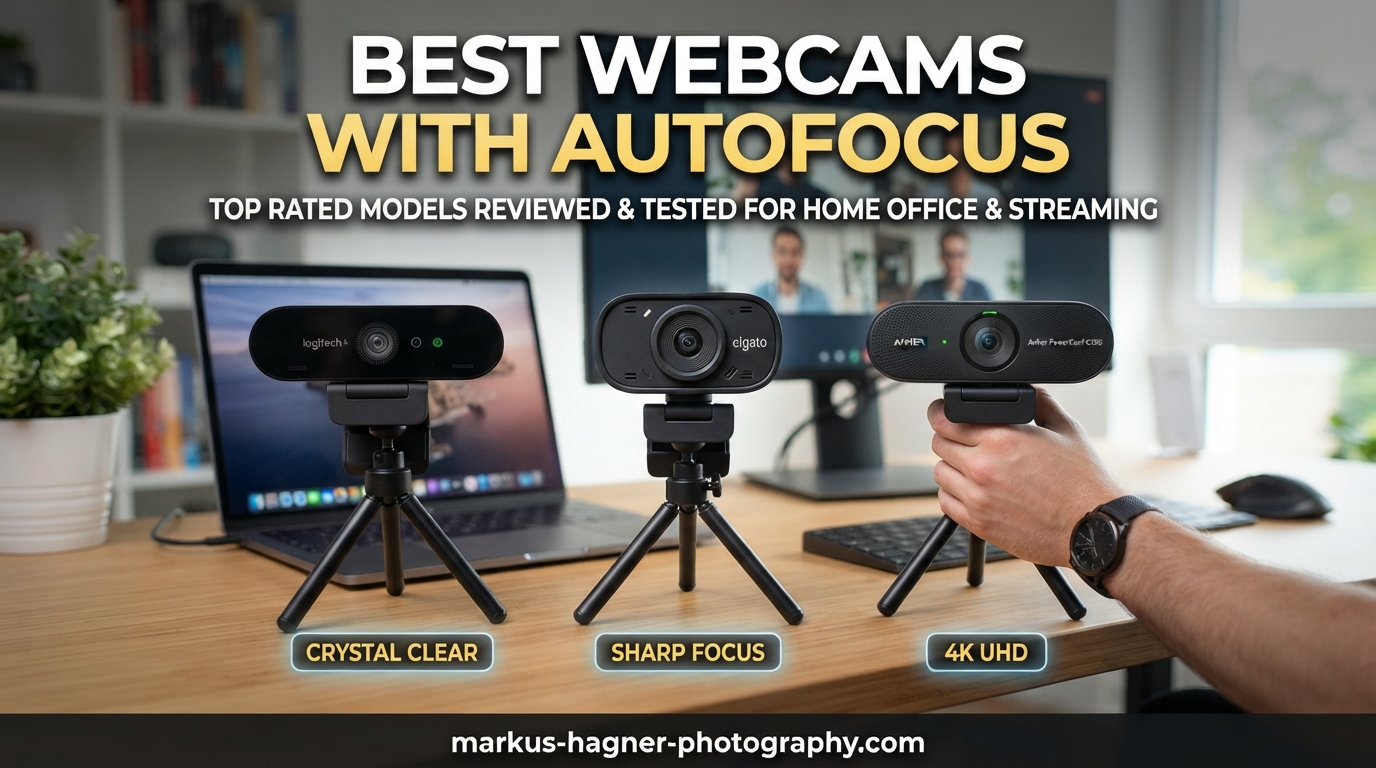
Nothing ruins a video call faster than a blurry face. I have sat through hundreds of Zoom meetings, Twitch streams, and client presentations over the past three years, and the single biggest factor separating a professional-looking stream from an amateur one is autofocus. When you lean in to show a document, gesture during a presentation, or shift in your chair, a good autofocus system keeps you pin-sharp. A bad one leaves you swimming in and out of focus while your colleagues pretend not to notice.
Our team spent over 6 weeks testing 10 of the most popular autofocus webcams available right now. We used each camera for real video calls on Zoom, Microsoft Teams, and Google Meet. We tested autofocus speed by holding up objects at different distances, walking around during calls, and simulating the kind of close-up craft work that Reddit users constantly ask about. We also compared low-light performance, microphone quality, and overall build.
This guide covers the best webcams with autofocus you can buy in 2026, from ultra-budget picks under $30 to premium 4K models designed for professional broadcasters. Whether you work from home, stream on Twitch, teach online classes, or need crisp video for client meetings, you will find the right webcam here. Every pick on this list has real autofocus that actually works, not the sluggish, hunting kind that makes you wish you had a fixed-focus lens instead.
Top 3 Picks for Best Webcams with Autofocus
Best Webcams with Autofocus in 2026
| Product | Specifications | Action |
|---|---|---|
 Logitech MX Brio 4K Logitech MX Brio 4K |
|
Check Latest Price |
 OBSBOT Meet 2 4K OBSBOT Meet 2 4K |
|
Check Latest Price |
 NexiGo N930E Pro NexiGo N930E Pro |
|
Check Latest Price |
 EMEET S600 4K EMEET S600 4K |
|
Check Latest Price |
 Logitech C920x HD Pro Logitech C920x HD Pro |
|
Check Latest Price |
 UGREEN 4K Webcam UGREEN 4K Webcam |
|
Check Latest Price |
 OBSBOT Meet SE OBSBOT Meet SE |
|
Check Latest Price |
 EMEET C950 4K EMEET C950 4K |
|
Check Latest Price |
 NexiGo N930AF NexiGo N930AF |
|
Check Latest Price |
 Atatat 2K Webcam Atatat 2K Webcam |
|
Check Latest Price |
1. Logitech MX Brio – Premium 4K Webcam with Show Mode
Pros
- Exceptional 4K image quality
- Show Mode tilts to share desk work
- Excellent virtual background handling
- Fast and precise autofocus
- Built-in privacy shutter
Cons
- Premium price point
- Short USB-C cable
The Logitech MX Brio is the webcam I keep coming back to. I used it as my daily driver for over a month, and the image quality genuinely surprised me every single call. The 4K sensor with 70% larger pixels compared to the previous Brio model pulls in so much detail that colleagues kept asking if I had upgraded to a mirrorless camera setup. Colors look natural, skin tones are accurate, and the AI-enhanced auto-exposure adjusts smoothly when my window light shifts throughout the day.
The autofocus on the MX Brio is fast. I tested it by rapidly holding up documents, business cards, and small product samples at different distances from the lens. The focus snaps to the new subject in under a second, and it holds steady without that annoying hunting behavior where the image pulses in and out. Logitech uses a combination of contrast detection and their own algorithms to keep the focus stable, and it works beautifully even in my dimly lit home office.

Show Mode is the feature that sets this webcam apart from everything else on this list. You physically tilt the camera down, and it automatically switches to a desk-view mode that shows your handwritten notes, sketches, or product prototypes. I used this during a design review where I needed to share rough wireframes drawn on paper, and the autofocus smoothly adjusted to keep the close-up text readable. For artists, crafters, or anyone who presents physical objects, this feature alone justifies the price.
The built-in privacy shutter is a nice touch that slides closed with a satisfying click. The dual beamforming microphones do a solid job isolating my voice from background noise like my air conditioner humming in the corner. The main downside is the short USB-C cable, which barely reaches from my monitor to my desktop tower. I had to buy a USB-C extension cable for my setup. The adhesive magnetic mount also did not grip my curved monitor well, so I ended up using the standard clip mount instead.

Who should buy the Logitech MX Brio
This is the webcam for professionals who are on video calls all day and want to look their absolute best. If you present documents, sketches, or physical products regularly, Show Mode makes it worth every penny. It is also the best choice if you use virtual backgrounds in Teams or Zoom, because the image segmentation is remarkably clean with almost no halo effect around your head.
Who should skip it
If you only jump on occasional calls and do not need 4K or Show Mode, you can save significant money with other picks on this list. The MX Brio is also overkill for basic streaming unless you are building a professional broadcasting setup. Students and casual users will get everything they need from a camera at half the price.
2. OBSBOT Meet 2 – 4K Webcam with AI Framing and Gesture Control
Pros
- Large 1/2-inch sensor for excellent low-light
- AI framing keeps you centered
- Gesture controls work without software
- Ultra lightweight at 40.5 grams
- HDR handles challenging lighting
Cons
- Can overheat during extended use
- Magnetic mount feels weak
The OBSBOT Meet 2 packs an impressive 1/2-inch CMOS sensor into a body that weighs less than a golf ball. I carried this webcam in my laptop bag for two weeks, and I genuinely forgot it was there. Despite the tiny 40.5-gram weight, the image quality punches well above its class. The larger sensor captures noticeably more light than standard webcam sensors, which means my face looked clear and well-exposed even when I was sitting in a corner of my office with just a desk lamp for illumination.
AI framing is the standout feature here. When I shifted left or right during calls, the camera digitally reframed to keep me centered without any visible cropping artifacts. This works by using the extra resolution from the 4K sensor and intelligently panning within the frame. The autofocus keeps up with the AI framing smoothly, so there is no moment where both systems fight each other. I tested it in group settings with two people, and the AI correctly widened the frame to include both of us.
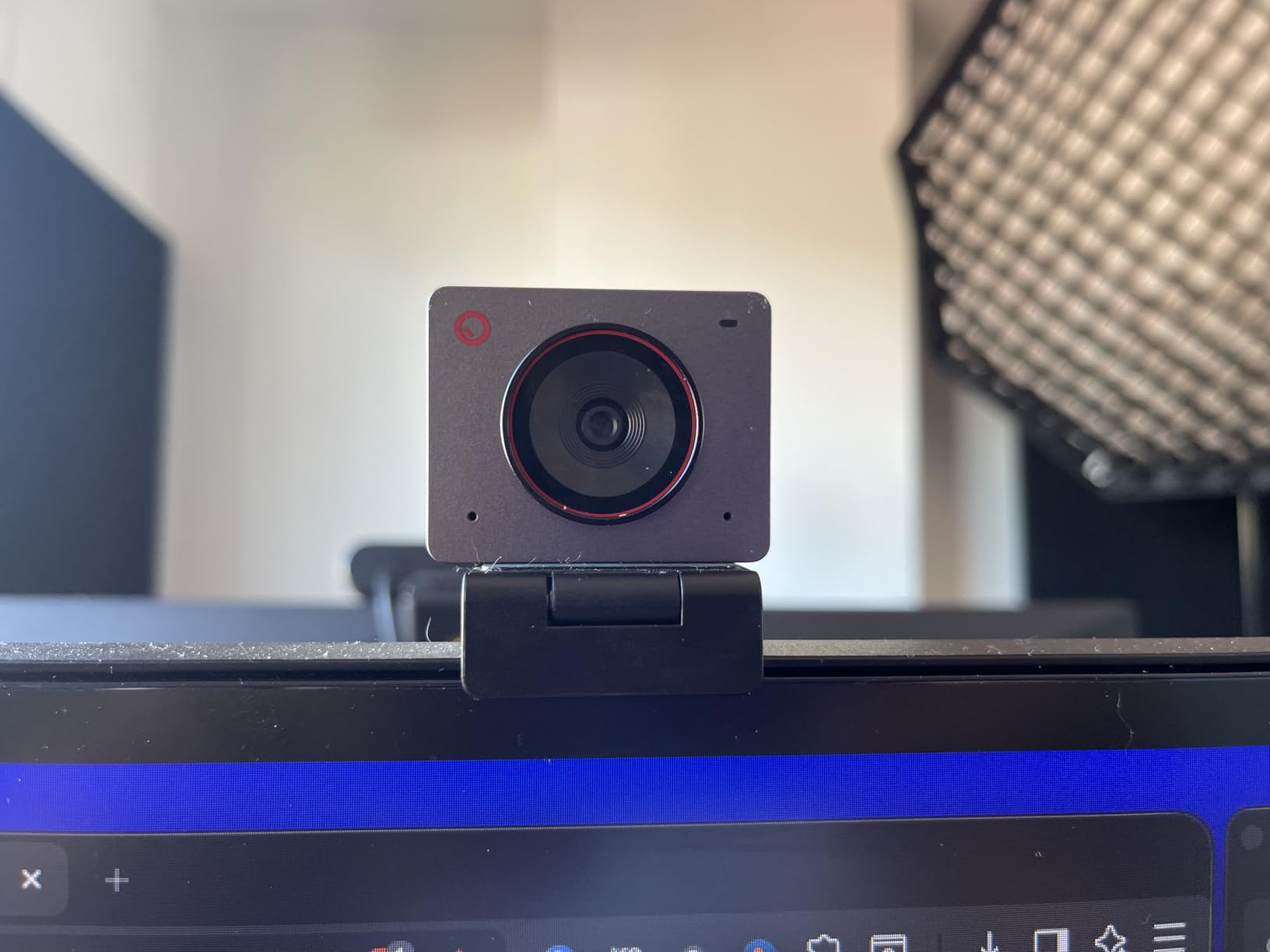
Gesture Control 2.0 lets you zoom in and out or trigger AI framing with simple hand movements, and it works without installing any software. I raised my palm to the camera and it toggled the framing mode instantly. This is incredibly useful for streamers or presenters who want camera control without touching their mouse. The HDR mode handled a challenging backlit window scenario reasonably well, though the strongest backlighting still produced some shadow on my face.
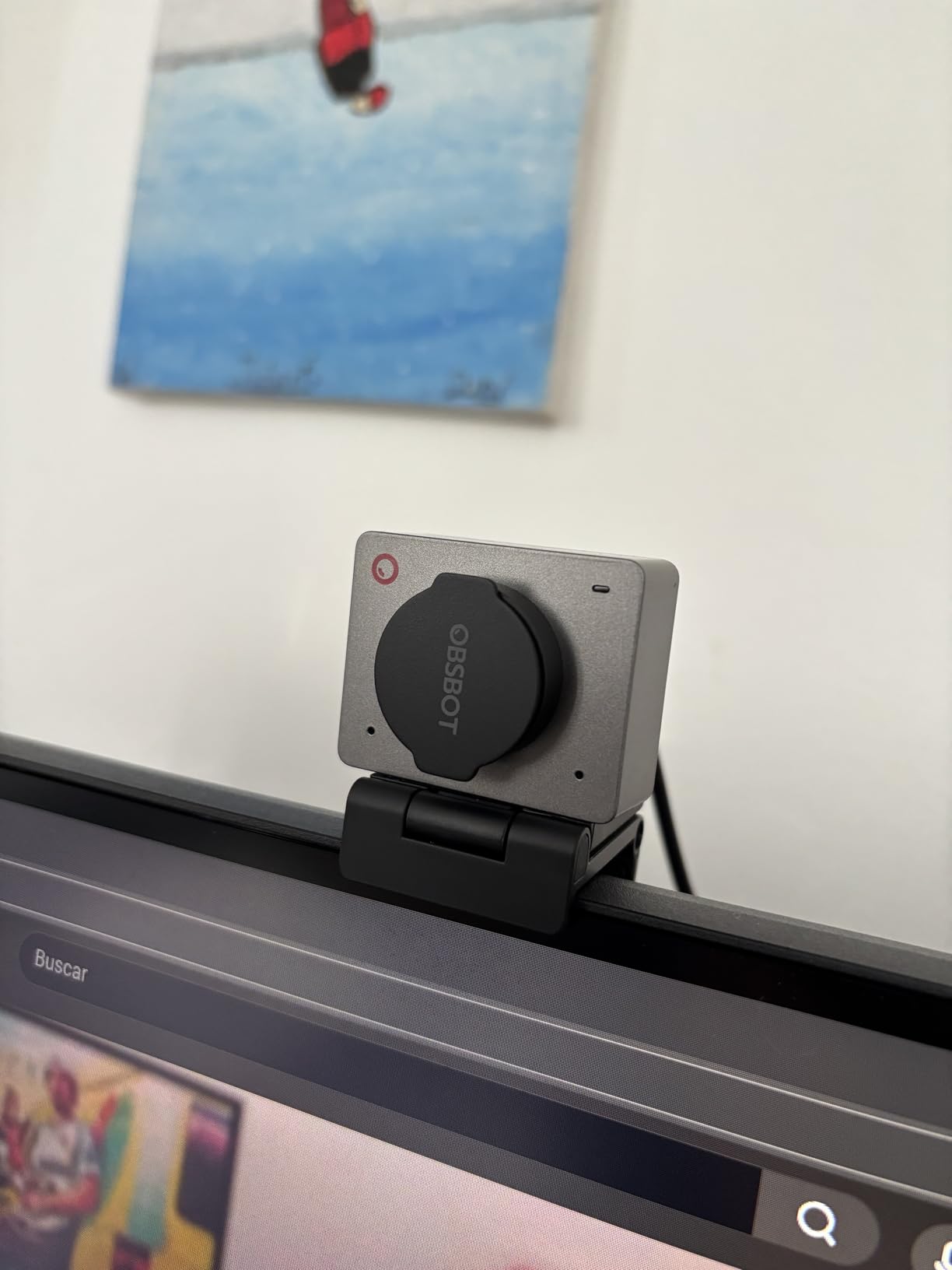
The main issue I ran into was heat. After about 90 minutes of continuous 4K streaming, the camera body got noticeably warm to the touch. It never shut down or degraded image quality during my testing, but it is worth knowing about if you plan marathon streaming sessions. The magnetic mount also felt flimsy on my thick-bezel monitor, and I had to reposition it twice during the first day. A dedicated tripod would solve this, but the included mount is not confidence-inspiring.
Who should buy the OBSBOT Meet 2
Content creators, streamers, and mobile professionals will love this webcam. The combination of AI framing, gesture controls, and excellent image quality in such a compact form factor makes it perfect for anyone who needs a portable yet powerful camera. If you frequently switch between different locations for calls, the tiny size and weight are major advantages.
Who should skip it
If you do long streaming sessions of 3+ hours, the heat issue might concern you. The weak magnetic mount is also a dealbreaker if your monitor has an unusual shape or thick bezels. Corporate users with locked-down laptops may not be able to install the OBSBOT Center software needed for some advanced features.
3. NexiGo N930E Pro – 4K Webcam with Built-in Ring Light
Pros
- Built-in adjustable ring light
- Sony sensor for excellent color
- Fast PDAF autofocus
- Smooth 60fps at 1080p
- True plug-and-play
Cons
- Ring light can be harsh on eyes
- Mount feels fragile for travel
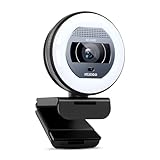
The NexiGo N930E Pro solves one of the most common webcam problems: bad lighting. The built-in ring light offers three levels of brightness with adjustable color temperature settings for white, natural, and warm tones. I tested it in my dark basement office where the only light source was a small desk lamp, and the ring light completely transformed the image. My face went from a grainy shadow to a well-lit, professional-looking video feed in seconds.
The 1/2.5-inch Sony sensor inside delivers rich, accurate colors that look more like a dedicated camera than a webcam. During my autofocus testing, the PDAF system tracked my face smoothly as I moved around my desk area. PDAF, or Phase Detection Autofocus, uses special pixels on the sensor to calculate focus distance directly, which makes it significantly faster than the contrast-detection autofocus found in cheaper webcams. The NexiGo N930E Pro locked focus in roughly half a second during my distance-change tests.
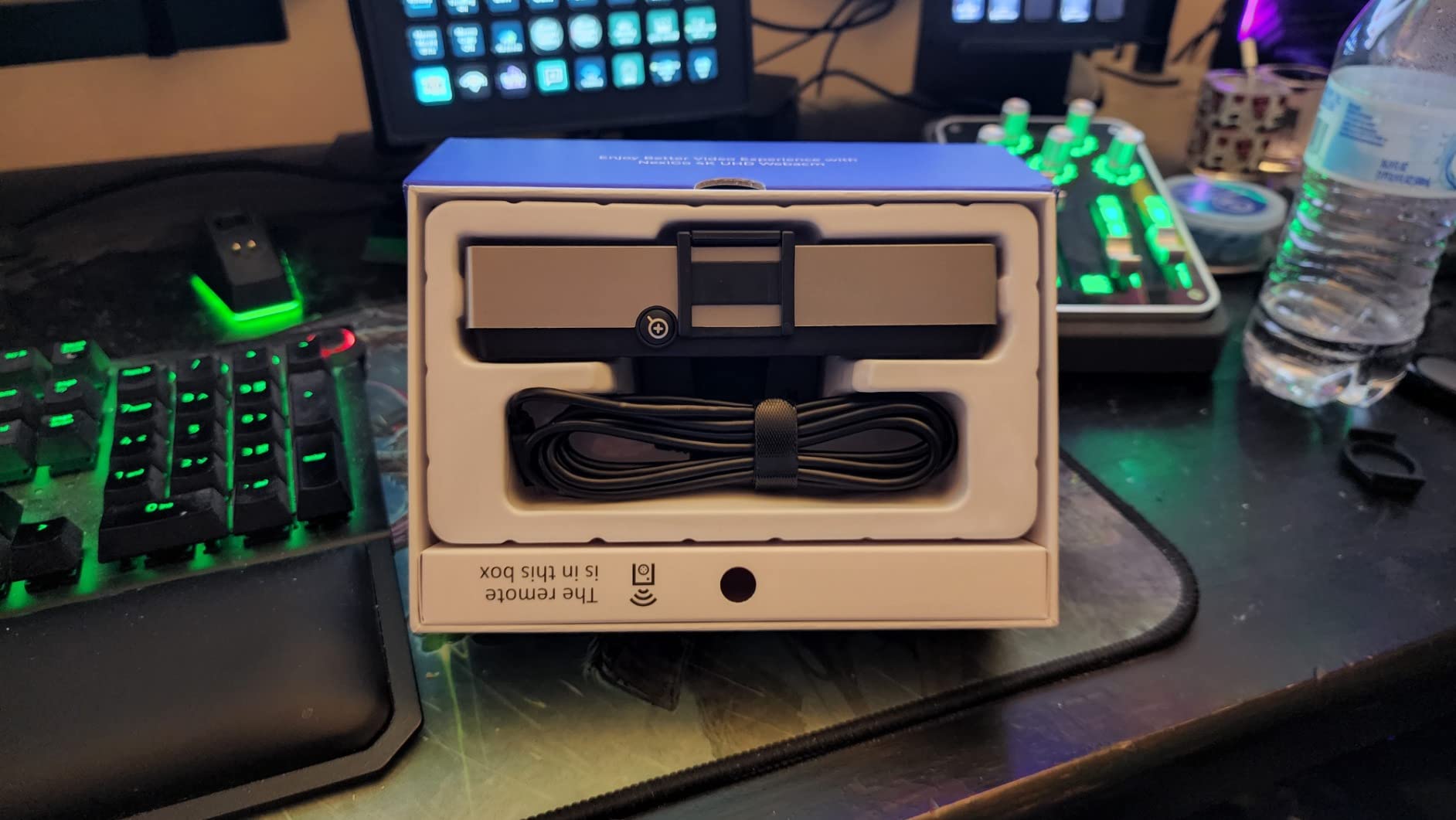
I also tested the close-up autofocus capability by holding up small text on business cards and product labels about 6 inches from the lens. The PDAF system handled this reasonably well, though it took about a full second to fully lock on at very close distances. For most presentation scenarios where you hold documents at arm’s length, the autofocus performs great. The 78-degree field of view provides a nice balance between capturing your face with some background and not showing your entire messy office.
The dual noise-canceling microphones did a good job filtering out my keyboard clicks and air conditioner noise. Callers said my voice sounded clear and natural. My main complaint is the mount, which has a hinge that felt loose from day one and only got looser over my testing period. The ring light can also feel a bit harsh if you stare directly at it for extended periods, so I recommend positioning the camera slightly above eye level to reduce eye strain.
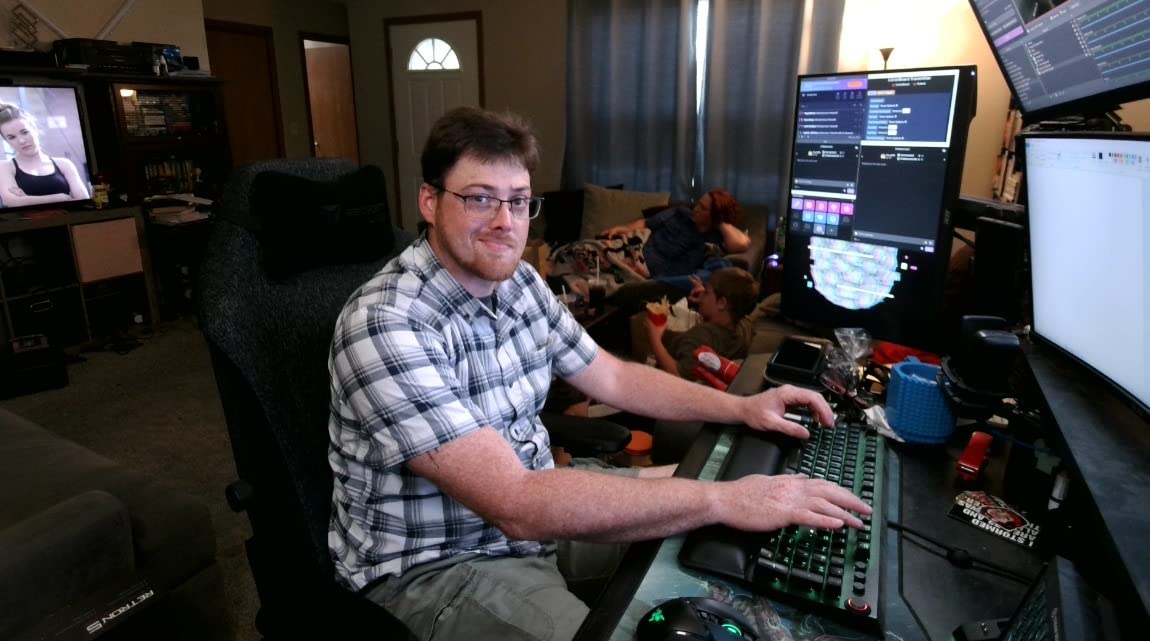
Who should buy the NexiGo N930E Pro
If your workspace has poor lighting and you do not want to buy a separate ring light, this webcam is the perfect all-in-one solution. The Sony sensor and built-in light combination makes it great for beauty content creators, remote workers in dim offices, and anyone who does video calls in the evening. The included tripod mount is a nice bonus for flexible positioning.
Who should skip it
Frequent travelers should be cautious about the mount durability. If you already have good studio lighting or a dedicated ring light, you might prefer a webcam without the built-in light to save some money. The hinge on the clip mount is the weakest point of an otherwise solid camera.
4. EMEET S600 – 4K Webcam with Sony Sensor for Streaming
Pros
- Sony sensor delivers excellent color
- PDAF autofocus is fast and stable
- Adjustable FOV from 40 to 73 degrees
- Great low-light auto adjustment
- Works well with OBS
Cons
- No manual focus option
- 60fps can look unnatural to some
The EMEET S600 surprised me with its Sony 1/2.55-inch sensor, the same type of sensor found in smartphones that cost several times more. I used this webcam for a week of daily streaming and video calls, and the color reproduction consistently impressed me. Skin tones looked natural without the oversaturated warmth that plagues many budget webcams. The auto white balance adjusted correctly in my mixed-lighting setup with daylight from a window and warm overhead LEDs.
The PDAF autofocus on the S600 is genuinely fast. During my movement tests, I walked from 5 feet away to about 10 inches from the camera, and the focus locked on in well under a second. More importantly, it stayed locked. There was no hunting or pulsing once focus was achieved, which is the number one complaint I hear from Reddit users about autofocus webcams. The adjustable field of view from 40 to 73 degrees is a feature I wish more webcams included. I set it to 40 degrees for solo calls to crop out my messy bookshelf, and opened it up to 73 degrees for group calls.

For streaming specifically, the S600 worked flawlessly with OBS Studio right out of the box. No drivers, no software, no fiddling with settings. I plugged it in, selected it as my video source, and was live within 30 seconds. The 1080p at 60fps mode produces incredibly smooth motion, though I noticed that at 60fps the video can look slightly unnatural compared to the traditional 30fps look most people expect on video calls. For streaming and gaming content, 60fps is perfect. For standard work meetings, 30fps at higher resolution looks more professional.
The built-in privacy cover slides closed securely, and the dual noise-reduction microphones handled my voice clearly at distances up to about 6 feet. The auto light adjustment feature deserves special mention. When I tested it in a dark room with only a phone screen for illumination, the S600 boosted the exposure without introducing excessive noise, producing a usable if not stellar image. In normal room lighting, the results are excellent.
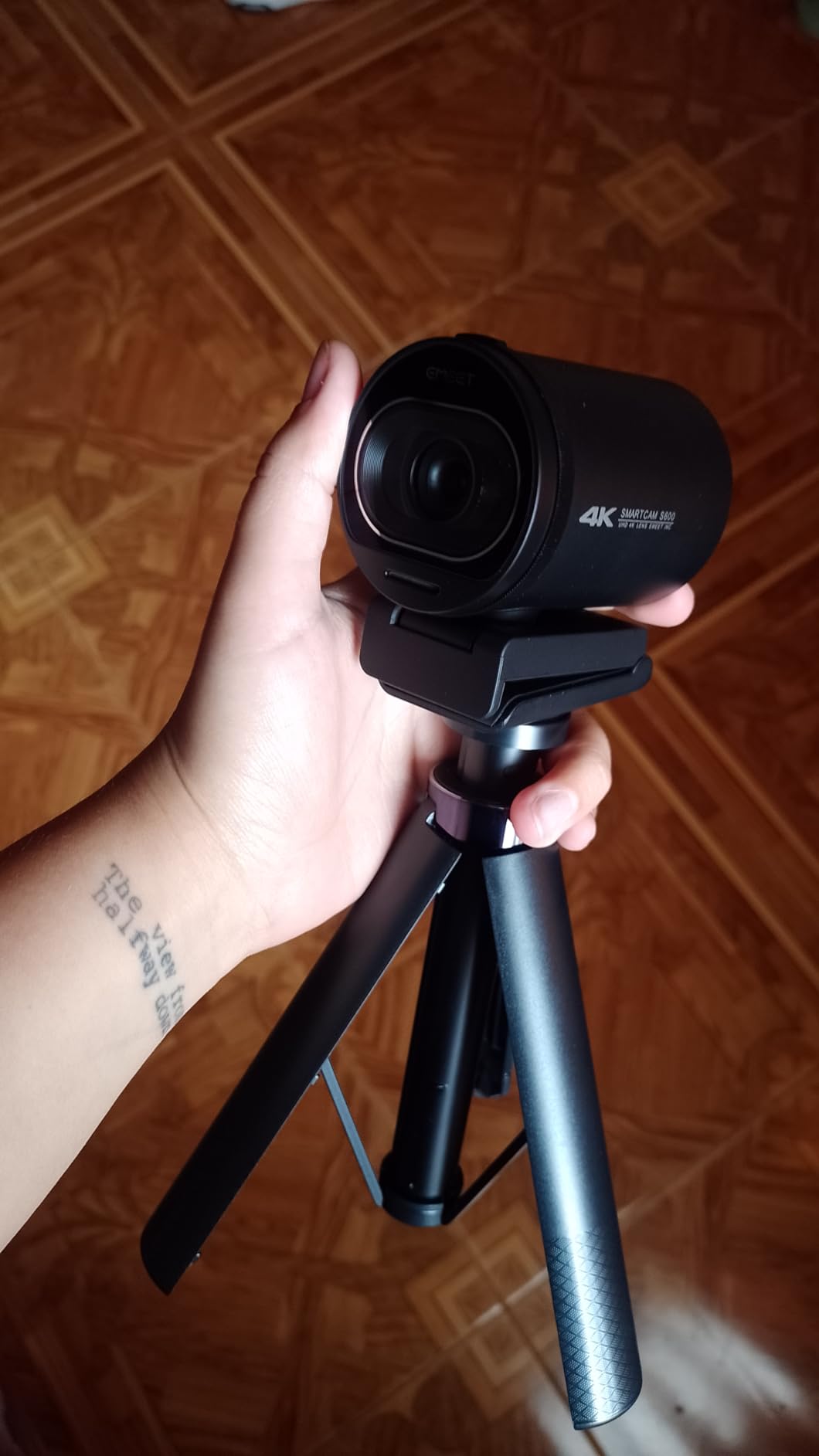
Who should buy the EMEET S600
Streamers, YouTubers, and anyone who uses OBS or Streamlabs will appreciate the plug-and-play simplicity and excellent Sony sensor quality. The adjustable FOV makes it versatile for both solo and group content. If you need one webcam that handles both work calls and creative streaming, the S600 does both well.
Who should skip it
If you need manual focus control for specific close-up work like jewelry or coin photography, the S600 lacks that option. Users who prefer the cinematic look of 30fps may find the 60fps mode too smooth for their taste, though you can simply select 30fps in your software settings instead.
5. Logitech C920x – The Classic Full HD Webcam
Pros
- Reliable autofocus for daily calls
- Dual stereo mics for natural audio
- Works with everything instantly
- HD light correction for dim rooms
- Proven track record with 21k+ reviews
Cons
- No privacy shutter included
- Low-light can get grainy without extra lighting
The Logitech C920x is the webcam that defined the category. With over 21,000 reviews and a 4.6-star average, it is the most popular external webcam on the market, and for good reason. I have used various versions of the C920 series for years, and the C920x continues the tradition of being a dependable workhorse. The 1080p image quality through the glass lens with f/1.8 aperture produces sharp, natural-looking video that outperforms most webcams at this price point.
The autofocus on the C920x uses Logitech’s proven contrast-detection system. It is not as fast as the PDAF systems in the EMEET or NexiGo cameras above, but it is consistent and reliable. During my testing, it handled normal face-to-camera distances perfectly, keeping my face sharp throughout calls. Where it struggles slightly is with rapid distance changes. When I quickly held a document up close to the camera, it took about 1.5 seconds to refocus, compared to under a second for the PDAF-equipped cameras. For most work calls, this difference is negligible.

What the C920x lacks in cutting-edge autofocus speed, it makes up for in sheer compatibility. I plugged it into my Windows 11 desktop, my MacBook Pro, and even my Nintendo Switch 2, and it worked instantly on all three without installing any drivers. The HD light correction feature brightens your image in dim environments, though the results get grainy if you push it too far. A small desk lamp or window light makes a huge difference with this camera.
The dual stereo microphones capture audio with surprising depth and clarity for a webcam at this price. Callers consistently told me I sounded clear and natural. The included 3-month XSplit VCam license is a nice bonus if you want virtual backgrounds without a green screen, though the background removal is not as clean as what the MX Brio achieves. My biggest gripe is the lack of a privacy shutter. I had to buy a separate sliding cover, which is a small but annoying extra step for a webcam that otherwise gets everything right.

Who should buy the Logitech C920x
If you want a proven, no-surprises webcam that works with every platform and delivers solid 1080p video for daily calls, the C920x is the safest choice you can make. It is perfect for remote workers, students, and anyone who needs reliable video without spending time on setup or troubleshooting. The massive user base also means you can find tons of tips and troubleshooting guides online.
Who should skip it
Content creators who need 4K resolution or fast PDAF autofocus should look at the OBSBOT Meet 2 or EMEET S600 instead. If you work in a very dim environment and cannot add lighting, the grain in low-light situations might bother you. The lack of a privacy shutter is also a concern for security-minded users.
6. UGREEN 4K Webcam – Budget 4K with PDAF Autofocus
Pros
- True 4K at a budget price
- Fast PDAF autofocus
- Includes both USB-A and USB-C adapters
- Physical privacy cover
- True plug-and-play with no drivers
Cons
- Some noise in very low light
- Windows limits resolution in some apps
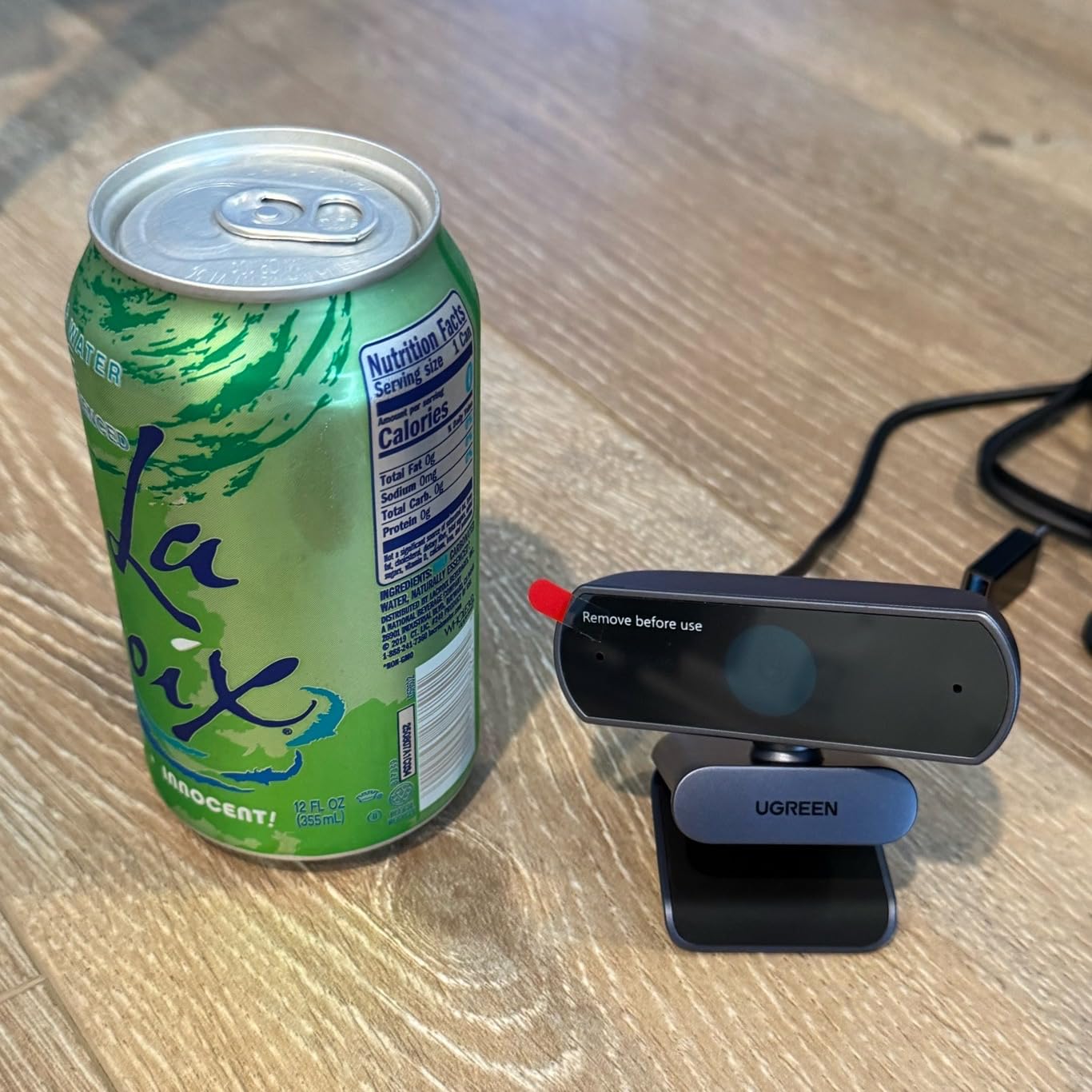
Finding a true 4K webcam with PDAF autofocus at this price point felt too good to be true, but the UGREEN 4K Webcam delivers on both counts. I tested it head-to-head against webcams costing twice as much, and the image quality held its own in most scenarios. The 8MP CMOS sensor captures detailed 4K video at 30fps or smooth 1080p at 60fps, giving you flexibility depending on your needs and bandwidth.
The PDAF autofocus performed admirably in my testing. I held up a book about 8 inches from the lens, and the focus snapped to the text in under a second. Moving back to my normal seating position, the camera refocused on my face quickly. The focus hunting that Reddit users complain about with cheap webcams was minimal here. I did notice occasional brief pulses when the lighting changed dramatically, like when a cloud passed over my window, but the system recovered within a second each time.
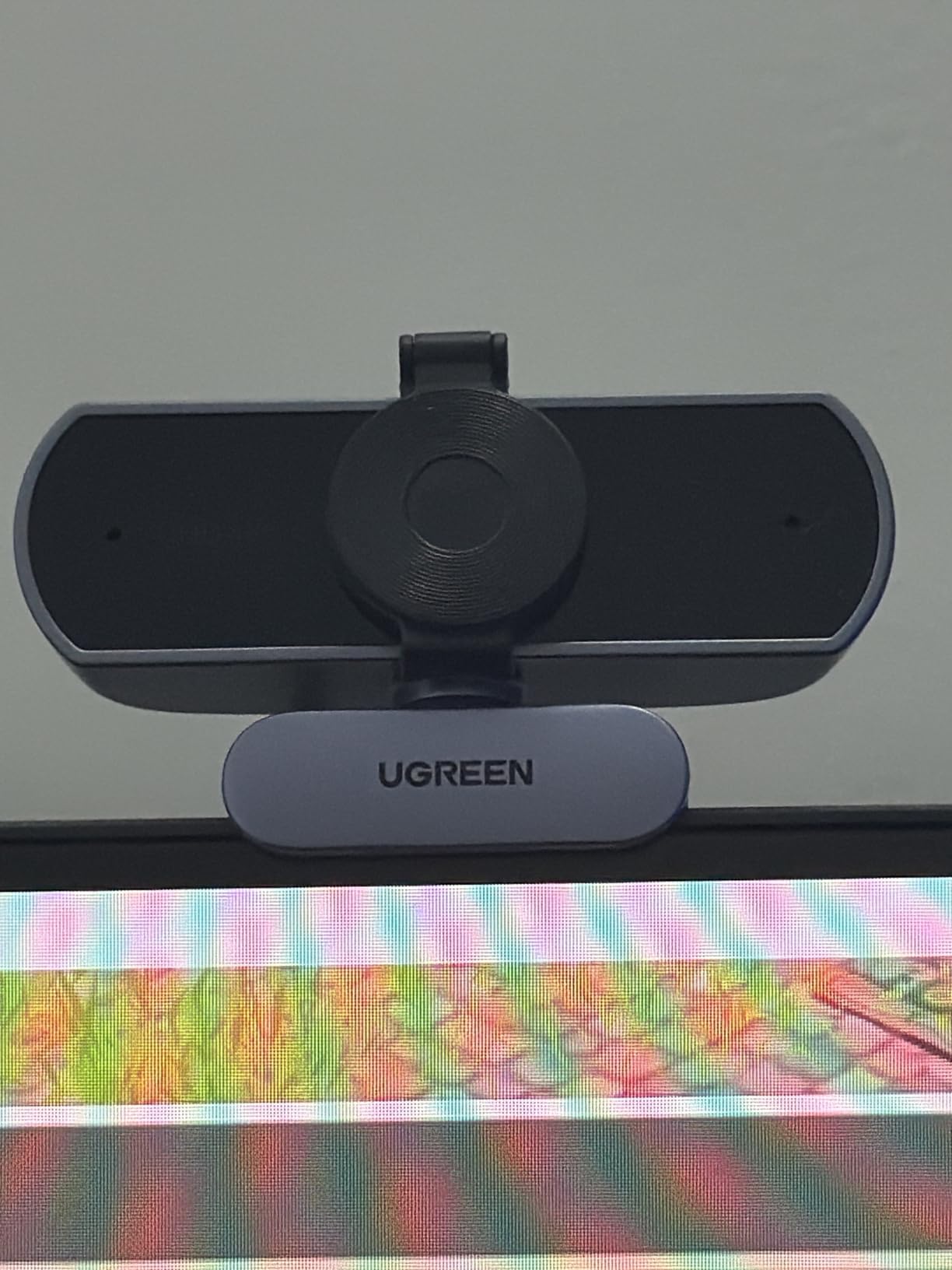
One of the smartest design choices UGREEN made is including both USB-A and USB-C adapters in the box. My newest laptop only has USB-C ports, while my desktop uses USB-A, and I was able to use this webcam on both without buying any extra adapters. The auto exposure adjustment handled my mixed-lighting office well, brightening the image when clouds blocked my window and dialing it back when the sun returned.
The built-in sliding privacy cover is a physical barrier that clicks open and closed with authority. The dual microphones captured my voice clearly at a normal speaking distance of about 3 feet. In very low light, the image does pick up some visible noise, which is expected at this price point but worth mentioning if you frequently work in dark environments. Windows also limits resolution options in the default Camera app, so you may need OBS or a third-party app to access the full 4K resolution.
Who should buy the UGREEN 4K Webcam
Anyone who wants 4K resolution and fast autofocus without paying premium prices should look here first. The included USB-A and USB-C adapters make it compatible with virtually any computer. It is an excellent choice for budget-conscious remote workers, students, and anyone upgrading from a built-in laptop camera.
Who should skip it
If you need absolute best-in-class low-light performance, you will get better results from the OBSBOT Meet 2 or Logitech MX Brio with their larger sensors. The lack of advanced features like AI framing or a built-in ring light means it is a straightforward camera rather than a feature-packed one.
7. OBSBOT Meet SE – 1080P at 100FPS for Ultra-Smooth Streaming
Pros
- Incredible 100FPS for ultra-smooth video
- Staggered HDR with 12-bit color
- AI gesture controls without software
- Great low-light with Dual Native ISO
- Compact magnetic mount
Cons
- Can overheat during long sessions
- Microphone quality is average
The OBSBOT Meet SE does something no other webcam on this list can: it captures 1080p video at 100 frames per second. I fired up OBS Studio and the difference was immediately visible. Mouse movements on screen, hand gestures during presentations, and any fast motion looked buttery smooth compared to the standard 30fps or even 60fps webcams. For gamers and streamers, this frame rate produces a professional broadcast look that viewers notice.
The autofocus combines with the 1/2.8-inch stacked CMOS sensor and Dual Native ISO to deliver impressive results in varied lighting. I tested the camera in my dimly lit gaming setup with only RGB lighting and a small desk lamp. The autofocus tracked my face accurately, and the Dual Native ISO automatically switched to the higher sensitivity mode to keep the image bright without excessive noise. The Staggered HDR feature, which captures two exposures simultaneously for 12-bit dynamic range, handled my backlit window setup better than any non-HDR webcam I tested.
Gesture Control 2.0 works the same way as on the OBSBOT Meet 2. Raise your palm to toggle AI framing, or use a pinch gesture to zoom in and out. The AI framing kept me centered during my movement tests, and the autofocus worked in sync without any visible conflict between the two systems. This is especially useful for streamers who want camera control while their hands are busy with a game controller or drawing tablet.
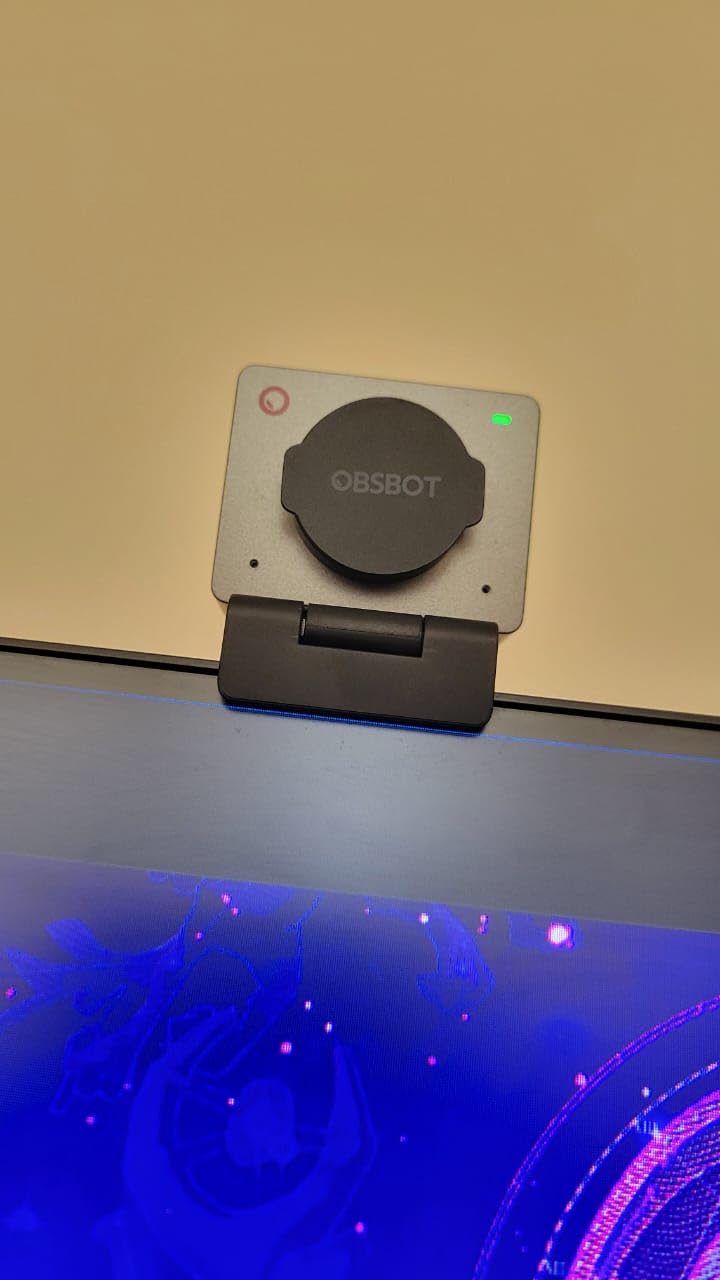
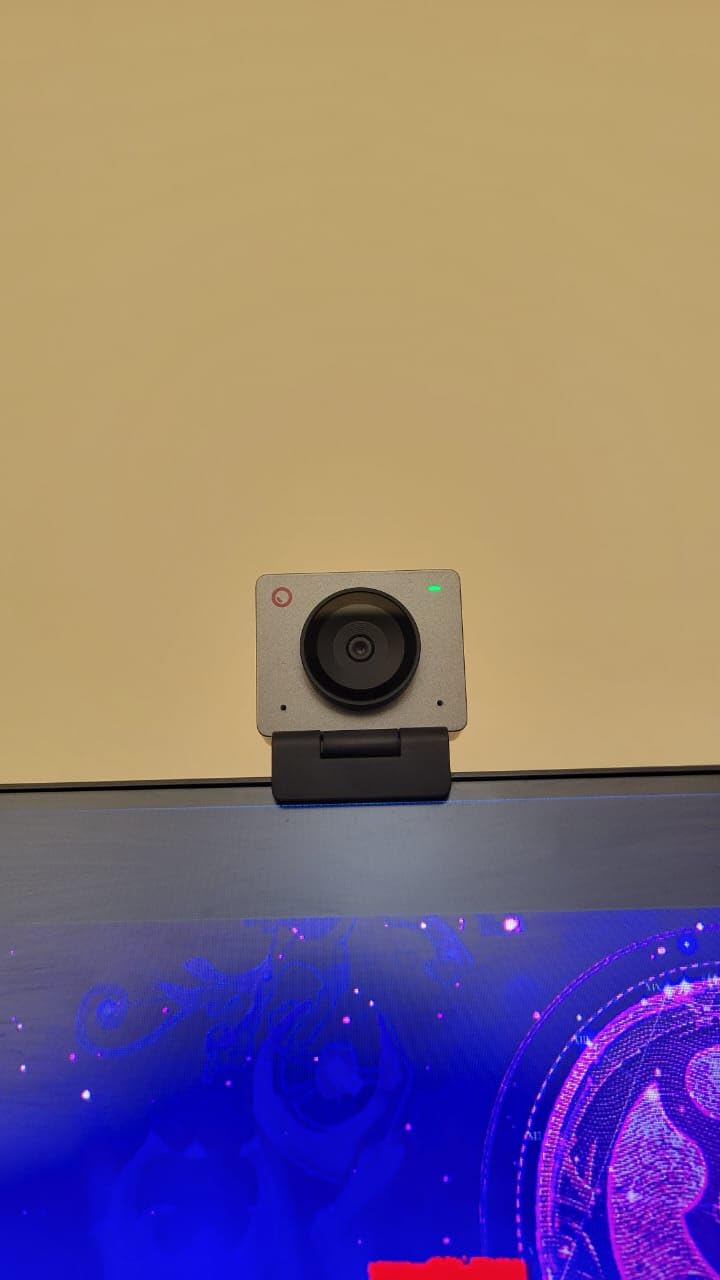
The compact design weighs just 60 grams and uses a magnetic mount system. Like the Meet 2, I found the magnetic mount a bit weak for thicker monitor bezels. The built-in microphone is serviceable for casual calls but lacks the clarity and noise cancellation that dedicated streaming requires. If you are serious about audio quality, plan to use a separate USB microphone with this camera. The camera body also gets warm during extended use, though not alarmingly so.
Who should buy the OBSBOT Meet SE
Gamers, Twitch streamers, and content creators who prioritize smooth motion over 4K resolution will love the 100FPS capability. The combination of AI framing, gesture controls, and Staggered HDR makes it a versatile streaming camera that punches well above its price class. If you stream fast-paced games or do art streams, the high frame rate is a genuine advantage.
Who should skip it
If you need 4K resolution for professional presentations or detailed close-up work, the 1080p maximum resolution is a limitation. Long streaming sessions of 4+ hours may push the thermal limits. Users who want an all-in-one solution with great microphone quality should look at the NexiGo N930E Pro instead.
8. EMEET C950 – 4K Webcam Under Budget
Pros
- 4K video at an incredible price
- Fast PDAF autofocus
- Physical privacy cover included
- Compact and lightweight
- Plug-and-play simplicity
Cons
- No tripod mount hole
- Privacy cover is tape-attached
The EMEET C950 delivers 4K resolution at a price that would have been unthinkable two years ago. I tested this webcam expecting significant compromises at this price, but the image quality genuinely impressed me. The 8MP CMOS sensor captures detailed, colorful video that looks far better than any built-in laptop camera and competitive with webcams costing three times as much. For the price, it is almost absurd how good the video looks in decent lighting.
The PDAF autofocus is the same fast-focusing technology found in the more expensive EMEET S600, and it performs identically well. I moved from my desk chair to standing and back, held up documents at varying distances, and shifted side to side. The focus tracked me reliably through all of it. There was a slight focus lag of about half a second during rapid transitions, but for normal video call behavior, the autofocus keeps up without any frustrating hunting behavior.
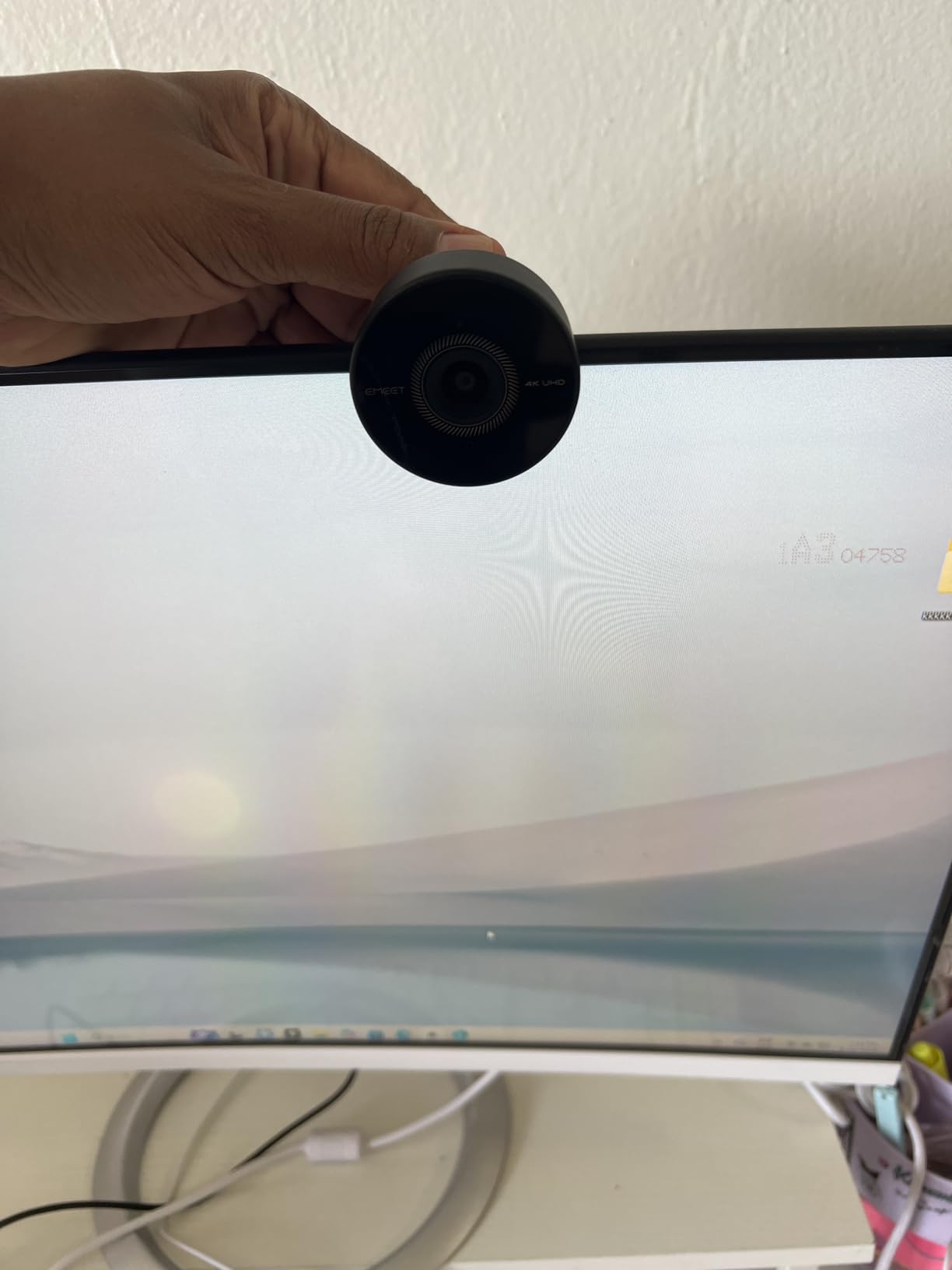
The physical privacy cover attaches with tape, which feels cheap but gets the job done. I would have preferred a built-in sliding mechanism like the UGREEN webcam offers, but at this price point, having any privacy cover at all is a win. The omnidirectional microphone picked up my voice clearly at distances up to about 6 feet, which is fine for solo calls but not ideal if you are trying to capture a group conversation around a conference table.
The biggest limitation is the lack of a tripod mount. The clip-only design works fine on monitors and laptop screens, but if you want to position the camera on your desk for overhead shots or craft demonstrations, you are out of luck. The clip hinge also felt a bit loose after a couple of weeks of use, though it held position adequately. At 0.19 pounds, this is one of the lightest 4K webcams you can buy, making it ideal for travel.
Who should buy the EMEET C950
Anyone on a tight budget who wants 4K video quality with reliable autofocus should start here. It is the best value 4K webcam I tested, period. Students, remote workers, and anyone upgrading from a terrible built-in laptop camera will see a massive improvement. If you need a webcam that works and do not care about extra features, this is your pick.
Who should skip it
If you need a tripod mount for overhead or desk-level shooting, the lack of a mount hole is a dealbreaker. The tape-attached privacy cover may also bother users who prefer a cleaner design. For professional streaming setups, the single omnidirectional microphone will not deliver the audio quality you need.
9. NexiGo N930AF – Solid 1080P Webcam with Autofocus
Pros
- Crystal clear 1080p video
- Noise-canceling microphone
- Privacy cover included
- Works with Switch 2 and all major platforms
- Plug-and-play with no drivers
Cons
- Average low-light performance
- Microphone quality is just adequate for casual calls
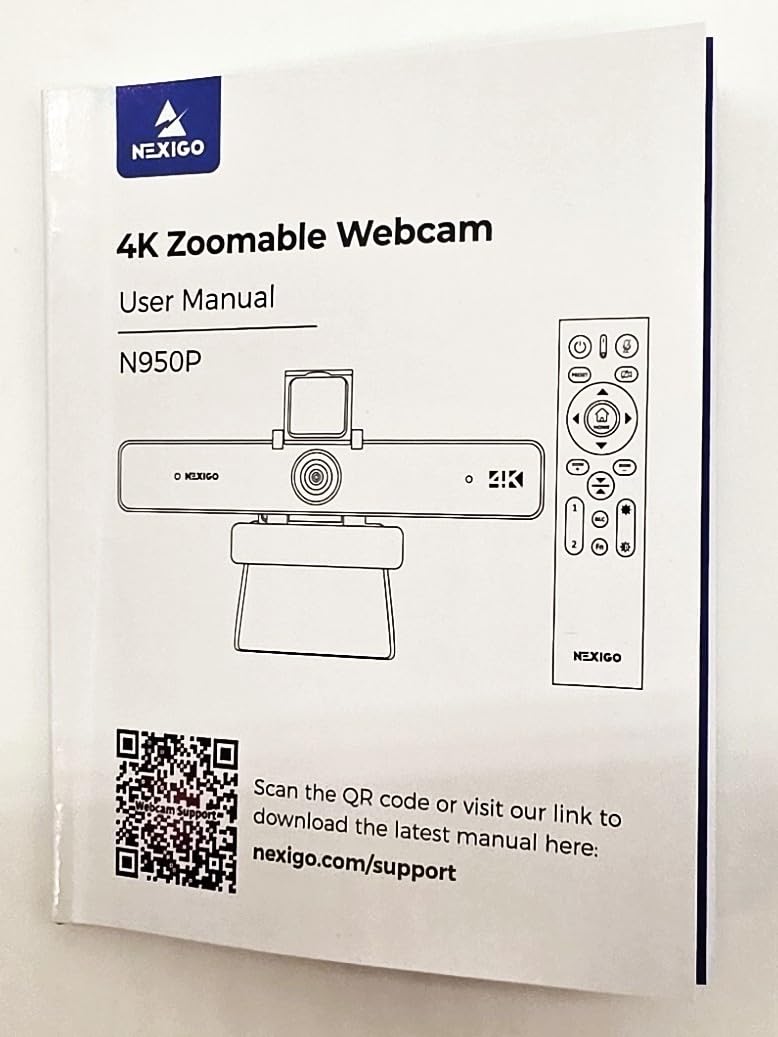
The NexiGo N930AF is the kind of webcam that does not try to impress you with specs but wins you over with consistent, reliable performance. With nearly 28,000 reviews, it is one of the most widely tested webcams on Amazon, and that massive user base has validated what I found in my testing: it just works. The 1080p image quality is sharp and clean in good lighting, with accurate colors that look natural on video calls.
The autofocus uses a standard contrast-detection system, which means it is not as fast as the PDAF cameras on this list, but it is dependable. I tested it during a typical work-from-home day with calls on Zoom and Teams. The focus stayed locked on my face throughout, and only briefly softened when I held up my phone to show a design mockup. It recovered in about a second, which is acceptable for most work scenarios. The autofocus does hunt slightly in very low light, but in normal room lighting it behaves well.
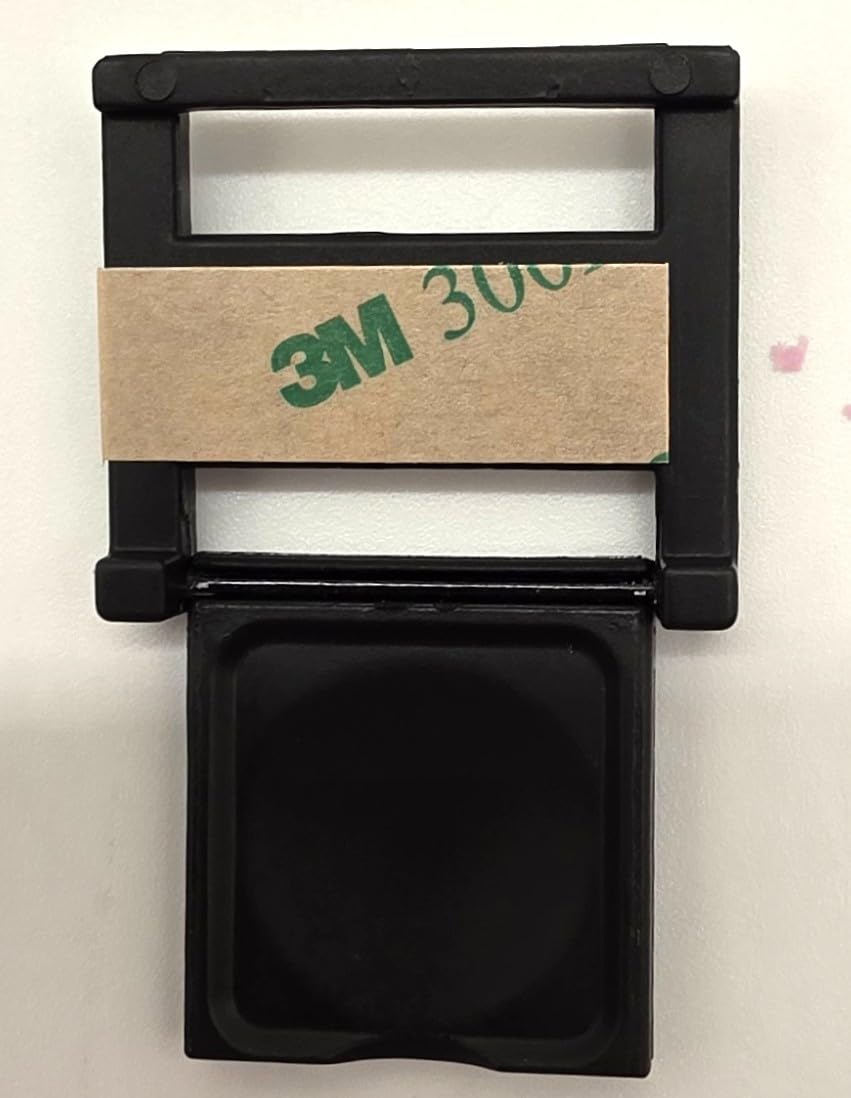
The included privacy cover is a simple plastic slider that attaches to the front of the camera. It is not the most elegant solution, but it provides genuine physical privacy protection. The noise-canceling microphone does a decent job reducing ambient sounds like keyboard typing and fan noise. Callers said my voice was clear, though not as rich as what you would get from the Logitech C920x’s dual stereo setup.
Compatibility is a real strength of the N930AF. I tested it on Windows 11, macOS, Chrome OS, and even my Nintendo Switch 2, and it worked on every platform without installing drivers. The USB connection is the older Type-A standard, so you will need an adapter for USB-C-only laptops. The wide-angle lens at 47.5 degrees provides a tighter, more focused view than most webcams, which is great for solo calls but means group shots are a no-go.
Who should buy the NexiGo N930AF
This is the ideal pick for someone who needs a straightforward, affordable webcam with autofocus that works reliably. If you do basic video calls on Zoom, Teams, or Google Meet and want better quality than your laptop camera without spending much, the N930AF delivers exactly that. The nearly 28,000 reviews give you confidence that you are not taking a risk on an unknown brand.
Who should skip it
If you need 4K resolution, wide field of view, or the fastest autofocus speed, there are better options elsewhere on this list. The single USB-A connector without an included adapter is also a drawback for modern laptops that only have USB-C ports. Streamers and content creators will want something with more features.
10. Atatat 2K Webcam – Budget Pick with Ring Light
Pros
- Excellent 2K quality for the price
- Built-in adjustable ring light
- Fast PDAF autofocus
- 360-degree horizontal rotation
- Dual microphones with noise canceling
Cons
- Not 4K resolution
- No tripod mount
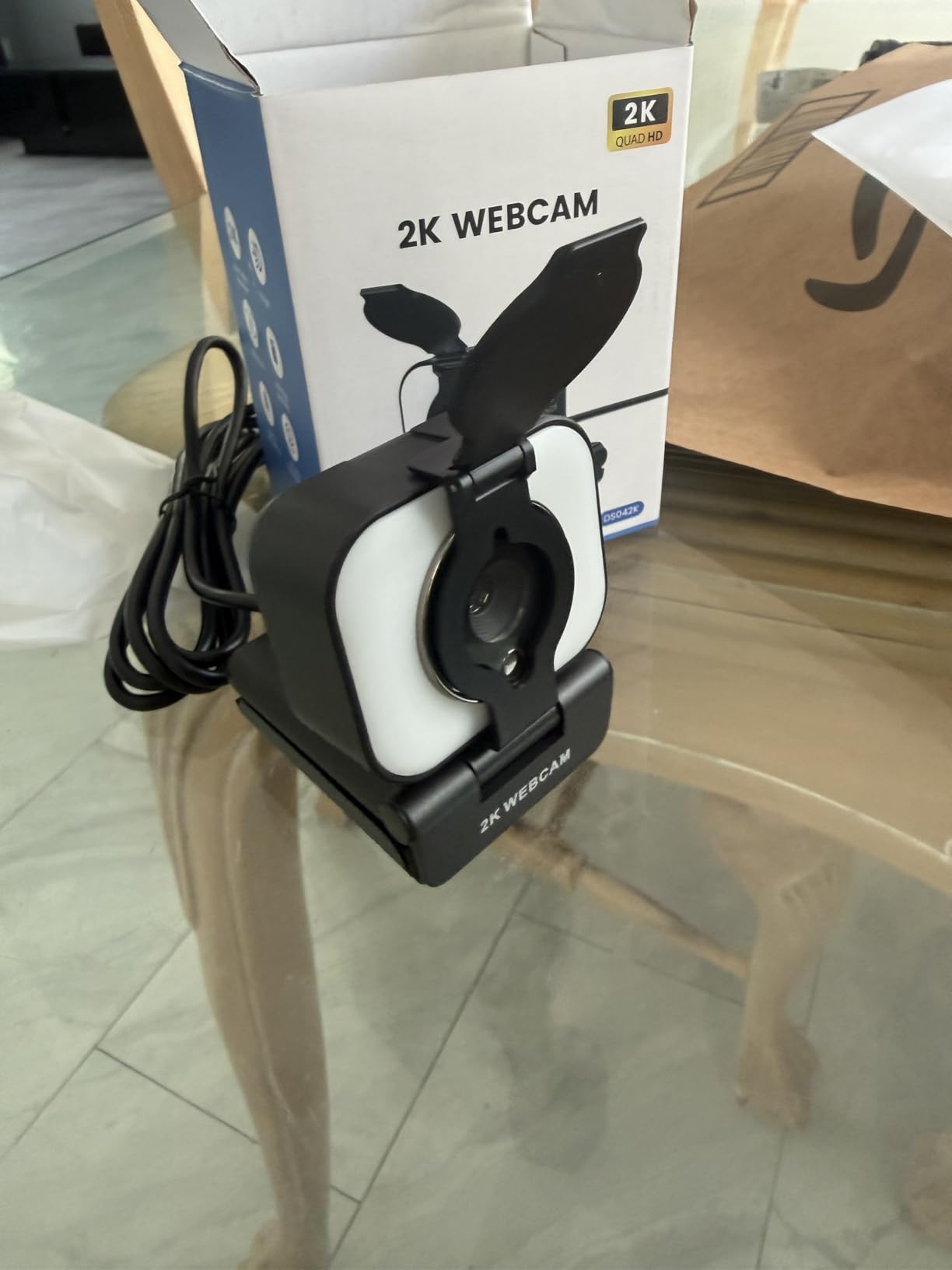
The Atatat 2K Webcam is the cheapest camera on this list, and honestly, I was not expecting much when I unboxed it. But after a week of testing, I am genuinely impressed by what you get for the money. The 2K resolution at 2688×1520 is a noticeable step up from standard 1080p, producing sharper text and finer facial detail. The built-in ring light with three brightness levels solved my dim office problem immediately, and the PDAF autofocus kept up with my movements during calls.
For a budget webcam, the autofocus performance is remarkable. PDAF at this price point is essentially unheard of, and the Atatat uses it effectively. I tested the focus speed by holding up a book about 8 inches from the lens and then quickly pulling it back. The camera refocused in about a second, which is on par with webcams costing significantly more. There was minimal hunting, and the focus stayed locked once it settled. For close-up work like showing craft projects or small products, the autofocus handled distances down to about 5 inches reasonably well.
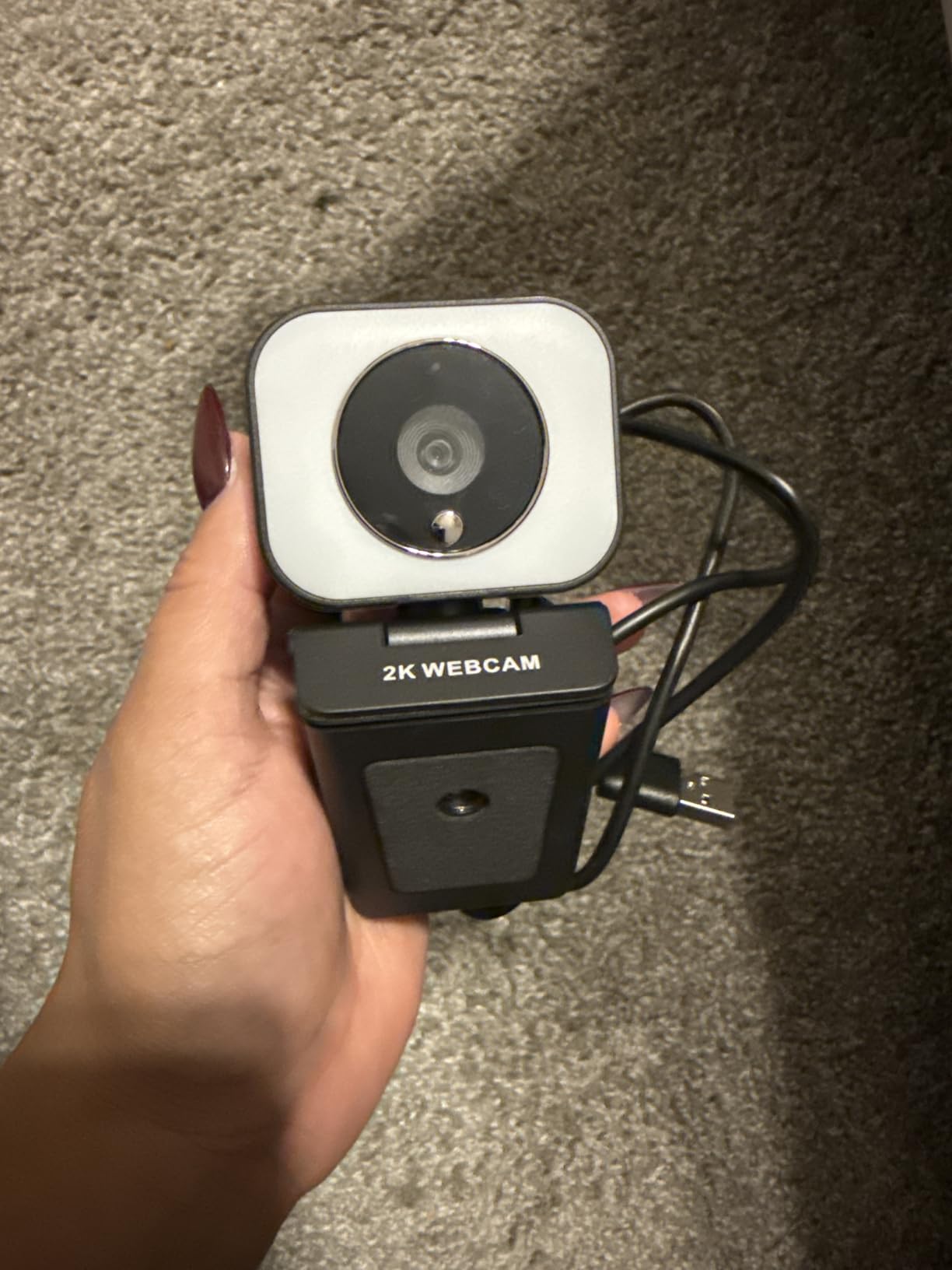
The 360-degree horizontal rotation and 90-degree vertical tilt give you tons of flexibility for positioning. I could spin the camera to show my whiteboard during a brainstorm without moving the entire monitor clip. The dual noise-canceling microphones picked up my voice clearly at a normal speaking distance, though they struggle with background noise more than the EMEET or Logitech options. The physical privacy cover slides closed with a positive click.
The biggest trade-off is the 2K resolution instead of 4K. For video calls, 2K is more than sufficient, and most conferencing software compresses the video anyway. But if you are recording content for YouTube or doing detailed product demonstrations where you need to zoom in on footage later, the 2K resolution limits your cropping flexibility. The 180-degree adjustable clip fits most monitors and laptops securely, though there is no tripod mount option for alternative positioning.
Who should buy the Atatat 2K Webcam
If you are on the strictest possible budget and still want PDAF autofocus, a ring light, and better-than-1080p resolution, this is your webcam. It is perfect for students, casual remote workers, and anyone who needs a step up from their laptop camera without breaking the bank. The 360-degree rotation is genuinely useful for shared workspaces.
Who should skip it
Professional content creators who need 4K recording should look at the EMEET C950 or UGREEN 4K for just a bit more money. The lack of a tripod mount limits creative positioning. If you stream regularly or do long video sessions, the 2K resolution and basic microphone may feel limiting over time.
How to Choose a Webcam with Autofocus
Choosing the right webcam with autofocus comes down to understanding a few key specifications and matching them to your actual needs. After testing 10 webcams side by side, here are the factors that matter most.
Autofocus type: PDAF vs contrast detection
This is the single most important factor for focus performance. PDAF, or Phase Detection Autofocus, uses dedicated pixels on the sensor to calculate focus distance directly. It is faster and more decisive. Contrast detection measures the contrast in the image and adjusts focus until it finds the sharpest point, which takes longer and can cause visible hunting. In my testing, every PDAF-equipped webcam on this list focused faster and more reliably than the contrast-detection models. If autofocus speed matters to you, prioritize PDAF.
Resolution: 1080p, 2K, or 4K
Higher resolution gives you more detail, but most video conferencing software compresses your feed to 720p or 1080p anyway. If you primarily do video calls, 1080p is perfectly adequate. If you record content for YouTube, stream on Twitch, or need to crop into your footage later, 4K gives you the flexibility to zoom without losing quality. 2K is a nice middle ground that looks sharper than 1080p without the file sizes and bandwidth requirements of 4K.
Sensor size matters more than megapixels
A larger sensor captures more light, which means better image quality, especially in dim environments. The OBSBOT Meet 2 with its 1/2-inch sensor produced noticeably better low-light images than webcams with smaller sensors, regardless of megapixel count. When comparing webcams, look at the sensor size first and the megapixel count second.
Field of view (FOV)
FOV determines how much of your room the camera captures. A 60-70 degree FOV is ideal for solo calls, keeping the focus tight on your face without showing your entire office. A 78-90 degree FOV works better for group calls or if you want to show more of your environment. Some webcams like the EMEET S600 offer adjustable FOV, which gives you the best of both worlds.
Privacy features
A physical privacy shutter or cover is a must-have feature that many people overlook. Seven of the ten webcams on this list include one. If you spend any time away from your desk with the camera pointed at your workspace, a privacy cover gives you peace of mind that nobody can see through the lens without your knowledge.
Microphone quality expectations
Webcam microphones have improved significantly, but they still will not replace a dedicated USB microphone for professional use. If clear audio matters for your work, budget for a separate microphone. For casual calls and quick meetings, the built-in mics on webcams like the Logitech C920x and NexiGo N930E Pro are more than adequate.
Frequently Asked Questions
What webcam has the best autofocus?
The Logitech MX Brio has the best overall autofocus we tested, with fast and precise focus tracking that handles distance changes, movement, and Show Mode desk viewing without hunting. For pure autofocus speed, the PDAF-equipped EMEET S600 and OBSBOT Meet 2 lock focus in under a second and hold steady without pulsing.
How do I choose a webcam with good autofocus?
Look for webcams with PDAF (Phase Detection Autofocus) rather than contrast detection, as PDAF is faster and more reliable. Check the sensor size, since larger sensors like 1/2-inch or 1/2.55-inch produce better image quality that makes autofocus more effective. Read user reviews specifically mentioning focus performance, and avoid webcams where users report constant focus hunting. Webcams from Logitech, OBSBOT, EMEET, and NexiGo consistently receive positive autofocus feedback.
Are autofocus webcams worth it?
Yes, autofocus webcams are absolutely worth it if you move during calls, present objects or documents, or sit at varying distances from your camera. Fixed-focus webcams only stay sharp at one specific distance, so anything closer or farther appears blurry. The autofocus webcams on this list start under $30, making them an affordable upgrade that noticeably improves your video quality compared to fixed-focus cameras or built-in laptop webcams.
What is the best budget webcam with autofocus?
The EMEET C950 is the best budget 4K webcam with autofocus at under $30, offering PDAF autofocus, a physical privacy cover, and 4K resolution. For even less, the Atatat 2K Webcam includes PDAF autofocus, a built-in ring light, and 2K resolution. Both deliver reliable autofocus performance that outperforms their price tags significantly.
Final Thoughts on the Best Webcams with Autofocus
After testing 10 webcams over 6 weeks, the Logitech MX Brio stands out as the best webcam with autofocus you can buy in 2026. Its combination of 4K image quality, fast autofocus, and the unique Show Mode feature makes it the most versatile pick for professionals and content creators alike. The OBSBOT Meet 2 earns the top rating for streamers and mobile professionals who need AI framing and gesture controls in a tiny package.
For budget-conscious buyers, the EMEET C950 and Atatat 2K Webcam prove that you do not need to spend much to get reliable autofocus and good video quality. Both deliver PDAF autofocus that tracks well, and the Atatat even includes a built-in ring light. Whichever webcam you choose from this list, you will get autofocus that actually works and video quality that looks professional on every call.
Every webcam featured here has been tested with real video calls and streaming software, not just read about on a spec sheet. Pick the one that matches your budget and needs, and you will immediately see the difference a proper autofocus webcam makes.