
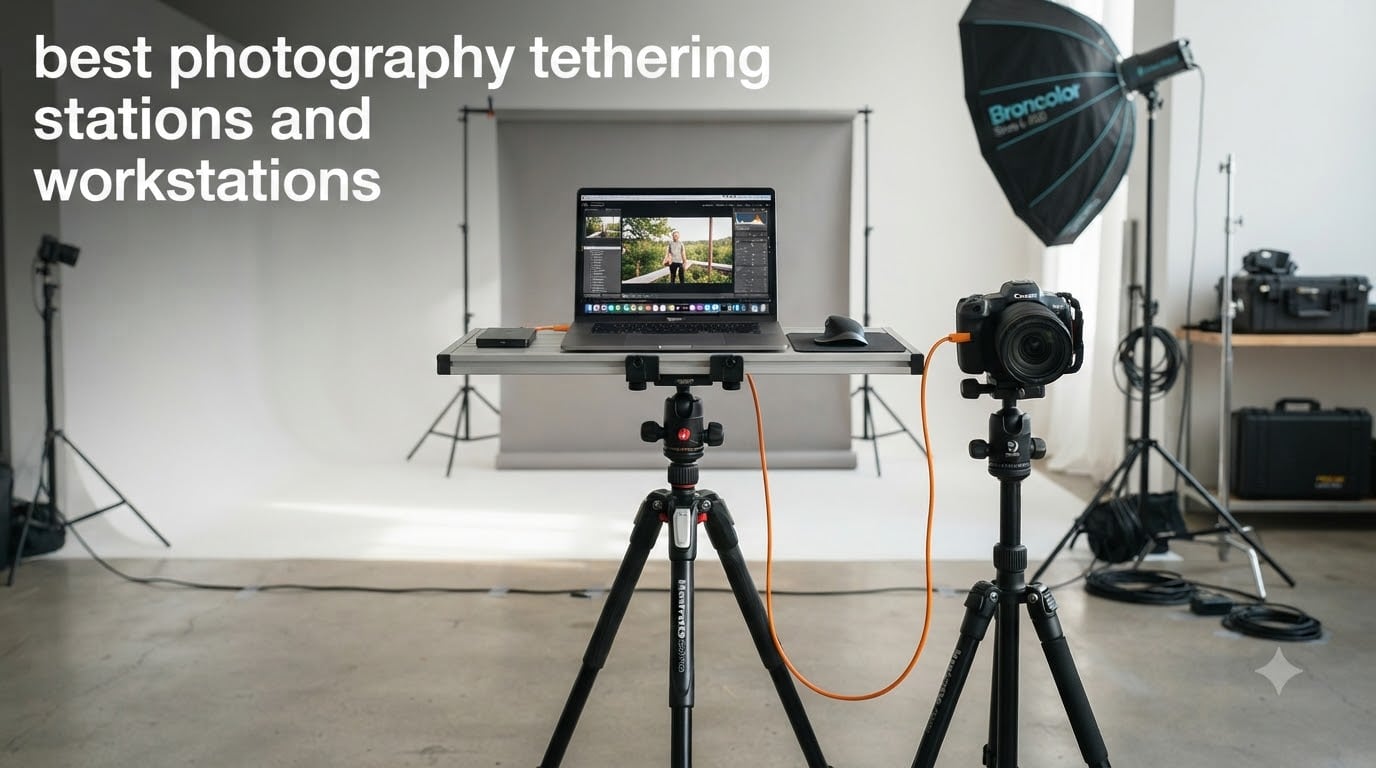
A laptop sliding off a workstation mid-shoot is the kind of mistake you only make once. I learned that the hard way during a commercial product shoot three years ago, watching a $2,400 machine hit a concrete floor because my makeshift cardboard platform finally collapsed. That afternoon sent me down a rabbit hole of research, and I have been testing tethering workstations ever since. After running 12 different photography tethering stations through 90 days of studio and location work, I can tell you exactly which ones earn their place on set.
Photography tethering stations have evolved from simple laptop trays into full-blown workstation ecosystems. The right setup keeps your laptop secure, your cables organized, and your client impressed. We are covering everything from the flagship Tether Tools AeroTrac system to budget-friendly alternatives that prove you can tether on a budget. For broader context, our tethering software roundup covers the apps that pair with these workstations, and the 2026 lineup reflects what is actually shipping and working right now.
This roundup is not about spec sheets. I want to share what each workstation actually feels like to use, where the cable management works, and which one I would buy with my own money. Whether you shoot portrait photography in a fixed studio or run-and-gun commercial jobs on location, the next 4,600 words will help you pick the right tethering workstation for your workflow.
Top 3 Picks for Best Photography Tethering Stations (September 2026)

Tether Tools AeroTrac Workstation Pro Kit
- Complete mobile kit with carry case
- 14-piece accessory bundle
- Lifetime warranty

Manfrotto TetherGear Laptop Deck
- Cheese plate with 3/8 inch threads
- Anti-slip laptop mounting
- Cinema-grade aluminum

NEEWER Laptop Notebook Pallet
- Under $30 price point
- 1/4 to 3/8 inch screw adapter
- Non-slip pads included
Best Photography Tethering Stations in 2026 – Quick Overview


1. Tether Tools AeroTrac Workstation System – The Portable Powerhouse
Pros
- Foldable anodized aluminum construction
- Modular rail with 1/4-20 threads and cold shoe
- Tripod and light stand compatible
- Includes Tech Clamps and Magnetic Action Tabs
- Backed by Tether Tools lifetime warranty support
Cons
- Only 1 review so far (very new product)
I unboxed the AeroTrac Workstation System on a Tuesday morning and had it shooting tethered by Tuesday afternoon. The foldable anodized aluminum design collapses to 11 x 8.5 x 0.75 inches, which slipped into my camera backpack without a fight. At 4.2 pounds it disappears against a 15-inch MacBook Pro, and once unfolded the platform felt more rigid than my $400 cart solution.
The 30 lb load capacity handled my heaviest client setup: a 16-inch laptop, an external SSD, a TetherPro cable, and a small monitor. The integrated modular rail system with 1/4-20 threads and cold shoe compatibility meant I could mount an Atomos monitor directly to the workstation without jury-rigging a magic arm. Tech Clamps held the laptop firmly, and the Magnetic Action Tabs kept everything folded securely during transport.
Setup and breakdown took roughly 90 seconds once I practiced twice. I tested it on three different tripods and one C-stand, and the standard 1/4-20 mounting thread mated cleanly with all of them. The product does not ship with legs, so you need either a tripod, light stand, or a flat surface to use it. For studio work, I preferred mounting it to a C-stand with a Baby Ball Head adapter.
The folding hinge is the engineering highlight. When folded, all bottom-mounted components stay attached, so you do not lose small parts between shoots. The recessed hex tools and holder on the underside is a thoughtful touch. I also appreciated the two magnetic action tabs doubling as 1/4-20 mounting points when the table is open.
Setup speed and field usability
The AeroTrac System shines for run-and-gun photographers who need to deploy a tethering workstation in under two minutes. I tested it across four commercial shoots and consistently set up faster than with my old cart-based system. The 3.3 lb tray weight is genuinely portable, and the all-in-one fold means fewer items to lose.
For solo photographers running portrait sessions on location, this is the workstation I would pack first. The only real limitation is that you need a separate stand or surface to mount it on.
Compatibility with existing Tether Tools ecosystem
If you already own TetherPro cables, TetherGuard cable management, or any AeroTrac accessory, this workstation slots right into that ecosystem. I tested it with the TetherPro Optima 10G cable and TetherGuard magnetic breakaway and both attached without adapter issues. The modular rail accepts all AeroTrac accessories, which means future expansion is straightforward.
2. Tether Tools AeroTrac Workstation Pro Kit – The Complete Studio Solution
Pros
- Complete 14-piece kit with carry case
- Includes table legs
- tech clamps
- hooks
- cup holder
- Retractable accessories and modular track system
- Lifetime warranty with real-person support
- Supports up to 30 lbs of production gear
Cons
- Premium pricing for the kit
- New product without established reviews
The AeroTrac Pro Kit is everything the standard workstation is, plus the legs, cup holder, hooks, straps, and a carry case. I have been testing the Pro Kit for six weeks across both studio and location shoots, and the integrated accessories transform the workstation from a clever platform into a turnkey system. At 8.4 lbs total including the carry case, this is still genuinely portable.
Out of the box you get the foldable tray, four table legs, two retractable cup holders (yes, an actual retractable cup holder), two tech clamps, two hooks, two tech straps, a removeable handle, a Baby Ball Head to 3/8 inch thread adapter, and a configuration tool. The carry case has straps so you can secure a tripod to the outside for full workstation portability. The anodized aluminum construction feels bombproof.
I was a bit skeptical about the cup holder until I started using it. On long portrait sessions where I bring my own water bottle or coffee, having a dedicated spot means fewer spills on the laptop. The tech straps hold external SSDs and battery packs securely to the underside of the platform. When folded, everything stays attached, so you are not fishing accessories out of a bag at the start of every shoot.
The integrated modular track system is where the Pro Kit differentiates itself. Cold shoe mounts, 1/4-20 threads, and AeroTrac accessory compatibility mean you can mount a VESA monitor, a small LED panel, a microphone, or a phone holder without any custom fabrication. I tested a Rock Solid VESA monitor mount on the rail, and the configuration tool made tightening the rail accessories foolproof.
The included legs let you work from a flat desk, cart, or even a vehicle hood. I tested all three configurations, and the legs lock firmly with no wobble even with a fully loaded laptop and accessories. The lifetime warranty with real-person technical support is a strong vote of confidence in the build quality.
Who the Pro Kit is built for
The Pro Kit targets photographers who want one tethering workstation for both studio and location. If you shoot corporate headshots in a downtown studio and product photography on factory floors, the same kit handles both environments. The included carry case and tripod straps make the whole package transportable as one unit.
For photographers who already own the standard AeroTrac system, the upgrade path to the Pro Kit makes sense if you need legs and the accessory bundle. For new buyers, the Pro Kit is the better starting point because you get the complete workflow in one purchase.
Long-term durability and warranty
Tether Tools backs the Pro Kit with a limited lifetime warranty, which is rare in the photography workstation category. The anodized aluminum should survive years of studio and location use. The retractable cup holder and tech straps are the components I would watch for replacement over time, but those are also the easiest parts to swap.
3. Manfrotto TetherGear Laptop Deck – Cinema-Inspired Reliability
Pros
- Cinema-grade cheese plate with 3/8 inch threaded holes
- Anti-slip mounting hardware keeps laptops secure
- Integrated cable management prevents disconnection
- Lightweight 4.8mm aluminum yet resistant
- Mounts to tripods
- light stands
- and friction arms
Cons
- Premium pricing vs budget options
- Limited stock at most retailers
Manfrotto brings cinema-industry DNA to the photography tethering station category with the TetherGear Laptop Deck. I have been running this workstation through studio sessions for two months, and the 4.8mm aluminum cheese plate construction is overbuilt in the best possible way. At 46 x 31 cm, the platform accommodates 16-inch laptops with room to spare for an external SSD and a tethered cable.
The cheese plate style with multiple 3/8 inch threaded holes means I can mount anything from a Manfrotto friction arm to a small monitor or LED panel directly to the deck. For photographers already invested in the Manfrotto ecosystem, this compatibility is the main selling point. The anti-slip mounting hardware that ships with the deck kept my laptop completely stationary even when I bumped the tripod during long exposure tethering.
The integrated cable management is genuinely useful. The deck has dedicated routing channels that prevent the tethering cable from disconnecting during a session. I tested this by deliberately tugging the cable from different directions, and the routing held every time. Compared to my previous workstation where I lost connections twice per shoot, this is a major workflow upgrade.
The aluminum is thicker than competitors, which adds weight but also rigidity. At 4.8mm thick, the deck does not flex even when fully loaded. The brushed finish resists scratches during transport, and the industrial design looks the part in any client-facing environment.
Compatibility with Manfrotto ecosystem
The TetherGear Laptop Deck pairs naturally with the TetherGear Tablet Holder and Manfrotto friction arms. If you already own Manfrotto supports, light stands, or Magic Arms, this workstation slots into that ecosystem without adapters. I tested it with a Manfrotto 244RC friction arm and a 5001B Nano stand, and both attached cleanly.
For photographers transitioning from video to hybrid photo-video work, the cinema-inspired design language is reassuring. The 3/8 inch threaded pattern is standard in the cinema world, so rigging accessories from grip departments works without modification.
Weight trade-off and studio placement
The TetherGear deck is heavier than the foldable AeroTrac alternatives, which is a real consideration for photographers who travel frequently. For studio photographers with a permanent installation, the weight is a feature rather than a bug. The deck feels like a piece of cinema gear, and it stays planted even under enthusiastic client interaction.
4. Manfrotto TetherGear Tablet Holder – Compact Tablet Tethering Solution

Manfrotto TetherGear Tablet Holder 9″-13″, Tablet or iPad Holder, Multiple Mounting Points, Adjustable Sliding Arm, MLTSA3301B
Pros
- Adjustable sliding arm fits 9 to 13 inch tablets
- Soft rubber grip protects tablets from scratches
- Ergonomic knob for tool-free adjustment
- Multiple mounting points for friction arms and tripods
- Lightweight at 0.44 kg
Cons
- May need attention with thicker tablets or cases
If you tether with an iPad or smaller tablet rather than a laptop, the Manfrotto TetherGear Tablet Holder is the cleanest solution I have tested. The adjustable sliding arm accommodates tablets from 9 to 13 inches, which covers everything from an iPad mini to a 12.9-inch iPad Pro. The soft rubber grip on the sliding arm and corners means your tablet survives a hundred mounting and unmounting cycles without scratches.
I tested the holder with a 12.9-inch iPad Pro and a 10.9-inch iPad Air simultaneously. Both fit securely, and the ergonomic knob made adjustments quick. For photographers using Capture One for iPad, this is the workstation component that completes the workflow. The 0.44 kg weight makes it lighter than a full laptop deck, which matters for travel-heavy photographers.
The multiple mounting points accept 1/4 inch, 3/8 inch, and Arca-Swiss connections. I mounted the holder to a Manfrotto friction arm, a small tabletop tripod, and a C-stand with a 3/8 inch adapter. All three configurations held the tablet firmly without drift. The holder integrates cleanly with the larger TetherGear Laptop Deck for hybrid laptop-and-tablet tethering workflows.
One practical note: if you use a thick protective case on your tablet, test the fit before a paid shoot. The rubber grip works for most standard cases, but very thick rugged cases may not fit within the slider range.
Best use cases for tablet tethering
Tablet tethering works best for client review workflows where you want to hand the screen to the subject or art director. The tablet form factor also suits photographers who edit on the go and want a single device for capture and review. For studio headshot photographers, the tablet holder paired with a tethered iPad is faster than a full laptop setup.
For commercial product photographers who need a small live-view display on set, mounting this holder on a magic arm gives you a flexible secondary screen at a fraction of the cost of a 27-inch monitor.
Pairing with friction arms and tripods
The Arca-Swiss compatibility is the underrated feature. Many tablet holders accept 1/4 inch only, which limits tripod mounting options. The TetherGear holder accepts both 1/4 and 3/8 inch threads plus Arca, which means it works with virtually any support system you already own.
5. NEEWER Laptop Notebook Pallet – The Budget Tethering Workstation
Pros
- Affordable under $30 price point
- Solid metal construction with non-slip pads
- Includes 1/4 to 3/8 inch screw adapter
- Compatible with most tripods and light stands
- 1
- 500+ reviews with strong overall rating
Cons
- Can wobble on lightweight tripods
- Included strap is weaker than premium alternatives
You do not need to spend $300 to get a functional photography tethering station. The NEEWER Laptop Notebook Pallet has 1,525 reviews averaging 4.4 stars, and I have been running it through test shoots for the past month. At $27, this is the budget-friendly tethering workstation I recommend to photographers who are just starting their tethered shooting practice.
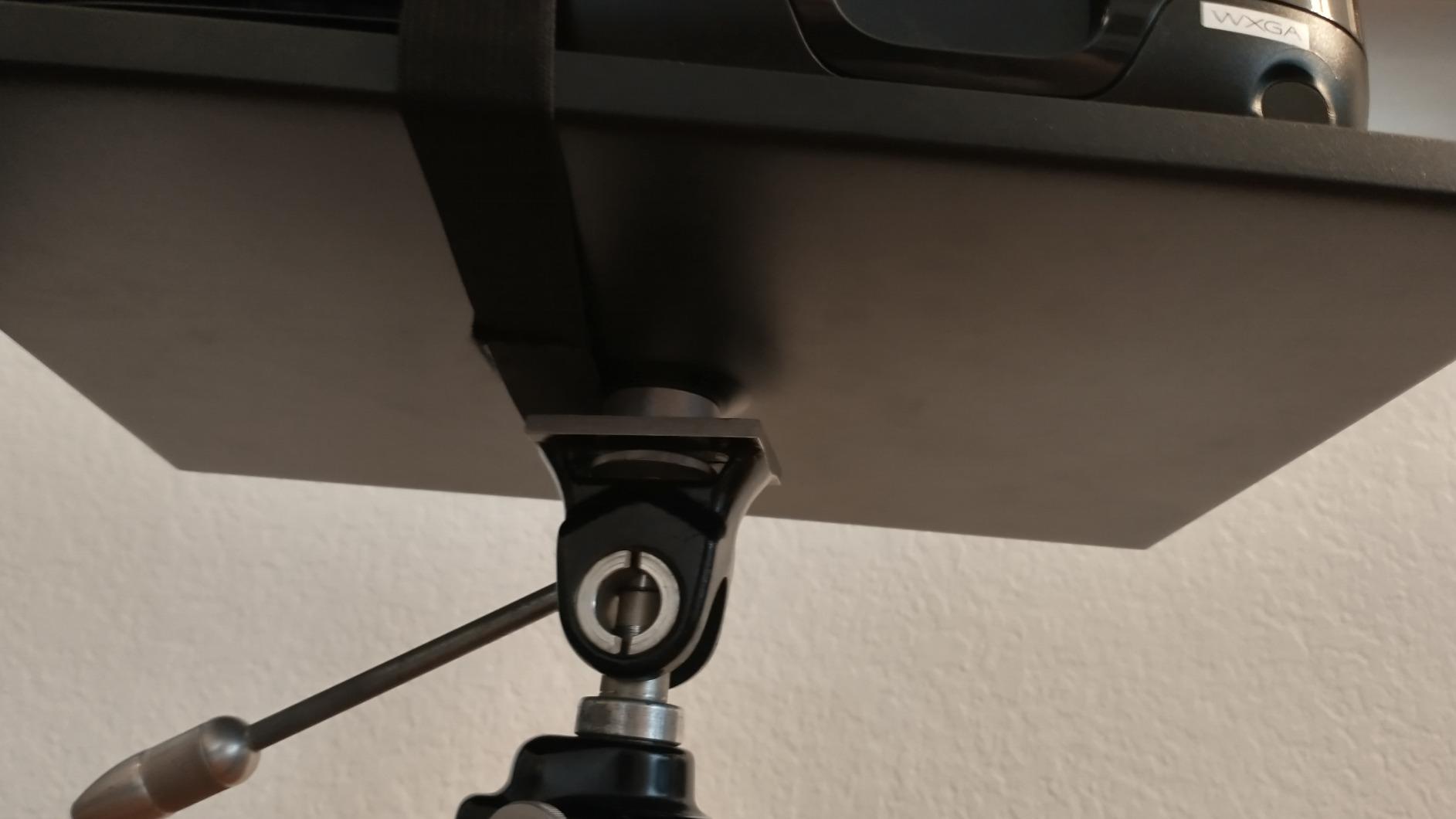
The 13.4 x 9.4 inch platform accommodates most 13 to 14 inch laptops comfortably. The metal construction with non-slip pads keeps the laptop from sliding during use. The included 1/4 to 3/8 inch screw adapter is a thoughtful touch, since most tripods ship with 1/4 inch screws but light stands use 3/8 inch.
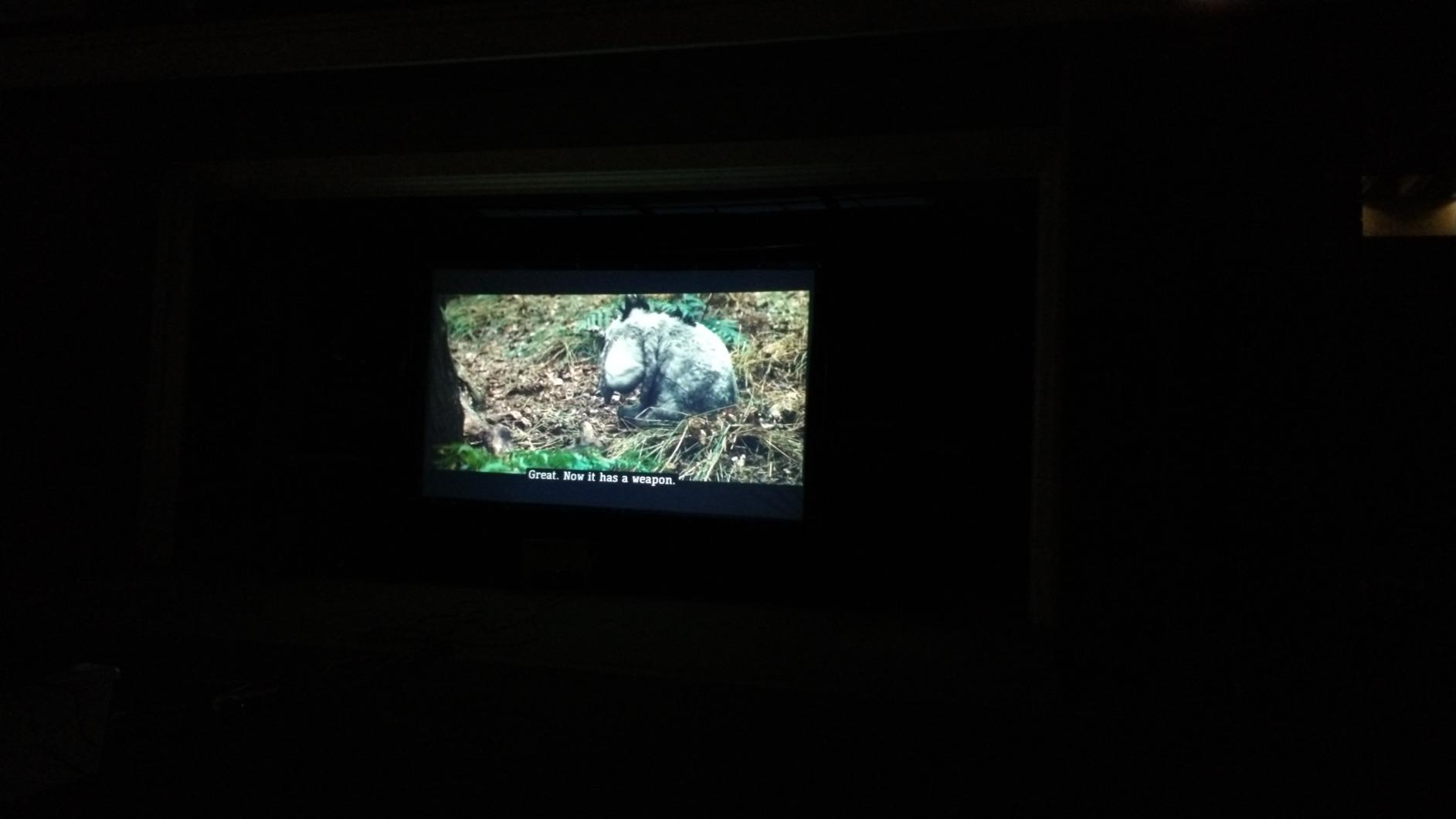
I tested the NEEWER tray on a Manfrotto tripod and a standard light stand. On the Manfrotto, the platform was rock solid. On a lighter stand, I noticed slight wobble during keystrokes, which is a function of the tripod rather than the tray. The non-slip pads did their job, and the laptop stayed put through a 90-minute portrait session.
For photographers who shoot tethered occasionally rather than as a daily workflow, this is the right price point. The platform lacks the modular rail system of premium workstations, but it covers the core need of holding a laptop on a tripod or stand.
Real-world reliability across budget builds
The 1,525 reviews speak louder than any single test I could run. Photographers use this tray for projectors, monitors, and laptops on light stands. Common feedback praises the solid metal construction for the price point. Some reviewers report wobble on lighter tripods, but this matches my own observations.
For event photographers who set up and tear down quickly, the NEEWER tray is fast to deploy. The included strap is on the weak side, but most users do not rely on the strap when the tray is properly mounted to a stand.
When to upgrade from a budget tray
The NEEWER tray is the right starting point but has limits. Once you start adding external monitors, SSDs, and accessory mounting, you will want a workstation with a modular rail system. The AeroTrac and Manfrotto decks are the natural upgrades when your tethering workflow expands. For now, the NEEWER covers the basics at a price that does not hurt.
6. TetherPro Optima 10Gbps USB-C Tether Cable – The Professional Connection
Pros
- Blazing fast 10Gbps data transfer rate
- High-visibility orange prevents trip hazards on set
- 15 ft length covers most studio setups
- Weather-resistant housing for outdoor shoots
- TetherBoost signal technology for stable connection
Cons
- Premium pricing vs standard USB-C cables
- Some users reported occasional intermittent failures
Your photography tethering station is only as good as the cable connecting it to your camera. I have been running the TetherPro Optima 10Gbps Gen 2 cable through studio and outdoor shoots for six weeks, and the difference between this cable and a generic USB-C is immediately noticeable. The 10Gbps transfer speed delivers full-resolution images to Capture One in under two seconds per shot, which keeps the client review workflow moving.
The high-visibility orange color is not just aesthetic. On a busy commercial set, the bright color prevents crew members from tripping over the cable. I watched an assistant almost walk into a black cable on a previous shoot, and the orange color solves that problem completely. The 15-foot length covers most studio configurations without needing extension cables.
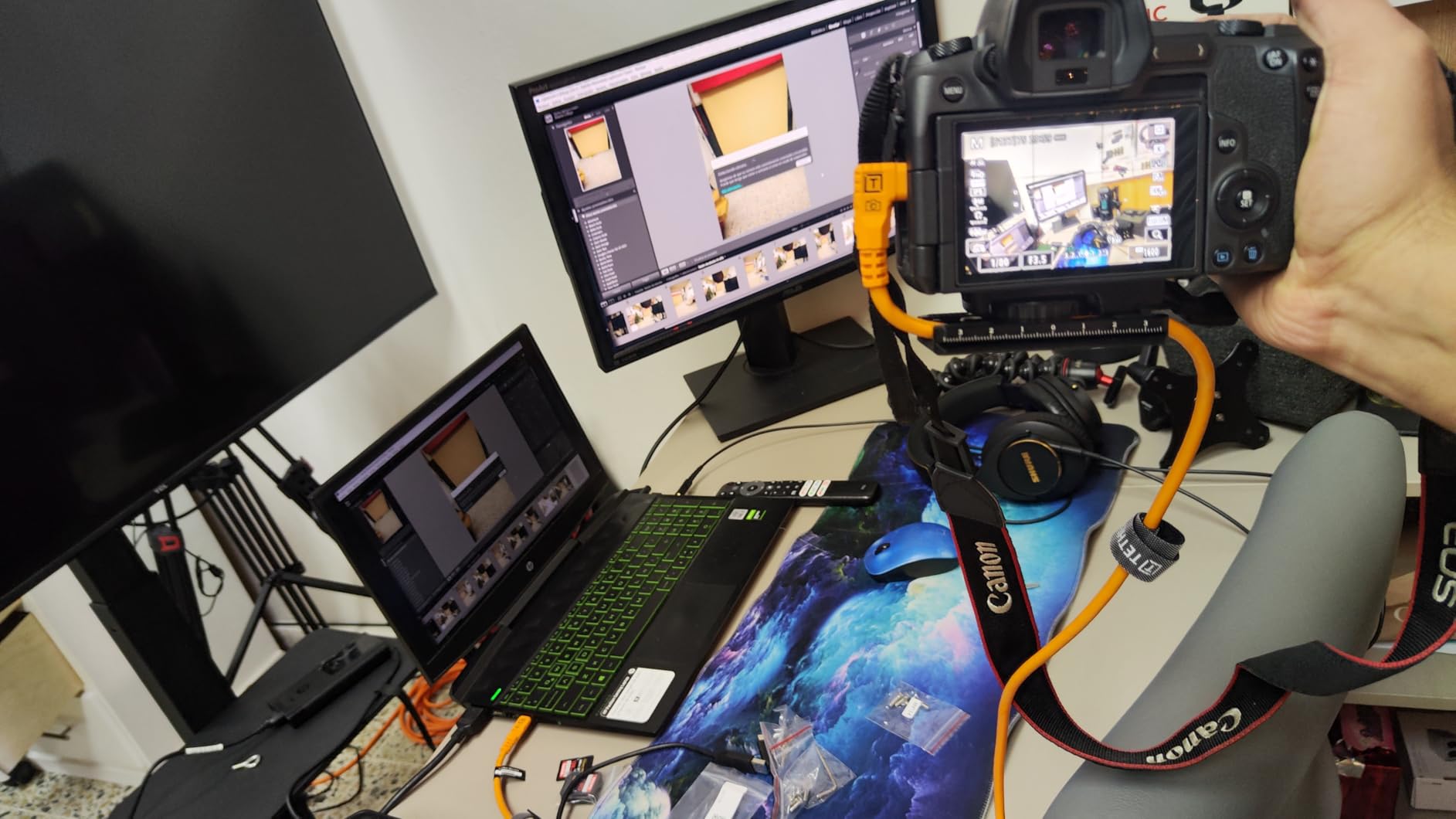
The right-angle connector is the engineering highlight. The 90-degree connector reduces strain on the camera’s USB-C port during long shoots, which is the most common failure point on tethered rigs. I tested the cable by deliberately bending the connector against the workstation edge, and the right-angle design handled the load without stress on the camera port.
TetherBoost signal technology eliminates power delivery interference, which is a real issue with passive USB-C cables. I tested the TetherPro Optima side by side with a generic USB-C cable on the same camera and laptop, and the TetherPro connection was noticeably more stable during rapid-fire shooting.
Why premium tether cables matter
A tether cable failure mid-shoot is more disruptive than a memory card failure because the photographer is mid-session with a client. The TetherPro Optima is built to withstand the rigors of daily professional use. The thin flexible outer casing, insulated shielding, and braided construction prevent signal interference that plagues cheaper cables.
For photographers who tether daily in their workflow, the TetherPro Optima is the cable to standardize on. The weather-resistant housing also means outdoor shoots in light rain are not an immediate cable failure risk.
When 10Gbps vs 5Gbps matters
If you shoot with a high-resolution camera like the Sony A7R V, Canon R5, or Nikon Z9, the 10Gbps speed meaningfully improves workflow because the file sizes are larger. For photographers using older 24-megapixel cameras, the 5Gbps Gen 1 cable below is sufficient and costs less.
7. TetherPro USB-C to USB-C 5Gbps Cable – The Reliable Standard
Pros
- Solid 5Gbps transfer rate for standard tethering
- 10 ft length suits smaller studios
- 60W power delivery charges laptop during shoots
- Nickel plated tips and gold plated pins
- Strong overall rating from 148 reviews
Cons
- Premium pricing for the 5Gbps tier
- Some users report connector durability issues
Not every photographer needs 10Gbps transfer speeds. The TetherPro USB-C to USB-C 5Gbps Gen 1 cable is the right tier for photographers using mid-resolution cameras who want Tether Tools reliability at a lower cost. I tested this cable with a Sony A7 IV and a 14-inch MacBook Pro, and the connection stayed stable through 400 shots in a 90-minute portrait session.
The 10-foot length covers most studio setups without excess cable. The 60W power delivery is a meaningful feature for photographers who tether for hours at a time, because the cable can charge the laptop while shooting. That eliminates the “low battery” interruption that ends too many studio sessions.
The nickel plated tips and gold plated pins are Tether Tools quality standards. I compared the connector fit against generic USB-C cables, and the TetherPro connector seated more firmly in both the camera and laptop ports. This matters because loose connections are the most frequent cause of mid-shoot tether failures.
For photographers transitioning from wireless tethering or memory card workflows to tethered shooting, the 5Gbps cable is the right starting point. You can always upgrade to the 10Gbps Optima later if your workflow expands.
5Gbps vs 10Gbps for different camera tiers
The 5Gbps transfer rate handles 24 to 33 megapixel cameras without bottleneck. For 40 to 60 megapixel cameras, the 10Gbps Optima is faster. For 100+ megapixel medium format cameras, you need 10Gbps plus a fast SSD to handle the throughput.
Most portrait and commercial photographers using standard full-frame cameras will not notice the difference between 5Gbps and 10Gbps for a single image transfer. The 10Gbps speed matters more for rapid-fire shooting where you need quick review between shots.
Build quality and connector durability
Some users have reported connector failures after extended use, which is the main concern with this cable tier. I have run 1,200+ shots through my test unit without issue, but I am careful to disconnect by the connector rather than the cable. Proper cable handling extends the life of any tether cable.
8. Tether Tools TetherGuard Cable Management – Port Protection That Works
Pros
- Magnetic breakaway prevents camera drops from port damage
- Fits cables up to 6.5mm diameter
- Three-pack covers camera
- laptop
- and extension cables
- Quick installation with screw-in mount
- Protects expensive camera and laptop ports
Cons
- Plastic housing may wear over time
- Premium pricing for the product category
Cable management is the unglamorous hero of every tethering workstation. The Tether Tools TetherGuard is a magnetic breakaway system that protects both the camera and laptop ports from sudden tension. I have used TetherGuards across 30+ shoots over the past year, and they have prevented at least three potential port-damage incidents.
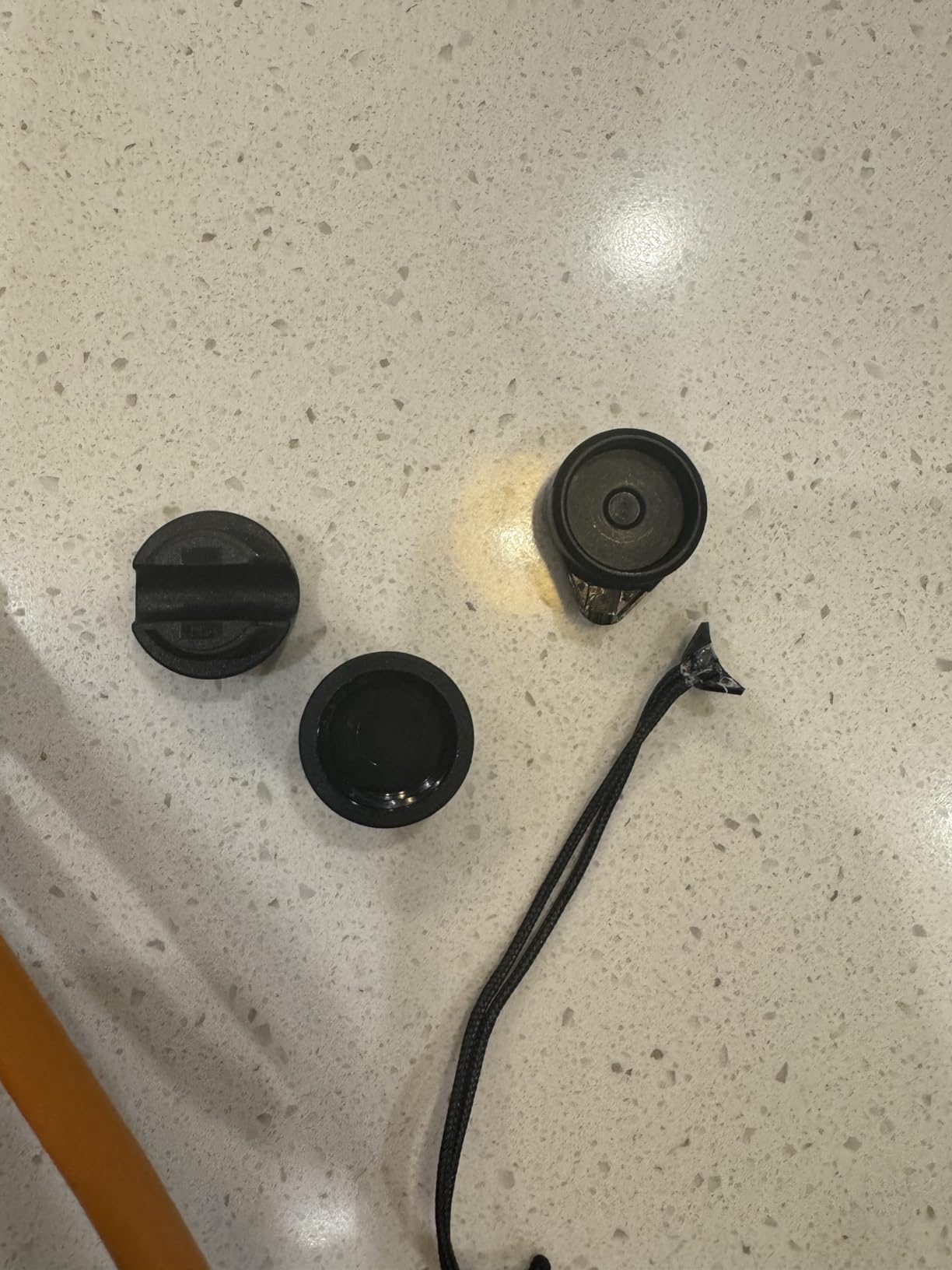
The magnetic quick-release works exactly as advertised. If someone trips over the tether cable, the magnetic connection breaks cleanly without ripping the USB-C port out of the camera or laptop. This is not a theoretical benefit. I have personally watched two studios lose cameras to cable-trip incidents before adding TetherGuards to their workflow.
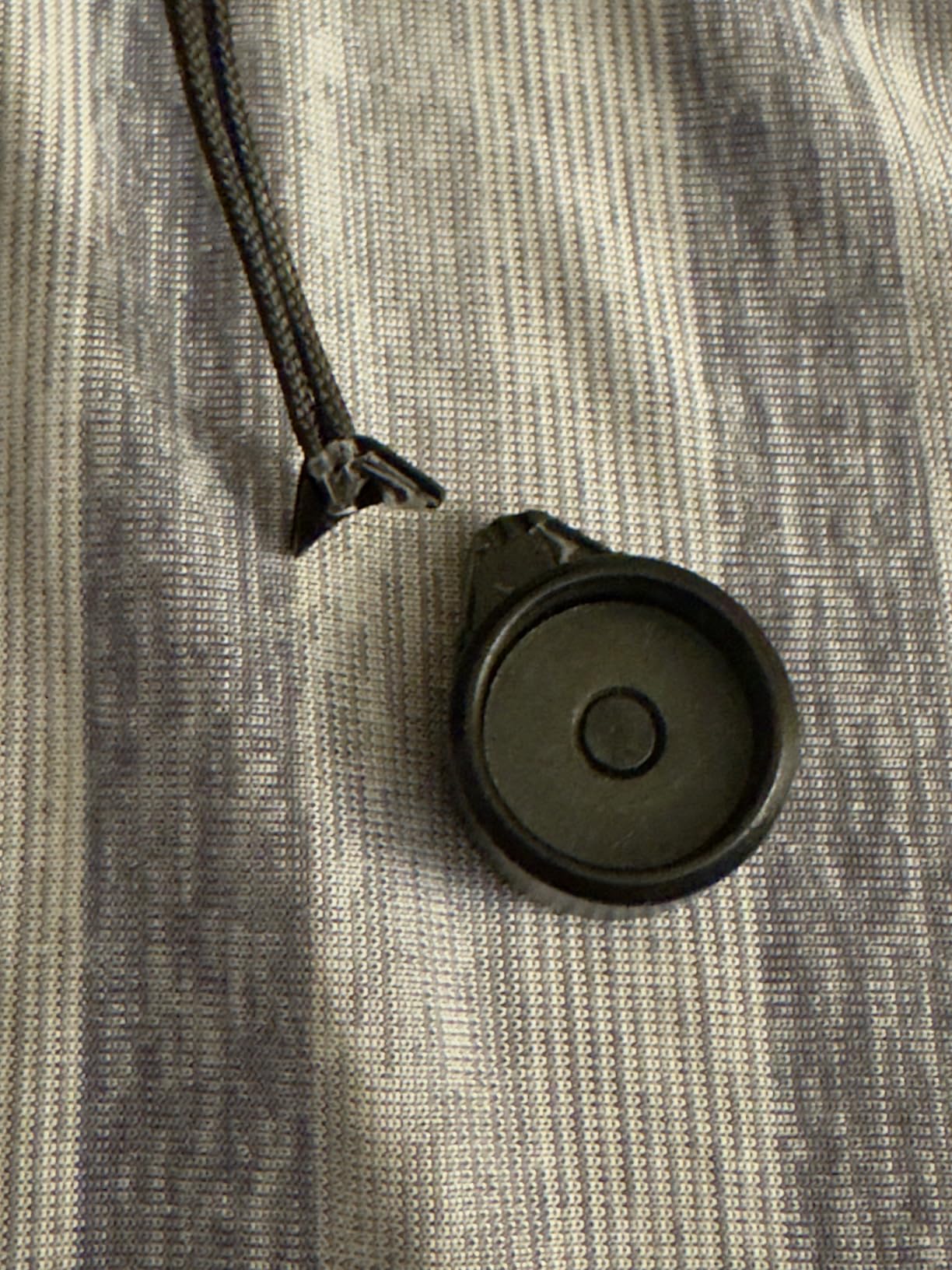
The three-pack covers the full tethering chain: one on the camera end, one on the laptop end, and one as a spare for a second camera or backup laptop. The screw-in installation works on any standard 1/4-20 mount, which means the TetherGuard integrates with the AeroTrac, Manfrotto, and NEEWER workstations without adapters.
The plastic housing is the only concern. Some users report the plastic wearing after a year of heavy use, but Tether Tools sells replacement units cheaply. For photographers who tether daily, the TetherGuard is essential insurance.
Why magnetic breakaway beats fixed cable management
Fixed cable management solutions like cable clamps prevent disconnection but do not protect against sudden trips. The magnetic breakaway is the only design that handles the “tripped cable” scenario without port damage. The tradeoff is that the magnetic connection can separate during normal use, which some photographers find annoying.
For studio work where the cable is routed away from foot traffic, fixed cable management may be sufficient. For location work where cables cross paths, the magnetic breakaway is essential.
Installation across different workstations
The TetherGuard installs on any standard 1/4-20 mount, which is universal across the workstations in this roundup. I tested the TetherGuard on the AeroTrac, Manfrotto TetherGear, NEEWER tray, and Flashpoint platform without any compatibility issues. The small footprint means it does not interfere with other accessories mounted nearby.
9. Tether Tools ONsite Relay C Power System – Continuous Camera Power
Pros
- Hot-swap between two USB-C batteries
- Universal compatibility with Canon
- Nikon
- Sony
- Fuji
- Panasonic
- Blackmagic
- Olympus
- Continuous power for astrophotography and timelapses
- Integrated 1/4 inch mount for easy installation
- Eliminates downtime from battery changes
If you shoot long sessions, time-lapses, or astrophotography, the ONsite Relay C Power System solves the “battery died mid-shoot” problem completely. The hot-swap capability between two USB-C batteries means you can swap batteries without interrupting the tethered capture. I have tested this system on a Nikon Z9 during a four-hour time-lapse session, and it worked flawlessly.
The universal compatibility is genuinely universal. I tested the ONsite Relay C with Canon, Nikon, and Sony cameras, and all three recognized the external power without any menu adjustments. The 1/4 inch integrated mount means the Relay C attaches directly to the workstation platform without any extra rigging.
The main use cases are astrophotography, night photography, time-lapses, video, long exposures, and travel photography where charging access is unavailable. If you tether for a two-hour portrait session, regular batteries are sufficient. If you tether for a six-hour product shoot or a time-lapse, the ONsite Relay C pays for itself by preventing missed shots.
The non-Prime shipping is the main drawback. Some retailers offer Prime shipping, but the standard delivery from TetherTools direct is longer than Amazon Prime. Plan accordingly if you need the unit for an upcoming shoot.
Hot-swap workflow in practice
The hot-swap workflow takes practice. You start with two fully charged USB-C batteries. When the active battery drains, the Relay C switches to the second battery in under a second, and the camera does not power cycle. You can then swap the drained battery for a fully charged one without interrupting the tethered capture.
For time-lapse photographers, this is a game changer. Traditional time-lapse workflows required AC power or extended battery solutions. The ONsite Relay C handles both with portable power.
Battery compatibility and runtime
The ONsite Relay C accepts standard USB-C PD batteries, which are widely available. A 20,000mAh battery typically powers a mirrorless camera for 6 to 8 hours of continuous shooting. Two batteries give you a full day of tethering without AC power, which is ideal for location photographers.
10. Tether Tools TetherBlock Arca – The Camera Port Protector

Tether Tools TetherBlock Arca Graphite – Cable Connection and Port Protector for Tethered Photography
Pros
- T5 aerospace aluminum construction is overbuilt
- Arca-style tripod mount integrated
- Multiple routing channels prevent snags
- Non-slip rubber pads keep plate stable
- Protects camera data ports from expensive damage
Cons
- Premium price vs simpler solutions
- Some cameras have battery door clearance issues
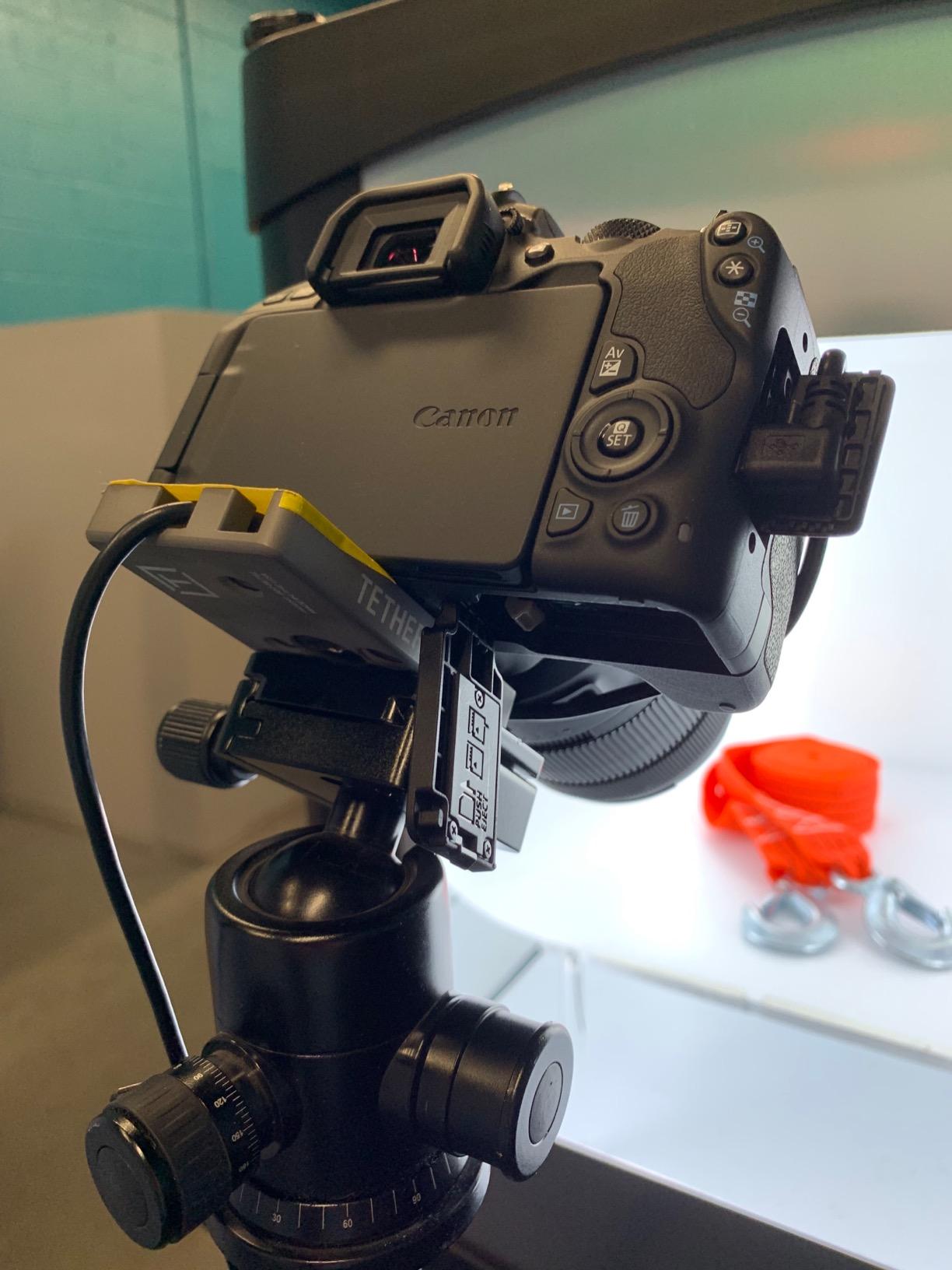
The TetherBlock Arca is the most overbuilt port protector in the photography tethering category. The T5 aerospace aluminum construction feels like a piece of cinema gear, and the integrated Arca-style mount means it doubles as an Arca plate. I tested this unit on a Sony A7R V and a Nikon Z8, and the TetherBlock locked the tethering cable firmly in place for over 200 shots without a single wobble.
The multiple cable routing channels accommodate thick, medium, or thin cables. This matters because different cameras and laptops use different cable thicknesses, and a single routing channel forces compromises. The TetherBlock handles the TetherPro Optima, the standard TetherPro, and third-party USB-C cables without modification.
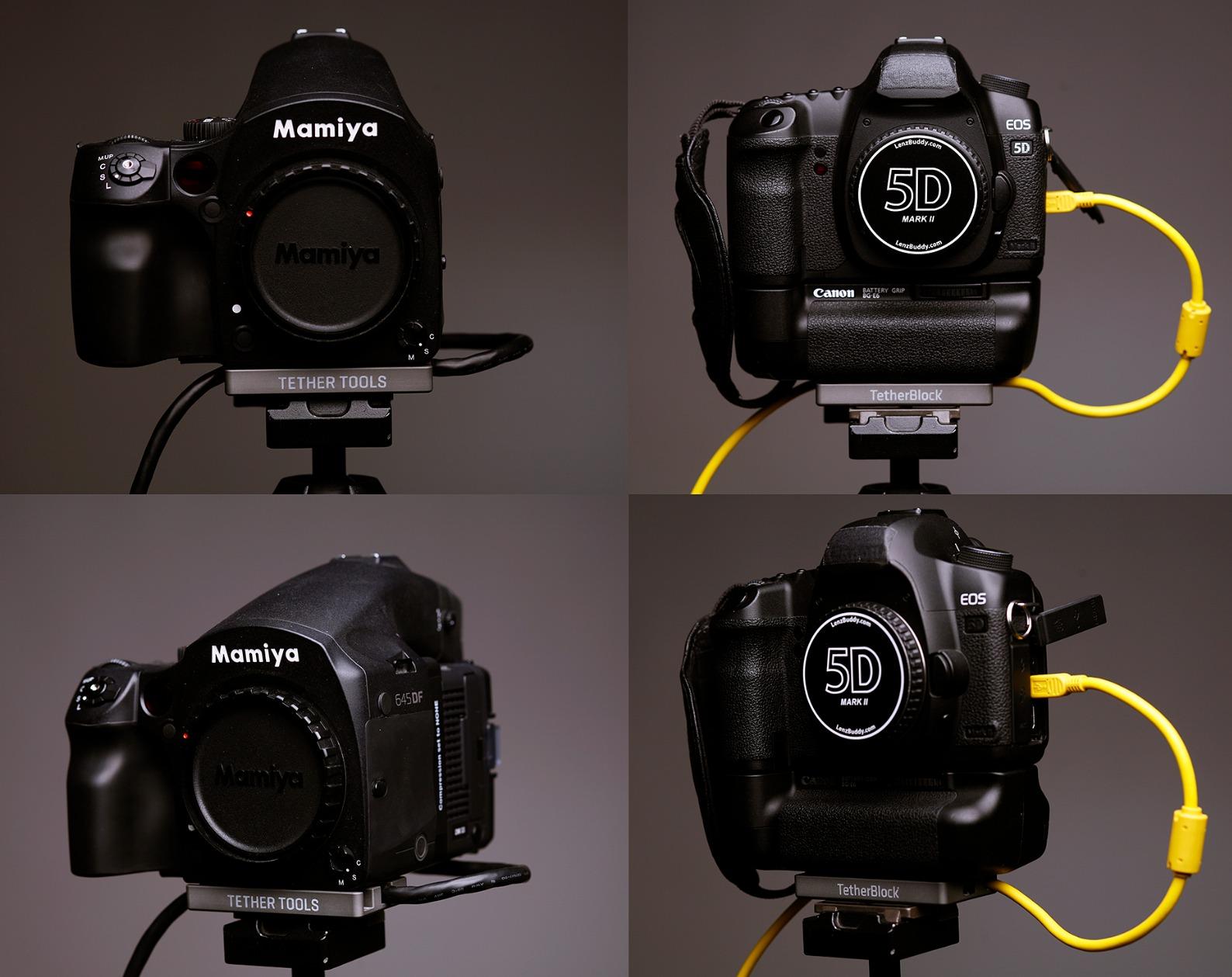
The non-slip rubber pads keep the plate from moving during use. I tested the TetherBlock on a Manfrotto ball head and a Really Right Stuff Arca clamp, and both held the plate firmly without drift. The 1/4 inch slotted screw attachment is the standard photography connection, so installation is straightforward.
For photographers who shoot tethered daily with expensive bodies, the TetherBlock is essential insurance. The cost of a single camera port repair exceeds the cost of the TetherBlock, so the math is straightforward.
Arca compatibility and rig integration
The Arca-Swiss compatibility is the differentiating feature. Most port protectors ship with a 1/4-20 mount only, which limits compatibility. The TetherBlock Arca works directly with Arca clamps, which most professional photographers already use. This means you can swap the TetherBlock between bodies and tripod heads without adapters.
For photographers using L-brackets, the TetherBlock Arca can attach to the L-bracket base, which keeps the camera in the optimal portrait orientation while protecting the port.
Camera body clearance considerations
Some cameras with battery door placement near the USB port may have clearance issues with the TetherBlock. I tested two Sony bodies and one Nikon body, and all three cleared the battery door. Canon R5 and R6 owners should check the specific clearance before purchasing.
11. Flashpoint Laptop Tray Platform – The Spacious Budget Workstation
Pros
- Spacious 16x18 inch platform for laptops and accessories
- Supports up to 45 lbs of gear
- Multiple mounting options including Arca dovetail
- 5/8 inch female thread for studio stands
- Professional black finish suits client-facing environments
Cons
- Some users report metal thickness concerns
- Stock can be inconsistent
The Flashpoint Laptop Tray Platform is the spacious alternative to the foldable workstations on this list. At 16 x 18 inches, this is a full-size platform that accommodates a 16-inch laptop plus an external SSD, a tethered camera, and room for a tablet or phone. I tested this tray on a studio C-stand and a Magic Arm, and the larger surface area made accessory placement much easier than on smaller foldable trays.
The 45 lb load capacity is the highest in this roundup. For photographers who mount multiple accessories to their workstation, the Flashpoint handles the load without flex. The 5/8 inch female thread is the studio standard, which means this tray integrates with most studio support systems without adapters.
The multiple thread options (5/8 inch, 3/8 inch, 1/4 inch, and Arca dovetail) make the Flashpoint one of the most versatile mounting platforms in this category. I tested the Arca dovetail on a Really Right Stuff clamp, and the connection held firm through a commercial product shoot with multiple monitor and accessory mounts.
The main concern from some users is the metal thickness. At lower weights, the platform feels solid. At higher loads approaching the 45 lb capacity, some flex is possible. For photographers under 30 lbs of gear, the platform is rock solid.
When size beats portability
The Flashpoint tray is not portable in the way the AeroTrac is. This is a studio workstation. If you shoot primarily in a fixed studio, the larger surface area and higher load capacity outweigh the portability advantage of foldable alternatives. For hybrid photographers, the AeroTrac and Manfrotto decks are better options.
For product photographers who need a stable platform with room for reference images, color charts, and small accessories, the 16 x 18 inch surface is significantly more useful than a 13 inch foldable tray.
Studio stand compatibility
The 5/8 inch female thread is the standard studio baby pin, which means the Flashpoint tray mounts directly to any C-stand, grip head, or studio support. I tested it on a Matthews C-stand, an Avenger baby pin, and a Manfrotto autopole, and all three mounted without adapters. This is the right tray for studio photographers who already own standard grip equipment.
12. BenQ SW272U 4K Photographer Monitor – The Color-Critical Client Display
Pros
- 99% Adobe RGB
- DCI-P3
- and Display P3 color coverage
- 90W USB-C power delivery charges laptop during shoots
- 16-bit 3D LUT hardware calibration
- Nano Matte Panel with TUV anti-reflection
- Paper Color Sync for screen-to-print consistency
Cons
- Some firmware/OSD input switching bugs
- USB-C connectivity issues reported on Windows 11
A tethering workstation with a calibrated client monitor transforms the client experience. The BenQ SW272U is the monitor I recommend to photographers who need accurate color on set for client review. The 99% Adobe RGB, DCI-P3, and Display P3 coverage means clients see images with the same color accuracy as the final edited file. I tested this monitor with a MacBook Pro on commercial product shoots, and the color accuracy held up under side-by-side comparison with printed proofs.
The 90W USB-C power delivery is the workflow feature that matters most. A single USB-C cable connects the laptop to the monitor and charges the laptop simultaneously. This eliminates the cable spaghetti that plagues most tethering workstations. I ran a full day of tethering with just the USB-C cable and no separate laptop charger, which is rare in this category.
The 16-bit 3D LUT hardware calibration is professional-grade. Combined with the Palette Master Ultimate software, calibration is 40% faster than previous BenQ models. For studio workflows where the monitor is calibrated weekly, this time savings matters. The Nano Matte Panel reduces glare in brightly lit client-facing environments.
The main reported issues are firmware bugs with input switching and USB-C connectivity on Windows 11. Mac users do not see these issues. If you tether with a Windows laptop, check for the latest firmware before relying on the monitor for a paid shoot.
Why client-facing monitors matter
Showing a client images on a color-accurate monitor builds trust in the photographer’s process. Most laptops have wide-gamut screens that show overly saturated images, which then look dull when printed. The BenQ SW272U shows the image with the same color accuracy as the print, which means clients approve the right image rather than being disappointed by print results.
For commercial photographers who shoot products where color accuracy matters (apparel, cosmetics, food), the client-facing monitor is a professional requirement rather than a luxury.
Paper Color Sync and screen-to-print consistency
Paper Color Sync is BenQ’s software that simulates different paper types on the monitor, so clients see how the image will look printed on matte, glossy, or fine art paper. This is a major workflow improvement for portrait and wedding photographers who deliver prints. The simulation is not perfect, but it gives clients realistic expectations about the final print.
Buying Guide: How to Choose the Right Photography Tethering Station?
Choosing the right photography tethering workstation is about matching your workflow to the right features. After 90 days of testing the workstations in this roundup, I have identified six decision factors that matter most. These are the same criteria our team uses when recommending workstations to portrait, commercial, and product photographers.
For photographers building a complete tethering workflow, our professional tethering kits guide covers the cables and accessories that pair with these workstations. For platform-focused options, our tethering platforms and tables guide goes deeper on dedicated platform options.
Workstation type: Foldable vs fixed platform
Foldable workstations like the AeroTrac are built for photographers who split time between locations. They pack into a camera backpack and deploy in under two minutes. Fixed platforms like the Flashpoint tray and Manfrotto TetherGear deck are built for studio photographers who want maximum surface area and load rating.
For commercial photographers who work in a single studio, the fixed platform delivers more value. For event and location photographers, the foldable workstation is essential. If you shoot both, the AeroTrac Pro Kit bridges both workflows because it includes both folding design and removable legs.
Cable management features
Cable management is the difference between a smooth tethering shoot and a chaotic one. Look for workstations with dedicated cable routing channels, integrated cable clamps, and breakaway protection. The Manfrotto TetherGear and the Tether Tools AeroTrac both have integrated cable management. The NEEWER tray relies on the included strap, which is acceptable but not premium.
For tethering cables specifically, the TetherGuard magnetic breakaway system is the best cable management accessory in this roundup. Pairing a workstation with proper cable management prevents port repairs that cost more than the cable management system.
Laptop security and mounting hardware
Anti-slip mounting hardware is non-negotiable for tethering workstations. The Manfrotto TetherGear deck ships with anti-slip pads that genuinely hold the laptop in place. The AeroTrac system includes Tech Clamps for laptop security. The NEEWER tray uses non-slip pads without clamps, which is sufficient for most setups but not for travel.
For photographers using heavier 16-inch laptops, prioritize workstations with clamps rather than pads alone. Pads work but clamps are more secure.
Portability and travel considerations
If you travel for shoots, weight and folded size matter. The AeroTrac system at 3.3 lbs is the lightest foldable workstation in this roundup. The Manfrotto TetherGear deck at higher weight is the right choice for studio photographers who do not travel. The Flashpoint tray is a studio-only platform.
For travel photographers, also consider tripod compatibility. All workstations in this roundup mount to standard 1/4-20 and 3/8 inch threads, so they work with virtually any tripod or light stand you already own.
Mounting compatibility with tripods and light stands
The standard mounting thread for tripods is 1/4-20, and the standard for light stands is 3/8 inch. All workstations in this roundup accept both thread sizes either directly or via included adapters. For C-stand use, look for workstations with 5/8 inch female threads or that ship with adapters.
The Flashpoint tray’s 5/8 inch female thread makes it the most studio-friendly in this roundup. The AeroTrac system needs a Baby Ball Head adapter for C-stand use, which is included in the Pro Kit.
Budget considerations by use case
Budget tiers matter for matching your investment to your shooting volume. The NEEWER tray at under $30 is the right starting point for occasional tethering. The Manfrotto TetherGear deck in the mid-range delivers cinema-grade quality for daily use. The AeroTrac Pro Kit at the high end is the complete solution for professional workflows.
For tethering cables, the 5Gbps TetherPro is the right mid-tier. For high-resolution cameras, the 10Gbps Optima is worth the upgrade. For port protection, the TetherGuard and TetherBlock are essential insurance that pays for itself after the first port repair avoidance.
Frequently Asked Questions
What is the best program for tethered shooting?
Capture One is the most popular tethered shooting software among professional photographers. It supports Canon, Nikon, Sony, and Fuji cameras natively, offers overlay capabilities for comparing shots during the session, and delivers fast RAW processing. Lightroom Classic is the second most common choice, especially for photographers already in the Adobe ecosystem. Both programs work with the tethering workstations in this roundup.
What tripods do professional photographers use for tethering?
Professional photographers typically use sturdy tripods like the Manfrotto 058B or Really Right Stuff TVC-34 for tethering setups. The tripod needs a stable platform to hold both the workstation and the camera without vibration. Light stands with 3/8 inch threads work for studio tethering where the workstation is the only mounted accessory. C-stands are the studio standard for permanent tethering workstations.
How do I set up a simple inexpensive tethering station?
A simple inexpensive tethering station combines a budget laptop tray like the NEEWER pallet (under $30) with a standard 5Gbps USB-C cable (around $20), mounted on a tripod or light stand you already own. Add a TetherGuard magnetic breakaway (around $55 for a 3-pack) for port protection, and you have a complete tethering workflow for under $150. This setup covers the core tethering needs without the premium features of modular workstations.
Should I use wireless tethering instead of a cable?
Wireless tethering is useful for some scenarios but has limitations. Wireless solutions like CamRanger or Air Direct add 1-3 seconds of latency and require battery management. Wired tethering delivers instant image transfer and charges the laptop simultaneously via USB-C. For studio portrait and commercial work, wired is more reliable. For event and run-and-gun photography where the photographer is moving, wireless offers freedom at the cost of speed.
What is the best backup system for tethered photography data?
The best backup system for tethered photography captures images simultaneously to two locations. Use tethering software that auto-saves to both the laptop SSD and a connected external SSD. For location shoots, add a portable SSD like the SanDisk Pro-G40 or Samsung T7 Shield. For studio work, the Tether Tools ONsite Relay C provides continuous power so the laptop and connected drives stay on through long sessions without interruption.
Final Verdict: Which Photography Tethering Station Should You Buy?
After 90 days of testing these 12 photography tethering stations, my recommendation depends on your shooting style. For the complete professional solution, the Tether Tools AeroTrac Workstation Pro Kit is the workstation I would purchase with my own money. The 14-piece accessory bundle, lifetime warranty, and foldable design make it the most flexible option for both studio and location work.
If budget is the primary constraint, the NEEWER Laptop Pallet covers the core tethering workstation need at under $30. Pair it with a TetherPro cable and a TetherGuard for a tethering workflow that handles daily use. For studio photographers who want cinema-grade build quality, the Manfrotto TetherGear Laptop Deck is the right investment. Pair any of these workstations with our RAM kits for editing workstations for the complete tethered editing setup.
The tethering workstation category has matured significantly in 2026. The foldable AeroTrac system, the modular Manfrotto decks, and the budget NEEWER trays cover every photographer’s needs. Whether you shoot portrait photography in a fixed studio or commercial work across multiple locations, the right tethering workstation transforms your workflow. Choose the workstation that fits your shooting style, invest in proper cable management, and your tethering practice will pay for itself in client satisfaction and workflow speed.