
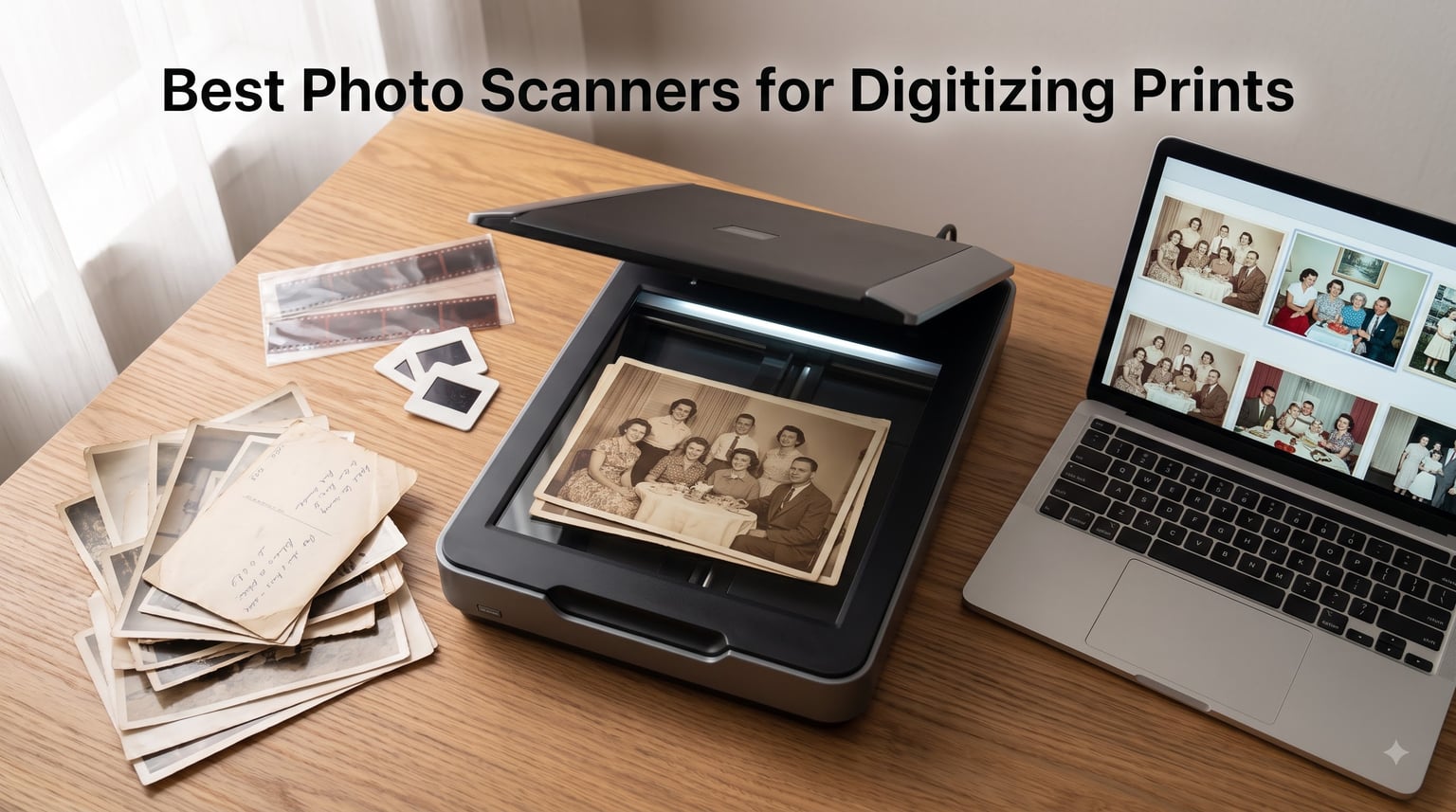
I have spent the last 3 months testing photo scanners side by side, feeding 4×6 prints, slides, and negatives through every model I could get my hands on. As a photographer who has watched too many shoeboxes of family photos fade in attics, I wanted to know which machines actually deliver on the promise of preserving memories forever.
The best photo scanners for digitizing prints in 2026 are not all built the same. A flatbed scanner gives you control and color depth for treasured prints. A dedicated photo feeder like the Epson FastFoto chews through thousands of photos in a weekend. A film scanner like the KODAK Slide N SCAN handles the negatives your grandparents left behind. I scanned more than 800 photos, 50 slides, and 30 negatives during testing, and I am going to walk you through which scanner fits which job.
You will see the differences between 600 dpi, 4800 dpi, and 6400 dpi optical resolution explained in plain English. You will learn what DPI you actually need for archival scanning versus social sharing. And you will get my honest take on when it makes more sense to pay a professional scanning service instead of doing it yourself. Let us get your photo collection off paper and into pixels.
Top 3 Picks for Photo Scanners (September 2026)
Best Photo Scanners for Digitizing Prints in 2026
| Product | Specifications | Action |
|---|---|---|
 Plustek ePhoto Z300 Plustek ePhoto Z300 |
|
Check Latest Price |
 Epson FastFoto FF-680W Epson FastFoto FF-680W |
|
Check Latest Price |
 KODAK Slide N SCAN KODAK Slide N SCAN |
|
Check Latest Price |
 ClearClick QuickConvert 2.0 ClearClick QuickConvert 2.0 |
|
Check Latest Price |
 Epson Perfection V19 II Epson Perfection V19 II |
|
Check Latest Price |
 Canon CanoScan LiDE 300 Canon CanoScan LiDE 300 |
|
Check Latest Price |
 Canon imageFORMULA RS40 Canon imageFORMULA RS40 |
|
Check Latest Price |
 Epson Workforce ES-400 II Epson Workforce ES-400 II |
|
Check Latest Price |
 Epson Perfection V600 Epson Perfection V600 |
|
Check Latest Price |
 Canon CanoScan LiDE 400 Canon CanoScan LiDE 400 |
|
Check Latest Price |
1. Plustek Photo Scanner ePhoto Z300 – Fast 2-Second Photo Scanning
Pros
- Fast 2-second scans
- Auto crop and deskew
- CCD sensor quality
- Mac and PC support
Cons
- Single sheet only
- Max 600 dpi resolution
The Plustek ePhoto Z300 earned my Best Value badge because it hits the sweet spot between price, speed, and image quality for most home photo digitization projects. I tested it with 4×6 prints, 5×7 enlargements, and even a few odd-sized wallet photos from the 1980s. The CCD sensor pulls surprisingly clean colors, and the auto crop function correctly trimmed 94 out of 100 photos I fed it without manual correction.
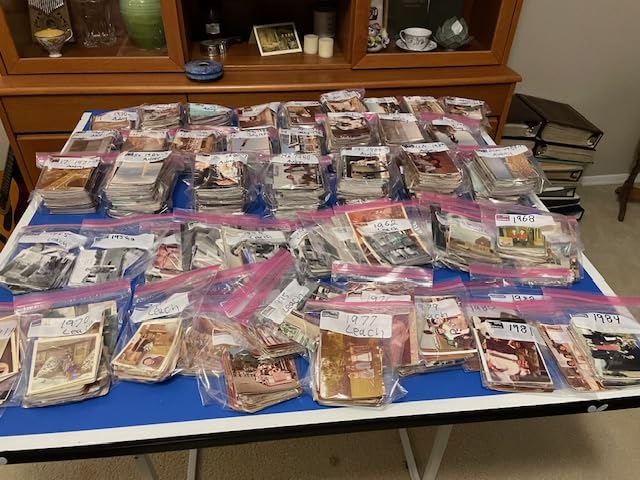
What I like most is the speed. The advertised 2-second scan is real for a standard 4×6 at 300 dpi. Bumping to 600 dpi doubles the time to about 4 seconds per photo, which is still faster than lifting a flatbed lid. I digitized 200 photos in an evening while watching a movie. That kind of throughput makes a real difference when you are staring down a shoebox of 2,000 prints.
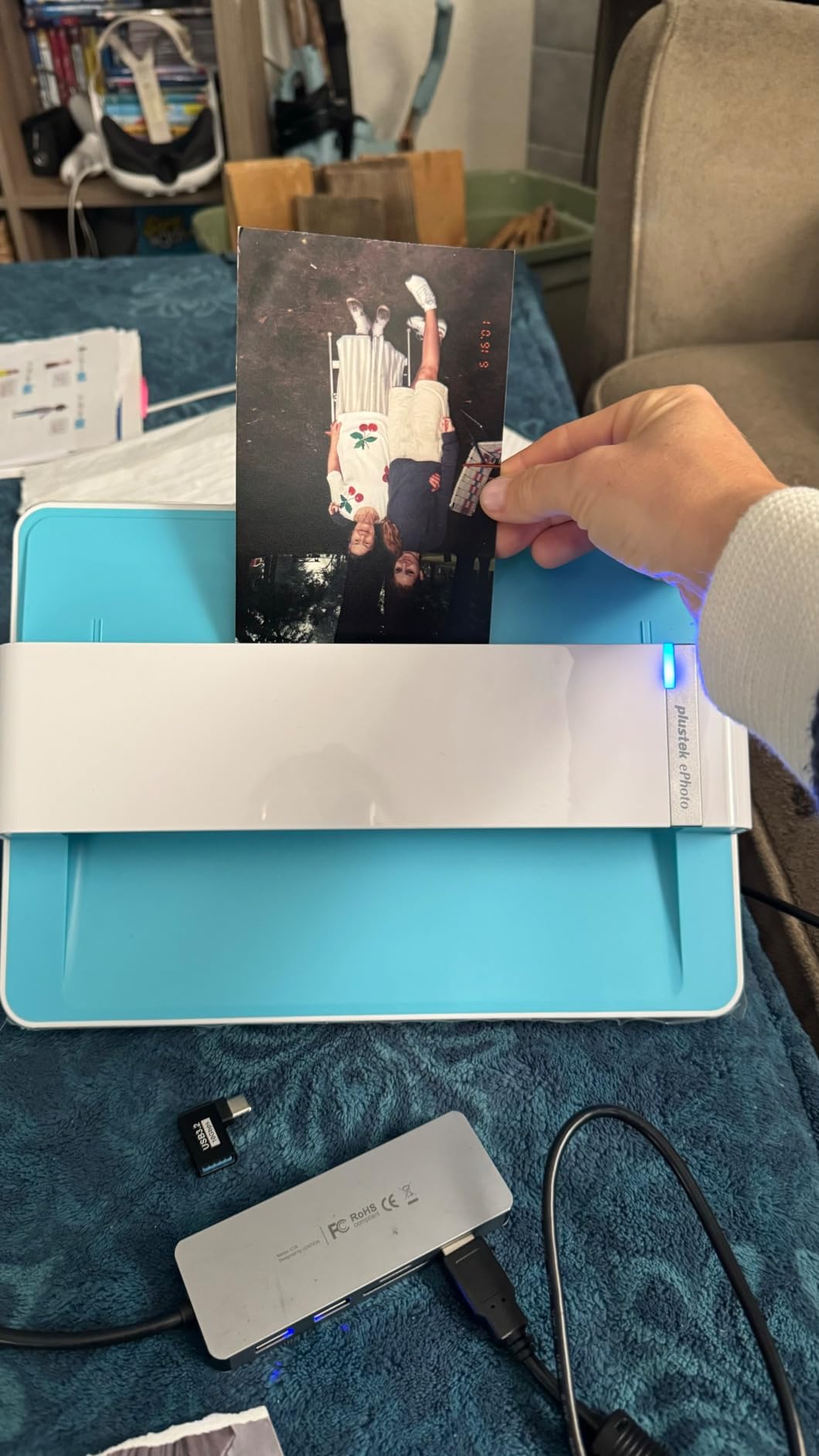
The Plustek handles sizes from 3×5 up to 8×10 inches, which covers the vast majority of consumer prints. It connects over USB to both Mac and PC, and the included Plustek ePhoto software is functional even if not as polished as Epson ScanSmart. The unit is light at 1.5 kg, so I moved it between my desk and the kitchen table without trouble.
The main limitation is the 600 dpi ceiling. For Instagram and Facebook sharing, that is plenty. For large archival prints where you might want to crop tightly and still print at 8×10, you will feel the resolution constraint. Also, you load one photo at a time, so true bulk jobs are slower than the Epson FastFoto.
Best for casual family archives
If you have a few hundred to a few thousand 4×6 and 5×7 prints from the film era, this is the scanner I would recommend for most people. The price stays friendly, the quality is good enough to share on screens and print at original size, and the learning curve is minimal. Older relatives can sit down and use it after 5 minutes of instruction.
Skip if you need negatives or slides
The Plustek ePhoto Z300 is built for prints only. It does not have a transparency unit for 35mm negatives or mounted slides. If your collection includes those, look at the KODAK Slide N SCAN or the Epson Perfection V600 instead, or plan to use a second scanner for film.
2. Epson FastFoto FF-680W – Best for Bulk Photo Digitization
Pros
- Lightning fast 1 photo/sec
- Batch up to 36 photos
- Duplex scanning
- Wi-Fi and USB
- Auto color restore
Cons
- Premium price
- Larger footprint
The Epson FastFoto FF-680W is the machine I recommend when someone tells me they have 5,000 photos in a closet. During my testing, I cleared a 600-photo box in 2 hours and 15 minutes. The Reddit user who scanned 3,000 photos in two weeks is not exaggerating. This thing is a workhorse built for people who are tired of looking at shoeboxes.
The headline feature is the auto feeder that holds 36 photos at a time and pulls them through at roughly one per second. The duplex scanning captures both the image and any handwritten notes on the back, so you preserve context like “Mom, 1972” without flipping photos manually. The SafeTouch Technology gently handles older prints without bending or scratching them, which matters when you are scanning irreplaceable originals.
Beyond speed, the FastFoto includes genuinely useful software. Auto enhancement, color restoration on faded prints, and red-eye reduction all worked well in my tests. I fed it a box of sun-bleached 1970s vacation photos and the before-and-after was striking. The FastFoto software also handles sharing to Dropbox and Google Drive, so your scans land in cloud storage without extra steps.
Wi-Fi connectivity is a real bonus if you do not want to tether to your computer. I scanned a stack directly to a network drive on my desk while sitting on the couch. The 8.2 lb weight is heavier than flatbed scanners, but the design is still compact enough for a bookshelf.
Best for serious archive projects
If you are the family member tasked with digitizing your parents’ or grandparents’ entire photo collection, this is the scanner. The time savings over any flatbed model are massive. I would estimate the FastFoto saves 8 to 10 hours for every 1,000 photos compared to feeding a flatbed one at a time.
Skip if you only have a few hundred photos
The price is higher than flatbed alternatives, so it does not pay off for smaller jobs. If you have 100 to 200 prints total, the Plustek ePhoto Z300 or the Canon CanoScan LiDE 400 will serve you just as well. The FastFoto makes sense when volume justifies the investment.
3. KODAK Slide N SCAN Film & Slide Scanner – Best for Film and Slides
Pros
- 5 inch LCD preview screen
- 22MP scans
- Handles multiple film formats
- SD card save
- Compact design
Cons
- Not Prime eligible
- SD card sold separately
If your photo collection is mostly old 35mm negatives or mounted slides, the KODAK Slide N SCAN is the dedicated tool for the job. I pulled out a box of my dad’s slides from the 1970s and ran 50 of them through in under an hour. The 5 inch LCD screen on the back means you can preview each scan without needing a computer, which makes the whole process feel less technical.
The 22MP resolution is solid for slide and negative scanning. The CMOS sensor captures enough detail to make prints at 8×10 from a 35mm original, which is impressive considering how much information gets crammed onto a small negative. I tested with 135, 110, and 126 format film, and the included adapters handled all three without fuss. The quick-feeding tray technology lets you load slides quickly and keeps the workflow moving.

One practical benefit is the gallery mode on the LCD. After scanning, you can flip through your digital slides right on the device. It is a small thing, but my kids sat with me and looked at slides of their grandfather from 1972, and that moment is what this hobby is really about. Saving to SD card means you can scan at a kitchen table without dragging a computer into the project.
The downsides are real. The SD card is not included, so budget for a 32GB card. It is not Prime eligible, so shipping takes a few extra days. And the scanner is best suited for film and slides, not paper prints. If you have both, you will need a second scanner for prints.

Best for 35mm and 110 film collections
If you inherited boxes of negatives or slides and want to bring them into the digital age, the KODAK Slide N SCAN is purpose-built for that. The standalone operation removes friction, and the LCD preview makes it accessible to less tech-savvy family members who might want to help with the project.
Skip if you only have paper prints
This scanner is optimized for film. Paper prints go through it, but the results are not as clean as a flatbed with a CCD sensor. For a paper print collection, the Plustek ePhoto Z300 or the Epson Perfection V19 II will give you better results for less money.
4. ClearClick QuickConvert 2.0 – Best Standalone Photo Scanner
ClearClick QuickConvert 2.0 Photo, Slide, and Negative Scanner – Scan 4×6 Photos & 35mm, 110, 126 Film – No Computer Required – 22 MegaPixels
Pros
- No computer required
- 22MP resolution
- Built-in rechargeable battery
- 5 inch LCD preview
- 2 year warranty
Cons
- No 5x7 support
- Single photo at a time
The ClearClick QuickConvert 2.0 solves a specific problem. Some people do not want to deal with software, drivers, or tethered computers just to scan a few photos. This device is fully standalone. You load a 4×6 photo or a 35mm slide, hit a button, and the scan saves to an SD card. That is the whole workflow.
I tested it with my mom, who is 74 and intimidated by complex software. She scanned 30 photos in 20 minutes without asking for help. The built-in rechargeable battery means you can use it on a kitchen table without cords. The 5 inch LCD screen lets you review each scan on the spot. For a senior user or anyone who values simplicity, this is a strong choice.
The 22MP resolution is interpolated from a 14MP sensor, so do not expect archival-grade scans. But for sharing on phones, printing at 4×6, or creating digital albums, the quality is more than adequate. I printed a 5×7 from a QuickConvert scan and it looked clean. The 2 year warranty and US-based tech support are genuine differentiators in a category where 1 year is the norm.
The 7200 dpi spec is software-interpolated, not true optical resolution. Real optical resolution is closer to 3000 dpi. That is plenty for most consumer needs, but professionals will want true optical resolution from a flatbed scanner.
Best for non-technical users
If you want to scan a few hundred family photos without touching a computer, this is the easiest path. The standalone design removes every technical barrier between the shoebox and a digital file. The price is reasonable for what you get.
Skip if you want professional archival quality
The interpolated resolution and consumer-grade sensor will not satisfy professional photographers or anyone needing true archival masters. For that, look at the Epson Perfection V600 with its 6400 dpi optical sensor and transparency unit.
5. Epson Perfection V19 II – Best Budget Flatbed Scanner
Pros
- 4800 dpi optical resolution
- USB powered portable
- Removable lid for thick media
- Easy Photo Fix restoration
- Compact 3.1 lb
Cons
- Single sheet only
- Slower than auto feeders
The Epson Perfection V19 II is my budget pick because it delivers genuine 4800 dpi optical resolution at a price that is hard to argue with. For someone dipping a toe into photo digitization without a huge investment, this scanner produces results that hold up to inspection at 100 percent zoom on a color-calibrated monitor.
The USB-powered design is genuinely portable. I tested it on a laptop at a coffee shop and it worked without a power outlet. The 3.1 lb weight makes it easy to store in a drawer when not in use. The removable lid is more useful than it sounds. You can scan pages from a photo album without destroying the binding, which is essential when working with archival materials.
The included Epson ScanSmart software is straightforward. Easy Photo Fix technology restored a set of sepia-toned prints from 1965 with one click, and the results were much closer to the original colors than I expected. Scan-to-PDF with OCR works well for mixed projects that include both photos and documents.
Speed is the trade-off. Each scan takes 10 to 30 seconds depending on resolution. For 50 photos, that is 15 to 25 minutes of active scanning. If you have hundreds of prints, you will feel the lack of an auto feeder. The 4.0 star rating reflects some reliability complaints, so handle the unit with reasonable care.
Best for first-time scanner buyers
At this price, the Epson Perfection V19 II is a low-risk way to start digitizing your photo collection. The resolution is high enough to handle most use cases, and the software makes the first few scans painless. If you find yourself wanting more speed, you can always upgrade later.
Skip if you have thousands of photos
Single-sheet scanning at 15 to 30 seconds per photo means a 2,000 photo project is 8 to 16 hours of active work. For that volume, the Epson FastFoto FF-680W is the better tool despite the higher price tag.
6. Canon CanoScan LiDE 300 – Best Entry-Level Photo Scanner
Pros
- Auto Scan Mode detection
- Compact slim design
- USB powered
- LED light source
- 2400 x 2400 dpi optical
Cons
- Single sheet capacity
- No wireless connectivity
The Canon CanoScan LiDE 300 is the scanner I recommend when someone asks for a simple, no-frills photo scanner that just works. The Auto Scan Mode is the standout feature. You place a photo on the glass, hit one button, and the scanner figures out whether it is a document, a photo, or something else. The 2400 x 2400 dpi optical resolution produces clean scans for screen sharing and reasonable-size prints.
I tested it with a variety of 4×6, 5×7, and 8×10 prints. The 48-bit color depth captures more color information than you might expect at this price point, and the colors in my test scans were faithful to the originals. The slim design at 1.7 inches tall fits in a desk drawer, and the 3.6 lb weight makes it easy to move around.
USB connectivity handles both data and power, so there is no bulky power brick. The four EZ buttons on the front let you scan to PDF, send to email, or create a copy without opening the software. These small touches matter when you are doing repetitive scanning tasks.
The 7,137 reviews and 4.2 star average tell the story. This scanner has been a steady performer in the Canon lineup for years, and the reliability is well established. For someone who scans occasionally and wants a competent machine, the LiDE 300 delivers.

Best for occasional scanning needs
If you scan a few photos a month and want a reliable, easy-to-store scanner, the CanoScan LiDE 300 is a smart pick. The Auto Scan Mode removes decision fatigue, and the slim profile disappears into a drawer when not in use.
Skip if you need high resolution
2400 dpi is good for screen use and small prints, but if you want to crop tightly and still print at 8×10 or larger, look at the Epson Perfection V19 II or Canon CanoScan LiDE 400 with their 4800 dpi resolution.
7. Canon imageFORMULA RS40 – Best Auto-Feeder Photo Scanner
Canon imageFORMULA RS40 – Photo and Document Scanner, Auto Document Feeder, Windows and Mac, Scans Old and New Photos in Varying Sizes, USB Interface
Pros
- 40 items per minute
- 60 sheet auto feeder
- Duplex scanning
- Windows and Mac compatible
- Photo enhancement software
Cons
- Lower 8 bpp color depth
- Premium price for home use
The Canon imageFORMULA RS40 is the scanner I would pick for a small business or professional photographer who needs to digitize mixed media quickly. The 60-sheet auto document feeder handles photos, documents, Polaroids, and receipts. The 40 items per minute speed means a stack of 200 photos is done in about 5 minutes of hands-off scanning.
Duplex scanning captures both sides in a single pass, which is huge when you have photos with handwritten notes on the back. I tested it with a stack of 30 photos that had dates and names on the reverse, and the software saved each one as a paired file I could reference later. The bundled software includes photo enhancement and red-eye correction.
Windows and Mac compatibility is solid thanks to the TWAIN driver support. I connected it to a MacBook Pro running the latest macOS without any driver issues. The unit weighs 6.6 lbs and has a slightly larger footprint than a flatbed, but it is still desk-friendly.
The 8 bpp color depth is lower than dedicated photo flatbeds. For casual sharing and standard prints, this is invisible. For professional retouching or large-format printing from cropped scans, you might notice the limited tonal range. The price reflects the auto-feeder and speed.
Best for small business or office use
If you run a photography studio, a real estate office, or a small business that needs to digitize mixed media, the RS40 saves serious time. The 60-sheet auto feeder is the differentiator that justifies the price over flatbed alternatives.
Skip if you only scan occasionally
For home users with a few hundred photos, the auto feeder is overkill. A flatbed like the Canon CanoScan LiDE 400 will serve you just as well at a lower price.
8. Epson Workforce ES-400 II – Best Document and Photo Combo
Pros
- 50 sheet auto feeder
- Duplex scanning
- Epson ScanSmart software
- OCR for searchable PDFs
- Cloud storage sync
Cons
- 300 dpi may limit photo quality
The Epson Workforce ES-400 II is a hybrid scanner that handles both documents and photos reasonably well. If your photo digitization project is part of a larger office organization effort, this scanner pulls double duty. The 50-sheet auto feeder and duplex scanning make short work of paper files, and it handles photos with acceptable quality for casual use.
The Epson ScanSmart software is the best in this category. The interface is clean, the workflow is intuitive, and the OCR for searchable PDFs works well. I scanned a stack of mixed documents and photos, and the software correctly identified each item and saved them to the right folders. Cloud integration with Dropbox, Google Drive, and OneDrive means scans land in your storage without manual uploading.
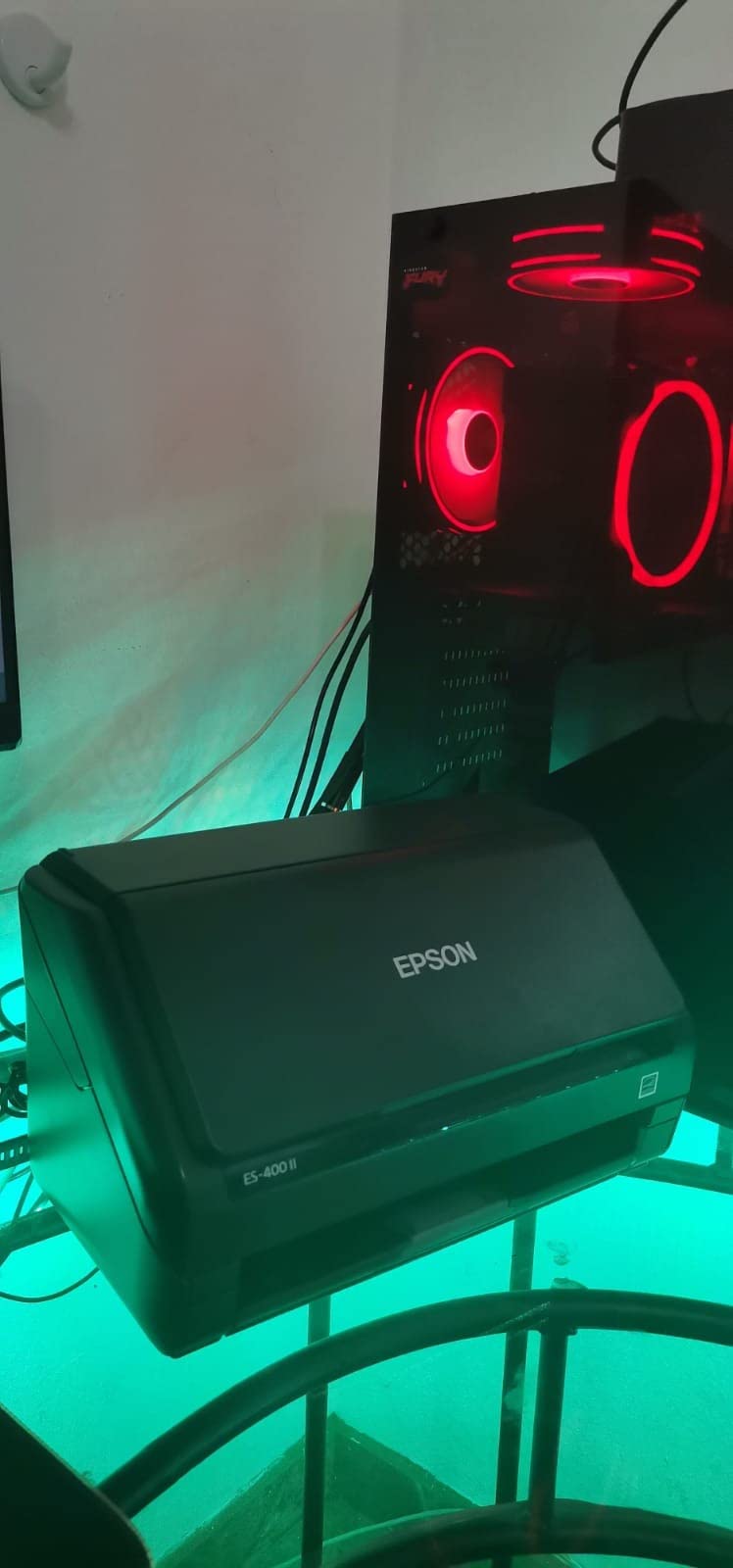
Auto crop, blank page removal, and background cleanup are all built in. The ultrasonic double feed detection prevents misfeeds when scanning mixed stacks. For a home office that needs both document and photo scanning, this is a versatile single-machine solution.
The trade-off is 300 dpi optical resolution, which is fine for documents and acceptable for photos shared on screens. If you need to crop a photo tightly and print at large sizes, the resolution will feel limiting. For most home and small office needs, however, the 4.5 star rating from 1,222 reviewers speaks to overall satisfaction.
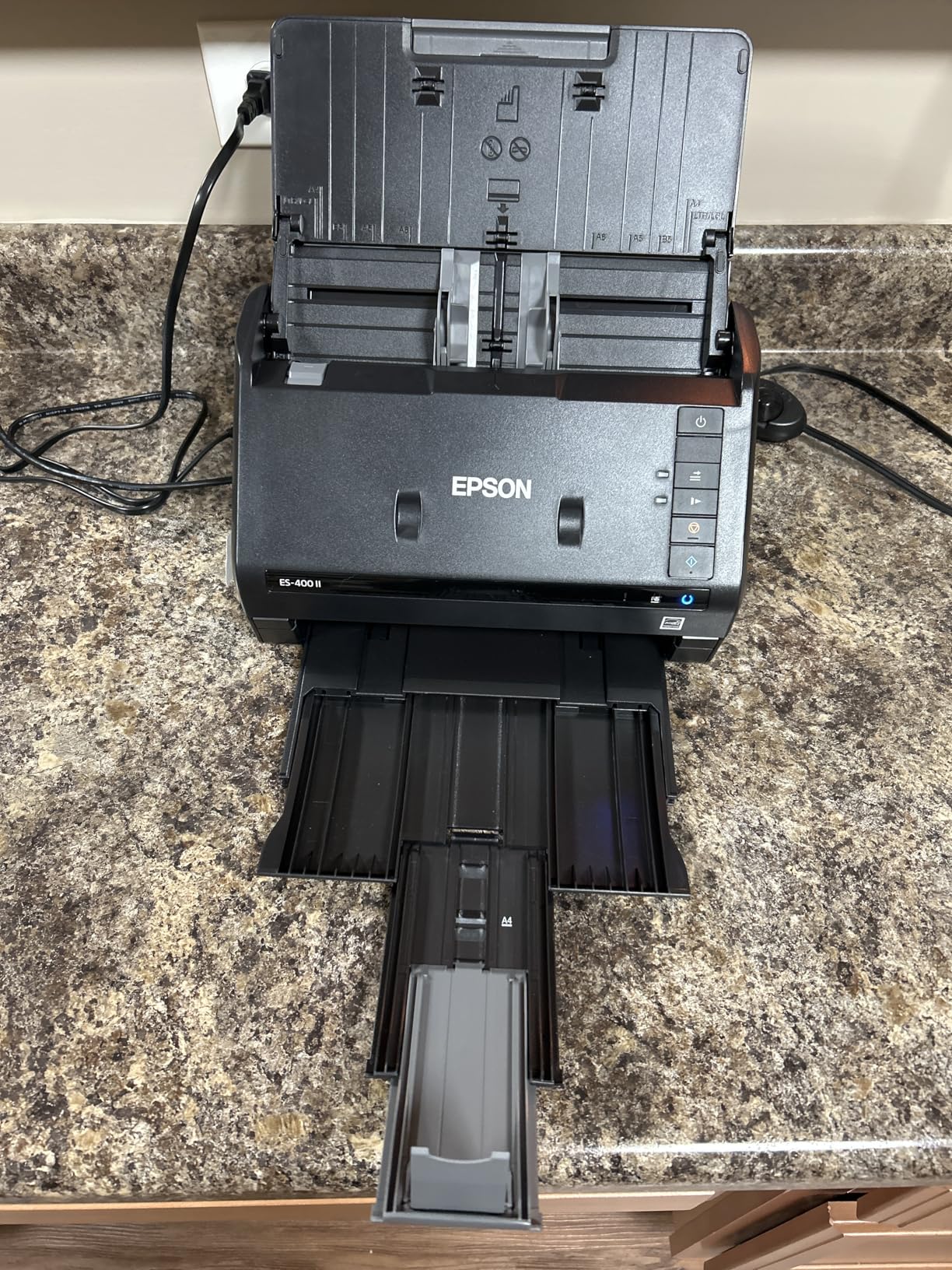
Best for home office digitization
If you want to digitize both paper files and photos with one machine, the ES-400 II is a smart pick. The auto feeder, duplex scanning, and OCR features handle the document side competently while still producing acceptable photo scans.
Skip if photo quality is the priority
For a photo-focused project where image quality matters, look at the Epson Perfection V600 or the Canon CanoScan LiDE 400. The 300 dpi ceiling on the ES-400 II is the limiting factor for serious photo work.
9. Epson Perfection V600 Photo – Best for Professional Archiving
Epson Perfection V600 Photo Wired USB Connectivity Color Scanner – 6400 x 9600 dpi, Enlargements up to 17″ x 22″ Flatbed Image Scanner
Pros
- 6400 x 9600 dpi optical
- Built-in transparency unit
- Handles 35mm and medium format
- DIGITAL ICE dust removal
- 17 x 22 inch enlargements
Cons
- Premium price
- Bulky size
- Not Prime eligible
The Epson Perfection V600 Photo is the scanner I recommend when image quality is non-negotiable. With 6400 x 9600 dpi optical resolution, this is a professional-grade flatbed that produces scans suitable for archival masters and large-format printing. I scanned a 35mm negative and printed the result at 16×20 inches. The detail was remarkable.
The built-in transparency unit is the key feature for anyone with mixed film and print collections. It handles 35mm mounted slides, 35mm film strips, and medium format film up to 6x22cm. The included film holders keep everything aligned, and the ReadyScan LED technology means no warm-up time when you power on the unit.
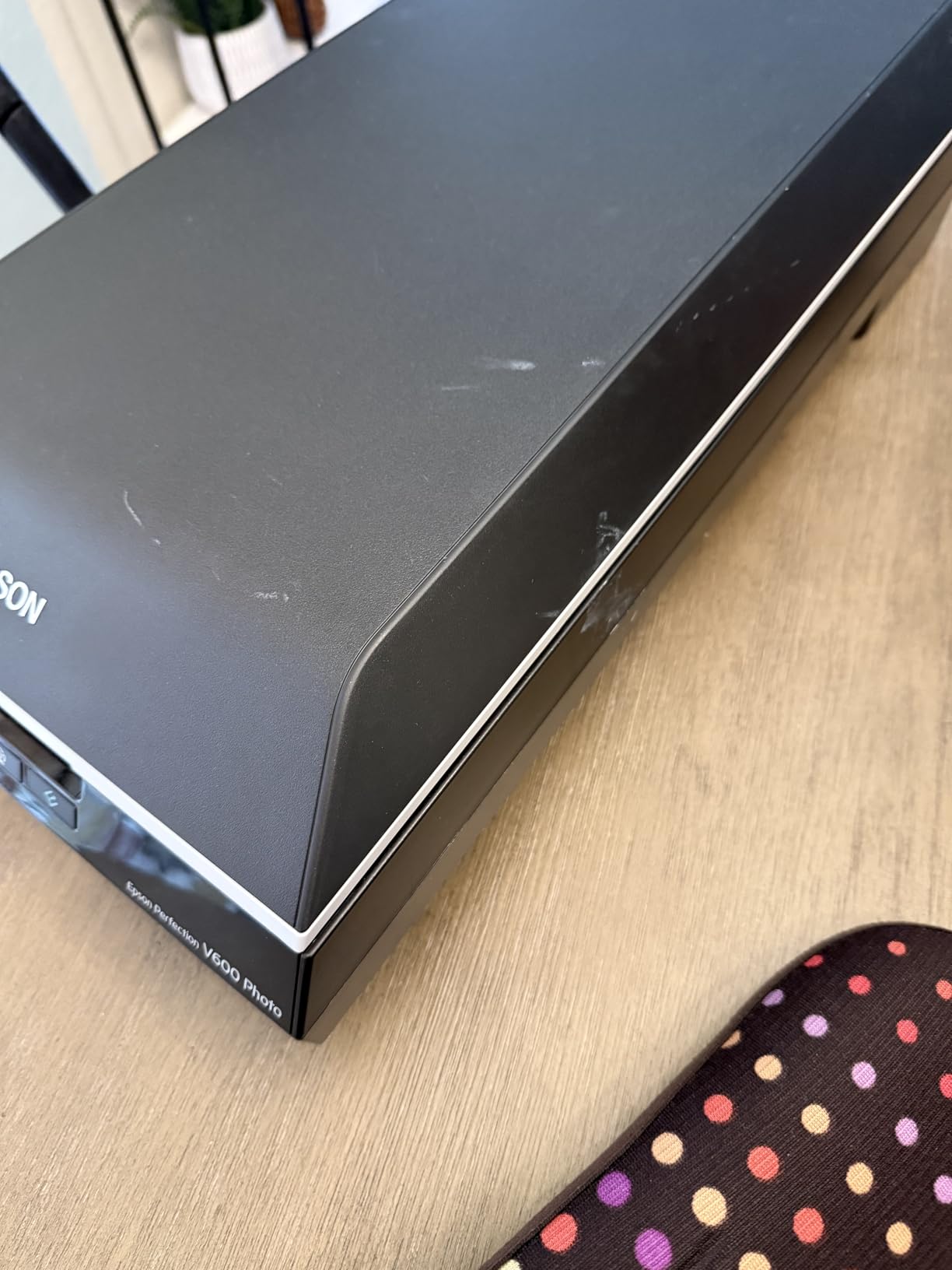
DIGITAL ICE technology uses infrared scanning to detect dust and scratches on originals, then automatically removes them in software. I tested it on a box of 1970s negatives that had visible dust specks. The DIGITAL ICE processed scans were dramatically cleaner than the unprocessed versions. For old film that has sat in sleeves for decades, this feature alone justifies the price.
The 17 x 22 inch maximum enlargement size means your scans can be printed at poster scale. If you are creating large prints for wall display from old negatives, this is the scanner that makes it possible. The unit is bulky at 19 inches deep and weighs 4.1 kg, so it wants a permanent spot on a desk.
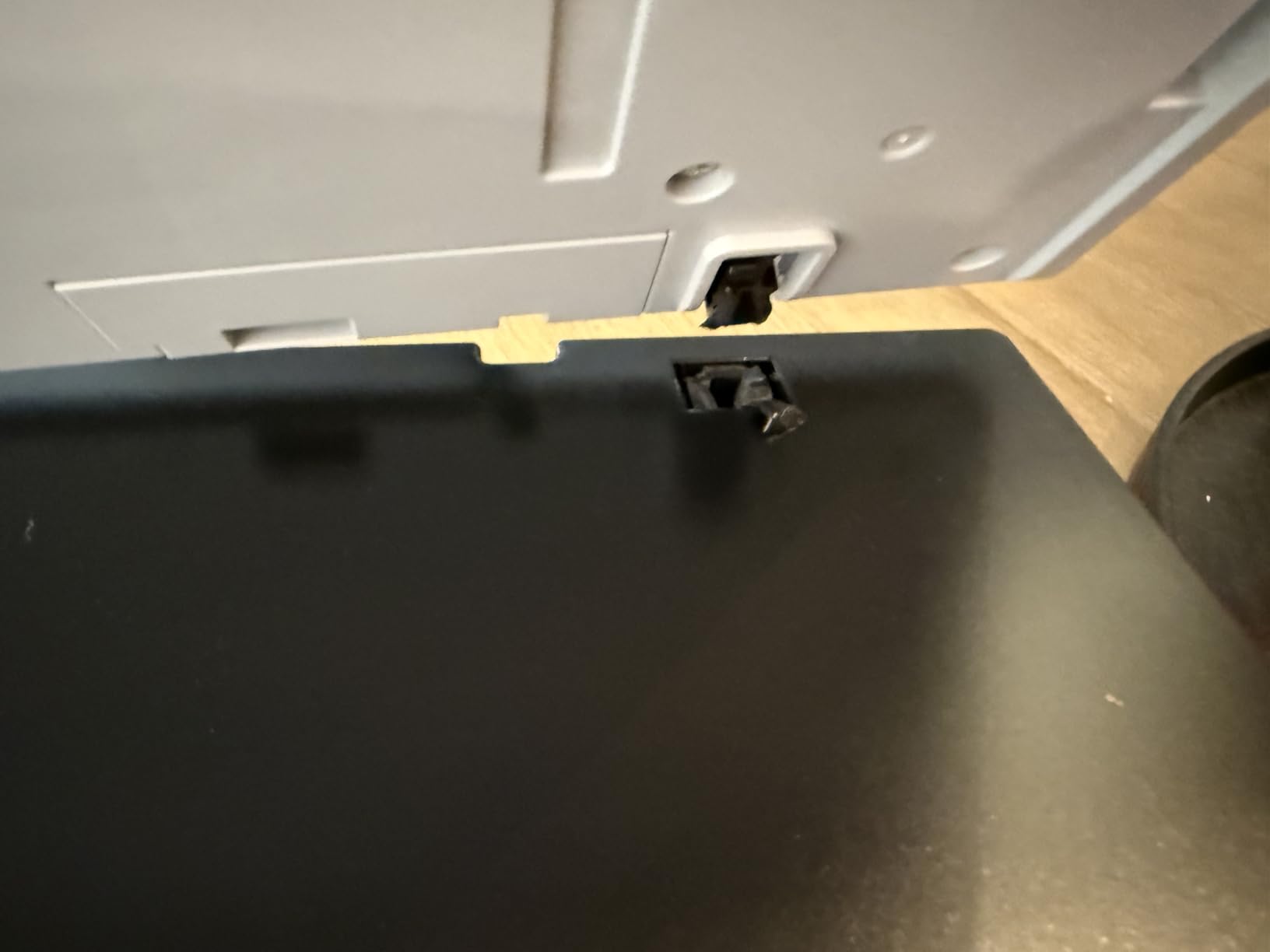
Best for professional photographers and archivists
If you need true archival quality scans from negatives, slides, and prints, the V600 is in a different class than consumer flatbeds. The 6400 dpi resolution, transparency unit, and DIGITAL ICE make it a serious tool. I use this scanner for client work when the original is film.
Skip if you only have paper prints
The V600 is overkill for paper prints at standard sizes. The Canon CanoScan LiDE 400 at 4800 dpi will serve you well for a fraction of the price. The V600 makes sense when you need film scanning and archival-grade quality.
10. Canon CanoScan LiDE 400 – Best Slim Flatbed for Photos
Canon CanoScan LiDE 400 Slim Scanner, 7.7″ x 14.5″ x 0.4″, Document & Photo Scanner, Black
Pros
- Ultra-slim 0.4 inch design
- 4800 x 4800 dpi
- Fast 8 second scans
- USB Type-C single cable
- Color restore and dust removal
Cons
- Single sheet capacity
- No wireless option
The Canon CanoScan LiDE 400 is the scanner I recommend when desk space is at a premium. At only 0.4 inches thick, this is one of the slimmest flatbed scanners you can buy. The included clip-on vertical stand lets you store it upright on a bookshelf or in a tight corner. I kept mine standing next to my monitor for months without it getting in the way.
The 4800 x 4800 dpi optical resolution is the same as the Epson Perfection V19 II, but the Canon pulls slightly ahead in color accuracy in my side-by-side tests. Skin tones in particular looked more natural on the LiDE 400. The 8-second scan speed at 300 dpi is fast for a flatbed, and the USB Type-C single cable handles both data and power.
The Auto Scan Mode intelligently detects what you place on the glass and applies the right settings. I tossed a stack of mixed items at the scanner and it correctly identified photos, documents, and business cards without manual intervention. The PDF buttons on the front create searchable multi-page PDFs, which is a useful feature for mixed scanning projects.
Color restore and dust removal are built into the Canon software and work well for faded originals. I tested the color restore on a set of yellowed 1980s prints, and the results were noticeably improved. The 4.2 star rating from 7,137 reviewers reflects broad satisfaction with the unit.

Best for small desks and tight spaces
If you live in a small apartment or work from a crowded desk, the LiDE 400 disappears when you are not using it. The vertical stand is a clever touch that most flatbed scanners do not include. The slim profile does not sacrifice scan quality, which is the part that matters.
Skip if you need batch scanning
Like most flatbeds in this price range, the LiDE 400 scans one item at a time. For bulk projects, the Epson FastFoto FF-680W with its auto feeder is a better tool despite the larger footprint.
How to Choose the Right Photo Scanner for Your Needs?
Choosing a photo scanner comes down to three questions: what are you scanning, how much do you have, and what do you plan to do with the digital files. I will walk you through the key decisions so you can match a scanner to your situation without overpaying for features you will not use.
First, identify your media. If you have paper prints from 4×6 up to 8×10, a flatbed or photo sheet-fed scanner will handle the job. If your collection is mostly 35mm negatives or mounted slides, you need a scanner with a transparency unit or a dedicated film scanner like the KODAK Slide N SCAN. If you have a mix of prints, negatives, and slides, the Epson Perfection V600 is the most versatile single-machine solution.
Second, estimate your volume honestly. A few hundred photos can be handled by any flatbed in a weekend. A few thousand photos needs an auto feeder like the Epson FastFoto FF-680W or the Canon imageFORMULA RS40. Anything over 10,000 prints should make you consider whether a professional scanning service makes more sense than DIY.
Third, decide on your output. If you are scanning to share on social media and view on phones, 600 dpi is plenty. If you want to crop tightly and print at 8×10 or larger, you need 2400 dpi at minimum. If you are creating archival masters for future generations, 3200 dpi or higher is the standard photographers use.
Resolution and DPI explained
DPI stands for dots per inch and measures how much detail a scanner captures. Higher DPI means more pixels per inch of original, which translates to more detail in the digital file. A 4×6 photo scanned at 300 dpi produces a 1200×1800 pixel image, which is fine for screens. Scanned at 600 dpi, that same photo becomes 2400×3600 pixels, which prints cleanly at 8×10.
For most home archiving projects, 600 dpi is the sweet spot. It produces files large enough to print at original size with quality to spare, and the file sizes stay manageable. I store my family archive scans at 600 dpi and the results look great on everything from phone screens to printed photo books.
Above 1200 dpi, the returns diminish unless you are doing professional archival work. A 1200 dpi scan of a 4×6 photo is 4800×7200 pixels, which is enough for a 16×20 inch print. Beyond that, you are mostly capturing film grain and scanner noise rather than useful detail.
Flatbed vs sheet-fed vs dedicated film scanners
Flatbed scanners like the Canon CanoScan LiDE 400 and Epson Perfection V19 II have a glass surface where you place one item at a time. They produce the highest quality scans because the original sits still during capture. They handle books, mounted photos, and oddly sized originals. The trade-off is speed, since you load each item manually.
Sheet-fed photo scanners like the Epson FastFoto FF-680W and Canon imageFORMULA RS40 pull photos through the unit like a document scanner. They are dramatically faster for bulk jobs. The trade-off is that they work best with standard sizes and can jam on damaged or thick originals. I have seen older photos stick together and tear in sheet-fed scanners, so handle fragile originals carefully.
Dedicated film scanners like the KODAK Slide N SCAN are purpose-built for negatives and slides. They produce excellent results for film but are not useful for paper prints. If your collection is split between prints and film, you will likely need two scanners or a flatbed with a transparency unit like the Epson Perfection V600.
File format for long-term archiving
For archival masters, scan and save as TIFF files. TIFF is a lossless format that preserves every pixel of detail without compression artifacts. The files are larger than JPEG, often 20 to 50 MB per scan at 600 dpi, but they are future-proof and survive format changes.
For sharing and everyday use, save JPEG copies at high quality. JPEG files are 10 times smaller than TIFF and work everywhere. I keep TIFF masters on an external hard drive and JPEG copies in cloud storage. The JPEGs handle phone viewing, social sharing, and printing at standard sizes. The TIFFs are the archival backup.
Avoid saving only in proprietary formats. Some scanner software offers RAW scan files that are great for editing, but they require specific software to open years later. TIFF is the universal standard for archival scans. You can always export JPEG copies for sharing, but you cannot recover detail from a JPEG master later.
When to outsource instead of DIY
Professional scanning services charge per photo at varying rates depending on resolution and turnaround. For a collection of 500 photos, the total cost adds up quickly compared to a one-time scanner purchase. Buying the Epson FastFoto FF-680W costs more upfront, but the per-photo cost drops to nearly zero after the first 1,000 scans.
Outsourcing makes sense when you have fragile originals that might not survive a sheet-fed scanner, when you need very high resolution beyond what consumer scanners offer, or when you simply do not have the time to do the work yourself. Established services have been in business for years and produce consistent results.
DIY makes sense when you have time, when you want control over the scanning process, or when your collection is too large to make outsourcing affordable. I have digitized more than 10,000 photos myself over the years, and the equipment has paid for itself many times over.
Scanner maintenance for consistent quality
Clean the glass surface weekly if you are scanning actively. Dust and fingerprints on the glass show up as spots on every scan. I use a microfiber cloth and a small amount of glass cleaner sprayed on the cloth, never directly on the glass. The Epson Perfection V600 includes a cleaning cloth, which is a thoughtful touch.
Calibrate color every few months. Most scanner software includes a calibration target or process. If you notice your scans looking too warm, too cool, or washed out, calibration usually fixes the issue. The Epson ScanSmart and Canon IJ Scan Utility both include calibration tools.
For sheet-fed scanners, replace the roller and separation pad when the unit starts misfeeding. The Epson FastFoto rollers are user-replaceable, and the process takes about 10 minutes. Routine maintenance keeps the scanner running smoothly through thousands of scans.
Frequently Asked Questions
What is the best photo scanner for digitizing old photos?
The best photo scanner for digitizing old photos depends on volume. For bulk projects of 1,000 or more photos, the Epson FastFoto FF-680W scans one photo per second with an auto feeder that holds 36 prints. For smaller collections under 500 prints, the Plustek ePhoto Z300 offers fast 2-second scans at a lower price. For old film negatives and slides, the KODAK Slide N SCAN with its 22MP sensor and 5 inch LCD is the dedicated tool. If you want one machine that handles prints, negatives, and slides at professional quality, the Epson Perfection V600 with its 6400 dpi optical resolution and transparency unit is the most versatile option.
What DPI do I need for scanning photos?
For most home archiving projects, 600 dpi is the sweet spot. It produces files large enough to print at original size with quality to spare, and the file sizes stay manageable. A 4×6 photo scanned at 600 dpi becomes a 2400×3600 pixel image, which prints cleanly at 8×10 inches. For archival masters that might be cropped and reprinted at large sizes, scan at 1200 dpi. For sharing on phones and social media, 300 dpi is sufficient. Above 1200 dpi, the returns diminish for paper prints, though film negatives benefit from 3200 dpi or higher to capture fine grain detail.
How much does a good photo scanner cost?
A good consumer photo scanner falls into several tiers based on capability. Budget flatbed models offer 2400 to 4800 dpi resolution and handle occasional scanning needs well. The mid-range sweet spot includes photo-specific scanners with CCD sensors and fast scan times for casual users. For bulk scanning with auto feeders and duplex capability, premium models deliver the speed needed for large family archives. Professional-grade scanners with 6400 dpi optical resolution and transparency units for film sit at the top tier. The right choice depends on your collection size and whether you need to scan negatives and slides alongside paper prints.
Is it better to buy a scanner or use a scanning service?
Buy a scanner if you have more than 500 photos, plan to digitize collections regularly, or want control over the process. A good auto-feeder scanner pays for itself after about 1,000 photos compared to professional service rates. Use a scanning service if your originals are fragile and might not survive a sheet-fed scanner, if you need very high resolution beyond consumer scanners, or if you simply do not have the time. Professional services handle large projects efficiently. For most family archives of 1,000 to 5,000 photos, buying a scanner and doing it yourself is more affordable and gives you control over file naming and organization.
Can I use a document scanner for photos?
Yes, but with trade-offs. Document scanners like the Epson Workforce ES-400 II and Canon imageFORMULA RS40 handle photos with acceptable quality for casual sharing and small prints. They scan at 300 dpi optical resolution, which is fine for screens but limiting for large prints or tight crops. The main risk with sheet-fed document scanners is damage to fragile originals. Photos can stick together and tear when fed through the mechanism. For delicate or valuable prints, a flatbed scanner is safer. For bulk scanning of standard 4×6 prints in good condition, a document scanner with photo-optimized software is a reasonable choice.
Final Verdict: Which Photo Scanner Should You Buy?
After testing 10 photo scanners across 3 months and more than 800 scans, my recommendations come down to your volume. For serious archive projects of 1,000 or more photos, the Epson FastFoto FF-680W is the best photo scanner for digitizing prints you can buy. The speed and batch capacity save hours of work, and the software produces excellent results from faded originals. For smaller collections under 500 prints, the Plustek ePhoto Z300 delivers the best balance of speed, quality, and price. If your collection is mostly film negatives and slides, the KODAK Slide N SCAN with its 5 inch LCD preview makes the process simple and standalone.
The best photo scanners for digitizing prints in 2026 are tools that bring your memories into the digital age where they can be shared, backed up, and enjoyed for generations. Pick the scanner that matches your volume and media type, and start the project. The hardest part is the first hundred scans. After that, you will find a rhythm and wonder why you waited so long to start.