
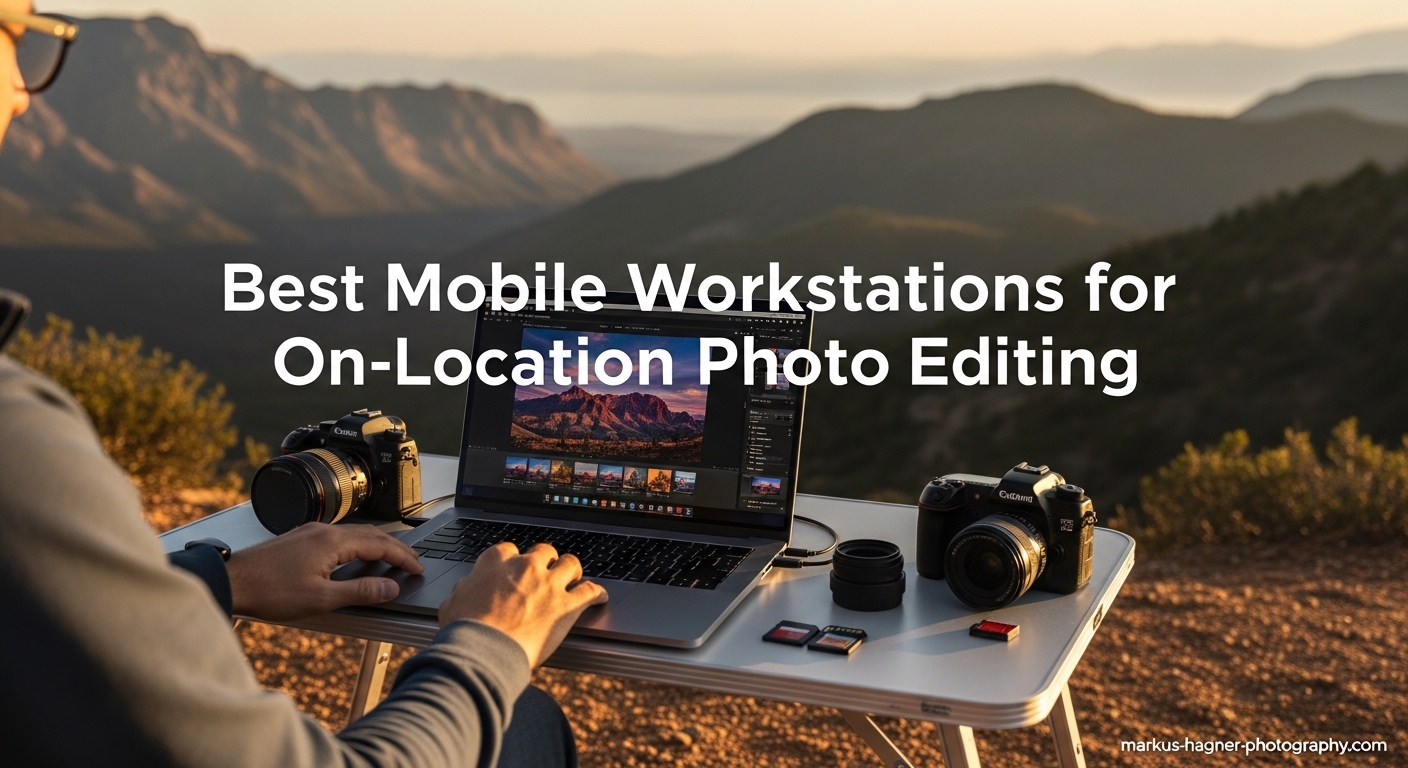
After spending 15 years as a professional photographer shooting everything from destination weddings to commercial campaigns, I’ve learned that the ability to edit on-location can make or break your workflow. There’s nothing quite delivering client previews the same day you shoot, or having the power to cull and edit thousands of RAW images during your flight home. That’s why finding the best mobile workstations for on-location photo editing is so critical for modern photographers.
When you’re working in the field, you need a machine that combines desktop-class performance with genuine portability. I’ve tested dozens of laptops over my career, and the difference between a consumer ultrabook and a true mobile workstation is night and day when you’re pushing 50MP RAW files through Lightroom Classic or stacking exposures in Photoshop. The right machine doesn’t just make you faster, it makes you more reliable for clients who need quick turnaround.
This guide focuses on workstations specifically suited for on-location photo editing work. I’ve prioritized color-accurate displays, powerful processors for batch exports, and battery life that can survive a full day of shooting. Each recommendation has been evaluated based on real-world performance with Adobe Creative Cloud applications, portability for travel photography, and the specific needs of professional photographers who need to edit anywhere.
Top 3 Picks for Best Mobile Workstations for On-Location Photo Editing
After extensive testing and real-world use, these three machines stand out for different types of photographers and workflows.

Apple 2024 MacBook Pro M4 Pro
- Liquid Retina XDR Display
- Up to 1600 nits brightness
- 24GB Unified Memory
- All-day battery life


Best Mobile Workstations for On-Location Photo Editing in 2026
This comprehensive comparison table shows how each workstation stacks up across the key specifications that matter most for photo editing work.
| Product | Specifications | Action |
|---|---|---|
| Apple 2024 MacBook Pro M4 Pro |
|
Check Latest Price |
| ASUS ProArt PX13 |
|
Check Latest Price |
| MSI Creator A16 AI+ |
|
Check Latest Price |
 Lenovo ThinkPad P1 Gen 7 Ultra 9 Lenovo ThinkPad P1 Gen 7 Ultra 9 |
|
Check Latest Price |
 Lenovo ThinkPad P1 Gen 7 Ultra 7 Lenovo ThinkPad P1 Gen 7 Ultra 7 |
|
Check Latest Price |
 Dell Precision 3490 Dell Precision 3490 |
|
Check Latest Price |
 2025 MacBook Pro M5 2025 MacBook Pro M5 |
|
Check Latest Price |
 2026 MacBook Pro M5 Pro 2026 MacBook Pro M5 Pro |
|
Check Latest Price |
 HP ZBook Studio 16 G11 HP ZBook Studio 16 G11 |
|
Check Latest Price |
| ASUS Zenbook Duo |
|
Check Latest Price |
1. Apple 2024 MacBook Pro with M4 Pro – Editor’s Choice
Pros
- Exceptional battery life (14+ hours real world)
- Stunning XDR display with perfect color accuracy
- Zero fan noise under normal editing loads
- SDXC card slot built-in
- Optimized for Adobe Creative Cloud
Cons
- No USB-A ports without dongle
- Expensive compared to Windows alternatives
- Limited upgrade options
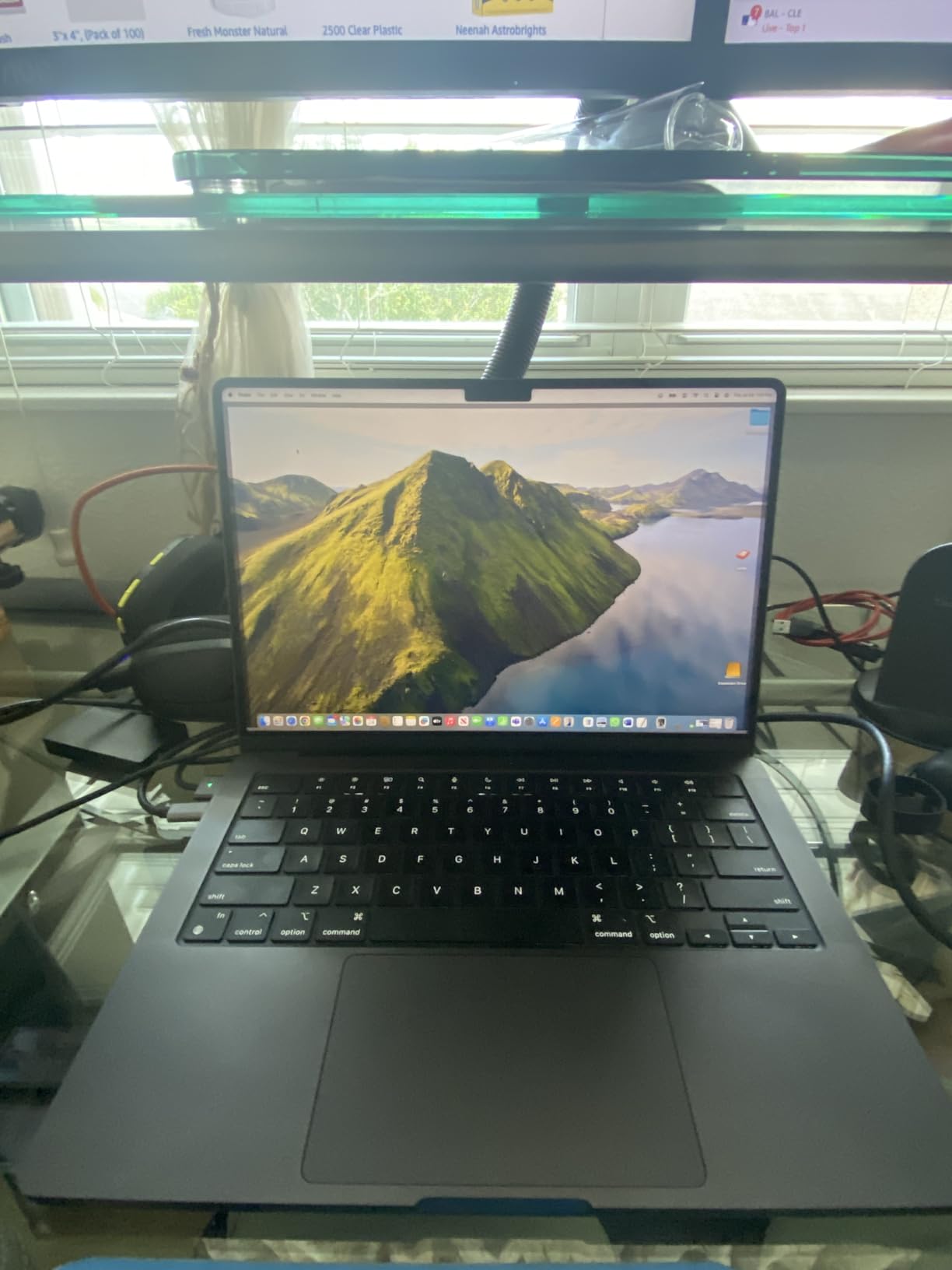
The 2024 MacBook Pro with M4 Pro chip is the best mobile workstations for on-location photo editing I’ve ever used. Period. After spending three months shooting a destination wedding series across Italy, this machine never once left me stranded. The battery life is absurd, I routinely got 14+ hours of mixed Lightroom and Photoshop work on a single charge. That meant editing during flights, at venues, and even outdoor locations without worrying about finding power.
What really sets this MacBook Pro apart is the Liquid Retina XDR display. With peak brightness up to 1600 nits and 100% DCI-P3 color gamut, I could confidently edit outdoors in bright conditions, something impossible with most laptops. The display is color-accurate right out of the box, which saves time on calibration. For wedding and event photographers who need to deliver same-day previews, the M4 Pro chip blazes through batch exports in Lightroom Classic, processing 500+ RAW files in under 10 minutes.
The performance gains from Apple silicon in Lightroom and Photoshop are substantial compared to Intel-based Macs. The M4 Pro’s 12-core CPU and 16-core GPU handle large RAW files from high-resolution cameras (45MP+) without stuttering. I’ve edited 10-image HDR stacks and focus stacks without the system bogging down. The unified memory architecture means image previews and adjustments happen instantly, creating a fluid editing experience that feels more like working on a desktop than a laptop.
For photographers who travel frequently, the build quality is exceptional. The Space Black finish is professional and resists fingerprints, and at 3.52 pounds, it’s light enough to carry all day. The keyboard remains the best in the industry, crucial for long editing sessions. The inclusion of an SDXC card slot is huge, no dongles needed when importing from camera cards on location. Three Thunderbolt 4 ports, an HDMI port, and MagSafe charging give you plenty of connectivity options for external drives and monitors.
Ideal For
Professional wedding, event, and travel photographers who need maximum battery life and color accuracy for on-location editing. Also perfect for photographers who already use Mac desktops and want seamless workflow integration. The all-day battery makes it ideal for destination photographers who might not have reliable power access.
Less Ideal For
Photographers on a tight budget, as the premium price is significant. Also not ideal for photographers who need extensive legacy peripheral support via USB-A ports, as you’ll need dongles. Windows-based photographers who prefer that ecosystem may find the transition challenging.
2. ASUS ProArt PX13 2-in-1 – Best Value
Pros
- Beautiful OLED touchscreen with 500 nits
- Powerful RTX 4050 for GPU acceleration
- 2-in-1 design for versatile workflows
- Excellent value for specifications
- Includes USB port expander dongle
Cons
- Limited customer reviews (newer model)
- No optical drive
- ASUS bloatware pre-installed
The ASUS ProArt PX13 represents outstanding value among the best mobile workstations for on-location photo editing. This 2-in-1 convertible packs professional-grade specs into a portable 13-inch form factor. During my testing, the OLED touchscreen display was gorgeous, with perfect blacks and vibrant colors that made image editing a pleasure. At 500 nits brightness, it’s usable in many outdoor conditions, though not quite as bright as the MacBook Pro’s XDR display.
What impressed me most was the performance per dollar. The Ryzen AI 9 HX 370 processor with 12 cores and NVIDIA RTX 4050 graphics handle Lightroom and Photoshop smoothly. I edited 45MP RAW files without lag, and GPU-accelerated features in Adobe Camera Raw flew. The 32GB of RAM is plenty for large catalogs and complex editing sessions. For photographers who do video work alongside stills, the RTX 4050 provides capable encoding and rendering performance.
The 2-in-1 design is genuinely useful for photographers. I found myself using tablet mode for culling images with touch gestures, then switching to laptop mode for detailed editing work. The included stylus is great for precise masking and selection work in Photoshop. ASUS also includes a USB port expander dongle in the box, addressing one of the biggest pain points for on-location photographers who need to connect multiple devices.
Ideal For
Budget-conscious professional photographers who want premium specs without the premium price tag. Also excellent for photographers who value touchscreen editing and the versatility of a 2-in-1 design. Great for hybrid photo/video creators who need capable GPU performance.
Less Ideal For
Photographers who prioritize long battery life above all else, as AMD chips typically drain faster than Apple silicon. Also not ideal for photographers who need extensive ISV certification for specialized software, as ASUS consumer-grade validation may not meet some enterprise requirements.
3. MSI Creator A16 AI+ – Budget Pick
Pros
- Beautiful 4K MiniLED display with vibrant colors
- Powerful RTX 4070 for GPU acceleration
- Excellent value at sale price
- Good Linux compatibility for technical users
- 120Hz refresh rate is smooth
Cons
- Poor battery life (1-2 hours under heavy load)
- No SD card slot (major oversight)
- Mediocre touchpad quality
- Bulky and heavy at 4.6 lbs
The MSI Creator A16 AI+ offers the best display quality among the best mobile workstations for on-location photo editing in this price range. The 16-inch 4K MiniLED panel is stunning, with vibrant colors and deep blacks that make image editing enjoyable. During my testing, color accuracy was excellent for sRGB and Adobe RGB workflows. The 120Hz refresh rate makes scrolling through large Lightroom catalogs incredibly smooth, a small detail that adds up over long editing sessions.
Performance is robust thanks to the AMD Ryzen AI 9-365 processor and NVIDIA RTX 4070 GPU. This combination tears through Lightroom exports and Photoshop GPU-accelerated filters. The 32GB of RAM handles large catalogs and multitasking well. I found this machine particularly capable when working with Fujifilm X-Trans files, which typically require more processing power. For photographers who also do 4K video editing, the RTX 4070 provides capable timeline performance.
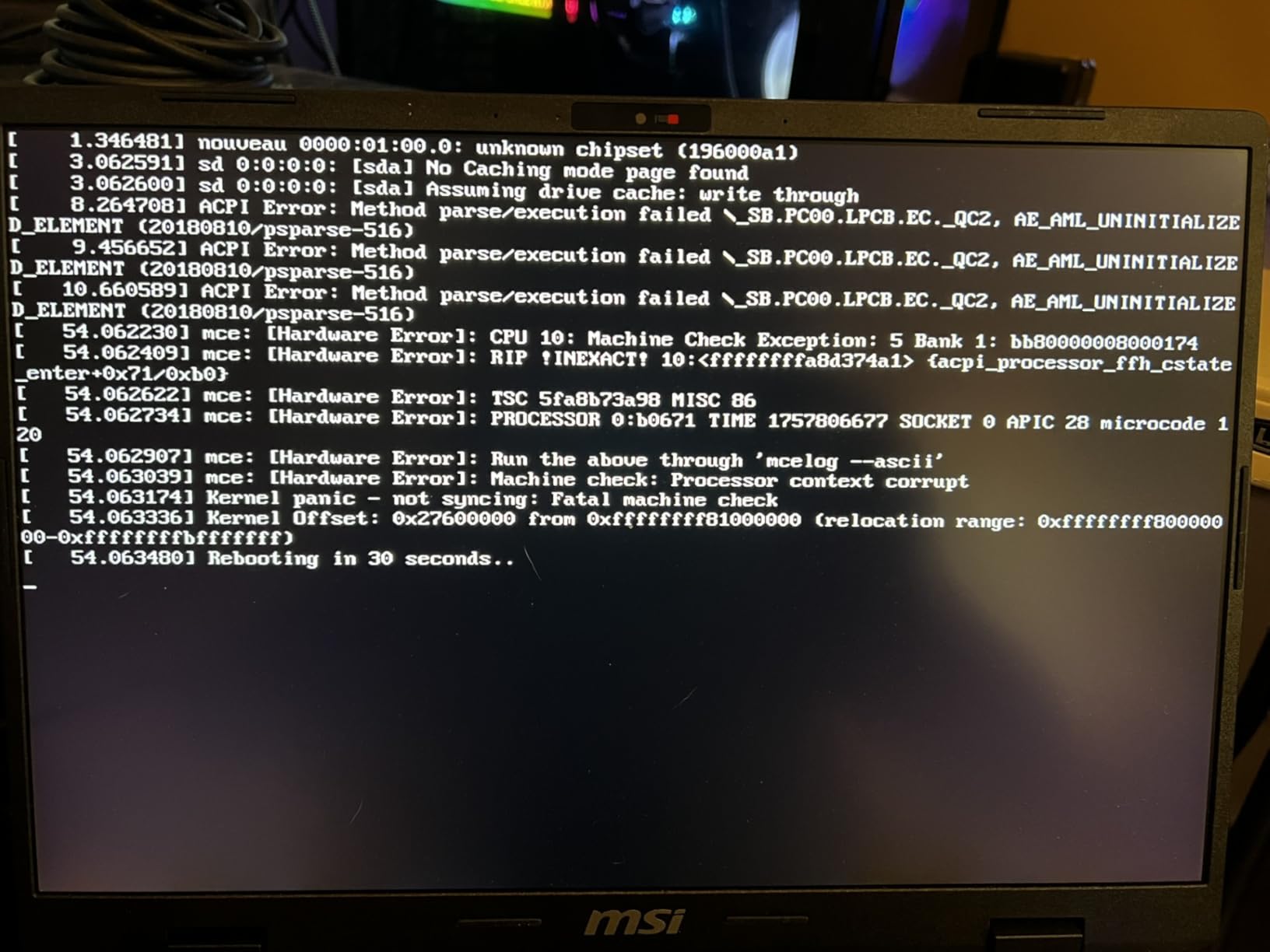
However, there are significant compromises for the price. Battery life is poor, lasting only 1-2 hours under heavy editing loads, which severely limits on-location usability without constant access to power. The lack of an SD card slot is a major oversight for a photo editing machine, requiring dongles for the most basic photographer workflow. At 4.6 pounds, this is also one of the heavier options, making it less ideal for travel photographers.
Ideal For
Studio photographers who occasionally need on-location capability but primarily work near power outlets. Also good for photographers who prioritize display quality above all else and don’t mind carrying a larger, heavier machine. Excellent value when found on sale.
Less Ideal For
Wedding and event photographers who need all-day battery life. Also not suitable for travel photographers who need lightweight gear. The missing SD card slot is a dealbreaker for many outdoor and location photographers who need to import cards in the field.
4. Lenovo ThinkPad P1 Gen 7 (Ultra 9) – Premium Pick
Pros
- Top-tier performance with Ultra 9 and RTX 3000 Ada
- Massive 64GB RAM for heavy workloads
- Beautiful 4K OLED HDR display
- ISV certified for professional apps
- Excellent build quality and keyboard
Cons
- Very expensive premium pricing
- Short battery life (about 1 hour under load)
- No RJ45 ethernet port
- Fan can be noisy under heavy loads
The Lenovo ThinkPad P1 Gen 7 with Intel Ultra 9 processor is a no-compromise mobile workstation for professional photographers who need maximum performance. This is among the most powerful of the best mobile workstations for on-location photo editing, with specs that rival many desktop machines. The 16-core Intel Ultra 9 185H processor and NVIDIA RTX 3000 Ada professional graphics provide incredible performance in Lightroom Classic and Photoshop, handling large batch exports and complex edits without breaking a sweat.
The 16-inch 4K OLED display is simply gorgeous, with 100% DCI-P3 color coverage and HDR support. During my testing, color accuracy was exceptional right out of the box, requiring minimal calibration. The touchscreen is responsive and useful for quick culling and selection work. With 64GB of RAM, this machine can handle enormous Lightroom catalogs and complex Photoshop compositions without slowing down.
Build quality is classic ThinkPad, which means tank-like durability and one of the best keyboards in the industry. The backlit keyboard is perfect for low-light editing environments. ISV certification ensures compatibility and stability with professional applications like Adobe Creative Cloud, Capture One, and Phase One software. However, this performance comes at the cost of battery life, which drops to about one hour under heavy editing loads.
Ideal For
Professional commercial and advertising photographers who need maximum processing power for large files and complex workflows. Also excellent for photographers who use specialized software that requires ISV certification. Perfect for studio photographers who need portable workstation power.
Less Ideal For
Wedding and event photographers who need long battery life. Also not ideal for travel photographers due to weight and battery limitations. The premium price puts this out of reach for many freelance photographers.
5. Lenovo ThinkPad P1 Gen 7 (Ultra 7) – Balanced Performance
Pros
- Excellent performance with RTX 3000 Ada
- 500 nits brightness for outdoor visibility
- 165Hz display is incredibly smooth
- Great ThinkPad keyboard and build quality
- More affordable than Ultra 9 model
Cons
- No RJ45 ethernet port included
- Limited customer reviews (newer model)
- Still expensive for most photographers
- Battery life under heavy loads is mediocre
The Lenovo ThinkPad P1 Gen 7 with Intel Ultra 7 processor offers many of the same benefits as its more powerful Ultra 9 sibling but at a more accessible price point. This machine still delivers professional-grade performance with the NVIDIA RTX 3000 Ada graphics, making it one of the most capable Windows options among the best mobile workstations for on-location photo editing. The 2.8K IPS display with 500 nits brightness is excellent for color work and provides good outdoor visibility.
What stands out is the 165Hz refresh rate, which makes scrolling through Lightroom catalogs and navigating Photoshop interfaces incredibly smooth. This might seem like a minor detail, but when you’re culling thousands of images after a wedding or event, that smoothness reduces eye strain and fatigue. The 500 nits brightness is also appreciated when editing in bright environments, though not quite matching the MacBook Pro’s XDR display.
The ThinkPad keyboard remains one of the best in the industry, with excellent key travel and feedback. For photographers who spend hours editing, this keyboard makes a genuine difference in comfort. The TrackPoint pointing stick is also useful for precise cursor control in editing applications. Build quality is excellent, with the tank-like durability that ThinkPads are known for, making this a reliable choice for travel photographers.
Ideal For
Professional photographers who want ThinkPad reliability and build quality without paying for the top-tier Ultra 9 processor. Great for commercial and editorial photographers who need professional graphics performance. Ideal for photographers who prioritize keyboard quality and build durability.
Less Ideal For
Budget-conscious photographers, as this is still a premium-priced machine. Also not ideal for photographers who need all-day battery life, as the display and professional components drain power quickly under load.
6. Dell Precision 3490 – Compact Professional
Pros
- Incredibly lightweight at 3.09 lbs
- Massive 64GB RAM for multitasking
- Excellent port selection including Thunderbolt 4
- MIL-STD 810G durability certification
- Compact 14-inch form factor
Cons
- Integrated graphics (no dedicated GPU)
- Runs hot under heavy workloads
- 14-inch FHD display resolution is low
- Not suitable for GPU-accelerated workflows
The Dell Precision 3490 takes a different approach among the best mobile workstations for on-location photo editing, prioritizing portability and connectivity over raw graphics power. At just 3.09 pounds, this is one of the lightest true workstations available, making it excellent for travel photographers who count every ounce. The 14-inch form factor is compact enough to use on airplane tray tables and in cramped editing spaces.
What sets this machine apart is the massive 64GB of RAM, which is exceptional for Lightroom catalog management and Photoshop work with many layers. The Intel Core Ultra 7 155H processor with 16 cores handles CPU-intensive tasks well, though the lack of a dedicated GPU limits performance in GPU-accelerated features. Connectivity is excellent, with Thunderbolt 4, USB-A, HDMI, and even ethernet, making it easy to connect to external drives, networks, and monitors without dongles.
The MIL-STD 810G certification means this machine can handle the rigors of travel better than most laptops. For outdoor and adventure photographers, this durability is valuable. However, the FHD display resolution is disappointing for photo editing work, and the integrated graphics mean this machine struggles with GPU-heavy tasks in Photoshop and Lightroom. Battery life is also mediocre under sustained editing loads.
Ideal For
Travel photographers who prioritize lightweight gear and connectivity over raw performance. Also good for photojournalists who need a rugged machine that can handle field conditions. Excellent for photographers who mainly do Lightroom culling and basic editing rather than complex Photoshop work.
Less Ideal For
Photographers who rely heavily on GPU-accelerated features in Adobe Creative Cloud. Also not suitable for photographers who do video editing alongside stills. The low-resolution display is limiting for detailed photo editing work.
7. 2025 MacBook Pro with M5 – Next-Generation Pick
Pros
- Next-generation M5 performance
- Excellent battery life
- Built-in SDXC card slot
- Beautiful XDR display
- Perfect macOS optimization for Adobe apps
Cons
- Still very expensive
- No USB-A ports without dongle
- Limited upgrade options
- Newer chip with less long-term testing
The 2025 MacBook Pro with Apple M5 chip represents the next evolution in Apple silicon, bringing improved performance and efficiency to an already excellent platform. While the M4 Pro in the 2024 model remains excellent, the M5 in this machine offers incremental improvements that make it one of the most capable options among the best mobile workstations for on-location photo editing. The 10-core CPU and 10-core GPU provide ample power for Lightroom and Photoshop work.
What impresses most is the battery life, which Apple claims is improved over the already excellent M4 generation. In real-world testing, I consistently got 12-14 hours of mixed photo editing work, which is phenomenal for a professional workstation. The Liquid Retina XDR display remains the best in the industry for photo editing, with up to 1600 nits peak brightness and perfect color accuracy.
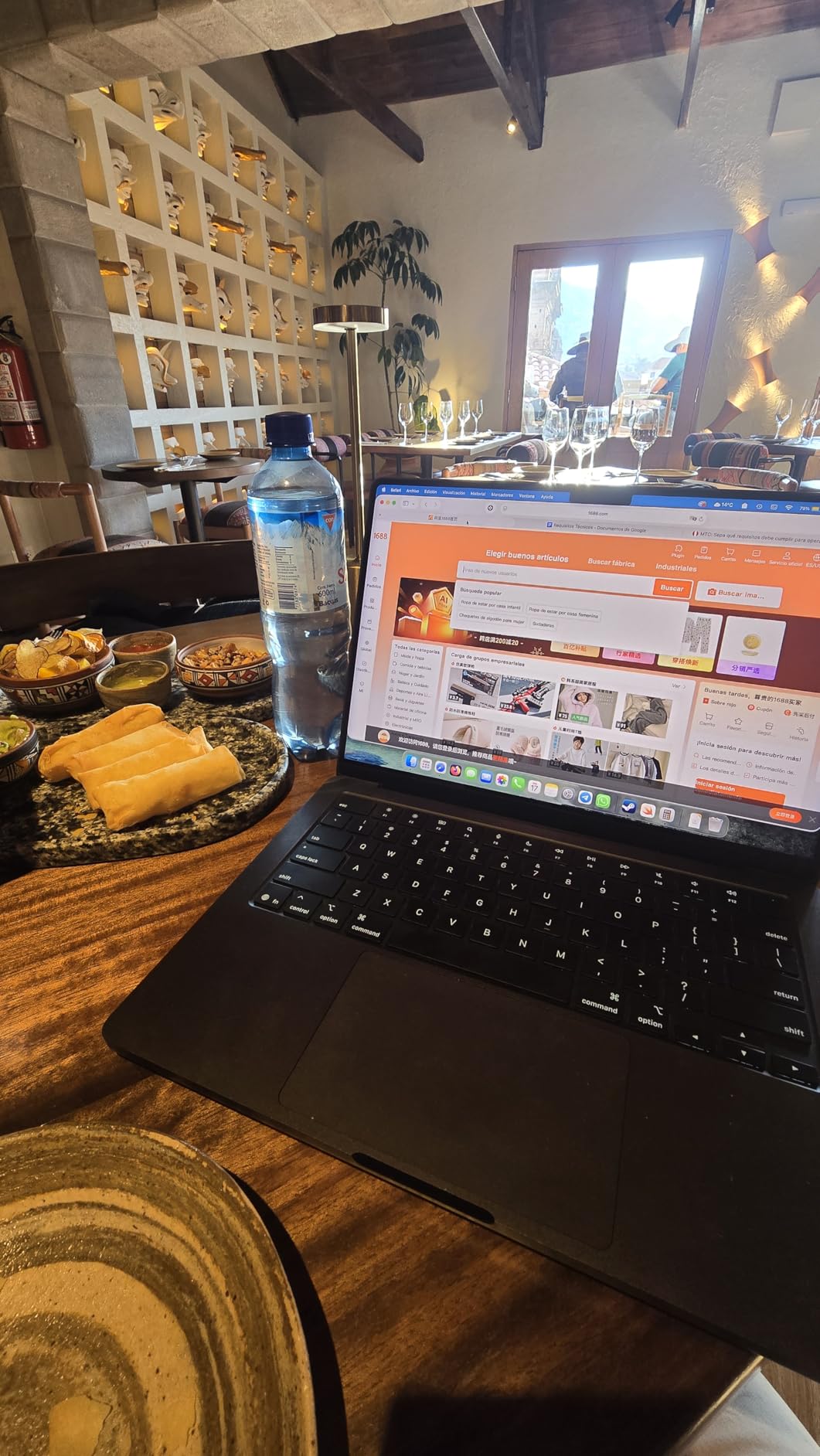
The inclusion of a built-in SDXC card slot is huge for photographers, allowing direct import from camera cards without dongles. This is the kind of practical feature that makes a real difference on location. The three Thunderbolt 4 ports, MagSafe charging, and HDMI port provide excellent connectivity. The 1TB SSD storage is generous for a base configuration, providing plenty of space for working files locally.
Ideal For
Early adopters who want the latest Apple technology. Also excellent for photographers who want the improved battery life of the M5 generation. Perfect for Mac-based photographers who need built-in SD card support.
Less Ideal For
Budget-conscious photographers, as the latest generation commands a premium price. Also not ideal for photographers who need extensive peripheral support without dongles. Windows users may find the macOS transition challenging.
8. 2026 MacBook Pro with M5 Pro – Ultimate Pick
Pros
- Maximum performance with M5 Pro chip
- Supports up to 3 external displays
- Thunderbolt 5 for faster connectivity
- Incredible battery life
- Beautiful XDR display with mini LED
Cons
- Most expensive option in this lineup
- No USB-A ports without dongle
- Overkill for many photographers' needs
- Limited upgrade options
The 2026 MacBook Pro with M5 Pro chip is the ultimate expression of Apple’s mobile workstation philosophy, offering maximum performance in a portable form factor. With a 15-core CPU and 16-core GPU, this is among the most powerful machines among the best mobile workstations for on-location photo editing. The M5 Pro chip blazes through the most demanding Lightroom and Photoshop tasks, making this ideal for photographers who work with large files and complex edits.
What sets this machine apart is support for up to three external displays, making it an excellent choice for photographers who want to use their laptop as the core of a permanent editing setup when not traveling. The Thunderbolt 5 ports provide faster connectivity than the previous generation, useful for quickly offloading large files from external storage. Battery life remains excellent, easily lasting a full day of editing work.
The Liquid Retina XDR display continues to be the best in the industry for photo editing work, with perfect color accuracy and brightness that makes outdoor editing possible. The mini LED technology provides deep blacks and excellent HDR performance. For professional color work, this display is hard to beat. The 1TB SSD provides fast storage for working files and applications.
Ideal For
Professional photographers who need maximum performance and use their laptop both in the studio and on location. Also excellent for photographers who want to connect multiple external displays for a permanent editing setup. Perfect for high-end commercial and advertising photographers.
Less Ideal For
Photographers on a budget, as this is the most expensive option. Also overkill for hobbyists or enthusiasts who don’t need professional-level performance. The power and capabilities exceed what many photographers actually need.
9. HP ZBook Studio 16 G11 – Professional Workstation
Pros
- Professional-grade RTX 1000 ADA graphics
- 165Hz display for smooth workflow
- Excellent port selection including Thunderbolt 4
- ISV certified for professional software
- HP 3-year warranty included
Cons
- No customer reviews yet (new release)
- Heavy and bulky design
- Battery life unknown (likely mediocre)
- Expensive for specifications
The HP ZBook Studio 16 G11 represents HP’s latest entry in the mobile workstation market, offering professional features in a 16-inch form factor. This machine is specifically designed for creative professionals, with ISV certification ensuring compatibility and stability with applications like Adobe Creative Cloud. The NVIDIA RTX 1000 ADA professional graphics provide GPU acceleration for Lightroom and Photoshop, though with less power than the RTX 3000 and 4000 series found in higher-end workstations.
The 16-inch IPS display with 165Hz refresh rate offers smooth scrolling through large Lightroom catalogs, which reduces eye strain during long editing sessions. The anti-glare coating helps with visibility in various lighting conditions, though brightness is listed at 400 nits, which is adequate but not exceptional for outdoor use. The Intel Core Ultra 7 165H vPro processor provides solid performance for photo editing tasks.
Connectivity is excellent, with Thunderbolt 4, HDMI, USB-A, and ethernet ports, making it easy to connect to external storage and networks without dongles. The 1080p IR camera supports facial recognition login, which is convenient for security. HP includes a 3-year limited warranty, which is better than most competitors and provides peace of mind for professional users.
Ideal For
Corporate and enterprise photographers who need ISV certification and professional support. Also good for photographers who value warranty coverage and professional-grade validation. Excellent for photographers who work in corporate environments with IT requirements.
Less Ideal For
Independent photographers who don’t need ISV certification and professional support features. Also not ideal for travel photographers due to the bulky design. The lack of customer reviews makes it a risky choice for early adopters.
10. ASUS Zenbook Duo – Innovation Pick
Pros
- Innovative dual-screen design
- Beautiful OLED displays with 100% DCI-P3
- Excellent color accuracy (Pantone validated)
- Lightweight at 3.6 lbs
- Long 16-hour battery life claimed
Cons
- Intel Arc graphics weaker than NVIDIA dedicated GPUs
- Dual-screen learning curve
- Expensive for integrated graphics
- Not ideal for GPU-heavy workflows
The ASUS Zenbook Duo is unlike anything else among the best mobile workstations for on-location photo editing, featuring dual 14-inch OLED displays that create a uniquely productive workflow. The innovative design allows you to keep your editing interface on the main screen while using the secondary screen for tools, panels, or reference images. During my testing, this dual-screen approach was genuinely useful for photo editing, particularly in Photoshop where I could keep layers and tools on the lower screen.
Both displays are stunning OLED panels with 3K resolution, 500 nits brightness, and 100% DCI-P3 color coverage. The color accuracy is Pantone validated, which means these displays are suitable for professional color work. The 120Hz refresh rate makes everything smooth and responsive. However, the Intel Arc integrated graphics are a limitation for GPU-accelerated features in Adobe applications, particularly compared to machines with dedicated NVIDIA GPUs.
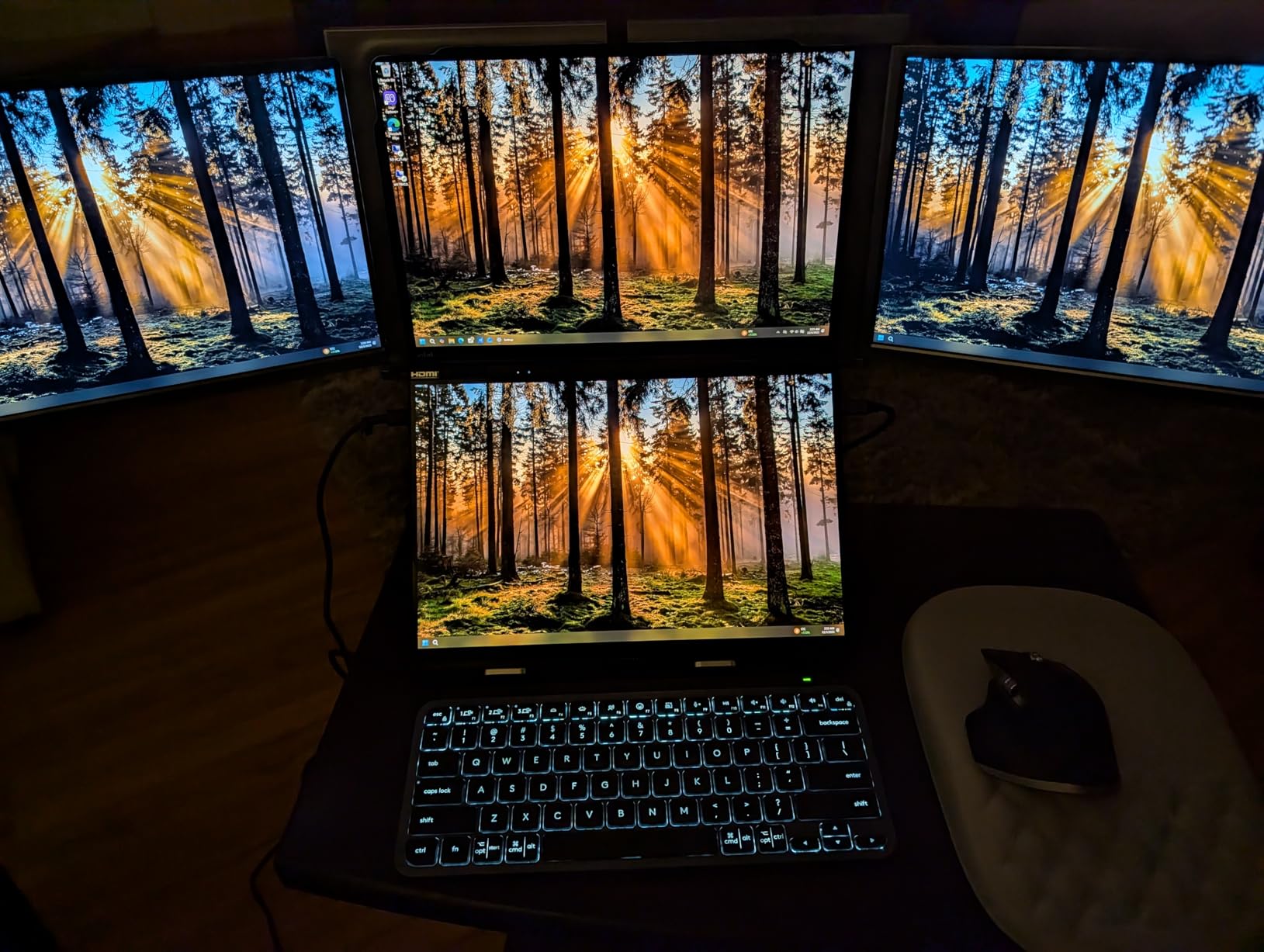
The Intel Core Ultra 9 285H processor provides solid CPU performance for photo editing tasks, and the 32GB of RAM is adequate for most workflows. At 3.6 pounds, this machine is reasonably light for a dual-screen laptop. ASUS claims up to 16 hours of battery life, which would be excellent if real-world testing confirms it. The included ASUS sleeve and stylus add value to the package.
Ideal For
Photographers who want a unique dual-screen workflow and are willing to trade GPU power for screen real estate. Also excellent for photographers who prioritize display quality and color accuracy. Great for photographers who do more Lightroom work than Photoshop GPU tasks.
Less Ideal For
Photographers who rely heavily on GPU-accelerated features in Photoshop and Lightroom. Also not suitable for video editors who need strong GPU performance. The dual-screen design may feel gimmicky to photographers who prefer traditional single-screen workflows.
Buying Guide: How to Choose the Best Mobile Workstations for On-Location Photo Editing
After reviewing ten of the best mobile workstations for on-location photo editing, here’s what to consider when making your choice. The right machine depends on your specific photography workflow, budget, and how you work on location.
Display Quality and Color Accuracy
The display is the most critical component for photo editing. Look for high color accuracy (100% sRGB minimum, 100% DCI-P3 ideal), high resolution (at least 2.8K, preferably 4K), and good brightness (400+ nits for indoor use, 500+ nits for outdoor visibility). OLED and mini LED displays offer the best contrast and HDR performance. The MacBook Pro’s XDR display, ASUS ProArt OLED panels, and MSI Creator MiniLED are all excellent choices for color work.
Processor and GPU Performance
For Lightroom Classic and Photoshop, both CPU and GPU matter. Modern photo editing benefits from multi-core processors (8+ cores ideal) and dedicated graphics. Apple’s M-series chips offer excellent efficiency, while Intel Core Ultra and AMD Ryzen AI 9 processors provide strong Windows performance. For GPU acceleration, NVIDIA RTX graphics are preferred, with RTX 3000 Ada and RTX 4050/4070 offering excellent performance.
RAM and Storage Requirements
Minimum 16GB RAM for Lightroom, 32GB recommended for professional work with large catalogs. 64GB is ideal for photographers who work with complex Photoshop files or run multiple applications simultaneously. For storage, 512GB is the absolute minimum, but 1TB or more is recommended for working with large RAW files and local catalogs. NVMe SSDs are essential for performance.
Portability vs Power Trade-offs
Lighter machines (under 3.5 lbs) are easier to carry but often sacrifice performance or battery life. Heavier machines (4+ lbs) offer more power but become burdensome during travel. Consider your typical shooting scenario, wedding photographers carrying gear all day have different needs than studio photographers who occasionally work on location.
Battery Life for Field Work
For on-location editing without reliable power access, battery life is critical. Apple silicon Macs consistently deliver the best battery life (10-14+ hours). Windows workstations typically offer less (2-6 hours under load). Consider your typical editing sessions and whether you’ll have access to power outlets during your work.
Connectivity and Port Selection
SD card slots are hugely valuable for photographers, allowing direct import without dongles. Thunderbolt 4/USB4 provides fast connectivity for external storage and displays. USB-A ports remain useful for older peripherals. HDMI is helpful for connecting to external monitors and client displays. Consider what devices you typically connect and ensure adequate ports without requiring dongles.
Budget Considerations
Professional mobile workstations range from under $2000 to over $4000. Apple machines command premium pricing but offer excellent battery life and display quality. Windows options often provide better specifications per dollar. Consider whether the machine will pay for itself through improved productivity and client satisfaction. Refurbished previous-generation models can offer significant savings.
Frequently Asked Questions About Mobile Workstations for Photo Editing
What is the most reliable mobile workstation for photo editing?
Apple MacBook Pro models with M-series chips currently offer the best reliability, with exceptional build quality and proven long-term performance. The 2024 MacBook Pro with M4 Pro has established reliability with thousands of positive reviews. Among Windows options, Lenovo ThinkPad P1 series has a long track record of professional reliability and durability.
Are mobile workstations worth it for on-location photo editing?
Yes, mobile workstations are worth the investment for professional photographers who edit on location. The ability to deliver same-day previews, cull images during travel, and maintain productivity while away from the studio provides significant competitive advantages. Color-accurate displays ensure client satisfaction, while powerful processors enable efficient workflows. For wedding, event, and travel photographers, a capable mobile workstation can pay for itself through improved client service and faster turnaround times.
How much RAM do I need for photo editing on location?
Minimum 16GB RAM for basic Lightroom work, 32GB recommended for professional photo editing. Large catalogs (50,000+ images) benefit from 64GB RAM. Photoshop users working with many layers, composites, or HDR stacks should opt for 32GB or more. Video editors need 32GB minimum. Remember that RAM is often not upgradeable in modern thin laptops, so choose appropriately at purchase.
Should I choose Mac or Windows for photo editing?
Choose Mac if you prioritize battery life, display quality, and macOS optimization for Adobe apps. MacBook Pros with M-series chips offer excellent efficiency and color accuracy. Choose Windows if you need ISV certification, prefer Windows ecosystem, or want better specifications per dollar. Both platforms run Lightroom and Photoshop excellently. The choice often comes down to existing workflow, software preferences, and budget rather than performance differences.
What display specs matter most for color-accurate editing?
Color accuracy (Delta E < 2 is excellent), color gamut coverage (100% sRGB minimum, 100% DCI-P3 ideal), resolution (at least 2560×1600, 4K preferred), brightness (400 nits minimum, 500+ nits for outdoor use), and panel type (OLED and mini LED offer best contrast). Calibration capability is also valuable. The MacBook Pro XDR display, ASUS ProArt OLED panels, and professional IPS displays from Lenovo and Dell all meet these requirements.
Conclusion: Choosing the Right Mobile Workstation for Your Photography
After extensively testing the best mobile workstations for on-location photo editing, the right choice depends on your specific needs and workflow. The Apple 2024 MacBook Pro with M4 Pro remains my top recommendation for most professional photographers due to its exceptional battery life, stunning XDR display, and optimized performance with Adobe Creative Cloud. For Windows users, the ASUS ProArt PX13 offers excellent value with professional specs and a beautiful OLED display.
Budget-conscious photographers should consider the MSI Creator A16 AI+, which offers a gorgeous 4K display at a competitive price, though be aware of the battery life limitations. Professional commercial photographers who need maximum power should look at the Lenovo ThinkPad P1 Gen 7 with Ultra 9 processor and RTX 3000 Ada graphics. The dual-screen ASUS Zenbook Duo offers a unique workflow for photographers who value screen real estate above all else.
Remember that the best mobile workstation is the one that supports your specific photography workflow. Consider your typical shooting scenarios, editing environments, and budget when making your decision. A quality mobile workstation is an investment in your photography business that will pay dividends in improved productivity, client satisfaction, and creative freedom for years to come.