
High brightness HDR gaming monitors make the largest visual difference when a game moves from a dark cave into sunlight, or when a small reflection needs to look intense without bleaching the rest of the scene. My short answer is that satisfying HDR starts at about 600 cd/m², but a monitor also needs strong contrast control; a 1,000-nit Mini-LED with many dimming zones or an OLED that switches pixels off can both look far more convincing than a basic HDR-labelled screen.
For this guide, I compared all 10 supplied displays by stated peak brightness, HDR tier, panel type, local-dimming hardware, resolution, speed, connections, and the available buyer feedback. The list includes 1440p Mini-LED choices with HDR1000 or HDR1400 certification, plus 4K QD-OLED and WOLED screens that pair pixel-level blacks with very fast response times.
There is no single winner for every desk. I would choose Mini-LED when a bright room and punchy full-screen highlights matter most, while OLED is my pick for dark-room contrast and near-instant motion. The recommendations below call out the compromises plainly, including HDMI limits, burn-in safeguards, lower review totals, and potential Mini-LED blooming.
The top 3 picks answer the biggest HDR gaming needs
The KTC M27T6S is my Editor’s Choice because it combines 1,152 local dimming zones, HDR1000, a 1440p Fast IPS panel, and up to 210Hz. The AOC Q27G3XMN is the straightforward choice for a smaller 1440p Mini-LED setup, while the ASUS PG32UCDM is the premium 4K option for players who want QD-OLED contrast, 240Hz, and USB-C power delivery.
These badges are editorial matches to documented features, not a claim that one panel suits every game or room. The all-product overview comes next, followed by the individual reasons I would put each monitor on a shortlist.
These high brightness HDR gaming monitors cover every listed option in 2026
Use this overview as a fast filter: Mini-LED entries list their zone count where supplied, and OLED entries are best read for their black level, speed, coating, and care features rather than a peak-nit figure alone. I would not treat an HDR logo as proof of the same experience across these panel types.
| Product | Specifications | Action |
|---|---|---|
 KTC M27T6S 27-inch KTC M27T6S 27-inch |
|
Check Latest Price |
 ASUS ROG Swift PG32UCDM ASUS ROG Swift PG32UCDM |
|
Check Latest Price |
 ASUS ROG Strix XG32UCWMG ASUS ROG Strix XG32UCWMG |
|
Check Latest Price |
 AOC Q27G3XMN AOC Q27G3XMN |
|
Check Latest Price |
 LG UltraGear 32GX870A-B LG UltraGear 32GX870A-B |
|
Check Latest Price |
 ASUS ROG Swift PG27AQDP ASUS ROG Swift PG27AQDP |
|
Check Latest Price |
 Samsung Odyssey OLED G8 G81SF Samsung Odyssey OLED G8 G81SF |
|
Check Latest Price |
 MSI MAG 274QPF X30MV MSI MAG 274QPF X30MV |
|
Check Latest Price |
 Acer Nitro XV275U F3 Acer Nitro XV275U F3 |
|
Check Latest Price |
 KTC M27T6 HDR1400 KTC M27T6 HDR1400 |
|
Check Latest Price |
1. KTC M27T6S is the most balanced bright Mini-LED choice
Pros
- 1152 local dimming zones
- Up to 210Hz refresh rate
- Fast IPS 1ms response
- Ergonomic stand
Cons
- No USB-C
- 1440p rather than 4K
I would start here if the goal is HDR impact without leaving 1440p’s easier-to-drive resolution. KTC lists 1,152 local dimming zones and HDR1000, a combination that gives bright game effects a much better chance of standing out while dark areas stay controlled.
The 27-inch Fast IPS panel runs at 200Hz and supports up to 210Hz overclocking, with a stated 1ms response time. That is a useful pairing for someone who alternates between cinematic HDR titles and fast multiplayer games instead of buying a display for only one genre.
Its 4.6 rating is based on 1,858 reviews, the deepest feedback pool in this group. Review insights praise the HDR performance, color accuracy, and smooth motion, so this is the pick I would investigate first when those features outweigh a need for 4K detail.
Connection planning matters: the listing specifies one DisplayPort 1.4 and two HDMI 2.0 ports, plus no USB-C. The fully adjustable stand handles height, tilt, swivel, and pivot, which is a practical advantage when a 27-inch screen needs to share a desk with another display.
This monitor fits PC players who want bright 1440p HDR and speed
The 1,152-zone backlight is the deciding hardware here, not the HDR1000 label by itself. More zones let the backlight place light more precisely than low-zone designs, although small bright objects can still produce some bloom against a dark background.
I would pair it with a PC using DisplayPort for its highest-refresh use case, then judge local-dimming behavior in the actual games played most often. Its 157% sRGB claim and 1.07 billion colors also make it worth considering for players who prefer vivid, wide-gamut images.
This monitor makes less sense for a USB-C single-cable desk
A laptop-centric setup loses convenience because there is no USB-C connection. Users who need one cable for video, charging, and peripherals should look to the ASUS PG32UCDM or LG 32GX870A-B instead.
It is also a QHD display, not a 4K gaming monitor. That lowers GPU demand at high frame rates, but players who sit close and prioritize fine 4K detail should choose from the 32-inch OLED entries.
2. ASUS ROG Swift PG32UCDM is the complete 4K QD-OLED option
Pros
- 4K QD-OLED detail
- 240Hz and 0.03ms speed
- 90W USB-C
- Five-year warranty
Cons
- Matte surface preference varies
- Smaller review pool
The PG32UCDM is the monitor I would pick for a 4K desk where dark-scene detail and motion clarity are equally important. Its 32-inch QD-OLED panel combines 3840 by 2160 resolution, 240Hz refresh, and a stated 0.03ms response time.
OLED does not need a zone grid to make black pixels dark, so subtitles, night skies, and shadow edges can remain clean without the halo that a backlit display may show. ASUS lists VESA DisplayHDR 400 True Black, 99% DCI-P3 coverage, true 10-bit color, and Delta E below 2.
The supplied listing states 1,000 cd/m² brightness, but I would still read that alongside the True Black certification rather than assuming a Mini-LED-style full-screen result. QD-OLED’s strength is its per-pixel contrast and color, especially in a controlled-light room.
ASUS has also included a custom heatsink, graphene film, and a uniform-brightness setting. Those details, plus the stated five-year warranty after online registration, address the panel-care questions that often come up around OLED gaming screens.
This monitor suits 4K PC and console players who value OLED blacks
At 32 inches, 4K gives the image dense detail without making text excessively tiny for many desktop setups. Two HDMI ports, DisplayPort, G-SYNC Compatible support, and 90W USB-C make the connection set unusually flexible for a gaming display.
I would favor this model for story-driven HDR games, films, and color-sensitive creative work alongside gaming. The 4.6 rating from 555 reviews is promising, but it is a smaller sample than KTC’s or AOC’s, so reading recent owner reports remains sensible.
This monitor is not the best fit for a sunlit room or glossy-screen fans
The matte finish is intentional, yet surface preference is personal; buyers who want a glossy OLED look may prefer the ASUS XG32UCWMG. Bright-room buyers should also compare how OLED’s stated peak behavior fits their room against the sustained brightness behavior of Mini-LED.
A 240Hz 4K signal asks much more from a PC than 1440p. If competitive frame rate is the first priority, the 480Hz ASUS PG27AQDP or 320Hz Acer Nitro can be a more direct match.
3. ASUS ROG Strix XG32UCWMG gives one screen two speed modes
Pros
- Dual refresh modes
- Glossy WOLED clarity
- OLED Care Pro
- HDMI 2.1
Cons
- Only 74 reviews
- Three-year warranty
The XG32UCWMG answers a specific problem: some players want 4K detail for slower games and extreme refresh speed for competitive play, without running two monitors. Its Dual Mode switches between 4K at 240Hz and Full HD at 480Hz.
ASUS specifies a TrueBlack Glossy WOLED panel, a stated 0.03ms response time, 99% DCI-P3, true 10-bit color, and Delta E below 2. The glossy surface is a real part of its appeal because it avoids the haze some players associate with matte coatings.
I would give its 4.6 rating careful context because it is based on only 74 reviews. The reported strengths are the sharp glossy image and dual-mode flexibility, while the smaller feedback pool means long-term owner evidence is still limited.
OLED Care Pro includes a Neo Proximity Sensor that turns the panel black when the user steps away. That is a practical panel-care measure for anyone who leaves static desktop elements on screen between gaming sessions.
This monitor fits players who switch between 4K adventures and esports
The FHD 480Hz mode is its defining feature, not simply a bonus number. I would choose it when a desk must handle both high-detail single-player games and reflex-heavy shooters, provided the lower resolution in the fast mode is acceptable on a 32-inch panel.
DisplayPort 1.4 with DSC, two HDMI 2.1 inputs, and USB-C cover modern PC and console connections. FreeSync Premium Pro and G-SYNC Compatible support also make variable refresh rate part of the package.
This monitor is less suitable when a large owner-feedback sample matters
Seventy-four reviews leave less community evidence than competing OLED models. Buyers who put review volume at the top of their decision may be more comfortable with the KTC M27T6S, AOC Q27G3XMN, or ASUS PG32UCDM.
A glossy surface can reflect room lights more clearly than a matte panel. I would place this screen where windows and lamps are easy to control, then use its deep black capability to its best effect.
4. AOC Q27G3XMN is the focused 1440p HDR1000 Mini-LED pick
Pros
- 336 dimming zones
- HDR1000
- 180Hz refresh
- Three-year zero-bright-dot warranty
Cons
- HDMI 2.0 only
- VA viewing-angle trade-off
The AOC Q27G3XMN is a compact, purpose-built route to proper backlight-driven HDR. It combines a 27-inch 2560 by 1440 VA panel, 336 Mini-LED zones, VESA DisplayHDR 1000, 180Hz refresh, and a stated 1ms GtG response.
I would treat 336 zones as meaningful local dimming, especially compared with edge-lit HDR screens, but not the same precision as a 1,152-zone design. Bright HUD points or a moon against a black sky can still expose some blooming, which is the normal Mini-LED compromise.
The rating is 4.5 from 833 reviews, a solid quantity of feedback for this roundup. Review insights point to HDR performance, color, and competitive speed as strengths, and the three-year zero-bright-dot warranty is a useful practical reassurance.
AOC claims a 134% sRGB gamut and lists Xbox, PS5, and Switch compatibility. Its three-sided frameless design makes it a reasonable choice when two monitors need to sit side by side without thick inner bezels.
This monitor suits 1440p players who want real local dimming
For PC gaming, 1440p and 180Hz is a manageable performance target compared with 4K at 240Hz. I would prioritize the Q27G3XMN for someone who wants a VESA HDR1000 badge and Mini-LED contrast without moving into OLED ownership considerations.
VA panel technology often produces strong native contrast, which works naturally with a local-dimming backlight. It can carry viewing-angle trade-offs beside IPS, so center seating is the better match.
This monitor is a limited match for HDMI 2.1-driven console features
The specified HDMI ports are HDMI 2.0, not HDMI 2.1. That matters for console owners who specifically expect 4K at 120Hz through HDMI, although this is a 1440p monitor rather than a native 4K screen.
Players sharing a screen with people at wide angles may prefer an IPS or OLED option. The AOC works best as a primary, straight-on gaming monitor where its VA and Mini-LED strengths can be seen as intended.
5. LG UltraGear 32GX870A-B brings MLA+ brightness to dual-mode OLED
Pros
- MLA+ peak brightness
- 240Hz or 480Hz modes
- DP 2.1 and USB-C
- Anti-glare coating
Cons
- Lower typical brightness
- Two-year warranty
LG’s 32GX870A-B is another 4K 240Hz or Full HD 480Hz OLED, but its stated Micro Lens Array+ technology distinguishes it from the other dual-mode screen. LG lists peak brightness up to 1,300 nits, while typical brightness is 275 nits.
That difference is important when comparing HDR specs. I would expect the peak figure to matter most for compact highlights, while the typical figure is a better reminder not to judge an OLED like a bright full-screen Mini-LED monitor.
The panel has a stated 0.03ms response time, VESA DisplayHDR True Black 400, a 1.5M:1 contrast ratio, and 98.5% DCI-P3 coverage. It also supports both G-SYNC Compatible and FreeSync Premium Pro operation.
LG includes an anti-glare, low-reflection surface, built-in speakers with DTS Headphone:X support, USB-C with 90W power delivery, and DisplayPort 2.1. The documented rating is 4.3 from 234 reviews, so I would weigh the complete feature set against the shorter two-year warranty.
This monitor fits an OLED player who needs bright HDR highlights and flexible speed
MLA+ makes this a sensible OLED shortlist candidate when HDR peak brightness is the central concern. I would consider it for a mixed PC desk because USB-C power delivery and DP 2.1 are forward-looking connection features.
The dual mode gives the user a clear choice between detail and outright refresh rate. A game does not need to run in the fast mode, but it is available when 480Hz Full HD is more useful than 4K resolution.
This monitor is a weaker match for buyers who need long warranty coverage
The supplied specifications list a two-year limited warranty, shorter than the five-year coverage stated for the ASUS PG32UCDM and the three-year coverage on several other entries. With any OLED, I would review the warranty terms and panel-care tools before making a final decision.
Built-in speakers are convenient but do not replace a dedicated audio system for everyone. Players already using desktop speakers or a headset should treat them as a useful extra rather than the core reason to select the LG.
6. ASUS ROG Swift PG27AQDP is the 480Hz OLED choice for competitive play
Pros
- 480Hz refresh
- 0.03ms response
- 99% DCI-P3
- Burn-in coverage warranty
Cons
- 1440p resolution
- Only one stated con supplied
The PG27AQDP makes a clean case for players who care most about motion. ASUS describes it as a 26.5-inch 1440p WOLED display with 480Hz refresh and a stated 0.03ms response time, a pairing built around fast visual updates.
I would not buy this particular monitor only for peak brightness, even though the listing states 1,300 cd/m². Its VESA DisplayHDR 400 True Black classification points to the OLED approach: excellent pixel-level black, high contrast, and a smaller-format highlight profile than a high-zone Mini-LED.
It also lists 99% DCI-P3 gamut coverage, Delta E below 2, G-SYNC Compatible operation, FreeSync Premium, and a custom heatsink. The 4.3 average from 232 reviews offers a useful but not massive feedback base.
ASUS adds OLED Anti Flicker technology, an AI Assistant, and a three-year warranty with burn-in coverage. Those are useful comfort features for a screen intended to spend many hours displaying game interfaces and desktop elements.
This monitor fits competitive PC players who prioritize 480Hz motion
A 480Hz monitor only pays off when the PC and games can deliver very high frame rates. I would reserve it for esports titles and players who prefer lower rendering demand at 1440p over the image density of 4K.
The 26.5-inch size keeps the whole screen within a close viewing field, helpful when scanning a fast game. OLED’s rapid pixel response should also limit the blur associated with slower pixel transitions.
This monitor is less suited to 4K console-first gaming
Native resolution is 2560 by 1440, so this is not the right match for someone shopping specifically for a native 4K PS5 or Xbox Series X HDR monitor. The ASUS PG32UCDM, Samsung G8, and LG entry better match that requirement.
It also has a single supplied con in the analysis rather than a broad list of faults, so I would not invent one. The key decision is straightforward: choose it for competitive 1440p speed, not because it is the broadest all-purpose screen.
7. Samsung Odyssey OLED G8 G81SF is the glare-controlled 4K QD-OLED
Pros
- 4K QD-OLED
- 240Hz response
- Glare Free coating
- Dynamic cooling system
Cons
- Lower 4.1 rating
- Limited availability noted
Samsung’s 32-inch Odyssey OLED G8 G81SF is the 4K QD-OLED option for buyers who worry about reflections as much as black depth. It lists 3840 by 2160 resolution, 240Hz, a stated 0.03ms response, and VESA DisplayHDR True Black 400.
The listing’s Glare Free treatment is described as 54% less glossy than a conventional surface. I would see that as a meaningful differentiator for a room with lamps or moderate ambient light, though no coating makes direct reflections disappear completely.
Samsung supplies Quantum Dot Color, a Dynamic Cooling System with Pulsating Heat Pipe, a Thermal Modulation System, and logo and taskbar detection. Those features address OLED heat handling and static-image awareness, two recurring concerns in player discussions.
The documented rating is 4.1 from 253 reviews, lower than most selections above. I would take that seriously rather than glossing over it, while recognizing that the available review summary still praises 4K QD-OLED image quality and clarity.
This monitor suits 4K OLED players who need less-glossy screen behavior
Its glare-control positioning makes sense for a normal living space or office rather than a fully dark gaming room. FreeSync Premium Pro and G-SYNC Compatible support provide variable-refresh options for both major PC graphics ecosystems.
I would also consider it for a console-and-PC desk because the 32-inch 4K format is familiar and easy to share. Auto Source Switch+ can be convenient when moving between connected devices.
This monitor needs closer review when buyer rating is a deciding signal
A 4.1 average across 253 reviews is not a reason to dismiss the display, but it is a reason to examine recent feedback carefully. The top 4.6-rated ASUS 4K QD-OLED and KTC Mini-LED alternatives give useful points of comparison.
The supplied stock note described limited availability at data collection time, which can change. I would confirm current availability and warranty terms directly before deciding between this model and a competing 4K OLED.
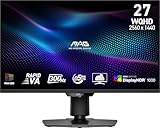
8. MSI MAG 274QPF X30MV pairs 300Hz with a 1,152-zone Mini-LED backlight
Pros
- 1152 Mini-LED zones
- 300Hz refresh
- HDR1000
- Rapid VA contrast
Cons
- Only 17 reviews
- Limited feedback history
The MSI MAG 274QPF X30MV is compelling on its stated hardware: 27-inch QHD, Rapid VA, 300Hz, 0.5ms response, Mini-LED with 1,152 zones, and VESA DisplayHDR 1000. It targets players who do not want to choose between high-refresh competition and vivid HDR lighting.
That 1,152-zone figure puts it in the same local-dimming class as the leading KTC and Acer Mini-LED entries. I would expect it to have more control over highlight placement than the 336-zone AOC, although zone count is not the whole story of processing quality.
Quantum Dot technology and the Rapid VA panel are listed alongside AMD Adaptive Sync and an AI Navigator. VA can deliver strong native contrast, while 300Hz gives this monitor a meaningful speed advantage over the 180Hz and 210Hz alternatives.
The major limitation is confidence, not the published specifications: the rating is 4.1 from only 17 reviews. That small sample calls for restraint, and I would watch for more long-term owner reports before making it a first recommendation.
This monitor fits players seeking 300Hz and serious Mini-LED dimming
On paper, the MSI is among the clearest matches for fast 1440p HDR gaming. A 300Hz signal can be easier to feed than 4K 240Hz, and the 1,152 zones offer the kind of hardware that makes HDR1000 more credible.
I would place it on a PC-first shortlist for people who enjoy both competitive shooters and high-contrast single-player games. Its VESA mounting and height adjustment add ordinary but useful desk flexibility.
This monitor is not the choice for buyers who rely on a large review base
Seventeen reviews leave too little feedback to make broad durability or consistency conclusions. The product analysis itself identifies the limited count as the chief drawback, and that is the right caution to carry into a purchase decision.
AMD Adaptive Sync is specified, but the supplied details do not make an equivalent G-SYNC compatibility claim. NVIDIA users should verify their intended connection and variable-refresh behavior before treating it as a direct replacement for a G-SYNC Compatible model.
9. Acer Nitro XV275U F3 offers 320Hz IPS Mini-LED speed
Pros
- 1152 local dimming zones
- 320Hz refresh
- 1000-nit brightness
- Full ergonomic stand
Cons
- 3.9 rating
- Some one-star feedback
The Acer Nitro XV275U F3 is the fastest-refresh Mini-LED IPS option in this list, with a stated 320Hz rate, up to 0.5ms response, 1,000-nit brightness, and 1,152 local dimming zones. Its 27-inch 1440p layout is a familiar fit for high-frame-rate PC gaming.
IPS is the panel distinction here. I would choose it over VA when wider viewing angles and the usual IPS color presentation matter, while accepting that much of its HDR contrast work still depends on the Mini-LED backlight and local dimming.
Acer lists VESA DisplayHDR 1000, AMD FreeSync Premium, 99% AdobeRGB coverage, HDMI 2.1, and DisplayPort 1.4. HDMI 2.1 is particularly helpful for a current console connection, even though the panel’s native resolution remains 1440p.
The low 3.9 rating from 49 reviews needs to be part of the recommendation. The review summary reports 56% five-star ratings but also 14% one-star ratings, making quality-consistency research more important here than with higher-rated alternatives.
This monitor fits players who want IPS viewing angles at 320Hz
The combination of 320Hz, 1,152 zones, and a stated 1,000-nit peak is unusual on paper. I would shortlist it for a player who values quick 1440p play and wants broader viewing flexibility than the Rapid VA MSI or AOC VA panel offers.
The stand supports height, pivot, swivel, and tilt, allowing a precise physical setup. That helps when the screen must serve a game desk during the day and a portrait-oriented work display at other times.
This monitor calls for more caution about user feedback
The rating and one-star proportion are the reason it sits below more established picks in this guide. I would verify return terms and look closely at recent reports for the issues most relevant to the individual setup.
Its raw specifications are strong, but the strongest spec sheet is not automatically the safest selection. Buyers who prefer more positive feedback can compare it with the higher-rated KTC M27T6S or AOC Q27G3XMN.
10. KTC M27T6 is the HDR1400 Mini-LED choice with the clearest caveat
Pros
- HDR1400 certification
- 1152 dimming zones
- 148% sRGB
- Ergonomic adjustment
Cons
- 3.7 rating
- Reported narrow viewing angle
The KTC M27T6 is the most direct answer for a shopper searching specifically for a DisplayHDR 1400 gaming monitor. It lists 1,400 cd/m² brightness, HDR1400 certification, a 27-inch 1440p HVA Mini-LED panel, 1,152 dimming zones, 180Hz, and a 1ms response time.
HDR1400 raises the brightness ceiling above HDR1000 and can make very small specular highlights more forceful. I would not assume that it transforms every game scene, because HDR mastering, dimming behavior, and room light still decide how visible the gain is.
The backlight hardware is impressive on paper, and 148% sRGB is the stated wide-gamut claim. FreeSync and G-SYNC compatibility, two HDMI 2.0 inputs, and DisplayPort 1.4 give it the expected PC-focused connection set.
The warning is equally clear: this monitor’s rating is 3.7 from 38 reviews, with the supplied analysis reporting 22% one-star ratings. I would not put HDR1400 above overall consistency; its appeal is for buyers willing to research that trade-off carefully.
This monitor fits HDR specialists who want a documented HDR1400 tier
Among these 10 models, it is the one that explicitly carries HDR1400 certification. I would consider it for dark-room HDR games with bold light effects, where the extra highlight capacity and 1,152-zone backlight have the best chance to be appreciated.
The height and angle adjustments are welcome for a 27-inch display, and the blue-light filter plus flicker-free features are intended for long sessions. Its 180Hz refresh rate remains fast enough for many competitive games.
This monitor is not the safe pick when consistent feedback matters most
The lower average rating and one-star share are not minor details. They are why the KTC M27T6 is a specialist alternative rather than the overall pick, despite having the highest named HDR tier in this roundup.
The specified 89-degree viewing angle is another limitation to consider in multi-person viewing. A more broadly trusted HDR1000 Mini-LED can be the smarter choice if HDR1400 is not an explicit requirement.
True HDR starts with brightness plus contrast control, not a label
For HDR gaming, look for at least 600 cd/m² peak brightness as a practical floor, then ask how the monitor keeps dark pixels dark while a highlight becomes bright. A display with 1,000 cd/m² or 1,400 cd/m² peak brightness can show more intense sun glints, fire, and reflections, but a basic edge-lit backlight may still brighten nearby dark areas.
That is why local dimming zones matter. A Mini-LED has groups of LEDs behind the panel; more independently controlled groups make it easier to light a small object without raising the whole scene. OLED approaches the problem differently, as each pixel can be turned off, producing extremely deep blacks and no backlight blooming.
DisplayHDR 400, 600, 1000, and 1400 describe very different targets
DisplayHDR 400 is an entry point and does not by itself promise the contrast control players expect from dramatic HDR. DisplayHDR 600 is a more credible starting point for highlights, while DisplayHDR 1000 is the tier I would seek for a bright Mini-LED HDR experience.
DisplayHDR 1400 raises the potential peak brightness further, as on the KTC M27T6. On OLED, DisplayHDR True Black 400 should not be dismissed as weak merely because the number is lower; it describes a different panel strength centered on deep blacks and pixel-level control.
Mini-LED wins bright-room impact while OLED wins pixel-level darkness
Choose Mini-LED when peak brightness, strong full-screen light output, and a bright gaming room are the main priorities. The KTC, MSI, Acer, and AOC models show the important range of 336 to 1,152 zones; a higher count usually offers finer lighting control, although it does not make bloom impossible.
Choose QD-OLED or WOLED when dark-room immersion, instant pixel response, clean starscapes, and no halo around bright objects matter most. OLED requires sensible static-content habits, so care systems, heatsinks, detection features, and documented warranty coverage deserve as much attention as a refresh-rate number.
Refresh rate and response time decide how HDR motion feels
For cinematic games and consoles, 120Hz HDR is already responsive. For PC competition, 180Hz, 210Hz, 240Hz, 300Hz, 320Hz, and 480Hz each reduce the time between updates, but the GPU must produce enough frames for the rate to matter.
Response time is separate from refresh rate. The 0.03ms OLED claims on several models point to very fast pixel transitions, while the Mini-LED LCD options list 0.5ms or 1ms figures; both categories can be fast, but they create motion in different ways.
PS5 and Xbox Series X work best with the right resolution and HDMI path
For a native 4K console HDR setup, the ASUS PG32UCDM, ASUS XG32UCWMG, LG 32GX870A-B, and Samsung G8 are the clearest choices because they are native 4K panels. HDMI 2.1 is explicitly listed on the ASUS Strix, LG, and Acer; confirm a model’s supported modes before assuming every port supports the same signal.
A 1440p monitor can still be a good console screen, especially when competitive speed matters, but it does not display native 4K pixels. I would calibrate HDR using the console’s setup screens after enabling the correct input mode and variable refresh option where supported.
Calibration starts with the game, the room, and an honest brightness setting
Enable HDR in the operating system or console only when the monitor’s HDR mode is selected, then run the game’s own HDR calibration. Set the game’s peak-brightness slider close to the monitor’s documented capability rather than pushing it to an arbitrary maximum.
Use a darker room for OLED if possible, and reduce direct reflections on any panel. If Mini-LED bloom around subtitles is distracting, try the monitor’s local-dimming options and evaluate the actual games played, because menus and test scenes do not always represent normal gameplay.
These FAQ answers settle the most common HDR monitor questions
What is the best HDR monitor for gaming?
The KTC M27T6S is the most balanced choice here for PC players who want 1440p speed, HDR1000, and 1,152 Mini-LED dimming zones. For a 4K OLED choice, the ASUS ROG Swift PG32UCDM combines QD-OLED, 240Hz, 0.03ms response, and 99% DCI-P3 coverage.
Which 4K monitor has the best HDR brightness for PS5?
The LG UltraGear 32GX870A-B lists 4K resolution, HDMI connectivity, MLA+ technology, and peak brightness up to 1300 nits. The ASUS PG32UCDM and Samsung Odyssey OLED G8 are also 32-inch 4K OLED options; verify the exact console signal mode supported by the chosen HDMI input.
What brightness level is needed for true HDR?
Treat 600 cd/m2 as a practical minimum for satisfying HDR highlights, then look for contrast control. HDR1000 Mini-LED monitors with meaningful local dimming can create much stronger bright-dark separation, while OLED can deliver deep blacks at lower VESA True Black numerical tiers.
Does HDR matter in a gaming monitor?
HDR matters when a game supports it and the monitor has enough peak brightness plus local dimming or OLED pixel control. It makes sunlight, reflections, explosions, and shadow detail appear more distinct than SDR, but a basic HDR label without contrast hardware may offer little visible improvement.
What is the difference between HDR400 and HDR1000?
HDR400 is an entry-level VESA tier and may not provide the brightness or dimming control associated with dramatic HDR gaming. HDR1000 targets much higher peak brightness; with a Mini-LED backlight and many zones, it can produce more forceful highlights while preserving dark areas more effectively.
The KTC M27T6S is the best all-round HDR choice for 2026
For most PC players, I would begin with the KTC M27T6S because its 1,152-zone Mini-LED backlight, HDR1000, 1440p resolution, and up-to-210Hz refresh form a balanced package. The ASUS PG32UCDM is the stronger 4K OLED selection, while the AOC Q27G3XMN is a sensible 1440p HDR1000 alternative with 336 zones and a large review base.
The best high brightness HDR gaming monitors are not defined by one number. Match the panel to the room, the resolution to the hardware, and the HDR tier to the kind of highlights and blacks you want to see, then use the product pages above to check the current configuration.