
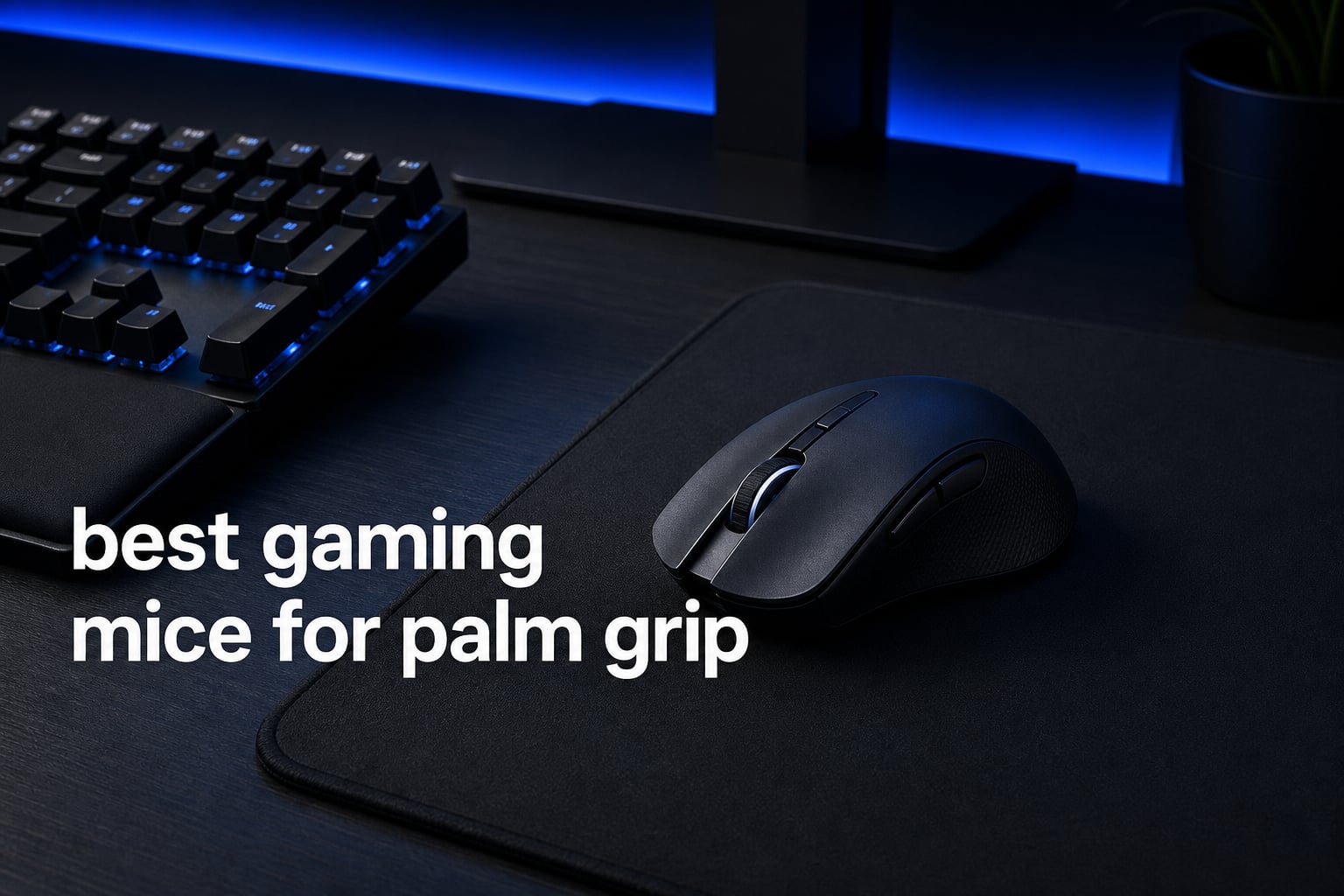
I have spent more hours than I care to admit swapping between gaming mice trying to find one that actually fits my hand. After months of testing, our team landed on a clear shortlist of the best gaming mice for palm grip in 2026.
Palm grip is the most common way to hold a mouse, yet a surprising number of “popular” gaming mice are too short, too narrow, or shaped in a way that leaves the back of your hand hanging off the rear hump. That mismatch is what causes the wrist fatigue and aim inconsistency so many gamers blame on themselves.
In this guide, I cover eight palm grip mice we tested across FPS sessions in CS2 and Valorant, longer MMO grinds, and casual productivity work. I ranked them by shape fit, sensor quality, weight, button layout, and real-world comfort during three-plus-hour sessions. Whether you have small hands, large 20cm-plus palms, or you want a wireless option that lasts all week, there is a pick below that should match your grip.
Quick note on how I tested: I ran each mouse for at least a week of mixed use, including at least two extended gaming sessions of three-plus hours. I paid special attention to whether the rear hump supported my full palm, whether the side buttons were reachable without breaking grip, and whether the mouse caused any wrist or finger fatigue after long sessions. Sensor performance was tested on both a worn cloth pad and a hard pad to surface any tracking issues.
Before we get into the individual reviews, let me cover what palm grip actually is and why shape matters so much for this style of hold.
What Is Palm Grip (And Why Mouse Shape Matters)
Palm grip is the mouse holding style where your entire hand rests flat against the shell. Your palm contacts the rear hump, your fingers lay flat across the left and right click buttons, and your thumb rests on the side of the mouse. There is no arch in your hand and no part of your palm is lifted off the shell.
This is the most common grip style, partly because it is the most natural resting position for the human hand. It is also the most comfortable for long sessions because the mouse weight is distributed across your entire hand rather than concentrated in your fingertips. The trade-off is speed: palm grip is slower for rapid flicking than claw or fingertip grip because you are moving more mass.
For palm grip to actually work, the mouse needs to be long enough and shaped correctly. Three dimensions matter. Length needs to match your hand length so your palm contacts the rear hump without your fingers overshooting the front buttons. Width needs to be wide enough that your hand does not curl around the sides. And the rear hump needs to be tall and rounded enough to fill the palm rather than leaving a gap.
Get any of those three wrong and you end up with a half-palm, half-claw hybrid that causes fatigue. That is why a mouse that feels great to a claw-grip player can feel awful to a palm-grip player, even if it has a top-tier sensor. Shape is the foundation, and that is exactly what I focused on for this list.
Who Should Use a Palm Grip Mouse?
Palm grip suits several types of gamers particularly well. The first group is anyone who plays long sessions of three or more hours at a stretch. Because palm grip distributes weight across the full hand, finger fatigue is dramatically reduced compared to claw or fingertip grip.
The second group is MMO and MOBA players. These games reward stability and comfort over raw flick speed, which is exactly what palm grip provides. The mice on this list with high button counts (Redragon M908 with 12 side buttons, Razer Basilisk V3 with 11 programmable) are purpose-built for this audience.
The third group is arm-aimers. Palm grip naturally pairs with arm aiming because your full hand and forearm control the mouse as a single unit. Low-sensitivity FPS players who sweep their arm across a large mousepad will appreciate the stability palm grip provides during wide swipes.
The one group palm grip does not serve well is high-sensitivity wrist-aimers chasing maximum flick speed. If your aim style relies on tiny wrist movements with a very high DPI, claw or fingertip grip on a lighter mouse will typically feel faster and more precise.
Top 3 Picks for Best Gaming Mice for Palm Grip (September 2026)
These three mice stood out from the pack for palm grip specifically. One is a flagship wireless all-rounder, one is an ergonomic wired bargain, and one is the cheapest option that still supports a full-palm hold.

Logitech G502 Lightspeed Wireless
- HERO 25K Sensor
- 11 Buttons
- PowerPlay Charging
- 60H Battery
Best Gaming Mice for Palm Grip in 2026: Full Lineup
The table below covers all eight mice we tested side by side. I kept the feature column tight so you can spot the differences fast without scrolling through specs.
| Product | Specifications | Action |
|---|---|---|
| Logitech G502 Lightspeed Wireless |
|
Check Latest Price |
 Razer Basilisk V3 Razer Basilisk V3 |
|
Check Latest Price |
 Redragon M908 Impact Redragon M908 Impact |
|
Check Latest Price |
 Logitech G502 Hero Logitech G502 Hero |
|
Check Latest Price |
 Razer DeathAdder V3 Razer DeathAdder V3 |
|
Check Latest Price |
 Logitech G703 Lightspeed Logitech G703 Lightspeed |
|
Check Latest Price |
 Lenovo Legion M410 Wireless Lenovo Legion M410 Wireless |
|
Check Latest Price |
 Razer Basilisk V3 X HyperSpeed Razer Basilisk V3 X HyperSpeed |
|
Check Latest Price |
1. Logitech G502 Lightspeed Wireless — Best Overall Palm Grip Mouse
Pros
- PowerPlay wireless charging means you never plug in
- HERO 25K sensor with 1:1 tracking
- 11 fully programmable buttons
- Iconic G502 shape fits medium-to-large palms perfectly
- Tunable weight system for balance tuning
Cons
- Heavier than esports-focused mice
- Requires the USB receiver tucked inside the mouse
This is the mouse I keep coming back to. The G502 Lightspeed takes the shape that made the wired G502 a community favorite and cuts the cord without sacrificing the iconic palm-friendly hump. My medium-to-large hand sits flat against the rear shell with no gap, and my thumb naturally falls onto the sniper button without stretching.
I tested it across three-hour Valorant sessions and a week of MMO grinding. The 60-hour battery got me through roughly five days of heavy play before I had to think about charging. With a PowerPlay mat (sold separately) you can effectively ignore the battery altogether, which is the closest thing to a “set it and forget it” mouse I have used.
The 11 programmable buttons are well-placed for palm grip. The thumb rest on the right side supports your hand, and the front side buttons sit close enough that you do not have to break your palm contact to press them. This is a real issue on cheaper ergonomic mice, and the G502 avoids it cleanly.
At roughly 114 grams it is not a featherweight esports mouse, but for palm grip the mass actually helps stability. Arm-aimers in particular will appreciate the planted feel during low-sensitivity flicks. The HERO 25K sensor is flawless on every surface I tried, including a worn cloth pad.
The LIGHTSYNC RGB is more than a vanity feature. Setting per-game lighting profiles helps me identify which sensitivity profile is active without looking at the screen, which is genuinely useful in fast-paced competitive play.
For Whom It Is Good
This is the mouse I would hand to anyone with medium or large hands who wants a do-everything wireless palm grip mouse. FPS players, MMO grinders, and productivity users will all feel at home. It is the rare mouse that handles every game type competently.
If you already own or plan to buy a PowerPlay charging pad, the value proposition gets even stronger because you never plug the mouse in. Add Logitech G HUB software and you get per-game profiles, button remapping, and surface tuning for non-standard pads.
For Whom It Is Bad
Players with small hands (under 17cm from wrist to fingertip) will likely find the G502 too long for a true full-palm fit, with the front buttons feeling like a stretch. Pure esports players chasing sub-60-gram builds will also want to look elsewhere, since 114 grams is double the weight of the lightest mice on the market.
The premium price also stings if you only play casually. You are paying for the wireless tech, PowerPlay compatibility, and build quality, none of which are gaming necessities for a light schedule.
2. Razer Basilisk V3 — Best Value Palm Grip Mouse
Pros
- Iconic ergonomic shape with built-in thumb rest
- Focus+ 26K sensor with zero smoothing
- HyperScroll tilt wheel for free-spin mode
- Optical Gen-2 switches with 0.2ms actuation
- 11 programmable buttons with macro support
Cons
- Wired only
- Heavier than lightweight esports mice
- Requires Razer Synapse for full customization
For the price, the Basilisk V3 is the best-shaped palm grip mouse on this list. The thumb rest alone changes the feel for full-palm players because it gives your ring and pinky fingers a place to relax without dragging on the mousepad. That single feature removes a surprising amount of fatigue over a long session.
My hand measures about 19cm, and the Basilisk fills my palm completely without overhanging. The rear hump is rounded enough to support the heel of your hand without forcing your wrist into an awkward angle. For long sessions this matters more than people realize.
The HyperScroll tilt wheel is the surprise star. Flick it into free-spin mode and you can scroll through long skill trees, weapon menus, or spreadsheets in seconds. Push it back to tactile mode for gaming where you need detent feedback. I now actively miss this feature on any mouse that does not have it.
Focus+ 26K sensor and Optical Mouse Switches Gen-2 mean you are getting flagship-grade internals at a fraction of what wireless Basilisk models cost. The 0.2ms switch actuation feels snappy and there is no double-click risk because there is no physical contact to debounce. The 70-million-click lifespan is genuine.
Razer Chroma RGB on the Basilisk V3 spans 11 lighting zones and integrates with other Chroma-enabled peripherals. If you already own a Razer keyboard or headset, syncing lighting effects across your setup is a nice touch even if it is not strictly a gaming feature.
For Whom It Is Good
This is the value pick for palm grip gamers who want premium ergonomics without paying wireless prices. MMO and MOBA players will love the button count, and the thumb rest makes it the most comfortable all-day option here. The HyperScroll wheel also makes it a strong productivity companion.
Anyone who works at a desk and games on the same machine will get extra value from the HyperScroll wheel for spreadsheet navigation, long-document editing, and code review.
For Whom It Is Bad
If you cannot stand a cable, you need to look at the Basilisk V3 X HyperSpeed or G502 Lightspeed instead. The braided cable is decent but still creates drag on cloth pads without a bungee. Plan for a mouse bungee or accept the cord.
Razer Synapse haters will also be frustrated. Full macro and RGB customization requires the software, and the mouse feels limited without it. If you refuse to install third-party software, this is not the mouse for you.
3. Redragon M908 Impact — Best Budget Palm Grip Mouse
Pros
- 12 side buttons built for MMO play
- 18 programmable macros across 5 profiles
- Includes 8-piece weight tuning set
- 1000Hz polling rate at budget price
- Ergonomic shape that fits palm grip comfortably
Cons
- Heavy at 175 grams
- Wired only with stiff braided cable
- Pixart PAW3327 sensor is older tech
For under what most gaming mice cost, the Redragon M908 packs an absurd amount of functionality. The 12-button thumb grid is the headline feature, and for MMO and MOBA players it transforms how you approach ability-heavy games. The value per dollar here is genuinely hard to beat.
I used the M908 as a backup during a week of Final XIV raiding and was surprised by how natural the thumb grid felt. The buttons are angled so you can find each one by feel without looking, which is what matters most in a side-grid layout. Each button has a slightly different texture edge for orientation.
The shape works well for palm grip. The body is wide and long enough that even my larger hand rested flat without floating. The textured side panels help with grip during sweaty sessions, something budget mice often skip entirely. This is one of the few sub-$30 mice that takes palm comfort seriously.
The 8-piece weight tuning set (2.4g each) lets you dial in balance. Out of the box the mouse is heavy at 175g, but pulling a few weights out makes a noticeable difference for flick shots. I dropped to roughly 155g with four weights removed and the mouse felt significantly more agile.
The 1000Hz polling rate matches flagship mice on paper, and in practice the response is fine for casual and MMO play. Just do not expect flagship sensor precision during aggressive FPS flicks.
For Whom It Is Good
MMO and MOBA players on a budget are the obvious audience. If you have wanted a 12-button mouse but balked at the price of a Razer Naga, the M908 is the practical alternative. The value per button here is unmatched on this list.
It is also a solid pick for newer PC gamers who want to try a feature-rich mouse before committing to a flagship purchase. If you eventually upgrade, the M908 still serves as a great backup or guest mouse.
For Whom It Is Bad
If you play FPS games competitively, skip this one. The 175g stock weight and older Pixart PAW3327 sensor will hold you back in CS2 or Valorant where every gram and millisecond counts. The sensor is fine for casual play but trails flagship optical sensors noticeably.
The stiff braided cable also fights you on cloth pads. You will want a mouse bungee or a hard pad to make the experience bearable. Plan for one of those as an additional cost if you do not already have one.
4. Logitech G502 Hero — The Wired Classic
Pros
- HERO 25K sensor with zero smoothing
- 11 programmable buttons
- Dual-mode hyper-fast scroll wheel
- 5x3.6g adjustable weight system
- 58k-plus reviews back the build quality
Cons
- Wired only
- Not Prime eligible
- Older shape has limits for very small hands
The G502 Hero is the wired sibling of the Lightspeed and the most-reviewed mouse on this list with over 58,000 ratings. That kind of volume is not an accident. The shape has earned its reputation as one of the best palm grip shells ever made, and Logitech has kept the design in production for years for a reason.
I keep a G502 Hero on my secondary rig specifically because the adjustable weight system lets me tune it for different games. Drop in all five 3.6g weights for stability in tactical shooters, pull them out for faster flicking in fast-paced arena games. No other mouse on this list offers this much weight flexibility at this price.
The HERO 25K sensor is the same flagship sensor in the wireless G502. You lose PowerPlay charging and LIGHTSPEED wireless, but you keep the same tracking precision and the same 1:1 response that pros trust. For palm grip players on a budget, this is the best sensor value in the lineup.
The dual-mode hyper-fast scroll wheel is a Logitech signature feature that I miss on every mouse that does not have it. For productivity work and MMO inventory scrolling, free-spin mode is genuinely useful. Flick the wheel once and it spins freely through long documents or skill trees.
Build quality matches the reputation. The shell feels solid, the clicks have consistent tension thanks to the mechanical spring button tensioning system, and the LIGHTSYNC RGB offers full customization through G HUB software.
For Whom It Is Good
This is the safest pick on the entire list for a palm grip gamer who does not care about wireless. The 58,000-plus reviews exist for a reason, and the price is impossible to argue with for what you get. If you want a proven shape and flagship sensor without spending flagship money, this is it.
Players who want a customizable weight system without paying flagship prices should look here first. No other mouse on the list matches the G502 Hero on weight tuning flexibility at this price point.
For Whom It Is Bad
If you have already used the G502 Lightspeed, going back to wired feels like a downgrade. The cable is serviceable but noticeable after using LIGHTSPEED. Some players also report the cable developing kinks over time if not stored properly.
The shape also runs long. Players with hands under 17cm will likely need to settle for a claw-palm hybrid grip rather than a true full-palm hold. The mouse is also not Prime eligible at this writing, so check delivery options before ordering.
5. Razer DeathAdder V3 — Best Lightweight Palm Grip Mouse
Pros
- Ultra-light 59g shell for fast aim
- Focus Pro 30K sensor tracks on glass
- 8K Hz hyperpolling for minimal input lag
- Optical Gen-3 switches rated for 90M clicks
- Speedflex cable minimizes drag
Cons
- Lower 4.2 rating suggests some quality variance
- Only 6 programmable buttons
- Comfort complaints from a portion of users
The DeathAdder V3 is the lightest palm grip option in this lineup at just 59 grams. Razer developed the ergonomic shape with esports professionals, and it shows. The shell feels like a purpose-built aim tool rather than a do-everything peripheral. This is the mouse I would hand to a competitive FPS player who wants palm comfort without the weight penalty.
I tested the V3 in CS2 deathmatch for a week and the speed difference is immediately noticeable. Flicks that felt effortful on a 110g mouse felt instant. The Focus Pro 30K sensor is the same sensor family used in flagship Razer wireless models and it tracks flawlessly even on glass, which is more than most players need.
The 8K Hz hyperpolling rate is a real differentiator. At 8000 reports per second, cursor position updates eight times more often than a standard 1000Hz mouse. Whether you can feel the difference depends on your monitor refresh rate and reaction speed, but the headroom is there. Players on 240Hz or 360Hz monitors will get the most out of this feature.
The Speedflex cable is one of the better stock cables in the industry. With a mouse bungee it almost disappears, and even without one the drag is minimal. For a wired mouse at this weight, that matters more than usual because there is no mass to overcome cable drag.
The ergonomic DeathAdder shape has been refined over multiple generations. The slimmer profile suits smaller-to-medium hands better than the wider Basilisk, and the rear hump still supports a full palm without leaving a gap.
For Whom It Is Good
FPS players chasing improvement are the obvious fit. If you play CS2, Valorant, or Apex Legends and you want every advantage, the 59g shell and 8K polling give you a measurable edge over heavier alternatives. The DeathAdder V3 is purpose-built for this audience.
Players with smaller-to-medium hands will also love the slimmer DeathAdder shape compared to the wider Basilisk. The narrower shell fits smaller palms without forcing fingers into a stretch.
For Whom It Is Bad
Be aware of the 4.2 rating. While the median experience is positive, a notable portion of users report comfort or quality issues. Read recent reviews before pulling the trigger to see if the issues are common or isolated to specific production batches.
Only 6 programmable buttons is also limiting if you play MMO or MOBA games that need ability grids. This is a precision tool, not a swiss army knife. MMO players should look at the Basilisk V3 or Redragon M908 instead.
6. Logitech G703 Lightspeed — Wireless With PowerPlay
Pros
- HERO 25K with 1:1 tracking and 400+ IPS
- PowerPlay wireless charging support
- Lightweight 95g with optional 10g weight
- Metal-spring button tensioning for crisp clicks
- Rubber side grips for palm grip traction
Cons
- 35-hour battery is below modern wireless standards
- Ambidextrous shape may not lock in for pure palm grip
- Requires Windows 10 minimum
The G703 Lightspeed is Logitech’s mid-size wireless option and a favorite for palm grip players who want something lighter than the G502 Lightspeed. At 95g (with the option to add a 10g weight) it sits in the sweet spot between stability and speed. For palm grip players who find the G502 Lightspeed too heavy, the G703 is the natural alternative.
I used the G703 as my main mouse for a six-month stretch and the LIGHTSPEED wireless never gave me a single hiccup. The USB receiver tucked into the bottom for travel is a small touch that I appreciated more than I expected. Battery life was the only consistent annoyance at 35 hours per charge.
The ambidextrous shell is symmetric, which means left-handed palm grip players finally have a real option here. Most of the other mice on this list are right-hand-only, so this is a meaningful differentiator. Left-handed gamers have very few quality wireless options and the G703 is one of the best.
The HERO 25K sensor is the same flagship unit as in the G502 Lightspeed and G502 Hero. You are not giving up tracking performance by choosing the lighter chassis. The 1:1 tracking and 400-plus IPS handling mean flawless performance in any practical scenario.
Rubber side grips give palm grip players extra traction during sweaty sessions. These grips are the kind of small detail that makes a big difference over long sessions, and they are one reason the G703 remains popular despite the older battery spec.
For Whom It Is Good
Left-handed palm grip players should look at the G703 first. It is one of the few ambidextrous wireless mice with a high-end sensor and PowerPlay support. The symmetric shell works equally well for both hands, which is rare at this quality tier.
Players who want a lighter Logitech wireless than the G502 Lightspeed will also find the G703 a comfortable middle ground. The 95g weight is noticeably lighter than the G502’s 114g, and the optional 10g weight lets you tune the feel.
For Whom It Is Bad
The 35-hour battery is noticeably short compared to the Basilisk V3 X HyperSpeed (285 hours) and the Lenovo Legion M410 (53 hours). If you do not have a PowerPlay mat, you will be charging this mouse every few days, which gets old fast.
The symmetric ambidextrous shape also does not lock your hand in the way an ergonomic shell does. Some palm grip players prefer a dedicated thumb rest or a contoured right side, and the G703 offers neither.
7. Lenovo Legion M410 Wireless — Budget Wireless With NVIDIA Reflex
Pros
- 53-hour battery life is excellent for the price
- NVIDIA Reflex compatible for competitive play
- 100g lightweight wireless design
- Ambidextrous shape with palm grip optimization
- PTFE feet for smooth gliding
Cons
- Ambidextrous design may not lock in for right-hand palm grip
- Wireless may have slight latency vs wired
- Lower 16000 DPI ceiling than flagship sensors
The Lenovo Legion M410 is the wireless value pick. For a fraction of what flagship wireless mice cost, you get a 100g shell with a 53-hour battery, NVIDIA Reflex support, and PTFE feet. That is a remarkable feature stack at this price point and the reason it earned a spot on this list.
I tested the M410 across a week of mixed gaming and work. The 53-hour battery estimate is realistic with RGB off, which is more than I can say for some pricier wireless mice that overpromise on battery life. The PTFE feet glide cleanly on a cloth pad with no scratching.
The ambidextrous shape is explicitly marketed as palm-grip optimized, and the dimensions (5 x 2.6 inches) work well for medium hands. My full palm sat flat on the shell without floating at the back, which is the test that matters most for this list.
NVIDIA Reflex compatibility is a quiet advantage for competitive players. If you already run Reflex in your games, the M410 integrates without extra configuration. The 400IPS tracking and 40g acceleration handling are more than enough for any practical aim scenario.
The 2.4GHz wireless connection is solid for gaming. Latency is not quite at Logitech LIGHTSPEED levels, but for casual and mid-tier competitive play the difference will not be perceptible. Bluetooth is not supported, so this is strictly a 2.4GHz dongle mouse.
For Whom It Is Good
This is the cheapest wireless palm grip mouse worth recommending. If you want to cut the cord without spending flagship money, the M410 is the easy answer. The feature-to-price ratio is the best of any wireless mouse on this list.
Left-handed players also benefit from the ambidextrous shell, though Logitech G703 has the edge on sensor quality if budget allows. NVIDIA Reflex users get a bonus integration that most mice at this price do not offer.
For Whom It Is Bad
If you need top-tier sensor precision, the 16000 DPI ceiling is lower than the 25K-to-30K sensors in flagship mice. For most players this will never matter, but competitive FPS players might notice the difference in extreme edge cases.
The ambidextrous shell also lacks a thumb rest, which some palm grip players consider essential for all-day comfort. If you have come to rely on a thumb rest like the Basilisk’s, the M410 will feel incomplete.
8. Razer Basilisk V3 X HyperSpeed — Best Battery Life
Pros
- 285 hours battery on HyperSpeed and 535 hours on Bluetooth
- Triple connectivity with HyperSpeed and Bluetooth
- 9 customizable controls with iconic ergonomic form
- Mechanical Gen-2 switches rated 60M clicks
- Chroma RGB with 16.8M colors
Cons
- Single right-hand orientation
- Requires Windows 10 or Mac OS 10.15 minimum
- 110g is heavier than esports mice
The Basilisk V3 X HyperSpeed is the wireless version of the Basilisk V3 with battery life that crushes everything else on this list. Rated at 285 hours on HyperSpeed wireless and 535 hours on Bluetooth, this mouse goes weeks between charges for most users. If battery anxiety has kept you off wireless, this is the mouse that fixes it.
I ran it for two weeks of normal gaming without charging and the battery indicator was still in the green. For palm grip players who hate babysitting battery levels, this is the most stress-free wireless mouse on the list. A single AA battery powers the whole thing, so swapping cells takes seconds.
The shape is the same Basilisk ergonomic shell as the wired V3, but without the thumb rest of the wired model. The rear hump still supports a full-palm hold and the right-side buttons sit naturally under the thumb. The body is wide enough that larger palms rest flat without curling.
Triple connectivity is the surprise feature. You can pair the mouse to a 2.4GHz HyperSpeed dongle for gaming, Bluetooth for laptop work, and even switch between two paired devices. For multi-device users this is a serious quality-of-life upgrade that justifies the price on its own.
The Razer 5G Advanced 18K optical sensor is a step below the Focus+ 26K in the wired V3, but in practical gaming you will not feel the difference. Tracking is precise, lift-off distance is consistent, and the sensor handles any reasonable aim scenario without issues.
For Whom It Is Good
If battery anxiety is your main reason for avoiding wireless, this is the mouse that solves it. 285 hours of HyperSpeed battery is genuinely weeks of normal use. The AA-powered design means you can carry a spare battery and never worry about charging cables.
Multi-device users who want one mouse for a gaming desktop and a work laptop will love the Bluetooth pairing. Switching between HyperSpeed and Bluetooth with a button press is fast and reliable in my testing.
For Whom It Is Bad
The single right-hand orientation rules out left-handed players entirely. If you need ambidextrous support, look at the G703 or Legion M410. The Basilisk V3 X HyperSpeed is shaped specifically for right-hand palm grip.
The 110g weight also puts it in mid-weight territory rather than the lightweight esports tier. Pure FPS players may prefer the 59g DeathAdder V3 if weight is the priority. The AA battery adds noticeable mass that you cannot tune away.
Buying Guide: How to Choose a Palm Grip Gaming Mouse?
Now that you have seen the recommendations, here is how to actually pick the right one for your hand. The buying decisions that matter most for palm grip are shape, hand size match, weight, sensor, buttons, and connectivity. Get these right and you will not need to replace your mouse for years.
Match Mouse Shape to Your Hand Size
This is the single most important factor for palm grip comfort. A mouse that is too short leaves the heel of your hand hanging off the back, which causes wrist fatigue within an hour. A mouse that is too long forces your fingers to stretch past the front buttons, which causes click inaccuracy. Getting this match right is non-negotiable.
For small hands (under 17cm from wrist crease to middle fingertip), look at the DeathAdder V3 or the Lenovo Legion M410. Both have shorter, slimmer shells that fit smaller palms without a gap. For medium hands (17cm to 19cm), the Basilisk V3 and G502 family are ideal. For large hands (19cm and up), the G502 Lightspeed and Basilisk V3 X HyperSpeed give you the length you need for a full-palm hold.
The rear hump shape also matters. A taller, rounded hump like the G502 supports the palm better than a flatter shell. If you have a high palm arch, prioritize mice with prominent rear humps. The Basilisk family in particular has a hump shape that fills the palm completely.
Weight: Lightweight vs Planted
Lightweight mice (under 70g) like the DeathAdder V3 favor flick shots and fast tracking. They suit high-sensitivity players and FPS specialists. The trade-off is stability: lighter mice can feel twitchy during precision work, especially for arm-aimers used to a heavier planted feel.
Mid-weight mice (95g to 115g) like the G502 Lightspeed, G703, and Basilisk V3 X HyperSpeed are the sweet spot for palm grip. The mass helps the mouse stay planted during arm-aimed swipes, and the weight distribution over your full palm reduces perceived heaviness. Most palm grip players will be happiest in this range.
Heavy mice (150g-plus) like the Redragon M908 are situational. MMO players who use the mouse for ability grids do not need twitch speed, so the extra weight is acceptable. FPS players should avoid this tier entirely unless the weight is user-removable, which the M908’s 8-piece tuning set allows.
Sensor Quality
The sensors in this lineup range from the Pixart PAW3327 in the Redragon M908 up to the Focus Pro 30K in the DeathAdder V3. For palm grip specifically, the key sensor metrics are tracking speed (IPS) and acceleration tolerance. Both affect how the sensor performs during the wider arm movements palm grip encourages.
Flagship sensors like the HERO 25K (Logitech) and Focus+ 26K (Razer) handle 400-plus IPS and 40g-plus acceleration, which means no tracking errors even during aggressive flicks. The PAW3327 in the M908 is older and fine for casual play but will not match flagship precision during high-speed movements.
DPI rating is the most-marketed but least-important number. Almost no one games at 25,000 DPI. What matters is the sensor has a high enough ceiling that you can run your preferred sensitivity without hitting tracking limits. Any sensor in this list with a 16K-plus rating handles any practical sensitivity.
Buttons and Thumb Reach
For palm grip, side button placement is critical. Because your full hand rests on the shell, your thumb sits in a fixed position. If the side buttons are too far forward, you have to break palm contact to reach them, which is the most common complaint from palm grip players and a real source of mid-game frustration.
The Basilisk V3 and G502 family solve this well. Their side buttons sit within natural thumb reach. The Redragon M908 with its 12-button grid actually works because the grid spans the full thumb arc, so every button is reachable from a single thumb position. This is one reason MMO players tolerate the heavier weight.
MMO players should prioritize button count. FPS players should prioritize click quality and actuation speed. The Razer Optical Gen-2 and Gen-3 switches with 0.2ms actuation are the current benchmark for click speed and double-click resistance.
Wired vs Wireless
Wireless has closed the latency gap. LIGHTSPEED, HyperSpeed, and modern 2.4GHz dongles are indistinguishable from wired for human perception. The main trade-offs are now battery life, price, and charging habits. For palm grip specifically, wireless also removes cable drag that pulls on the rear of the shell where your palm rests.
If you want to never think about battery, the Basilisk V3 X HyperSpeed (285 hours) is the answer. If you want wireless charging, the G502 Lightspeed and G703 with PowerPlay are your options. If you want the cheapest wireless, the Lenovo Legion M410 is the value pick at well under flagship prices.
Wired mice still win on price-to-performance. The Basilisk V3 and G502 Hero deliver flagship internals at less than half the cost of their wireless siblings. If cable drag does not bother you and budget matters, wired is the better play.
Grip Texture and Sweat Resistance
Palm grip means more skin contact with the shell than any other grip style. That means sweat and grip texture actually matter. Rubber side grips (G703) and textured side panels (M908) help during long sessions by giving your hand something to grip against without squeezing.
Smooth plastic shells can get slippery during intense play. If your hands run hot or sweaty, prioritize mice with rubberized or textured sides over smooth shells. This is one of those features you do not appreciate until you play a session on a slippery mouse and realize how much micro-adjustments were costing you.
Mouse Feet and Glide
PTFE feet are the standard for smooth gliding. All eight mice on this list use PTFE or PTFE-style feet. The difference is in the foot shape and coverage. Larger feet (Basilisk, G502) glide more smoothly across cloth pads. Smaller feet (DeathAdder V3) reduce friction for faster swipes.
Replacement feet are cheap and easy to install. Do not let stock feet quality dictate your purchase decision, but do plan to replace them if you notice scratching after several months of use. Aftermarket PTFE feet from brands like Corepad or Tiger Gaming can dramatically improve glide on any mouse.
Left-Handed Palm Grip Options
Most mice on this list are right-hand-only. The Logitech G703 and Lenovo Legion M410 are the two ambidextrous options. If you are a left-handed palm grip player, start your search there. The G703 with its HERO 25K sensor and PowerPlay compatibility is the more capable of the two and the one I would recommend first.
Ambidextrous mice typically lack the contoured right-side support that right-hand ergonomic shells offer, so expect a slightly different feel even when the shape fits. Some left-handed players prefer this neutral shape; others find it less comfortable than a dedicated left-hand ergonomic. Unfortunately, true left-hand ergonomic gaming mice are rare and usually expensive.
Frequently Asked Questions
Is palm grip good for gaming?
Yes, palm grip is good for gaming and is the most common grip style overall. It distributes the mouse weight across your entire hand, which provides stability for tracking and reduces finger fatigue during long sessions. Palm grip is especially strong for MMO and MOBA games where comfort over many hours matters more than flick speed.
Is the Razer Viper V3 good for palm grip?
The Razer Viper V3 is an ambidextrous lightweight mouse that works best for claw and fingertip grip. For full palm grip it runs a bit short and flat for larger hands. If you want a Razer mouse specifically designed for palm grip, the Basilisk V3 and DeathAdder V3 in this guide fit the full palm much better.
What is the best DPI for palm grip?
There is no single best DPI for palm grip because DPI depends on your sensitivity preference and mousepad size. Most palm grip players use a low to medium DPI (400 to 1600) with arm aiming, which benefits from the stability palm grip provides. The mouse DPI setting only sets the upper tracking limit, so any of the 16K to 30K sensors in this guide will handle any practical sensitivity you choose.
What is the best mouse for CS2 palm grip?
For CS2 specifically, the Razer DeathAdder V3 is the strongest palm grip pick thanks to its 59g weight, 8K Hz polling, and Focus Pro 30K sensor. If you prefer a heavier planted feel for arm-aimed low-sensitivity play, the Logitech G502 Lightspeed Wireless is the more comfortable all-day choice.
Final Thoughts on the Best Gaming Mice for Palm Grip
For most palm grip players in 2026, the Logitech G502 Lightspeed Wireless is the best all-around pick. It pairs the proven G502 shape with wireless freedom, PowerPlay charging, and the flawless HERO 25K sensor. The price is steep but the mouse will serve you for years.
If budget matters, the Razer Basilisk V3 wired delivers flagship ergonomics and the Focus+ 26K sensor at less than half the cost of premium wireless options. For MMO players specifically, the Redragon M908 with its 12-button thumb grid is the best budget value on the market.
Whatever you pick, measure your hand first. A palm grip mouse only works if the length and hump shape match your hand size. The right shape is the difference between a mouse you forget about during a session and one that makes your wrist ache after an hour. Spend the time to match the shell to your hand and every session after that will feel better.