
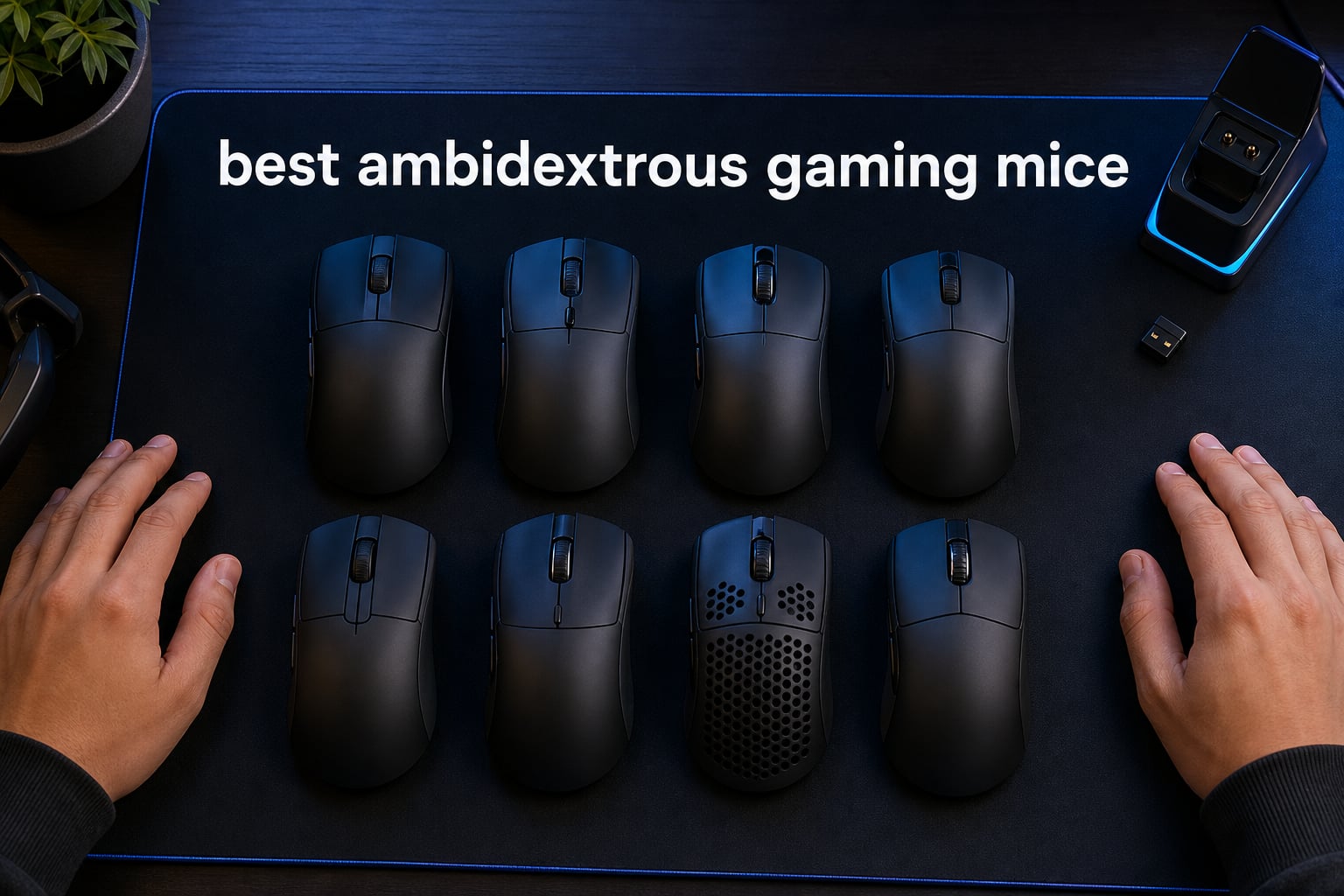
Finding the best ambidextrous gaming mice is harder than it sounds. A shell can look symmetrical yet still put its only thumb buttons on the left, which makes it a right-handed mouse in daily play.
A true ambidextrous mouse gives left- and right-handed players usable controls without turning the hand into an afterthought. The strongest candidates either place buttons on both sides or let you move and remove them, while a symmetrical gaming mouse with left-side controls is better described as a neutral-shaped right-handed mouse.
Our shortlist covers eight currently listed models and focuses on confirmed product specifications, published review patterns, button arrangement, and the things that change a long session: balance, grip fit, cable or wireless connection, and feet. I have not treated a giant DPI number as a win by itself, because community discussion around left-handed gaming consistently puts shape, weight, and accessible side buttons ahead of a headline spec.
Left-handed gamers, people who share one PC, and competitive players who prefer a centered shape have different needs. A true ambidextrous layout is the sensible answer for a lefty who needs thumb buttons, while a lightweight symmetrical mouse can be the better answer for a right-handed claw-grip player who simply likes a neutral body.
For 2026, the Logitech G PRO 2 Lightspeed is our clearest true-ambidextrous recommendation because its magnetic side buttons are customizable and switchable for either hand. The NZXT Lift 2 Symm is the focused wired choice for low weight and fast polling, while the Lenovo Legion M220 is a simpler dual-wireless option with long stated battery life.
The top 3 best ambidextrous gaming mice are clear for different players
The short answer is Logitech G PRO 2 Lightspeed for a left-handed player who needs configurable controls, Lenovo Legion M220 for straightforward Bluetooth and 2.4 GHz flexibility, and NZXT Lift 2 Symm for a lightweight wired FPS gaming mouse. Each selection has a different compromise, so the quick labels below are a starting point rather than a substitute for checking hand fit.
- Logitech G PRO 2 Lightspeed — EDITOR’S CHOICE: magnetic, switchable side buttons and a stated 95-hour battery make it the most complete true ambidextrous choice here.
- Lenovo Legion M220 — BEST VALUE: dual Bluetooth and 2.4 GHz wireless, five DPI levels, and a stated 100-plus-hour battery suit a shared desk.
- NZXT Lift 2 Symm — BUDGET PICK: the 58 g wired shell, 8 kHz polling, textured grips, and PTFE feet target claw and fingertip FPS play.

These are the best ambidextrous gaming mice in 2026 at a glance
The comparison below includes every reviewed model, not only the top three. Read the button description carefully: a symmetrical body does not automatically mean that a left-handed player gets thumb buttons on the right side.
Ratings and review counts shown in the cards come from the available product data. Where a listing contains conflicting numbers, such as a headline weight that differs from its specification field, I call that out in the review instead of pretending the discrepancy does not exist.
| Product | Specifications | Action |
|---|---|---|
| Logitech G PRO 2 Lightspeed |
|
Check Latest Price |
| Lenovo Legion M220 |
|
Check Latest Price |
 8Bitdo Retro R8 8Bitdo Retro R8 |
|
Check Latest Price |
 DAIDAI Ajazz AJ159 APEX DAIDAI Ajazz AJ159 APEX |
|
Check Latest Price |
 Bloody J90s Bloody J90s |
|
Check Latest Price |
 Acer OMR279 Acer OMR279 |
|
Check Latest Price |
 NZXT Lift 2 Symm NZXT Lift 2 Symm |
|
Check Latest Price |
 Corsair M75 Wired RGB Corsair M75 Wired RGB |
|
Check Latest Price |
1. Logitech G PRO 2 Lightspeed is the best true ambidextrous overall choice
Pros
- Switchable magnetic side buttons
- LIGHTSPEED wireless
- 95-hour battery
- 44K DPI HERO 2 sensor
- USB-C charging
Cons
- 8 kHz receiver sold separately
- Advanced setup needs G HUB
The G PRO 2 Lightspeed is the most convincing answer for a left-handed gaming mouse because Logitech specifies up to four customizable, switchable magnetic side buttons. That is materially different from merely giving a mouse a mirrored outline; a left-handed player can arrange controls where a left thumb can reach them.
The available listing pairs that layout with an 80 g body, LIGHTSPEED wireless, USB-C charging, and a stated 95-hour battery. Its HERO 2 sensor is specified up to 44K DPI, 888-plus IPS, and 88 g acceleration, which is vastly beyond the sensitivity most people will set for a normal FPS match.
I would select this model before the others when the same computer rotates between left- and right-handed users. The magnetic-button approach gives that shared setup a practical advantage, and the 4.6 average from 426 reviews is a steadier signal than a spec sheet alone.
There are two details to plan around. The listed 8 kHz polling capability requires the separate PRO LIGHTSPEED receiver, and Logitech G HUB is needed to access its advanced configuration.
The control layout is best for left-handed players who need thumb buttons
The side-button system is the deciding feature here, not the maximum DPI. A lefty can configure the relevant side rather than accepting a shell that only looks ambidextrous from above.
Right-handed users also benefit if they prefer a symmetrical shape, but they should still decide how many buttons they want active. Extra buttons can be useful for push-to-talk, melee, or ability binds, yet they can also become accidental presses for a tight fingertip grip.
The 80 g weight is best for medium and large hands wanting stability
At 80 g, the G PRO 2 is not the lightest mouse in this group. That can be a plus for players who find ultra-light shells twitchy, especially with palm or relaxed claw grip.
Small-hand fingertip players may prefer the lower listed weights of the NZXT or Ajazz models. For the player who puts real left-side usability first, though, the G PRO 2’s modular buttons justify accepting the heavier shell.
2. Lenovo Legion M220 is the best simple dual-wireless option
Pros
- Bluetooth and 2.4 GHz modes
- 100-plus-hour stated battery
- USB-C charging
- On-mouse RGB controls
- 1000 Hz polling
Cons
- Connectivity issues appear in reviews
- 95 g is relatively heavy
The Legion M220 is a practical wireless ambidextrous mouse for gaming and general PC use when switching devices matters as much as esports-level specifications. Lenovo lists Bluetooth and 2.4 GHz wireless, so it can move between a laptop and a gaming PC without adding another cable to the desk.
The stated 100-plus-hour battery life applies with RGB off, and Lenovo says a USB-C recharge takes two hours. Its five DPI stops are 400, 800, 1600, 3200, and 5000, while the optical sensor is specified for 80 IPS tracking and a 1000 Hz polling rate.
This is the highest-review-count item in the group, with a 4.5 average across 3,694 reviews and a listed 76 percent five-star share. That volume makes its reported advantage—easy, long-running dual wireless use—more meaningful than it would be on a tiny review sample.
The tradeoff is weight: Lenovo lists 95 g, which is a lot beside a 58 g FPS shell. Some review feedback also flags connectivity issues, so I would use the 2.4 GHz receiver for a competitive session and test it during the return window before relying on it for a tournament.
The connection choice is best for shared laptops and desktop setups
Bluetooth makes the M220 more flexible than models limited to a USB receiver or cable. It suits a person who uses one mouse for work and play, or a household PC where convenience matters.
For an FPS match, 2.4 GHz is the more sensible mode because Lenovo specifies its 1000 Hz polling performance there. Bluetooth is a useful secondary connection, not the setting I would choose when every input matters.
The larger 95 g shell is best for relaxed medium and large hands
The medium-large shape and higher weight should feel more settled to palm and relaxed claw users than to aggressive flick players. A hand that grips hard may find that mass tiring over a long session.
Its ambidextrous product designation confirms a neutral body, but the supplied listing does not state that it has thumb buttons on both sides. Left-handed gamers who need side-button binds should favor a confirmed modular design instead.
3. 8Bitdo Retro R8 is the best multi-mode mouse with a charging dock
Pros
- PAW 3395 sensor
- Charging dock included
- 2.4 GHz Bluetooth and USB-C
- Four programmable side buttons
- Kailh switches
Cons
- Higher polling is wired only
- Listed weight needs verification
The 8Bitdo Retro R8 is a feature-rich choice for someone who wants a dock and several connection paths in one mouse. Its stated options are Bluetooth, 2.4 GHz wireless, and USB-C wired, while the included multifunction charging dock also acts as a signal extension point.
Its PAW 3395 optical sensor has a listed 50 to 26,000 DPI range. The product data specifies 4K polling in wired mode, 125 to 4000 Hz in 2.4 GHz wireless, and 125 Hz through Bluetooth, which gives a clear performance hierarchy rather than suggesting every connection behaves the same way.
The R8 uses Kailh Sword GM X micro switches with pre-compression and supplies four programmable side buttons. Its 4.5 average is based on 193 reviews, with a listed 78 percent five-star share, so it has encouraging but still far less extensive feedback than the Lenovo.
One specification deserves caution: the product details field lists 0.54 kilograms, a figure that does not fit the rest of the mouse’s performance positioning. I would confirm the physical weight from the seller before buying if low mass is a key criterion; the data available does not support quietly substituting a different number.
The dock setup is best for players who dislike plugging in a cable
A dock gives a mouse a consistent resting place and reduces the chance of starting a session with a depleted battery. The signal-extension function may also let you place the receiver closer to the mousepad rather than behind a metal PC case.
That convenience is particularly nice on a tidy shared desk, where a small receiver and loose charging cable can disappear. The dock does not turn Bluetooth into a competitive mode, so use 2.4 GHz or wired for fast games.
The polling options are best for players who will use wired or 2.4 GHz modes
The R8’s faster stated polling modes are accessible through a USB-C cable or 2.4 GHz connection. That is enough flexibility for a player who alternates between a desktop game and a casual Bluetooth device.
Bluetooth is capped at 125 Hz in the supplied specification, making it the least suitable mode for precision-focused play. The physical button placement is described as four programmable side buttons, but the listing does not explicitly say they are split across both sides, so lefties should verify photos and layout before choosing it.
4. DAIDAI Ajazz AJ159 APEX is the lightest-specification wireless performance pick
Pros
- 8K wireless polling
- PAW3950 APEX sensor
- Tri-mode connection
- Dock displays settings
- Replacement feet included
Cons
- Listed weights conflict
- Platform support may be limited
The Ajazz AJ159 APEX has the most aggressive claimed wireless performance set in this roundup: a PAW3950 APEX sensor, a 42K DPI claim, 750 IPS tracking, 50G acceleration, and 8000 Hz polling in wireless mode. The feature list also calls it a 56 g ultra-lightweight ambidextrous design.
It supports Bluetooth, 2.4 GHz, and USB-C wired use, and its RGB magnetic dock has a TFT color screen for DPI, lift-off distance, battery, and polling rate. That immediate status display is helpful when you change settings often and do not want to open software before every match.
Ajazz also lists Huano green switches rated for 100 million clicks, ETFE Teflon feet, grip tapes, and replacement foot pads in the package. Including replacement feet is a real point of difference because feet wear from friction, and a player should not need to guess whether compatible spares are available after the originals slow down.
There is a significant data conflict, however: the product-details field lists an item weight of 242.8 grams while the technical details and marketing feature list say 56 g. The supplied data cannot resolve that contradiction, so I would verify the physical model and delivered weight before treating it as an ultra-light choice.
The high polling specification is best for a powerful PC and competitive FPS play
An 8000 Hz polling rate can reduce the interval between mouse reports, but it also places more demand on the PC than a standard 1000 Hz setting. A player should test whether the system and game run smoothly at the chosen setting rather than assuming the largest figure improves every experience.
For Valorant, CS2, or Overwatch 2, a clean sensor and comfortable grip will matter more than chasing 42K DPI. I would set a sensible sensitivity, keep the receiver near the pad, and use the 8K mode only when the system handles it comfortably.
The included feet and tapes are best for players who tune their mouse feel
ETFE feet are intended to lower friction, while the included replacement pads make maintenance less uncertain. Grip tape can help a dry fingertip hold or a player who finds a smooth shell slippery.
The model is described as ambidextrous, but the product data does not confirm side buttons on both sides. It is therefore a strong neutral-shape candidate, not a guaranteed left-handed thumb-button solution like the Logitech.
5. Bloody J90s is the best wired option for many programmable controls
Pros
- 12 customizable buttons
- 2000 Hz report rate
- 15-zone RGB
- Ambidextrous body
- 1 ms key response
Cons
- Wired only
- Limited review count
- Lower five-star share
The Bloody J90s is the button-heavy wired alternative for players who map more than a couple of commands. It lists 12 customizable buttons, 8000 CPI sensitivity, 150 IPS tracking speed, 25 g acceleration, a 2000 Hz report rate, and a 1 ms key response.
It also has 15-zone RGB lighting with 16.8 million color options and six listed sniping modes. Those additions fit a player who wants visual customization and quick DPI behavior, although the supplied data does not spell out exactly how every physical button is distributed around the shell.
Its 4.3 average is based on only 46 reviews, and the review breakdown lists 57 percent five-star ratings. That smaller and less enthusiastic feedback pattern is why I would put it behind the Logitech for a serious true ambidextrous requirement, despite the J90s’ extensive button count.
The listed product details say it is ambidextrous and wired through USB. Wired removes charging and receiver-placement concerns, but it makes cable flexibility and desk space part of the decision, especially for a low-sensitivity player who uses broad arm movements.
The 12-button layout is best for games with frequent bound actions
More buttons can suit games where push-to-talk, inventory actions, abilities, melee, and DPI shifts need fast access. They can also be helpful for productivity shortcuts between gaming sessions.
For a pure competitive FPS gaming mouse, fewer controls are often easier to grip consistently. Decide which commands must live on the mouse before choosing a 12-button design simply because the count sounds impressive.
The wired connection is best for players who want no battery routine
A wired mouse is ready whenever the PC is on and has no wireless pairing step. Its 2000 Hz report rate sits above the common 1000 Hz benchmark in this list, while avoiding a receiver entirely.
Use a mouse bungee or route the cable so it does not drag against the desk edge. The supplied product data reports a 25 g item weight, which is unusually low and should be checked independently if exact physical weight is a deciding factor.
6. Acer OMR279 is the best flexible wireless-and-wired basic pick
Pros
- Wireless and wired modes
- 24K DPI sensor
- Eight programmable buttons
- 9 RGB modes
- Ambidextrous design
Cons
- No Bluetooth
- Sleep mode cannot be disabled
The Acer OMR279 offers a straightforward middle ground: 2.4 GHz wireless when you want a clear desk and a wired connection when you want to charge or remove radio variables. It is listed with a 24,000 DPI optical sensor, 1000 Hz polling, 35G acceleration, and eight programmable buttons.
Acer specifies a 650 mAh rechargeable battery with up to 40 hours of playtime, plus nine dynamic RGB modes. The shell is explicitly described as suitable for left- and right-hand users, and it measures 4.9 by 2.7 inches according to the available listing.
The 4.2 average across 238 reviews is usable context but noticeably below the front-runners. The review distribution lists 68 percent five-star ratings alongside 11 percent one-star ratings, which suggests checking the details that matter to your setup rather than assuming it fits every player.
Its published drawbacks are clear: it does not support Bluetooth, and its sleep mode cannot be disabled. A player moving between multiple devices without a spare USB receiver may therefore find the Lenovo’s Bluetooth option more convenient.
The two connection modes are best for a desktop player who wants a fallback
2.4 GHz wireless and a wired path cover the core needs of one gaming PC. Plugging in to play can be a sensible fallback if a battery is low or you want to rule out wireless interference.
This is not a true three-mode device because Bluetooth is absent. That distinction matters for a laptop user who expects to switch machines without moving a receiver.
The programmable buttons are best for players who need simple macros
Eight programmable buttons give room for a few useful game actions without entering the crowded territory of a 12-button layout. The listing says full macro editing is available, which can benefit strategy or action games as long as game rules allow the assignments.
The ambidextrous ergonomic description supports both hands, but the data does not confirm a button set on each side. Left-handed players should verify where the eight controls sit before relying on it for thumb-button binds.
7. NZXT Lift 2 Symm is the best lightweight wired FPS mouse
Pros
- 58 g lightweight body
- 8K polling
- 100M-click optical switches
- Textured side grips
- 100 percent PTFE feet
Cons
- Wired only
- Limited button count
The NZXT Lift 2 Symm is the cleanest specification match for a player who wants a light, wired, symmetrical gaming mouse for claw or fingertip use. NZXT lists 58 g, an 8000 Hz polling rate with a 0.125 ms response figure, a 26,000 DPI optical sensor, and 100 percent PTFE feet.
Its optical switches are rated for 100 million clicks, and textured side grips are intended to keep the shell secure during quick direction changes. The technical details explicitly say the shape is best suited to claw and fingertip grips, so the listing gives more grip-specific guidance than several alternatives.
This mouse has a 4.1 average across 186 reviews, with the available breakdown showing 55 percent five-star and 18 percent four-star ratings. That is reasonable feedback, though it is less emphatic than the Logitech or Lenovo review patterns.
The Lift 2 Symm is a symmetrical shell, and its product data calls it ambidextrous, but it has four buttons listed and does not say that thumb buttons are present on both sides. For that reason, I see it as a strong neutral-shape FPS tool, not the first left-handed recommendation for players who bind abilities to side controls.
The 58 g shape is best for claw and fingertip players seeking fast movement
A low listed weight reduces the inertia a player feels when starting and stopping a swipe. That can make repeated tracking and micro-corrections less tiring, particularly on a large pad.
Weight alone does not choose a mouse. Palm-grip users or players with large hands may prefer a fuller, heavier body that gives more contact and steadiness than a narrow, light shell.
The wired 8K setup is best for players who prioritize response over mobility
The stated 8K polling capability and optical switches aim directly at competitive response. A modern, capable PC is the better partner for a high report rate, since the game must process the additional input data.
Its PTFE feet are a welcome practical feature because smooth glide affects aim feel every minute, while the two-year manufacturer warranty is longer than the one-year coverage listed for several other models. The cable remains the central compromise; good cable routing matters.
8. Corsair M75 Wired RGB is the best wired choice with swappable side buttons
Pros
- Swappable side buttons
- 74 g FPS-focused body
- 26K MARKSMAN sensor
- Optical switches
- Two-year warranty
Cons
- Lower 3.8 rating
- PC-only listing
The Corsair M75 Wired RGB is the other product here that explicitly highlights swappable side buttons for ambidextrous use. That makes it worth attention from a left-handed player who does not need wireless but does need the button layout to be more than a symmetrical outline.
Corsair lists a 74 g design, a 26,000 DPI MARKSMAN optical sensor, 650 IPS tracking, 50G acceleration, and QUICKSTRIKE buttons. Its left and right optical switches are rated for 100 million clicks, and the supplied data identifies a two-year manufacturer warranty.
The M75’s 3.8 average from 63 reviews is the lowest rating in this eight-mouse group, with 26 percent two-star reviews in the supplied breakdown. That does not erase its unique modular-button appeal, but it does mean I would examine current feedback and verify comfort carefully before picking it over the more highly rated Logitech.
It is wired and listed for PC, with six buttons and RGB lighting. The 5.04 by 2.56 inch dimensions make it a little longer than some alternatives, so hand length and grip are worth considering rather than buying solely for the swappable hardware.
The swappable side controls are best for a wired left-handed FPS setup
Modular side buttons are a functional answer to the lefty problem because they let the owner tailor which side carries controls. That is more useful than a fixed shell when side-button access is necessary for a preferred keybind.
Before purchase, confirm the included button configuration and software behavior for the exact version. The product data confirms that the buttons are swappable, while its review score advises a little more care than the category-leading Logitech option.
The 74 g balance is best for players who want control without ultra-light feel
At 74 g, the M75 sits between the 58 g NZXT and the 80 g Logitech. That middle ground can suit a player who wants fast FPS movement but still prefers a mouse with some physical presence.
The 100 million click switch rating and two-year warranty add useful durability information, but durability claims are not the same as a guarantee of personal comfort. A return-friendly fit check is still sensible, especially with the less favorable review distribution.
The right ambidextrous gaming mouse depends on controls, shape, and connection
Start by separating “symmetrical” from “true ambidextrous.” A symmetrical gaming mouse has a neutral shape that can sit comfortably in either hand, but a true ambidextrous mouse also makes its programmable controls usable from either side through buttons on both sides or a modular, switchable system.
That distinction saves left-handed players from the most common disappointment in this category. If you need a thumb button for voice chat, melee, reload, or an ability, do not infer its location from a product photo; look for an explicit statement about both-side buttons or swappable side buttons.
The first decision is whether you require left-side thumb access
The Logitech G PRO 2 Lightspeed and Corsair M75 are the strongest matches in this list when confirmed configurable or swappable side buttons are essential. Other models are stated to be ambidextrous or symmetrical but do not provide enough listing detail to promise the same left-handed thumb-button experience.
A shared PC can benefit from the same modular approach because either person can configure the controls to suit their hand. If both users only need primary clicks and a wheel, a neutral shell may be enough.
The second decision is which grip and hand size you actually use
Claw grip usually suits a centered hump and room to arch the fingers, while fingertip grip often favors a lighter, lower-feeling mouse that is easy to reposition. The NZXT’s listing expressly favors claw and fingertip use; the Logitech’s 80 g body offers more planted control for relaxed claw and many medium or large hands.
Hand length is useful, but it is not a complete answer because finger length and grip tension change the feel. If possible, compare the stated dimensions to a mouse you already like and prioritize a shape that leaves the thumb and ring finger relaxed.
The third decision is whether polling rate fits your PC and game
Polling rate is how often a mouse reports movement to the computer. A 1000 Hz gaming mouse reports up to one thousand times per second, while 4000 Hz and 8000 Hz modes report more often and may ask more of the CPU and game.
Higher is not automatically better in every system. Set a sensitivity you can control, keep the sensor surface clean, and test for smooth frame pacing; a comfortable 1000 Hz mouse is better than an 8K mode that makes the game feel uneven.
The fourth decision is whether wireless freedom outweighs a cable
Wireless models free the mousepad from cable drag but add battery management and receiver placement. The Lenovo lists Bluetooth plus 2.4 GHz, the 8Bitdo and Ajazz list three connection modes, and the Logitech focuses on LIGHTSPEED wireless with USB-C charging.
Wired models remove battery concerns and can offer fast polling, as the NZXT, Bloody, and Corsair show. A flexible cable or a bungee can make a wired mouse feel much less restrictive, so do not dismiss one if its shape and controls fit better.
The fifth decision is whether weight and feet match your aiming style
Lightweight gaming mouse figures in this group range from 58 g for the NZXT to 95 g for the Lenovo, with some listings carrying conflicting weight information that needs confirmation. Lighter mice suit rapid low-sensitivity flicks for many players; heavier options can feel steadier for palm grip and careful work.
Feet matter because they determine glide against the pad. PTFE or ETFE feet, replacement pads, a clean pad surface, and a well-routed cable can change day-to-day control more than a huge DPI increase.
Answers to common ambidextrous gaming mouse questions
What is the best ambidextrous mouse?
The Logitech G PRO 2 Lightspeed is the best true ambidextrous choice in this list because its magnetic side buttons are customizable and switchable for left- or right-handed use. Its listed 95-hour battery, LIGHTSPEED wireless, and HERO 2 sensor make it a complete competitive option.
Is there a gaming mouse for both hands?
Yes. A true ambidextrous gaming mouse pairs a symmetrical shape with usable controls for both hands, usually through buttons on both sides or swappable side buttons. The Logitech G PRO 2 Lightspeed and Corsair M75 explicitly describe configurable or swappable side-button systems.
What is the best ambidextrous Logitech mouse?
The Logitech G PRO 2 Lightspeed is the Logitech model reviewed here. It is listed with up to four customizable and switchable magnetic side buttons, an 80 g body, LIGHTSPEED wireless, USB-C charging, and up to 95 hours of battery life.
What mouse can be used with both hands?
A neutral symmetrical mouse can be held with either hand, but a true ambidextrous mouse is better when both users need thumb buttons. Look for explicit wording such as buttons on both sides, magnetic side buttons, or swappable side buttons rather than relying on a symmetrical silhouette alone.
The best choice is Logitech G PRO 2 Lightspeed for true two-hand control
For most readers comparing the best ambidextrous gaming mice in 2026, the Logitech G PRO 2 Lightspeed leads because it explicitly solves the side-button problem with switchable magnetic controls. Choose the Corsair M75 if a wired swappable-button design is preferable, or the NZXT Lift 2 Symm when low weight and a wired claw-grip focus matter more than modular buttons.
The Lenovo Legion M220 is the convenient pick for mixed Bluetooth and 2.4 GHz use, while the 8Bitdo and Ajazz add docks and multi-mode flexibility. Before placing an order, check your needed thumb-button side, compare the dimensions with your current mouse, and treat any conflicting listed weight as a reason to verify rather than guess.