
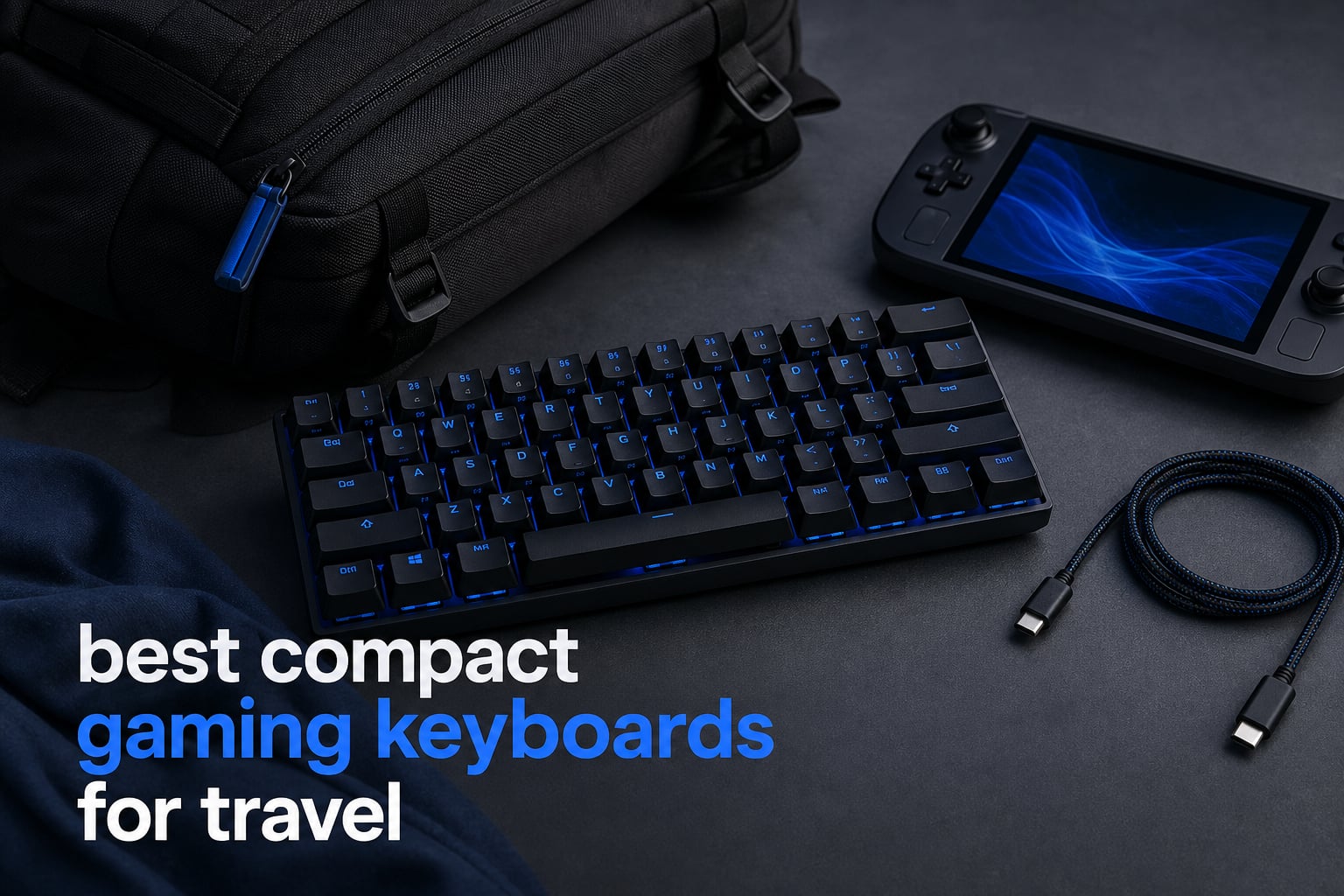
Compact gaming keyboards for travel are smaller mechanical or optical boards, usually in 60%, 65%, or 75% layouts, that reduce the space a full-size board takes in a backpack without giving up gaming-focused switches.
The right pick is not simply the smallest one. I look first at the keys you keep, the connection your setup needs, the board’s listed weight and dimensions, and whether the cable, receiver, and keyboard can be packed together without becoming a loose tangle.
For a travel gamer, a 60% board makes the clearest space-saving case, while a 75% board keeps a function row and often a knob. A 65% layout lands in the middle by retaining arrow and utility keys in a much smaller footprint than a full-size model.
This guide covers ten compact boards with 61 to 81 keys, including wired, Bluetooth, and 2.4GHz options. It also separates ordinary mechanical designs from optical and analog optical models, because response behavior matters far more for a competitive shooter than it does for writing notes at a hotel desk.
Forum conversations around portable setups repeatedly come back to the same issues: a keyboard has to fit the bag, survive being packed, avoid constant charging, and work beside a Steam Deck or ROG Ally setup. The listings below provide the hardware facts; the travel advice explains how I would turn those facts into a practical packing decision.
None of these ten is a folding keyboard. That omission matters: folding designs can save more space, but forum users also report a trade-off in typing and gaming feel, so a rigid compact mechanical board remains the stronger fit when in-game input is the priority.
The top 3 compact gaming keyboards for travel are clear choices
The AULA F75 Pro is the broadest all-round choice because it combines an 81-key 75% layout, tri-mode connection, a 4000mAh battery, and hot-swappable sockets. The Logitech G PRO X 60 is the more competition-led selection, with GX optical switches, 1ms LIGHTSPEED wireless, five KEYCONTROL layers, and a carrying case included.
The Redragon K673 PRO earns the budget-pick position on its compact 81-key format, listed 500-gram weight, three connection modes, hot-swap sockets, and five-layer noise dampening. Those three choices cover the main travel patterns: a flexible daily board, a 60% competitive board with a case, and a light tri-mode mechanical option.

These compact gaming keyboards for travel compare at a glance in 2026
Use this overview to narrow the field by layout and connection before reading the full sections. A wired board can still travel well when you prefer a simple cable-only setup, while a tri-mode board can reduce cable clutter when its battery is charged before departure.
| Product | Specifications | Action |
|---|---|---|
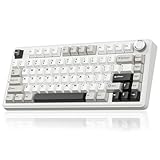 SOLAKAKA A75 SOLAKAKA A75 |
|
Check Latest Price |
| Logitech G PRO X 60 |
|
Check Latest Price |
 RedThunder K75 RedThunder K75 |
|
Check Latest Price |
 AULA F75 Pro AULA F75 Pro |
|
Check Latest Price |
 RK ROYAL KLUDGE R75 RK ROYAL KLUDGE R75 |
|
Check Latest Price |
 Redragon K673 PRO Redragon K673 PRO |
|
Check Latest Price |
 Razer Huntsman Mini Razer Huntsman Mini |
|
Check Latest Price |
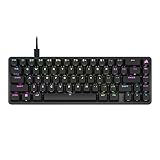 Corsair K65 PRO Mini Corsair K65 PRO Mini |
|
Check Latest Price |
 RK ROYAL KLUDGE R65 RK ROYAL KLUDGE R65 |
|
Check Latest Price |
 Razer Huntsman V3 Pro Mini Razer Huntsman V3 Pro Mini |
|
Check Latest Price |
1. The SOLAKAKA A75 is a flexible 75% travel choice
Pros
- Tri-mode connection
- Full hot-swap
- 4000mAh battery
- PBT keycaps
Cons
- Windows-only software
- Not aimed at beginners
The SOLAKAKA A75 brings 81 keys into a listed 12.79 by 5.51 by 1.73 inch body, so it preserves a function row while staying substantially shorter than a conventional full-size keyboard.
I would start with it when one keyboard must move between a laptop, PC, and tablet, because its listed connections are 2.4GHz wireless, Bluetooth 5.0, and USB-C wired.
The 4000mAh battery and ability to use up to five devices suit a mixed travel setup, although the listing does not state a battery-life figure under a particular lighting setting.
Its gasket structure, PCB single-key slotting, IXPE pad, PET pad, and silicone base mat are all listed parts of a design intended to change key feel and sound.
The A75 gives travelers a full 75% working layout
The 81-key arrangement retains dedicated function keys, which is useful when game controls, media functions, or laptop work call for them.
A multifunction metal knob can handle volume or other assigned functions without taking extra room in the bag.
The A75 lets switch tinkerers adapt the board
Its full hot-swap support accepts both 3-pin and 5-pin switches, and the board ships with pre-lubed stabilizers and LEOBOG Reaper switches.
That flexibility is meaningful if you already know your preferred switch feel, but the manufacturer says its software supports Windows only, so check the computer you plan to configure it on.
The PBT double-injection keycaps, 17 RGB modes, N-key rollover, and Windows-key lock round out a feature list that is unusually complete for a small 75% board.
2. The Logitech G PRO X 60 is the tournament-minded 60% pick
Pros
- 1ms LIGHTSPEED response
- GX optical switches
- Carrying case included
- Five KEYCONTROL layers
Cons
- Windows-focused setup
- 61-key layout removes dedicated arrows
The Logitech G PRO X 60 is the easiest travel recommendation for a player who wants a board designed around competitive input and supplied with its own carrying case.
Its 61-key 60% layout removes the function row, navigation cluster, and number pad, leaving more mouse room on a narrow desk and less keyboard to store.
GX optical tactile switches and a listed zero debounce delay put performance at the center of this model, while LIGHTSPEED is specified at a 1ms response rate.
The listing also names Bluetooth and a USB-A connection option, giving the board more than one way to join a temporary setup.
The PRO X 60 keeps competitive controls accessible
KEYCONTROL offers five unique layers, which gives a 60% layout a route to additional commands without adding physical keys.
That is practical for games with many binds, but it rewards spending time learning the layer assignments before a trip rather than attempting to rebuild controls at a venue.
The PRO X 60 travels best when its case becomes part of the kit
The included carrying case is a concrete advantage over boards that need a separately chosen sleeve, especially when protecting keycaps and the compact chassis inside a crowded bag.
Dual-shot PBT keycaps, LIGHTSYNC RGB, a volume roller, and media controls add daily comfort, while G HUB is the named software for lighting configuration.
The listed 1,380-gram weight is heavier than some compact options, so the case is helpful for protection rather than a promise of ultralight packing.
3. The RedThunder K75 is a comfortable tri-mode 75% option
Pros
- Three connection modes
- Hot-swappable PCB
- 4000mAh battery
- CNC control knob
Cons
- Windows-only driver
- Not aimed at beginners
The RedThunder K75 uses an 80-key 75% layout, listed dimensions of 12.8 by 5.71 by 1.77 inches, and a 2.2-pound listed weight.
Its three modes are 2.4G wireless, Bluetooth 5.0, and wired use, letting a traveler decide between a receiver, Bluetooth pairing, or a direct cable based on the host device.
The board has a 4000mAh rechargeable battery and can connect across three devices, but the listing does not set an expected number of hours between charges.
Pre-lubed coconut linear switches and a five-layer shock-absorption gasket construction speak to the typing and sound character rather than raw speed claims.
The K75 keeps a useful key set for hotel-desk gaming
Its 75% format retains the function-key area, and the CNC knob is specified for volume and lighting control.
That combination is a better fit for someone who alternates between games and everyday laptop work than a 60% layout that moves more functions to layers.
The K75 supports travel setup changes without a fixed cable plan
Bluetooth helps when a tablet or phone joins the travel kit, while 2.4G and wired modes are alternatives for a PC or laptop arrangement.
The hot-swappable PCB supports 3-pin and 5-pin switches, and south-facing LEDs are paired with side-engraved PBT keycaps.
Its driver is listed for Windows only, so lighting and key changes should be configured on a compatible computer before leaving if your trip centers on another platform.
4. The AULA F75 Pro is the strongest all-round compact travel board
Pros
- Connects up to five devices
- Hot-swappable sockets
- 4000mAh battery
- Five-layer silencer
Cons
- Six-month warranty
- QWERTZ layout listed
The AULA F75 Pro is an 81-key 75% mechanical keyboard with listed dimensions of 12.7 by 5.64 by 1.7 inches and a listed weight of 1.02 kilograms.
It is the broadest recommendation here because Bluetooth 5.0, 2.4GHz wireless, and USB-C wired operation cover several common temporary desk and handheld-adjacent setups.
The product details say it can connect to up to five devices simultaneously, which is useful for a laptop, tablet, phone, and PC rotation without treating every stop as a new keyboard setup.
It also has a 4000mAh battery, N-key rollover, a Windows-key lock, and a multifunction knob for backlight or media control.
The F75 Pro balances travel size with familiar controls
With 81 keys, the layout holds on to a function row that many 60% travel boards leave behind.
That makes it easier to choose for a user who works during the day and games after hours, because fewer routine functions must move to layers.
The F75 Pro favors a dampened customizable build
The manufacturer lists five layers of silencer filling, PCB single-key slotting, pre-lubed stabilizers, and LEOBOG Reaper switches.
Its PCB accepts 3-pin and 5-pin switches, while the RGB system is listed at 16.8 million colors with music synchronization.
The short six-month warranty and listed QWERTZ layout are details to check closely; a layout mismatch can matter more on a compact board where alternate legends are less forgiving.
5. The RK ROYAL KLUDGE R75 is a simple wired 75% travel option
Pros
- Gasket mount
- Speed Silver switches
- Hot-swap support
- Dust cover included
Cons
- Wired only
- Windows-only support
The RK ROYAL KLUDGE R75 is an 81-key 75% keyboard for travelers who would rather pack one USB-C cable than manage charging and wireless pairing.
Its listed dimensions are 12.71 by 5.59 by 1.65 inches, and its listed weight is 1.7 pounds, giving a clear starting point for comparing it with a bag sleeve or laptop compartment.
Wired-only operation is a limitation for cable-free setups, but it can also be a straightforward choice for a stationary hotel desk or laptop dock.
Its aluminum plate, gasket mount, Poron cotton, IXPE foam, and sponge case foam form the specified triple absorption system.
The R75 makes wired packing predictable
A USB-C connection means there is no battery state or wireless receiver to account for before a gaming session.
Pack the cable in the same pouch as the keyboard, and use a sleeve or the included dust cover to reduce the chance of debris reaching the key area.
The R75 gives switch-focused players an accessible base
The hot-swappable PCB supports 3-pin and 5-pin switches, and the board uses Speed Silver Switch Pro switches with pre-lubed stabilizers and space bar.
Doubleshot PBT MDA-profile keycaps, a CNC aluminum volume knob, and 18 RGB modes complete the equipment list.
The R75 is Windows-only according to its product information, so Mac or multi-platform travelers should check their intended host before making it their one-board solution.
6. The Redragon K673 PRO is the light tri-mode compact pick
Pros
- 500g listed weight
- Three connection modes
- Five-layer dampening
- Hot-swap socket
Cons
- Battery needs charging
- No numpad
The Redragon K673 PRO stands out on its listed 500-gram weight, an unusually specific portability point among the 81-key 75% choices in this list.
It combines USB-C wired use, Bluetooth 3.0 and 5.0, and 2.4GHz wireless connectivity, giving it a practical range of connection methods for PC, laptop, or tablet use.
I would consider it first when physical carry weight matters as much as retaining the top function-key zone. The 81-key configuration avoids the full-size footprint and still keeps keys that many games and applications expect.
The gasket mount and five-layer noise-dampening design frame this as a board with attention to feel and sound as well as connection options.
The K673 PRO removes weight from the travel equation
A 500-gram listing makes this board easier to compare against a laptop charger, handheld dock, mouse, and other kit items when building a carry-on setup.
Weight is only one part of protection, so I would still use a snug sleeve or padded compartment rather than letting keycaps press against other hard items.
The K673 PRO preserves connection flexibility for changing hosts
The three-mode design can be useful when switching between a wireless desktop-style arrangement and a direct USB-C connection.
It has hot-swap sockets, a dedicated volume and media knob, RGB backlighting, and Redragon Red mechanical switches.
There is no numpad, which is expected from this compact layout but worth remembering if spreadsheet work is a major part of your travel routine.
7. The Razer Huntsman Mini is a tough wired optical 60% board
Pros
- Linear optical switches
- Aluminum top frame
- Onboard memory
- Snap Tap
Cons
- Micro USB connection
- 61-key layout
The Razer Huntsman Mini pairs a 61-key 60% arrangement with a listed 11.56 by 4.07 by 1.45 inch body and a 1.1-pound listed weight.
That is the smallest dimension set among the models here with published dimensions, which makes it easy to assess against the width of a slim backpack pocket or handheld case compartment.
Razer specifies Linear Optical switches with 15 to 30 percent shorter actuation, putting input response ahead of a broad key count.
The aluminum top frame and oil-resistant doubleshot PBT keycaps are practical construction details for a board that may be handled and packed often.
The Huntsman Mini gives competitive players an optical 60% setup
Its Snap Tap feature and fully programmable macros through Razer Hypershift target fast directional and command inputs.
Onboard memory is useful when you want settings stored with the keyboard instead of rebuilding a basic profile every time a different computer is used.
The Huntsman Mini asks travelers to accept a legacy cable
The board uses Micro USB rather than USB-C, so its cable should not be left out of the travel pouch if the rest of your equipment has moved to USB-C.
The missing arrow cluster and function row buy compactness, but they also make this a less natural choice for someone who needs those keys constantly outside a game.
Chroma RGB with 16.8 million colors remains available, although lighting use can be less welcome in a shared room or coworking space than it is at a home desk.
8. The Corsair K65 PRO Mini is a compact wired optical 65% choice
Pros
- OPX optical switches
- AXON processing
- 65% layout
- PBT keycaps
Cons
- Wired only
- No wireless modes
The Corsair K65 PRO Mini takes the middle route between 60% and 75% with 68 keys in a 65% layout, retaining arrow and utility keys that strict 60% designs commonly omit.
Its OPX optical-mechanical switches, AXON Hyper-Processing Technology, and iCUE compatibility make it the travel pick for a user who wants a compact wired performance board with named software support.
Corsair states that AXON processing is eight times faster than standard keyboards, while the product listing identifies a 150-million-keystroke switch lifespan.
The board is wired, so it belongs in a setup where a cable is acceptable and a wireless receiver or Bluetooth pairing would be a distraction.
The K65 PRO Mini preserves arrows without a large layout
For travel gaming that involves menus, strategy titles, or desktop work, the 65% format can reduce the amount of function-layer use compared with 60% boards.
That makes its 68-key count a good compromise for someone who wants a small gaming keyboard but is not ready to lose dedicated arrows.
The K65 PRO Mini centers on optical response and software control
The optical-mechanical OPX switches are paired with iCUE, up to 20 RGB lighting layers, and two layers of sound dampening.
Its doubleshot PBT keycaps and aluminum enclosure are solid details for regular handling, though a wired keyboard still benefits from keeping the detachable cable area protected from sharp bends.
The manufacturer lists compatibility with gaming consoles and PC, but a specific console or handheld use case should be checked against the device’s own keyboard-support rules.
9. The RK ROYAL KLUDGE R65 is the programmable wired 60% alternative
Pros
- QMK/VIA programming
- Hot-swappable switches
- Five sound layers
- Metal knob
Cons
- Wired only
- MDA profile may not suit everyone
The RK ROYAL KLUDGE R65 combines a 66-key 60% form factor with a USB-C connection, a metal volume knob, and QMK/VIA programming support.
Its listed dimensions are 12.6 by 4.6 by 1.6 inches, while its listed weight is 1.4 pounds, placing it in a compact wired category that still includes a few more keys than a 61-key board.
I would put it on the shortlist for someone who wants to define custom layers and commands before travel rather than relying only on a manufacturer’s application.
The gasket mount and five layers of sound-absorbing material are part of a construction that also includes pre-lubed cream switches.
The R65 makes custom layers central to the 60% experience
QMK/VIA support matters because compact layouts depend on alternate layers for functions that do not get their own physical key.
Set up the layer arrangement before departure, then keep a short note of the most important bindings until they become automatic.
The R65 puts a wired USB-C board in a small footprint
USB-C gives it a more current cable connection than the Micro USB Huntsman Mini, but it still requires a cable for every session.
The hot-swappable PCB accepts 3-pin and 5-pin switches, and the board adds over 20 built-in RGB modes with MDA-profile doubleshot PBT keycaps.
The keycap profile is personal, so do not assume it will feel right from specifications alone when the compact layout will be your main work and play keyboard.
10. The Razer Huntsman V3 Pro Mini is the specialist Rapid Trigger 60% board
Pros
- Adjustable actuation
- Rapid Trigger
- Snap Tap
- Onboard adjustments
Cons
- PC-only compatibility
- 61-key layout
The Razer Huntsman V3 Pro Mini is the most competition-specific compact board in this group, using 61 keys, Gen-2 analog optical switches, USB-C, and a listed 1.7-pound weight.
Its adjustable actuation range runs from 0.1 to 4.0mm, which is a different proposition from conventional fixed-actuation mechanical switches.
Rapid Trigger is listed for instant reset behavior, and Snap Tap is specified to prioritize the latest input. Those features are aimed at players who care intensely about movement inputs in fast competitive games.
It is PC-only according to the product details, which narrows its role for a traveler whose gaming time is mostly on a console, tablet, or handheld device.
The V3 Pro Mini gives esports players detailed switch adjustment
Analog optical switches let the actuation point be adjusted rather than fixed, and the onboard LED array supports adjustments without software.
That can be appealing when a player has a specific preference for a shallow or deeper trigger point, but it also calls for setting a comfortable profile before a trip.
The V3 Pro Mini trades broad device use for a focused PC setup
The compact 60% format and USB-C cable fit a small PC gaming kit well, while dual-purpose modifier keys help recover functions that do not have their own key.
Doubleshot PBT keycaps and a stated 100-million-keystroke lifespan support frequent use, but this board is not the natural universal option because of its PC-only compatibility.
For a Steam Deck keyboard or ROG Ally keyboard search, choose a model with listed compatible devices that match your actual host, rather than assuming any USB-C physical connector promises device-level support.
The right travel keyboard comes down to layout, connection, and protection
Start by choosing the smallest layout that does not remove keys you genuinely use. A keyboard that saves a few centimeters but forces constant layer commands can be less pleasant than a slightly larger board that keeps the controls you need.
A 60% layout is best when pack size and mouse room come first
A 60% board usually has about 61 keys and removes the function row, navigation cluster, arrow keys, and number pad. The Logitech G PRO X 60, Razer Huntsman Mini, and Huntsman V3 Pro Mini take this route.
Pick this size for a small gaming keyboard that has to share a backpack with a laptop, handheld, charger, and mouse. Expect to learn function layers, particularly if you write, navigate spreadsheets, or use many game bindings outside the standard WASD area.
A 65% layout is best when dedicated arrows matter
A 65% keyboard adds arrow and selected utility keys without expanding to a full function row. The 68-key Corsair K65 PRO Mini and 66-key RK R65 show why this is a practical middle ground.
For a traveler who uses a keyboard for both games and normal computer work, this arrangement can be easier to live with than 60%. It remains much smaller than tenkeyless and full-size boards.
A 75% layout is best when function keys stay in your routine
The SOLAKAKA A75, RedThunder K75, AULA F75 Pro, RK R75, and Redragon K673 PRO have 80 or 81 keys. That preserves a function-key zone while avoiding a number pad.
This is the best starting point if you want one travel keyboard for gaming, work, and media control. Compare listed dimensions and weight with your bag because a 75% board takes more room than a 60%, even though both are compact layouts.
Mechanical and optical switches suit different gaming priorities
Mechanical switches use physical contact points, while optical switches trigger with light. The SOLAKAKA, RedThunder, AULA, RK, and Redragon products here use mechanical or linear mechanical switch designs, often with hot-swap capability.
The Logitech G PRO X 60 uses GX optical tactile switches, the Razer Huntsman Mini uses Linear Optical switches, and the Corsair K65 PRO Mini uses OPX optical-mechanical switches. Those models state performance-centered features such as shorter actuation, zero debounce, or fast processing.
The Razer Huntsman V3 Pro Mini goes further with analog optical switches, adjustable 0.1 to 4.0mm actuation, and Rapid Trigger. Choose it for that specific input behavior, not merely because it is compact.
Wireless connection is best when cable clutter is the main travel problem
For a wireless travel keyboard, check the connection types rather than stopping at the word wireless. The SOLAKAKA A75, RedThunder K75, AULA F75 Pro, and Redragon K673 PRO each list 2.4GHz, Bluetooth, and wired modes.
2.4GHz is usually the direct receiver-style route in this group, Bluetooth can be useful with a tablet or phone, and a cable remains a fallback. Charge the keyboard before packing and keep the receiver in a secure compartment, because a missing receiver can change the plan at the destination.
The Logitech offers LIGHTSPEED wireless at a listed 1ms response rate plus Bluetooth, while the RK R75, Corsair K65 PRO Mini, RK R65, Huntsman Mini, and Huntsman V3 Pro Mini are wired options. Wired does not mean poor for travel; it means one less battery to prepare and one cable to pack.
Battery and RGB choices should match the way you actually travel
The SOLAKAKA A75, RedThunder K75, and AULA F75 Pro each list a 4000mAh battery. The product data does not publish like-for-like runtime tests, so do not compare endurance from capacity alone when RGB settings and connection mode may differ.
All ten models list RGB lighting in some form. Turn brightness down or off when battery life, shared rooms, and a quieter travel presence matter more than a lit desk.
Hot-swap and programming matter before you leave home
Hot-swappable sockets appear on the SOLAKAKA A75, RedThunder K75, AULA F75 Pro, RK R75, Redragon K673 PRO, and RK R65. This lets compatible switches be changed without soldering, but it is usually smarter to make changes at home than to carry loose switches on a trip.
Programming also differs. The RK R65 lists QMK/VIA support, the Logitech lists G HUB and KEYCONTROL, the Corsair lists iCUE, and the Razer boards list Razer configuration features; several budget-oriented models specify Windows-only software.
Set macros, lighting, and layers before departure, then save a simple backup profile if the board offers onboard storage. That small preparation answers a common forum frustration: a compact board is only convenient when its controls still make sense away from the usual desk.
Steam Deck and ROG Ally buyers should match listed device support
A handheld gaming keyboard is not a separate physical category; it is a keyboard whose listed connection and compatible devices line up with the handheld setup you own. The AULA F75 Pro lists compatibility with gaming consoles, laptop, PC, smartphone, and tablet, while the RedThunder K75 lists laptop, PC, smartphone, and tablet.
Other listings are narrower: the Huntsman V3 Pro Mini is listed for PC, and the Huntsman Mini for laptop and PC. A USB-C plug alone does not document how a keyboard will interact with every handheld, dock, game, or operating environment.
For a Steam Deck or ROG Ally travel kit, confirm keyboard support in the handheld’s own documentation, choose a connection method your dock supports, and bring the correct cable or receiver. A 60% board leaves more space beside the handheld, while a 75% board is more comfortable if it will also replace a laptop keyboard.
Protection is what makes a compact board genuinely travel-ready
None of the listed dimensions tells you whether a board can withstand being loose beneath a charger. Put the keyboard in a padded sleeve, a fitted case, or a separate compartment, and keep adapters, cables, and receivers in a small pouch.
The Logitech G PRO X 60 includes a carrying case, and the RK R75 includes a dust cover. For every other model, add protection as part of the selection rather than treating the keyboard itself as the entire travel solution.
If you are still considering a foldable gaming keyboard, recognize the main compromise reported in forum discussions: folding gains space but sacrifices the firm, familiar feel that makes mechanical and optical boards satisfying for fast games. These rigid designs are the more sensible choice when gaming input ranks above the absolute smallest packed size.
These answers settle common compact gaming keyboard questions
Are mini keyboards better for gaming?
Mini keyboards are not automatically better for gaming, but 60% and 65% layouts create more mouse room and are easier to carry. They work best when you do not need dedicated navigation or function keys constantly. For competitive play, switch type, actuation behavior, and a stable connection matter more than keyboard size alone.
Do pros use mini gaming keyboards?
Some competitive players use 60% keyboards because the compact footprint leaves more room for broad mouse movement. The Logitech G PRO X 60 and Razer Huntsman V3 Pro Mini are examples in this guide with competition-oriented features. A compact board is a preference, though, not a requirement for skilled play.
Which mini keyboard is best?
The best mini keyboard depends on your setup. Choose the AULA F75 Pro for a flexible 75% tri-mode option, the Logitech G PRO X 60 for a 60% model with LIGHTSPEED wireless and a carrying case, or the Redragon K673 PRO for a listed 500-gram tri-mode 75% option.
What keyboard do most gamers use?
Gamers use many layouts, from full-size boards to 60% models. Mechanical and optical switches are common because they provide distinct input behavior and broad gaming-focused feature sets. Travel gamers often choose 60%, 65%, or 75% keyboards because these layouts reduce bag space without removing every gaming-relevant key.
Are folding keyboards any good for gaming?
Folding keyboards can be useful when packed size is the single priority, but forum discussions commonly describe a trade-off in typing and gaming feel. A rigid compact mechanical or optical keyboard is usually the better choice for frequent gaming because it provides a conventional key layout and switch feel.
The best compact gaming keyboards for travel match your packing style
The AULA F75 Pro is my all-round starting point because its 75% layout, 4000mAh battery, hot-swap support, and three connection modes cover work and play with few compromises. The Logitech G PRO X 60 is the more focused 60% choice for a competitive PC player who values GX optical switches, 1ms LIGHTSPEED, and its included case.
Choose the Redragon K673 PRO if a listed 500-gram weight and tri-mode flexibility top your list. Choose the Razer Huntsman V3 Pro Mini only when adjustable analog optical actuation, Rapid Trigger, and a PC-only 60% setup describe exactly how you play.
For the best compact gaming keyboards for travel in 2026, measure the section of your bag where the board will live, decide which keys you will miss least, and settle the wired-versus-wireless question before comparing RGB modes. Add a sleeve or case, put the cable or receiver in one known pouch, and your gaming setup can stay compact without becoming hard to use.