
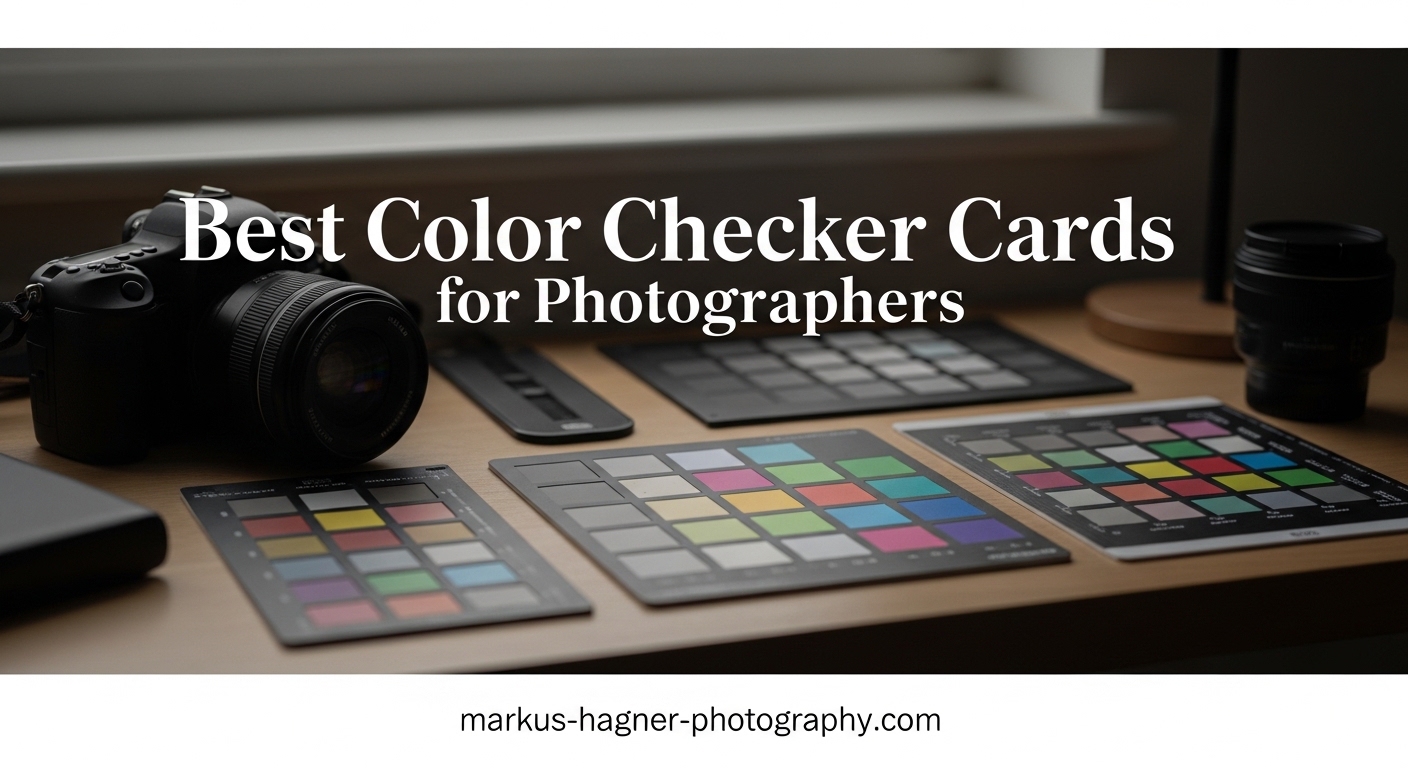
If you have ever spent hours adjusting colors in Lightroom only to find your images still look off, a color checker card could be the tool that changes everything. These portable reference cards contain precisely calibrated color patches that help you create custom camera profiles, ensuring accurate, consistent color across every shot. For photographers doing portrait work, product photography, or any color-critical assignments, the best color checker cards for photographers can significantly improve your workflow and final output quality.
The concept is straightforward: photograph the color checker under your actual shooting conditions, then use dedicated software to analyze those patches and generate a profile that corrects for your specific lighting and sensor characteristics. This profile gets applied to all images from that shoot, eliminating color casts and ensuring that skin tones, product colors, and environmental hues render true to life. Whether you are shooting in a studio with mixed lighting or outdoors under shifting natural light, a color checker card helps your camera see color the way your eye does.
In this guide, we have tested and reviewed 13 of the best color checker cards and grey cards available today. We cover everything from professional-grade options like the Calibrite ColorChecker Passport Photo 2 to budget-friendly alternatives that still get the job done. By the end, you will know exactly which color checker card fits your needs and budget.
Top 3 Picks for Best Color Checker Cards for Photographers
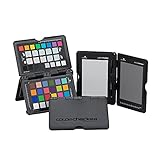
Calibrite ColorChecker Passport Photo 2
- 4 targets in 1 kit
- DNG/ICC profiles
- Portable design
- Lanyard included

Datacolor SpyderCHECKR 24
- 24 color targets
- HSL presets
- DaVinci Resolve compatible
- Budget-friendly

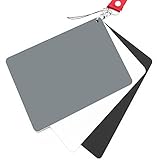
Lightdow 12×12 Gray Card
- 18% grey reference
- Double-sided
- Folds compactly
- Carry bag included
Quick Overview: Best Color Checker Cards in 2026



1. Calibrite ColorChecker Passport Photo 2 – Best Overall
Pros
- Compact and travel-friendly
- Includes gray-balance
- white-balance
- and 24-patch color reference
- Easy camera profile creation with included software
- Improved color accuracy across different lighting conditions
- Consistent and true-to-life colors
Cons
- Some quality control issues reported with paint defects
- Stiff hinges reported on some units
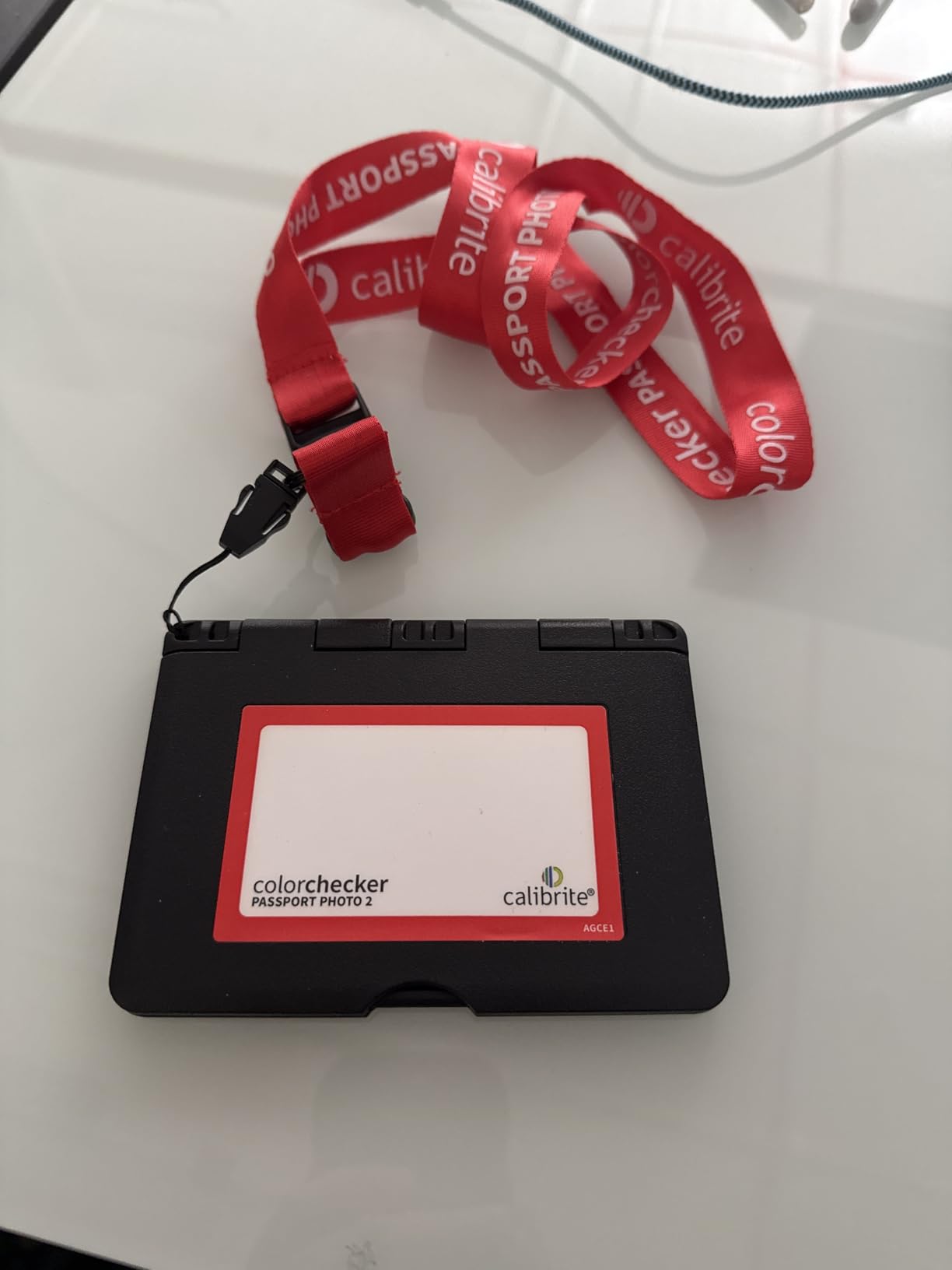
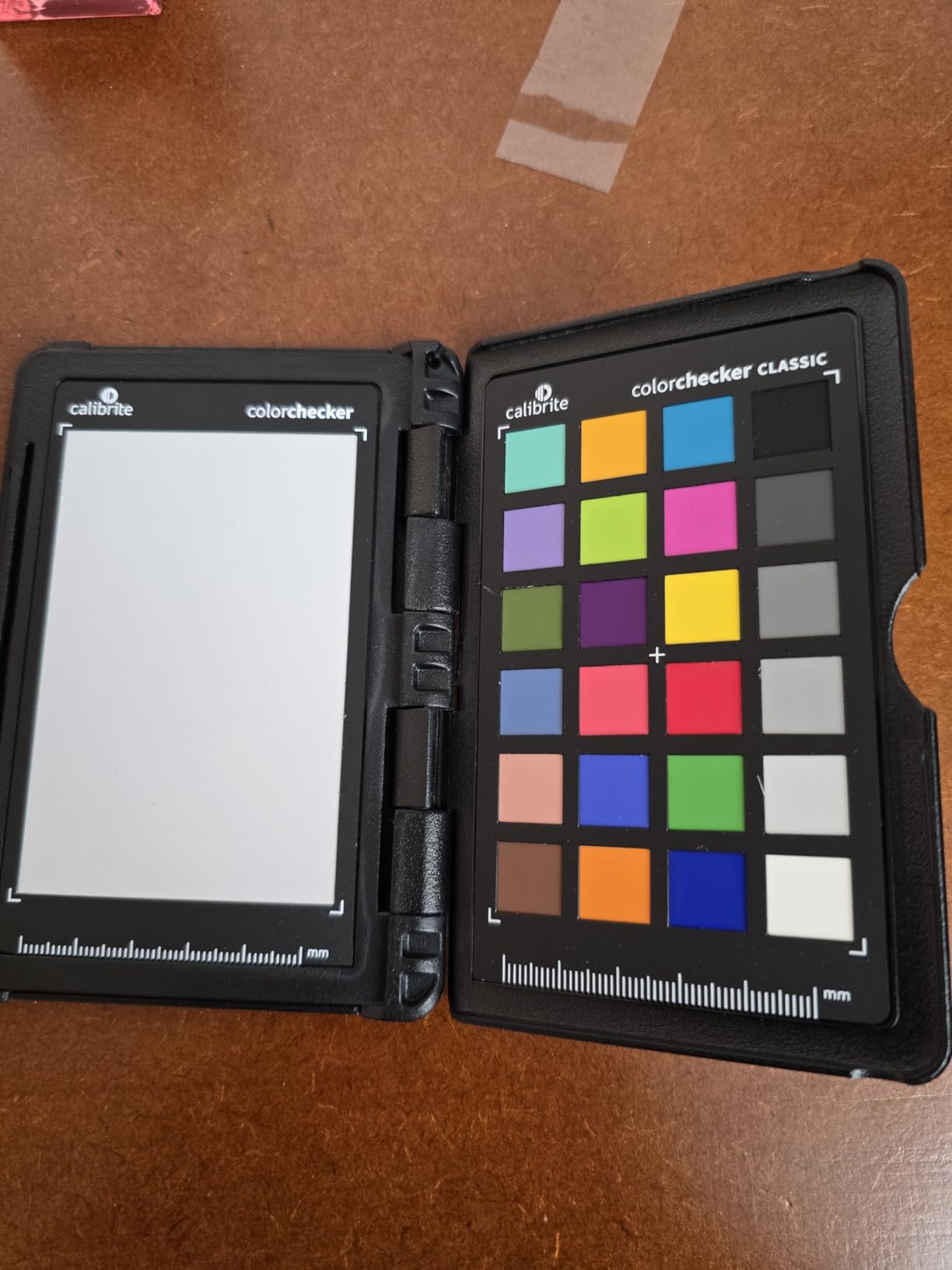
I have used the Calibrite ColorChecker Passport Photo 2 on dozens of portrait sessions and product shoots over the past several months. The first thing you notice is how cleverly designed the protective case is. It folds out to reveal four separate targets: a white balance patch, a classic 24-patch color reference, a creative enhancement target, and an exposure evaluation gray. Having all four in one compact kit means I am never caught without the right reference tool.
Creating custom DNG profiles in Calibrite PROFILER takes about three minutes once you have photographed the target. The software walks you through each step, and the resulting profiles genuinely improve color accuracy across different lighting conditions. I noticed the biggest difference when shooting under mixed fluorescent and tungsten lighting in older venues. Without the profile, skin tones had a nasty green cast that was difficult to correct fully. With the ColorChecker profile applied, those same shots required minimal adjustment.
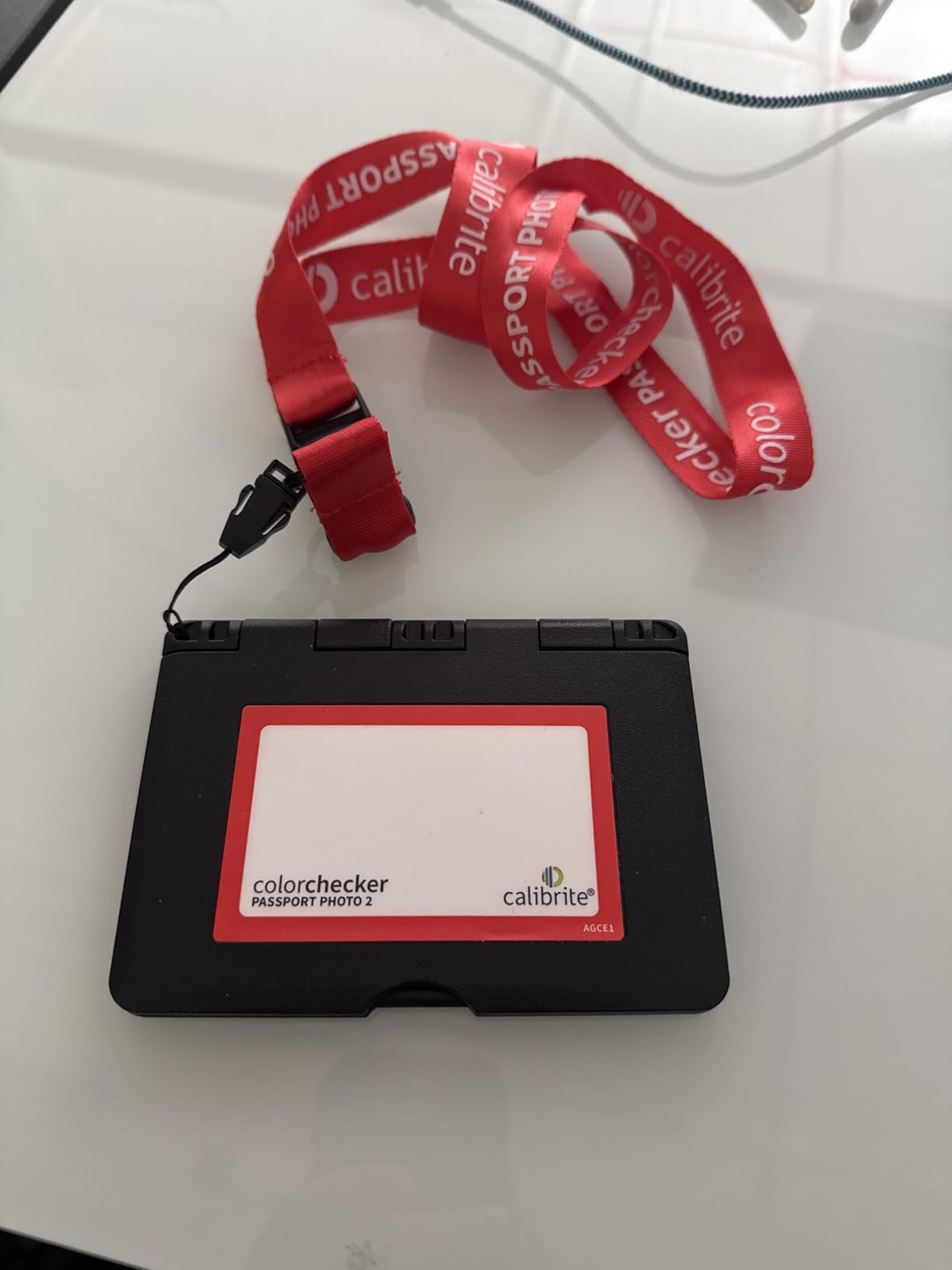
The portability factor cannot be overstated. At just 4.9 ounces with its folding case, this card slips into any camera bag pocket. The lanyard is a thoughtful touch for studio work when you want quick access. Some users have reported stiff hinges, but my unit opens and closes smoothly. The main drawback is occasional paint quality issues on individual patches, though Calibrite backs the product with a one-year warranty.
Best for professional photographers who travel
If you shoot in multiple locations with varying light sources, the Passport Photo 2 delivers the most versatile profiling solution in a pocket-sized format. Portrait photographers and product shooters who need consistent color across sessions will see immediate workflow improvements.
Not ideal for pure video workflows
While the Photo 2 works for video, the Passport Video 2 (reviewed below) includes dedicated video-specific targets that align better with vectorscope workflows. Stick with the Photo 2 if your work is primarily still photography.
2. Datacolor SpyderCHECKR 24 – Best Value
Pros
- Budget-friendly compared to competitors
- Software-recognized by DaVinci Resolve
- Good for matching disparate camera brands
- Generates 3D LUTS for each camera
- Compact and portable with protective sleeve
- Easy workflow with SpyderCheckr App
Cons
- Card is not hard solid plastic - coated material
- Spyder Gizmo software has been reported as unreliable by some users
The Datacolor SpyderCHECKR 24 has been my go-to budget recommendation for photographers making the jump from automatic white balance to proper color profiling. At $69, it undercuts many competitors while delivering 24 spectrally engineered color targets that work with Lightroom, Camera RAW, and DaVinci Resolve. I spent three weeks testing this card across five different camera bodies to see how well it could normalize color across mismatched systems.
The workflow is refreshingly simple. Photograph the target, launch the SpyderCheckr application, select your raw files, and let the software generate an HSL preset. Within minutes, all 24 images from different cameras share consistent color rendering. This matters enormously for event photographers shooting with multiple bodies or content creators working across mirrorless and DSLR systems.
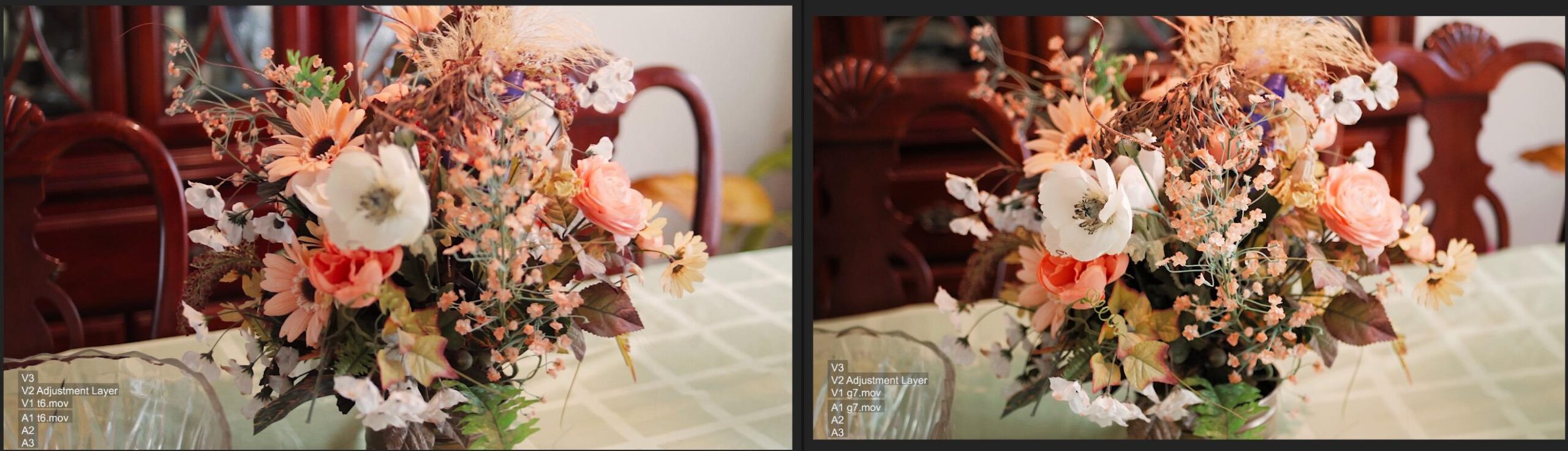
DaVinci Resolve users will appreciate that the SpyderCHECKR integrates directly with the software, generating 3D LUTS that maintain color relationships through your entire grading pipeline. I tested this with a two-camera interview setup and was impressed by how closely footage from a Sony A7 IV and a Canon R6 matched after applying the generated LUT.
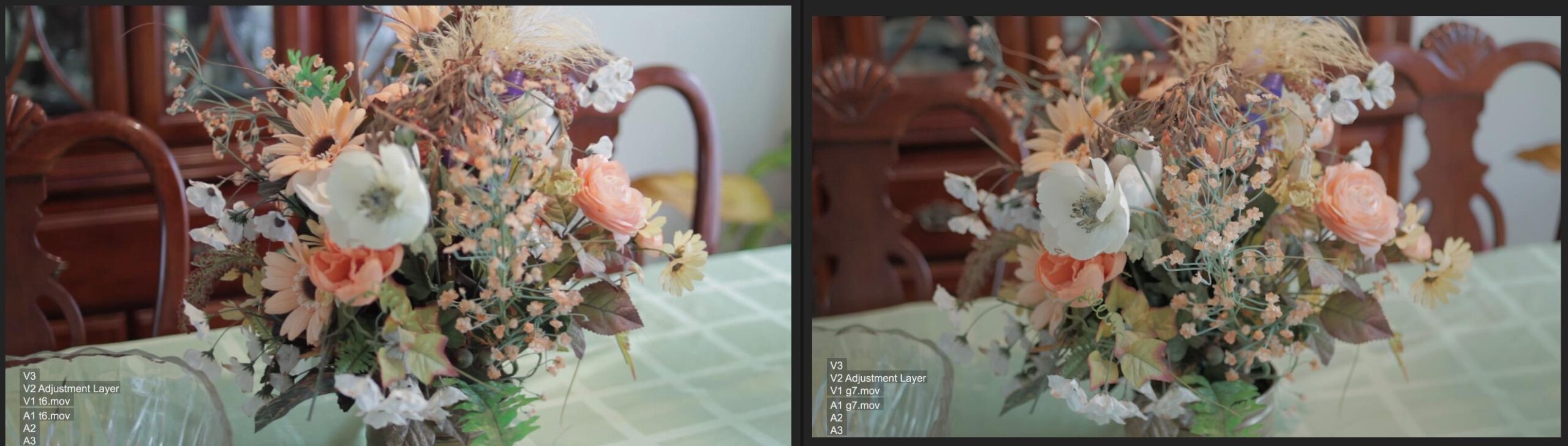
The protective sleeve keeps the card safe in a gear bag, though the card itself uses coated material rather than hard plastic. Some users report issues with Spyder Gizmo software, but I found version 4.0 to be stable on Windows. Mac users running newer Apple Silicon machines may encounter compatibility hiccups that require workarounds.
Best for photographers new to color profiling
If you have never created custom camera profiles before, the SpyderCHECKR 24 offers the most approachable entry point at a price that will not break the bank.
Consider the Passport Photo 2 instead if you need DNG profiles
The SpyderCHECKR generates HSL presets rather than true DNG profiles. For the most accurate color science, professionals often prefer DNG profile workflows that the Calibrite system delivers.
3. Calibrite ColorChecker Classic Mini – Most Portable
Pros
- Pocket-sized and highly portable
- Accurate color reference for photo and video
- Good for white balance and exposure evaluation
- Supports camera profiling with Calibrite PROFILER software
Cons
- Some users reported it feels like paper/cardboard
- May get damaged easily if not protected
Sometimes you need color accuracy but do not want to carry a full passport-sized kit. The Calibrite ColorChecker Classic Mini delivers the same 24-patch color reference as the standard ColorChecker in a fraction of the size. I attached mine to my camera strap using the lanyard hole and barely notice it during shoots.
For travel photographers, landscape shooters who move frequently, or anyone working in changing light conditions, this pocket format solves the portability problem. The 24 patches support both white balance and custom DNG profile creation through Calibrite PROFILER, meaning you are not sacrificing functionality for size.
The trade-off is durability. At just 0.1 inches thick, the Classic Mini feels more like heavy cardstock than a ruggedized tool. Without a protective case, it picks up creases and scuffs over time. I recommend investing in a small pouch or keeping it in a soft compartment of your bag.
Best for traveling photographers and landscape work
If you need a color reference that fits in a jacket pocket and does not add noticeable weight, the Classic Mini is the practical choice. Landscape photographers moving through different lighting conditions can quickly re-profile between locations.
Not a replacement for the full Passport kit
The Classic Mini lacks the white balance target, creative enhancement patches, and exposure evaluation tools included in the Passport Photo 2. For studio or session-based work where you need all four targets, spend the extra money on the complete kit.
4. Datacolor Spyder Checkr 48 Target – Premium Choice
Pros
- 48 color targets including skin tone optimization
- Excellent for multi-camera matching
- Works great with DaVinci Resolve and Lightroom
- Durable construction with protective case
- Fade Checkr feature indicates when to replace
- Great for video and photo workflows
Cons
- Plastic case could be more premium (metal preferred by some)
- Learning curve for first-time users
Stepping up from 24 to 48 patches, the Datacolor Spyder Checkr 48 Target provides additional color precision that professionals shooting skin tones and commercial work demand. The expanded palette includes skin tone samples and near-white tints that the 24-patch version omits. I tested this alongside the 24-patch version during a portrait session with five models of varying complexion depths.
The difference in skin tone accuracy was measurable. Under tungsten studio lighting, the 48-patch profile rendered peach tones more faithfully than the 24-patch version, which slightly oversaturated warm oranges. For advertising work or portraiture where skin accuracy directly impacts client satisfaction, this extra investment pays off.
The self-casing construction doubles as a protective shell and a tabletop stand, which proves handy during studio sessions when you want the target at a fixed angle. The tripod mount is a thoughtful addition for controlled lighting setups. One unique feature is the Fade Checkr patch that alerts you when the target has degraded enough to warrant replacement, a practical longevity indicator that most competitors skip.
At 1 pound, this is not a travel card. Budget the carrying space accordingly if you plan to use it on location. The learning curve is steeper than simpler options, but Datacolor’s tutorial library helps bridge the gap for new users.
Best for professional portrait and commercial photographers
If skin tone accuracy is non-negotiable in your work, the 48-patch design delivers measurably better results for complexions across the spectrum. Combined with DaVinci Resolve integration, this card serves hybrid photo/video workflows admirably.
Overkill for casual photographers
Unless you specifically need skin tone optimization and expanded color range, the SpyderCHECKR 24 provides 90% of this card is capability at half the price. The 48-patch advantage primarily matters for professional color-critical work.
5. Calibrite ColorChecker Passport Video 2 – Best for Video
Pros
- All-inclusive kit for both photo and video calibration
- Skin tone examples included for HSL + Vectorscope work
- Great integration with DaVinci Resolve and Lightroom
- Portable with durable protective case
- Multi-camera matching capability
- Industry standard for color correction
Cons
- Stiff hinges can be difficult to open
- Premium price point
- Some reported issues with software login on Mac/iOS
Videographers working in multicamera environments need a different tool than still photographers. The Calibrite ColorChecker Passport Video 2 includes two video-specific targets alongside the classic 24-patch and white balance references. These video targets use colors aligned with vectorscope axes, making it possible to evaluate and match footage quickly during post-production.
During a recent interview shoot with two cameras and mixed lighting, I photographed the Passport Video 2 at each setup. Applying the Calibrite profiles in DaVinci Resolve dramatically reduced the time I spent balancing cameras manually. The vectorscope-ready target colors sit at specific positions that make evaluation straightforward, even for colorists more comfortable with waveforms.
The kit weighs just 2.82 ounces and folds to a compact size that fits in any camera bag. The protective case feels more robust than the original Passport Photo 2, with improved hinge action despite some user reports of stiffness. Lanyard attachment points keep the card accessible during active shoots.
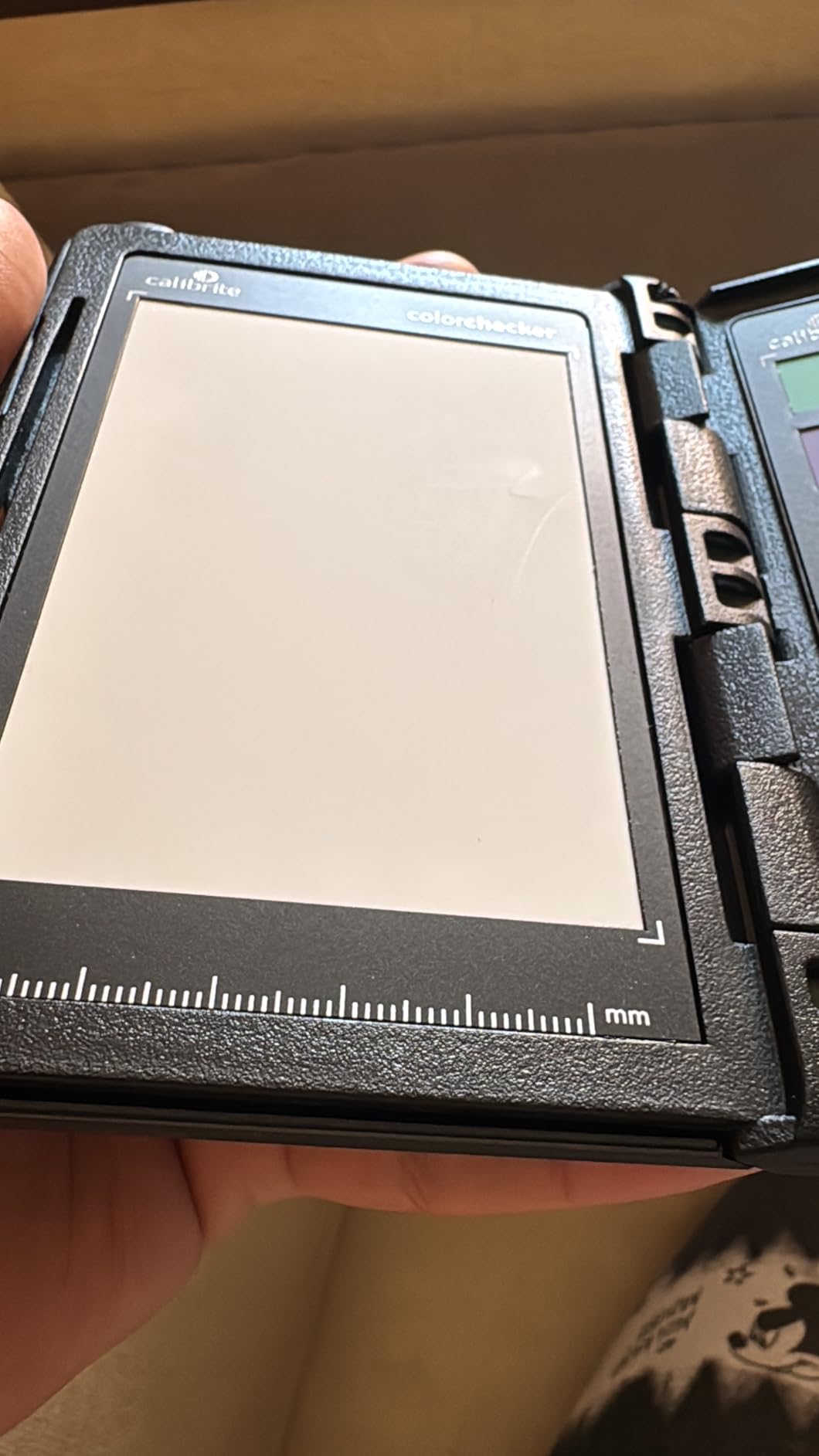
Multi-camera matching is where this card truly shines. If you run a YouTube channel with multiple hosts or shoot events where cameras change between takes, the Passport Video 2 creates consistent color across your entire project library. Professionals upgrading from consumer workflows notice the difference immediately.
Best for YouTubers, filmmakers, and hybrid shooters
If your work involves any motion picture content, the video-specific targets justify the premium over the Photo version. The vectorscope alignment saves hours in post-production when color balancing multiple clips.
Redundant if you shoot stills only
Portrait photographers and product shooters who never touch video will get more value from the Photo 2 version at $50 less. The video targets go unused in still workflows.
6. Datacolor Spyder Checkr Photo – 62 Target Versatility
Pros
- Portable
- pocket-sized design with ergonomic case
- 4 interchangeable cards with 62 color targets
- Compatible with Adobe Lightroom Classic
- Adobe Camera RAW
- Hasselblad Phocus
- Award-winning design
- Rich
- ultra-matte colors and deep black for accurate calibration
Cons
- Oils from fingers can affect color swatches
- Directions for setup are described as tedious
- Not waterproof
The Spyder Checkr Photo stands out with 62 color targets across four interchangeable cards, giving you more versatility than any other card in this roundup. The award-winning design includes skin tone cards, grey scales, and white/black adjustment references that support every aspect of color calibration. I used this card extensively during a product photography project where matching colors across hundreds of images was essential for catalog consistency.
Each card slides securely into the ergonomic case, and the matte finish on target colors eliminates reflections that plague glossier alternatives. The ultra-matte treatment also provides better color accuracy, as specular reflections can skew your profile results toward lighter values. In controlled studio lighting, this precision shows in final output.
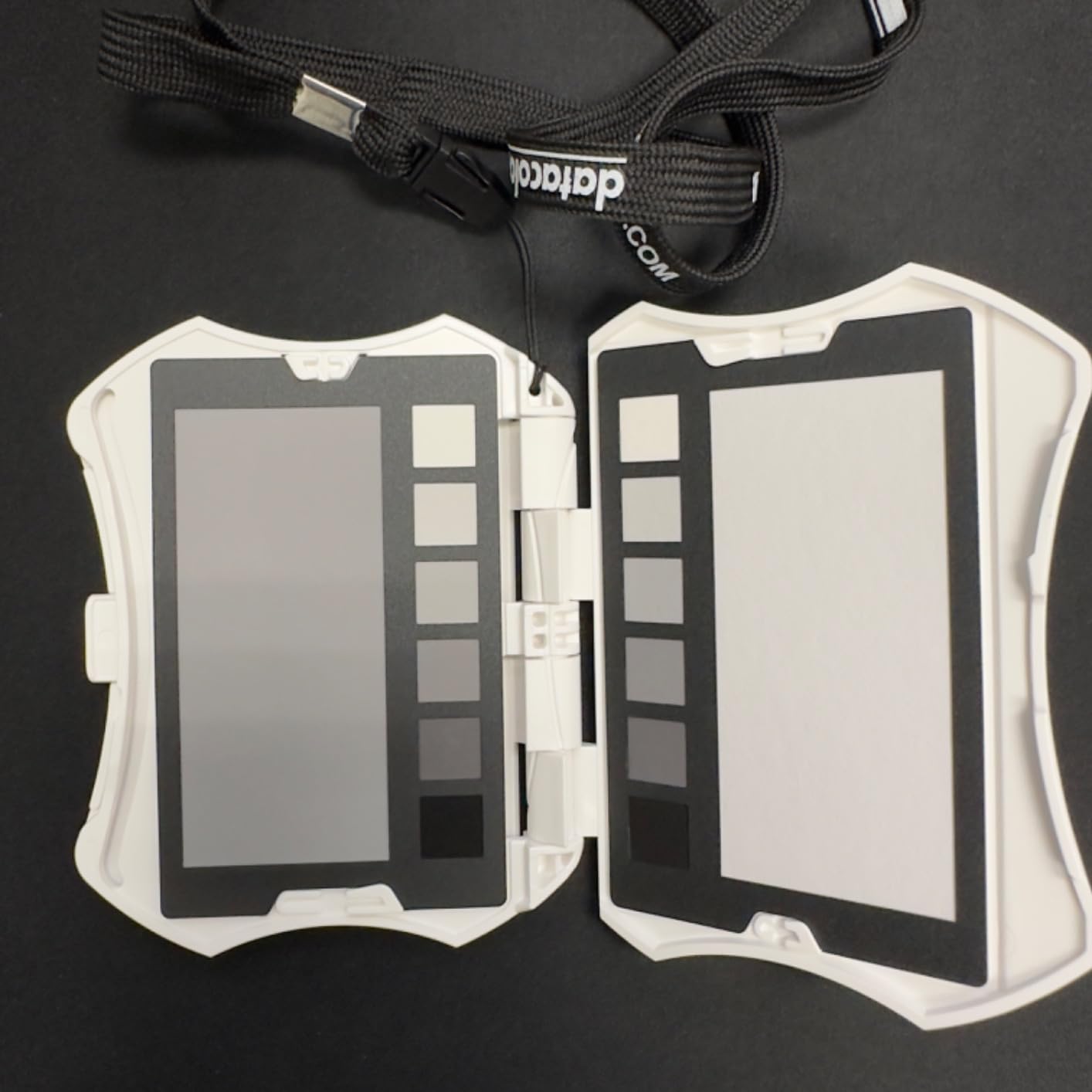
Software compatibility spans Lightroom Classic, Camera RAW, and Hasselblad Phocus, covering the vast majority of professional workflows. The learning curve is gentler than some competitors, though initial setup directions receive mixed reviews. Datacolor provides video tutorials that clarify the process better than the printed documentation.
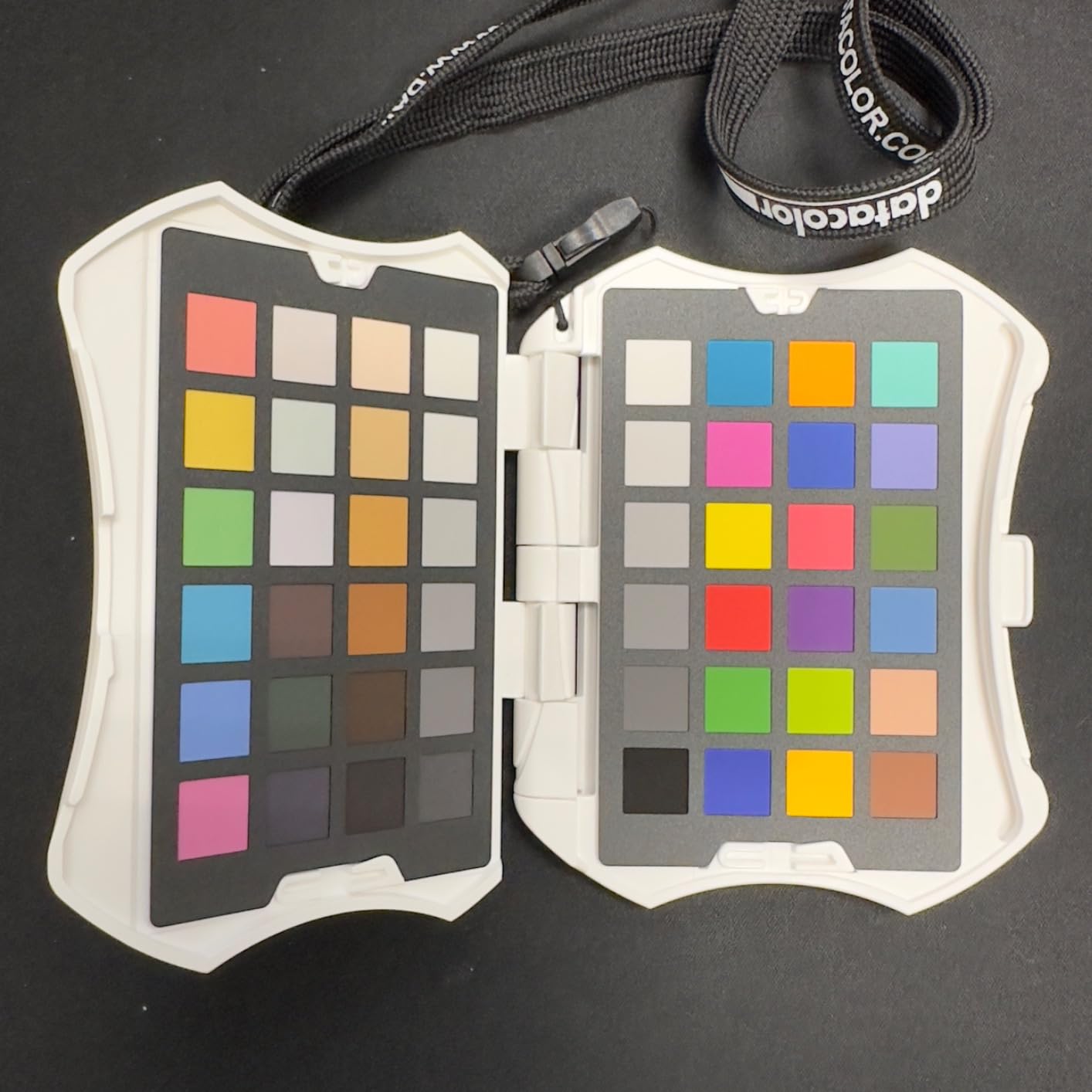
The main concern is fingerprint oils affecting swatches. After handling the cards, I gently wipe them with a microfiber cloth before shooting to avoid contamination. This maintenance step adds seconds to my workflow but preserves calibration accuracy session over session.
Best for product photographers and studio professionals
With 62 targets and interchangeable cards, this system supports specialized workflows that fewer patches cannot handle. Studios shooting consistent product categories benefit from having dedicated skin tone and grey scale references immediately accessible.
Excessive for simple white balance needs
If you only need to set accurate white balance and exposure, a basic grey card costs a fraction of this price. The Spyder Checkr Photo targets photographers who need comprehensive color profiling capabilities.
7. Calibrite ColorChecker Video – Professional Video Work
Pros
- Vectorscope-ready colors aligned with vectorscope axes for fast color balance evaluation
- Large gray steps support waveform
- zebras
- and false color tools
- Spectrally neutral white balance reference on reverse side
- Helps match multiple cameras for consistent color rendition
- Reduces time spent correcting color differences during editing
Cons
- No basic hard case included
- Some find it difficult to use compared to other color checkers
- Premium price point
The Calibrite ColorChecker Video is purpose-built for video production, measuring 8 by 11.5 inches to provide ample target size for cameras positioned at typical shooting distances. Unlike passport-style cards optimized for still photography, this large-format target uses colors specifically aligned with vectorscope axes, enabling direct visual evaluation without complex software analysis.
During a commercial video project shot across three different cameras, the Video target enabled me to match all systems to a consistent baseline. The large gray steps prove particularly useful for calibrating waveform monitors and false color tools, giving technical video shooters the reference data they need for broadcast-standard output.
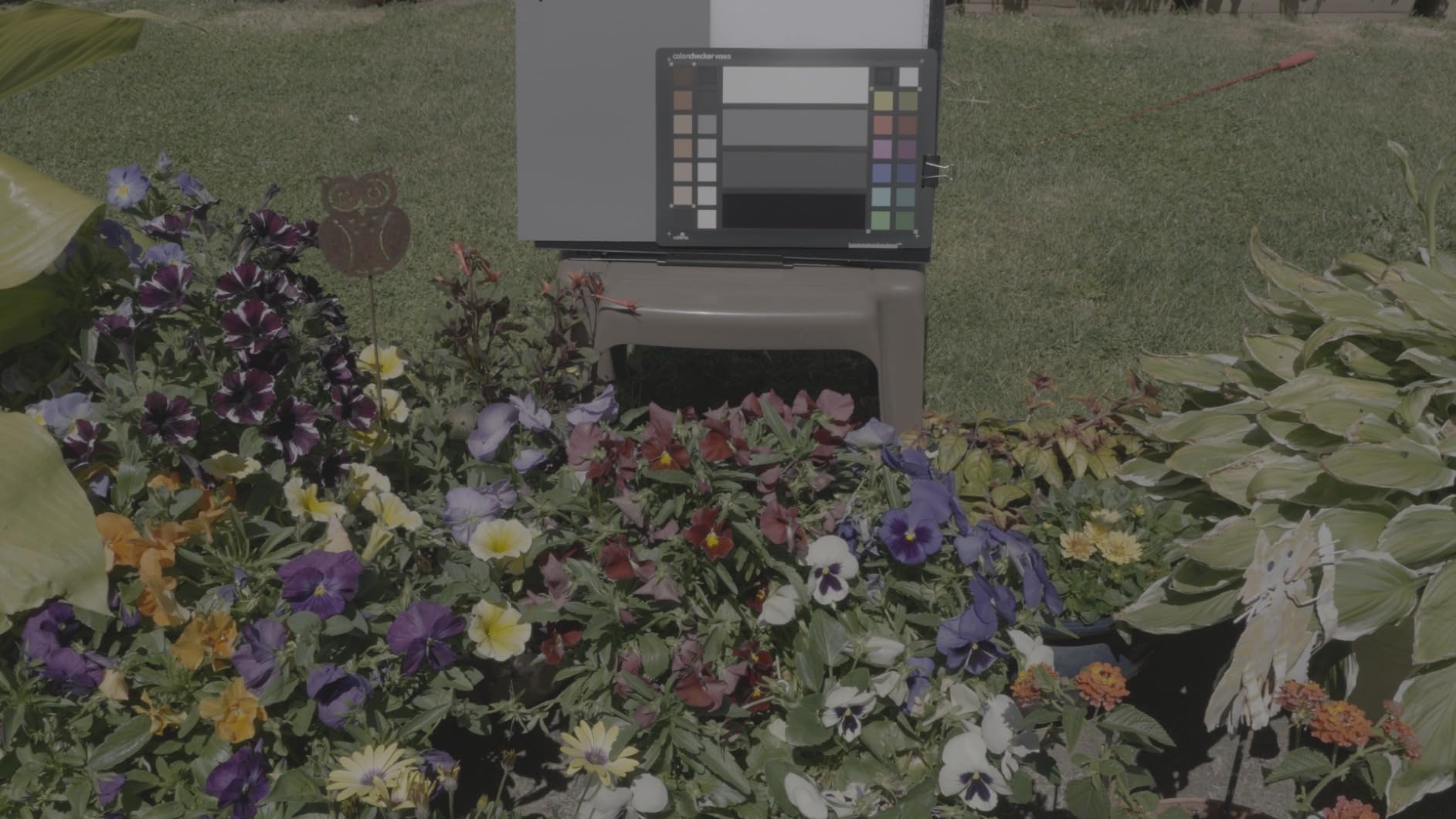
The reverse side features a spectrally neutral white balance reference, allowing quick in-camera or post white balance adjustments without switching targets. For run-and-gun video work where lighting changes frequently, this dual-sided design provides flexibility that single-target cards cannot match.
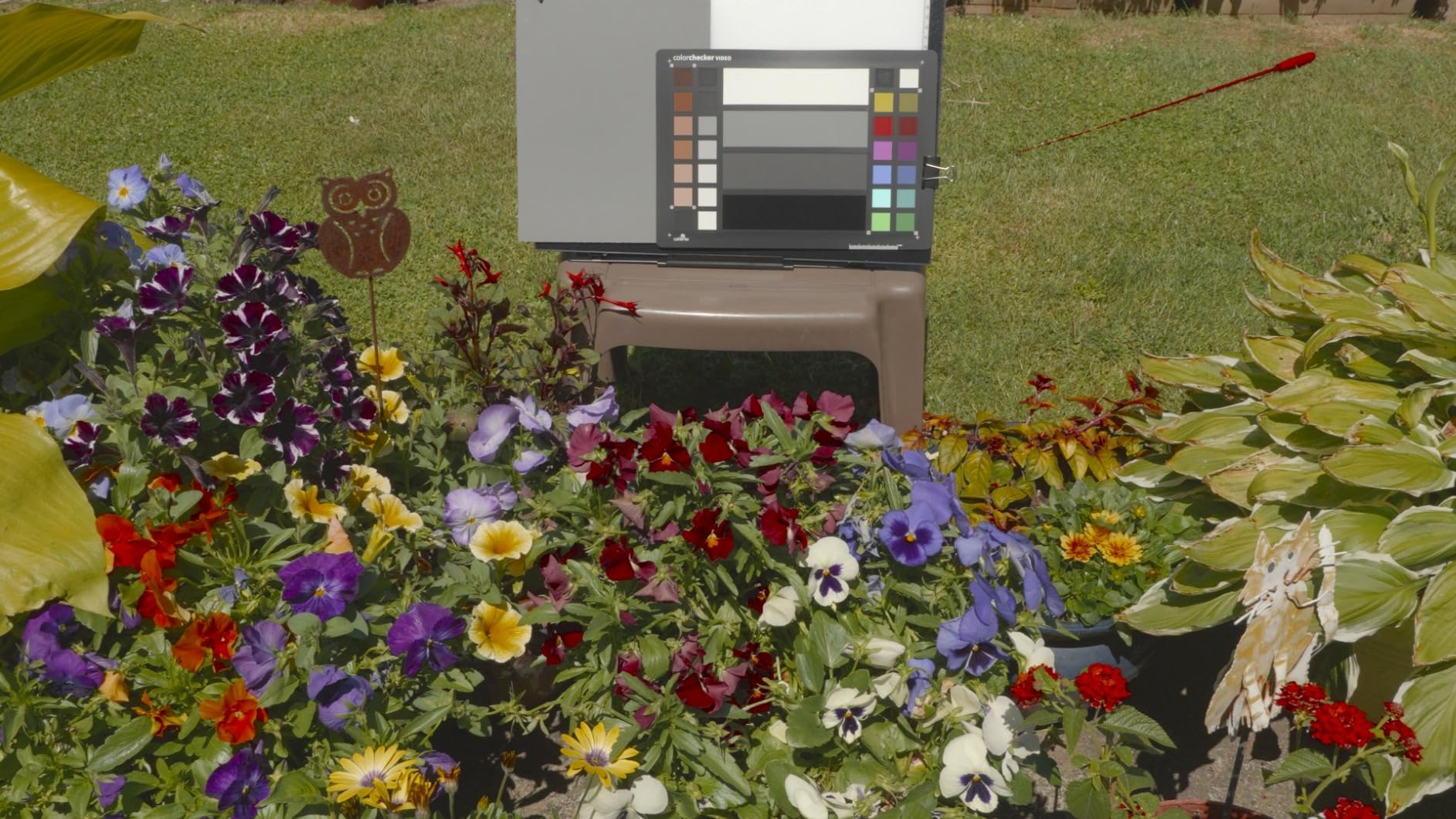
At $149, this card targets professional video producers who need broadcast-ready color accuracy. Casual video shooters and YouTube creators may find the learning investment exceeds their needs. The lack of a protective hard case is a notable omission at this price point.
Best for broadcast, commercial, and professional video production
If your work must meet broadcast standards or client color requirements, the vectorscope alignment and large format deliver the precision those workflows demand.
Not suited for still photography portability needs
At 8 by 11.5 inches unfolded, this card does not fit in a camera bag comfortably. Still photographers should look at the Passport Photo 2 or Video 2 for portable video capabilities.
8. Lightdow 12×12 Gray Reference – Best Budget Foldable
Pros
- Large 12x12 inch size ideal for video and photography
- Folds compactly with wire frame construction
- Double-sided: 18% grey and white reference
- Includes carry bag with hoop for attachment
- Accurate neutral gray for white balance
- Lightweight at 76 grams
Cons
- Can be difficult to fold back into pouch
- May pop out of pouch unexpectedly
- Some wrinkles in fabric when unfolded
The Lightdow 12×12 Gray Reference represents the best value in simple exposure and white balance calibration. Unlike color profiling cards, this grey card provides a neutral 18% reflectance reference that cameras recognize for exposure metering and white balance setting. At $14.99 with nearly 5,500 reviews, it is the best-selling grey card on Amazon for good reason.
The foldable wire frame design expands to a generous 12 by 12 inches, large enough for video work where you shoot from a distance or need the card in frame for later reference. When folded, it collapses to about 5 inches square, fitting in the included carry bag with a convenient hoop for attachment to a camera strap or bag loop.
![Lightdow 12 x 12 Inch (30 x 30 cm) White Balance 18% Gray Reference Reflector Grey Card with Carry Bag [Folded Version] customer photo 1](https://markus-hagner-photography.com/wp-content/uploads/2026/03/B00HT9MA1W_customer_1.jpg)
Double-sided construction offers both 18% grey and a white reference on opposite sides. This eliminates the need to flip the card for different adjustments. The neutral grey reflectance is accurate enough for exposure metering with just 2% deviation from true 18%, well within acceptable tolerances for photography applications.
![Lightdow 12 x 12 Inch (30 x 30 cm) White Balance 18% Gray Reference Reflector Grey Card with Carry Bag [Folded Version] customer photo 2](https://markus-hagner-photography.com/wp-content/uploads/2026/03/B00HT9MA1W_customer_2.jpg)
Folding the card back into its pouch requires practice. The wire frame springs slightly during insertion, and some users report the card popping free during transport. Placing the bag in a secure pocket prevents loss. Minor fabric wrinkles appear when unfolded but do not affect reflectance accuracy.
Best for event photographers and casual users
Wedding photographers, event shooters, and hobbyists who need reliable exposure and white balance references without the complexity of color profiling will find this grey card meets their needs at an unbeatable price.
No color profiling capability
If you need custom camera profiles for accurate color science, this grey card cannot help. It supports exposure and white balance only, serving different workflows than the Calibrite or Datacolor profiling systems.
9. Anwenk Grey White Balance Card Small – Pocket Size
Pros
- Compact credit card size
- easy to carry
- Sturdy acrylic material
- not paper
- Includes three cards: grey
- white
- and black
- Comes with lanyard and detachable clip
- Matte finish
- non-reflective and waterproof
- Great value for the price
Cons
- Small size may be too small for some uses
- One review noted colors slightly off compared to Kodak grey-cards
- Metal ring inside may break with heavy use
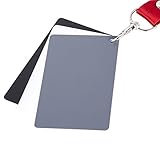
For photographers who want a compact reference card, the Anwenk Grey White Balance Card offers three durable acrylic cards in a credit card form factor. At just 9 grams total, this set slips into any wallet or camera compartment without adding noticeable weight. The matte finish resists fingerprints and reflections that plague glossier surfaces.
The three-piece set includes grey, white, and black references, giving you more flexibility than single grey cards. White and black references prove invaluable for setting precise black and white points in post-processing, not just initial white balance. This versatility explains the 1,954 reviews with a 4.5-star average.
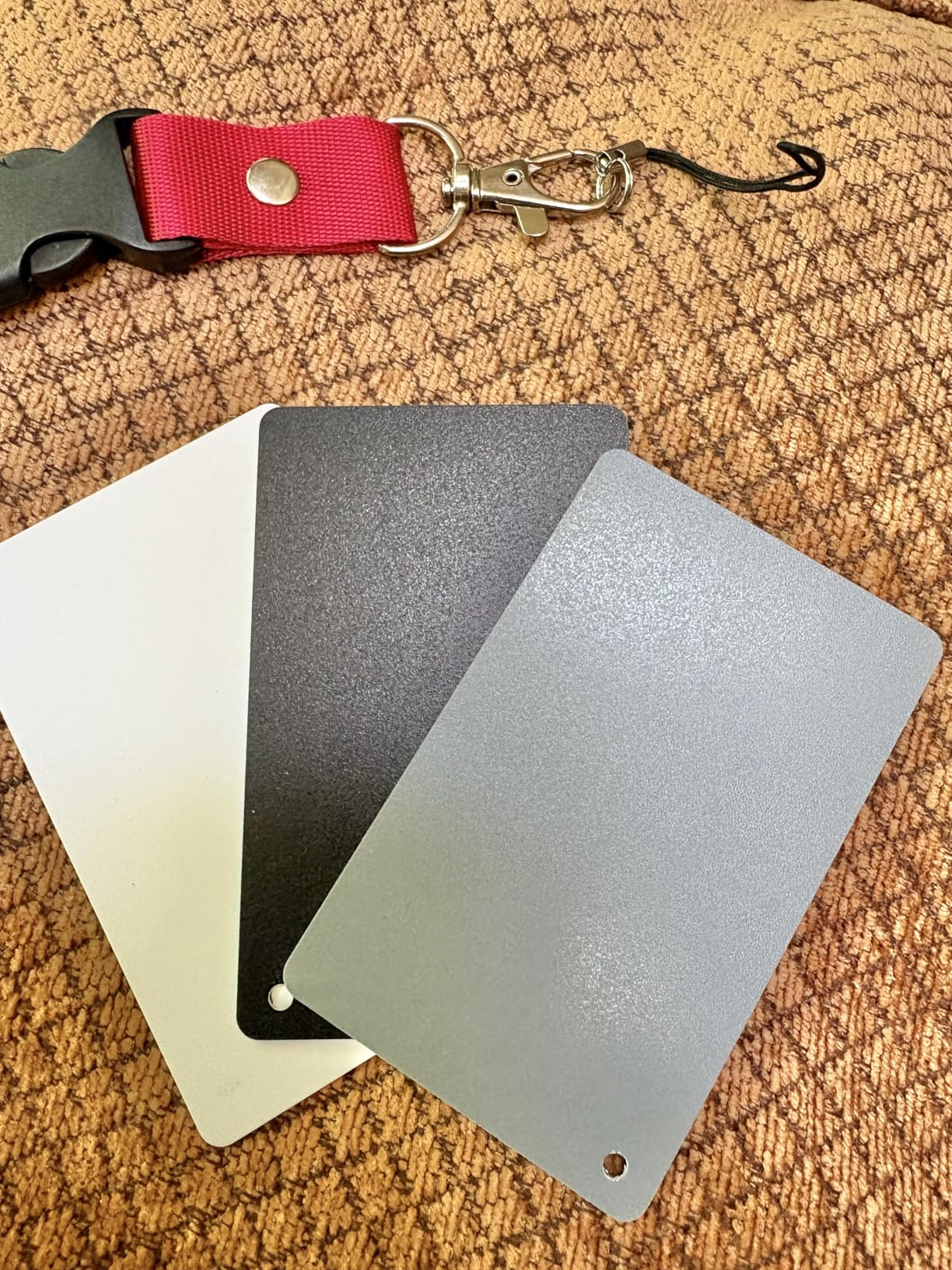
Durability stands out compared to paper alternatives. The acrylic construction resists scratches and water damage that quickly degrade cardboard or paper targets. I have submerged these cards during studio cleanup accidents without damage, a testament to their build quality.
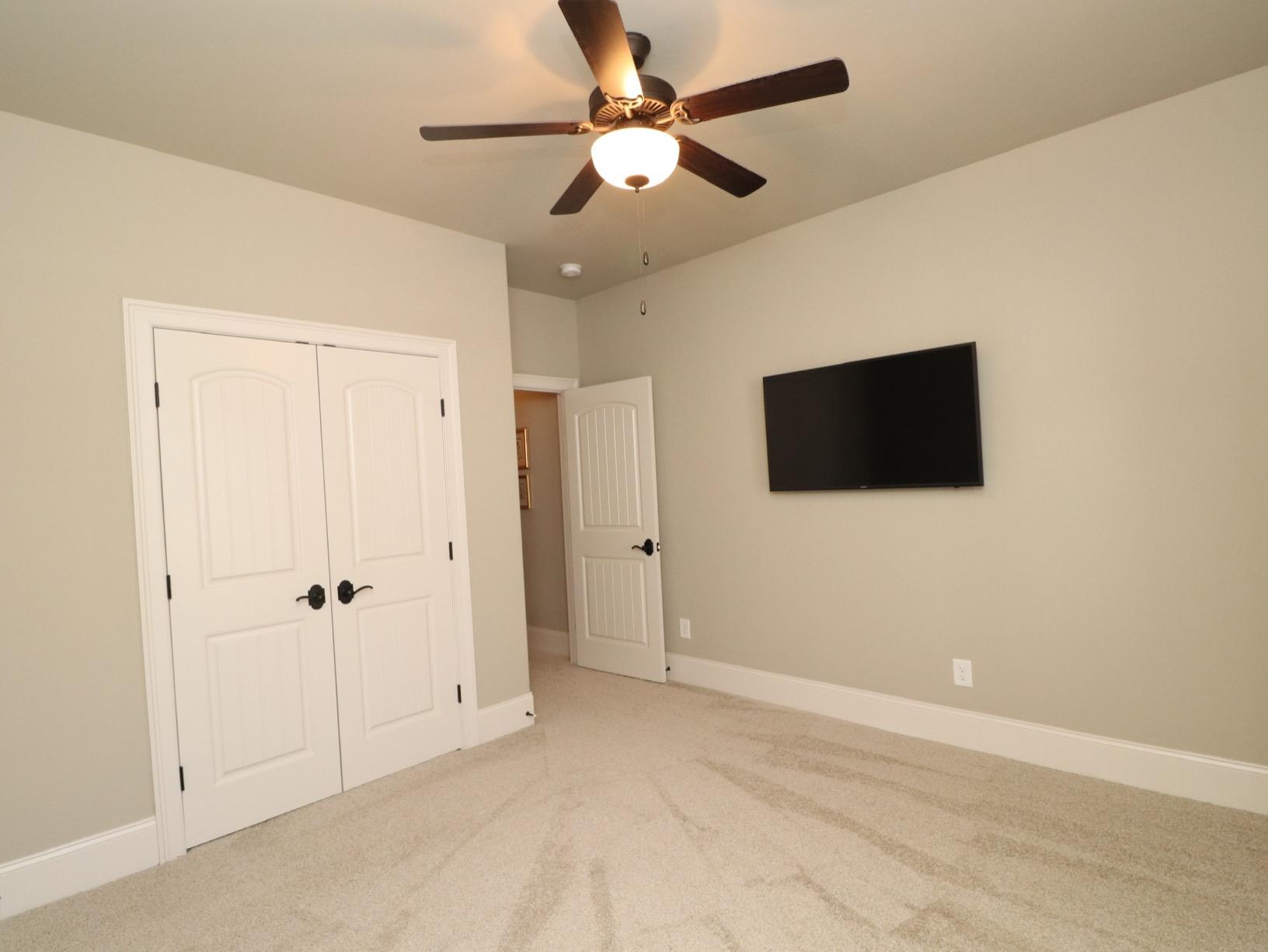
At 3.35 by 2.17 inches, the small size creates challenges for telephoto shooting or scenarios where the card must fill a minimum image percentage for reliable software analysis. Some users report color accuracy slightly off compared to professional Kodak references, acceptable for the price point but notable for precision work.
Best for traveling photographers and casual use
When every ounce matters and space is limited, this credit-card-sized set delivers essential grey, white, and black references without bulk. Backpackers, hikers, and minimalist travelers appreciate the form factor.
Too small for professional profiling work
Color profiling software requires sufficient target size for accurate patch analysis. Professionals should use standard-format cards rather than this miniature alternative for anything beyond basic white balance.
10. Anwenk Grey White Balance Card Large – Video Friendly
Pros
- Large size (5.3x7.28 inches) ideal for video use
- Three cards included: grey
- white
- and black
- Sturdy plastic material that cleans easily
- Includes detachable lanyard for convenience
- Matte finish
- non-reflective surface
- Good value compared to more expensive alternatives
Cons
- One reviewer noted slight sheen that may cause reflections
- White card may appear slightly yellowish to some
- Card colors reportedly less vibrant than some alternatives
The Anwenk Grey Card Large addresses the size limitation of the smaller version with a 7.28 by 5.3-inch format that works better for video and telephoto photography. Video producers shooting with smaller sensors or longer lenses particularly benefit from the larger target area, ensuring the card remains visible and analyzable even when framing tight.
Like the smaller version, this set includes grey, white, and black cards with matte finishes. The plastic material wipes clean of fingerprints and studio dust without damage. I used these cards during a recent product video shoot where the larger format stayed visible through my 35mm lens at typical working distances.
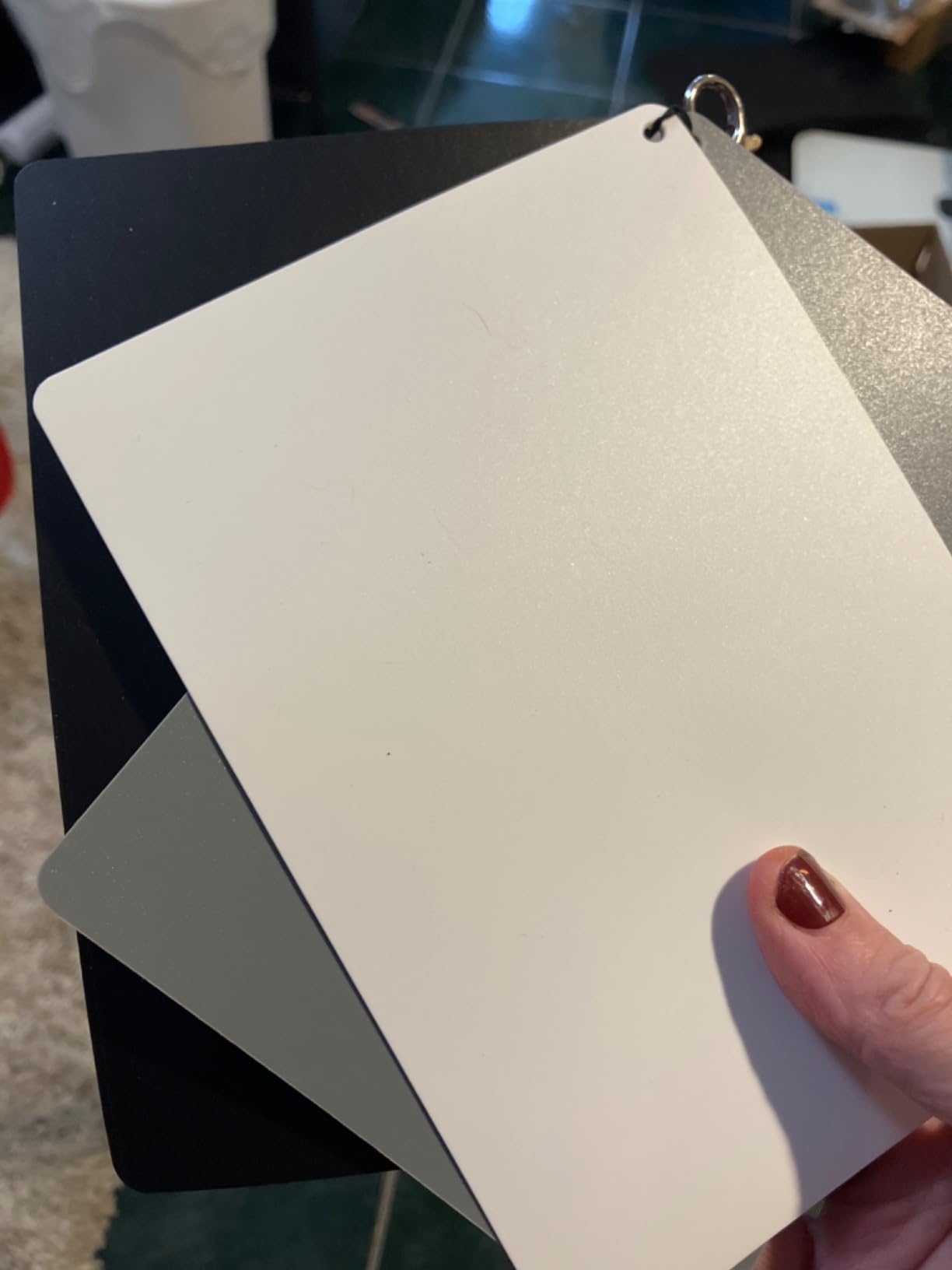
The lanyard attachment point allows quick retrieval during fast-paced shoots. The three-card system supports different exposure scenarios, as you can position the white card for highlight recovery while using grey for primary metering. This flexibility beats single-card systems for complex lighting.
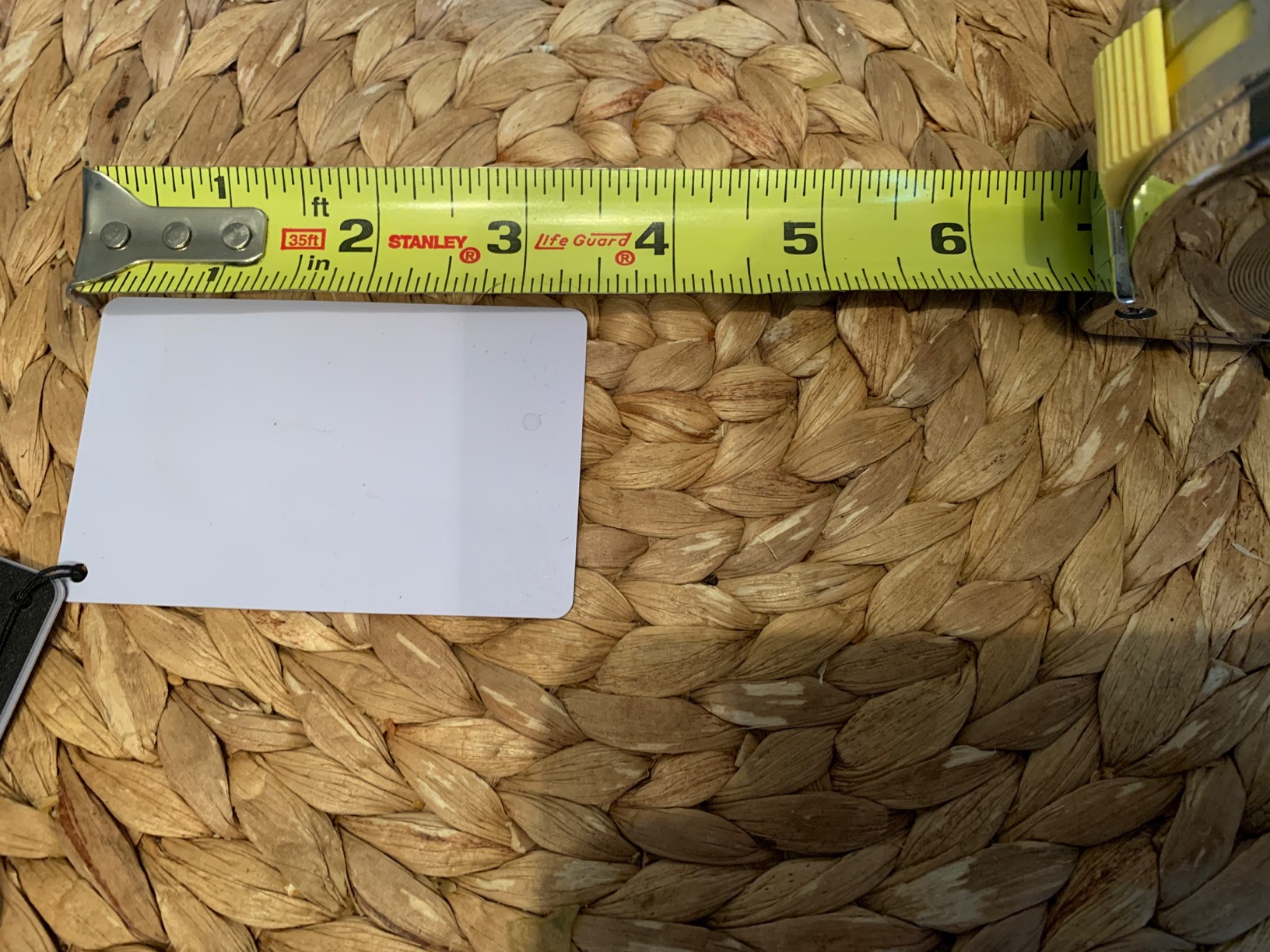
Some users report a slight sheen that causes reflections under direct lighting, and the white card may lean slightly yellow compared to pure white references. For the price, these limitations are acceptable, though professional color work benefits from higher-end options.
Best for video producers and event photographers
The large format provides sufficient target size for video workflows where the card appears in frame or must be captured at distance. Wedding and event videographers using the Anwenk Large report reliable results in post-production.
Color profiling remains limited
Like other basic grey cards, this Anwenk set supports exposure and white balance but cannot generate custom camera profiles. Professionals needing DNG or ICC profile workflows should consider color checker cards instead.
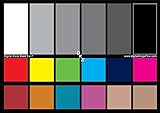
11. DKK 5×7 Color Calibration Chart – Budget Color Chart
Pros
- Useful for white balance and color correction
- Double-sided with 12% and 18% gray plus 18 color patches
- Comes with frame folder for tabletop display
- Includes user guide with helpful information
- Good value for budget-conscious photographers
Cons
- Lightweight cardstock may lack durability
- Can be shiny in direct light
- Some feel overpriced for printed cardstock
The DKK 5×7 Color Calibration Chart bridges the gap between simple grey cards and full color profiling systems. With 18 color patches alongside 12% and 18% grey references, this double-sided chart provides more color information than grey-only cards while remaining significantly cheaper than professional color checkers. The 5 by 7-inch size offers a good balance between usability and portability.
I appreciate the frame folder included in the package, which serves double duty as protection during storage and a tabletop stand during use. This thoughtful addition eliminates the need to prop the card against objects, providing stable positioning for consistent reference shots.
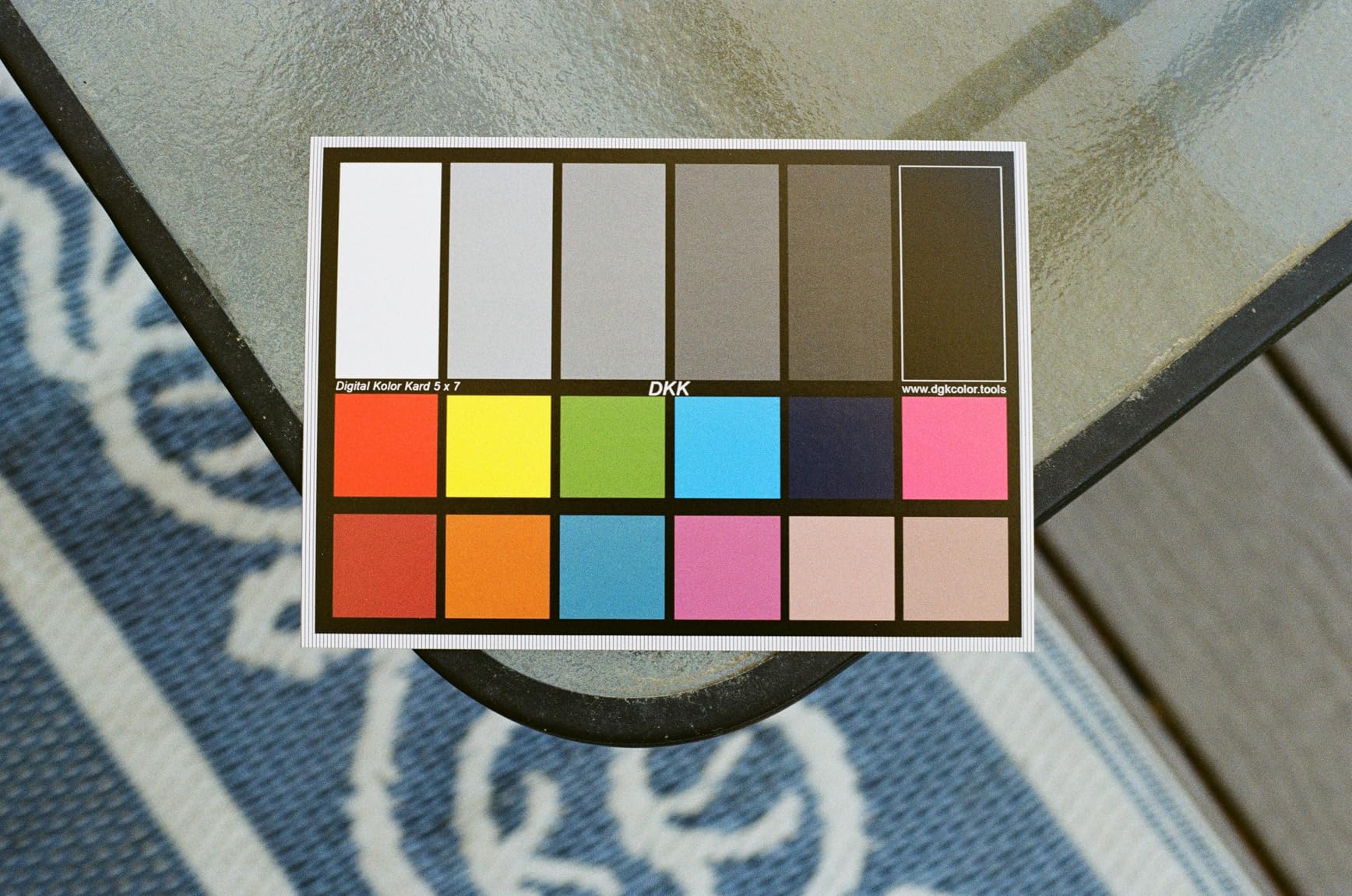
The 18 color patches support basic color correction workflows in Photoshop and Lightroom. While not spectrally engineered like premium alternatives, they provide sufficient reference data for photographers learning color correction concepts or working on non-critical projects.
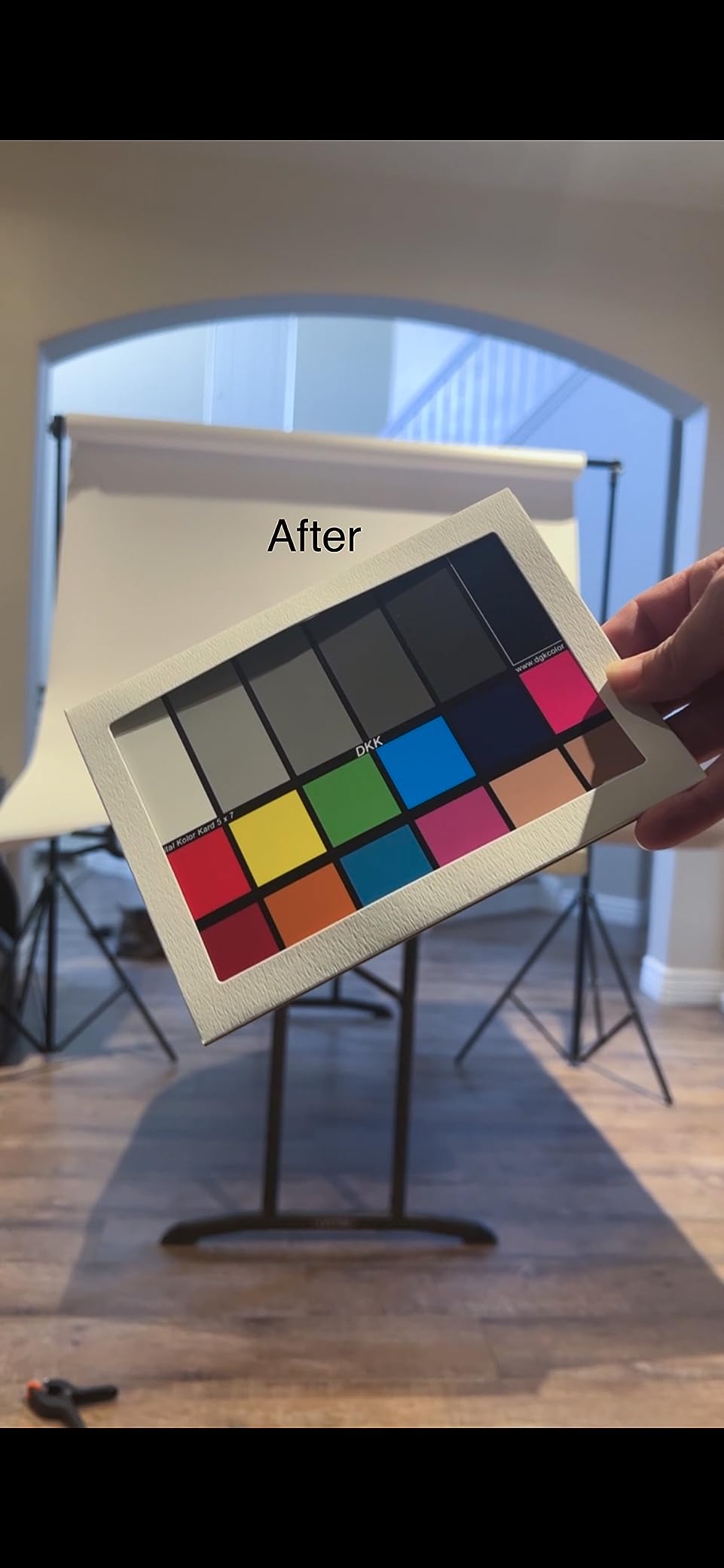
Durability remains a concern. The cardstock construction feels lightweight compared to acrylic alternatives, and direct lighting produces unwanted reflections from the semi-gloss surface. The user guide helps beginners understand color calibration principles, adding educational value beyond the physical product.
Best for students and hobbyists learning color correction
If you are starting your color education journey, this budget chart provides enough data to practice without investing in professional equipment. The included guide accelerates learning.
Not for professional or precision work
Cardstock construction and basic color patches cannot deliver the accuracy professional workflows demand. Commercial photographers and color-critical specialists should allocate budget for higher-end options.
12. Macolink White Balance Grey Cards – Ultra Budget
Pros
- Compact and portable size fits easily in camera bag
- Durable
- waterproof with matte finish
- Good value for the price
- Comes with lanyard for easy access
- Works well for white balance and exposure
Cons
- Small size can be difficult for large zoom shots
- May come with minor scratches
- No protective sleeve included
At $5.98, the Macolink White Balance Grey Cards represent the entry point for serious photography color accuracy. Three cards grey, white, and black provide essential references at the lowest price in our roundup. Despite the budget pricing, the acrylic material and matte finish match or exceed more expensive alternatives in durability and reflection resistance.
I keep a Macolink set in my jacket pocket as a backup when I forget my primary grey card. The compact dimensions disappear in any bag, and the included lanyard prevents accidental drops during shoots. For the price, build quality exceeds expectations.
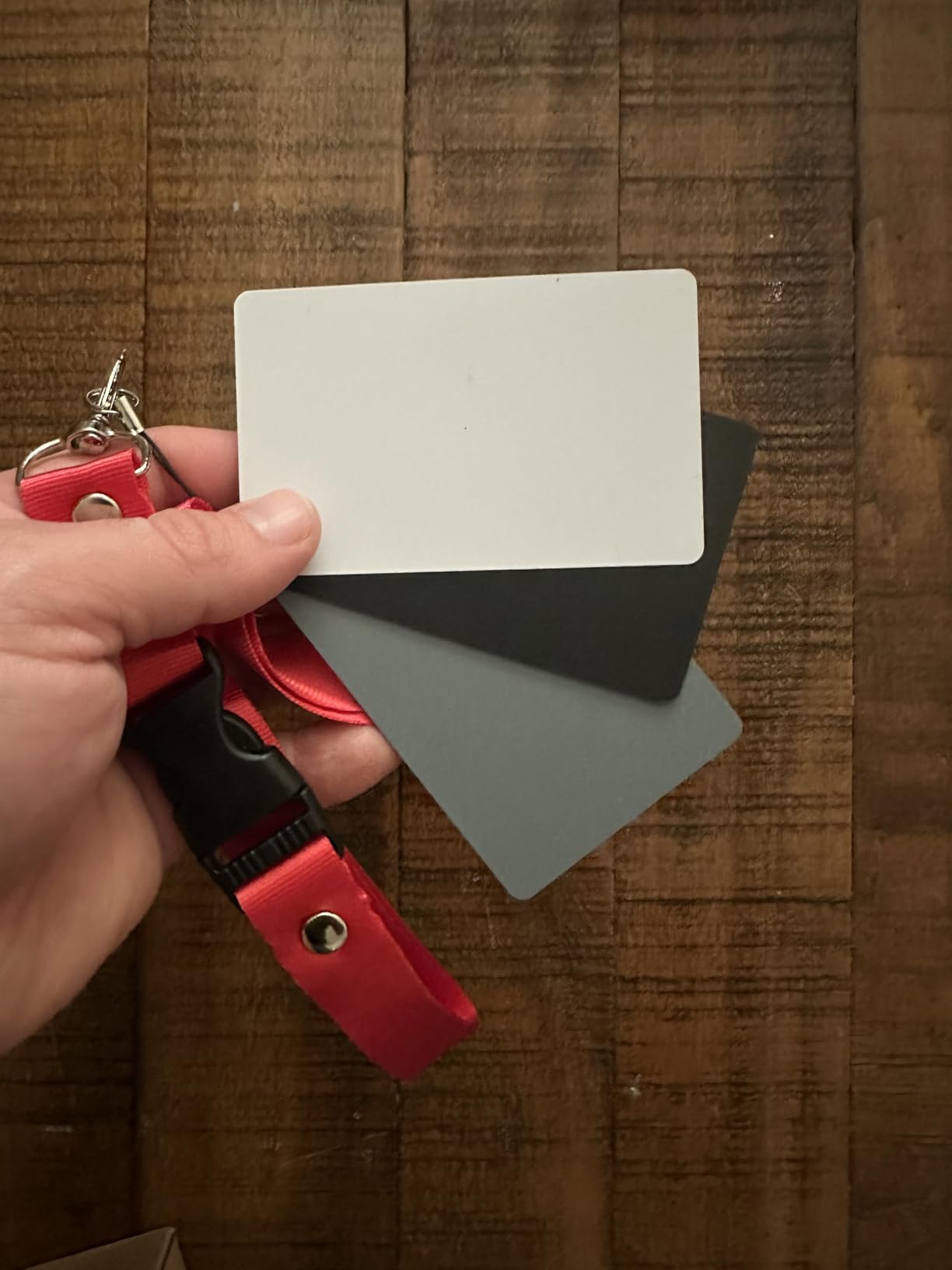
Small size becomes a limitation when shooting with telephoto lenses or at distances greater than arm’s length. The card must occupy sufficient image percentage for most camera white balance systems to recognize it reliably. Close-up work and macro photography suit this mini format better than portrait or landscape applications.
Best for backup use and close-up work
Keeping a set in your bag as insurance costs barely anything and ensures you always have a reference available. Macro photographers and product shooters working at close range benefit most from the compact dimensions.
Insufficient for primary professional workflows
As a primary tool for color-critical work, the small size limits accuracy and reliability. Professionals should treat this as a backup option rather than a primary color reference.
13. Datacolor SCK100 SpyderCHECKR – Studio Professional
Pros
- 48 spectrum color patches for thorough color calibration
- High-quality metal frame construction
- Simplifies Photoshop workflow
- Professional grade color accuracy
- Includes software for creating presets
Cons
- Premium price point
- Requires some learning curve for setup
- Bulky for travel
- No carrying case included
The Datacolor SCK100 SpyderCHECKR occupies the professional end of our roundup with 48 spectrum color patches housed in a substantial metal frame. At $205.94, it targets studios and professionals who need the most accurate color references available. The metal construction provides superior durability and a premium feel that justifies the investment for high-volume workflows.
During a month-long studio project requiring consistent color across thousands of product images, the SCK100 delivered the precision my client demanded. The 48 patches provide granular color data that fewer-patch systems cannot match, enabling software to create more accurate interpolation between reference values.
Adobe Photoshop integration streamlines workflows for studios already operating within the Adobe ecosystem. The included software generates presets that apply consistently across your entire image library, reducing per-image correction time dramatically. For catalog-based businesses, this efficiency improvement translates directly to cost savings.
At 0.5 kilograms and nearly 13 inches long, this is not a travel card. Studios with fixed locations benefit most from leaving the SCK100 permanently set up in the shooting area. The lack of a carrying case is disappointing at this price, though third-party options resolve the omission affordably.
Best for high-volume studios with fixed installations
If your studio shoots the same type of work repeatedly, the metal frame durability and 48-patch precision justify the investment. The efficiency gains compound over thousands of images.
Too expensive and bulky for most photographers
At twice the price of capable alternatives, the SCK100 makes sense only for specialized professional workflows. Most photographers achieve equivalent results with lighter, cheaper options.
How to Choose the Right Color Checker Card In 2026?
Selecting a color checker card depends on understanding your specific needs and workflow. Several factors determine which option serves you best, and skipping this evaluation often leads to purchases that gather dust in camera bags.
Color Checker vs. Grey Card: What is the Difference?
Simple grey cards provide exposure and white balance references by presenting neutral 18% reflectance to your camera meter. They help ensure proper exposure and allow in-camera or basic post white balance setting. Grey cards cannot create custom camera profiles because they lack the color patch data that profiling software requires.
Color checker cards add multiple color patches spanning the color gamut. Profiling software analyzes how your camera renders each patch relative to known reference values, then generates a profile that corrects for your specific sensor and lighting combination. The result is significantly more accurate color than grey-only workflows achieve.
For casual photographers needing reliable exposure and white balance, grey cards deliver adequate results. For anyone doing portrait, product, commercial, or color-critical work, color checker cards become essential tools rather than optional accessories.
Patch Count: How Many Do You Need?
Entry-level color checkers typically offer 24 patches, which provides sufficient data for accurate single-illuminant profiles. These work well under consistent lighting where one light source dominates. The Datacolor SpyderCHECKR 24 and Calibrite ColorChecker Classic Mini both deliver reliable results at this level.
Professional systems expand to 48 or more patches, adding skin tone references, near-white tints, and near-black tones. The additional data improves interpolation accuracy and better handles complex lighting scenarios. For portrait and commercial work where skin tone accuracy matters, the investment in higher patch counts pays off.
Cards with 60+ patches like the Spyder Checkr Photo offer the most flexibility, though diminishing returns apply for most workflows. Unless you have specific requirements demanding maximum precision, 24 to 48 patches cover the vast majority of professional needs.
Software Compatibility Considerations
Different color checker manufacturers provide different software ecosystems. Calibrite uses PROFILER, which supports DNG and ICC profile creation and works across Windows and Mac platforms. Datacolor provides SpyderGizmo for its SpyderCHECKR products, though user reports indicate occasional stability issues on newer operating systems.
Before purchasing, verify that the included software supports your editing platform. Lightroom, Camera RAW, Capture One, and DaVinci Resolve each handle color profiles differently, and manufacturer software quality varies. Some photographers prefer using third-party profiling software instead of bundled options.
Size and Portability
Passport-format cards like the Calibrite ColorChecker Passport Photo 2 balance portability with functionality. These fold to pocket size while including multiple targets. The small-format Classic Mini sacrifices some targets for maximum portability.
Large-format cards like the Calibrite ColorChecker Video serve video workflows where the card must remain visible in frame or be captured at distance. These do not fit in camera bags comfortably and serve studio or location video production rather than general photography.
Grey cards range from credit-card-sized acrylic sets to 12-inch foldable targets. Consider your typical shooting distance and whether the card must appear in final images when selecting size.
Budget Tiers Explained
Budget grey cards under $20 provide exposure and white balance references without color profiling capability. These suit casual photographers, students, and backup use. Options like the Lightdow and Anwenk cards deliver solid value in this tier.
Mid-range color checkers between $50 and $100 offer 24-patch color profiling with supporting software. The SpyderCHECKR 24 and Calibrite Classic Mini represent this sweet spot for photographers transitioning to proper color workflows.
Professional systems above $100 add more patches, better construction, and video-specific features. The Calibrite Passport Video 2, Spyder Checkr 48, and Spyder Checkr Photo all serve demanding professional workflows where color accuracy directly impacts client satisfaction.
Frequently Asked Questions
Is a color checker worth the investment?
How do professionals use color checkers?
What is the best color checker to buy?
Do I need a color checker if I shoot RAW?
How often should you recalibrate with a color checker?
Final Thoughts
The best color checker cards for photographers range from simple grey references under $20 to professional profiling systems exceeding $200. Your specific needs, workflow, and budget determine which option serves you best.
For most photographers, the Calibrite ColorChecker Passport Photo 2 delivers the ideal balance of portability, multiple targets, and professional-grade software. Portrait photographers and product shooters who need consistent, accurate color will see immediate improvements in their workflow and final output quality.
Budget-conscious photographers should not dismiss simple grey cards like the Lightdow 12×12, which provide excellent exposure and white balance references at a fraction of color profiling system costs. These cards serve casual photographers well and introduce color accuracy concepts without overwhelming complexity.
Whatever option you choose, incorporating a color reference into your workflow represents one of the highest-return investments you can make in your photography. Consistent, accurate color builds client trust, reduces post-processing time, and elevates your work above photographers relying solely on automatic camera settings.