
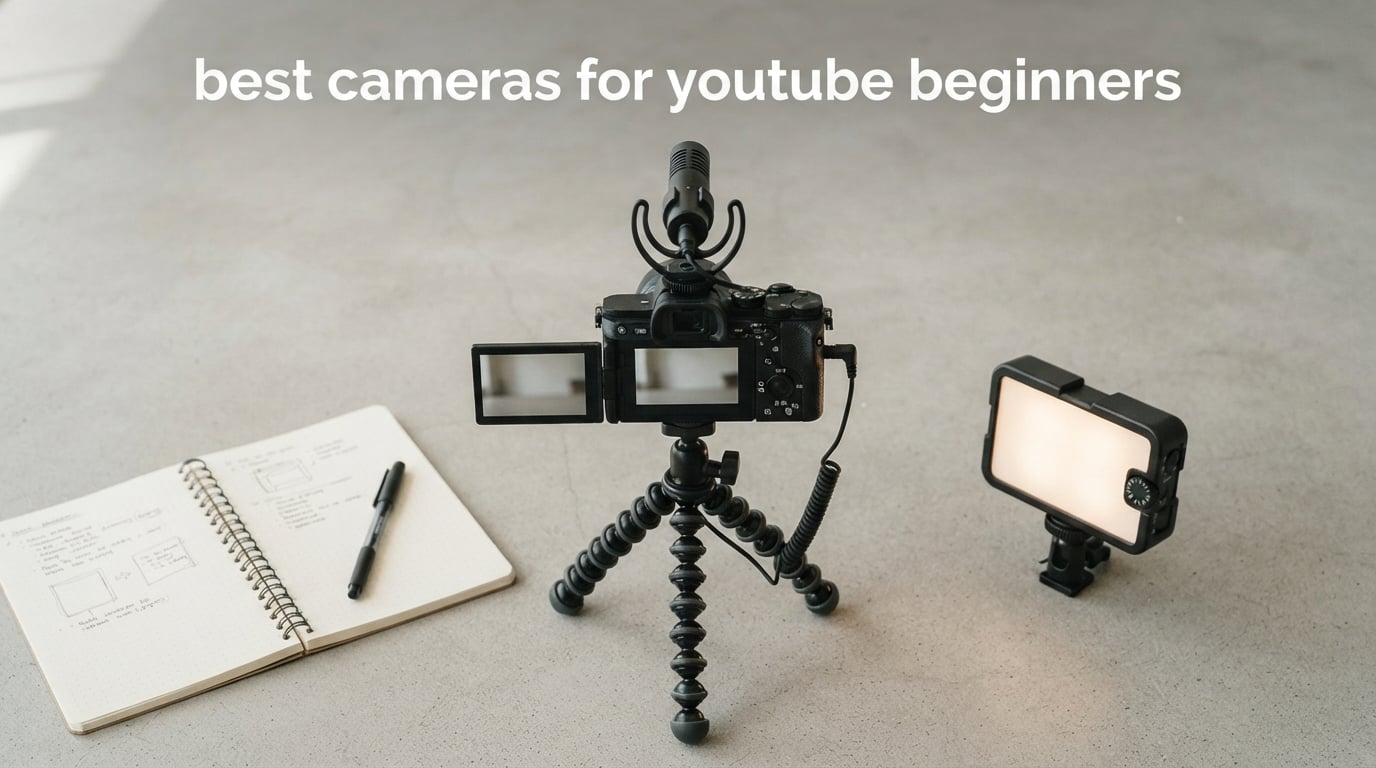
The best cameras for YouTube beginners make solo recording simple: you can see yourself, the camera keeps focus on your face, and the footage is ready to edit without a steep learning curve. Resolution matters, but a front-facing screen, sensible stabilization, and clear audio matter just as much when you are starting a channel.
I would not choose a first camera only because it has the longest feature list. A stable pocket camera fits walking tours, a rugged action camera fits outdoor clips, and a mirrorless kit fits tutorials and creators who want to change lenses later.
These seven picks cover those paths using the supplied product specifications and buyer feedback. The Canon EOS R50 is my balanced first choice, the DJI Osmo Pocket 3 is the straightforward moving-camera pick, and the Sony ZV-1F keeps self-vlogging focused and compact.
New creators often say that too many choices stall the first upload. My practical advice is to choose the camera that best fits the next ten videos, then put equal attention into a stable setup and audible speech.
The Canon EOS R50, DJI Osmo Pocket 3, and Sony ZV-1F fit most new creators
Pick the EOS R50 for a flexible APS-C kit with an included zoom, the Osmo Pocket 3 for mechanically stabilized travel footage, or the ZV-1F for a wide selfie view with little setup. These choices cover the most common beginner formats without asking every creator to use the same type of camera.

There is no universal winner. A seated lesson, a cooking video, a travel walk, and a mountain-bike clip ask a camera to do very different work, so start with the kind of video you can consistently make.
These seven cameras cover beginner YouTube needs in 2026
This overview places the included lens, recording format, stabilization approach, and creator fit in one scan. Read the individual sections afterward, because the limitation that matters most is different for a desk tutorial than for a moving vlog.
| Product | Specifications | Action |
|---|---|---|
 Canon EOS R50 Canon EOS R50 |
|
View on Amazon |
 GoPro HERO13 Black GoPro HERO13 Black |
|
View on Amazon |
 Canon EOS R100 Canon EOS R100 |
|
View on Amazon |
| DJI Osmo Pocket 3 |
|
View on Amazon |
 Sony ZV-1F Sony ZV-1F |
|
View on Amazon |
 Canon PowerShot V10 Canon PowerShot V10 |
|
View on Amazon |
 Sony ZV-E10 II Sony ZV-E10 II |
|
View on Amazon |
Fixed-lens cameras are often the fastest route to a first upload. APS-C mirrorless kits need a little more thought, but their supplied zooms offer broad framing options before an extra lens becomes relevant.
1. Start with the Canon EOS R50 for an easy all-round setup
Pros
- Lightweight for beginners
- 4K with Dual Pixel AF
- Face and eye detection
- Vari-angle touchscreen
Cons
- No flash
- Not water resistant
I would start a beginner who wants one camera for tutorials, photos, family footage, and simple vlogs with the EOS R50. The included 18-45mm lens gives a useful wide-to-standard range, so a new creator can begin recording without immediately solving a second-lens question.
The supplied feedback averages 4.7 out of 5 from 205 reviews. Buyers praise the light handling, easy operation, sharp 4K footage, and smooth subject tracking, which are the everyday strengths that matter more than an intimidating control layout.
The 24MP APS-C CMOS sensor records 2160p at 30fps in this kit, with listed 10-bit depth. Dual Pixel AF II, face and eye detection, and the vari-angle touch display help a solo creator frame themselves, press record, and stay sharp through a direct-to-camera section.
The listing gives the kit a two-pound weight and lists optical stabilization. I would still use a stable support for a desk video and protect the camera in bad weather because it is not water resistant.
Choose the EOS R50 when one kit needs to cover indoor video and photos
It suits a channel that may move between product reviews, seated lessons, portraits, and everyday travel. Automatic, custom, portrait, landscape, sports, shutter-priority, and movie modes give a beginner room to learn without forcing full manual exposure on day one.
The touchscreen and included zoom make framing less abstract. I like that a creator can test wider and tighter views before deciding what an eventual upgrade should add.
Plan for stable support when the EOS R50 records a moving scene
Useful autofocus and listed optical stabilization do not create mechanically stabilized walking footage. For controlled vlogs, a small tripod and the vari-angle screen are the simpler combination.
The lack of flash matters mostly for stills. For video, a bright window or basic continuous light and clear voice recording are better first priorities.
2. Take the GoPro HERO13 Black when the channel happens outdoors
Pros
- 5.3K video
- HyperSmooth 6.0
- Rugged waterproof body
- Two Enduro batteries
Cons
- Fixed focus
- Quik app needed for full functionality
I would choose the HERO13 Black for cycling, skiing, travel activity, or any shoot where a mirrorless kit would become something to protect rather than something to use. It is waterproof to 33 feet, and this bundle includes a Handler, two Enduro batteries, two curved adhesive mounts, a 64GB microSD card, and a carrying case.
Its available rating is 4.6 out of 5 from 808 reviews. Buyers point to the durable build, 5.3K quality, and HyperSmooth 6.0 stabilization, all of which support its role as the action-focused option.
The camera records 5.3K at up to 60fps, 4K at up to 120fps, and 2.7K at up to 240fps. Its 8:7 aspect ratio is useful source material when you want horizontal YouTube video and a vertical short from the same activity, while Burst Slo-Mo reaches up to 13 times slower playback.
The fixed-focus lens is the trade-off. I would not choose this as the only body for close tabletop demonstrations or a shallow-background interview, and the listing says the GoPro Quik app is needed for full functionality.
Choose the HERO13 Black when stabilization and weather resistance come first
HyperSmooth 6.0, the rugged body, and waterproofing solve problems that a larger-sensor camera cannot solve when vibration, splashes, or a helmet mount are part of the scene. The included mounts also give an action creator practical ways to capture a point of view early.
That practical readiness matters. An outdoor channel needs a secure camera position as much as high-resolution recording.
Plan for the fixed lens when filming faces or small subjects
Fixed focus makes operation simple but gives you less control over close subjects. Keep a sensible distance, check framing before recording, and use it as an energetic B-roll or point-of-view camera between spoken sections.
For desk tutorials, I would select another type of camera rather than force an action body to handle every job. The HERO13 Black earns its place when movement is the content.
3. Pick the Canon EOS R100 for a simple APS-C mirrorless entry
Pros
- 24.1MP APS-C sensor
- 143 AF zones
- Face and eye detection
- Wi-Fi and Bluetooth
Cons
- No image stabilization
- 4K limited to 24fps
The EOS R100 suits a beginner who wants APS-C image quality and framing control in an approachable EOS R kit. Its 18-45mm lens covers a small room, a face-to-camera video, and ordinary stills without asking you to buy into a complicated setup first.
The available product data gives it a 4.6 out of 5 average from 707 reviews. Buyers note its 24.1MP image quality, compact body, 4K capability, and 143-zone Dual Pixel CMOS AF with subject detection.
It records 4K at 24fps, Full HD at 60fps, and HD at 120fps. I would treat 4K/24 as a natural choice for a calm tutorial and Full HD/60 as a practical option when you expect movement or want to slow a small section in editing.
Its important limit is plain in the specifications: it has no image stabilization. This model rewards a desk support, careful handholding, or stationary scenes more than a walking-vlog approach.
Choose the EOS R100 when APS-C image quality matters more than handheld movement
It makes sense for a creator who records at a desk, works from a tripod, or also wants still photography. The DIGIC 8 processor, electronic viewfinder, and built-in flash give it a traditional camera feel that some learners prefer.
Face and eye detection are useful for solo videos. I would set the camera at eye level and use the kit lens to leave some breathing room around the shoulders and background.
Plan for 4K at 24fps and a stable position with the EOS R100
A 24fps maximum in 4K is not a problem for every channel, but it is a real boundary if you want a 4K/60 workflow. Know that before you design fast-moving B-roll around a recording option this camera does not list.
Since there is no image stabilization, walking vlogs are not the obvious first job. Reserve it for controlled work and bring support when a steady frame is the goal.
4. Choose the DJI Osmo Pocket 3 for smooth travel and walking footage
Pros
- 1-inch sensor
- 3-axis stabilization
- ActiveTrack 6.0
- DJI Mic 2 included
Cons
- Not water resistant
- 2x digital zoom limit
I would put the Osmo Pocket 3 in the hands of a creator who wants to record more places and think less about camera shake. Its built-in three-axis mechanical gimbal makes walking clips, moving reveals, and follow shots much easier than on an ordinary handheld camera.
This Creator Combo has 6,565 supplied reviews at a 4.5 out of 5 average. The review insights call out the one-inch sensor, 4K/120 recording, gimbal smoothness, and ActiveTrack 6.0 for keeping a person or object tracked.
The 179-gram camera has a one-inch CMOS sensor, 20mm f/2 lens, two-inch rotatable OLED touchscreen, and listed 166-minute battery life. Its 4K/120 recording is useful when you want slow-motion B-roll from travel, cooking, fitness, or a walk through a location.
The Creator Combo includes a DJI Mic 2 transmitter, a helpful starting point when audio is often overlooked. D-Log M and 10-bit color are available for later learning, but I would begin with normal color and put attention on composition and sound.
Choose the Osmo Pocket 3 when stable moving shots are central to the channel
Travel creators, walking-tour hosts, and anyone filming in motion get the most from this design. ActiveTrack 6.0 helps further when the camera is following a person rather than sitting on a support.
Its compact size lowers the hurdle of carrying a camera at all. That can mean more establishing shots and transitions, which make beginner edits feel more complete.
Plan for the fixed 20mm view and dry conditions with the Osmo Pocket 3
The lens is wide and useful for self-recording, but it cannot frame like a zoom. Digital zoom is limited to 2x, so change your distance from the subject when possible.
This is not water resistant, and the listing gives it fixed focus. Treat it as a compact gimbal camera for controlled travel footage, not as a GoPro substitute in wet or rough conditions.
5. Use the Sony ZV-1F for wide self-recorded vlogs with little setup
Pros
- Wide 20mm lens
- Eye AF and tracking
- Side-articulating screen
- Directional 3-capsule mic
Cons
- No viewfinder
- Digital stabilization only
I would recommend the ZV-1F to a creator who mostly talks to camera and wants a fast path from opening a camera to a properly framed selfie shot. Its fixed 20mm wide-angle lens captures more of a small room than a tighter view, and the side-articulating screen stays visible from in front of the camera.
The supplied listing reports 1,671 reviews and a 4.5 out of 5 average. Buyers mention the wide lens, the one-inch sensor’s low-light performance, and the reliability of Eye AF and autofocus tracking.
Its 21MP one-inch CMOS sensor works with an f/2 lens, 425 autofocus points, a three-inch LCD, and video recording up to 2160p. The directional three-capsule microphone and included wind screen make it a more purposeful voice-led vlogging option than a generic compact camera.
The 254-gram body has no viewfinder, no flash, and digital stabilization only. Those are fair limits for compact self-recording, but I would not expect the walking smoothness of the Pocket 3’s mechanical gimbal.
Choose the ZV-1F when a wide front-facing view is the first requirement
The 20mm lens helps when you record at arm’s length, work in a tight room, or need the setting to appear around you. The flip screen and Eye AF are a friendly pair for checking composition and focus without another person behind the camera.
It also fits a creator who would rather learn one fixed lens well than make lens decisions early. For direct-to-camera work, that limit can simplify the process.
Plan for digital stabilization when the ZV-1F leaves the tripod
Digital stabilization can help, but it is not a mechanical gimbal. I would use this camera for seated vlogs, controlled handheld clips, and short measured walks rather than fast action.
The lack of a viewfinder matters less for video because the articulating LCD is the natural working screen. Check its position and set your framing before you start a spoken take.
6. Carry the Canon PowerShot V10 when the camera must stay pocket-sized
Pros
- Pocket-sized body
- 1-inch low-light sensor
- Built-in stand
- Stereo mics and mic jack
Cons
- Fixed lens
- 3x digital zoom
- Not water resistant
The PowerShot V10 is the most purpose-built self-vlogging camera in this group. I would choose it when a separate camera feels practical only if it can slip into a pocket, and when the built-in flip-out stand can turn a table or shelf into a quick recording spot.
The listing reports 324 reviews at a 4.3 out of 5 average. Review insights praise the compact body, one-inch back-illuminated sensor, stand, and audio quality, while noting the fixed lens and lack of water resistance.
Canon specifies a 15.2MP one-inch back-illuminated CMOS sensor, 4K at 29.97fps, Full HD at 60fps, a fixed 19mm f/2.8 lens, and a two-inch flip touchscreen. Movie IS has Off, On, and Enhanced modes, which is a clear simple choice rather than a long menu of stabilization controls.
For sound, the V10 has stereo microphones, a dedicated noise-canceling microphone, and a 3.5mm external microphone port. I like that you can begin with its built-in sound and add an external mic only when your room or format requires it.
Choose the PowerShot V10 when a built-in stand will help you record more often
A camera that comes out of the bag is more useful than a larger body that stays home. The stand is a practical answer for solo updates, hotel-room clips, desk introductions, and simple live-style segments.
The 19mm view and front-facing screen also suit casual self-recording. USB-C charging plus Wi-Fi and Bluetooth keep the day-to-day workflow compact.
Plan for fixed framing and the small screen with the PowerShot V10
The lens does not change, and the camera has only 3x digital zoom. Change your distance and camera position rather than expecting many natural focal lengths from one small body.
The two-inch screen is smaller than displays on several alternatives, and the V10 is not water resistant. I would use it as a compact talking-camera and light travel companion, not for rain, fast sports, or distant subjects.
7. Build a longer video path with the Sony ZV-E10 II and its included zoom
Pros
- 26MP APS-C sensor
- 4K 60p
- 759-point phase AF
- Interchangeable E-mount lenses
Cons
- No in-body stabilization
- Single SD slot
- No headphone jack
I would choose the ZV-E10 II for a beginner who already knows they want to grow into lenses and more deliberate video work. The included 16-50mm f/3.5-5.6 OSS II lens is a useful starting zoom, while the E-mount system leaves room to change the look or framing later.
The product data reports a 4.1 out of 5 average across 259 reviews. Buyers value the 26MP APS-C sensor, interchangeable lenses, 4K/60p capability, and Real-time Eye AF, while the data also flags some reliability concerns in one-star feedback.
This camera records 4K at 60fps and Full HD at 120fps, with 759 phase-detection autofocus points and Real-time Eye AF for people, animals, and birds. That is a capable set for a solo tutorial, an active subject, or a creator who wants slow-motion clips from Full HD material.
The three-inch vari-angle touch LCD makes self-framing practical, and the bundled lens provides Optical SteadyShot. The body has no in-body stabilization, though, so I would not treat lens stabilization as a promise of gimbal-like walking footage.
Choose the ZV-E10 II when interchangeable lenses are part of the plan
This is the strongest fit for a beginner whose channel will become more specialized. The kit zoom covers the basics, then another E-mount lens can change framing as the content direction becomes clear.
The APS-C sensor and 4K/60p leave room to grow without making a first video hard. Creative Look presets and My Style controls are available when you are ready to experiment.
Plan for external support and simple storage habits with the ZV-E10 II
The supplied specifications list a single SD card slot, no headphone jack, and no in-body stabilization. Carry a spare card, listen closely to early test clips, and support the camera for moving shots.
Its listed battery figure is about 610 shots using the LCD or 570 with the viewfinder, though video runtime will differ from a stills figure. Bring power for a long recording day and keep your first workflow simple.
Choose a beginner YouTube camera by matching its strengths to your videos
The right first camera makes your planned format easier, not just your feature list longer. Describe your next ten uploads before choosing: where you will stand, whether you will walk, who will be in frame, and how you will capture their voice.
Prioritize face-aware autofocus and a screen you can see while recording alone
For solo work, autofocus and a flip-out or rotating screen cut retakes caused by soft focus and awkward framing. That lets you explain the subject instead of constantly moving behind the camera to check it.
The EOS R50, EOS R100, ZV-1F, and ZV-E10 II list face or eye detection, and the Pocket 3 lists face and object tracking. If you film product reviews, test how the camera reacts when you raise an item in front of your face.
Match stabilization to the amount of movement in your videos
Desk lessons and seated interviews rarely need a gimbal; a stable support is enough. Walking tours, travel days, and sports clips are different, which is where the Pocket 3’s three-axis gimbal or the GoPro’s HyperSmooth 6.0 have a direct advantage.
Digital or lens-based stabilization can help, but it is a different tool. A home creator can keep things simple with a stable position, while an outdoor creator should select stabilization that fits the route.
Put clear audio ahead of a small resolution increase
Creator forums repeatedly make a sensible point: viewers forgive ordinary video more easily than muffled, echoing, or wind-blasted speech. Record a short sample in your usual room, listen to it, and make sound part of the camera decision.
The Pocket 3 Creator Combo includes a DJI Mic 2 transmitter, the ZV-1F lists a directional mic and wind screen, and the PowerShot V10 has stereo mics plus an external mic port. A practical audio path can matter more than a minor gain in video specification.
Choose a fixed lens for speed or an interchangeable lens system for future framing
The ZV-1F, V10, Pocket 3, and GoPro remove a lens decision and pack easily. They work best when the fixed view already suits your videos: wide self-recording, pocket travel, or action footage.
The EOS R50, EOS R100, and ZV-E10 II are better candidates if you expect to change your framing later. Their included zooms are enough for learning, so an extra lens is not a day-one necessity.
Start with 4K when it helps, but do not delay uploads for it
All seven cameras record 4K or 2160p, but their listed rates differ. The R100 records 4K at 24fps, the R50 and V10 list 4K around 30fps, the ZV-E10 II reaches 4K/60p, and the Pocket 3 reaches 4K/120fps.
For many talking-head videos, clean Full HD with good light and clear speech is enough to publish. Choose 4K when you want crop room, detail, or a workflow that needs it, rather than letting resolution delay the first upload.
Bring support, storage, and a sound plan before advanced accessories
A reliable memory card, charged battery or USB-C power where supported, a stable support, and a simple microphone plan have more immediate impact than a pile of accessories. Start with a kit you can operate confidently.
Upgrade when real footage shows a named problem: shaky walking clips, a too-tight view, echoing speech, or a need for another lens. That approach avoids buying from uncertainty.
These direct answers solve common beginner YouTube camera questions
4K, face-aware autofocus, and a flip screen are the core needs—what kind of camera do you need to make a YouTube channel?
A beginner needs a camera that makes intended videos easy to frame and record. For talking-head clips, prioritize a front-facing screen, dependable autofocus, usable audio, and 4K if it fits your workflow. Add stabilization for walking footage or select a mirrorless kit if you expect to change lenses later.
The Canon EOS R100 is an affordable entry option—what is a good affordable camera for YouTube?
The Canon EOS R100 is a sensible entry option for controlled talking-head videos because it combines a 24.1MP APS-C sensor, an 18-45mm kit lens, face and eye detection, and 4K at 24fps. For a compact self-recording design, consider the Canon PowerShot V10 or Sony ZV-1F instead.
Different creators use different tools—the Canon EOS R50, Sony ZV-E10 II, DJI Osmo Pocket 3, and Sony ZV-1F fit distinct jobs—so which camera do most YouTubers use?
There is no single camera that most YouTubers use because channels have different formats and production needs. Mirrorless cameras such as the Canon EOS R50 and Sony ZV-E10 II suit creators who want lens flexibility, while the DJI Osmo Pocket 3 suits moving footage and the Sony ZV-1F suits straightforward self-vlogging.
Channel income depends on more than views—so how many views do you need to make $1000 a month on YouTube?
There is no fixed view count for a monthly income target because revenue varies with viewer location, topic, ad demand, video length, monetization eligibility, and income sources beyond advertising. Build a regular publishing habit and useful videos first; a camera choice does not determine earnings on its own.
The Canon EOS R50 is the balanced place to start for most new channels
For the best cameras for YouTube beginners, I would start with the Canon EOS R50 if you want an included zoom, face-aware autofocus, a vari-angle screen, and a camera for both video and stills. Choose the DJI Osmo Pocket 3 instead when smooth moving footage is central, or the GoPro HERO13 Black when the channel belongs outdoors.
The Sony ZV-1F and Canon PowerShot V10 fit compact self-recording, while the EOS R100 and ZV-E10 II give different paths into APS-C mirrorless work. Pick the model that removes the biggest obstacle to making your next video, set up the audio and framing, then record.