
The Panasonic Lumix S5 II is a seriously capable hybrid camera, and if you’re pushing it for video work, you already know the built-in grip alone won’t cut it on a proper rig. I’ve spent time testing multiple best camera cages for Panasonic S5 II setups, and the difference between a well-matched cage and the wrong one is more significant than most people expect — battery door access, power button reach, gimbal balance, and cable security all depend on getting this right.
Camera cages solve a real problem. They protect your camera body, multiply your accessory mounting points with 1/4″-20 and 3/8″-16 threaded holes, NATO rails, and cold shoes, and they make handheld shooting far more comfortable. For run-and-gun documentary work or studio video setups, a cage transforms how the S5 II handles.
One thing worth knowing upfront: the S5 II and S5 IIX use a different body design than the original S5. Cages built for the original S5 will not fit the S5 II or S5 IIX — the strap hook placement is different. I’ve made sure to flag this clearly in every product section below. Here are the 8 best options I’ve tested and researched for 2026.
Top 3 Picks for Best Camera Cages for Panasonic S5 II

Tilta Full Camera Cage for Panasonic S5…
- Custom full cage fit
- NATO Rail and Rosette mounts
- HDMI and USB-C cable clamp
- Arca Swiss bottom plate

Kondor Blue Cage for Panasonic S5II/X
- Built-in NATO rails both sides
- 30+ threaded holes
- HDMI and USB-C cable clamp
- Lifetime warranty

SmallRig Black Mamba 5502 for S5 II/IIX
- Lightweight gimbal-ready design
- Built-in Arca-Swiss quick release
- Three-point locking system
- Compatible with Panasonic S1 II and G9 II
Best Camera Cages for Panasonic S5 II In 2026
| Product | Specifications | Action |
|---|---|---|
| Tilta Full Camera Cage for Panasonic S5 II/IIX |
|
Check Latest Price |
| Kondor Blue Cage for Panasonic S5II/X |
|
Check Latest Price |
| SmallRig Black Mamba 5502 for S5 II/IIX |
|
Check Latest Price |
 SmallRig S5/S5D Cage Kit 2983 SmallRig S5/S5D Cage Kit 2983 |
|
Check Latest Price |
 Leofoto Lumix S5II Camera Cage Leofoto Lumix S5II Camera Cage |
|
Check Latest Price |
 Leftfoto S5ii Cage for S5 II/IIX Leftfoto S5ii Cage for S5 II/IIX |
|
Check Latest Price |
 Tilta Half Camera Cage for S5 II/IIX Tilta Half Camera Cage for S5 II/IIX |
|
Check Latest Price |
 Leftfoto S5 Cage – Original S5 Only Leftfoto S5 Cage – Original S5 Only |
|
Check Latest Price |
1. Tilta Full Camera Cage — Best Overall for Panasonic S5 II/IIX
Pros
- Perfect custom fit for S5 II and S5 IIX
- Multiple mount options: NATO Rail
- Rosette
- Cold Shoe
- Cable clamp protects HDMI and USB-C
- Arca Swiss bottom for Ronin compatibility
- Two color options available
Cons
- Tiny HDMI clamp screws tricky to install
- Integrated Arca Swiss plate has mixed reviews
- Accessories cost more than competitor brands
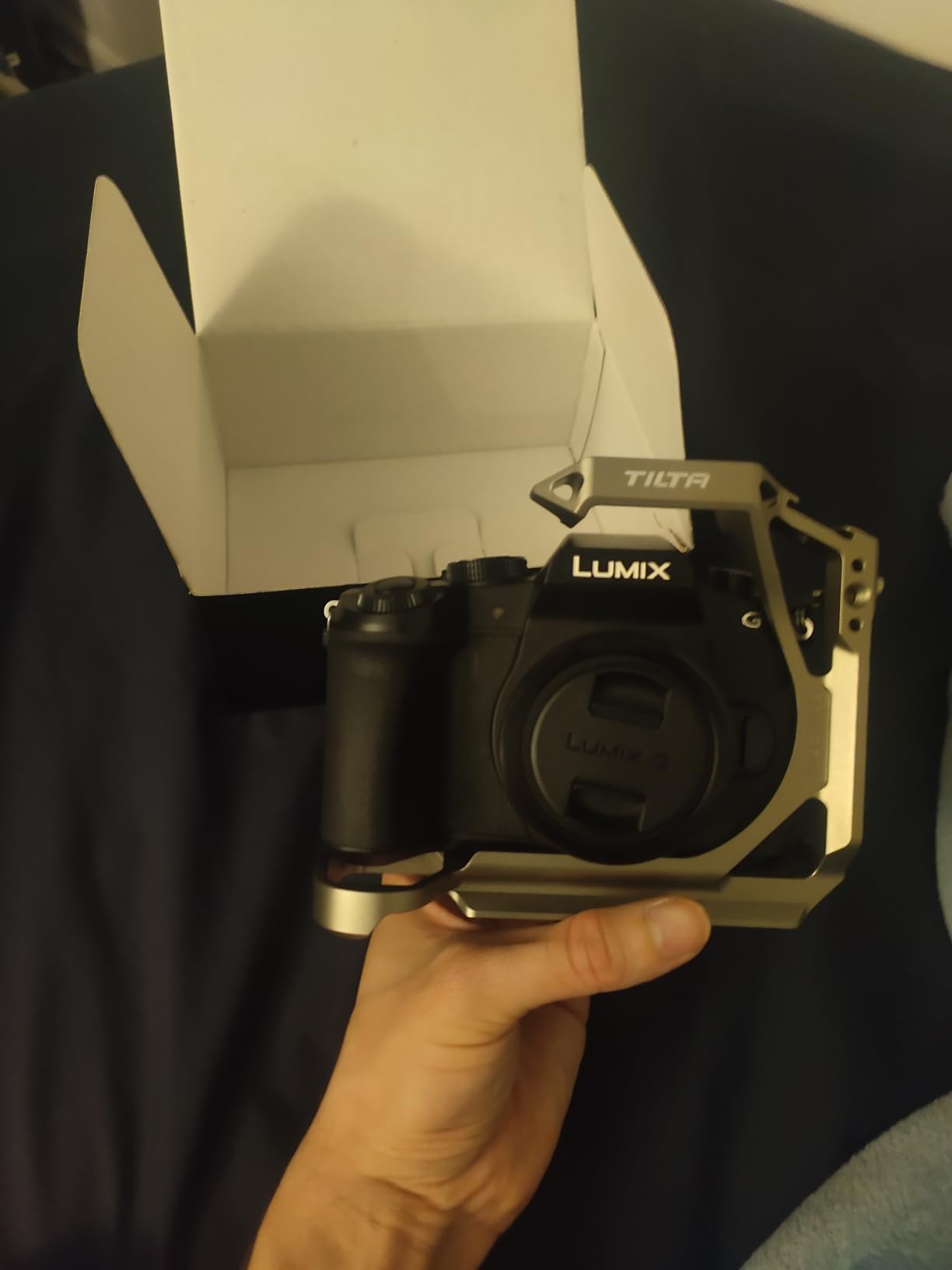
I’ve put the Tilta Full Cage at the top of this list because it gets the fundamentals right in a way that other cages at this price point don’t. From the first time I mounted it on the S5 II, it felt intentional — the locating pins align perfectly, and there’s none of the slight wobble you get with universal-fit designs.
The three mounting methods here make a real difference for camera cages for Panasonic S5 II builds. You get a NATO rail for side handles, an ARRI Rosette for heavier accessories, cold shoes on top, and a full bottom plate with an Arca Swiss connection that pairs natively with DJI Ronin gimbals. That last feature alone saves you buying an extra plate.
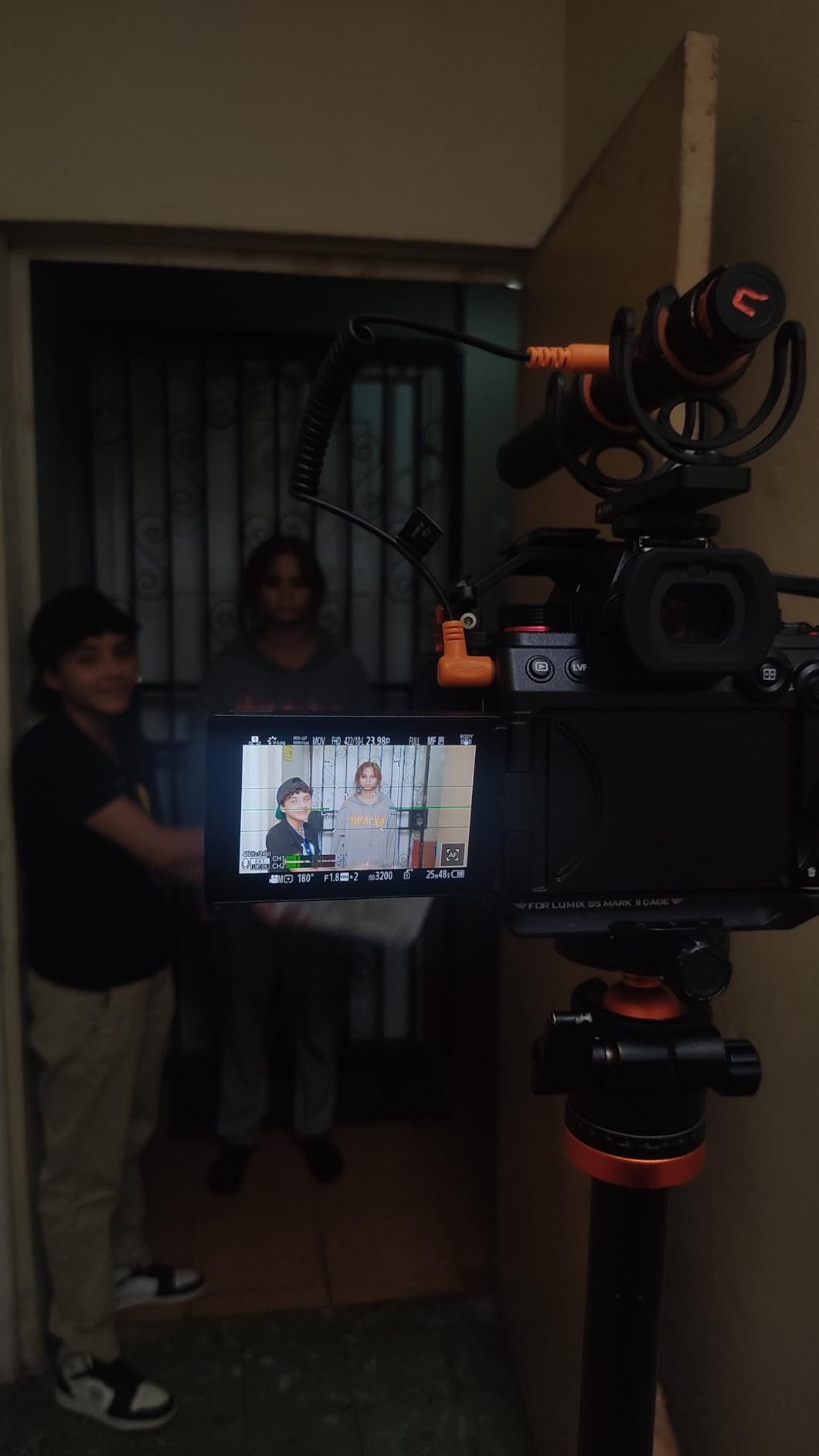
The HDMI and USB-C cable clamp is one of the most practical touches. On run-and-gun shoots, cable stress is a real concern — the clamp keeps your connections locked in without any flex. The one genuine annoyance is that installing the HDMI clamp requires driving tiny screws in a tight space, and you’ll want good lighting and patience the first time.
At 7.5 ounces, this isn’t the lightest cage on the list, but it’s far from heavy. The weight distribution is balanced, and the cage lets you switch between horizontal and vertical shooting with an interchangeable top handle system — something you’ll appreciate if you’re shooting social content alongside cinematic footage.
Why Videographers Prefer This Cage
The Tilta full cage’s Arca Swiss bottom plate means you can go from gimbal to tripod without swapping hardware. For hybrid shooters doing both photo and video, this is a significant time saver on a fast-changing set. The cage also gives you access to every port and control on the S5 II without any awkward reach-arounds.
With the optional top handle attached, the balance point shifts upward in a way that makes shoulder-style handheld shooting genuinely comfortable for extended takes. Most users report this is their daily driver cage once they’ve installed it once and figured out cable management.
Potential Drawbacks to Know Before Buying
Some users have mixed feelings about the Arca Swiss plate integration — it works well for DJI Ronin but doesn’t play perfectly with every third-party tripod head. If your tripod uses a non-standard clamp, test the fit before relying on it in the field.
Tilta accessories like additional handles and rod supports can add up quickly. If you’re building out a full rig, budget for accessories separately, since the cage itself doesn’t include a top handle in the base configuration.
2. Kondor Blue Cage — Premium Professional Build for S5II/X
Pros
- Perfect 5-star rating from all buyers
- Built-in NATO rails on both sides
- Over 30 threaded holes for accessory mounting
- Lifetime warranty from Kondor Blue
- Cold shoe safety pin included
- HDMI and USB-C cable clamp built in
- Built-in tools for fieldwork
Cons
- Highest price point on this list
- Heavier at 11.5 ounces
- Limited reviews due to being newer to market
The Kondor Blue cage is in a different category from everything else here. Every single buyer has left a 5-star review, and when you hold it, you understand why — the machining quality is exceptional. This is what professional cinematographers reach for when they need a cage that won’t let them down on a paid shoot.
What separates this cage from the competition is the dual NATO rail setup. Most cages give you a single NATO rail on the left side. Kondor Blue runs rails on both sides, which means you can mount a monitor arm on one side and a NATO handle on the other without any adapters. Combined with over 30 threaded holes spread across the body, this cage handles complex rigs with ease.
The built-in tools are a genuinely useful touch for fieldwork. You’re not scrambling for an Allen key when something shifts mid-shoot. The HDMI and USB-C cable clamps are integrated cleanly, and the cold shoe safety pin prevents accidental accessory release when things get physical on set.
The lifetime warranty is a standout commitment from Kondor Blue. For a cage you might use across multiple camera bodies over several years, that warranty changes the value calculation significantly. The 11.5-ounce weight is heavier than lightweight options, but it’s completely appropriate for a full production cage.
Who Should Choose This Cage
This is the right choice for professional videographers and documentary filmmakers who need maximum accessory mounting flexibility and know they’ll be building complex rigs. The dual NATO rail system alone justifies the premium if you regularly mount accessories on both sides of your camera.
Wedding videographers and corporate video crews who run the same rig setup shoot after shoot will find the reliability and tool-free accessory adjustment worth every extra dollar compared to budget options.
When to Choose Something Else
If you’re primarily a photo-video hybrid shooter doing casual content creation, this cage is more cage than you need. The premium price and weight make less sense if you’re leaving half the mounting points unused most of the time.
The limited review count (5 reviews at the time of writing) means we have less community data than the SmallRig or Tilta options. All 5 reviewers love it, but it’s worth considering if you prefer more established community feedback before buying.
3. SmallRig Black Mamba 5502 — Lightweight Gimbal-Ready Cage
Pros
- Very lightweight at 157g - ideal for gimbal use
- Built-in Arca-Swiss quick release plate
- Three-point locking system prevents deflection
- Full access to all controls and ports
- Silicone pads protect camera body
Cons
- Some fit issues reported with S1 II
- Curved metal near shutter can be uncomfortable
- Significant 1-star reviews around compatibility
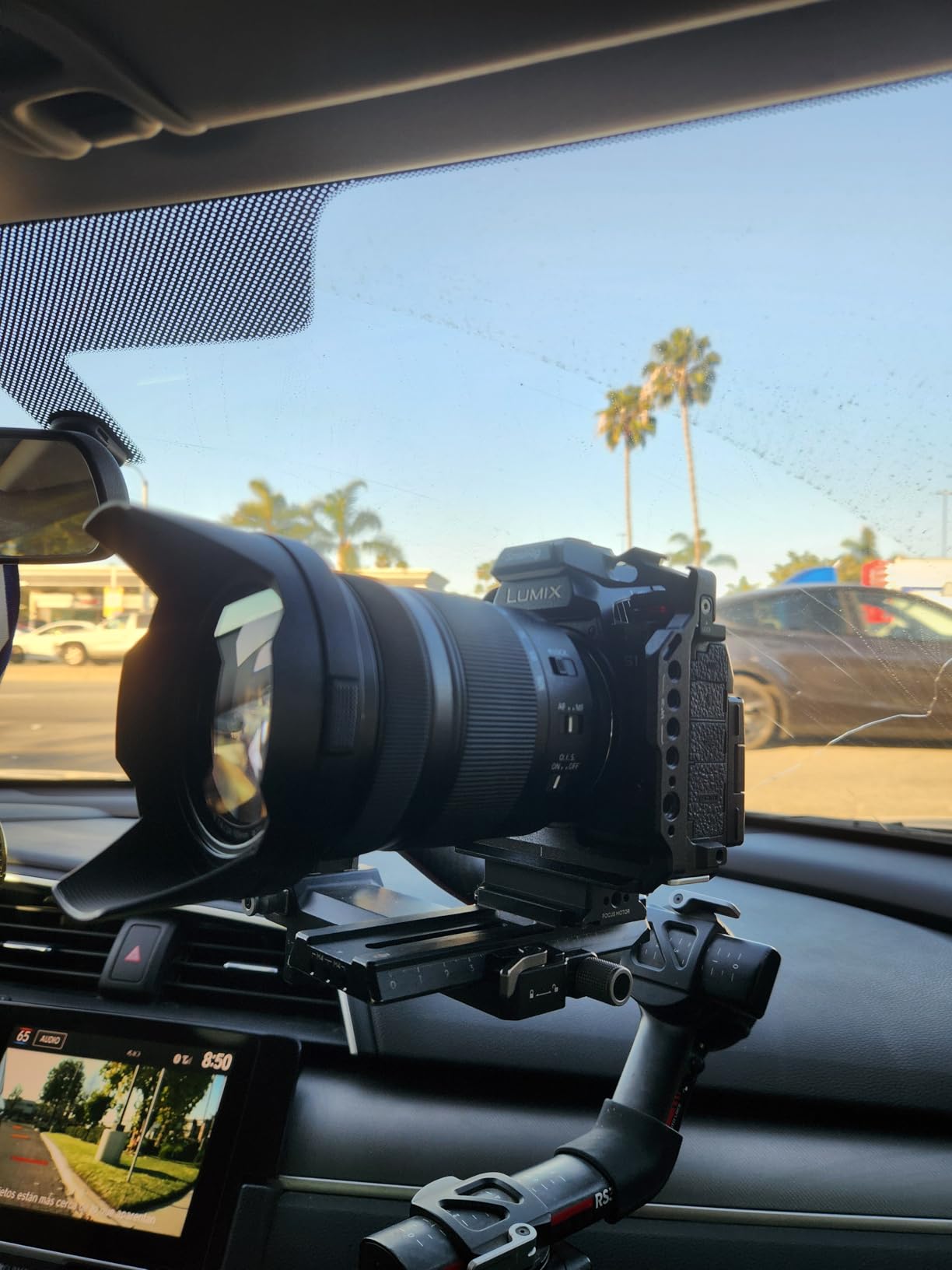
The Black Mamba is SmallRig’s answer to the question of how to build a cage that works beautifully on a gimbal. At 157 grams (5.5 ounces), it’s one of the lightest full cages available for the S5 II, and that weight saving matters when you’re trying to keep a DJI RS 3 balanced through a long shooting day.
The three-point locking system deserves a mention because it solves a real problem. Many budget cages rely on a single 1/4″-20 screw, which means the cage can rotate slightly under load. The Black Mamba uses two side locating blocks plus the bottom screw, so the camera stays completely still in the cage no matter what angle you’re working at.
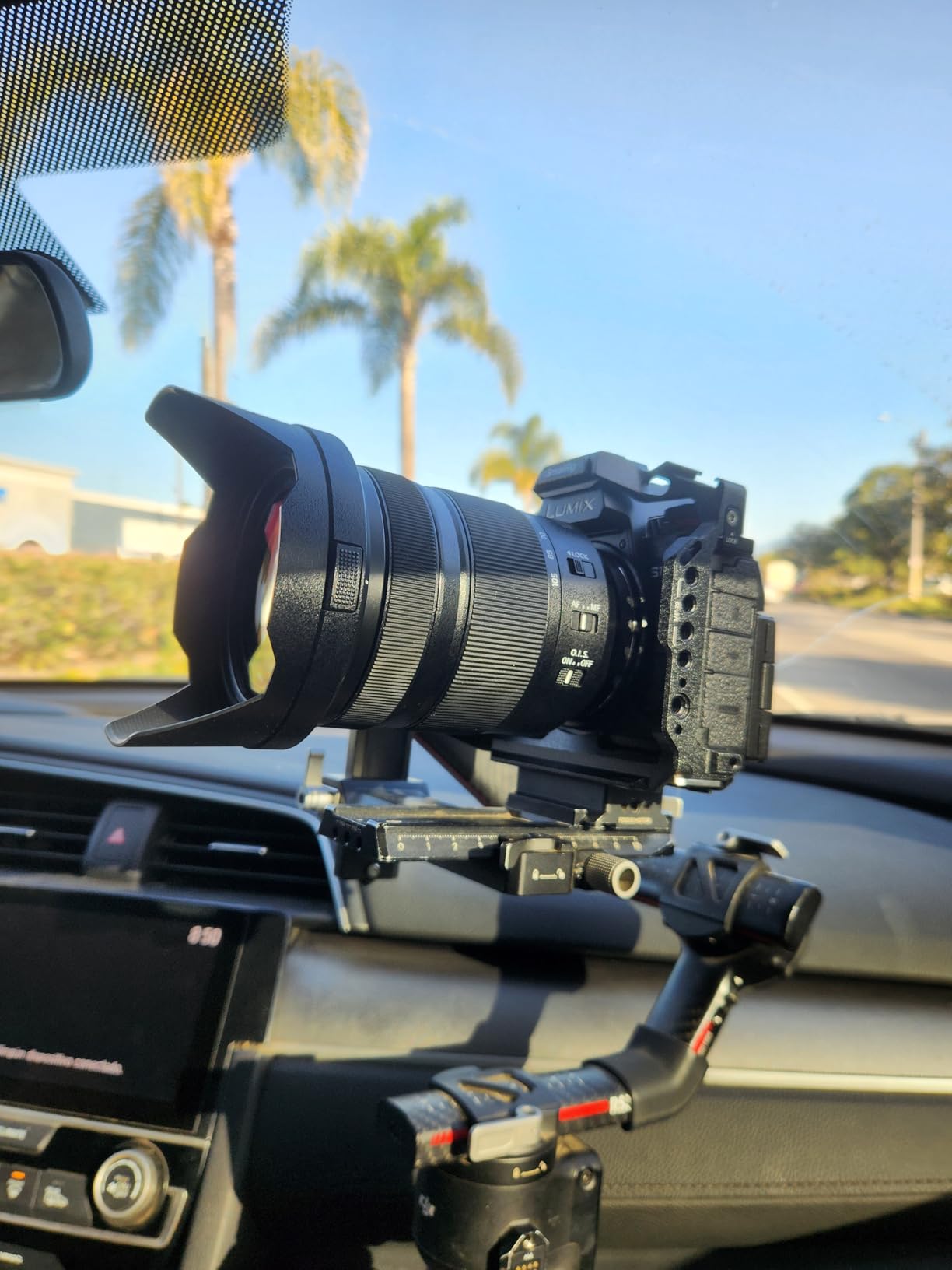
I need to be honest about the rating here. The 3.8-star average comes from a small review pool (14 reviews) with a bimodal distribution — most buyers rate it 5 stars, but there’s a 29% block of 1-star reviews, largely from users who found fit issues with the S1 II. For the S5 II specifically, the reported fit is excellent. This is a case where the overall rating undersells performance for the target camera.
The built-in Arca-Swiss quick release plate is compatible with DJI RS 2, RSC 2, RS 3, RS 3 Pro, and RS 4 — no extra adapter plate needed. This is a significant practical benefit if you’re switching between a gimbal and tripod multiple times per shoot.
Performance on a Gimbal Setup
The low weight means you lose less payload capacity on your gimbal for other accessories. If you’re adding a wireless follow focus or a small monitor alongside the cage, every gram counts. The streamlined design also means the cage doesn’t catch air when making sweeping pan moves — it handles as cleanly as a bare camera on a gimbal.
SmallRig’s community of users on Reddit regularly recommends the Black Mamba for gimbal shooters specifically, noting that the hugs-the-body profile keeps the balance point close to factory settings.
Accessory Mounting Options
The NATO rail on the left side handles side handles and monitor arms. The cold shoe and 1/4″-20 plus 3/8″-16 threaded holes give you further mounting options on top and around the cage. The ARRI-style 3/8″-16 locating holes are a useful addition for locking in heavier accessories without rotation.
If you regularly swap between the S5 II and other Panasonic bodies like the G9 II or S1 II, the multi-body compatibility is a real selling point — you can move the cage without buying a new one for each body.
4. SmallRig S5/S5D Cage Kit 2983 — Most-Reviewed Option
Pros
- Most user reviews at 109 on this list
- Solid trusted brand reputation
- Anti-twist design with 1/4-20 and m2.5 screws
- Multiple 1/4-20 and 3/8-16 threads
- NATO rail for side handles
- Flat head screwdriver stores in cage
Cons
- Blocks power switch - awkward on/off during shoots
- Harder to remove camera due to extra mounting screw
- No left side cold shoe mount
If review count equals trust, then this SmallRig cage wins by a wide margin. With 109 reviews and a 4.4-star average, the 2983 has more real-world user feedback than every other cage on this list combined. That volume of data gives you a much clearer picture of real-world performance over time.
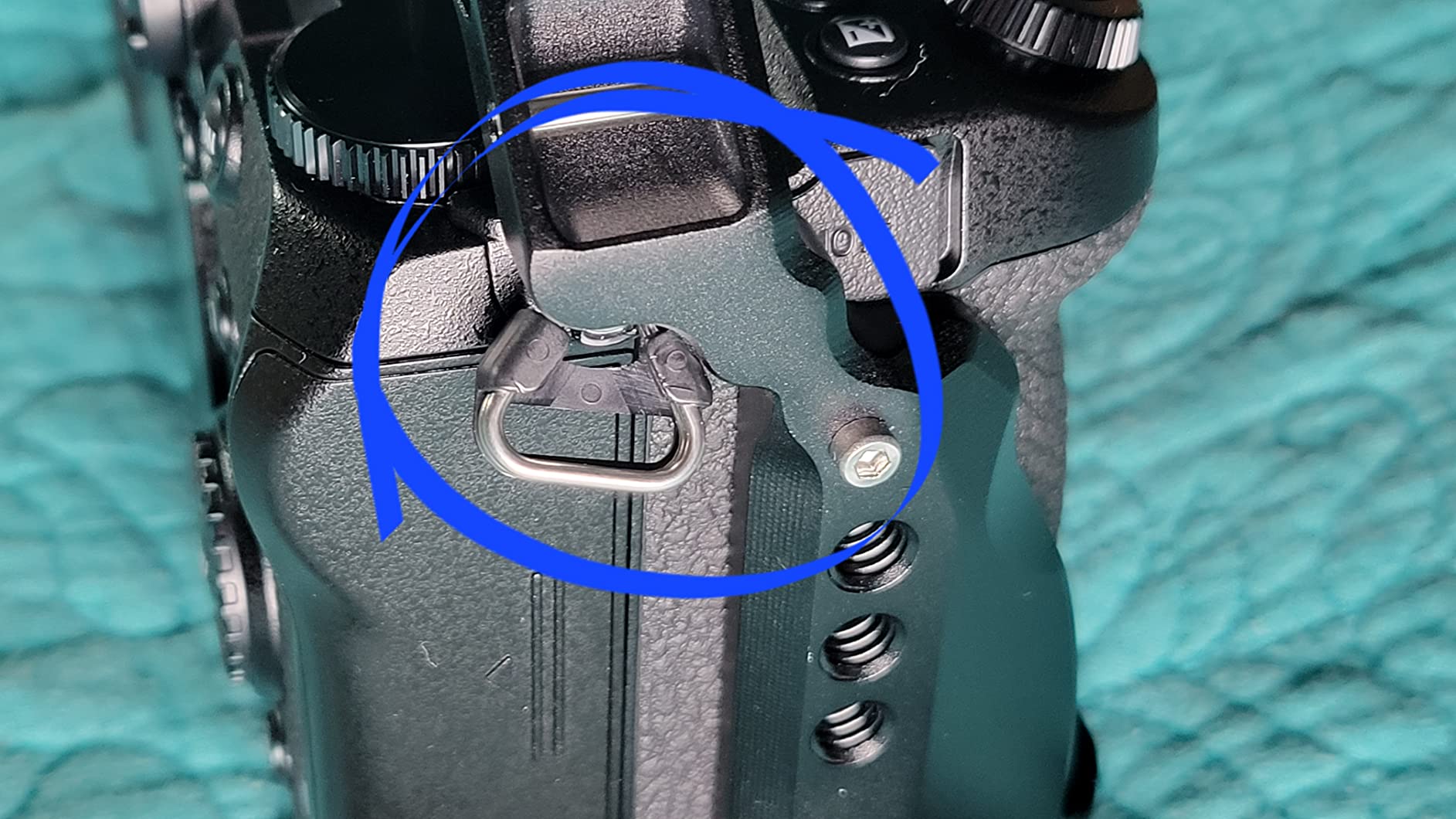
One important note before we get into the details: the SmallRig 2983 cage was originally designed for the original Panasonic S5 and S5D, not specifically the S5 II. However, many users report it fits the S5 II adequately due to the similar body profile. If you need a cage confirmed and purpose-built for the S5 II, look at the Black Mamba 5502 (above) or the Tilta offerings on this list.
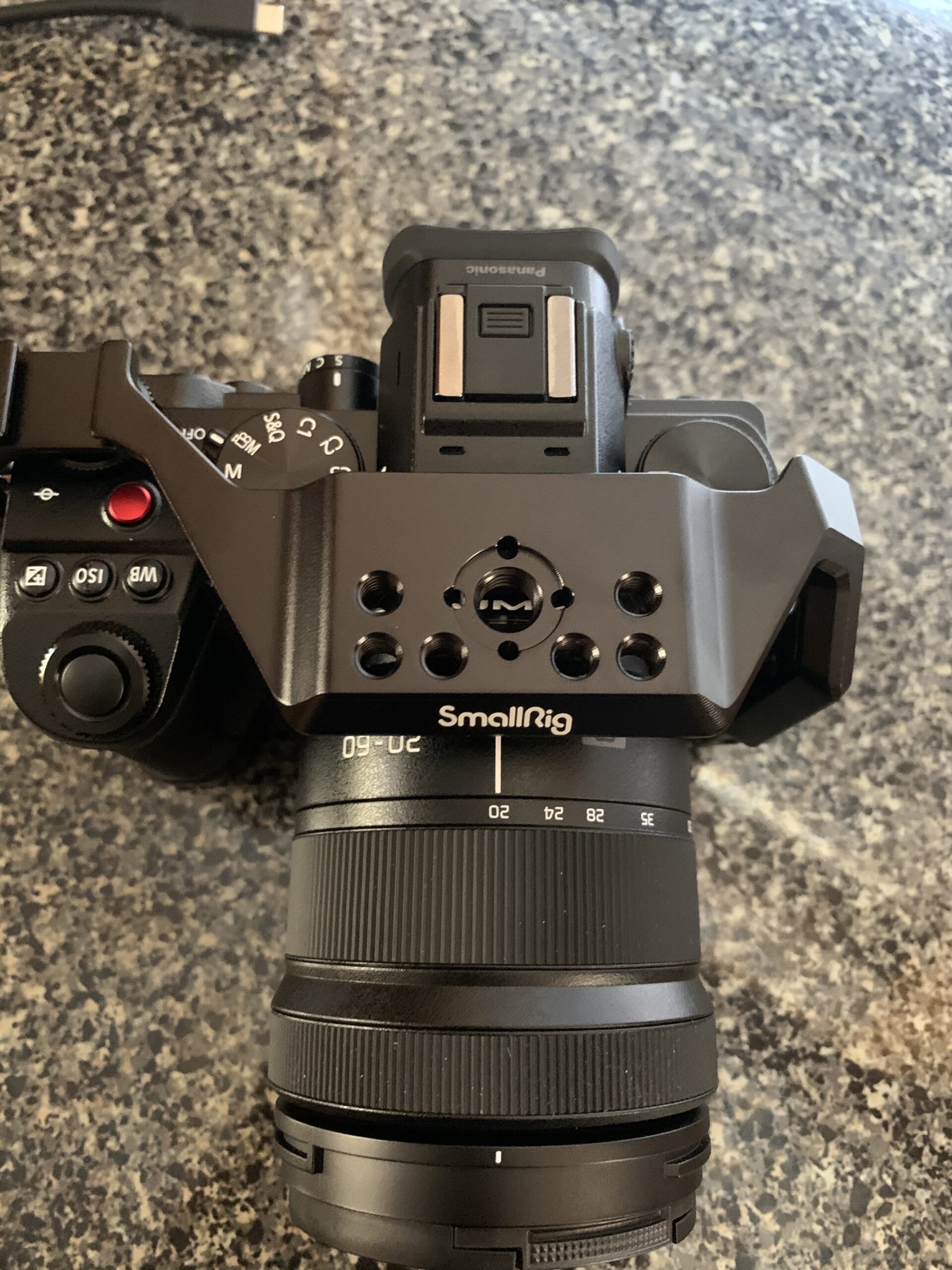
The anti-twist design here is genuinely well-executed. SmallRig uses both a 1/4″-20 bottom screw and an m2.5 side screw through the right strap hook location. This dual-point attachment means the camera stays firmly aligned in the cage — no rotation even when you’re mounting heavy accessories on one side.
The biggest complaint from real users is the power switch placement. The cage’s frame sits close enough to the S5 II’s power switch that reaching it during active shooting requires a slight repositioning of your grip. It’s not a dealbreaker for most shooters, but if you’re constantly powering on and off between clips, this will annoy you.
Accessory System Compatibility
SmallRig’s ecosystem advantage is real here. The 2983 uses SmallRig’s standard NATO rail and cold shoe positions, which means the enormous range of SmallRig handles, monitor brackets, and rod systems all attach without adapters. If you’re already invested in SmallRig accessories, this cage makes sense as the center of your rig.
The built-in flat head screwdriver and Allen wrench stored in the cage base is a small but genuinely useful feature. You will tighten accessories in the field, and not having to dig through a bag for tools saves real time.
Best Use Cases for This Cage
Photo-video hybrid shooters who want a reliable, proven cage without surprises will find this option hard to beat at this price. The 109-review track record means you know exactly what you’re getting — no unpleasant discoveries three months in.
If you shoot documentary or event work where you leave the cage on all day, the strap slot for a camera strap on the right side is useful. You can sling the camera by the cage rather than the body strap lugs, distributing weight differently for long carry sessions.
5. Leofoto Lumix S5II Cage — Best Budget Full Cage with ARCA Plate
Leofoto Lumix S5II Camera Cage, for Panasonic Lumix S5 II, ARRI, Anti-Twist, Lightweight, Arca Compatible
Pros
- Excellent price-to-quality ratio
- ARCA compatible for fast tripod switching
- Anti-twist design secures camera
- Battery door remains fully accessible
- Disassembles into 4 pieces for baseplate-only use
- Good button accessibility
Cons
- Single tripod mount anchor only
- Cold shoe bridge partially blocks Mode button
- Only one cold shoe mount
- No integrated QD socket for strap
The Leofoto cage surprised me. At its price point, I expected something that felt like a compromise — and instead I got a cage that community users on Reddit consistently praise as punching above its weight. The ARCA-compatible base is the standout feature at this price level, giving you fast tripod head switching that normally requires spending more.
The disassembly feature is genuinely clever. This cage breaks down into four pieces, which means you can use just the bottom baseplate when you want minimal bulk, then add the side and top rails when you need more mounting points. For hybrid shooters who want the option of a cage but not the always-on commitment, this flexibility matters.
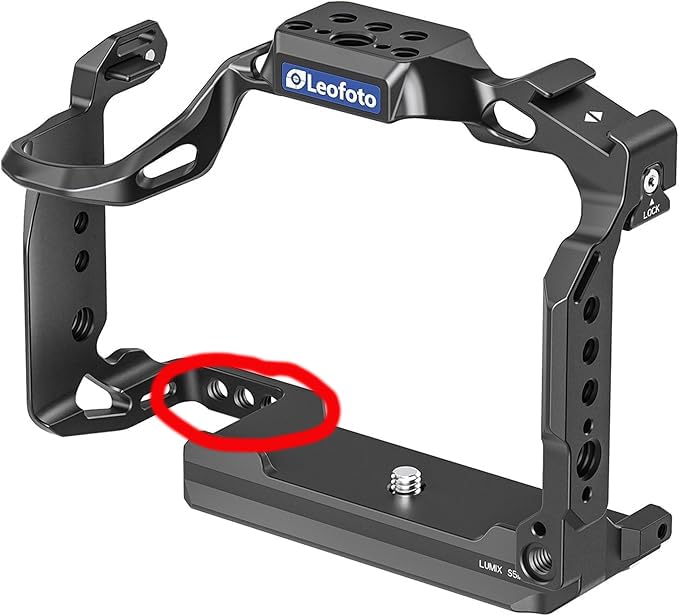
Battery door access is fully maintained — the Leofoto designers clearly looked at the pain point that plagues some other cages (looking at you, Tilta full cage) and built around it. On a long shoot day where you’re swapping batteries between takes, not having to remove the cage each time is a significant workflow improvement.
The main limitation is the single tripod mount anchor point. Leofoto uses a single 1/4″-20 connection at the base, which means there’s technically a rotation point if you don’t tighten things firmly. In practice, most users don’t find this a problem, but it’s worth knowing if you’re mounting heavy accessories on just one side of the cage.
ARRI Thread Compatibility
The ARRI-compatible threads on the Leofoto cage let you mount professional-grade accessories without adapters. This is an uncommon feature at this price point and gives you some future-proofing if you eventually add heavier follow focus systems or professional monitor arms to your rig.
The 8.8-ounce weight is moderate — not the lightest option, but not heavy enough to affect gimbal balance significantly. For tripod and handheld shooting, this weight is a non-issue.
Cold Shoe Placement Note
A few buyers have noted that the cold shoe bridge on the Leofoto partially blocks the S5 II’s Mode button. It’s not a complete block, but it does require a more deliberate press to reach the button. If you change shooting modes frequently mid-shoot, test this before committing.
There’s only one cold shoe mount, positioned on top. Some users wish for a second cold shoe on the opposite side for dual-accessory setups. If you need cold shoes on multiple sides, you’ll need to add a NATO-mounted cold shoe adapter.
6. Leftfoto S5ii Cage — Most Affordable DJI RS Compatible Option
Pros
- Best price point on this list
- Lightweight at 5.9 ounces slim profile
- Full access to all buttons and ports
- Built-in ARCA type base for quick stabilizer switching
- DJI RS 2/RSC 2/RS 3/RS 3 Pro compatible
- NATO rail and ARRI locating holes included
Cons
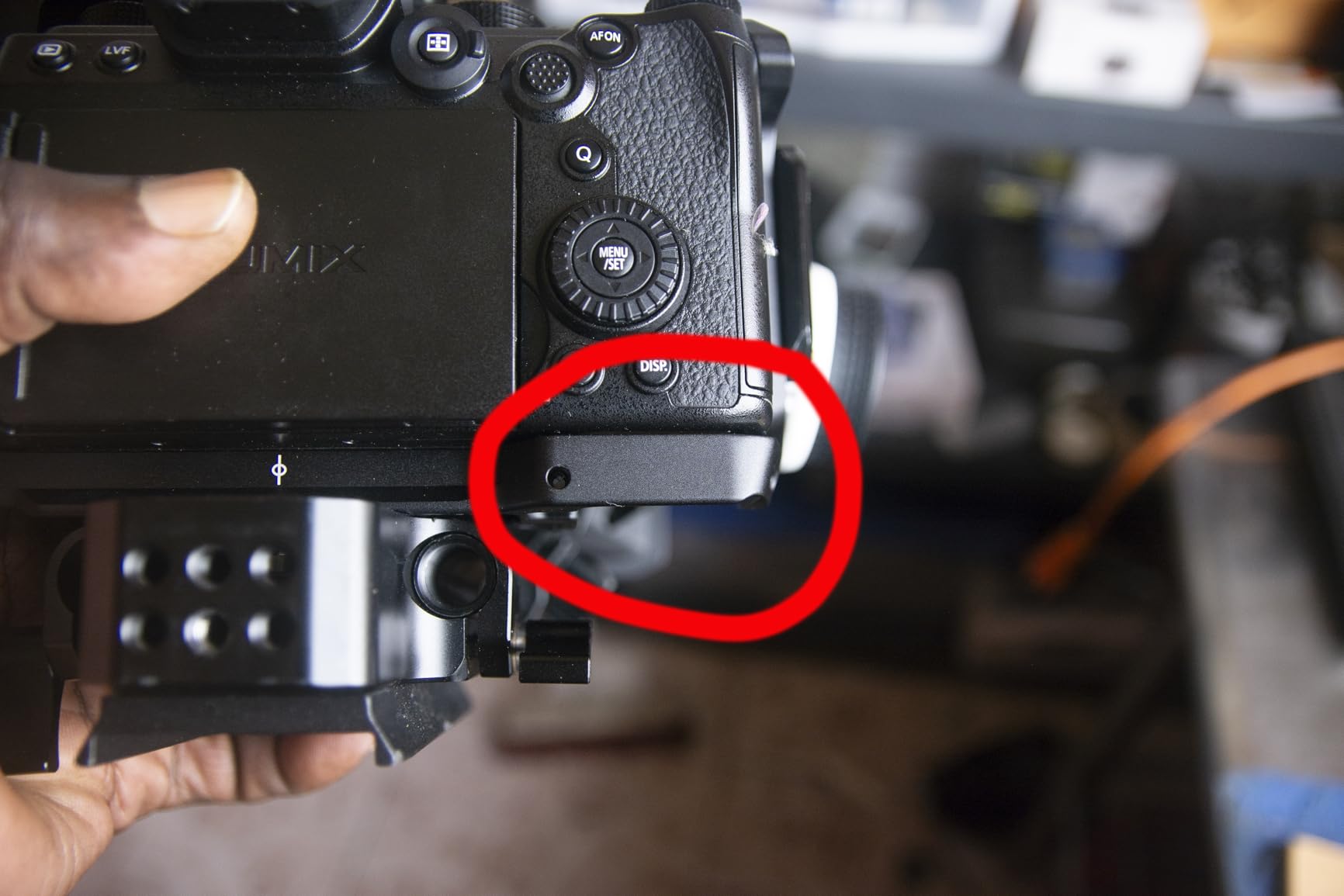
- Diagonal bar partially covers power switch
- Four different Allen wrench sizes needed for install
- Smallest Allen wrench not in standard multi-tools
- Only one cold shoe mount
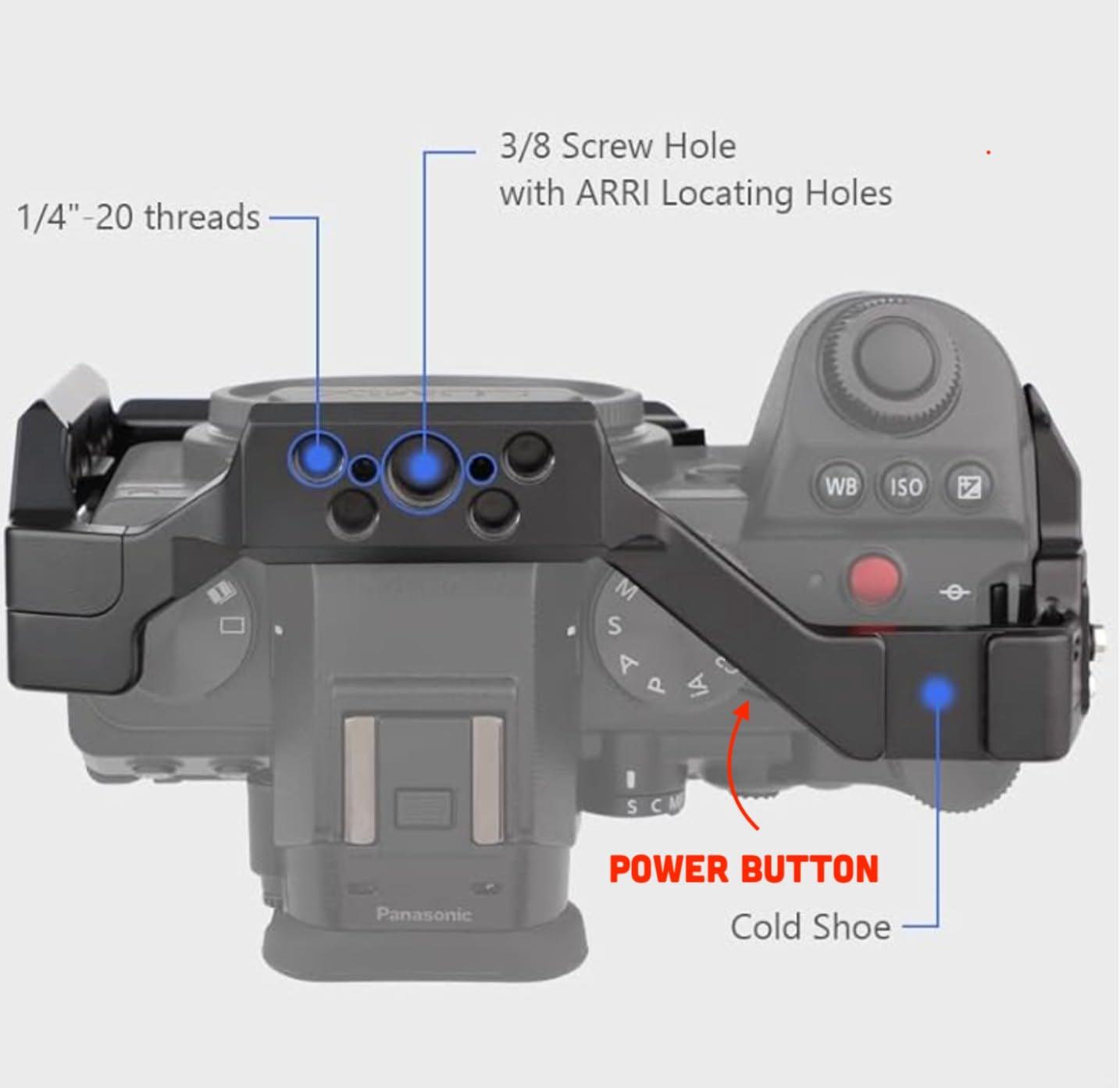
The Leftfoto S5ii cage is purpose-built for the Panasonic LUMIX S5 II and S5 IIX — and at this price, the feature set is genuinely hard to argue with. The built-in ARCA type base handles all four generations of DJI RS stabilizers (RS 2, RSC 2, RS 3, RS 3 Pro) natively, which means you can mount directly to the gimbal without any additional plate. For a budget entry point, that’s impressive.
At 5.9 ounces, this is one of the lightest options on the list. The aviation aluminum alloy construction uses CNC machining, which gives it a more precise fit than you’d typically expect at this price. The magnetic suction design during installation means alignment goes quickly, and the included wrench means you have what you need to mount it out of the box.
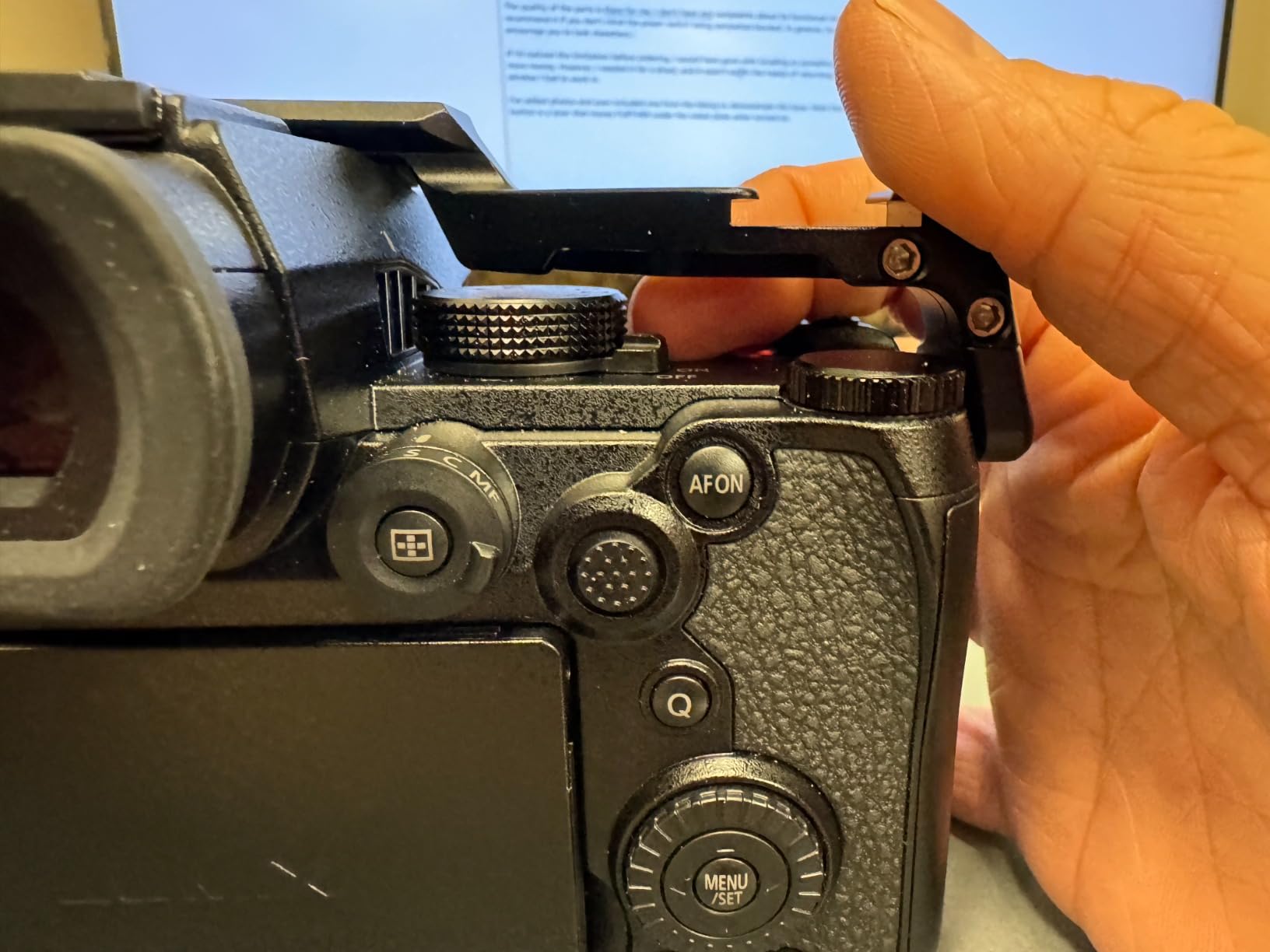
The power switch issue is real and worth knowing about. The diagonal bar on the right side of the frame sits close to the power switch, making it slightly awkward to flip the camera on and off. This is a known design quirk — if you’re the kind of shooter who constantly powers down between clips to save battery, it will bother you. If you tend to leave the camera on for extended periods, it’s a minor inconvenience at worst.
Installation requires four different Allen wrench sizes, and the smallest one (which you’ll use most) isn’t included in standard multi-tools. Factor in getting a proper Allen wrench set before your first use, or plan to spend a few minutes hunting for the right key.
DJI RS Gimbal Compatibility in Practice
The native DJI RS compatibility is the main reason to choose this cage over the Leofoto at a similar price point. If you already own a DJI RS gimbal and want to mount the S5 II without hunting for an additional baseplate or adapter, this cage solves the problem in one purchase. Users who’ve tested this with the RS 3 Pro report a solid, secure connection.
The NATO rail on top adds an accessory mounting option for a monitor or microphone, and the ARRI locating holes keep heavier accessories from rotating. For a budget vlog or run-and-gun rig, this cage covers all the functional bases.
Comparison with the Leofoto
Both the Leftfoto and Leofoto cages sit in the same price territory and share similar feature sets. The Leftfoto is slightly lighter and the DJI RS compatibility is more explicitly designed in. The Leofoto is slightly heavier but has a cleaner layout and avoids the power switch obstruction issue.
If DJI RS gimbal work is your priority, the Leftfoto wins. If you want a more general-purpose budget cage with a cleaner design, the Leofoto is worth the slight premium.
7. Tilta Half Camera Cage — Compact Low-Profile Option for S5 II/IIX
Pros
- Compact and low-profile half cage design
- Arca Swiss connection for DJI RS3 Pro/RS3/RS2
- HDMI and USB-C cable clamp built in
- Horizontal and vertical configuration switching
- Easy access to all ports and controls
Cons
- Does NOT have NATO rails despite some marketing claims
- Multiple reports of fit issues with S5 II
- Only 1/4 inch holes - limited accessory compatibility
- Requires 2 separate tools to adjust clamp and cage
The Tilta Half Cage takes a different approach from the full cage on this list — it only wraps the left and bottom sides of the camera, leaving the right side and top more open. For shooters who want minimal bulk but still need cable protection and an Arca Swiss base, this is worth considering.
I want to be upfront about a real concern with this cage: multiple buyers have reported fit issues with the S5 II specifically. The marketing lists S5 II and S5 IIX compatibility, but some users have found the cage does not seat properly on the S5 II body. If you order this cage, make sure you test the fit immediately and keep the return window open.

Another point worth clarifying: despite some marketing materials mentioning NATO rails, real-world buyers confirm this half cage does NOT have NATO rails. You get 1/4″-20 threaded holes and cold shoe mounts, but no NATO interface. If NATO rail compatibility is a requirement for your rig, look at the Tilta full cage or SmallRig options instead.
Where this cage does perform well is the cable management. The HDMI and USB-C cable clamp is cleanly integrated and genuinely protects your cable connections during movement. The Arca Swiss quick release works well with DJI RS gimbals, and the ability to switch between horizontal and vertical configurations is useful for social content creators.

When a Half Cage Makes Sense
Half cages work best when you need some protection and accessory mounting points but want to keep the overall rig as compact as possible. If you’re traveling with the S5 II and don’t want the bulk of a full cage in your carry-on, a half cage gives you the bottom plate and cable clamp without adding as much size.
The 15mm single rod holders are useful for attaching lightweight rod-mounted accessories — matte boxes, follow focus systems, or small monitor arms can all attach via rod rather than threaded holes, giving you some flexibility in positioning.
Concerns to Weigh Before Buying
The fit inconsistency is the biggest risk here. With 22% one-star reviews specifically citing that the cage doesn’t fit the S5 II, this is not a minor edge case. Before purchasing, verify through current buyer reviews whether the fit issue has been resolved in newer production runs.
The requirement for two separate tools to adjust the cable clamp and attach the cage to the body is a workflow friction point. Most other cages in this price range only need one tool, so this design choice feels like a step backward in convenience.
8. Leftfoto S5 Cage (Model F-CS5) — For Original Panasonic S5 Only
Pros
- Perfect fit for original Panasonic S5
- Lightweight at 5.7 ounces
- Full access to all controls and ports on original S5
- ARCA-type base for fast tripod/gimbal switching
- Rubber pads protect camera body
- Good value compared to SmallRig
Cons
- NOT compatible with S5 II or S5 IIX
- Single 1/4-20 mounting point only
- Limited forward/backward adjustment
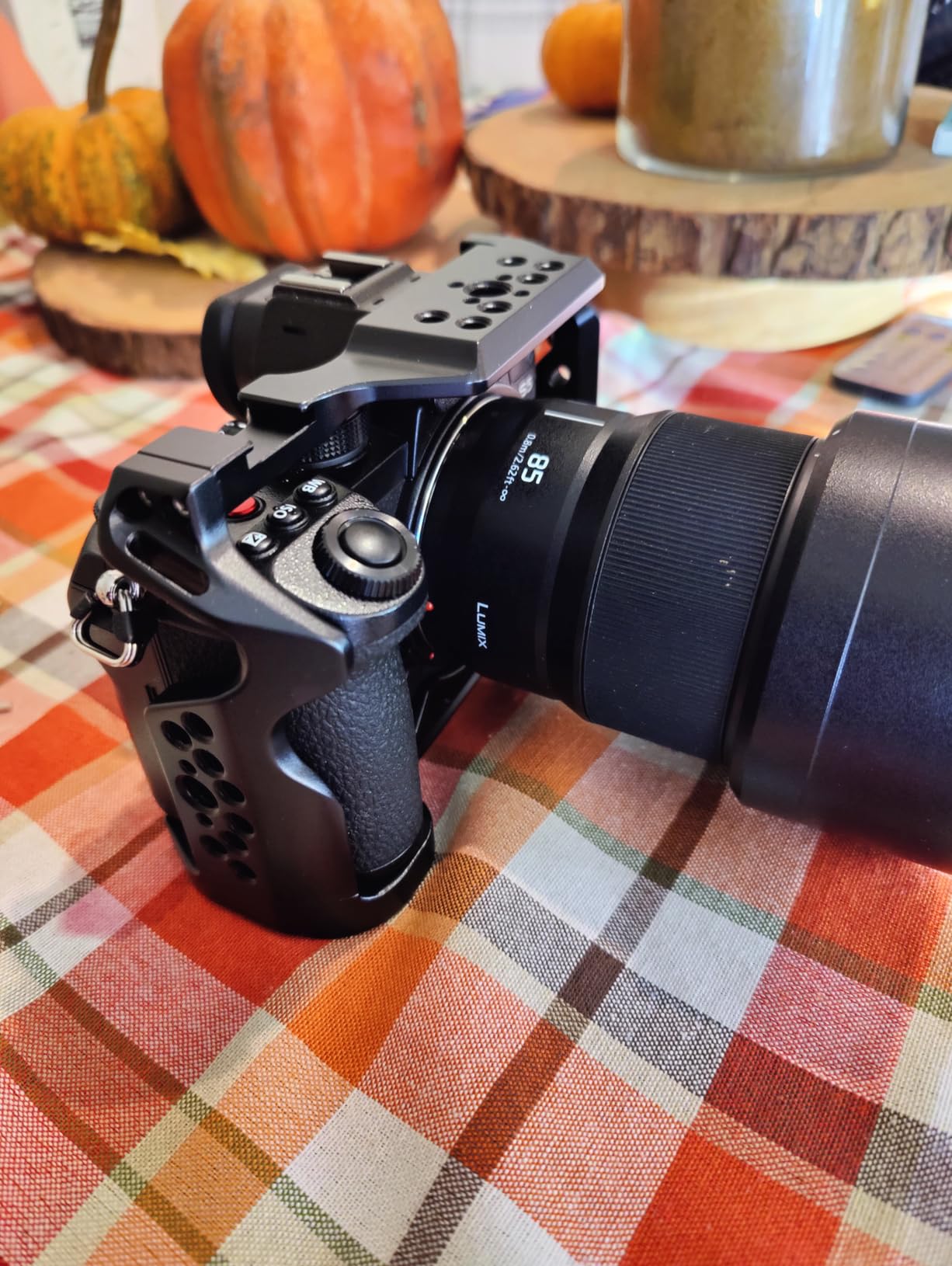
Critical compatibility warning: This cage is designed for the original Panasonic Lumix S5 (model DC-S5). It is NOT compatible with the S5 II or S5 IIX. The S5 II has a different body design with different strap hook placement, and this cage will not fit correctly on the S5 II or S5 IIX. If you own an S5 II or S5 IIX, please choose one of the other cages on this list.
With that critical note established — if you own the original Panasonic S5 and arrived at this article looking for cage options, the Leftfoto F-CS5 is a strong value pick. At 5.7 ounces, it’s the lightest cage in this roundup, and its aviation aluminum alloy construction feels solid despite the low weight.
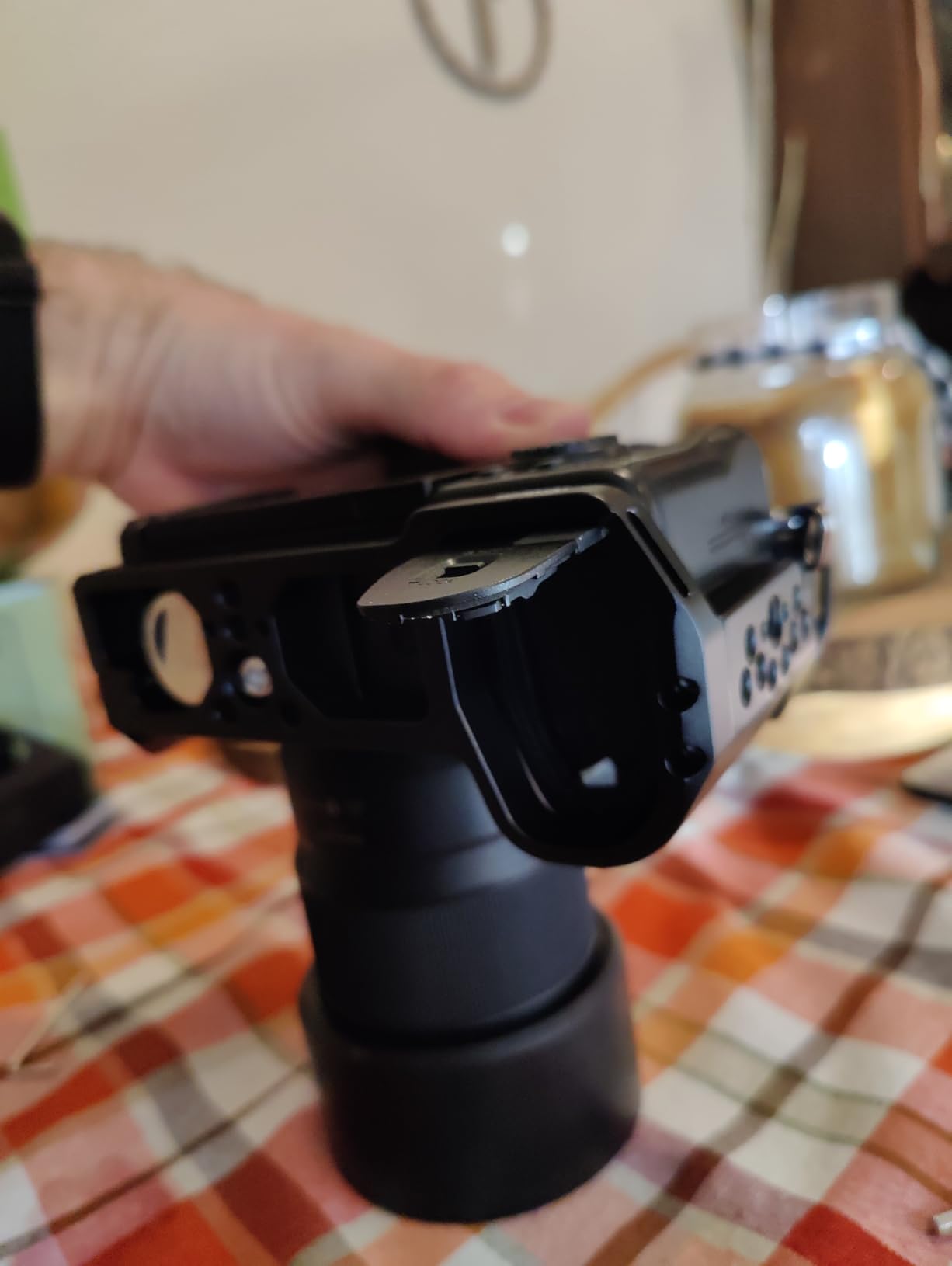
Users describe this as a great SmallRig alternative at a lower price point. The original S5 fit is excellent — all controls, ports, the flip screen, SD card slot, and battery compartment remain fully accessible. The rubber pads protect the camera body from scratching, and the built-in Arca-type base handles the tripod-to-gimbal switch without an additional adapter.
The single 1/4″-20 anchor point is the main structural limitation. On a cage this lightweight, the lack of a side anti-twist screw means you need to be deliberate when tightening to prevent slight rotation. Most users report this isn’t an issue in practice, but it’s different from the dual-point systems found in the Tilta and SmallRig cages.
Original S5 Owners: Is This a Good Buy?
For original S5 owners who want cage functionality without the SmallRig price premium, this cage delivers. The accessory mounting options — 1/4″ and 3/8″ threads, cold shoe, ARRI-style locating holes — cover the main rigging needs for hybrid shooting. The integrated strap hole means you can attach a hand or shoulder strap to the cage rather than the body.
The community consensus from Reddit’s r/Lumix is that this cage represents solid value and compares well to the SmallRig equivalent. For occasional use or travel setups where simplicity matters more than maximum mounting points, it’s a practical choice.
Why the S5 II Compatibility Warning Matters
The S5 and S5 II look similar at a glance, which is exactly why this compatibility issue catches people out. The S5 II’s body has slightly different dimensions and different strap hook positioning compared to the original S5. This isn’t a minor alignment issue — the cage physically won’t seat correctly on the S5 II.
Several buyers have left negative reviews specifically because they ordered this for an S5 II without reading the specs carefully. For everyone reading this article: if your camera is the S5 II or S5 IIX, please return to the top of this list and choose a cage confirmed for your body.
How to Choose the Right Camera Cage for Your Panasonic S5 II In 2026?
Full Cage vs Half Cage
A full cage wraps around the entire camera body — top, sides, and bottom — giving you maximum mounting points and the best physical protection. A half cage typically covers the bottom and one or two sides, keeping bulk lower at the cost of fewer mounting positions.
For video-first shooters who are building out a complete rig with lights, monitors, and microphones, a full cage is almost always the right choice. For travel photographers who want occasional accessory mounting without committing to a full rig, a half cage makes more practical sense.
NATO Rail and Mounting Points
The NATO rail is the most versatile mounting system on a camera cage. NATO handles, monitor arms, and many wireless transmitters attach and detach in seconds without tools. If you use any NATO-standard accessories, prioritize cages with at least one NATO rail.
Beyond NATO, look for 1/4″-20 and 3/8″-16 threaded holes spread across the cage body. More threaded holes mean more positioning options for accessories that use standard threads rather than NATO. ARRI-style locating holes are a bonus for heavier accessories that need rotation prevention.
Weight and Gimbal Compatibility
Adding a cage to your S5 II setup adds weight and shifts the balance point. For gimbal work, lighter cages help preserve gimbal payload capacity for other accessories. The SmallRig Black Mamba at 157g and the Leftfoto at 5.9 ounces are the lightest options here.
Check whether the cage includes a built-in Arca Swiss or DJI RS-compatible base plate. Without this, you’ll need an additional adapter plate to mount directly to a gimbal. Most cages on this list include this, but verify before purchasing if gimbal use is a priority.
Battery Door and Port Access
This is the practical dealbreaker that forum discussions surface more than anything else. Some cages — particularly certain configurations of the Tilta full cage — can interfere with the battery door access. Before buying any cage, specifically check that the battery door on the S5 II opens fully while the cage is mounted.
Similarly, the S5 II’s USB-C port (used for charging and tethering) and HDMI output need to remain accessible. Cages with built-in cable clamps for HDMI and USB-C are worth the slight premium for video shooters who monitor externally or use USB-C power delivery.
Build Quality and Materials
All the cages on this list use aluminum alloy construction — the differences are in machining precision and finishing quality. More expensive cages from Kondor Blue and Tilta have tighter tolerances, meaning less wobble and better long-term durability. Budget cages from Leofoto and Leftfoto use similar materials but with slightly less precise fits in some cases.
For professional paid work, investing in a premium cage is worthwhile. For personal projects and learning, the budget options perform well enough that the price difference is hard to justify.
Frequently Asked Questions
Who makes the best camera cages?
The top camera cage brands for the Panasonic S5 II are SmallRig, Tilta, and Kondor Blue. SmallRig offers the best balance of price and features with the largest user community. Tilta makes excellent custom-fit cages for specific camera bodies. Kondor Blue sits at the premium tier with exceptional build quality and lifetime warranty. For budget options, Leofoto and Leftfoto both offer solid value.
What is the SmallRig Black Mamba cage kit for Panasonic Lumix S5 II?
The SmallRig Black Mamba (model 5502) is a lightweight camera cage designed for multiple Panasonic bodies including the S5 II, S5 IIX, S1R II, S1 II, and G9 II. It weighs 157 grams and features a built-in Arca-Swiss quick release plate for DJI RS gimbal compatibility, a three-point locking system, NATO rail, cold shoe mount, and ARRI-style locating holes. The Black Mamba name comes from its streamlined, body-hugging profile.
Is the LUMIX S5II weather sealed?
Yes, the Panasonic Lumix S5 II features splash and dust resistance (weather sealing). Adding a camera cage does not eliminate this weather sealing as long as the cage does not block or compress the seals around camera doors and ports. However, most camera cages leave the rubber gaskets and door seals fully accessible, so the S5 II’s weather resistance is maintained when a properly-fitted cage is installed.
What is the difference between a full cage and a half cage for the S5 II?
A full cage wraps around the top, sides, and bottom of the Panasonic S5 II, providing maximum mounting points and the most physical protection. A half cage typically covers only the bottom and one or two sides. Full cages are better for complex video rigs with multiple accessories. Half cages are lighter, less bulky, and suited for shooters who want minimal additions — usually just a bottom Arca Swiss plate and cable management.
Do S5 II and original S5 use the same camera cage?
No. The Panasonic S5 II and original S5 use different camera cages and are NOT interchangeable. The S5 II has a different body design with different strap hook placement compared to the original S5. Always verify that a cage explicitly lists S5 II or S5 IIX compatibility before purchasing. The Leftfoto F-CS5 (model B09J2DP5VN) reviewed on this page, for example, fits only the original S5 and will not correctly seat on the S5 II.
Final Thoughts
After going through all 8 of these options, my top recommendation for most shooters looking at best camera cages for Panasonic S5 II use is the Tilta Full Cage (B0BTSXKVNF). It nails the fundamentals — custom fit, multiple mounting options, cable clamp, Arca Swiss base — at a price that doesn’t require budget gymnastics. For those building a professional rig where quality matters above all else, the Kondor Blue cage and its lifetime warranty is the no-compromise choice.
For gimbal-focused shooters, the SmallRig Black Mamba 5502 is worth every dollar — the lightweight profile and native Arca Swiss integration make gimbal work notably cleaner. Budget-conscious buyers will find the Leftfoto S5ii cage hard to beat for DJI RS compatibility at a lower cost.
One final reminder: if you own the original Panasonic S5 (not the S5 II), the Leftfoto F-CS5 (B09J2DP5VN) is included on this list and reviewed specifically for the original body. All other cages listed are for the S5 II and S5 IIX. Double-check your camera model before ordering — the two cameras look alike but use different cage designs.