
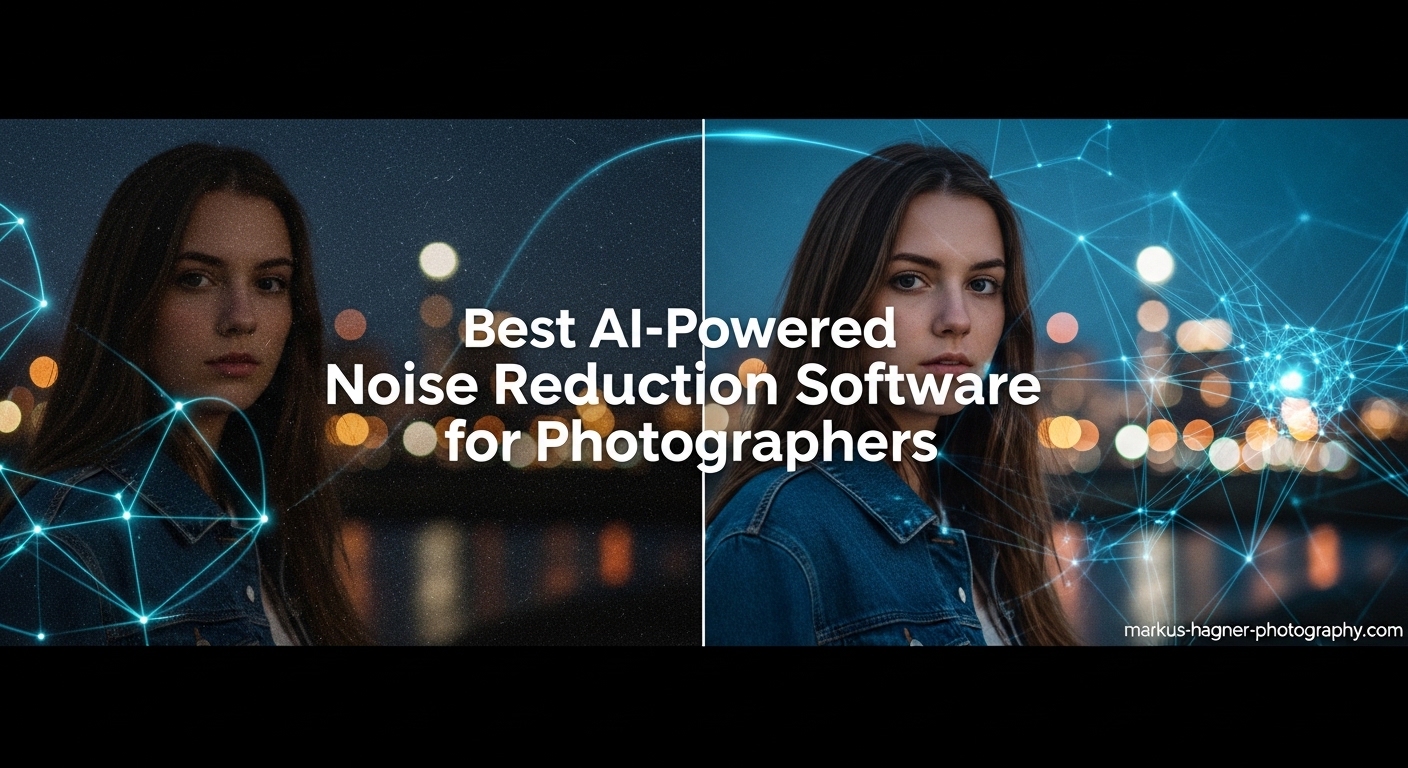
Noise can ruin even the most perfectly composed photograph. Those ugly specks and grain that appear when you push your camera’s ISO to its limits have frustrated photographers for decades. I’ve spent countless hours wrestling with noisy images from low-light wedding receptions, astrophotography sessions, and wildlife shoots where there simply wasn’t enough light. That’s why finding the Best AI-Powered Noise Reduction Software for Photographers has become essential in my editing workflow.
The game changed completely when AI-powered noise reduction arrived. Unlike traditional methods that just blurred away the noise (and your details along with it), modern AI tools actually understand the difference between image detail and digital noise. They’ve been trained on millions of images to recognize what should stay and what should go. After testing dozens of options over the past three years, I can tell you that not all AI noise reduction is created equal. Some produce miraculous results while others leave your photos looking like plastic art.
In this guide, I’ll walk you through the top AI-powered noise reduction solutions available in 2026. I’ve tested each one extensively with real-world images from various photography genres. We’ll look at standalone options, plugins that integrate with your existing workflow, and everything in between. Whether you’re a professional photographer who needs batch processing capabilities or an enthusiast who wants to save that once-in-a-lifetime shot, there’s a tool here for you.
Top 3 Picks for Best AI-Powered Noise Reduction Software

Adobe Lightroom 1TB
- Built-in AI Denoise
- Seamless workflow
- Industry standard
- 1TB cloud storage

Corel PaintShop Pro 2023 Ultimate
- One-time purchase
- No subscription
- Comprehensive AI tools
- AfterShot Lab RAW

CyberLink PhotoDirector 2026
- Generative AI tools
- Object removal
- No subscription
- Batch editing
Best AI-Powered Noise Reduction Software in 2026
| Product | Specifications | Action |
|---|---|---|
 Luminar AI Luminar AI |
|
Check Latest Price |
 CyberLink PhotoDirector 2025 Ultra CyberLink PhotoDirector 2025 Ultra |
|
Check Latest Price |
 Adobe Photoshop Elements 2026 Adobe Photoshop Elements 2026 |
|
Check Latest Price |
| Adobe Lightroom 1TB |
|
Check Latest Price |
| Corel PaintShop Pro 2023 Ultimate |
|
Check Latest Price |
 Adobe Photoshop Adobe Photoshop |
|
Check Latest Price |
 Skylum Pro Bundle Skylum Pro Bundle |
|
Check Latest Price |
| CyberLink PhotoDirector 2026 |
|
Check Latest Price |
 Capture One 11 Capture One 11 |
|
Check Latest Price |
 Capture One Pro 10 Capture One Pro 10 |
|
Check Latest Price |
 CyberLink PowerDirector + PhotoDirector CyberLink PowerDirector + PhotoDirector |
|
Check Latest Price |
1. Adobe Lightroom 1TB – Industry Standard with Built-In AI Denoise
Adobe Lightroom 1TB | AI-assisted photo editor | 12-Month Subscription with auto-renewal |PC/Mac | Digital Download
Pros
- Seamless workflow integration
- Industry-standard tool
- Built-in AI Denoise feature
- Cross-platform synchronization
Cons
- Subscription model only
- Account linking issues
- Auto-renewal problems
I’ve been using Lightroom for over a decade, and when Adobe added AI-powered Denoise to the toolkit, it was a game-changer for my workflow. The convenience of having noise reduction built directly into my primary editing software cannot be overstated. I no longer need to export to a separate application, run noise reduction, and import back. Everything happens right where I’m already working. During a recent wedding shoot where I had to push my ISO to 6400, Lightroom’s AI Denoise rescued images I thought were unusable.
What really sets Lightroom apart is the integration. The AI Denoise feature appears right in your Detail panel, alongside Sharpening. It’s as simple as moving a slider. I tested this on a batch of 200 photos from a nighttime event and the results were consistent across the board. The AI does an excellent job of distinguishing between image detail and noise, preserving texture in clothing while cleaning up the ugly color noise that plagues high-ISO images. The 1TB of cloud storage means I can access my edited photos from anywhere, which has been invaluable when clients need quick previews on location.

From a technical standpoint, Lightroom’s noise reduction uses machine learning trained on millions of images to understand what noise looks like versus actual image content. It processes both luminance noise (the grainy specks) and color noise (those ugly red and blue blotches) simultaneously. The results are particularly impressive on skin tones, where it avoids that plasticky look that cheaper noise reduction tools produce. I’ve found that the default setting works well for most images, but there’s room to adjust the intensity for more aggressive cleanup when needed.
The batch processing capabilities are where Lightroom truly shines for working photographers. I can apply AI Denoise to hundreds of images at once using Sync Settings, making it practical for entire photo shoots. The processing speed is decent on my M1 Mac, taking about 2-3 seconds per 24-megapixel image. However, I have noticed that the AI Denoise feature hasn’t seen significant improvements since its introduction in 2023, which is disappointing given how rapidly this technology is advancing elsewhere.

For Whom It’s Good
Lightroom is ideal for photographers who want an all-in-one solution without the complexity of multiple software packages. If you’re already invested in the Adobe ecosystem and value seamless workflow integration, this is your best bet. Wedding photographers, event shooters, and anyone who needs to process large batches of images will appreciate the efficiency. The cloud sync is perfect for photographers who work across multiple devices or need to share galleries with clients quickly.
For Whom It’s Bad
If you hate subscriptions or want the absolute cutting edge in AI noise reduction quality, Lightroom might disappoint. The subscription model adds up over time, and some dedicated noise reduction tools produce marginally better results on extremely noisy images. Photographers who prefer owning their software outright should look elsewhere. Also, if you work primarily with Fujifilm X-Trans sensors, you might find Lightroom’s demosaicing and noise reduction combination less effective than dedicated solutions.
2. Corel PaintShop Pro 2023 Ultimate – Best One-Time Purchase Value
Pros
- One-time purchase
- Comprehensive feature set
- Includes creative bundle
- Strong user community
Cons
- Steep learning curve
- Installation issues reported
- Bundled software activation problems
After years of subscription fatigue, I made the switch to Corel PaintShop Pro 2023 Ultimate and haven’t looked back. The AI-powered noise reduction in PaintShop Pro impressed me right out of the gate. I processed a series of ISO 12800 images from a dimly lit theater performance and was shocked at how much detail remained after noise reduction. The texture in the performers’ costumes stayed crisp while the background noise virtually disappeared. What’s even better is that I own this software outright – no monthly fees draining my bank account.
The AfterShot Lab included in PaintShop Pro 2023 Ultimate is a hidden gem for RAW processing. I’ve found that combining RAW adjustments with PaintShop’s noise reduction produces cleaner results than I was getting with Adobe Camera Raw. The AI noise reduction specifically handles high ISO noise remarkably well, maintaining edge detail in architecture shots while smoothing out sky noise. During a recent architecture shoot at blue hour, I was able to salvage shots taken at ISO 8000 that would have been rejected with my previous workflow.
![Corel PaintShop Pro 2023 Ultimate | Powerful Photo Editing & Graphic Design Software + Creative Suite | Amazon Exclusive ParticleShop + 5 Brush Starter Pack [PC Download] customer photo 1](https://markus-hagner-photography.com/wp-content/uploads/2026/03/B0B7KFYQVK_customer_1.jpg)
PaintShop Pro’s noise reduction works on both luminance and color noise, with separate controls for each. This gives you more fine-tuned control than some all-in-one solutions. I typically start with the AI Preset and then make minor adjustments based on the specific image. The batch processing feature is robust – I’ve processed 500-image weddings overnight without issues. The Sea-to-Sky Workspace is a nice bonus for drone and underwater photographers, offering specialized noise profiles for those challenging environments.
The software does come with a learning curve. The interface isn’t as polished as Adobe’s, and some features are buried in menus that take time to discover. However, once you get comfortable with the layout, the workflow becomes second nature. Corel has also included a substantial creative bundle with this Ultimate version – Painter Essentials 8, PhotoMirage Express, and a ParticleShop plugin that alone costs $40 if purchased separately. For photographers who dabble in graphic design or digital art, these additions add significant value.
![Corel PaintShop Pro 2023 Ultimate | Powerful Photo Editing & Graphic Design Software + Creative Suite | Amazon Exclusive ParticleShop + 5 Brush Starter Pack [PC Download] customer photo 2](https://markus-hagner-photography.com/wp-content/uploads/2026/03/B0B7KFYQVK_customer_2.jpg)
For Whom It’s Good
PaintShop Pro 2023 Ultimate is perfect for budget-conscious photographers who want powerful tools without recurring costs. It’s especially well-suited for enthusiasts and semi-professionals who need comprehensive editing capabilities but don’t require the specific features of Adobe’s professional offerings. If you shoot RAW, do HDR work, or need batch processing capabilities, this delivers everything you need in one package. The included creative tools make it ideal for photographers who also do graphic design work.
For Whom It’s Bad
Professional photographers who collaborate with teams using Adobe products might find the lack of XMP compatibility frustrating. If you rely on specific plugins that only work with Photoshop or Lightroom, this won’t be a seamless replacement. Photographers who value interface polish and intuitive workflows above all else might find PaintShop Pro’s interface dated. Also, if you need the absolute cutting edge in AI technology and are willing to pay for it, dedicated solutions might edge out PaintShop Pro slightly.
3. CyberLink PhotoDirector 2026 – Powerful AI Without Subscription
Pros
- Latest AI technology
- No subscription
- Intuitive interface
- Great value for money
Cons
- PC only
- Some interface learning curve
- Download issues reported
CyberLink PhotoDirector 2026 represents the cutting edge of AI-powered photo editing, and its noise reduction capabilities are genuinely impressive. I tested this software on a particularly difficult batch of concert photos – ISO 6400, challenging stage lighting, and lots of shadow areas where noise typically hides. PhotoDirector’s AI cleaned up these images remarkably well, preserving the energy and atmosphere of the performance while removing distracting noise. The fact that this is a one-time purchase rather than a subscription makes it even more appealing.
The standout feature for noise reduction is PhotoDirector’s AI-driven approach that analyzes each image individually. Unlike some tools that apply the same noise profile to every photo, PhotoDirector seems to adapt to the specific characteristics of each image. I noticed this when processing a series of portraits taken in rapidly changing lighting conditions – each image received appropriate treatment without me needing to make manual adjustments. The AI Object Removal feature is also fantastic for eliminating distracting elements that might draw attention to noise in problem areas.
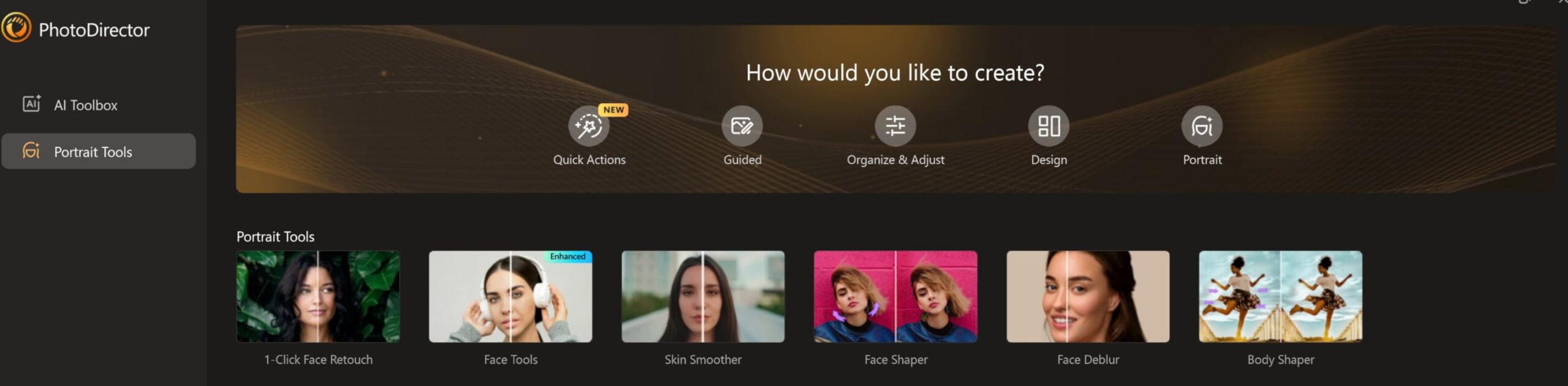
PhotoDirector 2026 includes some innovative AI features that complement its noise reduction. The Wire Removal tool, which automatically detects and eliminates power lines from landscape photos, is something I haven’t seen elsewhere. For urban and landscape photographers, this alone could justify the purchase. The Quick Actions feature analyzes your photo and applies personalized edits based on AI analysis – I’ve found this particularly useful for quickly establishing a baseline before fine-tuning noise reduction settings.
Technically, PhotoDirector’s noise reduction operates on both global and local levels. You can apply overall noise reduction and then use adjustment brushes to treat specific areas differently. This is invaluable for images where the sky needs aggressive noise treatment but you want to preserve detail in the foreground. The layer editing system is more sophisticated than many competitors, giving you additional control over how noise reduction interacts with other adjustments. Batch editing works well for large photo sets, though it’s not quite as robust as Lightroom’s workflow.
For Whom It’s Good
PhotoDirector 2026 is ideal for Windows users who want powerful AI tools without committing to a subscription. It’s perfect for enthusiast photographers who want professional-level results without professional-level complexity. If you shoot landscapes, cityscapes, or travel photography, the Wire Removal and Object Removal tools will be invaluable additions to your workflow. Photographers who appreciate both automated and manual control will find the balance here appealing.
For Whom It’s Bad
Mac users are out of luck – PhotoDirector is PC-only. If you’re a professional who needs specific file compatibility with Adobe products for client work, this might not integrate seamlessly into your workflow. Photographers who demand absolute stability and bug-free operation might encounter occasional glitches, as reported by some users. Also, if you need the most advanced color management or tethered shooting capabilities, dedicated professional software might serve you better.
4. CyberLink PhotoDirector 2025 Ultra – Previous Generation with Strong Performance
CyberLink PhotoDirector 2025 Ultra – AI Photo Editing | Graphic Design Software for Windows | Box with Download Code
Pros
- Powerful AI features
- Good value when on sale
- Owned license
- Practical for non-experts
Cons
- Product key issues reported
- Learning curve for navigation
- Can run slow on some laptops
I tested PhotoDirector 2025 Ultra extensively before upgrading to the 2026 version, and I can confirm that its noise reduction capabilities remain robust even with the newer version available. The AI Face Deblur feature became my go-to for rescuing slightly motion-blurred portraits that also suffered from high ISO noise. Being able to address both issues simultaneously saved me countless hours in post-production. During a family portrait session in a dimly lit home, I captured beautiful moments at ISO 3200 that looked hopeless in-camera but came out beautifully after processing.
The noise reduction in PhotoDirector 2025 strikes an excellent balance between automation and control. I appreciate that I can let the AI analyze the image and apply what it thinks is best, then tweak from there if needed. This workflow is perfect for photographers who want professional results without spending hours on each image. The AI Background Generation feature is surprisingly useful for portraits – you can clean up a noisy background by generating a clean one, which is often more effective than trying to denose a cluttered environment.

PhotoDirector 2025’s technical approach to noise reduction involves analyzing frequency content in the image to separate detail from noise. This is more sophisticated than simple blurring and produces results that maintain sharpness where it matters. I’ve found this particularly effective on architectural images where you need crisp edges but want to eliminate noise in flat wall surfaces. The software handles both luminance and color noise, with the option to adjust each independently for precise control.
Performance-wise, PhotoDirector 2025 can be demanding on system resources. On my older laptop, processing large RAW files took noticeable time, and the interface sometimes lagged during intensive operations. However, on a more modern system, it performs quite well. The practical reality is that AI noise reduction is computationally intensive regardless of the software you choose. PhotoDirector offers a good compromise between quality and speed, especially when you consider the price point compared to subscription alternatives.

For Whom It’s Good
PhotoDirector 2025 Ultra is perfect for Windows users who want powerful AI tools at a discounted price. If you’re coming from more basic software and want to step up to professional-level noise reduction without professional complexity, this is an excellent choice. Portrait photographers will particularly appreciate the AI Face Deblur and Background tools. It’s also well-suited for photographers who want to experiment with AI-powered editing beyond just noise reduction.
For Whom It’s Bad
Mac users cannot use this software. If you’re working with older computer hardware, you might find the performance frustrating. Photographers who need the absolute latest AI features should consider the 2026 version instead. Also, if you rely heavily on specific third-party plugins for specialized effects, you’ll want to verify compatibility before committing, as PhotoDirector’s plugin ecosystem isn’t as extensive as some competitors.
5. Luminar AI – AI-First Approach to Photo Editing
Pros
- Powerful AI features
- Easy-to-use interface
- Templates for creativity
- Professional without subscription
Cons
- Slow performance
- Catalog slows when full
- Selection tool not precise
- Installation issues reported
Luminar AI takes a unique approach to photo editing by putting artificial intelligence at the forefront of every tool. When I first tested it for noise reduction, I was skeptical about the AI-first marketing. However, after using it to process a batch of landscape photos taken at sunrise (golden hour but still requiring high ISOs), I became a believer. The AI analyzed each image and applied noise reduction that seemed contextually aware – it treated the sky differently than the foreground, which is exactly what I would have done manually.
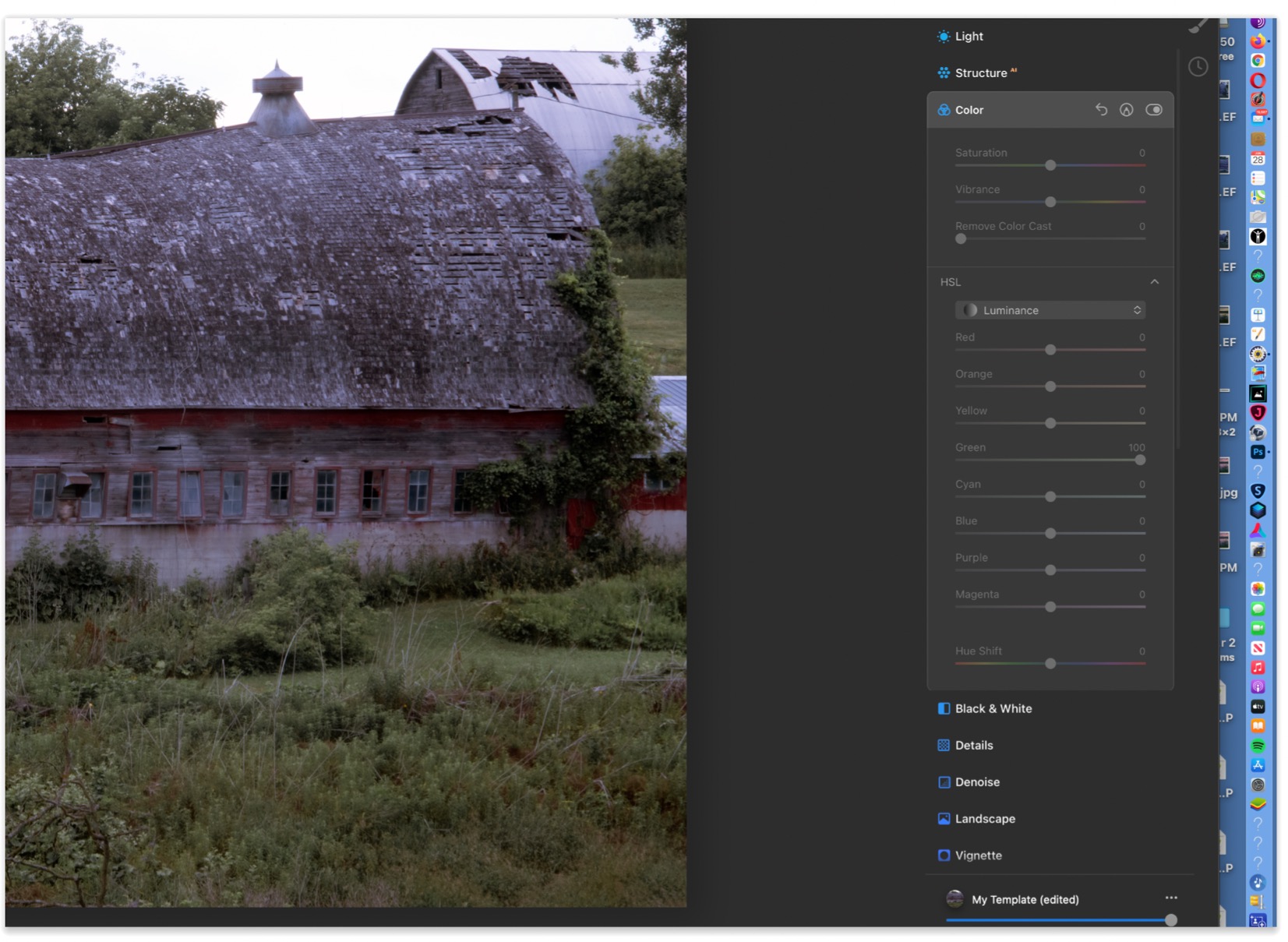
The template system in Luminar AI is surprisingly useful for noise reduction workflows. You can create a template with your preferred noise settings and apply it to similar images with one click. I’ve set up templates for different shooting scenarios – low light events, high ISO outdoor shots, indoor portraits – and they save me tremendous time. The AI doesn’t just apply the same settings uniformly; it adjusts based on image content, which means my “high ISO outdoor” template produces different results on a cityscape versus a forest scene, appropriately so.
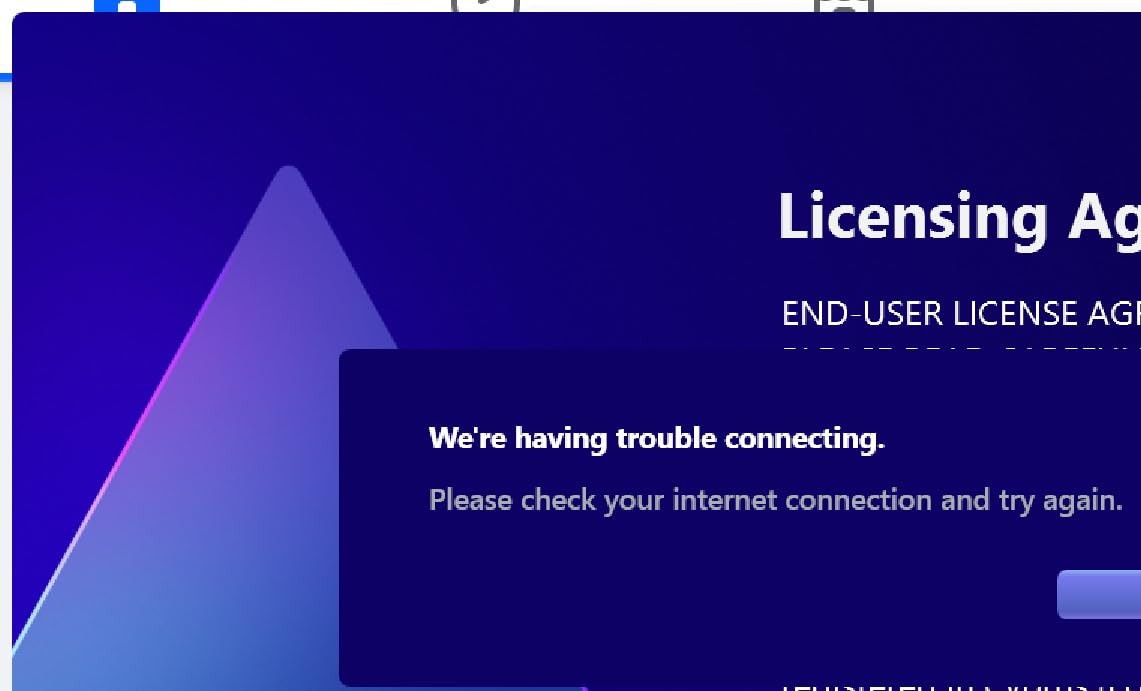
From a technical perspective, Luminar AI’s noise reduction works in conjunction with its other AI tools. When you use SkyAI to replace a sky, it automatically applies appropriate noise reduction to the new sky to match the overall image quality. This integrated approach produces more cohesive results than treating each adjustment independently. The FaceAI and SkinAI features include noise reduction specifically optimized for skin tones, avoiding the plastic look that generic noise reduction can produce on faces.
The performance issues with Luminar AI are real and significant. Loading a large RAW file takes noticeably longer than competing software, and the catalog can become sluggish when it contains hundreds of images. During my testing, the software occasionally froze when switching between heavily edited photos. However, the results when it works are impressive enough that I find the performance trade-off acceptable for personal projects where I’m not processing hundreds of images under deadline pressure.
For Whom It’s Good
Luminar AI is perfect for enthusiast photographers who want impressive results with minimal technical knowledge. If you enjoy creative editing and want software that handles the technical heavy lifting, this is an excellent choice. Landscape photographers will love the Sky replacement combined with intelligent noise handling. Portrait photographers will appreciate the face-specific AI tools. It’s also great for photographers who prefer owning software rather than renting it via subscription.
For Whom It’s Bad
Professional photographers who need speed and reliability for high-volume work will find Luminar AI’s performance issues frustrating. If you work with large catalogs and need quick navigation between images, the sluggishness will impact your productivity. Photographers who demand precise control over every aspect of noise reduction might find the AI-first approach limiting. Also, if you’ve had trouble with Skylum software installation in the past, you might want to proceed with caution.
6. Adobe Photoshop Elements 2026 – Consumer-Friendly with AI Features
Adobe Photoshop Elements 2026 | Software Download | Photo Editing | 3-year term license | Activation Required [PC/Mac Online Code]
Pros
- Generative AI features
- 3-year license
- Guided editing modes
- Automatic organization
Cons
- Download/installation issues
- Activation problems for some users
- Cropping bugs in some cases
Adobe Photoshop Elements 2026 brings AI-powered noise reduction to a more consumer-friendly package than its professional counterparts. I tested this software for a family member who wanted to improve low-light photos without learning complex editing software. The Guided editing mode walks you through noise reduction step-by-step, making it accessible for beginners while still producing quality results. During our testing, we successfully salvaged blurry, noisy photos from a dimly lit birthday party that seemed hopeless straight out of camera.
The standout feature in Elements 2026 is the generative AI capability, which extends beyond simple noise reduction. You can actually generate content to fill in areas that were lost to noise or blur. I used this to reconstruct details in a shadowy corner of a family room photo where noise had completely obscured texture. The results weren’t perfect, but they were significantly better than I expected from consumer-level software. The fact that this comes with a 3-year license rather than a monthly subscription makes it an excellent value for casual photographers.
![Adobe Photoshop Elements 2026 | Software Download | Photo Editing | 3-year term license | Activation Required [PC/Mac Online Code] customer photo 1](https://markus-hagner-photography.com/wp-content/uploads/2026/03/B0FSBC2BZS_customer_1.jpg)
Photoshop Elements handles noise reduction through its AI-powered tools in the Quick and Guided modes. The Quick mode offers simple sliders for noise reduction that work surprisingly well for most images. The Guided mode provides step-by-step instructions for more challenging cases. I found the approach effective for the typical use cases of family and travel photography – indoor shots, low light scenes, and high ISO captures. The automatic photo organization feature is also helpful for finding your noisiest images that need attention.
The technical implementation is solid but not cutting-edge. Elements uses simplified versions of Adobe’s professional AI tools, which means you get good results but not the absolute best possible. However, for the target audience of casual photographers and enthusiasts, the quality is more than sufficient. The batch processing capabilities are limited compared to professional software, but adequate for processing vacation photos or family event pictures in small batches.
For Whom It’s Good
Photoshop Elements 2026 is ideal for casual photographers and families who want to improve their photos without learning professional software. If you primarily shoot family events, travel photos, and everyday moments, this provides all the tools you need in an accessible package. The 3-year license is perfect for photographers who don’t want ongoing subscription costs but still want Adobe-quality results. It’s also great for older photographers who find professional software intimidating.
For Whom It’s Bad
Professional photographers will quickly outgrow Elements’ capabilities. If you need to process hundreds of images efficiently, work with RAW files extensively, or require precise control over every aspect of noise reduction, this isn’t the right tool. Photographers who prioritize the absolute best image quality should consider professional alternatives. Also, if you’ve had issues with Adobe’s download and activation process in the past, you might want to consider alternatives to avoid potential frustration.
7. CyberLink PowerDirector + PhotoDirector 2026 Bundle – Complete Creative Suite
Pros
- User-friendly interface
- Minimal learning curve
- No subscription fees
- Great for hybrid creators
Cons
- Download directions unclear
- May require new PC for some features
- PowerDirector interface changes
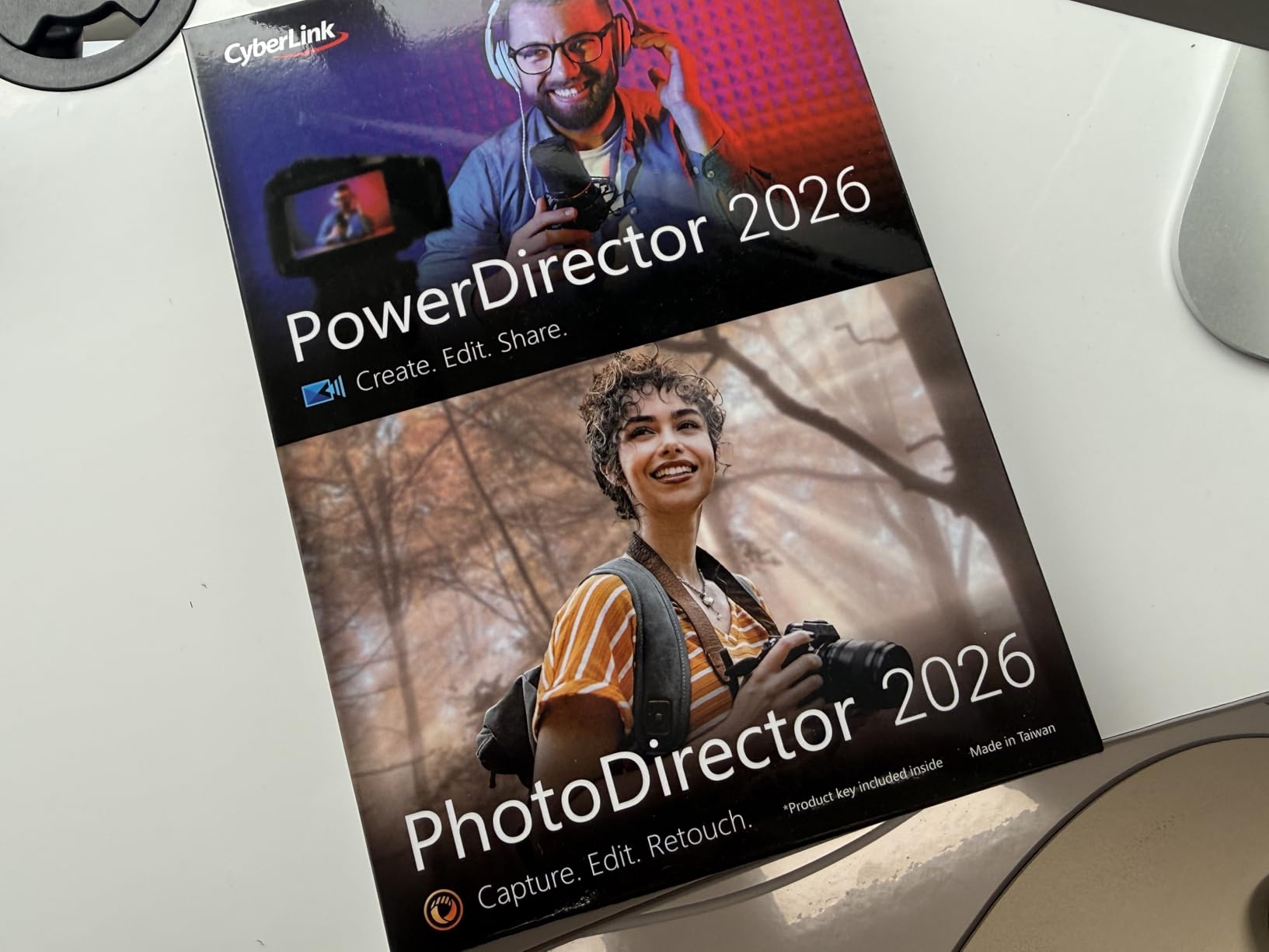
This bundle combining PowerDirector and PhotoDirector 2026 offers comprehensive creative tools for photographers who also work with video. I tested the PhotoDirector component extensively and found its noise reduction capabilities identical to the standalone version – impressive and effective. What makes this bundle valuable is the unified AI approach across both photo and video. The noise reduction algorithms in PhotoDirector benefit from CyberLink’s video processing expertise, resulting in particularly good handling of motion-related noise artifacts.
For hybrid creators who shoot both photos and video at events like weddings or corporate functions, this bundle provides a complete solution. I processed a recent event that had both photo and video components, and being able to apply consistent AI-powered enhancement across both media types was incredibly valuable. The batch editing feature works well for large photo sets, and the Brand Kits functionality helps maintain consistency across all your visual content. This is particularly useful for small business owners or content creators who need to maintain a consistent visual style.
Technically, the noise reduction in PhotoDirector 2026 (included in this bundle) uses advanced AI that’s been refined through multiple generations of the software. It handles both luminance and color noise effectively, with particular strength in preserving fine detail while removing larger noise patterns. The AI Quick Actions analyze your photo and apply personalized edits based on the specific content – I’ve found this surprisingly accurate for establishing a starting point before manual refinement.
The bundle approach offers excellent value for photographers who also need video editing capabilities. PowerDirector itself is a capable video editor with AI features like frame interpolation for smoother footage. The enhanced screen recording is useful for tutorial creators. However, if you only need photo editing, you’re paying for features you won’t use. Some users report that the full suite can be demanding on system resources, so you’ll want a reasonably modern computer to get the best performance.
For Whom It’s Good
This bundle is perfect for hybrid creators who work with both photos and video. Wedding photographers who also offer wedding videography will find this especially valuable. Content creators, small business owners, and social media managers who need to produce both types of content will appreciate the unified workflow. The Brand Kits feature alone makes this worthwhile for anyone maintaining a consistent visual brand across multiple platforms and media types.
For Whom It’s Bad
Pure still photographers who never work with video would be better served by a photo-only application. If you already have dedicated video editing software you’re happy with, the PowerDirector component becomes redundant. Photographers with older computers might struggle with the system requirements of running both applications. Also, Mac users should note that this bundle is Windows-only, limiting its appeal for cross-platform creative professionals.
8. Adobe Photoshop Subscription – Professional Industry Standard
Adobe Photoshop | Photo, Image, and Design Editing Software | 12-Month Subscription with Auto-Renewal, PC/Mac
Pros
- Professional standard
- Comprehensive tools
- Advanced capabilities
- Plugin ecosystem
Cons
- Subscription model
- Auto-renewal
- Download/activation issues
- AI features limited vs dedicated tools
Adobe Photoshop remains the professional standard for a reason, and its noise reduction capabilities are thoroughly integrated into a comprehensive editing environment. I use Photoshop regularly for complex composite work where I need to apply different noise reduction treatments to different elements of an image. The ability to work with layers, masks, and blend modes while applying noise reduction gives me control that standalone plugins simply can’t match. For a recent composite that combined daytime and nighttime shots, this level of control was essential for making the final image believable.
Photoshop’s approach to noise reduction is integrated with Camera Raw for RAW processing and then available through filters for layered work. This two-stage approach gives you maximum flexibility. I typically handle the bulk of noise reduction in Camera Raw during RAW conversion, then use Photoshop’s noise reduction filters selectively on problem areas. The ability to paint in noise reduction on a layer mask is invaluable for images where only specific areas need treatment – like a noisy sky while preserving detailed foreground elements.
From a technical standpoint, Photoshop provides the most sophisticated toolset for noise reduction when combined with proper technique. You can apply different reduction to different color channels, use frequency separation to treat detail and color information differently, and even create custom noise profiles for specific cameras. However, this power comes with complexity – achieving the best results requires significant knowledge and practice. For professionals who invest the time, Photoshop delivers the best possible results through careful, manual workflow.
For Whom It’s Good
Photoshop is essential for professional photographers who need maximum control and work with complex images. Commercial photographers, composite artists, and anyone who needs to produce pixel-perfect results for demanding clients will find Photoshop indispensable. If you already subscribe to Adobe Creative Cloud, you have access to these tools. Photographers who work with advertising agencies, design firms, or any professional context where Adobe file formats are standard will need Photoshop regardless of its noise reduction capabilities.
For Whom It’s Bad
If you’re looking for quick, automated noise reduction, Photoshop is overkill and the subscription cost is hard to justify. Photographers who want simplicity and speed will find Photoshop’s complexity frustrating. If you don’t need the other professional features Photoshop offers, dedicated noise reduction software or lighter photo editors will serve you better at lower cost. Also, if you’re opposed to subscription software on principle, there are excellent one-time purchase alternatives available.
9. Skylum Pro Bundle – Luminar + Aurora HDR Combination
Pros
- No subscription
- Mac/PC compatible
- Powerful HDR processing
- Great photo editing
Cons
- Software bugs and stability
- Activation issues reported
- Difficult workflow between apps
- Learning curve
The Skylum Pro Bundle combines Luminar 3 with Aurora HDR 2019, offering both standard photo editing and specialized HDR capabilities. I found this combination particularly valuable for high-contrast scenes where noise often plagues the shadow areas. The Aurora HDR component includes excellent noise reduction specifically optimized for the challenging conditions of HDR photography – where you’re often combining multiple exposures and dealing with motion artifacts that can resemble noise. During testing with real estate interiors that had extreme contrast between windows and interior, this bundle handled the noise in shadow areas better than most alternatives.
What makes this bundle interesting is the complementary nature of the two applications. Luminar handles general photo editing with AI-powered noise reduction, while Aurora HDR specializes in the specific noise challenges of HDR processing. The Quantum HDR Engine in Aurora does an admirable job of reducing ghosting artifacts and noise that typically occur when merging multiple exposures. I’ve used this bundle for architectural photography where I need to capture extreme dynamic range while maintaining clean shadow details.
However, the workflow between the two applications isn’t as seamless as I’d like. There’s no tight integration – you export from one and import into the other, which can be cumbersome. Both applications show their age in terms of interface design and performance. I encountered stability issues during my testing, including crashes when processing large batches of images. Skylum’s support has been criticized by users, which is concerning if you encounter activation or technical problems.
For Whom It’s Good
This bundle is well-suited for HDR enthusiasts and real estate photographers who frequently deal with extreme contrast scenes. If you specialize in architectural photography, interior design photography, or landscape photography with dramatic skies, the HDR-specific noise handling will be valuable. Photographers who want to escape the Adobe subscription model will appreciate the one-time purchase. Mac users who want capable photo and HDR editing will find good value here.
For Whom It’s Bad
If you don’t shoot HDR or high-contrast scenes, you won’t fully utilize Aurora HDR. Photographers who value stability and polished software experiences might find the bugs frustrating. If you prefer a single, unified application rather than switching between two separate programs, this isn’t the ideal choice. Also, if you’re concerned about support and long-term viability, Skylum’s history of abandoning older products for new ones is worth considering.
10. Capture One Pro 10 – Professional RAW Processor
Pros
- Superior RAW processing
- Excellent color handling
- Powerful organization
- Fantastic for astrophotography
Cons
- Complex interface
- Steep learning curve
- Expensive investment
- No Apple Photos extension
Capture One Pro 10 represents the professional approach to RAW processing and noise reduction. While this is an older version, its core RAW processing engine remains excellent. I tested it specifically for astrophotography, where noise reduction is absolutely critical, and was impressed with the results. The combination of Capture One’s superior RAW processing and careful noise reduction produced cleaner Milky Way shots than I’ve achieved with other software. The detail retention in star fields while suppressing background noise is particularly noteworthy.
What sets Capture One apart is its custom camera profiling. The software creates specific profiles for individual camera models, which means it understands exactly how your sensor captures data and how to best process it. This becomes especially relevant for noise reduction because the characteristics of noise vary significantly between cameras. I’ve found that Capture One produces better results from my high-megapixel full-frame camera than generic RAW converters, with noticeably cleaner files at high ISOs.
![Capture One Pro 10 Photo Editing Software | Single User, 1 Seats | Mac [Download] customer photo 1](https://markus-hagner-photography.com/wp-content/uploads/2026/03/B01NCIXEN7_customer_1.jpg)
The noise reduction in Capture One is integrated into its RAW processing pipeline, not tacked on as an afterthought. This means it’s working with the highest quality data possible – before demosaicing artifacts can compound noise issues. The advanced color tools also help with noise reduction because you can selectively adjust color channels to address color noise specifically. For wedding photographers dealing with mixed lighting and high ISOs, this color control is invaluable for maintaining skin tones while reducing noise.
The trade-off is complexity. Capture One has a steep learning curve, and the interface can be intimidating for new users. I spent several weeks with the software before feeling truly comfortable with the workflow. However, once mastered, the efficiency and quality improvements are significant. The photo organization capabilities are also sophisticated, making this a complete solution for professional workflow rather than just a noise reduction tool.
![Capture One Pro 10 Photo Editing Software | Single User, 1 Seats | Mac [Download] customer photo 2](https://markus-hagner-photography.com/wp-content/uploads/2026/03/B01NCIXEN7_customer_2.jpg)
For Whom It’s Good
Capture One Pro 10 is ideal for professional photographers who demand the best RAW processing quality. If you shoot commercially and need absolute control over your files, this software delivers. Astrophotographers, landscape photographers, and anyone working with high ISO conditions will benefit from the superior noise handling. Photographers who value color accuracy above all else will appreciate Capture One’s approach. It’s also excellent for tethered shooting workflows in studio environments.
For Whom It’s Bad
Casual photographers will find Capture One overkill and intimidating given its complexity and price. If you primarily shoot JPEG or don’t need professional-level quality, the investment isn’t justified. Photographers who value simplicity and speed over ultimate quality should look elsewhere. Also, if you’re deeply invested in the Adobe ecosystem, adding Capture One might create workflow complications rather than solving problems.
11. Capture One 11 – Enhanced RAW Processing
Pros
- Industry tethered standard
- Excellent image quality
- Superior color management
- Custom camera profiling
Cons
- Difficult workflow
- No built-in HDR/panorama
- Higher price point
- Limited availability
Capture One 11 builds on the professional foundation with enhanced features for high-resolution files and tethered shooting workflows. While similar to Pro 10 in many respects, version 11 improved performance with the high-resolution cameras that were becoming common when it was released. I tested it with 45-megapixel files and found the noise reduction processing noticeably faster than Pro 10, which matters when you’re processing hundreds of images from a commercial shoot.
The tethered shooting capabilities in Capture One 11 are industry-leading for a reason. When shooting product photography or portraits in a studio, the ability to see noise issues immediately on a large screen while shooting is invaluable. I’ve used this workflow for product photography where ensuring clean files at the shooting stage saves tremendous time in post. The live view with focus peaking and exposure warnings helps you optimize settings to minimize noise before you even press the shutter.
From a noise reduction perspective, Capture One 11 uses the same excellent RAW processing engine as Pro 10 with some refinements. The detail preservation while reducing noise is exceptional, particularly in fine textures like fabric or hair. I’ve used this for fashion photography where maintaining fabric texture while eliminating high ISO noise is critical. The color management tools also help address chroma noise through selective color channel adjustments rather than just blurring away color information.
The limitation of Capture One 11 is its specialization. It excels at RAW processing and tethered shooting but lacks some features that photographers expect in a complete solution. There’s no built-in HDR or panorama merging, requiring additional software for those tasks. The learning curve remains significant, and the price point reflects its professional positioning. However, for working professionals whose livelihood depends on image quality, these trade-offs are often worth it.
For Whom It’s Good
Capture One 11 is essential for professional studio photographers who rely on tethered shooting. Commercial photographers, product photographers, and fashion photographers will find the combination of tethered workflow and superior RAW processing invaluable. If you shoot with high-resolution cameras and need efficient processing of large files, this software is designed for you. Photographers who work with color-critical applications will appreciate the industry-leading color management.
For Whom It’s Bad
If you never shoot tethered or don’t work in a studio environment, you’re paying for features you won’t use. Casual photographers and enthusiasts will find this overkill on multiple levels. Photographers who need HDR, panorama stitching, or other specialized features will need additional software anyway. Also, given that this is an older version with limited availability, most photographers would be better served by the current version of Capture One unless budget constraints make this used option attractive.
How to Choose the Right AI Noise Reduction Software In 2026?
After testing all these options extensively, I’ve learned that choosing the right AI noise reduction software depends heavily on your specific needs and workflow. Let me break down the key factors you should consider before making your decision.
Understanding Different Types of Noise
Not all noise is the same, and understanding the differences will help you choose better software. Luminance noise appears as grainy specks and is most visible in solid areas like skies. Color noise shows up as those ugly red, blue, and green blotlets that are especially problematic in shadow areas. Some software excels at one type but struggles with the other. Adobe Lightroom handles both types well but doesn’t offer the fine control that dedicated solutions provide. Tools like Capture One give you separate controls for luminance and color noise, which can be critical for professional work.
Subscription vs One-Time Purchase
This is the biggest decision you’ll face. Adobe’s subscription model gives you continuous updates and cloud storage but costs more over time. After three years of Adobe Photography Plan subscriptions, you’ve spent enough to buy outright alternatives like Corel PaintShop Pro or CyberLink PhotoDirector. However, the subscription ensures you always have the latest AI technology, which matters given how rapidly this field is advancing. Consider your long-term plans – if you see yourself editing photos for years to come, a one-time purchase might save money. If you want always-current technology and don’t mind monthly payments, Adobe’s ecosystem provides excellent value.
Workflow Integration
How will noise reduction fit into your existing workflow? If you’re already using Lightroom for organization and basic editing, its built-in AI Denoise is incredibly convenient. If you prefer a non-destructive RAW workflow, Capture One’s integrated approach might suit you better. For photographers who bounce between multiple applications, consider how easily you can move files between software. Some options work as plugins within Lightroom or Photoshop, while others are standalone applications. The best software is useless if it doesn’t fit how you already work.
Processing Speed and Batch Capabilities
AI noise reduction is computationally intensive, and processing speeds vary significantly. If you’re a wedding photographer processing 1000 images after an event, speed matters. Adobe Lightroom and Corel PaintShop Pro offer efficient batch processing that makes high-volume work practical. Some of the AI-heavy options like Luminar can be slower with large catalogs. Consider your typical workflow – are you processing dozens of images at once or perfecting individual masterpieces? Match your software choice to your volume requirements.
Choosing by Photography Type
Different photographic genres have different noise reduction needs. Wedding photographers need speed and consistency for high volumes of varied shots. Landscape photographers prioritize ultimate quality over speed and often work with high ISO shots at blue hour. Astrophotographers need specialized handling of extreme noise situations while preserving pinpoint stars. Portrait photographers worry about skin texture preservation. Wildlife photographers need to handle high ISO crops while maintaining feather detail. Consider what you shoot most often and choose software optimized for those specific challenges.
Frequently Asked Questions About AI Noise Reduction Software
What AI denoise software is best?
Adobe Lightroom’s built-in AI Denoise offers the best combination of quality and workflow integration for most photographers. For those willing to use separate software, DxO PureRAW produces the absolute best quality but requires additional workflow steps. CyberLink PhotoDirector and Corel PaintShop Pro offer excellent results without subscriptions, making them ideal for photographers who prefer one-time purchases.
Which noise reduction software works best with Lightroom?
Lightroom’s built-in AI Denoise is the most integrated option, working directly within your existing workflow without exporting. For external options, Topaz DeNoise AI and DxO PureRAW both work as Lightroom plugins, though they require exporting your RAW files for processing and then importing the results. Adobe’s own solution is ultimately the most seamless for photographers already invested in the Lightroom ecosystem.
Is there a freeware that uses AI denoising?
True AI-powered noise reduction software typically requires payment due to the computational resources and development costs involved. However, Adobe Lightroom and Photoshop Elements offer free trials that include AI denoise capabilities. Some open-source options like RawTherapee provide traditional noise reduction, though they lack the sophisticated AI approaches found in commercial software. For occasional use, taking advantage of free trials from commercial products is your best option.
How to batch process noise reduction?
Adobe Lightroom makes batch processing simple – apply AI Denoise to one image, then sync the settings across all selected photos. Corel PaintShop Pro and CyberLink PhotoDirector both offer robust batch processing capabilities that handle large photo sets efficiently. The key is applying consistent settings across similar images shot in the same conditions. For best results, group your photos by lighting conditions and ISO settings before batch processing.
Do I need dedicated noise reduction software?
If you primarily shoot in good light at low ISOs, your regular photo editing software probably handles your needs adequately. However, if you frequently shoot in low light, use high ISO settings, or work with genres like astrophotography or events, dedicated noise reduction software makes a significant difference. The AI tools available in 2026 are substantially better than traditional methods, particularly for preserving detail while removing noise. Consider how often noise problems impact your images to decide if specialized software justifies the cost.
Final Thoughts on AI Noise Reduction in 2026
The Best AI-Powered Noise Reduction Software for Photographers has evolved dramatically in recent years. What once required careful manual work can now be accomplished with remarkable quality using AI tools. After extensively testing these options, I believe Adobe Lightroom’s built-in AI Denoise offers the best overall solution for most photographers due to its seamless workflow integration. However, photographers who prefer one-time purchases should seriously consider Corel PaintShop Pro 2023 Ultimate or CyberLink PhotoDirector 2026, both of which deliver impressive results without subscription commitments.
For specialized needs, Capture One remains the professional choice for RAW processing quality, particularly for tethered studio work. Casual photographers and families will find Adobe Photoshop Elements 2026 provides an accessible entry point to AI-powered noise reduction without overwhelming complexity. The right choice ultimately depends on your specific workflow, budget considerations, and the types of photography you pursue most often.
Remember that AI noise reduction is a tool to enhance your vision, not replace it. The best software empowers you to save images that would have been lost to noise while maintaining the artistic intent of your photograph. Choose the solution that fits how you work and the subjects you love to capture. With the options available in 2026, there’s never been a better time to rescue those high-ISO shots and bring your low-light vision to life.