
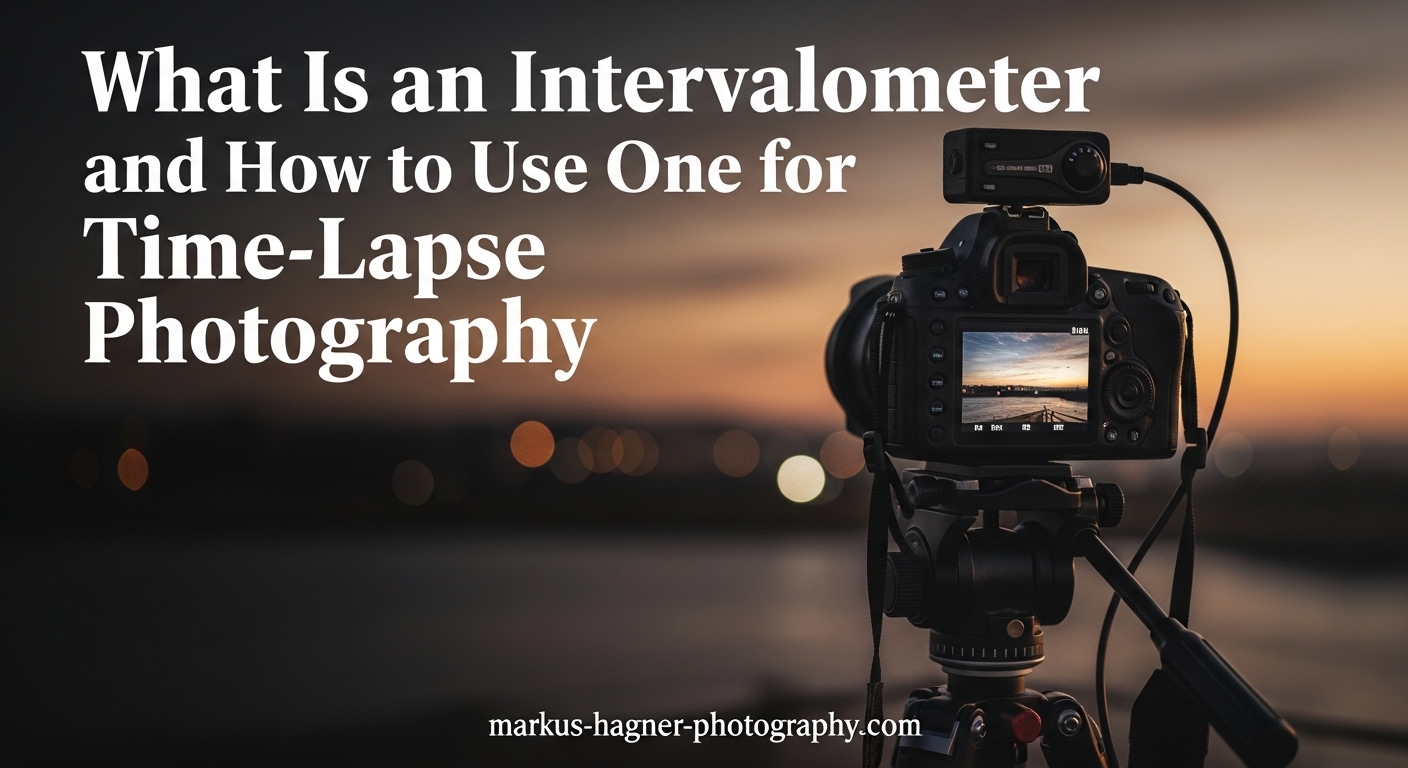
Ever watched a stunning time-lapse video and wondered how photographers capture hundreds of perfectly timed shots without touching their camera? The secret is an intervalometer. This essential photography accessory automates your shutter release, firing your camera at precise intervals you define. Whether you want to capture clouds drifting across a landscape, stars rotating around the North Star, or a flower blooming over hours, an intervalometer makes it possible.
In this guide, I will explain exactly what an intervalometer is, how it works, and when you need one. I will also walk you through setting one up step by step, share recommended intervals for different subjects, and help you choose the right type for your photography needs.
What Is an Intervalometer
An intervalometer is a photography accessory that acts as a precise timer for your camera’s shutter release. Instead of pressing the shutter button manually, you program the intervalometer to trigger shots automatically at set time intervals. Think of it as a remote control that works on autopilot, firing your camera every few seconds, minutes, or even hours depending on what you’re photographing.
Most intervalometers connect to your camera through a dedicated port, usually located on the side of DSLR and mirrorless bodies. Once connected, you can program several key settings: when shooting should begin (delay timer), how long to wait between each shot (interval), how long each exposure lasts (especially useful for bulb mode), and how many total frames to capture. Some advanced models even handle exposure ramping, gradually adjusting exposure settings during day-to-night transitions.
Why Photographers Need Intervalometers
The main reason photographers use intervalometers is consistency. When you press the shutter manually, even with the gentlest touch, you introduce camera shake. For long exposures measured in seconds or minutes, this shake ruins images. An intervalometer eliminates physical contact with the camera during shooting, ensuring sharp results.
Beyond shake reduction, intervalometers solve a practical problem: they save you from standing beside your camera for hours. A typical Milky Way time-lapse might require 300 shots at 25-second intervals. That is over two hours of shooting. With an intervalometer, you set the parameters once and let the device handle the repetitive work. This frees you to rest, scout additional locations, or even sleep during overnight astrophotography sessions.
Intervalometers also enable creative techniques impossible with manual shooting. Star trail photography requires dozens of consecutive long exposures that you later stack in software. Time-lapse sequences demand hundreds of evenly spaced frames. Neither technique works reliably without automated triggering.
Types of Intervalometers
Not all intervalometers work the same way. Understanding the different types helps you choose the right tool for your specific needs and budget.
Built-In Camera Intervalometers
Many modern DSLR and mirrorless cameras include intervalometer functionality directly in their firmware. Canon, Nikon, Sony, and Fujifilm models often feature this capability in their shooting menus. If your camera has a time-lapse movie mode or interval timer shooting option, you already own a basic intervalometer.
The advantage of built-in intervalometers is obvious: no extra cost or equipment to carry. Everything integrates seamlessly with your camera’s existing controls and power system. However, built-in options have limitations. They typically offer fewer customization options than external devices. Some cameras restrict the minimum interval or lack bulb mode support for exposures longer than 30 seconds. Battery drain can also be significant since the camera remains fully powered throughout long sequences.
External Wired Intervalometers
External wired intervalometers plug into your camera’s remote shutter port via a cable. These dedicated devices range from basic models costing under thirty dollars to advanced units with backlit displays, exposure ramping, and sophisticated programming options. The cable connection ensures reliable communication between the intervalometer and camera, making these devices popular among photographers who value consistency.
Basic wired intervalometers handle the core functions well: setting intervals, delays, shot counts, and long exposures. They run on small batteries (typically AAA or button cells) that last for extended shoots. The main drawback is the physical tether between you and your camera. If you want to trigger shots while standing away from your tripod, a wired unit keeps you connected.
One practical tip many photographers appreciate: choose an intervalometer with a replaceable cable. Camera manufacturers use different port designs, and if you upgrade your body later, swapping just the cable costs far less than buying an entirely new intervalometer.
Wireless Intervalometers
Wireless intervalometers use radio frequency or Bluetooth technology to trigger your camera without cables. Radio-based units typically offer ranges up to 100 meters, while Bluetooth versions usually work within 10 to 30 meters depending on conditions. This freedom allows you to trigger shots from a distance, useful for wildlife photography or situations where you cannot stand near your equipment.
The trade-off with wireless units is reliability. Radio signals can experience interference, and Bluetooth connections sometimes drop unexpectedly. Battery management becomes more complex since both the transmitter and receiver need power. Photographers shooting critical sequences often prefer wired connections for their dependability, but wireless options work well for many applications.
Smartphone Apps
Several smartphone apps transform your phone into an intervalometer when paired with your camera via Wi-Fi or Bluetooth. Canon’s Camera Connect, Sony’s Imaging Edge, and third-party apps like TriggerTrap (when paired with a dedicated cable) offer intervalometer functionality. For photographers who already carry a smartphone, this approach eliminates yet another device from your bag.
However, smartphone apps have significant limitations. Connection reliability varies, especially during long sequences where the app might lose pairing mid-shoot. Battery drain on your phone can be substantial. Background operation restrictions on some operating systems may interrupt shooting. Most experienced photographers consider apps a backup option rather than their primary intervalometer for important shoots.
Key Features to Understand
Regardless of which type you choose, all intervalometers share several core features. Understanding these settings helps you configure your device correctly for any shooting situation.
Interval Setting
The interval is the time between the start of one shot and the start of the next. This is not the same as the time between shots, because your exposure time affects the calculation. If your interval is set to 10 seconds and your exposure is 4 seconds, you have 6 seconds of idle time between frames. For time-lapse photography, choosing the right interval dramatically affects how motion appears in your final video.
Delay Timer
The delay timer determines how long to wait before the sequence begins. This feature serves several purposes. You might set a 10-second delay to give yourself time to walk away from the camera, avoiding vibrations from your footsteps. For astrophotography, a delay ensures complete darkness adaptation. Some photographers use delays to start shooting at a specific time, like the beginning of golden hour.
Number of Shots
This setting controls how many frames your intervalometer captures before stopping. For time-lapse video, you can calculate the required frames based on your desired video length and frame rate. A 10-second video at 24 frames per second requires 240 shots. Setting this parameter prevents your memory card from filling up during unattended shoots.
Long Exposure and Bulb Mode
Most cameras limit manual exposures to 30 seconds. For longer exposures, you switch to bulb mode, where the shutter stays open as long as you hold the button. Intervalometers with bulb mode support can hold the shutter open for any duration you specify, making them essential for astrophotography and creative long-exposure work. Look for this feature if you plan to photograph star trails or light painting.
Exposure Ramping
Advanced intervalometers offer exposure ramping, a feature that gradually adjusts exposure settings during a sequence. This capability matters enormously for day-to-night time-lapses where lighting conditions change continuously. Without exposure ramping, your footage will flicker or jump abruptly when light levels shift. Basic intervalometers lack this feature, so consider whether day-to-night work is part of your plans before purchasing.
When to Use an Intervalometer?
Intervalometers excel in specific photography scenarios where manual shooting becomes impractical or impossible. Here are the primary use cases.
Time-Lapse Photography
Time-lapse photography compresses slow-moving events into videos that appear dramatically accelerated. Clouds drifting across the sky, a sunset developing over an hour, or traffic flowing through a city all become dynamic footage when played back at normal video speeds. An intervalometer captures the hundreds of individual frames needed for smooth time-lapse sequences.
The key to compelling time-lapse is choosing appropriate intervals for your subject. Fast-moving subjects like pedestrians require shorter intervals (1-2 seconds), while slow subjects like cloud formations work well with longer intervals (5-10 seconds). I will share specific recommendations for different subjects later in this guide.
Astrophotography and Star Trails
Astrophotography demands intervalometers more than almost any other genre. Photographing the Milky Way typically requires 20-30 second exposures at high ISO settings, and capturing enough frames for a time-lapse means shooting continuously for hours. Manual triggering is simply impractical.
Star trail photography uses a different technique: capturing multiple consecutive exposures of the night sky, then stacking them in software to show stars as curved trails. This approach requires precise timing and consistent intervals that only an intervalometer can deliver. Many astrophotographers shoot 100 to 200 frames at 30-second intervals, creating dramatic circular patterns around Polaris.
One critical consideration for astrophotography: your interval must account for exposure time plus a buffer. If you expose for 25 seconds, set your interval to at least 28 seconds to give your camera time to write each file to the memory card. Insufficient buffer time causes missed shots and gaps in your final footage.
Long Exposure Photography
Long exposure photography benefits from intervalometers even when you only need a single frame. Exposures lasting several minutes introduce camera shake when you press the shutter, and even vibrations from your hand lifting off the button can blur the image. An intervalometer triggers the exposure without physical contact.
Bulb mode support becomes essential here. Many landscape photographers use 2 to 4-minute exposures to smooth water, blur clouds, and eliminate moving people from busy scenes. Without an intervalometer, you would need to hold the shutter button manually for the entire duration, an uncomfortable and unreliable approach.
Studio Photography
Studio photographers use intervalometers for hands-free operation during product photography and portraits. When shooting products, you might arrange items, trigger the shutter remotely, and review results without constantly moving back to the camera. Some portrait photographers use intervalometers for self-portraits or when directing subjects from a distance.
Focus stacking, a technique where multiple images at different focus points are combined for extended depth of field, also benefits from intervalometer control. The device ensures consistent timing between frames as you adjust focus through the sequence.
How to Set Up and Use an Intervalometer In 2026?
Setting up an intervalometer requires attention to several steps. Follow this process to configure your device correctly.
Step 1: Connect the Intervalometer to Your Camera
Locate the remote shutter port on your camera body, usually found on the side behind a small rubber flap. Insert the intervalometer cable firmly but gently. Most ports use a 2.5mm or 3.5mm connector, though some cameras use proprietary designs. Ensure the connection is secure before proceeding.
Step 2: Prepare Your Camera Settings
Switch your camera to manual mode (M) for full control over exposure settings. Manual mode ensures your exposure remains consistent throughout the sequence, preventing flicker in time-lapse footage. Set your aperture, shutter speed, and ISO based on your subject and lighting conditions. For bulb exposures longer than 30 seconds, rotate your shutter speed dial to the bulb (BULB) position.
Disable any automatic power-saving features that might shut down your camera mid-sequence. Turn off image review to conserve battery. If your camera has long exposure noise reduction, consider whether you want it enabled. This feature doubles your shooting time by taking a dark frame after each exposure, which can disrupt interval timing for short intervals.
Step 3: Set the Interval
On your intervalometer, navigate to the interval setting. Enter the time between shot starts based on your subject and exposure time. Remember: your interval must be longer than your exposure time plus a buffer for the camera to process and save each image. For a 4-second exposure, set your interval to at least 6 seconds.
Here is a quick calculation example: If you want to capture a sunset lasting 90 minutes and create a 15-second video at 24fps, you need 360 frames total. Dividing 90 minutes (5,400 seconds) by 360 frames gives you a 15-second interval.
Step 4: Set the Frame Count
Enter the total number of shots you want to capture. Most intervalometers allow you to set a specific number or choose unlimited shooting (designated by — or 00 depending on the brand). For calculated sequences, enter your exact frame count. For open-ended shoots where you will stop the sequence manually, select unlimited.
Step 5: Set the Delay (Optional)
If you want time to walk away from the camera or wait for specific conditions, set a delay timer. This tells the intervalometer how many seconds to wait before starting the first shot. A 10-second delay is usually sufficient to clear the area and prevent footstep vibrations.
Step 6: Start the Sequence
Press the start button on your intervalometer. If you set a delay, the countdown begins immediately. Otherwise, the first shot triggers right away. Your intervalometer will display the remaining shots and time, depending on the model. Walk away from your camera and let the device handle the work.
Step 7: Monitor Progress Periodically
For long sequences, check your camera occasionally without touching it. Verify that shots are being captured (your camera’s card access light should blink at each interval). Watch for any error messages on the intervalometer display. If something goes wrong, you can stop the sequence and troubleshoot rather than losing hours of potential shooting time.
How to Choose the Right Intervalometer In 2026?
Selecting an intervalometer involves matching features to your specific photography needs and budget. Consider these factors.
Camera Compatibility
The most critical factor is compatibility with your camera model. Different manufacturers use different connector types and communication protocols. Canon uses N3 or E3 connectors depending on the model series. Nikon uses proprietary ports that vary between consumer and professional bodies. Sony, Fujifilm, and other brands have their own designs. Verify that any intervalometer you consider explicitly lists your camera model as compatible.
Third-party intervalometers often support multiple camera brands through interchangeable cables. If you shoot with multiple camera systems, this flexibility adds significant value.
Feature Requirements
Match features to your intended use. Basic time-lapse of landscapes and cityscapes requires only interval, delay, and shot count settings. Astrophotography demands bulb mode support for exposures exceeding 30 seconds. Day-to-night time-lapse sequences benefit enormously from exposure ramping, though this feature appears only on premium models.
Consider display quality as well. Backlit displays help enormously during night shoots when you cannot see standard LCD screens. Large, clear displays with intuitive menu systems reduce frustration when configuring settings in the field.
Budget Considerations
Basic wired intervalometers from brands like Neewer, Pixel, and Vello cost between twenty and fifty dollars. These budget options handle core functions reliably and work well for most photographers. Mid-range units from forty to one hundred dollars add better build quality, backlit displays, and sometimes exposure ramping. Professional-grade intervalometers from camera manufacturers or specialized brands like MIOPS cost one hundred fifty dollars and up, offering advanced features, superior reliability, and robust construction.
For beginners, I recommend starting with an inexpensive wired model. You can always upgrade later if you develop specific needs that basic units cannot address.
Build Quality and Reliability
Read user reviews before purchasing, paying attention to reports of devices stopping mid-sequence, inaccurate timing, or poor battery life. Forum discussions reveal that even cheap intervalometers often perform reliably, but quality varies between brands and individual units. A slightly more expensive model from a reputable brand typically offers better quality control.
Recommended Intervals for Different Subjects
Choosing the right interval dramatically affects how motion appears in your final time-lapse. Here are recommended starting points for common subjects.
Fast-moving clouds: 1 to 3 seconds. Captures smooth motion without excessive frames.
Slow-moving clouds: 5 to 10 seconds. Reduces file count while maintaining fluid motion.
Sunrise or sunset: 3 to 5 seconds. Captures rapid light changes smoothly.
City traffic (pedestrians): 1 to 2 seconds. People move quickly and require short intervals.
City traffic (vehicles): 2 to 4 seconds. Cars create light trails at night with longer intervals.
Star trails: 25 to 30 seconds. Match your exposure time with minimal buffer.
Milky Way time-lapse: 30 to 35 seconds. Allows 25-second exposures plus processing time.
Construction projects: 10 to 30 minutes. Long intervals compress months of work into short videos.
Plants blooming: 5 to 15 minutes. Depends on how quickly the flower opens.
Ice melting: 30 seconds to 2 minutes. Faster intervals capture gradual changes smoothly.
These recommendations serve as starting points. Experiment with different intervals to achieve the motion speed you want in your final footage.
Understanding Time-Lapse Calculations
Many photographers find time-lapse math confusing at first. Here is how to calculate the numbers you need.
Frames Needed for Video Length
To determine how many frames you need, multiply your desired video length (in seconds) by your frame rate. Standard video is 24 or 30 frames per second. A 10-second video at 24fps requires 240 frames. A 30-second video at 30fps requires 900 frames.
Total Shoot Time
To calculate how long your shoot will take, multiply your interval by your total frame count. If you shoot 240 frames at 10-second intervals, your total shoot time is 2,400 seconds, or 40 minutes. Remember to account for exposure time if it significantly affects your interval.
Playback Speed
Understanding playback speed helps you plan intervals. If you shoot one frame every 5 seconds for an hour (720 frames) and play back at 24fps, your video will be 30 seconds long. The real-time hour compresses to 30 seconds, a 120x speed increase. Adjust your interval based on how much acceleration you want.
Frequently Asked Questions
What is an intervalometer in photography?
An intervalometer is a photography accessory that automates your camera’s shutter release by triggering shots at precise, regular intervals you program. It connects to your camera and fires the shutter automatically, eliminating the need to press the button manually for each shot.
How do I set up an intervalometer for time-lapse photography?
Connect the intervalometer to your camera’s remote shutter port. Set your camera to manual mode with fixed exposure settings. On the intervalometer, enter your interval (time between shots), frame count (total shots needed), and optional delay. Press start to begin the sequence. The device handles all triggering automatically.
What’s a good interval for timelapse?
The ideal interval depends on your subject speed. Fast-moving subjects like pedestrians need 1-2 seconds. Clouds typically work well at 3-10 seconds depending on wind speed. Astrophotography requires 25-35 seconds to accommodate long exposures. Slow subjects like construction can use 10-30 minute intervals.
How many minutes is 20 seconds in time-lapse?
This depends on your interval and playback frame rate. If you shoot one frame every 20 seconds and play back at 24fps, each second of video represents 480 seconds (8 minutes) of real time. A 10-second video would compress 80 minutes of shooting into a short clip.
Conclusion
An intervalometer transforms how you approach time-lapse photography, astrophotography, and long exposure work. This relatively inexpensive accessory eliminates camera shake, automates repetitive shooting, and enables creative techniques impossible with manual triggering alone. Whether you choose a basic wired model, a wireless unit for remote operation, or simply explore your camera’s built-in intervalometer features, adding this tool to your kit opens new creative possibilities.
Start by experimenting with your current camera’s built-in features if available. If not, an affordable third-party intervalometer provides all the core functionality most photographers need. As you develop your skills and tackle more complex projects like day-to-night transitions, you can explore advanced models with exposure ramping and other professional features. The key is to start shooting time-lapses and learning what works for your style and subjects.