
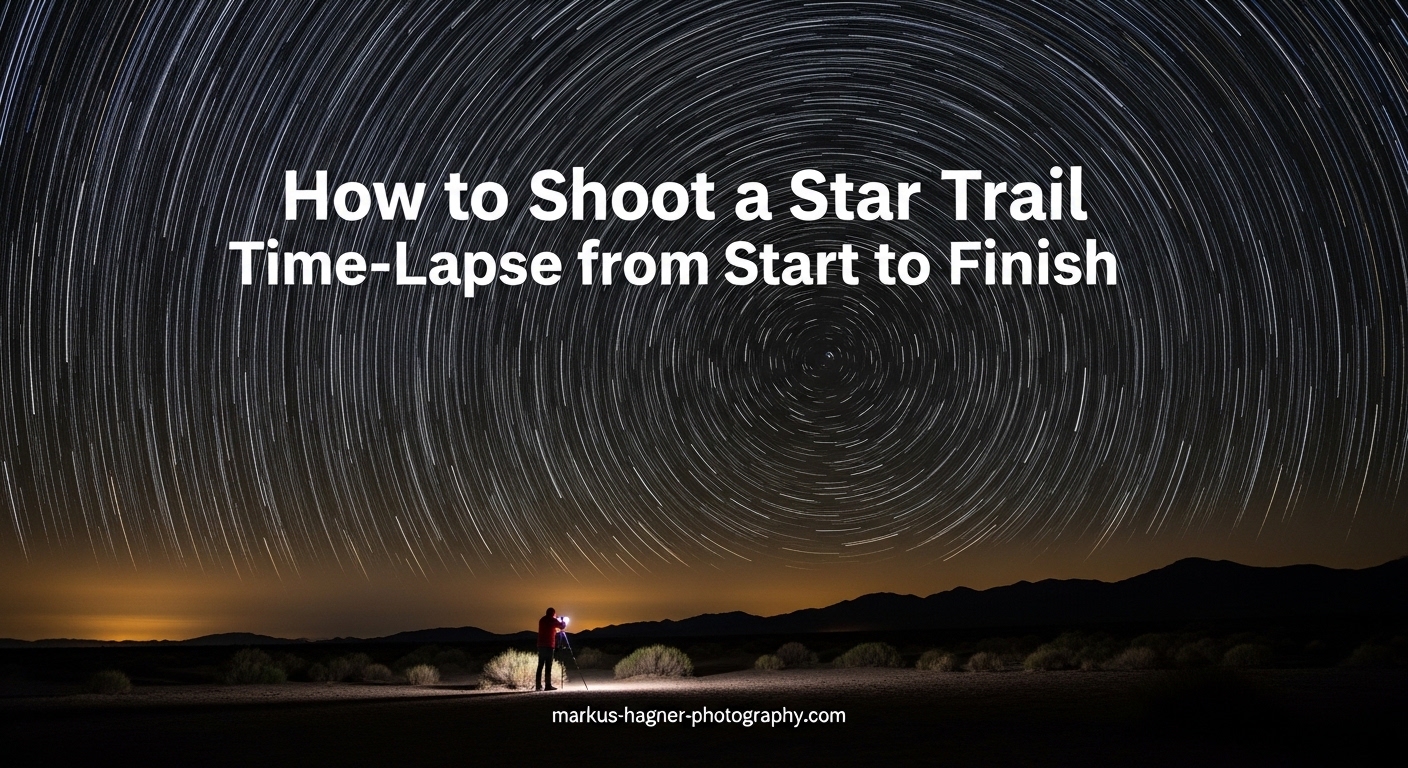
Creating a star trail time-lapse is one of the most rewarding techniques in astrophotography. You capture the Earth’s rotation by photographing stars as they move across the night sky, creating stunning streaks of light. This guide walks you through the complete process, from selecting the right equipment to producing a polished final video. Whether you want a single stacked image or a full motion time-lapse, you will learn everything needed to shoot a star trail time-lapse from start to finish.
I have spent countless nights under dark skies perfecting this technique, and I can tell you that the results are absolutely worth the effort. There is something magical about watching hours of celestial movement compressed into seconds of video.
What Equipment Do You Need for Star Trail Photography?
The right gear makes star trail photography significantly easier. You do not need the most expensive equipment, but certain items are essential for success.
Camera Requirements
Any DSLR or mirrorless camera with manual mode will work for star trail photography. Full-frame cameras perform better in low light and produce less noise at high ISO values, but crop-sensor cameras can still produce excellent results. The key features you need are manual exposure control, bulb mode for long exposures, and RAW file capture.
Your camera should have good high-ISO performance since night photography pushes sensors to their limits. Most modern cameras from the past several years handle this well. I have used everything from entry-level DSLRs to professional mirrorless bodies, and the technique remains the same.
Lens Recommendations
A wide-angle lens with a fast aperture is ideal for star trail photography. Look for focal lengths between 14mm and 24mm on full-frame cameras, or 10mm to 16mm on crop sensors. These wide fields of view capture more sky and create dramatic compositions.
Fast aperture matters because it lets in more light. An f/2.8 lens is excellent, while f/4 can work if you compensate with longer exposures or higher ISO. Prime lenses often offer wider apertures than zooms at lower price points. A 14mm f/2.8 or 24mm f/1.4 are popular choices among astrophotographers.
Essential Accessories
A sturdy tripod is non-negotiable. Your camera must remain perfectly still for hours, and any movement will ruin your sequence. Look for a tripod that can handle wind and uneven ground. Carbon fiber tripods dampen vibrations better than aluminum.
An intervalometer is crucial for automated shooting. This device triggers your camera at set intervals, allowing you to capture hundreds of frames without touching the shutter. Many cameras have built-in intervalometers, but external units offer more control and longer battery life. You can also use smartphone apps that connect via Bluetooth or Wi-Fi.
A remote shutter release works for single long exposures but lacks interval timing. For time-lapse work, the intervalometer is the better investment.
Helpful Extras
Battery life becomes critical during long shoots. A battery grip doubles your shooting time, or bring fully charged spare batteries. Cold night temperatures drain batteries faster, so keep spares warm in your pockets.
Dew formation on your lens can ruin an entire shoot. A dew heater or hand warmers rubber-banded to your lens barrel prevent condensation. This simple addition has saved many of my sessions when humidity rises after midnight.
Large, fast memory cards prevent buffer issues. Look for cards with at least 64GB capacity and fast write speeds. Shooting RAW files at 30-second intervals generates significant data over several hours.
Planning Your Star Trail Shoot
Successful star trail photography starts before you even set up your camera. Location, timing, and weather all play crucial roles in the final result.
Finding Dark Sky Locations
Light pollution is your enemy. Cities and towns wash out the faint stars that create beautiful trails. Use light pollution maps to find dark locations within driving distance. Dark sky preserves and national parks often provide excellent conditions.
You can still shoot star trails near urban areas by pointing your camera away from the light source. The stars will appear dimmer, but trails will still form. I have captured decent results from suburban locations by shooting toward the darker portions of sky.
Weather and Moon Phase Considerations
Clear skies are essential. Check weather forecasts for cloud cover, but also look for humidity levels and temperature drops. Rapidly cooling air increases dew risk. Apps like Clear Outside provide detailed astronomy-focused weather data.
The moon phase dramatically affects your results. A new moon provides the darkest skies and most visible stars. A quarter moon can add interesting foreground illumination but will wash out fainter stars. Full moons make star trail photography nearly impossible as the sky becomes too bright.
Plan your shoots around the new moon phase for best results. The week before and after new moon offers good conditions.
Determining Celestial Pole Position
The direction you face determines your star trail pattern. Pointing your camera at the celestial pole creates circular trails. In the Northern Hemisphere, find Polaris (the North Star) and compose your shot with it near the center. The stars will appear to rotate around this point.
In the Southern Hemisphere, locate the South Celestial Pole near the Southern Cross constellation. Apps like PhotoPills or SkyView help identify these positions quickly.
Pointing away from the celestial pole creates straight or curved streaks across your frame. These can look equally dramatic, especially when combined with interesting foreground elements like mountains or trees.
Composition Planning
Strong compositions elevate star trail images from snapshots to art. Scout your location during daylight to identify interesting foreground elements. Trees, rock formations, abandoned buildings, and water features all add visual interest.
Consider the rule of thirds when placing your celestial center point. A centered circle of stars can feel static, while off-center placement creates more dynamic compositions. Think about how the trails will lead the viewer’s eye through the frame.
Two Methods for Shooting Star Trails
There are two primary approaches to capturing star trails: a single very long exposure or stacking multiple shorter exposures. Each method has distinct advantages and limitations.
Method 1: Single Long Exposure
The traditional approach uses one continuous exposure lasting from several minutes to hours. You set your camera to bulb mode, lock the shutter open, and wait. The cumulative light creates continuous trails in a single frame.
This method sounds simpler but comes with significant drawbacks. Sensor noise increases dramatically with exposure length. Hot pixels appear as bright colored dots scattered across your image. Any interruption ends your shoot with nothing to show for it.
I only recommend single long exposures for shorter trails under 30 minutes when you want a quick result without post-processing.
Method 2: Image Stacking (Recommended)
The modern approach captures many shorter exposures and combines them during post-processing. Each frame might be 15 to 30 seconds, and you shoot continuously for hours. Software then stacks these images, creating cumulative trails.
This method offers several advantages. Sensor noise remains manageable because individual exposures stay short. You can remove frames with airplanes, satellites, or other unwanted elements. If your battery dies or clouds roll in, you still have all the frames captured up to that point.
Most astrophotographers prefer stacking for its flexibility and superior noise characteristics. The post-processing step adds time, but the results justify the effort.
Method Comparison
Consider these factors when choosing your approach. Single exposures require less storage and no post-processing but produce more noise and offer no safety margin. Stacking requires more storage and processing time but delivers cleaner results with greater flexibility.
For time-lapse video creation, stacking is essentially required. You need the individual frames to create motion, then stack subsets for trail effects within your video sequence.
Star Trail Camera Settings Explained
Getting your camera settings right is crucial for capturing clean, detailed star trails. Let me break down each component of the exposure triangle as it applies to night photography.
Understanding the 500 Rule
The 500 Rule helps you calculate the maximum shutter speed before stars begin to trail in individual frames. The formula divides 500 by your effective focal length. For a 20mm lens on a full-frame camera: 500 / 20 = 25 seconds maximum exposure.
Crop sensor cameras require an additional calculation. Multiply your focal length by the crop factor first. A 20mm lens on a 1.5x crop sensor becomes effectively 30mm, so 500 / 30 = 16 seconds maximum.
For star trail stacking, you can actually exceed the 500 Rule because trailing in individual frames disappears when stacked. However, staying within the rule keeps stars as points in each frame, giving you more creative options during processing.
ISO Settings for Night Photography
ISO controls your sensor’s sensitivity to light. Higher ISO values brighten your image but also increase noise. The ideal ISO depends on your camera’s performance characteristics.
Most full-frame cameras perform well between ISO 1600 and 6400 for star photography. Crop sensors typically work best between ISO 800 and 3200. Start at ISO 3200 and adjust based on your test shots.
Underexposing and brightening later in post-processing often produces cleaner results than using extremely high ISO values. Shoot some test frames and examine the noise levels at 100% magnification.
Aperture Recommendations
Use your lens’s widest aperture to gather maximum light. An f/2.8 lens should shoot at f/2.8. This shallow depth of field is not a concern since stars are effectively at infinity focus.
Some lenses perform better when stopped down slightly. An f/1.4 lens might produce sharper stars at f/2 due to reduced aberrations. Test your specific lens to find its sweet spot.
Shutter Speed Calculations
Your shutter speed depends on your chosen method. For stacking, exposures between 15 and 30 seconds work well. Longer exposures capture more light but increase the risk of overexposing bright stars or light pollution.
For single long exposures, start with 30 minutes and adjust based on your ambient light conditions. Very dark skies can support exposures of an hour or more. Lighter skies require shorter times to avoid washing out.
Focus Techniques for Night Shooting
Focusing at night challenges every photographer. Autofocus fails in darkness, so manual focus is required. Here are reliable techniques.
Live view magnification works well. Point your camera at a bright star, enable live view, and magnify the display. Manually adjust focus until the star appears as a sharp point rather than a soft blob.
Another approach focuses during daylight. Focus on a distant object using autofocus, then switch to manual focus and tape the focus ring in place. Some lenses have infinity marks, but these are often slightly inaccurate.
Once focused, be careful not to bump your lens. A slight focus shift ruins an entire night’s shooting. I mark my focus position with a small piece of tape as insurance.
Settings Quick Reference
Here are starting points for typical conditions. For dark skies with a full-frame camera and f/2.8 lens: ISO 3200, 25 seconds, f/2.8. For light pollution areas: ISO 1600, 15 seconds, f/2.8. For crop sensors in dark skies: ISO 1600-3200, 20 seconds, wide open.
Shoot in RAW format exclusively. RAW files contain significantly more data for post-processing adjustments. White balance can be set to daylight or auto and adjusted later.
How to Calculate Intervals for Star Trail Time-Lapse In 2026?
Creating smooth time-lapse video requires understanding frame rates and interval timing. Let me explain the mathematics behind professional-looking results.
Interval Calculation Formula
Your interval is the time between the start of each exposure. For continuous shooting, set your interval equal to your shutter speed plus any buffer time your camera needs. With 25-second exposures, use a 26 or 27-second interval to ensure the camera is ready for each frame.
Some intervalometers express this as the gap between shots. Others measure from the start of one shot to the start of the next. Check your specific device’s documentation.
Frame Rate Considerations
Video playback speed affects how many frames you need. At 24 frames per second, one second of video requires 24 individual photographs. At 30fps, you need 30 frames per second of output.
For a 10-second time-lapse at 25fps, you need 250 frames. At 30-second intervals between shots, capturing 250 frames takes about 2 hours. Double that for a 20-second video.
Choose your target video length first, then calculate how many frames and shooting time are required. This planning prevents disappointment when you realize your shoot was too short.
How Long to Shoot for Desired Trail Length
The length of your star trails depends on total shooting time. Stars move 15 degrees across the sky per hour. For prominent trails visible in your final image, shoot for at least 60 to 90 minutes.
Shorter shoots produce subtle trails. Two to three hours creates dramatic streaks. Four or more hours produces the classic long arcs that make star trail images so striking.
For time-lapse video, your total shooting time also determines video length. A 4-hour shoot at 30-second intervals produces about 480 frames, which becomes roughly 16 seconds of video at 30fps.
Battery and Memory Card Planning
Calculate your resource needs before heading out. Each RAW file might be 25-40MB depending on your camera. Multiply this by your expected frame count to determine storage requirements. A 4-hour shoot producing 480 frames at 30MB each requires about 14GB of storage.
Battery consumption varies by camera, but expect 3-4 hours from a fully charged battery in moderate temperatures. Cold weather significantly reduces battery life. Bring twice the batteries you think you need.
Step-by-Step Shooting Workflow
Now let me walk you through the complete shooting process from setup to completion.
Setting Up Your Equipment
Arrive at your location before complete darkness. Setting up while you can still see is significantly easier. Extend your tripod legs fully and ensure all locks are tight. Mount your camera and attach your intervalometer.
Level your tripod using the built-in bubble level or your camera’s electronic level. A level base makes composition adjustments easier and prevents your camera from slowly tilting during long shoots.
Attach any accessories like dew heaters or battery grips now. Once shooting begins, you want zero disturbances to your setup.
Focusing at Night
After twilight fades, focus your lens using the live view technique described earlier. Find a bright star, magnify to maximum, and adjust until the star appears as a tiny sharp point. Take a test shot and zoom in to verify focus on the LCD.
Once focused, switch your lens to manual focus mode and tape the focus ring. This prevents accidental focus changes during the shoot.
Test Shots and Adjustments
Take several test shots at your planned settings. Review these at 100% magnification on your LCD. Check focus, exposure, and composition. Adjust ISO or shutter speed if images are too dark or too bright.
Look at your histogram. Night sky histograms cluster toward the left side, but you want some data in the mid-tones. A completely black histogram indicates underexposure.
Make any composition tweaks now. Ensure your horizon is level and foreground elements are positioned well.
Running the Sequence
Program your intervalometer with your chosen interval and set it to run continuously. Most devices allow you to set a total shot count or run until manually stopped. Set a high count or infinite mode.
Start your sequence and step away from the camera. Avoid touching the tripod or walking heavily nearby, as vibrations can blur images. If possible, use a remote start to avoid any contact.
Monitor your first few shots to confirm everything works correctly. After that, you can relax and enjoy the night sky while your camera does the work.
Post-Processing Star Trails and Creating Time-Lapse Video
The magic happens in post-processing. This is where your individual frames become stunning star trail images or smooth time-lapse videos.
Stacking Images with StarStaX
StarStaX is a free, popular tool for creating star trail images from stacked frames. Download and install the software, then import your image sequence. The interface is straightforward and works on both Windows and Mac.
Load all your frames into StarStaX using the File menu. The software supports JPEG and some RAW formats, though converting to JPEG first often speeds processing. Apply gap-filling mode to eliminate small spaces between trail segments.
Choose your blending mode. Lighten mode shows the brightest pixel from each frame, creating cumulative trails. Other modes produce different effects worth experimenting with. Click Process and watch your trails appear.
The gap-filling feature is particularly useful. Even with continuous shooting, small gaps can appear due to camera processing time. Gap-filling connects these breaks for smooth, continuous trails.
Creating Time-Lapse Video in Video Editing Software
For actual time-lapse video, you need video editing software. Adobe Premiere Pro, DaVinci Resolve, and Final Cut Pro all handle image sequences well. Free options like DaVinci Resolve work excellently for this purpose.
Import your image sequence as footage rather than individual clips. Most software recognizes numbered sequences and imports them as a single video clip. Set your frame rate to match your intended output, typically 24, 25, or 30fps.
Your sequence now plays as video showing stars moving across the sky. Export at high quality for archival purposes, then create compressed versions for sharing online.
Combining Stacking and Time-Lapse
For creative effects, combine both techniques. Create a time-lapse video, then process portions of your sequence as stacked star trails. Some video editors support lighten blend modes that simulate stacking within the video itself.
LRTimelapse specializes in time-lapse workflows and integrates with Lightroom. It handles deflickering, holy grail transitions (day to night), and advanced editing. The learning curve is steeper but the results can be spectacular.
Deflickering Techniques
Flickering occurs when exposure varies slightly between frames, creating a strobing effect in your video. Most editing software includes deflickering tools that analyze and smooth exposure variations.
Shoot with manual exposure locked to minimize flicker at the source. Small variations still occur due to changing sky conditions or temperature effects on your sensor. Deflickering in post-production smooths these out.
Final Adjustments in Lightroom or Photoshop
After creating your stacked image or video, make final color and tone adjustments. Lightroom works well for batch editing all frames consistently before stacking. Apply the same adjustments to every image in your sequence.
For stacked images, Photoshop offers more control. Adjust contrast to make trails pop against the dark sky. Reduce noise if necessary. Enhance colors subtly, but avoid over-processing that looks unnatural.
Save your final stacked image as a high-quality file for printing or sharing. Export your time-lapse video at appropriate resolution and compression for your intended platform.
Troubleshooting Common Star Trail Problems (2026)
Even experienced astrophotographers encounter issues. Here are solutions to the most common problems.
Gaps in Star Trails
Gaps appear when your interval is longer than your exposure plus processing time. The camera briefly stops capturing between frames, creating breaks in your trails. Minimize this by using intervals just slightly longer than your exposure time.
StarStaX’s gap-filling mode fixes most gaps automatically. For severe gaps, reduce your shutter speed or use a faster memory card that writes images more quickly.
Hot Pixels
Hot pixels appear as bright colored dots in long exposures. They result from sensor heat during extended use. Most cameras have long-exposure noise reduction that takes a dark frame after each exposure and subtracts hot pixels automatically.
This feature doubles your shooting time since every exposure requires a matching dark frame. For stacking, I prefer shooting without noise reduction and removing hot pixels during post-processing. Many stacking programs handle this automatically.
Lens Fogging
Dew formation on your lens ruins shoots, often after you have invested hours of capture time. The lens surface cools below the dew point, and moisture condenses. Use dew heaters or hand warmers attached to your lens barrel to maintain temperature above the dew point.
Monitor your lens periodically throughout the shoot. If fogging occurs, you can sometimes save the situation by gently warming the lens, but prevention is far better than cure.
Battery Dying Mid-Shoot
A dead battery ends your sequence abruptly. Use fresh batteries and monitor their level during long shoots. Battery grips hold two batteries for extended life. In cold weather, keep spare batteries warm in your pocket and swap them before they die completely.
The stacking method protects you from total loss since you retain all frames captured before battery failure. This is another reason stacking beats single long exposures for reliability.
Frequently Asked Questions
What is the 500 rule for star trails?
The 500 Rule calculates the maximum shutter speed before stars begin to trail in your images. Divide 500 by your effective focal length. For a 20mm lens on a full-frame camera: 500 / 20 = 25 seconds. Crop sensors require multiplying focal length by the crop factor first. This rule keeps stars as points in individual frames, which gives you more flexibility during post-processing.
What is the interval for star time-lapse?
Set your interval to match your shutter speed plus a small buffer for processing. With 25-second exposures, use a 26 or 27-second interval. For smooth time-lapse video, calculate total frames needed based on your target frame rate: at 25fps, a 10-second video requires 250 frames, which takes about 2 hours at 30-second intervals.
How do you shoot star time-lapse?
Mount your camera on a sturdy tripod with a wide-angle lens. Focus manually on a bright star using live view magnification. Set ISO 1600-3200, aperture wide open, and shutter speed using the 500 Rule. Program your intervalometer to shoot continuously at your calculated interval. Shoot for at least 60-90 minutes for visible trails. Process frames in software like StarStaX for stacked images or video editors for time-lapse output.
Can you shoot star trails with a smartphone?
Yes, modern smartphones can capture star trails using dedicated apps. Apps like NightCap Camera on iOS or specialized astrophotography apps on Android offer long exposure and interval modes. Some phones like recent Samsung Galaxy models include built-in star trail modes. Use a phone tripod, enable manual controls, set ISO to 800-1600, and shoot exposures of 10-30 seconds. Results will not match a dedicated camera but can be impressive.
Conclusion
Shooting a star trail time-lapse from start to finish requires careful planning, the right equipment, and patience. You have learned how to select locations, calculate intervals, configure your camera settings, and process your images into stunning final products. The stacking method provides the most flexibility and cleanest results for most photographers.
Start with shorter sessions to practice your technique, then work up to longer shoots as you gain confidence. Each night under the stars teaches you something new. The first time you watch your processed time-lapse reveal hours of celestial motion in seconds, you will understand why astrophotographers find this technique so rewarding. Now grab your tripod and head out under dark skies to capture your own star trail time-lapse.