
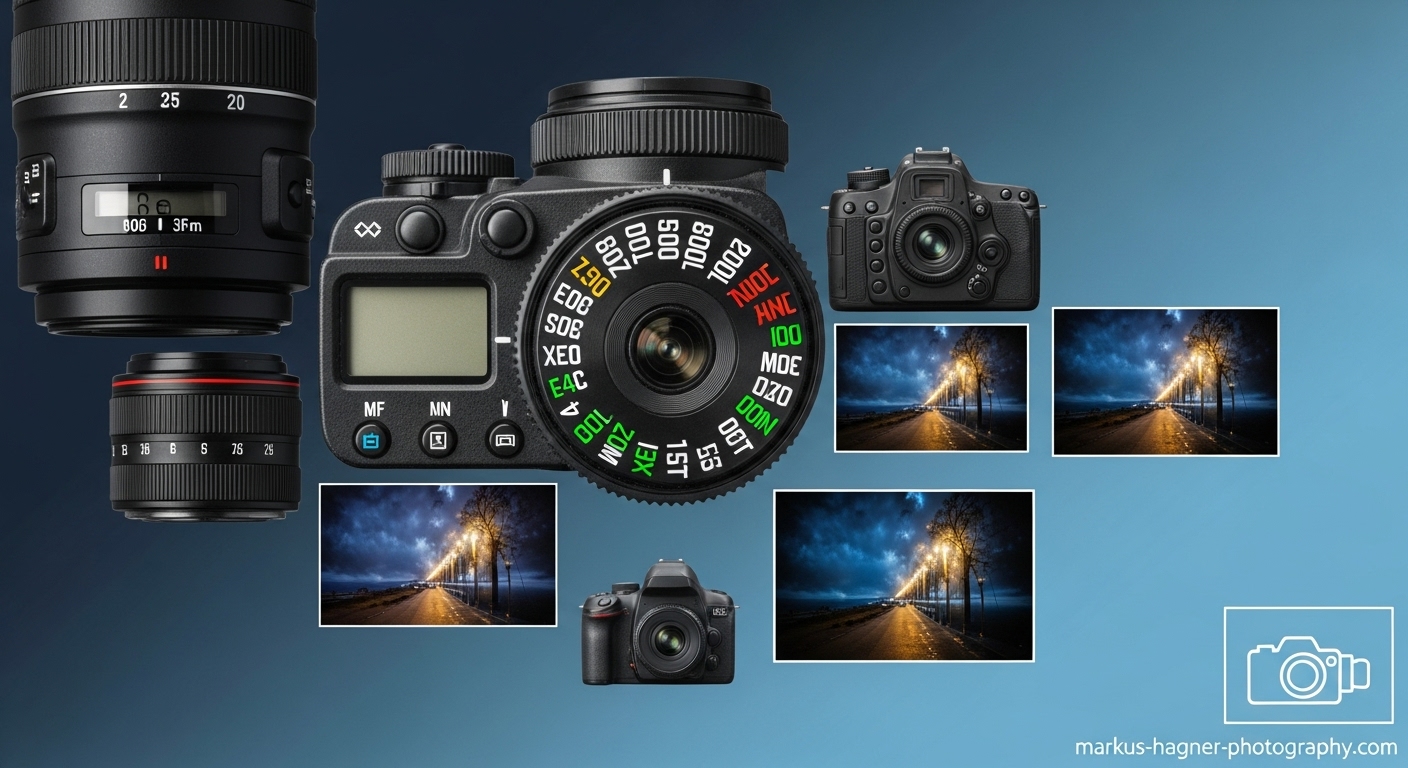
I remember when I first got my DSLR camera – I was so excited to start taking amazing photos, but honestly, I was intimidated by all those confusing letters and symbols on the mode dial. If you’re feeling the same way, don’t worry! I’ve been exactly where you are, and I’m here to help you understand every camera mode so you can take control of your photography journey.
What Are Camera Modes and Why Should You Care?
Camera modes are like different driving modes in a car – they give you varying levels of control over how your camera captures images. Some modes do all the thinking for you (like cruise control), while others let you make every decision (like driving a manual transmission). Understanding these modes is crucial because they directly affect the creative control you have over your photos.
When I first started photography, I stuck to Auto mode for months. I discovered that while Auto mode is great for snapshots, it was holding me back from creating the images I truly envisioned. Once I learned to use different camera modes, my photography improved dramatically – and yours will too!
The Complete Guide to Every DSLR Camera Mode
Let me walk you through every camera mode you’ll find on your DSLR, from the simplest to the most advanced. I’ll explain what each mode does, when to use it, and share my personal experiences with each one.
Auto Mode (The Green Box/Icon)
Auto mode is your camera’s “point and shoot” setting. When you select Auto mode, your camera makes all the decisions for you – it chooses the aperture, shutter speed, ISO, white balance, and even whether to use the flash.
What it does: The camera analyzes the scene and automatically selects what it thinks are the best settings.
When to use it:
- When you’re just starting out and want to get comfortable with your camera
- In situations where you need to capture a moment quickly and don’t have time to adjust settings
- When you’re lending your camera to someone who isn’t familiar with photography
My experience: I used Auto mode exclusively for my first three months of photography. It was great for learning composition and getting comfortable with my camera, but I quickly became frustrated when my photos didn’t look the way I envisioned. The camera would often choose settings that didn’t match my creative vision.
Pros:
- No technical knowledge required
- Great for beginners
- Good for quick snapshots
- Consistent results in good lighting
Cons:
- Limited creative control
- Camera may not interpret scenes correctly
- Can’t achieve specific creative effects like motion blur or shallow depth of field
- Settings can vary wildly between similar shots
Program Mode (P)
Program mode is like Auto mode’s smarter, more flexible cousin. The camera still selects the aperture and shutter speed, but you have the freedom to adjust other settings like ISO, white balance, and exposure compensation.
What it does: The camera chooses aperture and shutter speed, but you control everything else.
When to use it:
- When you want more control than Auto mode but aren’t ready for aperture or shutter priority
- In changing lighting conditions where you need to adjust quickly
- When you want to ensure proper exposure while maintaining creative control over other elements
My experience: Program mode was my stepping stone from Auto to more advanced modes. I discovered that I could adjust the ISO and exposure compensation to get brighter or darker images while still letting the camera handle the basic exposure calculations. This mode helped me understand the relationship between different settings without feeling overwhelmed.
Pros:
- More control than Auto mode
- Faster than full manual mode
- Good for learning about exposure
- Can shoot in RAW format
Cons:
- Still limited control over aperture and shutter speed
- Camera may not always choose the optimal combination
- Can’t achieve specific creative effects as easily
Scene Modes (Portrait, Landscape, Sports, etc.)
Most DSLRs include several scene modes, each optimized for specific types of photography. These are usually represented by icons like a face (portrait), mountains (landscape), or a runner (sports).
What it does: The camera applies preset settings optimized for specific shooting scenarios.
Common scene modes:
- Portrait Mode: Uses wider apertures to blur backgrounds
- Landscape Mode: Uses smaller apertures for sharp focus throughout
- Sports Mode: Uses faster shutter speeds to freeze action
- Macro Mode: Optimized for close-up photography
- Night Mode: Uses slower shutter speeds and higher ISO for low light
When to use them:
- When you’re shooting in specific, predictable situations
- As a learning tool to understand what settings work for different scenarios
- When you want decent results without understanding the technical details
My experience: I experimented with scene modes early in my photography journey. They helped me understand that portraits need different settings than landscapes, but I found them too limiting. The camera’s idea of a “good” portrait didn’t always match my creative vision.
Pros:
- Easy to use
- Optimized for specific situations
- Good learning tool
- Better results than Auto mode in appropriate scenarios
Cons:
- Very limited creative control
- Can’t fine-tune settings
- May disable advanced features
- Results can be inconsistent
Aperture Priority Mode (A or Av)
Aperture Priority mode is where things start getting really interesting! In this mode, you choose the aperture (f-stop), and the camera automatically selects the appropriate shutter speed to achieve proper exposure.
What it does: You control the aperture, the camera controls the shutter speed.
When to use it:
- When depth of field is your primary concern (portraits, product photography)
- In situations where you want consistent background blur
- When lighting conditions are changing but you want to maintain the same aperture
- For most general photography situations
My experience: Aperture Priority mode changed my photography game! I discovered that I could control how much of my image was in focus, which was crucial for the portrait style I was developing. I use this mode for about 80% of my photography now. When I’m shooting portraits, I set a wide aperture (like f/1.8) for that beautiful background blur. For landscapes, I choose a smaller aperture (like f/11) to keep everything sharp.
How to use it:
- Turn your mode dial to A (Nikon) or Av (Canon)
- Set your desired aperture using the command dial
- The camera will automatically select the shutter speed
- Check your shutter speed – if it’s too slow, you may need to increase ISO or use a tripod
Pros:
- Full control over depth of field
- Faster than manual mode
- Great for portraits and creative photography
- Easy to achieve consistent looks
Cons:
- Limited control over motion (shutter speed)
- May result in slow shutter speeds in low light
- Can’t freeze or blur motion intentionally
Shutter Priority Mode (S or Tv)
Shutter Priority mode is the opposite of Aperture Priority. Here, you choose the shutter speed, and the camera selects the appropriate aperture for proper exposure.
What it does: You control the shutter speed, the camera controls the aperture.
When to use it:
- When motion is your primary concern (sports, wildlife, action photography)
- When you want to freeze or intentionally blur motion
- In situations where you need a specific shutter speed for creative effects
- For panning shots or long exposures
My experience: I love Shutter Priority mode for action photography! When I’m shooting sports events or wildlife, being able to control exactly how motion is captured is invaluable. I remember shooting a basketball game where I wanted to freeze the players in mid-air – I set my shutter speed to 1/1000 and let the camera handle the rest. For waterfall photography, I use slower shutter speeds (like 1/2 second) to create that silky water effect.
How to use it:
- Turn your mode dial to S (Nikon) or Tv (Canon)
- Set your desired shutter speed using the command dial
- The camera will automatically select the aperture
- Watch your aperture – if it’s blinking, you may need to adjust ISO
Pros:
- Full control over motion
- Great for action and sports photography
- Easy to achieve creative motion effects
- Faster than manual mode
Cons:
- Limited control over depth of field
- May result in unwanted aperture changes
- Can’t control background blur intentionally
Manual Mode (M)
Manual mode is the ultimate in creative control. You make all the decisions – aperture, shutter speed, and ISO. The camera won’t change anything unless you tell it to.
What it does: You control every aspect of exposure.
When to use it:
- In consistent lighting conditions
- When you need complete control over both aperture and shutter speed
- For studio photography
- When shooting with flash
- For long exposure photography
- When you want consistent exposure across multiple shots
My experience: Manual mode intimidated me for a long time, but once I mastered it, I felt like a true photographer! I use manual mode for studio work, long exposures, and any situation where I need precise control. It took practice, but now I can dial in settings quickly and confidently. The key was learning to read my camera’s light meter and understanding the exposure triangle.
How to use it:
- Turn your mode dial to M
- Set your ISO first (start with ISO 100 in good light)
- Choose your aperture based on desired depth of field
- Adjust your shutter speed until the light meter indicates proper exposure
- Take a test shot and adjust as needed
Pros:
- Complete creative control
- Consistent exposure across multiple shots
- Essential for professional photography
- Best for learning exposure fundamentals
Cons:
- Steeper learning curve
- Slower to use in changing conditions
- Can miss shots while adjusting settings
- Requires solid understanding of exposure
Understanding the Exposure Triangle
Before we dive deeper into specific modes, I need to explain the exposure triangle – it’s the foundation of understanding how camera modes work. The exposure triangle consists of three elements that work together to create a properly exposed image:
Aperture
Aperture is the opening in your lens that lets light pass through. It’s measured in f-stops (f/1.8, f/4, f/11, etc.).
Key points about aperture:
- Lower f-numbers (f/1.8) = wider opening = more light = shallower depth of field
- Higher f-numbers (f/16) = smaller opening = less light = deeper depth of field
- Aperture controls background blur (bokeh)
- Each f-stop change doubles or halves the amount of light
My aperture settings for different scenarios:
- Portraits: f/1.8 to f/2.8 for beautiful background blur
- Landscapes: f/8 to f/16 for sharp focus throughout
- Group photos: f/5.6 to f/8 to keep everyone in focus
- Products: f/4 to f/8 depending on the desired effect
Shutter Speed
Shutter speed is how long your camera’s shutter stays open to let light in. It’s measured in fractions of a second (1/250) or whole seconds (30″).
Key points about shutter speed:
- Faster speeds (1/1000) freeze motion
- Slower speeds (1/30) create motion blur
- Shutter speed controls how movement is captured
- Each stop change doubles or halves the amount of light
My shutter speed guidelines:
- Sports/action: 1/500 or faster to freeze motion
- Portraits: 1/125 to avoid camera shake
- Landscapes: 1/60 or faster (use tripod for slower speeds)
- Long exposures: 1″ to 30″ for creative effects
ISO
ISO is your camera’s sensitivity to light. Lower ISO values mean less sensitivity, higher values mean more sensitivity.
Key points about ISO:
- Lower ISO (100) = less sensitivity = cleaner images
- Higher ISO (3200) = more sensitivity = more grain/noise
- ISO is your last resort for exposure adjustment
- Modern cameras handle high ISO better than older ones
My ISO guidelines:
- Bright daylight: ISO 100-200
- Overcast days: ISO 400-800
- Indoor lighting: ISO 800-1600
- Low light situations: ISO 1600-3200 (if necessary)
Also Read: Sony A7V Rumors
How to Choose the Right Mode for Any Situation
Now that you understand all the modes and the exposure triangle, let me help you choose the right mode for any photography situation you might encounter.
Portrait Photography
Best modes: Aperture Priority or Manual
Why: Portraits are all about controlling depth of field to make your subject stand out from the background.
My approach: I usually shoot portraits in Aperture Priority mode. I set my aperture to f/1.8 or f/2.2 for that beautiful background blur, and let the camera handle the shutter speed. If I’m in a studio with consistent lighting, I’ll switch to Manual mode for complete control.
Recommended settings:
- Aperture: f/1.8 to f/2.8
- Shutter speed: 1/125 or faster (to avoid camera shake)
- ISO: As low as possible (100-400 in good light)
Landscape Photography
Best modes: Aperture Priority or Manual
Why: Landscapes require sharp focus throughout the entire image.
My approach: For landscapes, I use Aperture Priority mode with a smaller aperture (f/8 to f/16) to ensure everything from foreground to background is sharp. I almost always use a tripod for landscape photography, which allows me to use slower shutter speeds when needed.
Recommended settings:
- Aperture: f/8 to f/16
- Shutter speed: Varies (use tripod for slower speeds)
- ISO: 100 (always use the lowest possible)
Sports and Action Photography
Best modes: Shutter Priority or Manual
Why: Action photography is all about freezing motion.
My approach: I prefer Shutter Priority mode for sports photography. I set a fast shutter speed (1/1000 or faster) to freeze the action, and let the camera handle the aperture. In consistent lighting conditions, I might switch to Manual mode.
Recommended settings:
- Shutter speed: 1/500 to 1/2000 (depending on action speed)
- Aperture: As wide as possible (let camera decide in Shutter Priority)
- ISO: Adjust as needed for proper exposure
Low Light Photography
Best modes: Manual or Aperture Priority
Why: Low light situations require careful balance of all exposure settings.
My approach: In low light, I usually use Manual mode. I start by setting my widest aperture, then choose a shutter speed I can handhold (or use a tripod), and finally adjust ISO as needed. If I’m shooting events where lighting changes quickly, I might use Aperture Priority with Auto ISO.
Recommended settings:
- Aperture: Widest possible (f/1.8, f/2.8)
- Shutter speed: 1/60 or faster (or use tripod)
- ISO: Increase as needed (watch for noise)
Street Photography
Best modes: Aperture Priority or Program
Why: Street photography requires quick reactions and consistent settings.
My approach: For street photography, I love Aperture Priority mode. I set my aperture to f/8 for good depth of field, and let the camera handle shutter speed. This gives me consistent results while allowing me to focus on composition and capturing the moment.
Recommended settings:
- Aperture: f/8 to f/11
- Shutter speed: Let camera decide
- ISO: Auto or manually set based on conditions
My Personal Journey Through Camera Modes
I want to share my personal progression through camera modes because it might help you understand your own photography journey:
Month 1-3: Auto mode exclusively. I was learning composition and getting comfortable with my camera.
Month 4-6: Program mode. I started experimenting with exposure compensation and ISO.
Month 7-9: Aperture Priority mode. This was when my photography really started to improve. I discovered the power of controlling depth of field.
Month 10-12: Shutter Priority mode. I began exploring motion and action photography.
Month 13+: Manual mode. I finally felt confident enough to take full control, and I’ve never looked back.
The key insight I want to share is that there’s no “right” way to progress through camera modes. Some photographers jump straight to Manual mode and love it, others prefer Aperture Priority for years. The important thing is to understand what each mode does and choose the one that works best for your style and situation.
Pro Tips for Mastering Camera Modes
After years of shooting and teaching photography, I’ve learned some valuable tips that I want to share with you:
1. Start with Aperture Priority
If you’re new to manual controls, start with Aperture Priority mode. It’s the most intuitive mode for learning about exposure, and it gives you immediate creative control over your images.
2. Learn to Read Your Light Meter
Your camera’s light meter is your best friend. Learn to read it and understand what it’s telling you. In Manual mode, it’s your guide to proper exposure.
3. Use Exposure Compensation
In Aperture and Shutter Priority modes, exposure compensation is your secret weapon. If your images are too dark or too bright, use the +/- button to adjust exposure without changing modes.
4. Shoot in RAW
No matter which mode you use, shoot in RAW format. It gives you much more flexibility in post-processing and can save poorly exposed shots.
5. Practice in Good Light First
Start practicing manual controls in good lighting conditions. It’s much easier to understand exposure when you have plenty of light to work with.
6. Use a Tripod for Slow Shutter Speeds
If you’re using slow shutter speeds (below 1/60), use a tripod. Camera shake will ruin otherwise perfect shots.
7. Don’t Be Afraid to Make Mistakes
Some of my best learning experiences came from making mistakes. Don’t be afraid to experiment and take bad photos – that’s how you improve.
Common Mistakes Beginners Make with Camera Modes
I’ve made all these mistakes myself, so let me help you avoid them:
1. Sticking in Auto Mode Too Long
It’s comfortable, but Auto mode limits your creativity. Challenge yourself to try other modes, even if it feels intimidating at first.
2. Ignoring the Light Meter
In Manual mode, your light meter is crucial. I used to ignore it and guess my settings, which resulted in many poorly exposed images.
3. Using Too High ISO
When I started, I would crank up the ISO instead of using slower shutter speeds or wider apertures. This resulted in noisy, grainy images. Use ISO as your last resort.
4. Forgetting About Motion
I used to focus only on aperture and forget about shutter speed. This resulted in blurry images when I should have been using faster shutter speeds.
5. Not Checking Settings Between Shots
It’s easy to forget to check your settings when moving between different scenes. I’ve ruined many shots by using portrait settings for landscapes or vice versa.
Also Read: Sony ZV-E10 II Rumored Specifications And Price
Advanced Techniques for Each Mode
Once you’re comfortable with the basics, here are some advanced techniques for each mode:
Aperture Priority Advanced Techniques
Focus Stacking: For maximum depth of field, take multiple shots at different apertures and combine them in post-processing.
Bokeh Panorama: Create ultra-shallow depth of field by shooting multiple images with a wide aperture and stitching them together.
Backlighting: Use wide apertures to create beautiful backlighting effects with the sun or other light sources.
Shutter Priority Advanced Techniques
Panning: Follow moving subjects with slower shutter speeds to create motion blur in the background while keeping the subject sharp.
Light Painting: Use very slow shutter speeds (30 seconds or more) and “paint” light into your scene with a flashlight or other light source.
Long Exposure Waterfalls: Use slow shutter speeds (1/2 to 2 seconds) to create that silky water effect in waterfall photography.
Manual Mode Advanced Techniques
Bulb Mode: For exposures longer than 30 seconds, use Bulb mode and a remote shutter release.
HDR Photography: Take multiple exposures at different settings and combine them for high dynamic range images.
Astrophotography: Use manual mode with wide apertures, high ISO, and long exposures for stunning night sky photos.
Camera Modes FAQ
What’s the best camera mode for beginners?
I recommend starting with Aperture Priority mode. It’s intuitive, gives you immediate creative control, and helps you understand the relationship between aperture and exposure. Once you’re comfortable with Aperture Priority, you can explore other modes.
Do professional photographers use Auto mode?
Yes, but rarely. Most professionals use Aperture Priority, Shutter Priority, or Manual mode. However, even pros might use Auto mode in situations where they need to capture a moment quickly and don’t have time to adjust settings.
When should I use Manual mode?
Use Manual mode when you need complete control over both aperture and shutter speed, when shooting in consistent lighting conditions, or when you need consistent exposure across multiple shots (like for panoramas or HDR).
What’s the difference between Aperture Priority and Shutter Priority?
In Aperture Priority (A/Av), you control the aperture and the camera chooses the shutter speed. In Shutter Priority (S/Tv), you control the shutter speed and the camera chooses the aperture. Use Aperture Priority when depth of field is important, and Shutter Priority when motion is important.
How do I know which mode to use?
Ask yourself what’s most important for the shot you want to create:
- If depth of field/background blur is most important → Aperture Priority
- If motion/freeze action is most important → Shutter Priority
- If you need complete control → Manual mode
- If you’re in a hurry or unsure → Auto or Program mode
Can I change modes while shooting?
Absolutely! I change modes frequently during a shoot based on what I’m photographing. For example, I might use Aperture Priority for portraits and switch to Shutter Priority for action shots at the same event.
What mode should I use for low light photography?
For low light, I recommend Manual mode or Aperture Priority with Auto ISO. In Manual mode, you can control all settings precisely. In Aperture Priority with Auto ISO, you set the aperture and let the camera handle shutter speed and ISO.
How long does it take to master camera modes?
It varies, but most people become comfortable with the basic modes within a few months of regular practice. Mastery comes with years of experience, but you can take great photos with just a basic understanding of the modes.
Final Thoughts
Camera modes are tools, not rules. The best mode is the one that helps you create the images you envision. I’ve seen amazing photos taken in Auto mode and terrible photos taken in Manual mode – it’s not about the mode, it’s about understanding how to use it effectively.
My journey through camera modes taught me that photography is a continuous learning process. Even after years of shooting, I’m still discovering new techniques and refining my approach. The key is to stay curious, practice regularly, and don’t be afraid to experiment.
Remember, the goal isn’t to use the most complicated mode – it’s to create beautiful images that tell your story. Whether you’re shooting in Auto, Aperture Priority, or Manual mode, what matters most is your vision and creativity.
Pro Tip: Bookmark this guide ([Ctrl+D] or [Cmd+D]) so you can reference it as you practice with different camera modes. Photography is all about practice, and having this guide handy will help you make the most of your learning journey.
Happy shooting, and I can’t wait to see the amazing images you create!
This guide was last updated in October 2026. For the latest photography tips and tutorials, visit markus-hagner-photography.com regularly.