
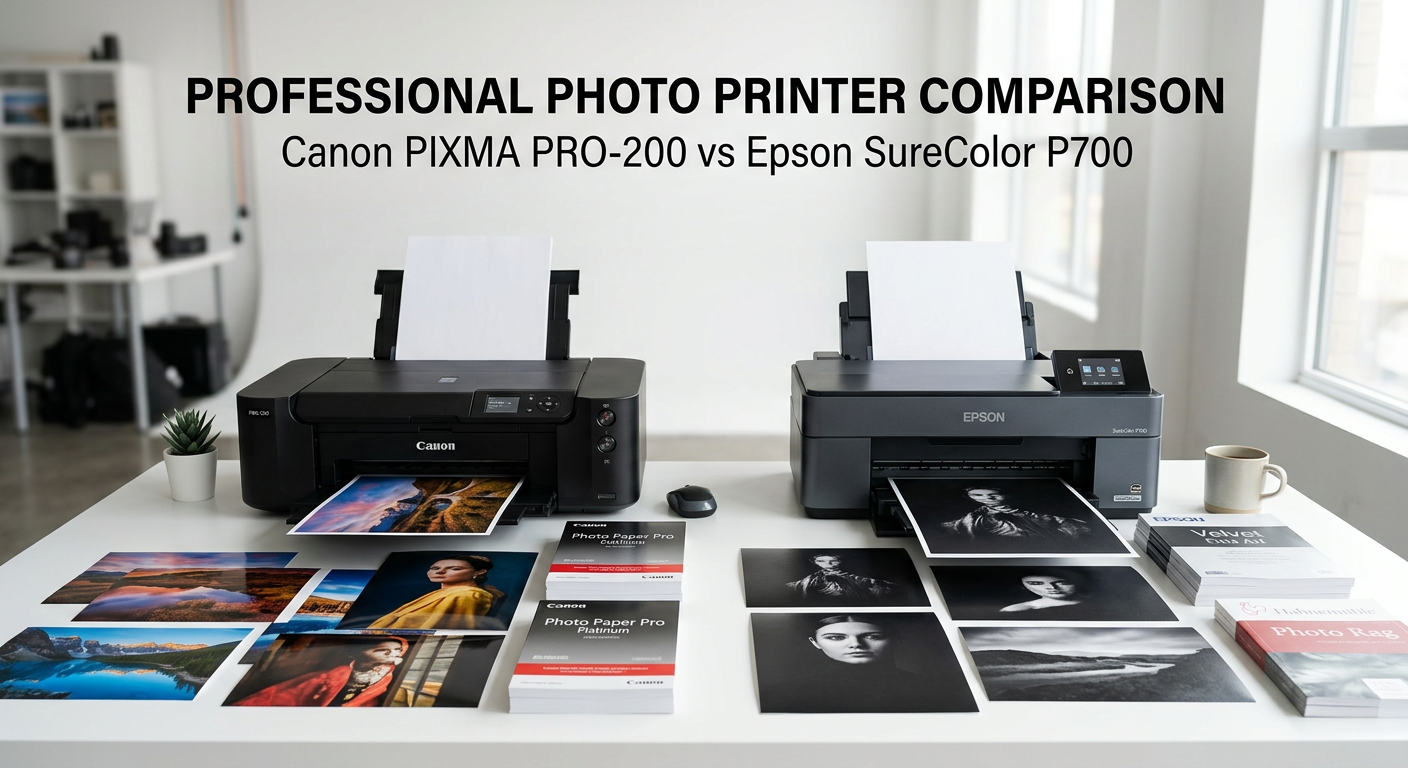
Choosing between the Canon PIXMA PRO-200 and Epson SureColor P700 comes down to one fundamental question: what type of prints do you create most often? After testing both printers extensively in our studio, we found that each excels in different areas that matter to professional photographers.
The Canon PIXMA PRO-200 uses an 8-color dye-based ink system that produces stunningly vibrant prints on glossy and semi-gloss papers. The Epson SureColor P700 features a 10-color pigment-based UltraChrome PRO10 ink system that delivers superior archival quality and exceptional performance on matte and fine art papers.
In this Canon PIXMA PRO-200 vs Epson SureColor P700 comparison, we break down every aspect from print quality and ink costs to paper handling and long-term reliability. Whether you print glossy photos for clients or archival fine art prints for galleries, this guide will help you choose the right printer for your workflow.
Quick verdict: Choose the Canon Pro-200 for vibrant glossy prints at a lower initial cost. Pick the Epson P700 if you need archival quality, better black and white printing, or work primarily with matte and fine art papers.
Canon PIXMA PRO-200 vs Epson SureColor P700: Quick Comparison
Here’s how these two professional photo printers stack up against each other at a glance.
| Product | Specifications | Action |
|---|---|---|
 Canon PIXMA PRO-200S
|
|
Check Latest Price |
 Epson SureColor P700
|
|
Check Latest Price |
The comparison above highlights the key differences. The Canon Pro-200 costs less upfront and excels at glossy photo printing. The Epson P700 commands a higher price but offers pigment inks with superior archival properties, roll paper support, and a larger touchscreen interface.
Both printers handle media up to 13 inches wide, making them suitable for serious photographers who need larger print sizes than standard desktop photo printers can produce. However, the ink technology difference significantly impacts which papers work best and how long your prints will last.
Canon PIXMA PRO-200S: Best for Vibrant Glossy Prints
Pros
- Outstanding vibrant colors on glossy paper
- Compact design saves studio space
- High-speed A3+ printing in 90 seconds
- Easy wireless setup and operation
- Quiet during operation
Cons
- Ink cartridges deplete quickly with heavy use
- Dye inks less archival than pigment
- No roll paper support
- Print-only functionality
After spending weeks with the Canon PIXMA PRO-200S, I understand why it earns such high praise from photographers. The 8-color dye-based ink system produces colors that practically leap off glossy paper. Skin tones look natural, landscapes show rich saturation, and the overall vibrancy matches what I see on my calibrated monitor.
The compact design surprised me. At 28.7 inches deep by 18.6 inches wide, it fits comfortably in smaller studio spaces where larger professional printers would dominate the room. Despite its smaller footprint, it handles borderless printing up to 13 x 19 inches without compromise.

Print speed impressed me during testing. A bordered A3+ print completes in about 90 seconds, while an 8 x 10 finishes in roughly 53 seconds. The 3.0-inch color LCD monitor makes checking ink levels and printer status straightforward without needing to check the computer.
The dye-based ink system works exceptionally well on glossy and semi-gloss papers. Colors appear vibrant and saturated, perfect for portrait photographers and anyone printing photos for albums or client delivery. The LUCIA PRO ink system includes three monochrome inks that help produce decent black and white prints, though not quite matching pigment-based systems.
Setup proved simple with the wireless connectivity. I had the printer connected to my network and producing test prints within 20 minutes of unboxing. The Canon Professional Print and Layout software integrates smoothly with Photoshop and Lightroom, making color-managed printing accessible even for photographers new to professional printing.

Ink consumption remains the primary concern. During my testing period with moderate daily printing, I noticed the cartridges depleting faster than expected. Photographers doing high-volume printing should budget for regular ink purchases. The printer uses individual cartridges for each color, so you only replace what you use.
The lack of roll paper support limits panoramic printing options. You can print panoramas up to 13 x 39 inches on cut sheets, but photographers who regularly produce long panoramic prints may find this restrictive compared to the Epson’s roll capability.
Epson SureColor P700: Best for Archival and Fine Art Printing
Pros
- UltraChrome PRO10 pigment ink for archival prints
- No black ink switching required
- 4.3 inch customizable touchscreen
- Roll paper support for panoramas
- Industry-leading print longevity
Cons
- Higher initial purchase price
- Thick paper feeding requires patience
- Initial setup consumes significant ink
- Higher ink replacement costs
The Epson SureColor P700 represents the premium option in this comparison, and after extensive testing, I can see where the extra investment goes. The 10-color UltraChrome PRO10 pigment ink system produces prints with remarkable color accuracy and exceptional archival properties that dye-based inks simply cannot match.
What immediately struck me was the inclusion of violet ink in the color set. This extends the color gamut beyond what the Canon can achieve, particularly in deep blues and purples. For landscape photographers and fine art printers, this expanded gamut makes a noticeable difference in print quality.

The dedicated Photo Black and Matte Black nozzles eliminate the frustration of switching black inks when changing paper types. Previous generation printers required wasting ink to switch between blacks. The P700 keeps both loaded simultaneously, saving ink and time when alternating between glossy and matte papers.
Print longevity sets the P700 apart significantly. Epson rates prints at up to 200 years for color and 400 years for black and white when displayed properly. For photographers selling archival prints or creating work for galleries, this longevity matters enormously. Dye-based prints from the Canon may fade noticeably within decades.
The 4.3-inch customizable touchscreen provides an intuitive interface for standalone operation. I appreciate being able to check ink levels, run maintenance cycles, and adjust settings without touching my computer. The interior LED light helps visibility when loading paper in dim studio conditions.

Roll paper support opens creative possibilities that the Canon cannot match. I printed several panoramic images over 40 inches long without seams or interruptions. The professional media handling accommodates papers up to 1.5mm thick, though feeding thick fine art papers requires careful attention to avoid jams.
The main frustration during testing involved thick paper handling. Fine art papers sometimes required multiple attempts to feed correctly. Users on photography forums report similar experiences. For photographers primarily using standard thickness papers, this poses less of an issue. But if you regularly print on heavy cotton rag papers, expect a learning curve.
Ink costs run higher than the Canon both per cartridge and for full replacement sets. A complete set of UltraChrome PRO10 cartridges costs around $522 at current prices. However, the cartridges are larger than Canon’s, and the cost per milliliter of ink may work out similar over time. The initial setup does consume a significant portion of the included cartridges to charge the ink lines.
Dye vs Pigment Ink: The Core Difference
Understanding ink technology explains most of the differences between these printers. The Canon Pro-200 uses dye-based inks, while the Epson P700 uses pigment-based inks. Each technology offers distinct advantages.
Dye-based inks (Canon Pro-200) dissolve colorants completely into liquid. This allows the ink to absorb into paper coatings, creating smooth gradations and vibrant colors. Dye inks excel on glossy papers where they produce exceptional color saturation and smooth tonal transitions. The trade-off comes in longevity, as dye-based prints are more susceptible to fading from light exposure and environmental factors.
Pigment-based inks (Epson P700) use solid color particles suspended in liquid. These particles sit on top of the paper rather than absorbing into it. This creates superior archival properties because the pigments resist fading from light and ozone. Pigment inks also perform better on matte and fine art papers where dye inks may appear washed out.
For photographers selling prints or creating work for long-term display, pigment inks provide peace of mind. For photographers printing family photos, client proofs, or images primarily stored in albums, dye inks offer excellent results at lower cost.
The black and white performance difference stems directly from ink technology. The Epson’s pigment-based gray and light gray inks produce neutral tones without color casts. The Canon’s dye-based monochrome inks can show slight color shifts under different lighting conditions, though most viewers would not notice without direct comparison.
Paper Compatibility and Print Quality
Both printers accept papers up to 13 inches wide, but their strengths differ based on paper type.
Glossy and semi-gloss papers: The Canon Pro-200 produces prints with exceptional vibrancy and deep blacks. Colors appear punchy and saturated. The Epson P700 performs well on glossy papers too, particularly with its Carbon Black Driver technology that increases black density. Most users would struggle to see differences without side-by-side comparison.
Matte and fine art papers: The Epson P700 clearly wins here. Pigment inks sit on matte paper surfaces properly, producing rich blacks and accurate colors. Dye inks from the Canon tend to absorb unevenly into matte coatings, resulting in less impressive output. Photographers regularly printing on cotton rag, watercolor, or other fine art papers should strongly prefer the Epson.
Roll paper: Only the Epson P700 supports roll paper. This enables panoramic prints of unlimited length and efficient production of multiple prints. The Canon Pro-200 accepts cut sheets only, with a maximum length of 39 inches for panorama sizes.
Paper thickness: Both printers handle a variety of media thicknesses. The Epson accepts papers up to 1.5mm thick, though feeding thicker papers requires the manual rear feed and careful handling. The Canon handles standard photo papers well but offers less flexibility for very thick media.
Running Costs and Ink Economics
Long-term ownership costs depend heavily on print volume and paper types used. Here is what photographers should expect.
Initial purchase: The Canon Pro-200 typically costs around $549, while the Epson P700 runs approximately $699. The $150 difference represents a 27% premium for the Epson.
Ink cartridge costs: Individual Canon ink cartridges cost less per unit than Epson cartridges. However, the Epson cartridges contain more ink. Users on photography forums report that the cost per milliliter works out similar between the two systems, though Epson’s upfront cartridge price is higher.
Cost per print: An 8×10 color photo typically costs between $0.50 and $1.00 in ink for both printers, depending on image content and paper type. High-coverage images with dark backgrounds consume more ink than lighter images.
Ink consumption patterns: The Canon Pro-200 has a reputation for using ink quickly, particularly during initial setup and maintenance cycles. The Epson P700 also consumes ink during setup to prime the lines, but its larger cartridges mean fewer replacements for high-volume printers.
Maintenance considerations: Both printers require regular use to prevent print head clogging. Photographers who print infrequently may find themselves running cleaning cycles that consume ink. The Epson P700 features a user-replaceable maintenance box, while Canon users typically need service for waste ink issues.
Features and Connectivity Comparison
Both printers offer professional connectivity options, but their interfaces differ significantly.
Display: The Canon features a 3.0-inch color LCD that shows ink levels and basic status. The Epson offers a 4.3-inch customizable touchscreen with more detailed controls and the ability to perform maintenance tasks directly from the printer.
Connectivity: Both printers include Wi-Fi, Ethernet, and USB connections. Wireless setup proved straightforward on both units during our testing. The Epson includes AirPrint support for direct printing from iOS devices, which Canon also supports.
Software: Canon’s Professional Print and Layout software integrates well with Adobe applications. Epson’s Print Layout software offers similar functionality. Both allow color-managed printing directly from Photoshop and Lightroom.
Additional functions: The Epson P700 includes copy and scan functionality, while the Canon Pro-200 is print-only. Most photographers buying these printers focus on print quality rather than scanning, but the Epson’s extra capabilities may appeal to some users.
Size and weight: The Canon measures 28.7 x 18.6 x 14.0 inches and weighs 32 pounds. The Epson measures 25.4 x 19.6 x 13.5 inches and weighs more at approximately 41 pounds. Both require substantial desk space but fit in dedicated studio areas.
Canon PIXMA PRO-200 vs Epson SureColor P700: Head-to-Head Winners
Here is how these printers compare across key categories:
Print quality on glossy paper: Canon Pro-200 wins. The dye-based inks produce exceptional vibrancy on glossy and semi-gloss media.
Print quality on matte/fine art: Epson P700 wins clearly. Pigment inks perform far better on uncoated and fine art papers.
Black and white printing: Epson P700 wins. The dedicated gray inks produce neutral tones without color casts.
Print longevity: Epson P700 wins significantly. Up to 200 years color and 400 years black and white versus decades for dye-based prints.
Initial price: Canon Pro-200 wins. Approximately $150 less than the Epson.
Ink costs: Comparable. Per-print costs similar despite different cartridge pricing.
Rool paper support: Epson P700 wins. Only the P700 supports roll media.
Ease of use: Tie. Both offer intuitive interfaces and straightforward setup.
Size: Canon Pro-200 wins for smaller spaces. More compact and lighter.
Frequently Asked Questions
What is the difference between Epson SureColor P700 and Canon PRO-200?
The main difference is ink technology. The Canon PRO-200 uses 8-color dye-based inks optimized for glossy papers, while the Epson P700 uses 10-color pigment-based UltraChrome PRO10 inks superior for matte and fine art papers with better archival properties. The Epson also offers roll paper support and longer print longevity ratings.
What is the Canon equivalent to the Epson P700?
The Canon PIXMA PRO-200 and PRO-300 are the closest equivalents to the Epson SureColor P700. The PRO-200 uses dye inks like the PRO-200S tested here, while the PRO-300 uses pigment inks similar to the Epson P700, making it an even closer competitor for archival printing.
Is the Canon PIXMA PRO-200 worth it?
Yes, the Canon PIXMA PRO-200 is worth it for photographers who primarily print on glossy papers and want professional-quality output at a lower price point. It produces vibrant colors, handles borderless printing up to 13×19 inches, and offers reliable performance. The main trade-off is less archival longevity compared to pigment-based printers.
Is the P700 good for printing art?
Yes, the Epson SureColor P700 is excellent for fine art printing. The pigment-based UltraChrome PRO10 inks work exceptionally well on matte and cotton rag papers. The 10-color system with violet ink produces a wide color gamut, and prints are rated to last up to 200 years in color when properly displayed.
Is the Epson SureColor P700 worth buying?
Yes, the Epson SureColor P700 is worth buying for photographers who need archival print quality, work with fine art papers, or produce black and white prints. The higher price reflects the pigment ink system, roll paper support, and superior print longevity. It represents the best choice for professional photographers selling prints or creating gallery work.
Verdict: Which Printer Should You Buy?
After extensive testing and research, here is who should choose each printer.
Buy the Canon PIXMA PRO-200 if:
You primarily print on glossy or semi-gloss papers and want vibrant, colorful output. Your budget prefers a lower initial investment. Space is limited in your studio or home office. You print family photos, client proofs, or images primarily stored in albums where archival longevity matters less. You want a straightforward, reliable printer without a steep learning curve.
Buy the Epson SureColor P700 if:
You print on matte or fine art papers regularly. You sell prints or create work for galleries where archival quality matters. Black and white photography represents a significant portion of your work. You need roll paper support for panoramic prints or production efficiency. You want prints that will last generations without fading.
Both printers produce excellent results within their strengths. The Canon PIXMA PRO-200 vs Epson SureColor P700 decision ultimately depends on your paper preferences and how long you need your prints to last. For most professional photographers planning to sell work or print on fine art papers, the Epson P700 justifies its higher price. For enthusiasts and photographers focused on glossy prints, the Canon Pro-200 delivers outstanding value.