
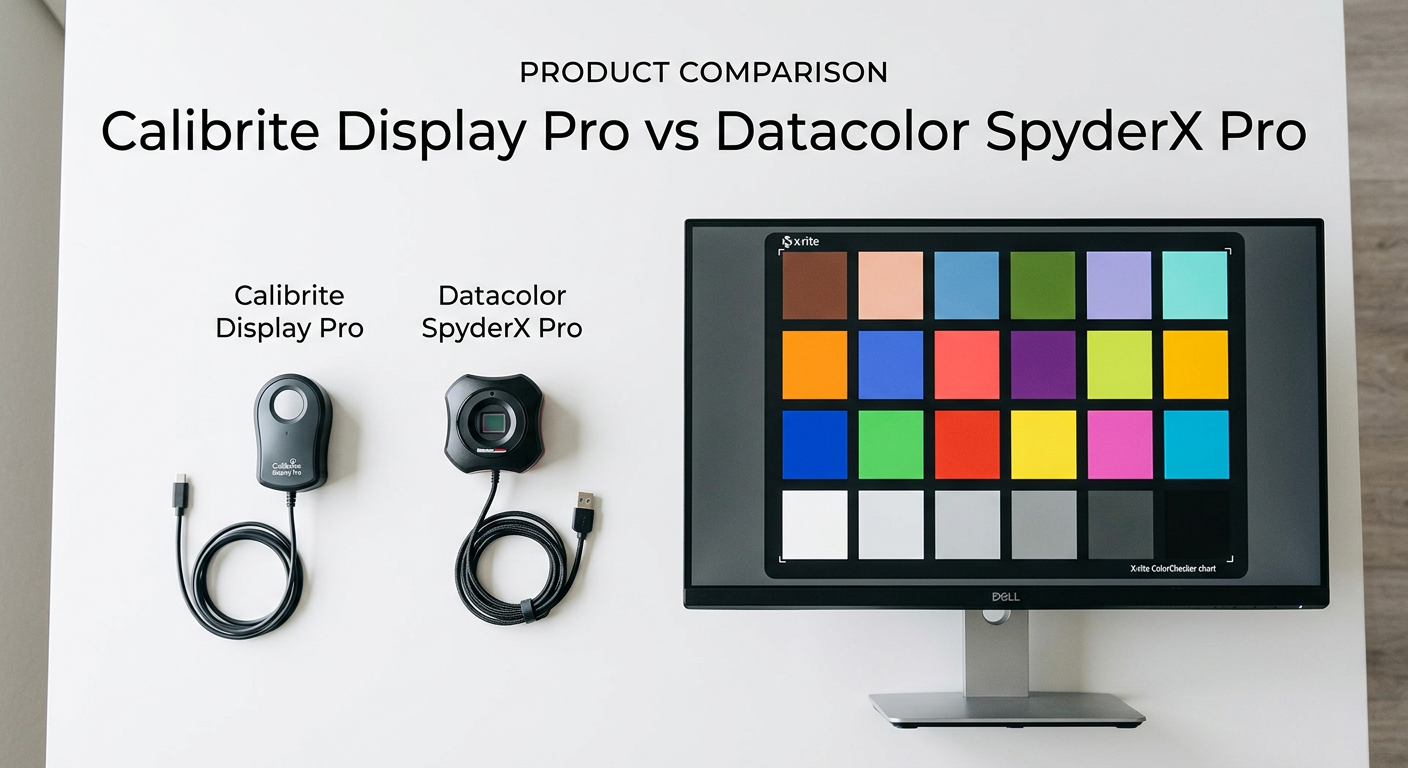
If you shoot photos or edit video professionally, at some point you’ve stared at a print that looked nothing like what you saw on screen. That’s the moment you realize your monitor is lying to you — and why a good colorimeter matters more than most people think.
The Calibrite Display Pro vs Datacolor SpyderX Pro comparison is one of the most common questions I see from photographers making their first serious step into proper color management. Both devices are legitimate choices from established brands, and both measure your screen to create a corrective ICC profile. But they’re not the same, and the differences matter depending on what kind of work you’re doing.
I’ve spent time with both of these calibrators, tested them on multiple display types — including an OLED laptop and a wide-gamut IPS monitor — and I want to give you the clearest, most honest side-by-side breakdown available. By the end of this article, you’ll know exactly which one to buy.
Quick verdict: The Calibrite Display Pro HL is the stronger tool for professional photographers and serious creatives, especially if you’re working on high-brightness or HDR displays. The Datacolor SpyderX Pro is a capable calibrator that gets the job done faster and at a lower entry point, making it a solid pick for first-timers and those on a budget.
Calibrite Display Pro vs Datacolor SpyderX Pro: Quick Comparison
Here’s a side-by-side look at both calibrators before we go deeper into each one.
| Product | Specifications | Action |
|---|---|---|
| Calibrite Display Pro HL |
|
Check Latest Price |
 Datacolor SpyderX Pro Datacolor SpyderX Pro |
|
Check Latest Price |
Calibrite Display Pro HL: Deep Dive
Pros
- Measures up to 3000 nits for HDR displays
- Works with OLED and Mini LED panels
- Detailed validation and uniformity tools
- Basic and Advanced software modes
- Multi-monitor profiling support
Cons
- Calibration takes 15-30 min per screen
- Green overcast issue reported by some users
- Higher price point than competitors
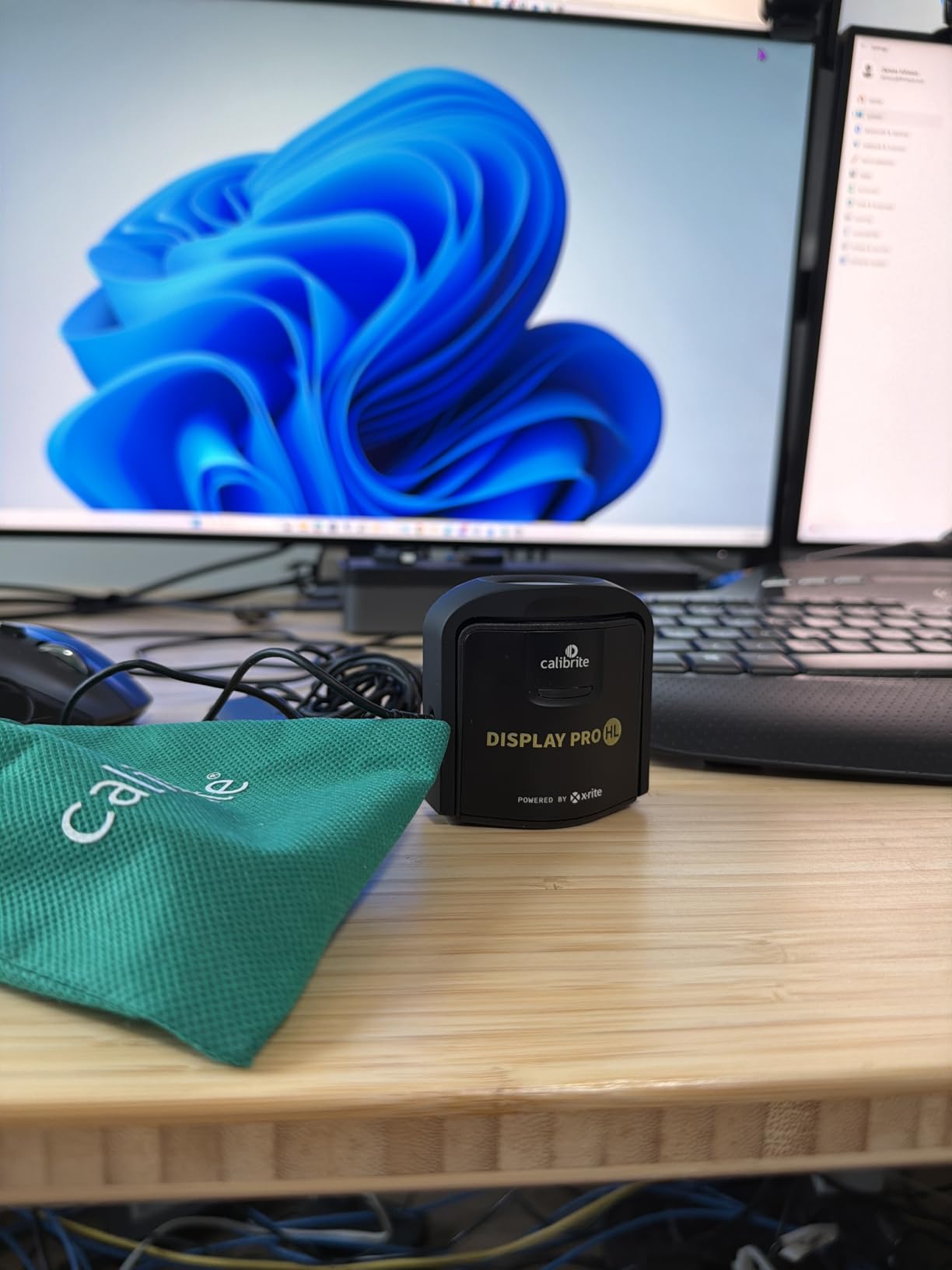
The Calibrite Display Pro HL is the current flagship consumer-grade colorimeter from Calibrite — the company that carries on the X-Rite i1Display legacy. The “HL” stands for High Luminance, and that’s the defining characteristic of this device over older versions and the competition.
That HL sensor can measure up to 3000 nits of luminance. For anyone working with modern HDR monitors, mini-LED displays, or the Apple Pro Display XDR, this is not a small detail. Older colorimeters — including the non-HL Calibrite models and most SpyderX units — top out at much lower luminance levels, which means their readings on very bright HDR panels are simply inaccurate. If you’re calibrating a typical SDR monitor around 200-300 nits, the difference matters less. But push your display to 1000 or 2000 nits and only a high-luminance capable device will give you trustworthy data.
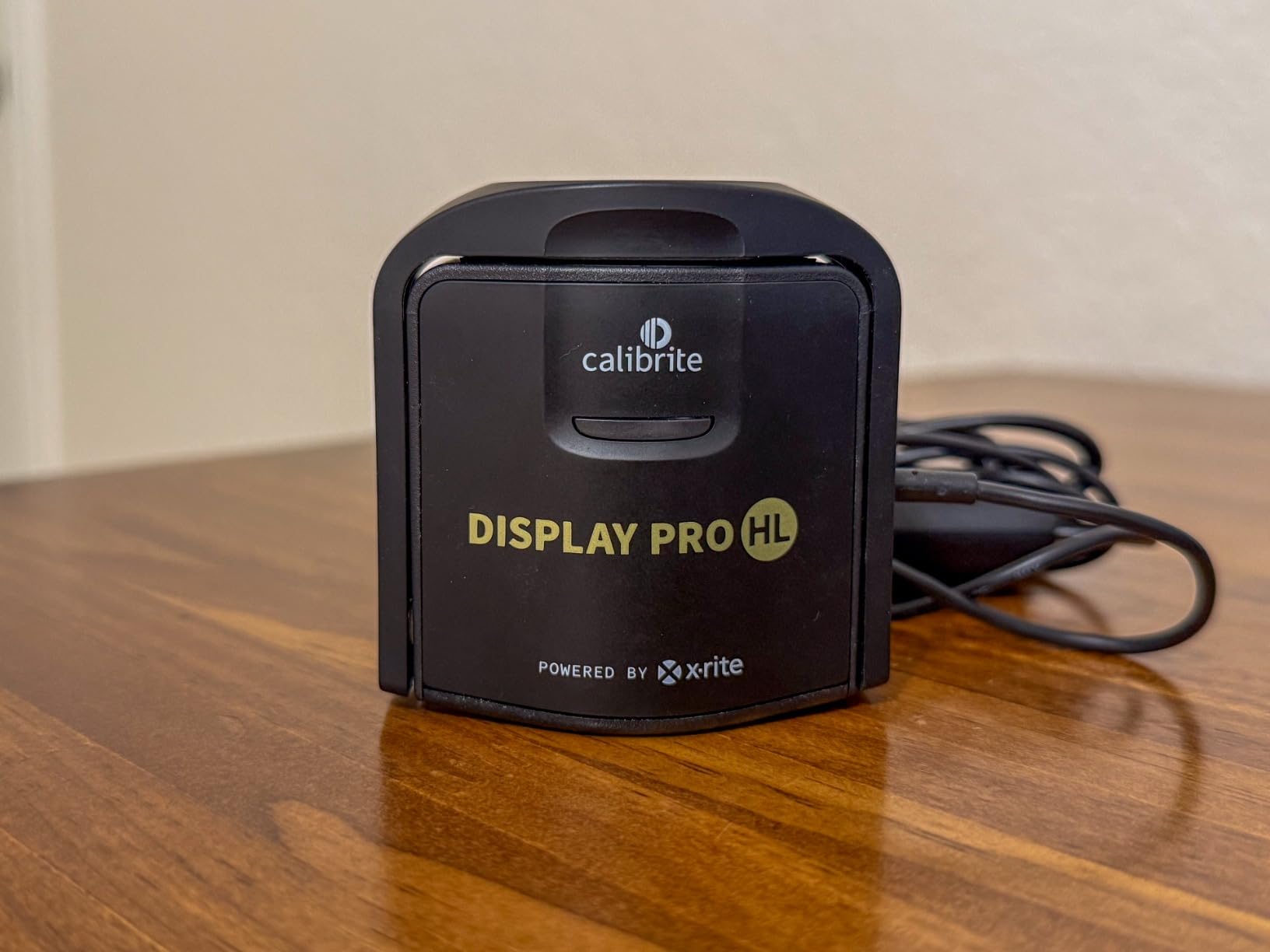
The hardware itself is compact and well-built. It weighs just 4.8 ounces and measures about 2.6 inches across, with a 1/4-inch tripod mount thread built in — useful for projector calibration. The USB-C cable is a welcome change from older micro-USB designs, and a USB-A adapter is included in the box.
What stands out most when using the Calibrite Display Pro HL is the PROFILER software. It runs on both Mac and Windows and offers two clear modes: Basic and Advanced. Basic mode is a straightforward guided workflow that asks you a few questions and then handles everything automatically. Advanced mode opens up full manual control of white point, luminance target, gamma, contrast ratio, and more — everything a colorist or retoucher would want.
Beyond standard calibration, the PROFILER software includes a set of validation tools I find genuinely useful. The Quick Check feature lets you verify your calibration without a full recalibration cycle. There’s also a profile validation mode that confirms your ICC profile is still performing as expected, a uniformity check that tests color consistency across different areas of your screen, and a flare correction tool for working in brighter environments.
Multi-display support is another strong point. If you’re working with two or three monitors — which is common in photo editing and video production studios — the Calibrite Display Pro HL handles profiling all of them from a single device. Matching color across screens is genuinely difficult without this capability, and it works reliably.
On the negative side, calibration is not fast. Depending on your settings, a full calibration cycle takes between 15 and 30 minutes per display. That’s not a dealbreaker once you understand that calibration isn’t something you do every day, but it’s worth knowing upfront. A handful of users have also reported a green overcast on their screen after calibration — this appears to be a software interaction with certain display drivers and is not universal, but it’s a known issue that Calibrite is aware of.
Over 455 Amazon reviewers have rated this device at 4.3 stars. The consensus among professional users is clear: if you’re doing color-critical photography, retouching, or video work on a modern display, the Calibrite Display Pro HL is the tool to have.
Datacolor SpyderX Pro: Deep Dive
Pros
- Fast calibration in 1-2 minutes
- Room-light monitoring and auto profile change
- SpyderProof before-and-after evaluation
- Beginner-friendly wizard workflow
- Strong value for the price
Cons
- No user manual included
- Limited luminance range for HDR displays
- May show inconsistent results on some panels
- Not compatible with some OLED laptops
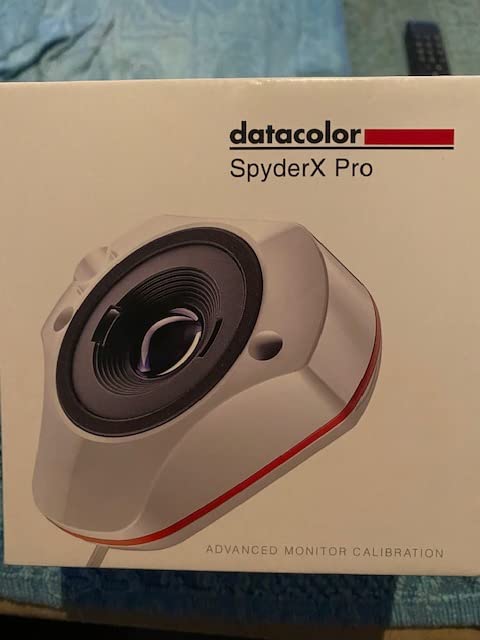
The Datacolor SpyderX Pro has been around since 2019 and has accumulated over 5,000 reviews on Amazon — a number that speaks to how widely adopted this calibrator has become. It represents a significant improvement over the older Spyder5 generation, primarily through a lens-based optical design that Datacolor claims improves color accuracy over filter-based sensors.
The lens-based color engine is the core differentiator Datacolor built the SpyderX around. Instead of the traditional optical filter approach used in most colorimeters, the SpyderX uses a lens to direct light to the sensor. Datacolor says this delivers better color accuracy, particularly in the red channel, where older filter-based designs can struggle. In practice, the SpyderX Pro produces accurate, reliable profiles for SDR monitors — the kind of results you’d expect from a professional-grade tool.
Where the SpyderX Pro genuinely shines is speed and ease of use. First-time calibration is surprisingly fast — most users complete the process in one to two minutes. That’s a dramatic difference from the 15-30 minutes the Calibrite Display Pro HL can take. The guided wizard workflow presents 12 predefined calibration targets covering common photography and print-matching scenarios, so you don’t need to understand luminance targets or gamma curves to get useful results right away.
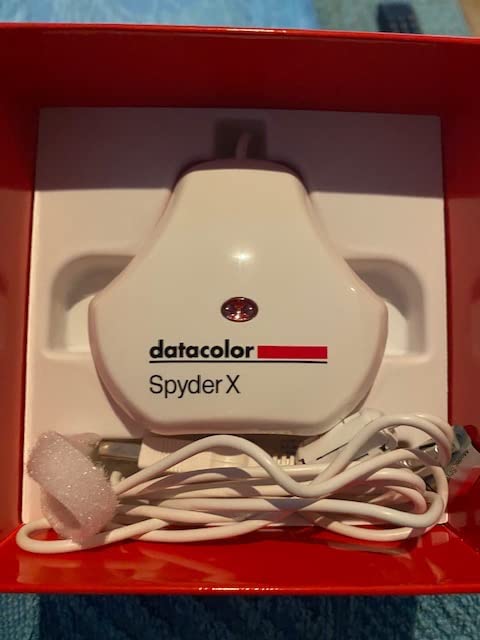
Room-light monitoring is a feature I initially dismissed as a gimmick, but it turns out to be genuinely practical. The SpyderX Pro continuously monitors the ambient light in your room and automatically switches between calibration profiles to compensate. If you work in a home studio where the light changes throughout the day — morning sun versus afternoon shade versus artificial evening light — this feature helps keep your colors consistent without manually switching profiles.
SpyderProof is another user-friendly touch. After calibration, it shows you a before-and-after comparison so you can actually see what changed on your screen. For first-time users who want confirmation that the calibration did something meaningful, this visual feedback is reassuring.
The Spyder software has more depth than the wizard interface suggests. You can configure white point, gamma, and luminance targets manually if you want that level of control. Some users find the additional settings confusing because the software doesn’t explain what each option means — a legitimate criticism, and one that the lack of a printed manual makes worse.
Two limitations are worth knowing before buying. First, the SpyderX Pro does not perform well with OLED displays — there are confirmed compatibility issues with certain OLED laptop panels, including some Dell XPS 17 configurations. Second, the sensor is not rated for high-luminance HDR work in the same way the Calibrite HL is. If your display’s peak brightness stays within typical SDR ranges, this won’t affect you. But if you’re working on a pro HDR monitor or trying to verify HDR content delivery, the SpyderX Pro will struggle.
The over 5,000 reviews averaging 4.3 stars tell you that most users are happy with this device. It delivers accurate, consistent calibration results for standard photography and design workflows, and it does so with less friction than most competing products at any price level.
Calibrite Display Pro vs Datacolor SpyderX Pro: Head-to-Head
Now let’s go category by category to see where each device wins.
Sensor Technology and Accuracy
Winner: Calibrite Display Pro HL
Both devices use advanced optical approaches — the SpyderX relies on a lens-based color engine, while the Calibrite uses a traditional but refined filter-based sensor. In independent tests and real-world use reports across forums like Reddit’s r/colorists and the DisplayCAL community hub, the Calibrite Display Pro HL consistently comes up as the more accurate choice — particularly on wide-gamut and OLED displays.
The SpyderX Pro is accurate enough for most photography and graphic design work on standard SDR monitors. But the Calibrite’s sensor holds up better across a wider range of display technologies, including the difficult-to-measure OLED and mini-LED panels now common in high-end laptops and professional monitors.
Luminance Range and HDR Support
Winner: Calibrite Display Pro HL (decisively)
This is the most important technical difference between these two devices in 2026. The Calibrite Display Pro HL is rated to measure up to 3000 nits — which covers virtually every consumer and prosumer HDR display on the market today, including the Apple Pro Display XDR at 6000 nits peak (though sustained brightness is lower).
The SpyderX Pro has no comparable high-luminance capability. If you’re calibrating a standard SDR monitor at 80-300 nits, this doesn’t matter. But if you own a high-brightness display or are building an HDR color grading workflow, the SpyderX Pro simply isn’t the right tool. The Calibrite wins this category without question.
Software and Ease of Use
Winner: Datacolor SpyderX Pro (for beginners), Calibrite (for professionals)
The SpyderX software wizard approach is genuinely easier for first-time users. Twelve preset calibration targets, a clear guided interface, and the SpyderProof before-and-after comparison make it the more welcoming experience for someone who hasn’t calibrated a monitor before.
Calibrite PROFILER’s Basic mode is also simple, but the software as a whole is designed for users who want to understand and control what’s happening. The Advanced mode gives you full control over every parameter — which is what professional retouchers and colorists need, but can overwhelm a beginner.
One area where Calibrite clearly wins: the validation and quality-check tools. Quick Check, profile validation, uniformity testing, and flare correction are features that don’t exist in the SpyderX software. If you need to verify your calibration at any point — or audit color uniformity across your panel — the Calibrite toolset is significantly more capable.
Calibration Speed
Winner: Datacolor SpyderX Pro
The SpyderX Pro calibrates a typical monitor in one to two minutes. The Calibrite Display Pro HL takes 15 to 30 minutes. That’s a significant difference in real-world use. If you’re calibrating one monitor occasionally, the Calibrite’s slower pace is manageable. If you’re calibrating multiple monitors regularly, or if you’re setting up gear for clients, the SpyderX’s speed is a real advantage.
The tradeoff is that faster calibration means fewer measurement points and less data, which is part of why the Calibrite’s more thorough process tends to produce more stable, accurate profiles. Speed and thoroughness work against each other here.
Multi-Monitor Support
Winner: Calibrite Display Pro HL
Both devices support multi-monitor calibration — you can profile multiple displays on the same computer with either unit. The Calibrite goes further with its uniformity check, which tests color consistency across different zones of a single display. For users with large displays or panels known for color shift from center to edge, this is a valuable diagnostic tool.
The SpyderX can calibrate multiple monitors, but it doesn’t offer uniformity testing. Both devices handle multi-monitor workflows adequately; the Calibrite just gives you more insight into what’s happening across your screens.
DisplayCAL Software Compatibility
Winner: Calibrite Display Pro HL
DisplayCAL is the open-source calibration application that many professionals prefer over the bundled software that comes with their colorimeters. It offers more measurement patches, more advanced profiling options, and greater flexibility for demanding workflows.
The Calibrite Display Pro HL has strong DisplayCAL compatibility and is consistently recommended in the DisplayCAL community (hub.displaycal.net) as a reliable choice. The SpyderX Pro also works with DisplayCAL, but forum reports suggest occasional stability issues and less predictable results compared to the Calibrite. If DisplayCAL is part of your workflow, the Calibrite is the safer bet.
Build Quality and Design
Winner: Calibrite Display Pro HL
The Calibrite Display Pro HL weighs 4.8 ounces and feels solid in hand. The built-in 1/4-inch tripod mount thread is a thoughtful detail for users who need to calibrate projectors or want a stable mounting solution. The included travel storage pouch protects the sensor when not in use, and the USB-C connection feels current and premium.
The SpyderX Pro is notably compact at just 1.18 x 1.18 x 0.5 inches, which makes it easy to store and travel with. Its counterweight design keeps the sensor properly positioned against your screen. Both devices are physically well-made, but the Calibrite’s materials and construction feel more substantial.
Value for Money
Winner: Datacolor SpyderX Pro
The SpyderX Pro delivers professional-grade monitor calibration at a meaningfully lower cost than the Calibrite Display Pro HL. For photographers working on standard SDR displays — the vast majority of users — the SpyderX Pro provides accurate results that will meaningfully improve their print-to-screen matching without the premium investment the Calibrite requires.
The Calibrite Display Pro HL is excellent value for what it delivers, but what it delivers is more than most users need. If you’re not working on HDR displays, don’t need advanced validation tools, and aren’t doing DisplayCAL-based profiling sessions, you’re paying for features you won’t use. The SpyderX Pro hits the sweet spot of capability and cost for the widest range of users.
Which Monitor Calibrator Should You Choose?
The answer depends more on your setup and workflow than on which brand you prefer.
Choose the Calibrite Display Pro HL if:
You work with HDR monitors, mini-LED displays, OLED panels, or anything with a peak brightness above 400 nits. The HL sensor’s 3000-nit measurement capability is genuinely necessary for accurate calibration on modern high-brightness screens.
You’re a professional photographer, retoucher, or colorist who needs full control over calibration parameters, wants validation tools to audit your profiles, and runs multi-monitor setups where consistency matters across screens.
You use DisplayCAL or plan to use it. The Calibrite is the community’s preferred hardware for advanced open-source profiling workflows, and the compatibility is more reliable.
You work with projectors. The built-in 1/4-inch mount thread makes the Calibrite a practical projector calibration tool.
Choose the Datacolor SpyderX Pro if:
You’re calibrating a standard SDR monitor — a typical IPS or VA panel at 200-350 nits peak brightness. The SpyderX Pro’s accuracy is completely adequate for this use case, and you’ll get there faster and spend less.
You’re new to monitor calibration and want a simple, guided experience. The 12-target wizard workflow and SpyderProof before-and-after comparison make the SpyderX the easiest calibrator to get started with.
You work in a room with changing light conditions. The room-light monitoring and automatic profile switching feature is a genuine convenience that the Calibrite doesn’t match at this level.
You want to calibrate multiple computers, including laptops. The SpyderX is compact, easy to carry, and fast enough that calibrating a laptop before a client meeting is a realistic workflow.
Frequently Asked Questions
Which Datacolor Spyder is best?
For most photographers and designers, the SpyderX Pro offers the best balance of accuracy, speed, and value. The SpyderX Elite adds video-specific features like video color standards presets and multi-session averaging, which is worth the upgrade if you do professional video grading. For beginners, the SpyderX Pro is the right starting point.
Which monitor calibration tool is best?
The Calibrite Display Pro HL is the best monitor calibration tool for professional photographers and colorists, especially on HDR and OLED displays. The Datacolor SpyderX Pro is the best value option for photographers and designers working on standard SDR monitors. For DisplayCAL-based workflows, the Calibrite is the more reliable choice.
What is the difference between Datacolor SpyderX Pro and Elite?
The SpyderX Pro and Elite share the same lens-based sensor hardware. The Elite version adds video color standards (Rec. 709, DCI-P3, etc.), video color gamut verification, multi-session averaging for improved accuracy, and StudioMatch for calibrating multiple displays to a shared standard. The Pro is better for photographers; the Elite is better for video colorists.
Is calibrating your monitor worth it?
Yes, monitor calibration is absolutely worth it if your work involves printing photos, delivering color-accurate files to clients, or matching colors across multiple screens. An uncalibrated monitor can look accurate to your eye but still render colors that differ significantly from what other screens or printers produce. A single calibration session can prevent hours of wasted editing and reprinting.
Final Verdict
In the Calibrite Display Pro vs Datacolor SpyderX Pro matchup, the Calibrite Display Pro HL is the technically superior device — better accuracy on demanding displays, more advanced software, proper HDR support, and a toolset that professional users will actually use. It earns the Editor’s Choice for serious color work.
The Datacolor SpyderX Pro is not a lesser product — it’s a different one. It’s faster, simpler, more affordable, and perfectly matched to the needs of most photographers and designers working on standard displays. Over 5,000 users have validated that it does exactly what it promises.
Buy the Calibrite if you have an HDR or OLED display, do professional color work, or want the most thorough calibration available. Buy the SpyderX Pro if you want reliable, fast, and approachable calibration at a lower cost.