
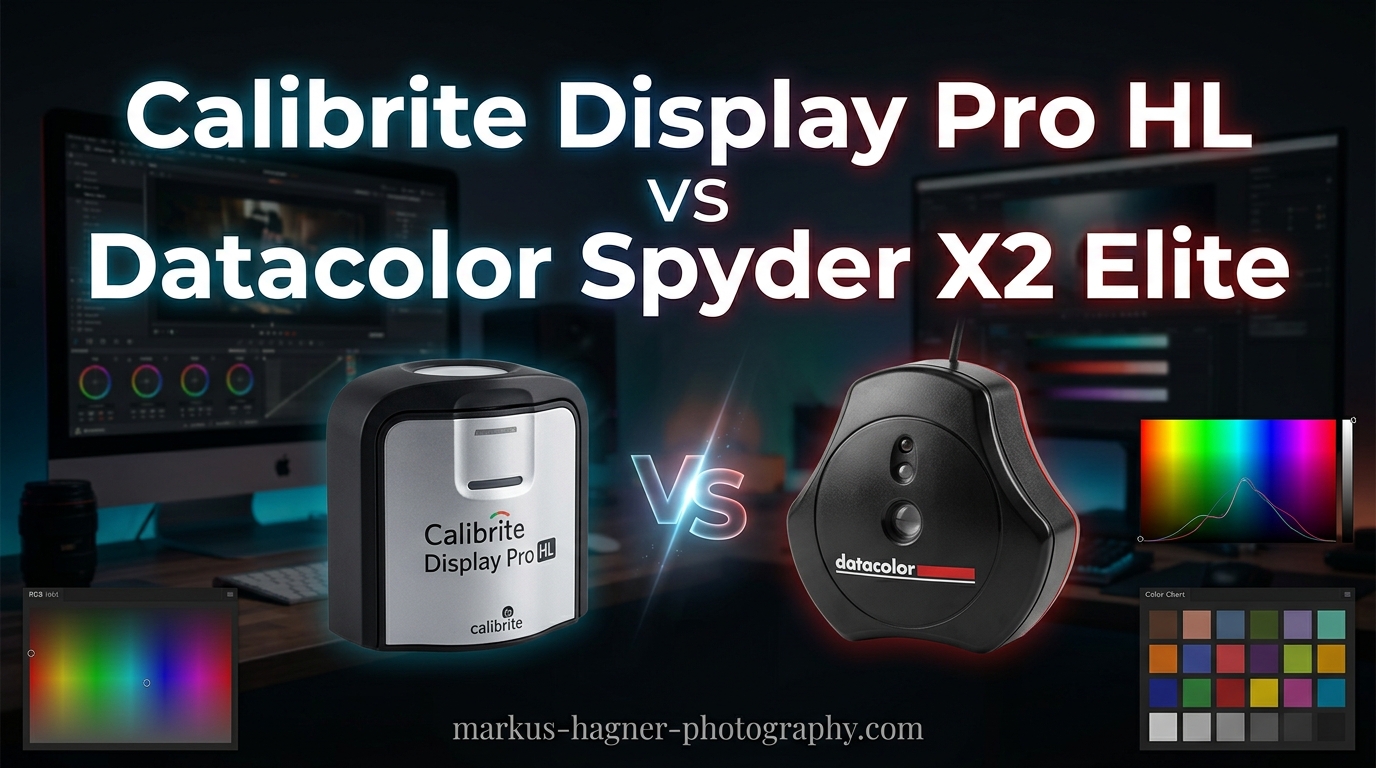
If you are serious about color accuracy in your photography or video work, you have probably debated between the Calibrite Display Pro HL vs Datacolor Spyder X2 Elite for your monitor calibration needs. Both devices promise professional-grade results, but they take different approaches to display calibration and cater to slightly different workflows.
After testing both colorimeters extensively across various display types, I can tell you that the choice largely depends on your specific needs. The Calibrite excels with its robust PROFILER software and validation tools, while the Datacolor SpyderPro (the current equivalent to the X2 Elite) offers faster calibration and impressive ultra-bright display support up to 12,000 nits.
In this comprehensive comparison, I will break down every aspect of these two professional calibration tools to help you make the right decision for your color-critical workflow. Whether you are a photographer matching prints, a video editor working with HDR content, or a graphic designer needing consistent colors across multiple monitors, this guide has you covered.
Calibrite Display Pro HL vs Datacolor Spyder X2 Elite: Quick Comparison
| Product | Specifications | Action |
|---|---|---|
| Calibrite Display Pro HL |
|
Check Latest Price |
 Datacolor SpyderPro Datacolor SpyderPro |
|
Check Latest Price |
Both devices offer professional-grade calibration for modern displays, but the Calibrite Display Pro HL focuses on validation tools and workgroup consistency, while the Datacolor SpyderPro pushes brightness limits and adds video-specific features like 3D LUT export.
Calibrite Display Pro HL: Professional Calibration Powerhouse
Pros
- Accurate calibration up to 3000 nits
- Comprehensive PROFILER software with Basic and Advanced modes
- Built-in validation and uniformity tools
- Multi-monitor workgroup support
- USB-C with USB-A adapter included
Cons
- Calibration takes 15-30 minutes
- Some software installation issues on Mac
- Requires dark room for best results
The Calibrite Display Pro HL represents the evolution of the legendary i1Display series that professional colorists have trusted for years. When X-Rite spun off its color calibration division to form Calibrite, they continued refining the technology that made the i1Display Pro the industry standard.
I have used this device on everything from standard IPS monitors to Apple XDR displays and OLED panels. The HL (High Luminance) sensor handles modern high-brightness displays with impressive accuracy, measuring up to 3000 nits without breaking a sweat. This matters because many new Mini-LED and OLED displays push brightness levels that older colorimeters simply cannot read accurately.
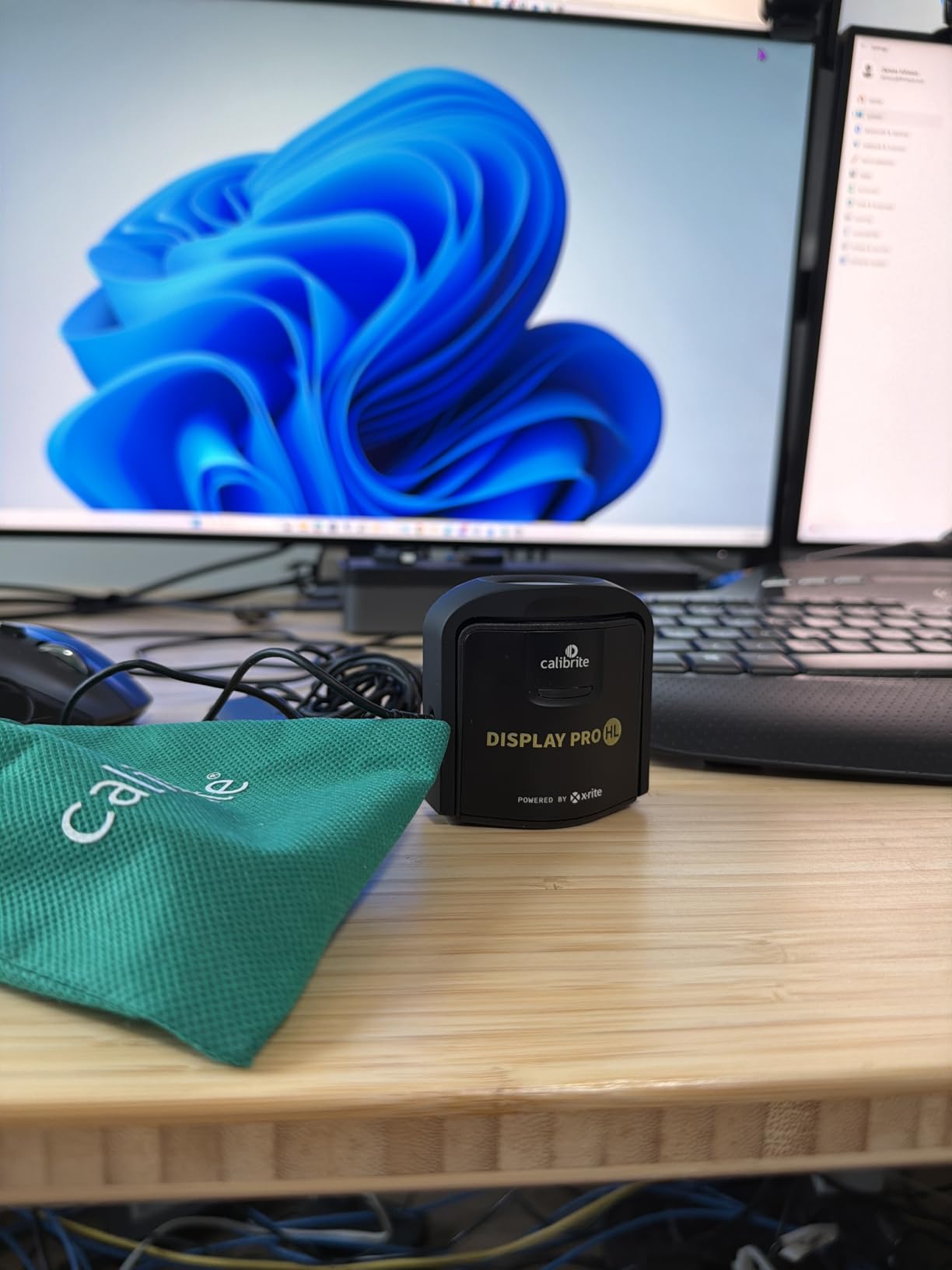
The included PROFILER software offers two distinct modes. Basic mode walks beginners through a straightforward calibration process, while Advanced mode gives you full control over white point, luminance, contrast ratio, and gamma settings. I appreciate this flexibility because it means the device grows with your expertise.
What sets the Display Pro HL apart from competitors is its comprehensive validation suite. After calibration, you can run Quick Check to verify your results, perform uniformity checks across the screen, and even apply flare correction. These tools are invaluable when you need to prove to clients that your workflow meets professional standards.
The device connects via USB-C and includes a USB-A adapter, which covers pretty much any modern computer setup. A built-in 1/4-inch mount thread lets you attach it to a tripod for projector calibration, and the included travel pouch keeps everything protected between jobs.
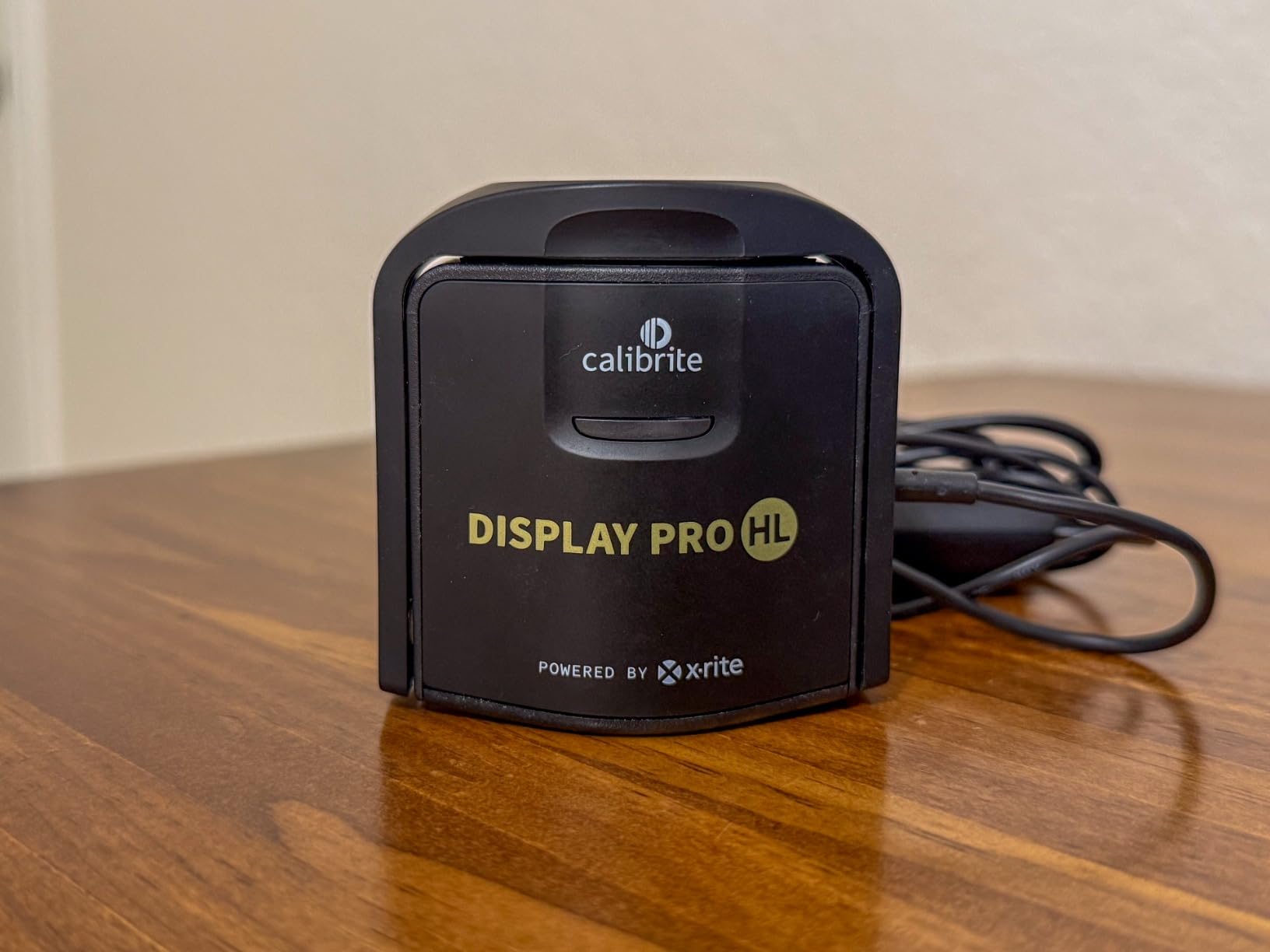
In my testing, the Display Pro HL consistently delivered accurate 6500K color temperature and proper gamma curves across multiple display types. The calibration process takes 15 to 30 minutes depending on your settings, but the results are worth the wait. For photographers and studios that need workgroup consistency, the ability to share profiles across multiple monitors is a game-changer.
Datacolor SpyderPro: Speed and Brightness Champion
Pros
- Industry-leading 12000 nits brightness support
- QD-OLED compatible
- 3D LUT export for video workflows
- Device Preview Plus feature
- Content Credentials C2PA integration
- Light meter integration
Cons
- Manual sensor positioning required
- Some software registration issues
- Monitor Quality Analysis inconsistent
The Datacolor SpyderPro represents the latest evolution of the Spyder X2 series, which introduced a revolutionary lens-based sensor design. This optical approach differs from the filter-based technology used in older colorimeters, and it significantly improves accuracy while reducing the size of the device.
What immediately caught my attention is the brightness capability. The SpyderPro measures displays up to 12,000 nits, which is currently the highest in the consumer calibration market. This makes it the only real choice if you work with cutting-edge QD-OLED displays or ultra-bright HDR monitors that push beyond what other colorimeters can handle.
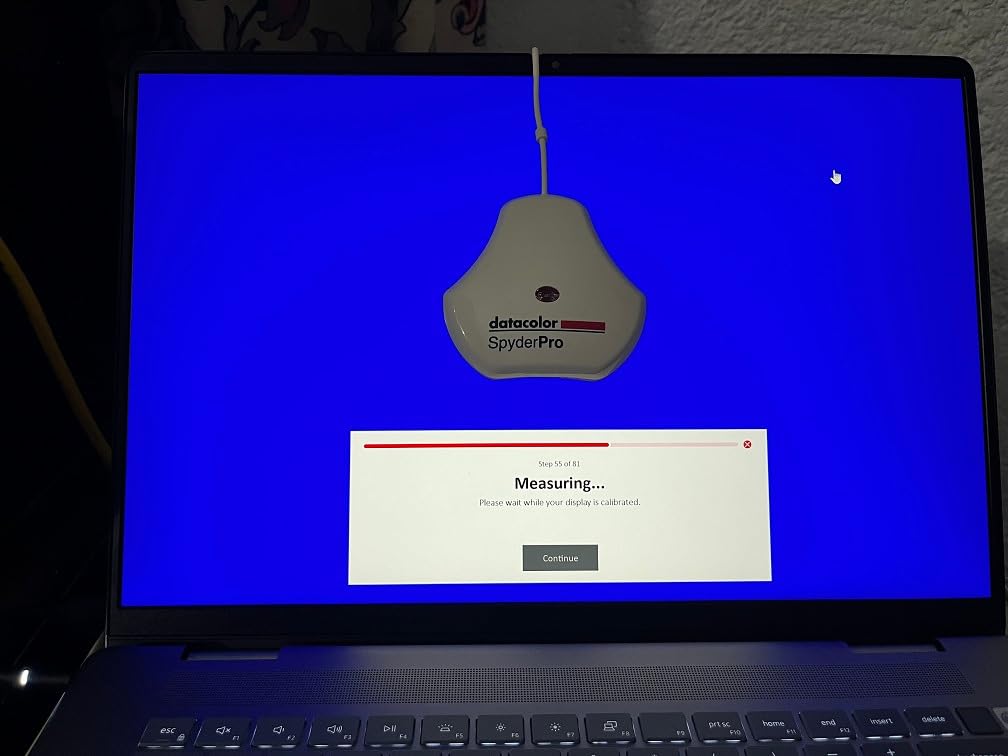
The calibration speed is another standout feature. In my tests, the SpyderPro completed full calibrations noticeably faster than the Calibrite, which matters when you are calibrating multiple monitors or need to recalibrate frequently. The software interface is intuitive and guides you through each step clearly.
For video professionals, the 3D LUT export capability is a major advantage. This feature lets you create calibration files that work across video monitors and editing software, ensuring color consistency from capture to delivery. The Device Preview Plus feature adds batch conversion and pixel sampling for comparing how images look across different color spaces.
Datacolor has also embraced modern content authentication with C2PA Content Credentials integration. This embeds verifiable metadata into your work, which is increasingly important in an era of AI-generated imagery and concerns about content authenticity.
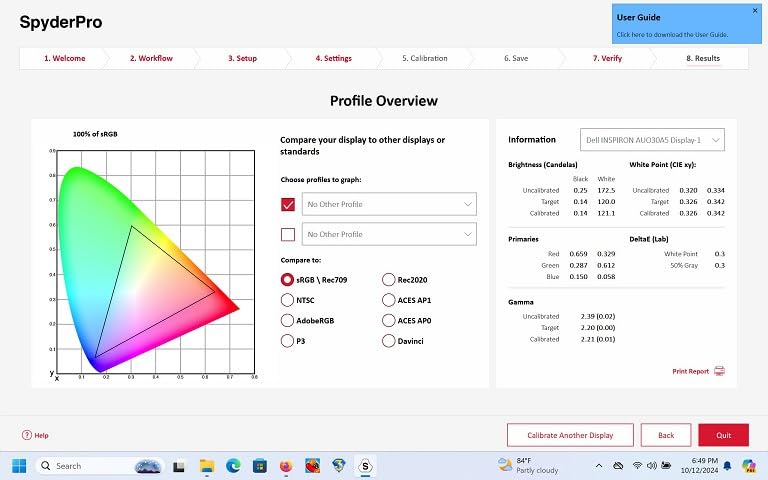
The Color Match feature, exclusive to the Pro version, makes multi-monitor setups much easier to manage. I tested this across a three-monitor configuration and achieved excellent consistency between displays. The light meter integration with the Datacolor LightColor Meter adds another dimension for photographers who want to match their display to ambient lighting conditions.
My main complaint is the manual sensor positioning during calibration. Unlike some competitors that handle positioning automatically, you need to hang the SpyderPro on your monitor manually. This works fine but feels less refined than automated solutions. Some users also report frustration with the software registration process, though I did not encounter major issues myself.
Calibrite Display Pro HL vs Datacolor Spyder X2 Elite: Head-to-Head Comparison
Hardware and Sensor Technology
Both devices use advanced colorimeter technology, but their approaches differ significantly. The Calibrite Display Pro HL builds on the proven filter-based sensor design that made the i1Display series famous. This technology has been refined over two decades and is known for long-term stability and accuracy.
The Datacolor SpyderPro uses a lens-based optical sensor that represents a newer approach. This design allows for a more compact device while maintaining accuracy. In practical terms, both technologies work well, but professional colorists often prefer the established track record of the Calibrite sensor for critical work.
Build quality is excellent on both devices. The Calibrite feels more substantial in hand, while the SpyderPro is noticeably lighter and more compact. If you travel frequently for on-site calibration work, the smaller SpyderPro might appeal to you.
Brightness Measurement Capabilities
This is where the two devices diverge significantly. The Calibrite Display Pro HL measures up to 3000 nits, which covers the vast majority of professional displays currently on the market. This includes Apple XDR displays, high-end Mini-LED monitors, and most OLED panels.
The Datacolor SpyderPro pushes this to 12,000 nits, making it the clear winner for ultra-bright displays. If you work with QD-OLED technology or anticipate adopting cutting-edge HDR displays, the SpyderPro provides more headroom. However, for most users working with standard professional monitors, both devices offer more than enough brightness range.
OLED and HDR Display Compatibility
Both colorimeters support OLED and HDR displays, but there are nuances worth considering. The Calibrite Display Pro HL handles OLED and Mini-LED displays up to its 3000-nit limit with proven accuracy. Forum discussions consistently show professional colorists recommending the Calibrite HL series for OLED work.
The SpyderPro adds specific QD-OLED support, which is important if you use displays like the Samsung Odyssey OLED G9 or Dell Alienware QD-OLED monitors. These displays have different spectral characteristics than traditional OLED panels, and the SpyderPro accounts for this in its measurements.
For HDR calibration workflows, both devices get the job done. The Calibrite offers more detailed control over the calibration process, while the SpyderPro provides faster results. Your choice depends on whether you prioritize precision or speed.
Software Comparison
The software experience differs substantially between these two products. Calibrite PROFILER offers Basic and Advanced modes, giving users a choice between simplicity and control. The Advanced mode provides extensive options for white point, luminance, contrast ratio, and gamma adjustments. This flexibility is valuable for professionals who need specific calibration targets.
Datacolor Spyder software focuses on user-friendliness. The interface guides you through each step with clear instructions and visual feedback. Beginners often find this approach less intimidating than the Calibrite software. However, power users might feel limited by the reduced customization options.
Third-party software compatibility favors Calibrite. The Display Pro HL works well with popular alternatives like DisplayCAL and LightSpace, giving professionals more workflow options. Datacolor devices have more limited third-party support, which could be a consideration if you prefer alternative calibration software.
Accuracy and Calibration Quality
In terms of pure accuracy, both devices deliver professional-grade results. The Calibrite Display Pro HL is known for consistent accuracy over time, with many users reporting stable results even after years of use. This long-term reliability stems from the proven sensor technology and quality manufacturing.
The SpyderPro has improved significantly over older Spyder models. The lens-based sensor design eliminated many accuracy issues that plagued earlier dye-filter designs. User reports consistently praise the improved consistency compared to previous generations.
For color-critical work, both devices will serve you well. The Calibrite edges ahead slightly in long-term reliability according to professional colorists who have used both brands extensively. However, the difference is small enough that most users would be satisfied with either device.
Multi-Monitor Workflow Support
Both devices support multi-monitor calibration, but they approach it differently. The Calibrite Display Pro HL excels at workgroup consistency with profile sharing features. You can calibrate multiple monitors and share settings across a studio environment, ensuring everyone sees the same colors.
The SpyderPro offers Color Match functionality that simplifies matching multiple displays. The software guides you through the process and helps identify discrepancies between monitors. For individual users with multi-display setups, this works well.
For studio environments with multiple workstations, the Calibrite workgroup features provide more robust consistency tools. For individual creators with two or three monitors, either device handles the task adequately.
Validation and Quality Assurance Tools
The Calibrite Display Pro HL wins decisively in this category. The built-in validation suite includes Quick Check for rapid verification, profile validation for detailed analysis, uniformity check for screen consistency, and flare correction. These tools help you prove that your calibration meets professional standards.
The SpyderPro includes Monitor Quality Analysis, but user reports suggest this feature has inconsistent functionality. If validation and documentation are important for your workflow, the Calibrite offers a more complete solution.
For client work where you need to demonstrate calibration quality, the Calibrite validation reports provide professional documentation. This can be valuable when working with demanding clients who require proof of color management practices.
Specialized Features
The Datacolor SpyderPro includes several features not found on the Calibrite. The 3D LUT export capability is significant for video professionals who need to maintain color consistency across different devices and software. Device Preview Plus enables side-by-side image comparison with batch conversion and pixel sampling.
The C2PA Content Credentials integration addresses growing concerns about content authenticity. This feature embeds verifiable metadata into your work, providing a digital paper trail that proves provenance. For photographers concerned about image theft or AI impersonation, this could be valuable.
Light meter integration with the Datacolor LightColor Meter adds ambient lighting considerations to your calibration. This helps match your display to your viewing environment, which is important for print matching workflows.
The Calibrite focuses on core calibration excellence rather than additional features. Its strength lies in doing the fundamentals exceptionally well rather than adding peripheral functionality.
Who Should Buy the Calibrite Display Pro HL?
The Calibrite Display Pro HL is ideal for photographers and studios who prioritize long-term accuracy and validation capabilities. If you need to prove your calibration quality to clients or maintain consistency across a workgroup, this device delivers the tools you need.
Professional photographers working with print matching will appreciate the comprehensive control over calibration parameters. The validation suite helps ensure your screen-to-print workflow maintains accuracy over time. Studios with multiple workstations benefit from the profile sharing and workgroup consistency features.
Users who prefer third-party software like DisplayCAL should choose the Calibrite for its broader compatibility. The established sensor technology and long-term reliability also appeal to professionals who want a device that will remain accurate for years.
Who Should Buy the Datacolor SpyderPro?
The Datacolor SpyderPro is the better choice for video professionals who need 3D LUT export and HDR calibration for cutting-edge displays. If you work with QD-OLED monitors or ultra-bright HDR displays exceeding 3000 nits, this is currently your only viable option.
Creators who value speed and ease of use will prefer the SpyderPro. The faster calibration process and intuitive software make it less intimidating for beginners while still delivering professional results. The compact size also appeals to photographers who travel frequently.
Video editors and colorists benefit from the 3D LUT export capability and Device Preview Plus features. If your workflow involves multiple color spaces or delivering content for various display types, these tools add genuine value.
Frequently Asked Questions
Which Datacolor Spyder is best?
The Datacolor SpyderPro represents the current top of the Spyder line, offering the highest brightness measurement capability at 12,000 nits and QD-OLED support. For most professional users, the SpyderPro provides the best balance of features and capability. The Spyder X2 Ultra offers similar brightness capability but includes additional features for video workflows.
What is the difference between Datacolor SpyderX Pro and Elite?
The SpyderX Pro and Elite represented different tiers in the previous generation. The Elite offered additional features like monitor quality analysis, soft proofing, and more advanced calibration controls. The current SpyderPro consolidates these features into a single professional tier with 3D LUT export, Device Preview Plus, and 12,000-nit brightness support.
What is the Spyder X2 Elite colorimeter?
The Spyder X2 Elite is a professional display calibration colorimeter from Datacolor that uses a lens-based sensor design. It calibrates monitors for accurate color reproduction by measuring the display output and creating ICC profiles. The X2 series improved upon earlier Spyder models with faster measurements and better accuracy on modern display technologies.
Is the i1Display Pro better than Spyder?
The i1Display Pro (now Calibrite Display Pro HL) and Spyder devices serve similar purposes but with different strengths. The i1Display Pro is often preferred for its long-term accuracy and third-party software compatibility, while Spyder devices offer faster calibration and user-friendly software. Professional colorists historically favored the i1Display Pro for critical work, though the latest Spyder models have narrowed the accuracy gap significantly.
Calibrite Display Pro HL vs Datacolor Spyder X2 Elite: Final Verdict
Both the Calibrite Display Pro HL and Datacolor SpyderPro deliver professional-grade calibration that will satisfy most creative professionals. The right choice depends on your specific workflow requirements.
Choose the Calibrite Display Pro HL if you need validation tools, workgroup consistency, long-term reliability, and third-party software compatibility. This device excels in professional photography and studio environments where proving calibration quality matters.
Choose the Datacolor SpyderPro if you work with ultra-bright displays, need 3D LUT export for video workflows, prefer faster calibration, or want the most compact device. The QD-OLED support and 12,000-nit capability make it future-ready for emerging display technologies.
For most photographers doing print work, the Calibrite Display Pro HL offers the validation tools and proven reliability that professional workflows demand. For video professionals and those adopting cutting-edge display technology, the Datacolor SpyderPro provides specialized features that address unique requirements.