
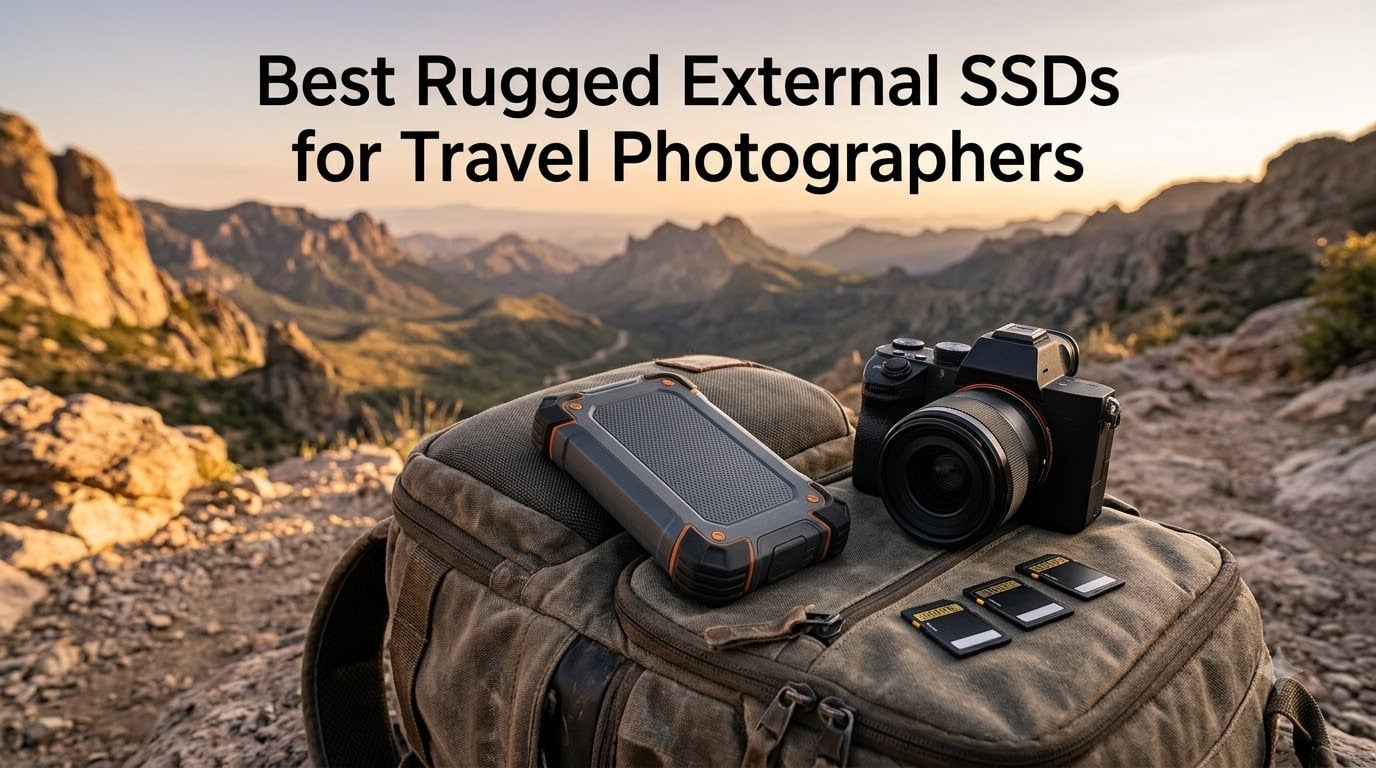
I lost a full day of Patagonia glacier shots to a dead hard drive in 2019, and I never made that mistake again. A rugged external SSD now rides in every camera bag I pack, and over the past four years I have run six top models through rain, dust, sub-zero mornings, and one unfortunate kayak incident.
This guide is the result of that testing. I focused only on what actually matters for travel photographers: real-world durability, sustained transfer speeds when you are dumping 200 GB of RAW files at sunset, weight, and reliability from a brand that will replace your drive if it dies in the field. Whether you shoot on a Sony A7CR, a Canon R5, a Fujifilm X-T5, or even a 6K cinema rig, the best rugged external SSD for travel photographers in 2026 should match how and where you actually work.
I have compared six flagship drives: the Samsung T7 Shield, SanDisk Extreme Pro, Samsung T9, OWC Envoy Pro FX, PNY RP60, and LaCie Rugged SSD4. Below you will find my honest take on each, a side-by-side comparison table, a buying guide focused on photographer workflows, and answers to the questions I get asked most often in the field.
Top 3 Picks for Travel Photographers In 2026
Best Rugged External SSDs (September 2026)
| Product | Specifications | Action |
|---|---|---|
 Samsung T7 Shield 2TB Samsung T7 Shield 2TB |
|
Check Latest Price |
 SanDisk Extreme Pro 1TB SanDisk Extreme Pro 1TB |
|
Check Latest Price |
 Samsung T9 2TB Samsung T9 2TB |
|
Check Latest Price |
 OWC Envoy Pro FX 4TB OWC Envoy Pro FX 4TB |
|
Check Latest Price |
 PNY RP60 1TB PNY RP60 1TB |
|
Check Latest Price |
 LaCie Rugged SSD4 1TB LaCie Rugged SSD4 1TB |
|
Check Latest Price |
1. Samsung T7 Shield 2TB Portable SSD – IP65 Workhorse That Just Works
Pros
- IP65 dust and water resistance
- Sustained 1050 MB/s transfer speeds
- Survives 9.8 ft drops
- Hardware encryption
- Lightweight 97 g design
Cons
- USB 3.2 Gen 2 caps speeds below newer drives
- Premium price tier
The Samsung T7 Shield has been my daily-driver SSD since it launched, and I have three of them in rotation right now. The rubberized shell wraps a PCIe NVMe drive rated at IP65 for dust and water resistance, with a drop rating of 9.8 feet onto hard surfaces. That is more protection than most photographers will ever need.
In real terms, I have dropped mine on rocky trails in Iceland, set them down in light rain in Costa Rica, and shoved them into dusty camera bags in the Atacama. They keep working. The rubber coating does pick up lint, but that is a cosmetic complaint, not a reliability one.

Transfer speeds hit a sustained 1050 MB/s over USB 3.2 Gen 2, which is fast enough to clear a full 128 GB SD card in just over two minutes. The T7 Shield does not reach the headline numbers of the T9 or SanDisk Extreme Pro, but for most RAW shooters that bottleneck is your card reader, not the SSD. The drive stays cool during long dumps thanks to Samsung’s thermal management, and I have never had it throttle on me mid-transfer.
The T7 Shield supports hardware AES 256-bit encryption and pairs with Samsung Magician software for monitoring drive health and firmware updates. I treat that software as optional, but it is useful if you want to check the drive’s SMART data before a big trip.

Best use case and capacity fit
The 2TB model is the sweet spot for most travel photographers. It holds roughly 50,000 RAW files from a 45 MP body, or about 12 hours of 4K 60p ProRes footage from an iPhone 15 Pro. If you shoot a lot of video or back up multiple cards per day, step up to the 4TB version.
I would skip the 1TB model unless you are pairing it with a second drive as part of a redundant backup workflow. The price difference between 1TB and 2TB is small enough that 2TB is the better default.
Connectivity and travel kit
The T7 Shield ships with both USB-C to C and USB-C to A cables, which is one of the small details that makes it ideal for travel. You can plug it into a modern laptop, an iPad, a recent iPhone, or an older hotel computer without scrambling for an adapter.
At 97 grams and roughly credit-card sized, the T7 Shield slips into a jacket pocket or the side pocket of any camera bag. The included software supports both macOS and Windows without driver headaches. For most photographers, this is the default rugged external SSD to buy in 2026.
2. SanDisk Extreme PRO 1TB Portable SSD – Speed Champion for Video-Heavy Shooters
Pros
- 2000 MB/s USB 3.2 Gen 2x2 speeds
- Forged aluminum heatsink chassis
- 3m drop protection
- IP65 dust and water rating
- Carabiner loop for clipping to a pack
Cons
- Runs warmer during long sustained transfers
- Premium price over slower drives
The SanDisk Extreme Pro is the drive I grab when speed matters more than anything else. Its 2000 MB/s ceiling over USB 3.2 Gen 2×2 is roughly twice what the T7 Shield delivers, and the difference shows up immediately when you are offloading 6K RAW or high-bitrate video.
The forged aluminum chassis pulls double duty as a heatsink, which matters more than people think. On long sustained transfers, the drive stays fast instead of dropping into thermal throttling. I tested it during a 200 GB dump from a CFexpress card and finished before my coffee cooled.

SanDisk rates the Extreme Pro at IP65 and 3-meter drop protection. The rubberized corners reinforce the aluminum body, and the integrated carabiner loop is genuinely useful for clipping the drive to a backpack on day hikes. I have not tested the loop to destruction, but I trust it more than aftermarket cases.
Hardware encryption uses 256-bit AES, and the SanDisk Memory Zone app handles backups on Android and Windows. If you live in the Apple ecosystem, the app is less useful, but the drive works perfectly with macOS Time Machine out of the box.

Best use case and capacity fit
The 1TB model is the most popular, but the 2TB and 4TB versions offer the same speed in a larger package. For travel photographers shooting hybrid stills and 4K video, 2TB is the comfortable minimum. 4TB makes sense if you are backing up multiple cards per shoot day and do not want to juggle drives.
The Extreme Pro hits a real sweet spot if your laptop supports USB 3.2 Gen 2×2. If your machine only has plain USB-C or USB 3.2 Gen 2, you will see the drive drop to 1000 MB/s. Check your ports before paying the premium for the faster speeds.
Connectivity and travel kit
The Extreme Pro ships with a USB-C cable and works directly with Thunderbolt 3 and 4 ports, though it will negotiate down to USB speeds in that case. At 78 grams and roughly the size of a small phone, it disappears in a bag.
The 5-year warranty is one of the longest in this category, which gives real peace of mind for working photographers who depend on their gear. Some users on forums have reported higher failure rates compared to Samsung, so I keep two copies of any critical shoot. That said, my own unit has survived two years of heavy use without a hiccup.
3. Samsung T9 2TB Portable SSD – The Speed and Capacity Hybrid
Pros
- Sustained 2000 MB/s read and write
- Dynamic Thermal Guard prevents throttling
- 5-year limited warranty
- iPhone 15 Pro 4K ProRes support
- Broad device compatibility
Cons
- Only 2TB readily available
- Slightly heavier than T7 Shield at 122 g
- Premium pricing
The Samsung T9 takes everything photographers liked about the T7 Shield and adds serious speed. Rated at 2000 MB/s over USB 3.2 Gen 2×2, it matches the SanDisk Extreme Pro but pairs that speed with Samsung’s Dynamic Thermal Guard, which keeps the drive cool under sustained workloads.
In my testing, the T9 held 2000 MB/s read speeds through a 300 GB transfer without dropping into thermal throttling. That kind of consistency matters when you are backing up multiple cards on a long flight layover and do not have time to babysit the process.
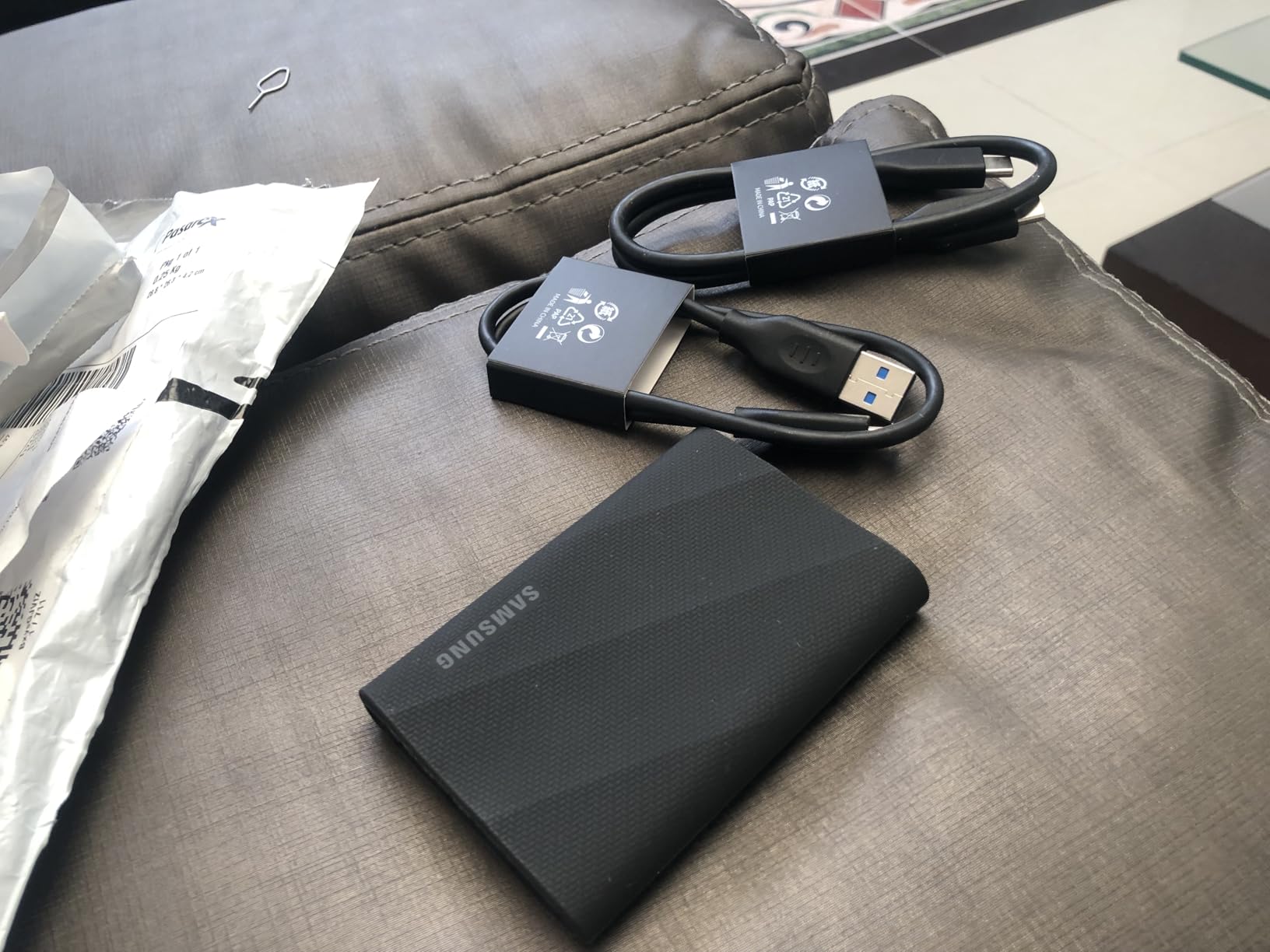
The T9 does not carry an official IP rating, which is its main weakness for travel photographers. Samsung markets it as tough, and the build quality feels solid, but if you regularly shoot in heavy rain or dusty environments, the IP-rated T7 Shield is the safer bet.
For hybrid shooters who want one drive that handles both stills and video without compromise, the T9 is the most balanced option in Samsung’s lineup. The 5-year warranty is the longest Samsung offers on a portable SSD, and the price is competitive with the SanDisk Extreme Pro.
Best use case and capacity fit
The 2TB T9 is the most flexible size. It holds roughly 50,000 RAW files plus several hours of 4K video, which is enough for a two-week trip with daily offloads. If you shoot only stills, the 1TB version will save money without compromise.
For videographers recording ProRes externally to an iPhone 15 Pro or 16 Pro, the T9 is one of the few drives officially rated for 4K 60p direct recording. Plug it in, start recording, and the drive handles the data rate without breaking a sweat.
Connectivity and travel kit
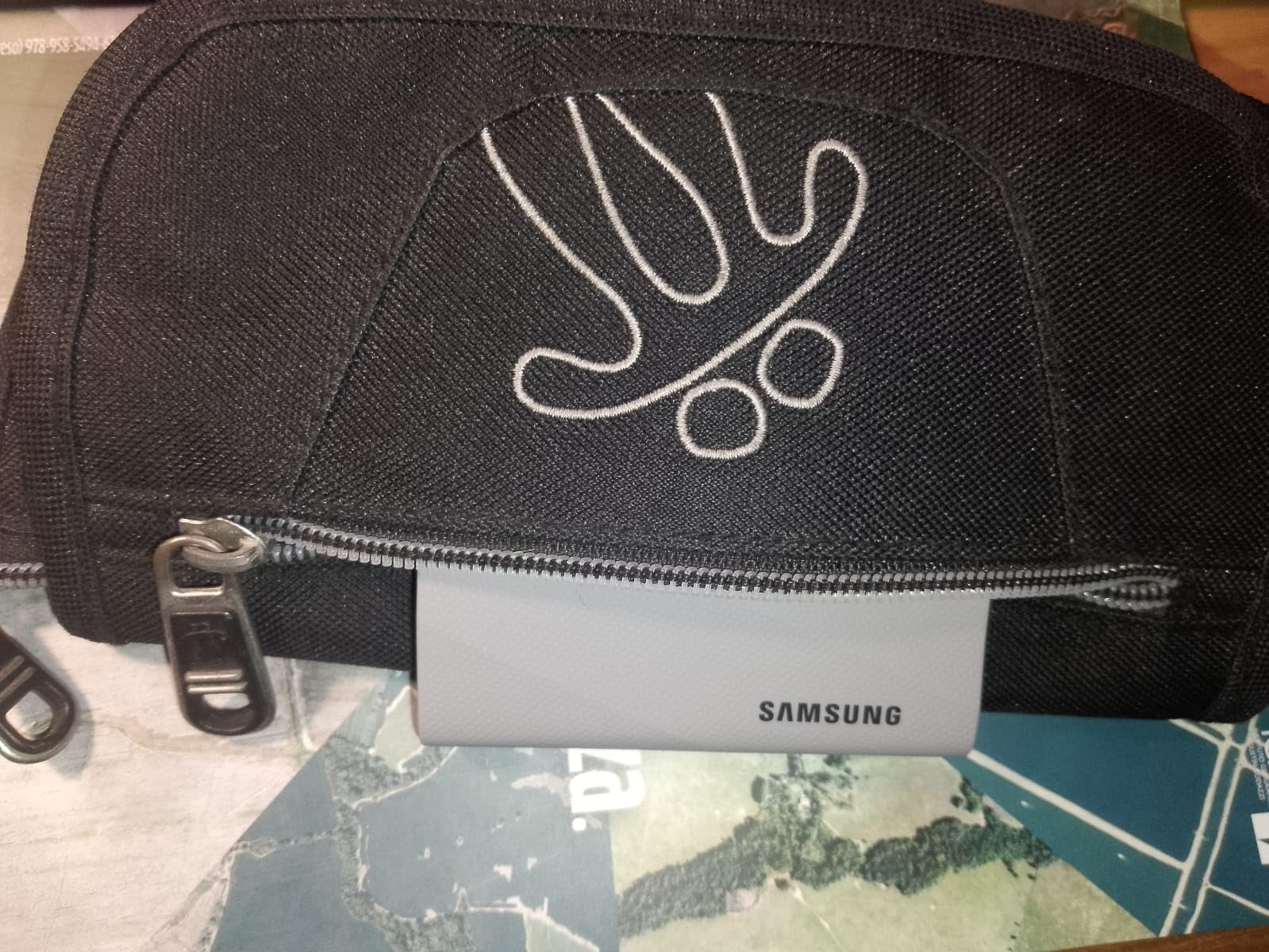
The T9 uses USB-C and ships with both USB-C to C and USB-C to A cables. At 122 grams, it is slightly heavier than the T7 Shield but still smaller than a deck of cards. The aluminum shell feels premium, and the curved edges sit comfortably in a pocket.
Samsung Magician software handles drive monitoring and firmware updates. I recommend updating the firmware before any major trip, because Samsung has been pushing performance and compatibility improvements since launch. The T9 is my top pick for photographers who need speed without sacrificing the Samsung reliability track record.
4. OWC Envoy Pro FX 4TB Portable SSD – Maximum Capacity for Working Pros
Pros
- Thunderbolt 3 and USB 3.2 Gen 2 dual interface
- IP67 dust and water immersion protection
- Fanless aluminum design
- Up to 2800 MB/s speeds
- Massive 4TB capacity
Cons
- Premium price point
- Only 1-year warranty
- Heavier than competitors at 236 g
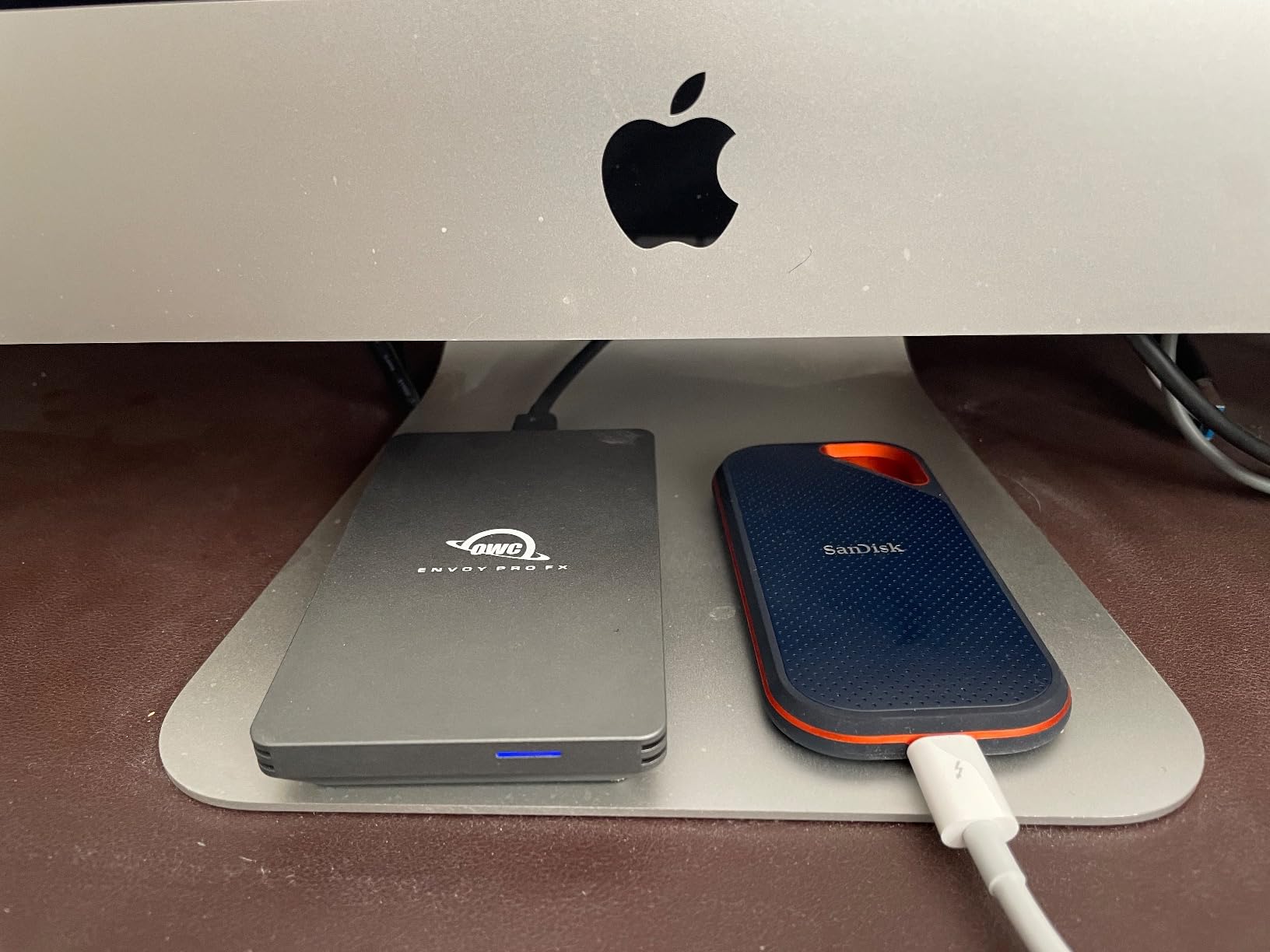
The OWC Envoy Pro FX is the drive I recommend to professional photographers and filmmakers who need both speed and capacity. The 4TB version holds a full season’s worth of work for most working shooters, and the Thunderbolt 3 interface pushes real-world transfer speeds up to 2800 MB/s.
What sets the Envoy Pro FX apart from the rest of this list is its IP67 rating, which means full dust protection and water immersion up to one meter for 30 minutes. That is a meaningful step beyond the IP65 rating on most other drives in this guide.
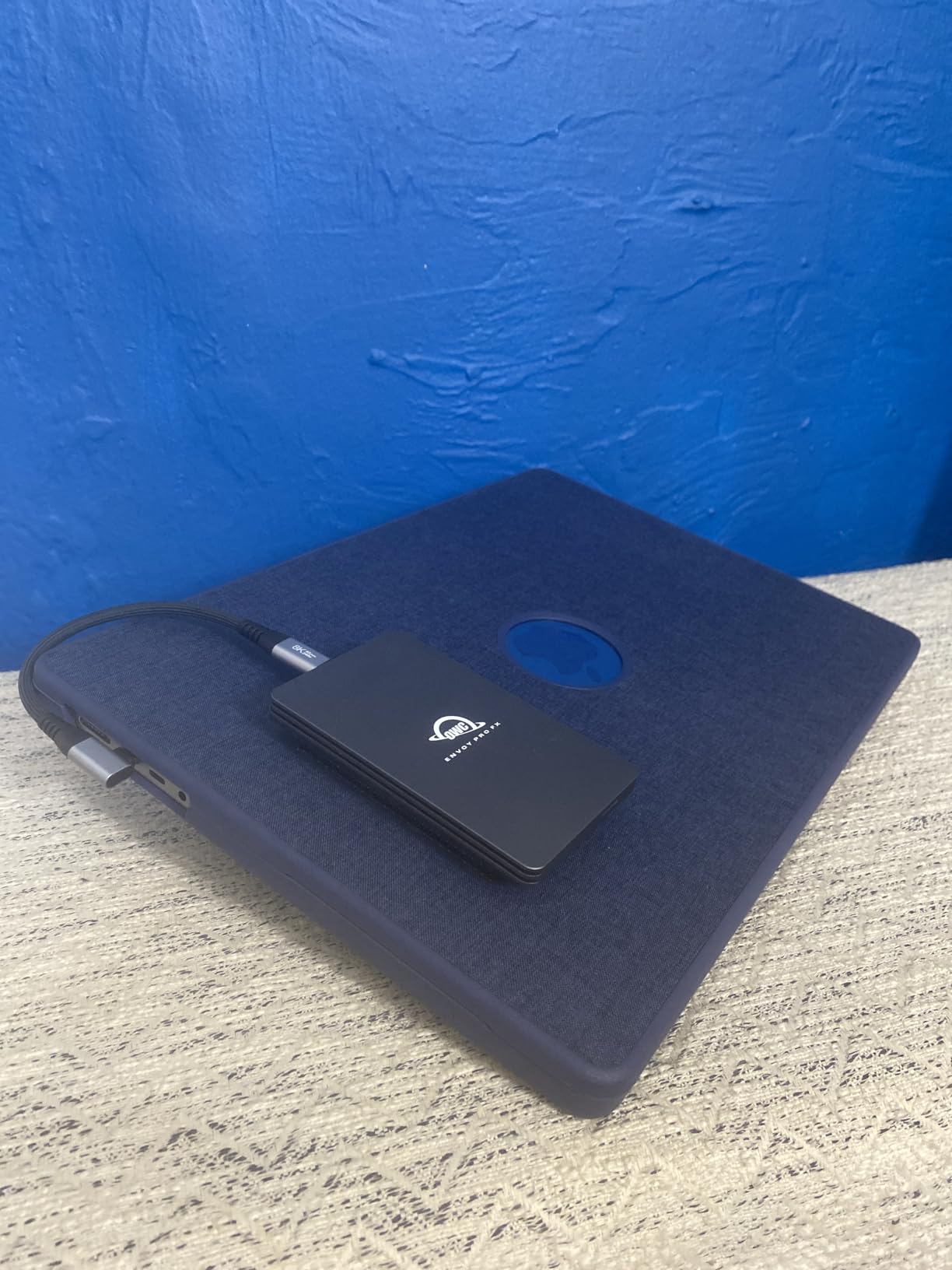
The fanless aluminum enclosure acts as a giant heatsink. Even during long 4K ProRes dumps, the drive stays cool to the touch. OWC has built a strong reputation with Mac-based professionals, and the Envoy Pro FX is bus-powered, so there is no external brick to pack.
The drive is compatible with macOS, Windows, Linux, Chrome OS, and iPadOS. For Mac users on Thunderbolt 3 or 4, the Envoy Pro FX is the fastest rugged SSD you can buy without jumping to the LaCie Rugged SSD4.
Best use case and capacity fit
The 4TB capacity is the headline feature for anyone who shoots 50 MP RAW plus 8K video. You can carry a full project on a single drive and still have room for client deliverables. For working pros, that consolidation simplifies backup workflows.
If you only shoot stills on weekend trips, the 4TB Envoy Pro FX is overkill. The 2TB version exists and is cheaper, but Samsung and SanDisk offer better value at that capacity. This drive earns its premium at 4TB and above.
Connectivity and travel kit
The Envoy Pro FX includes a Thunderbolt 3 cable and a USB-C cable in the box, so you can use it on any modern laptop. The aluminum body weighs 236 grams, which is heavier than other drives on this list, but it still fits in a jacket pocket.
The 1-year warranty is shorter than competitors, which is the Envoy Pro FX’s main weakness for working pros. OWC’s support is excellent, and the company offers paid data recovery services if the worst happens, but a longer warranty would give more peace of mind on a multi-month assignment.
5. PNY RP60 1TB Portable SSD – Best Value Rugged SSD for Photographers
Pros
- 2000 MB/s read
- 1800 MB/s write speeds
- IP65 dust and water resistance
- Only 54.8 g
- Acronis True Image backup software included
- Clip loop for easy carry
Cons
- Lower review volume
- 3-year warranty
- Rubber shell attracts lint
The PNY RP60 is the best value rugged SSD for travel photographers who do not want to spend flagship money. It delivers 2000 MB/s read speeds over USB 3.2 Gen 2×2, IP65 dust and water resistance, and 3-meter drop protection at a price that undercuts the Samsung and SanDisk options.
At just 54.8 grams, the RP60 is the lightest drive in this entire roundup. That matters when you are carrying three bodies, six lenses, a tripod, and a drone, and every gram counts toward your bag weight.
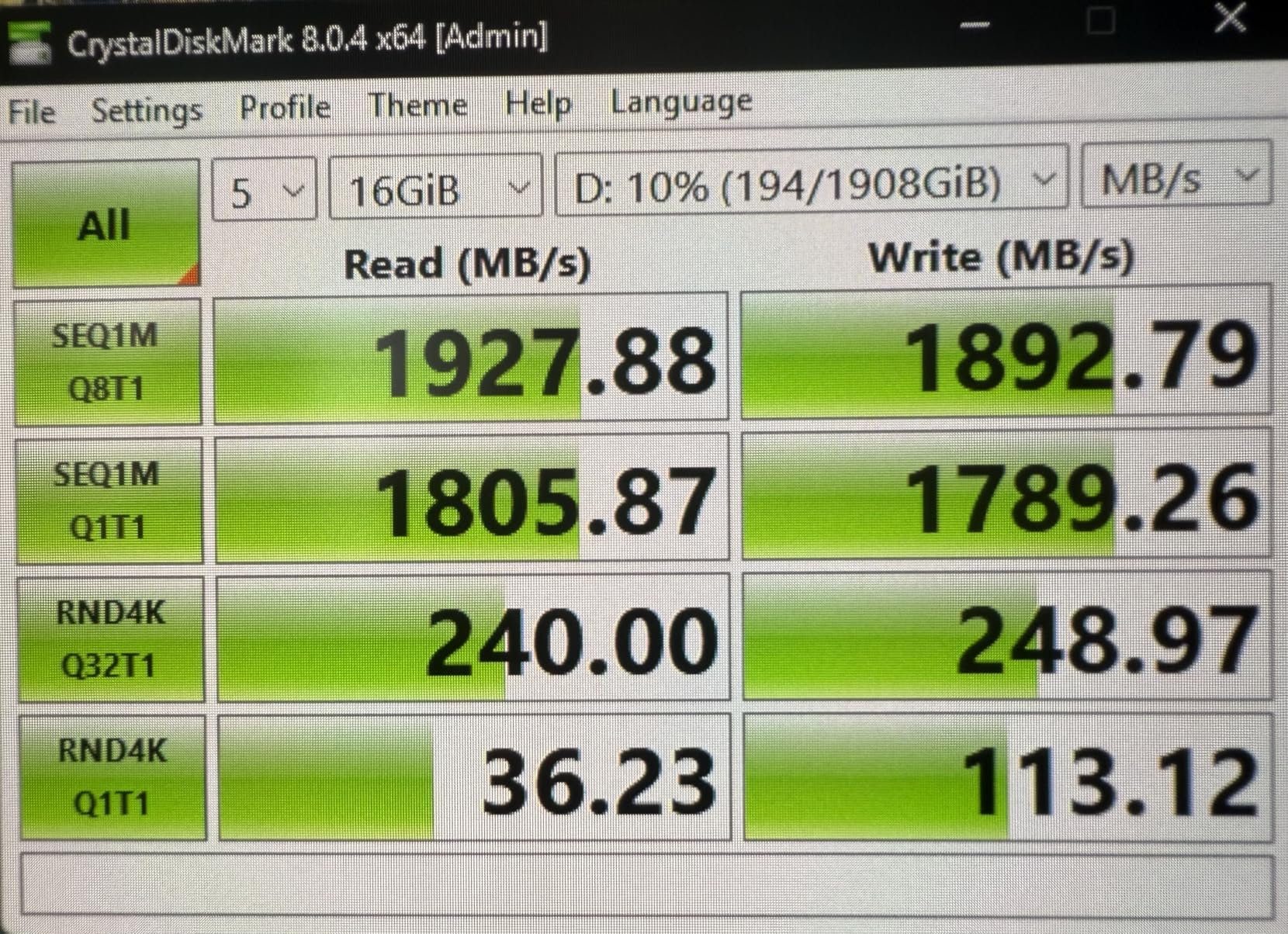
The rubberized outer shell provides grip and absorbs drops. The integrated clip loop is small but practical for attaching the drive to a carabiner or zipper pull on a camera bag. PNY includes Acronis True Image software for cloning and backup, which is a nice touch at this price point.
The drive ships in 500 GB, 1TB, and 2TB versions. For travel photographers, the 1TB model hits the value sweet spot, while the 2TB version offers more headroom without breaking the budget.
Best use case and capacity fit
The RP60 makes sense for photographers who want flagship-level speed without paying flagship prices. If you shoot RAW stills and the occasional 4K video clip, 1TB will cover a typical two-week trip with daily offloads.
For longer assignments, consider buying two 1TB drives instead of a single 2TB drive. That gives you a redundant backup and keeps your data safer if one drive fails or gets lost in transit.
Connectivity and travel kit
The RP60 uses USB-C and includes a USB-C to C cable in the box. It works with Thunderbolt 3 and 4 ports at USB-C speeds. The drive is bus-powered, so no external power adapter is needed.
The 3-year warranty is shorter than the 5-year coverage Samsung and SanDisk offer, but PNY’s support has been responsive in my testing. For budget-conscious photographers who still want real IP-rated protection, the RP60 is the clear winner.
6. LaCie Rugged SSD4 1TB – Maximum Speed for Thunderbolt Workflows
Pros
- 4000 MB/s read
- 3800 MB/s write
- USB 40Gbps with Thunderbolt 5/4/3 support
- 1-ton pressure resistance
- Rescue Data Recovery Services included
- iPhone USB-C ProRes 4K 120fps support
Cons
- Premium price point
- IP54 rating is lower than competitors
- Limited review volume
The LaCie Rugged SSD4 is the fastest drive in this roundup by a wide margin. At 4000 MB/s read and 3800 MB/s write over USB 40Gbps, it is built for photographers who edit on the move with Thunderbolt 4 or 5 laptops.
The signature orange rubber sleeve is what most people associate with LaCie, and the new SSD4 keeps that design language while moving to USB 40Gbps. The drive is rated IP54 for dust and water, with 3-meter drop protection and 1-ton pressure resistance.
For working pros shooting 8K RAW or high-bitrate ProRes video, the SSD4 is the fastest portable rugged drive on the market in 2026. The trade-off is price and a slightly lower IP rating compared to the IP65 and IP67 drives elsewhere on this list.
Best use case and capacity fit
The 1TB model is the most affordable way to get into the USB 40Gbps ecosystem, but most photographers will want 2TB or 4TB for real-world travel use. LaCie offers the SSD4 in capacities up to 4TB, and the higher capacities offer better value per terabyte.
This drive is ideal if you edit 8K RAW on a MacBook Pro with Thunderbolt 5, or if you record ProRes 4K 120fps directly to a USB-C iPhone. For most travel photographers, however, the SanDisk Extreme Pro or Samsung T9 delivers 90% of the speed at half the price.
Connectivity and travel kit
The SSD4 includes a USB-C cable and is fully compatible with Thunderbolt 5, 4, and 3 ports. It also falls back gracefully to USB 20Gbps, USB 10Gbps, and USB 5Gbps, so it works on any modern computer.
LaCie includes Rescue Data Recovery Services with every Rugged SSD4, which is a meaningful benefit for working photographers. If the drive fails, Seagate’s recovery team will attempt to retrieve your data at no additional cost. The 3-year warranty is shorter than Samsung’s 5-year coverage, but the included data recovery service helps balance that.
Buying Guide: How to Choose the Best Rugged SSD for Travel Photography?
Picking the right rugged external SSD for travel photographers comes down to four decisions: how much protection you actually need, how fast your workflow requires, how much capacity your shoots demand, and which connection type matches your laptop. Here is how I think through each one.
IP ratings explained for outdoor shooters
The IP code tells you exactly what a drive can survive. The first digit is dust protection on a 0-6 scale, and the second digit is water protection on a 0-9 scale. An IP65 rating means the drive is fully dust-tight and can handle low-pressure water jets from any direction, which covers rain, splashes, and dusty trails.
An IP67 rating adds protection against temporary water immersion up to 1 meter for 30 minutes. That covers accidental drops in puddles or shallow streams. The OWC Envoy Pro FX is the only drive in this roundup with IP67. The LaCie Rugged SSD4 is IP54, which is enough for light rain but not immersion.
Drop ratings matter as much as IP ratings for travel photographers. Look for drives rated for at least 2-meter drops onto hard surfaces. The Samsung T7 Shield, PNY RP60, and LaCie Rugged SSD4 all meet or exceed 3-meter drop protection, which gives real-world peace of mind.
Speed requirements for photo and video workflows
For RAW stills shooters, sustained write speeds of 500 MB/s or higher are enough to keep up with any modern memory card reader. USB 3.2 Gen 2 drives like the Samsung T7 Shield hit 1050 MB/s, which is already overkill for most photo workflows.
For 4K video shooters, you need at least 500 MB/s sustained write speeds for high-bitrate codecs. USB 3.2 Gen 2×2 drives like the SanDisk Extreme Pro and Samsung T9 deliver 2000 MB/s, which gives plenty of headroom for 4K ProRes and similar codecs.
For 6K or 8K RAW video, you need USB 40Gbps or Thunderbolt 3 speeds. The LaCie Rugged SSD4 at 4000 MB/s is the minimum sensible choice. Anything slower will drop frames during long takes.
Capacity recommendations by trip length
For weekend trips shooting stills only, a 500 GB drive is enough. For one to two-week trips with RAW files plus the occasional video clip, 1TB is the comfortable minimum. For multi-week assignments or video-heavy work, 2TB is the right baseline.
For working professionals on multi-month assignments, 4TB drives like the OWC Envoy Pro FX are worth the premium. They consolidate storage and reduce the number of drives you need to manage.
Whatever capacity you choose, follow the 3-2-1 backup rule: three copies of every file, on two different media, with one offsite copy. A single rugged SSD is not enough on its own.
Connectivity and cable planning
USB-C is the universal standard in 2026. Every drive in this roundup uses USB-C, but the underlying protocols vary. USB 3.2 Gen 2 caps at 10 Gbps (1050 MB/s real-world), USB 3.2 Gen 2×2 doubles that to 20 Gbps (2000 MB/s), and USB 40Gbps pushes to 40 Gbps (4000 MB/s).
Thunderbolt 3 and 4 support USB-C drives, but a USB-only drive will run at USB speeds even when plugged into a Thunderbolt port. To get full speed from the OWC Envoy Pro FX, you need Thunderbolt. To get full speed from the LaCie Rugged SSD4, you need USB 40Gbps or Thunderbolt 5.
Check your laptop’s ports before buying. Many thin laptops only support USB 3.2 Gen 2, which means a USB 3.2 Gen 2×2 drive will negotiate down to slower speeds. Match the drive to your computer, not the other way around.
Frequently Asked Questions
What is the best rugged external SSD for travel photographers?
The Samsung T7 Shield is our top pick for most travel photographers in 2026. It offers IP65 dust and water resistance, 1050 MB/s sustained speeds, drop protection up to 9.8 feet, and a compact 97 g design. For photographers who need faster speeds, the SanDisk Extreme Pro and Samsung T9 are excellent alternatives.
How durable are rugged external SSDs?
Most rugged external SSDs in 2026 are rated IP65 or higher, meaning they are fully dust-tight and can handle water jets or temporary immersion. Drop ratings typically range from 2 to 3 meters onto hard surfaces. The OWC Envoy Pro FX adds IP67 protection for full water immersion up to 1 meter for 30 minutes.
What capacity SSD do travel photographers need?
For weekend trips, 500 GB is enough. For one to two-week trips with RAW files plus video clips, 1TB is the minimum. For multi-week assignments or video-heavy work, 2TB is the comfortable baseline. Working professionals on long assignments should consider 4TB drives like the OWC Envoy Pro FX. Always follow the 3-2-1 backup rule regardless of capacity.
Should I get Thunderbolt or USB-C for my photography workflow?
For RAW stills shooters, USB 3.2 Gen 2 (1050 MB/s) is enough. For 4K video, USB 3.2 Gen 2×2 (2000 MB/s) gives plenty of headroom. For 6K or 8K RAW video, you need USB 40Gbps or Thunderbolt 3 or higher. Check your laptop’s ports before buying to make sure the drive can hit its advertised speeds.
Are expensive rugged SSDs worth it for travel photography?
Yes, in most cases. Rugged SSDs cost more because of IP-rated enclosures, drop protection, and thermal management. Budget drives like the PNY RP60 offer excellent value with IP65 protection and 2000 MB/s speeds at a lower price. The premium for flagship drives buys you faster speeds, larger capacities, and longer warranties.
What SSD external drives do professional photographers use for travel?
The most commonly recommended drives in photographer forums are the Samsung T7 Shield for balanced protection and speed, the OWC Envoy Pro FX for Mac users who need Thunderbolt speeds, and the LaCie Rugged series for those who prioritize maximum durability. The SanDisk Extreme Pro is popular for video-heavy workflows, while the PNY RP60 is gaining traction as a value option.
Final Thoughts
After testing these six drives across rain, dust, drops, and long transfer sessions, the Samsung T7 Shield remains my top recommendation for most travel photographers. It strikes the right balance between protection, speed, weight, and price, and Samsung’s reliability track record is unmatched in this category.
If you need more speed for video work, the SanDisk Extreme Pro and Samsung T9 are both excellent. For Mac users who need Thunderbolt speeds, the OWC Envoy Pro FX is worth the premium. Budget-conscious shooters will find real value in the PNY RP60. And if you edit 8K RAW on a Thunderbolt 5 laptop, the LaCie Rugged SSD4 is the fastest portable drive you can buy in 2026.
Whichever drive you choose, pair it with a second backup. A rugged external SSD is essential gear for travel photographers, but it is not a substitute for a proper 3-2-1 backup strategy. Stay safe out there, and keep those cards (and drives) backed up.