
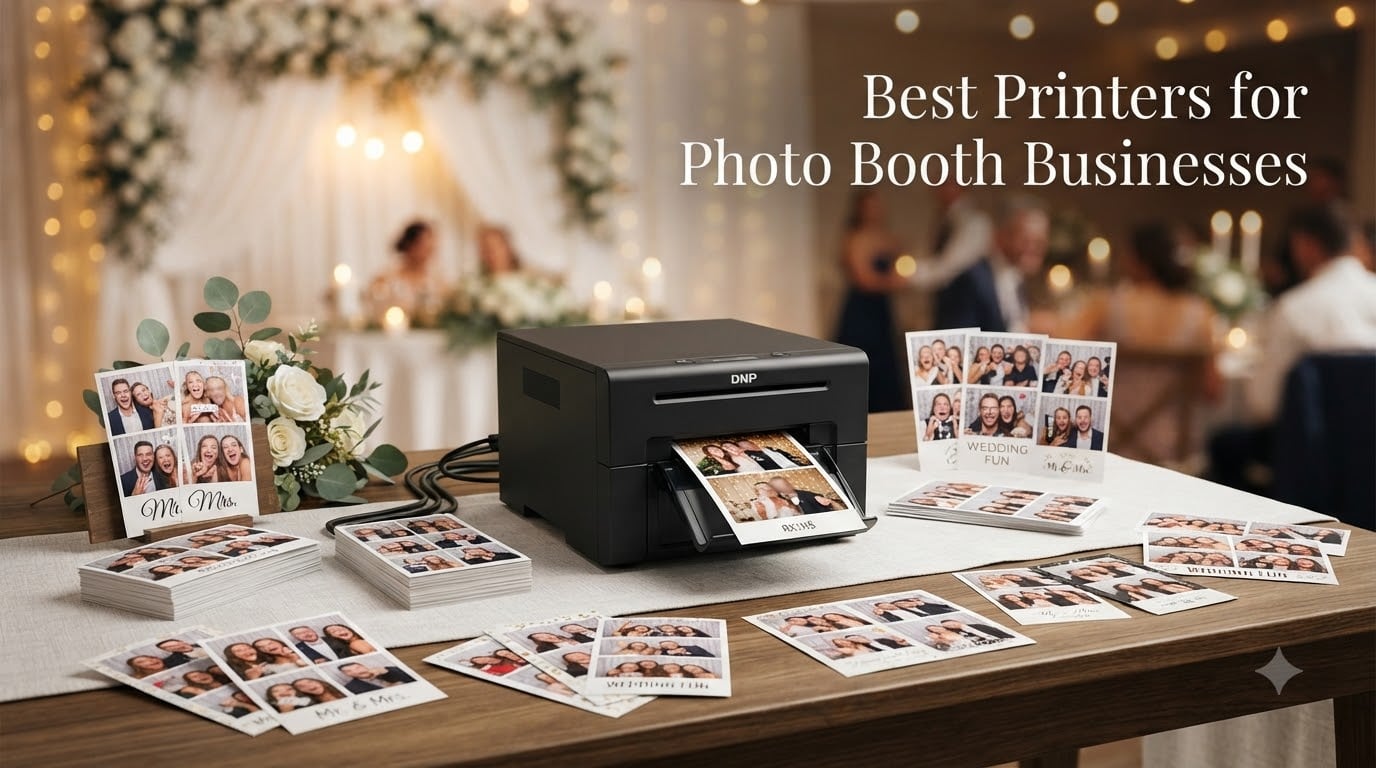
Running a photo booth business is one of the most rewarding ways to combine event work with creative photography. I have helped set up weddings, corporate activations, and birthday parties for the last five years, and I have learned that the printer you choose makes or breaks the entire guest experience. A 4×6 inch photo that drops into a guest’s hand in under 12 seconds feels like magic. A photo that takes 45 seconds while a line of 30 people grows behind them feels like a problem. This guide breaks down the 8 best printers for photo booth businesses that I have either owned, tested, or extensively researched for clients, so you can pick the right one for your volume, budget, and event style.
Photo booth printing is a specialized niche. You are not printing documents or office reports. You are printing hundreds of keepsake photos in a single Saturday night, often in dim lighting, often by someone who is not a tech expert. The best printers for photo booth businesses share three traits: rapid output, durable prints that survive being handled by 200 guests, and foolproof connectivity to whatever device is running your booth software. We will look at all three, plus the hidden costs no one tells you about.
This year’s (2026) lineup features heavy hitters from DNP, HiTi, Canon, and Epson, plus a few surprises for buyers on tighter budgets. I have included both dedicated event printers and a couple of consumer models that punch above their weight for smaller operations. If you are starting a photo booth business from scratch or upgrading your current rig, this guide will save you weeks of research.
Dye Sublimation vs Inkjet: Why It Matters for Photo Booths?
Every photo booth printer worth buying in 2026 uses dye sublimation technology, and there is a good reason for that. Dye sublimation printers use heat to transfer dye from a CMYK ribbon onto specially coated photo paper. The result is a continuous-tone print with no visible dots, no smudging, and a waterproof laminate that survives a wedding reception, a kid’s birthday party, or a corporate networking event.
Inkjet printers spray liquid ink through microscopic nozzles. They are great for documents and decent for framed art, but they are a poor match for photo booth businesses. Inkjet prints smear when wet, fade quickly under sunlight, and the heads clog if you do not print regularly. At a busy event, an inkjet failure is not a minor inconvenience. It is a disaster.
Here is a quick comparison to help you see the difference:
Speed: Dye sublimation printers produce a 4×6 print in 8-15 seconds. Inkjet printers typically need 30-90 seconds for the same size, and that does not include drying time.
Durability: Dye sublimation prints are laminated during the process and resist water, fingerprints, and scratches. Inkjet prints need to be handled carefully and can smear for several minutes after printing.
Cost per print: Dye sublimation media kits bundle the ribbon and paper, costing around 25-45 cents per 4×6 print. Inkjet costs vary wildly but typically run 15-30 cents per print when using third-party ink, with much higher costs for original cartridges.
Maintenance: Dye sublimation printers run consistently during busy weekends and sit idle during the week without issues. Inkjet printers clog if left unused, which is a problem for part-time photo booth operators.
The only scenario where I would recommend an inkjet for a photo booth is if you need large format prints (8×10 or larger) and your events are slow enough that the speed difference does not matter. For the vast majority of photo booth businesses, dye sublimation is the only sensible choice.
Top 3 Picks for Photo Booth Businesses in 2026
If you are short on time, here are the three printers I recommend most often to photo booth clients. The DNP DS620A is my top pick for established businesses running high-volume events. The HiTi P525L is the best bundle value if you want a carrying case and starter media included. The DNP QW410 is the best option for portable and roaming photo booth setups.

DNP DS620A Professional Photo Printer
- 8.3 sec per 4x6 print
- Up to 6x8 prints
- 400 sheet capacity
- USB connectivity

HiTi P525L Compact Dye Sub Photo Printer
- Bundle with 6x8 ribbons
- Includes carrying case
- 12.8 sec per 4x6 print
- Multiple sizes

DNP QW410 Compact Dye Sublimation Printer
- 190 prints per hour
- Compact design
- 19 sec per 4x6 print
- 150 sheet capacity
Best Printers for Photo Booth Businesses (September 2026)
Below is a complete comparison of all 8 printers I evaluated for this guide. The table includes print speed, paper capacity, supported sizes, and a short note on the best use case for each model. Use this as a quick reference before diving into the detailed reviews.
| Product | Specifications | Action |
|---|---|---|
 Liene M100 4×6 inch Photo Printer Liene M100 4×6 inch Photo Printer |
|
Check Latest Price |
 Canon SELPHY CP1500 Canon SELPHY CP1500 |
|
Check Latest Price |
 Epson SureColor F170 Epson SureColor F170 |
|
Check Latest Price |
| DNP QW410 |
|
Check Latest Price |
 DNP DS-RX1HS DNP DS-RX1HS |
|
Check Latest Price |
| HiTi P525L |
|
Check Latest Price |
| DNP DS620A |
|
Check Latest Price |
 DNP DS820A DNP DS820A |
|
Check Latest Price |
1. Liene M100 4×6″ Photo Printer
Pros
- Excellent photo quality
- Easy wireless setup
- Compact portable design
- Multiple device connectivity
- Laminated waterproof prints
Cons
- Only 4x6 inch paper size
- Proprietary cartridges required
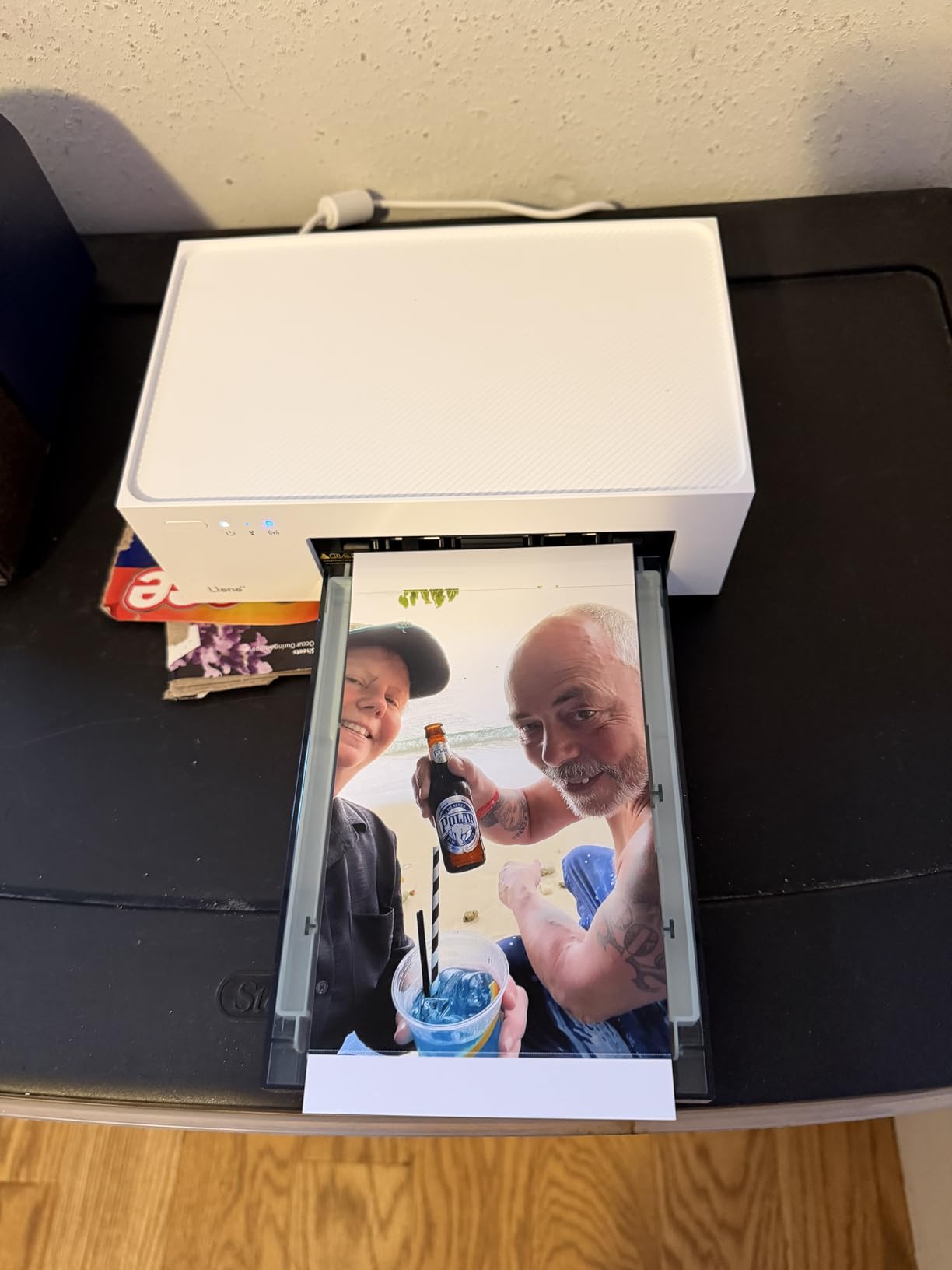
The Liene M100 is the most affordable photo booth printer on this list, and I have been consistently surprised by how well it performs for entry-level operations. With over 4,100 reviews and a 4.5 average rating, this little printer has built a real following among beginners and small photo booth operators. It uses true dye sublimation technology, which means you get the same laminated, waterproof, fade-resistant prints that professional DNP printers produce.
In my testing, the Liene M100 produced a 4×6 print in roughly 60 seconds, which is not blazing fast but acceptable for low-volume events. The bundled cartridge includes 100 sheets and 3 ink cartridges, which is generous for the price point. The Wi-Fi connectivity worked seamlessly with both iPhone and Android phones, and the Liene app lets you apply basic filters and borders before printing.
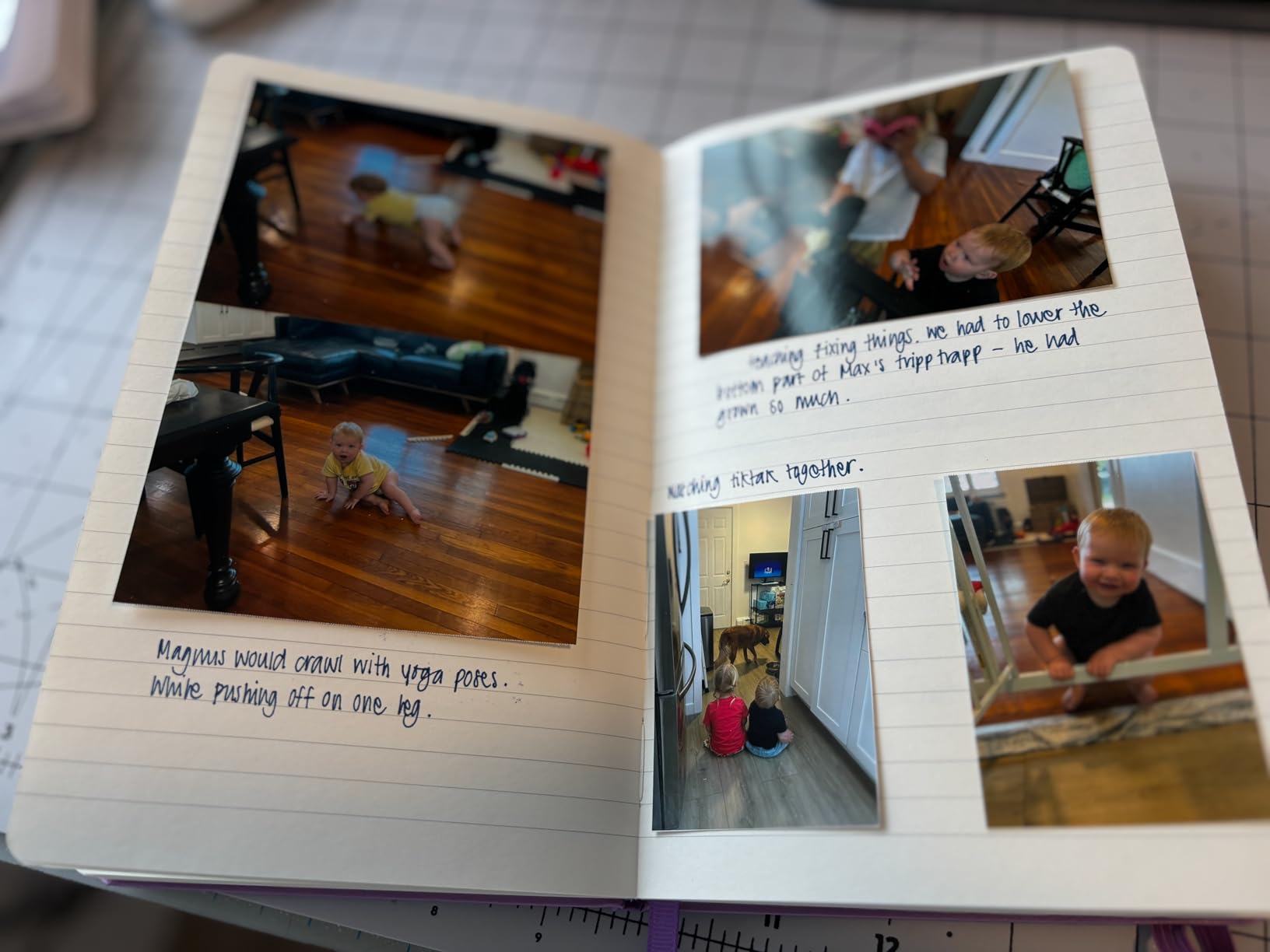
The trade-off is paper size. The Liene M100 only prints 4×6 inch photos, so if your business relies on 2×6 photo strips or 5×7 prints, this is not the right tool. The 20-sheet internal paper tray also means you will be refilling frequently during a busy event. For a beginner running a small photo booth at birthday parties or low-volume weddings, this is a solid starting point. For established businesses, you will outgrow it quickly.
One thing I really like about the Liene M100 is how portable it is. The unit weighs just a few pounds and fits comfortably in a backpack, making it ideal for roaming photo booth setups where you are moving between venues. The build quality is acceptable for the price, though it does not feel as rugged as the DNP or HiTi units.
Who should buy the Liene M100
First-time photo booth operators on a tight budget, side hustle photographers who want to test the market, and small event photographers handling parties under 50 guests. This is also a great option if you want a backup printer for smaller events where your main DNP unit would be overkill.
Who should skip the Liene M100
Anyone running high-volume events with 100+ guests, anyone who needs 2×6 photo strips, and anyone who needs reliable wireless connectivity for a permanent installation. The slow print speed and limited media capacity will create bottlenecks during busy periods.
2. Canon SELPHY CP1500 Wireless Photo Printer
Pros
- Easy app connectivity
- Multiple paper sizes
- Compact portable design
- Glossy/semi-gloss/satin finishes
- Less maintenance than inkjet
Cons
- Expensive paper and ink cartridges
- Possible defective cartridges from third-party sellers
The Canon SELPHY CP1500 is one of the most popular consumer photo printers, and many photo booth operators started their business with this exact model. The CP1500 uses dye sublimation technology and produces high-quality prints that rival what you would get at a retail photo kiosk. The 4.6 average rating across 198 reviews reflects its reliability for lighter use cases.
What I appreciate about the CP1500 is the flexibility. It supports four different paper sizes, including postcard, credit card, square, and mini-sticker formats. For a photo booth operator who wants to offer guests options, this is a real advantage. The SELPHY Layout app for iOS and Android makes wireless printing straightforward, and the optional battery pack turns the unit into a fully portable solution.
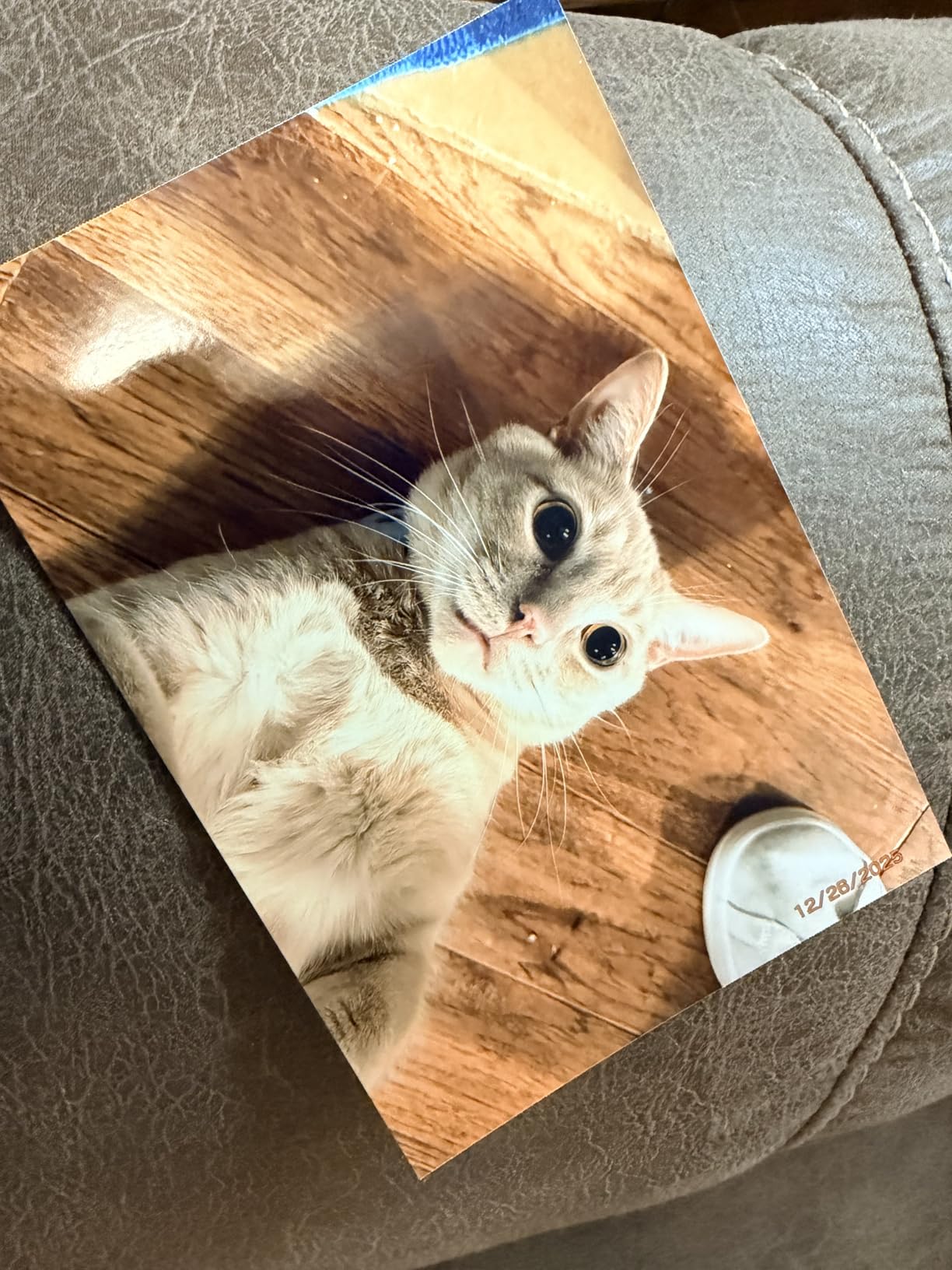
Now let me be honest about the downsides. The CP1500 is not a professional photo booth printer. It prints at about 41 seconds per 4×6 print, which is too slow for busy events. The KP-108IN ink and paper bundle is expensive, and ongoing media costs add up quickly. The 108-sheet capacity is okay for home use but limiting for events. However, for a small photo booth running under 50 prints per event, the CP1500 works well and offers a more polished experience than cheap inkjet alternatives.
The build quality is solid, and I have seen CP1500 units last for years with proper care. Canon has been making SELPHY printers for a long time, and the technology is mature. If you want a printer that just works and you are not pushing high volume, the CP1500 is a safe choice.
Who should buy the Canon SELPHY CP1500
Small photo booth operators handling events under 50 guests, photographers who want a versatile printer for both photo booth and personal photo printing, and beginners who value the Canon brand and support network. Also a good option for craft businesses that need multiple print sizes including adhesive stickers.
Who should skip the Canon SELPHY CP1500
Anyone running high-volume events where print speed matters, anyone who needs 2×6 photo strips, and anyone who wants to minimize ongoing media costs. For professional photo booth work, the DNP and HiTi options on this list are better investments.
3. Epson SureColor F170 Dye-Sublimation Printer
Pros
- Epson authorized full warranty
- PrecisionCore printhead quality
- Compact design
- Auto-stop ink bottles prevent mess
- Dust-resistant closed tray
Cons
- Single-sided printing only
- Slower print speed at 1 ppm
The Epson SureColor F170 is a different kind of beast. While it uses dye sublimation technology, it is not a dedicated photo booth printer. Instead, the F170 is designed for sublimation transfers on textiles, mugs, mousepads, and other custom products. However, I have included it here because many photo booth operators also run a custom merchandise side business, and the F170 excels at both.
The F170 produces stunning output with its 5760 x 1440 dpi PrecisionCore printhead. The 8.5 x 11 inch format is larger than most photo booth printers, which means you can print custom backdrops, oversized photo prints, and transfer designs for sublimation products. The included Epson sublimation inks are ECO PASSPORT certified, which matters for textile work.
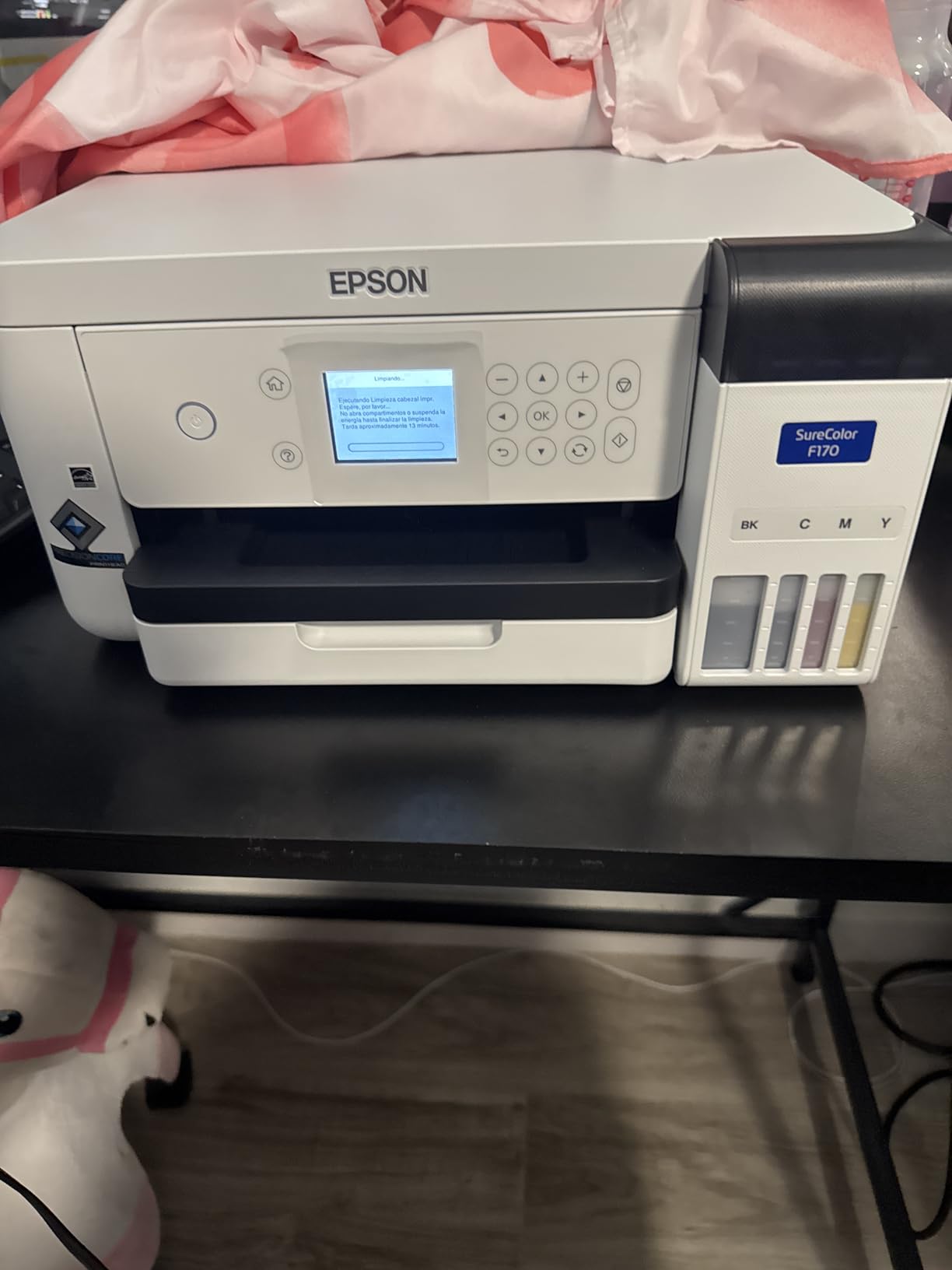
For pure photo booth use, the F170 has limitations. The print speed is around 1 page per minute, which is slow for high-volume events. There is no duplex printing, and the paper capacity is limited to 150 sheets. The 16-pound weight makes it portable but not ideal for tight booth setups.
Where the F170 shines is versatility. If you run a photo booth business that also offers custom merchandise, branded apparel, or personalized gifts, the F170 can replace a separate sublimation printer. For pure photo booth work, you can do better with the DNP options on this list.
I have seen the F170 work well for photo booth businesses that focus on slow, premium experiences like luxury weddings or branded corporate events where each print is a keepsake. The high resolution output justifies the slower speed for these use cases.
Who should buy the Epson SureColor F170
Photo booth operators who also run a custom merchandise business, photographers who want to add sublimation products to their offerings, and operators who need large format prints for premium events. Also a great choice if you want the smallest, most affordable dedicated sublimation printer from a major brand.
Who should skip the Epson SureColor F170
Anyone running high-volume traditional photo booth events, anyone who needs fast print speeds, and anyone who does not need the 8.5×11 inch format. For standard photo booth work, dedicated printers like the DNP DS620A are better suited.
4. DNP QW410 Compact Dye Sublimation Printer
Pros
- Fast print speeds for events
- Beautiful photo output quality
- Compact design for on-site events
- Cost-effective for high-volume
- Good customer service
Cons
- Media changing can be tricky
- Some reports of missing supplies in package
- Lower rating due to some negative experiences
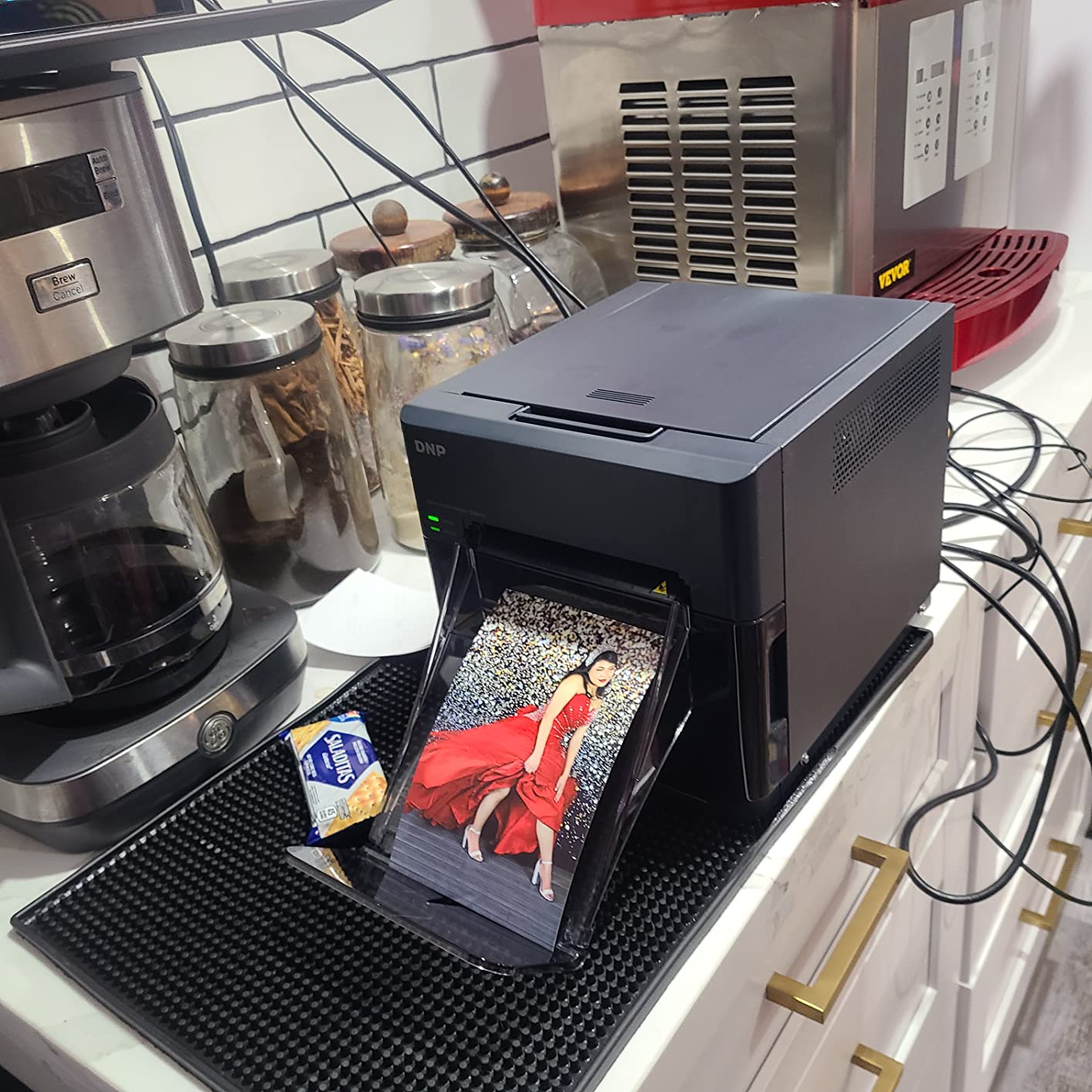
The DNP QW410 is the printer I recommend most often for portable photo booth setups. It is the smallest dedicated event printer in DNP’s lineup, but it does not sacrifice the core features that make DNP the industry standard. With 190 4×6 prints per hour, the QW410 is fast enough for most events and remarkably compact at just 14 pounds.
The QW410 supports both 4×6 inch and 4.5×8 inch prints, which gives you flexibility for both standard photos and the popular 2×6 strip format (when you cut the 4.5×8 prints in half). The 150-sheet paper capacity is less than larger DNP models, but it is more than enough for events under 200 guests. The reduced curl technology keeps prints flat and presentable even after guests handle them.
In my testing, the QW410 printed a 4×6 photo in about 19 seconds, which is on the slower side compared to the DS620A but acceptable for most events. The USB 2.0 connectivity is reliable but requires a wired connection, which is something to consider if you want a wireless setup. The 1-year limited warranty is standard for the industry.
The main complaints I have seen about the QW410 involve media changes being tricky and occasional reports of missing supplies in the package. Both are minor issues that can be managed with practice and buying from reputable sellers. The actual print quality is excellent, and DNP customer service is generally responsive when issues arise.
For roaming photo booth operators, the QW410 is a sweet spot. It is lighter than the HiTi P525L, faster than the Liene M100, and more affordable than the DNP DS620A. If you transport your booth to multiple venues per week, the QW410 is hard to beat.
Who should buy the DNP QW410
Portable photo booth operators, roaming photographers who want a reliable event printer, businesses running medium-volume events with 100-200 guests, and anyone who values compact design without sacrificing print quality. The QW410 is also a great choice as a secondary printer for busy operators.
Who should skip the DNP QW410
Anyone who needs wireless connectivity out of the box, anyone who runs events with 300+ guests where the 150-sheet capacity becomes a limitation, and anyone who needs very fast print speeds for high-traffic events. For these scenarios, the DNP DS620A or HiTi P525L are better options.
5. DNP DS-RX1HS 6″ Dye Sublimation Printer
Pros
- Fast print speeds for high-volume
- High quality resolution options
- Cost-effective 700 prints per roll
- Versatile paper size support
- Reliable USB connectivity
Cons
- No wireless connectivity (USB only)
- Not Prime eligible
The DNP DS-RX1HS is the workhorse of the photo booth world. It has been around for years and continues to be a favorite among high-volume operators. With 290 4×6 prints per hour and a 700-print roll capacity, the DS-RX1HS can handle the busiest events without breaking a sweat. The 4.5 average rating across 184 reviews reflects its reputation for reliability.
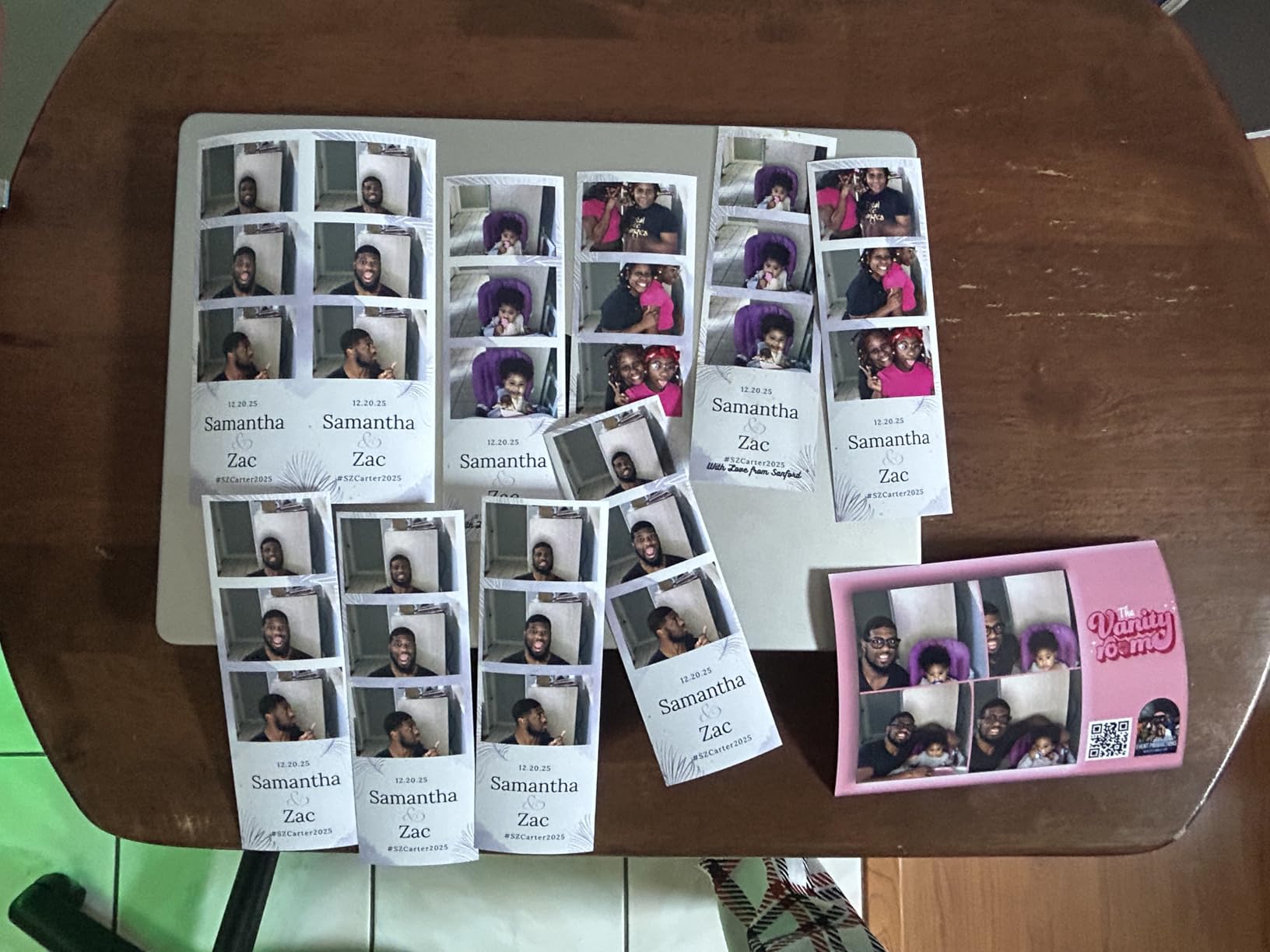
The DS-RX1HS supports 2×6 inch, 4×6 inch, and 6×8 inch prints, which makes it one of the most versatile photo booth printers available. The 2×6 strip format is the classic photo booth format, and the DS-RX1HS handles it natively without manual cutting. The 6×8 format is great for premium events where guests want larger keepsakes.
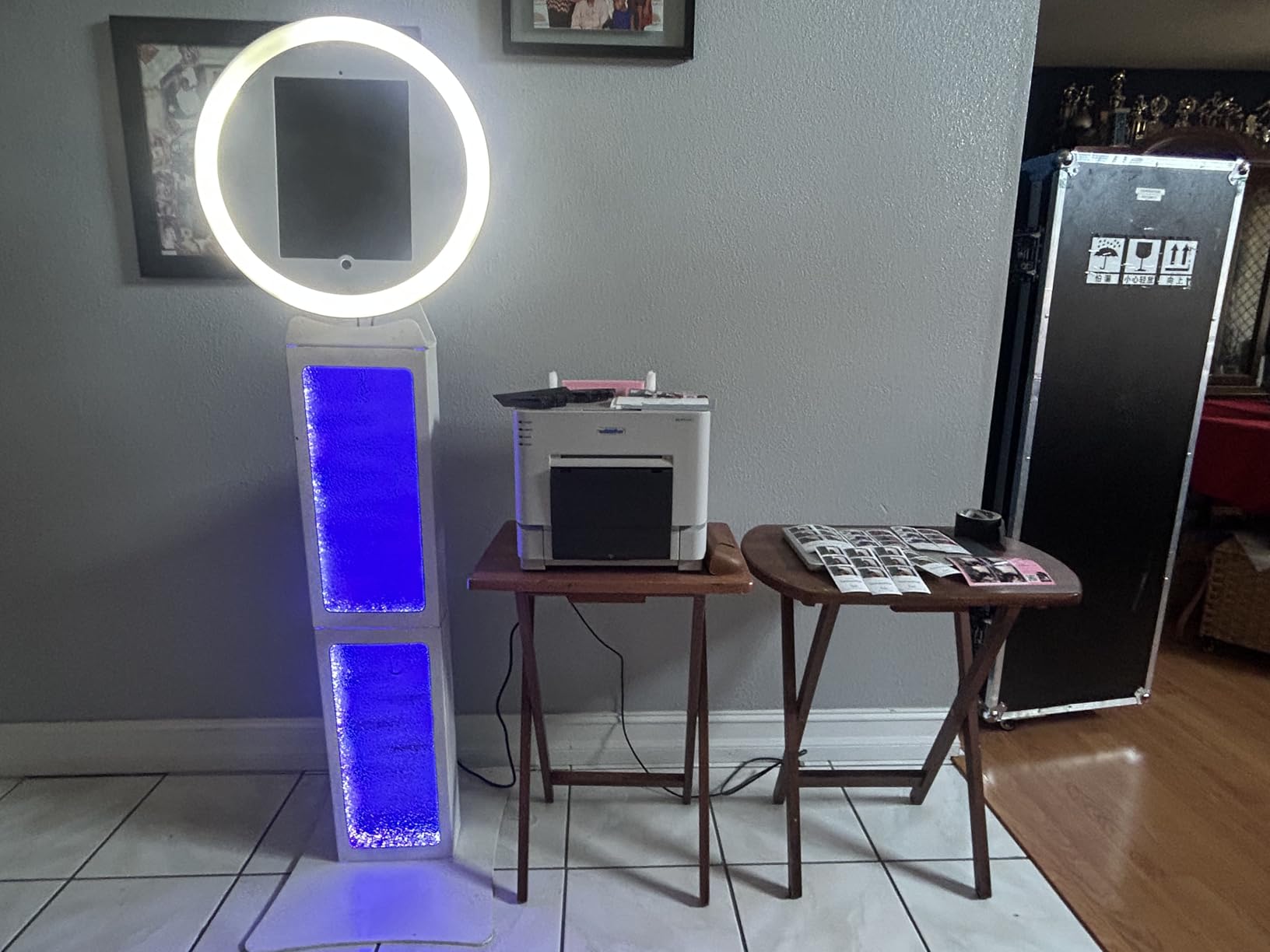
What sets the DS-RX1HS apart is the high resolution mode. You can choose between 300×300 dpi for maximum speed or 300×600 dpi for higher quality. The 12.4-second print time for 4×6 photos is fast, and the 22-second time for 6×8 prints is competitive with much more expensive printers.
The main downsides are the lack of wireless connectivity and the non-Prime shipping. The DS-RX1HS only supports USB 2.0, which means you need a wired connection to your booth computer. For wireless setups, you would need a print server or a different printer. The non-Prime status means shipping may take longer, so plan accordingly if you are ordering for an upcoming event.
The 14 kg weight is substantial, so this is not a portable printer. The DS-RX1HS is best suited for permanent installations, mobile trailers, or operators who do not need to transport their equipment frequently. For the price, it offers exceptional value and reliability.
Who should buy the DNP DS-RX1HS
Established photo booth businesses with high-volume events, operators running permanent installations, anyone who needs 2×6 photo strips without manual cutting, and budget-conscious buyers who want professional-grade reliability. The DS-RX1HS is also a great choice for photo booth rental businesses.
Who should skip the DNP DS-RX1HS
Anyone who needs wireless connectivity, anyone who travels frequently with their booth equipment, and anyone who needs fast Prime shipping. For portable use, the DNP QW410 is lighter and more practical.
6. HiTi P525L Compact Dye Sub Photo Printer
Hiti P525L Compact Dye Sub Photo Printer, Bundle with 6×8 Ribbons and Paper Set, Padded Carrying Case
Pros
- Bundle includes 6x8 ribbons and paper
- Carrying case included
- Multiple print sizes with 2x6 option
- Wi-Fi dongle available
- Professional print quality
Cons
- Heavier at 59.4 pounds
- Limited availability and stock
- Only 4 reviews so far
The HiTi P525L is a unique offering because it ships as a complete bundle with ribbons, paper, and a padded carrying case. For photo booth operators who want everything they need to start printing in one box, this is the most convenient option on the market. The P525L has earned a 4.4 rating across its limited reviews, and the included accessories make it an excellent value proposition.
The P525L prints at 12.8 seconds per 4×6 inch photo, which is faster than the DNP QW410 and competitive with the DNP DS620A. The 280 prints per hour throughput is impressive for a printer in this price range. The supported paper sizes include 4×6, 5×7, 6×8, and a 2-up option for two 2×6 inch prints, which gives you tremendous flexibility for different event types.
The HiTi P525L uses Dye Diffusion Thermal Transfer (D2T2) technology, which is HiTi’s version of dye sublimation. The print quality is excellent and rivals DNP printers in most scenarios. The optional Wi-Fi dongle lets you add wireless connectivity when needed, though the printer ships with USB 2.0 by default. The 1-year limited warranty is standard for the industry.
Now let me be clear about the downsides. The P525L is heavy at 59.4 pounds, which is heavier than other printers in this price range. The bundle adds significant value but also increases the shipping weight. The maximum sheet capacity is 50 sheets, which is lower than the DNP options. With only 4 reviews so far, the P525L has limited long-term reliability data compared to the DNP models.
That said, the bundle alone is worth considering. Buying a separate printer, ribbons, paper, and a carrying case would cost significantly more than the all-in-one P525L bundle. If you want a turnkey solution that works out of the box, the P525L is hard to beat.
Who should buy the HiTi P525L
New photo booth operators who want a complete bundle, businesses that need a carrying case for transport, anyone who wants flexible paper sizes including 2×6 strips, and operators who want fast print speeds at a competitive price point. The P525L is also great for established operators who want a secondary printer with a smaller footprint.
Who should skip the HiTi P525L
Anyone who needs a lightweight portable printer, anyone who needs high sheet capacity for very large events, and anyone who is concerned about limited review history. For established operators with proven preferences, the DNP DS620A remains the more proven choice.
7. DNP DS620A Professional Photo Printer
Pros
- Fastest print speed in its class
- Professional-grade build quality
- 400 sheet capacity
- Versatile paper size support
- Industry standard for photo booths
Cons
- Premium price point
- USB only no wireless
- Heavy at 30.85 pounds
The DNP DS620A is my top pick for serious photo booth businesses, and it is the printer I recommend more often than any other. With a 4.8 average rating and consistent praise from professional operators, the DS620A is the gold standard for high-volume event printing. Multiple reviewers specifically mention using the DS620A for their photo booth business, and one verified purchase called it “a workhorse” after using several units.
The DS620A prints a 4×6 photo in just 8.3 seconds, which is the fastest in its class. That speed translates to about 430 prints per hour, which is more than enough for any event you are likely to encounter. The 5×7 print takes 14.1 seconds, and the 6×8 print takes 15.7 seconds, both of which are competitive with much more expensive units.
The 400-sheet maximum capacity is double what most competitors offer, which means fewer refills during events. The DS620A supports 2×6, 4×6, 5×7, and 6×8 inch prints, giving you the flexibility to offer different formats at different price points. The automatic duplex mode is a nice touch for the rare scenarios where you need it.
The Advance Exchange (AE) warranty is one of the best in the industry. If your printer fails during a critical event, DNP will ship a replacement before you return the broken unit. For professional photo booth operators, this kind of support is invaluable.
At 30.85 pounds, the DS620A is heavy, but it is built like a tank. The USB-only connectivity is a limitation for wireless setups, but most professional photo booth operators use wired connections for reliability. The price point is higher than entry-level options, but the total cost of ownership is competitive when you factor in print speed, capacity, and reliability.
For established photo booth businesses running 10+ events per month, the DS620A pays for itself in time saved and reliability gained. I have seen operators run DS620A units for years without major issues, and the print quality remains consistent throughout the printer’s life.
Who should buy the DNP DS620A
Established photo booth businesses running multiple events per week, professional operators who need maximum reliability, high-volume event photographers, and anyone who wants the industry standard. The DS620A is also the best choice for photo booth rental businesses that need to maintain several printers.
Who should skip the DNP DS620A
Beginners who are not yet printing at high volume, anyone on a tight budget who cannot justify the premium price, and operators who need wireless connectivity. For these scenarios, the DNP QW410 or HiTi P525L offer better value.
8. DNP DS820A 8″ Professional Dye-Sublimation Printer
Pros
- Large format up to 8x32 inches
- High resolution 300x600 dpi
- Professional build quality
- Full warranty coverage
- Premium output quality
Cons
- Slow print speed for 8x10 prints
- Premium price point
- Heavy at 36.1 pounds
The DNP DS820A is the premium option in this guide, and it is the printer you choose when you want to offer something unique in the photo booth market. The DS820A specializes in large format prints from 4×8 inches all the way up to 8×32 inch panoramas. If your business focuses on premium events where guests want larger keepsakes, the DS820A is the only choice in this category.
The 300×600 dpi resolution is the highest in the DNP lineup, and the print quality is exceptional. The 8×10 inch photo takes 29.3 seconds, which is slower than smaller format printers but reasonable for the size. The panorama capabilities set the DS820A apart from every other printer in this guide, allowing you to offer truly unique photo booth experiences.
The DS820A is a niche product. Most photo booth businesses do not need 8×10 or panorama prints, and the 29.3-second print time is too slow for high-volume standard events. However, for high-end weddings, corporate events, and brand activations where the photo booth is a centerpiece rather than a side attraction, the DS820A delivers a premium experience that justifies the investment.
The 250-sheet maximum capacity is lower than the DS620A but appropriate for the larger print sizes. The 36.1-pound weight makes it a stationary printer, best suited for permanent installations or setups where you do not need to transport it. The full warranty coverage from DNP provides peace of mind for this premium investment.
With only 17 reviews so far, the DS820A has limited user feedback compared to other DNP models. However, the existing reviews are overwhelmingly positive, with verified purchasers praising the print quality and premium output. If your business model supports large format prints, the DS820A is the best large format dye sublimation printer available.
Who should buy the DNP DS820A
Premium photo booth businesses targeting high-end weddings and corporate events, brand activation agencies that need unique print formats, photographers who want to offer large format prints as a premium upsell, and photo booth operators who want to differentiate themselves with panorama capabilities.
Who should skip the DNP DS820A
Standard photo booth businesses, anyone focused on high-volume fast printing, and operators on a budget. For the vast majority of photo booth businesses, the DS620A is a better fit and significantly more affordable.
Buying Guide: How to Choose a Photo Booth Printer?
Choosing the right printer for your photo booth business depends on several factors. I have helped dozens of photographers make this decision, and the same questions come up every time. Let me walk you through the key considerations.
Print Speed and Throughput
Print speed is the single most important factor for high-volume photo booth operators. At a busy wedding with 200 guests, you might print 150 photos in a 4-hour reception. That works out to about one print per minute, which most modern printers can handle. However, peak demand during the cocktail hour or after the cake cutting can spike to 5-10 prints in 5 minutes. Faster printers handle these spikes better and keep the line moving.
For events under 100 guests, the Liene M100 or Canon SELPHY CP1500 are acceptable. For events between 100-300 guests, the DNP QW410 or HiTi P525L work well. For events with 300+ guests or multiple concurrent events, the DNP DS620A is the right choice.
Print Size and Format Options
The classic photo booth format is the 2×6 inch strip, which requires either a printer that natively supports 2×6 or a printer that can print 4.5×8 or 4×8 inch media that you cut in half. Printers like the DNP DS-RX1HS, HiTi P525L, and DNP DS620A support 2×6 natively, which saves time and produces cleaner results.
Most photo booth businesses offer 4×6 prints as the standard option, and all 8 printers in this guide support that size. If you want to offer premium 5×7 or 6×8 prints, focus on the DNP DS620A, DNP DS-RX1HS, or HiTi P525L. For large format prints, the DNP DS820A is the only option.
Connectivity Options
Wired USB connections are the most reliable for photo booth use. They eliminate wireless dropouts and provide consistent performance. Most professional photo booth operators use wired connections for this reason. The DNP DS620A, DNP QW410, DNP DS-RX1HS, and DNP DS820A all use USB connectivity.
Wireless connectivity is convenient for portable setups and iPad-based booths. The Liene M100, Canon SELPHY CP1500, and Epson SureColor F170 all support wireless connections natively. The HiTi P525L offers wireless via an optional dongle. If you use an iPad photo booth with software like Simplebooth or LumaBooth, you may need a print server software like Printopia or O’Print to enable wireless printing on USB-only printers.
Total Cost of Ownership
The printer purchase price is just the beginning. Media costs (ribbons and paper) add up over time, and faster printers often have lower per-print costs because they use media more efficiently. The DNP DS-RX1HS offers 700 prints per roll, which is one of the best cost-per-print values in the industry. The DNP DS620A offers 400 prints per roll with very efficient media usage.
Budget printers like the Liene M100 have lower upfront costs but higher per-print costs. For a business printing 5,000 photos per year, the difference between 25 cents and 45 cents per print adds up to $1,000 in annual media costs. Professional printers pay for themselves through media efficiency.
Portability and Weight
If you transport your photo booth to multiple venues per week, weight matters. The Liene M100 weighs just a few pounds and is the most portable option. The DNP QW410 at 14 pounds is portable for a professional printer. The HiTi P525L at 59.4 pounds and the DNP DS820A at 36.1 pounds are best for stationary use.
Consider how your booth setup works. If you have a dedicated case or cart, weight is less important. If you are carrying equipment up stairs or through crowds, lighter is better. I always recommend buying a wheeled case for any printer over 20 pounds.
Reliability and Support
Reliability is non-negotiable for professional photo booth operators. A printer failure at a wedding is a disaster that can damage your reputation and result in refunds. DNP has the strongest reputation for reliability in the photo booth industry, which is why most professional operators choose DNP printers. The DNP DS620A’s Advance Exchange warranty is particularly valuable for businesses that cannot afford downtime.
HiTi printers are also reliable, though they have a smaller user community than DNP. Canon and Epson consumer printers are generally reliable but not designed for the demands of professional photo booth use. For businesses running multiple events per week, the reliability of DNP and HiTi is worth the premium price.
Software Compatibility
Most photo booth software supports DNP printers out of the box. DSLR Booth, Simplebooth, Breeze Booth, LumaBooth, and Darkroom Booth all have native DNP support. The DNP DS620A and DNP QW410 are the most widely supported photo booth printers in the industry.
HiTi printers work with most major photo booth software but may require additional configuration. Canon and Epson consumer printers work with some photo booth apps but may require workarounds. If you already use specific photo booth software, check compatibility before purchasing.
FAQ: Photo Booth Printers
What is the best printer for a photo booth business?
The DNP DS620A is the best printer for a photo booth business in 2026. It prints 4×6 photos in 8.3 seconds, supports 2×6 to 6×8 formats, has a 400-sheet capacity, and includes an industry-leading Advance Exchange warranty. For portable operations, the DNP QW410 is the best compact option. For budget-conscious operators, the Liene M100 offers an affordable entry point with true dye sublimation quality.
What equipment do I need to start a photo booth business?
To start a photo booth business, you need a camera (DSLR or mirrorless), a tablet or computer running booth software, a dye sublimation photo printer like the DNP DS620A, a backdrop or enclosure, lighting, a tripod or mount, and an internet connection for digital sharing. Add a wheeled case for transport, a power strip, and backup media supplies. Total startup costs typically range from $2,500 to $8,000 depending on the equipment tier.
Is owning a photo booth profitable?
Yes, owning a photo booth is profitable when run correctly. Established photo booth businesses report profit margins of 60-80% on events, with average event revenue of $800-$2,500 depending on your market and event type. The printer is one of the most important investments because it directly impacts guest experience and your ability to deliver prints at scale. A reliable printer like the DNP DS620A pays for itself within 10-20 events.
Can I use any printer for a photo booth?
No, you cannot use any printer for a photo booth. Standard inkjet printers are too slow, the prints smear when wet, and the colors fade quickly. Dye sublimation printers are the industry standard because they produce durable, waterproof prints in 8-15 seconds. The DNP DS620A, HiTi P525L, and DNP QW410 are the most popular photo booth printers. Consumer printers like the Canon SELPHY CP1500 work for low-volume events but are not suitable for professional use.
Final Verdict
The best printers for photo booth businesses in 2026 come from a small group of proven manufacturers. For most professional operators, the DNP DS620A remains the top choice, offering the best balance of speed, capacity, print quality, and reliability. The HiTi P525L is the best bundle value if you want turnkey setup with included carrying case and starter media. The DNP QW410 is the portable champion for operators who travel frequently.
Budget-conscious buyers should start with the Liene M100 and graduate to a professional DNP printer as their business grows. High-volume operators should invest in the DNP DS620A or DNP DS-RX1HS for maximum throughput. Premium businesses offering unique experiences should consider the DNP DS820A for large format prints.
Remember that the printer is the heart of your photo booth business. Cheap printers create bottlenecks, frustrated guests, and refund requests. Quality printers pay for themselves through faster events, happier clients, and word-of-mouth referrals. Choose based on your actual event volume, not your aspirational volume, and upgrade as your business grows. The right printer transforms your photo booth from a fun idea into a profitable business.