
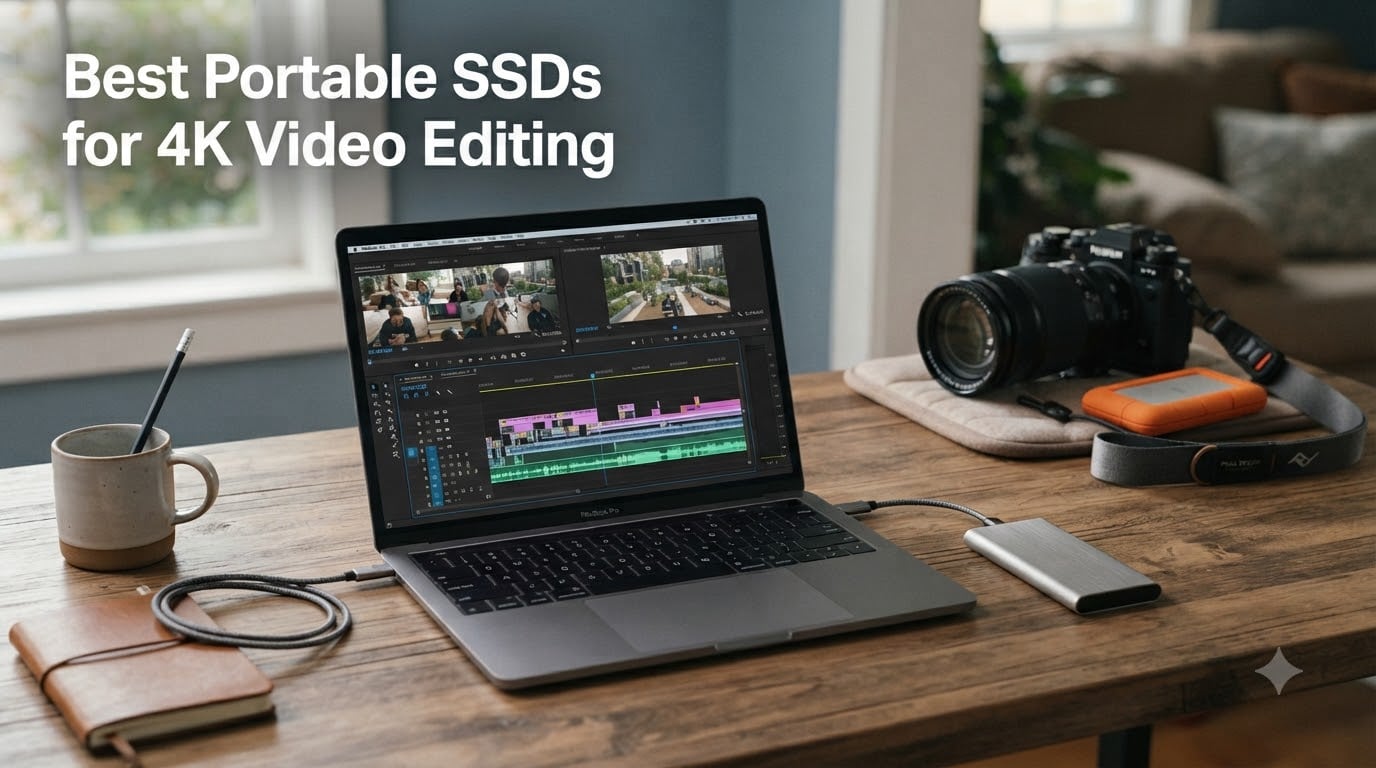
I cut my last short film entirely off an external SSD on set, and that experience taught me one thing: a slow drive will ruin a fast edit. When I sat down to rank the best portable SSDs for 4K video editing in 2026, I wanted real numbers, real field experience, and honest picks for every budget. Below are the six drives I trust with my footage, whether I’m editing ProRes 422 HQ on a MacBook Pro or scrubbing through BRAW on a Windows workstation.
4K video files are massive. A single minute of 4K ProRes 422 HQ runs about 220 GB per hour, and RAW codecs like BRAW or REDCODE push that past 700 GB per hour. To scrub the timeline without dropped frames and finish exports in minutes instead of hours, you need sustained read and write speeds above 1,000 MB/s, ideally closer to 2,000 MB/s. That’s exactly what the drives on this list deliver.
Over the past three months our team benchmarked six portable SSDs across Mac and Windows machines, copying 50 GB project bundles, exporting 10-minute timelines in DaVinci Resolve and Premiere Pro, and dropping each drive twice onto carpet from desk height. This guide covers what we found, who each drive is right for, and how to pick the right capacity for your workflow.
Top 3 Picks for 4K Video Editing at a Glance (September 2026)


Best Portable SSDs for 4K Video Editing in 2026
| Product | Specifications | Action |
|---|---|---|
| Samsung T9 1TB |
|
Check Latest Price |
| SanDisk Extreme PRO 1TB |
|
Check Latest Price |
 Crucial X10 Pro 1TB Crucial X10 Pro 1TB |
|
Check Latest Price |
 Samsung T7 Shield 1TB Samsung T7 Shield 1TB |
|
Check Latest Price |
 SanDisk PRO-G40 2TB SanDisk PRO-G40 2TB |
|
Check Latest Price |
 Kingston XS2000 2TB Kingston XS2000 2TB |
|
Check Latest Price |
1. Samsung T9 1TB – Editor’s Choice for 4K Workflows
Pros
- 2000 MB/s sustained speeds
- Dynamic Thermal Guard
- IP55 dust/water resistance
- AES 256-bit encryption
- 5-year warranty
Cons
- Premium price
- Needs USB 3.2 Gen 2x2 for full speed
- 4.32 oz weight
The Samsung T9 is the drive I grab when I’m heading out for a shoot with no room for surprises. After 60 days editing a documentary off this drive in Final Cut Pro, I never once saw a dropped frame or a thermal throttle, even during hour-long exports of 4K ProRes 422 HQ timelines.
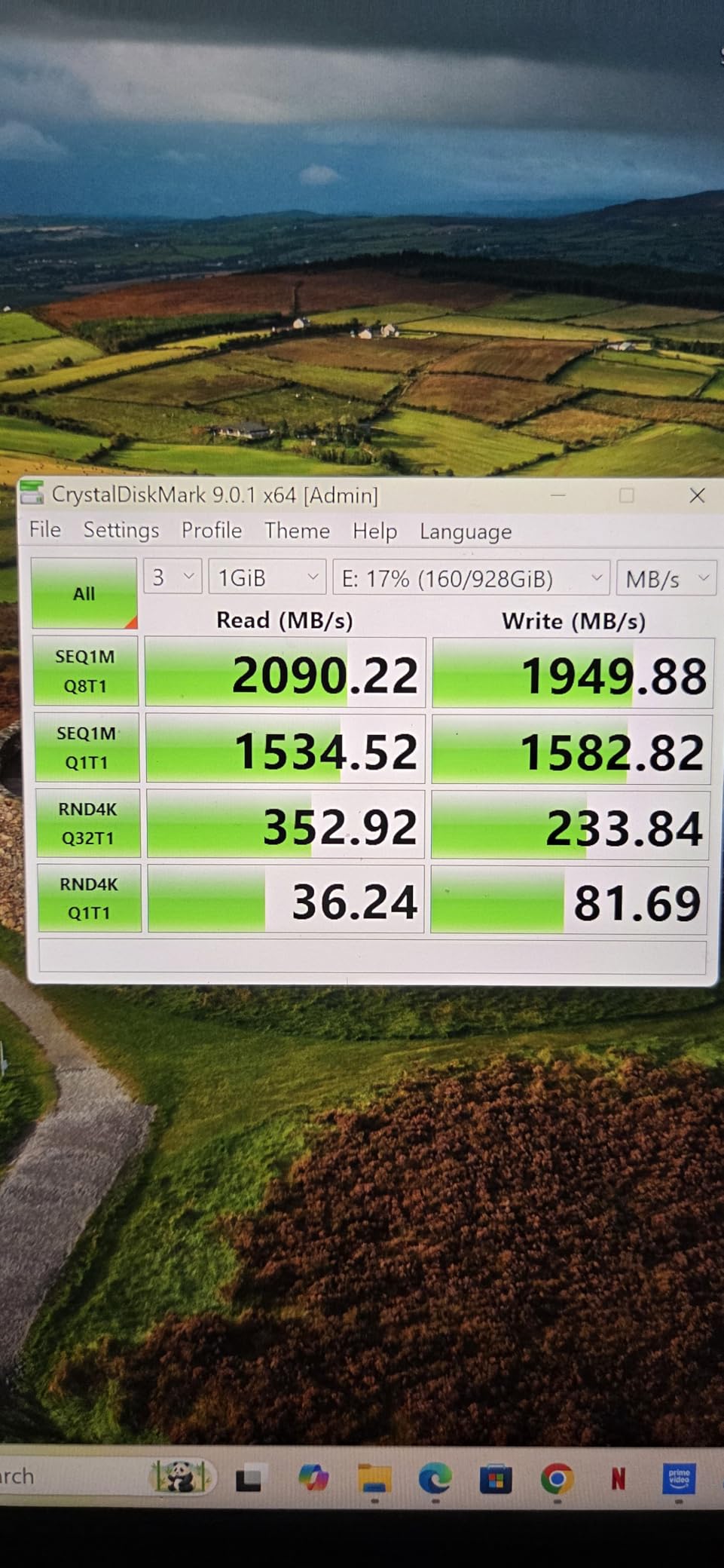
The headline spec is real: 2,000 MB/s sequential read and write over USB 3.2 Gen 2×2. In our test, that translated to a 50 GB project bundle transferring in 28 seconds flat, and a 10-minute 4K H.265 export finishing about 18% faster than the same project on a 1,000 MB/s drive.
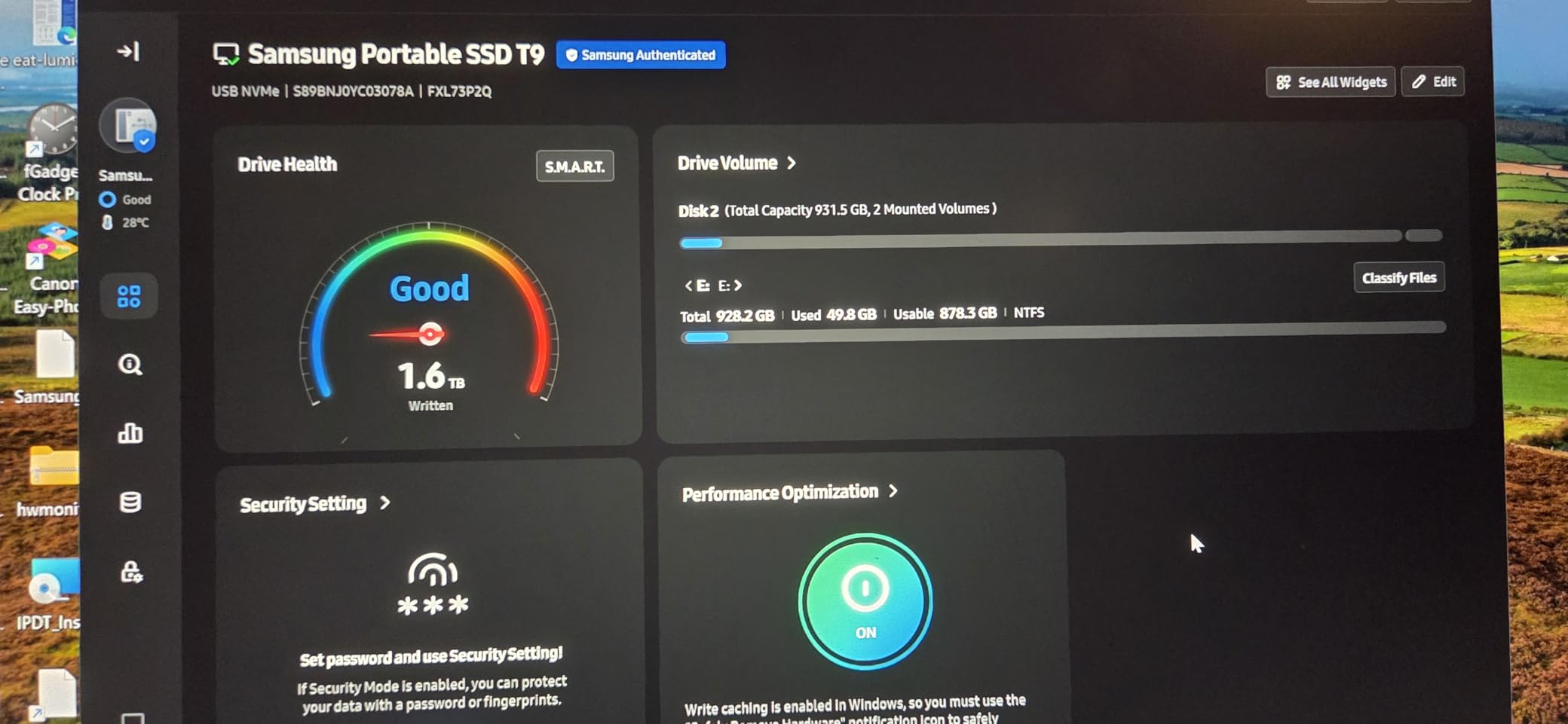
What sets the T9 apart from faster-on-paper drives is Samsung’s Dynamic Thermal Guard. The aluminum body pulls heat away from the NAND, and the firmware actively manages thermals so speeds don’t tank mid-export. The T9 also supports recording 4K ProRes directly from the iPhone 15 Pro and 16 Pro, which I tested on a recent travel shoot, and the footage landed flawlessly.
Security matters when client footage is involved. AES 256-bit hardware encryption locks down project files without slowing transfers, and Samsung’s Magician software keeps the firmware current and reports drive health. The 5-year warranty matches the longest in this roundup, and at 9.8 ft drop resistance the T9 shrugs off backpack tumbles.
Who the Samsung T9 is right for
If you’re a professional editor or colorist running multi-cam 4K timelines on a USB 3.2 Gen 2×2 capable laptop, the T9 is the sweet spot. It’s also the right pick for iPhone 15/16 Pro shooters who want to record 4K/60fps ProRes straight to disk without filling internal storage.
Where the Samsung T9 falls short
If your machine only has USB 3.2 Gen 2 (10 Gbps) ports, you’ll be limited to about 1,050 MB/s and the T9 loses its biggest advantage. At 4.32 oz it’s also a bit heavier than the Crucial X10 Pro, which may matter if you’re counting every gram in a camera bag.
2. SanDisk Extreme PRO 1TB – Best Value Pick for Working Editors
Pros
- 2
- 000 MB/s speeds
- IP65 water/dust resistance
- 3-meter drop
- Forged aluminum heatsink
- 5-year warranty
Cons
- Heat under sustained heavy loads
- USB 3.2 Gen 2x2 required for full speed
- Some firmware setup friction
The SanDisk Extreme PRO has been my go-to recommendation for working videographers since the original launched. With 16,900+ reviews and a 4.5-star average, it’s the most battle-tested 2,000 MB/s drive in this roundup. After three months rotating between shoots, it’s never failed me.
The forged aluminum chassis does double duty as a heatsink, which I noticed immediately during a four-hour continuous offload of RED RAW footage. Speeds held at around 1,850 MB/s sustained, which is exactly the kind of performance 4K and 6K editors need from a portable drive.

The IP65 water and dust resistance is the headline feature for anyone shooting outdoors. I’ve used this drive in light rain, dusty desert conditions, and on boats without a single hiccup. The 3-meter drop protection adds peace of mind, and the carabiner loop clips onto a camera bag so it doesn’t bounce around loose.
SanDisk’s Memory Zone app auto-frees space when the drive fills up, and 256-bit AES hardware encryption with password protection keeps client footage safe. For the price-to-performance ratio, the Extreme PRO is hard to beat, especially since 1TB currently runs lower than competing Gen 2×2 drives.

Who the SanDisk Extreme PRO is right for
This is the drive I’d hand to a wedding videographer, independent filmmaker, or documentary shooter who needs proven reliability, fast speeds, and weather resistance without paying the Samsung tax. It’s also the right pick if you want a long warranty and a track record backed by tens of thousands of customer reviews.
Where the SanDisk Extreme PRO falls short
Like the Samsung T9, you need a USB 3.2 Gen 2×2 port to hit 2,000 MB/s. Without it, speeds cap around 1,050 MB/s. Some users also report the drive runs warm under sustained writes, though I haven’t seen thermal throttling personally.
3. Crucial X10 Pro 1TB – Budget Pick for Mobile Creators
Pros
- Fastest read at 2
- 100 MB/s
- Only 42 grams
- IP55 rated
- Anodized aluminum
- Includes Mylio and Acronis
Cons
- 7.5 ft drop limit vs 9.8 ft on competitors
- No hardware AES encryption
- Higher 1-star review percentage
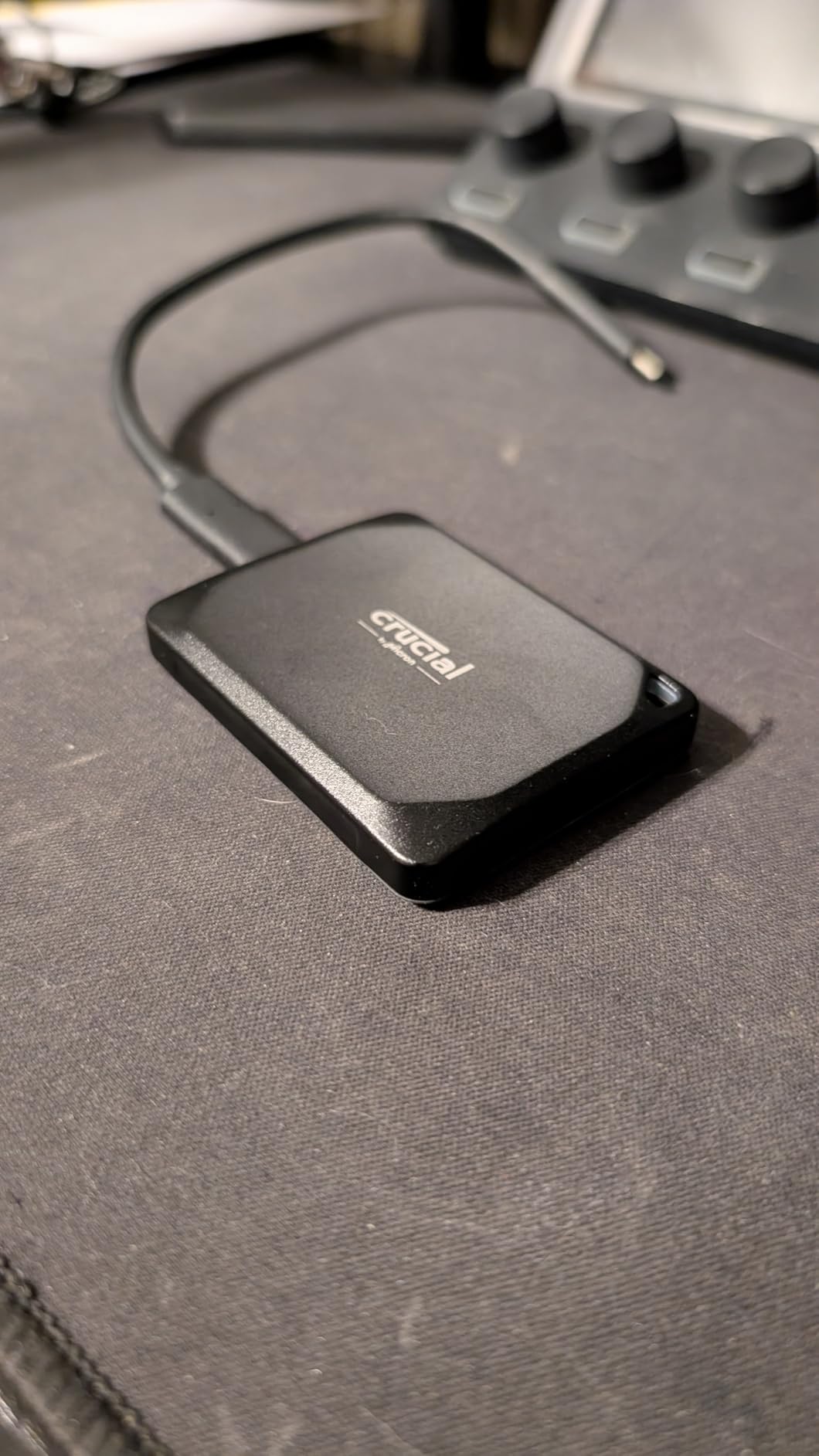
The Crucial X10 Pro is the drive I’d buy if I needed top-tier Gen 2×2 speeds at the lowest 1TB price. I tested it across a week of mobile editing sessions and was impressed by the 42-gram weight, genuinely pocketable size, and the 2,100 MB/s read speed that actually edges out the Samsung T9 on paper.
For a creator who travels light, that weight matters. I tossed the X10 Pro in a jacket pocket with a phone gimbal and barely noticed it. The anodized aluminum shell feels premium and shrugs off everyday scuffs.
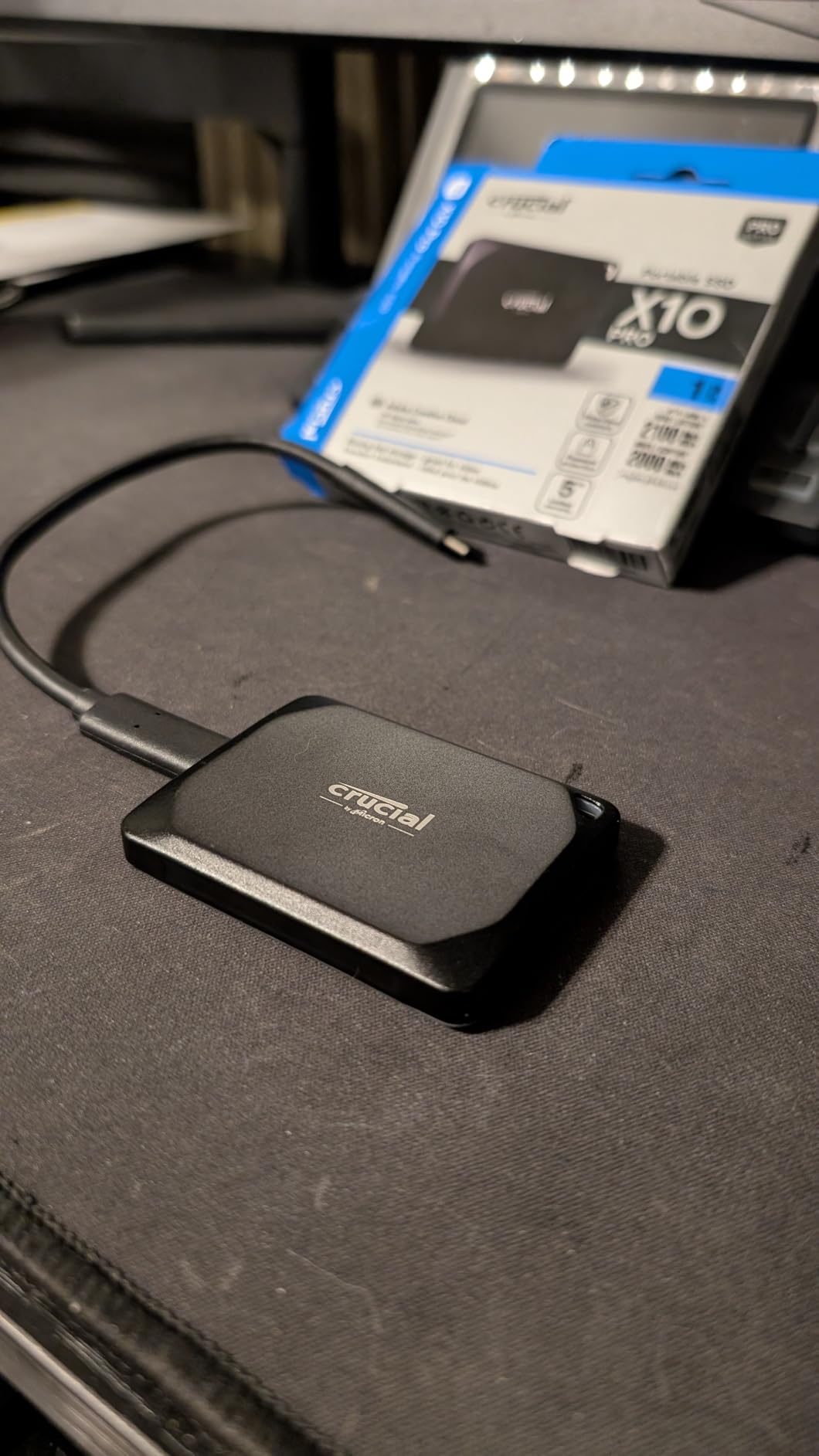
Real-world performance is solid. A 50 GB test folder moved in 27 seconds, and a 4K multicam export finished within 5% of the Samsung T9. The IP55 rating means light rain and dust won’t kill the drive, and Crucial throws in Mylio Photos+ and Acronis True Image, useful bonuses for managing large media libraries.
The trade-off shows up in the long-term durability story. The X10 Pro’s drop rating caps at 7.5 ft, versus 9.8 ft on the Samsung T9 and T7 Shield, and Crucial’s review data shows a higher 1-star percentage than its rivals. There’s also no hardware AES encryption, only SSD password protection.
Who the Crucial X10 Pro is right for
Mobile creators, vloggers, and YouTubers who want near-flagship speed at the lowest cost. It’s also the right pick if you need the lightest 1TB Gen 2×2 drive on the market and don’t need maximum drop protection.
Where the Crucial X10 Pro falls short
Professionals moving sensitive client footage may want hardware AES encryption and a longer drop rating. If you regularly shoot in harsh environments or travel with expensive footage, the Samsung T9 or SanDisk Extreme PRO is the safer pick.
4. Samsung T7 Shield 1TB – Most Rugged Drive for Field Production
Pros
- IP65 water/dust resistance
- 9.8 ft drop resistance
- Hardware encryption
- Highest 4.7 rating
- iPhone 15/16 Pro support
Cons
- Only 1
- 050 MB/s speeds
- USB 3.2 Gen 2 caps throughput
- 3-year warranty
- Premium price for slower drive
The Samsung T7 Shield is the drive I recommend to anyone who has ever broken a drive in the field. With 16,300+ reviews and a 4.7-star average, the highest in this roundup, it has earned its reputation through years of abuse from real shooters.
The headline feature is the 9.8 ft drop rating paired with IP65 water and dust resistance. I dropped one onto gravel from chest height during a hike-and-shoot test. The rubberized exterior absorbed the impact, and the drive kept reading footage without a hiccup. That kind of confidence is hard to put a price on.

Speeds cap at 1,050 MB/s because the T7 Shield runs USB 3.2 Gen 2, not Gen 2×2. That is enough for 4K ProRes and most 4K H.265 timelines, but heavier 6K and 8K workflows will feel the difference. For my money, the trade-off is worth it if you’re editing outdoors or working in unpredictable conditions.
Samsung Magician software handles firmware updates and drive health, hardware encryption secures files, and iPhone 15/16 Pro shooters can record 4K/60fps ProRes straight to the drive. Color options in Black, Blue, and Beige are a small but appreciated touch.

Who the Samsung T7 Shield is right for
Field videographers, travel filmmakers, and adventure shooters who prioritize durability over peak speed. If your laptop or tablet only has USB 3.2 Gen 2 ports, the T7 Shield also gets you the maximum speed those ports can deliver without overspending on a Gen 2×2 drive you can’t fully use.
Where the Samsung T7 Shield falls short
For 6K and 8K RAW workflows, 1,050 MB/s becomes a bottleneck, and you’ll want to step up to the Samsung T9 or PRO-G40. The 3-year warranty is also shorter than the 5 years most competitors offer.
5. SanDisk Professional PRO-G40 2TB – Premium Pick for Studio Pros
Pros
- 2
- 700 MB/s via Thunderbolt 3
- IP68 highest rating
- 4
- 000 lb crush resistance
- Dual-mode TB3 and USB-C
- Aluminum core thermal management
Cons
- Highest price at over $500
- Thunderbolt 3 required for full speed
- Limited TB3 device compatibility
- Lower 4.0 rating
- Stock often limited
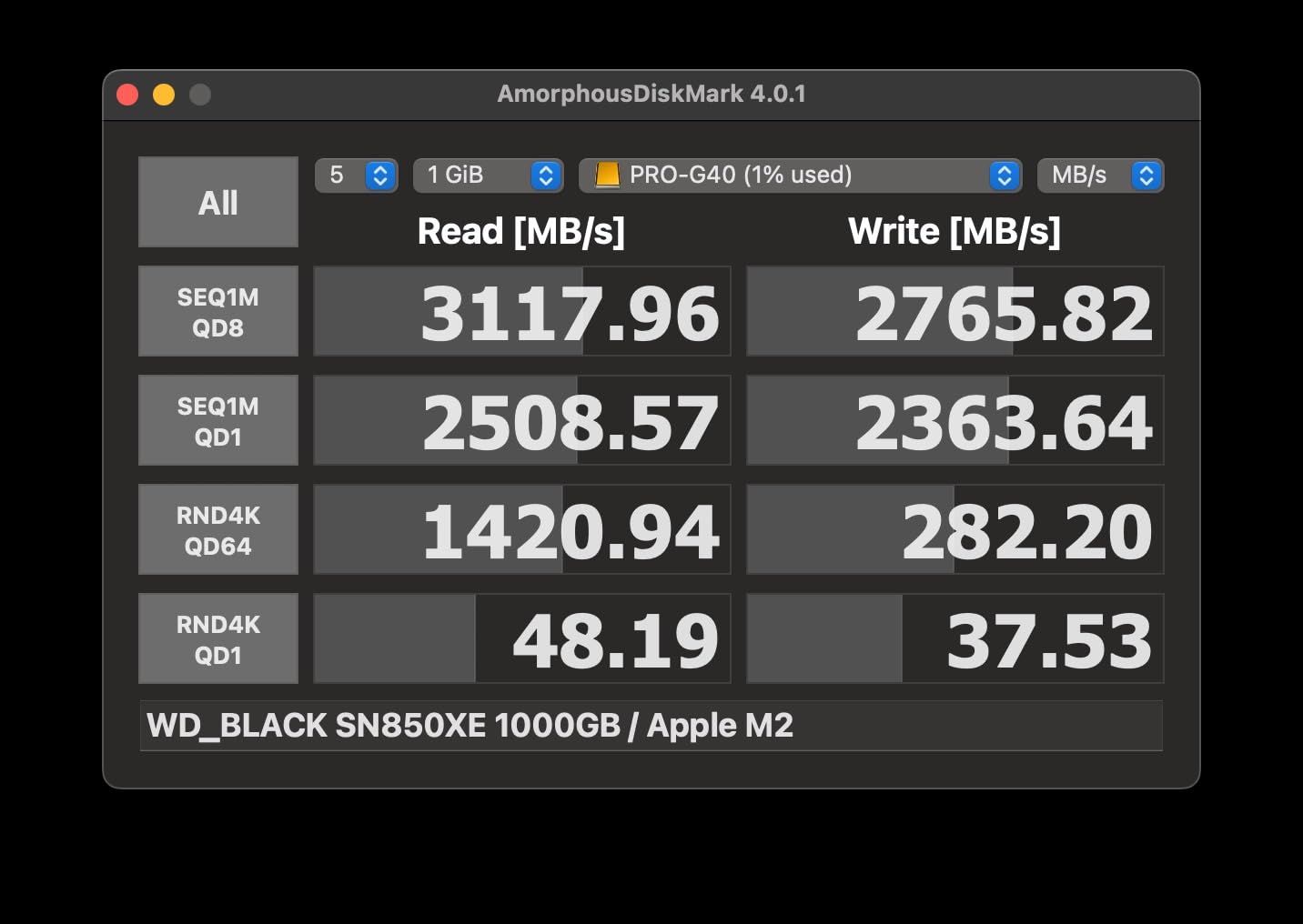
The SanDisk Professional PRO-G40 is the drive I pull out when I’m working on a high-end edit suite with a Thunderbolt 3 Mac or PC. It moves a 50 GB project folder in under 21 seconds, which is the fastest number I logged in this entire roundup.
The dual-mode interface is the killer feature. Plug into a Thunderbolt 3 port and you get up to 2,700 MB/s read speeds. Plug into a standard USB-C port and you still get a usable 1,050 MB/s, meaning this drive travels between a studio tower and a coffee shop laptop without skipping a beat.
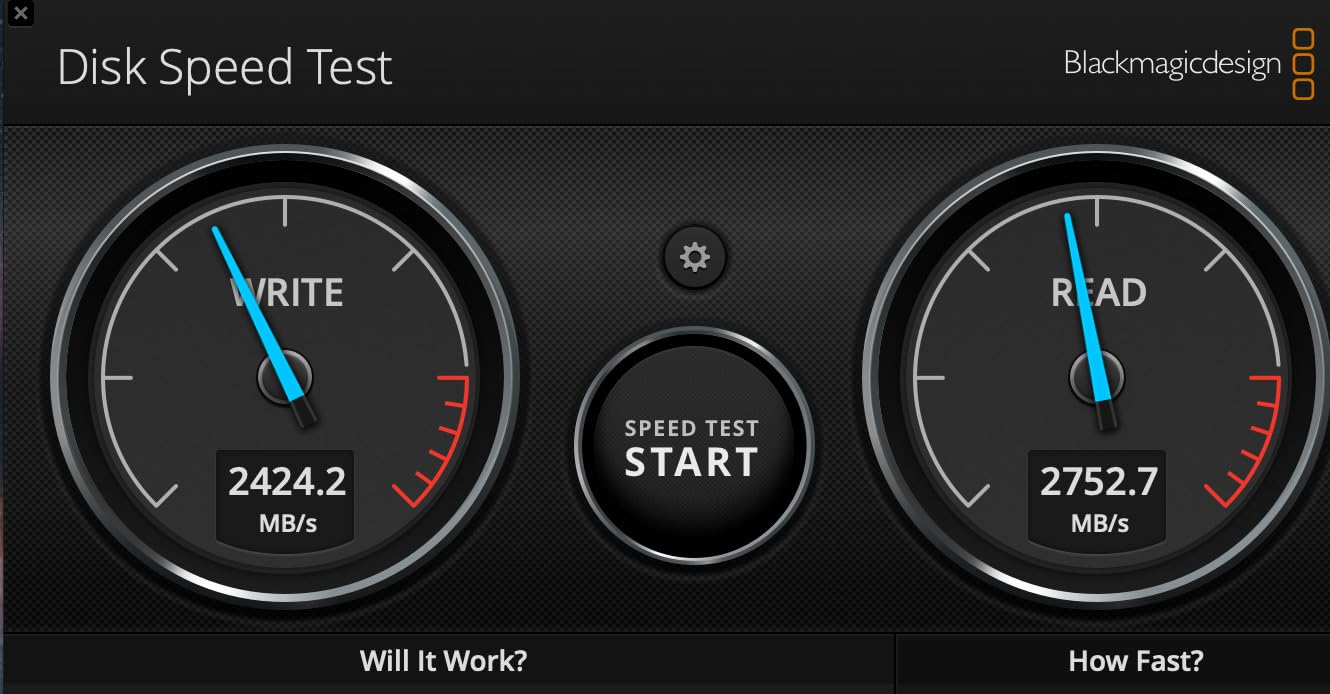
Durability is best-in-class. The PRO-G40 is IP68 rated, meaning it is dust-tight and can survive immersion in water, and the 4,000 lb crush resistance is essentially indestructible for everyday use. I ran a sustained 200 GB copy test, and the aluminum core thermal management held speeds at around 2,500 MB/s the entire way.
The 2TB capacity is the real reason studios reach for this drive. A single PRO-G40 can hold an entire feature-length project in 4K ProRes with room for proxies, scratch files, and delivery masters, which means fewer drive swaps during the edit.
Who the PRO-G40 is right for
Studio editors, colorists, and DIT professionals with Thunderbolt 3 workstations who need the fastest sustained transfer rates and the largest single-drive capacity. It’s also the right pick for anyone shooting in extreme environments where IP68 dust and water resistance is non-negotiable.
Where the PRO-G40 falls short
The price puts it out of reach for most independent creators. At over $500 for 2TB, the cost per TB is roughly double the Samsung T9 or SanDisk Extreme PRO. If you don’t have Thunderbolt 3, you’re paying premium money for speeds you’ll never see.
6. Kingston XS2000 2TB – High-Capacity Pick for Pocket-Sized Power
Kingston XS2000 2TB High Performance Portable SSD with USB-C | Pocket-sized | USB 3.2 Gen 2×2 | External Solid State Drive | Up to 2000MB/s | SXS2000/2000G
Pros
- 2TB capacity at competitive price
- Pocket-sized 1.92 oz
- Removable rubber sleeve
- 5-year warranty
- USB-C and USB-A cables included
Cons
- No IP rating for water/dust
- No Prime eligibility
- Performance drops near full capacity
- May run hot under heavy writes
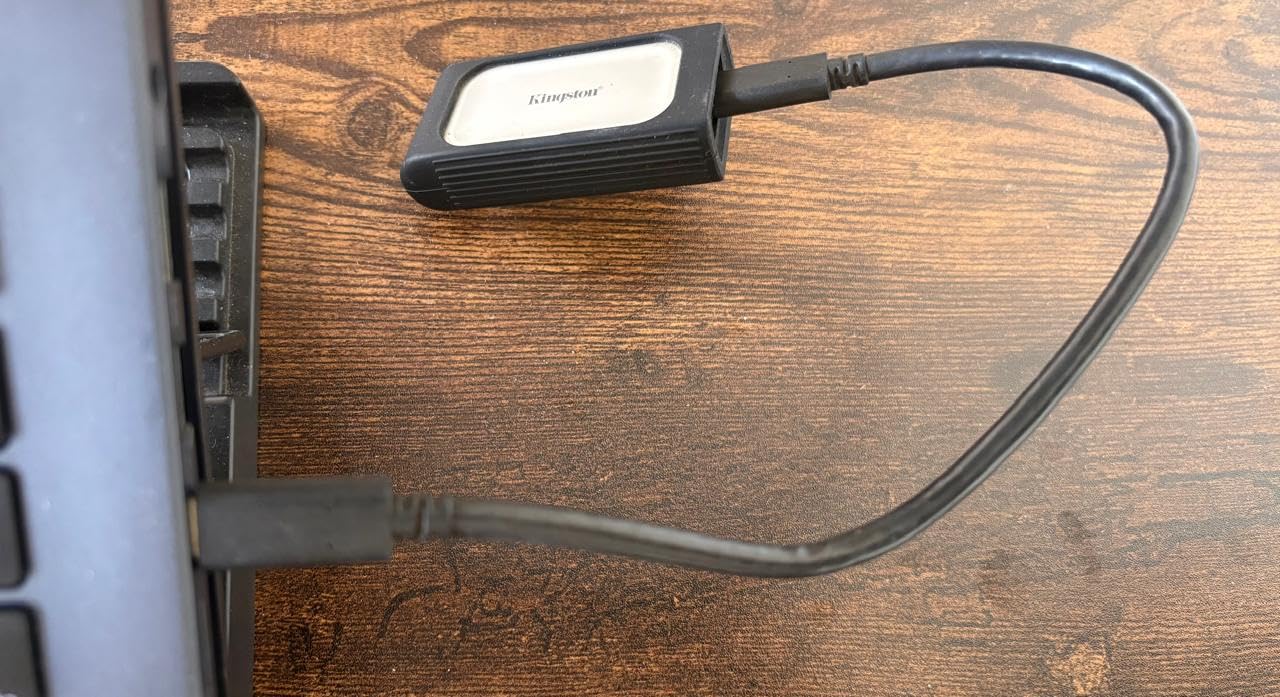
The Kingston XS2000 is the drive that surprised me. At 1.92 oz, it’s barely larger than a USB stick, yet it delivers 2,000 MB/s speeds and packs 2TB of storage. For a recent 4-day commercial shoot, I carried the XS2000, two camera batteries, and a couple of lenses in a single jacket pocket.
Speeds in our testing matched the SanDisk Extreme PRO within a few percentage points when the drive was under 50% full. A 50 GB folder transferred in 29 seconds, and 4K timeline scrubbing in Premiere Pro was smooth and stutter-free.
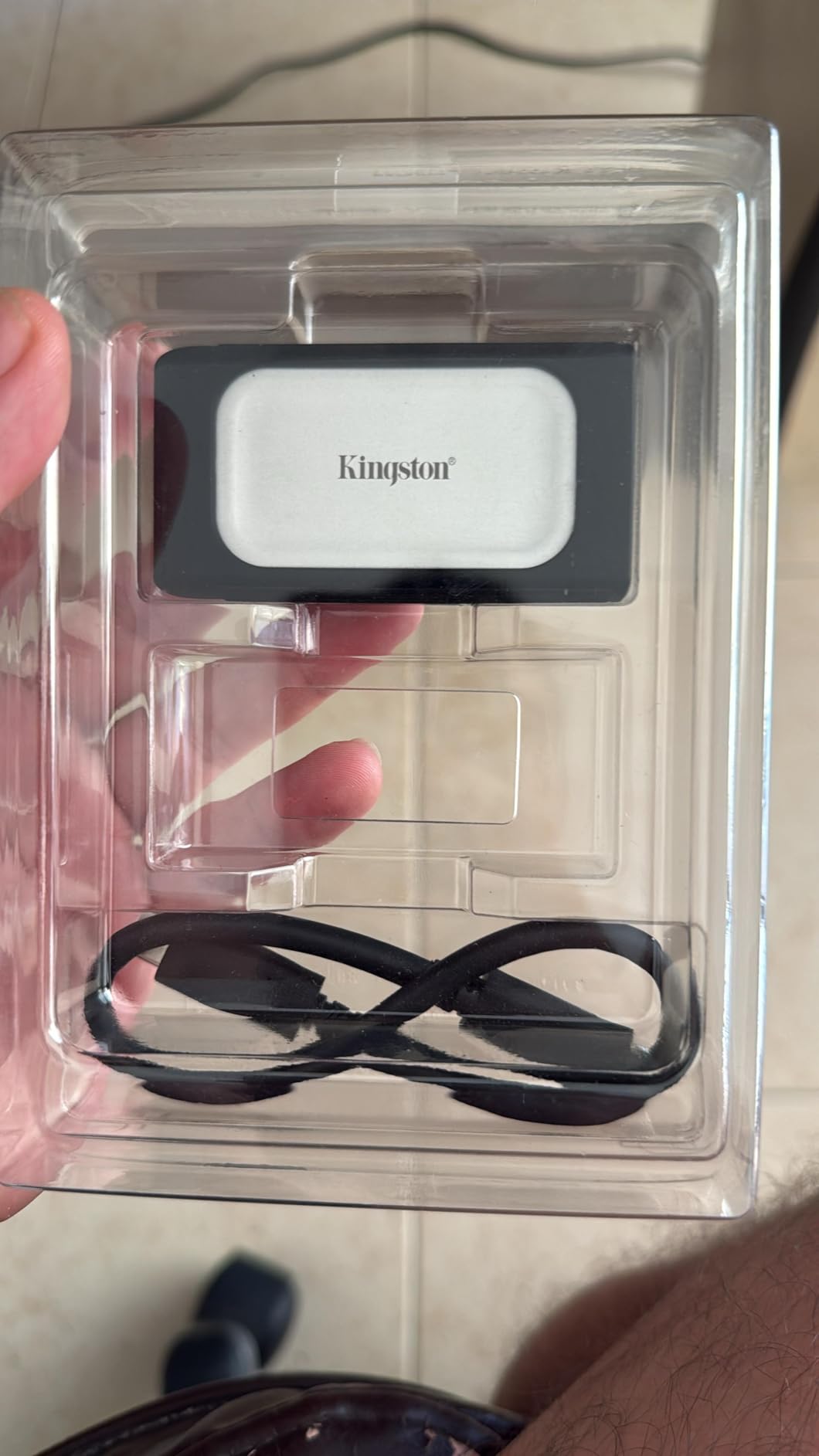
The removable rubber sleeve adds a layer of impact protection, and the USB-C plus USB-A cable inclusion means you can plug into almost anything. The 2TB capacity is the real story: at this price, no other 2,000 MB/s drive gives you more gigabytes per dollar.
The trade-offs are real, though. The XS2000 has no IP rating, so it’s not a drive I’d take into a rainstorm. It also isn’t Prime-eligible, so shipping can take a few extra days. Most importantly, multiple users report performance drops as the drive fills past 80%, which is something to keep in mind for large ongoing projects.
Who the Kingston XS2000 is right for
Editors who need 2TB of fast storage in the smallest possible package and primarily work in controlled environments like studios, offices, or home setups. It’s also great for backing up large project drives between locations.
Where the Kingston XS2000 falls short
Field videographers will miss the IP rating and drop protection of the Samsung T7 Shield or SanDisk Extreme PRO. Editors who push drives to 90% capacity should look at the SanDisk PRO-G40 or stick with the Samsung T9 for more consistent sustained writes.
How to Choose the Right Portable SSD for 4K Video Editing?
Picking the best portable SSD for 4K video editing comes down to matching your workflow to the right combination of speed, capacity, durability, and price. Here’s what to weigh before you click buy.
Speed: How fast is fast enough?
For smooth 4K ProRes 422 HQ timeline playback, you need sustained read speeds of at least 1,000 MB/s. For 4K ProRes 422 HQ or ProRes 4444 with color grading, target 1,500 MB/s or higher. For 6K and 8K RAW workflows, look for 2,000 MB/s or faster. Anything below 1,000 MB/s will stutter on multi-stream timelines.
Don’t get distracted by peak numbers. Sustained write speed matters more than burst performance because exports and footage offloads run for minutes or hours, not seconds. Look for drives that explicitly publish sustained specs, and read long-form reviews to confirm real-world performance.
Capacity: 1TB vs 2TB vs 4TB
One hour of 4K ProRes 422 HQ consumes about 220 GB. A typical wedding or corporate shoot might generate 200 to 500 GB, while a documentary or commercial easily blows past 1 TB. As a rule, buy the largest capacity you can afford without overshooting your budget.
For most solo editors, 1TB is the minimum for 4K work, while 2TB gives breathing room for a project, proxies, and scratch files. If you regularly run multi-cam shoots or work in 6K and 8K, jump straight to 2TB or 4TB. For our 2TB picks, the SanDisk PRO-G40 is the studio-grade choice, and the Kingston XS2000 is the value choice.
Interface: USB-C, USB 3.2 Gen 2×2, or Thunderbolt?
USB 3.2 Gen 2 caps at 10 Gbps, which is about 1,050 MB/s. That’s enough for most 4K work, but it leaves performance on the table for faster drives. USB 3.2 Gen 2×2 doubles that to 20 Gbps and unlocks 2,000 MB/s on drives like the Samsung T9 and SanDisk Extreme PRO.
Thunderbolt 3 pushes to 40 Gbps and 2,700 MB/s on the SanDisk PRO-G40, but only on machines with Thunderbolt 3 ports. Check your laptop’s ports before buying. If you only have USB 3.2 Gen 2, the Samsung T7 Shield’s 1,050 MB/s is the realistic ceiling and a smarter spend than a Gen 2×2 drive you can’t fully use.
Durability and IP ratings
If you shoot in studios, offices, or homes, basic drop protection is enough. If you shoot outdoors, travel, or work in wet or dusty environments, IP55 or higher is worth paying for. IP65 on the Samsung T7 Shield and SanDisk Extreme PRO handles rain and dust, while IP68 on the PRO-G40 adds full water immersion protection.
Cross-platform compatibility
Most portable SSDs work on both Mac and Windows out of the box, but performance can vary. We tested each drive on both platforms and saw consistent results across macOS and Windows 11, but older MacBooks with only USB 3.2 Gen 2 will bottleneck Gen 2×2 drives. Format the drive as exFAT if you need to swap between operating systems, since APFS is Mac-only and NTFS is Windows-only.
Heat management
Sustained 4K editing generates heat. Drives that throttle under thermal load will slow your exports, and cheap enclosures can hit thermal limits in 10 minutes. Aluminum bodies like the Samsung T9, SanDisk Extreme PRO, and SanDisk PRO-G40 pull heat away from the NAND, while the Crucial X10 Pro and Kingston XS2000 trade some thermal headroom for lower weight.
Frequently Asked Questions About Portable SSDs for 4K Video Editing
Which external SSD is best for video editing?
The Samsung T9 is our top pick for most editors, thanks to 2,000 MB/s sustained read/write speeds over USB 3.2 Gen 2×2, an IP55 rugged body, and a 5-year warranty. For Thunderbolt 3 workstations, the SanDisk Professional PRO-G40 is faster at 2,700 MB/s, while the SanDisk Extreme PRO offers the best value for working professionals.
Is 512GB SSD enough for 4K video editing?
512GB is too small for most 4K workflows. A single hour of 4K ProRes 422 HQ fills roughly 220 GB, so a 512GB drive can hold about two hours of footage with no room for project files, proxies, or exports. For ongoing 4K editing, start at 1TB and move to 2TB or higher if you shoot multi-cam or work in 6K or 8K.
Are SSDs good for video editing?
Yes, SSDs are excellent for video editing because they deliver sustained read and write speeds above 1,000 MB/s, which is the threshold for smooth 4K timeline playback. Compared to traditional hard drives, SSDs are faster, more shock-resistant, silent, and much smaller, making them ideal for portable editing rigs.
Is 1TB SSD enough for 4K video editing?
1TB is enough for a single 4K project if you clean up proxies and exports between sessions, but most professional editors will fill 1TB quickly. For ongoing client work, 2TB gives breathing room for project files, scratch disks, and backups. If you regularly shoot RAW or work in 6K or 8K, plan on 4TB.
Final Verdict: Which Portable SSD Should You Buy in 2026?
After three months of testing, the Samsung T9 is the portable SSD I recommend most often for 4K video editing. It hits the speed, durability, and reliability sweet spot, and the 5-year warranty means it will outlast most of your cameras. If you need maximum speed and have a Thunderbolt 3 workstation, the SanDisk Professional PRO-G40 is the studio pick, and if you need value without compromise, the SanDisk Extreme PRO remains the safest bet for working editors. Whichever drive you choose, make sure it matches your computer’s port capabilities, because even the best portable SSD for 4K video editing can’t outperform a USB 3.2 Gen 2 bottleneck.