
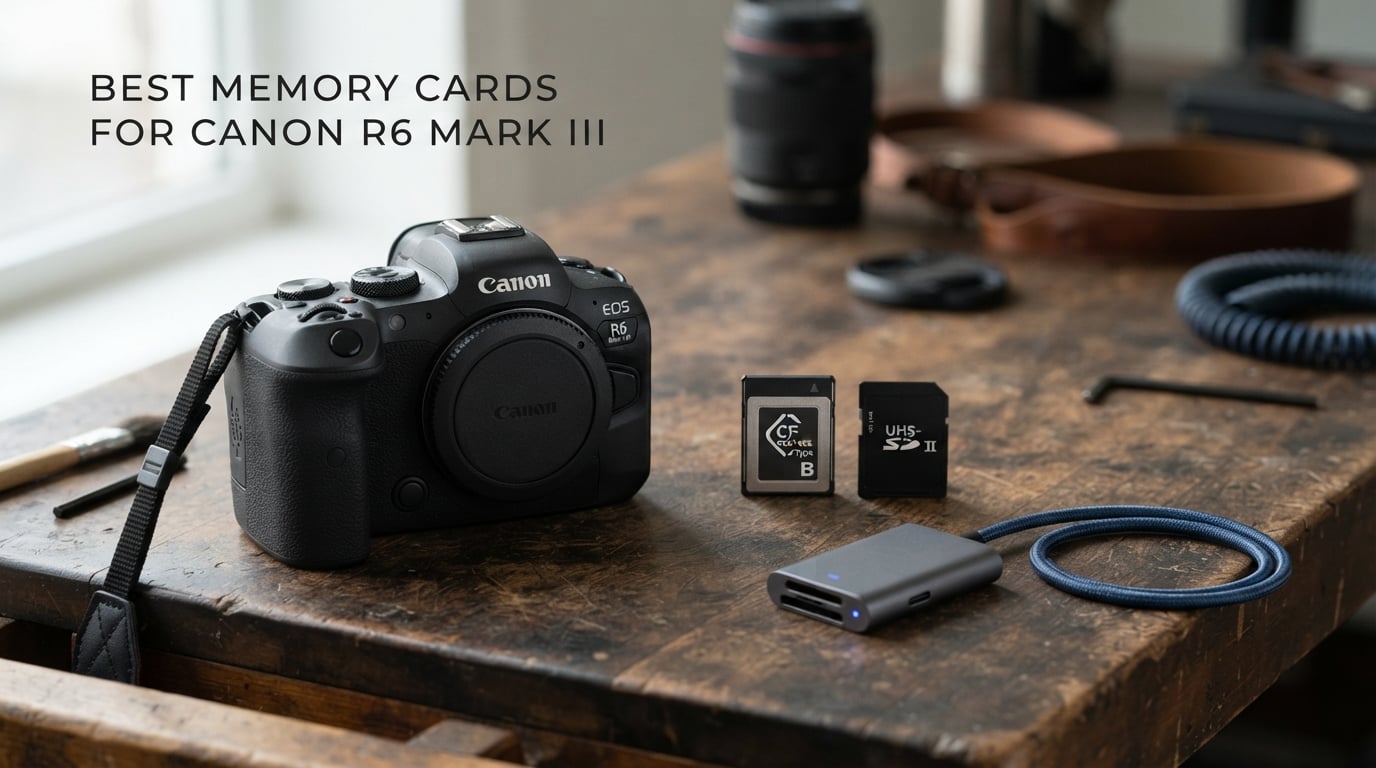
The best memory cards for Canon R6 Mark III depend on which of its two different slots you need to fill. Slot 1 takes CFexpress Type B, while Slot 2 takes a UHS-II SD card; that distinction matters before you buy anything.
For 7K RAW video and long 40 fps bursts, start with a CFexpress Type B card. The camera’s reported in-camera write ceiling is about 505 MB/s, so a card with a strong sustained-write specification gives it the headroom it needs even when a card’s advertised peak speed is much higher.
The SD slot is still useful, not an afterthought. I would use a fast V90 UHS-II SD card for a separate backup, for lower-demand recording modes, or as a practical second card for stills; it cannot substitute for CFexpress when the chosen mode needs Slot 1.
This guide separates the six CFexpress Type B choices from the four UHS-II SDXC choices, then explains capacity, heat, card readers, VPG400, V90, and dual-slot recording. The recommendations use the supplied product specifications and customer feedback data, not invented camera tests.
The top 3 picks cover the primary slot, high-capacity work, and SD backup
Choose the SanDisk for a broadly proven primary CFexpress option, the Sabrent when a 1TB card and stated 1,300 MB/s sustained writes fit your workflow, and the PNY when Slot 2 needs a V90 SD card with a stated 280 MB/s write rate.

SanDisk 512GB Extreme PRO CFexpress Type B
- 1700MB/s read
- 1400MB/s write
- 512GB
- Recovery software

Sabrent Rocket CFX PRO 1TB CFexpress Type B
- 1TB capacity
- 1800MB/s read
- 1700MB/s write
- 1300MB/s sustained write

These 10 Canon R6 Mark III memory cards cover both card slots in 2026
The first six entries below are CFexpress Type B cards for Slot 1. The last four are UHS-II SDXC cards for Slot 2, with V90 cards better suited to demanding SD-slot video work than the V60 option.



1. SanDisk Extreme PRO CFexpress Type B is the strongest all-round primary card
Pros
- Fast 1700MB/s reads
- 1400MB/s writes
- Recovery software
- Lifetime warranty
Cons
- Needs CFexpress Slot 1
- Designed for compatible hosts
The 512GB SanDisk Extreme PRO is the straightforward pick when you want a known CFexpress Type B card for the R6 Mark III’s primary slot. Its supplied maximum rates are 1,700 MB/s read and 1,400 MB/s write, far above the camera’s roughly 505 MB/s reported write ceiling.
That gap does not mean the extra specification is wasted. It gives the camera room during RAW bursts and high-data-rate video, while the 512GB capacity reduces mid-session card swaps for an event, wildlife outing, or video day.
SanDisk lists RAW 4K capture support and includes RescuePRO Deluxe recovery software. The supplied customer data shows a 4.8 out of 5 rating across 5.2k+ reviews, which is a meaningful body of ownership feedback compared with some newer cards here.
Its best fit is a mixed stills and video primary-slot workflow
I would pair this card with a V90 SD card in Slot 2 when the priority is a dependable two-card workflow. Use CFexpress for the file type or recording mode that needs its bandwidth, and use the SD card for a separate backup when that camera setting is available.
The card is also a sensible capacity middle ground. It is much less restrictive than 64GB for a long day, without making every shoot depend on a single 1TB card.
Its transfer speed matters most after shooting, not only in the camera
The 1,700 MB/s read claim can shorten ingest time, but only with a compatible CFexpress Type B reader and a sufficiently fast computer connection. A slow reader becomes the limiting part of the process.
Format this card in the camera before important work, copy files to at least two locations after the shoot, and do not treat recovery software as a replacement for backups.
2. Lexar Professional Silver CFexpress Type B is a capable 256GB photo-and-video choice
Pros
- 1750MB/s read
- 1300MB/s write
- 8K support
- XQD backward compatibility
Cons
- 256GB fills sooner
- 10-year limited warranty
Lexar’s 256GB Professional Silver CFexpress Type B lists up to 1,750 MB/s read and 1,300 MB/s write. It is a good fit for photographers who shoot seriously but prefer rotating several medium-capacity cards rather than placing an entire job on one large card.
The specification says it supports 8K video and is backward compatible with select XQD cameras. For this Canon, the relevant point is simple: it is Type B and belongs in Slot 1, where it can serve 40 fps burst shooting and the modes that demand CFexpress.
Its supplied 4.8 rating is based on 1.4k+ reviews. That feedback volume, stated speeds, and 10-year limited warranty make it easier to recommend than an untested unknown-brand alternative for work that cannot be repeated.
Its capacity works best when you rotate cards deliberately
Two or more 256GB cards can make a tidy workflow for stills and shorter clips. Once a card is filled, label it as exposed and set it aside rather than formatting it in the field.
For sustained 7K RAW production, calculate recording time from Canon’s chosen mode and your own shooting ratio before relying on 256GB. The right amount of storage is the amount that avoids an unplanned stop.
Its advertised maximum speed should not be confused with camera speed
The R6 Mark III will not write at this card’s 1,300 MB/s headline maximum if the camera itself tops out near 505 MB/s. The benefit is headroom, not a promise that the camera will reach the label figure.
That is why CFexpress 2.0-class performance can already be sufficient in this body. Pick a faster-generation card when its off-camera transfer rate, capacity, warranty, or stated sustained rate also suits your needs.
3. OWC Atlas Pro CFexpress 4.0 is the practical fast-transfer option
Pros
- 3650MB/s reads
- 800MB/s sustained write
- CFexpress 4.0 compliant
- Tough construction
Cons
- Only 73 supplied reviews
- 3-year limited warranty
The 512GB OWC Atlas Pro is a CFexpress 4.0 Type B card with a stated 3,650 MB/s maximum read rate, 3,000 MB/s maximum write rate, and 800 MB/s sustained-write figure. The sustained number is the one I would focus on for extended capture, because it remains above the R6 Mark III’s reported 505 MB/s ceiling.
Its 4.0 specification does not make the Canon record internally at 3,000 MB/s. Instead, its biggest potential advantage is data transfer after the session when you use compatible CFexpress 4.0 hardware.
OWC says the card is compliant with CFexpress Type B 1.0, 2.0, and 4.0 specifications and lists impact, bend, shock, ESD, UV, water, and X-ray resistance. The supplied 4.7 rating is from 73 reviews, so it has a smaller owner sample than the SanDisk choice.
Its 800 MB/s sustained figure suits extended high-data capture
A stated sustained write rate gives more useful context than a short peak benchmark. At 800 MB/s, the Atlas Pro has stated room above the camera’s approximate ceiling for bursts and high-bitrate recording.
Heat still deserves attention during long takes. Keep the camera out of direct sun where possible, allow breaks between lengthy clips, and stop if the camera gives a temperature warning rather than assuming the card alone is the cause.
Its 4.0 transfer benefit needs matching equipment
A CFexpress 4.0 reader and a fast connection are needed to approach the card’s high read specification during ingest. With an older reader, the card will work but your transfer path may run at the older hardware’s limit.
That trade-off makes this card most attractive to people who move large video files often. A stills-only workflow may see less practical difference from a quality Type B 2.0 card in the same camera.
4. Lexar Professional Gold CFexpress 4.0 is the high-capacity speed leader
Pros
- 1TB capacity
- 3000MB/s sustained writes
- PCIe Gen 4
- Wide high-end camera support
Cons
- Only 19 supplied reviews
- Needs fast reader for full transfers
The Lexar Professional Gold 1TB CFexpress 4.0 Type B card is built for creators who want long recording capacity and exceptionally high stated sustained performance. Lexar lists up to 3,600 MB/s read, 3,300 MB/s write, and 3,000 MB/s sustained write through its PCIe Gen 4 interface.
For the R6 Mark III, those numbers are considerably above its reported internal write throughput. I would not buy it expecting the camera to write at 3,000 MB/s, but I would consider it when 1TB capacity and a rapid post-shoot workflow matter as much as internal recording.
Lexar lists operation from minus 12°C to 72°C and capacities from 512GB to 4TB for this line. The supplied rating is 4.7 from 19 reviews, so the small feedback sample is worth keeping in mind beside the ambitious specification.
Its 1TB capacity is best for long, controlled recording days
A 1TB card means fewer interruptions while filming or shooting large RAW sequences. It can also reduce the chance of changing media at a poor moment, provided you still have a clear backup plan.
For paid work, I prefer not to let large capacity become a reason to delay copying files. Ingest and verify footage after each day, then maintain two separate copies before formatting the card.
Its Gen 4 speeds are most useful beyond the camera body
CFexpress 2.0 versus 4.0 is mainly a transfer-workflow question in this camera because published testing cited in the research places in-camera writing around 505 MB/s. Both generations can exceed that level when the particular card’s sustained performance does.
Choose this Gold model for its capacity, stated sustained write figure, temperature range, and reader-based transfers. Choose a slower Type B card if those benefits do not change how you shoot or deliver files.
5. Sabrent Rocket CFX PRO is the balanced 1TB Type B card
SABRENT Rocket CFX PRO 1TB CFexpress Type B Memory Card R1800MB/s W1700MB/s (CF-XXIT-1TB)
Pros
- 1TB capacity
- 1300MB/s sustained writes
- SSD-grade protections
- XQD compatibility
Cons
- Two-year warranty without registration
- Limited compatibility list supplied
The Sabrent Rocket CFX PRO offers a useful combination: 1TB capacity, up to 1,800 MB/s read, up to 1,700 MB/s write, and up to 1,300 MB/s sustained writes. Those stated sustained writes are ample on paper for the R6 Mark III’s approximately 505 MB/s write requirement.
Sabrent also describes SSD-grade controller and flash hardware with LDPC, ECC RAID, end-to-end data protection, SmartRefresh, wear-leveling, and TRIM support. Those are welcome design details, though no memory card makes a second copy optional.
The supplied customer information shows a 4.6 rating from 186 reviews. Its warranty is two years limited, or five years with registration, so register it promptly if you choose it.
Its storage suits shooters who dislike frequent card changes
A 1TB primary card makes sense for a long wedding, a wildlife trip, or a production day where changing cards could cost a moment. It is also useful if you produce both high-resolution stills and long clips on one outing.
There is a trade-off: a card holding more work also concentrates more work in one place. Keep another card ready, copy material often, and use the SD slot for redundancy where the selected recording mode supports it.
Its protective specifications suit data-conscious owners
The card’s supplied specifications name data-protection features and high IOPS for file access. Those are sensible reasons to favor it over a no-name alternative when your camera files represent client work or a rare trip.
Use a dedicated Type B reader rather than forcing a card through an unsuitable adapter. Forum discussions repeatedly flag reader compatibility as a pain point, and correct hardware prevents needless transfer frustration.
6. Delkin Devices CFexpress 4.0 is the durability-first Type B option
Pros
- 820MB/s sustained writes
- Protective case
- 48-hour replacement
- Lifetime warranty
Cons
- 4.5 rating
- Lower sustained rate than some cards
Delkin Devices’ 512GB CFexpress Type B 4.0 card pairs a stated 3,650 MB/s burst read speed with a 3,240 MB/s burst write speed and an 820 MB/s sustained write rating. Again, the sustained rating is the useful comparison for a camera whose reported writing tops out around 505 MB/s.
The feature set is unusually focused on physical treatment: shockproof, waterproof, temperature proof, magnetic proof, and X-ray proof, plus a supplied protective case. Delkin also states a 48-hour replacement guarantee for a non-working card and a limited lifetime warranty.
The available rating is 4.5 from 116 reviews, lower than most picks above but still broadly positive. I would weigh its support and durability provisions against the larger review samples of the SanDisk and Lexar options.
Its durability provisions suit travel and active outdoor work
Cards spend time in pockets, card wallets, bags, and changing weather, so a protective case and resistance claims have real practical appeal. Keep the card in its case when it is not in the camera or reader.
No resistance specification makes a damaged or wet card safe to use immediately. Let equipment dry when appropriate, inspect the contacts, and make copies before further use if you suspect an incident.
Its replacement policy is meaningful for professional schedules
Fast replacement terms can matter when a card failure threatens a shoot schedule. Check the current warranty conditions and keep purchase documentation, because support details can vary by region and seller.
I would still carry a second tested Type B card. Redundancy means having another usable path before something fails, not trying to solve a failure after it interrupts a job.
7. Lexar Professional 2000x is the V90 SD backup pick
Pros
- V90 class
- 300MB/s read
- 256GB capacity
- Limited lifetime warranty
Cons
- Write speed not supplied
- SD slot only
The Lexar Professional 2000x is a 256GB UHS-II SDXC card rated V90 with up to 300 MB/s read speed. It belongs in Slot 2, not the CFexpress slot, and is the most natural Lexar SD choice here when you want a fast secondary card for demanding SD-slot work.
Lexar says it captures Full HD and cinema-quality 8K video, is designed for durability, and is backward compatible with UHS-I devices. Its supplied technical data does not state a maximum write speed, so I would not substitute an assumed number for an actual specification.
The card has a 4.7 rating across 2.6k+ reviews and a limited lifetime warranty. That substantial review count supports its place as a familiar backup-media option for photographers who prefer established brands.
Its V90 label is the important SD-card specification
V90 means the card is rated for a minimum sustained write rate of 90 MB/s. It is a more useful signal for video than read speed alone, because recording reliability depends on sustained writing.
V90 does not turn Slot 2 into a CFexpress slot. Check the R6 Mark III recording-mode requirement before assigning video to SD, especially when working with 7K RAW.
Its best role is a separate Slot 2 recording path
For stills, a V90 SD card can be a sensible backup destination when the camera permits simultaneous recording. For lower-demand video, it may also provide useful extra media, subject to the mode’s compatibility requirements.
Keep the small write-protect switch clear of the locked position. It is a simple SD-specific detail that can look like a card failure if you discover it only when the camera refuses to write.
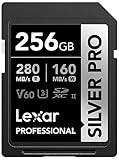
8. Lexar Silver Pro is the V60 Slot 2 choice for less demanding work
Pros
- 160MB/s writes
- 280MB/s reads
- 4K support
- Lifetime limited warranty
Cons
- V60 not V90
- SD slot only
The Lexar Professional Silver Pro is a 256GB UHS-II SDXC card with stated rates of up to 280 MB/s read and 160 MB/s write. Its V60 class identifies a 60 MB/s minimum sustained video write level, placing it below V90 cards for demanding video.
That does not make it a poor card. Lexar lists Full HD and 4K video support, and its 160 MB/s claimed write rate can be a useful fit for photography, backup files, and compatible lower-data-rate video modes in Slot 2.
It has a supplied 4.8 rating from 1.2k+ reviews and a lifetime-limited warranty. The key is buying it for the right job rather than expecting a V60 SD card to replace CFexpress for every feature of this Canon body.
Its V60 rating makes it a stills-first secondary card
I would place this card in Slot 2 for RAW or JPEG backup during photography, or use it as a separate card for day-to-day shooting. Its UHS-II bus helps transfers when paired with a suitable UHS-II reader.
For a job where Slot 2 must take high-bitrate video, prefer one of the V90 cards below after confirming the camera mode. A class mark is a minimum guarantee category, not just a marketing label.
Its 256GB capacity suits a measured backup routine
256GB gives comfortable room for a session without going to a very large SD card. That makes it practical to rotate cards and archive each one once the work has been copied and checked.
SDXC cards such as this one normally use the exFAT file system, which supports files larger than 4GB. Format in-camera so the file system and folder structure match the R6 Mark III’s expectations.
9. PNY EliteX-PRO90 is the fast-spec V90 SD alternative
Pros
- 280MB/s writes
- V90 class
- Waterproof and shockproof
- UHS-I backward compatibility
Cons
- 548 supplied reviews
- 4.6 rating
The 256GB PNY EliteX-PRO90 is a UHS-II SDXC V90 card with stated 300 MB/s read and 280 MB/s write speeds. It is the most direct SD alternative here when a published maximum write figure and V90 rating are both priorities for Slot 2.
PNY also lists Class 10 and U3 marks, 8K video support, and waterproof, shockproof, temperature-proof, and magnet-proof construction. It is backward compatible with UHS-I devices, although it needs a UHS-II reader to access UHS-II transfer performance.
The supplied rating is 4.6 from 548 reviews. That is a smaller sample and slightly lower rating than Lexar’s V90 card, but its stated 280 MB/s write speed is clear and compelling for a high-spec SD card.
Its published write speed helps evaluate Slot 2 video choices
The maximum 280 MB/s write specification is not the same as a guaranteed sustained rate. The V90 marking is the relevant minimum sustained-video credential, while the maximum figure describes potential peak performance.
Use it for camera modes Canon allows on SD and treat it as a strong redundancy card for stills. The primary Slot 1 CFexpress Type B card remains the place for modes that call for it.
Its durability claims are useful for cards carried outside
Waterproof, shockproof, temperature-proof, and magnet-proof claims are helpful when a card spends time around weather and travel gear. Store it in a rigid case anyway, because protecting the contacts and avoiding loss matters as much as resistance ratings.
Before a major assignment, test every card in the exact camera and recording mode you will use. Forum members place more trust in in-camera behavior than packaging claims, and that is a reasonable habit.
10. SanDisk Extreme PRO UHS-II is the rugged V90 SD choice
Pros
- 300MB/s read and write
- V90 class
- IP68 resistance
- Recovery software
Cons
- SD slot only
- Premium-positioned card
The 256GB SanDisk Extreme PRO UHS-II SDXC is a V90 card specified at up to 300 MB/s for both reading and writing. It is the SD card I would choose when Slot 2 needs the strongest combination of a stated write figure, V90 rating, and extensive physical-protection claims.
SanDisk says it is IP68 water and dust resistant and tested for drops up to 6 meters. It also includes two years of RescuePRO Deluxe recovery software and a lifetime-limited manufacturer warranty.
SanDisk’s supplied capacity guidance says 512GB can hold up to 352 minutes of 4K UHD at 60 fps or 286 minutes of 8K at 30 fps, but recording duration always changes with camera settings. This 256GB version has a 4.7 rating from 982 reviews.
Its 300 MB/s write claim supports a fast SD workflow
For burst stills written to Slot 2 or for SD-compatible video modes, the stated 300 MB/s write rate can help the camera clear data efficiently within the limits of the SD interface and chosen setting. It cannot match CFexpress Type B for the most demanding R6 Mark III capture.
This is why many shooters use one fast Type B card plus one fast V90 SD card. Each card serves the slot it was designed for instead of trying to force an either-or decision.
Its physical protection helps, but backup remains the safety plan
IP68 and drop-test claims are useful when cards are exposed to field work. They do not protect against accidental formatting, loss, a failed reader, or an unverified file transfer.
After ingesting, open a selection of files, check the copy completed, and keep the original card unformatted until two independent copies exist. That routine prevents more losses than any single durability feature.
The right Canon R6 Mark III card choice starts with the recording mode
Start with the slots, not the brand. Slot 1 accepts CFexpress Type B and is the required starting point for 7K RAW video and the camera’s fastest 40 fps burst use; Slot 2 accepts SD, SDHC, and SDXC cards, with UHS-II cards providing the better secondary-card performance.
CFexpress Type A is not an alternative for this camera. Type A and Type B are physically different formats, and the R6 Mark III’s CFexpress bay is Type B only.
A CFexpress Type B card is the answer for 7K RAW and sustained bursts
Pick CFexpress when the selected mode needs it, when you shoot many RAW frames at 40 fps, or when long buffer-clearing time would interrupt your work. A card with a stated sustained-write figure above approximately 505 MB/s has headroom relative to the camera figure cited in the research.
VPG400 certification is a separate professional-video assurance that denotes at least 400 MB/s sustained performance. If your video workflow calls for it, look for that explicit certification rather than inferring it from a large maximum-speed number; none of the supplied listings claims VPG400 certification.
A UHS-II V90 SD card is the answer for Slot 2 backup and compatible modes
Choose V90 rather than V60 if the SD slot will take demanding video or you want the higher 90 MB/s minimum sustained video class. The Lexar 2000x, PNY EliteX-PRO90, and SanDisk Extreme PRO listings are V90; the Lexar Silver Pro is V60.
For stills backup, either a quality V60 or V90 UHS-II card can make sense depending on the recording setting. Confirm the camera’s menu options, because simultaneous recording and video-card requirements can differ by file format and mode.
A CFexpress 4.0 card improves transfers more than internal R6 Mark III writes
CFexpress 4.0 cards such as the OWC, Lexar Gold, and Delkin have extreme peak specifications, but the researched in-camera maximum is around 505 MB/s. A good CFexpress 2.0 card can therefore meet the camera’s internal needs.
Buy 4.0 for its stated sustained rate, capacity, physical protection, and faster computer ingest with matching hardware. Do not buy it solely because the label number exceeds what the camera can write.
A capacity plan prevents needless card swaps and oversized collections
For mostly stills, 64GB can work and forum users often mention it as a manageable choice. I would select 128GB or 256GB for a primary stills card when a longer session, burst shooting, or a mix of photos and clips is likely.
Choose 512GB or 1TB for extended video, large deliverables, or days when changing media is difficult. Divide the work across cards where practical, because a smaller collection of clearly labeled cards can be easier to back up and track.
A dual-slot plan gives you redundancy instead of false confidence
For still photography, set the camera to record the same files to both slots when the menu permits and when the performance trade-off fits the assignment. Put the CFexpress Type B card in Slot 1 and the UHS-II SD card in Slot 2.
For video, choose the card and slot required by the recording mode first. A dual-slot camera is not automatically making two copies of every file; check the recording setting before assuming you have redundancy.
A cool camera and a tested reader reduce common memory-card problems
Long high-bitrate takes create heat in the camera and card area. Give the camera air, avoid direct sun when possible, take natural breaks, and follow any temperature warning rather than repeatedly restarting a recording.
Use a dedicated CFexpress Type B or UHS-II reader that matches the card you own. A slow or incompatible reader is a frequent source of disappointing transfers, even when the card itself is working normally.
These answers settle the common Canon R6 Mark III card questions
What CFexpress card for Canon R6 Mark III?
Use a CFexpress Type B card in Slot 1. The SanDisk Extreme PRO 512GB is the broad all-round pick here, while the Sabrent Rocket CFX PRO offers 1TB with a stated 1300 MB/s sustained-write figure. For 7K RAW or 40 fps bursts, Type B is the correct format; CFexpress Type A will not fit.
What card slots are on the R6 Mark III?
The Canon EOS R6 Mark III has two different slots: Slot 1 accepts CFexpress Type B cards, and Slot 2 accepts SD, SDHC, and SDXC cards including UHS-II. It is not a dual-SD camera. Use CFexpress for the highest-demand recording modes and a fast UHS-II SD card for secondary recording or backup where supported.
What SD card is compatible with the Canon R6?
The R6 Mark III Slot 2 accepts SD, SDHC, and SDXC media, with UHS-II cards offering faster performance. A V90 UHS-II SD card such as the Lexar Professional 2000x, PNY EliteX-PRO90, or SanDisk Extreme PRO is the stronger choice for demanding SD-slot work. The Lexar Silver Pro V60 suits stills backup and compatible lower-data-rate recording.
Is CFexpress type A or B better?
Neither is universally better because they are different physical formats. The Canon R6 Mark III requires CFexpress Type B in Slot 1, so Type B is the only compatible CFexpress choice for this camera. Type B cards are built for high bandwidth and are the appropriate choice for the R6 Mark III modes that require CFexpress media.
The best memory cards for Canon R6 Mark III use each slot for its real job
For a strong primary card, I would start with the SanDisk Extreme PRO CFexpress Type B; choose the Sabrent Rocket CFX PRO if 1TB capacity and its stated sustained-write performance better match long shoots. The OWC, Lexar Gold, Delkin, and Lexar Silver Type B cards each make sense for their particular transfer, capacity, durability, or rotation benefits.
For Slot 2, select a V90 UHS-II SD card when you need the strongest secondary option, with the SanDisk Extreme PRO and PNY offering stated maximum write figures and the Lexar 2000x bringing a large owner-feedback base. The Lexar Silver Pro V60 is the sensible stills-first alternative.
In 2026, the best memory cards for Canon R6 Mark III are not one format or one brand: they are a CFexpress Type B card matched to Slot 1 and a correctly rated UHS-II SD card matched to Slot 2. Confirm your recording mode, format in-camera, and make two verified copies when the work matters.