
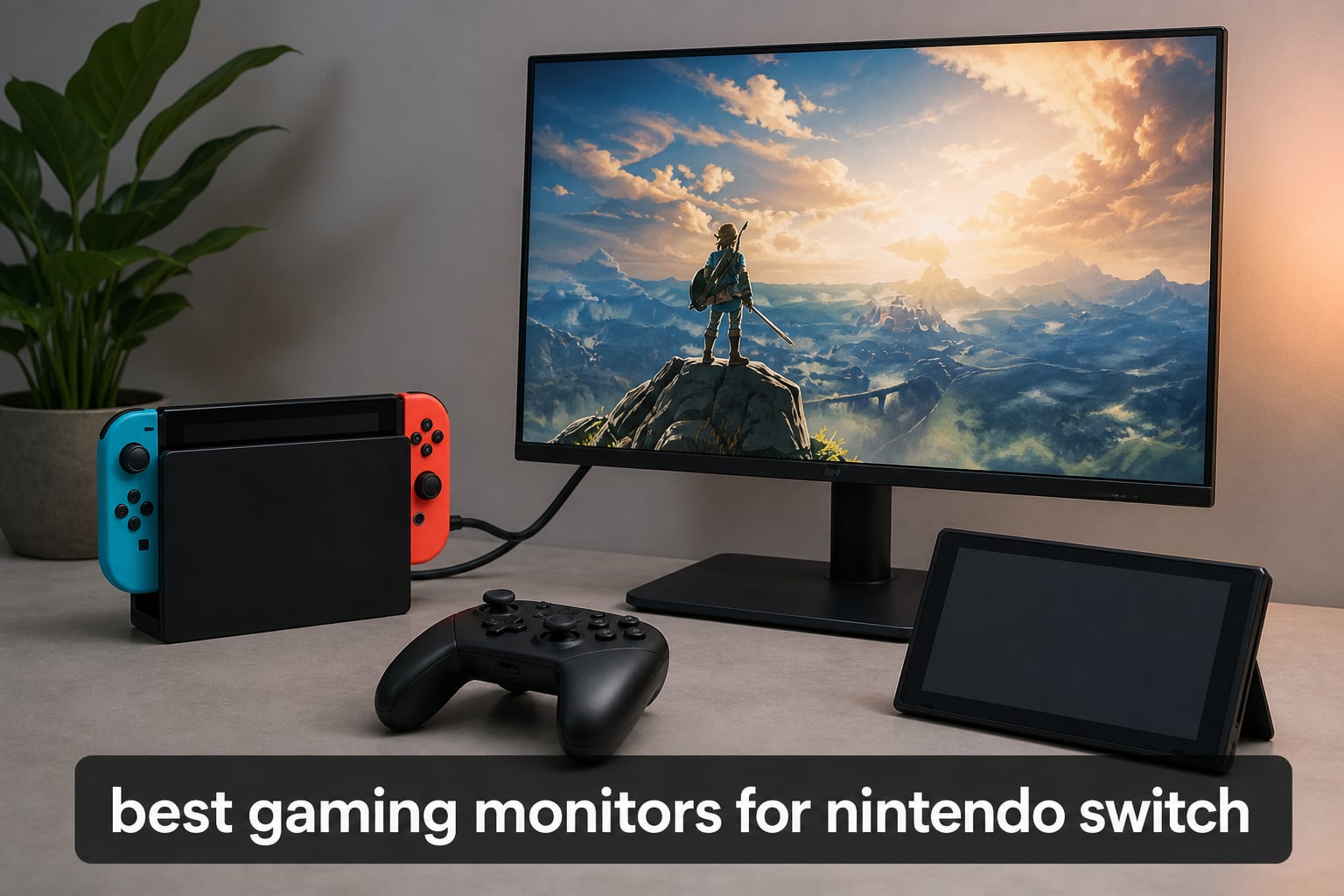
The best gaming monitors for Nintendo Switch are the LG 24G414B-B, Acer Nitro KG271U, and ARZOPA Z1FC because they pair the console-friendly 1080p or 1440p formats with IPS color, HDMI connectivity, and useful screen sizes. A Switch dock connects to a monitor through HDMI, so most HDMI-equipped displays work without a special adapter beyond the dock and a suitable cable.
I focused on eight real monitors with a mix of 24-inch desktop screens, 27-inch QHD models, OLED picture quality, and travel-friendly portable displays. The original Switch is happiest at 1080p and 60Hz, while a Nintendo Switch 2 monitor can make better use of 1440p, higher refresh capability, and HDMI 2.1 when the game and dock output support it.
For a simple desk setup, I would start with a 24-inch 1080p IPS panel; it keeps the image crisp at close range and reflects what Switch players repeatedly ask for in community discussions. If you also play on a PC or another console, the extra refresh rate on several picks below still has value, but it should not be the reason to overlook color, HDMI ports, speakers, or a stand that fits your room.
The top 3 Nintendo Switch monitor picks answer most setups
The LG is the compact all-round choice, the Acer brings a larger QHD desktop screen, and the ARZOPA is the portable answer for a dock that travels. Each has HDMI connectivity and a published feature set that suits a different way of playing.
These eight Nintendo Switch monitors make the full shortlist in 2026
This quick overview puts size, panel type, resolution, and headline refresh rate in one place. The listed refresh rate is the monitor capability, not a promise that every Switch game runs at that number.
| Product | Specifications | Action |
|---|---|---|
 LG 24G414B-B LG 24G414B-B |
|
Check Latest Price |
 AOC Q27GAZDV AOC Q27GAZDV |
|
Check Latest Price |
 Acer Nitro KG271U Acer Nitro KG271U |
|
Check Latest Price |
 BENFEI Portable Monitor BENFEI Portable Monitor |
|
Check Latest Price |
 ARZOPA Z1FC ARZOPA Z1FC |
|
Check Latest Price |
 ASUS TUF VG27AQ3A ASUS TUF VG27AQ3A |
|
Check Latest Price |
 Samsung Odyssey G5 G51F Samsung Odyssey G5 G51F |
|
Check Latest Price |
 LG 27GR83Q-B LG 27GR83Q-B |
|
Check Latest Price |
1. LG 24G414B-B is the best compact 1080p Switch choice
Pros
- 24-inch Switch-friendly size
- 99% sRGB color
- 144Hz panel
- built-in speakers
Cons
- Only one HDMI port
- limited review volume
I would put the LG 24G414B-B at the top for a Switch-only desk because its 24-inch, 1920 by 1080 IPS panel is the most straightforward match for the console’s common output. The 99% sRGB color coverage is especially appealing for the saturated art direction in games such as Mario Kart, Zelda, and Splatoon.
LG lists a 144Hz refresh rate, 1ms motion-blur-reduction specification, Dynamic Action Sync, FreeSync, and G-Sync compatibility. Those PC-oriented features do not turn a 60Hz Switch title into a 144Hz title, but they make this a sensible screen if the desk also hosts another gaming system.
The 1500:1 listed contrast ratio, HDR10 support, anti-glare screen, and Black Stabilizer round out a practical feature set. Published buyer feedback praises the vivid color and smooth motion, while the small sample of 20 ratings means I would treat the 4.9 rating as encouraging rather than conclusive.
A 24-inch 1080p panel is the right fit for close desk play
At a typical desk distance, 24 inches keeps 1080p sharp without making interface text or Nintendo’s colorful edges look coarse. This is the choice I would make for a bedroom desk, a compact gaming station, or a player who does not need a huge screen.
Built-in speakers make the LG easier to place than a bare display
LG includes stereo speakers and headset support, so the monitor can handle basic audio without a separate speaker pair. A headset remains the cleaner answer for late-night sessions, but the integrated audio is useful for casual docked play.
2. AOC Q27GAZDV is the best OLED picture-quality upgrade
Pros
- QD-OLED true blacks
- HDMI 2.1
- two HDMI ports
- full ergonomic stand
Cons
- Glossy finish can reflect light
- USB-C video input not listed
The AOC Q27GAZDV is the picture-first pick, with a 27-inch QD-OLED panel, 2560 by 1440 resolution, HDR True Black, and a listed 1,500,000:1 contrast ratio. Dark caves, night races, and movie playback are where its true blacks can look meaningfully different from an IPS or VA screen.
Two HDMI 2.1 ports are valuable when a Nintendo Switch 2 shares the desk with another HDMI source. Its 240Hz and 0.03ms specification exceed what a Switch needs, yet they are relevant for a PC setup and give the monitor a broader role than a single-console screen.
The listed 147% sRGB and 110% DCI-P3 gamut points to a very colorful image. A buyer specifically flags the glossy surface as reflective, so I would place this monitor where windows and lamps are not directly in front of the panel.
QD-OLED is best for players who care most about black levels
OLED makes the clearest visual case when you play story-heavy games in a dim room and want shadows to stay black rather than gray. The AOC is a desktop monitor, not a travel screen, and it makes the most sense in a controlled-light setup.
Two HDMI ports suit a shared console and PC desk
Two HDMI inputs reduce cable swapping when a dock, console, streaming device, or laptop is part of the same station. The built-in USB 3.2 hub adds peripheral convenience, while the height, tilt, swivel, and pivot adjustments help place the panel correctly.
3. Acer Nitro KG271U is the best 27-inch value desktop screen
Pros
- Two HDMI inputs
- 95% DCI-P3 color
- 180Hz IPS panel
- built-in speakers
Cons
- Speakers receive mixed feedback
- tilt-only adjustment
The Acer Nitro KG271U gives a Nintendo Switch monitor buyer a 27-inch IPS display with 2560 by 1440 resolution, two HDMI 2.0 ports, and a 95% DCI-P3 gamut. It is a strong middle path if you want more space than a 24-inch 1080p screen and expect to use the monitor for a Switch 2 or PC as well.
Acer lists up to 180Hz, 0.5ms response time, AMD FreeSync, and HDR10 support. The original Switch will not fill those extra frames, but the panel does not penalize 1080p console play simply because it offers more headroom for other devices.
With over 1,000 listed ratings, this is also one of the more broadly reviewed models here. Buyers repeatedly call out accurate color and QHD image quality, though the built-in speakers get a more reserved response.
A 27-inch 1440p panel gives Switch 2 owners room to grow
A 1440p monitor can accept a Nintendo Switch 2 connection, and it provides a sharper desktop workspace when the monitor is not gaming. Check the dock’s output settings and each game’s supported modes rather than assuming every title will use the display’s maximum refresh rate.
Two HDMI ports prevent constant dock-cable swapping
Two HDMI inputs matter more than a lofty refresh figure in a multi-device room. I would choose this Acer when a Switch dock shares a desk with a laptop, another console, or a media player and you want each source ready to select.
4. BENFEI Portable Monitor is the best basic travel display
Pros
- Very slim form
- 1080p IPS panel
- smart cover stand
- HDMI and USB-C
Cons
- 60Hz refresh rate
- 30ms listed response time
The BENFEI portable monitor covers the simple portable gaming monitor Switch role: a 15.6-inch, 1920 by 1080 IPS display with HDMI, mini HDMI, USB-C, a smart-cover stand, and speakers. Its 0.44-inch profile and 21-ounce listed weight are the details that make it easier to pack than a desktop monitor.
This is a 60Hz display with a listed 30ms response time, so I would not choose it for twitch-focused PC competition. For the Switch library, where many games target 60Hz, its full-HD resolution and portable form are the more relevant traits.
The panel lists 280 candela brightness, HDR mode, a 1200:1 contrast ratio, flicker-free operation, and blue-light reduction. Buyer reports highlight a clear image and the useful cover, which supports the case for hotel rooms, family visits, or a second room rather than permanent desktop duty.
A portable monitor needs separate power planning with a Switch dock
USB-C is convenient with compatible laptops and phones, but a docked Switch normally sends video over HDMI. Plan for the monitor’s USB-C power connection as well as the HDMI video cable, and check the included cable arrangement before leaving home.
A 15.6-inch screen is best when bag space outranks speed
The smaller panel works when a television is unavailable and carrying a 24-inch display would be unrealistic. Its smart cover doubles as a stand, so it asks for less setup space than a monitor with a large desktop base.
5. ARZOPA Z1FC is the best high-refresh portable Switch monitor
Pros
- 144Hz portable panel
- 106% sRGB color
- integrated kickstand
- dual USB-C
Cons
- Mini HDMI connection
- reported device compatibility issues
The ARZOPA Z1FC is the portable pick for someone who also plays a higher-refresh device away from home. It combines a 16.1-inch 1080p IPS panel, 144Hz refresh rate, 1ms response time, and 106% sRGB color coverage in a 0.39-inch-thick format.
For Switch use, the 1080p resolution and built-in kickstand are the headline benefits. The 144Hz capability is extra capacity for a laptop, Steam Deck, PC, or compatible console; it is not a reason to expect a standard Switch game to render at 144 frames per second.
ARZOPA lists two USB-C ports, mini HDMI, HDR, 300-candela brightness, FreeSync, and eye-care features. Its 2.7k+ review count provides more feedback than many portable options, with strong praise for color and portability alongside a small number of device-specific compatibility reports.
A 16.1-inch screen is the better portable compromise for split-screen
The extra diagonal space over a 15.6-inch panel can help when two players share a Mario Kart race or when you sit farther from the screen. It is still thin enough to work as a travel screen rather than a fixed monitor.
Mini HDMI means cable choice matters before a trip
A dock typically uses full-size HDMI, while this display lists mini HDMI. Keep the appropriate HDMI-to-mini-HDMI cable in the case and test the complete setup before travel, especially because reviewers mention occasional compatibility variation with specific devices.
6. ASUS TUF VG27AQ3A is the best Fast IPS all-purpose screen
Pros
- Fast IPS color
- 180Hz refresh
- ELMB Sync
- speakers and audio jack
Cons
- Stand stability concerns
- 1440p is more than original Switch needs
The ASUS TUF VG27AQ3A is a broad-use 27-inch monitor with a Fast IPS panel, 2560 by 1440 resolution, 180Hz refresh rate, and 130% sRGB color gamut. It is a compelling choice for players who want their Switch dock, PC games, and everyday computer work on the same screen.
ASUS includes ELMB Sync to address motion blur, plus G-Sync compatibility and FreeSync Premium for supported sources. The Switch does not rely on those variable-refresh technologies, but the 1ms listed response time and IPS viewing angles are still welcome properties for a responsive, colorful desktop display.
HDMI, DisplayPort, and a 3.5mm audio connection cover core connectivity, and the display has built-in speakers. Buyer feedback calls the color and motion performance strong, while one recurring reservation is that the stand could feel sturdier.
Fast IPS is the best panel type for bright Nintendo color
IPS panels are commonly favored by Switch players because they preserve color and viewing angles when friends gather around the screen. The ASUS’s wide listed color gamut fits games with bright UI elements and stylized environments particularly well.
A dedicated audio jack helps when the monitor is your desk hub
The 3.5mm audio connection makes it easier to route sound to headphones or speakers from the monitor setup. That is useful because console audio behavior varies by dock, monitor, and the source you select in system settings.
7. Samsung Odyssey G5 G51F is the best VA choice for deeper contrast
Pros
- High listed contrast
- 180Hz panel
- two HDMI inputs
- height-adjustable stand
Cons
- No USB-C listed
- VA colors differ from IPS
The Samsung Odyssey G5 G51F offers a 27-inch VA panel with 1440p resolution, 180Hz refresh, and a 3000:1 listed contrast ratio. That contrast figure is the main reason to look here: VA panels can give dark scenes more depth than a typical IPS monitor without moving to OLED.
Samsung includes HDR10, FreeSync, Black Equalizer, Virtual Aim Point, two HDMI ports, and Auto Source Switch+. The last feature is convenient for a desk that regularly changes between a Switch dock and another input, while the height-adjustable stand makes placement easier than a fixed low stand.
The listed color gamut is 72% NTSC, and the panel’s core appeal is contrast rather than the very wide color specifications offered by several IPS and OLED picks. User feedback likes the smooth motion and stand adjustment, with one buyer wishing for USB-C connectivity.
A VA panel is the right answer for darker-room contrast
I would pick the G5 for players who mostly play in a darker room and want deeper-looking blacks in atmospheric games. An IPS model remains the safer pick when wide viewing angles and color-forward presentation lead the decision.
Auto input switching reduces friction in a multi-source setup
Auto Source Switch+ and two HDMI ports can make routine device changes less fiddly. That is a practical benefit for a family desk where the display serves a Switch, a PC, and a streaming device at different times.
8. LG 27GR83Q-B is the best HDMI 2.1 high-refresh IPS option
Pros
- Two HDMI 2.1 ports
- 240Hz IPS panel
- 95% DCI-P3 color
- full ergonomic stand
Cons
- 240Hz exceeds Switch needs
- one-year warranty
The LG 27GR83Q-B is the most fully specified high-refresh IPS entry in this list, pairing a 27-inch 1440p panel with 240Hz, 1ms response time, HDMI 2.1, DisplayHDR 400, and 95% DCI-P3 color coverage. Its two HDMI 2.1 ports make it a logical long-term desk display for a Nintendo Switch 2 alongside other current gaming hardware.
Dynamic Action Sync, G-Sync compatibility, FreeSync Premium, and the 240Hz figure target fast PC play. For the Switch, I would value the HDMI 2.1 inputs, IPS colors, HDR certification, and flexible stand more than the unused refresh ceiling.
The display also lists a USB-C connection, three USB ports, a four-pole headphone output with DTS Headphone:X, plus height, tilt, and pivot adjustment. Buyer feedback supports the color and smooth performance, and the listed one-year manufacturer warranty is shorter than the three-year coverage stated for some competitors here.
HDMI 2.1 is the best forward-looking connection for Switch 2 desks
HDMI 2.1 gives this LG the connection standard sought by players building around newer HDMI hardware. It does not make the original Switch output HDMI 2.1 features, but it avoids making the monitor the weak link when the rest of the setup changes.
DisplayHDR 400 and IPS color suit mixed games and media
DisplayHDR 400 is a stated HDR certification, not a substitute for the pixel-level black of the AOC OLED. It is still a useful extra for a bright, flexible IPS monitor used for games, video, and general desktop work.
Choose a Switch monitor by matching its screen to the way you play
The first choice is not refresh rate; it is whether the monitor stays on a desk or travels with the dock. Community discussion repeatedly favors 24-inch 1080p monitors for the original Switch because the size, sharpness, and ease of use are hard to beat at a normal desk distance.
1080p is the direct choice for the original Nintendo Switch
A 1920 by 1080 display matches the Switch’s common docked output and avoids relying on monitor scaling. The LG 24G414B-B is the clearest fixed-desk 1080p pick, while the BENFEI and ARZOPA give you 1080p in portable form.
A 1440p display can still show a Switch image well, particularly if you want one monitor for several devices. The Acer, ASUS, Samsung, and both larger LG and AOC options make more sense when a Switch 2, PC, or other console is part of the plan.
60Hz is enough for most Switch play, while 120Hz adds headroom
Refresh rate is how often a panel can redraw the image each second. A 60Hz monitor matches the target of many Switch games, so choosing 144Hz, 180Hz, or 240Hz does not by itself improve the frame rate delivered by an original Switch.
A 120Hz-capable or faster monitor has more purpose with a Nintendo Switch 2, a PC, or another console that supports higher-frame-rate modes. If your decision is strictly 120Hz versus 4K for an original Switch, 1080p image quality, low-lag behavior, panel type, and HDMI convenience matter more than either headline number.
IPS gives the most reliable color, VA favors contrast, and OLED gives black levels
IPS is the easy recommendation for Nintendo games because it offers wide viewing angles and strong color presentation; that is why the LG, Acer, BENFEI, ARZOPA, ASUS, and LG 27GR83Q-B are persuasive picks. The Samsung VA model is for a player who favors its higher listed contrast ratio and plays in darker surroundings.
The AOC QD-OLED produces the deepest blacks and the most premium image specification here, but its glossy panel needs more thoughtful room placement. HDR labels also vary: HDR10 describes format support, DisplayHDR 400 is a certification, and HDR True Black is AOC’s stated OLED-focused capability.
Portable monitors require both video and power planning
A portable monitor for Nintendo Switch normally receives video from the dock’s HDMI output, while the monitor itself needs power through USB-C or its provided power arrangement. Before traveling, lay out the dock, HDMI cable, monitor cable, and power supply together; that simple check prevents arriving with a screen but no workable connection.
The BENFEI is the compact 60Hz travel answer with a smart cover, while the ARZOPA offers a 144Hz panel, a larger 16.1-inch screen, and a kickstand. Neither is a battery-powered Switch dock replacement according to the listed product data, so plan around an outlet or a suitable external power arrangement.
HDMI ports, speakers, and audio output decide day-to-day comfort
One HDMI port is enough for a dedicated Switch screen, but two ports are easier when devices share the monitor; the AOC, Acer, Samsung, and LG 27GR83Q-B meet that need. The LG 24G414B-B, Acer, BENFEI, and ASUS list speakers, which can simplify casual play in a smaller room.
For private sessions, check whether the monitor has a headphone connection and where audio is routed in your setup. The ASUS lists a 3.5mm audio connection, while the LG 27GR83Q-B lists a four-pole headphone output with DTS Headphone:X.
Game genre should determine the final tie-breaker
For Mario Kart, Splatoon, and other fast multiplayer games, I would favor a responsive IPS display with good viewing angles so everyone can see the action. For Zelda, Metroid, or film-like games in a darker room, the Samsung’s VA contrast or AOC’s OLED black levels deserve more weight.
For travel, a thin 15.6- or 16.1-inch screen is more useful than a 27-inch feature list. For a shared PC-and-Switch desk, HDMI 2.1, two inputs, an adjustable stand, and strong color make the LG 27GR83Q-B, AOC, Acer, or ASUS easier to live with.
These Nintendo Switch monitor answers cover the common setup questions
Can you use a gaming monitor with a Switch?
Yes. Connect the Nintendo Switch dock to an HDMI input on the monitor with an HDMI cable, then select that input. Most HDMI monitors work without special setup; verify the monitor has power and arrange audio through its speakers, headphone output, or separate speakers.
Is 120Hz or 4K better for gaming?
For the original Nintendo Switch, neither specification is the deciding factor because 1080p at 60Hz is the practical target. Choose a 1080p IPS monitor with HDMI and low-lag features first. A faster or higher-resolution panel is more useful if it also serves a Switch 2, PC, or other console.
Is 240Hz overkill for gaming?
A 240Hz monitor is more capability than an original Nintendo Switch needs. It can still be a good long-term display if you play on a PC or newer console, but it will not make a Switch game run at 240 frames per second. Prioritize panel quality, resolution, inputs, and screen size for Switch-first play.
Can I plug a Nintendo Switch 2 to a 1440p monitor and play like that?
Yes, a Nintendo Switch 2 can connect to a 1440p monitor through the dock’s HDMI output. Confirm the dock output setting, monitor input, cable, and the game’s supported display mode. HDMI 2.1 models such as the AOC Q27GAZDV and LG 27GR83Q-B offer newer-setup headroom.
The LG 24G414B-B is the most balanced Switch monitor in 2026
For most original Switch owners, the LG’s 24-inch 1080p IPS screen, 99% sRGB coverage, HDMI connection, and speakers are the most balanced combination. Choose the Acer or ASUS for a larger shared desk, the AOC for OLED black levels, the Samsung for VA contrast, and the BENFEI or ARZOPA when portability is the priority.
The best gaming monitors for Nintendo Switch are the ones that fit the dock, desk, room lighting, and games you actually play. Match the shortlist to those basics first, then use the product cards to check the current listing details before deciding.