
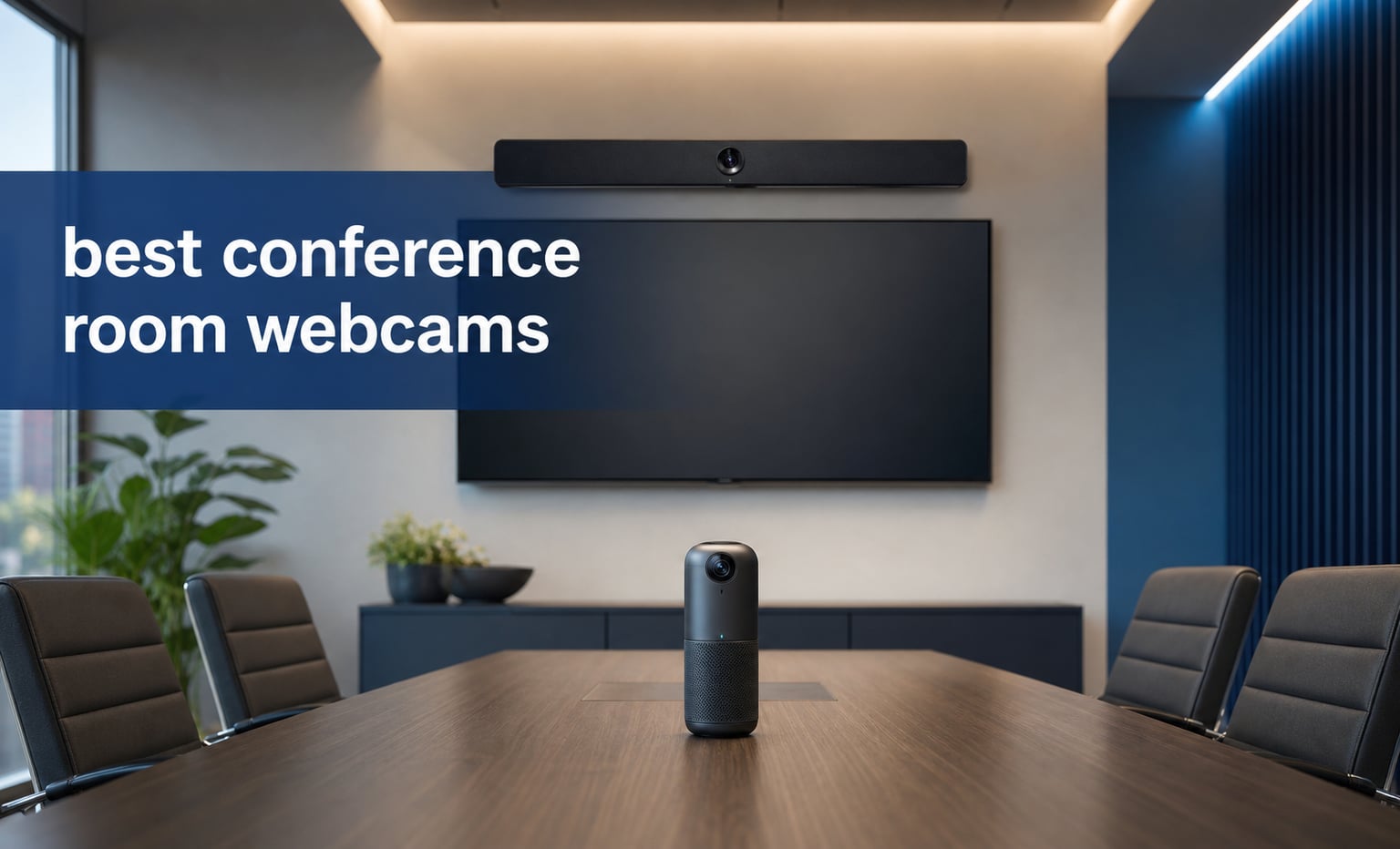
The best conference room webcams make remote attendees feel like they have a seat at the same table. I looked for the things that change that experience most: enough coverage for the room, intelligible audio, framing that does not lose the speaker, a practical connection, and a way to close or control the camera when the meeting ends.
A conference room webcam is built for groups rather than one person at a desk. It uses a wide-angle or 360-degree view, microphones designed to hear multiple voices, and often AI auto-framing or speaker tracking to present a useful view to people joining remotely.
This guide covers the 10 best conference room webcams available in 2026, including tabletop 360-degree units and front-of-room USB video bars. My recommendations stay close to the verified product specifications and review data, so each pick also calls out where its stated limits could matter in a real room.
Audio deserves the same attention as resolution. The recurring complaint from IT and managed-service discussions is not that a camera lacks pixels; it is that people at the far end cannot be heard, a tracking mode follows the wrong subject, or a room system will not cooperate with the existing meeting computer.
The top 3 picks are the Meeting Owl 4+ for 360-degree rooms, EMEET C980 PRO for a simple all-in-one, and WYRESTORM FOCUS-210 for compact AI framing
Choose the Owl Labs Meeting Owl 4+ when the group sits around a table and every face needs a view. Its 4K, 360-degree capture, active-speaker focus, stated 18-foot audio coverage, and Microsoft Teams certification make it the most complete room-centered choice in this group.
Choose the EMEET C980 PRO for a smaller fixed seating arrangement that needs one USB device to supply video, microphones, and speakers. Its adjustable 60- to 98-degree view gives a room more placement flexibility than a permanently ultra-wide lens, while its 1.8k+ reviews provide more buyer feedback than any other product here.
Choose the WYRESTORM FOCUS-210 when a small team needs 4K, a 120-degree view, presenter tracking, and a physical privacy cover in a compact camera. It does not include a speaker, so it is a camera-first choice rather than a full conference camera system.

These best conference room webcams in 2026 cover ten different room layouts and meeting styles
The comparison below is a fast way to narrow the field. Start with camera position: units placed in the middle of a table work best for round-table meetings, while 120- and 180-degree bars belong beneath or above the room display.
Then separate camera-only choices from products with speakers and microphones. A camera with dual microphones can work well when your room already has audio, but an all-in-one bar avoids adding another device for a small huddle room.
| Product | Specifications | Action |
|---|---|---|
 AV Access BizEye 90 AV Access BizEye 90 |
|
Check Latest Price |
 TOALLIN Aione Pro TOALLIN Aione Pro |
|
Check Latest Price |
| Owl Labs Meeting Owl 4+ |
|
Check Latest Price |
 Jabra PanaCast 50 Jabra PanaCast 50 |
|
Check Latest Price |
 Owl Labs Meeting Owl 3 Owl Labs Meeting Owl 3 |
|
Check Latest Price |
 Ricoh Meeting 360 Ricoh Meeting 360 |
|
Check Latest Price |
 WYRESTORM FOCUS-210 WYRESTORM FOCUS-210 |
|
Check Latest Price |
 WYRESTORM HALO-VX10 WYRESTORM HALO-VX10 |
|
Check Latest Price |
 Yealink UVC34 Yealink UVC34 |
|
Check Latest Price |
 EMEET C980 PRO EMEET C980 PRO |
|
Check Latest Price |
1. AV Access BizEye 90 is the best wide-angle pick for a camera-first meeting room
Pros
- 1/1.8 inch CMOS sensor
- AI framing and presenter tracking
- Gesture control
- Privacy cover
Cons
- Fixed-focus lens
- No image stabilization
The AV Access BizEye 90 makes a strong case for rooms that already have speakers but need a clearer, wider camera. Its 1/1.8-inch CMOS sensor is unusually substantial on this list, and the stated 4K output plus 120-degree field of view should give a small group a broad front-of-room composition.
I would place it at display height rather than low on a conference table. That position gives its ePTZ framing and five-times digital zoom a clean view of faces, while the included privacy cover offers an obvious off-state between meetings.
The AI options are specific: auto framing, presenter tracking, and an individuals gallery mode are listed alongside gesture control. That makes it more adaptable than a fixed wide shot when a presenter moves, although fixed focus means it is not the camera I would select for close product demonstrations.
The dual noise-canceling microphones are useful for a compact room, but they do not replace a dedicated room-audio plan for a large boardroom. Its 4.8 rating comes from 12 reviews, which is encouraging but still a small feedback sample.
It works best when a small group faces a display
The 120-degree lens, USB connection, and flexible mounting are a sound match for a huddle room or narrow conference room. Windows 10 or 11 and macOS 10.10 or later are listed, so confirm the room computer before installation.
It needs separate audio when participants sit far from the screen
The product includes dual microphones, not a built-in speaker bar. Plan for a separate speakerphone or installed audio if participants spread beyond a compact group, since distant voices are what remote attendees notice first.
2. TOALLIN Aione Pro is the best compact 3-in-1 bar for simple small-room setups
Pros
- Camera mic and speaker in one
- AI auto framing
- Speaker tracking
- Remote and touch controls
Cons
- 94 degree view is narrower
- Small review sample
The TOALLIN Aione Pro combines the camera, microphone, and speaker into one USB video bar. For a two- to four-person room, that simpler hardware list can mean fewer points of failure and less setup work before a Zoom or Teams call.
Its 94-degree field of view is deliberate rather than limiting if the room has a shallow table. The framing is less likely to show empty wall than a 120-degree camera, and the listed five-times digital zoom gives the presenter a way to tighten the image.
The product lists AI auto-framing and speaker tracking, plus both remote and touch control. I like that control choice for rooms where a meeting host wants to override the automated composition without opening camera software.
There is no stated microphone pickup distance in the verified data, so I would not assume it covers a long room. The 4.7 average is based on 13 reviews, which supports a positive early impression but does not establish long-term deployment reliability.
It suits rooms that need one device below the display
A built-in speaker and microphone make this the straightforward option when the room has a single laptop or mini PC and no installed audio. Its stated Windows, macOS, and Android compatibility also helps in mixed-device environments.
It is less suitable when people sit along a very wide table
A 94-degree lens is narrower than the 120- and 180-degree products here. Measure the seats at the far left and right from the planned mounting point before choosing it for a wide room.
3. Owl Labs Meeting Owl 4+ is the best 360-degree camera for inclusive hybrid meetings
Pros
- Complete 360 degree coverage
- 4K video
- 18-foot audio range
- Fleet management
Cons
- Wi-Fi needed for enterprise features
- Designed for a tabletop position
The Meeting Owl 4+ is the clearest answer when the goal is to show everyone around a table rather than only the people facing a display. Its 4K, 360-degree capture and automatic focus on the active speaker give remote participants both the full room and a closer cue about who is talking.
Owl Labs states 360-degree audio coverage up to 18 feet, which is a useful planning number for a medium room. Put the unit near the center of the table, keep it clear of laptops and water bottles, and treat that radius as a starting point rather than a substitute for a live audio check.
The system has Grid, Panorama, and Speaker modes. That variety matters because a round-table meeting benefits from a persistent group view, while a client presentation benefits from speaker emphasis.
For IT teams, the Wi-Fi connection and The Nest fleet-management capability set this apart from basic USB webcams. Microsoft Teams certification is stated, and the expandable ecosystem can pair with an Owl Bar or Expansion Mic as a room grows.
It is right for meetings where every seat needs representation
Choose this 360-degree webcam for a round table, cross-functional workshops, and rooms where participants turn toward each other instead of toward a single screen. It also avoids the common remote-meeting complaint that a person at the edge of frame becomes invisible.
It requires a thoughtful table and network plan
The camera is designed to sit on the table and enterprise features require Wi-Fi. Before rolling it out across rooms, confirm cable routing, power placement, network policy, and who has access to fleet management.
4. Jabra PanaCast 50 is the best panoramic bar for a wide front-facing conference room
Jabra PanaCast 50 180° Panoramic-4K Meeting Room Webcam, 4 Kilopixel Video Resolution, Black
Pros
- Three 13 MP cameras
- Adjustable field of view
- Eight microphones
- Teams and Zoom support
Cons
- Wide 25.59 inch chassis
- Heavier than compact bars
The Jabra PanaCast 50 is made for the opposite geometry from a tabletop Owl: a broad front wall facing a long table. Three 13 MP cameras stitch a panoramic 4K image, and its adjustable field of view can be set at 90, 120, 140, or 180 degrees.
That adjustment is the reason I would favor it over a fixed ultra-wide camera in a room that may be rearranged. Start close to 120 degrees for ordinary meetings, then open toward 180 degrees only when seats actually extend to the side walls.
Audio is a major part of the design, with eight microphones listed. The device also has four speakers, plus Microsoft Teams and Zoom support, which makes it a complete front-of-room bar rather than just a panoramic camera.
It is not a petite webcam: the stated width is 25.59 inches and the weight is 7.35 pounds. Treat wall mounting as a planned installation, not a last-minute clip-on job, even though a wall mount and USB cable are included.
It excels when seats run across a wide conference table
The 180-degree maximum view is useful when people occupy positions that a regular 90-degree webcam would crop. Its real-time stitching also keeps the panoramic format focused on room coverage instead of a fisheye look.
It needs a firm mounting surface and installation space
Measure the display area and choose a mount that can support the stated weight. USB and Ethernet connectivity offer deployment flexibility, but the physical bar itself needs a permanent, level position for its panoramic view to look natural.
5. Owl Labs Meeting Owl 3 is the best proven 1080p 360-degree option for Teams and Zoom rooms
Pros
- 18-foot audio pickup
- Works with Zoom and Google Meet
- AI speaker tracking
- 657 reviews
Cons
- 1080p rather than 4K
- No stated image stabilization
The Meeting Owl 3 remains a compelling 360-degree conference camera when a full-table view matters more than 4K output. It captures 360-degree video at 1080p, uses the Owl Intelligence System for active-speaker attention, and has stated audio coverage up to 18 feet.
Its 657 reviews make it one of the more established products in this ten-camera selection. That does not make every deployment identical, but it is a stronger feedback pool than many new conference webcams with only a handful of ratings.
It connects through USB and Wi-Fi, works with Chrome, Linux, Mac, and Windows, and is certified for Microsoft Teams while also listed for Zoom and Google Meet. The claimed six-minute plug-and-play setup is attractive for a room that regularly changes meeting hosts.
The trade-off is resolution. A 1080p output can still look professional in a typical call, but teams sharing fine printed material or seeking more detailed crops should compare it with the 4K Meeting Owl 4+.
It is a dependable fit for table-centered collaboration
Put the cylindrical camera at the center of a small or medium table, where its 360-degree view can represent every participant. The compact stated dimensions also make it easy to reserve a consistent central position.
It is not the right fit for detailed visual demonstrations
Its 1080p specification is adequate for faces and ordinary conversation, not the strongest choice for showing product textures, documents, or a distant whiteboard. For those tasks, a 4K front-of-room bar or closer content camera is more appropriate.
6. Ricoh Meeting 360 is the best USB-C tabletop option for rooms with long voice pickup needs
Pros
- Dual-lens panoramic view
- 20-foot voice detection
- Three 8W speakers
- Zoom Certified
Cons
- Limited 14-review sample
- Camera resolution not stated
The Ricoh Meeting 360 focuses on the part many conference-camera guides underplay: capturing voices across a table. Its omnidirectional microphone array is stated to detect voices up to 20 feet, the longest explicit audio figure among the products in this list.
The dual lenses deliver a 360-degree panoramic view, while active speaker detection and focus change emphasis during discussion. Three built-in 8W speakers make it a self-contained tabletop unit rather than a camera that depends on a laptop speaker.
USB-C bus power is useful for tidy installation, especially when a room computer sits beneath a display. Ricoh also lists Zoom certification plus compatibility with Microsoft Teams, Google Meet, and Cisco Webex.
There is an important data limit: the provided specifications do not state a video resolution, and the rating is based on 14 reviews. I would request a visual test in the actual room if resolution detail and long-term feedback are deciding factors.
It is strongest when audio coverage has priority
A stated 20-foot voice-detection range is a practical reason to consider this model for a longer table. It can reduce the risk that the far end of the room sounds distant, which is usually more damaging to a meeting than a modest video difference.
It needs a live image check before a broad rollout
The listing confirms panoramic capture but not a specific resolution. Ask the supplier for a platform-specific test call and verify how its active-speaker layout appears in the meeting software your team actually uses.
7. WYRESTORM FOCUS-210 is the best compact 4K camera for moving presenters
Pros
- AI auto framing
- 120 degree coverage
- 4K video
- Physical privacy cover
Cons
- Digital zoom only
- No built-in speaker
The WYRESTORM FOCUS-210 is a camera-first solution with features that matter for active presentations. It combines 4K resolution, a 120-degree wide-angle lens, AI auto framing, and presenter tracking in a compact listed 6-by-3-by-3-inch body.
That mix makes sense for a training room or a small conference room where the presenter stands and moves. A fixed wide frame often leaves a speaker tiny in the image, while tracking can preserve a more useful composition without an operator.
The model has dual AI noise-canceling microphones with stated pickup up to 5 meters, a physical lens cover, USB connectivity, and Zoom certification. Its 8x zoom is digital, so the closer view is convenience rather than optical detail.
The 195-review, 4.2 average provides a much larger buyer sample than the newest products here. Still, automatic tracking is one of the pain points repeatedly raised by administrators, so test it with normal presenter movement and lighting before relying on it for formal events.
It is ideal for a small room with a standing presenter
The combination of presenter tracking and 120-degree coverage gives this webcam a useful range between a solo presentation and a seated group. Its light 0.5-pound specification also supports flexible mounting around a display or tripod.
It requires an external speaker for a complete room system
This is not an all-in-one video bar. Pair it with a room speakerphone or installed audio when remote participants need to hear the local group clearly and local participants need clean playback.
8. WYRESTORM HALO-VX10 is the best all-in-one bar for optical zoom and speaker tracking
Pros
- 5x optical zoom
- Four-microphone array
- Speaker and presenter tracking
- Magnetic privacy cover
Cons
- Single speaker listed
- Requires a wide mounting space
The WYRESTORM HALO-VX10 combines 4K video, a 120-degree view, a four-microphone array, dual-speaker design, and AI framing in one bar. Its headline advantage over most compact webcams is the stated 5x optical zoom, supported by additional 8x digital zoom.
Optical zoom matters when a meeting host wants to show a whiteboard or a speaker without throwing away as much image detail as digital cropping does. The system also lists auto framing, presenter tracking, and speaker tracking, so it can adapt to different meeting formats.
A magnetic privacy cover makes the camera status easy to read, and USB support is listed for Teams, Zoom, and Google Meet. At 18 inches wide, it is a much more intentional installation than a clip-on webcam, though still smaller than the Jabra PanaCast 50.
The data contains one inconsistency worth flagging: the feature list says built-in dual speakers, while a technical field lists one speaker. Verify the audio configuration with the retailer or manufacturer before making it part of an audio plan.
It is the right choice when optical zoom changes the meeting
Select this bar for rooms that routinely show a presenter, whiteboard, or physical object from the display wall. Its 5x optical zoom is a specific advantage over digital-only cameras in this roundup.
It needs confirmation of its speaker arrangement
Do not assume a listed speaker count without checking the current product documentation. Audio playback, microphone pickup, room acoustics, and the number of seated participants should all be validated in the installed room.
9. Yealink UVC34 is the best AI-enhanced USB bar for a straightforward Teams or Zoom room
Pros
- AI face enhancement
- Low-light optimization
- Built-in audio
- Two-year warranty
Cons
- 61-review sample
- View is fixed at 120 degrees
The Yealink UVC34 is a practical USB conference camera for teams that want a familiar video-bar shape without a separate microphone and speakerphone. It lists 4K output, a 120-degree view, built-in microphone and speaker, AI auto framing, and AI face enhancement.
Low-light optimization is a useful stated feature for rooms where overhead lighting changes through the day. It should help faces remain readable, but the best fix is still a room with even front lighting rather than strong windows behind participants.
Its five-times digital zoom and autofocus support ordinary remote presentations. The two-year warranty is also longer than the one-year terms shown for some products here, which can matter when an organization standardizes a room kit.
The 4.2 average is based on 61 reviews. That is a reasonable middle-sized sample, but I would test the fixed 120-degree frame against the actual table width before choosing it for a very small room where the image may feel too broad.
It works well for a fixed front-of-room installation
The all-in-one microphone, speaker, and camera design reduces desk clutter and USB connections. It is suited to a small or medium room where the display wall gives the camera a centered view of every regular seat.
It needs careful lighting and room-width planning
Its 120-degree lens does not change to a narrower optical view. Set the seating distance, control backlighting, and do a short call with a remote participant before treating the framing as final.
10. EMEET C980 PRO is the best high-feedback all-in-one webcam for huddle rooms
Pros
- Adjustable field of view
- Four noise-canceling mics
- Two speakers
- 1.8k+ reviews
Cons
- Fixed focus
- 10-foot microphone range
The EMEET C980 PRO is the most broadly reviewed option in this guide, with a 4.1 average from 1.8k+ reviews. It is a 3-in-1 device with a 4K camera, four noise-canceling microphones, two AI speakers, and a magnetic privacy cover.
Its strongest practical feature is a field of view adjustable from 60 to 98 degrees. Use the narrower end for a person or two near a display, and open it only as the number of seats and distance from the camera demand it.
The microphones have a stated pickup range up to 10 feet, which is a realistic clue that this product belongs in a huddle room rather than a long boardroom. USB 2.0 Type-A plug-and-play and compatibility with Windows, macOS, and Android TV make it easy to assign to a room computer.
Fixed focus is both convenient and limiting. It removes focus decisions in a stable seated meeting, but it is less appropriate for close-up objects, presenters stepping toward the camera, or rooms where the camera-to-subject distance changes often.
It is best for a compact room that needs fewer separate devices
The built-in microphones and two speakers make a complete small-room starting point, while its adjustable field of view prevents a close table from looking excessively wide. A tripod mount option also supports more deliberate placement.
It is not built for a long boardroom or close-up demonstrations
The stated 10-foot microphone pickup is the key boundary, and fixed focus is the other. Give remote callers a short audio test from the farthest seat before expanding its role beyond a huddle room.
Choose a conference room webcam by matching the camera position, audio range, and control method to the room
The fastest way to make a good choice is to sketch the room before comparing specifications. Mark the display wall, the farthest seat, windows, table shape, the meeting computer, and any existing speakerphone; those six details rule out more bad fits than resolution alone.
Choose a 360-degree camera when participants face each other
Tabletop cameras such as the Meeting Owl 4+, Meeting Owl 3, and Ricoh Meeting 360 make sense when everyone sits around a central table. They are designed to provide a full-room view and then shift attention toward the active speaker.
Keep the center of the table clear. A laptop lid, a large monitor, or stacked documents close to the camera can block faces and make the automated view look worse than the camera specification suggests.
Choose a front-of-room bar when everyone faces the same display
The Jabra PanaCast 50, TOALLIN Aione Pro, WYRESTORM HALO-VX10, Yealink UVC34, and EMEET C980 PRO fit this arrangement. Their camera, microphone, and speaker components are built to sit at the screen end of the room and frame the seated group.
Use the narrowest field of view that includes every normal seat. A wider angle captures more people, but it also makes faces smaller and shows more distracting wall, ceiling, and empty table.
Pick audio coverage before chasing 4K resolution
4K creates a cleaner image and provides more room for a digital crop, but the meeting fails if remote participants cannot understand the far-end speaker. Compare stated pickup boundaries: the Ricoh lists voice detection up to 20 feet, both Meeting Owls state audio up to 18 feet, EMEET lists microphones up to 10 feet, and the FOCUS-210 lists up to 5 meters.
Those figures are not interchangeable laboratory guarantees. Test from the farthest chair with ordinary meeting voices, HVAC running, and the door closed, then ask someone joining remotely to judge both clarity and echo.
Use 1080p when the meeting is mostly faces and use 4K when cropping or detail matters
1080p can be entirely sufficient for standard conversation, which is why the Meeting Owl 3 still makes sense for inclusive table coverage. Choose 4K when a wide camera has to crop into a speaker, when visual detail is part of a presentation, or when the room has a large display that exposes softness.
Resolution alone does not compensate for poor lighting. Place participants facing a soft light source where possible, avoid bright windows behind them, and use low-light features as support rather than the only plan.
Use AI framing as assistance rather than as an unattended operator
Auto framing keeps a group centered, presenter tracking follows a person moving through a presentation, and speaker tracking shifts the view to the person talking. The AV Access, TOALLIN, Meeting Owl, WYRESTORM, Yealink, and Ricoh options each list one or more of these approaches.
Administrators frequently report frustration when auto-tracking makes an unexpected choice. Run a rehearsal with people entering late, passing a whiteboard, and speaking from the edge of the frame; keep a manual control or a stable wide-shot fallback ready for high-stakes calls.
Plan USB, network access, privacy, and management before deployment
Most of these products offer USB plug-and-play connectivity, which is helpful for one-room setups. Fleet deployments need more questions: Who updates firmware? Which device owns the USB connection? Is Wi-Fi permitted for management? Can the room computer recover after a power interruption?
Physical privacy covers appear on the AV Access, WYRESTORM FOCUS-210, WYRESTORM HALO-VX10, Yealink, and EMEET options. A visible cover is often easier for a guest to trust than a software setting, while networked systems need clear access and account policies.
Check platform compatibility using the exact room computer and meeting service
Microsoft Teams certification is specifically listed for the Meeting Owl 4+, Meeting Owl 3, and WYRESTORM FOCUS-210, while Zoom certification is listed for Ricoh and WYRESTORM FOCUS-210. Other products list Teams, Zoom, Google Meet, Webex, Windows, macOS, or Android support, but confirm the current support page before a company-wide purchase.
This step matters because reliability beats novelty in a meeting room. A camera that fits the existing platform, wakes predictably, and has audio that everyone understands is more useful than one with a longer feature list that needs attention every week.
Answers to common conference room webcam questions clarify the differences between room cameras and desk webcams
What is a conference room webcam?
A conference room webcam is a group-focused video camera for meeting spaces. It typically combines a wide-angle or 360-degree view with microphones, and may add speakers, auto-framing, or speaker tracking so remote participants can follow multiple people.
What makes a good conference webcam?
A good conference webcam matches the room layout, includes enough audio pickup for the farthest seat, frames every participant clearly, connects reliably to the room computer, and provides privacy or management controls that suit the organization.
Does a conference webcam need 1080p or 4K?
1080p is sufficient for many face-to-face discussions, especially with a 360-degree camera. Choose 4K when you need more detail, a wide shot that can be cropped, or clearer visuals for presentations, but prioritize clear audio and good lighting first.
What is the best conference room camera for large rooms?
For a large round-table room, the Ricoh Meeting 360 lists voice detection up to 20 feet, while the Meeting Owl 4+ and Meeting Owl 3 list 18-foot audio coverage. For a large room with everyone facing a display, a panoramic front-of-room bar such as the Jabra PanaCast 50 is a better layout match.
How do conference room cameras differ from regular webcams?
Regular webcams are usually designed to frame one person near a computer. Conference room cameras are designed to cover groups through wider lenses or 360-degree capture, stronger multi-person microphone coverage, speakers, and automated framing modes.
The best conference room webcam is the one that gives every attendee clear video and intelligible audio
For a round-table hybrid meeting, I would start with the Meeting Owl 4+ when 4K and managed expansion matter, or the Meeting Owl 3 when 1080p coverage is sufficient. For a display-facing room, the Jabra PanaCast 50 is the standout panoramic choice, while the EMEET C980 PRO is the sensible compact all-in-one option.
Review the room dimensions, test the farthest voice, and check the meeting platform before you decide. That practical process is the best way to turn the best conference room webcams in 2026 from a specification list into a meeting setup people can actually use.