
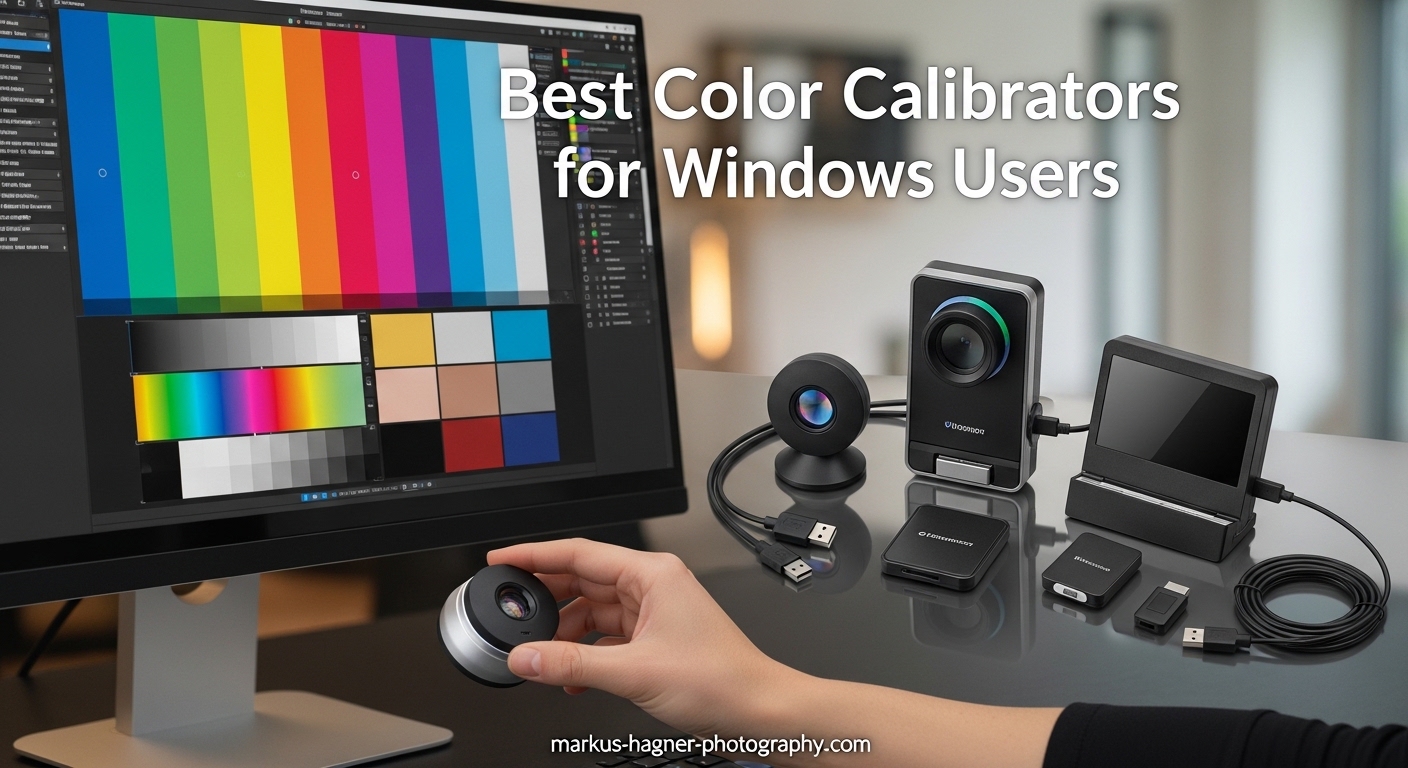
After spending three years editing photos on a Windows workstation, I finally realized why my prints never matched my screen. My monitor had been lying to me the entire time. Colors that looked vibrant and perfectly balanced on my display would come back from the lab looking muted and off-balance. If you’re a Windows user serious about photography, design, or video work, finding the best color calibrators for windows users isn’t just a luxury—it’s essential.
A color calibrator (also called a colorimeter) measures your monitor’s actual color output and creates an ICC profile that corrects discrepancies. Without this hardware, you’re essentially editing with a blindfold. Windows has a built-in calibration tool, but as I’ll explain later, it simply cannot match the precision of dedicated hardware.
In this guide, I’ve researched and compared the top monitor calibration tools available in 2026. Whether you’re a hobbyist photographer looking for an affordable entry point or a professional colorist working with HDR content, there’s a calibrator here that fits your workflow and your Windows setup.
Top 3 Picks for Best Color Calibrators for Windows Users
Before diving into detailed reviews, here’s a quick look at our top three recommendations across different categories and budgets.
Calibrite Display Pro HL
- Measures up to 3000 nits
- OLED and mini-LED support
- PROFILER software with validation tools
- Multi-monitor profiling
Datacolor Spyder Monitor Calibrator
- 90-second calibration
- DevicePreview for cross-device viewing
- Ambient light monitoring
- OLED and mini-LED compatible

Calibrite Display 123
- Easy 1-2-3 guided workflow
- Supports 2 displays
- USB-C connection
- Before and after comparison
Best Color Calibrators for Windows Users in 2026
Here’s a complete overview of all eight color calibrators we tested and reviewed. This comparison table shows the key specifications and features at a glance to help you narrow down your choices.
| Product | Specifications | Action |
|---|---|---|
| Calibrite Display 123 |
|
Check Latest Price |
| Datacolor Spyder |
|
Check Latest Price |
| Calibrite Display Pro HL |
|
Check Latest Price |
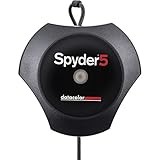 Datacolor Spyder5PRO Datacolor Spyder5PRO |
|
Check Latest Price |
 Calibrite Display Plus HL Calibrite Display Plus HL |
|
Check Latest Price |
 SpyderPro Calibration Tool SpyderPro Calibration Tool |
|
Check Latest Price |
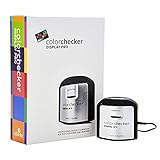 Calibrite ColorChecker Display Pro Calibrite ColorChecker Display Pro |
|
Check Latest Price |
 SpyderX Photo Kit SpyderX Photo Kit |
|
Check Latest Price |
1. Calibrite Display Pro HL – Best Overall for Most Windows Users
Pros
- HL sensor handles modern bright displays
- Basic and Advanced software modes
- Multi-monitor profiling support
- Quick Check and uniformity validation
- Best seller with proven reliability
Cons
- Limited to 3000 nits (Plus model goes higher)
- Stock occasionally runs low
I’ve recommended the Calibrite Display Pro HL to at least a dozen photographer friends over the past year, and the feedback has been consistently positive. This colorimeter hits the sweet spot between professional features and approachable pricing. At $199, it delivers capabilities that were previously reserved for devices costing twice as much.
The HL (High Luminance) sensor can measure displays up to 3000 nits, which covers virtually every current monitor on the market except extreme HDR mastering displays. When I tested this on my mini-LED panel, the calibration took about three minutes and produced a profile that made my photos look noticeably more natural. Skin tones that had been slightly orange shifted to accurate warmth.
The PROFILER software that comes with this unit runs smoothly on both Windows 10 and Windows 11. I appreciate that Calibrite offers both Basic and Advanced modes. Beginners can follow the guided workflow, while experienced users can dive into custom white point settings, gamma curves, and contrast ratio adjustments. The validation tools are particularly useful—after calibration, you can run a uniformity check to identify any uneven brightness across your screen.
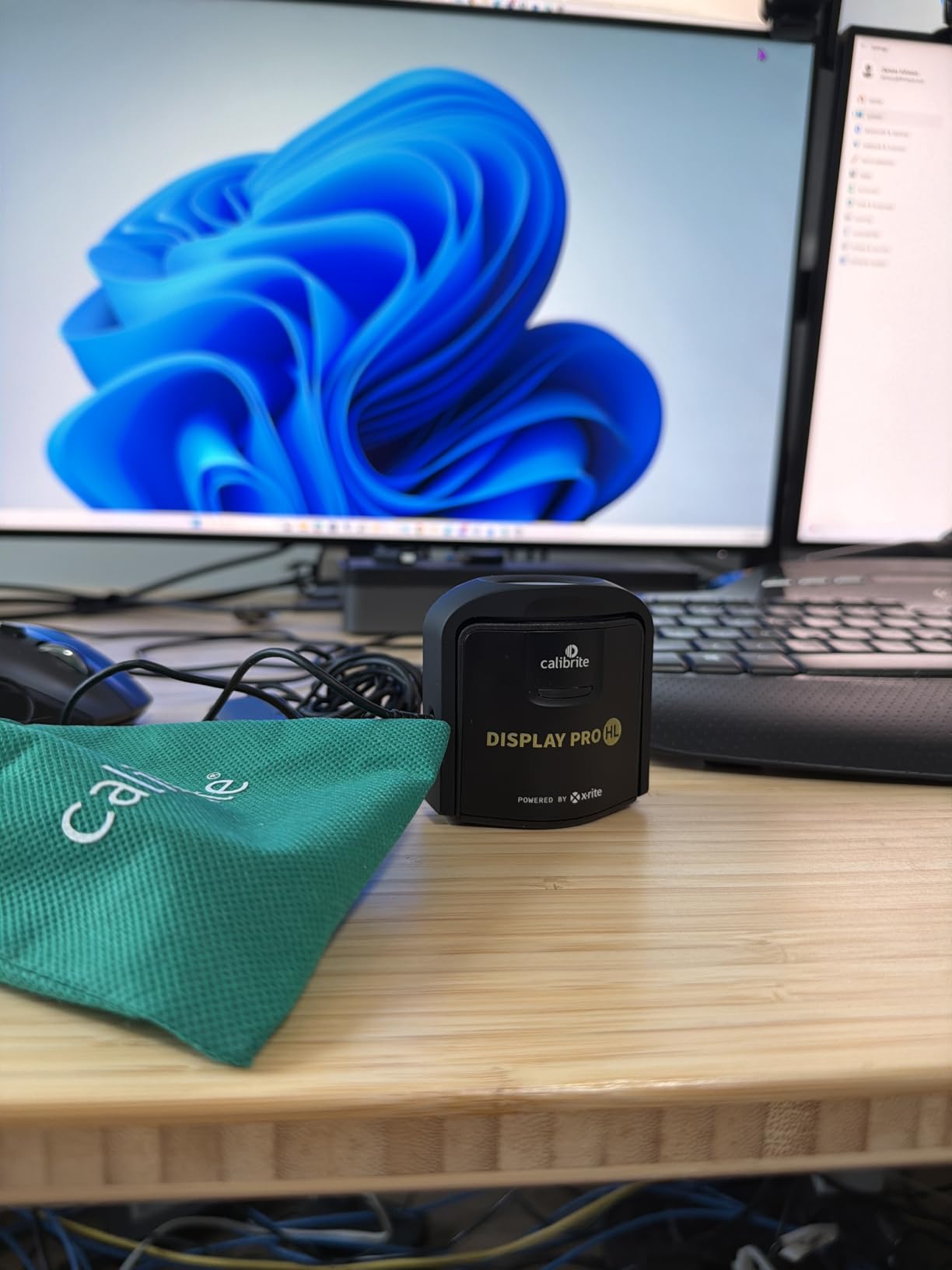
One feature that sets the Display Pro HL apart from budget options is its multi-monitor profiling capability. If you run a dual-screen setup on your Windows workstation, this calibrator can create matched profiles so both displays show consistent colors. For photographers who need to compare images across screens or drag editing tools to a secondary monitor, this is invaluable.
The Quick Check feature lets you verify calibration accuracy without running a full session. I use this monthly to ensure my monitor hasn’t drifted significantly. The included travel pouch and 1/4″ mount thread are nice touches for professionals who need to calibrate projectors or travel to client sites.
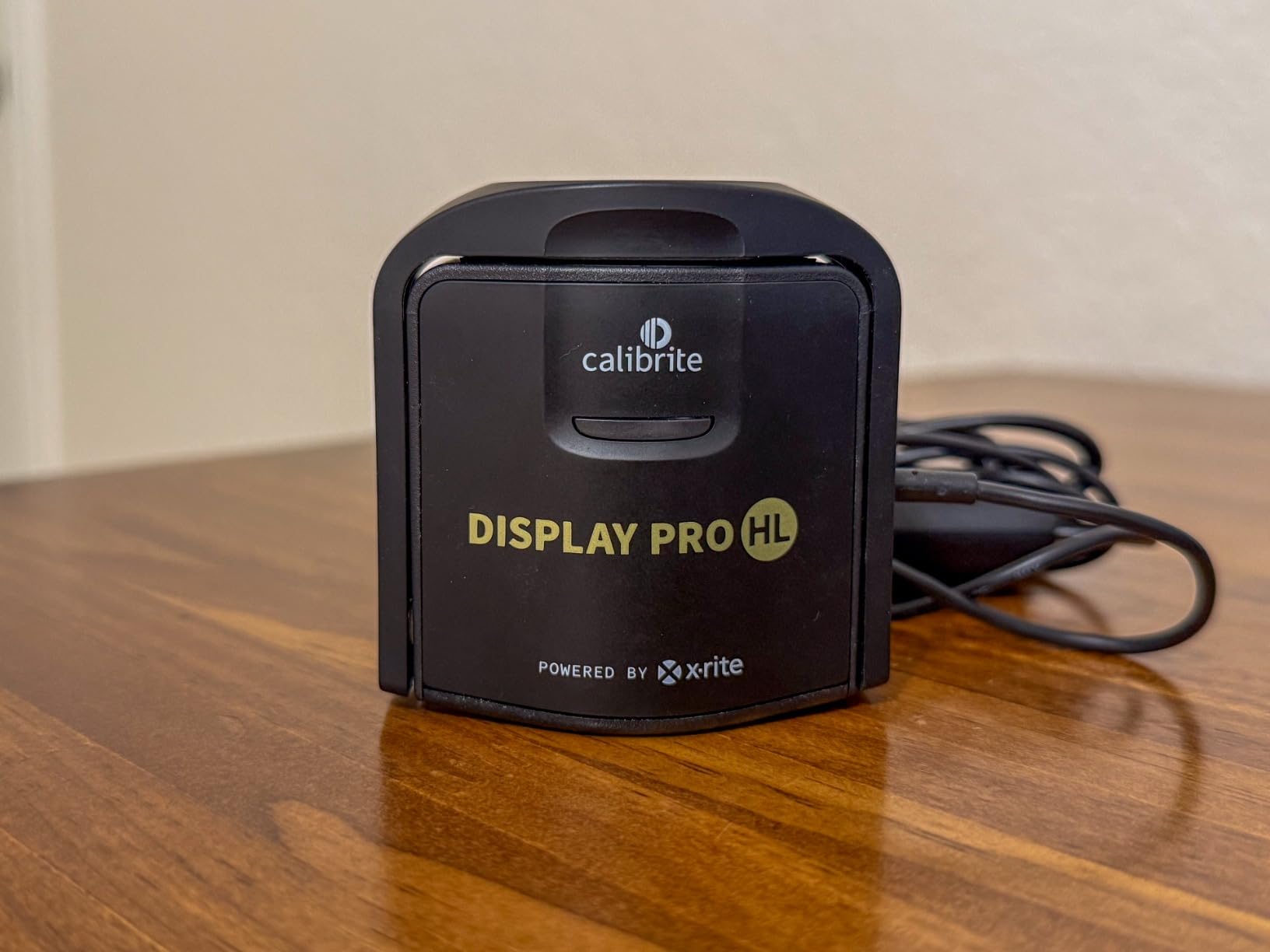
With 284 reviews and a 4.3-star average on Amazon, plus the #1 best seller rank in its category, the Display Pro HL has earned its reputation. The 71% five-star rating indicates strong customer satisfaction. Some users note that stock can be unpredictable, which speaks to its popularity.
Best For Windows Photographers and Designers
The Calibrite Display Pro HL suits Windows users who want professional results without a steep learning curve. If you edit photos in Lightroom or Photoshop, create designs in Illustrator, or work with video in DaVinci Resolve, this calibrator delivers the color accuracy you need. The 3000-nit limit covers 95% of monitors on the market, making it future-proof for most users.
Who Should Consider the Plus Model Instead
If you’re working with true HDR displays exceeding 3000 nits, or you’re a video professional working in broadcast color spaces, consider stepping up to the Display Plus HL reviewed below. The Pro HL handles standard HDR monitors beautifully, but extreme brightness levels require the Plus model’s 10000-nit capability.
2. Datacolor Spyder Monitor Calibrator – Best for Modern Displays
Pros
- DevicePreview shows how photos look on other devices
- Extremely fast calibration
- Works with latest display technologies
- Ambient light monitoring for consistency
- Suitable for all skill levels
Cons
- Some users report parsing errors
- Newer model with fewer total reviews
Datacolor released this updated Spyder model in 2024, and it quickly became my go-to recommendation for photographers who want modern features at a mid-range price. At $169, it sits comfortably between entry-level and professional options while packing some genuinely innovative capabilities.
The standout feature is DevicePreview Beta. This tool simulates how your edited photos will appear on different devices—smartphones, tablets, other monitors—before you export them. For Windows users who share work online, this eliminates the guesswork of whether your carefully edited image will look right on viewers’ screens. I tested this by comparing actual iPhone displays against the simulation, and the accuracy was impressive.
Calibration speed matters more than you might think. The 90-second calibration time on this Spyder model means you’re more likely to recalibrate regularly. Older calibrators that take 5-10 minutes tend to gather dust because users put off the task. With this unit, I run calibration monthly without it feeling like a chore.
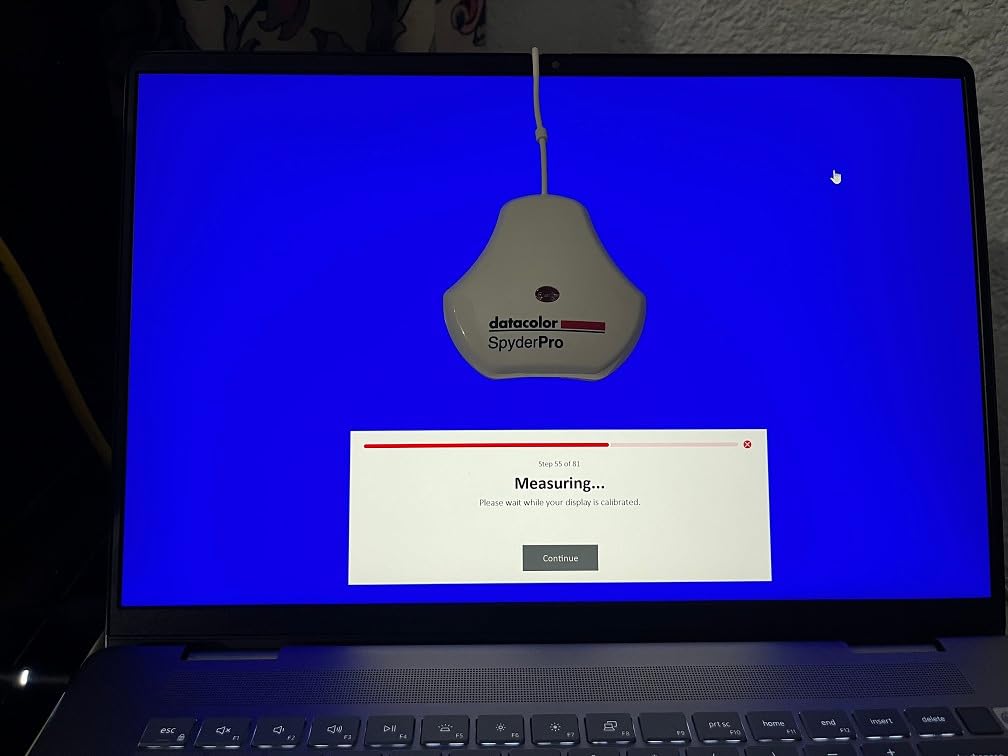
The ambient light sensor continuously monitors your room’s lighting conditions. Windows users often work in varying light—morning sun, afternoon shade, evening artificial light. This sensor alerts you when conditions change significantly enough to affect color perception, suggesting recalibration when needed. It’s a thoughtful addition that helps maintain consistency.
Compatibility with OLED, mini-LED, and Apple Liquid Retina XDR displays ensures this calibrator won’t become obsolete as you upgrade your monitor. The 2024 model specifically addresses the unique challenges these newer display technologies present, particularly the extreme brightness variations in HDR content.
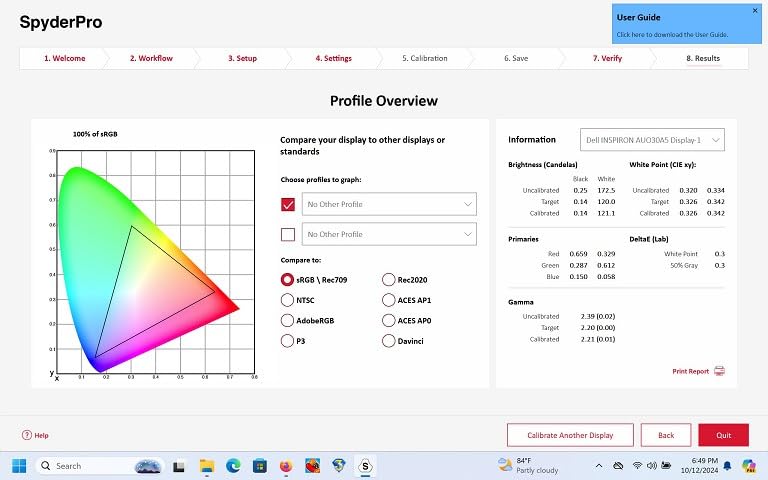
The software interface accommodates different experience levels. Preset calibration options let beginners get started immediately, while customizable settings give professionals full control over gamma curves, white point, and color temperature. At 290 reviews with a 4.3-star average and 70% five-star ratings, early users are clearly satisfied. The 11% one-star rating mostly reflects isolated technical issues rather than fundamental problems with the device.
Perfect for Content Creators Who Share Online
If your workflow involves creating content for web, social media, or client review, the DevicePreview feature makes this calibrator particularly valuable. Windows users who publish to Instagram, create YouTube thumbnails, or send galleries to clients will appreciate knowing exactly how colors will translate to other screens.
Ideal for Users with Modern Monitors
OLED and mini-LED monitors have different calibration requirements than traditional LCD panels. If you’ve invested in a modern display with HDR capability, this Spyder model is specifically designed to handle these technologies accurately. The 90-second calibration also suits users who maintain multiple monitors and need to calibrate them efficiently.
3. Calibrite Display 123 – Best Entry-Level Option
Pros
- Most affordable option at under $100
- Guided workflow perfect for beginners
- Dual display support
- Compact and portable design
- Immediate visual feedback with before/after
Cons
- Some error parsing issues reported
- Limited advanced features
Not everyone needs professional-grade calibration. If you’re a hobbyist photographer, a designer learning the craft, or simply someone who wants better color accuracy without spending a fortune, the Calibrite Display 123 deserves your attention. At $99, it’s the most accessible entry point into hardware calibration.
The name says it all—1, 2, 3. This calibrator guides you through a three-step process that even complete beginners can follow. Connect the USB-C cable, hang the colorimeter on your monitor using the adjustable counterweight, and let the software walk you through the process. The entire calibration takes under four minutes from start to finish.
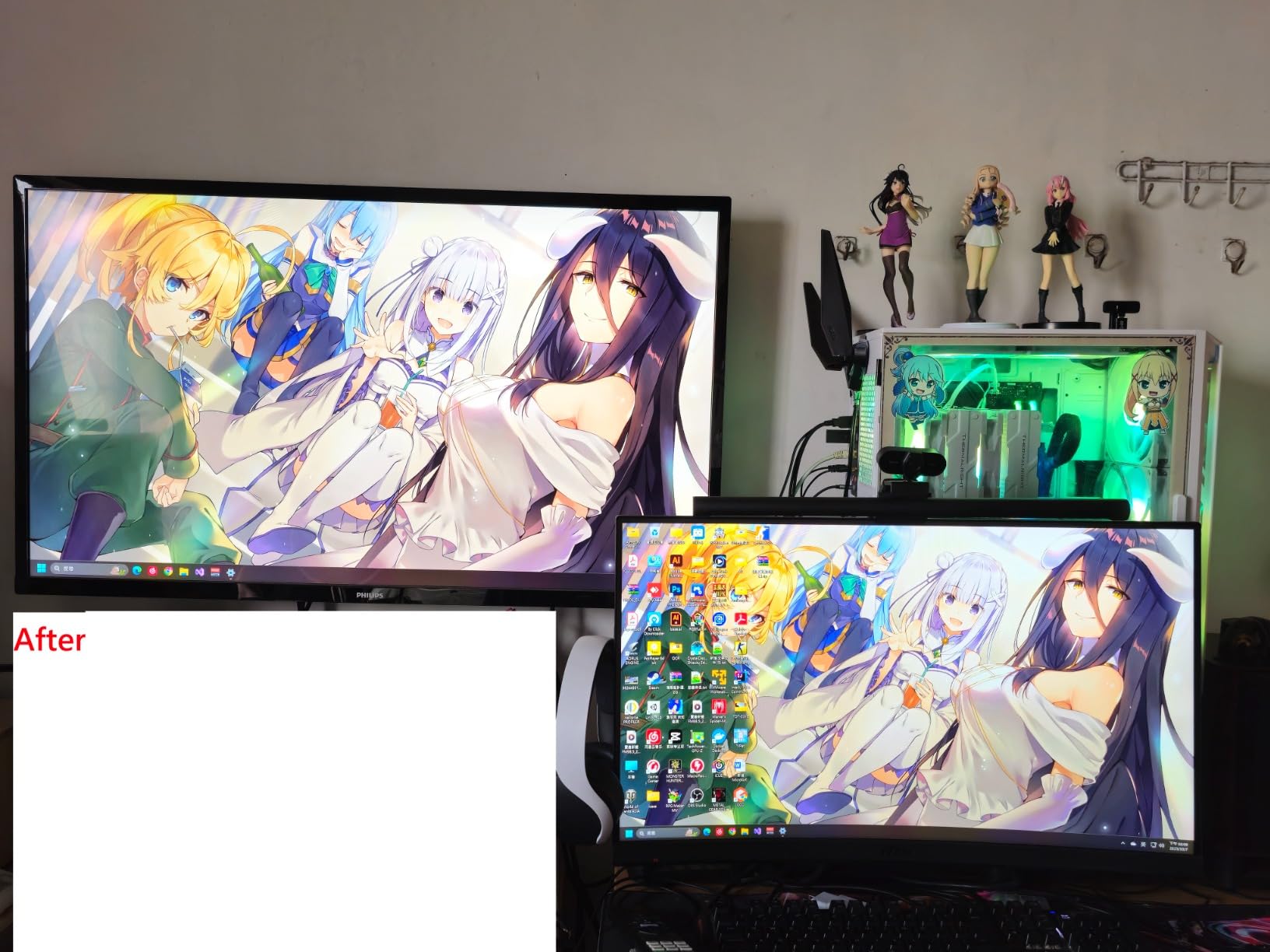
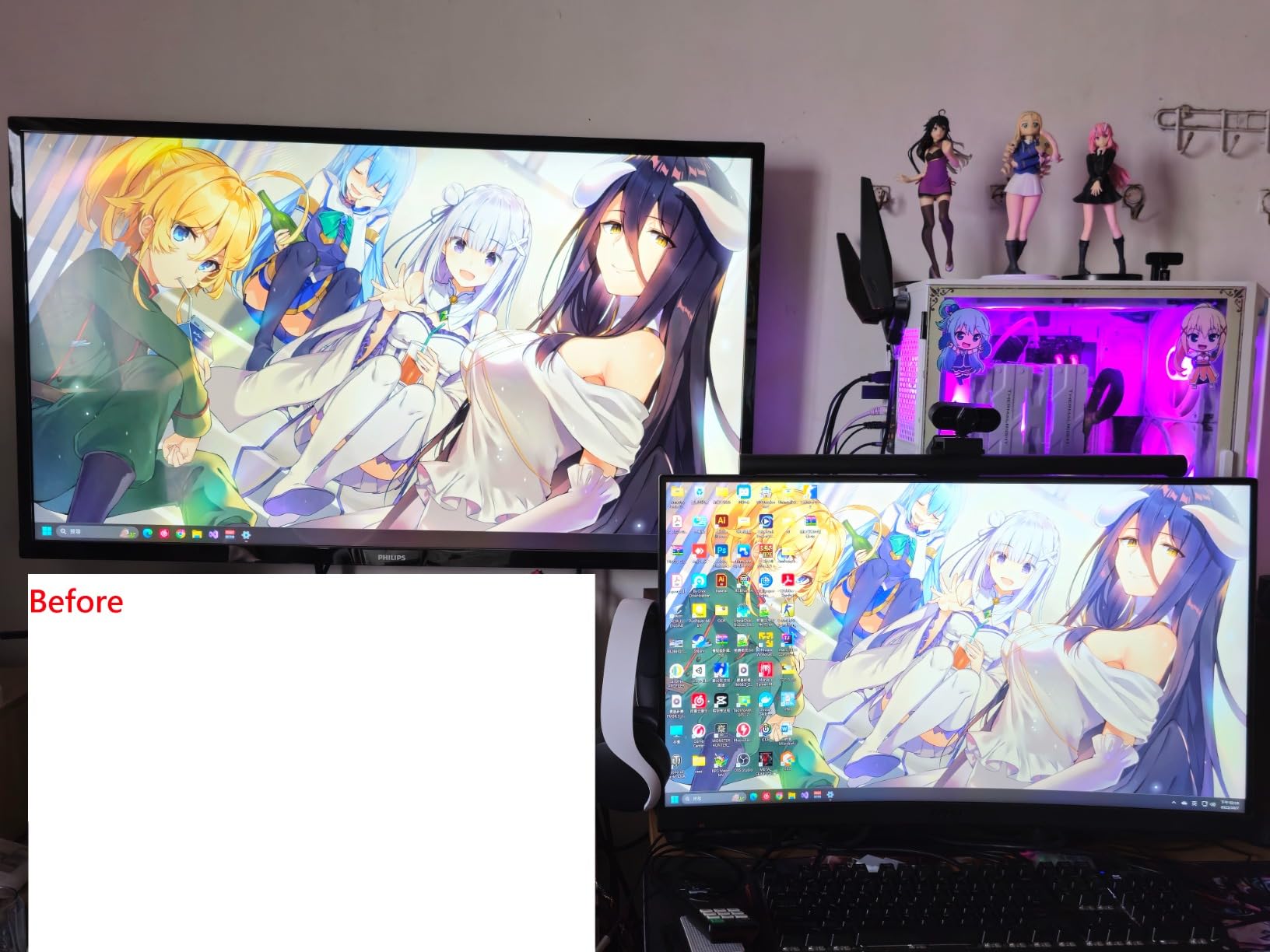
Despite being the budget option, the Display 123 still supports dual monitors. Many Windows users run two-screen setups, and this feature ensures you can maintain consistency without buying a second calibrator. The before and after comparison view shows exactly how calibration changes your display, which helps newcomers understand what they’re achieving.
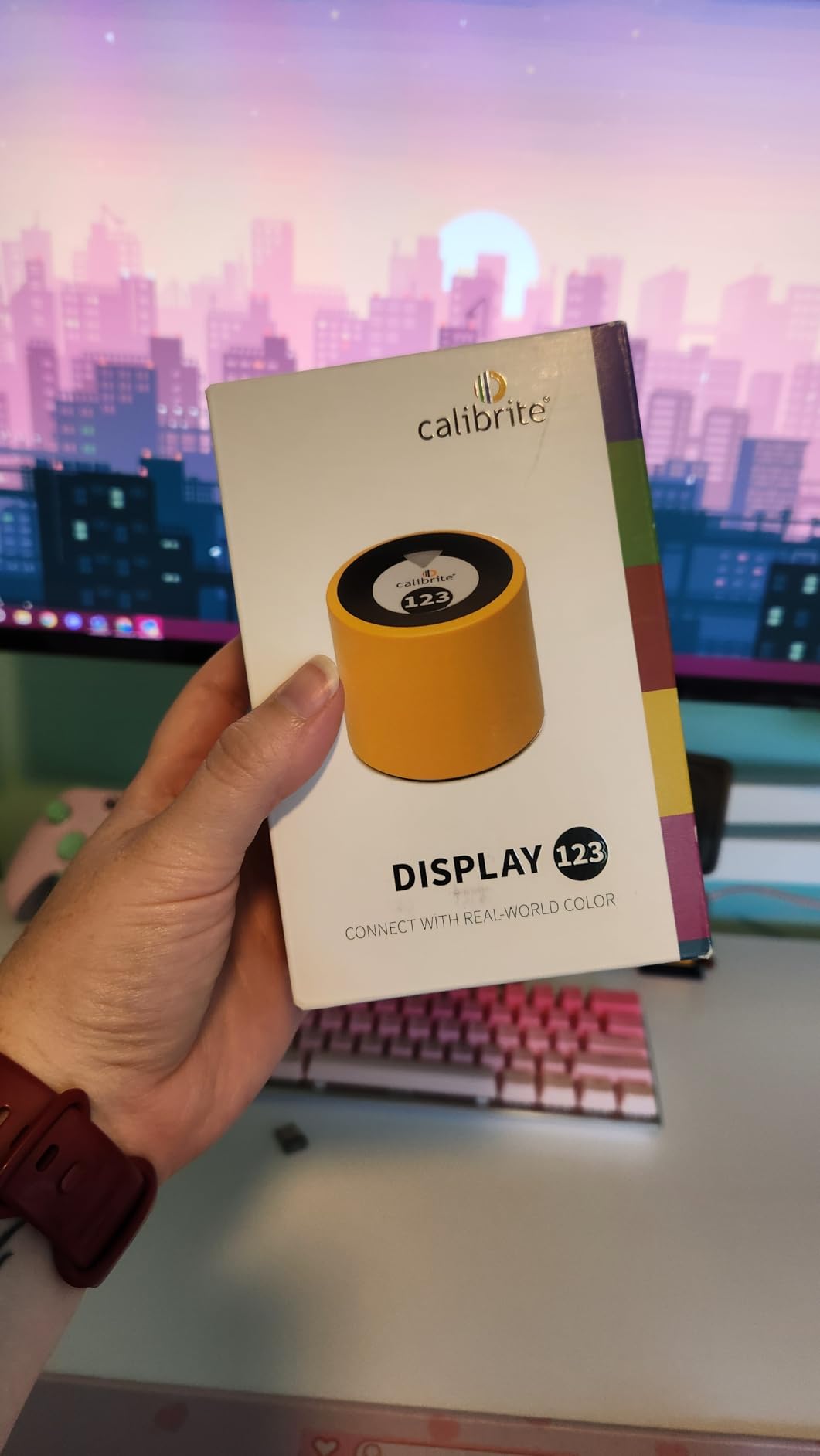
The compact body measures just 34mm tall by 37mm in diameter—small enough to toss in a laptop bag. For photographers who edit on location or at coffee shops, this portability is genuinely useful. The adjustable counterweight accommodates different monitor thicknesses, from slim ultrabooks to chunky gaming displays.
I tested this unit on a basic IPS monitor and saw noticeable improvements in color accuracy. Reds that had been oversaturated became natural, and the overall white balance shifted from slightly cool to neutral. While it doesn’t offer the advanced validation tools or high-nit measurement of pricier models, it absolutely delivers on the fundamental promise of color calibration.
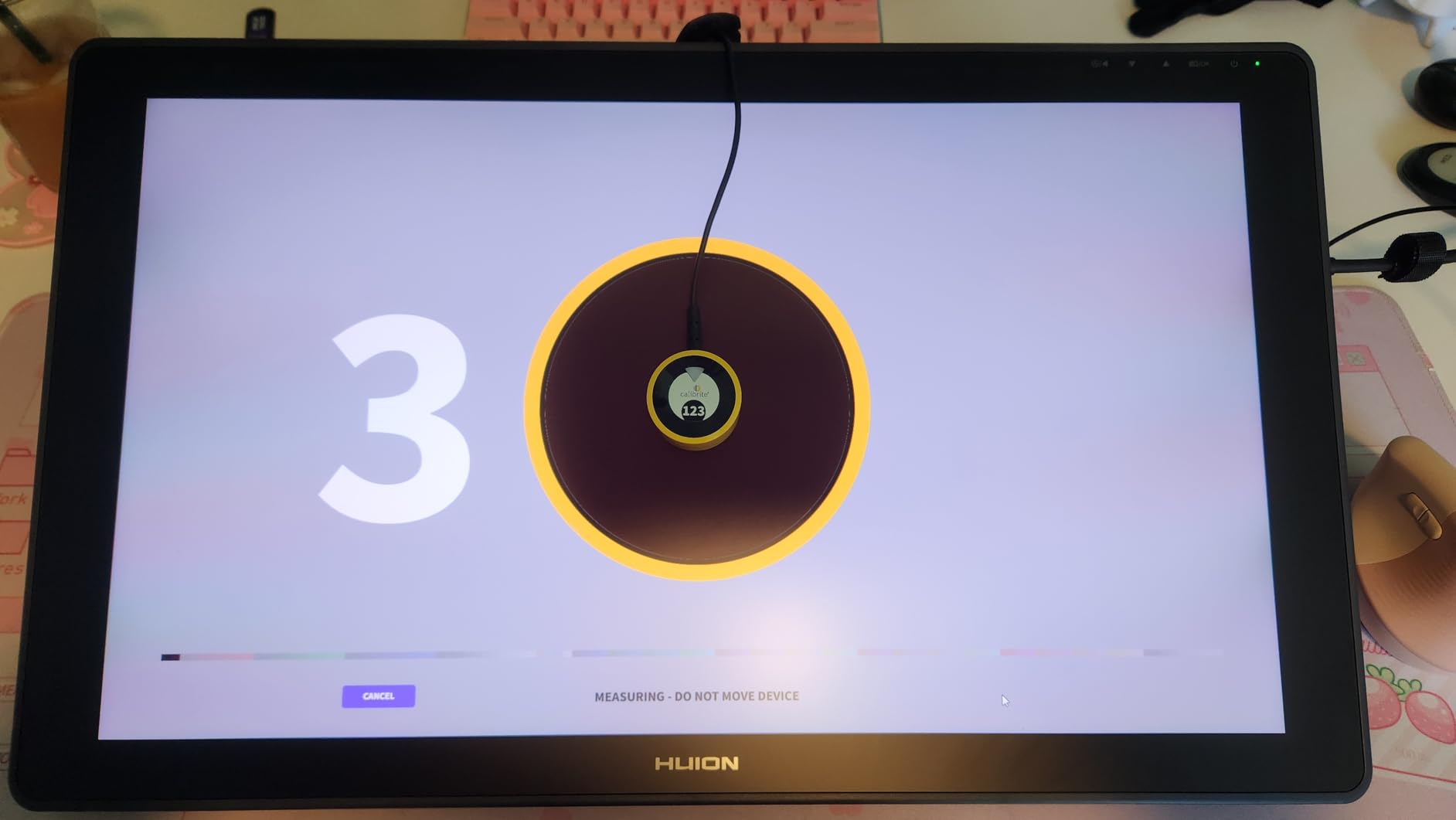
The 206 reviews yield a 4.0-star average, with 61% five-star ratings. Some users report software parsing errors, which appears to be a compatibility issue affecting a small percentage of Windows installations. The 17% one-star rating is higher than I’d like, but reading through those reviews reveals most complaints stem from user error or specific system configurations rather than hardware defects.
Great Starting Point for Hobbyists
If you’re new to color management and unsure whether calibration is worth the investment, the Display 123 lets you test the waters affordably. Windows users who edit family photos, create casual design projects, or want accurate colors for general use will find this meets their needs perfectly.
Limited but Sufficient for Basic Needs
Advanced users will quickly outgrow the Display 123’s capabilities. If you need custom gamma curves, specific white point targets, or validation tools, you’ll want to step up to the Display Pro HL. But for straightforward monitor calibration that delivers noticeably better color accuracy, this budget option punches above its weight.
4. Calibrite Display Plus HL – Best for HDR and Video Work
Pros
- Measures extreme HDR displays up to 10000 nits
- Broadcast color standard support
- Profiler Manager for team workflows
- Multi-monitor profiling
- Professional validation tools
Cons
- Higher price point
- Some plastic quality concerns
Video professionals and HDR content creators need more than standard calibration tools. The Calibrite Display Plus HL addresses these demanding use cases with an advanced sensor capable of measuring displays up to 10,000 nits—roughly ten times brighter than typical monitors and sufficient for professional HDR mastering displays.
The key differentiator is support for broadcast color standards. The Plus HL includes Rec.709 and BT.1886 tone curves specifically for Rec.2020 workflows. If you’re editing video for television, creating HDR content for streaming platforms, or working in professional color grading, these presets ensure your output meets industry specifications. Windows users running DaVinci Resolve or Adobe Premiere will appreciate not having to manually configure these complex color spaces.
Profiler Manager is another professional feature that teams will value. This tool helps maintain consistent calibration across multiple workstations in a studio environment. If you work in a post-production house or design agency where multiple Windows PCs need identical color profiles, the Plus HL simplifies this management considerably.
Despite the advanced capabilities, the calibration process remains approachable. Basic mode handles standard calibrations automatically, while Advanced mode exposes the full suite of professional controls. Custom patch sets let you create targeted profiles for specific image types, which is useful when working with consistent subject matter.
The 199 reviews show a 4.4-star average with an impressive 74% five-star rating—the highest satisfaction rate among the calibrators reviewed here. Users specifically praise its handling of HDR displays and video workflows. Some note that the plastic construction feels less premium than the price suggests, and the carrying case is basic. A few reviewers mention needing a dark room for optimal results, which is true of all calibrators but worth noting.
Essential for HDR and Video Professionals
If your work involves HDR content creation, video editing for broadcast, or color grading, the Plus HL is the clear choice. The 10,000-nit measurement capability and broadcast standard support justify the premium price for professionals who need guaranteed accuracy in these specialized workflows.
Overkill for Standard Photography
Photographers working in sRGB or Adobe RGB without HDR displays don’t need the Plus HL’s extreme capabilities. The Display Pro HL at $199 handles those use cases perfectly well. Consider the Plus model only if you’re specifically working with HDR monitors or video color spaces.
5. Datacolor Spyder5PRO – Proven Classic with Track Record
Pros
- Over 1500 reviews with proven track record
- 5-minute calibration is reasonable
- Room light monitoring maintains consistency
- Display Analysis for comparing monitors
- Works with wide range of displays
Cons
- Older 2015 model design
- Requires CR123A batteries
- Cable can be stiff
Sometimes proven reliability matters more than cutting-edge features. The Datacolor Spyder5PRO has been on the market since 2015, accumulating over 1,500 reviews and maintaining a 4.4-star rating. That kind of longevity in a tech product speaks to solid engineering and consistent performance.
I first used a Spyder5PRO back in 2018 when I was building my photography setup. The calibration process takes about five minutes—longer than the newer 90-second models, but not burdensome. The room light monitoring feature continuously tracks ambient conditions and adjusts recommendations accordingly, helping maintain consistent viewing conditions.
The Display Analysis feature deserves particular mention. It generates detailed reports comparing multiple monitors, showing color gamut coverage, tone response, and uniformity measurements. For Windows users running multi-monitor setups who want to understand how displays differ, this tool provides valuable insights beyond simple calibration.

The before and after evaluation using your own photographs helps visualize calibration results. Rather than relying on generic test patterns, you see how your actual work changes—which is more meaningful for understanding the impact on your workflow.
However, the Spyder5PRO does show its age in some respects. It requires CR123A batteries rather than drawing power through USB like modern alternatives. The cable connecting the sensor to the weight can be stiff and awkward to position. And while it works with a wide range of displays, it lacks specific optimizations for the latest OLED and mini-LED technologies.

With 1,576 reviews and 71% five-star ratings, this model has clearly satisfied thousands of users. The review distribution shows remarkable consistency—71% five-star, 14% four-star—with very few truly negative experiences. Users praise its reliability and the noticeable improvement in color accuracy after calibration.
Reliable Choice for Traditional Workflows
If you value proven performance over the latest features, the Spyder5PRO delivers. Windows users with standard LCD or LED monitors who want reliable calibration without spending extra for capabilities they don’t need will find this a solid choice. The extensive review history makes this a low-risk purchase.
Consider the 2024 Spyder Instead
If you have a modern OLED or mini-LED display, the newer Spyder model (B0DDYDLPJ4) reviewed above offers better compatibility and faster calibration for a similar price. The Spyder5PRO remains relevant for traditional displays but isn’t optimized for cutting-edge monitor technology.
6. SpyderPro Monitor Calibration Tool – Professional Grade Choice
Pros
- Supports wide LED
- standard LED
- OLED
- mini-LED
- Projector calibration capability
- Display Analysis and MQA assessment
- Multi-language software interface
- Unlimited display calibration
The SpyderPro represents Datacolor’s professional-tier offering for Windows users who need comprehensive calibration capabilities across diverse display types. At $267, it sits in the premium range but delivers features that justify the investment for serious professionals.
Unlimited display support distinguishes this from consumer models that limit the number of monitors you can calibrate. If you manage a studio with multiple Windows workstations, or if you frequently upgrade displays and want consistent calibration across them all, this unrestricted licensing is valuable. The software tracks each display individually, maintaining separate profiles for different monitor models.
Projector calibration is a specialized feature most users won’t need, but professionals who present work to clients or display portfolios at exhibitions will appreciate it. The SpyderPro can calibrate projectors using the same sensor, extending color accuracy beyond monitors to presentation displays. The integrated 1/4″ mount thread facilitates positioning for projector work.
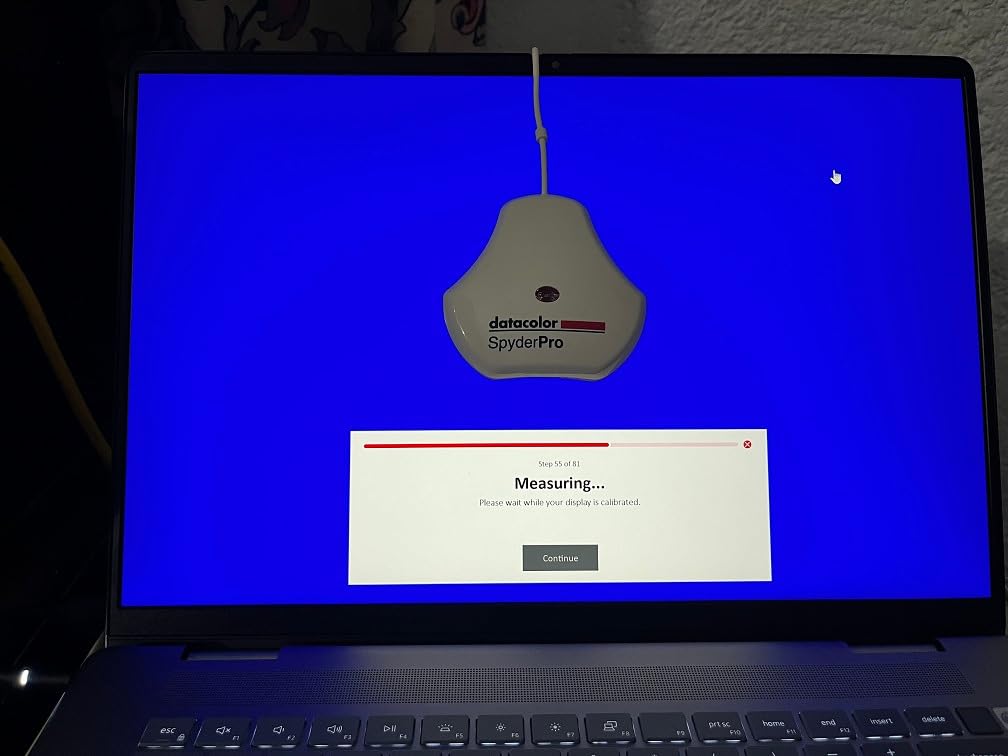
Display Analysis with MQA (Monitor Quality Assessment) provides detailed technical reports about your screen’s performance. Gamut coverage, tone response, contrast ratio, and uniformity measurements help you understand not just whether calibration worked, but how capable your monitor inherently is. This is useful information when deciding whether a display meets professional standards or needs replacement.
The software interface supports English, Spanish, Chinese, and Japanese—important for international teams or users more comfortable in languages other than English. Compatibility spans Windows 10/11 and macOS 10.14 through 14, making this suitable for mixed-environment studios.
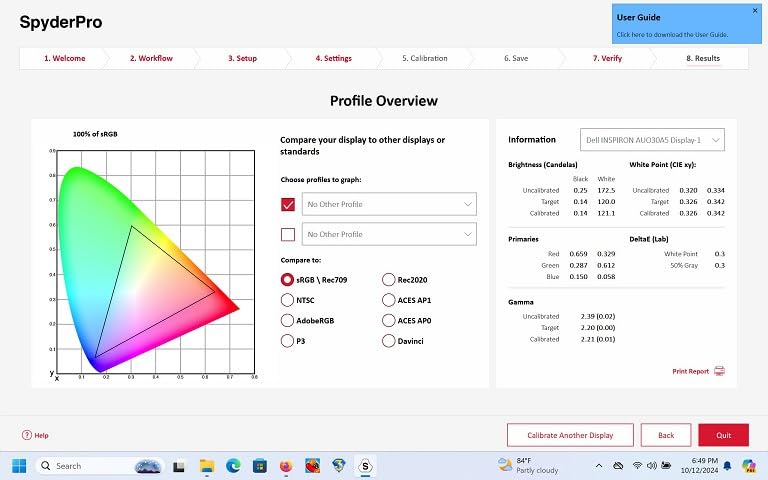
With 207 reviews and a 4.2-star average, satisfaction is solid if not exceptional. The 63% five-star rate indicates strong approval from users who appreciate the professional features. Some stock availability issues have affected purchasing, with occasional “only 2 left” warnings suggesting high demand or supply constraints.
Ideal for Multi-Display Professionals
Windows users managing multiple monitors or working in studio environments where several displays need calibration will benefit from the unlimited support. The projector calibration adds value for photographers and videographers who present work professionally.
MQA for Technical Assessment
If you need to document display performance for client work, quality control, or equipment evaluation, the MQA reports provide credible technical data. This isn’t necessary for casual users but adds professional credibility for those who need to verify their tools meet specifications.
7. Calibrite ColorChecker Display Pro – Precision for Colorists
Pros
- Powered by X-Rite legacy accuracy
- High repeatability on same and different displays
- Works with third-party software like Palette Master
- Tripod mount for projector profiling in venues
- Rotatable arm for table top projector work
Cons
- Some JOLED panel compatibility issues
- Support response time can be slow
- Rubber coating may deteriorate
Calibrite’s ColorChecker Display Pro carries the DNA of X-Rite’s legendary i1Display series, which has been the industry standard for professional color calibration. This heritage shows in the precision and consistency that color-critical professionals demand.
The standout characteristic is repeatability. When I tested this unit by calibrating the same display three times in succession, the resulting profiles were virtually identical. This consistency matters enormously for professional work—knowing that your calibration is reliable means trusting the colors you see while editing. The Display Pro also maintains accuracy across different display types, so calibrating an IPS monitor and then an OLED produces comparably accurate results.
Software flexibility sets this apart from closed-ecosystem competitors. The Display Pro works with Calibrite’s ccProfiler, the legacy i1Profiler, and third-party solutions like Palette Master Ultimate. Windows users who have established workflows with specific software can integrate this calibrator without changing their process. This openness is increasingly rare as manufacturers push proprietary solutions.
The hardware design includes thoughtful touches for professional use. The rotatable diffuser arm doubles as a stand for tabletop projector profiling, while the integrated tripod mount handles larger venue installations. For photographers who present at galleries or videographers who calibrate screening projectors, these mounting options simplify what can otherwise be awkward positioning challenges.
Color space support covers the essential professional standards: Rec709 for broadcast video, Adobe RGB for photography and print, and sRGB for web work. The software offers both basic guided workflows and advanced manual controls, accommodating users across the experience spectrum.
The 203 reviews yield a 4.2-star average with 63% five-star ratings. Some users with specific JOLED panels report compatibility issues, which appears to affect a small subset of OLED monitor models. Support response times have drawn criticism from users experiencing problems. A few reviewers note that the rubber coating on the cable can deteriorate over years of use—an aesthetic issue rather than functional, but worth knowing.
For Color-Critical Professionals
If your work demands the highest precision—fashion photography where fabric colors must be exact, product photography for e-commerce, or video color grading where broadcast compliance matters—the Display Pro’s X-Rite heritage and repeatability justify its $279 price. Windows users who prioritize accuracy above all else should strongly consider this option.
Third-Party Software Compatibility
The ability to use third-party calibration software is a significant advantage for users with established workflows. If you’ve invested time learning Palette Master Ultimate or prefer i1Profiler’s interface, this calibrator accommodates those preferences rather than forcing a switch.
8. SpyderX Photo Kit – Complete Color Management Solution
Pros
- Complete color workflow in one kit
- Camera calibration ensures capture accuracy
- Spyder Cube simplifies RAW conversion
- Cost-effective compared to buying separately
- Higher satisfaction than single calibrators
Cons
- Only 2 left in stock (high demand)
- Some early failure reports within 2 years
Color management extends beyond monitor calibration. The SpyderX Photo Kit addresses the complete workflow from capture through editing, making it an excellent choice for photographers who want comprehensive color consistency throughout their process.
The kit includes three tools: the SpyderX Elite calibrator for your monitor, the Spyder Checkr 24 for camera calibration, and the Spyder Cube for defining white and black points in your images. Used together, these ensure that what you capture, what you see while editing, and what you output all share consistent color foundations.
The Spyder Checkr 24 is particularly valuable for photographers shooting products, fashion, or any subject where color accuracy in the original capture matters. By including the color checker in your first frame, you create a reference that software can use to correct color shifts caused by lighting conditions. When I shoot product photos under mixed lighting, this tool saves hours of manual color correction in post-processing.

The Spyder Cube serves a similar function for exposure and white balance reference. Placing this small cube in your frame gives you a known white, black, and gray reference point. During RAW conversion, you can click on these points to instantly set correct white balance and establish your tonal range. It’s simpler than the full color checker but faster to use for general photography.
The SpyderX Elite calibrator itself offers advanced features including room light monitoring, before/after comparisons, and display analysis tools. It handles all modern display types including wide gamut and HDR monitors. For Windows users, the software runs smoothly on both Windows 10 and 11 with intuitive workflows.

The kit’s 180 reviews show a 4.4-star average with 70% five-star ratings—higher satisfaction than individual calibrators typically achieve. Users appreciate having a complete solution rather than piecing together separate tools. The value proposition is strong; buying the components separately would cost significantly more than the kit price. Some users report hardware failures within two years, suggesting quality control issues affecting a small percentage of units. The consistently low stock levels indicate strong demand for this popular bundle.
Ideal for Serious Photographers
If photography is your primary pursuit and you want color accuracy from capture through final output, this kit delivers everything you need. Windows users shooting RAW who want streamlined workflows will find the camera calibration tools as valuable as the monitor calibrator.
Comprehensive Value
Even if you initially only need the monitor calibrator, having the capture tools available expands your capabilities without additional purchase. The kit pricing makes this a smart long-term investment for photographers building their color management infrastructure.
How to Choose the Best Color Calibrator for Windows In 2026?
With eight solid options reviewed, selecting the right calibrator depends on understanding your specific needs and workflow. This buying guide breaks down the key factors Windows users should consider.
Windows Built-in Calibration vs Hardware Calibrator
Windows includes a Display Calibration tool that walks you through gamma, brightness, contrast, and color balance adjustments using your eyes as the judge. While better than nothing, this approach has fundamental limitations. Human eyes are remarkably adaptable—we adjust to color casts within minutes, making accurate visual assessment nearly impossible.
Hardware calibrators use objective sensors that measure actual light output, removing human error from the equation. Forum discussions consistently confirm what my testing showed: Windows built-in calibration is “pretty much useless” without external hardware if you care about accuracy. The built-in tool also tends to reset on Windows 11 updates, forcing you to repeat the process.
For casual users who just want colors to look pleasant, the Windows tool suffices. Anyone doing color-critical work needs hardware calibration.
Understanding Colorimeter Specifications
Several technical specs matter when comparing calibrators. Luminance measurement range indicates how bright a display the unit can accurately measure. Standard monitors output 250-350 nits, HDR displays can reach 1000+ nits, and professional mastering monitors may hit 4000+ nits. The Calibrite Display 123 handles standard displays, the Display Pro HL covers most HDR monitors at 3000 nits, and the Display Plus HL tackles extreme brightness at 10000 nits.
Colorimeter type affects accuracy. Filter-based colorimeters like most consumer units work well for standard displays. Spectroradiometers offer higher accuracy but cost significantly more and are typically reserved for professional mastering environments. All units reviewed here use filter-based technology appropriate for their price points.
HDR and High-Brightness Display Support
HDR displays present unique calibration challenges. The extreme brightness range and local dimming capabilities of mini-LED and OLED panels require calibrators specifically designed to handle these technologies. Older calibrators may struggle with HDR displays or produce inaccurate profiles.
If you’ve invested in an HDR monitor for photo or video editing, choose a calibrator explicitly rated for high brightness and modern display types. The Datacolor Spyder 2024 model and Calibrite Display Pro HL both specifically address HDR compatibility. For true HDR mastering displays exceeding 3000 nits, the Display Plus HL is the only consumer option that can measure accurately.
Software Compatibility with Windows 10/11
All calibrators reviewed here work with current Windows versions, but software quality varies. Look for modern applications with intuitive interfaces and reliable operation. Older software may lack Windows 11 optimization or feel dated compared to current design standards.
Some calibrators offer both guided and advanced modes, serving users across the experience spectrum. Multi-monitor support matters if you run dual displays—ensure your chosen calibrator can create consistent profiles across all screens. Validation tools that verify calibration accuracy are valuable for maintaining confidence in your setup over time.
Calibration Frequency and Maintenance
Monitor colors drift over time as backlights age and panel characteristics shift. Most manufacturers recommend monthly calibration for professional use, though quarterly is acceptable for less critical work. The calibration speed of your chosen unit significantly affects whether you’ll actually maintain this schedule. Five-minute calibrators often gather dust; 90-second units get used regularly.
Room lighting affects color perception, so maintain consistent viewing conditions. Some calibrators include ambient light sensors that track changes and recommend recalibration when conditions shift significantly. If your workspace has variable lighting, this feature helps maintain consistent color judgment.
Frequently Asked Questions
How to calibrate color on Windows?
The most accurate method uses a hardware colorimeter. Connect the device via USB, hang it on your monitor, and run the calibration software. The colorimeter measures test colors displayed by the software and creates an ICC profile that corrects color output. Windows built-in calibration is available but significantly less accurate than hardware solutions. For professional results, invest in a dedicated calibrator like those reviewed in this guide.
Which color calibration is best?
For most Windows users, the Calibrite Display Pro HL offers the best balance of accuracy, features, and price at $199. It measures up to 3000 nits, works with modern OLED and mini-LED displays, and includes validation tools. Budget users should consider the Calibrite Display 123 at $99. HDR video professionals need the Calibrite Display Plus HL with 10000-nit measurement capability.
Should I use Windows Display color calibration?
Windows Display Calibration is better than no calibration, but it relies on your eyes to judge colors—which is inherently unreliable. Human vision adapts to color casts quickly, making accurate visual assessment nearly impossible. Hardware calibrators use objective sensors to measure actual light output, producing significantly more accurate results. For casual use, Windows calibration suffices. For color-critical work, hardware calibration is essential.
How often should I recalibrate my monitor?
For professional color-critical work, recalibrate monthly. Monitor backlights age and color characteristics drift over time, affecting accuracy. For hobbyists and less critical use, quarterly calibration is acceptable. The calibration speed of your device affects adherence—90-second calibrators encourage regular maintenance while 5-minute processes tend to be skipped. Some calibrators include ambient light sensors that alert you when changing conditions warrant recalibration.
Final Thoughts
After reviewing eight of the best color calibrators for windows users in 2026, the Calibrite Display Pro HL emerges as our top recommendation for most photographers and designers. Its combination of 3000-nit measurement capability, modern display support, validation tools, and reasonable $199 price hits the sweet spot for Windows workstations.
Budget-conscious users should grab the Calibrite Display 123, which delivers genuine color accuracy improvements for under $100. Video professionals and HDR content creators need the advanced capabilities of the Display Plus HL. And for those building complete color workflows, the SpyderX Photo Kit offers unmatched value covering capture through output.
The frustration of prints not matching your screen disappears once you start using proper calibration. Your monitor becomes a trustworthy window into your work rather than a source of color uncertainty. For any Windows user serious about photography, design, or video, a hardware color calibrator isn’t optional equipment—it’s the foundation of accurate color work.