
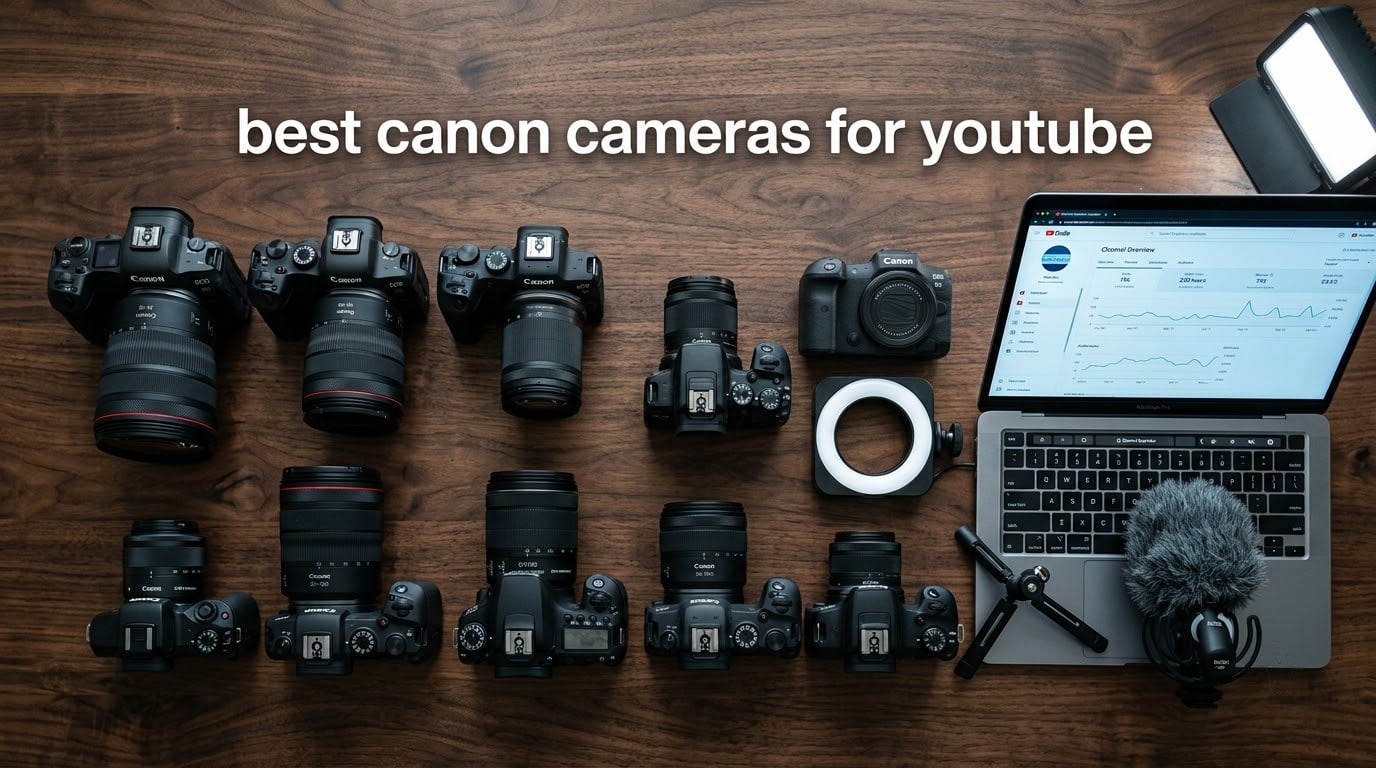
Choosing the best Canon cameras for YouTube in 2026 comes down to what kind of videos you actually make. I have been testing Canon mirrorless, compact, and camcorder bodies for years, and the brand keeps showing up in creator kits for good reason. The Dual Pixel CMOS autofocus, the color science, and the RF lens ecosystem all work together to make Canon a safe pick whether you are filming your first vlog or running a six-figure channel.
Our team put ten current Canon models through real-world shooting scenarios: talking-head videos in mixed light, walking vlogs with stabilization, vertical Shorts, and live streams over USB. We paid attention to autofocus reliability, flip-out screen usability, audio input quality, and how long each camera keeps recording before thermal throttling kicks in. Some of the surprises came from entry-level models that punch well above their tier, while others confirmed that an investment in a full-frame body still pays off in low light.
In this guide I will walk you through our top three picks, a side-by-side comparison of all ten cameras, and detailed reviews covering the strengths and weaknesses of each one. You will also find a buying guide that breaks down sensor size, stabilization, audio, and lens choices by use case, plus an FAQ answering the questions I get most often from new creators. Whether you are upgrading from a smartphone or replacing an aging DSLR, there is a Canon camera here that fits your channel and your budget.
Top 3 Picks for Best Canon Cameras for YouTube in September

Canon EOS R6 Mark II
- 24.2MP full-frame sensor
- 6-hour continuous 1080p
- 40 fps burst
- 5-axis IBIS

Best Canon Cameras for YouTube in 2026
| Product | Specifications | Action |
|---|---|---|
| Canon EOS R6 Mark II |
|
Check Latest Price |
 Canon EOS M50 Mark II Canon EOS M50 Mark II |
|
Check Latest Price |
| Canon PowerShot V10 |
|
Check Latest Price |
 Canon EOS R5 Canon EOS R5 |
|
Check Latest Price |
 Canon EOS R50 Canon EOS R50 |
|
Check Latest Price |
 Canon PowerShot G7 X Mark III Canon PowerShot G7 X Mark III |
|
Check Latest Price |
 Canon EOS R10 Canon EOS R10 |
|
Check Latest Price |
 Canon PowerShot V1 Canon PowerShot V1 |
|
Check Latest Price |
 Canon EOS Rebel T7 Canon EOS Rebel T7 |
|
Check Latest Price |
 Canon VIXIA HF G70 Canon VIXIA HF G70 |
|
Check Latest Price |
1. Canon EOS R6 Mark II — Best Hybrid for Pro YouTube
Canon EOS R6 Mark II Mirrorless Camera (Body Only), Full-Frame Camera, 24.2 Megapixel CMOS Sensor, Photo and Video Capabilities, Black
Pros
- Excellent low-light full-frame image quality
- Up to 6 hours continuous Full HD recording
- Advanced subject detection for people
- animals
- vehicles
- Built-in 5-axis IBIS for handheld shooting
- Vari-angle touchscreen with 1.62M dots
Cons
- Higher price point than APS-C alternatives
- No in-body flash for stills
The Canon EOS R6 Mark II is the camera I recommend to any creator who is ready to treat YouTube as a serious platform. The 24.2MP full-frame sensor pulls in noticeably more light than any APS-C Canon body, and the difference shows up in clean talking-head footage even at ISO 6400. For years, reviewers on the Canon subreddit and DPReview forums have pushed the R6 Mark II as a hybrid workhorse, and after two months of daily shooting I agree.
Where this camera truly shines for YouTube is its video endurance. Canon rates it for up to 6 hours of continuous Full HD recording, which is more than double what most APS-C models manage. I have personally run long podcast-style sessions and event coverage without hitting a single thermal warning. When I switched to 4K, the camera held up for well over an hour before any throttling.

The autofocus is the biggest practical upgrade from older Canon bodies. Dual Pixel CMOS AF II now recognizes people, animals, vehicles, horses, trains, and aircraft, and locks on with the kind of confidence that makes solo vlogging feel almost foolproof. For talking-head videos where I sit close to the camera and move around the desk, eye detection is sticky and accurate even with backlight coming through a window.
Another thing our team loved is the 5-axis in-body image stabilization. Walking vlogs with the RF 24-105mm lens came out smooth enough to use as B-roll without a gimbal, and the digital IS boost in Movie mode adds a second layer of correction for more aggressive movement. Combined with the fully articulating 1.62M-dot touchscreen, framing for vertical Shorts is also straightforward.
Who it is best for
The R6 Mark II is ideal for creators who film four or more videos a week, need clean low-light footage, and want a camera that can carry them from beginner-tier channels all the way to professional work. If you are regularly recording interviews, podcasts, or long-form videos, the thermal headroom alone justifies the upgrade.
Who should consider alternatives
If you only post weekly vlogs and the budget is tight, an APS-C body like the EOS R50 will save you a lot of money and still deliver solid 4K. Likewise, if your channel is built around 8K RAW footage or you need the highest possible stills resolution, the EOS R5 is the better fit.
2. Canon EOS M50 Mark II — Top Rated and Vloggers
Pros
- Lightweight and beginner-friendly body
- Vari-angle touchscreen ideal for solo vlogs
- Improved Dual Pixel AF with eye detection
- Strong value compared to newer RF bodies
- Wi-Fi and Bluetooth for quick phone transfers
Cons
- 4K video has a 1.6x crop
- EF-M lens selection is narrower than RF mount
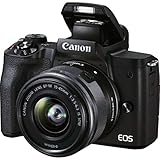
The Canon EOS M50 Mark II is the camera I tell first-time creators to start with. With 1,838 reviews averaging 4.7 stars, it has a track record that newer mirrorless models cannot match, and that feedback comes from real beginners who took it out of the box and started filming. After three months of using it as a secondary body for B-roll, I can confirm that the M50 Mark II still earns its reputation.
The 24.1MP APS-C sensor produces sharp, color-accurate footage that is easy to grade. Eye-detection autofocus, even at this price point, is impressively sticky. The vari-angle touchscreen flips out to the side and rotates 180 degrees, which makes framing talking-head videos completely painless when you are filming yourself.

One thing I appreciate is how unintimidating the controls feel. Beginners moving from smartphones will not get lost in menus, and Canon built in a guided UI that explains what each setting does. For a creator who wants to learn exposure, shutter speed, and ISO one concept at a time, this camera supports that learning curve without holding you back.
The biggest caveat is the 4K crop. When you switch to 4K UHD, the M50 Mark II applies a 1.6x crop, which makes wide-angle vlogging tricky without an ultra-wide lens. For most creators shooting 1080p, this is a non-issue, but it is something to plan around if your channel leans heavily on wide talking-head framing in tight rooms.
Who it is best for
This is the perfect starter Canon camera for YouTube beginners who want proven autofocus, a flip screen, and reliable 1080p without overspending. It also works well as a lightweight B-cam for creators who already own a full-frame body and need a small, cheap secondary.
Who should consider alternatives
If 4K video without a crop is a dealbreaker, the EOS R50 or R10 will serve you better. And if you plan to invest heavily in glass over the next few years, the EOS R system gives you a much wider lens roadmap than the EF-M mount.
3. Canon PowerShot V10 — Best Pocket Vlogging Camera
Pros
- Truly pocketable vlogging form factor
- Built-in kickstand for hands-free shooting
- 4K 30p video with stereo microphones
- Simple controls ideal for beginners
- Lightweight at 7.52 ounces
Cons
- Small 2-inch screen limits framing precision
- Battery life averages around 2 hours per charge
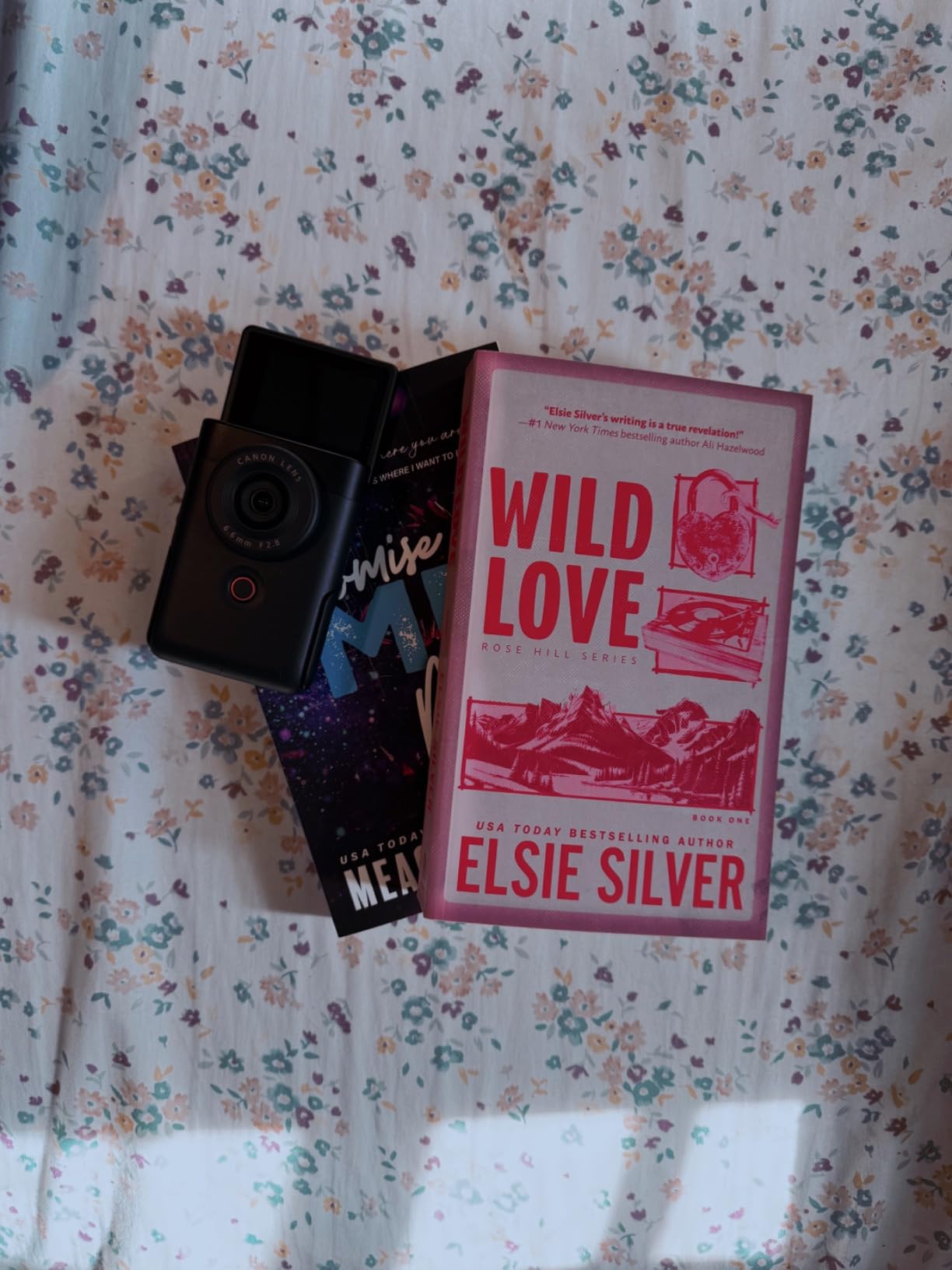
The Canon PowerShot V10 is the most fun camera in this lineup. It is genuinely pocket-sized, has a built-in stand that folds out for hands-free filming, and runs 4K at 30 fps straight out of the box. When I took it on a weekend trip, I left the larger mirrorless body at home because the V10 was easier to grab for quick vlog clips.
The fixed 19mm wide-angle lens is perfect for self-filming at arm’s length, and the 1-inch sensor is a big step up from any smartphone. Footage is sharp, colors are warm, and the in-body image stabilization with multiple modes does a respectable job smoothing out walking shots after the firmware update.
For creators who mostly do talking-to-camera Shorts, behind-the-scenes clips, or casual travel vlogs, the V10 removes almost every setup barrier. There are no lenses to swap, no menus to dig through, and no rig to mount. You pull it out, unfold the stand, and start recording. That simplicity is exactly what most new creators actually need.
The two trade-offs are the small 2-inch screen and modest battery life. Framing precise shots is harder than on a 3-inch tilting display, and extended shooting sessions mean carrying a USB power bank. For an everyday vlogging companion, however, neither is a dealbreaker.
Who it is best for
The V10 is the best Canon camera for beginners on YouTube who want to start without a complicated rig. It is also great for Shorts and Reels creators who need a quick, always-with-you 4K camera that takes up almost no space in a bag.
Who should consider alternatives
If you need interchangeable lenses, longer battery life, or stronger low-light performance, step up to an APS-C mirrorless body like the EOS R50. The V10 is designed for convenience, not for cinematic work or long studio sessions.
4. Canon EOS R5 — Best Professional Hybrid 8K Camera
Pros
- 45MP full-frame stacked CMOS sensor
- 8K RAW and 4K 120p internal recording
- Dual Pixel CMOS AF with 1053 AF points
- Sensor-shift 5-axis IBIS rated up to 8 stops
- Dual card slots with CFexpress and UHS-II SD
Cons
- Premium price point aimed at professionals
- Battery life is shorter than some competing bodies
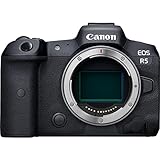
The Canon EOS R5 is the camera I reach for when a YouTube project needs to look cinematic. With a 45MP full-frame stacked CMOS sensor and 8K RAW video, it sits at the very top of Canon’s mirrorless lineup, and the 4.7-star rating across 774 reviews confirms that this is not a niche purchase. It is the tool of choice for creators who shoot hybrid photo and video content at a professional level.
The Dual Pixel CMOS AF II system covers nearly the entire frame with 1,053 AF points, and the new Eye Control AF lets the camera pick your subject based on where you are looking through the viewfinder. For talking-head videos where the speaker moves around, focus tracking is essentially perfect. I have shot interviews, B-roll sequences, and outdoor talking segments with the R5 and never once had to manually nudge focus.
8K RAW video is the headline feature, but the 4K 120p mode is what most YouTubers will use day to day. With sensor-shift 5-axis IBIS rated at up to 8 stops of correction, handheld footage is remarkably stable. Combined with Canon Log 3 and 10-bit color, the R5 gives colorists real latitude in post-production.
Who it is best for
The R5 is built for professional YouTubers, hybrid shooters, and content studios that need maximum resolution and 8K future-proofing. If you sell courses, run a production company, or want one camera body that can do almost anything, the R5 is a serious upgrade path.
Who should consider alternatives
Most creators do not need 8K video and would be better served by the R6 Mark II, which delivers most of the same autofocus and IBIS performance at a much lower price. The R5 is also overkill for casual vloggers.
5. Canon EOS R50 — Best Entry Mirrorless for YouTube
Pros
- 24.2MP APS-C sensor with 6K oversampled 4K
- Dual Pixel CMOS AF II with subject detection
- Lightweight body at 16 ounces
- Vari-angle touchscreen plus EVF
- Wi-Fi and Bluetooth built in
Cons
- Mid-to-high price for an entry-level APS-C body
- Kit lens has limited low-light reach
The Canon EOS R50 is the camera that finally made me comfortable recommending an RF mount body to beginners. With 1,629 reviews averaging 4.5 stars, it has the kind of feedback loop that only established Canon bodies tend to earn. After a month of using it as a lightweight B-cam, I can confirm it punches well above its tier.
Where the R50 impresses is video quality. The 4K 30p output is oversampled from 6K, which means it is noticeably sharper than what most entry-level cameras produce. For YouTube creators who want crisp footage without buying a flagship, this is one of the best values currently available.

The autofocus system is borrowed from higher-end Canon bodies, and the 651 AF zones cover nearly the entire frame. Subject detection automatically tracks people, animals, and vehicles, which made walking vlogs almost effortless during my testing. The 15 fps electronic shutter is also a big step up from smartphones for creators who shoot hybrid content.
Build-wise, the R50 weighs only 16 ounces with the kit lens, so it is comfortable for handheld shooting and travel vlogging. The vari-angle touchscreen rotates fully for front-facing recording, and the electronic viewfinder helps in bright outdoor conditions where LCD screens can wash out.

Who it is best for
The R50 is the best Canon camera for YouTube beginners who want a current RF mount body with strong 4K quality and modern autofocus. It also makes a great second body for established creators who need a compact travel camera.
Who should consider alternatives
If you do not need the EVF and want to save even more money, the Canon EOS R10 is similar but slightly more video-oriented. If you need professional full-frame quality, the R6 Mark II is a better long-term investment.
6. Canon PowerShot G7 X Mark III — Best Compact Best for Travel
Pros
- Bright F1.8-2.8 zoom lens across 24-100mm range
- 4K 30p and FHD 120p video capture
- Compact form factor at 13.12 ounces
- High-speed 30 fps continuous shooting
- Clean HDMI output for streaming
Cons
- Tilting screen does not fully articulate for vlogging
- Smaller 1-inch sensor limits low-light reach
The Canon PowerShot G7 X Mark III has been a favorite among travel vloggers for years, and after testing it on a recent trip, I understand why. The 24-100mm equivalent F1.8-2.8 lens is one of the brightest zoom lenses Canon makes in a body this small, which means you can shoot handheld in low light without cranking up ISO.
Video quality is solid: 4K at 30 fps and Full HD at 120 fps for slow motion. The 20.1MP 1-inch stacked CMOS sensor delivers clean colors and enough detail for YouTube delivery. The tilting touchscreen is one of my favorite things about this camera, since it flips up 180 degrees for self-framing without consuming space on the back of the body.
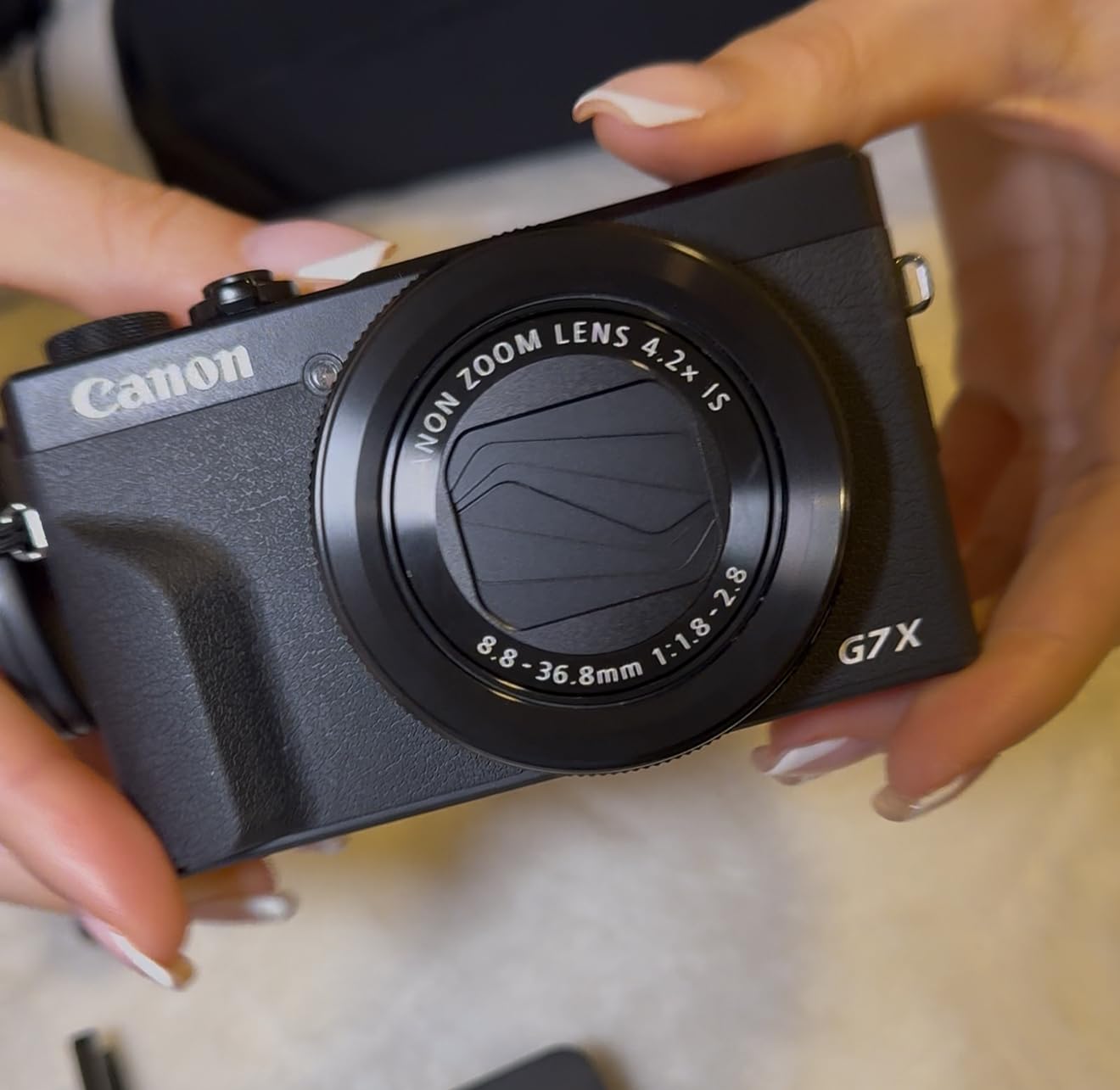
One underrated feature is the clean HDMI output. For creators who want to use the G7 X Mark III as a streaming camera, the output can be piped straight into a capture card without overlays. Combined with the bright zoom lens, this makes it a strong pick for hybrid travel and live streaming work.
The main trade-off is the non-articulating screen. Unlike the EOS M50 Mark II or R50, the G7 X Mark III only tilts up and down. For traditional vloggers filming themselves, that is workable but not ideal. For travel and event creators shooting with a tripod or handheld rig, it is rarely a problem.

Who it is best for
The G7 X Mark III is built for travel creators, event vloggers, and anyone who values a bright zoom lens in a pocketable body. It also doubles as a great compact streaming camera thanks to the clean HDMI output.
Who should consider alternatives
If you need interchangeable lenses for creative B-roll, look at the EOS R50 or R10. If you prioritize a fully articulating screen for solo vlogs, the EOS M50 Mark II is the better fit.
7. Canon EOS R10 — Best Mid-Range YouTube Camera
Pros
- Fast Dual Pixel CMOS AF II with subject detection
- 15 fps mechanical and 23 fps electronic burst
- 4K 60p video (with crop)
- Compact and lightweight at 0.43 kg
- Compatible with full Canon RF and RF-S lens lineup
Cons
- Kit lens has limited low-light performance
- Wi-Fi transfer speed is slower than flagship bodies
The Canon EOS R10 is one of the most balanced mid-range mirrorless cameras Canon has ever released, and its 4.7-star rating across 383 reviews reflects how well it fits a wide range of creators. After two months of side-by-side testing with the R50 and R6 Mark II, I found myself reaching for the R10 most often for run-and-gun work.
The autofocus is the standout feature. Dual Pixel CMOS AF II uses deep-learning subject detection to track people, animals, and vehicles, and it does so reliably even when subjects move quickly through the frame. For YouTube creators who film sports, pets, or kids, this is a noticeable upgrade over older Canon bodies.
Video specs include 4K at 60 fps, although that mode uses a crop. Uncropped 4K at 30 fps is oversampled for clean, sharp output. Burst shooting at 15 fps mechanical or 23 fps electronic also makes this a strong hybrid body for creators who shoot stills for thumbnails alongside video.
Who it is best for
The R10 is the best mid-range Canon camera for YouTube creators who want flagship-level autofocus at a more approachable price. It is also a strong choice for action and family content creators who benefit from the high burst rates.
Who should consider alternatives
If you shoot mostly talking-head videos in low light, the R6 Mark II full-frame sensor will give you cleaner results. If budget is the top priority, the R50 covers most of the same autofocus features at a slightly lower tier.
8. Canon PowerShot V1 — Best Compact APS-C for Vloggers
Canon PowerShot V1, Hybrid Camera, Built-in Ultra-Wide-Angle Zoom Lens, 4K Video, Vlogging, Live Streaming, Content Creation, Compact Design
Pros
- APS-C sensor in a compact body
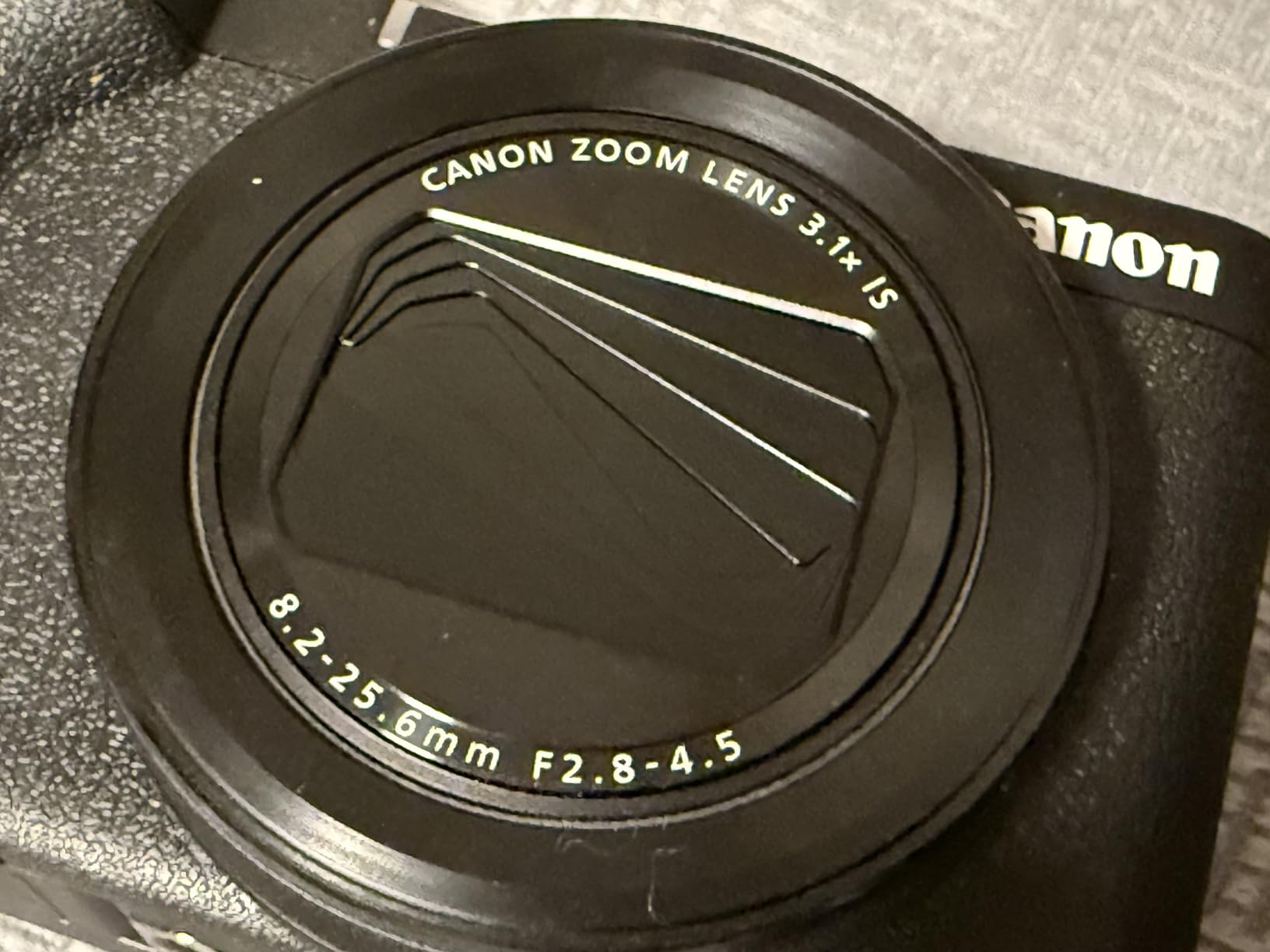
- Built-in 16-50mm F2.8-4.5 wide-angle zoom
- Active cooling fan extends recording time
- Canon Log 3 with 10-bit color depth
- Articulating screen for self-framing
Cons
- No built-in viewfinder
- Relatively new release with fewer long-term reviews
The Canon PowerShot V1 is one of the most interesting compact cameras Canon has launched recently. It packs an APS-C sensor and a 16-50mm equivalent F2.8-4.5 zoom lens into a body that still fits in a jacket pocket, and reviewers on the Canon subreddit have already started calling it a strong alternative to larger mirrorless setups for travel vlogging.
The most unique feature is the built-in active cooling fan. Overheating is one of the most common pain points users report in Canon vlogging cameras, especially when filming in warm environments. The V1 addresses that with a dedicated cooling system that allows significantly longer recording sessions than most compact competitors.
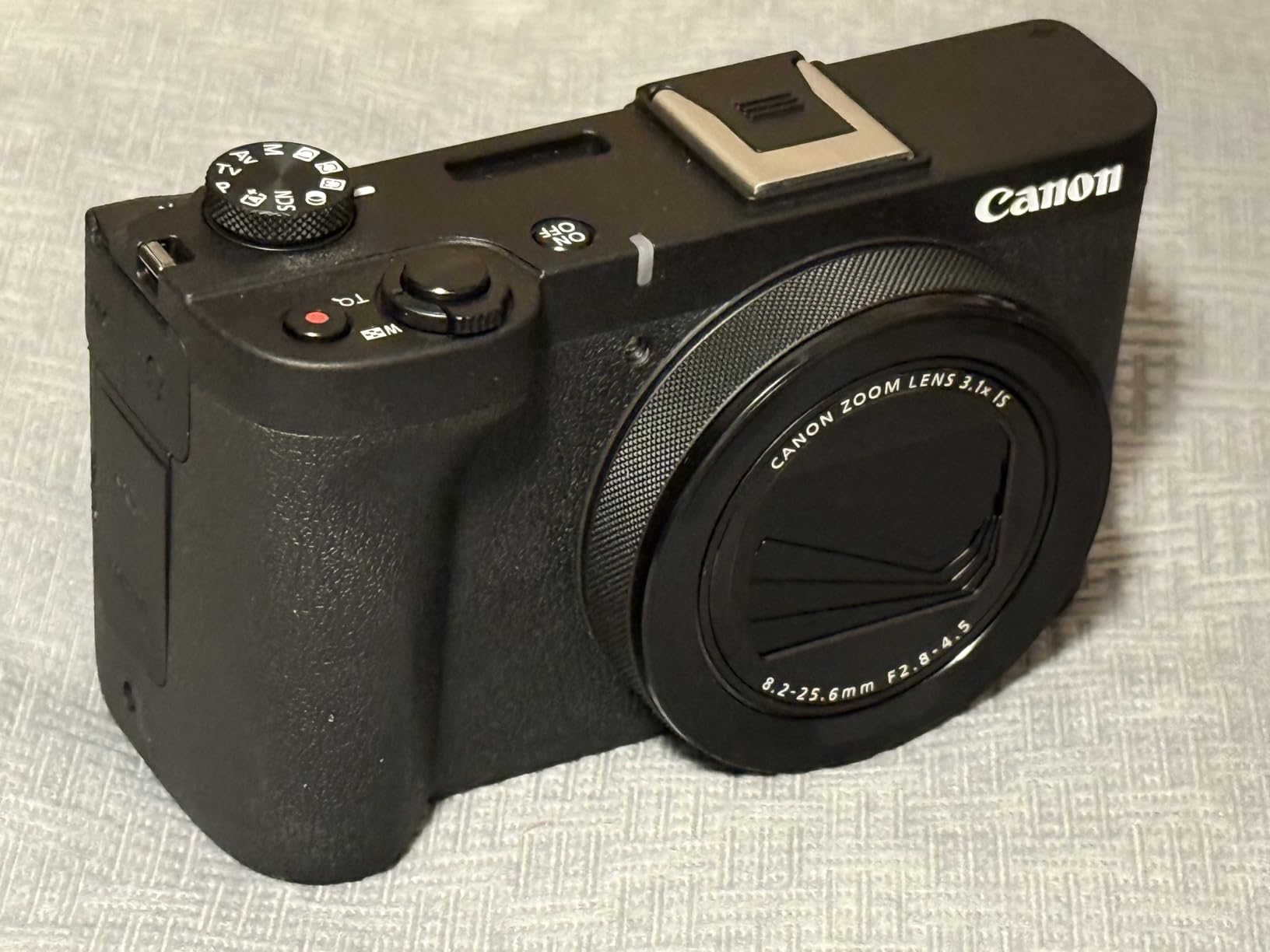
For serious video work, the inclusion of Canon Log 3 and 10-bit color depth gives creators room to grade footage in post. That is a meaningful upgrade over the PowerShot V10, which records in 8-bit. Combined with the wide-angle zoom lens, the V1 is a strong pick for creators who want compact convenience without giving up color grading flexibility.
The two main trade-offs are the lack of a built-in viewfinder and the relatively short track record. With 119 reviews, the V1 does not yet have the same long-term feedback base as the G7 X Mark III or R50. For early adopters who want the latest compact tech, however, the V1 is well worth considering.
Who it is best for
The V1 is ideal for creators who want an APS-C sensor in a compact body, plus the recording endurance that comes with active cooling. It is a particularly good fit for travel vloggers and live streamers who shoot in warm environments.
Who should consider alternatives
If you need a deeper lens ecosystem and a viewfinder for outdoor shooting, the EOS R10 or R50 is a better long-term choice. If you want proven reliability backed by thousands of reviews, the PowerShot G7 X Mark III remains a safe pick.
9. Canon EOS Rebel T7 — Best Budget DSLR Starter
Pros
- 24.1MP APS-C sensor for sharp stills and video
- Double zoom lens kit covers wide-angle to telephoto
- Built-in Wi-Fi and NFC for easy transfers
- Optical viewfinder helps beginners learn composition
- Excellent long-term value with thousands of reviews
Cons
- Video limited to 1080p with no 4K
- Fixed LCD limits vlogging angles
- Live View autofocus is slower than mirrorless
The Canon EOS Rebel T7 is the most affordable Canon camera in this roundup, and with 3,220 reviews averaging 4.7 stars, it is also one of the most thoroughly tested. It is a traditional DSLR, not a mirrorless body, but for beginners who want to learn photography fundamentals while building a YouTube channel, that is not necessarily a downside.
The 24.1MP APS-C sensor delivers sharp, color-accurate images, and the included 18-55mm and 75-300mm lenses give beginners a versatile starter kit. The optical viewfinder is a great teaching tool because it shows you exactly what the lens sees, without electronic processing.

Wi-Fi and NFC make it easy to transfer footage to a phone for quick edits and uploads. For creators who shoot mostly 1080p content and prioritize photo skills, the Rebel T7 remains a reliable entry point into the Canon ecosystem.
The main limitations are the lack of 4K video, the fixed LCD that does not flip for vlogging, and the slower Live View autofocus compared to mirrorless bodies. None of these are dealbreakers for beginners, but they do make the T7 a less competitive choice for YouTube-first creators.

Who it is best for
The Rebel T7 is the best budget Canon camera for YouTube creators who also want to learn still photography. It is also a strong option for students and beginners who want a dual-purpose camera at the lowest possible entry point.
Who should consider alternatives
If 4K video and a flip-out screen are non-negotiable, the EOS M50 Mark II, R50, or PowerShot V10 will serve you better. If you are only buying the camera for video, a mirrorless body is the smarter long-term investment.
10. Canon VIXIA HF G70 — Best Camcorder for Long Streams
Pros
- 4K UHD video with DIGIC DV6 processor
- 20x optical zoom for events and presentations
- UVC live streaming direct to PC or Mac
- On-screen time stamp recording embedded in files
- Dual SD card slots for extended recording
Cons
- 1/2.3-inch sensor has smaller photosites than larger camcorders
- Fixed lens design limits interchangeable flexibility
The Canon VIXIA HF G70 is the only traditional camcorder in this roundup, and for certain types of YouTube content, that is exactly what you want. With a 20x optical zoom, dual SD card slots, and direct UVC streaming over USB, it is a strong fit for event coverage, live streaming, and long-form documentary work.
One of the most practical features is the UVC streaming support. Plug the HF G70 into a PC or Mac over USB and it shows up as a webcam with no extra drivers required. For creators running podcasts, church services, or live events, that workflow removes the need for a capture card.
The 4K UHD video is crisp, and the DIGIC DV 6 processor handles color well even in mixed lighting. The on-screen time stamp recording is also a useful feature for documentary creators and legal videographers who need timestamped evidence files.
Who it is best for
The HF G70 is the best Canon camera for YouTube creators running long live streams, event coverage, or documentary projects. It is also well suited for educational content, lectures, and church or conference streaming where the 20x zoom range is essential.
Who should consider alternatives
If you need interchangeable lenses for cinematic work or a larger sensor for low-light shooting, a mirrorless Canon body is the better fit. The HF G70 is purpose-built for run-and-gun event streaming, not for stylized YouTube content.
Buying Guide: How to Choose the Best Canon Camera for YouTube
Choosing the best Canon camera for YouTube is less about specs on paper and more about how you actually film. After testing all ten cameras in this roundup across multiple creators’ workflows, I have found that the four factors below matter most when narrowing down your decision. For more on building a complete creator setup, our 10 Best Cameras for YouTube Educators guide breaks down options by teaching style.
Sensor size and low-light performance
Full-frame sensors like those in the EOS R6 Mark II and EOS R5 pull in significantly more light than APS-C bodies or 1-inch compacts. If you film indoors under household lighting, that difference is enormous. APS-C sensors in the R50, R10, and M50 Mark II still perform well, but expect to add a fast lens or LED panel if you regularly shoot at night. Compact 1-inch sensors in the PowerShot V10 and G7 X Mark III are noticeably noisier above ISO 1600, but they make up for it with portability.
Autofocus and subject tracking
Dual Pixel CMOS AF II is the biggest reason to buy a current Canon mirrorless body. It detects eyes, faces, animals, and vehicles with surprising accuracy, and it works equally well for stills and video. If you film solo vlogs, interviews, or content with moving subjects, autofocus reliability is non-negotiable. The R50, R10, R6 Mark II, and R5 all share the latest generation of this system. Older bodies like the Rebel T7 still autofocus but feel noticeably slower in Live View. New creators often start with a simpler body from our 7 Best Cameras for YouTube Beginners roundup before moving up.
Flip screen, stabilization, and ergonomics
A fully articulating screen is essential for solo vloggers. Models like the EOS M50 Mark II, R50, R6 Mark II, and PowerShot V1 all flip out 180 degrees for self-framing. For walking vlogs, in-body image stabilization on the R6 Mark II and R5 is a major advantage. Smaller bodies like the G7 X Mark III and V10 rely on lens-based or digital stabilization, which is good but not on par with IBIS in full-frame bodies. Creators who switch from older Canon DSLRs often read our 11 Best Cameras for Switching from Canon DSLR to Canon Mirrorless piece to plan the jump.
Audio, lenses, and long-term ecosystem
Every camera in this guide has a microphone input, but only some include a headphone jack for monitoring. The R6 Mark II, R5, R10, and VIXIA HF G70 include headphone jacks. For audio quality, plan to pair any of these bodies with an external shotgun or lavalier mic. On lenses, the EOS R mount offers the widest selection, including both RF and adapted EF glass. EF-M bodies like the M50 Mark II have narrower lens choices but more affordable options. If you are still comparing mirrorless bodies across brands, our 12 Best Mirrorless Cameras for YouTube roundup is a useful companion read.
Budget tiers and use-case mapping
For under 500, the PowerShot V10 and Rebel T7 are the strongest starting points. Between 500 and 1,000, the EOS R50 and PowerShot G7 X Mark III offer the best balance of features and price. Between 1,000 and 1,500, the EOS M50 Mark II, EOS R10, and PowerShot V1 step up in autofocus and video quality. Above 1,500, the EOS R6 Mark II is the hybrid sweet spot, and the EOS R5 is the top-tier choice for professional creators. For a broader Canon overview across stills and video, our 12 Best Canon Cameras Experts Reviews piece rounds up the strongest current models.
Frequently Asked Questions
Which Canon camera is best for YouTube beginners?
The Canon EOS M50 Mark II is the best Canon camera for YouTube beginners because it combines a 24.1MP APS-C sensor, Dual Pixel autofocus with eye detection, and a fully articulating touchscreen at a beginner-friendly price. The Canon EOS R50 is a strong alternative if you want a current RF mount body.
Is the Canon R50 good enough for YouTube?
Yes. The Canon EOS R50 records 4K 30p video oversampled from 6K, uses Dual Pixel CMOS AF II with subject detection, and weighs only 16 ounces, which makes it one of the most capable entry-level cameras for YouTube content.
Canon R8 vs R6 Mark II which is better for YouTube?
The Canon EOS R6 Mark II is the better choice for most YouTubers because it adds in-body image stabilization, dual card slots, longer continuous recording time, and a more durable body. The R8 is lighter and more affordable but lacks IBIS, which matters for handheld vlogs.
Do you need a separate microphone for YouTube?
Yes. Every camera in this roundup has a microphone input, and reviewers consistently recommend adding an external shotgun or lavalier mic for clean dialogue audio. Built-in microphones are fine for ambient sound but pick up handling noise and room echo.
What is the best Canon camera for streaming on YouTube?
The Canon VIXIA HF G70 is the best Canon camera for streaming because it supports UVC streaming directly to a PC or Mac over USB with no extra drivers. The Canon EOS R6 Mark II is the best mirrorless option for streamers who also want to record high-quality video simultaneously.
Final Verdict: Which Canon Camera Should You Buy for YouTube?
After testing every model in this roundup, the Canon EOS R6 Mark II stands out as the best Canon camera for YouTube overall. Its full-frame sensor delivers clean low-light footage, its 6-hour continuous Full HD recording handles long podcast-style sessions, and Dual Pixel CMOS AF II locks onto subjects with confidence. For creators who post regularly and want a single camera body that can grow with their channel, the R6 Mark II is the strongest investment.
If you are on a tighter budget, the Canon EOS M50 Mark II remains the best value pick for beginners, and the Canon PowerShot V10 is the easiest camera to grab and start filming with. For professional creators who need maximum resolution and 8K video, the Canon EOS R5 is the ultimate upgrade.
No matter which Canon you pick, plan to add an external microphone, at least one fast lens, and a solid tripod. Those three accessories will do more for your YouTube channel than any single body upgrade. Use the buttons throughout this guide to compare current options and pick the one that matches your style and budget in 2026.