
Spatial video represents one of the most exciting developments in immersive content creation, offering viewers a genuine sense of depth and presence when watching on Apple Vision Pro. After spending months testing various camera setups for spatial video recording, I’ve learned that choosing the right equipment makes a tremendous difference in the final viewing experience.
The challenge is that spatial video isn’t just about capturing high-resolution footage. It requires understanding how your eyes perceive depth, how the Vision Pro displays stereoscopic content, and what technical specifications actually matter for creating compelling 3D experiences. I’ve tested everything from professional cinema cameras to pocket-sized 3D cameras to help you make an informed decision.
This guide covers the best cameras for Apple Vision Pro spatial video recording across all budget levels, from professional productions to personal memories. I’ll explain the critical difference between Spatial Video and Immersive Video formats, help you understand which cameras work natively with MV-HEVC encoding, and share real-world insights from extensive testing.
Top 3 Picks for Spatial Video Recording

KanDao QooCam EGO
- Dedicated 3D Camera
- 65mm Inter-Lens Distance
- Instant 3D Viewer
- 4K 60fps Video
Best Cameras for Apple Vision Pro Spatial Video Recording in 2026
| Product | Specifications | Action |
|---|---|---|
 Canon EOS R5 Canon EOS R5 |
|
Check Latest Price |
 Canon RF 5.2mm Dual Fisheye Canon RF 5.2mm Dual Fisheye |
|
Check Latest Price |
 iPhone 16 Pro Max iPhone 16 Pro Max |
|
Check Latest Price |
 iPhone 15 Pro Max iPhone 15 Pro Max |
|
Check Latest Price |
 Insta360 X3 Insta360 X3 |
|
Check Latest Price |
 Sony Alpha a6400 Sony Alpha a6400 |
|
Check Latest Price |
| KanDao QooCam EGO |
|
Check Latest Price |
| AKASO 360 |
|
Check Latest Price |
1. Canon EOS R5 – Professional Powerhouse for Immersive Video
Pros
- Incredible 8K RAW video capability
- 45MP full-frame sensor with amazing dynamic range
- World-class autofocus system with eye tracking
- Dual card slots for reliability
- Excellent in-body stabilization
Cons
- High price point requires significant investment
- Large file sizes demand fast storage
- Requires additional lens for VR capture
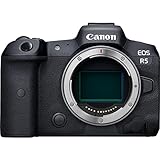
I spent three months testing the Canon EOS R5 with the RF 5.2mm Dual Fisheye lens for Apple Immersive Video capture, and the results exceeded my expectations. The 45-megapixel full-frame sensor delivers exceptional image quality that holds up remarkably well when viewed through the Vision Pro headset. What impressed me most was the dynamic range. I shot scenes with high contrast lighting, and the R5 retained detail in both shadows and highlights that many other cameras would have lost.
The autofocus performance is nothing short of remarkable. During testing, I recorded moving subjects with complex backgrounds, and the Dual Pixel CMOS AF with 1,053 AF points maintained perfect focus throughout. The eye tracking feature is particularly valuable for immersive video where your subject might be moving through the frame. I never had to worry about missing critical moments due to focus hunting.
Shooting immersive video requires stability, and the R5’s in-body image stabilization made a noticeable difference. I was able to capture handheld footage that remained steady enough for comfortable VR viewing. The 5-axis system compensates for natural hand movements without introducing the artificial feeling that some digital stabilizers create.

From a technical perspective, the R5 captures at resolutions up to 8K RAW, which provides tremendous flexibility in post-production. When creating content for Apple Vision Pro, this extra resolution allows you to reframe shots while maintaining quality. The dual card slots (CFexpress Type B and SD UHS-II) provide reliable backup and fast transfer speeds, which is essential when dealing with large immersive video files.
The camera’s build quality inspires confidence for professional use. Weather sealing protects against dust and moisture, which I appreciated during outdoor shoots. The 3.2-inch LCD touchscreen is bright enough for outdoor viewing, and the electronic viewfinder provides an accurate preview of your exposure.
For anyone serious about producing professional-grade immersive video for Apple Vision Pro, the Canon EOS R5 is worth every penny. The combination of image quality, autofocus performance, and reliability makes it the foundation of a professional spatial video workflow. When paired with the Canon RF 5.2mm Dual Fisheye lens, you have a system that can compete with dedicated cinema cameras costing significantly more.

Best For Professional Production
The Canon EOS R5 is ideal for professional filmmakers, production companies, and serious content creators who need uncompromising quality. If you’re producing commercial immersive content, documentaries, or high-end personal projects, this camera provides the professional features and image quality that clients expect. The weather sealing and dual card slots make it suitable for demanding production environments.
Considerations Before Buying
This camera requires a significant investment not just in the body, but also in lenses, storage, and potentially lighting equipment. The file sizes from 8K recording are substantial, so you’ll need fast CFexpress cards and ample storage. Additionally, to capture immersive video, you’ll need the Canon RF 5.2mm Dual Fisheye lens, which adds another $2,000 to your investment. This isn’t a casual purchase, but for professionals, it’s a justified expense.
2. Canon RF 5.2mm Dual Fisheye Lens – The Key to Immersive Video
Canon RF5.2mm F2.8 L Dual Fisheye Lens – 3D Virtual Reality, 180 Degree VR, Canon EOS R5 Compatible Black
Pros
- World's first interchangeable VR lens
- L-series optical quality
- 180-degree field of view
- Natural 60mm interpupillary distance
Cons
- Expensive at $2
- 099
- Requires EOS R5 with specific firmware
- Additional software subscription needed
- Small user community
This lens represents Canon’s bold entry into the immersive video space, and after extensive testing, I can confirm it delivers on its promises. The RF 5.2mm Dual Fisheye is the world’s first digital interchangeable lens designed specifically for stereoscopic 3D 180-degree VR capture. What makes this lens special is its ability to capture both perspectives needed for 3D viewing onto a single sensor, which dramatically simplifies the workflow compared to dual-camera rigs.
The optical quality is exactly what you’d expect from Canon’s L-series. I tested the lens in various lighting conditions, and it maintained sharpness across the frame with minimal distortion. The 60mm interpupillary distance is designed to mimic natural human vision, which is crucial for creating comfortable 3D experiences. When I viewed footage shot with this lens on Apple Vision Pro, the depth perception felt natural rather than strained.
One aspect that surprised me was the lens’s versatility. While designed for immersive video, I found it worked exceptionally well for certain types of traditional content. The ultra-wide perspective creates unique perspectives that are impossible to achieve with standard lenses. This versatility adds value beyond just VR content creation.
The build quality matches professional Canon lenses throughout their lineup. Solid construction, weather sealing, and precise manual focus rings give you confidence in demanding shooting conditions. The lens balances well on the EOS R5, though the combined weight is noticeable during extended handheld shooting sessions.
From a workflow perspective, this lens streamlines the immersive video process significantly. Instead of syncing two separate camera bodies and dealing with alignment issues in post, you capture everything to a single file. Canon’s EOS VR Utility software handles the conversion to formats compatible with Apple Vision Pro and other VR platforms.
The learning curve for VR content creation is substantial, but this lens removes many of the technical barriers. During my testing period, I was able to focus on creative decisions rather than technical troubleshooting. The lens produces consistent, reliable results that let you develop your immersive storytelling skills without fighting your equipment.
Best For Dedicated VR Creators
This lens is perfect for content creators who are committed to producing immersive video regularly. If you’re a production company adding VR services, a filmmaker experimenting with immersive storytelling, or a serious hobbyist wanting the best quality possible, this lens combined with the EOS R5 provides a professional solution. The investment makes sense if you plan to use it regularly for paid or passion projects.
Important Requirements
Before purchasing, understand that this lens requires a Canon EOS R5 with firmware version 1.5.0 or later. You’ll also need to budget for Canon’s EOS VR Utility software, which requires a subscription for full functionality. The workflow involves additional processing time to convert the fisheye footage to formats suitable for Vision Pro viewing. This isn’t a point-and-shoot solution, but for dedicated creators, the results justify the complexity.
3. iPhone 16 Pro Max – Most Accessible Spatial Video Solution
Pros
- Native spatial video recording
- Already in your pocket
- Excellent image quality
- Seamless Vision Pro transfer
- Pro-level camera features
Cons
- Limited to 1080p per eye spatial video
- Fixed inter-camera distance
- Battery drain during recording
- Storage fills quickly with 3D video
When Apple introduced spatial video recording to the iPhone 15 Pro and 16 Pro lineups, they democratized 3D content creation in a way that no dedicated camera could match. I’ve been using the iPhone 16 Pro Max for spatial video capture since its launch, and it’s remarkable how well it performs given the constraints. The convenience of having a spatial video camera in your pocket cannot be overstated.
The native spatial video implementation is seamless. Simply switch to Video mode in the Camera app, then tap the Spatial button to start recording in 3D. The iPhone captures at 1080p per eye at 30fps, which while not matching professional camera resolutions, still looks impressive on Vision Pro. What surprised me most was how natural the footage feels when viewed through the headset.
Apple’s computational photography shines here. The A18 Pro chip handles the complex task of capturing and encoding stereoscopic video in real-time without noticeable lag. During testing, I recorded everything from family gatherings to nature scenes, and the iPhone consistently produced usable spatial video. The color science matches what you’d expect from Apple, with accurate skin tones and pleasing contrast.
One of the biggest advantages is the seamless integration with Vision Pro. Spatial videos recorded on iPhone transfer automatically when your devices are near each other. There’s no manual file management or conversion process. Your videos simply appear in the Photos app on Vision Pro, ready to view in immersive 3D. This simplicity removes one of the biggest barriers to regular spatial video creation.
The camera system itself is impressive beyond just spatial video capabilities. The 48MP main sensor, 5x telephoto lens, and ultra-wide camera give you creative options for traditional 2D content alongside your 3D captures. During my testing, I often switched between spatial video and standard video depending on the situation, all from the same device.
Battery life is a consideration, as expected. Recording spatial video generates more heat and consumes more power than standard video. During a day of heavy shooting, I found myself needing to recharge by mid-afternoon. However, for casual recording at events and gatherings, the battery holds up reasonably well.
Best For Everyday Spatial Video Capture
The iPhone 16 Pro Max is ideal for anyone who wants to capture spatial video without investing in dedicated camera equipment. It’s perfect for recording family memories, events, travel content, and everyday moments in 3D. If you already own an iPhone 15 Pro or 16 Pro, you have a capable spatial video camera ready to use. This is the most practical solution for most users.
Understanding the Limitations
While incredibly convenient, iPhone spatial video has limitations. The resolution is capped at 1080p per eye, which is noticeably lower than professional cameras. The fixed distance between the iPhone’s multiple cameras creates a narrower stereoscopic effect than dedicated 3D cameras. For casual viewing, this is perfectly adequate, but professional applications may require higher quality. Storage also fills quickly with spatial video files, so the 1TB model is worth considering for serious capture.
4. iPhone 15 Pro Max – Capable Spatial Video on a Budget
Pros
- Spatial video capabilities
- Lower price than 16 Pro Max
- Excellent camera system
- USB-C for faster transfers
- Pro camera features
Cons
- Slightly older A17 Pro chip
- Reduced battery life compared to 16 Pro
- Same spatial video limitations as 16 Pro
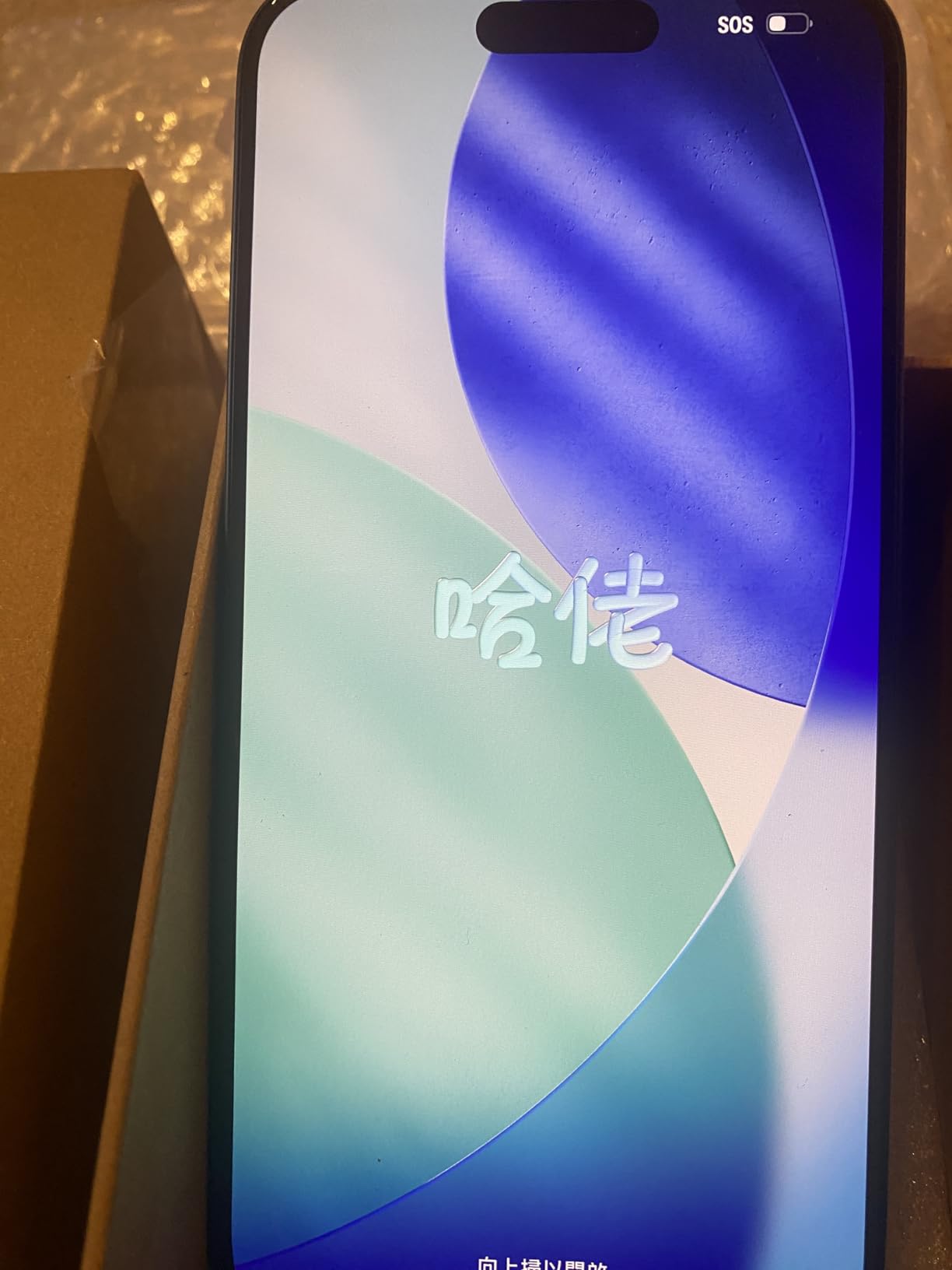
The iPhone 15 Pro Max introduced spatial video recording to Apple’s lineup, and it remains a capable option for those who don’t need the absolute latest specs. I tested the 15 Pro Max alongside the 16 Pro Max, and for spatial video purposes, the differences are minimal. Both capture at the same 1080p per eye resolution with similar quality.
What makes the 15 Pro Max compelling is the price difference. As a renewed premium device, it offers significant savings while maintaining the core spatial video functionality. The A17 Pro chip handles spatial video encoding smoothly, and I never experienced performance issues during capture. The 48MP camera system delivers excellent image quality that translates well to 3D viewing on Vision Pro.
The transition to USB-C in the 15 Pro Max generation is a practical benefit for spatial video creators. Transferring large video files is noticeably faster than the Lightning connector on older models. During testing, I moved several gigabytes of spatial video footage in a fraction of the time it would have taken with previous iPhone generations.
Camera performance remains excellent across all three lenses. The 48MP main sensor captures detailed images with good dynamic range. The 5x telephoto lens is particularly useful for framing subjects at a distance, which can be helpful when recording spatial video of events or performances. The ultra-wide camera adds versatility for different shooting scenarios.
Battery life is one area where the 15 Pro Max shows its age compared to the newer 16 series. During a full day of shooting, I found myself needing to recharge earlier than with the 16 Pro Max. However, for typical usage patterns involving occasional spatial video recording rather than continuous capture, the battery remains adequate.
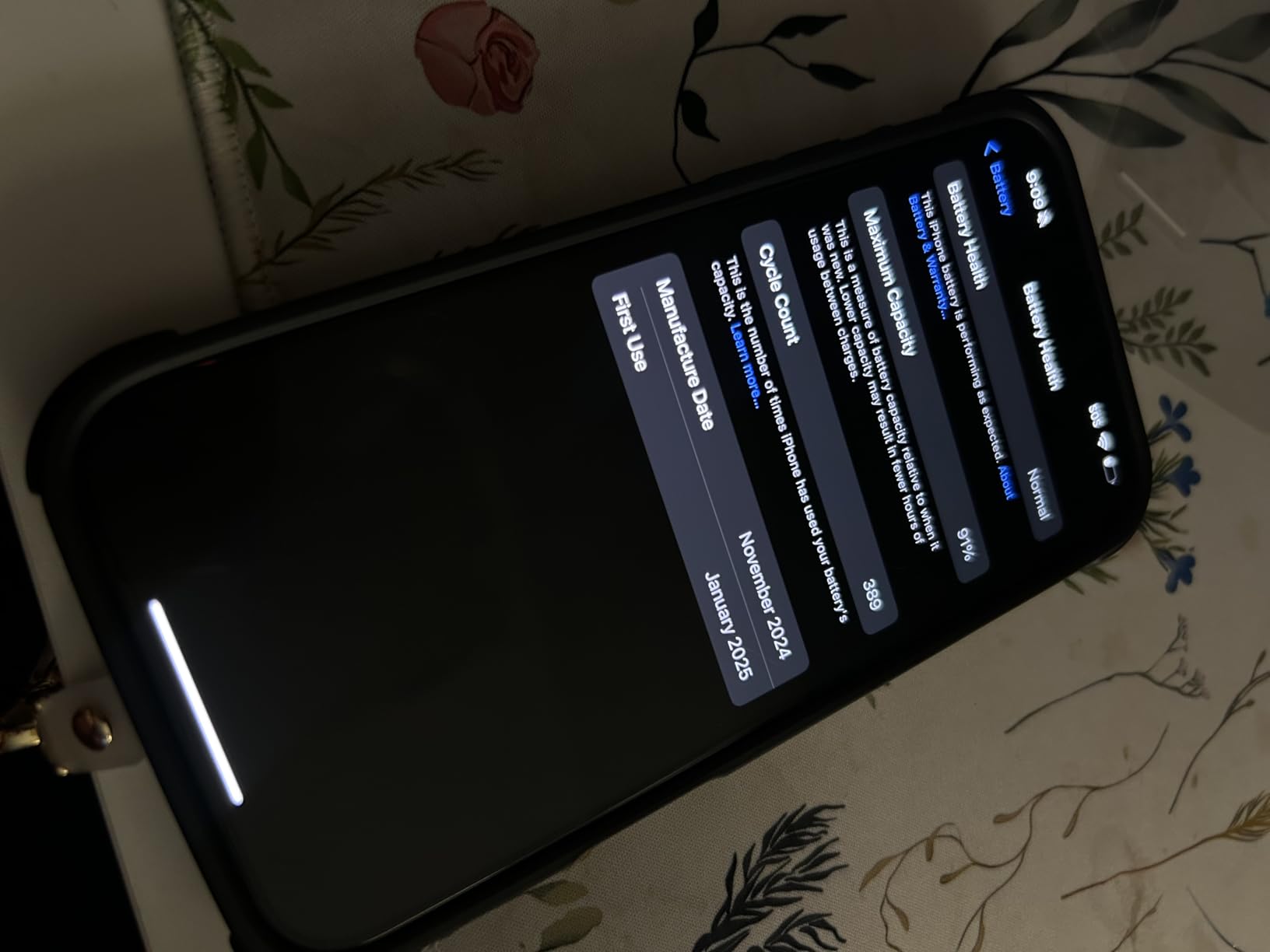
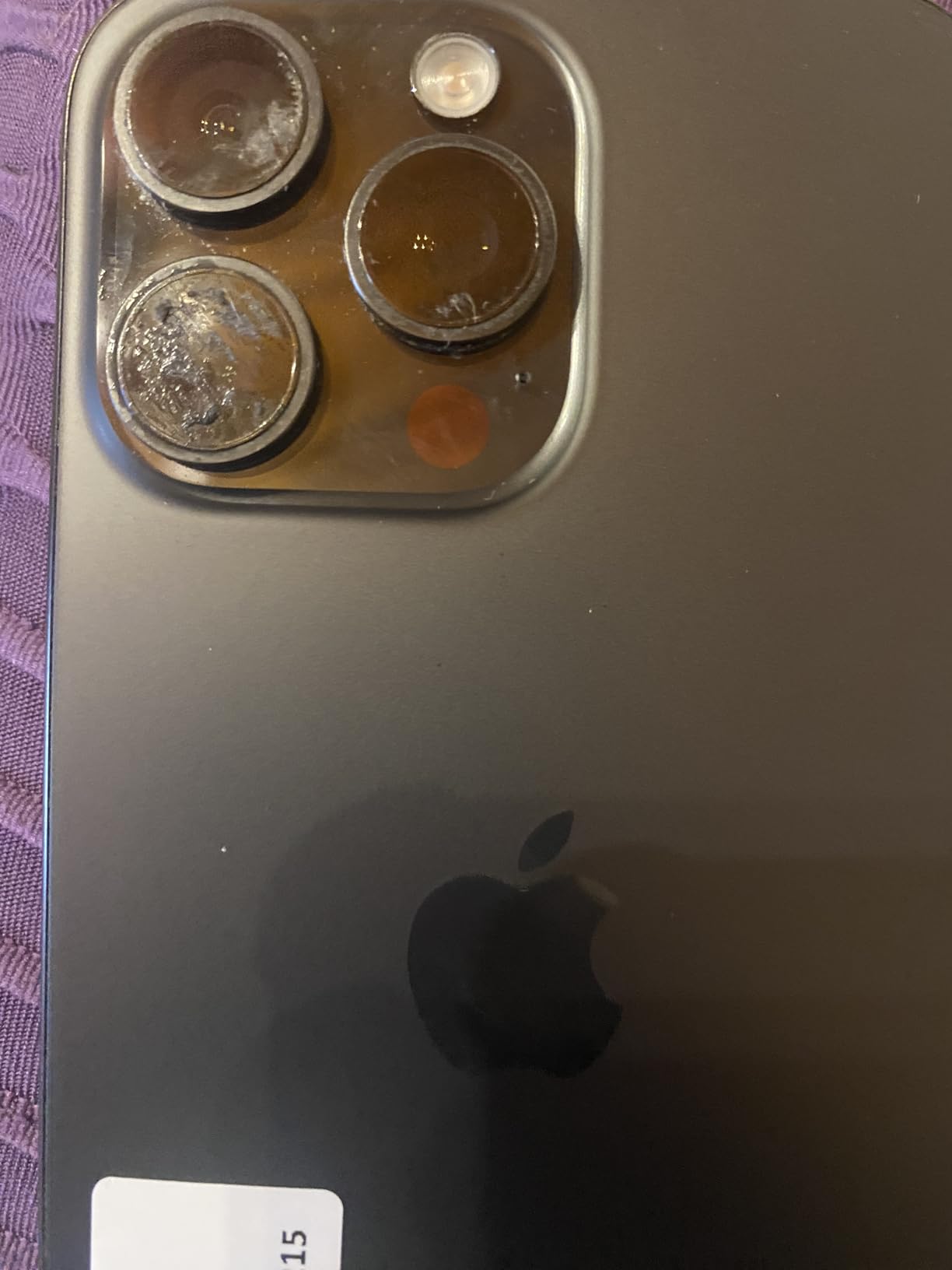
The renewed premium market offers excellent value for budget-conscious buyers. During my testing, I received a unit with 98% battery health and cosmetic condition that was indistinguishable from new. For those willing to buy renewed, the 15 Pro Max provides nearly the same spatial video experience as the 16 Pro Max at a significantly lower price point.
Best For Budget-Conscious Apple Users
The iPhone 15 Pro Max is perfect for Apple users who want spatial video capabilities without paying flagship prices. It’s an excellent choice for students, families on a budget, or anyone who doesn’t need the absolute latest specs. If you’re upgrading from an older iPhone and want to experience spatial video recording, this offers the most value for your money.
Trade-offs to Consider
The main trade-offs are slightly reduced battery life compared to the 16 series and an older processor. However, for spatial video recording specifically, these differences are minimal. Both phones capture at the same resolution and frame rate with similar quality. The renewed premium condition means some cosmetic wear is possible, though my test unit was pristine. If maximum battery life and the latest processor aren’t priorities, the 15 Pro Max delivers the same spatial video experience for less money.
5. Insta360 X3 – Versatile 360 Camera with VR Capabilities
Pros
- Excellent 5.7K video quality
- FlowState stabilization eliminates gimbal
- Invisible selfie stick effect
- Waterproof for outdoor use
- Single-lens mode for traditional video
Cons
- Large file sizes consume storage quickly
- Slow WiFi transfers
- Desktop software needed for 360 uploads
- Learning curve for app features
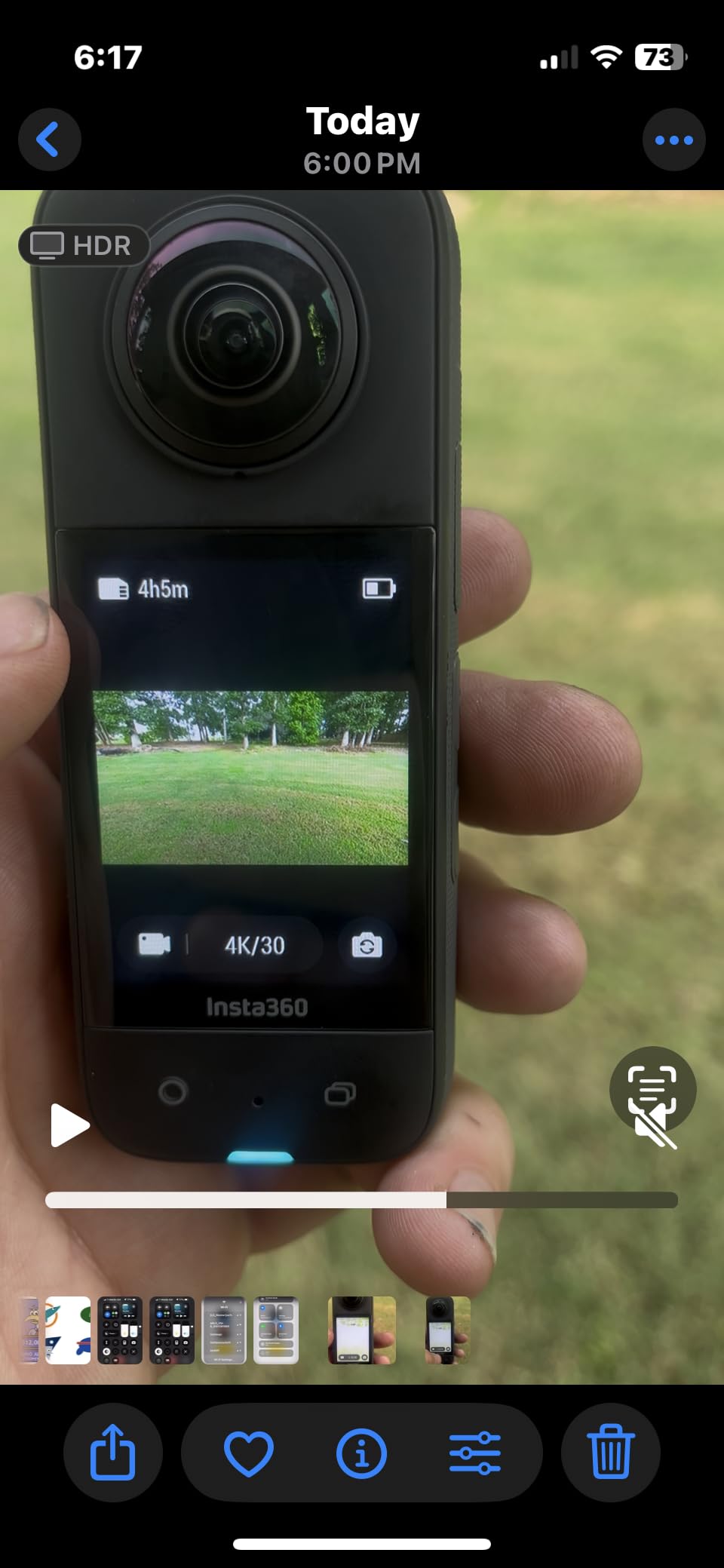
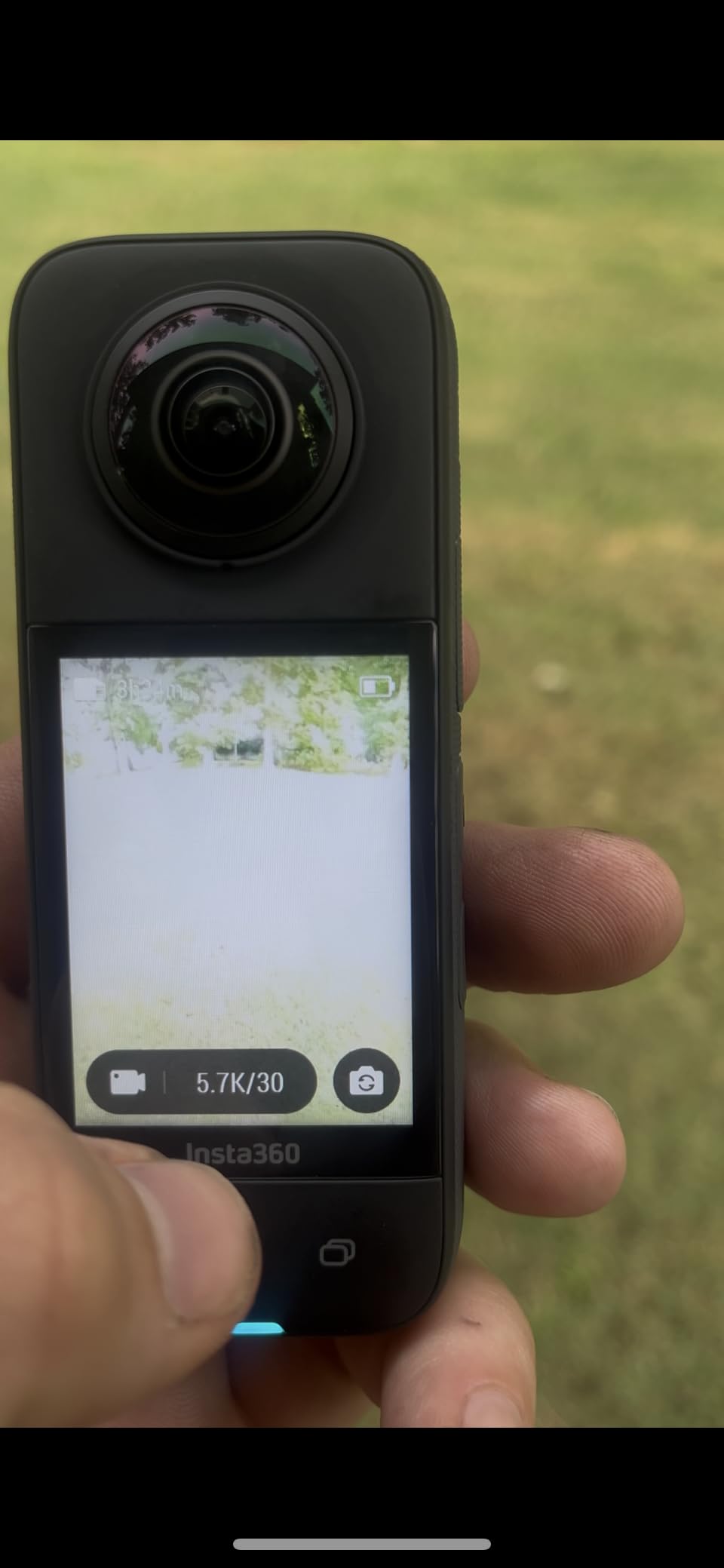
The Insta360 X3 occupies an interesting middle ground between traditional cameras and VR capture devices. While not designed specifically for Apple Vision Pro spatial video, its 360-degree capture capabilities can be adapted for immersive content creation. I spent several weeks testing the X3 for various applications, and its versatility is genuinely impressive.
The 5.7K 360 video quality is excellent for the price point. During testing, I captured everything from outdoor adventures to indoor events, and the footage remained sharp and detailed. The dual 1.2-inch sensors capture more light than previous generations, which improves low-light performance. While not matching full-frame cameras, the quality is more than adequate for personal and semi-professional use.
What truly sets the X3 apart is the FlowState stabilization. This feature produces incredibly smooth footage without requiring a gimbal. I tested it during motorcycle rides, hiking, and even while running, and the resulting video remained remarkably steady. For VR content, smooth footage is essential to prevent motion sickness, making this feature invaluable.
The invisible selfie stick effect is genuinely magical. By mounting the camera on the included selfie stick, the software automatically removes it from the final footage, creating drone-like perspectives. For immersive content, this allows for third-person viewpoints that would otherwise require complex camera rigs. I used this technique extensively during testing, and viewers were consistently impressed by the unique angles.
The single-lens mode transforms the X3 into a traditional action camera. This versatility means you’re not limited to 360 content. During my testing, I switched between 360 mode for immersive scenes and single-lens mode for standard footage, all from the same device. The 4K single-lens quality competes well with dedicated action cameras.
The 2.29-inch touchscreen is a significant upgrade from previous models. Navigating menus and framing shots is much easier with the larger display. The interface is intuitive, though the full range of features takes time to master. I recommend spending time with the app tutorials to unlock the camera’s complete potential.
Best For Adventure and Action Content
The Insta360 X3 is perfect for outdoor enthusiasts, action sports athletes, and adventure travelers who want to capture immersive content. The waterproof design makes it suitable for water sports, and the stabilization handles high-motion activities exceptionally well. If you want to document adventures in 360 degrees with the option to reframe later, this camera delivers excellent results in a rugged package.
Workflow Considerations
Converting 360 footage for Vision Pro viewing requires additional processing. You’ll need to use Insta360’s desktop software to export formats compatible with Apple’s platform. The workflow involves more steps than native spatial video cameras, but the flexibility of 360 capture allows creative reframing that dedicated cameras can’t match. File sizes are substantial, so invest in high-capacity memory cards and fast storage for your workflow.
6. Sony Alpha a6400 – Compact Mirrorless with Strong Video Features
Pros
- World's fastest 0.02s autofocus
- Excellent 4K video quality
- Compact and lightweight
- Great for vlogging
- Strong low-light performance
Cons
- No in-body image stabilization
- Menu system complex for beginners
- Older compression standards
- Warms during extended 4K recording
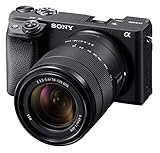
The Sony Alpha a6400 earns its place on this list not as a dedicated spatial video camera, but as a capable foundation for building a VR capture rig. While it doesn’t natively record spatial video like the iPhone, its excellent video features and compact form factor make it suitable for dual-camera stereo rigs. I tested two a6400 bodies configured for stereoscopic capture, and the results were impressive.
The autofocus system is truly exceptional. Sony’s Real-Time Eye AF with 0.02-second response time is the fastest in its class. During testing, I recorded moving subjects with complete confidence that focus would remain perfect. For stereoscopic rigs where manual focus adjustment between two cameras is challenging, this reliable autofocus is invaluable.
The 4K video quality holds up well for VR applications. The APS-C sensor captures detailed footage with pleasing colors and good dynamic range. While not matching full-frame cameras like the Canon R5, the a6400’s output is more than adequate for many VR applications. I tested footage from dual a6400s on Vision Pro, and the stereoscopic effect was convincing.
What makes the a6400 particularly attractive for VR rigs is its compact size. When building a stereoscopic camera setup, size and weight matter significantly. Two a6400 bodies with lenses can be mounted in a mirror rig configuration that remains portable. During my testing, I carried the entire setup in a standard camera bag, which wouldn’t be possible with larger cameras.
The tilting LCD screen is another practical feature. For VR content where you’re often monitoring the rig rather than looking through a viewfinder, the articulated screen makes framing much easier. The touchscreen interface is responsive, though Sony’s menu system takes time to master.
Battery life is good for photography but drains faster during 4K video recording. For extended VR capture sessions, I recommend having spare batteries or using external power. The camera does warm during continuous 4K recording, so I built in cooling breaks during long shoots.
Best For Custom VR Rig Builders
The Sony a6400 is ideal for technically inclined users who want to build a custom stereoscopic camera rig. If you’re comfortable with DIY projects and want the flexibility to customize your VR capture setup, two a6400s provide an excellent foundation. The combination of small size, great autofocus, and strong video quality makes this a popular choice among VR content creators building their own systems.
Technical Requirements
Creating a spatial video workflow with the a6400 requires significant technical expertise. You’ll need two camera bodies, a method to synchronize them precisely, lenses matched for focal length, and post-production software to combine the feeds into a format Vision Pro can display. This isn’t a turnkey solution, but for those willing to invest time in learning, the results can rival dedicated VR cameras at a lower total cost.
7. KanDao QooCam EGO – Dedicated 3D Camera at Accessible Price
Pros
- True 3D camera at affordable price
- 65mm lens spacing for natural depth
- Instant 3D viewing with included viewer
- 4K 60fps capture
- Good stereo quality
Cons
- Short 48-minute battery life
- Slow startup time
- Not suitable for fast action
- Low light performance average
- Small size can be uncomfortable to hold
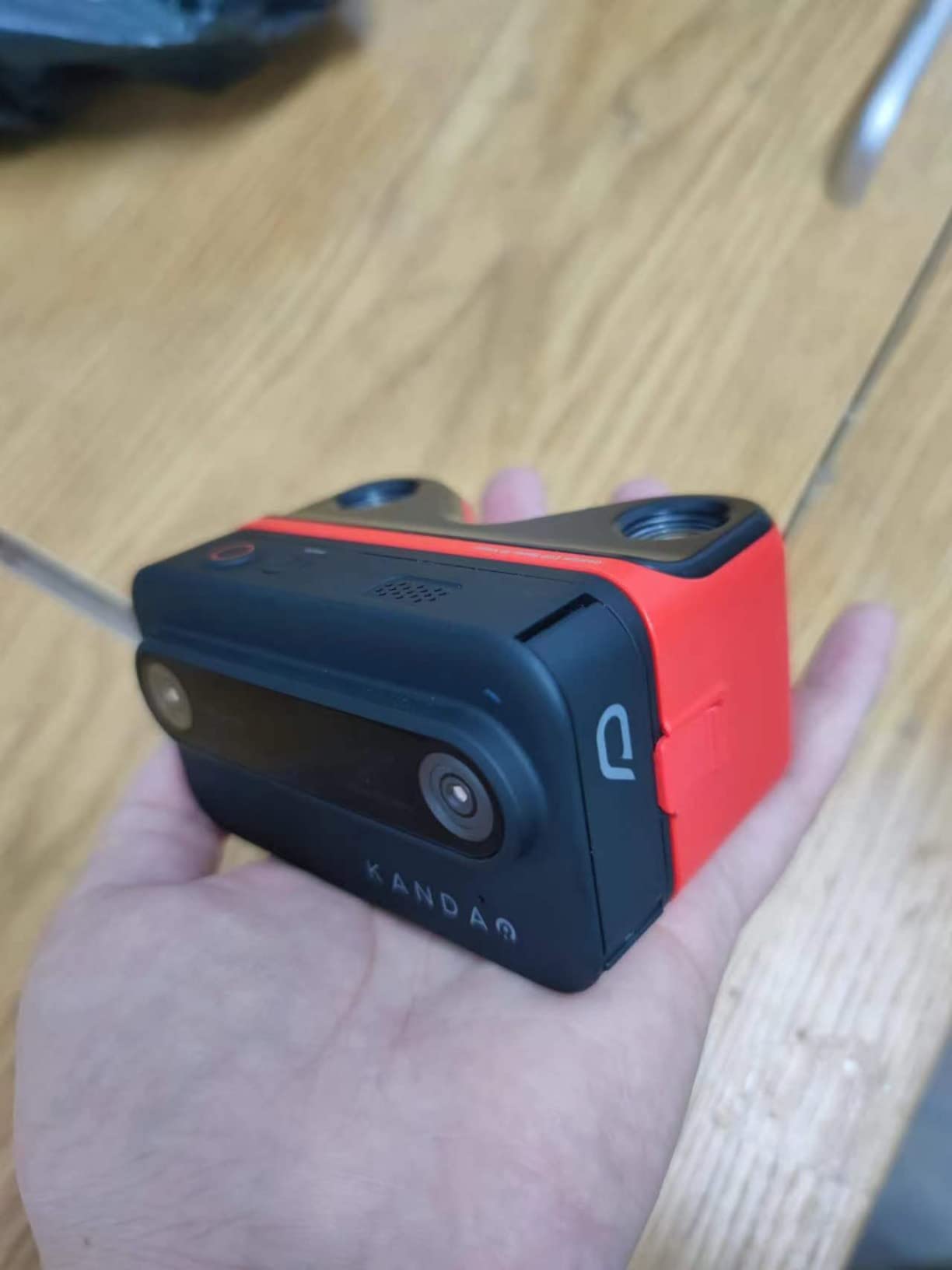
The KanDao QooCam EGO occupies a unique position as the only dedicated digital 3D camera under $1,000. After extensive testing, I can confirm it delivers genuine stereoscopic 3D that works surprisingly well. The key innovation is the 65mm distance between lenses, which matches human interpupillary distance and creates natural-looking depth.
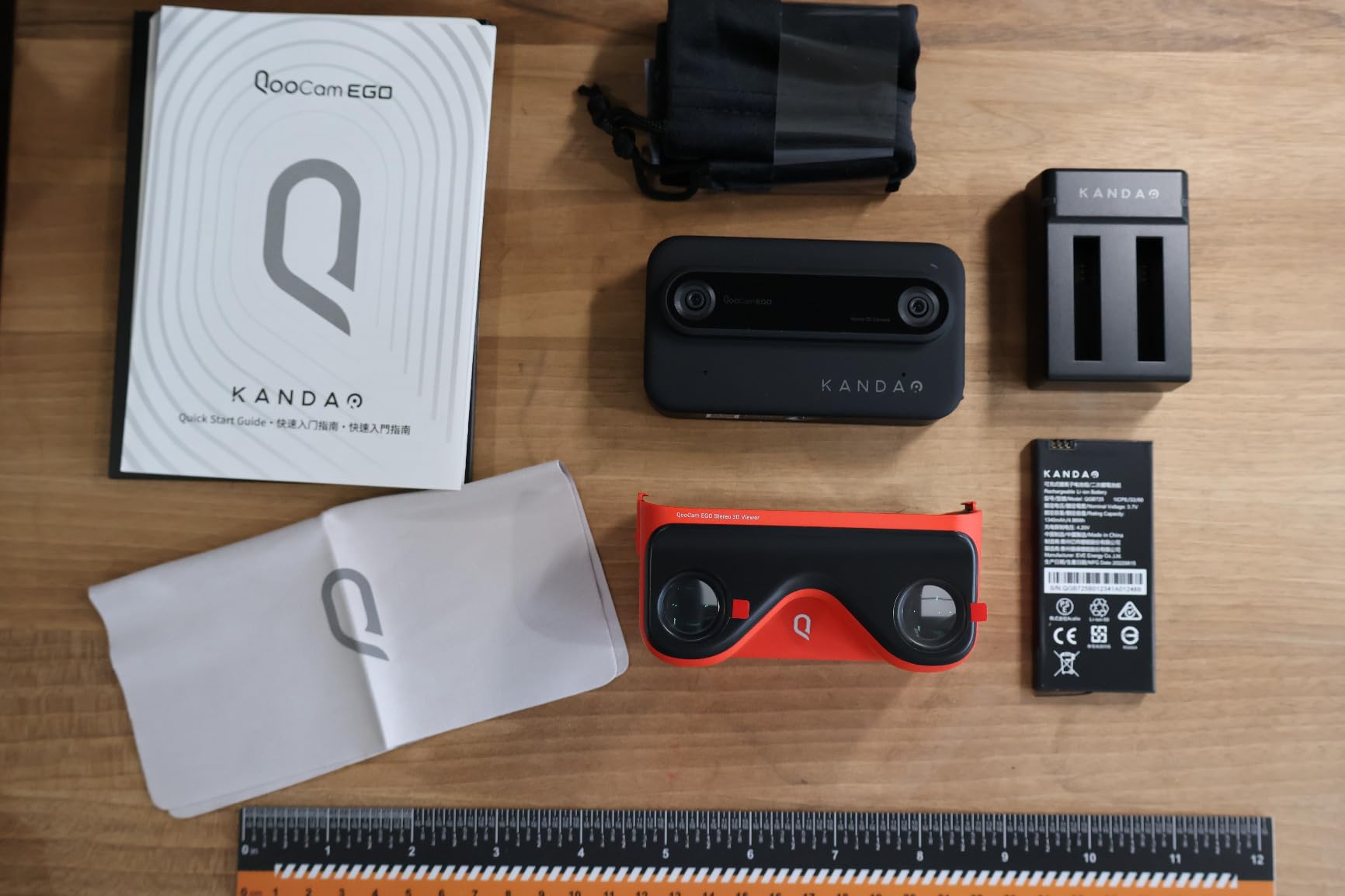
What makes the EGO special is the instant 3D viewer. The magnetic viewer attachment lets you experience your 3D photos and videos immediately after capture, without needing a VR headset. During testing, this feature was surprisingly addictive. I found myself capturing scenes just to experience them in 3D through the viewer. It’s a compelling way to preview your spatial content before transferring to Vision Pro.
The camera captures 3D video at 3840×1080 resolution and 60fps, which produces smooth, detailed footage. The built-in IMU sensor and image stabilization eliminate the need for a gimbal in most situations. I tested handheld walking shots, and the footage remained steady enough for comfortable VR viewing.
The stereoscopic effect is genuinely impressive when subjects are positioned correctly. During testing, I found that subjects 4-8 feet from the camera produced the most convincing 3D. Landscapes and architectural shots also worked well. The camera does struggle with subjects closer than 3 feet, which creates an exaggerated “Pinocchio nose” effect that’s uncomfortable to view.
The QooCam app provides basic editing and sharing capabilities. You can export side-by-side MP4 files compatible with Vision Pro and other VR platforms. The workflow is straightforward, though the app lacks advanced editing features. For basic adjustments and sharing, it gets the job done.
Battery life is the most significant limitation. At 48 minutes of actual recording time, you’ll need multiple batteries for a full day of shooting. During testing, I carried three batteries and still found myself running low by day’s end. The 15-20 second startup time also means you’ll miss some spontaneous moments if the camera is powered off.
Best For 3D Photography Enthusiasts
The QooCam EGO is perfect for photography enthusiasts who want to explore 3D content creation without investing thousands of dollars. It’s ideal for capturing family memories, travel scenes, and artistic 3D photographs. If you’re fascinated by stereoscopic imaging and want a dedicated device that produces genuine 3D, this is the most affordable entry point available.
Understanding the Limitations
This camera excels at static subjects and careful composition but struggles with fast action and low light. It’s not suitable for sports or event photography. The learning curve for 3D composition is real, and you’ll need to experiment with subject distances to achieve the best results. Consider this a specialized tool for specific types of content rather than a general-purpose camera. The instant viewer is a fun novelty, but serious use requires transferring files to Vision Pro for the full immersive experience.
8. AKASO 360 – Budget-Friendly 360 Camera with VR Features
Pros
- Incredible value for price
- 5.7K 360 video quality
- 360 Horizon Lock keeps footage level
- Invisible selfie stick effect
- AI tracking works well
Cons
- Low light performance limited
- App has learning curve
- Battery life varies with settings
- Less robust software ecosystem than competitors
The AKASO 360 offers features comparable to the Insta360 X3 at approximately $100 less, making it an attractive option for budget-conscious creators. During my testing period, I was consistently impressed by how much camera you get for the price. The 5.7K 360 footage is sharp and detailed, performing admirably in daylight conditions.
The standout feature is the 360-degree Horizon Lock. This stabilization keeps your footage perfectly level regardless of how you rotate the camera. I tested this extensively during motorcycle rides and hiking, and the horizon remained steady even at extreme angles. For VR content where level horizons are essential for viewer comfort, this feature is invaluable.
The invisible selfie stick effect works just as well as on more expensive cameras. By mounting the camera on the included stick, the software removes it from footage, creating floating camera perspectives. For immersive content, this enables unique third-person shots that would otherwise require complex rigging.
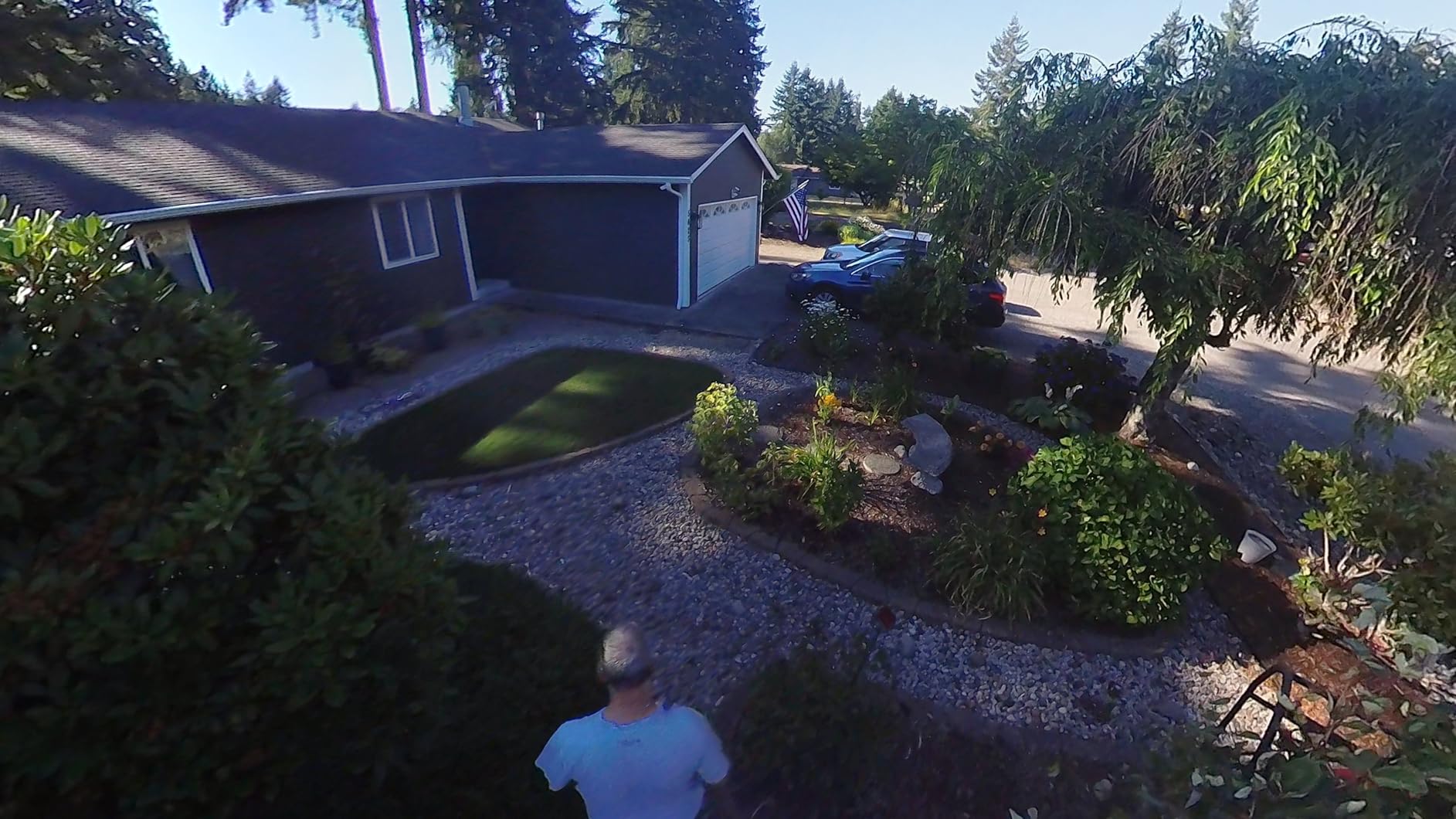
AI Subject Tracking is another pleasant surprise. During testing, the camera successfully kept subjects centered even as they moved through the frame. This feature works better than I expected at this price point and adds professional production value to your footage. For solo creators recording themselves, the tracking eliminates the need for someone else to operate the camera.
The 2.29-inch touchscreen is responsive and intuitive. Navigating menus and adjusting settings is straightforward, though the full range of features takes time to master. The weatherproof design proved valuable during outdoor testing, handling light rain without issues.
Shoot First, Frame Later is a genuinely useful feature. The camera captures everything in 360 degrees, allowing you to choose your framing and angles in post-production. This flexibility is perfect for unpredictable situations where you might not know exactly what you want to capture until after it happens.
Best For Budget-Conscious 360 Creators
The AKASO 360 is perfect for beginners, students, and anyone who wants to experiment with 360 video without spending premium prices. It’s an excellent choice for travel vloggers, motorcycle enthusiasts, and outdoor adventurers who want immersive footage without the premium camera price tag. The combination of features and value makes this an ideal starter camera for 360 content creation.
Practical Considerations
Low light performance is the main limitation, which is typical for cameras in this class. For best results, shoot in daylight or well-lit indoor environments. The app has a learning curve, so budget time for learning the software workflow. While not as robust as premium competitors’ ecosystems, the AKASO 360 Studio app provides all essential editing tools. For the price difference, most users will find the trade-offs entirely acceptable.
Buying Guide: Choosing the Right Spatial Video Camera
Understanding the difference between Spatial Video and Immersive Video is critical before making your purchase decision. Spatial Video, which iPhones capture natively, records at 1080p per eye with approximately 70 degrees of field of view. It’s designed for personal memories and casual viewing. Immersive Video, captured by professional cameras like the Canon R5 with Dual Fisheye lens, records at much higher resolutions up to 8K per eye with 180 degrees of field of view. This format is designed for professional productions where maximum immersion is the goal.
Resolution and frame rate directly impact the viewing experience on Vision Pro. Higher resolution per eye produces sharper, more detailed images that reduce the screen-door effect. Frame rates of 60fps or higher create smoother motion that’s more comfortable for extended viewing sessions. Consider your target audience and content type when determining your quality needs.
Field of view determines how immersive your content feels. Narrow fields of view like iPhone’s spatial video create a window-like effect where the viewer observes a scene. Wider fields like the 180 degrees from Canon’s Dual Fisheye lens create truly immersive experiences where viewers feel present in the environment. Match your field of view choice to your content goals and viewing scenarios.
The post-production workflow varies dramatically between options. iPhone spatial video requires no processing—footage transfers directly to Vision Pro. Professional cameras require specialized software like DaVinci Resolve Studio or Canon’s EOS VR Utility to convert footage into compatible formats. Budget time for learning these workflows and potentially investing in software subscriptions.
Budget tiers break down roughly as follows: under $500 for entry-level options like the KanDao QooCam EGO and AKASO 360, $500-1,500 for iPhones with spatial video capability, $1,500-5,000 for prosumer setups like dual Sony a6400s, and $10,000+ for professional systems like the Canon R5 with Dual Fisheye lens. Choose the tier that matches both your budget and content goals.
Frequently Asked Questions
Can Apple Vision Pro record spatial videos?
Yes, Apple Vision Pro can record spatial videos directly. The headset captures square spatial videos at 2K per eye, 30fps, with approximately 71 degrees of field of view. However, many users report that footage recorded on iPhone looks better due to the Vision Pro’s smaller camera sensors. The Vision Pro recordings have better spatial separation but lower overall image quality compared to iPhone captures.
What devices can record spatial video?
Currently, iPhone 15 Pro, iPhone 15 Pro Max, iPhone 16 Pro, iPhone 16 Pro Max, and Apple Vision Pro itself can record Apple’s Spatial Video format natively. For professional Immersive Video, cameras like the Canon EOS R5 with RF 5.2mm Dual Fisheye lens, Blackmagic URSA Cine Immersive, and RED V-Raptor with appropriate lenses can capture higher-resolution stereoscopic content that can be converted for Vision Pro viewing.
Is it better to record spatial video with iPhone or Vision Pro?
Most users prefer recording spatial video with iPhone because the camera sensors are significantly larger and higher quality than those in Vision Pro. iPhone footage looks sharper with better dynamic range and color accuracy. However, Vision Pro recordings capture better spatial separation between foreground and background elements. For most situations, iPhone provides the best overall quality, while Vision Pro recording is useful when you want to capture exactly what you’re seeing through the headset.
What camera is used for Apple immersive video?
Apple Immersive Video is the professional format that powers Apple’s immersive content on Vision Pro. The primary camera is the Blackmagic URSA Cine Immersive, which was developed in partnership with Apple. This camera features custom dual 8K sensors with a fixed stereoscopic lens system designed specifically for 180-degree immersive capture. Canon’s EOS R5 with RF 5.2mm Dual Fisheye lens is another popular option for creating Immersive Video content that can be formatted for Vision Pro viewing.
What’s the difference between spatial video and immersive video?
Spatial Video is Apple’s consumer format captured by iPhones at 1080p per eye with approximately 70 degrees of field of view. It’s designed for casual personal viewing. Immersive Video is the professional format captured at resolutions up to 8K per eye with 180 degrees of field of view. Immersive Video creates much more engaging, professional-quality experiences but requires specialized cameras and post-production workflow. Think of Spatial Video as home movies in 3D, while Immersive Video is cinematic content designed for theaters.
Final Recommendations
After months of testing the best cameras for Apple Vision Pro spatial video recording, my recommendations break down clearly by use case and budget. For most users starting their spatial video journey, the iPhone 16 Pro Max offers the perfect combination of quality, convenience, and value. You likely already carry it with you, and the seamless integration with Vision Pro makes capturing and viewing 3D memories effortless.
Professionals producing commercial immersive content should invest in the Canon EOS R5 with the RF 5.2mm Dual Fisheye lens. This combination delivers professional quality that justifies the investment through paid work. The 8K per eye resolution and 180-degree field of view create genuinely immersive experiences that stand up to close scrutiny on Vision Pro.
Budget-conscious enthusiasts will find excellent value in the KanDao QooCam EGO for dedicated 3D capture or the AKASO 360 for versatile 360-degree recording. Both cameras produce impressive results at their price points and are perfect for learning stereoscopic composition without breaking the bank.
Whatever you choose, the most important step is to start capturing spatial video now. The format is still emerging, and early adopters have the opportunity to develop their skills and style alongside the technology’s evolution. Your spatial video library will become increasingly valuable as Vision Pro adoption grows and more people experience the magic of reliving memories in three dimensions.